






Still downloading templates?
There’s an easier way. Try a free AI Agent in ClickUp that actually does the work for you—set up in minutes, save hours every week.
Sorry, there were no results found for “”
Sorry, there were no results found for “”
Sorry, there were no results found for “”
Ever wrapped up a project and thought that you could’ve done better? Whether it’s missed deadlines, unexpected roadblocks, or communication gaps, every project leaves behind lessons.
But if those lessons aren’t captured, teams risk repeating their mistakes or missing out on important pointers that helped them get it right. That’s where project retrospectives come in. They help teams pause, reflect, and grow, turning chaos into clarity.
To make that reflection actionable, project retrospective templates are your go-to tool. Think of them as a guide that helps teams identify what went well, what didn’t, and how to improve.
🔎 Did You Know? Teams conducting regular retrospectives experience 24% more responsiveness and 42% higher quality.
Project retrospective templates are structured tools that guide your team through a post-sprint review. They provide a consistent format to evaluate outcomes, communication, teamwork, and techniques, encouraging meaningful reflection and continuous process improvement.
Here are the standard elements of a project retrospective template:
💡 Pro Tip: Want innovative solutions to collaborate with the team? Use AI for software teams. Here’s how it helps:
A good project retrospective template drives honest conversation and continuous improvement. It should make it easy for everyone to participate, reflect, and take action.
Here’s what you should look for when choosing a project retrospective template:
🧠 Fun fact: The word “retrospective” literally means “looking back”: It comes from the Latin word retro (backward) and specter (to look). But ironically, it’s all about improving the future!
Project retrospective templates, such as the sailboat retrospective template, starfish retrospective template, and more, keep discussions focused, ensuring nothing slips through the cracks.
Here’s a list of top project retrospective templates to ensure a comprehensive and clear project retrospective:
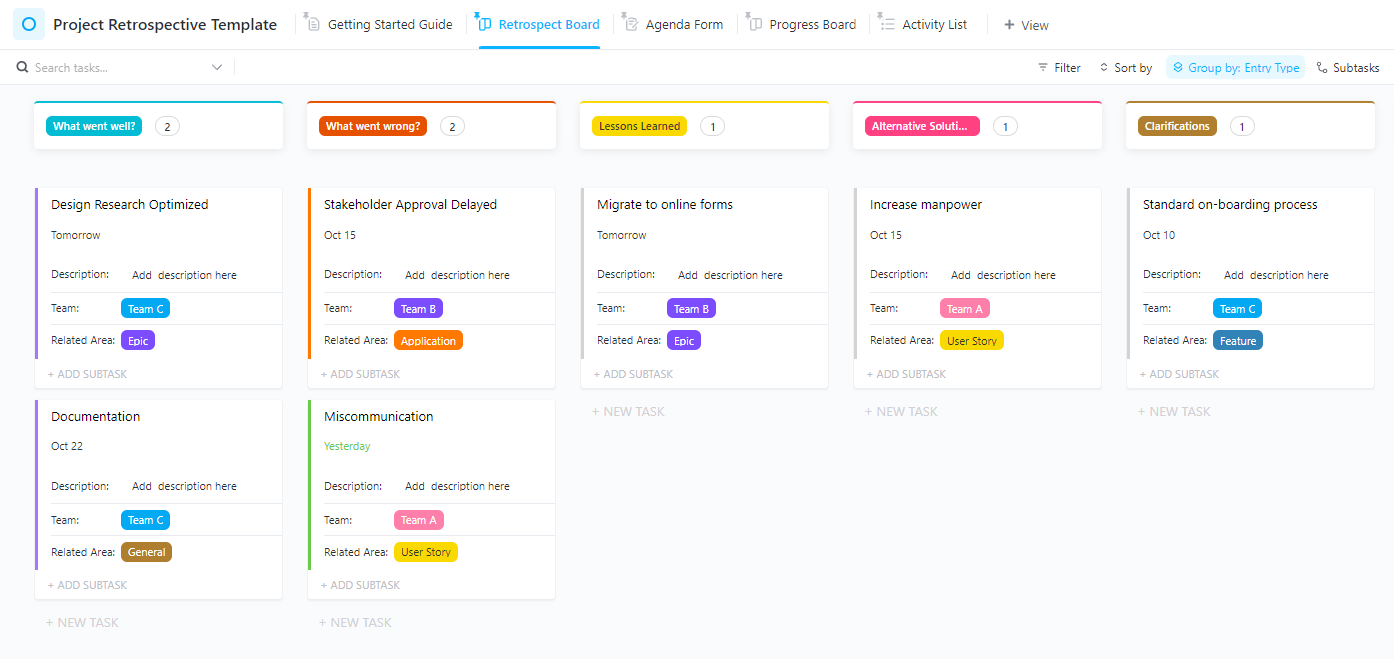
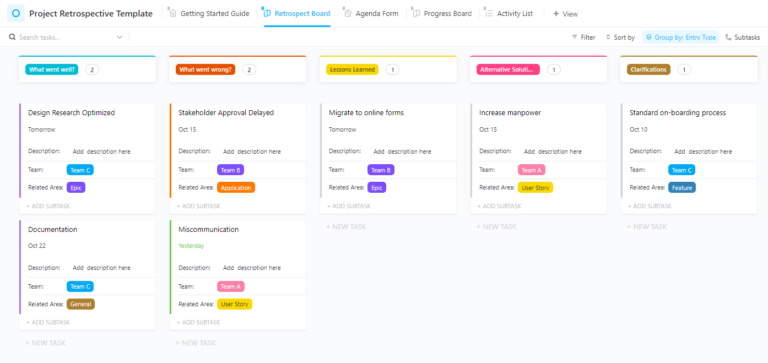
After a project is wrapped up, it’s essential to pinpoint areas of lag, plus points, and everything in between to optimize efforts for future projects. Sounds too much? Not with the ClickUp Project Retrospective Template.
It offers a clear, organized format to assess the project and get honest feedback from the team.
Check the entry type; what went well, clarifications, alternative solutions, what went wrong, and lessons learned for simple evaluation and tracking.
🔑 Ideal for: Project managers, scrum masters, agile teams, and team leads looking for a tool to streamline feedback sessions and drive improvement.
💡 Pro Tip: AI-powered tools like ClickUp Brain make organizing retrospective insights simple and intuitive. Here’s how it helps:
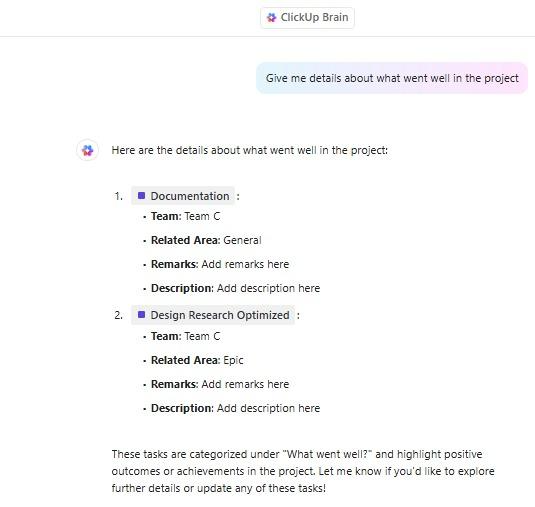
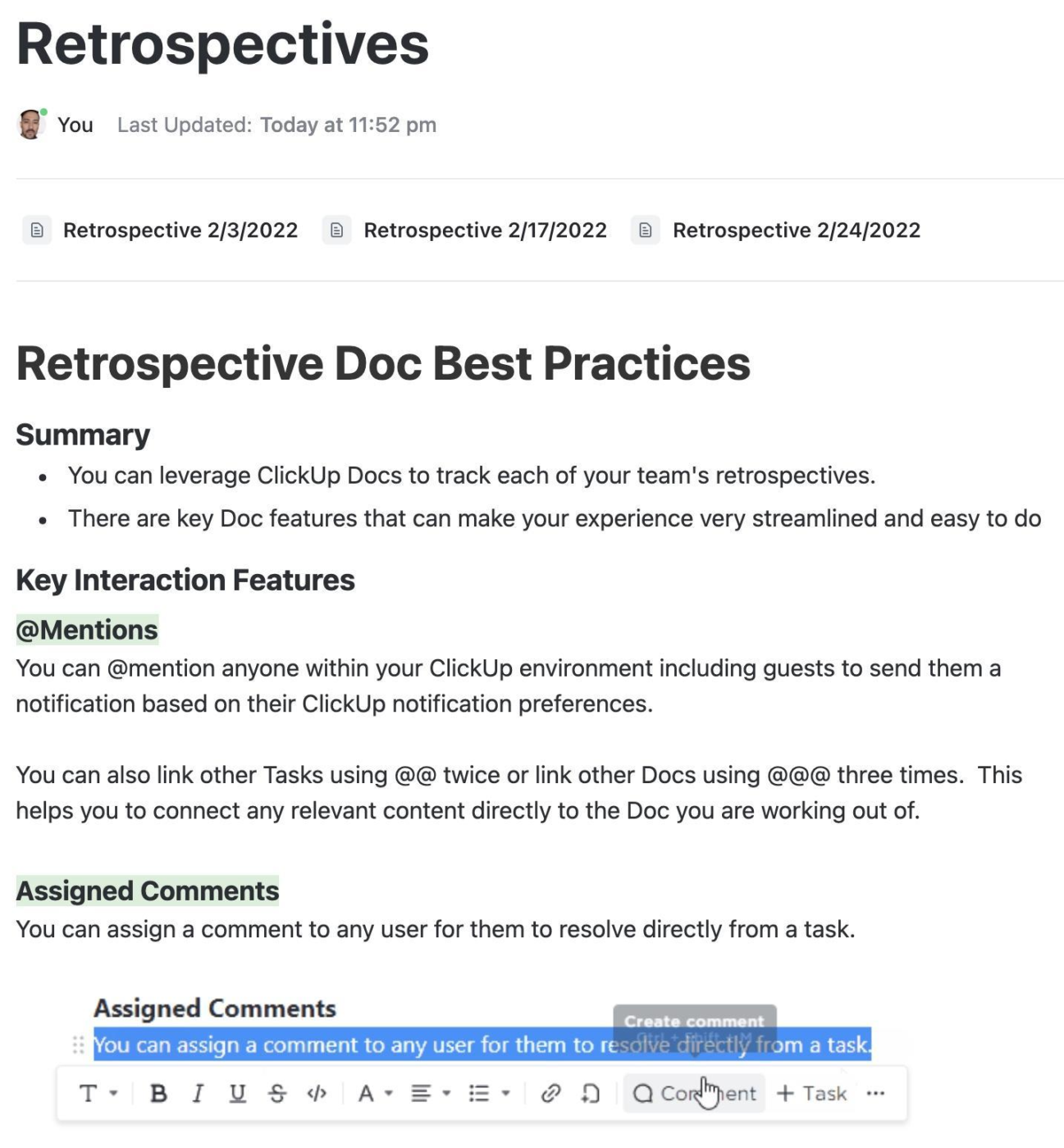
Getting feedback and assessing the project’s strengths and weaknesses requires an organized format, and the ClickUp Retrospectives Template provides exactly that.
The framework provides a collaborative space to get insights, identify patterns, and dive deeper into what worked and what needs improvement. With pre-built previews, ask relevant questions and get meaningful feedback on how to optimize future workflows.
Whether it is a sprint review or a quick check-in on the progress, the template helps you optimize every step of the project.
🔑 Ideal for: Project managers, agile teams, and team leads who want to gain insights into potential problems and identify solutions quickly.
➡️ Read More: How to Set an Effective Sprint Schedule
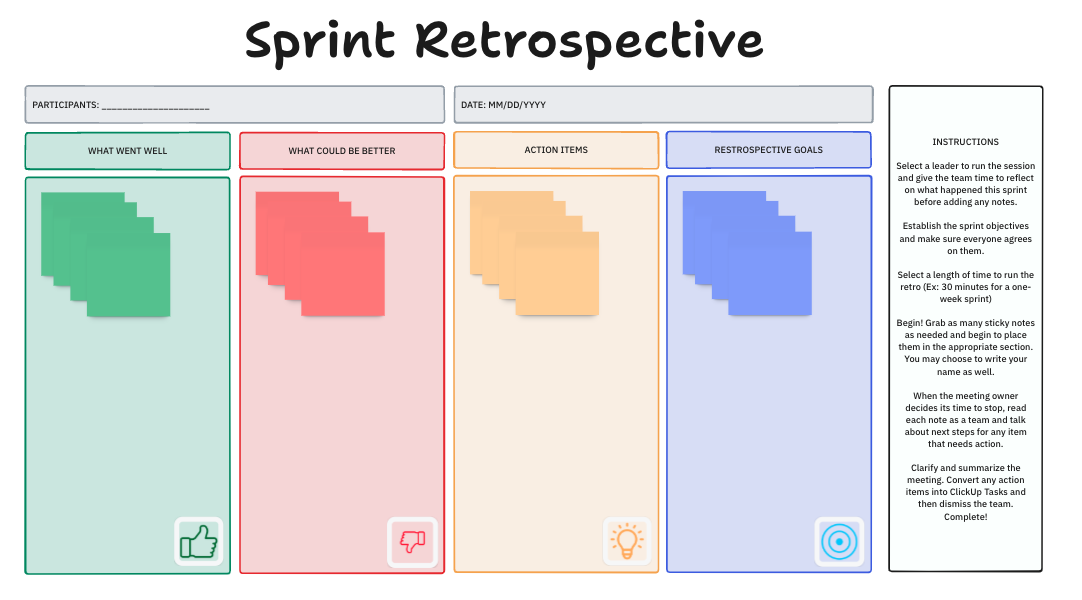
Collaborating with the team members is easy with the ClickUp Sprint Retrospective Brainstorm Template. Present new ideas and insights in an intuitive and structured format with the whiteboard view of this template.
Run a sprint retrospective session, ask questions from team members, read insights, and discuss the course of action to optimize future efforts. Manage participants, meeting agenda, and date to ensure easy organization and tracking.
🔑 Ideal for: Creative teams and team leads looking for a space to let their teams brainstorm their retrospective meetings at a glance.
Here’s what Shikha Chaturvedi, Business Analyst at Cedcoss Technologies Private Limited, thinks about using ClickUp:
We retain all the business problems in one place and can focus on each problem simultaneously through ClickUp. It also helps us manage our tasks and track the time invested in particular tasks.
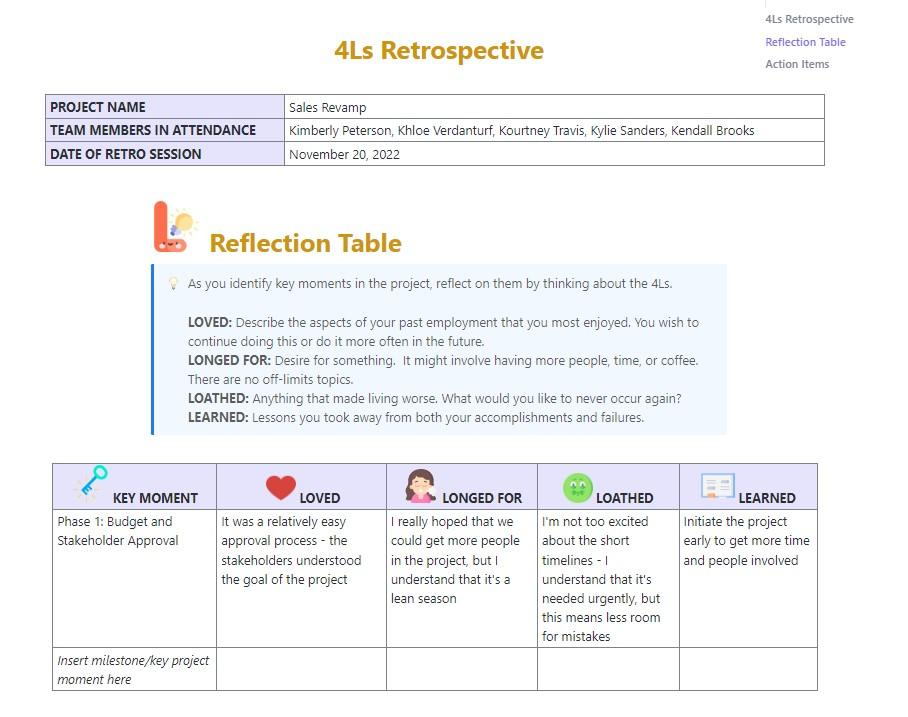
Keeping the team on the same page and ensuring productivity throughout seems challenging. The ClickUp 4Ls Retro Template takes the complexity out of the process with the 4L format—Look Back, Lessons Learned, Long-term Impact, and Last Words.
Identify key moments and milestones, and ask team members to answer the 4Ls to identify issues and trends. The template provides an organized way to discuss the project in detail and find solutions, ensuring collaboration and continuous learning.
🔑 Ideal for: Sales and marketing managers and team leads looking to reflect on the team’s workflow to enhance productivity.
🔎 Did You Know? Retrospective-led teams show 20% higher balanced performance than those who do not conduct deliverables.
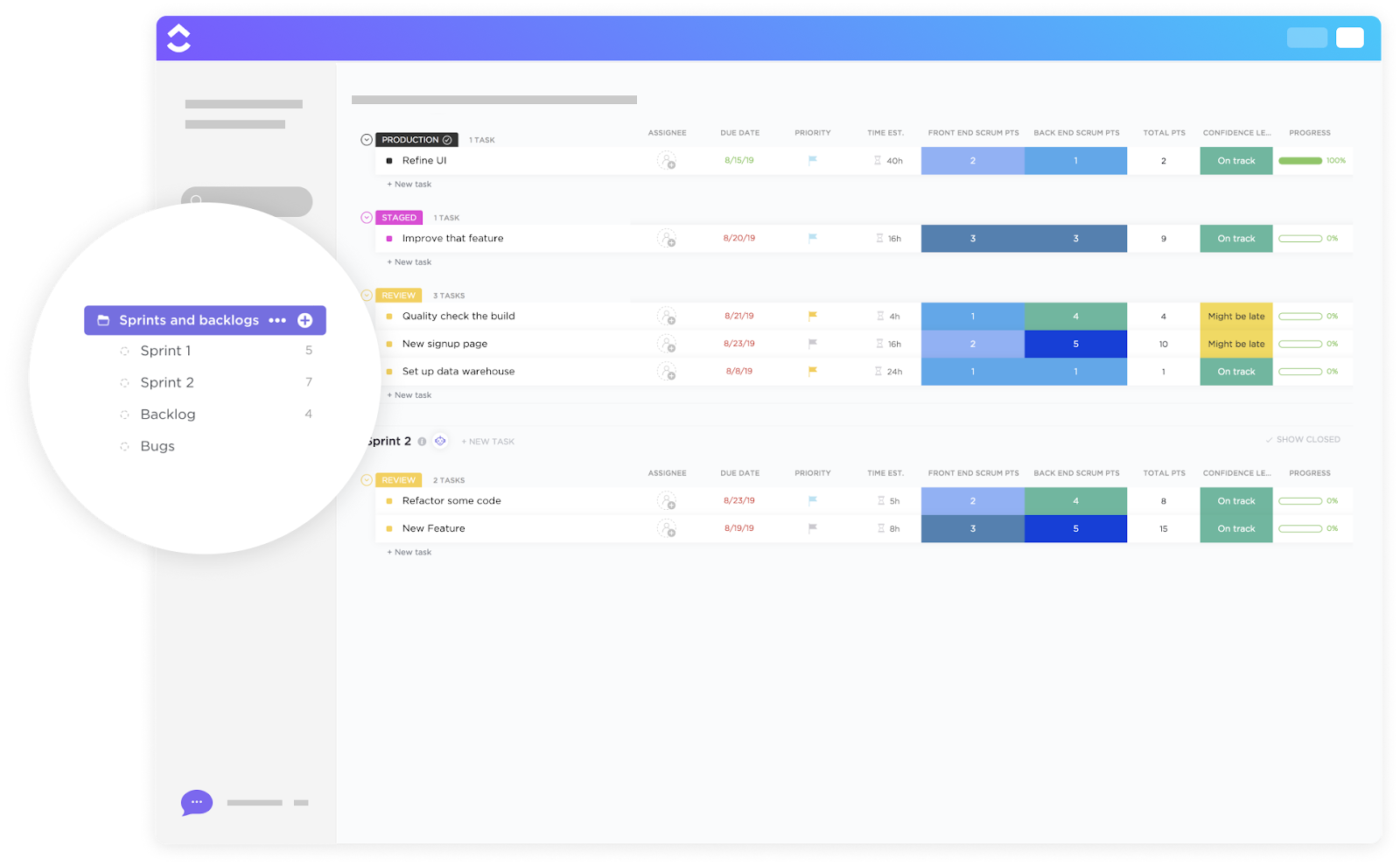
The ClickUp Backlogs and Sprints Template makes managing goals and delivering consistently improved user experiences seamless.
The pre-built views help you manage operations and integrations for project management. The lists for sprints, bug tracking, and product backlogs organize key project details.
The template helps you set dependencies for each task, so you get to create a smooth process. Additionally, the timeline view makes it simple to plan and track the workflow.
🔑 Ideal for: Product managers, engineers, and UX designers who want to organize backlogs and sprint data with visual agile boards.
➡️ Read More: How to Master Sprint Cycle Management for Agile Teams
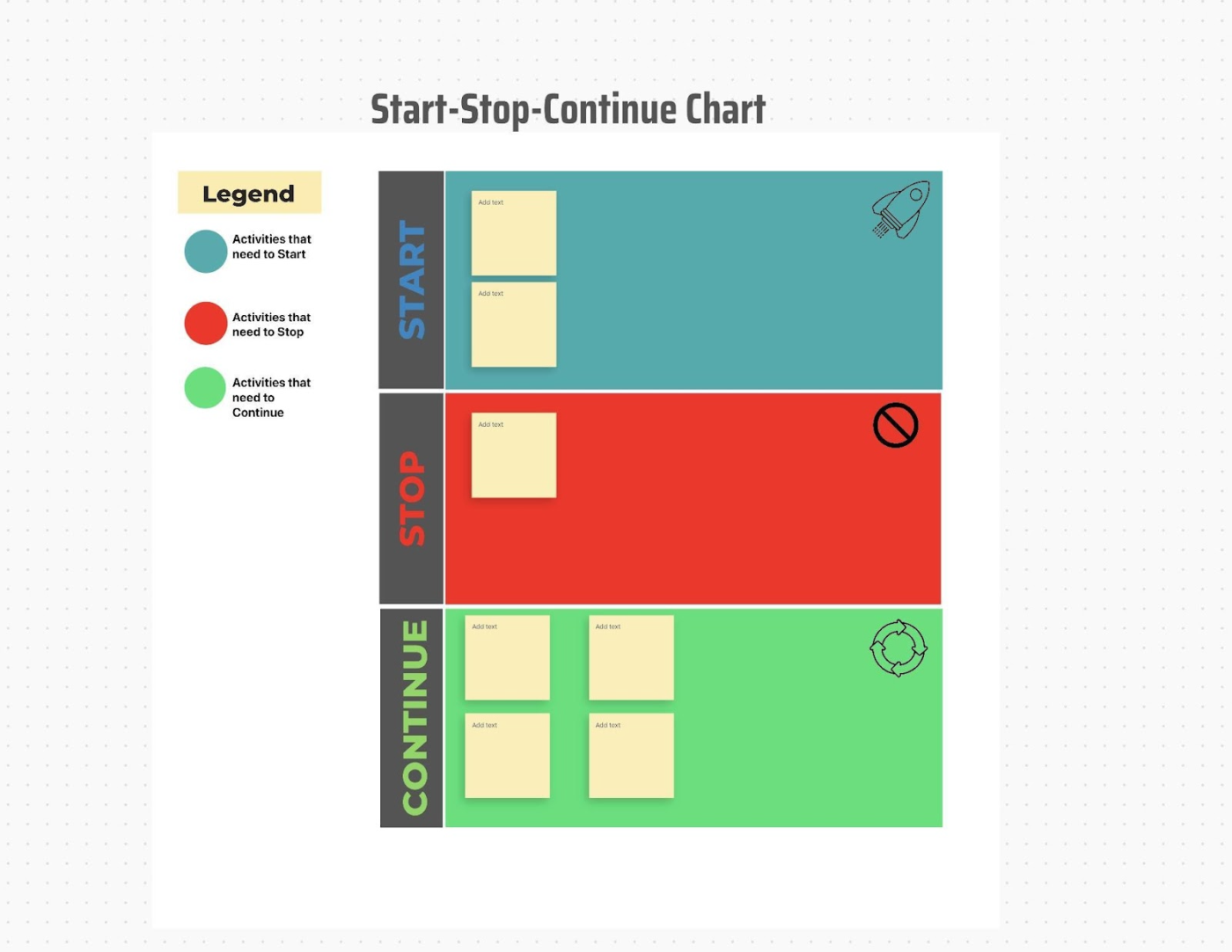
Keeping everything on track requires efficient planning, and the ClickUp Start, Stop, Continue Template helps you do just that.
The whiteboard sprint retrospective template helps your team collaborate and discuss the steps that need to be started, stopped, or continued. With sticky notes, shapes, and images, organize the key points discussed.
Use this template to organize tasks discussed on the whiteboard in the list view, create, and adjust the timeline in the board view.
🔑 Ideal for: Hiring managers looking to organize the hiring steps to be stopped, continued, and started, and track progress.
We use ClickUp to track our software development projects in-house; managing multiple projects and teams makes things easier for me, this is one of the best tools I have used so far for handling my scrum and modern agile projects.
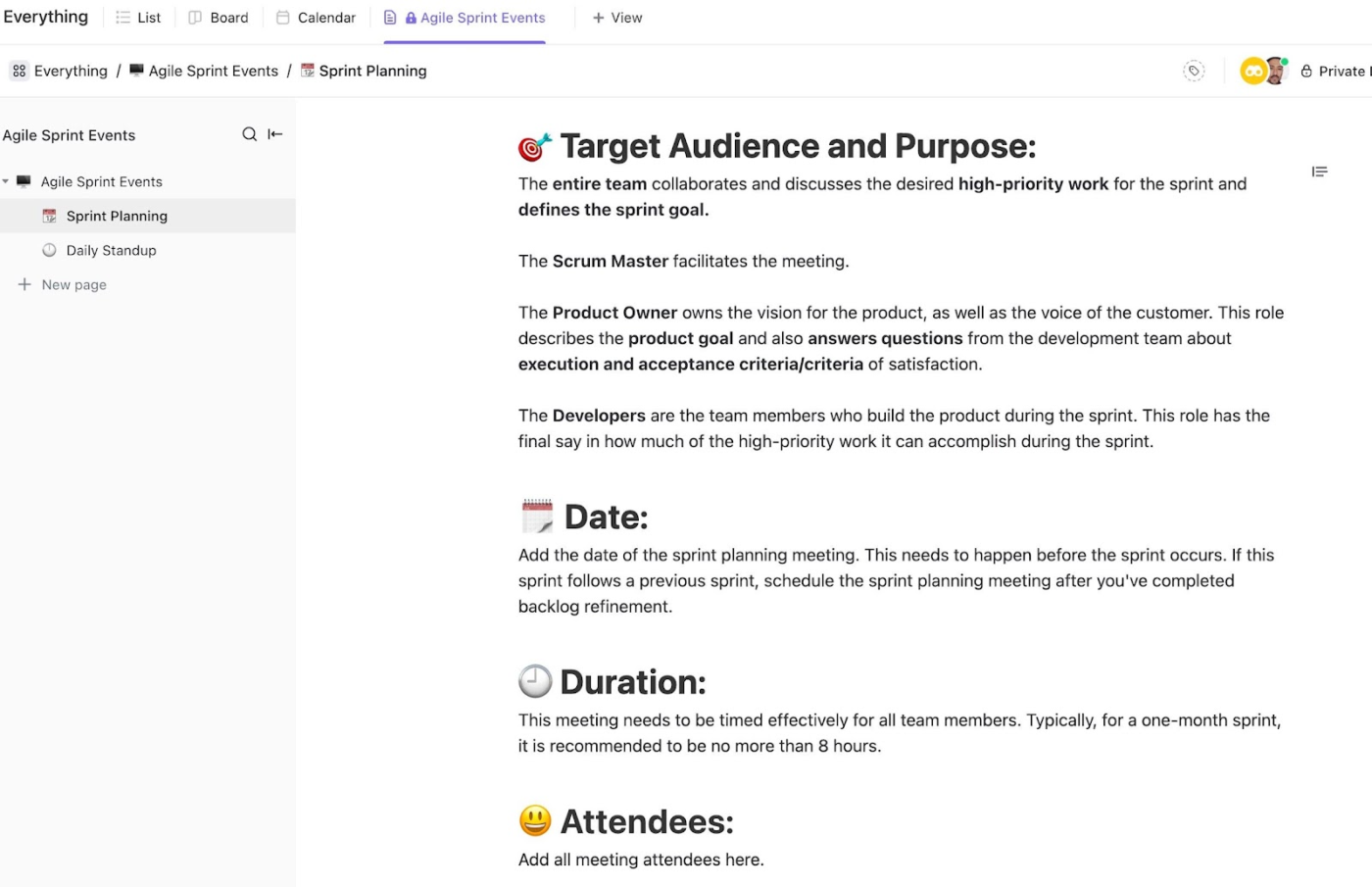
Consolidating all event data in one place, the ClickUp Agile Sprints Events Template helps you maintain an organized workflow.
The pre-defined sections ensure that all the required information is organized. The template makes it simple to update task blockers, share priorities, and track progress. By reducing reliance on external tools, the template helps you focus on important details.
Whether planning sprints or handling multiple projects, the template ensures a smooth workflow with simple tracking.
🔑 Ideal for: Teams launching new products, looking to capture important details, and stay aligned with product goals.
From pre-planning to post-project retrospectives, watch this video on how to set up and customize your project end-to-end on ClickUp! 👇🏼
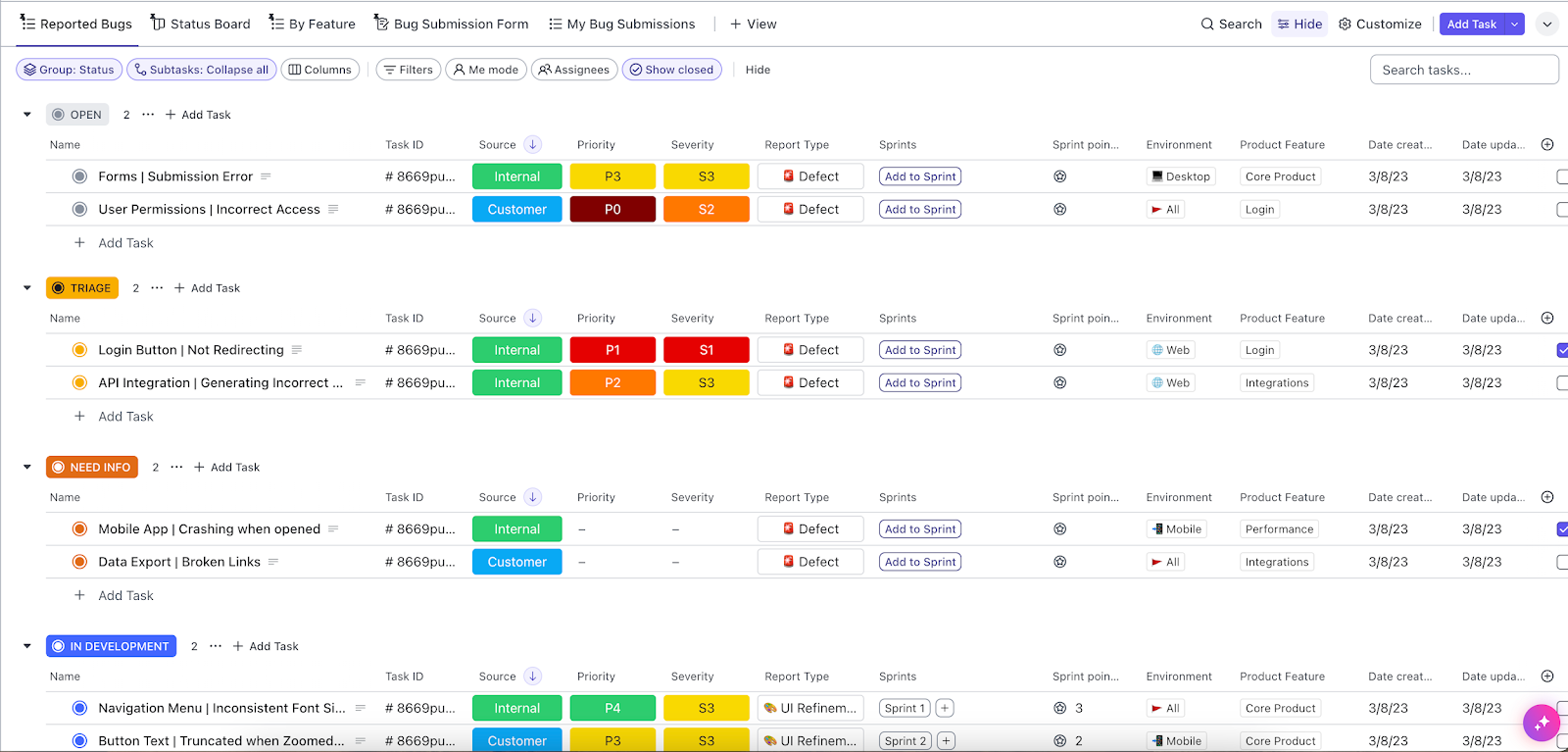
Looking to execute software development projects successfully? Your search ends with the ClickUp Agile Scrum Management with Retrospectives Template, which streamlines the process.
You don’t have to juggle with developer inquiries, customer feedback, or testing responses with this template. The easy-to-use interface makes it easy to plan, categorize, and track everything in one place.
The Scrum tool template lets you complete unfinished backlogs without re-entering data or losing valuable information.
🔑 Ideal for: App developers and product managers who need a sprint retrospective template to keep everything on track, from user permissions to user interface issues.
➡️ Read More: How to Manage Agile Ceremonies Effectively
📮 ClickUp Insight: 74% of employees use two or more tools just to find the information they need, while jumping between emails, chat, notes, project management tools, and documentation. This constant context-switching wastes time and slows down productivity.
As the everything app for work, ClickUp unifies all your work—email, chat, docs, tasks, and notes—into a single, searchable workspace, so everything is exactly where you need it.
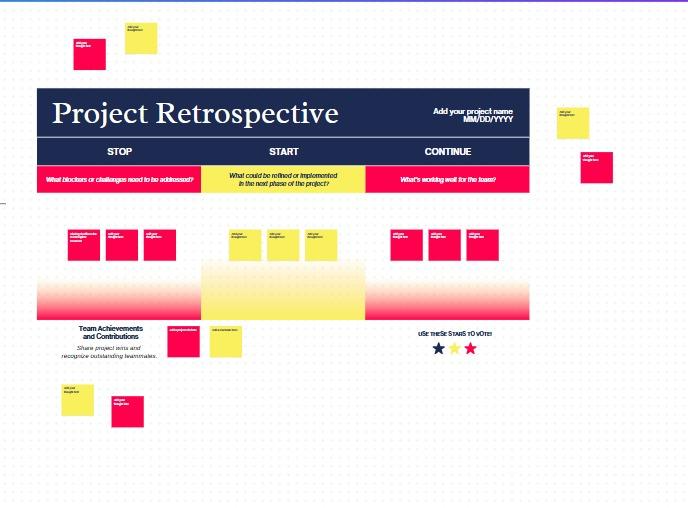
The Foundational Retrospective Online Whiteboard by Canva makes discussing project strengths and weaknesses more structured and intuitive.
The template makes it simple to enhance the details with sticky notes, shapes, lines, and more. The start, stop, and continue sections help outline areas for refinement in the next projects, blockers and ineffective practices, and what worked well for the team.
🔑 Ideal for: Project managers who want an organized approach to analyze project processes and recognize team efforts.
➡️ Read More: Scrum Teams: How to Optimize Remote Team Dynamics
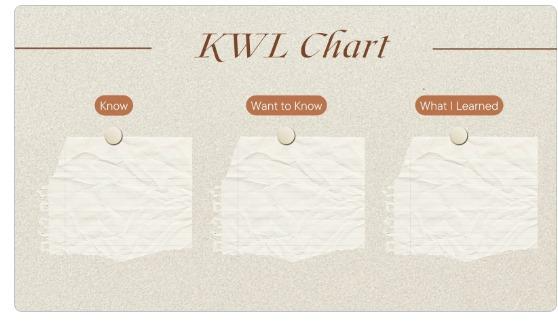
Sorting through what you know, what you learned, and what you want to learn is a smart way to make sure that the mistakes are not repeated in future projects.
That’s where the KWL chart by Canva comes in handy. It gives you a clean, intuitive structure to map out the thoughts and potential risks and makes it simple for the team to grasp all the information.
🔑 Ideal for: Scrum masters looking to reflect on project pointers to optimize planning and efforts for future projects.
💡 Pro Tip: Want to organize actionable insights for project success? Use retrospective tools for agile teams. Here’s how these tools help:
Project retrospective templates are a must-have for teams to grow, adapt, and improve constantly. The right template turns scattered thoughts into structured takeaways and creates an open environment for honest feedback, clarity, and action.
ClickUp, the everything app for work, makes organizing and managing project retrospectives simple.
Whether you are optimizing an existing project or launching a new product, ClickUp will help you keep the project efforts going in the right direction.
Break the cycles of missed lessons and unresolved issues that hinder project success. Sign up for free with ClickUp today and track every win and challenge to boost project success!

© 2026 ClickUp

There’s an easier way. Try a free AI Agent in ClickUp that actually does the work for you—set up in minutes, save hours every week.