
Sorry, there were no results found for “”
Sorry, there were no results found for “”
Sorry, there were no results found for “”
You stare at your project dashboard, deadlines slipping through while your team scrambles to stay on track. Emails pile up, spreadsheet versions conflict, and critical updates are missed. It’s frustrating—too much time spent managing work and not enough time delivering results.
Your team feels the brunt, too.
But what if there was a better way? 🧠
Imagine automating status updates, simplifying approval workflows, and building clear communication channels that are tailored to your team’s needs. It’s all possible through conscious project management process improvement. The impact goes beyond meeting deadlines. It means fewer bottlenecks, reduced burnout, and a team energized by the results they can deliver. 🎯
This article will walk you through inefficiencies, redesigning workflows, and creating more intelligent processes that drive consistent outcomes—whether you’re managing a small project or scaling a complex operation.
Let’s see how simple process improvements can enhance your project management efficiency.
Project management process improvement is analyzing and refining project workflows to enhance efficiency, productivity, and outcomes. It involves identifying bottlenecks, eliminating redundancies, and organizing tasks to ensure every step adds value to the project.
This approach ensures projects are completed on time, within budget, and with optimal resource utilization by aligning project activities with organizational goals.
Here’s why it matters:
👀 Did You Know? After a devastating 2021 weather event cut off British Columbia’s lower mainland, the Ministry of Transportation and Infrastructure reopened the critical Highway 5 to commercial traffic in just 35 days by applying project management principles like critical path analysis, work breakdown structures, and risk assessment, enabling the rapid restoration of supply chains and connectivity.
Even the most experienced teams sometimes face challenges with project management. Here are a few signs that indicate your process may need finetuning:
If you notice any of these issues, it may be time to revisit and refine your project management process to boost efficiency and better meet your goals.
👀 Did You Know? The revolutionary Toyota Production System (TPS) is built on two pillars—jidoka (automation with a human touch) and Just-in-Time—enabling high-quality, low-cost production by combining human wisdom with efficient processes to eliminate waste and continuously improve workflows.
Imagine fixing a leaky faucet without first assessing where exactly the problem lies. You might tighten the wrong pipe and make things worse. Frustrating, right? That’s what implementing process optimization without the correct methodology is like.
You need to choose the right approach, such as Lean, Six Sigma, or Agile, to pinpoint issues faster, improve efficiency, and see lasting results.
Let’s discuss these key process improvement methodologies and how they can improve your workflow.
Originating from the Toyota Production System, the Lean methodology maximizes value while minimizing waste. It emphasizes reducing activities that don’t directly contribute to the final product.
Key techniques like value stream mapping help identify bottlenecks, while 5S (Sort, Set in Order, Shine, Standardize, Sustain) ensures workplace organization for optimal performance.
The Six Sigma methodology focuses on reducing process defects and variability to improve quality and efficiency. Pioneered in manufacturing and later adopted across industries, it uses data-driven tools and the DMAIC framework (Define, Measure, Analyze, Improve, Control) to identify and eliminate inefficiencies.
Originating in the field of software development, Agile is a process improvement technique designed to prioritize flexibility and rapid adaptation to change. It involves breaking projects into smaller, manageable increments called sprints, so teams can pivot quickly when needed.
Regular check-ins, close collaboration, and rapid iterations make Agile a favorite for anyone who values flexibility over rigid planning.
Today, Agile is adopted by teams across functions and industries—from construction to event management and more. Watch this video to learn how you, too, can apply Agile principles to manage your projects better.
An Agile process improvement methodology, Scrum helps manage complex projects through teamwork, accountability, and iterative cycles. With clear role classification and ownership (looking at you like Scrum Masters and Product Owners), as well as practices such as daily or weekly stand-ups and action-oriented sprint reviews, Scrum ensures continuous progress and quicker value delivery. Think of it as Agile, but with more structure and accountability baked in.
TQM is the “quality first” approach, embedding excellence into every part of an organization. It’s not just about fixing problems when they happen—it’s about preventing them in the first place. By involving employees in continuous improvement efforts, keeping customer satisfaction front and center, and standardizing processes, TQM ensures a company’s standards never slip.
DevOps unifies software development and IT operations to shorten the development lifecycle. It focuses on continuous integration and continuous delivery (CI/CD), automating processes like testing, deployment, and monitoring.
This helps reduce errors, improve scalability, and increase the speed of software release cycles.
Value Stream Mapping (VSM) is a lean project management tool that visualizes workflows to identify inefficiencies and eliminate waste. By mapping existing processes and designing improved ones, VSM helps organizations boost efficiency and deliver results faster.
Business Process Reengineering (BPR) leverages technology to automate tasks, eliminate redundancies, and redesign roles to improve operations. It drives cost reduction and better service in industries like finance and healthcare.
The methodology focuses on large-scale, high-impact changes, making it a powerful tool to overhaul outdated systems for business process improvement.
The Theory of Constraints (TOC) aims to increase throughput and improve overall system performance by focusing on and improving the constraint that most impedes flow. This approach is convenient in manufacturing and supply chain management, where optimizing production capacity and removing delays can significantly impact output and profitability.
Root Cause Analysis (RCA) focuses on identifying and managing the underlying causes of issues rather than treating symptoms. It involves systematically analyzing problems to pinpoint their root cause, using tools like the 5 Whys, fishbone diagrams, or fault tree analysis.
🤝 Friendly Reminder: This is just an overview of the main process improvement techniques. Read up more and understand the pros and cons of each model before picking one that suits you!
The key to transforming your team’s work is taking a systematic, step-by-step approach. You’ll need to examine your current processes, identify pain points, redesign workflows, and continuously measure results. Project management methodologies like Lean and Agile provide proven frameworks to guide these improvements.
Here’s a detailed guide to process improvement to get you started:
The first step in your process improvement plan is to examine how your team currently works. Look for inefficiencies in the workflow—where do delays typically occur, where do things often go unnoticed, and where does communication break down?
👉🏼 For example, if you notice that budget and procurement approvals are always delayed because of email chains, you can adjust that process.
📮 ClickUp Insight: Nearly 42% of knowledge workers prefer email for team communication. But it comes at a cost. Since most emails only reach select teammates, knowledge stays fragmented, hampering collaboration and quick decisions.
To improve your project management process and accelerate collaboration, leverage an everything app for work like ClickUp, which turns your emails into actionable tasks within seconds!
Once you’ve identified areas of business process improvement, it’s time to set goals. Instead of vague aims like ‘improve communication,’ make them specific and measurable.
👉🏼 For instance, ‘reduce project completion time by 15% in the next quarter’ or ‘cut the approval process from five days to two.’
When these objectives are clear, the entire team knows exactly what success looks like.
The next step is to assess your project’s needs by choosing the proper improvement framework. Start by pinpointing the challenges you’re facing—are delays or budget overruns an issue? What outcomes do you want, like better efficiency or higher quality? Once you have a clear picture, match your needs to a framework.
💡Pro Tip: Lean process improvement is excellent for cutting waste (think Kanban boards to visualize workflows), Agile is perfect for retaining flexibility, Scrum helps with quick, iterative progress, Six Sigma focuses on quality enhancements (by using root cause analysis, for instance), and design thinking is all about putting users first (through interviews or feedback).
Pick a specific pilot project to redesign processes, such as a marketing campaign phase. Define steps, timelines, and roles clearly, and conduct training to ensure team readiness. During the pilot, monitor key metrics like on-time delivery and budget adherence and regularly check in with the team for feedback to spot any challenges.
📖 Also Read: Key Steps in the Project Lifecycle Process
Next, review the pilot program results by comparing actual performance to your established key performance indicators (KPIs). Pinpoint any challenges and note how they were managed. Use these insights to refine the process—adjust steps or reallocate resources as needed. Finally, document the updated process clearly so it’s easy to share and use across the team.
The final step is to choose the project management software that fits your framework. Use it to automate tasks like sharing status updates and streamlining timesheets. Make good use of collaboration features like real-time messaging and shared documents to keep the team connected.
📮ClickUp Insight: Low-performing teams are 4 times more likely to juggle 15+ tools, while high-performing teams maintain efficiency by limiting their toolkit to 9 or fewer platforms. But how about using one platform?
As the everything app for work, ClickUp brings your tasks, projects, docs, wikis, chat, and calls under a single platform, complete with AI-powered workflows. Ready to work smarter? ClickUp works for every team, makes work visible, and allows you to focus on what matters while AI handles the rest.
The last step is to set up regular reviews, like quarterly check-ins, to see how the changes work and ensure continuous process improvement. Project managers should collect feedback from the team and stakeholders through quick surveys or casual chats. Build a culture of growth by recognizing and rewarding team members who help improve processes.
🧠 Fun Fact: Smart machines, AI, and IoT are set to revolutionize project management. They’ll take over tasks like data collection, analysis, and reporting, potentially eliminating much of the traditional work handled by today’s project management offices (PMOs). The future of project management is smarter, faster, and more automated!
Wondering which AI tool to adopt for simplifying project management? The video below will answer your question!
To optimize your project management processes effectively, you need a tool that seamlessly integrates resource management, communication, and performance tracking.
ClickUp, the everything app for work, empowers teams of all sizes to stay organized, boost productivity, and hit deadlines with ease. It combines your projects, knowledge, and chat in one place—all powered by the world’s most cohesive work AI.
Today, over 2 million teams use ClickUp to work faster with more efficient workflows, centralized knowledge, and focus-driven chat that eliminates distractions and unlocks organizational productivity.
Here’s how teams leverage the ClickUp Project Management Solution to achieve not just project success but the highest operational efficiency:
Let’s say you’re managing a marketing campaign with multiple moving parts—designers, content writers, and social media managers must all stay on top of their individual tasks to meet the planned launch date. But that’s not all. They also need to coordinate on shared campaign assets and keep them flowing through the pipeline without delay.
Using ClickUp Automations, you can automate routine task assignments and follow-ups.
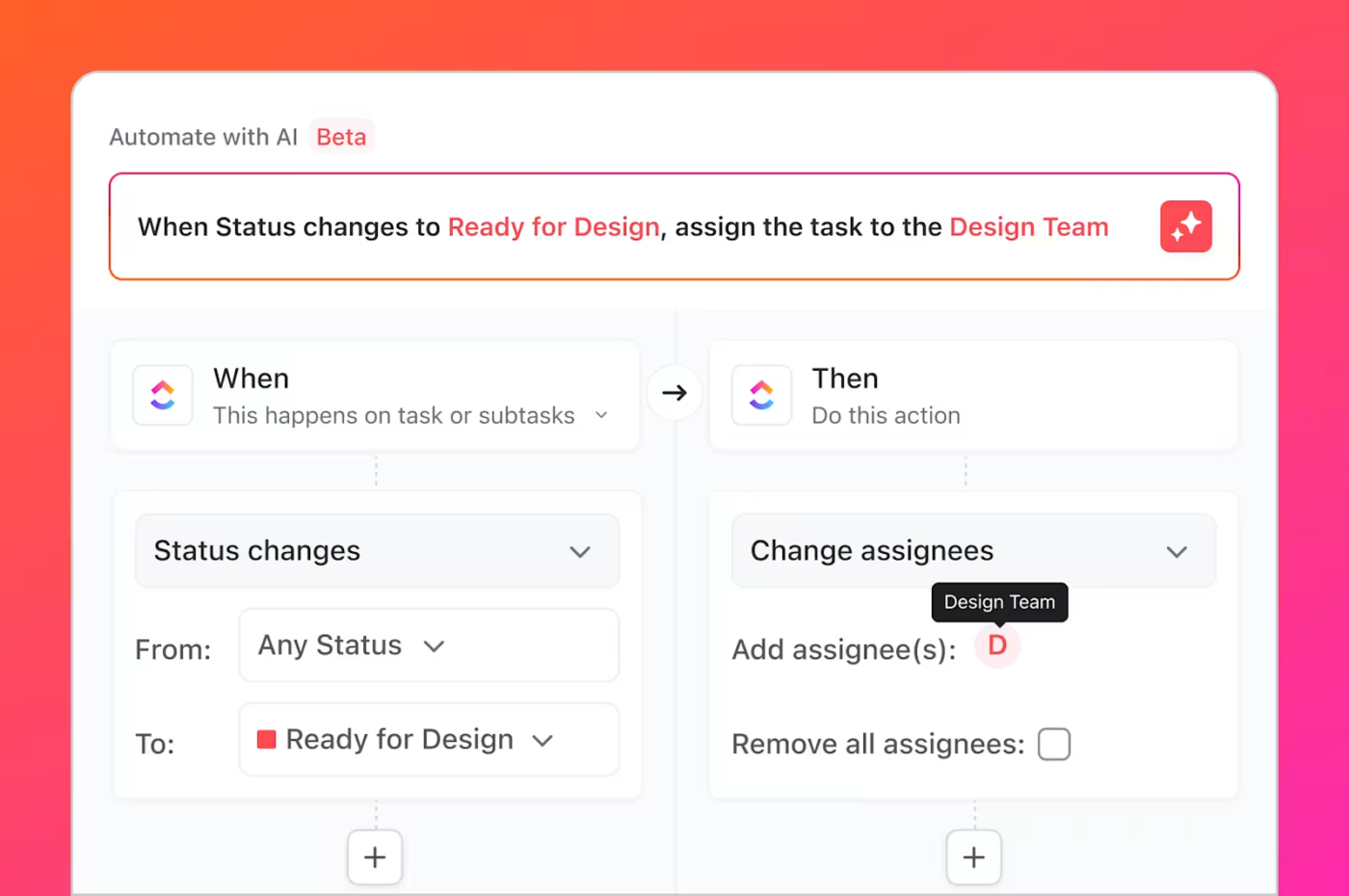
📌 For example, when your design team finishes the graphics for an email campaign, ClickUp automatically assigns the content writer to write the copy. As soon as the copy status is marked “done”, a new Review and feedback task is created for the campaign manager. This smooth automation eliminates bottlenecks and keeps things moving even between cross-functional teams.
Plus, you can program ClickUp to send automatic reminders for overdue tasks every Monday, so you don’t have to chase anyone down to stay on track!
ClickUp also includes tools for resource allocation and workload management. Its Workload view helps ensure resources are evenly distributed and no team member is overburdened or underutilized. You get a clear picture of the team’s capacity to optimize efficiency and manage deadlines.
ClickUp supports different types of agile methods like scrum, kanban, etc. Love the automation feature.
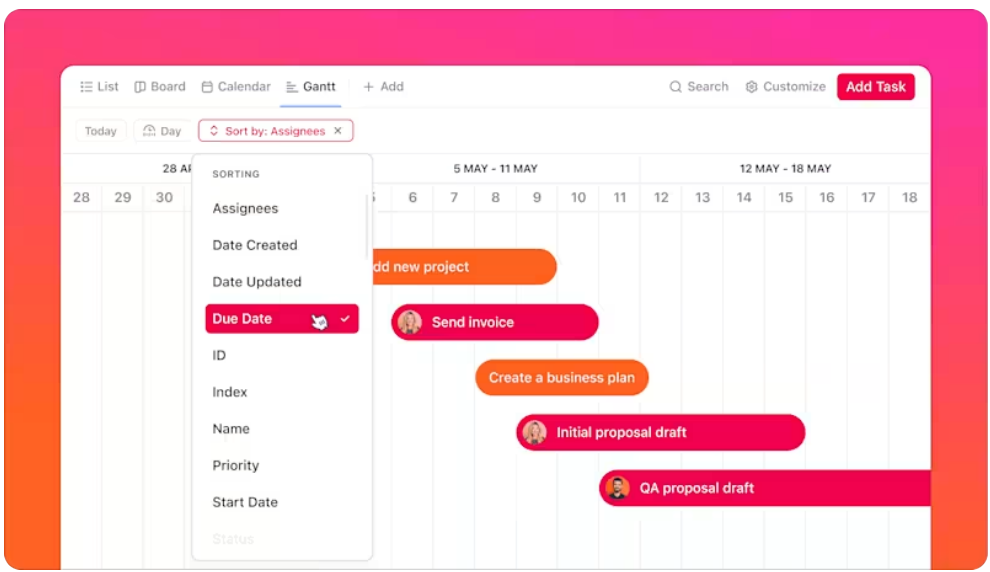
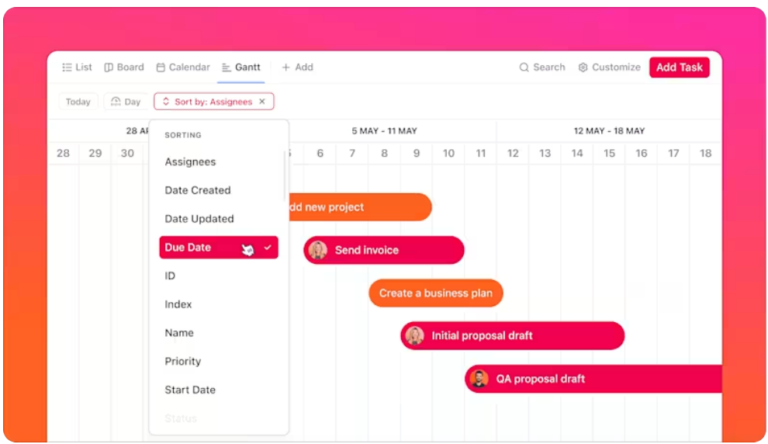
With ClickUp Gantt Charts, you can map out every task across your entire workflow—from development sprints to marketing campaigns—on a single, easy-to-read timeline. Automatically track dependencies to ensure tasks are completed in the right order, compare actual progress against planned milestones, and instantly spot any delays before they become roadblocks.
With real-time updates and drag-and-drop rescheduling, you can quickly adjust timelines, reallocate resources, and keep every project on track minus the guesswork.
Are important updates and key decisions getting lost in scattered emails or endless comment threads?
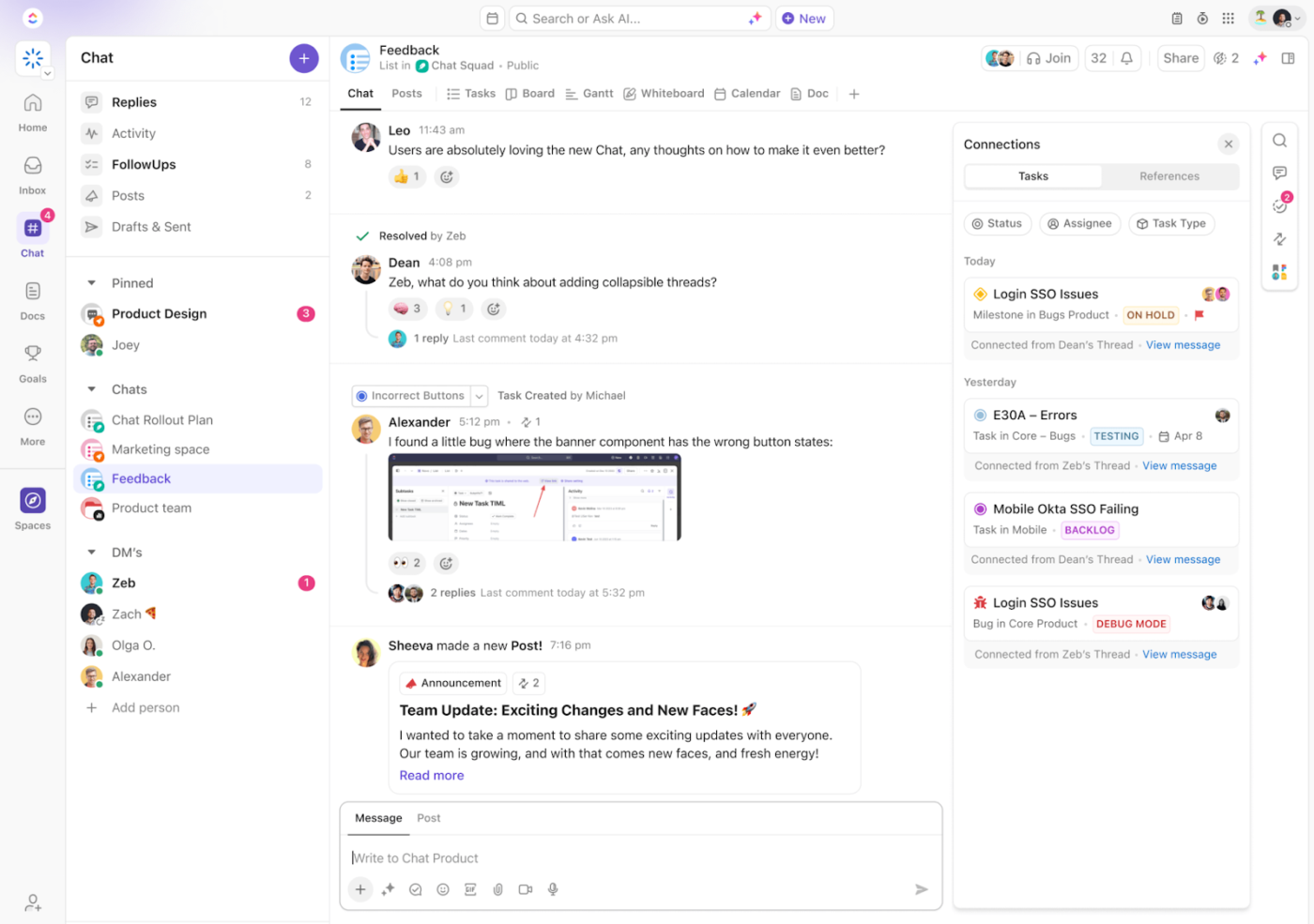
ClickUp Chat streamlines team communication, keeping discussions, decisions, and updates in one place. Use it to discuss tasks in real time and implement changes without delay. Keep chat channels tied to specific tasks or projects for clarity and actionability. And easily tag teammates, share files, and integrate updates directly into workflows.
Fostering such real-time collaboration helps teams resolve roadblocks faster and maintain momentum on process improvements.
📮 ClickUp Insight: About 41% of professionals prefer instant messaging for team communication. Although it offers quick and efficient exchanges, messages are often spread across multiple channels, threads, or direct messages, making it harder to retrieve information later.
With an integrated solution like ClickUp Chat, your chat threads are mapped to specific projects and tasks, keeping your conversations in context and readily available.
Let’s say you’re leading a project and need to know where to focus efforts to keep things moving. ClickUp Dashboards give you real-time performance insights, showing exactly where tasks are stalling, which teams are overloaded, and how work is progressing against deadlines.
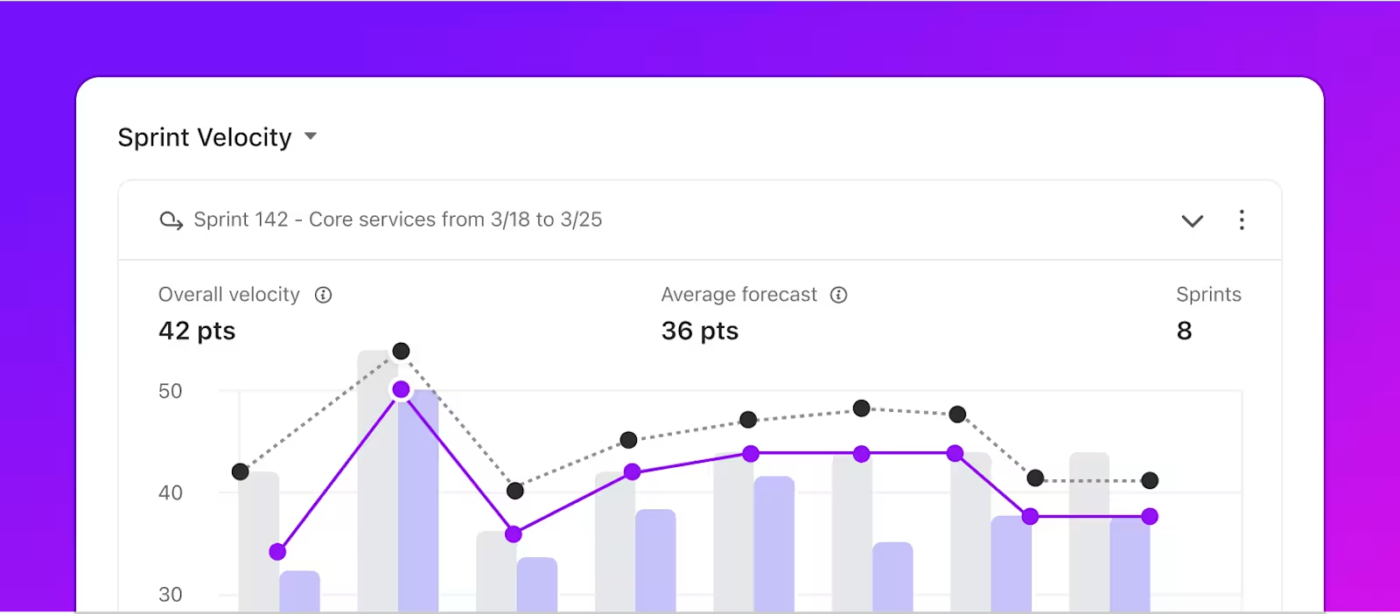
By building custom cards and charts, such as those for measuring team capacity, workload distribution, burndown, cumulative flow, and others, you can take action before delays and inefficiencies snowball.
Learn how to build a comprehensive project management dashboard with the step-by-step explainer in this video 👇🏽
For teams using Agile methodologies, ClickUp’s flexible structure integrates Scrum or Kanban frameworks seamlessly into everyday workflows.
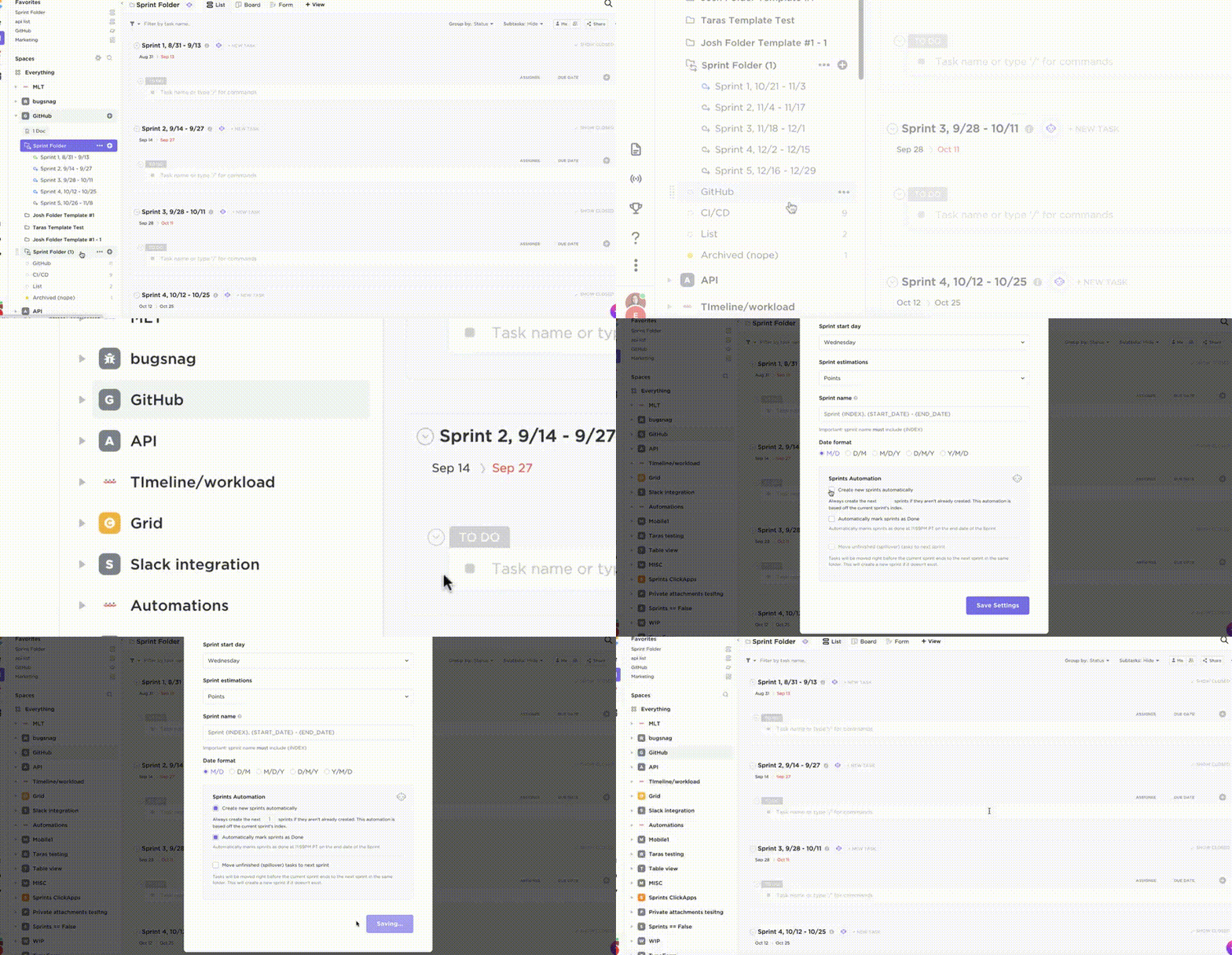
Let’s say you’re managing a development sprint and need a way to prioritize and track tasks in real time. ClickUp Sprints make it easy to create task lists, break down effort and assign sprint points and responsibilities, run and manage sprints, and conduct retrospectives, all within one platform.
The bottom line?
With ClickUp, you streamline processes, reduce miscommunication, and gain detailed insights into project performance—without losing context across dozens of tools
ClickUp comes as very useful when doing task assignments as well as tracking them throughout the sprint. It has features like changing lists, linking tasks, blocking other tasks, commenting, adding images, custom fields, tagging people, assigning multiple people to a single task, adding emojis on comments, and whatnot. It has huge options when it comes to settings.
Manufacturing plants, service companies, healthcare facilities, and tech firms face unique operational challenges. Yet, they all share one common goal: doing things better, faster, and more efficiently.
Let’s examine how different industries can implement process improvement ideas.
👀 Did You Know? A company operating at a ‘Six Sigma’ level will have a defect rate of only 3.4 defects per million opportunities, signifying a very high standard of quality and minimal errors in its processes.
Process improvement often comes with its fair share of hurdles—bottlenecks, poor communication, or team resistance. Here’s how you can tackle these challenges with ClickUp:
One of the biggest challenges in process improvement is identifying where things are slowing down. With ClickUp Dashboards, you can pinpoint delays in real time, ensuring that problems are addressed before they escalate.
For instance, if task approval is consistently delayed, ClickUp will highlight the bottleneck and let you reallocate resources or adjust workflows immediately.
Process improvements often require changes in how teams work. Some team members might resist these changes, or there might be a lack of alignment on new processes.
ClickUp offers an easy way to customize workflows to fit the needs of different teams. Using ClickUp process improvement templates, teams can quickly adopt new methodologies such as Agile or Scrum without disrupting their current work processes.
Process improvements often require changes in how teams work. Some team members might resist these changes, or there might be a lack of alignment on new processes. ClickUp enhances real-time collaboration with task comments, mentions, and status updates, ensuring everyone stays aligned and informed.
👀 Did You Know? Henry Gantt is often considered the father of modern project management due to his contributions to planning and control techniques.
Project management process improvement is not just a goal but a continuous journey that drives efficiency, enhances collaboration, and paves the road to success. The right strategies and process improvement methods make it a powerful tool for achieving tremendous project success and organizational growth.
Don’t wait for change to slow you down. Take control today.
Sign up for ClickUp and start streamlining your processes, optimizing workflows, and delivering better results with every project.

Sudarshan Somanathan
Max 22min read

Praburam Srinivasan
Max 23min read
Praburam Srinivasan
Max 21min read

© 2026 ClickUp




