Sorry, there were no results found for “”
Sorry, there were no results found for “”
Sorry, there were no results found for “”
Product launch checklists, go-to-market (GTM) templates, and roadmaps are meant to keep things on track—but let’s be honest, they’re often all over the place. Teams use different tools, documents get updated in silos, and figuring out which version is the latest can feel like a full-time job.
That’s where a product launch calendar can save your plans. It gives you a clear, visual timeline of your launch, from early product launch strategies to final rollout. With this, product managers (PMs) and product marketing managers (PMMs) can stay aligned, hit key milestones, and keep everything on track.
Let’s walk you through some of the best product launch calendar tools out there in this article. Also, learn how these can help you manage deadlines, track progress, and execute your GTM strategy from start to finish.
👀 Did You Know? 72% of product managers cite the lack of standardization as the primary reason for consolidating tools.
The right product launch calendar allows you to track milestones, collaborate across teams, and quickly adjust to any changes in your launch date.
Here are some of the features to watch out for:
🧠 Fun Fact: The oldest known calendar, discovered in Scotland and dating back to around 8,000 BCE, tracked lunar phases and seasonal changes. It reveals how ancient civilizations managed time long before the advent of AI tools.
Here’s a look at the most impressive product launch calendars you can choose from:
| Tool | Best for | Key features | Pricing |
| ClickUp | All-in-one product launch planning and execution for teams of all sizes | Custom views, automated workflows, built-in AI, milestone and deadline tracking, team collaboration | Free plan available; Custom pricing available for enterprises |
| Notion | Small to mid-sized teams seeking a connected workspace for docs and projects | Status and project tracking, custom views, documentation, migrating files from other tools. | Free plan available; Paid plans start at $12/month per user |
| Trello | Kanban Board-style visualization for individuals and small teams | Sprint management, product roadmaps, Power Ups for scale | Free plan available; Paid plans start at $6/month per user |
| Asana | Work management for large to mid-sized teams | Project progress tracking, resource management, reporting dashboards, AI workflows | Free plan available; Paid plans start at $13.49/month per user |
| Pipefy | Process management for non-technical teams at large enterprises | Task management, workflow automation, AI agents, service request tracking, signature management | Free plan available; Paid plans are custom-priced |
| CoSchedule | Social media marketing for mid-sized agencies and teams | Social media campaign planning, scheduling, publishing, and measurement, client-specific timeline management, brainstorming, Social Inbox | Free plan available; Paid plans start at $29/month per user |
| Aha! | Product management and strategic planning for large teams | Project roadmaps, version history, knowledge base creation. | No free plan; Paid plans start from $11/month |
| Jira | Issue and project tracking for enterprises | Agile project management, Scrum boards, user story tracking, detailed reports. | Free plan available; Paid plans start at $8.60/month per user |
| Monday.com | Project tracking for small to mid-sized businesses | Task management, timelines, milestones, Gantt charts, Kanban boards, automated workflows. | Free plan available; Paid plans start at $12/month per user |
| ProductPlan | Strategic product planning and roadmapping for large teams | Roadmap management, Benefit-cost scoring, risk assessment, progress tracking, team collaboration | Custom pricing |
| Productboard | Customer-centric product management for enterprise teams | Collaborative product roadmaps, idea prioritization, product journey tracking, AI insights | Free plan available; Paid plans start at $25/month per user |
We’ve rounded up the best product launch calendar options to help you efficiently manage timelines, tasks, and key launch phases in this list. Let’s take a look:
Our editorial team follows a transparent, research-backed, and vendor-neutral process, so you can trust that our recommendations are based on real product value.
Here’s a detailed rundown of how we review software at ClickUp.
A solid product launch strategy requires a seamless process that covers everything from pre-launch prep to post-launch analysis. That’s where ClickUp, the everything app for work, really shines.
It goes beyond being a basic task scheduling software, giving teams a centralized space to work smarter, faster, and without all the tool-switching.
With ClickUp’s Product Management Software, sales, product, and marketing teams can stay aligned from start to finish. Whether you’re plotting milestones, assigning tasks, or responding to last-minute feedback, ClickUp keeps every moving part in check.
One standout feature? The ClickUp Calendar.
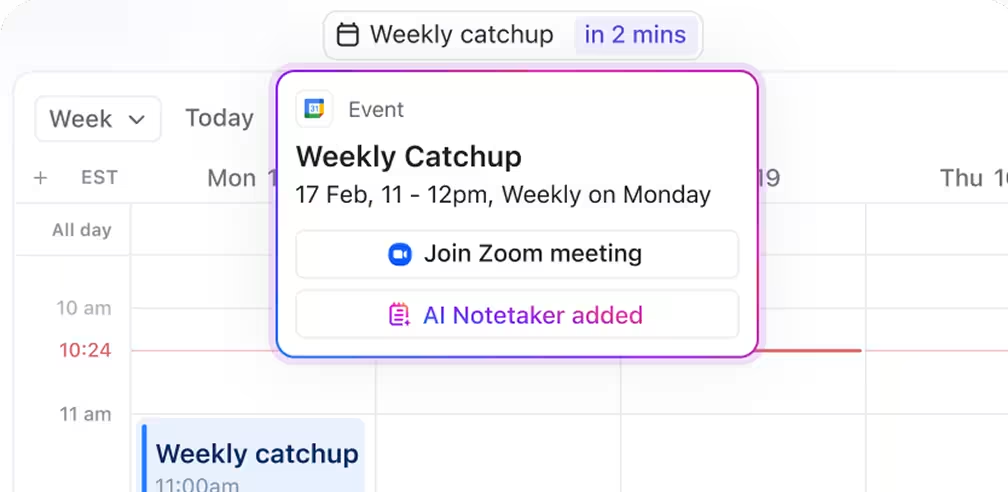
This AI-powered calendar doesn’t just show your schedule—it helps optimize it. It automatically prioritizes tasks, blocks focus time, adjusts meetings, and keeps your day fluid without dropping the ball.
When things shift (as they always do during a launch), the product launch calendar shifts with you. Think of it as an intelligent assistant that’s really good at time management.
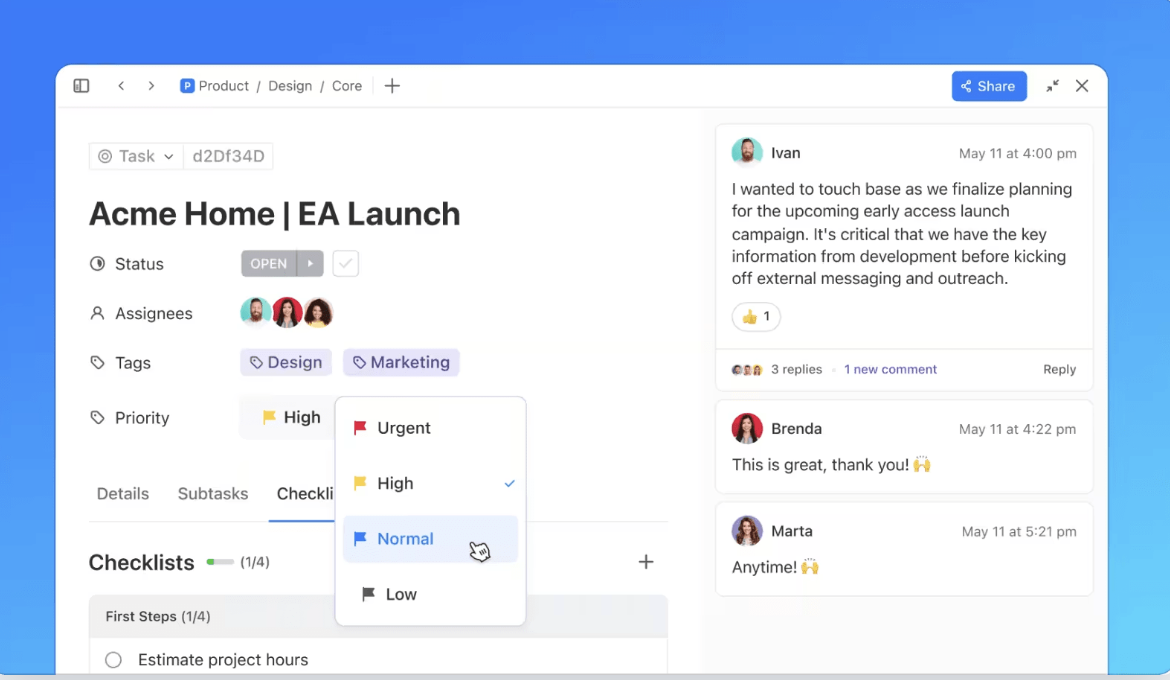
Then there’s ClickUp Tasks, with which you can break down the launch process into smaller steps, set task statuses, and assign priority levels. This immediately directs attention to high-priority items.
ClickUp Custom Fields can store additional details, such as links or documents, providing context for every task.
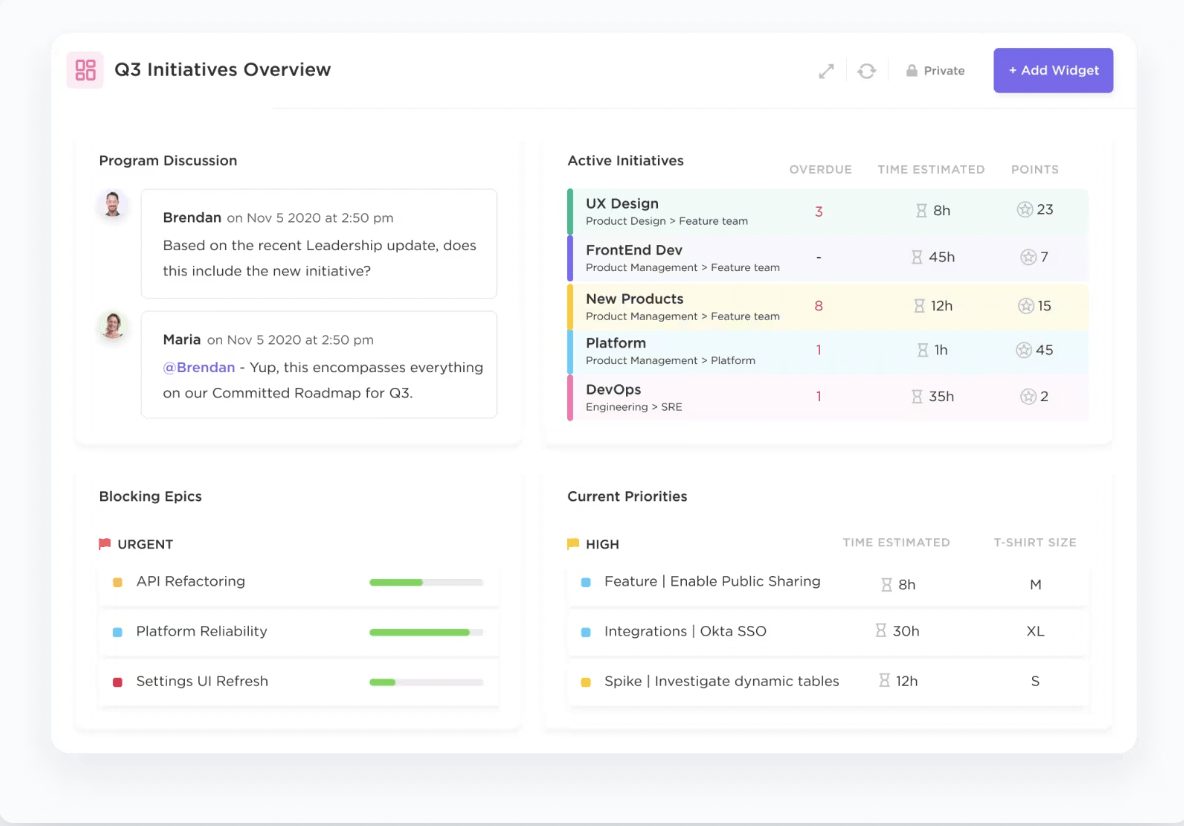
To keep teams on the same page, you can use ClickUp Dashboards and reporting tools. These allow teams to track progress, monitor campaign performance, and measure the success of each launch stage.
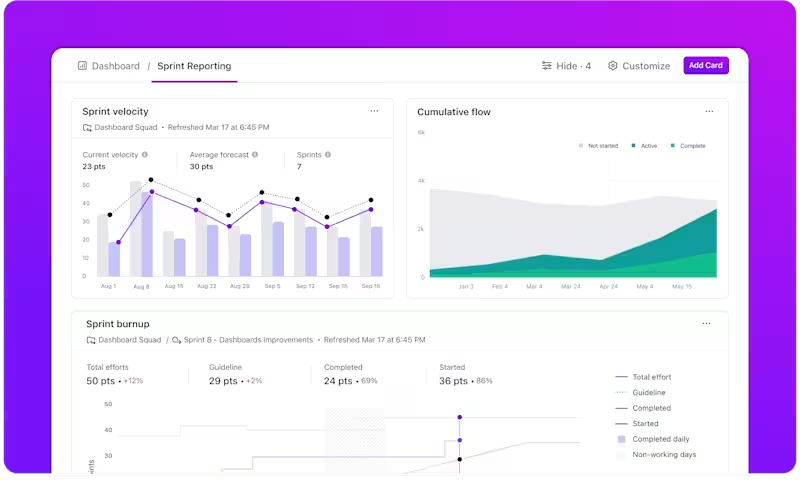
ClickUp’s customizable workflows also let you tailor every phase of your launch, from product design and testing to go-to-market campaigns.
Want to get a head start? Check out pre-built launch templates to fast-track setup, and sprinkle in some ClickUp Automations magic to take repetitive tasks off your plate.
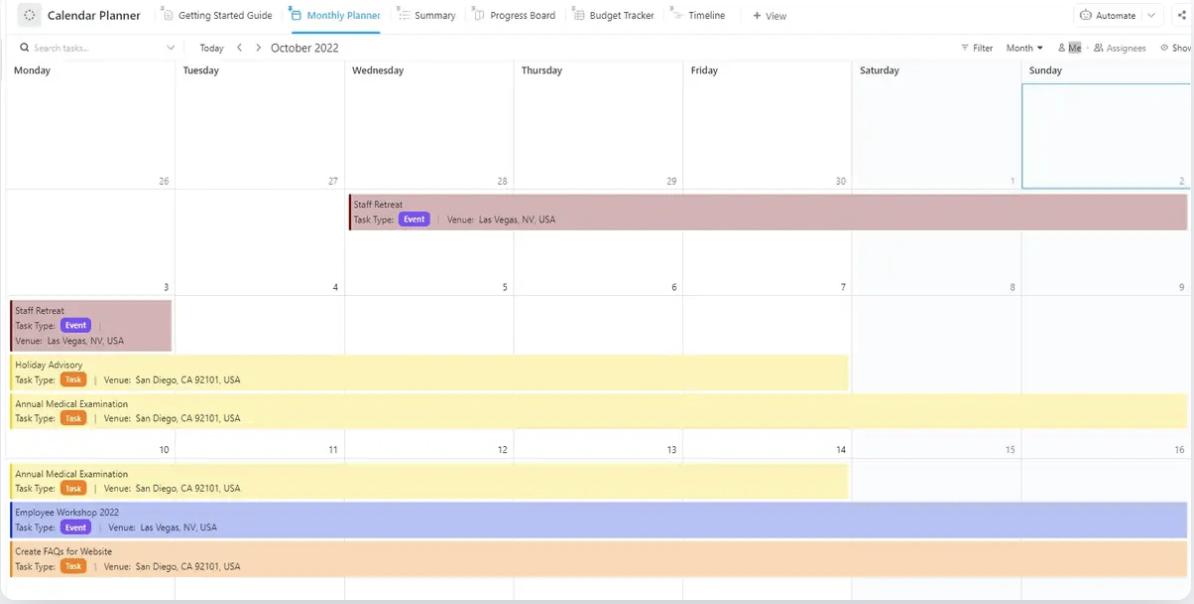
Here’s one to get you started: The ClickUp Calendar Planner Template helps you and your team track tasks and deadlines in one place.
This template includes everything you need to stay on top of milestones, break launch projects into tasks, and manage resources effectively.
Or try the ClickUp Product Launch Checklist Template. It’s designed to bring order to chaos by aligning your team, timelines, tasks, and resources. And if you’re managing multiple product launches or working across sprints, the ClickUp Release Management Template takes it up a notch.
With real-time collaboration, teams always work from the same playbook. Comments, updates, and file sharing happen in one centralized place—no digging through emails or playing calendar tag.
So whether you’re managing a cross-functional team, responding to shifting deadlines, or just trying to keep everyone focused on the same goal, ClickUp has your back. It’s not just about getting to launch day—it’s about getting there with clarity, speed, and a whole lot less chaos.
📮 ClickUp Insight: According to our survey, nearly 88% of leaders still rely on manual check-ins, dashboards, or meetings to get updates. The cost? Lost time, context-switching, and often, outdated information. The more energy you spend chasing updates, the less you have for acting on them. ClickUp’s Autopilot Agents, available in Lists and Chats, surface status changes and critical discussion threads instantly. Here’s to never having to ask your team to send “quick updates”.
👀 Real Results: Pigment improved team communication efficiency by 20% with ClickUp—keeping teams better connected and aligned.
A G2 reviewer says:
ClickUp has been a game-changer for our team, transforming outdated workflows in both bug tracking and new product development. With the ability to create structured statuses that accurately reflect task progress, we’ve eliminated confusion and improved visibility across projects. Our bug tracking system, which was once housed in Redmine felt disconnected and had no visibility. After creating our new system in ClickUp, we had a seamless launch and continue having a great workflow from triage to resolution, ensuring nothing falls through the cracks. We’ve easily implemented automations to save our team from time consuming manual work which has really saved us as well.
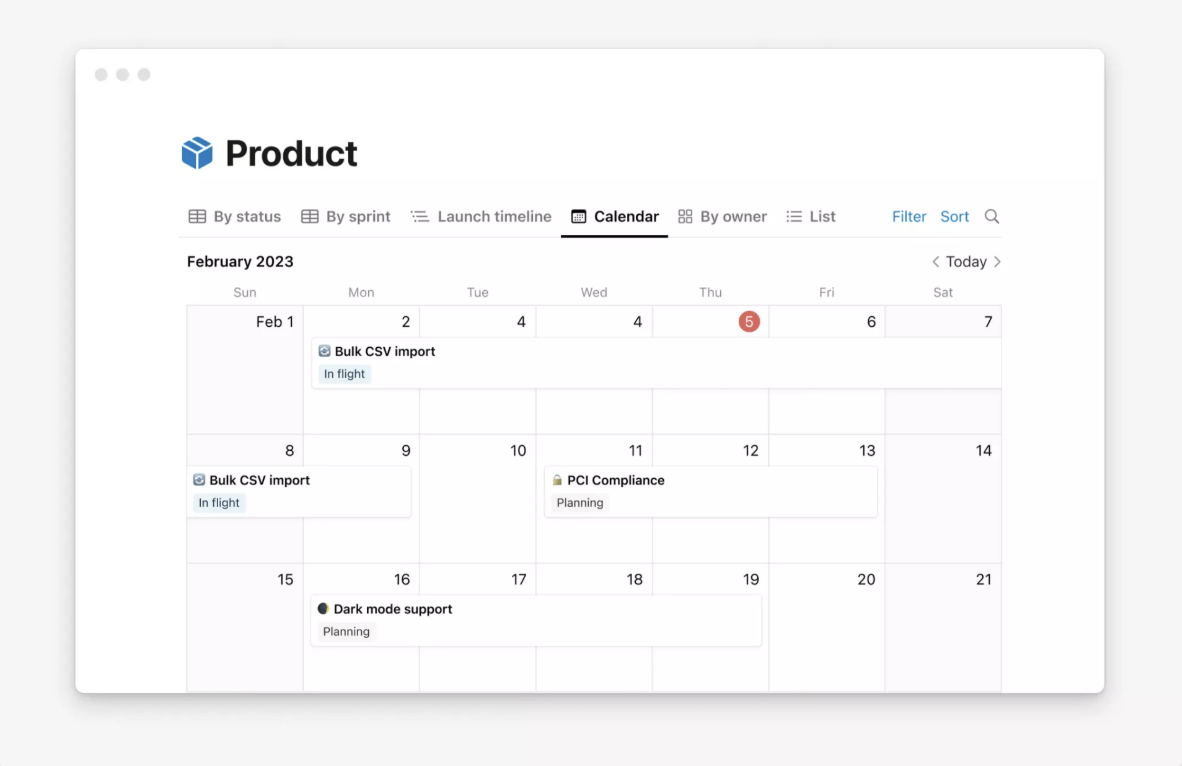
With Notion, product teams can track feature statuses, engineers can highlight high-priority bugs, and execs can see the product launch calendar at a glance.
The platform even lets you create custom views that make sense for every department, making collaboration smoother. Plus, you can quickly migrate all your files with zero hassle using Notion’s Confluence, Google Docs, Asana, and Trello importers.
A Capterra review reads:
I can confidently say Notion has been a great tool! There’s a bit of a learning curve process to go through at first since there are so many options available for customizing your dashboard, but after you get there, you’ll be able to plan efficiently! I love that I can have shared dashboards with other team members as well as my own. Another plus is the fact that I can link external documents so that everything is in one place and has easy access.
📖 Also Read: Top Release Management Tools
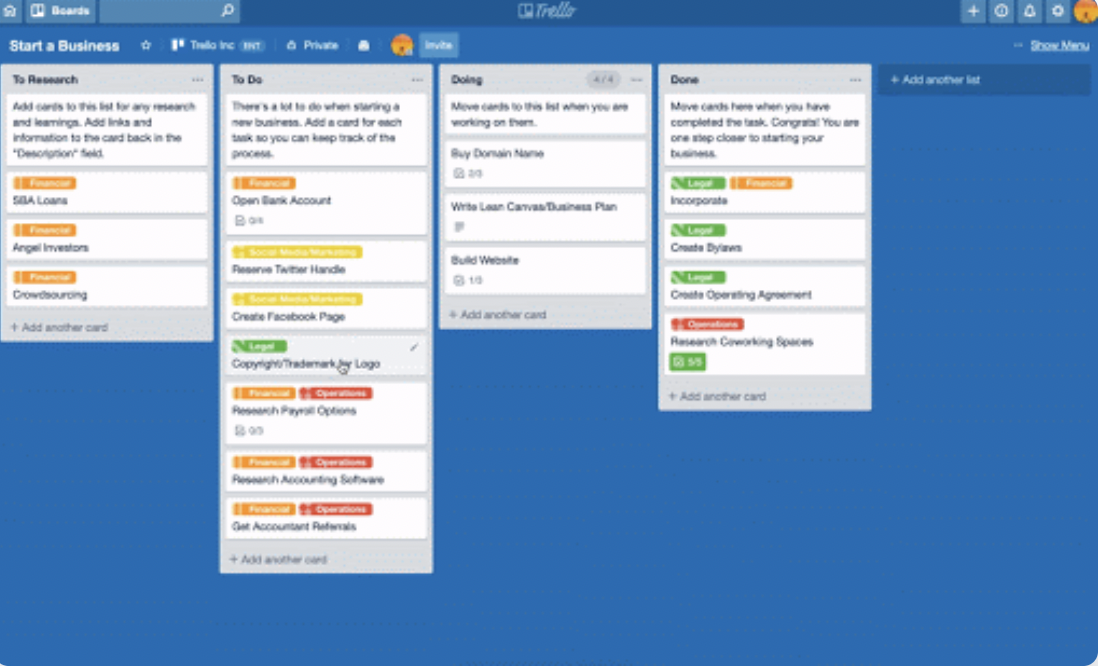
Want to get your product to market faster? Trello is a popular choice for product management teams, making it easier to manage sprints and roll out updates with minimal hassle.
The Kanban-style layout is super simple. It allows you to move tasks through stages like ‘To Do,’ ‘In Progress,’ and ‘Done’ with just a drag and drop. Trello also offers pre-built templates that help you track everything from product roadmaps to customer feedback.
With Trello Power-Ups, you can integrate with over 150 tools like Google Drive and Calendar. This gives other teams a clearer view of your product’s development and progress.
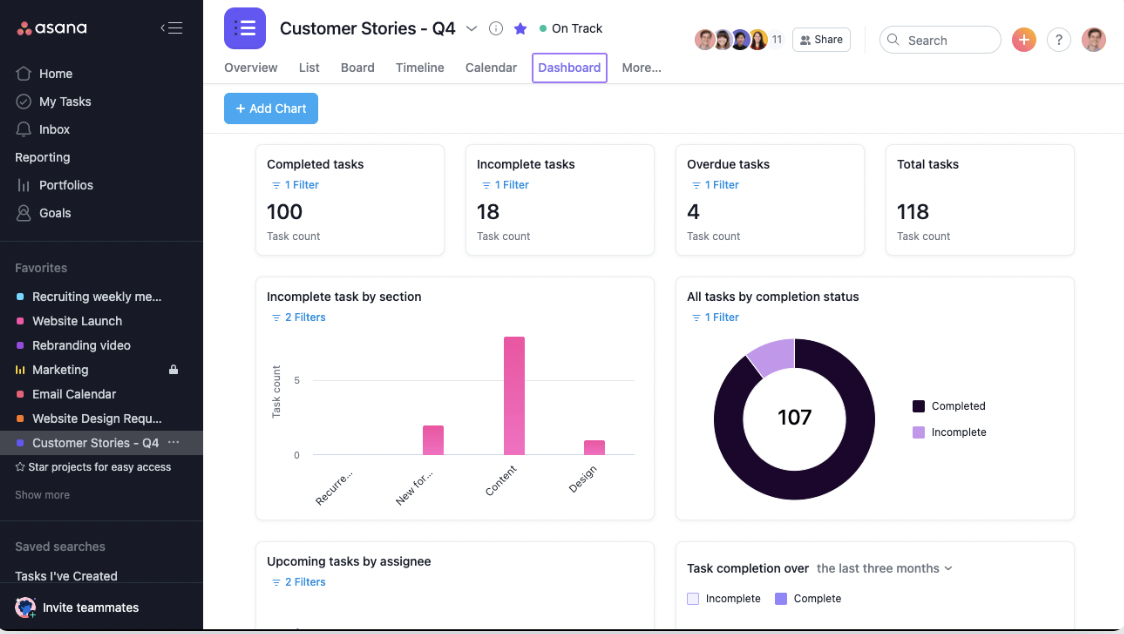
As a work management platform, Asana is designed to help you launch new features at scale so you stay on top of everything, no matter how big your team grows. Whether you’re onboarding 10 or 200 users, Asana supports it.
You can easily connect each project or task to your larger business objectives, ensuring everyone is focused on the most critical work. Plus, it meets all your security and compliance needs.
Portfolios help you keep an eye on multiple initiatives, while custom dashboards streamline reporting across teams. Plus, Asana AI helps teams save time through automation and more.
A G2 review says:
What I appreciate most about Asana is its ability to bring structure and clarity to complex, multi-team projects. As a company operating across several business units, Asana gives us a unified platform where we can assign tasks, set priorities, and monitor progress in real time. The timeline and calendar views are especially helpful for maintaining visibility on key deliverables and deadlines. It also encourages accountability and transparency within the team, which has improved our overall execution and follow-up.
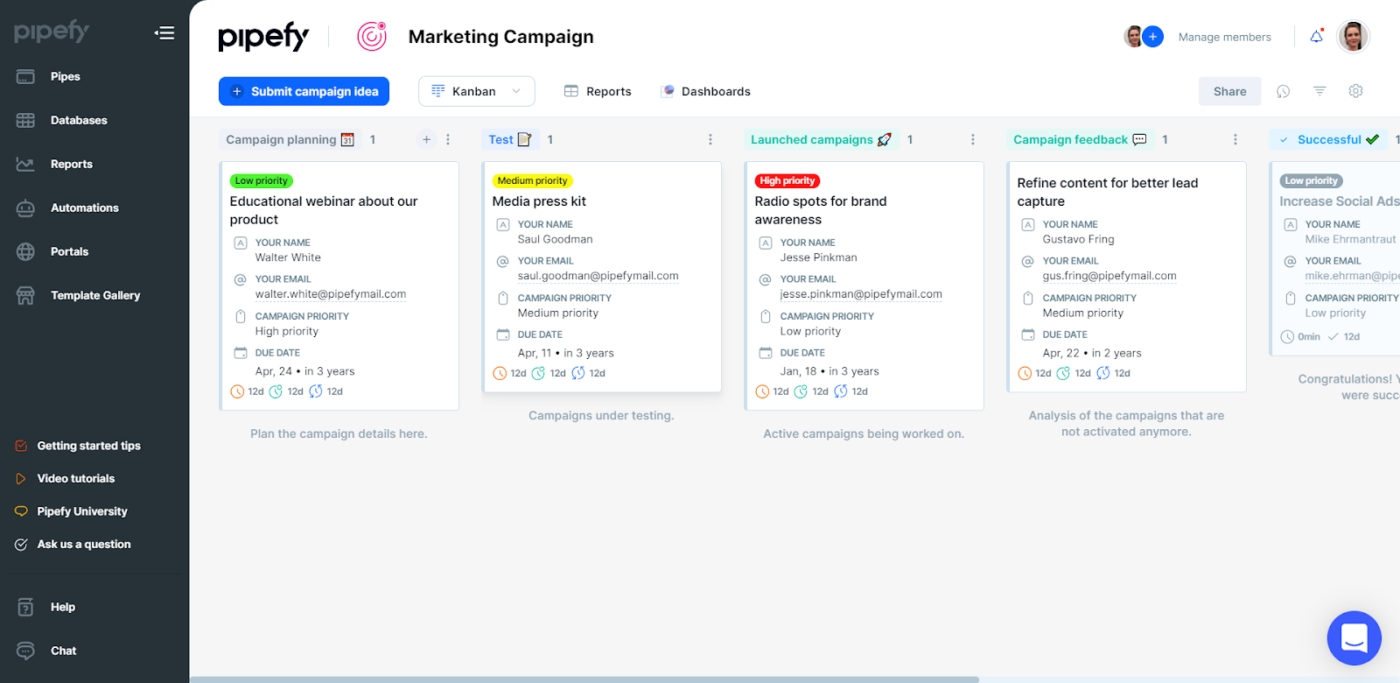
Pipefy is a no-code process management tool that helps product marketing teams streamline workflows across all stages of a product launch.
With customizable workflows, teams can organize tasks, approvals, and timelines on one platform. The platform’s AI agents handle repetitive tasks, keeping everything on track and ensuring deadlines are met.
From planning to post-launch, Pipefy centralizes information, automates processes, and boosts efficiency, making it easier to manage complex product launches with minimal manual effort.
👀 Did You Know? The term “soft launch” originated in the hospitality industry, where restaurants and hotels would quietly open to a limited audience before a grand opening. This approach allowed them to test operations and gather feedback in a low-pressure setting
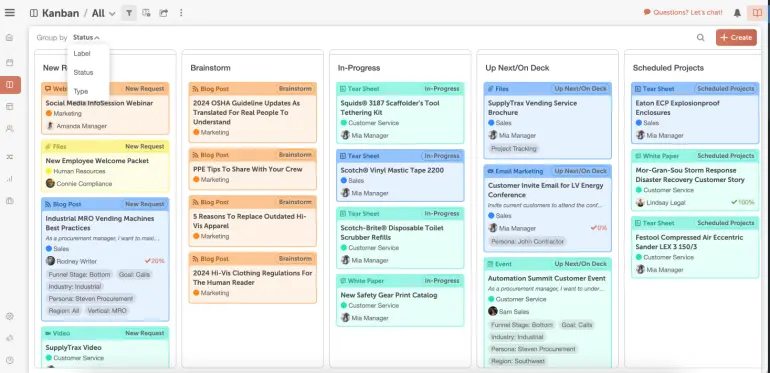
If you need an all-encompassing social media marketing calendar, CoSchedule can help you plan, schedule, publish, and measure your social strategy.
For agencies, the agency calendar allows you to manage client-specific timelines, while the content calendar provides mid-sized teams with complete visibility over tasks and projects.
The marketing suite ties everything together, improving coordination across teams and projects. Additionally, you can use the built-in AI to write or optimize your social copy and use the customizable AI prompt templates to generate ideas and content.
A TrustRadius review reads:
I can say without a shadow of a doubt that CoSchedule solves more problems than one–some that you might not even know you have. CoSchedule makes scheduling posts and keeping track of your content calendar a breeze.
📖 Also Read: Top Marketing Tools for Startups
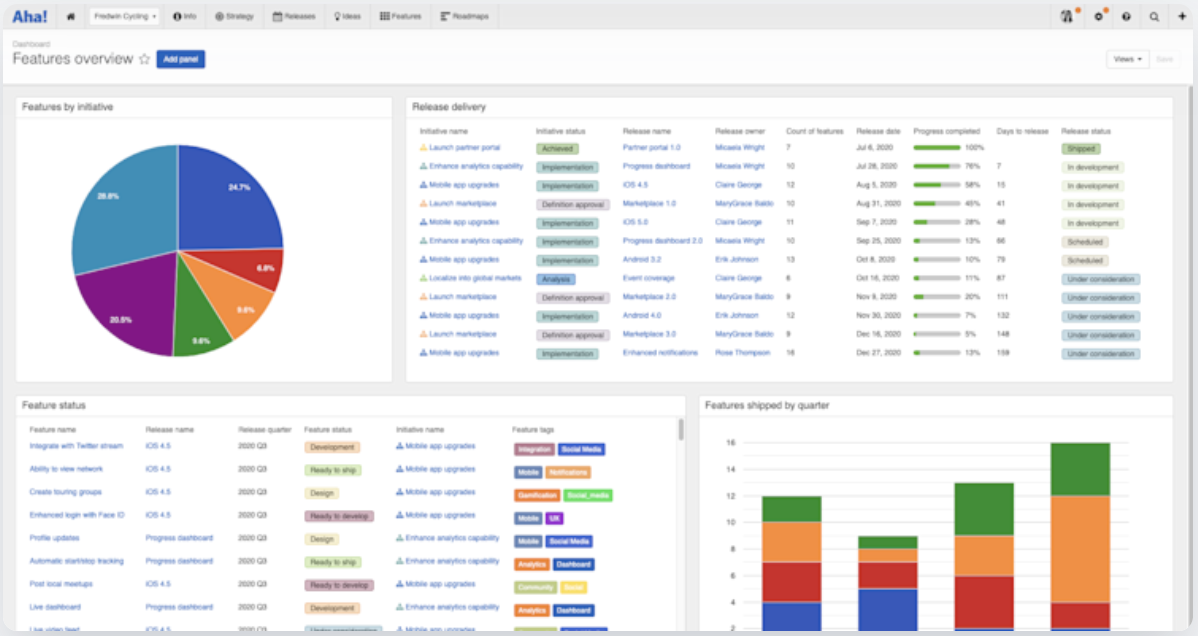
Aha! offers a robust product management tool suite that simplifies the entire product lifecycle. For example, Aha! Roadmaps let you view projects from different angles. The portfolio roadmap provides a high-level view of progress, while the features roadmap focuses on specific tasks and timelines.
For engineering teams, Aha! Develop links directly to the roadmap, keeping development tasks in sync with the overall product strategy. The platform allows you to manage version history and build a tailored knowledge base, so that your product launch team is on the same page.
🧠 Fun Fact: Product teams often conduct “pre-mortems” before a launch. This strategy involves imagining that the product has failed and working backward to identify potential causes, allowing teams to address risks proactively.
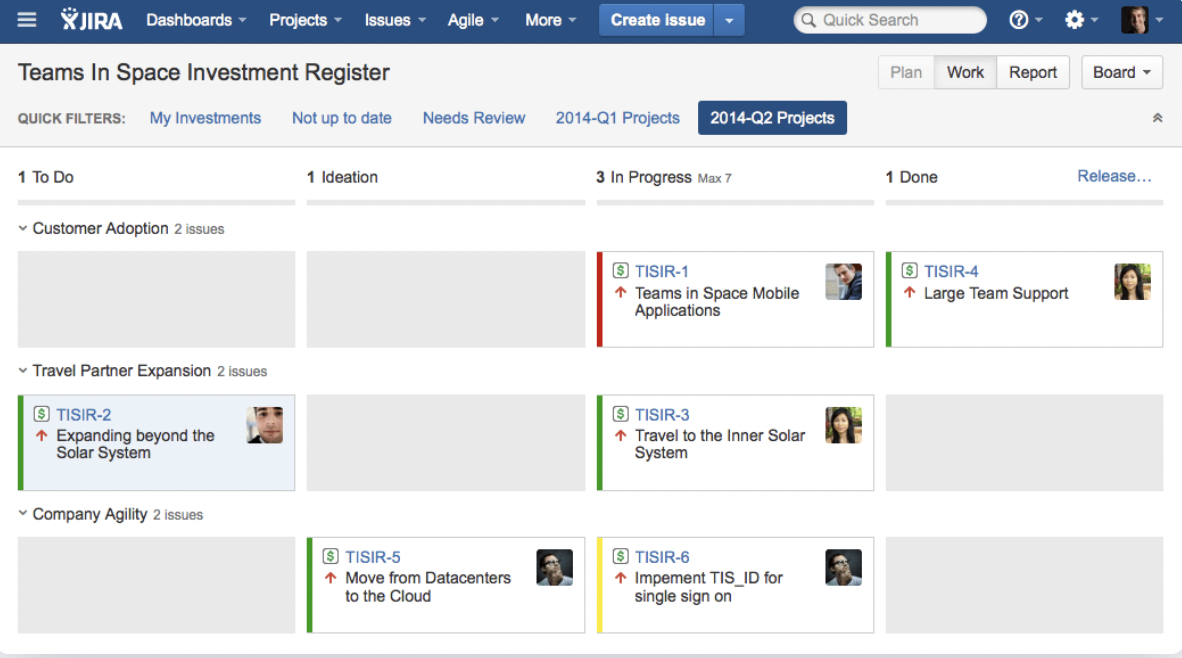
As a go-to tool for managing Agile projects, Jira by Atlassian is popular with developers. Scrum boards in Jira let you break down complex projects and track user stories. You can visualize progress, set up sprints, and even dive into detailed reports.
Jira also lets you keep track of all tasks tied to a product launch calendar, regardless of which team is working on them. You can configure it to fit your team’s unique processes, workflows, and language. Plus, get a real-time view of release dates, Figma designs, and more, all inside Jira.
A G2 review says:
In my office we use jira for task management and time management, which helps us for team projects with multiple moving parts. The task and subtask part had made things very easy to track and also the recent UI improvements are really helpful.
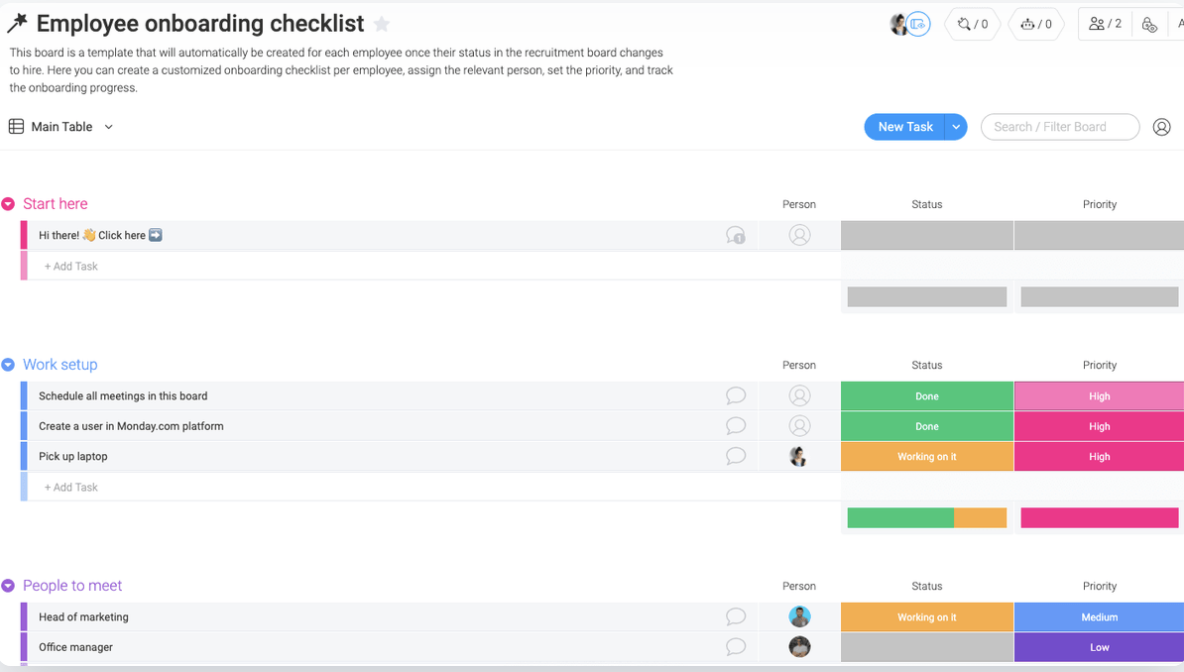
Monday.com offers a flexible platform for managing product feature launches, catering to teams of all sizes. Its intuitive interface allows you to oversee tasks, timelines, and milestones with minimal effort.
You can visualize your project using Gantt charts, calendars, or Kanban boards, adapting to your team’s workflow preferences. For more advanced needs, higher-tier plans provide access to integrations and automation features.
👀 Did You Know? Over 30,000 new consumer products are launched annually, but only 40% of the developed products reach the market, and among those, only 60% generate revenue.
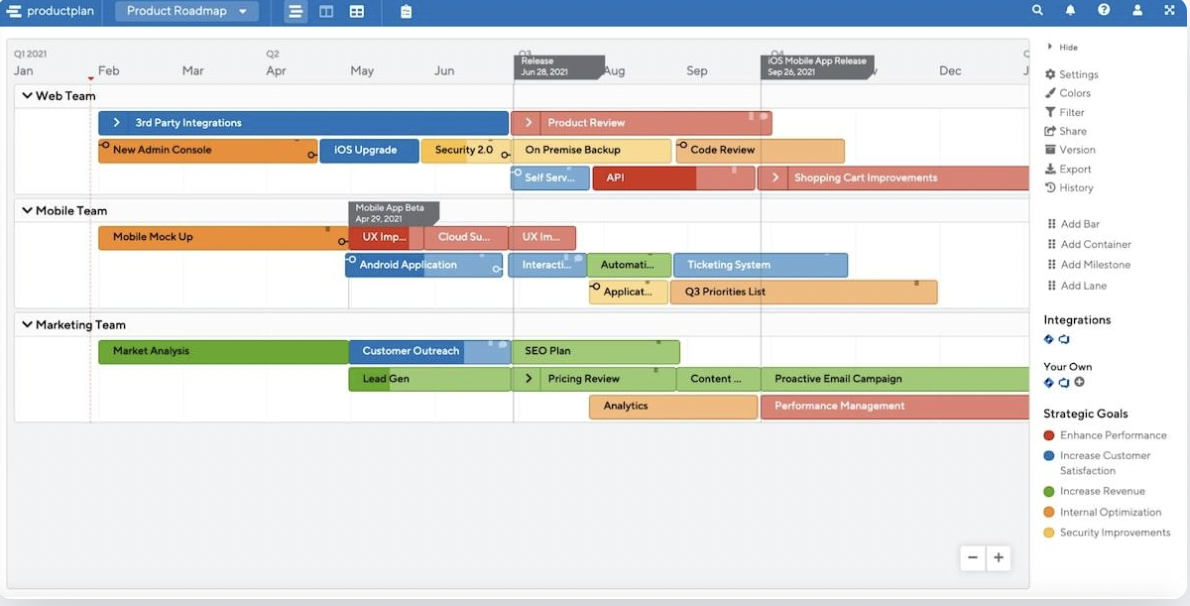
If you work in product management, ProductPlan makes it easier to organize and present your roadmaps with clarity. It starts with the Parking Lot—a dedicated space to collect and store product ideas until they’re ready to move forward.
ProductPlan lets you use roadmap data to build effective product launch plans. Create checklists of your pre-launch, launch, and post-launch tasks and assign owners and statuses to each to create transparency across teams.
You can also share progress updates and highlight risks in reports to stakeholders to keep everybody aligned.
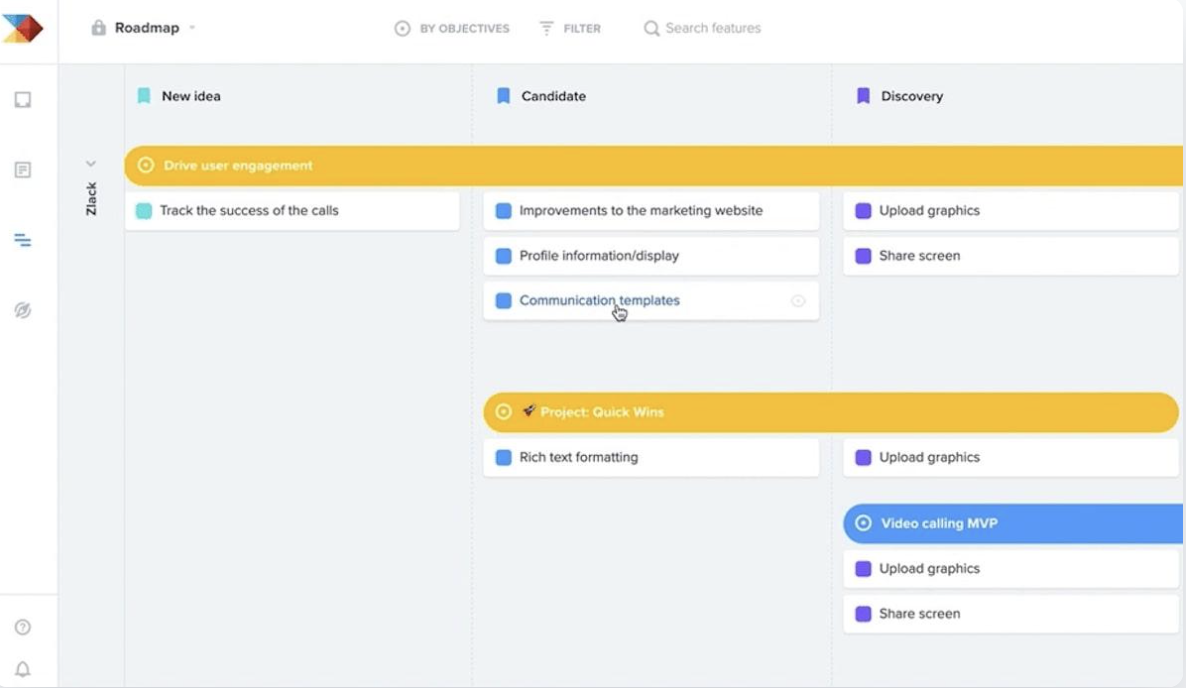
Productboard is what you need if you’re looking for a tool to build your product roadmap and keep everyone in the loop.
It’s a great way to visualize timelines, prioritize, and track each product’s journey from start to finish. You can start with a blank slate or pick from product launch plan templates like sprint plans, monthly launches, release plans, or Kanban roadmaps.
What sets Productboard apart is how it differentiates access levels. You have your ‘roadmap makers’ who create, edit, and share everything. Then, there are ‘viewers,’ who can see the product launch calendar but can’t make changes, and ‘contributors,’ who can leave comments.
A G2 review reads:
Productboard helps us streamline our product prioritization process, and I like that. It’s really easy to use, and my team can implement it without extensive training. By integrating with other tools like Slack and Jira, it becomes even more integrated to our workflow. They’ve also been incredibly responsive to any questions we had in the support team. It is something that we use often to make sure everyone is on the same page in terms of what our goals are.
📖 Also Read: Press Release Templates and Examples
A product launch is a dynamic process that involves effective planning, coordination, and execution. Each tool mentioned here brings unique strengths to the table, whether it’s CoSchedule’s social media marketing calendar or ProductPlan’s roadmapping capabilities.
But if you need a tool that seamlessly integrates everything into one platform, ClickUp is your ultimate solution.
ClickUp transforms product launch planning and execution into a streamlined, collaborative, and data-driven process—making it the go-to tool for teams aiming for a successful product launch, on time and on target.
This all-in-one project management system provides well-structured product launch checklists, customizable workflows, and the ability to collaborate across teams, maximizing impact and delivering lasting value to your customers.
Its robust suite of features makes it a top choice for those seeking to manage every stage of a product launch from a single workspace.
Ready to ace your product launch? Sign up for ClickUp today.
© 2026 ClickUp