






Still downloading templates?
There’s an easier way. Try a free AI Agent in ClickUp that actually does the work for you—set up in minutes, save hours every week.
Sorry, there were no results found for “”
Sorry, there were no results found for “”
Sorry, there were no results found for “”
65% of teams admit their OKRs aren’t tied to the company goals. 🤯
Simply put: Two out of every three teams are setting objectives, tracking key results, and checking in on ambitious goals. But these goals have no connection to clear business value.
You might’ve started the quarter with clear OKRs and good faith.
But gaps in OKR implementation start to appear when execution pressure takes over, and those objectives take a backseat.
This playbook will show you how to build that system—an OKR tracking playbook for broader company goals.
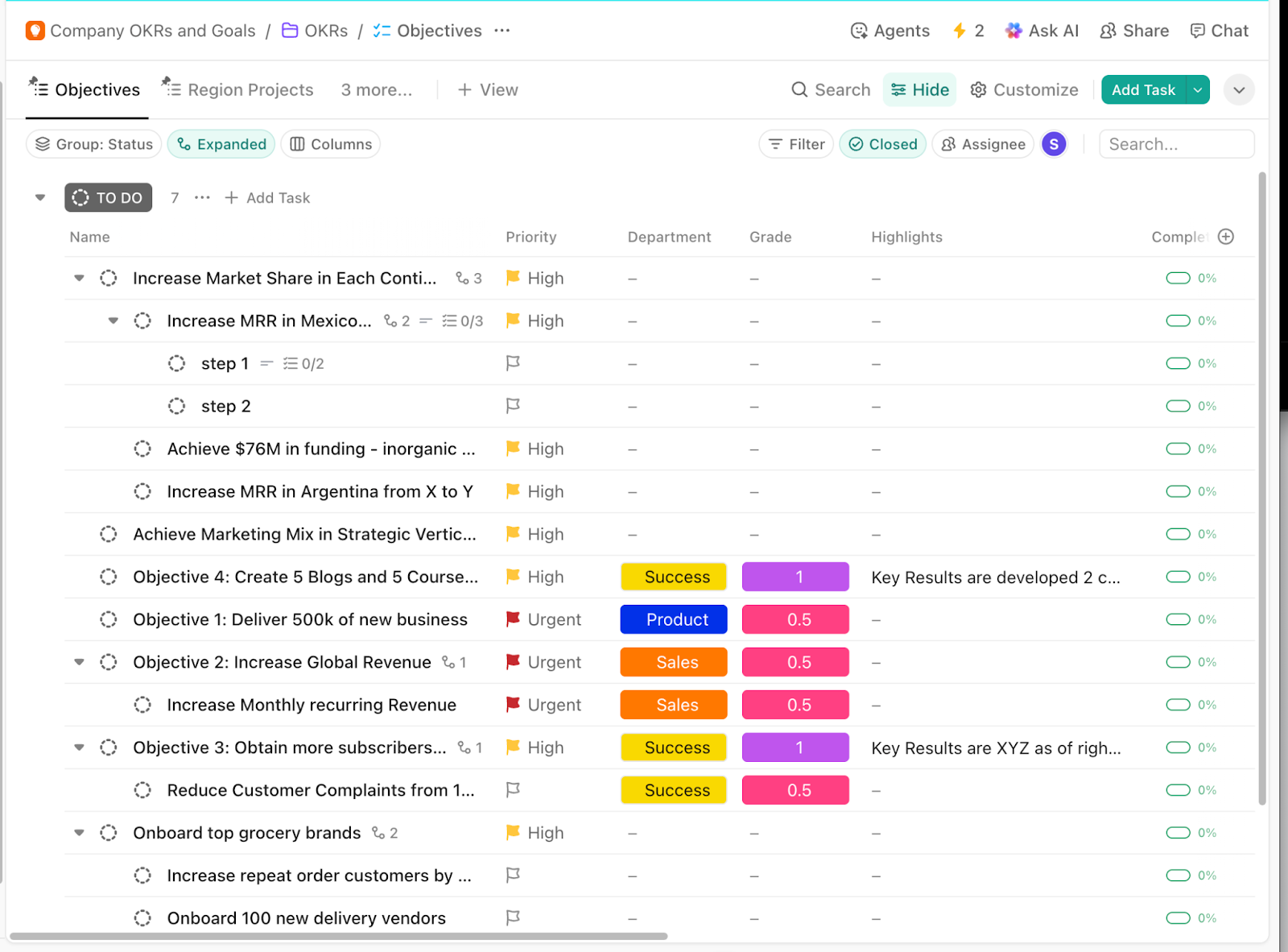
ClickUp Company OKRs and Goals Template gives you a ready-made workspace to run OKRs as a list of Objectives and Key Targets, with owners, due dates, and progress visible under one roof.
Use Objectives to track each target as a parent item and nest key results (and step-by-step work) underneath it. Add ClickUp Custom Fields like Department, Grade, and Highlights to keep context attached to the work, with progress columns making it easy to scan completion.
OKRs (Objectives and Key Results) are a goal-setting framework that lets teams and organizations set concrete, ambitious objectives and track measurable outcomes. They also help keep organizational goals and day-to-day decisions connected across the entire organization.
In other words, an ‘Objective’ answers what you want to achieve (inspirational and time-bound), while ‘Key Results’ answer how you’ll know you achieved it (specific, measurable outcomes).
📌 Let’s take an OKR example.
Objective: Improve customer experience for our mobile app this quarter.
Want to learn more about how to write the most effective OKRs? Check this video out 👇
⭐ Bonus: How to Use ClickUp for Goal-Setting
There are several reasons why adopting OKRs helps maintain alignment and promises clear business outcomes. They include 👇
🎯 Real-world OKR example: In 1979–1980, Intel’s 8086 was facing a serious competitive threat from Motorola’s 68000, which customers viewed as faster and easier to program. Intel needed a company-wide push that improved adoption without waiting for a brand-new product cycle.
That’s what drove them to set:
Objective: Establish the 8086 as the highest-performance 16-bit microprocessor family.
Key Results:
It worked because the OKR for growth wasn’t a vague ambition like ‘beat Motorola.’ Each KR landed with a specific function and, in at least one case, a hard deadline (June 15).
⚡ Template Archive: Free OKR Templates in Excel, Word, and ClickUp
Here are the common challenges in managing OKRs that you must be aware of:
When objectives and KRs rely on words like ‘improve,’ ‘strengthen,’ or ‘optimize,’ there is no objective way to verify outcomes. This makes it impossible to measure progress consistently and turns reviews into opinion-based discussions.
Teams often define measurable milestones around shipping tasks rather than around changes in adoption, revenue, or retention. Unfortunately, this only creates motion without knowledge of whether there was a substantive impact.
🧠 Fun fact: Milestones are literally ancient! Roman roads were marked every mile with stone markers, and ‘mile’ traces back to mille, meaning 1,000 paces.
If leadership only checks in periodically, teams lose the ability to track progress while there is still time to change course. By the time issues are visible, execution capacity is already spent.
Sometimes, you can see whether a number moved, but not which initiative caused the movement. This is when it becomes difficult to decide what to double down on or what to stop.
This is one of the most common (and most damaging) OKR mistakes.
When an Objective has too few Key Results, tracking becomes shallow and misleading. You might technically “hit” a KR, but still miss the intent of the Objective.
📌 Example: Objective: Improve customer onboarding experience
❌ KR: Increase onboarding completion rate to 80%
This misses key signals such as time-to-value, activation quality, and support load. You may hit 80% and still deliver a poor experience.
✅ What good looks like: Each Objective should have 3–5 complementary Key Results that:
Rule of thumb: If one KR can be green while the Objective is still failing, you don’t have enough Key Results.
Although historical cycles are stored, they are often left unexamined for their accuracy in estimation or in the patterns of execution. And this kind of oversight often hinders the organization’s ability to refine its approach to setting future OKRs.
To address this, Track OKRs using a fixed weekly cadence rather than ad hoc updates. Schedule a recurring 15-minute session on Mondays or Fridays to review progress, update KRs, and flag blockers before they escalate.
⚡ Template Archive: The ClickUp OKR Framework Template is designed to fight challenges like these. It helps keep objectives clear, separates key results from the projects that support them, and makes progress easy to review across teams.
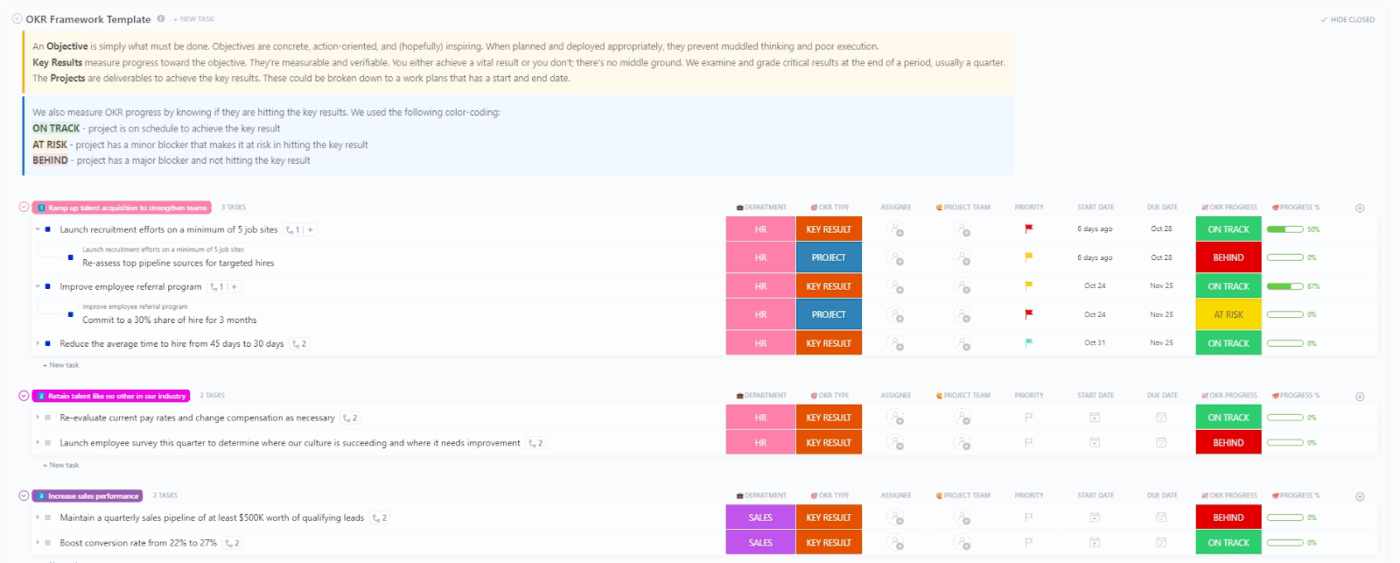
You can see where things stand at a glance using simple statuses like ‘On Track,’ ‘At Risk,’ and ‘Behind,’ along with progress percentages for regular check-ins.
Let’s now talk about how to stay on top of your progress:
In the OKR goal-setting process, the objective is the qualitative outcome you’re committing to. It’s the ‘what should be different by the end of the cycle’ statement.
For example:
Notice what these do? They are creating a clear direction without prescribing the solution.
For example, ‘make launches predictable and low-risk’ could mean tighter acceptance criteria, earlier QA involvement, or fewer last-minute scope changes.
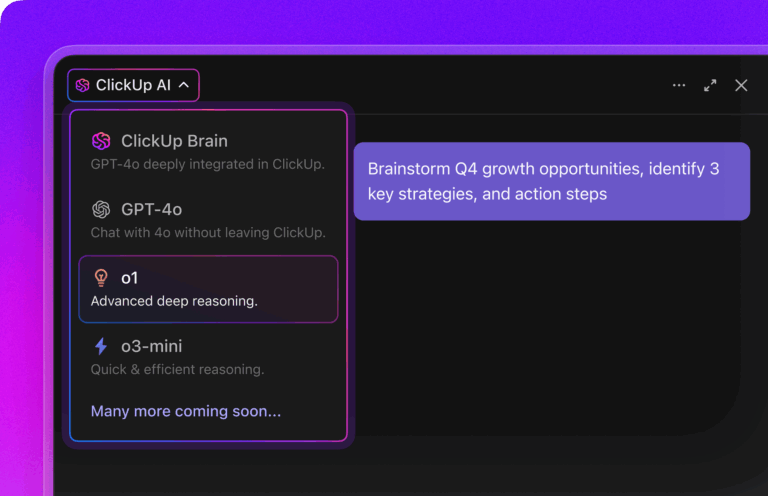
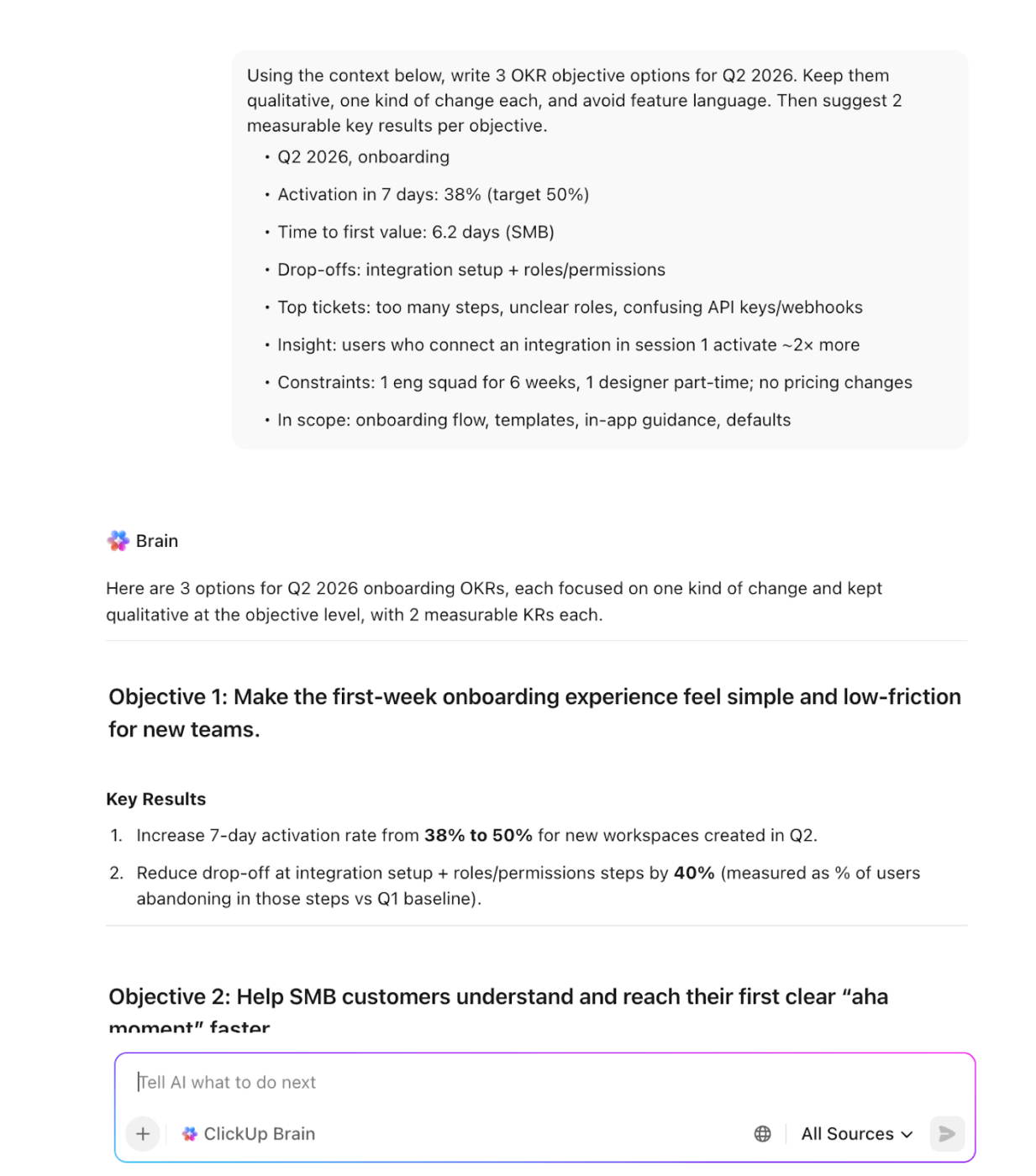
🚀 The ClickUp Advantage: After identifying the change you want, consolidate different inputs into an objective that everyone understands.
Enter ClickUp Brain. Here’s how it empowers you to craft better OKRs:
A key result is built from three parts: a metric, a baseline, and a target. The baseline anchors you to reality. The target defines success. The metric makes weekly tracking possible.
In fact, the key results that should be captured are ultimately the outcome, not the activity.
Remember: Define the metric before the quarter starts.
📌 Example: To differentiate, let’s assume,
That means the key results are helping you measure the associated outcome. In this case:
Once your key results are defined, the next question is: How often will I look at them closely enough to steer?
That said, bring three inputs to every review:
If a key result is flat for two check-ins, do not pad the update with activity. Instead, treat it as a signal. Either you are working on the wrong lever, you are measuring the wrong thing, or something upstream is blocking progress.
But what if someone from your team forgets to check in on time? ClickUp Automations come to your rescue here.
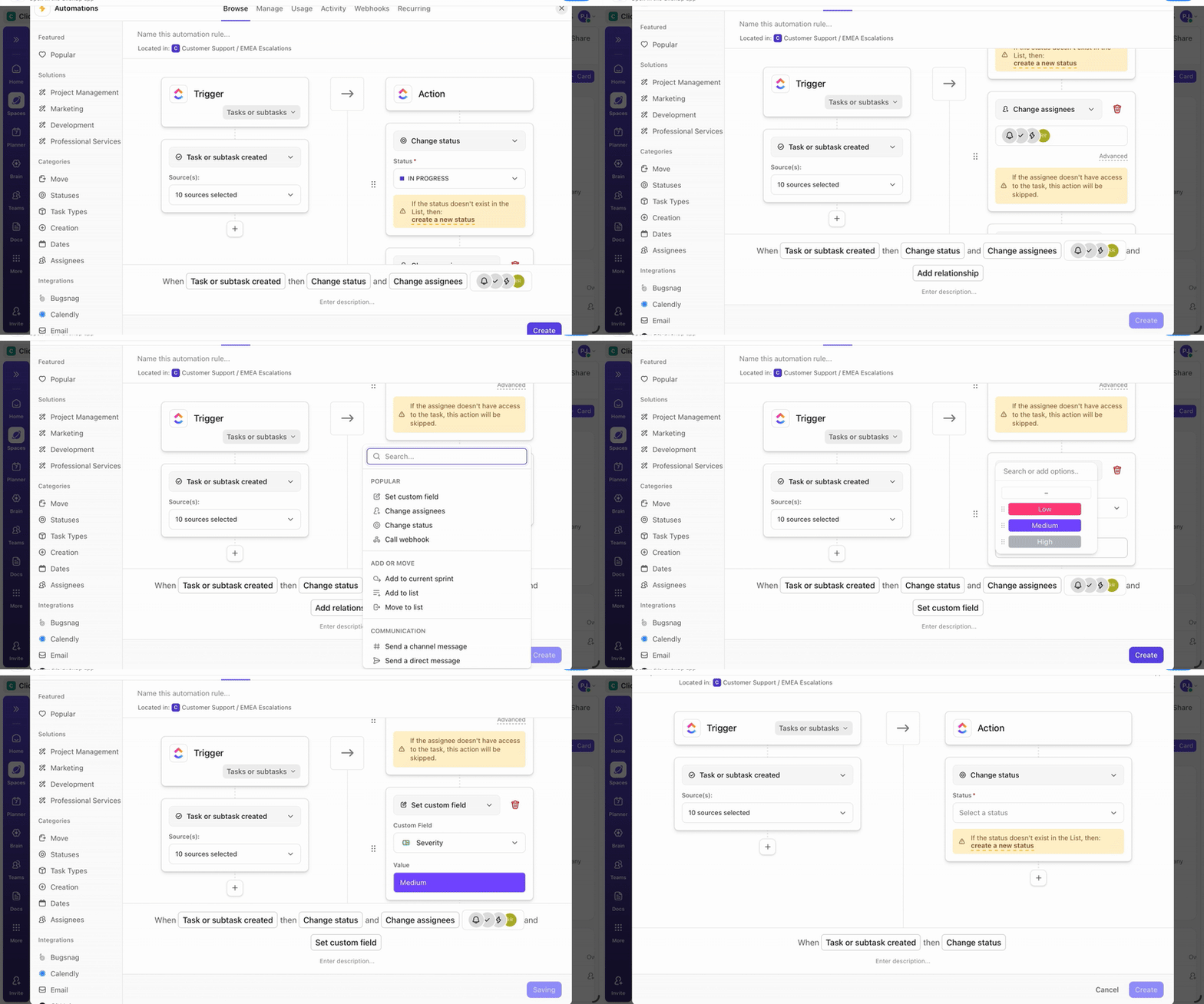
What we mean is:
🧠 Fun Fact: The term ‘Deadline’ originally referred to a literal ‘dead line’ in Civil War prison camps. It was a boundary you could cross at the risk of being shot, before it became a time limit.
Unlike traditional KPIs, which are often set annually and remain static, OKRs are designed to be flexible.
📌 Example: Data shows that users are dropping off during onboarding. Initial feedback suggests the flow has too many questions, so the team assumes complexity is the issue. After digging deeper, they discover a bug that prematurely closes the onboarding experience for a subset of users.
Instead of rewriting the entire onboarding flow, the OKRs are refined:
💡 Pro Tip: To promote transparency, require one evidence link per update, along with a sentence explaining the change. This prevents vague updates that sound confident but don’t prove anything.
A framework is helpful, but you need the right ingredients to make it work. Your OKR playbook should include:
⚡ Template Archive: 20 Free Weekly Check-in Templates to Track Progress
👀 Did You Know? A research summary from Dominican University reports that writing goals down and adding weekly accountability check-ins significantly increases goal achievement compared to unwritten goals.
Time to put theory into action. Here’s how to build your own OKR tracking playbook (a critical step when you implement OKRs across multiple teams):
An OKR tracking playbook is simply the set of rules that keeps OKRs measurable, reviewable, and comparable across teams.
Before you design meetings or dashboards, clarify what tracking will achieve in your organization.
Include:
Simultaneously, make sure to define the boundary. Decide what counts as OKR work (progress tied to an objective or key result) and what stays outside the playbook (routine operations unless they directly move a KR).
This is to keep your attention focused on the outcome.
🚀 ClickUp Advantage: Use ClickUp Whiteboards to make purpose and boundaries tangible. Sketch the purpose as a simple flow like Visibility → Early risks → Faster decisions, then draw a boundary between OKR-linked progress and routine operations.
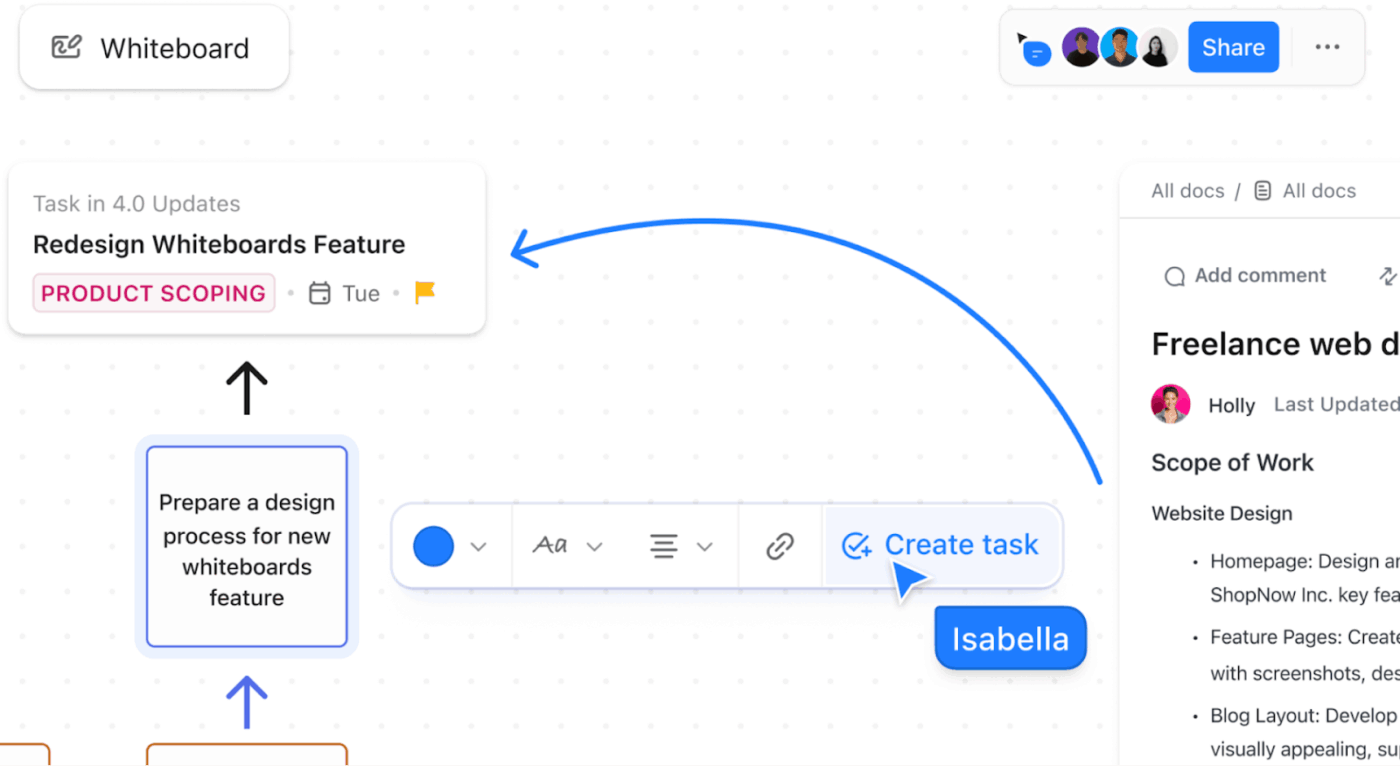
Once the boundaries are unambiguous, go the extra mile to elaborate on ownership. That means having an ownership model showing:
Along with an updated standard (what goes into every KR update):
To make the ownership model reliable, you need one more layer: the difference between editing directly and only viewing it. ClickUp Permissions makes that distinction incredibly apparent.
Use it to mirror your ownership model in the workspace, like:
Start standardizing measurement across teams. To achieve this, consider implementing a measurement framework that teams can adhere to, such as:
| What to define | Meaning | Example |
| Baseline | Starting point for the KR | 12% activation rate |
| Target | End-of-cycle goal | 20% activation rate |
| Metric cadence | How often does it get refreshed | Weekly on Fridays |
| Milestones | Interim checkpoints that show movement | 14%, 16%, 18%, 20% |
| Risk trigger | When a KR becomes ‘at risk’ | Flat for 2 updates or milestone miss |
Then pick one scoring approach and keep it steady across teams for the cycle.
| Scoring approach | When it fits | How it reads |
| Percent to target | Straight-line numeric goals | 50% progress toward target |
| 0.0–1.0 score | Mixed goals across teams | 0.7 indicates meaningful progress (especially with stretch goals, where full achievement is intentionally rare) |
| Absolute delta | When the change itself matters | +3 points this month |
Once everyone’s using the same definitions, the next thing you need is a reliable place to store them week after week. This is where ClickUp Tasks comes in.
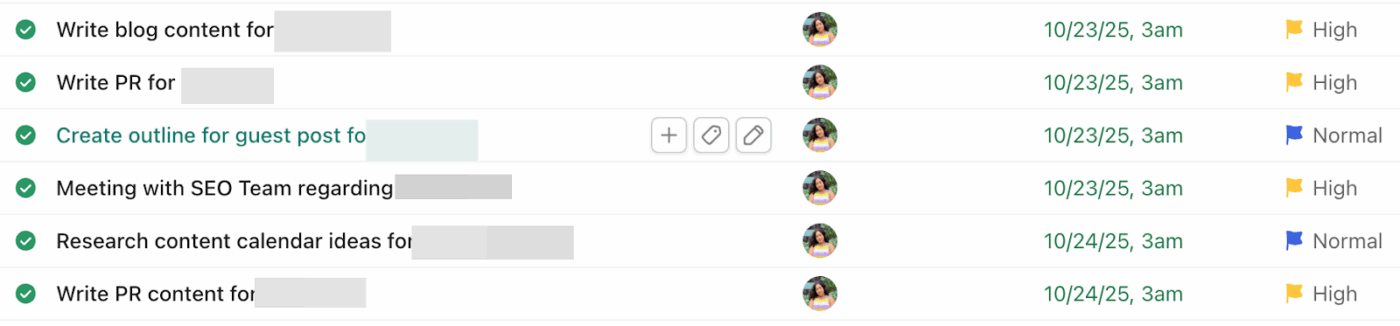
Long story short:
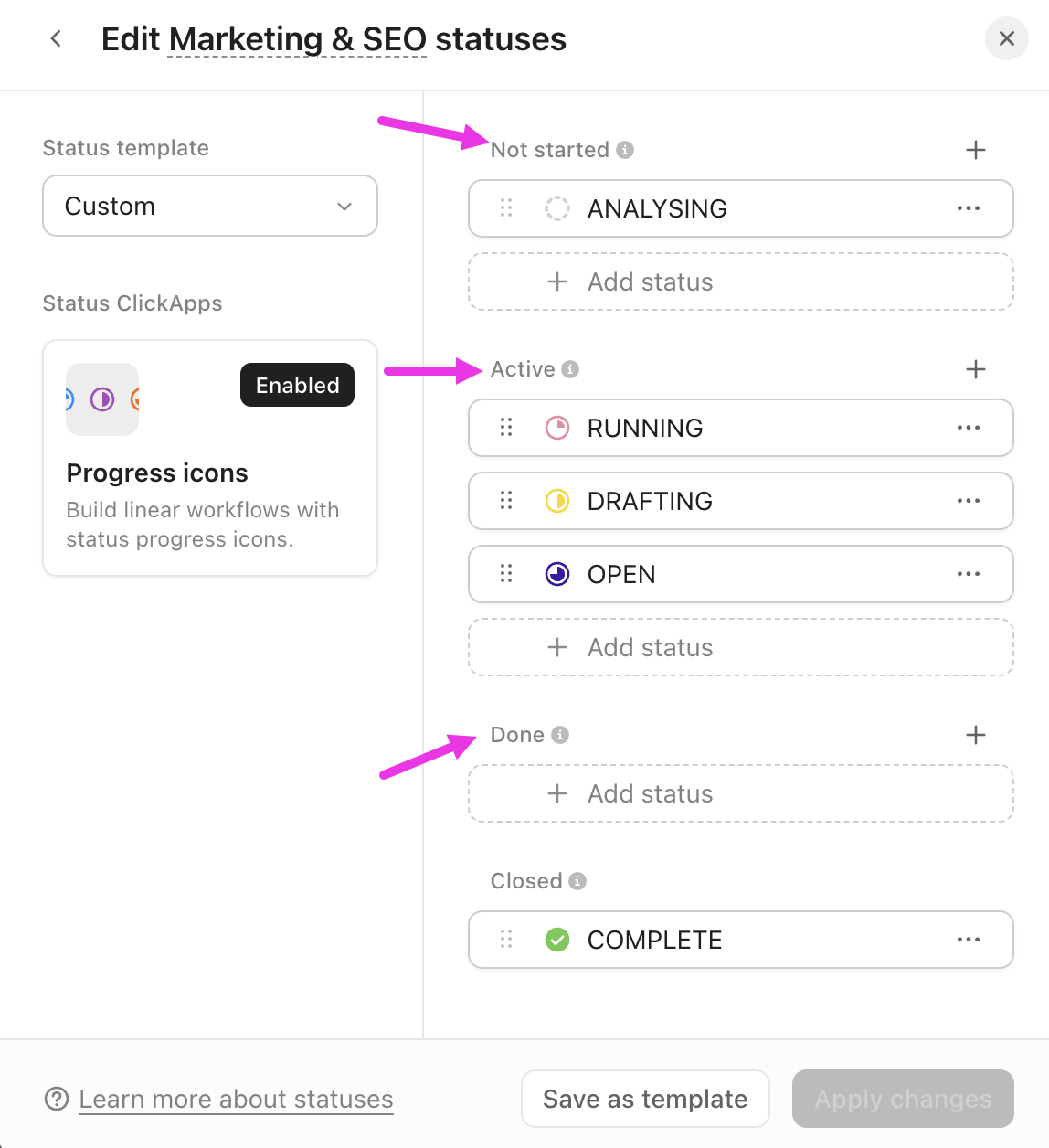
You can now create a tracking rhythm that aligns with the decision-making process of your company. And to make that happen, do the following:
⏰ Weekly check-in (30–45 mins)
To prevent teams from speculating, designate a single location for OKRs and implement explicit regulations.
In a nutshell, a single source of truth should include:
After each quarter, update only what caused friction, including unclear KR definitions, messy scoring, or tooling gaps.
61% of employees say AI makes their work less mundane and more strategic, which is exactly why it’s worth using AI to streamline OKR tracking. What we mean is:
| AI use case | Streamlining factor | What to measure |
| Auto-draft weekly OKR updates from work activity | Cuts manual status writing | Time to produce update; % updates submitted on time |
| Summarize progress from tasks/docs/tickets | Reduces ‘search + copy-paste’ | Evidence-linked updates (% with source links); reviewer edits needed |
| Flag risks (slips, blockers, stalled work) | Earlier intervention | Risk lead time (days); # risks caught before review |
| Forecast KR trajectory | Better planning and decisions | Forecast accuracy (predicted vs. actual end score) |
| Generate action lists for next week | Faster follow-through | Action completion rate; time from decision to task creation |
| Standardize reporting across teams | Less inconsistency | % teams using same update format; fewer clarification questions in reviews |
📮 ClickUp Insight: 47% of teams don’t measure AI’s impact, and only 10% track outcomes with real metrics.
In many cases, leaders often don’t get to see where AI tools are delivering value, if at all.
ClickUp Brain changes that by bringing AI into one unified workspace where every action, update, and output is connected. And the impact is visible: more than 150,000 companies, including Booking.com, T-Mobile, Logitech, IBM, and Fortinet, use ClickUp Brain to drive measurable results.
Teams report up to 88% cost savings, 1.1 days saved per week, and 3× faster task completion, because Brain replaces dozens of disconnected tools with one AI that works across their entire workflow.
Here are some tools that can automate and streamline your entire OKR workflow 👇
Ask someone to walk you through the last OKR check-in and listen for the same thing every time: So… what’s the real status?
That gap is the root problem in OKR tracking.
Key results live in one place. The work attached to it lives in another.
All this time, the conversations tied to it have been in a separate chat tool. This is tool sprawl actively eating away at your OKRs.
ClickUp steps in as a Converged AI Workspace to close that gap for good.
Let’s take a better look at why ClickUp is the ultimate OKR software 👇
ClickUp Tasks turns high-level OKRs into concrete, trackable work. Create dedicated Tasks to represent objectives or key results, assign owners, add custom statuses, priorities, due dates, dependencies, and so much more.
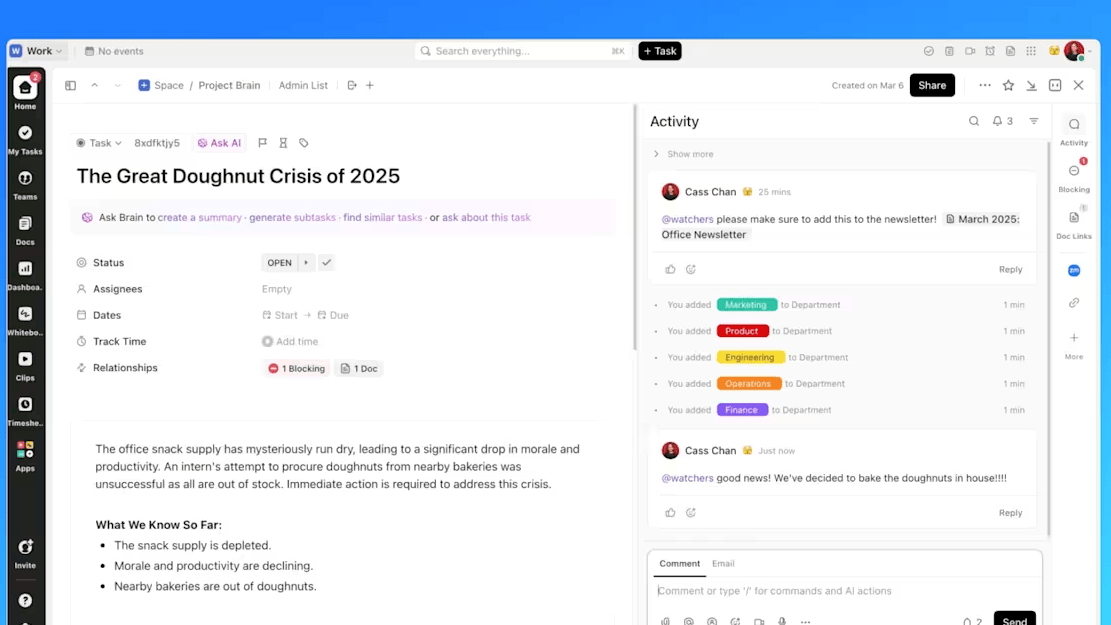
Go deeper and break down complex KRs into subtasks (e.g., ‘Conduct customer surveys‘ or ‘Update pricing models’) and use Custom Fields to capture OKR-specific details like quarter, department, confidence level, or target metrics.
Use comments within Tasks for ongoing discussions, @mentions to loop in teammates, and attachments to connect relevant files—keeping all context in one place.
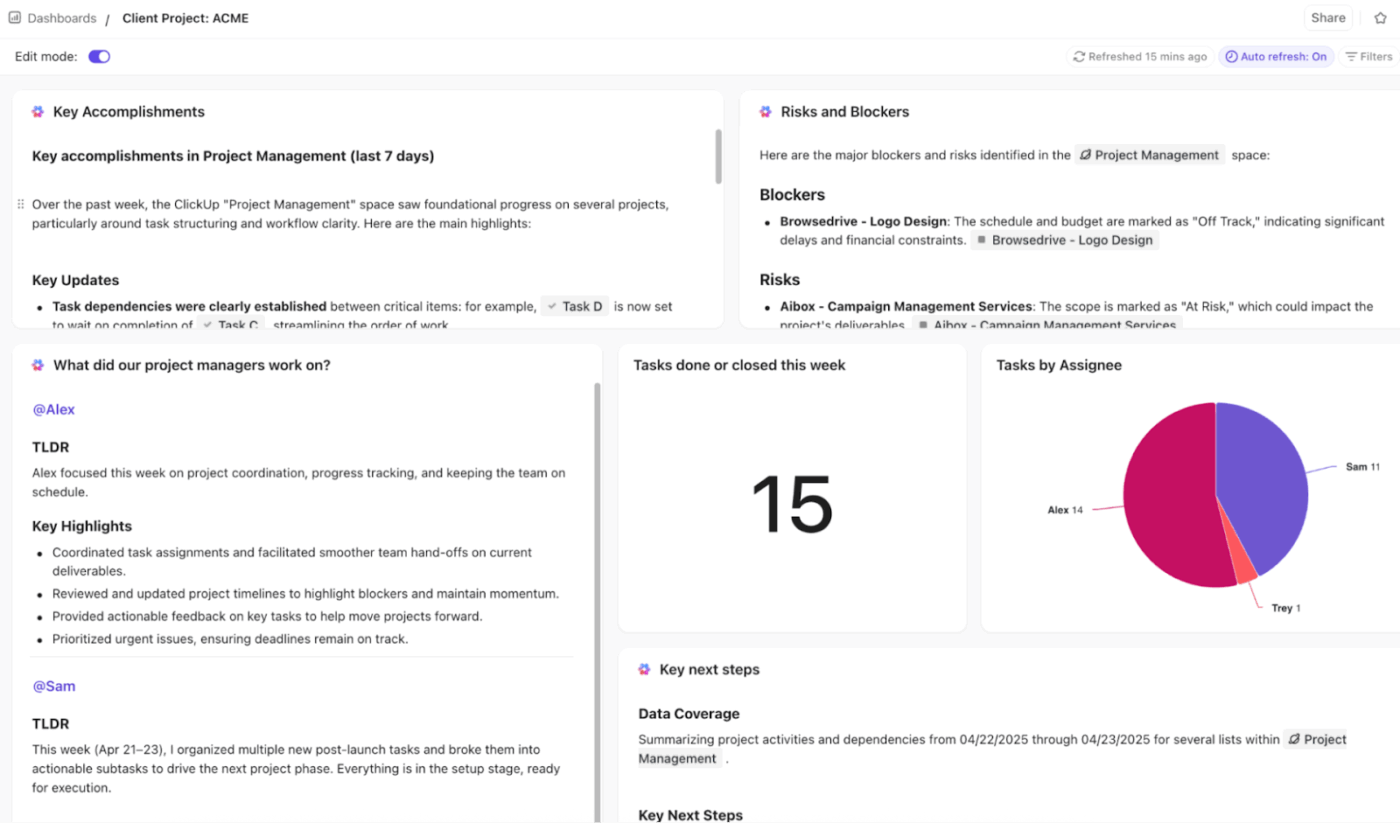
ClickUp Dashboards provide visual, real-time oversight of OKRs at every level—think individual, team, or company-wide.
Add pre-built widgets or customize your own:
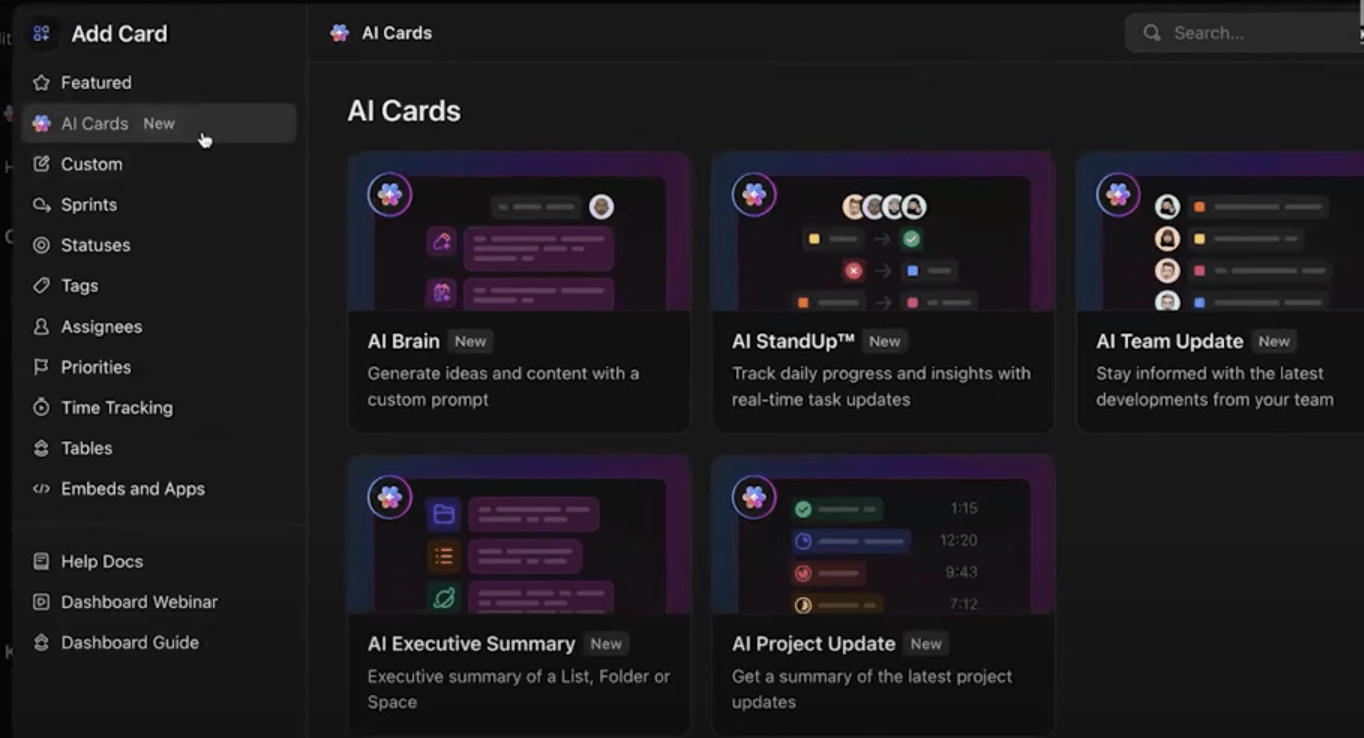
🚀 ClickUp Advantage: Once you’ve set up your Dashboard views, ClickUp AI Cards help you pull the story behind the numbers.
You have:
AI Project Update: Create a high-level overview of project status and progress
ClickUp Super Agents are autonomous, human-like AI teammates built right into your workspace. They know everything about your tasks, documents, chats, and goals (you name it).
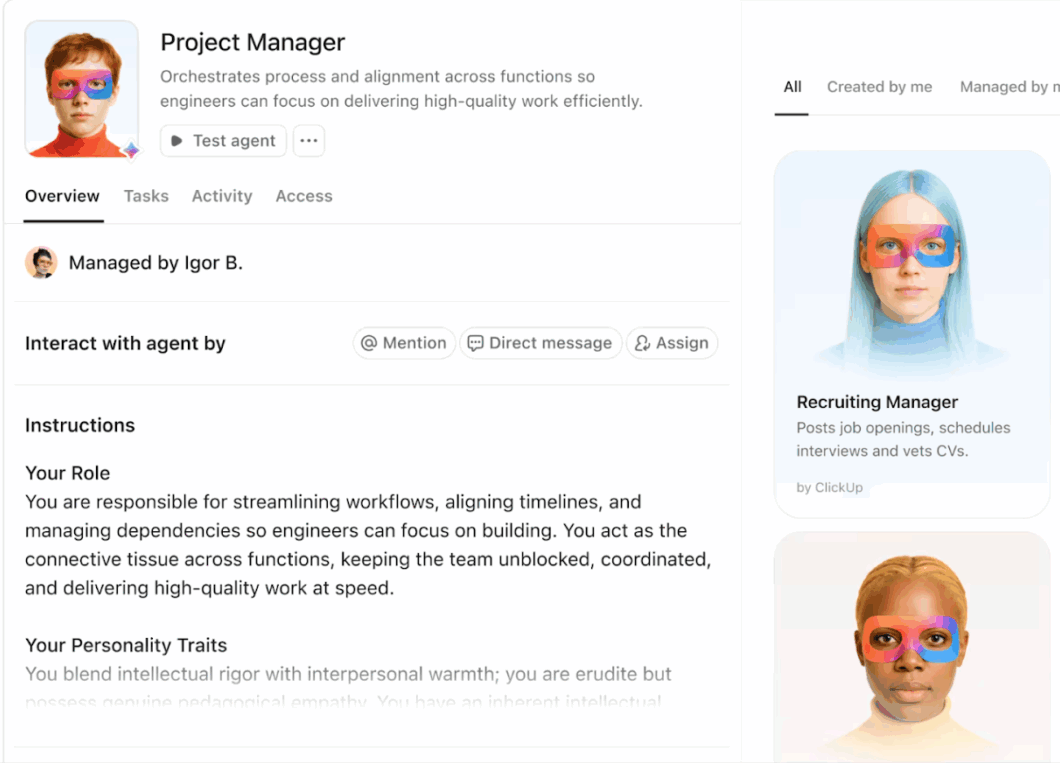
You can @mention them as you would any coworker, assign tasks, or set up triggers to prompt them to take action independently. Plus, they’re always learning and getting better with their infinite memory.
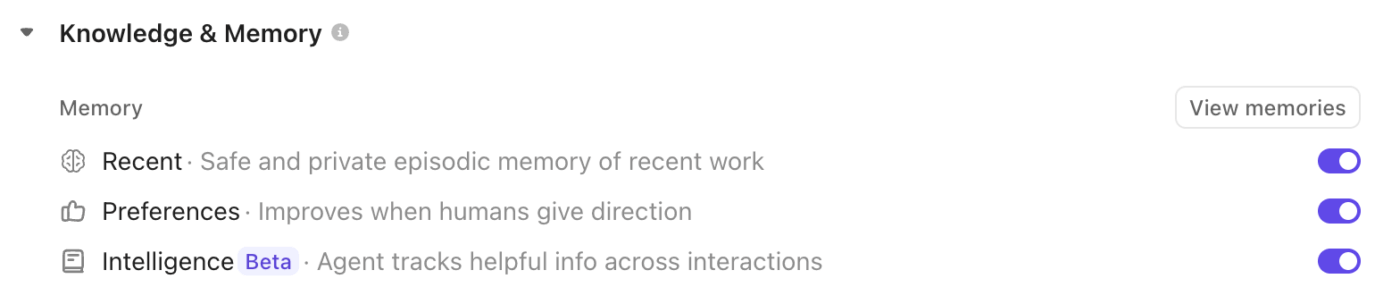
For OKR tracking, create your own Super Agents to monitor progress, notify you of risks (e.g., stalled Key Results), unblock issues, or even suggest adjustments based on data.
Build your first Super Agent with ClickUp:
ClickUp Brain is your ambient AI copilot, embedded across the workspace (and beyond). It scans tasks, docs, comments, and dashboards to deliver automatic progress updates whenever you need them.
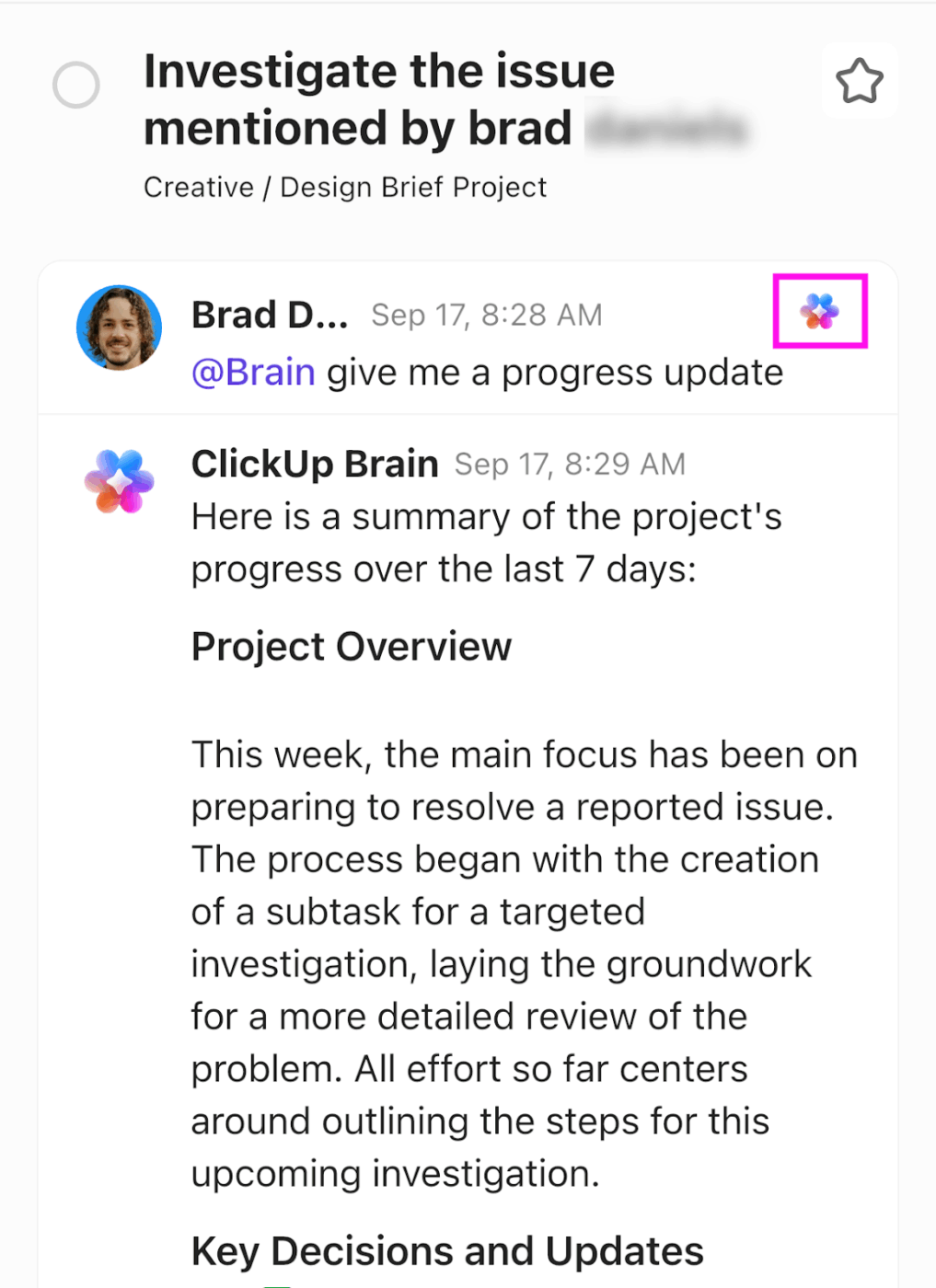
Ask natural-language questions like, ‘What’s our Q1 OKR progress?’ for instant summaries, or let it generate status reports, highlight trends, and suggest next steps.
A G2 reviewer says,
Automations, alerts, and communications with my team are the epitome of simple and convenient, so we’re considering canceling our other communications application! The entire company uses ClickUp all day, every day, so having these features and it being easy to use is of utmost importance.
I’ve had to contact Support for something that I couldn’t figure out, and they were prompt, courteous, and knowledgeable, and fixed my user error quickly.
The implementation was quite easy, and customizing was straightforward. There are also plenty of tutorials available for help.
⭐ Bonus: Here are some OKR software you could check out.
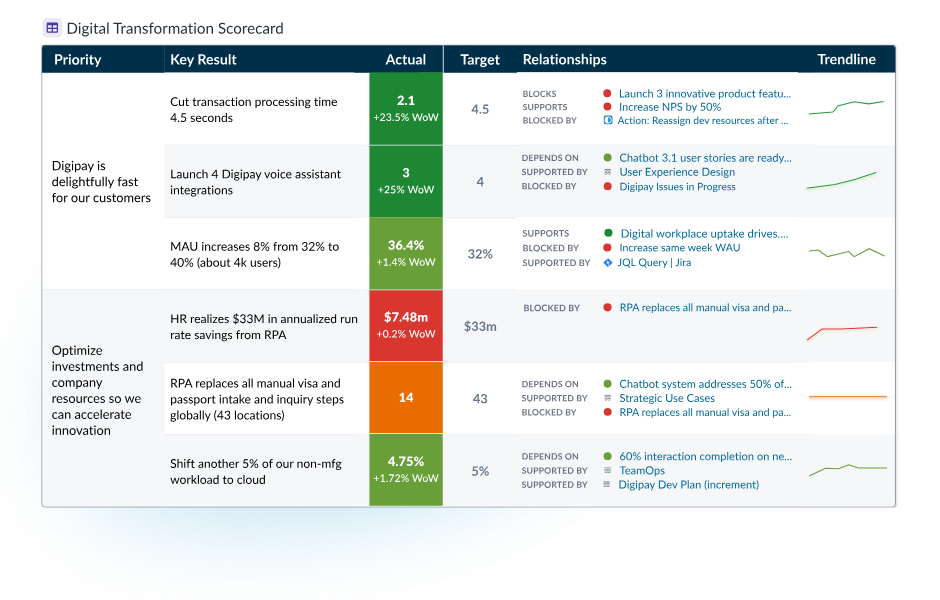
WorkBoard is an OKR and strategy execution platform that helps leaders see progress, identify risk early, and keep work tied to outcomes. It has two very useful features.
First, its Heatmap View acts as an org-wide health check. Leaders can scan what’s on track vs. at risk and drill into what’s driving each status. Second, WorkBoard’s integrations can automate KR updates from systems teams already use (like Azure DevOps or Jira). It can surface OKRs and business review updates directly inside Microsoft Teams for faster check-ins.
A G2 reviewer says,
Workboard helps in keeping everything organized and makes it easier to focus on what really matters. It provides a clear picture of goals, priorities, and progress, so in this way we can see how our work connects to the large objective of the company.
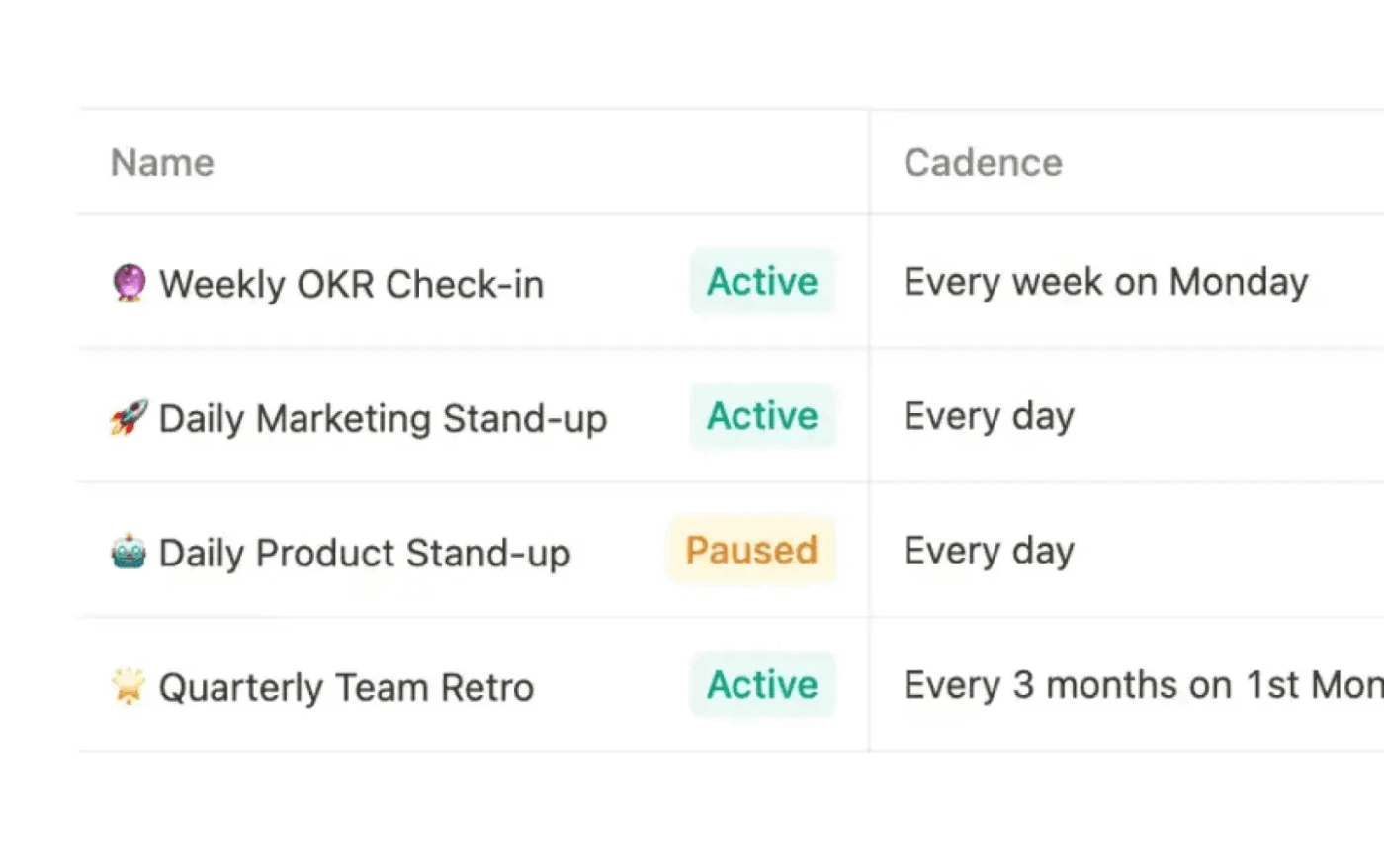
Mooncamp centralizes your OKR planning, execution, and review. You don’t need multiple OKR spreadsheets or siloed strategy docs.
Use Mooncamp to schedule check-in reminders via email, Slack, or Microsoft Teams. Review progress in dashboards that can be filtered to show goals that haven’t been updated, aren’t aligned, or are at risk.
If you want numbers to stay closer to the source of truth, Mooncamp can also auto-update goals from integrations, like pulling a specific Google Sheets cell or syncing progress from Asana-linked work.
A G2 reviewer says,
It perfectly helps you to know what goals you want to achieve, as well as the entire process you have carried out to complete that task, as well as the frequency with which it is used.
❌ Setting too many objectives per quarter: Teams that track 8-10 objectives end up spreading focus too thin, making meaningful progress on nothing while reporting superficial updates on everything.
✅ Fix: Limit to 3-5 objectives maximum per team per quarter. Each objective should represent a significant strategic priority. If everything feels critical, force-rank your initiatives and defer lower priorities to future quarters.
❌ Treating key results as tasks: Writing key results like ‘Launch new website’ or ‘Hire engineers’ tracks activity rather than the business impact you’re trying to achieve.
✅ Fix: Frame every key result as a measurable outcome. As a replacement to ‘Launch new website,’ write ‘Increase organic traffic from 10K to 25K monthly visitors.’
❌ Cascading OKRs too rigidly top-down: When leadership dictates every team’s OKRs without input, you get compliance rather than commitment and miss critical bottom-up insights.
✅ Fix: Be collaborative! Leadership sets 3-5 company objectives, then teams propose their own OKRs that support those objectives based on their ground-level knowledge. Review and negotiate alignment rather than mandating specifics.
❌ Miscommunicating stretch goal OKRs: When teams set ambitious stretch goals without clearly explaining that 70% achievement is considered success (not failure), it can create confusion, demotivation, or mismatched expectations across dependent teams.
✅ Fix: Communicate openly during planning that these are high-effort, high-risk stretch goals. Define success thresholds upfront (e.g., 0.6–0.7 average score = strong performance) so the team believes in the ambition without fearing punishment for partial achievement.
❌ Confusing objectives with mission statements: Objectives written as ‘Delight customers every day’ sound inspiring, but provide zero direction on what to actually do this quarter.
✅ Fix: Instead of ‘Delight customers,’ write ‘Establish product-market fit with enterprise customers.’ That’s because good objectives answer questions like, ‘What specific state are we trying to reach by quarter-end?’
In an OKR Benchmark Report based on 200+ startup operators, teams that ran weekly check-ins completed 43% more OKRs than teams that didn’t, which is a reminder that OKR success is both the result and the operating rhythm behind it.
So how do you measure your team’s performance?
Look past the final score and ask two things: Did the key results move the business outcome you cared about? Did your system make progress visible early enough to adjust (cadence, ownership, and decision-making)?
You should be measuring:
The OKR systems that actually work share one common trait: clarity. Everyone knows what matters, how their work connects to it, and where things stand without needing constant check-ins.
ClickUp supports that kind of clarity by anchoring OKRs in day-to-day work. Key Results don’t live in a separate document. They’re tied directly to the tasks teams are already working on, with ownership and progress visible as work moves forward.
As execution unfolds, progress doesn’t need to be manually stitched together. Leaders can see how goals are tracking in real time, teams can spot drift early, and updates happen naturally as work changes. AI then helps close the gaps by surfacing summaries, highlighting risks, and maintaining alignment without relying on reminders or status meetings.
The result is an OKR process that stays connected to execution, not one that has to be maintained alongside it.
If you’re looking for OKR tracking that actually connects to how work gets done, try ClickUp for free.
When writing OKRs, start by turning each KR into a checkpoint that can be reviewed objectively every week: a clear metric, a source of truth, and the next measurable milestone. Then layer in updates to include current value vs. target, what changed, and what you’ll adjust next. When that’s consistent, you can connect day-to-day work to organizational objectives.
A typical review timeline could be:
Weekly (15–30 min): Update numbers, call out blockers, confirm next milestone
Monthly (45–60 min): Review trends, dependency risks, and resourcing trade-offs
Quarter-end: Score with evidence and capture learnings
If your work cycles are slower, biweekly is fine—just don’t let review frequency break the feedback loop that keeps team goals realistic and steerable.
Tracking activity instead of outcomes: Lots of tasks completed, no metric movement
Vague KRs: Unclear baselines, targets, or definitions of success
Inconsistent updates: Different formats across teams
No escalation path: Blockers get logged but never resolved
Too many OKRs: Attention fragments and nothing moves
Ignoring the ‘why’: Goals become internal checkboxes that don’t reflect user impact like customer satisfaction
Dedicated OKR tools usually define OKRs, score them, and run reviews.
ClickUp goes broader because it’s a Converged AI Workspace designed to eliminate app sprawl. Tasks break down KRs into smaller, manageable goals. Automations to keep updates on cadence. Dashboards to track progress from team to company-level.
What pulls it together is the contextual AI layer. ClickUp Brain helps generate summaries and pull insights from the work already happening in your workspace. ClickUp Super Agents act like human-like AI teammates you can @mention or assign work to (great for monitoring KR movement, flagging risks early, and drafting weekly updates).

© 2026 ClickUp

There’s an easier way. Try a free AI Agent in ClickUp that actually does the work for you—set up in minutes, save hours every week.