






Still downloading templates?
There’s an easier way. Try a free AI Agent in ClickUp that actually does the work for you—set up in minutes, save hours every week.
Sorry, there were no results found for “”
Sorry, there were no results found for “”
Sorry, there were no results found for “”

If your days swing from “sunny with a hint of espresso” to “partly cloudy with unexpected meetings,” you’re just a regular human. This daily emotional rollercoaster is precisely why having a way to track your emotions matters.
A mood tracker template provides a visual way to track your moods, add notes about triggers, and color-code patterns that often get lost in the blur of daily life.
They’re perfect for individuals looking to build self-awareness, therapists monitoring progress, and wellness coaches encouraging healthier emotional habits.
In this guide, you’ll discover free mood tracker templates to improve mindfulness and support long-term mental wellness.
🧠 Did you know: Research shows that people who journal about their feelings regularly—similar to maintaining a mood journal—often experience a noticeable lift in their mental health.
Disclaimer: This article offers general information about mood tracking, journaling, and emotional well-being. It is not intended to replace professional medical advice, diagnosis, or treatment for depression, anxiety, ADHD, or any other mental health condition. If you have concerns about your mood or mental health, please consult a licensed therapist, counselor, or healthcare professional.
Here’s a summary table for all the ClickUp and other mood tracker templates:
| Template name | Download template | Ideal for | Best features | Visual format |
| ClickUp Self-Care Plan Template | Get free template | Individuals, therapists, and wellness coaches who want to repeatable self-care routines | List & Calendar views; clear statuses (Achieved, Crushing, Off Track, On Hold); Custom Fields for notes/self-care type; Getting Started guide; ClickUp Brain summaries | List, Calendar, Doc |
| ClickUp Personal Habit Tracker Template | Get free template | Anyone who wants a simple, honest habit tracker | Table & List views; statuses (Open, Complete); priorities, tags, subtasks, automations; ClickUp Brain weekly insights | List, Table |
| ClickUp Personal Development Plan Template | Get free template | Professionals and students mapping goals and reviews | Quarter/Progress/Action views; rich custom fields; time tracking; recurring reviews; ClickUp Brain next-step suggestions | List, Calendar |
| ClickUp Daily Planner Template | Get free template | Individuals and professionals turning priorities into a day plan | All Tasks & Calendar views; priorities and categories; Custom Fields; ClickUp Brain daily plan & timed checklist | List, Calendar |
| ClickUp Daily Notes Template | Get free template | Busy professionals capturing ideas with follow-through | Daily Notes & Notes List views; statuses (To Do, Reviewed, Complete); time tracking & tags; ClickUp Brain day summary and task extraction | List, Doc |
| Feelings Tracker Template by Freepik | Download the template | Anyone wanting flexible printable/digital layouts | Calendar, wheel, emoji, and log options; simple legend; editable & printable files; quick start | Printable (PDF/JPG), Editable |
| Mood Tracker Template by Template.Net | Download the template | Users who want ready-to-use pages with minimal setup | Monthly calendar/feelings wheel/emoji chart; quick color legend; editable files & JPGs | Printable, Editable |
| PDF Mood Tracker Template by Craft | Download the template | Pen-and-paper users who like a clean monthly grid | Color-code key; 1–5 intensity; quick notes box; month on one page | PDF, Printable |
| Colorful Mood Tracker Template by InkPx | Download the template | Anyone who prefers bright, inviting visuals | Rainbow palettes; calendar/bar/emoji options; multi-mood per day; quick context line | Printable (PDF/JPG) |
| Mood Tracker Template by La La Land | Download the template | Users who want soothing, illustrated designs | Soft palettes; calendar/wheel/minimal grid; 1–5 intensity; space for notes | Printable |
| Spreadsheet Simple Daily Mood Chart by Therapist Aid | Download the template | Individuals and therapists who prefer spreadsheets | 1–10 scale; AM/PM check-ins; brief notes; easy week-over-week comparison; export/print | Spreadsheet |
| PDF Mood Monitoring Sheet Template by McGill University | Download the template | Individuals/therapists needing a clinician-style tracker | Daily rating; intensity; notes; morning/evening fields; quick monthly review | PDF, Printable |
A mood tracker template is a ready-made chart or journal page that helps you record your daily mood in a consistent way. It standardizes what you log, such as date, time of day, mood rating, intensity, and a short note, so each entry is comparable to the last.
These templates can take the form of printable pages, spreadsheets, app views, or a bullet journal mood tracker that uses emojis or color codes.
Using a mood tracker template removes setup work: you can directly choose a scale (for example, 1–5 or a few different mood labels), define your colors, and simply fill in the boxes each morning or evening.
Over time, this daily process creates a single mood journal where you can track your moods, review patterns in sleep, routines, or events, and bring a clear record to a therapist or doctor when needed.
👀 Fun Fact: Putting feelings into words (“I feel anxious and confused”) has been shown to reduce amygdala activity and increase control-related prefrontal activity. This is one reason simple labels in a mood tracker can feel grounding in the moment.
A good mood tracker template makes logging quick and easy to compare across days. It gives you a clear structure and shows trends without extra analysis.
Key things to look for in a mood tracker template:
👀 Fun Fact: Your mood is more predictable than you think. Most people cycle through repeatable emotional rhythms every 7–10 days, and mood trackers simply make these patterns more obvious.
When mood tracking happens in random note apps, scattered journal entries, or post-its, it’s hard to maintain the habit or extract meaningful insights about what affects your mental well-being.
As the world’s first Converged AI Workspace, ClickUp brings together all work apps, data, and workflows. While typically used for project management, ClickUp’s flexibility also makes it powerful for tracking personal well-being.
Your mood logs, gratitude journal, habit trackers, and wellness goals can all be stored in one customizable workspace. Plus, ClickUp’s AI helps you identify patterns and set reminders to stay consistent.
Let’s explore some mood tracker templates together:
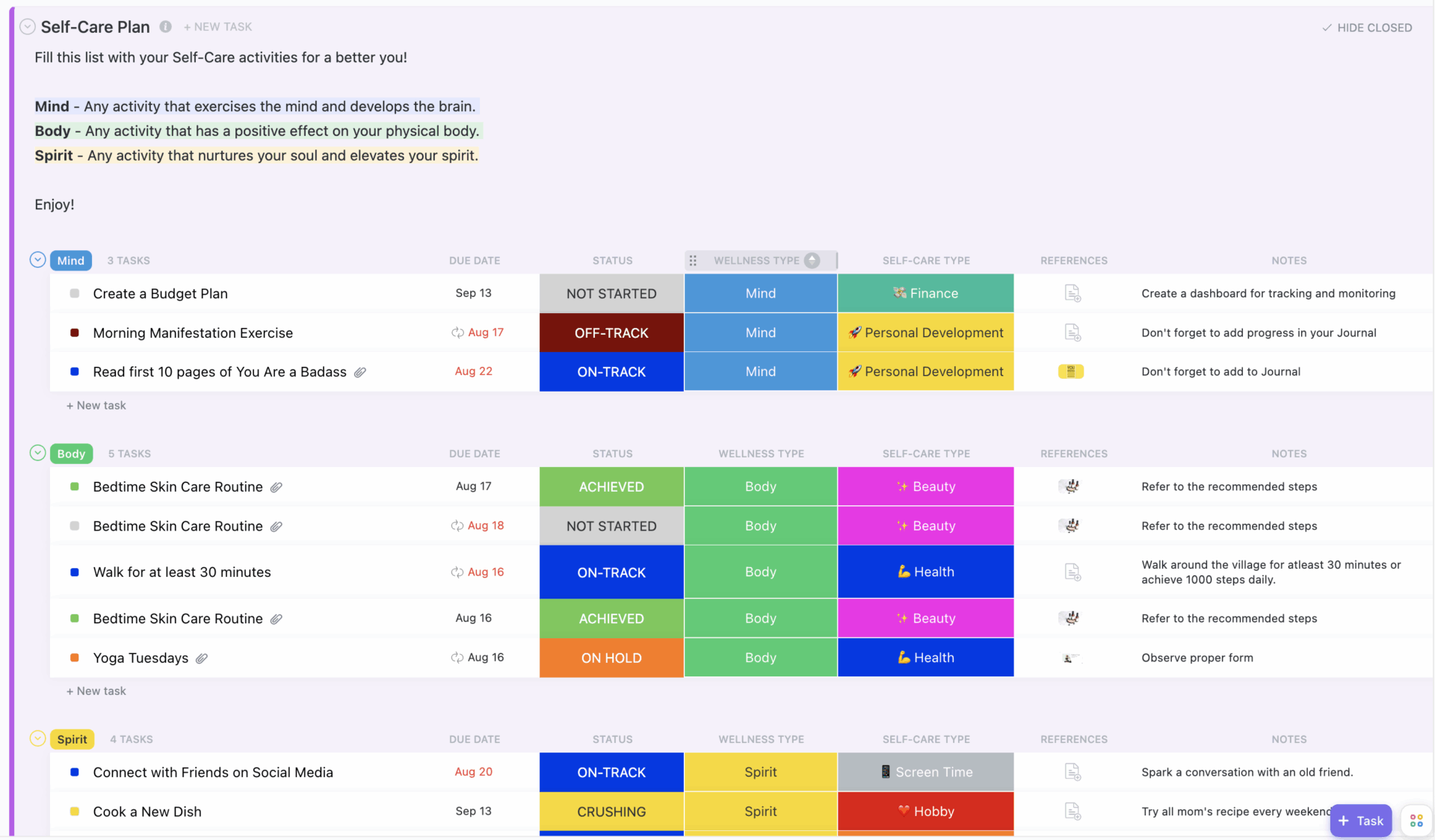
When self-care lives across sticky notes and a separate mood journal, it is hard to tell what actually helps. The ClickUp Self-Care Plan Template helps bring self-care goals and mood-related tasks into one List and Calendar, so you can see how often you follow through and how you feel afterward.
This List template uses custom statuses like Achieved, Crushing, Off Track, On Hold, and Not Started, along with Custom Fields for self-care type, wellness type, goal targets, and notes.
✨ Ideal for: Individuals, therapists, and wellness coaches who want a structured daily mood tracker that pairs mood logging with habit building and clear reviews.
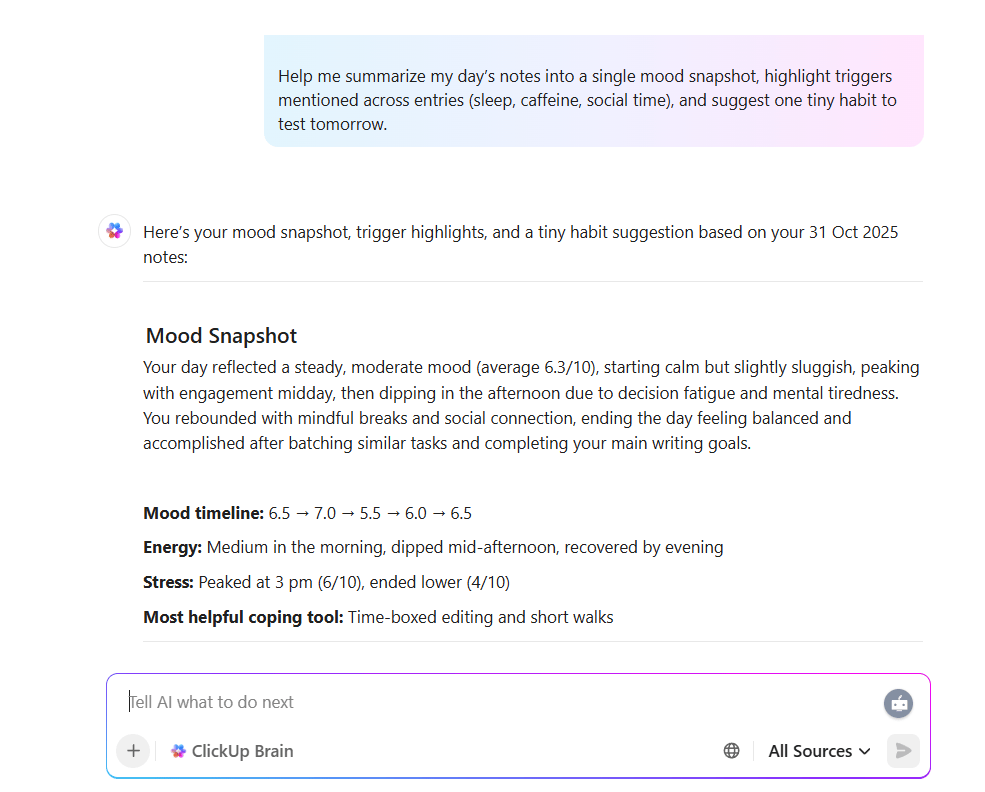
💡 Pro Tip: A mood practice sticks when reflection is quick and repeatable. Use ClickUp Brain to summarize each day’s notes into a short mood snapshot, highlight recurring triggers mentioned across entries (sleep, caffeine, social time), and suggest one small habit to test tomorrow.
Because ClickUp Brain learns from your workspace context, each weekly review gets sharper, so you spend more time improving routines.
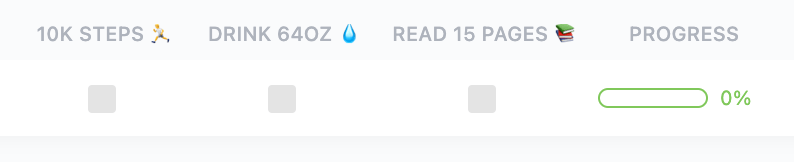
If your habits live in separate apps from your daily mood tracker, it is hard to see which routines lift you up and which drain you. The ClickUp Personal Habit Tracker Template gives you Table and List Views where each habit is a task with a simple Open or Complete status.
You can group habits by theme, add Custom Fields for frequency or target counts, and use priorities, tags, and subtasks to break big goals into small steps.
ClickUp Automations then handles recurring tasks and reminders, while ClickUp Brain can summarize how often you hit your daily habits.
✨ Ideal for: Anyone who wants a simple, honest habit tracker that turns goals into daily actions and makes weekly reviews effortless.
📖 Also Read: Best Habit Tracker Apps
📮 ClickUp Insight: Health and fitness are the top personal goals for our survey respondents, but 38% admit they don’t consistently track progress. 🤦
That’s a big gap between intention and action! ClickUp can help you step up your fitness game with its dedicated Habit Tracker Templates and Recurring Tasks. Imagine effortlessly building those routines, logging every workout, and keeping that meditation streak strong.
💫 Real Results: ClickUp users report a 2x boost in productivity—because staying on track starts with actually seeing the track.
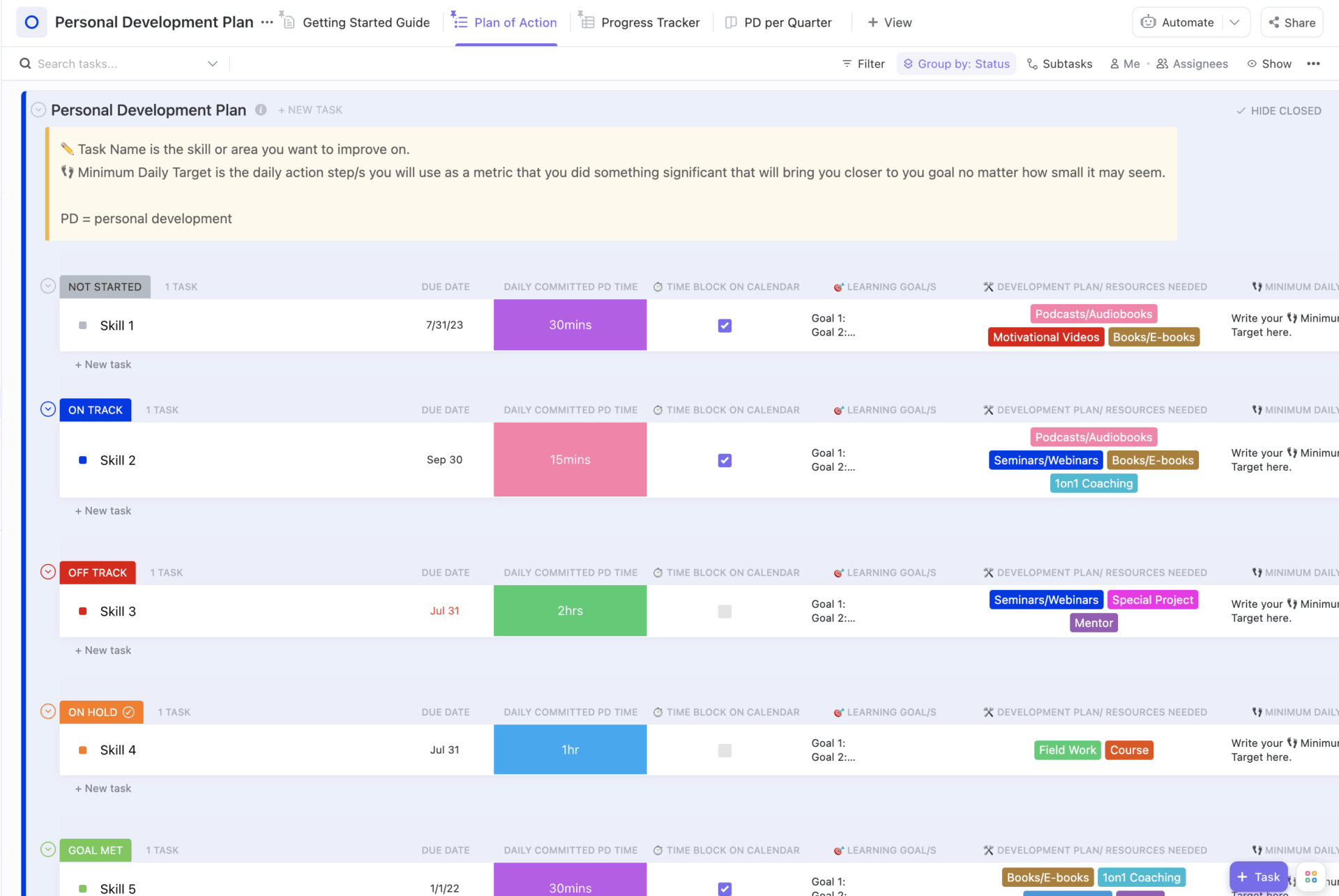
Big goals can feel disconnected from your daily mood and motivation if they live in separate documents. The ClickUp Personal Development Plan Template pulls quarterly goals and reflections into one list, so you can see how progress on your growth plan lines up with how you feel across the week.
This list-based template includes custom statuses, such as Goal Met, On Track, Off Track, On Hold, and Not Started, as well as 11 Custom Fields. Additionally, you can rely on ClickUp Views, such as features like time tracking and tags.
✨ Ideal for: Professionals and students who want a structured plan to upskill, track outcomes, and run lightweight weekly reviews.
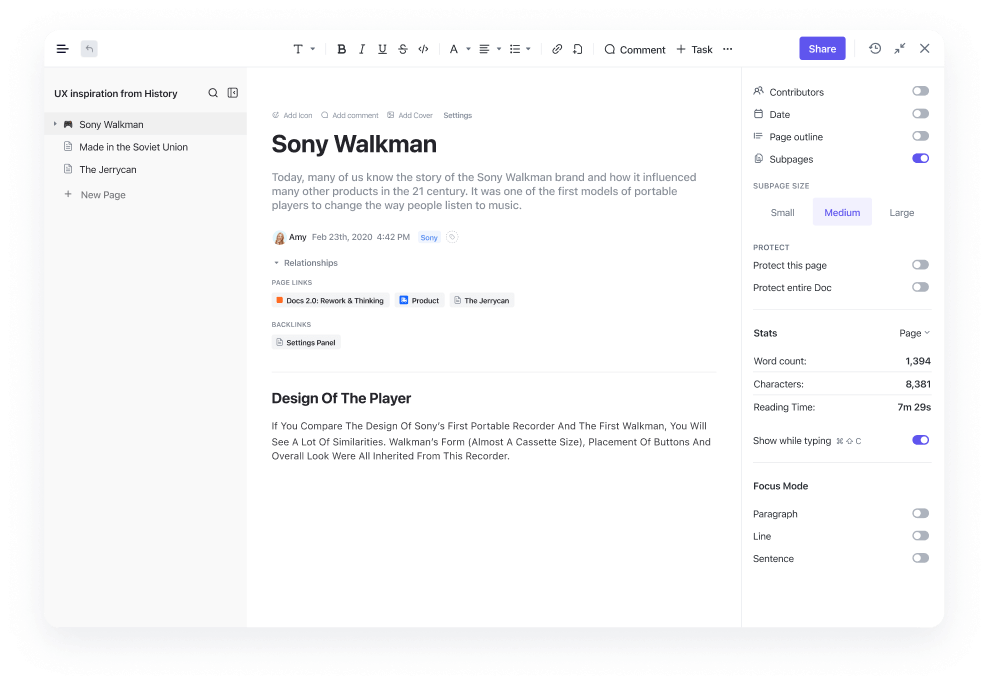
💡 Friendly Tip: Create a dedicated “Journal” folder in ClickUp Docs to keep all your entries, prompts, and reflections organized in one place. This makes it easy to search, reference, and revisit past entries whenever you need.
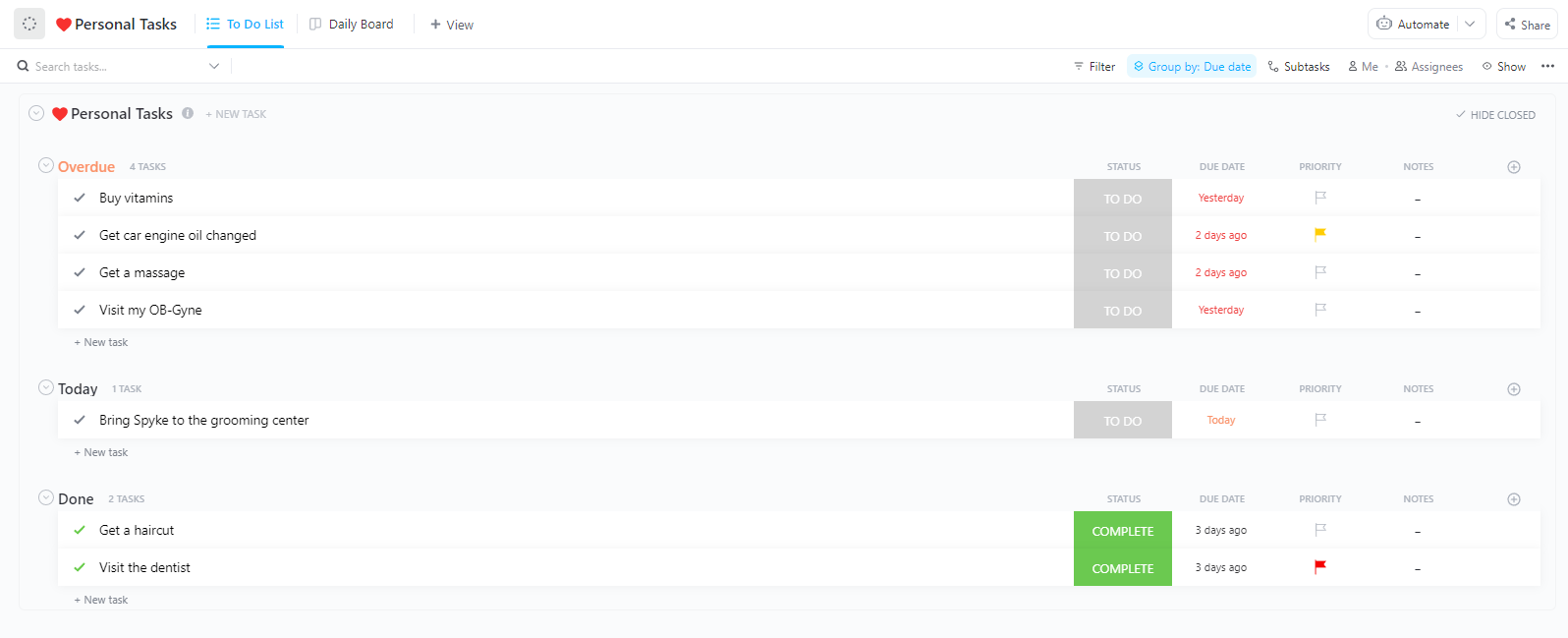
Busy days get lighter when your tasks and priorities live in one simple plan you can actually follow. The ClickUp Daily Planner Template gives you all Task and Calendar Views, where you can turn a simple task list into a realistic schedule that matches how you feel.
You can organize tasks into categories like Personal, Work, or Goals and apply Custom Fields for time estimates or focus blocks. You can then rely on Custom Task Statuses (Open, Complete) to track what has moved.
Looking to compare your plan with your emotional state? Add a simple daily mood field or connect a mood tracker list to easily track your moods against your daily schedule.
✨ Ideal for: Individuals and professionals who want a no-nonsense daily planner that turns priorities into a schedule and keeps progress visible
💡 Quick Hack: Looking to automate your mood routine tracking? Set up recurring tasks or notifications in ClickUp Reminders to prompt you to journal daily or weekly.
Consistent reminders help you build a sustainable journaling habit and ensure you never miss a session. Over time, this routine will make reflection a natural part of your day.
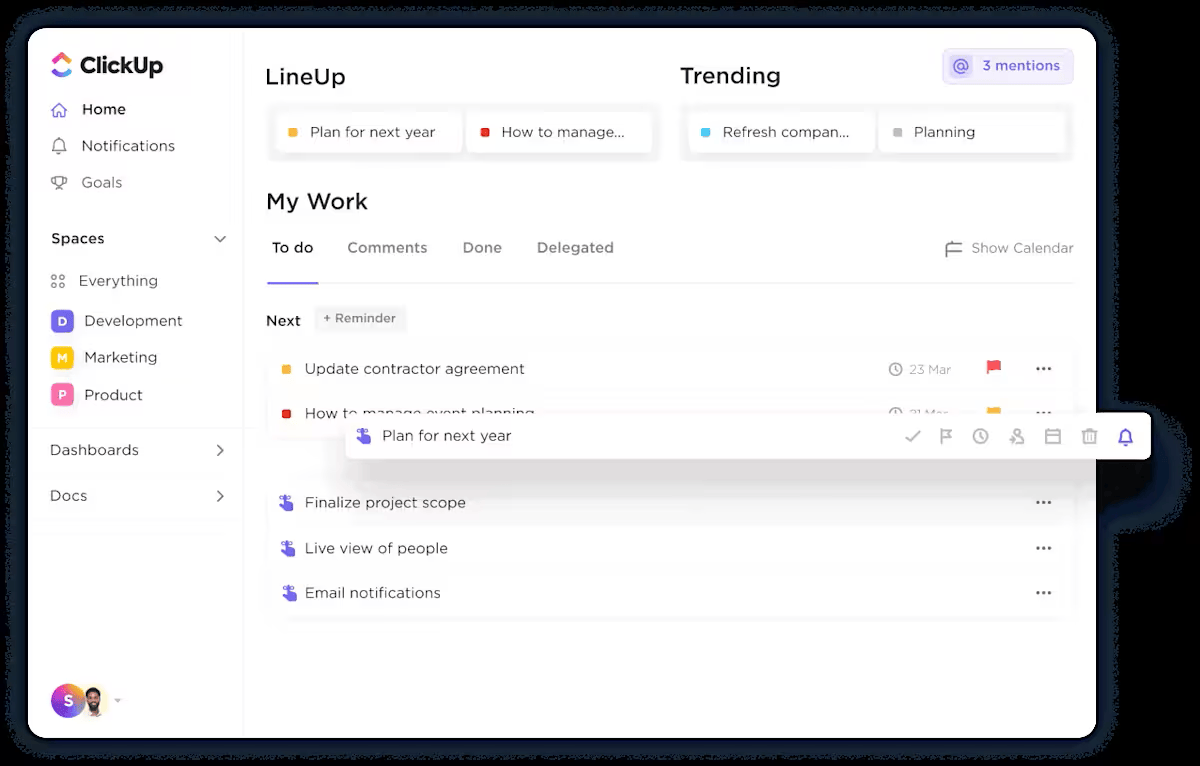
📖 Also Read: Simple Daily Habits to Maximize Productivity
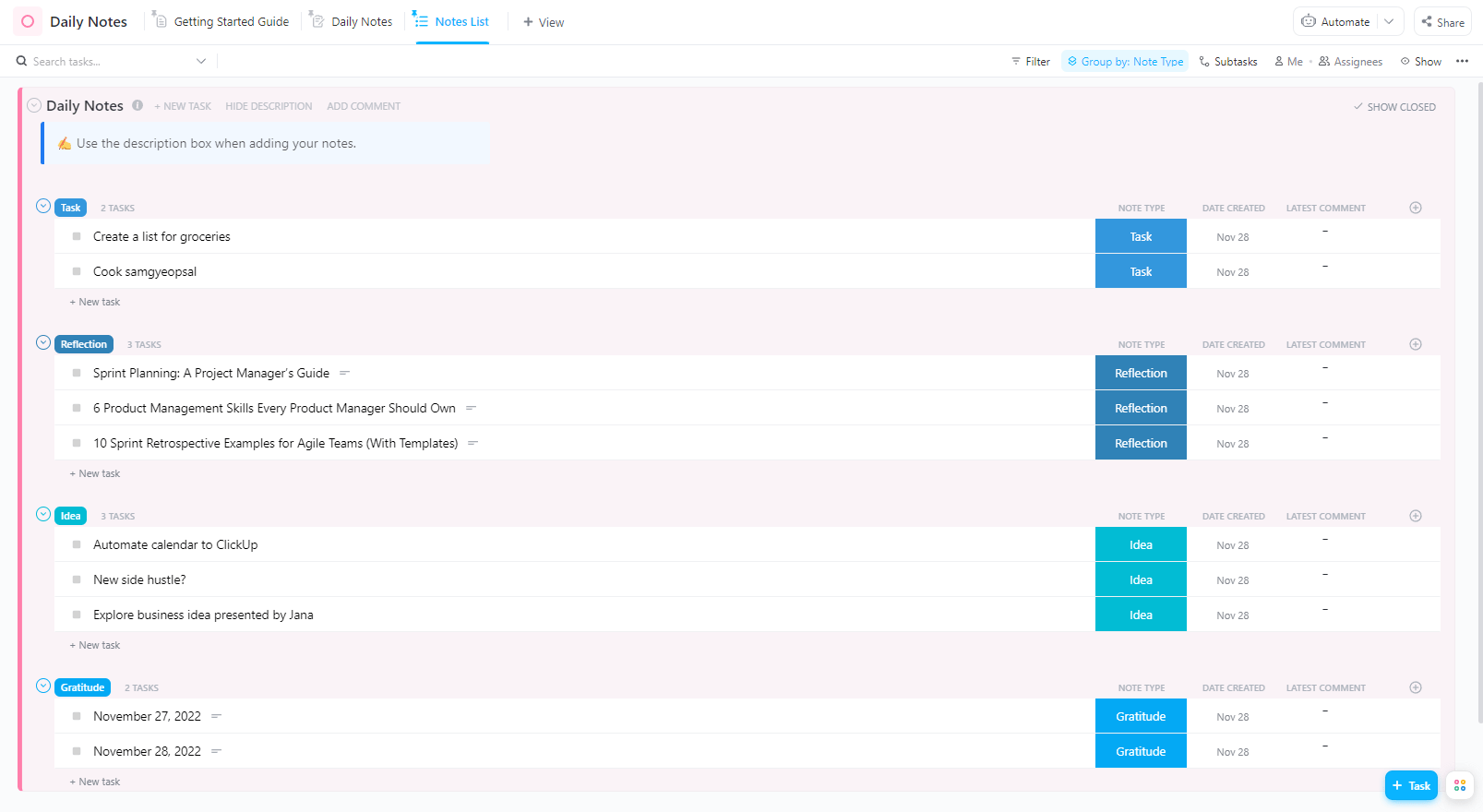
If you are scribbling thoughts in random docs and half-filled journals, your daily mood and wins are almost impossible to review. The ClickUp Daily Notes Template acts as a one-stop page for ideas, to-dos, and quick reflections.
So, everything from “what got done” to “how today felt” lives in one clean space. This beginner-friendly List template includes a Daily Notes view for quick entries and a Notes List View for longer-running threads, with To Do, Reviewed, and Complete statuses to move notes into action.
You can also tag entries by type (e.g., meeting, personal check-in) and add brief comments to track daily milestones.
✨ Ideal for: Busy professionals who want quick daily notes with built-in follow-through and a gentle check-in on how the day felt.
📖 Also Read: How to Elevate Productivity with Bullet Journaling
💡 Pro Tip: ClickUp BrainGPT is a desktop AI companion that makes it easier to maintain consistent tracking habits and understand what influences your emotional state based on all your logged data.
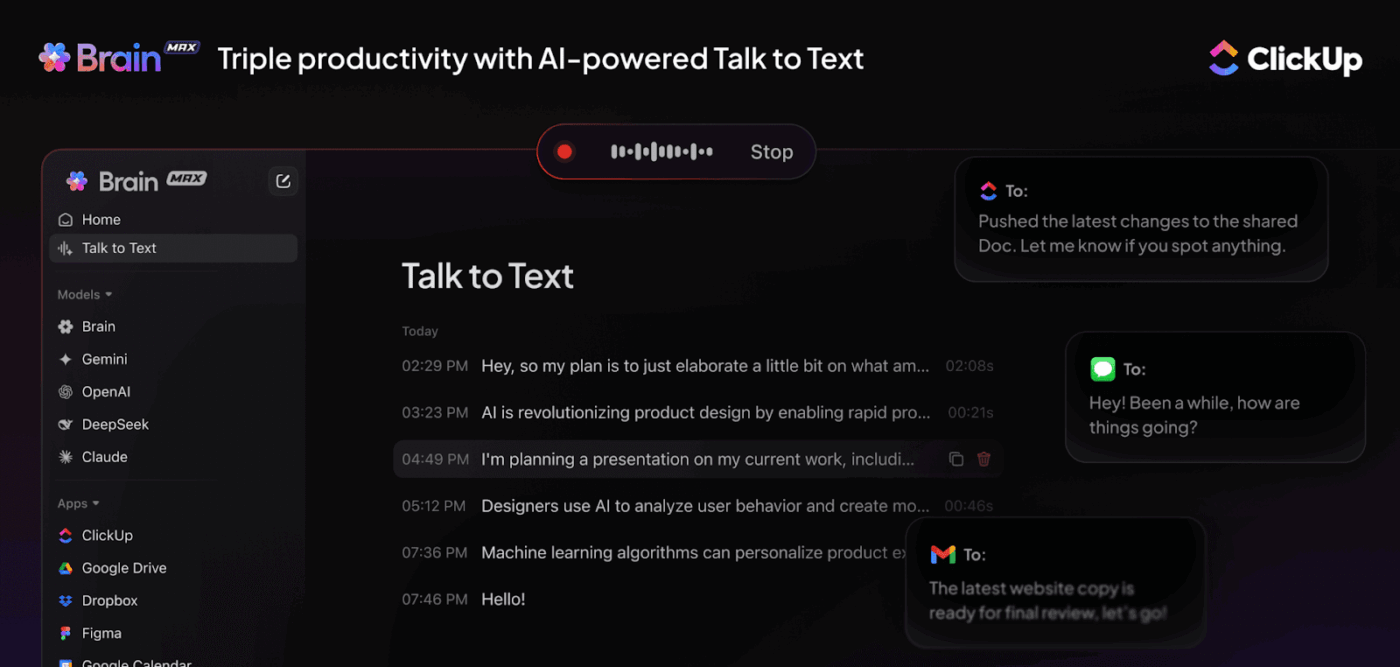
Here’s how:
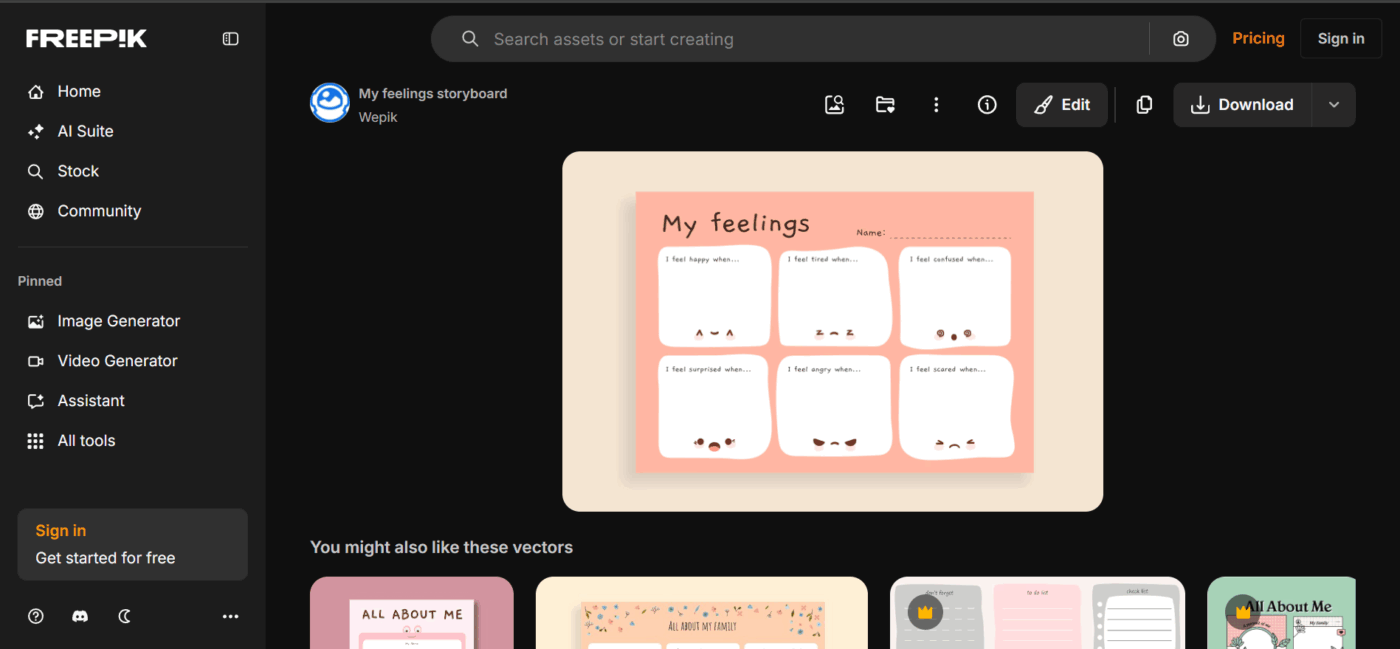
For younger users or anyone who prefers storytelling over strict charts, a storyboard layout can make mood tracking less intimidating. The “My feelings storyboard” template vector on Freepik gives you a comic-style page you can print or edit, then fill with drawings or notes about what you felt and what happened that day.
You can customize the artwork in Wepik or Freepik’s editor, export it as a printable image, and tuck it into a binder or bullet journal. Each frame becomes a mini-scene in your mood journal, which is especially useful for children who find it easier to express emotions through drawings than through scales or numbers.
✨ Ideal for: Anyone who wants flexible, printable feelings trackers with quick customization and lots of style options.
👀 Fun Fact: Mood rings that became popular in the 1970s change color with temperature rather than emotions, but they helped popularize the idea that mood could be “seen” through color, which is now a core idea behind many color-coded mood trackers.
📖 Also Read: Productive Things to Do in Your Free Time
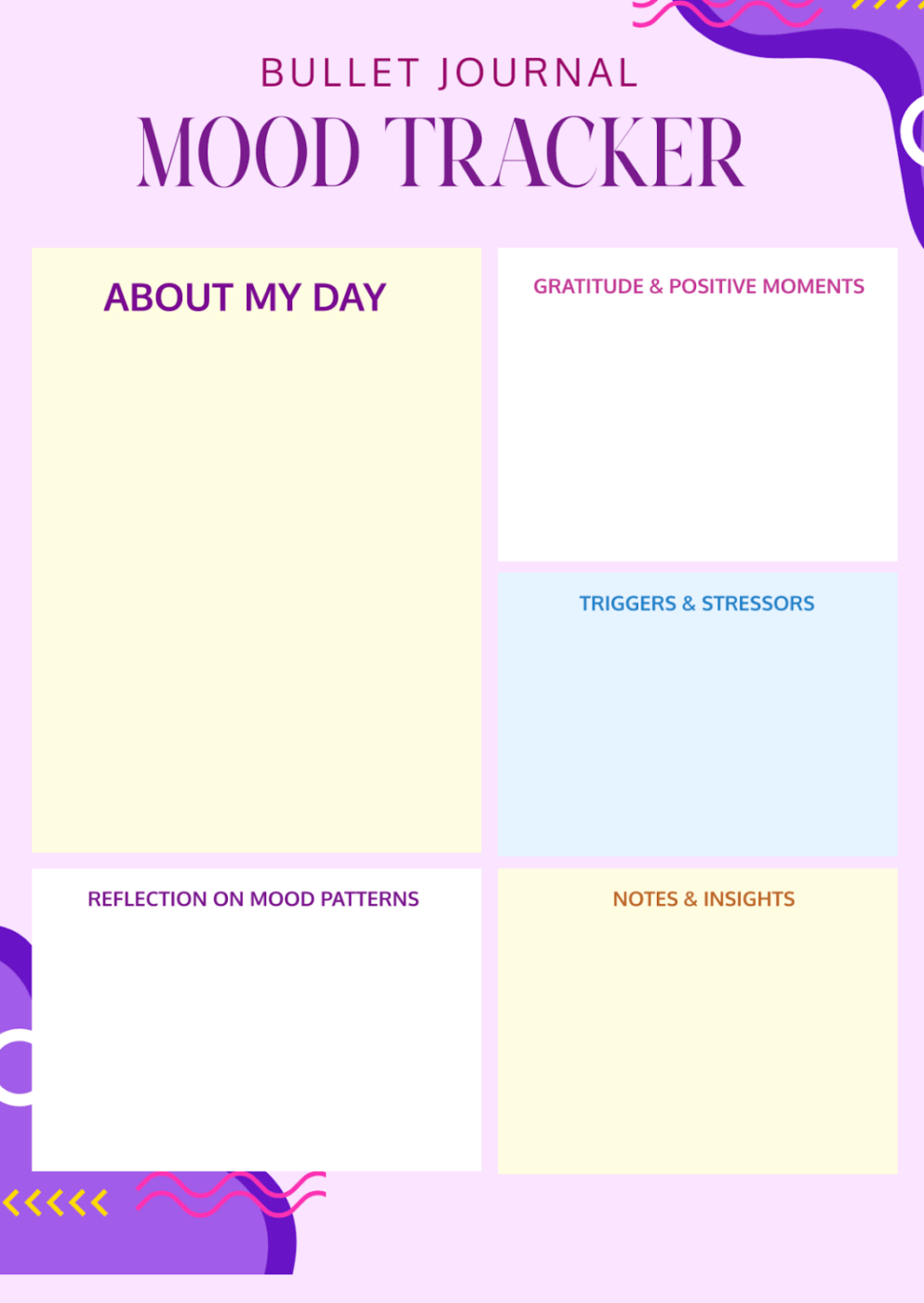
If you want a bullet journal mood tracker template without designing from scratch, Template.net’s Free Bullet Journal Mood Tracker Template is a solid starting point. You can apply your own color code in their editor, and start tracking emotional well-being with a monthly grid that fits straight into your planner.
The template is editable and downloadable in multiple formats (including Google Docs, Google Sheets, PDF, and design files), so you can use it as a printable page or keep it digital.
You can use the space for each day to log a quick mood and short note, then review the month to recognize patterns across sleep, routines, or social time.
✨ Ideal for: Anyone who wants a printable or editable bullet journal mood tracker template that works immediately with very little setup.
Do you want real direction, clarity, and purpose in your life—without falling into the common traps that make most life plans fail? In this video, we guide you through creating a life plan in five easy, actionable steps.
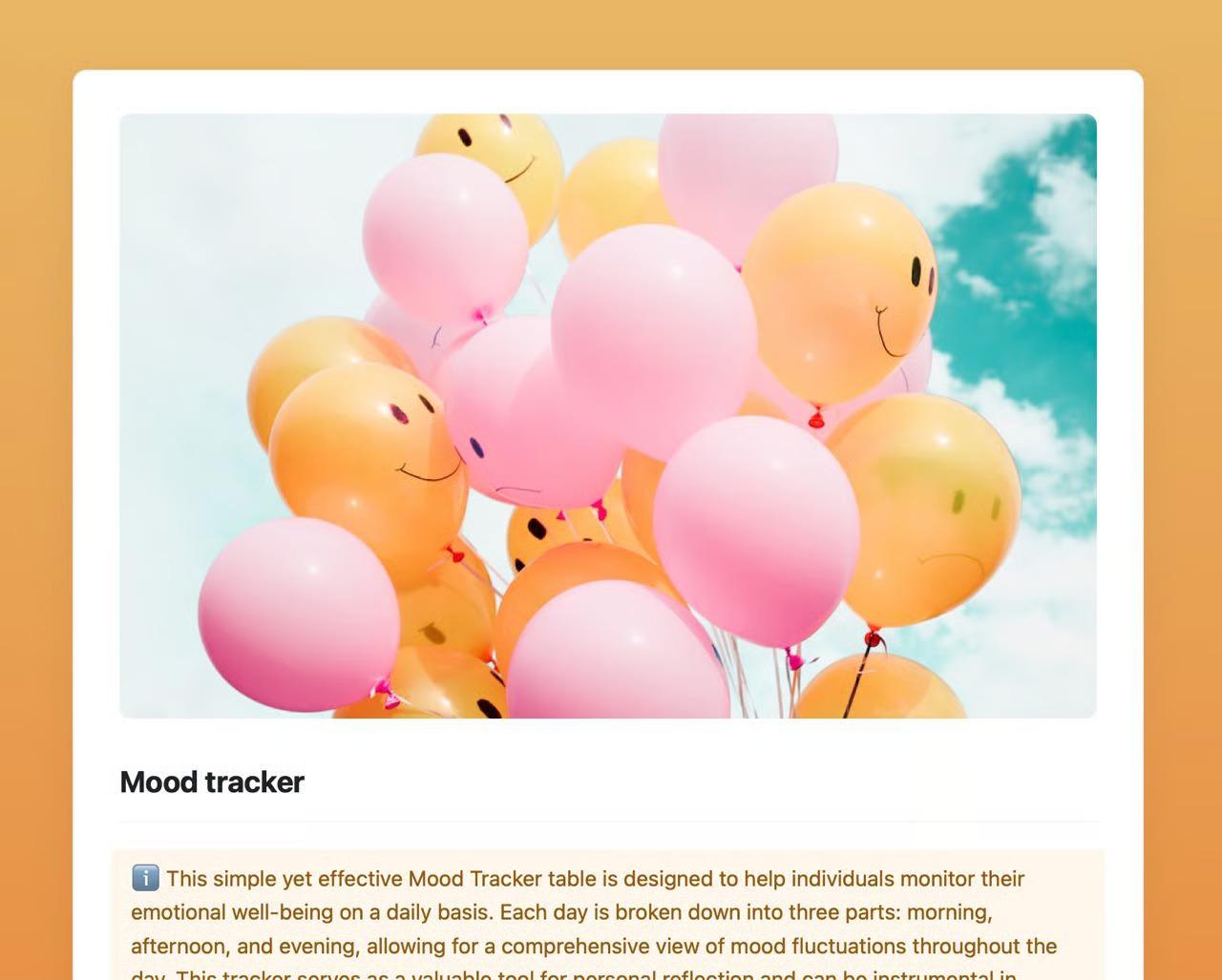
If you like structured check-ins throughout the day, the Mood Tracker template by Craft gives you a simple table inside a document-style app. It divides each day into morning, afternoon, and evening segments, with space to note your mood and a short comment in each time slot.
The month-long overview lets you scroll or print a single page to see how your emotional state shifted over time. Because the layout is a straightforward grid, it works both as a digital document and as a printable mood log you can highlight or annotate by hand.
✨ Ideal for: Anyone who prefers a printable mood log with a clean monthly layout and quick notes.
🛠️ You Could Also Try: Mood tracking, feeling like “one more thing” in your list? Use this Free Online Pomodoro Timer and set 5-minute focus blocks, hit start, then quickly rate your mood, add a one-line note, and save. The gentle chime nudges consistency without overthinking, and most timers auto-cycle, so the habit sticks.
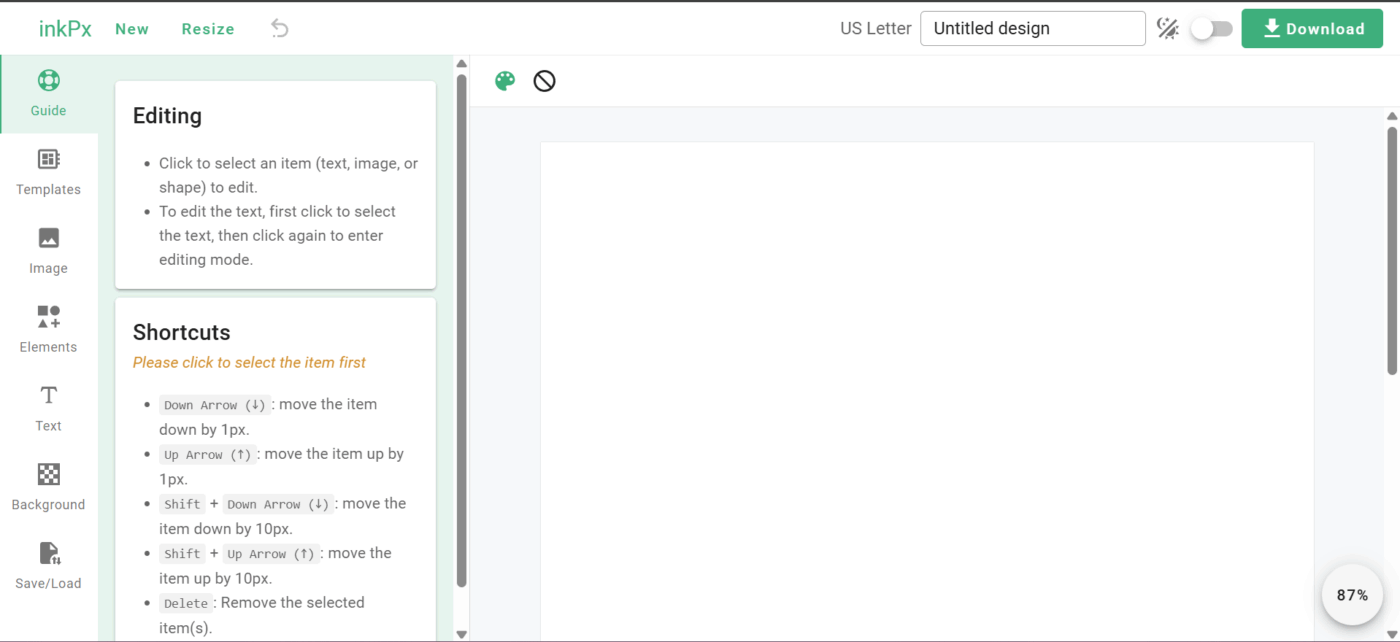
The Colorful Mood Tracker Template by InkPx brings bright palettes and clean grids that make mood logging feel inviting. You can adjust fonts and colors, add or remove text, and pick between A4 and US Letter sizes before you print.
Some layouts use calendar-style grids, others use table-style charts, and several let you mark multiple moods per day with color codes and short notes. The result is a colorful mood journal page you can slot into a binder or personal planner.
✨ Ideal for: Anyone who wants a cheerful printable mood tracker template that encourages consistent entries and clear reflections.
If you want your mood journal to feel soft and encouraging instead of clinical, La La Land’s Free Mood Tracker Template is a colorful place to start. You can print the page and slip it into your diary or notebook, then use it as a simple daily mood log to keep you tuned into how you actually feel throughout the month.
The design is taken from one of La La Land’s illustrated diaries, so you get a visually calming layout that pairs daily mood spaces with room for small reflections. You can also download the template in a JPG format from their blog, save it, print it, and add your own color code or symbols to describe your moods.
✨ Ideal for: Anyone who wants a soothing, printable mood layout that encourages consistent check-ins and gentle reflection
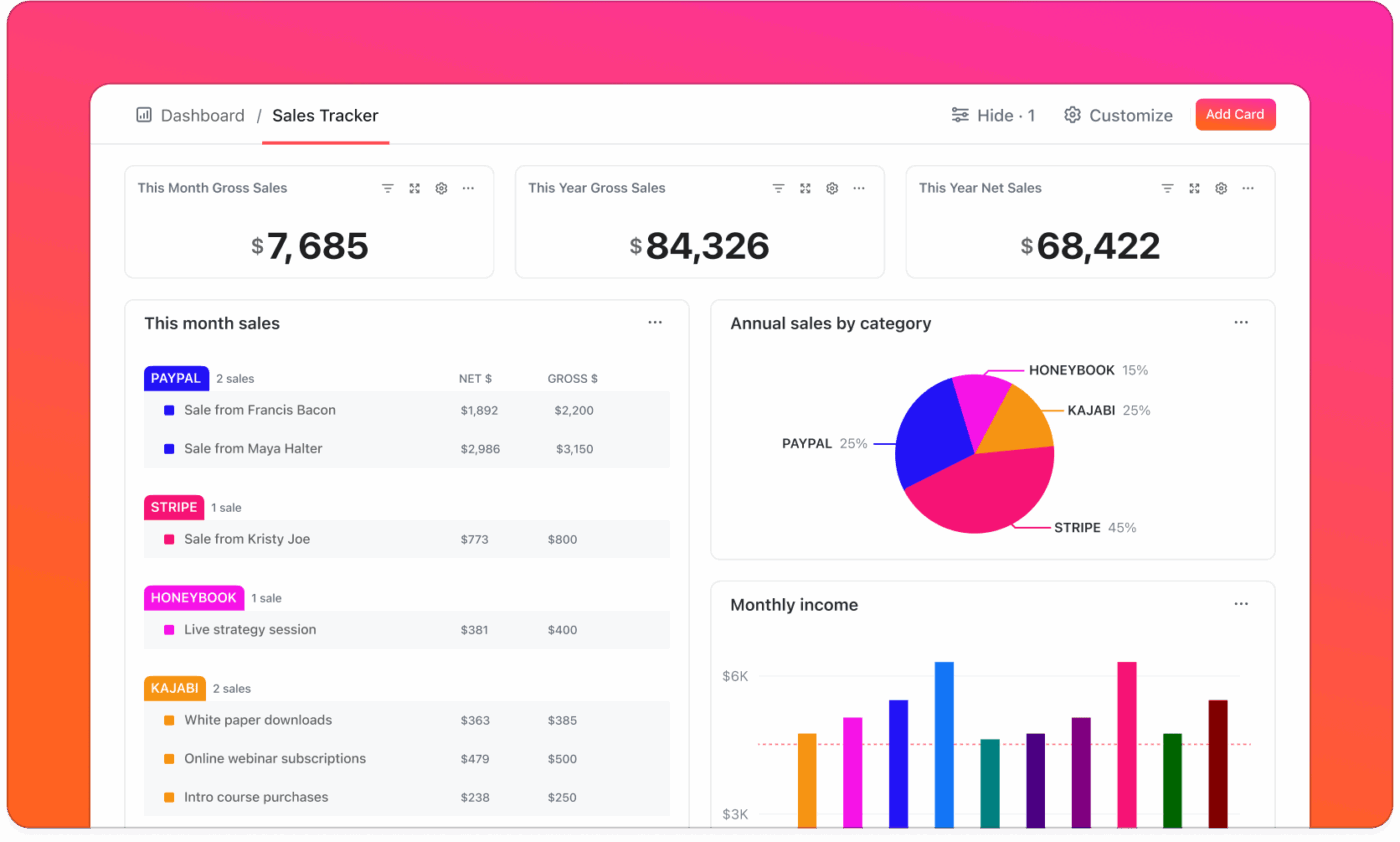
💡 Friendly Tip: Set up ClickUp Dashboards to visualize mood patterns, journaling frequency, and personal growth over time. Dynamic charts and widgets help you track your journey and identify trends or areas for improvement. Seeing your progress visually can be motivating and provide valuable feedback on your development.
📖 Also Read: Free Self-Care Plan Templates
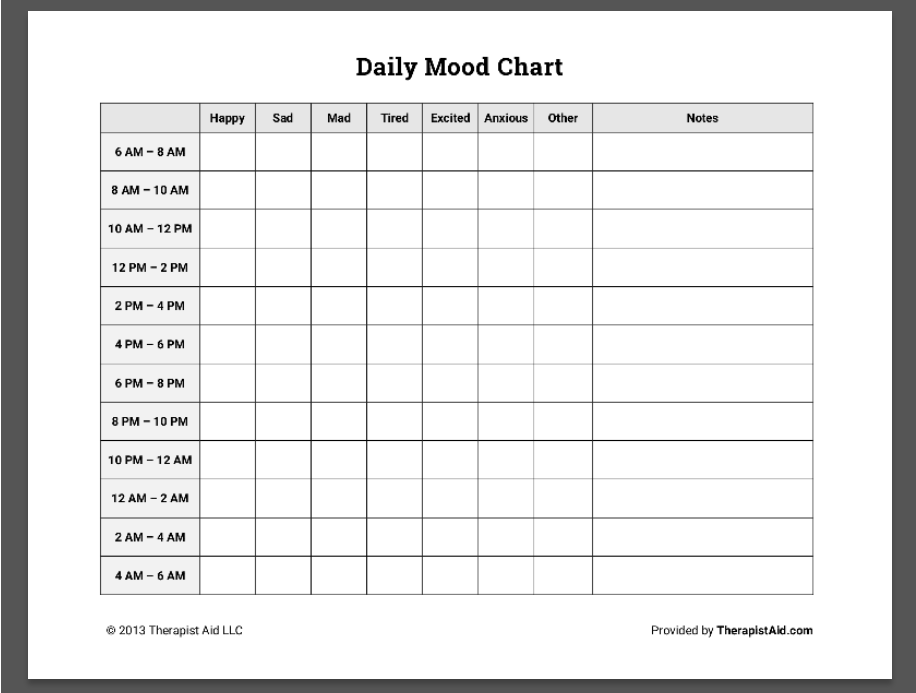
If you prefer a clear structure and numbers, the Daily Mood Chart worksheet from Therapist Aid provides a spreadsheet-style way to track your feelings throughout the day.
You can use it alongside Cognitive Behavioral Therapy (CBT) or other therapy work to see how your environment and emotions connect instead of trying to remember everything in your head. With this template, you can record your emotions every couple of hours in a grid that runs through the day.
You can then choose labels such as happy, sad, mad, tired, excited, anxious, or others, and rate the intensity on a 1–10 scale. There is also a notes column where you can briefly describe what was happening at that time for added clarity.
✨ Ideal for: Individuals and therapists who prefer a clean spreadsheet tracker to track daily mood consistently and review progress in sessions.
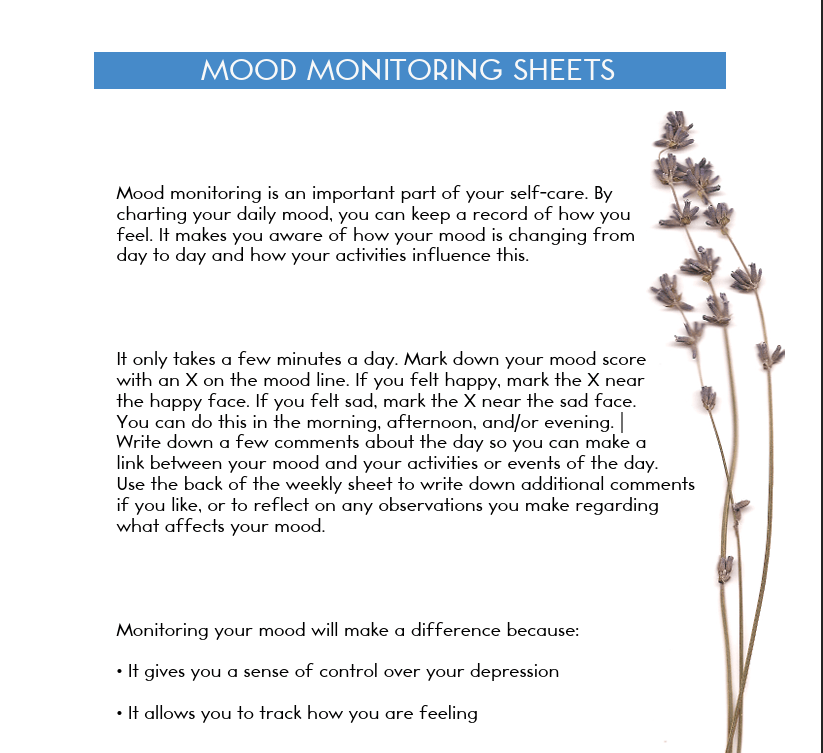
McGill University’s Mood Monitoring Sheet is a clinician-style worksheet used in cognitive-behavioral and mood disorder programs. It provides a grid where you rate your mood per day (angry, completely peaceful, or tired) and add notes about sleep or events that might have influenced your emotional state.
Because the sheet is designed for treatment settings, it keeps columns and wording consistent so scores are easy to compare across weeks or share with a therapist or doctor. You can print copies for a binder or glue them into a journal, then bring a complete monthly mood log to review in appointments.
✨ Ideal for: Individuals and therapists who want a structured, clinician-style mood tracker template for consistent daily monitoring and brief session reviews.
Good days rarely arrive by accident; they tend to come from small choices you repeat and notice. Whether you are logging a single daily mood or your personal preference, the right mood tracker template keeps your reflections flowing by identifying patterns.
If you want one space where your daily mood tracker, notes, and habit reviews stay connected, ClickUp works like the perfect notebook that keeps track of all your information. 📕
In ClickUp, you can keep a mood tracker list beside tasks, schedule gentle reminders on your calendar, and ask ClickUp Brain to summarize trends and suggest next steps.
It does all of these functions without managing separate tools for habits and mood tracking. This helps you stay organized and aids your progress in self-discovery and self-reflection.
Ready for some inspiration? Sign up for ClickUp and discover the perfect way to document your well-being journey.

© 2026 ClickUp

There’s an easier way. Try a free AI Agent in ClickUp that actually does the work for you—set up in minutes, save hours every week.