
Sorry, there were no results found for “”
Sorry, there were no results found for “”
Sorry, there were no results found for “”
Sent a meeting request email that went unanswered? With overflowing inboxes, getting a response it’s hard to get your foot in the door. Your email needs to showcase its value upfront and make the recipient want to engage with you.
A meeting request email isn’t just about asking for time—it’s about showing why your meeting matters. When done right, it sparks curiosity, commands attention, and makes it easy for the recipient to say “yes.”
Let’s uncover the strategies to ensure your emails don’t just land in inboxes but lead to meaningful conversations.
Struggling to write meeting request emails that get responses? Here’s how to make your emails stand out and drive results:
A meeting request email helps you propose a meeting, whether it’s a formal business discussion, a virtual meeting, or a quick chat. It ensures everyone understands the purpose, timing, and importance of the meeting, making it an essential tool for effective communication.
A professional meeting request email goes beyond basic scheduling. It helps you communicate your purpose clearly and positions you as thoughtful and organized, ensuring your email stands out in a busy inbox.
Here’s why it’s important:
Crafting a clear and professional email isn’t just good etiquette—it’s an effective way to ensure your meeting gets the attention it deserves.
Skip the back-and-forth and come prepared. ClickUp’s One-on-One Meeting Template helps you plan talking points, log decisions, and follow up so your meeting requests turn into real progress.
An effective meeting request email contains essential elements that ensure clarity, professionalism, and actionability. Each component serves a specific purpose in creating a seamless communication experience.
Here are the core components:
1. Subject line: The subject line communicates the purpose of the email at a glance. It should summarize the reason for the meeting in a few words, along with, ideally, a strong value proposition
2. Greeting: Start with a professional greeting, addressing the recipient by their name or title
3. Purpose of the meeting: Clearly state the reason for the meeting and its importance. This section briefly explains the core objective of the discussion
4. Meeting details: Provide essential information, including the proposed date and time, expected duration, and the format (whether it is a virtual meeting or in-person discussion)
5. Agenda: Include a short agenda to outline the key topics or goals for the meeting. This ensures the recipient knows what will be discussed
For example:
Read More: Meeting Agenda Examples & Free Templates
6. Call to action: Add a clear action request, such as confirming availability or suggesting alternative times
7. Closing: Finish with a polite closing, your name, job title, and company name for a professional sign-off
With the components in place, the next step is to bring them together in a way that captures attention and prompts action. Now that you know the key components of a meeting request email, let’s explore how to write one that gets results.
An effective meeting request email is clear, professional, and to the point. Here’s how to make yours impactful and get the responses you need:
Your subject line is your first chance to grab attention. It should quickly summarize the email’s purpose in a concise, action-oriented way.
Examples:
Having a clear understanding of your meeting’s purpose helps craft an engaging subject line that resonates with the recipient.
A personalized message shows consideration and increases the likelihood of a response. When contacting a busy executive, highlight how the meeting aligns with their priorities. You can mention how the discussion will help improve ROI, streamline operations, or address a pressing business challenge. This shows you value their time and expertise.
Example: “Hi [Name], I’d like to discuss how we can optimize our Q1 strategy to improve ROI by 25%. I’ve crunched the numbers and I think it could work. Does [proposed time] work for you?”
With ClickUp Brain, you can store details about past interactions, preferences, and key topics. This makes it easier to recall and incorporate personalized touches that enhance the email’s relevance.
A well-structured email ensures the recipient can quickly grasp the details.
This includes:
To streamline this process, use ClickUp Docs to maintain reusable templates. With Docs, you can standardize meeting request formats, saving time while ensuring your emails are professional and consistent.
An agenda helps the recipient understand the meeting’s focus. Keep it brief and specific.
For example: “Agenda: Reviewing milestones, discussing blockers, and assigning next steps”
Outlining the agenda ensures all participants know what to expect and how to prepare.
End with a polite but specific request.
Examples:
This step encourages a timely response and keeps the conversation moving forward.
By incorporating these steps, you can elevate your meeting request emails. These tools ensure clarity, professionalism, and efficiency while making the process easier and more impactful.
Sometimes, the best way to refine your email-writing skills is by seeing examples in action. Below are tailored meeting request email samples for different scenarios, helping you understand how to apply the strategies discussed.
Imagine you’re preparing for a crucial product launch. Here’s how you might request a meeting with your team to align on next steps.
Subject Line: Meeting Request: Strategic Planning for Q1
Email Body:
Hi [Recipient’s Name],
I hope you’re doing well. I wanted to reach out to schedule a meeting to discuss my proposal for our strategic plans for Q1. It would be great to align on key priorities and identify any potential challenges we might face. I’ve attached a short deck containing my key points to this email.
Here are the proposed meeting details:
Please let me know if this works for you or if there’s another time that’s more convenient. I’d be happy to move things around to fit your schedule.
Looking forward to your thoughts.
Best regards,
[Your Name]
[Job Title]
[Company Name]
Also Read: The Best Types of Meetings for Teams
Subject Line: Quick meeting to connect on [topic]
Email Body:
Hi [Recipient’s Name],
I hope your week is going smoothly. I’d love to schedule a quick meeting to touch base on [specific topic]. We briefly discussed this at the standup last week, and I’d like to close the loop on a few open items. I think it’ll help us get on the same page and move forward confidently.
Would [Insert date and time] work for you? If not, feel free to block a time that suits you better—I’ve provided access to my calendar.
Looking forward to hearing from you.
Warm regards,
[Signature]
Subject Line: Invitation: Virtual discussion on [specific topic]
Email Body:
Dear [Recipient’s Name],
I hope this email finds you well. I’d like to schedule a virtual meeting to discuss [specific topic]. I believe this will be a great opportunity to align our efforts and explore solutions collaboratively.
Here are the proposed details:
Please let me know if this time works for you or if there’s another time you prefer.
Thank you so much for considering this, and I look forward to connecting.
Best regards,
[Your Name]
Read More: Virtual Meeting Etiquette Rules
Subject Line: One-on-one meeting to discuss [topic]
Email Body:
Hi [Recipient’s Name],
I hope you’re doing well. I’d like to schedule a one-on-one meeting with you to discuss [specific topic]. It’s an important area where your input will be invaluable, and I’d like to explore how we can approach this together.
Here is a list of my free time slots for the next two days. Let me know of an hour that works. If none of these work for you, I’m happy to find another time that fits your schedule.
– Monday, 27 January, 2 pm-6 pm
– Tuesday, 28 January, 9 am-11 am; 1 pm-3:30 pm
Thanks so much, and I look forward to the opportunity to connect.
Warm regards,
[Your Name]
👀 Did you know? Intel’s Andy Grove championed one-on-one meetings as a cornerstone of effective management.
Sample 5: Team meeting request
Subject Line: Team meeting: Aligning on [project/goal]
Email Body:
Hi Team,
I hope everyone is doing well. I’d like to bring us together for a team meeting to align on [specific project or goal]. This will help us ensure everyone is on the same page and ready to take the next steps.
Details:
Please let me know if you’re available or if any adjustments are needed. Your input will be key to making this meeting productive and valuable for everyone, so please come prepared with a status update.
Thank you all,
[Your Name]
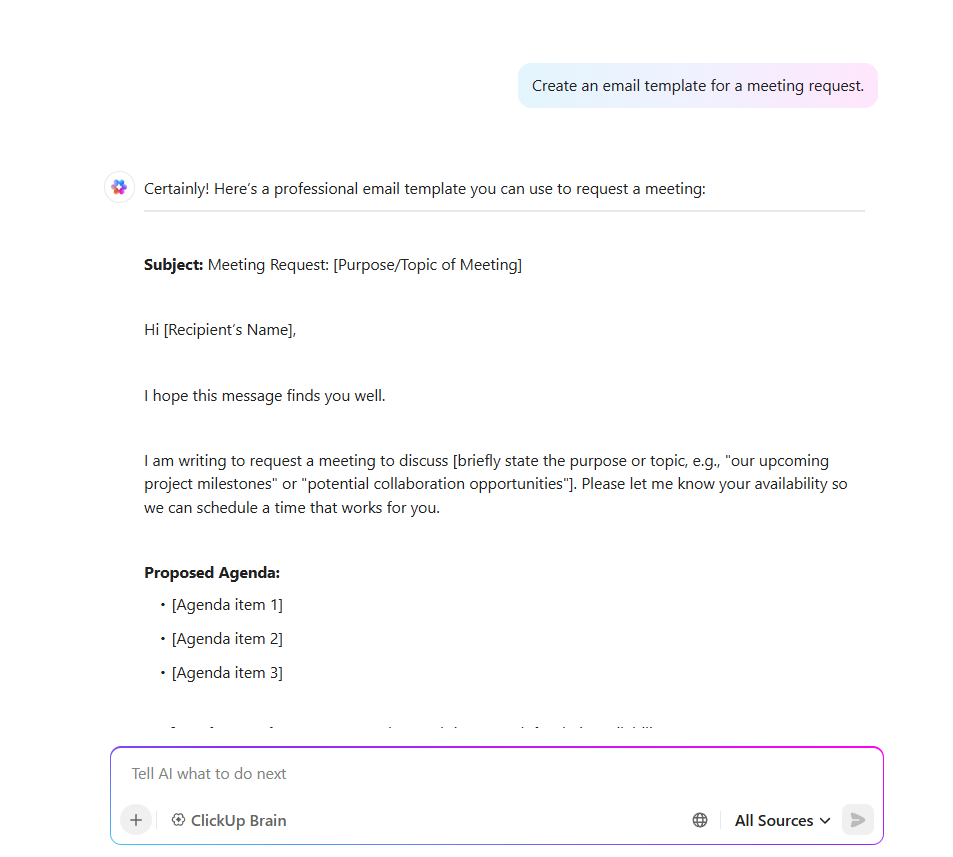
We asked ClickUp Brain to help us generate one such template for a follow-up meeting request.
Here’s what we got:
These samples are warm, empathetic, and versatile. Use them for a formal business meeting or an informal meeting request email. Save and customize these templates to simplify your next meeting invitation.
Streamlining meeting requests involves adopting tools and techniques that improve communication and efficiency. Well-crafted business meeting request emails play a crucial role in saving time and ensuring clarity.
Here’s how to refine your process using widely applicable strategies, with examples of tools that can support your efforts.
Digital calendars are the backbone of effective meeting scheduling. They allow you to coordinate availability, send invites, and avoid scheduling conflicts. This makes them indispensable for managing online meetings and ensuring your meeting request email is backed by a seamless scheduling process.

For those managing multiple projects and deadlines, tools like the ClickUp Calendar View can integrate your calendar with ongoing tasks and projects. By viewing meetings alongside your other responsibilities, you can prioritize effectively while keeping your schedule dynamic.
An agenda provides structure, ensuring that meetings stay focused and productive. Whether you’re planning a quick update or a strategy session, a well-organized agenda is essential.
To simplify the process:
A clear agenda also makes it easier for participants to prepare, ensuring the meeting runs smoothly.
Meeting coordination often involves juggling emails, messages, and updates. Keeping all communication in one place ensures nothing gets missed.

Tools like the ClickUp Email Project Management help streamline this process by:
This approach ensures that all correspondence is easily accessible and contextually linked.
Taking clear, collaborative notes during a meeting ensures everyone is aligned on next steps. Using a standardized template for note-taking can improve consistency.
Use Al tools to store and organize meeting notes, key takeaways, and action items in one central hub. It ensures that critical information is easily accessible and well-structured for future reference.
You can utilize:
When meeting notes are centralized and accessible, they become a powerful tool for driving follow-ups and aligning team efforts.
With hybrid and remote work on the rise, integrating virtual meeting tools like Zoom or Google Meet into your workflow is essential.
Look for solutions that allow you to:
For example, tools like ClickUp Integration help keep everything connected, reducing the time spent managing meeting logistics.
📮ClickUp Insight: 21% of respondents want to leverage AI to excel professionally by applying it to meetings, emails, and projects. While most email apps and project management platforms have AI integrated as a feature, it may not be seamless enough to unify workflows across tools.
But we cracked the code at ClickUp! With ClickUp’s AI-powered meeting management features, you can easily create agenda items, capture notes from meetings, create and assign tasks from meeting notes, transcribe recordings, and more—with our AI notetaker and ClickUp Brain. Save up to 8 meeting hours per week, just like our clients at Stanley Security!

Automation can save you significant time in handling repetitive meeting-related tasks, like setting reminders, creating agendas, or assigning follow-ups.
Using tools like ClickUp Automations, you can:
Automation ensures nothing falls through the cracks while giving you more time to focus on meaningful discussions.
These tools and techniques are not just about efficiency; they enhance collaboration, transparency, and communication. Whether you’re using the ClickUp Meetings Template for standardized workflows or integrating with virtual tools, the right approach can transform your meeting requests into impactful, well-coordinated events.
Read More: How to Write a Confirmation Email?
Creating meeting request emails that capture attention and prompt action requires intentional strategies. From setting the right tone to respecting schedules, each element contributes to making your communication seamless and impactful.
A meeting request is only effective when its purpose is clear. Skip the broad descriptions and focus on the exact reason for the meeting, such as aligning on project timelines or discussing urgent updates. People respond better to specifics that highlight actionable goals or expected outcomes.
Understanding the recipient’s priorities ensures your email feels relevant and personalized. When scheduling, connect the meeting’s purpose to their expertise or responsibility.
Clarity is key when time is limited. Structuring your email with short paragraphs or bullet points ensures the reader can quickly grasp important details without feeling overwhelmed.
Acknowledging the recipient’s busy schedule builds trust and fosters collaboration. Offer flexible timing and avoid sending requests during high-pressure times like the end of the week.
A project manager coordinating with global teams sets up options adjusted for multiple time zones to simplify scheduling.
The way you phrase your email shapes the reader’s perception. A confident tone avoids being demanding. At the same time, friendliness keeps it from feeling overly casual, striking the perfect balance.
Avoid vague requests that leave the recipient guessing. Instead, focus on specific actions or deadlines.
A design lead closes the email with, “Can you confirm by Thursday if 3 PM works for you?” instead of the less actionable, “Let me know if you’re available”
A well-written meeting request email is your gateway to productive discussions and seamless collaboration. From a compelling subject line to a clear agenda, every element ensures your message stands out.
By personalizing your approach and structuring your email effectively, even for an urgent meeting request or cold email outreach, you can save time, reduce back-and-forth, and foster meaningful connections.
Ready to elevate your communication? Sign up for ClickUp today and make every meeting request impactful.

Sudarshan Somanathan
Max 29min read
Sudarshan Somanathan
Max 17min read

Manasi Nair
Max 21min read

© 2026 ClickUp