







Still downloading templates?
There’s an easier way. Try a free AI Agent in ClickUp that actually does the work for you—set up in minutes, save hours every week.
Sorry, there were no results found for “”
Sorry, there were no results found for “”
Sorry, there were no results found for “”
Pleasing the Instagram algorithm is no easy feat, with multiple factors at play. While content quality and format matter, posting time also significantly impacts engagement.
Only social media managers understand the struggle of waking up at dawn just to post a festive reel. Instead of adjusting to Instagram’s timetable, you can use Instagram scheduling apps to take control of your Instagram posts and schedule them on your terms.
These tools are simple and convenient, allowing you to plan calendars in advance and maintain a full content pipeline. To simplify your workflow, we’ve curated a list of the best Instagram scheduling apps and social media management tools to explore.
Here’s a quick breakdown of the best Instagram scheduler apps and what they excel at:
| Tool | Best for | Key features | Pricing |
| ClickUp | Content planning & team collaboration | AI insights, whiteboards + calendar, automations | Free plan available; Custom pricing for enterprises |
| Hootsuite | Scheduling & social media analytics | Support for multiple post types, analytics, AI captions, social listening | Free trial available; Custom pricing for enterprises |
| Buffer | Simple scheduling & content planning | Drag-drop post scheduling, AI captions, engagement hub | Free plan available; Unlock advanced features with paid plans |
| SocialBee | Evergreen Instagram scheduling and content automation | Post recycling, content categories, AI content tools | Free trial available |
| Later | Visual Instagram planning and scheduling | Drag-and-drop planner, AI captions, best-time suggestions, Link in Bio tools | Free trial available; Custom pricing for enterprises |
| Sprout Social | Advanced analytics & team collaboration | Optimal send times, sentiment tracking, SproutLink, approval workflows | Free trial available; Custom pricing for enterprises |
| Tailwind | Hashtag optimization & automated Instagram scheduling | SmartSchedule, hashtag finder, grid planner, Smart.bio | Free plan available; Unlock advanced features with paid plans |
| Sendible | Agencies & multi-account management | First-comment hashtags, bulk scheduling, client dashboards, reporting | Free trial available |
| SocialPilot | Budget-conscious agencies & SMBs | Bulk scheduling, AI captions, content library, white-label analytics | Free trial available |
| Pallyy | Instagram-first social media management | Grid preview, AI hashtags, first-comment scheduling, Bio Link | Free plan available; Unlock advanced features with paid plans |
One thing I’d love to see in scheduling apps is better time zone support…It would definitely be cool if these apps had smoother integrations for different social platforms to avoid needing a separate tool for each.
These are all the features social media managers on Reddit are hoping for in a scheduling app. In addition, here are some fundamental elements the best scheduling apps for Instagram should provide:
Here are the top Instagram tools that help you keep to your posting schedule without the stress.
If social media managers could create the perfect Instagram project management tool, it would look a lot like ClickUp. That’s because ClickUp merges content planning, team collaboration, and AI within one powerful platform to serve as the everything app for work.
To understand its USPs better, let’s look at the different stages of social media content creation and how ClickUp for Marketing Teams simplifies each step:
Content ideation: Coming up with fresh Instagram content consistently can be challenging. A strong ideation process considers:
To keep ideas organized, AI-powered tools can help research trends, analyze past engagement, and suggest content ideas that resonate with your audience.
For instance, ClickUp Brain, ClickUp’s native, multi-purpose AI assistant, can process social media posts, online reviews, and consumer insights to refine your content strategy and spot gaps worth exploring.
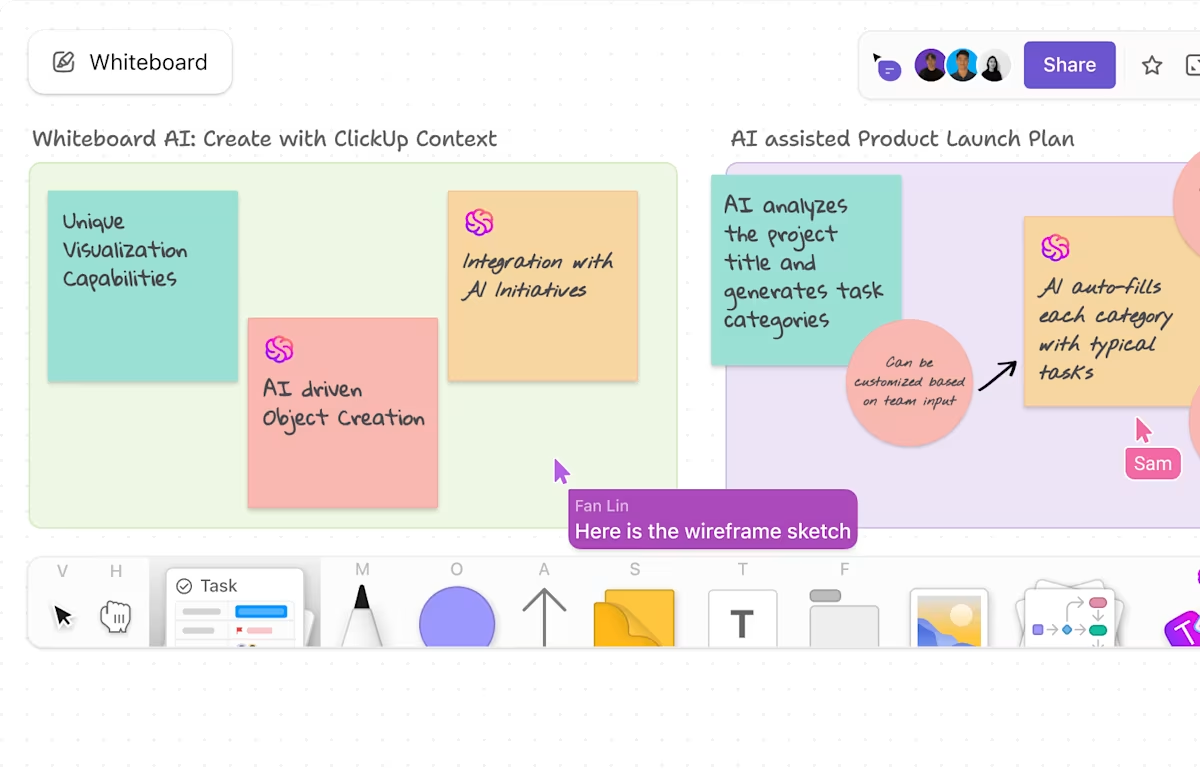
Visual flow via mind mapping: Once you have a list of content ideas, visualizing connections between them can help refine your plan. Mind mapping is a great way to sketch out a content flow from brainstorming to execution and identify connections between different Instagram posts (e.g., linking a post to a related Instagram Story).
Instead of using pen and paper, use ClickUp Whiteboards to create drag-and-drop mind maps, add visual content (and AI-generated images) to support your post ideas, and collaborate on social media copy in real time. This makes it easier to see how different pieces of content fit into your overall strategy.
Structuring a task-based workflow: A clear content workflow helps track progress and schedule Instagram posts efficiently.
Project management tools like ClickUp Tasks allow you to assign responsibilities for content creation and distribution, add deadlines, and set Custom Statuses in ClickUp (In Review, Needs Edits, Approved). This ensures every post is reviewed and refined before going live.

💡 Pro Tip: If you are working on a shared document, ClickUp Docs allow you to turn feedback and comments left by your team into actionable tasks right within the doc so that it becomes easier to follow up.
Organizing a social media content calendar: A content calendar helps teams stay organized and prevents last-minute scrambling.
Instead of using spreadsheets, a visual content calendar software—like ClickUp’s Calendar View—lets teams schedule multiple posts, adjust timelines, and track progress in real time. This way, everyone knows what’s coming up and when.
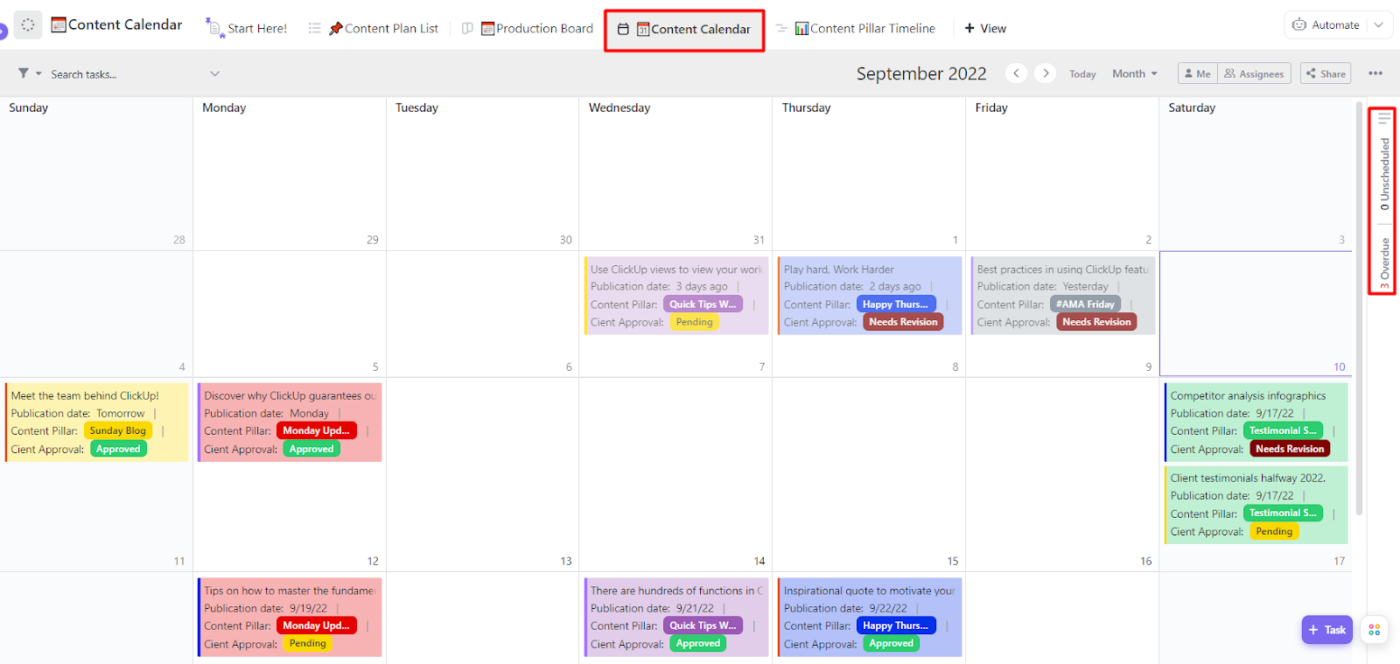
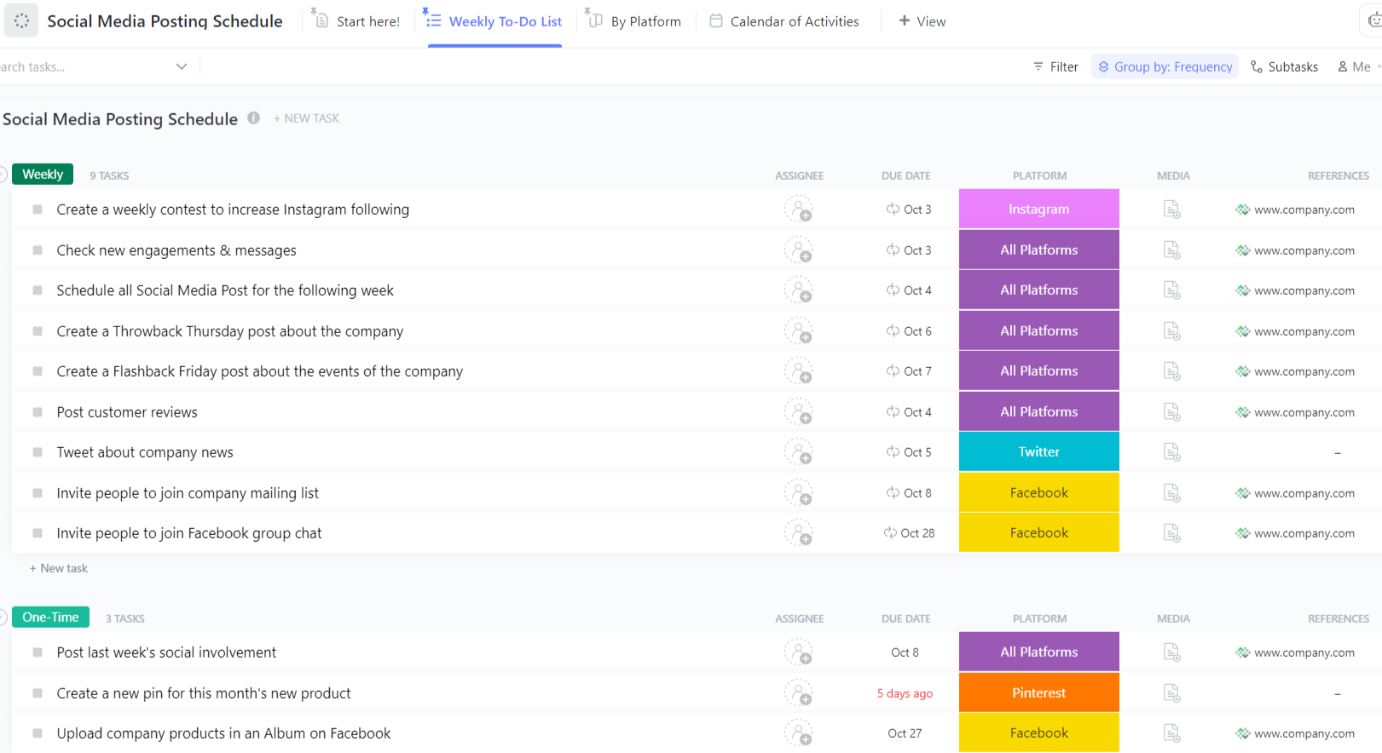
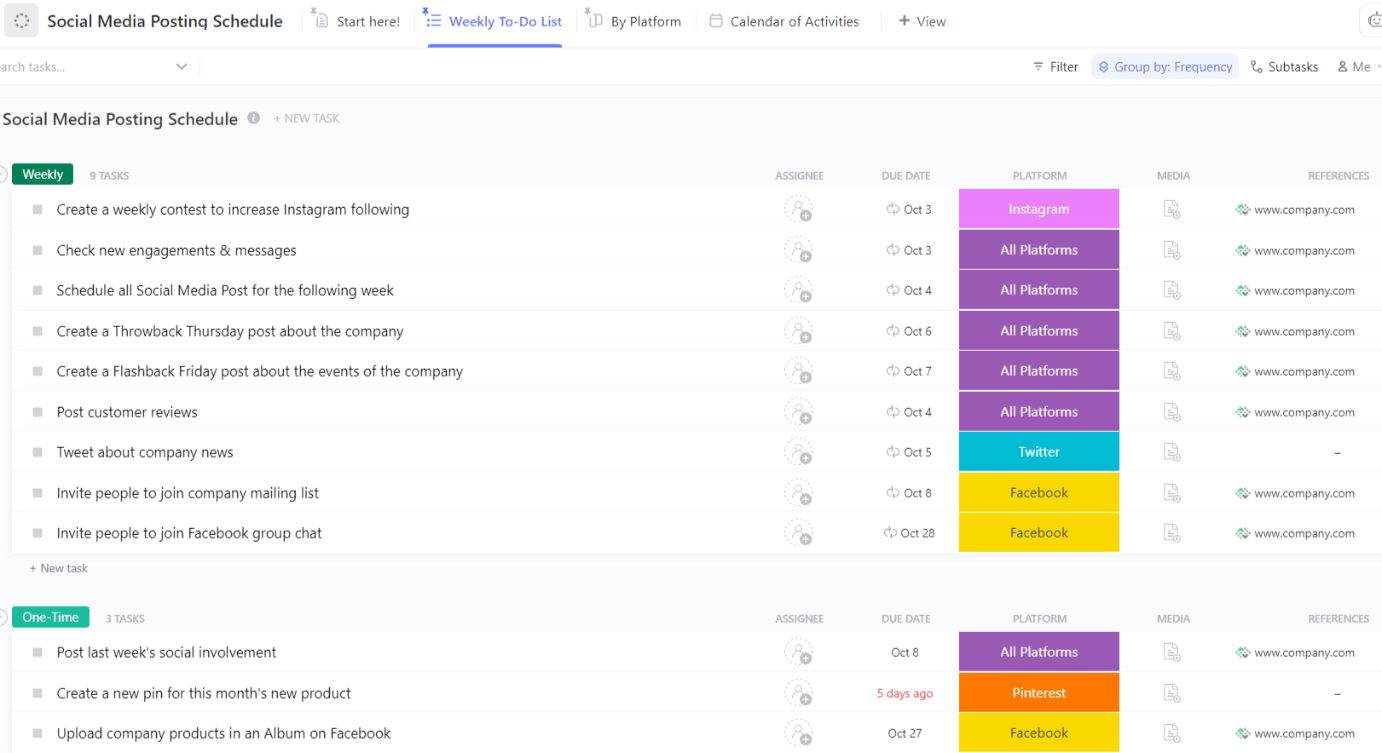
Similar to a content calendar, ClickUp’s Social Media Posting Schedule Template offers a structured framework that helps social media managers maintain consistency.
By allowing you to schedule posts in advance across multiple platforms, it ensures your content reaches the right audience at the right time. Plus, with built-in performance tracking and analytics, you can refine your social media strategy based on real-time insights.
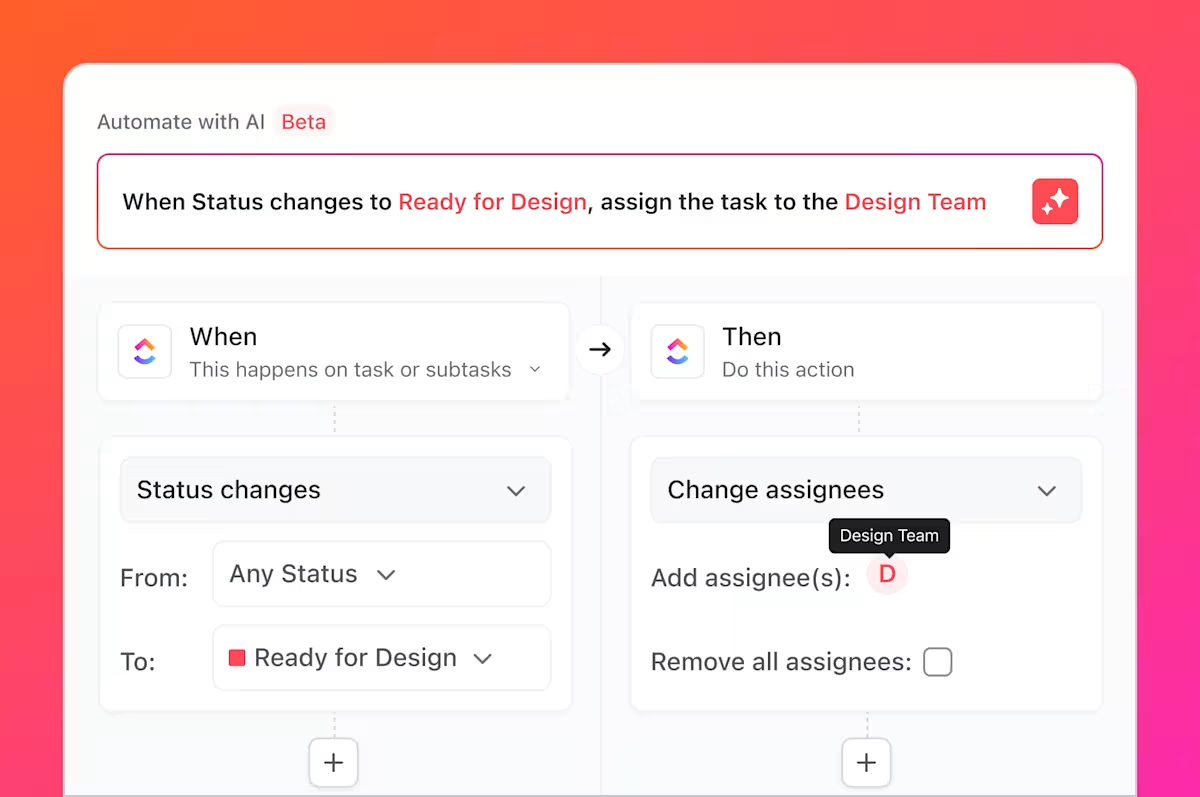
Automating repetitive tasks: Automation can save hours of manual work, enabling marketers to focus on content creation instead of administrative tasks. Consider automating:
You can do the above with ClickUp Automations—simplify these processes, reduce errors, and keep your work flowing smoothly.
Tracking performance with analytics: Once your content is live, tracking engagement metrics, such as reach and follower growth, helps improve future strategies.
ClickUp Dashboards display real-time performance data, making it easier to adjust your approach based on what’s working.

Looking for a headstart? The ClickUp Social Media Template acts as a central hub for organizing, planning, and executing your social media strategy with precision. Try it out if you want to stay ahead of the competition and make data-driven decisions effortlessly.
📮ClickUp Insight: 37% of our respondents use AI for content creation, including writing, editing, and emails. However, this process usually involves switching between different tools, such as a content generation tool and your workspace.
With ClickUp, you get AI-powered writing assistance across the workspace, including emails, comments, chats, Docs, and more—all while maintaining context from your entire workspace.
With each project, there can be issues or hurdles the team has to overcome, but ClickUp allows us to communicate quickly to those who we need to reach. Automations have allowed us to take a very outdated and time-consuming process to make it flow quicker and more accurately.
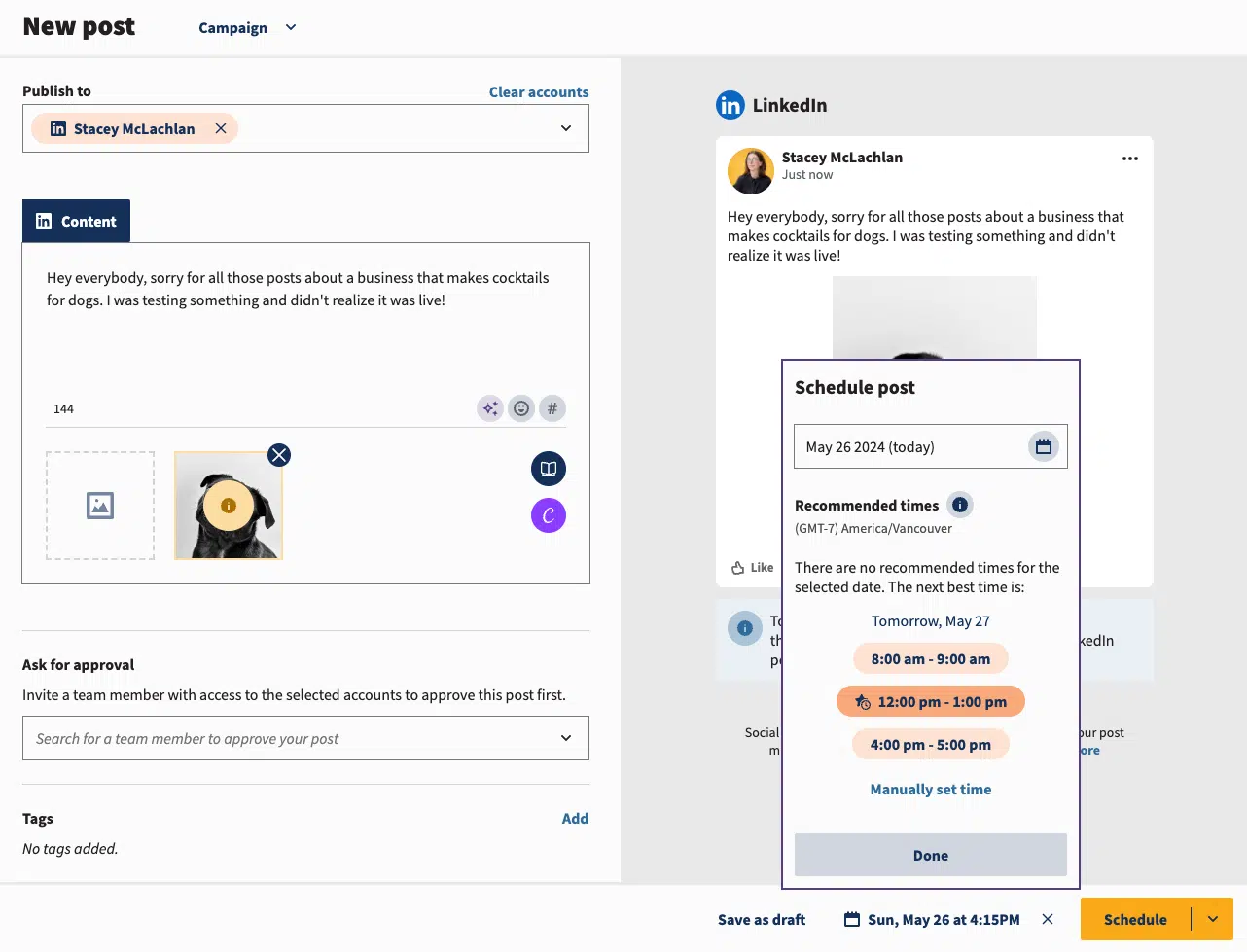
Social media managers know that keeping up with posting schedules, tracking engagement, and responding to audience interactions can quickly become overwhelming.
Hootsuite shares this responsibility by offering a centralized dashboard for scheduling Instagram posts, Stories, Reels, and carousel posts. It also provides analytics to measure performance.
Pretty much top-rated for scheduling, calendar, and managing accounts for social media. I guess Hootsuite is inclining toward large businesses. The downside is expensive compared to others.
📖 Read More: Not sure if Hootsuite is the right fit? Check out the best Hootsuite alternatives to discover powerful social media management tools that offer smarter scheduling, deeper analytics, and better collaboration.
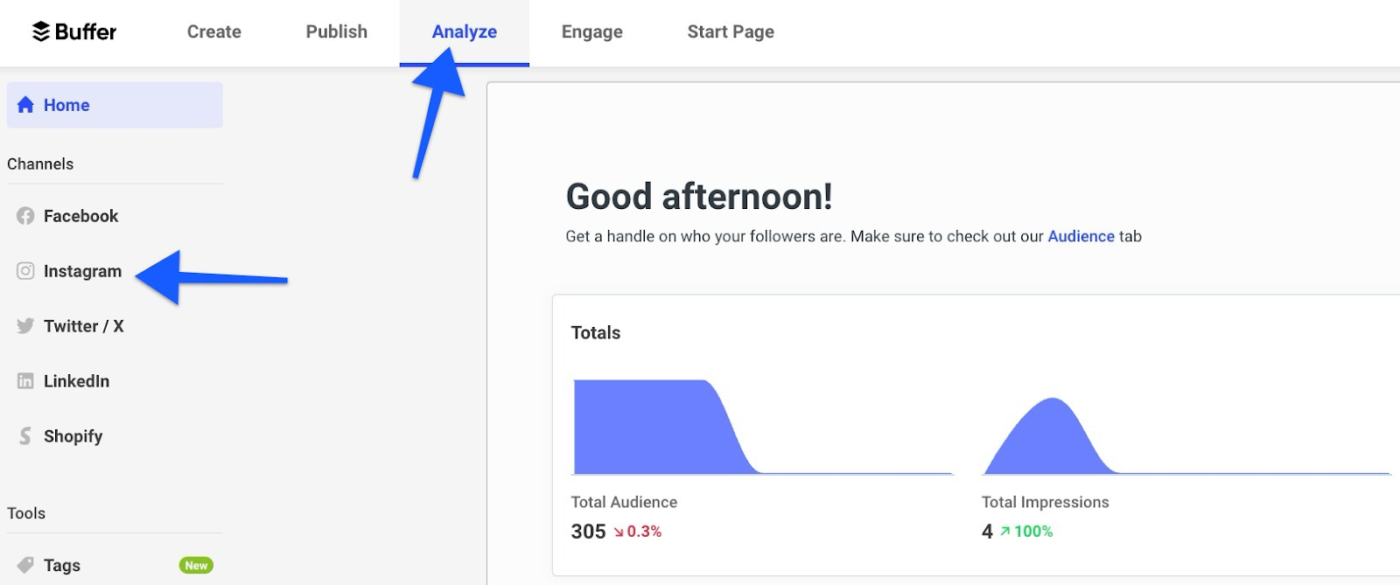
Not every social media manager needs an overly complex scheduling tool—sometimes, simplicity is key. Buffer focuses on easy Instagram scheduling, allowing users to plan posts, Reels, Stories, and carousel posts without needing a marketing degree.
Its intuitive interface is ideal for solo marketers, small businesses, and creators looking for a straightforward way to schedule and track Instagram content.
👀 Did You Know? Instagram was not originally designed with scheduling in mind. This changed in January 2018 when Instagram officially enabled auto-publishing for business accounts through the Graph API. Before this update, scheduling tools like Later and Buffer had to rely on push notifications to remind users to post manually.
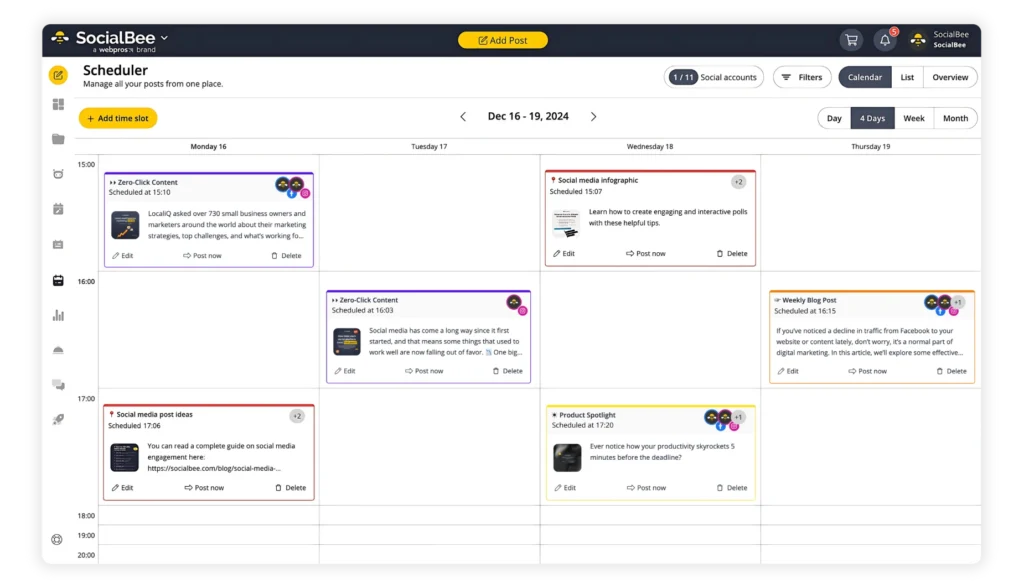
Keeping an Instagram account active requires posting consistently, but not all content needs to be created from scratch every time. SocialBee specializes in recycling evergreen content.
Here’s how it works: The tool allows you to schedule Instagram posts once and have them reposted automatically over time. This is especially useful for brands and businesses that want to maximize engagement with minimal effort.
I like the ability to post on multiple platforms from one place. The dashboard will prompt you if you need to make changes to comply with a certain channels rules. Getting started was a breeze as well. Once you connect your accounts, you are ready to start posting your content.
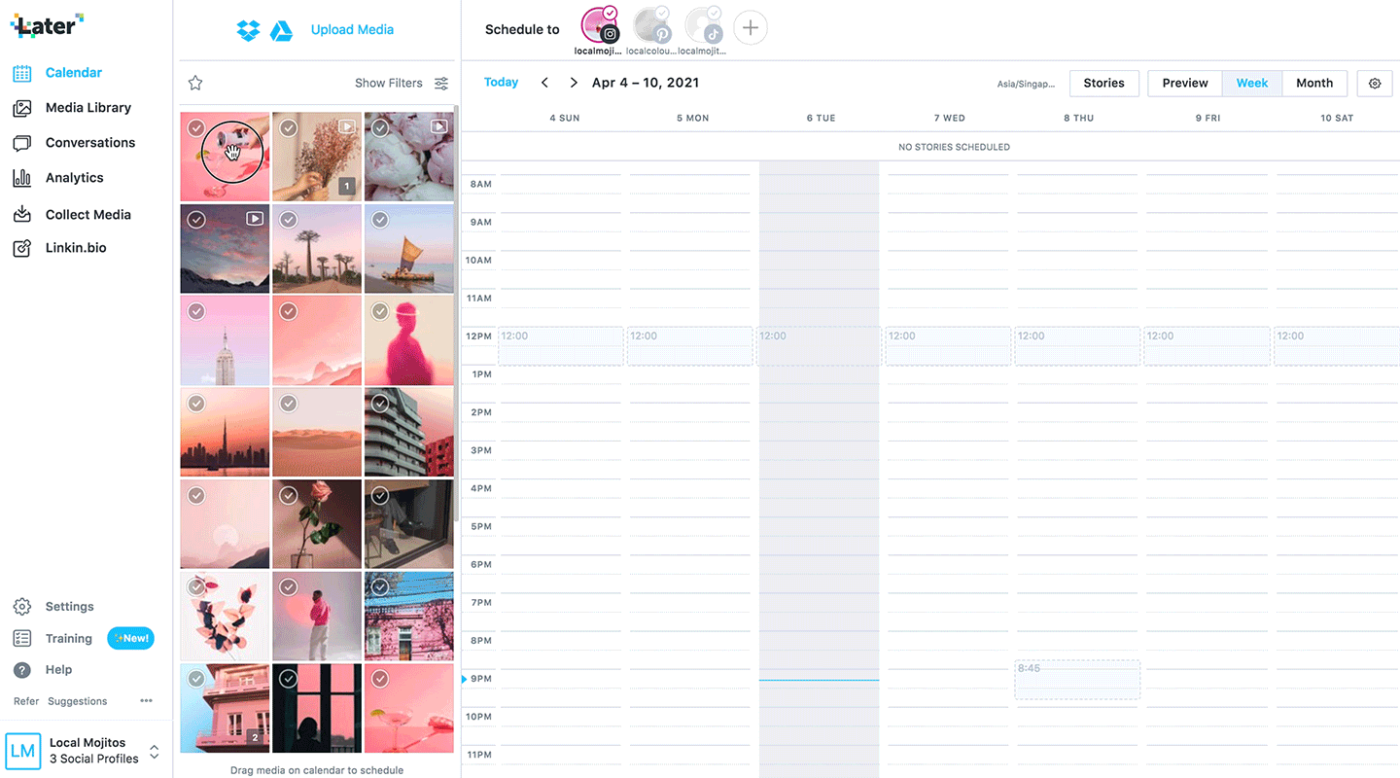
If Instagram aesthetics matter to your brand, Later offers a drag-and-drop visual planner to help curate a consistent feed.
It is designed primarily for Instagram users and simplifies content planning with auto-publishing for posts, Stories, carousels, and Reels.
The tool also provides hashtag suggestions, insights into the best time to post, and an AI caption writer.
I like the full calendar view you get of your week worth of content. I also find the analytics page very helpful for when I’m doing my monthly overview of content performance.
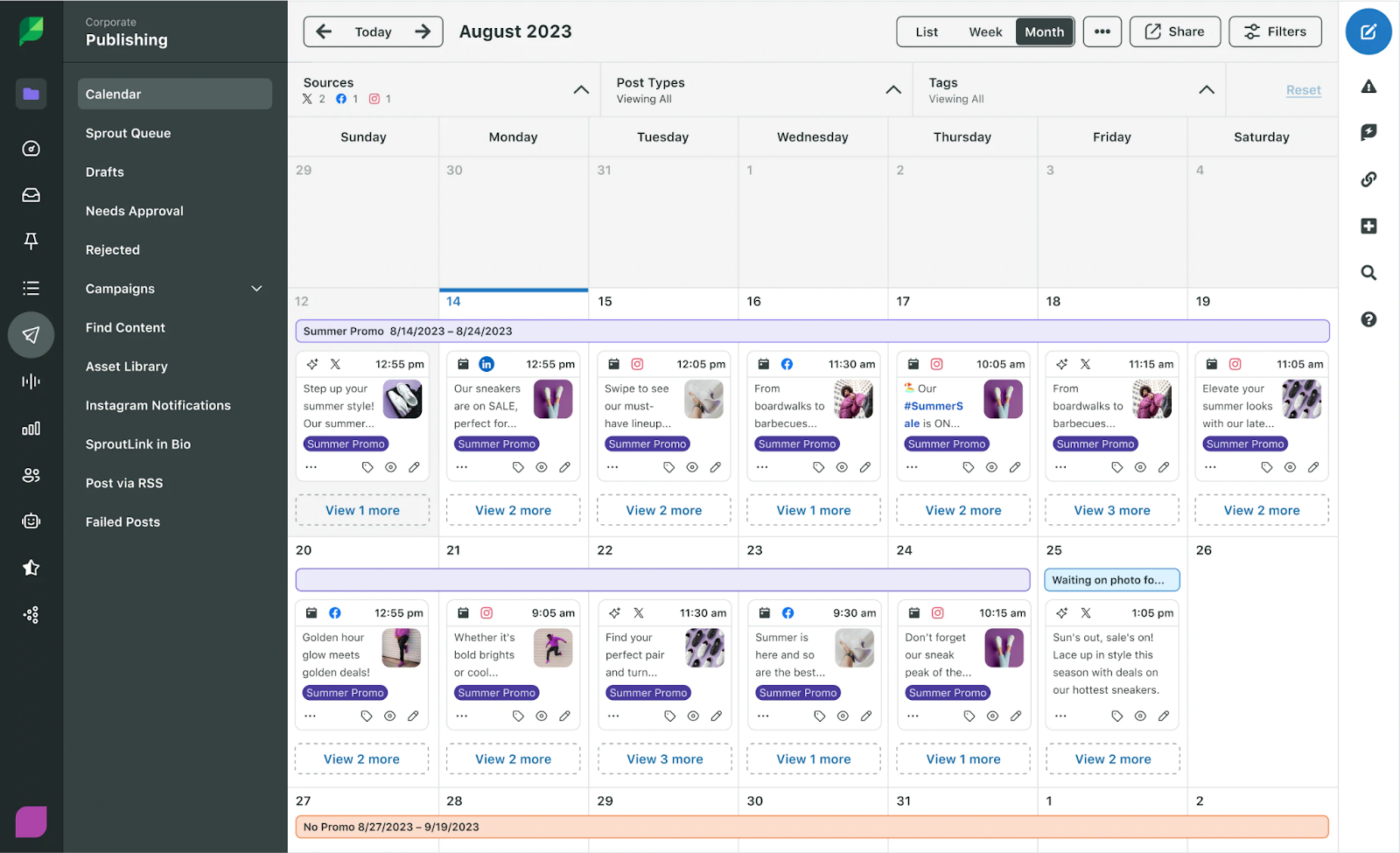
Even though Sprout Social is expensive, it’s a premium choice that offers in-depth analytics, AI-powered insights, and seamless team collaboration.
You get multi-platform scheduling, content approval workflows, social listening, and audience sentiment analysis, making it an excellent option for brands with complex social media operations.
I used Sproutsocial at two different companies, and I will use it again in my own digital agency. It’s a great tool for organizing, scheduling, and publishing social messages.
📖 Read More: Best Sprout Social Alternatives
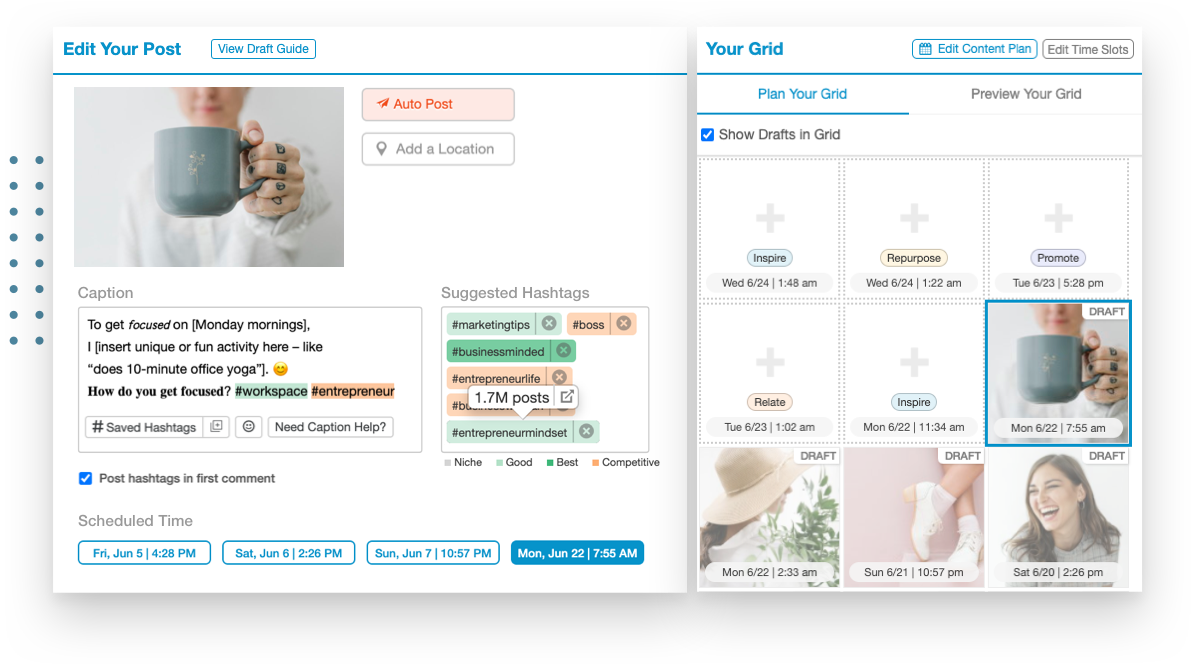
If you’re looking for an Instagram scheduling tool that helps with more than just posting, Tailwind is worth considering. This tool offers smart scheduling, hashtag recommendations, and visual content planning.
One really useful feature: Tailwind’s SmartSchedule automatically finds the best times to post based on audience activity.
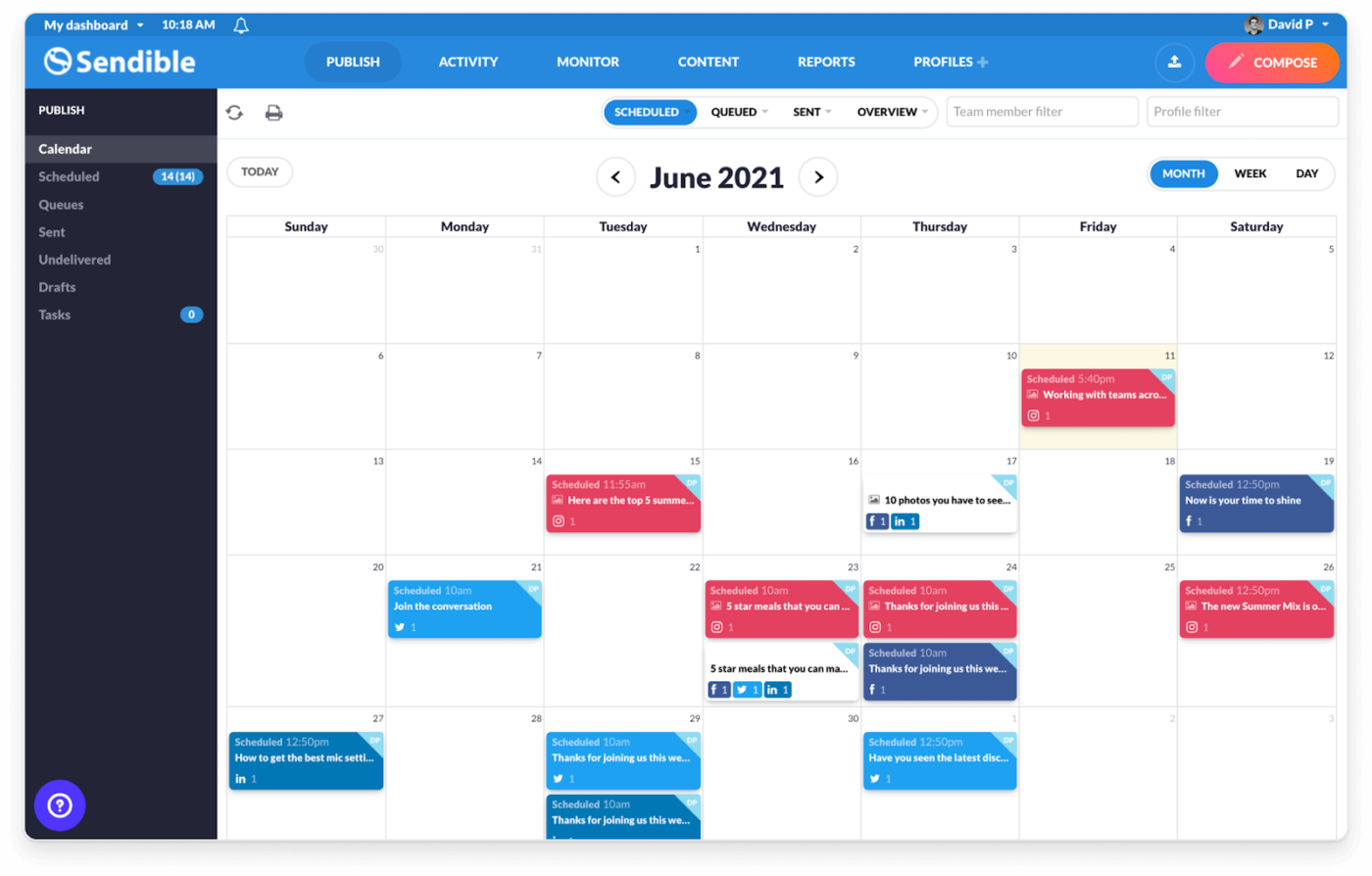
One thing most social media managers are familiar with is managing multiple social media accounts. It comes with the added responsibility of coordinating with teams and tracking performance, both of which can quickly become overwhelming.
Designed with agencies and marketing teams in mind, Sendible offers a unified dashboard to schedule Instagram posts, monitor engagement, and generate detailed reports.
📖 Also Read: Best Instagram Schedulers for Social Media Growth

Looking for a cost-effective yet powerful social media management tool? SocialPilot is designed for agencies, small businesses, and solopreneurs who need a feature-rich scheduler.
Compared to competitors like Hootsuite, SocialPilot delivers similar features at a fraction of the cost. It offers easy-to-use scheduling, analytics, and team collaboration tools.
It’s super easy to connect our accounts and schedule our posts! It was easy to implement with our team and our users. We are posting to over 75 social accounts weekly so having a tool that is easy to use is extremely helpful.
📖 Also Read: Best Social Media Management Tools for Agencies
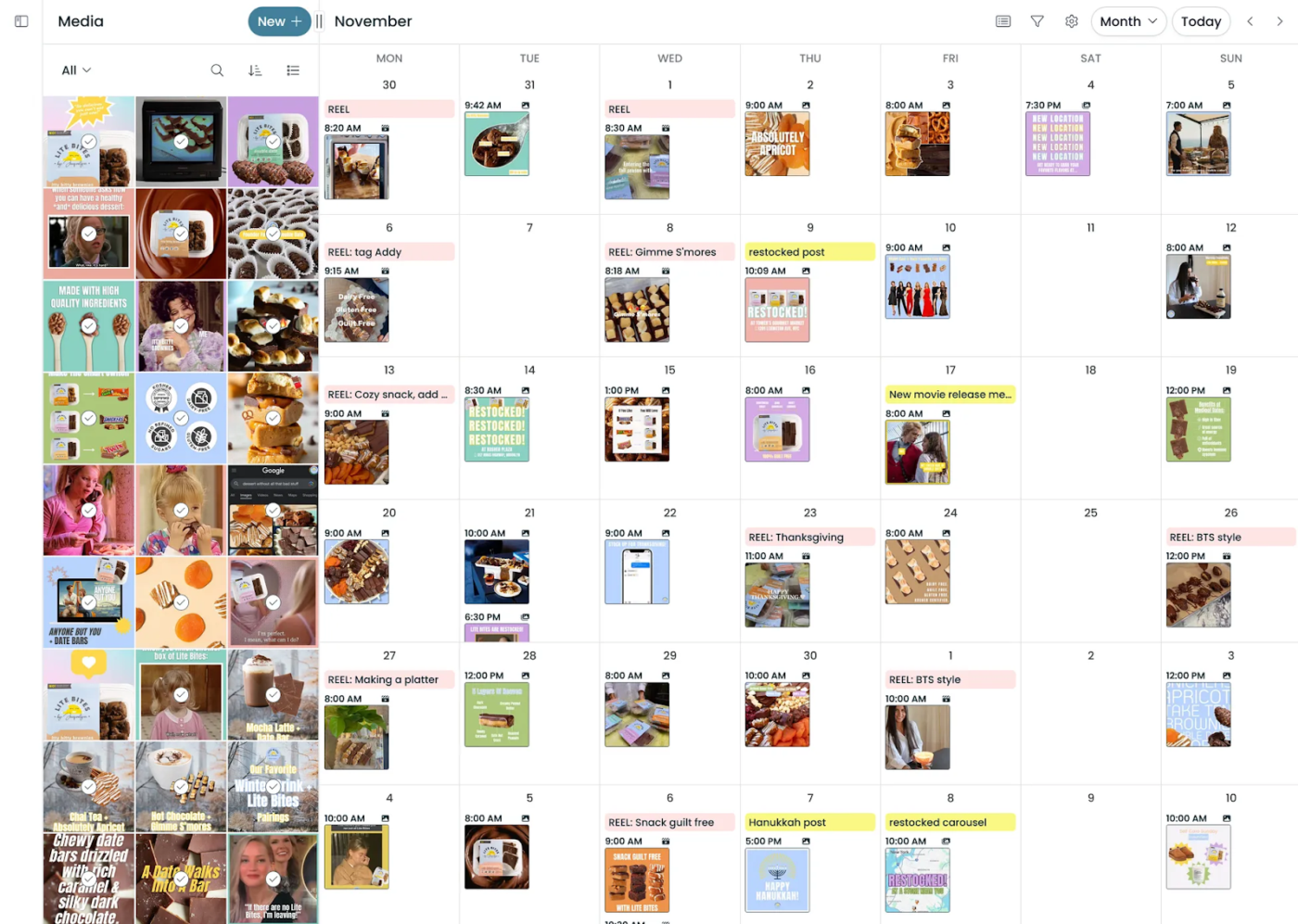
If your social media strategy heavily revolves around Instagram, Pallyy is a powerful yet budget-friendly alternative to traditional social media management tools.
Originally built as an Instagram analytics tool, Pallyy has evolved into a full-fledged social media scheduler, with strong visual content planning features.
📖 Read More: Struggling to manage customer interactions across multiple platforms? Explore these best social media CRM tools to streamline engagement, track conversations, and build lasting relationships.
Here are 3 additional tools that can enhance your social media content management and customer engagement:
🧠 Fun Fact: The first photo ever posted on Instagram, by co-founder Kevin Systrom in July 2010, was of a dog and a foot (belonging to his girlfriend, Nicole) and was captioned “test”.
While the Instagram scheduling apps we discussed have their unique strengths, ClickUp stands out because it reduces app switching. Users are satisfied to find all the features they need in one place. And the impact?
Just ask Anna Shelton, Membership Experience Manager at ICPSR, University of Michigan:
Our team handles everything from graphic design to sales, social media, and events. We needed a tool that could organize work across multiple channels like Slack and Jira—after failing with other products, we found ClickUp and never looked back!
With AI-powered insights, a visual content calendar, automated workflows, and seamless team collaboration, ClickUp simplifies scheduling, content planning, and performance tracking.
Ready to grow your Instagram account faster? Sign up for ClickUp today!

© 2026 ClickUp

There’s an easier way. Try a free AI Agent in ClickUp that actually does the work for you—set up in minutes, save hours every week.