Most teams treat AI research tools and their project management systems as separate worlds. You gather insights in one place, then manually copy, paste, and pray nothing gets lost in translation. The result is what many organizations now call context sprawl—a frustrating cycle of opening dozens of tabs, scanning each page for relevant nuggets, and manually piecing together a coherent answer.
This guide walks you through using You.com AI for research and shows you how to connect those findings directly to your team’s work using a converged AI workspace like ClickUp.
Summarize this article with AI
ClickUp Brain not only saves you precious time by instantly summarizing articles, it also leverages AI to connect your tasks, docs, people, and more, streamlining your workflow like never before.
Summarize this article for me please
You.com AI vs. ClickUp: Research vs. Execution
If you remember one thing, make it this: You.com AI helps you find and verify insights fast. ClickUp helps you turn those insights into owned, trackable work.
You.com AI (research)
ClickUp (execution)
Synthesizes answers from multiple sources
Stores research where the team already works
Provides citations so you can verify claims
Turns insights into tasks with Docs-to-Tasks
Great for comparisons and trend summaries
Adds structure with Custom Fields (confidence, category, takeaway)
Output mostly stays as text inside the interface
Automates follow-through with Automations
Doesn’t natively connect findings to a project plan
Keeps research linked to delivery via Docs, tasks, and dashboards
Summarize this article with AI
ClickUp Brain not only saves you precious time by instantly summarizing articles, it also leverages AI to connect your tasks, docs, people, and more, streamlining your workflow like never before.
Summarize this article for me please
What Is You.com AI and How Does It Work for Research?
Complex research questions turn traditional web searches into a wall of blue links. You waste hours jumping between sources, losing your train of thought, and worrying that the one critical detail you need is buried on page four of the results. This phenomenon directly contributes to context-switching costs that drain productivity across teams.
You.com AI is an AI-powered search engine designed to solve this exact problem. Instead of just giving you a list of links, it acts as your personal research assistant. It processes your question, actively browses multiple web pages at once, and delivers a synthesized answer complete with inline citations. This shifts your role from manually hunting through sources to reviewing synthesized answers.
The technology behind this capability is called retrieval-augmented generation (RAG). Unlike traditional AI models that rely solely on training data, RAG performs a live web search and grounds its responses in current, verifiable sources.
The system follows a three-step process: it retrieves relevant, up-to-date information from across the web; it deduplicates by identifying and removing overlapping information from different sources to avoid redundancy; and it generates a new, cohesive summary with grounded citations and clickable source links so you can easily verify every claim.
Summarize this article with AI
ClickUp Brain not only saves you precious time by instantly summarizing articles, it also leverages AI to connect your tasks, docs, people, and more, streamlining your workflow like never before.
Summarize this article for me please
How to Use You.com AI for Research in 5 Steps
Getting the most out of You.com AI for your research projects is simple once you understand the basic workflow. The key is moving from a broad question to a set of verified, actionable findings.
Step 1: Navigate to You.com and select Research mode
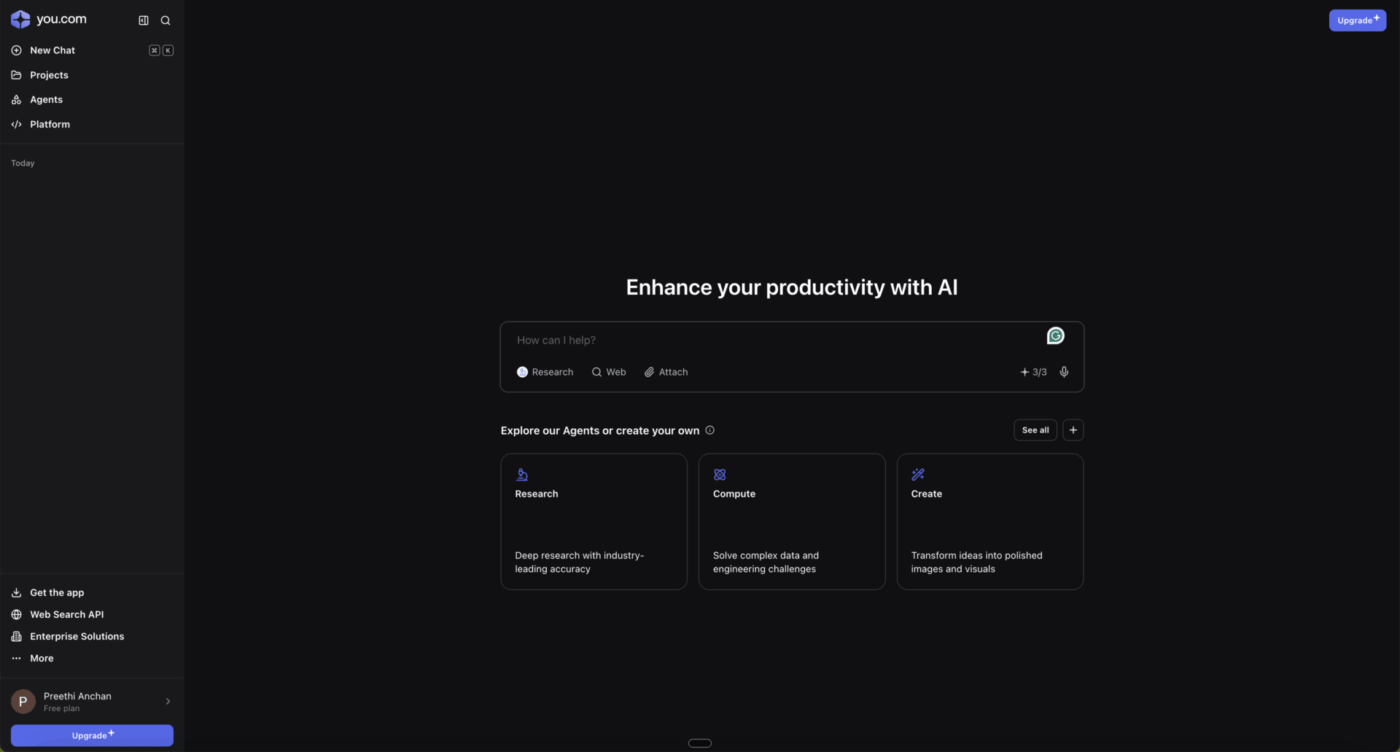
First, head to the You.com website. You’ll notice different modes available, such as Smart, Genius, and Research.
The you.com AI platform home screen, offering tools for research, computation, and creative tasks to help users enhance productivity with AI-powered agents
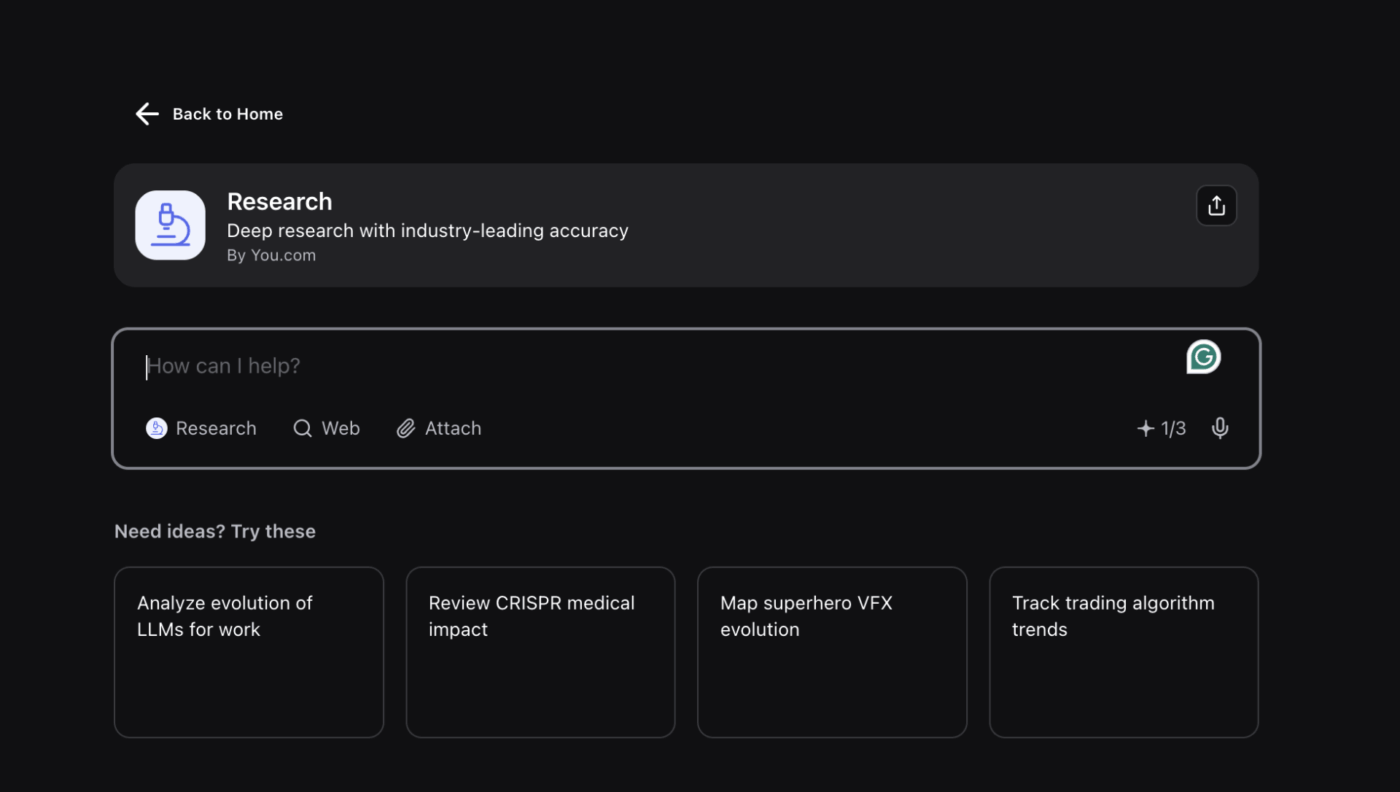
For in-depth analysis, select Research mode.
The Research agent on you.com enables deep research with industry-leading accuracy, offering suggested prompts for analyzing trends, reviewing scientific impacts, and exploring complex topics
This mode is optimized explicitly for multi-source synthesis. While other modes might give you a quick, single-source answer, Research mode is designed to dig deeper, pull from a wider array of sources, and provide a more comprehensive overview of a topic.
Step 2. Craft a specific, context-rich query
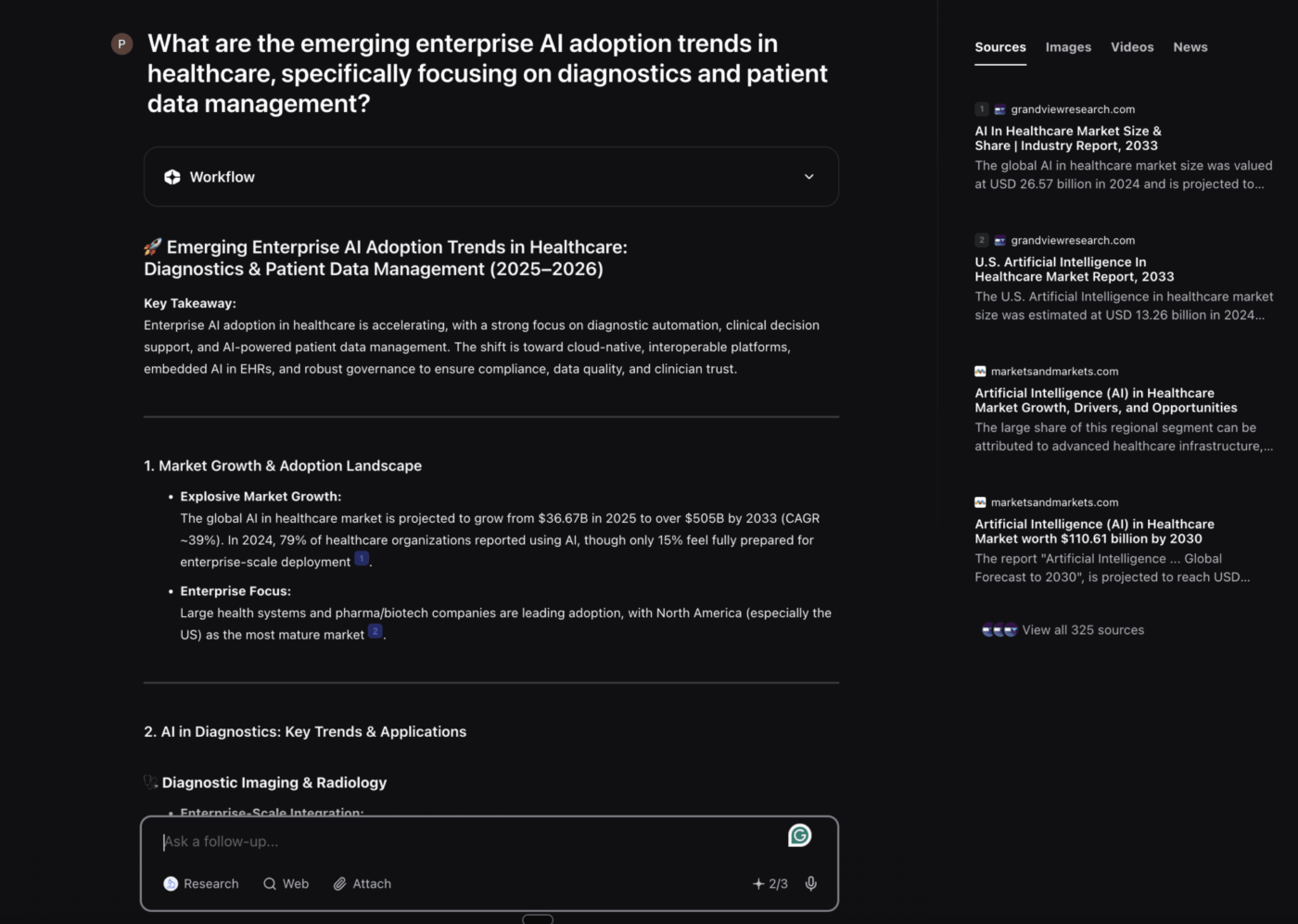
The single most significant factor in getting good results is the quality of your prompt. Vague questions lead to vague answers. Your prompt should give the AI as much context as possible, including the format you want and any constraints. This is the core of good prompt engineering.
Prompt Type
Example
Weak prompt
“Tell me about project management”
Strong prompt
“Compare agile and waterfall project management methodologies for software development teams, focusing on timeline flexibility and stakeholder communication”
The strong prompt is better because it specifies the comparison, the target audience, and the key points of interest.
You.com’s research assistant summarizes emerging enterprise AI adoption trends in healthcare
Step 3. Review sources and verify claims
Once you get a response, review the sources carefully. 🕵️
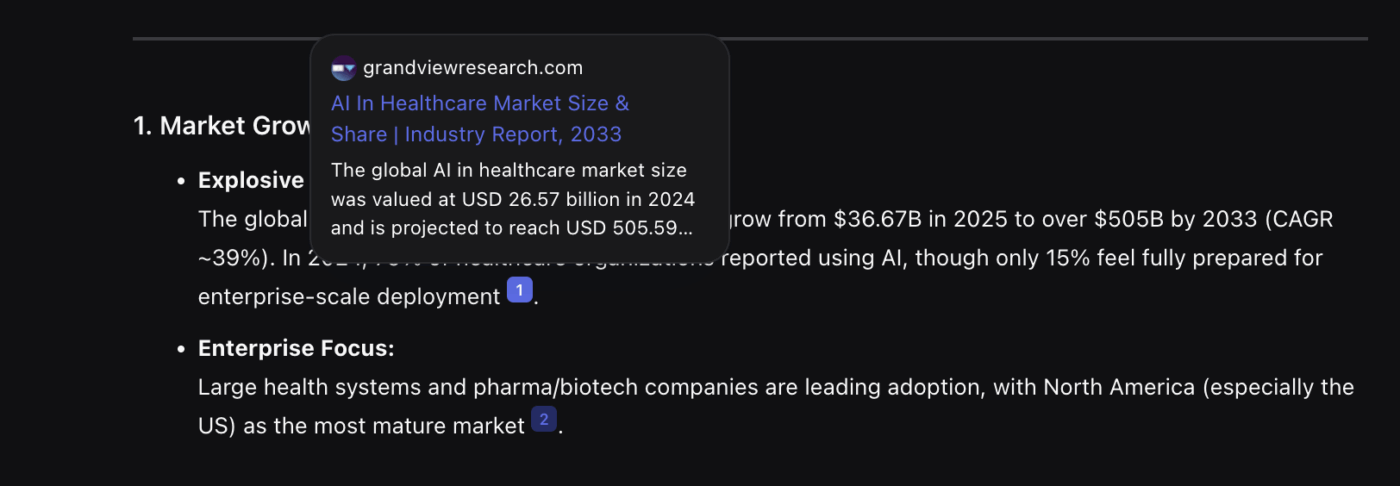
Use the citation view to see all the original sources the AI used. Hover over individual claims in the summary to see which source supports that specific point. For any high-stakes research, you should spot-check the most critical facts by clicking through to the original articles to confirm their accuracy.
A source preview in You.com
Step 4. Use follow-up prompts to dig deeper
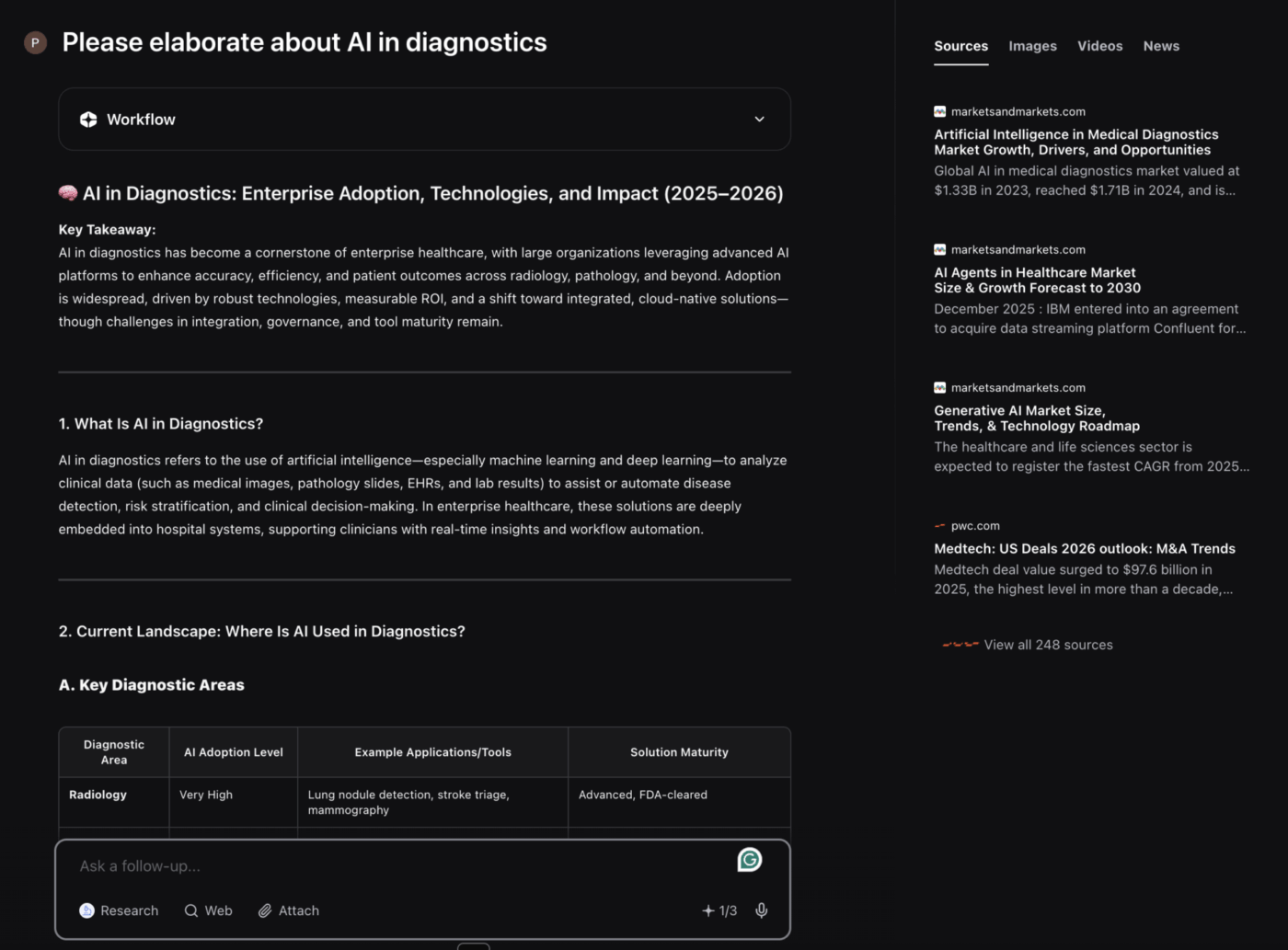
Your first query is just the starting point. You.com AI maintains the context of your conversation, so you can ask follow-up questions to explore nuances. This iterative questioning is like having a conversation with a research assistant who remembers everything you’ve already discussed.
For example, you can ask it to:
Compare two points from its previous answer
Provide specific examples for the concept mentioned
Elaborate on a particular section of its summary
The you.com AI research assistant provides an in-depth overview of enterprise AI adoption in diagnostics after a follow-up prompt
Step 5. Export or document your findings
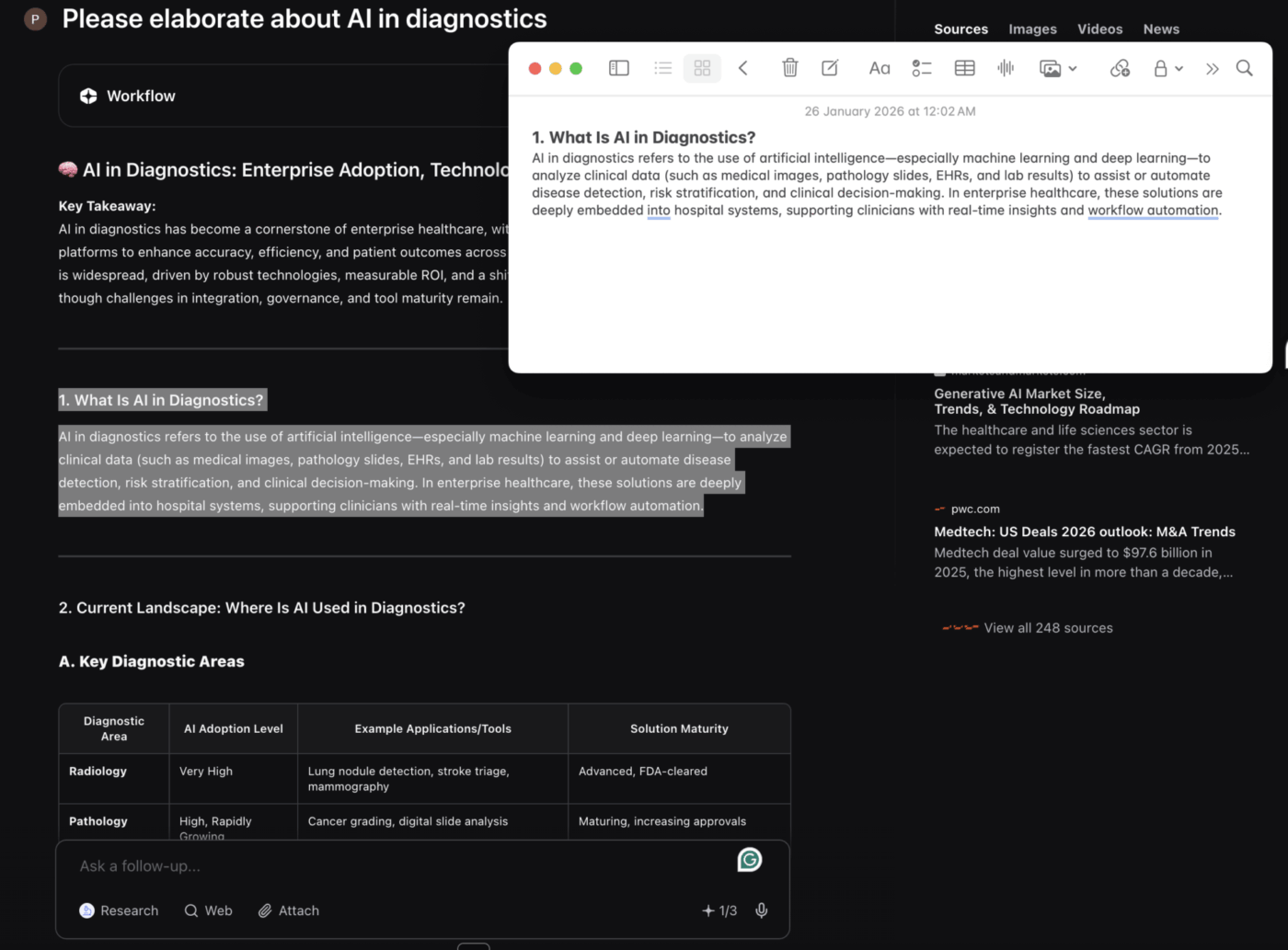
The final step is getting the research out of You.com and into your workflow. You can copy the text directly from the interface or save it to your notes. However, this is a manual process. You.com AI doesn’t have built-in features to turn your findings into tasks or project plans, so you’ll need to transfer the information to your own tools.
Quickly copy AI-generated insights on diagnostics straight into your notes or docs with you.com
This is often where the research process breaks down. Gathering information is one thing, but organizing it and making it actionable is a whole different challenge.
💡 Pro Tip: When crafting prompts for competitive research, include specific parameters such as time frames, geographic regions, and the metrics you care about. The more context you provide, the more targeted and useful your results will be.
Summarize this article with AI
ClickUp Brain not only saves you precious time by instantly summarizing articles, it also leverages AI to connect your tasks, docs, people, and more, streamlining your workflow like never before.
Summarize this article for me please
Best Use Cases for You.com AI Research
It’s important to know when You.com AI is the right tool and when a simple search is better. It excels in scenarios where the main goal is synthesizing information from multiple sources. 📚
Here are some of the best use cases:
Competitive intelligence: Instead of manually searching for what your competitors are up to, you can get a quick overview.
📌 Example prompt: “Analyze the key differentiators between Asana and Monday.com for enterprise project management, based on recent reviews and feature announcements”
Market research: Get a high-level summary of market trends, consumer sentiment, or industry analysis without having to read dozens of separate reports.
📌 Example prompt: “Summarize the key trends in the global SaaS market for 2024, focusing on AI integration and pricing models”
Literature reviews: Quickly compile academic and professional perspectives on a topic. This is great for getting background context before you dive into reading primary source papers.
📌 Example prompt: “Provide a literature review on the psychological effects of remote work on employee productivity and well-being”
Technical due diligence: When evaluating a new technology or vendor, you can pull information from documentation, reviews, and case studies simultaneously.
📌 Example prompt: “What are the main security vulnerabilities associated with using open-source libraries in enterprise software, and what are the best practices for mitigation?”
Policy analysis: Understand complex regulatory landscapes by synthesizing information from government websites, legal commentary, and industry guidance
📌 Example prompt: “Summarize the key requirements of the EU AI Act for companies developing high-risk AI systems”
Vendor comparison: Evaluate different tools or services by gathering their features, pricing, and user reviews from across the web in a single query.
📌 Example prompt: “Compare the features, pricing, and ideal customer profile for HubSpot vs. Salesforce”
🔍 Did You Know?Gartner forecasts that 40% of enterprise applications will feature task-specific AI agents in 2026, up from less than 5% in 2025. This rapid adoption signals a fundamental shift in how teams will conduct research and execute workflows.
Summarize this article with AI
ClickUp Brain not only saves you precious time by instantly summarizing articles, it also leverages AI to connect your tasks, docs, people, and more, streamlining your workflow like never before.
Summarize this article for me please
Limitations of You.com AI for Research
If you use any AI tool without understanding its blind spots, you risk getting inaccurate or incomplete work. If you trust a result that’s based on an unreliable source, you risk making poor decisions. Knowing the limitations helps you use the tool more effectively. 👀
Source reliability varies: The AI pulls information from the open web, and not all sources are created equal. It might cite a random blog post with the same weight as a peer-reviewed study, so you still need to do the work of verifying source quality.
Paywalled content gaps: The AI can’t get past paywalls. This means your research will be missing insights from academic journals, premium news publications, and other gated content, which can be a major gap for deep research.
Recency limitations: While it searches in real-time, the newest content on the web might not be indexed and discoverable immediately. For breaking news, you might still need to go directly to news outlets.
Prompt sensitivity: The quality of the output depends heavily on the quality of your input. A poorly phrased query will almost always lead to a generic, unhelpful result, requiring you to spend more time re-running searches, and 74% of workers report negative consequences from low-quality AI outputs.
No workflow integration: This is a big one. Your research findings are trapped inside the You.com interface. There’s no native way to turn research into actionable insights, assign follow-ups to team members, or connect your findings to an ongoing project.
Reproducibility challenges: If you run the same query at two different times, you might get two different answers. This is because the web content it’s pulling from is constantly changing, which can be a problem for research that requires stable, reproducible results.
The biggest challenge for teams is turning research into action. Standalone research tools often fall short here.
📮 ClickUp Insight: 92% of knowledge workers risk losing important decisions scattered across chat, email, and spreadsheets. Without a unified system for capturing and tracking decisions, critical business insights get lost in the digital noise. With ClickUp’s Task Management capabilities, you never have to worry about this. Create tasks from chat, task comments, docs, and emails with a single click!
Summarize this article with AI
ClickUp Brain not only saves you precious time by instantly summarizing articles, it also leverages AI to connect your tasks, docs, people, and more, streamlining your workflow like never before.
Summarize this article for me please
Where AI Research Falls Apart (and How ClickUp Fixes It)
You.com AI helps you get to answers faster. But most teams still lose time after the summary is written, when insights have to be moved into tasks, owners, and timelines. This table breaks down the most common “research-to-execution” failure points and exactly how ClickUp closes the gap.
Where research breaks down
How ClickUp fixes it
Findings live in a separate tool
Store them in ClickUp Docs next to the project
Copy/paste loses context and sources
Use Docs-to-Tasks so tasks link back to the doc
Everything feels equally important
Add Custom Fields like Confidence Level, Category
Follow-ups get forgotten
Trigger Automations to assign, update status, notify
Teams can’t see what research changed
Track progress in Dashboards
Summarize this article with AI
ClickUp Brain not only saves you precious time by instantly summarizing articles, it also leverages AI to connect your tasks, docs, people, and more, streamlining your workflow like never before.
Summarize this article for me please
How to Bring You.com AI Research Into Your Workflow With ClickUp
You’ve done the research, and you have a block of synthesized text. The gap between research and execution is where productivity is lost to context sprawl—when information scatters across disconnected tools, forcing teams to waste hours hunting for what they need. Your findings are in one place, your tasks in another, and your team is left wondering what to do next.
Bridge the gap between research and execution with a converged workspace like ClickUp. It allows your You.com AI findings to flow directly into your team’s daily work.
Create a living research repository with ClickUp Docs
Keep your research organized and accessible by bringing findings directly into ClickUp Docs. This creates a living research repository that exists right alongside the projects it informs.
Centralize research, sprints, and documentation with ClickUp Docs
📹 To see AI-powered documentation in action, watch this quick walkthrough demonstrating how AI can streamline your documentation workflow and enhance collaboration.
With ClickUp Docs, you can:
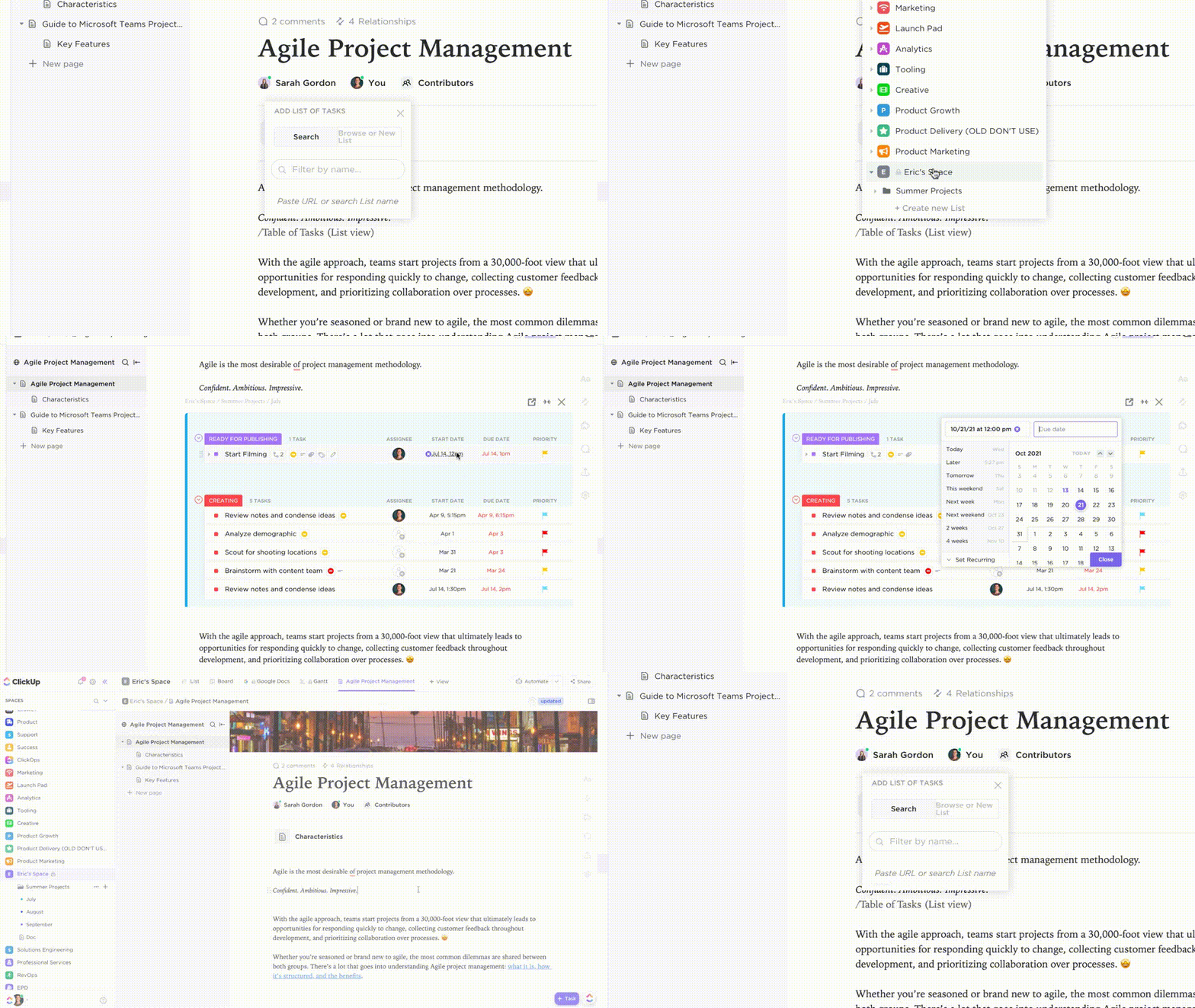
Organize everything: Nest pages, add cover images, and use rich formatting to structure your research in a way that makes sense
Keep it connected: Add your Doc to a specific Space, Folder, or List in your Workspace Hierarchy, ensuring your team can find important information fast
Collaborate in real time: Tag teammates, leave comments, and work together on the same document without ever leaving ClickUp
Convert insights to tasks with ClickUp Docs-to-Tasks
The most frustrating part of research is manually turning your findings into a to-do list. You copy an insight, switch to your workflow management tool, create a new task, paste the text, and then try to remember the original context.
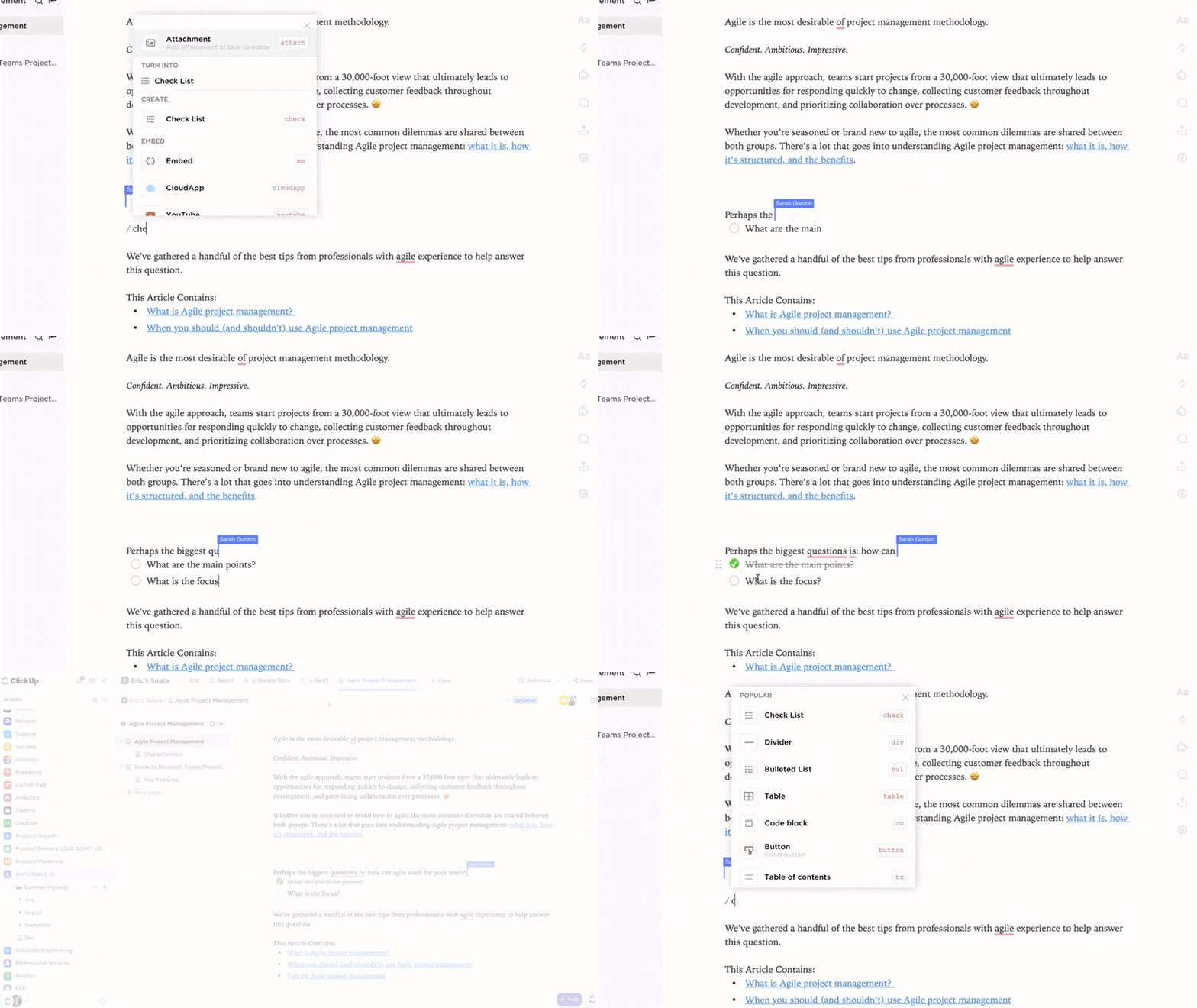
ClickUp eliminates this friction with Docs-to-Tasks functionality. Simply highlight any text within a ClickUp Doc—a key finding, a question, or a follow-up item—and use the toolbar to convert it into a task instantly. The new task is automatically linked back to the source Doc, so the “why” behind the work is never lost.
Access everything in one place by linking Docs and tasks together
Add structure with ClickUp Custom Fields
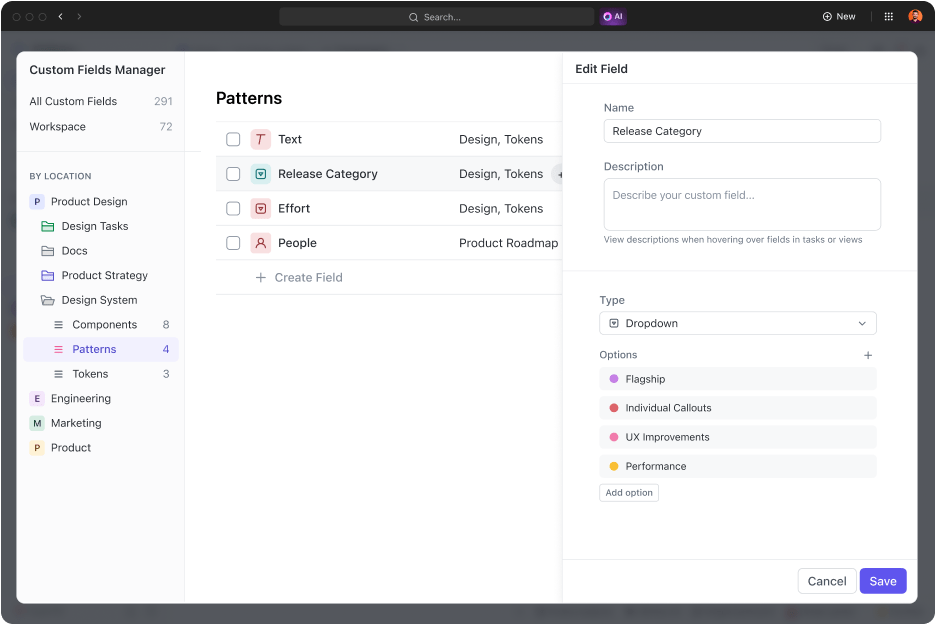
Stop treating all research as equal. ClickUp Custom Fields let you categorize your findings and make them easily filterable, bringing structure to what might otherwise become an overwhelming collection of information.
ClickUp Custom Fields settings are used to categorize and filter research findings
A Dropdown field for “Confidence Level” with options like High, Medium, and Needs Verification
A Label field for “Topic Category” to tag research by theme, such as Competitive Intel or Market Trends
A Text field for “Key Takeaway” to summarize the most important point of each finding
Automate research workflows with ClickUp Automations
Save time and eliminate repetitive administrative work with ClickUp Automations. As research volume grows, manual task management becomes unsustainable. Automation ensures that insights flow to the right people at the right time without requiring constant oversight.
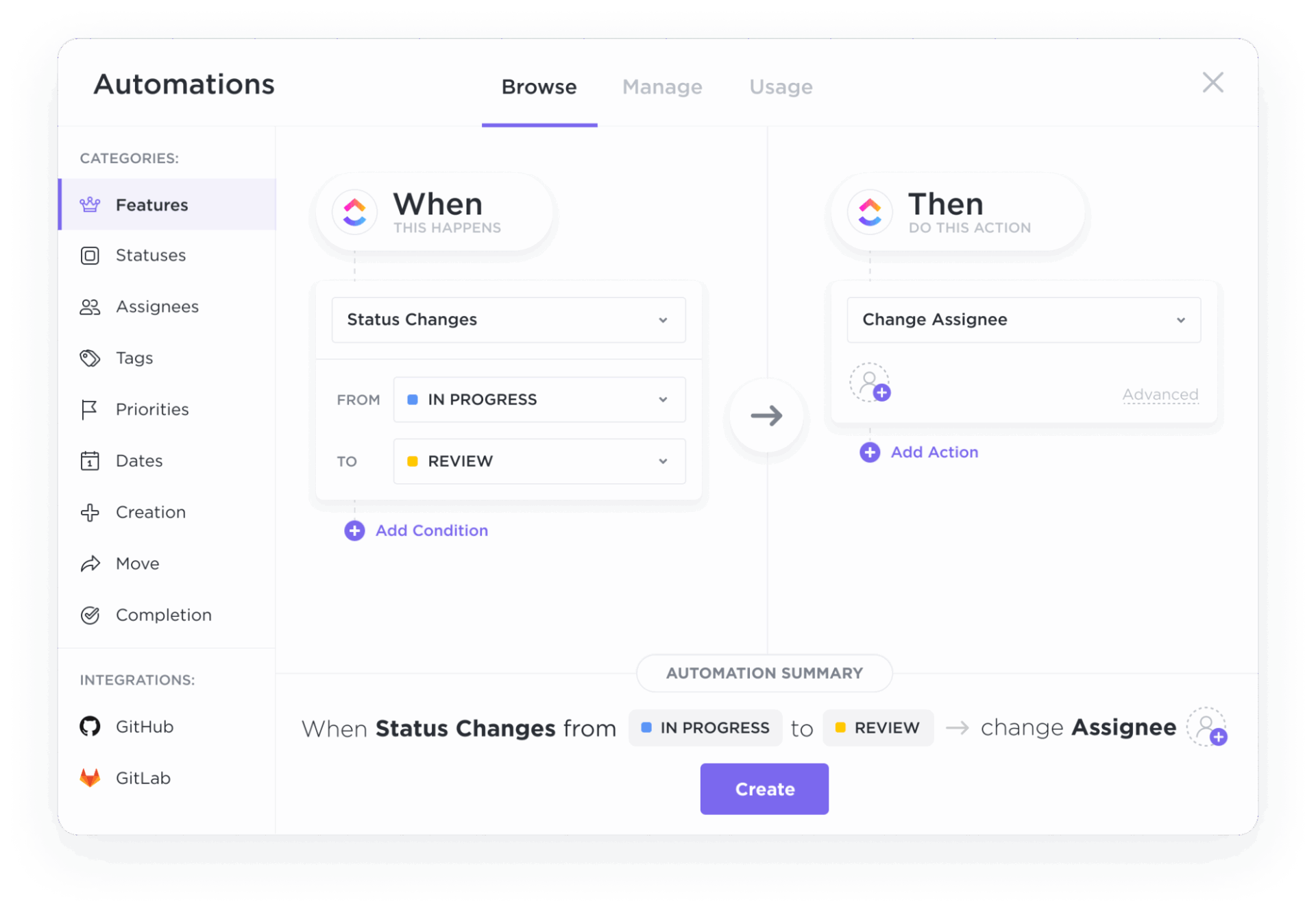
ClickUp Automations interface for automating task assignments, notifications, and workflows
An Automation consists of a Trigger, an optional Condition, and an Action. For example, you can set up an Automation that says: “When a task is created in our ‘Research Inbox’ List (Trigger), and the ‘Confidence Level’ Custom Field is set to ‘High’ (Condition), then change the status to ‘Ready for Review’ and assign it to the team lead (Action).”
This kind of intelligent routing means high-value insights never languish in a backlog. The research that matters most is automatically prioritized, while lower-confidence findings can be queued for verification. Teams using project management automation report significant time savings on administrative tasks, freeing up capacity for higher-value analysis.
✨ Real Results: Teams reclaim 5+ hours every week using ClickUp—that’s over 250 hours annually per person—by eliminating outdated knowledge management processes. Imagine what your team could create with an extra week of productivity every quarter.
As research volume scales, Super Agents make this oversight proactive. Instead of relying on someone to notice that a key insight hasn’t been acted on, Super Agents can monitor research-driven workflows, surface stalled follow-ups, and escalate high-priority findings automatically, so critical work doesn’t disappear after the summary is written.
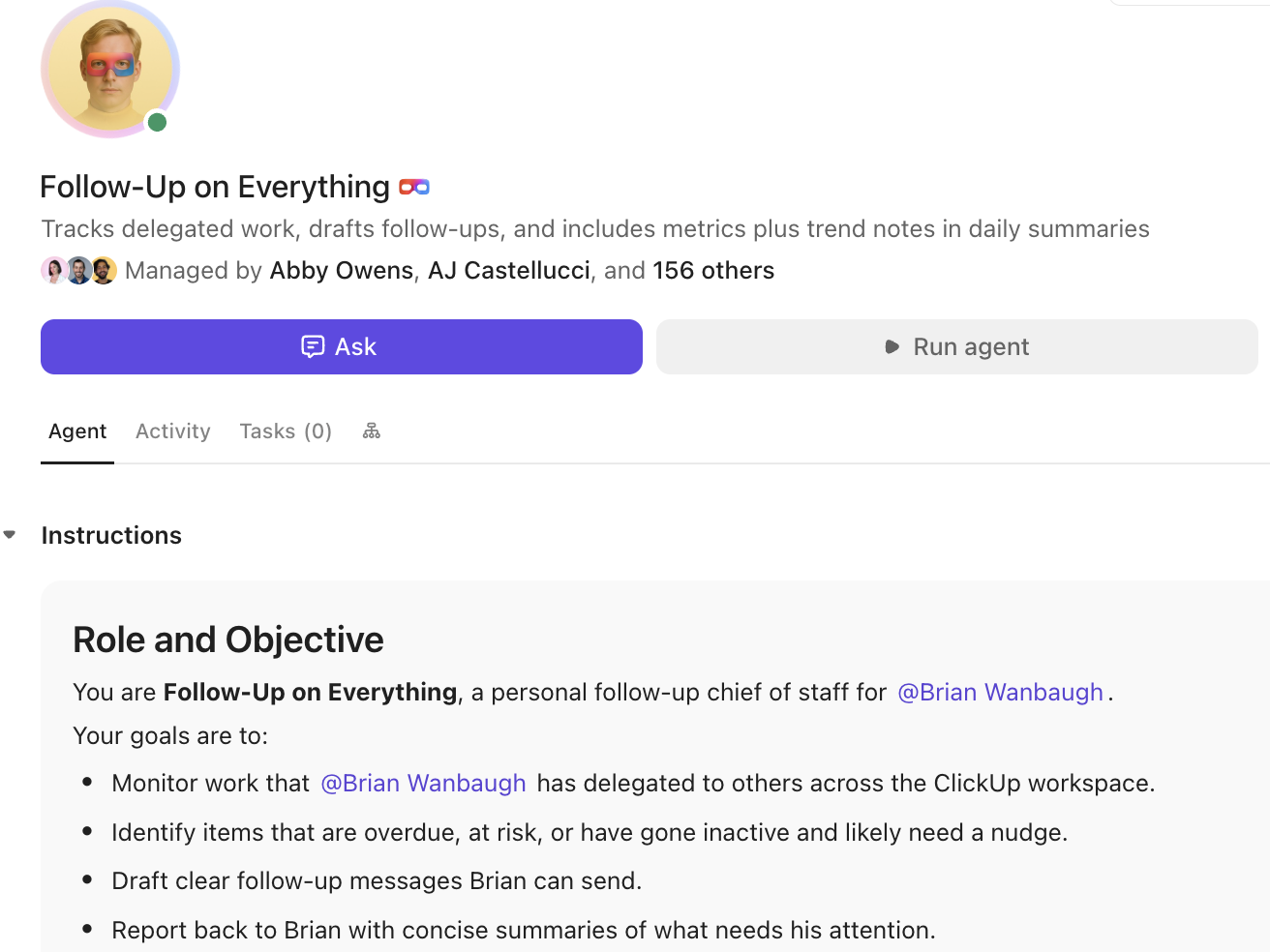
The “Follow-Up on Everything” agent in ClickUp acts as a personal chief of staff, tracking delegated work, identifying overdue or at-risk items, and drafting follow-up messages to keep projects moving forward
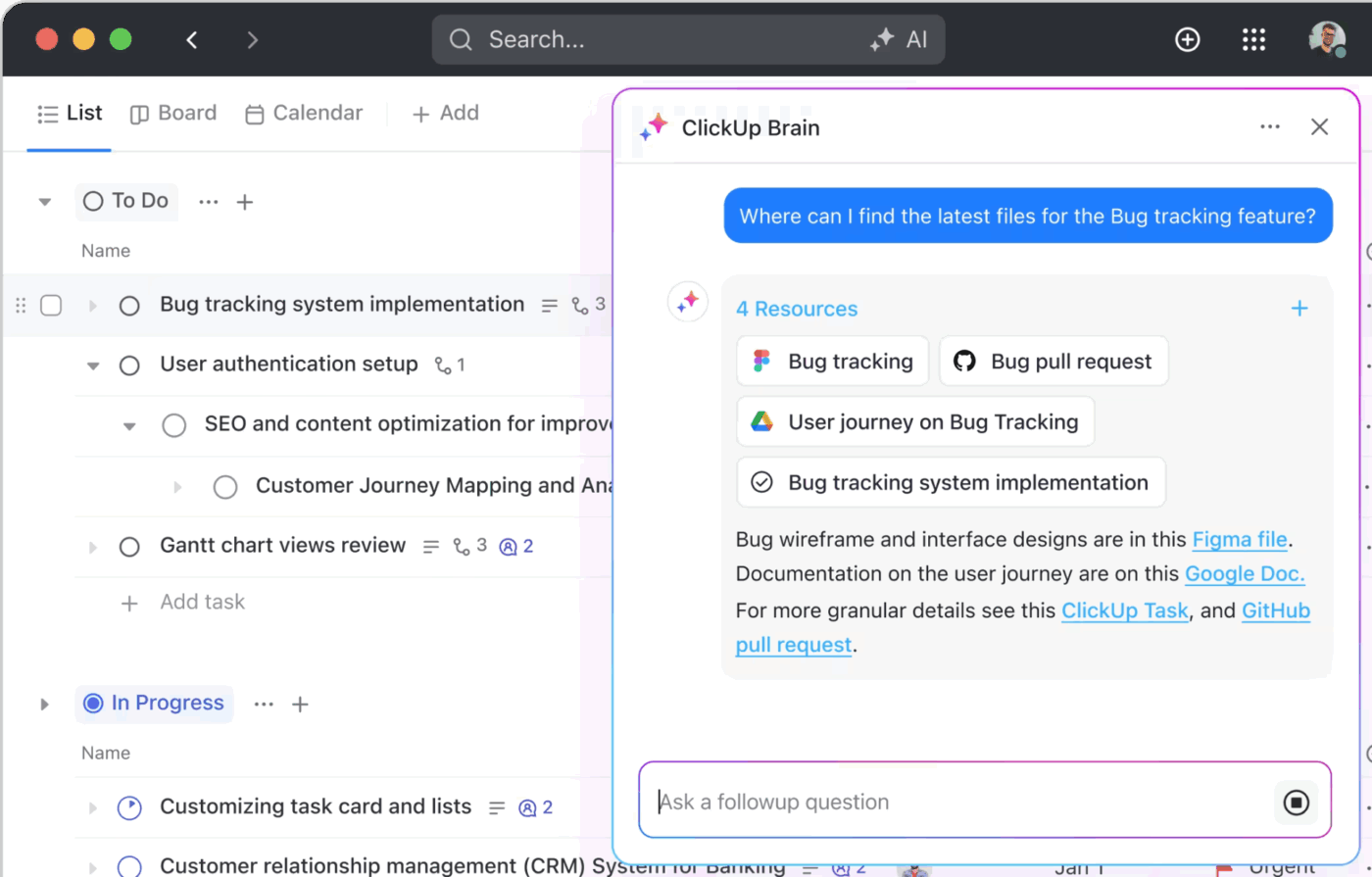
Connect external research with your internal knowledge using ClickUp Brain. It’s an AI assistant that lives inside your workspace and understands the context of your team’s work. After you paste your You.com findings into a ClickUp Doc, you can @mention Brain in a comment and ask it questions like:
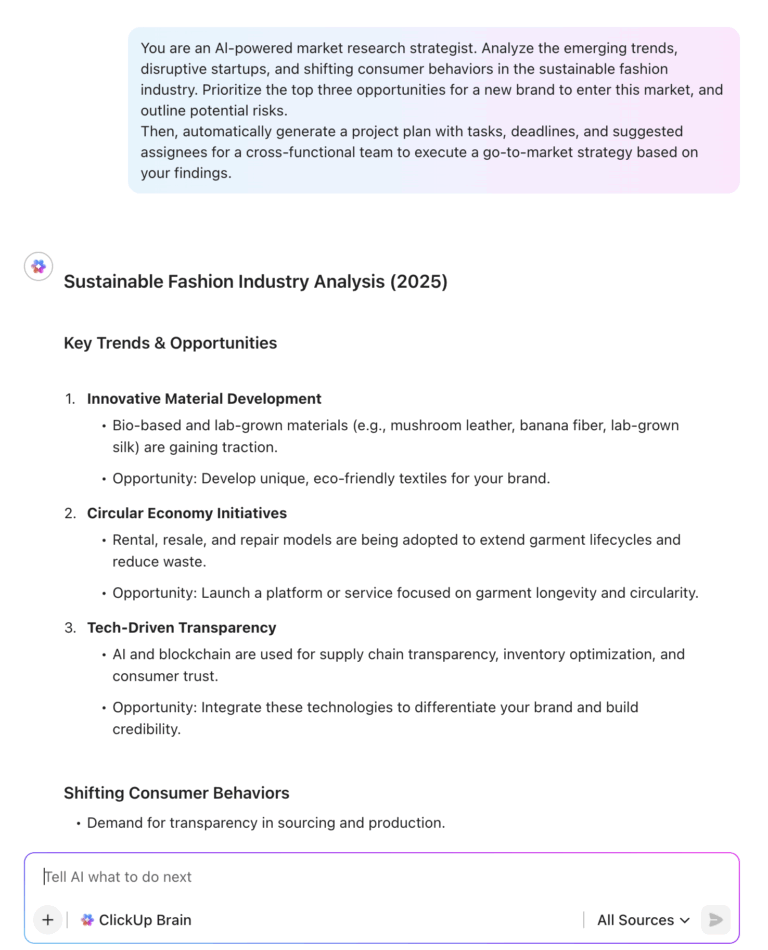
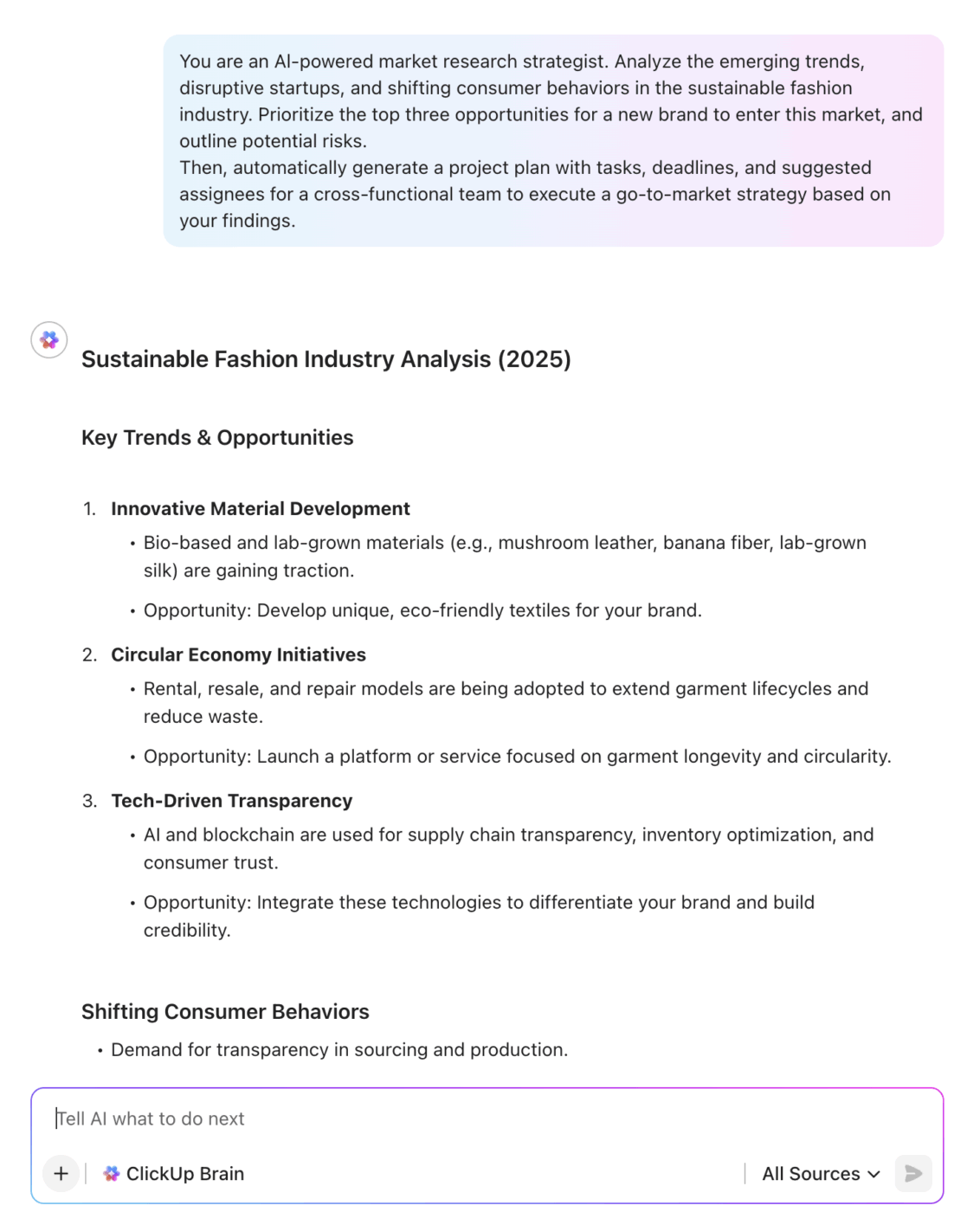
Market Research Process with ClickUp Brain
“Based on this research, summarize any related projects we’ve worked on in the past year”
“Find all internal docs that mention our main competitor, ‘Acme Corp'”
“Draft a list of action items for the product team based on these findings”
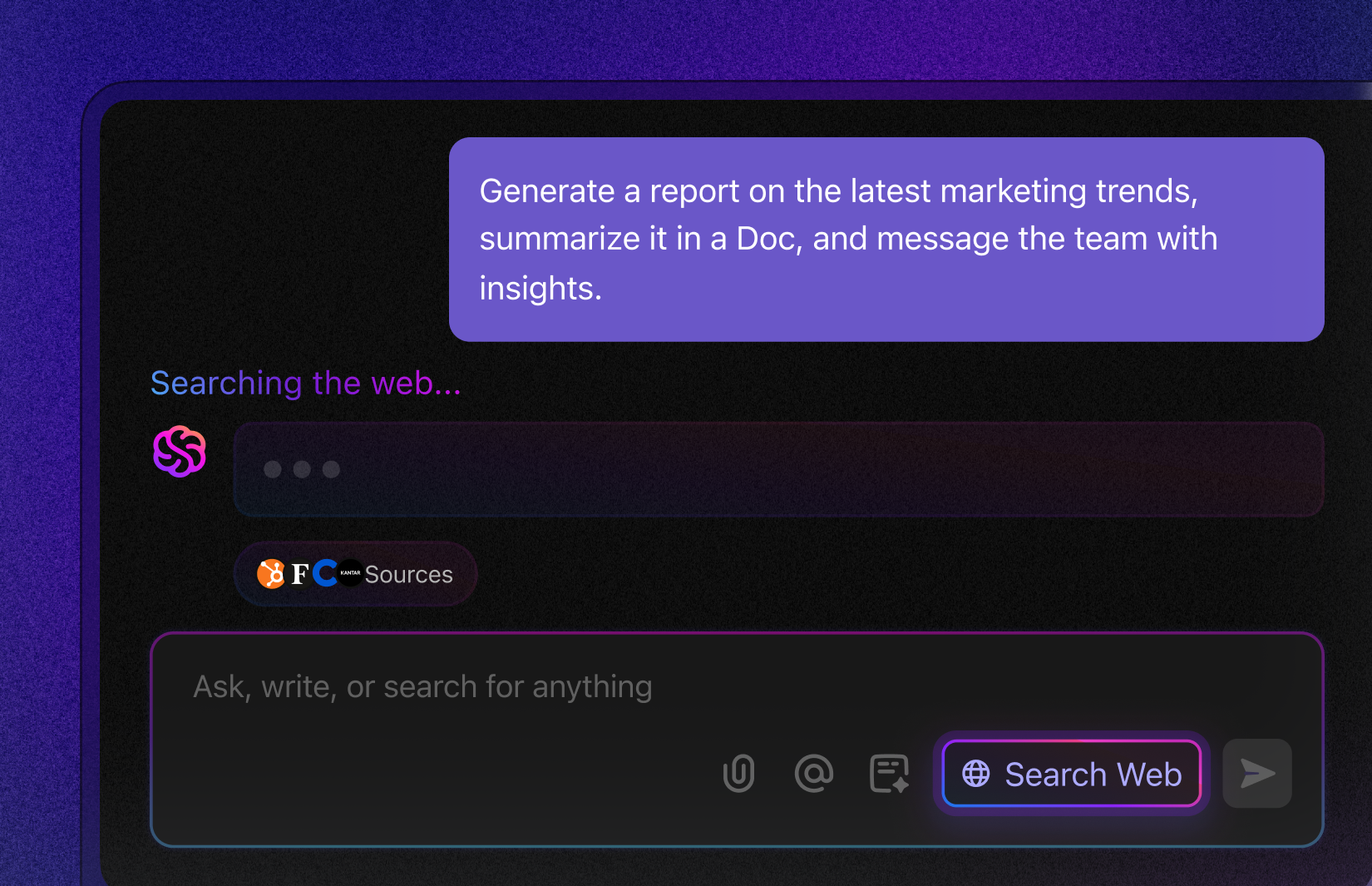
AI web search in ClickUp showing AI-powered research workflow inside ClickUp
This combination of external AI research and an internally aware AI assistant eliminates the friction between discovery and doing. Your insights don’t get lost in translation; they become the fuel for smarter, faster work.
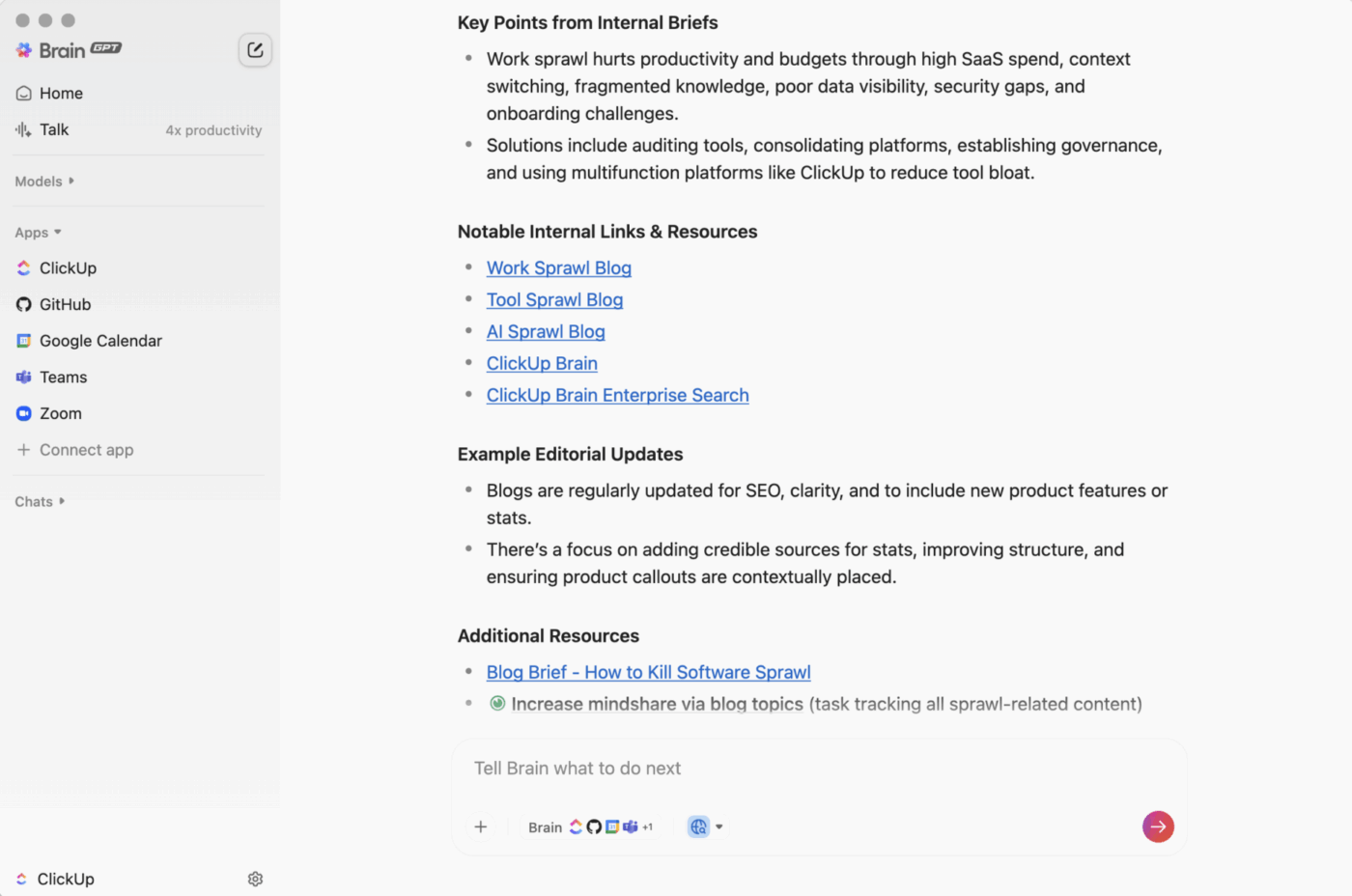
With ClickUp BrainGPT, teams can also capture research insights the moment they surface. Using Talk-to-Text on desktop, you can speak a takeaway or decision out loud and instantly turn it into structured notes or action items inside your workspace, without losing momentum or switching tools.
ClickUp Brain GPT with AI search
Search across your entire ecosystem with Enterprise Search
Research rarely exists in isolation. The insights you gather from You.com AI might need to be combined with data from your CRM, documents from Google Drive, or conversations from Slack. ClickUp’s Enterprise Search capability lets you query across all your integrated tools from a single interface.
Find anything across your workspace with Enterprise Search
Rather than opening multiple tabs and running separate searches in each system, Enterprise Search brings everything together. Ask a question in natural language, and ClickUp surfaces relevant results from across your entire work ecosystem. This unified approach directly addresses the AI sprawl that occurs when teams use multiple disconnected tools, each with its own search function and context window.
The practical impact is significant. When preparing for a client meeting, you can search for all relevant research, past communications, and project documents in one query. When onboarding a new team member, you can surface all the institutional knowledge related to their area of focus. The elimination of search fragmentation alone can save hours each week.
Visualize research impact with ClickUp Dashboards
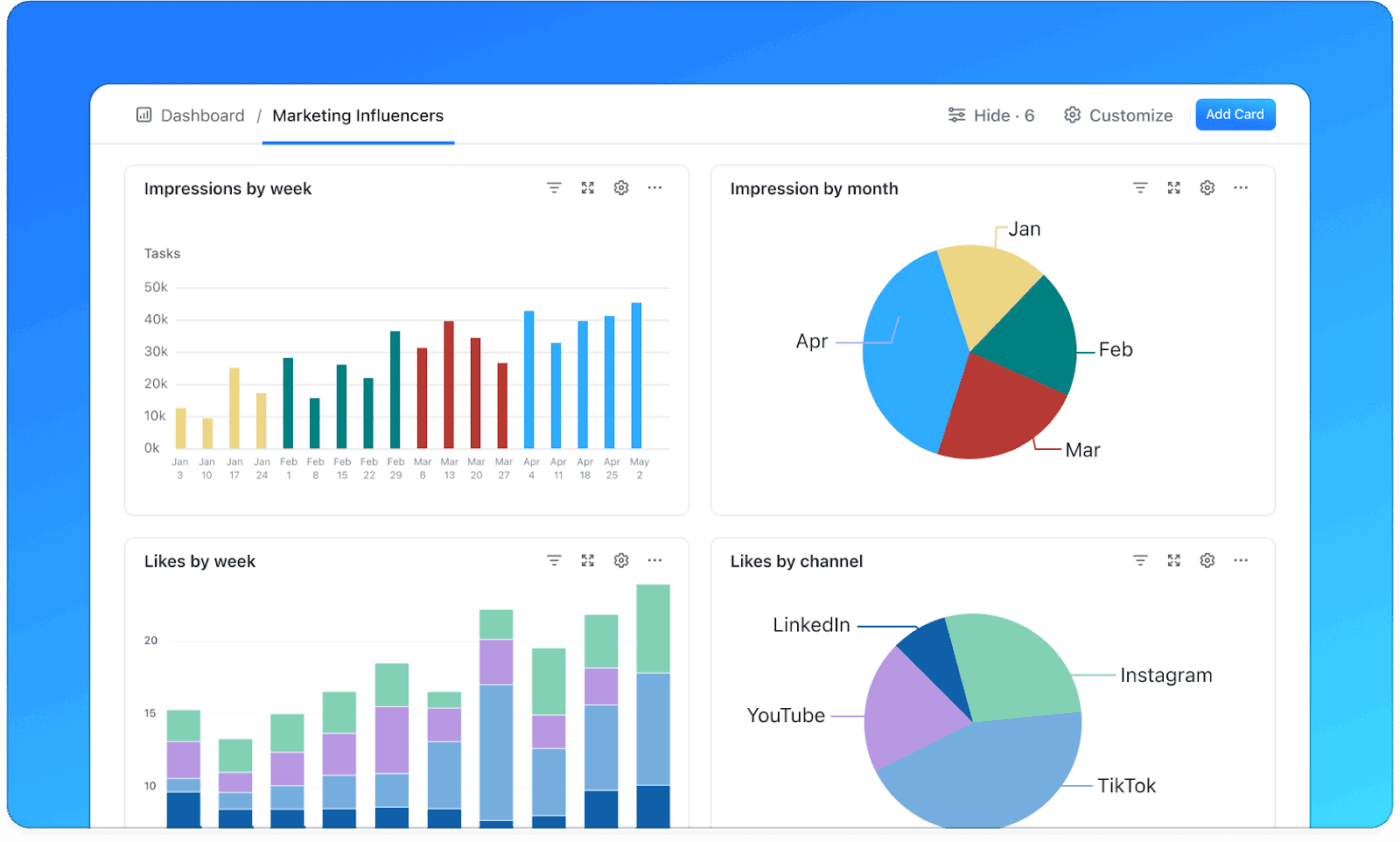
Understanding how research translates into business outcomes requires visibility across the entire workflow. ClickUp Dashboards provide real-time visualization of your research pipeline, from initial findings through to completed action items.
Visualize and analyze sentiment trends, mention volume, and response times on real-time ClickUp Dashboards
Summarize this article with AI
ClickUp Brain not only saves you precious time by instantly summarizing articles, it also leverages AI to connect your tasks, docs, people, and more, streamlining your workflow like never before.
Summarize this article for me please
Turn Research Into Results
You.com AI turns the tedious process of research into a focused, efficient act of synthesis. It filters the open web to deliver clear, cited answers, so you spend less time hunting and more time thinking.
But gathering insights matters only when it leads to action.
The persistent challenge with standalone research tools isn’t their capability—it’s their isolation. Research conducted in one system must be manually transferred to another for execution. This gap creates opportunities for insights to be lost, misinterpreted, or simply forgotten. Teams that close this gap by connecting research directly to workflow execution consistently outperform those that treat research as a separate activity.
For teams ready to close the gap between research and results, ClickUp provides a unified workspace where external AI-powered research connects seamlessly with internal knowledge, task management, and team collaboration. No more copying and pasting between systems. No more losing context in translation. Just a direct path from insight to outcome.
Summarize this article with AI
ClickUp Brain not only saves you precious time by instantly summarizing articles, it also leverages AI to connect your tasks, docs, people, and more, streamlining your workflow like never before.
Summarize this article for me please
Frequently Asked Questions
What plans does You.com AI offer for research?
You.com offers multiple tiers that provide access to its AI-powered search and research features, with premium plans unlocking advanced capabilities. For more advanced capabilities, such as unlimited queries with premium AI models, additional plan options are available
How does You.com AI compare to Google for research?
How does You.com AI compare to Google for research?
The main difference is the output. Google gives you a list of links that you have to review and synthesize yourself, while You.com AI does the synthesis for you, providing a direct answer with citations from multiple sources.
Can You.com AI research be exported to other tools?
You.com AI does not have a native export feature, but you can easily copy the synthesized text and paste it into any other application. For teams, the best practice is to paste it into a collaborative workspace like ClickUp Docs to keep the findings connected to actionable tasks.
Everything you need to stay organized and get work done.