

Sorry, there were no results found for “”
Sorry, there were no results found for “”
Sorry, there were no results found for “”
In meetings or lectures, it often feels like you’re trying to solve a cryptic riddle, especially when you can’t capture every important detail.
While note-taking is essential, traditional methods often fall short. That’s where AI-powered tools like Notebook LM come in as your agile notetaker.
Notebook LM has quickly gained popularity due to its intuitive interface and smart algorithms, making it a powerful productivity tool. However, as with any new technology, it can take some time to get the hang of using it effectively.
In this blog, we’ll guide you through how to use Notebook LM for work, highlight its benefits, explore best practices, and discuss potential limitations. We’ll also introduce other useful alternatives to optimize your note-taking experience.
Want to simplify your workflows and make sense of complex information effortlessly? Here’s a quick breakdown of Notebook LM:
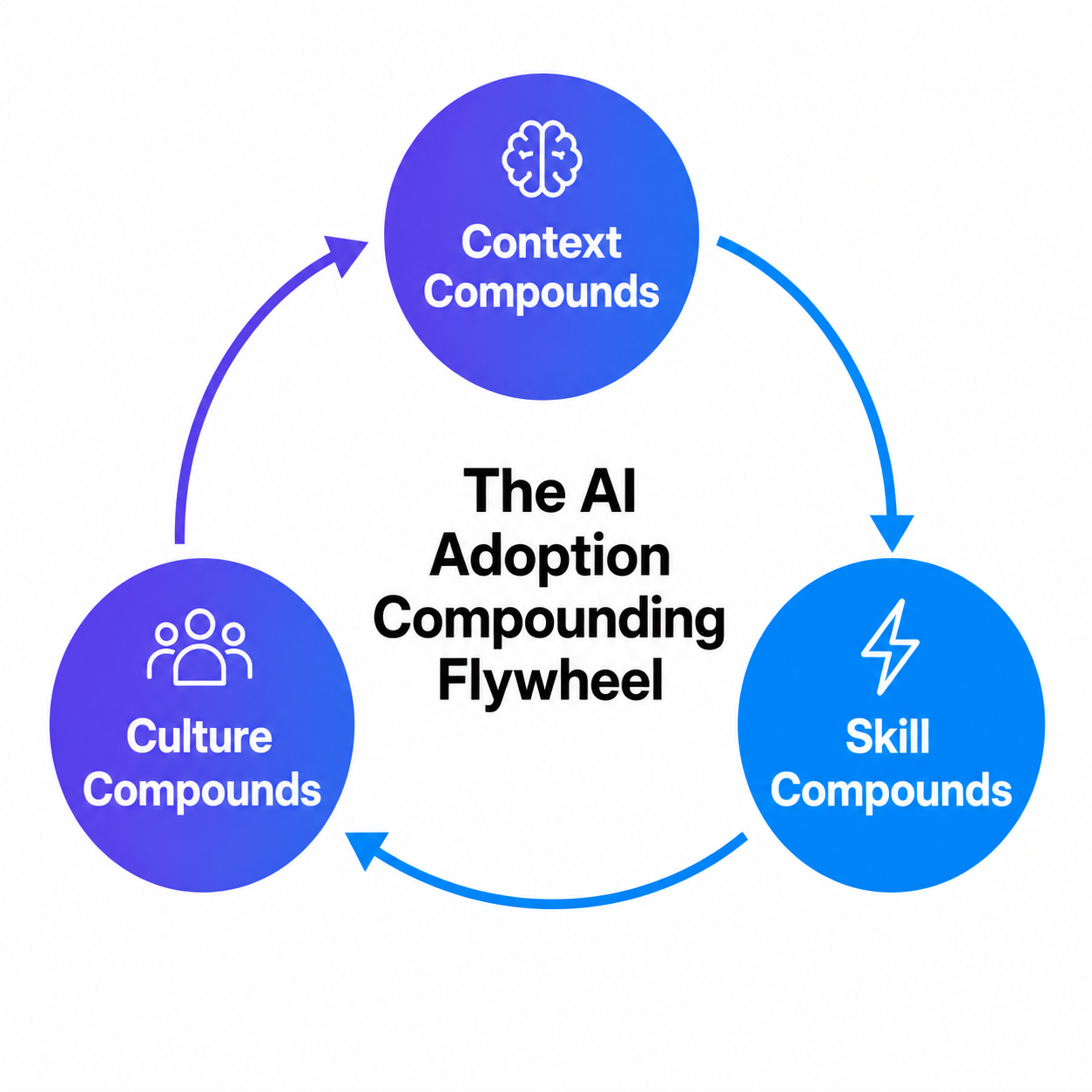
NotebookLM is useful for research, but if your team is using five different AI tools with no shared system underneath, you’re in the adoption gap.
This guide shows where it breaks and what to do about it.
Notebook LM is an experimental AI tool from Google Labs designed to turn unstructured notes into structured insights. It supports summarization, brainstorming, and audio-based knowledge consumption. Its core value lies in bridging information capture and decision-making.
Notebook LM, designed by Google Labs, is an experimental knowledge management tool for seamless note-taking.
It aims to enhance productivity by supporting active listening, organizing thoughts, and fostering brainstorming. Notebook LM is also known for its ability to create deep-dive audio conversations from basic documentation and transcripts.
With the primary purpose of becoming your intelligent assistant, it transforms unstructured information into actionable insights. In short, Notebook LM is designed to bridge the gap between capturing information and deriving value.
Notebook LM’s core features revolve around AI-driven note creation, summaries, audio generation, and transparent citations. These capabilities help users quickly analyze content, learn on the go, and validate insights for professional and academic use.
It’s important to remember that this experimental tool models its note-taking around AI. This allows users to get a fresh toolkit designed for smarter note management.
Here are four features that Notebook LM offers to help capture, organize, and utilize information:
When it comes to note taking, this tool keeps it simple and intuitive.
For personalized input, the “Add note” feature allows direct writing or pasting, offering flexibility in note creation. Notebook LM also lets you pin important responses, making them uneditable, preserved, and accessible.
It features a notebook guide that lets you combine one or more notes. A great example of this is how it creates one-click study guides from uploaded resources.
Once you upload documents, Notebook LM’s AI algorithms instantly turn them into crisp summaries. It also analyzes content to create concise insights, identify patterns, and organize key points.
This helps users extract value quickly and focus on decisions instead of drowning in information. These features make Notebook LM ideal for reports, project briefs, lectures, and case studies.
A standout feature that gained Notebook LM traction is its Audio Overview. This feature allows you to transform content and notes into custom podcasts.
This feature delivers an alternative way to absorb information. With clear and digestible audio, Notebook LM simplifies auditory learning and optimizes time during commutes or workouts.
The tool also packs its responses with clear citations to elevate transparency and accuracy in AI-generated content. Every output links back to its source, driving credibility and reliability.
This makes Notebook LM indispensable for research or professional work. Teams can easily validate information, justify their decisions, and drive accountability.
💡Bonus Tip: When using AI tools for note-taking, keep the following points in mind:
Notebook LM can support multiple work scenarios including meetings, workflows, research, and prioritization. Users start by creating a notebook, uploading sources, and applying AI-driven analysis across different business contexts.
Wondering how to use Notebook LM for work? Follow these steps to get started:


Now, let’s dive into applying the tool in specific key applications:
Whether it’s recurring or one-time, all meetings need structured notes for clear direction and progress. Organizing them efficiently is crucial, as agendas and documents are often involved.
Notebook LM simplifies this by turning scattered details into actionable insights for quick access, smarter decisions, and seamless follow-through.
This is how Notebook LM facilitates clear, organized meetings and notes:


Projects are about content and execution in equal measure. Maintaining momentum and progress requires clear communication, action plans, and minimal waste. That’s the true purpose of a seamless workflow.
NotebookLM helps you understand projects better and even create quick action plans. It also reduces project complexity, delays, and miscommunication.
Here are a few ideas and ways to use the tool for better project workflows:


In meetings and project coordination, staying ahead means staying informed. Creating reports for management decisions demands thorough data analysis. The cost of such in-depth insights is often extensive research and resources.
NotebookLM’s smart algorithms take the hassle out of research, simplifying complexities while maintaining top-notch quality.
Here’s how:


🔎Did you know? Only 2.5% of people can multitask effectively! For the majority, juggling multiple tasks at once reduces efficiency and effectiveness, making focused prioritization a smarter strategy.
➡️ Also Read: NotebookLM vs. OneNote: Which Note-Taking App is Better?
Giving life to insights involves creating clear action points. These can range from what to do today to steering your team towards key deliverables. How? Create effective tasks, strategies, and plans.
Notebook LM is designed to jot down thoughts and insights. That said, its conversational AI has the potential to convert that into plans and priorities.
Here’s how the tool helps:


Collective input is the foundation of any team and project. Aligning everyone’s thoughts and needs makes progress smoother and more engaging. In this sense, collaboration extends beyond brainstorming to include delegation and real-time contributions.
By enabling access and notebook sharing, NotebookLM does a well-rounded job of driving teamwork.
Follow these steps and ideas to maximize this tool’s potential:


💡Pro Tip: Wondering how to use AI to automate tasks?
Follow these strategies:
Regular source updates, notebook segmentation, detailed prompts, repetitive task automation, and reusable note templates significantly improve the quality and reliability of Notebook LM outputs.
The use cases dramatically improve the impact of Notebook LM at Work. That said, just a few steps make it an even better AI-powered research tool.
Here are five particularly essential practices to incorporate:
Keep uploading documents and resources to your notebook’s source list. Relevant content helps Notebook LM act as an effective note-taking tool and comprehensive knowledge base. You can also update Notebook LM’s resources with the “Convert all notes to source” option.
Dedicate each notebook to a single project, topic, or client. Clear segments in the note-taking hierarchy keep it easy to access. It also focuses your insights and facilitates quick data retrieval.
If you need accurate information, your questions need to be specific. Make sure your prompts are highly detailed. When dealing with large datasets, this practice will deliver the most actionable insights.
While Notebook LM has multiple applications, prioritize streamlining routine tasks. Automating quick reports and minutes with this tool lets you focus on high-value, strategic decision-making.
Incorporate ready-to-use templates for regular topics like escalation flash cards or project registration. This will speed up note-taking for team members and simplify review for managers. Ask Notebook LM for a template, pin it, and let the team copy it into their notes.
Here are five advantages of using Notebook LM at work:
While Notebook LM offers many benefits, there are a few challenges to consider:
This section introduces ClickUp as a stronger alternative by combining note-taking, task management, automation, collaboration, and AI. It shifts the focus from passive notes to actionable execution.
While Notebook LM offers a range of applications, it may fall short in terms of features, integrations, and flexibility required for seamless productivity in a work environment. Given these limitations, it’s only natural to consider alternative AI writing tools.
ClickUp, the everything app for work, effectively combines note-taking, task management, and AI capabilities into one powerful platform.
ClickUp’s AI Notetaker transforms the way teams handle meetings by providing a comprehensive, automated solution for capturing and managing meeting content. It integrates seamlessly with popular platforms like Zoom, Microsoft Teams, and Google Meet, ensuring that your meetings are well-documented without manual effort.
The AI Notetaker joins your meetings as an attendee, records the discussions, and provides a full audio recording along with a transcript. It also generates concise summaries, highlighting key points and decisions made during the meeting.
The Notetaker dentifies and lists actionable tasks discussed, ensuring clarity on responsibilities and deadlines. These action items can be automatically converted into ClickUp Tasks, streamlining your workflow.
Curious to see how ClickUp and Notebook LM compare? Here’s a quick breakdown:
| Feature | NotebookLM | ClickUp |
|---|---|---|
| AI Integration | ❌ Basic conversational AI reliant on added sources | ✅ Summarizes notes Generates fresh content Creates tasks and action items Directly integrates into 30+ ClickUp tools Powers advanced automation and workflows |
| Collaboration | ❌Lacks collaboration tools Offers limited sharing options | ✅Real-time collaboration Features task sharing Supports commenting and instant tagging Customizable permissioning and export options |
| Source Formats | ❌Limited to Google Docs, PDFs, and copy-paste | ✅Allows you to embed and import images, videos, spreadsheets, documents, tasks, meeting links, Features integrations with 1000+ apps |
| Analytics | ❌Basic usage stats on queries | ✅Detailed analytics on project timelines, productivity tracking, and performance insights Includes a dedicated dashboard tool Offers custom views such as Gannt Charts, Kanban boards, and Workload views |
| Customization | ❌No pre-designed templates or custom fields | ✅Thousands of ready-to-use templates Offers diverse custom fields for specific business needs |
As a comprehensive document collaboration software, ClickUp offers user-friendly solutions that go far beyond just note taking.
ClickUp Notepad is designed for quick, hassle-free note-taking. It’s integrated into each workspace to let you instantly jot down ideas or meeting notes. Notepad also enables you to create a checklist for to-dos and convert anything into a task.
Its simple interface and formatting make it a powerful addition to your productivity toolkit. It’s also great for accessing your notes from a browser or mobile device.
Looking for detailed, structured documents? ClickUp Docs is a one-stop solution. In addition to detailed formatting, the tool lets you embed images, links, tasks, and calendar events.
Its live editing features make it easy for team members to join and contribute. Each document also has multiple subpages if everyone needs a separate space. One document covers everything from routine reviews and research project updates to structured roadmaps.
ClickUp Brain is what you need to cut down manual effort, maximize insights, and generate productive notes. The tool summarizes project updates and delivers stand-up summaries. Plus, it derives potential improvements, suggestions, and insights.
💡 ClickUp Brain Max: Talk-to-text for smarter notes
Typing while listening can mean you miss key details. With ClickUp Brain Max’s desktop talk-to-text, you can dictate meeting notes, research insights, or task updates hands-free and see them instantly transcribed into ClickUp Docs, Tasks, or Whiteboards.
Here’s how Brain Max levels up note-taking:
Whether you’re summarizing a lecture, logging research points, or assigning tasks from a client call, Brain Max ensures your notes are structured, actionable, and never missed.
It also detects and creates tasks from meetings. Each response is packed with source links, making retrieving document sources and links easy. It offers advanced AI automation, such as logic-driven task status changes and documentation. This way, it reduces manual intervention, improves task management efficiency, and helps teams stay aligned with minimal effort.
📮 ClickUp Insight: 18% of our survey respondents want to use AI to organize their lives through calendars, tasks, and reminders. Another 15% want AI to handle routine tasks and administrative work.
To do this, an AI needs to be able to: understand the priority levels for each task in a workflow, run the necessary steps to create tasks or adjust tasks, and set up automated workflows.
Most tools have one or two of these steps worked out. However, ClickUp has helped users consolidate up to 5+ apps using our platform! Experience AI-powered scheduling, where tasks and meetings can be easily allocated to open slots in your calendar based on priority levels. You can also set up custom automation rules via ClickUp Brain to handle routine tasks. Say goodbye to busy work!
➡️Also Read: How to Use AI in the Workplace to Boost Productivity
Sometimes, when you’re short on time or resources to create a document for your meeting, ClickUp has you covered with ready-to-use note-taking templates.
When it comes to note-taking, ClickUp’s Meeting Notes Template strikes the perfect balance between simplicity and detail. It features pre-designed sections for meeting expectations, participants, agenda, and action items, along with a dedicated guidelines page to promote professional etiquette.
Additionally, you can add multiple subpages for each day, making it ideal for team discussions, project check-ins, and one-on-ones. All you need to do is start typing, and the template does the rest.
💡Bonus Tip: Looking to maximize the potential of your research plan templates?
Here are some strategies to follow:
Here are some more alternatives you can explore to optimize your note-taking strategies:
➡️Also Read: How to Use Notebook LM to Manage Your Research
Effective meeting insights can lead to new clients, and clear, impactful notes can streamline task completion. The right tool is essential for boosting workplace productivity, collaboration, and decision-making. 🤝
While Notebook LM offers a solid start. However, considering its limitations, you might ask: Is it the right tool for you?
For a true productivity boost, Notebook LM’s basic features may not be enough. The ideal solution should support everything from note-taking to project execution. Enter ClickUp—a comprehensive platform that offers robust analytics, quick note-taking, and stunning visualizations, all enhanced by AI.
With ClickUp, all you need to do is start typing to make the most of its powerful capabilities.
Ready to elevate your note-taking and project delivery? Sign up for ClickUp today! 🚀

Manasi Nair
Max 18min read

Arya P Dinesh
Max 26min read

Sean Hardy
Max 26min read

© 2026 ClickUp





