






Still downloading templates?
There’s an easier way. Try a free AI Agent in ClickUp that actually does the work for you—set up in minutes, save hours every week.
Sorry, there were no results found for “”
Sorry, there were no results found for “”
Sorry, there were no results found for “”
So you went digital. Nice.
You ditched the paper stacks and moved everything online, maybe to Google Docs, shared drives, or Notion, to create more streamlined workflows.
Feels modern, right?
Except your team still spends 30+ minutes a day hunting for the right info.
You find five versions of the same file, each edited by a different person.
The client deck you need is buried in a random folder you can’t remember.
Half the notes from the last team meeting live in someone’s notebook. The other half? No one’s sure where.
Digital or not, if your knowledge is everywhere, your productivity isn’t going anywhere. Every minute lost to searching for information quietly drains your team’s valuable time and energy.
Let’s see what the hidden cost of scattered documentation is, and what you can do to tackle it.
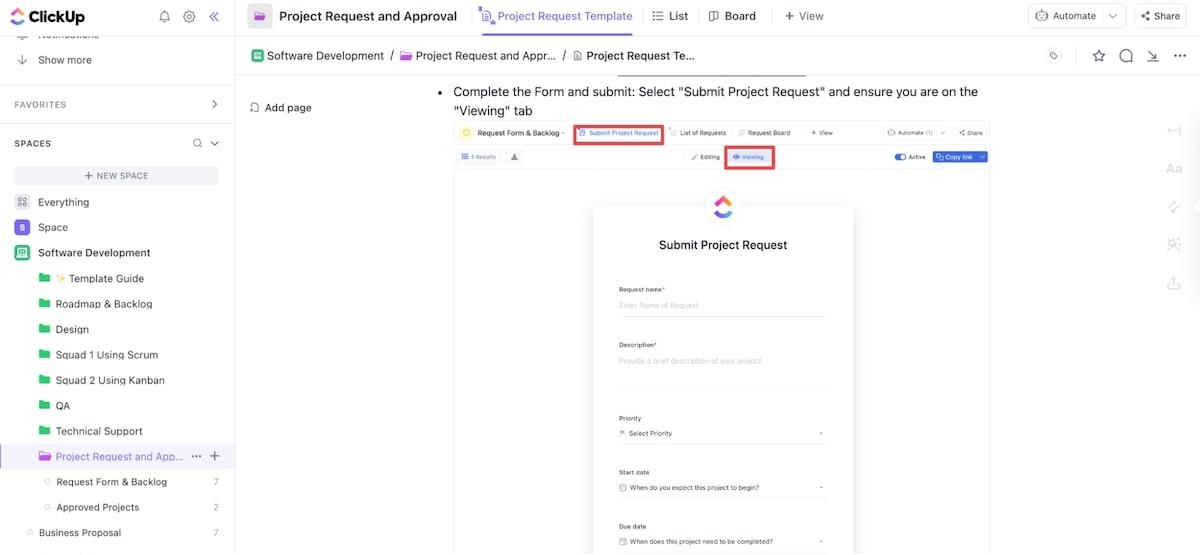
Looking for a simpler way to track and manage project requests? Use ClickUp’s free Project Request and Approval Template to review new requests, create projects for approved requests, assign tasks, and monitor progress in real time!
Scattered documentation means your team’s information is spread across too many places, like shared drives, email threads, chats, personal notes, papers, etc. As a result, there’s no structure, no single source of truth.
Here’s what scattered documentation costs your team or business:
Employee productivity and efficiency take a direct hit when your documents are scattered everywhere. Your team spends more time toggling between platforms to find the information than actually using it.
Every minute lost to this context switching wipes out your team’s focus and momentum.
✅ Fact Check: IDC estimates that knowledge workers spend roughly 16% of their time just searching for files. What’s worse is that even after all that wasted effort, they only locate what they need 56% of the time.
But what happens when someone still can’t find what they’re looking for? They ping a colleague. While this sounds like dream teamwork, it’s a massive productivity killer in disguise:
Yet, that’s nothing compared to when a key person leaves the team.
All the undocumented institutional knowledge they hold—the little tips on how a process actually works, where the most current version is, or who to talk to for specific info—it just walks right out the door with them.
📮 ClickUp Insight: Can’t find the answer? Just ask a colleague—but at what cost? Nearly half of employees regularly interrupt teammates for information. And every time they do? It takes up to 23 minutes to refocus. That’s hours of lost productivity every week.
This is where you need a centralized brain for your organization. An AI-powered colleague, aka ClickUp Brain can bring you everything you need in one place—answers, insights, files, context, you name it!
A lack of shared, centralized documentation can push your team to work with wrong or incomplete information.
What are the true costs of these errors? People stop treating documentation as a source of truth and try to avoid using it.
Picture this:
📌 Example 1: A sales rep has two versions of the same pricing model sitting on their desktop. While both look identical, one has an updated discount and the other doesn’t. The sales rep sends the wrong pricing model to the client. By the time someone finally spots the mistake, the quote’s already out, and there’s not much you can do.
Poor version control in project management isn’t the only factor causing inconsistencies. When important details are trapped in private spaces (or siloes), that’s just as bad because it adds friction to your processes.
Here’s how:
📌 Example 2: Imagine your product team discusses and finalizes a minor feature update in their private Slack channel. They forgot to update the official technical specification document.
The development team continues developing the feature based on the old requirements. You have unnecessary rework that could’ve been avoided with proper document handling.
If your new hires are forced to bounce between random Word documents, links to old chat threads, or old email threads, you’re preventing them from contributing at full capacity.
The only way left for a new hire to learn the ropes is by constantly asking their teammates. That means experienced team members must dedicate significant time to manual, one-on-one knowledge transfer.
✅ Fact Check: 42% of new hires say the information they need at work is too scattered across different platforms. That means nearly half of your new team members are spending their first few weeks just figuring out where knowledge lives instead of putting it to work.
It’s impossible to remember and track who’s responsible for maintaining documentation when it spans across numerous tools. Everyone assumes someone else will handle the updates, which inevitably means no one actually does.
Consider this classic scenario:
📌 Example: Someone creates a process documentation for a project. Three months later, another team member downloads it, makes a few quick tweaks, and uploads the “latest” version to a completely different folder or platform.
Now, there are two conflicting versions, and no one knows which one the team officially follows.
What fuels this mess further is a lack of context.
Even if a document’s history shows who made an edit, the document itself is often disconnected from internal conversations. You can’t trace back who suggested the change, when it was suggested, or why. This creates a massive knowledge gap.
🧠 Fun Fact: The term “context switching” actually comes from the world of computers. Originally, it was used to describe how an operating system juggles multiple programs at once. Decades later, we borrowed the same phrase to describe how humans bounce between different tasks and documents. The irony? Unlike CPUs, our brains aren’t built to handle the load without direct costs to our productivity.
Since you’re constantly stuck chasing down information instead of using it, either you act late or don’t act at all.
Layer that problem on top of a fast-moving business environment where the window for action is already tiny. Think about those critical, high-pressure moments:
If the information needed to solve the bug, respond to the market change, or quickly assess the deal is scattered, your business loses pace and competitive advantage.
By the time your team has the full picture or locates the missing document, it’s too late to mitigate the risk.
👀 Did You Know? 74% of businesses have seen a 10x increase in daily decisions over the last three years. Because they’re bombarded with so much data, 85% of people report a negative impact on decision-making in the form of missed opportunities and decision anxiety.
Poor document management can make it incredibly difficult to maintain regulatory compliance in the first place.
Think about it. If your policies for customer data management or access control are scattered across multiple tools, how can your team possibly guarantee that every system remains aligned with the latest standards?
The short answer is: they can’t.
✅ Fact Check: Even the best compliance infrastructure relies on one thing: organized data. However, research shows that 63% of companies find their information too messy, complex, and scattered to use effectively, thereby increasing compliance risks.
Fixing scattered documentation starts with a mindset shift: Your documents are a critical business asset.
You don’t need a year-long overhaul to see visible results. A few deliberate steps can bring clarity and restore your team’s trust in your documentation system:
Start by listing every single place your documents currently reside. It could be Google Drive, SharePoint, Confluence, GitHub, Slack, local team drives, individual employee desktops, email chains, etc.
📝 Note: Don’t try to move or fix any file right now. Take an inventory of every location used to store or share documents.
For each location, identify the most essential documentation—the files that are absolutely critical for daily operations, security, or compliance. This means your core process guides, project documentation, policy files, etc.
Now, assess the state of each key document by asking these questions:
By the end of this audit, you’ll have a clear idea of what needs to be fixed immediately and how.
🚀 ClickUp Advantage: Going to a team meeting to discuss documentation gaps and plan next steps? Use the ClickUp AI Notetaker.
The AI listens and takes comprehensive notes for the entire team, so you can genuinely engage in the discussion and ensure the right documentation decisions are being made.
After the call ends, the AI instantly provides a full transcript and generates smart summaries, including who said what and a list of action items. No more spending an hour deciphering hurriedly scratched notes. But this is where it gets really interesting: You can select any action item from the AI-generated summary and instantly convert it into a fully tracked ClickUp Task!
Create a standard process for documenting information so that every person in your company creates documents in the exact same manner—whether it’s for company policies or the content production process.
Here’s what to lock down:
Manually creating templates for every document type (project briefs, process SOPs, meeting notes) is a huge time sink. To speed things up, ClickUp offers pre-built templates that are easy to customize and share.
Let’s quickly take a look at a couple of templates that ClickUp offers:
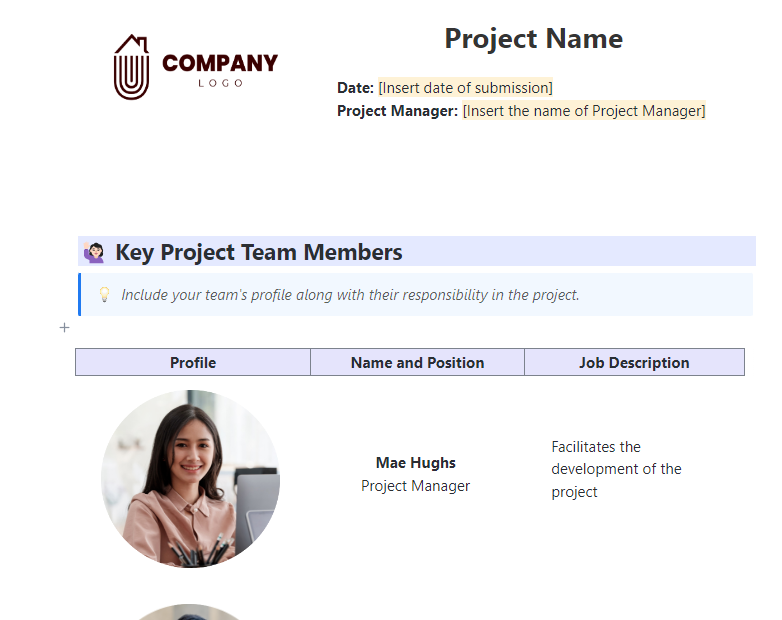
To standardize how you document your project details across different teams and regions, ClickUp’s Project Documentation Template comes to your rescue.
Using this template, you can:
It’s a simple way to bring order and visibility to your project documentation.
When every team member follows their own method of documenting company processes, maintaining consistency becomes a challenge.
ClickUp’s Company Process Document Template provides a single, efficient way to create, organize, and update your company processes.
Using this template, you can:
💡 Pro Tip: Use ClickUp’s Process and Procedure Template to document and track procedures in detail for every business process. It features custom attributes and views to help you organize all procedural details as neatly as possible.
Centralizing your documentation doesn’t mean dumping everything into one giant folder.
Rather, you would want to create a document lifecycle management system where team members with permissions can track and access documents.
How do you achieve this?
ClickUp, the everything app for work, provides a unified workspace where all your documents, tasks, and communication can coexist. Using our platform, you can centralize knowledge into one accessible hub and reduce work sprawl.
Here’s a breakdown of how ClickUp solves the hidden inefficiencies of scattered documentation:
Centralizing documents is just the beginning; you must also integrate them with your daily work. Otherwise, you end up wasting time searching for information that should have been right in front of you.
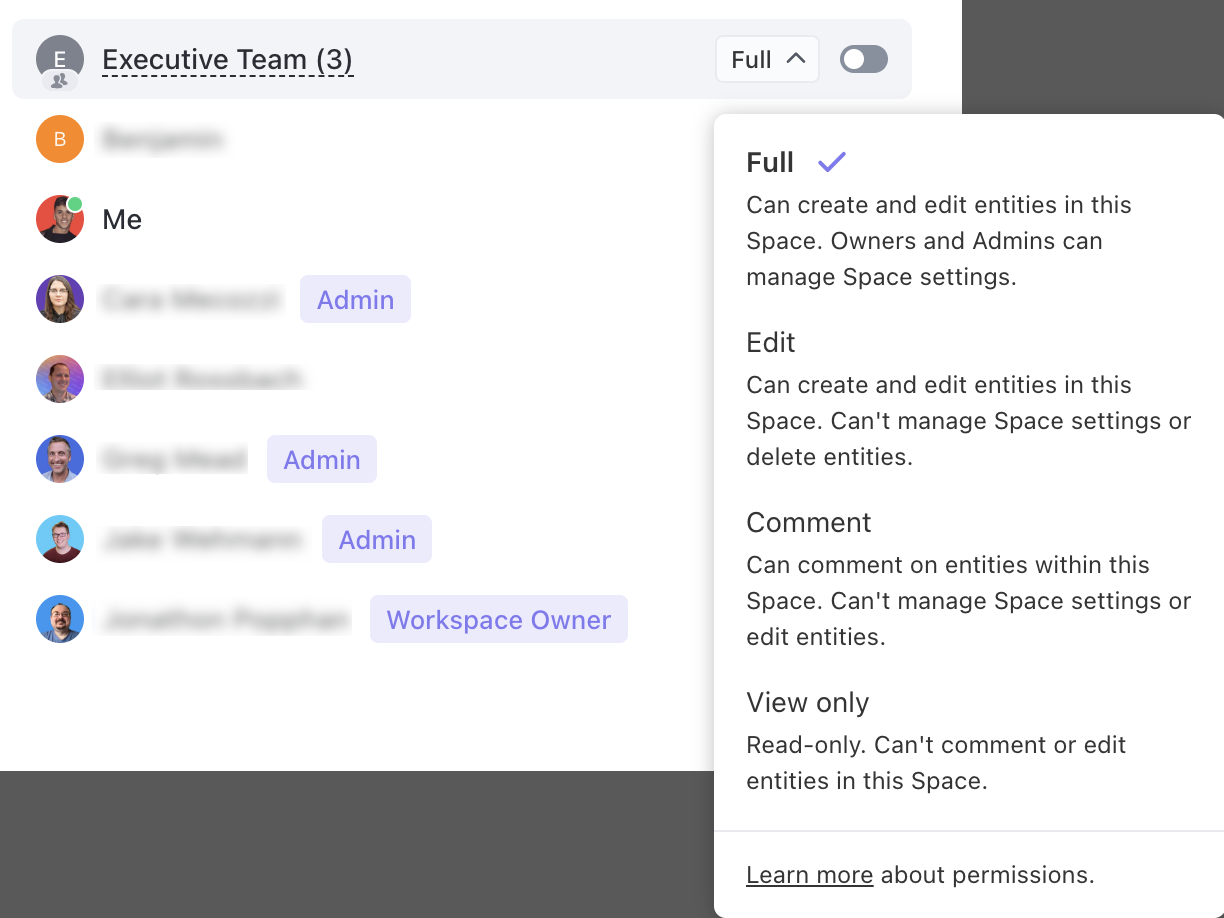
With ClickUp Docs, you can create unlimited project plans, wikis, knowledge bases, SOPs, roadmaps, and more, and link them to tasks within ClickUp Tasks for smarter, context-aware project management.
With nested pages and subpages and rich formatting with headings, tables, banners, columns, and embedded multimedia, you can build a layered documentation architecture.
Multiple users can edit a document simultaneously, but you can also control who can view, comment, or edit it. Every edit is saved instantly, and you can review detailed version histories showing who made what changes and when.
Docs Hub gives you a centralized platform where you can search, sort, filter, and organize your documents into folders/lists.
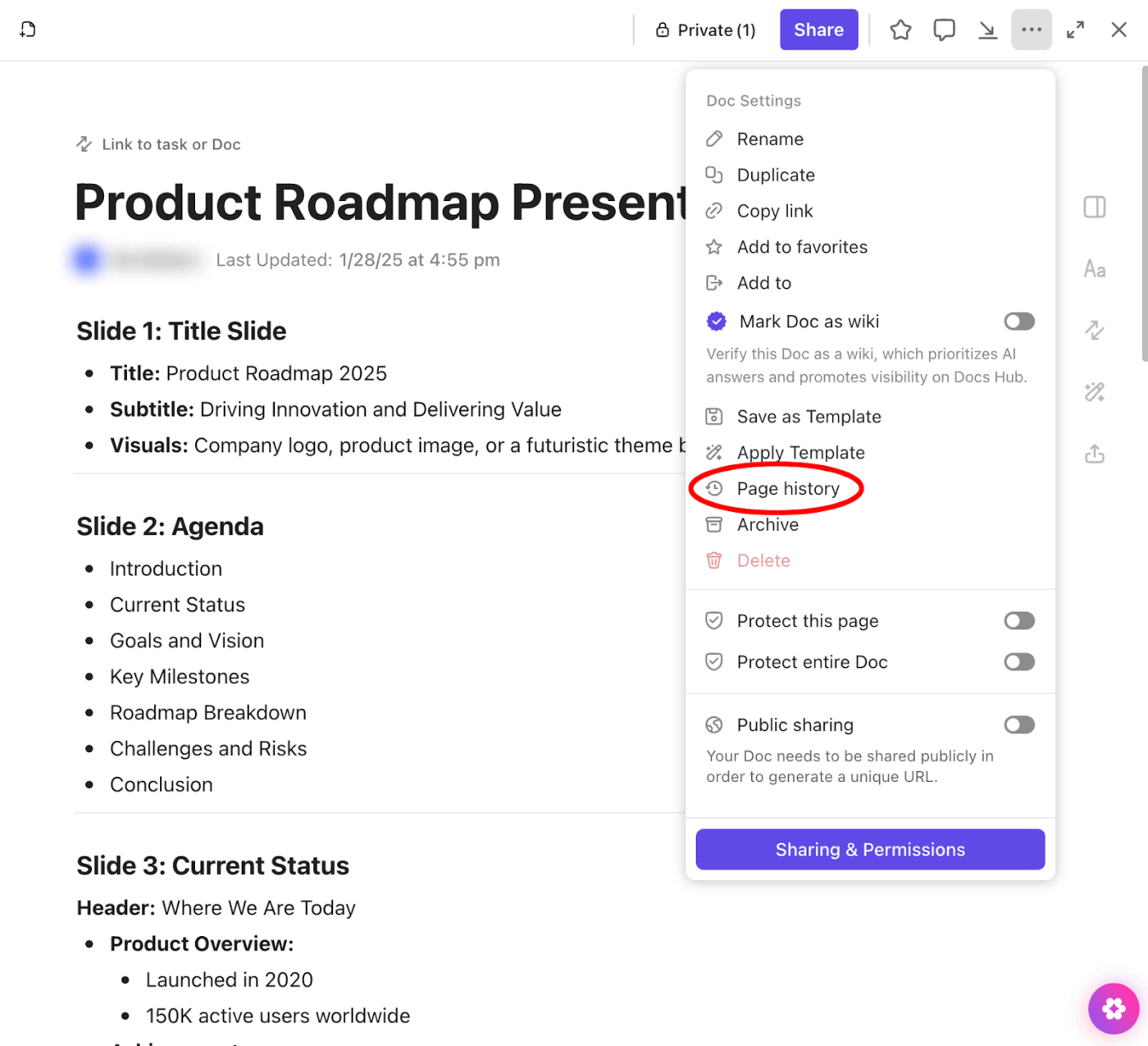
The biggest frustration with poor documentation is hunting for files outside your main platform.
Enter: ClickUp’s Enterprise Search.
It lets you access all your work across tools and apps instantly (yes, even outside ClickUp). Type in your query in ClickUp Search and access all your files within seconds.
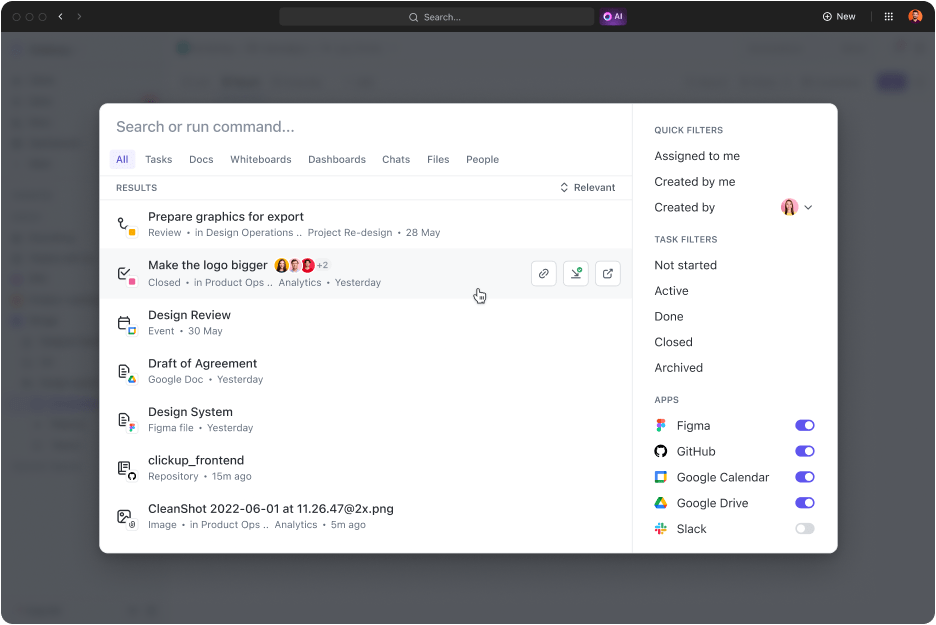
Here’s what you can do:
⭐ Bonus: Need a quick answer to something, but you’re in the middle of a high-focus task? With ClickUp Brain MAX’s Talk-to-Text, you don’t need to type a detailed query in the search engine! Speak your question or command out loud and find information without breaking your flow.
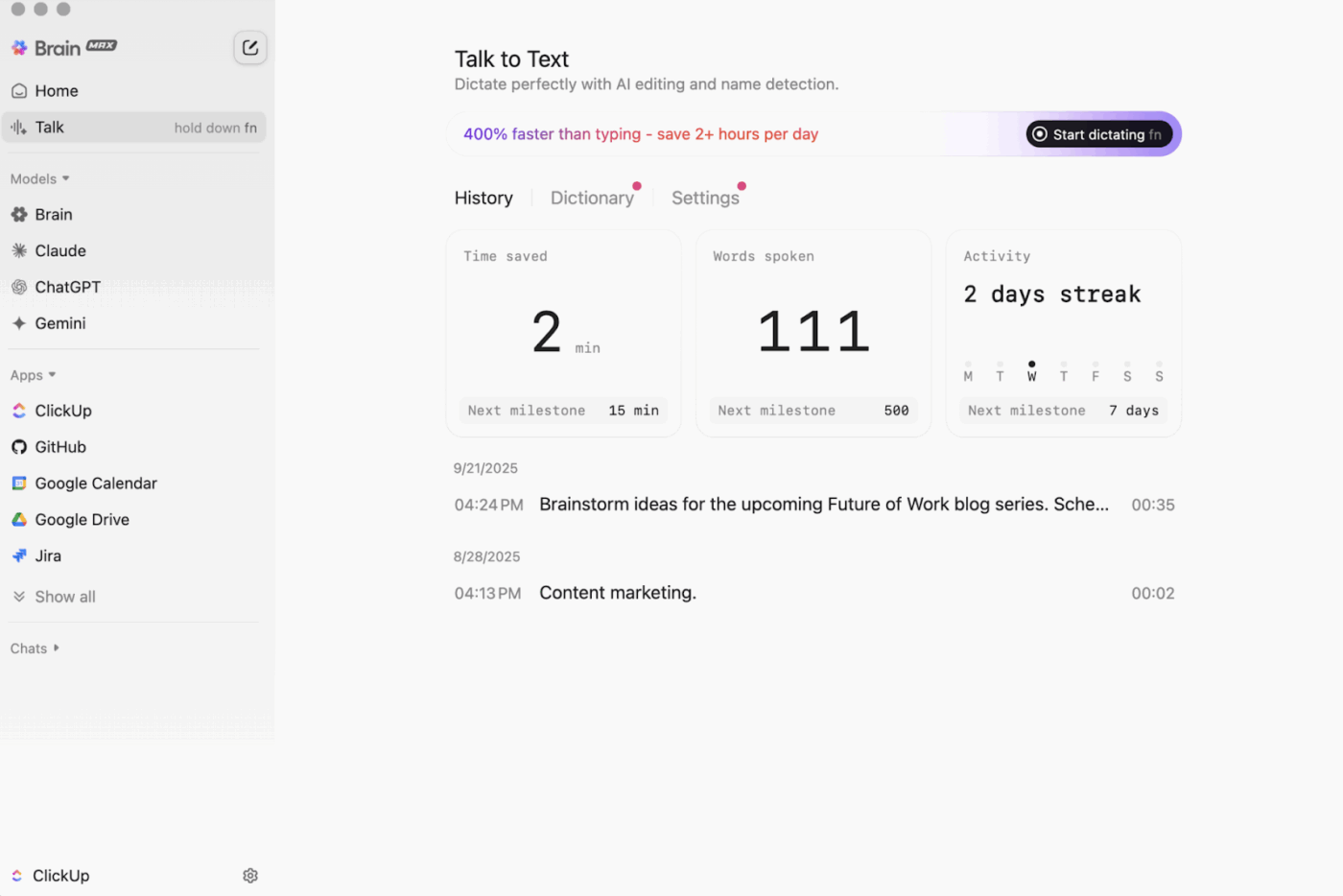
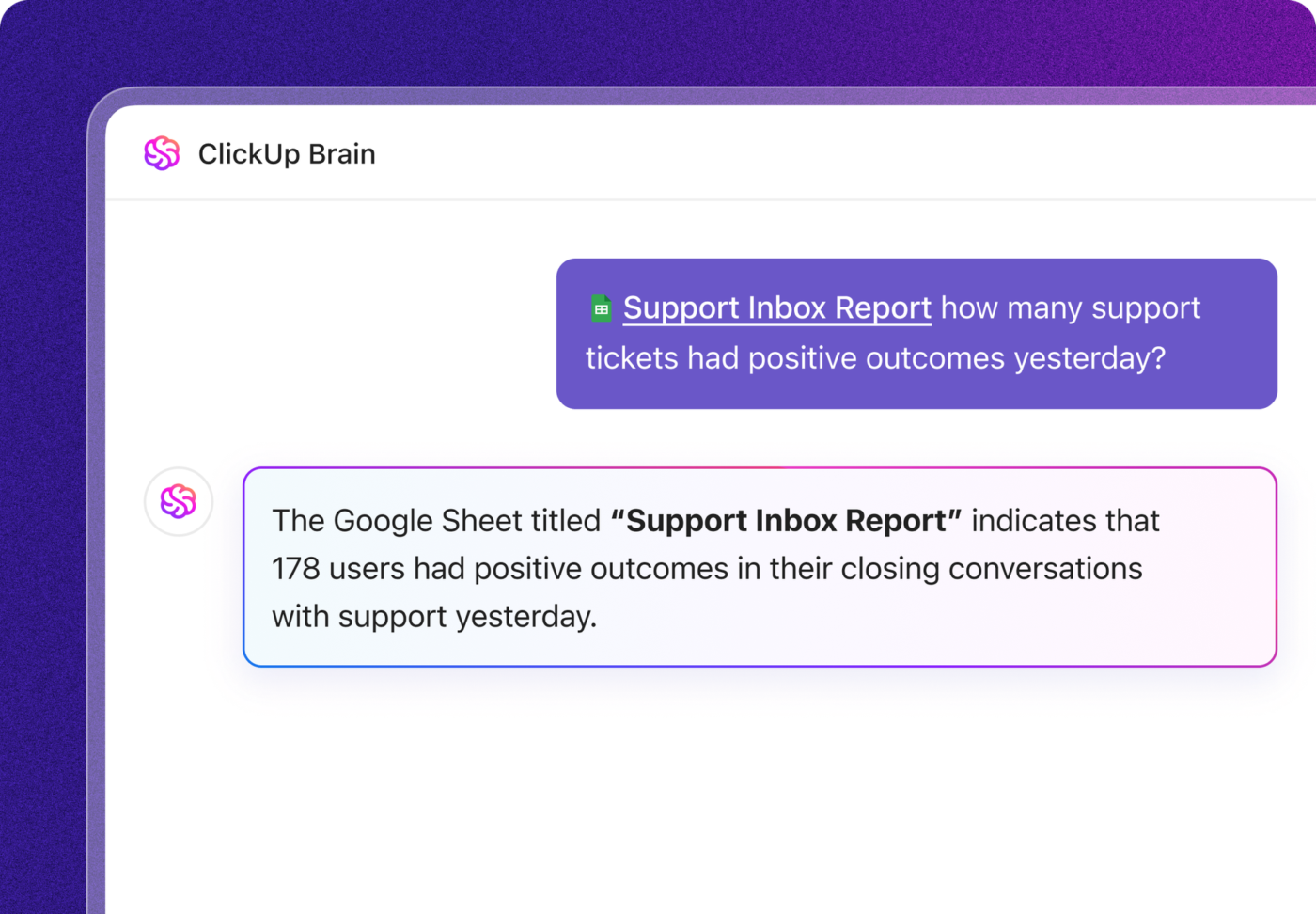
ClickUp Brain (the built-in AI assistant) makes knowledge discovery simple using connected AI.
Prompt it in a task or doc, and it can summarize a project, write the first draft copy, or turn your meeting notes into an action plan. The AI has all your work context and answers your questions by pulling information from your company’s documents, like work-from-home policies, etc. Perfect for getting new hires onboard and acquainted with your workspace!
You need to train your team on the new documentation standard. This is where you show them how to use it and explain why it matters to the business.
To do so:
⭐ Bonus: Turn your documentation into a self-running system with ClickUp Agents.
They monitor your workspace, watch for gaps, and take action automatically—no manual policing needed. Here’s how you can use them:
Watch this video to set up your first AI Agent in ClickUp 👇
Below are two examples of companies that successfully tackled the cost of poor documentation and achieved massive efficiency gains:
Finastra, a leading fintech giant, faced internal chaos across its global marketing team of 120+ staff. Critical go-to-market (GTM) plans were scattered across MS Teams, SharePoint, and local drives on laptops.
The result? Marketing campaigns launched were inconsistent, and the team wasted countless hours in meetings to manually update the leadership on their GTM plans.
Solution: With ClickUp, Finastra brought everything together in one connected workspace:
Result: The shift from poor document control to one unified, structured workspace delivered powerful results for Finastra. They achieved a 30% increase in collaboration effectiveness and a 40% boost in GTM efficiency!
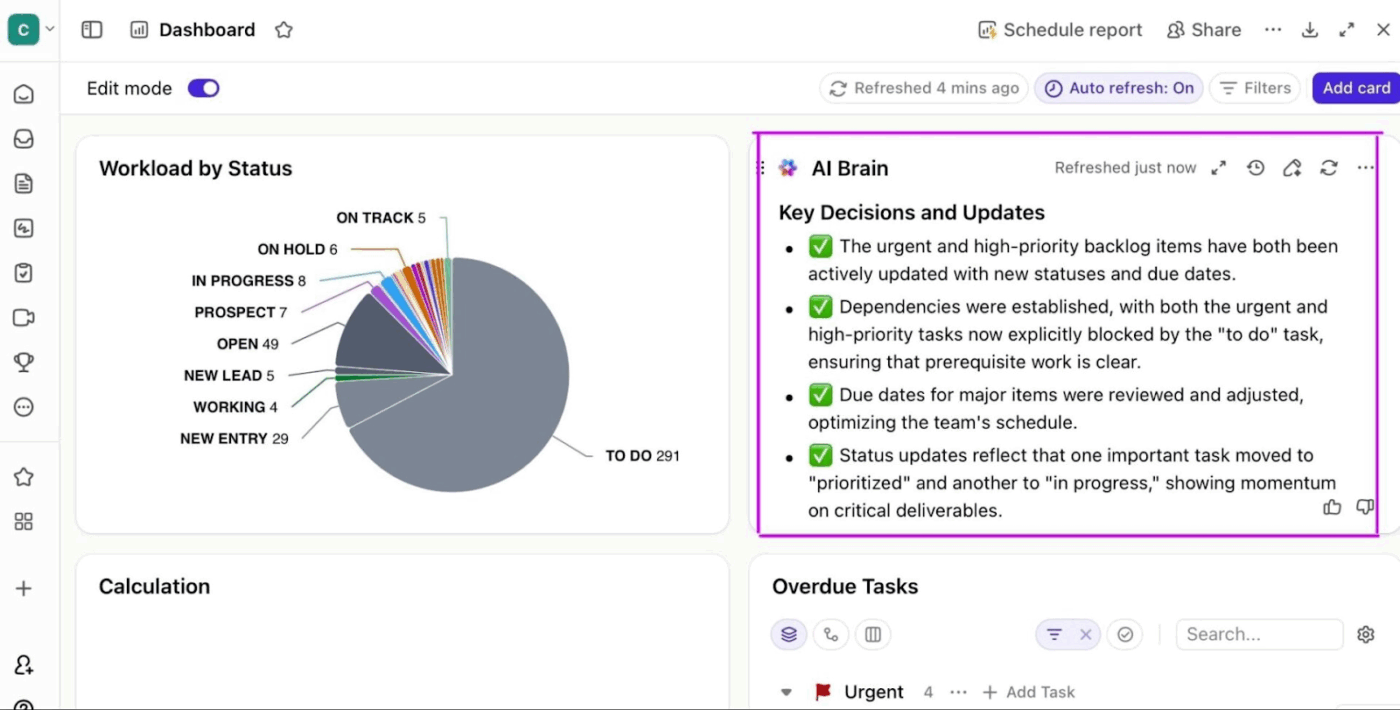
⚒️ Quick Hack: Turn your documentation into live insights with ClickUp Dashboards.
Centralizing documentation is only half the win. Your team also needs a fast way to interpret that information, and ClickUp Dashboards help you do that.
Create a Dashboard that automatically pulls data from your docs, tasks, and projects. You can:
Tapestry, the parent company of luxury brands like Coach and Kate Spade, manages over 1,400 stores and 18,000 employees globally. Its expansive, multi-continent structure made it impossible to share information effectively across brands and regions.
Solution: By using generative AI, Tapestry built an enterprise-wide, centralized knowledge management solution. The solution, a chatbot, was built and deployed in just four months and saw immediate adoption.
Result: A significant reduction in the time employees spend searching for answers. The solution also freed up expert staff from answering repetitive questions and empowered newbies by giving them fast, reliable access to the knowledge they needed.
📮 ClickUp Insight: 43% of people keep tabs open because they fear losing something important, and 30% of these would outright panic if all their tabs disappeared.
This reveals the illusion of control: we rely on tabs as a safety net, giving a false sense of security. ⚖️
ClickUp Enterprise Search lets you take control of your workspace by making every file, note, and integration searchable from one central hub. Now you can close tabs confidently, knowing what matters is always within reach.
📚 Read More: How to Use AI for Documentation
The true cost of poor documentation is not just wasted time; it actively kills the momentum of your business.
The good news: ClickUp helps you create a powerful document management system that connects knowledge directly to action. As a G2 reviewer shares,
ClickUp centralizes all our work—tasks, docs, chats, and goals—in one place. The flexibility is unmatched: custom views, automations, and integrations make it easy to tailor workflows to each team’s needs. I especially appreciate how ClickUp balances depth (powerful features like dependencies and dashboards) with usability. It’s made project tracking, team collaboration, and communication smoother and far more transparent.
With ClickUp Docs, Brain, and Enterprise Search, you build a workspace where teams don’t have to scramble for documents or answers—they can get them by simply talking to AI.
The best part? Setting up this workspace doesn’t take long either! It’s super-intuitive and user-friendly. Our customers consistently tell us how easily they can centralize their documents, automate complex workflows, and consolidate all their information under one roof.
So, what are you waiting for? Sign up for ClickUp today!
When documents are scattered across multiple tools, employees spend more time finding information. They constantly switch between different tabs/apps, which breaks their focus, making it harder to get back into the zone.
By centralizing documentation, you reduce this context switching and avoid confusion caused by outdated or conflicting information. This directly boosts your team’s morale and productivity.
ClickUp brings every piece of documentation together in a connected workspace. With ClickUp Docs, teams can create and maintain critical documentation right alongside their daily work. Powerful search and AI-assisted knowledge discovery keep this entire workspace synced for easy and instant access. Your workspace becomes one organized, searchable system your whole team can trust.
Scattered documentation can easily lead to duplicated work, inconsistent or outdated information, decreased team productivity, and lowered accountability. Working with scattered documentation can even put you at risk of regulatory fines due to failed audits.
Standardized templates bring order and predictability to how your team uses documents. Since everyone follows the same document structure, the information stays consistent and easy to use. With ready-made dashboards, you can skip creating time-consuming presentation slides and directly communicate critical information with stakeholders in real time.

© 2026 ClickUp

There’s an easier way. Try a free AI Agent in ClickUp that actually does the work for you—set up in minutes, save hours every week.