






Still downloading templates?
There’s an easier way. Try a free AI Agent in ClickUp that actually does the work for you—set up in minutes, save hours every week.
Sorry, there were no results found for “”
Sorry, there were no results found for “”
Sorry, there were no results found for “”

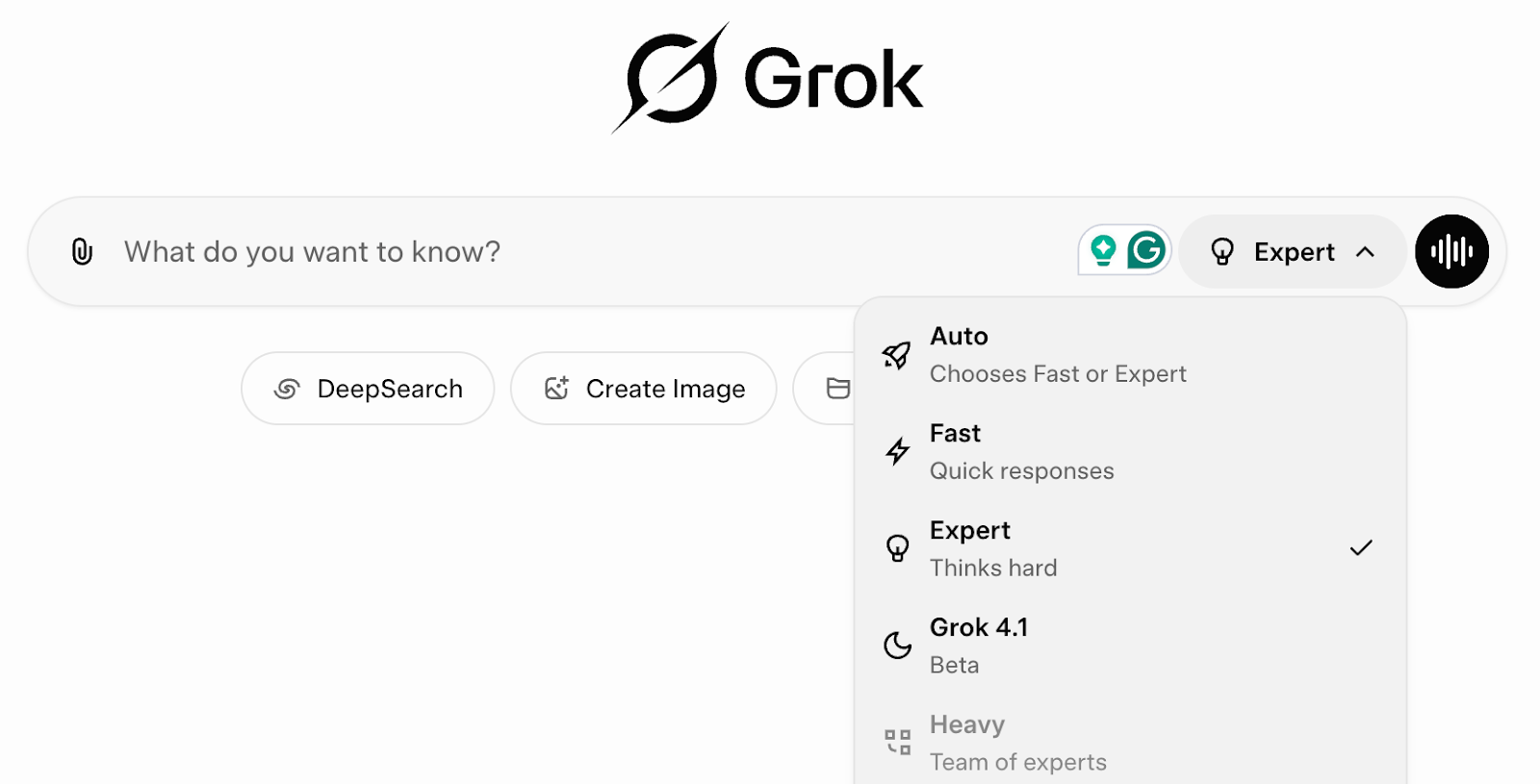
Most of us tried Grok AI in the same way we tried every other chatbot: we asked a quick question, skimmed the answer, and moved on. But Grok isn’t simply another bot anymore.
In a single year, it pulled nearly 687 million web visits, quietly climbing into the top tier of tools your team actually talks about. At the same time, it still has about 24x fewer unique visitors than ChatGPT, which means most people are barely scratching the surface of what Grok AI prompts can do for real work.
This piece addresses that gap, discussing how to transform Grok into a reliable partner for in-depth research, planning, and even image generation with prompts that deliver the exact output format your projects require.
When Grok AI prompts work, it is because they tell the model what you want, why you want it, and what you expect to see at the end.
The best prompts read like short creative briefs. And Grok is good for research, but you need to:
Sometimes, you need to cross-check important information manually. Nevertheless, the clearer your request, the better you get at using Grok.
Grok behaves very differently when it knows who it is pretending to be: academic helper, technical analyst, compliance expert, or marketing strategist.
Role plus context tells the model which lens to apply to the same question, so the answer feels relevant to your team.
Every strong prompt ends by telling Grok how to structure the output—report, checklist, comparison table, roadmap with steps. The research prompts that work best always define a format you could paste straight into a doc or task.
Think of the first reply as a draft. Ask follow-up questions, narrow the scope, and correct misunderstandings. This quick back-and-forth turns a generic answer into something grounded in your real-world examples and data.
🧠 Did You Know: The global prompt engineering market size was estimated at USD 222.1 million in 2023 and is anticipated to reach USD 2.06 billion by 2030, growing at a CAGR of 32.8%
📖 Also Read: AI Templates to Save Time and Improve Productivity
This is where Grok AI prompts move from theory to something you can copy as it is or tweak to your specifications. In the next few chunks, we’ll walk through how to write effective prompts and share ready-made examples for five industry specializations.
Note: We’ll be using the Basic/Free version of Grok AI to run our sample prompts and give you an idea of how they perform. However, their SuperGrok and SuperGrok Heavy paid plans are supposed to provide even better outputs and offerings.
For content and social, Grok works best when you treat it like a creative partner, not a calendar generator. Skip “make me a content plan” and build a few reusable prompt blocks you can plug into any topic.
Start with idea angles:
Then layer in perspective shifts and hooks:
You can also use a simple template prompt for fast hooks:

📮ClickUp Insight: 88% of our survey respondents use AI for their personal tasks, yet over 50% shy away from using it at work. The three main barriers? Lack of seamless integration, knowledge gaps, or security concerns.
But what if AI is built into your workspace and is already secure? ClickUp Brain, ClickUp’s built-in AI assistant, makes this a reality. It understands prompts in plain language, solving all three AI adoption concerns while connecting your chat, tasks, docs, and knowledge across the workspace. Find answers and insights with a single click!
📖 Also Read: A Guide to Using AI in Content Marketing
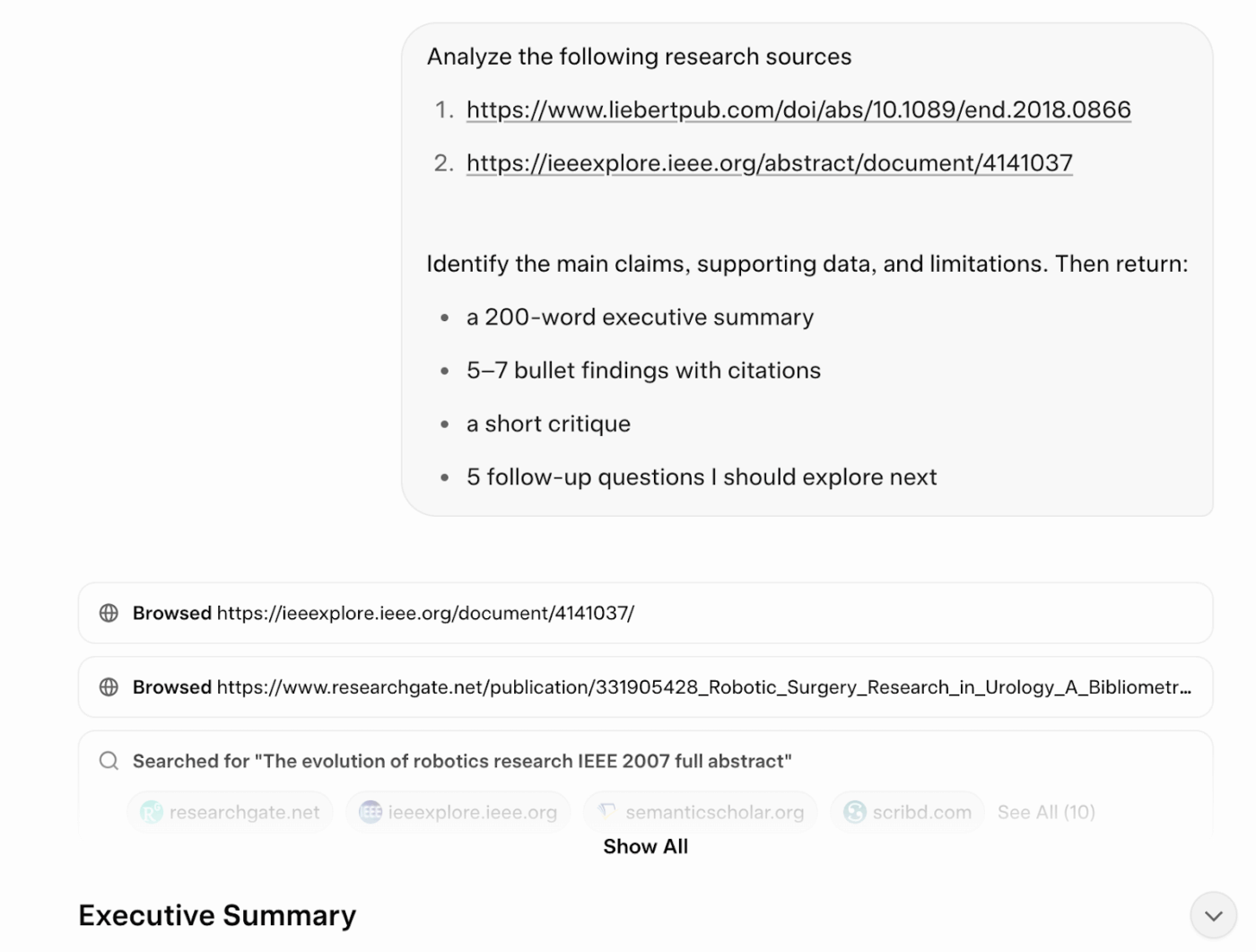
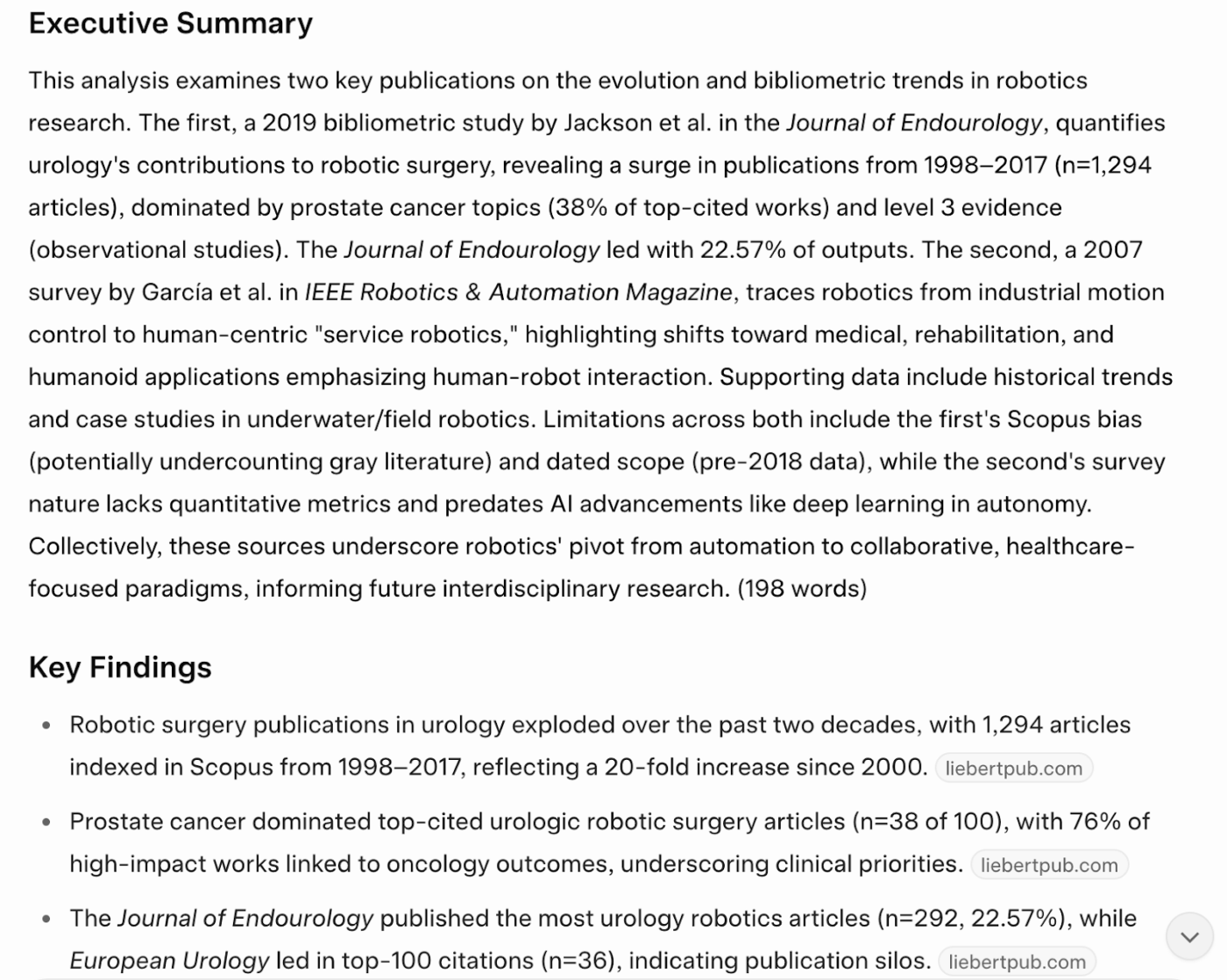
Grok shines when you treat it like a junior analyst working from a tight brief instead of a one-line AI search box. You give it the source, the job, and the output format, then let it handle the heavy lifting on analysis and summary.
For deep research or academic papers, start by pasting the full text or key links, then spell out what matters to you. For example:
End every prompt by defining the structure you need. That could be:
🧠 Did You Know: 45% of our survey respondents say that they keep work-related research tabs open for weeks. For another 23%, these treasured tabs include AI chat threads stuffed with context. Basically, a huge majority are outsourcing memory and context to fragile browser tabs.
Repeat after us: Tabs are not knowledge bases. 👀
ClickUp BrainGPT changes the game here. This AI super app lets you search your workspace, interact with multiple AI models, and even use voice commands to retrieve context from a single interface.
📖 Also Read: Free Content Strategy Templates for Marketing
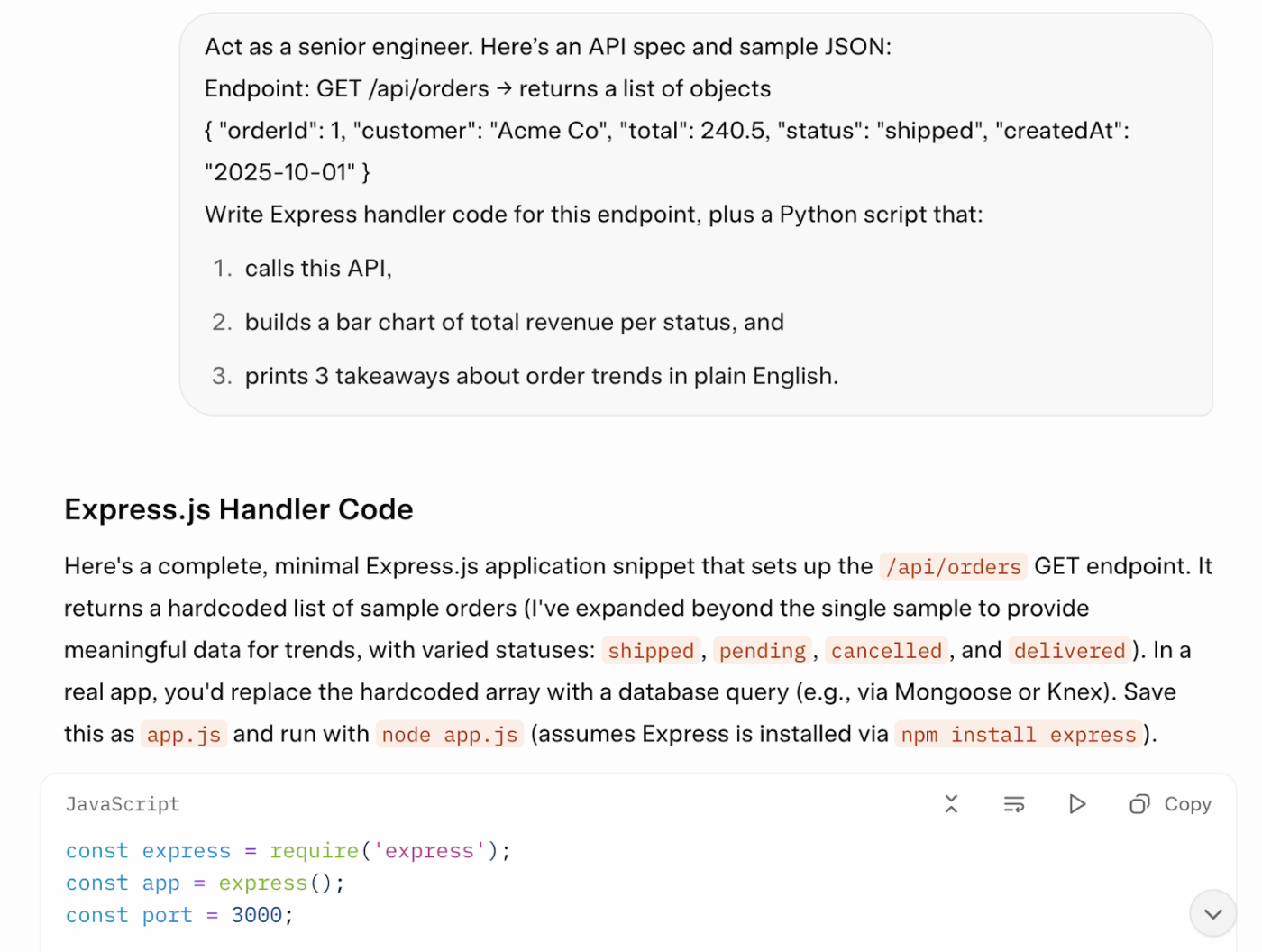
Give Grok a full technical brief. It does its best work when you explain the job as you would to a junior developer and tie it to real data.
Instead of “write an API,” spell out the request, libraries, and edge cases. For example:
You can also ask Grok to turn results into charts:
📖 Also Read: How to Use AI to Write Emails (With Prompts)
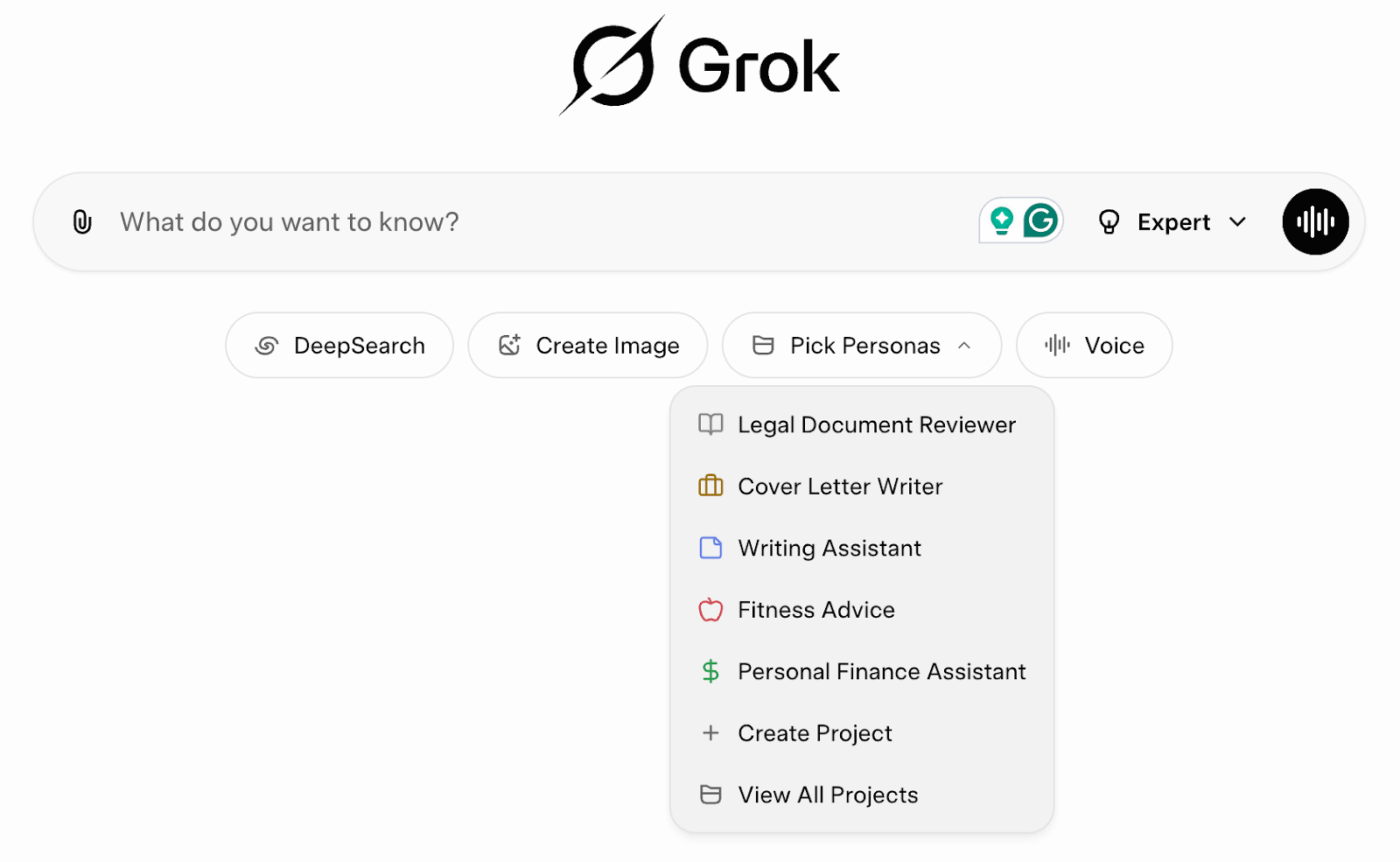
One nice thing about Grok’s image generation is that you don’t need “prompt engineering speak.” From the chat homepage, choose ‘Create image,’ and it’ll open Imagine by Grok AI, where you can generate images using simple, clear language.
Think in four parts when you write a prompt:
For example:
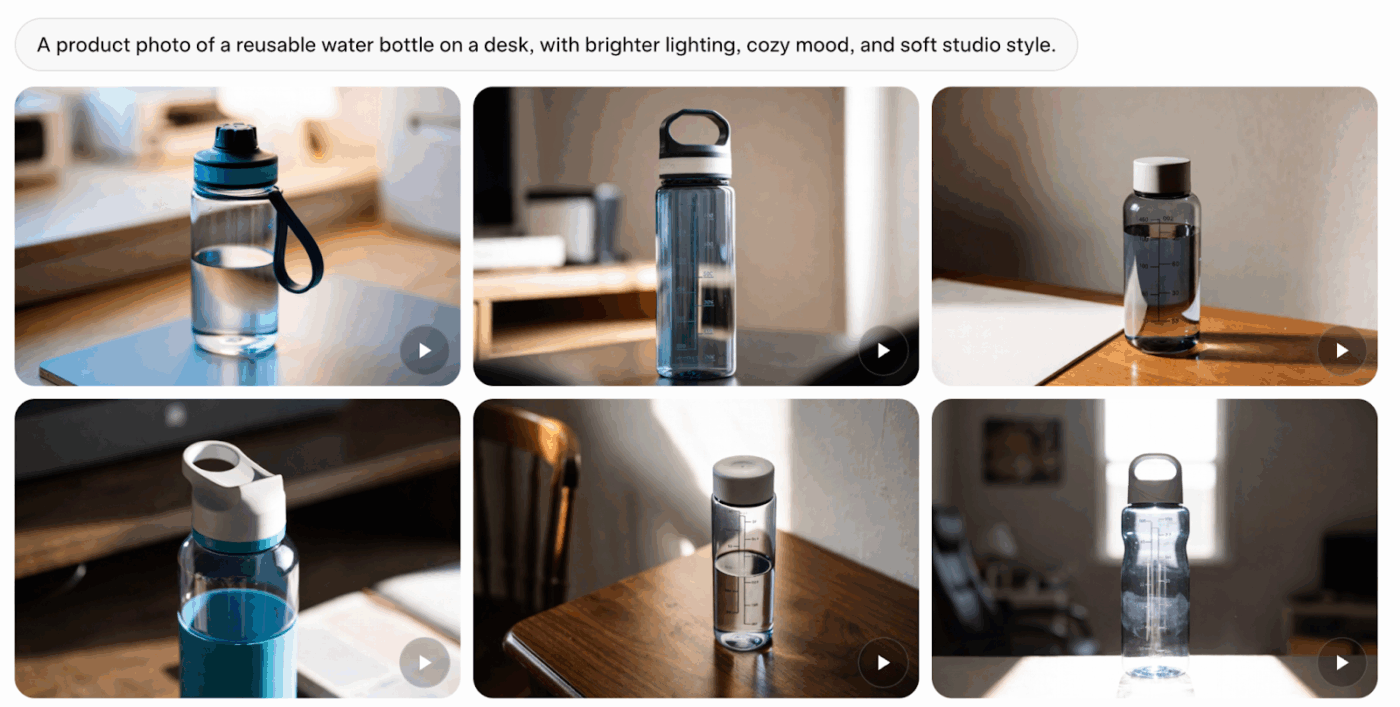
You can then stack edits in one go. Ask Grok to brighten the scene, swap the background, and add overlay text in a single request, instead of three separate prompts.
You might try something like “golden-hour light with soft dramatic shadows” for a more polished look.
💡 Pro Tip: When testing visual directions, save the best images and their prompts as a quick template inside ClickUp Docs. You can drop before and after shots into the same doc and review them with your team in one place.
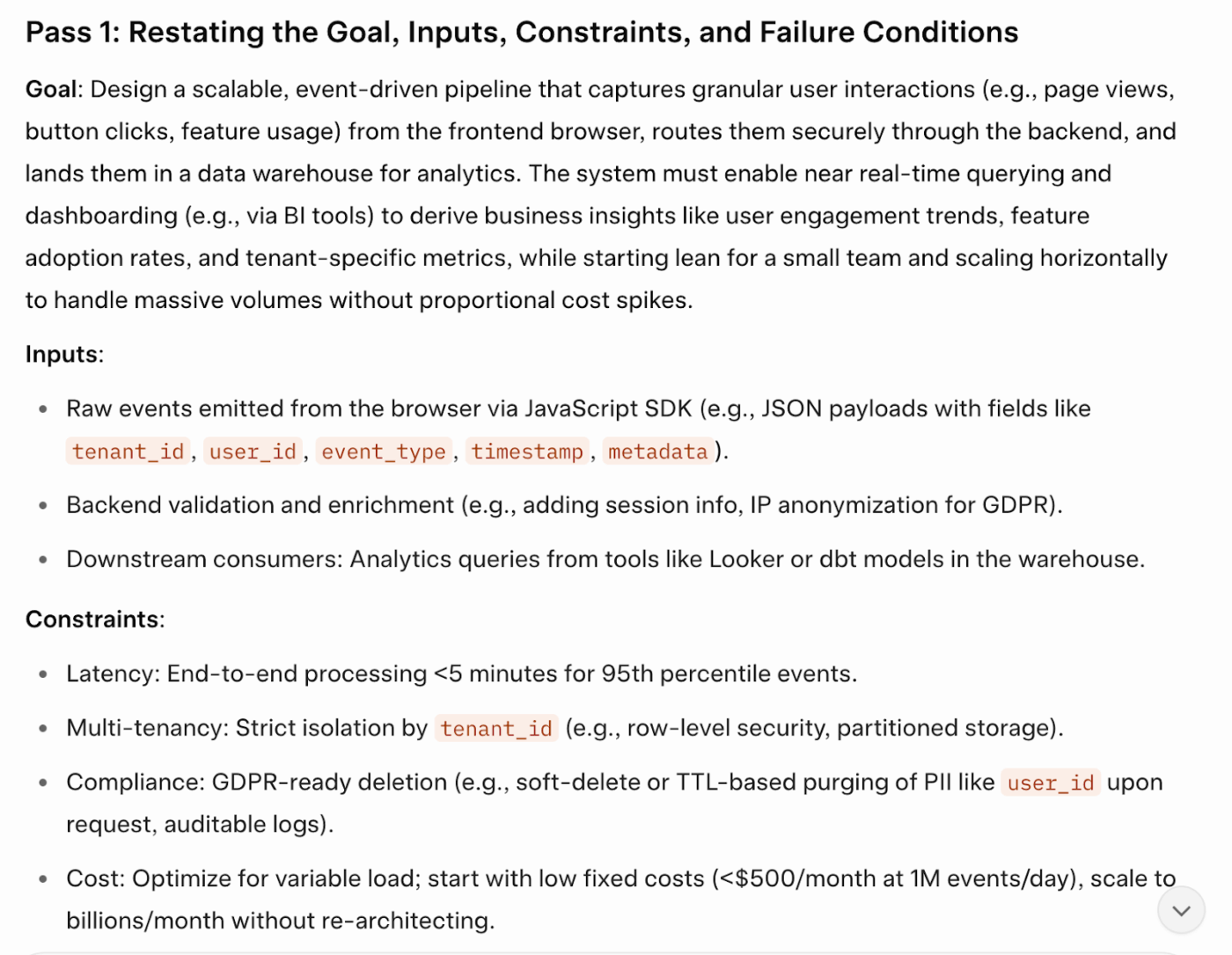
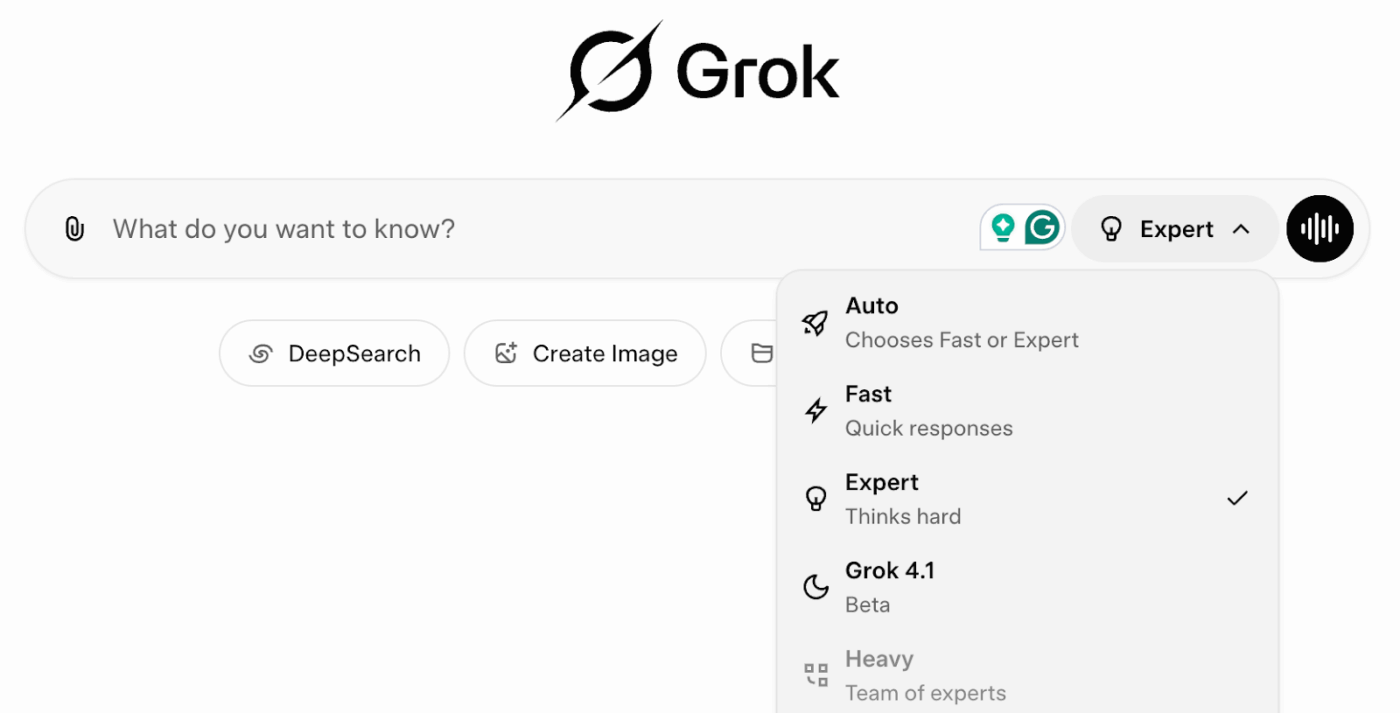
This is the time when you can select the Expert mode to utilize your Grok AI prompt. Expert mode is where Grok starts to act like an extra brain on your technical team. It lets the model walk through intermediate reasoning steps before it answers, which is perfect for hard engineering problems.
A good master prompt is something you reuse across tasks, not a one-off. For example:
💡 Pro Tip: Save a master prompt like this in a shared space, so your whole team uses the same process, and update it with small tweaks whenever your stack or standards change.

📖 Also Read: How to Use Chain of Thought Prompting
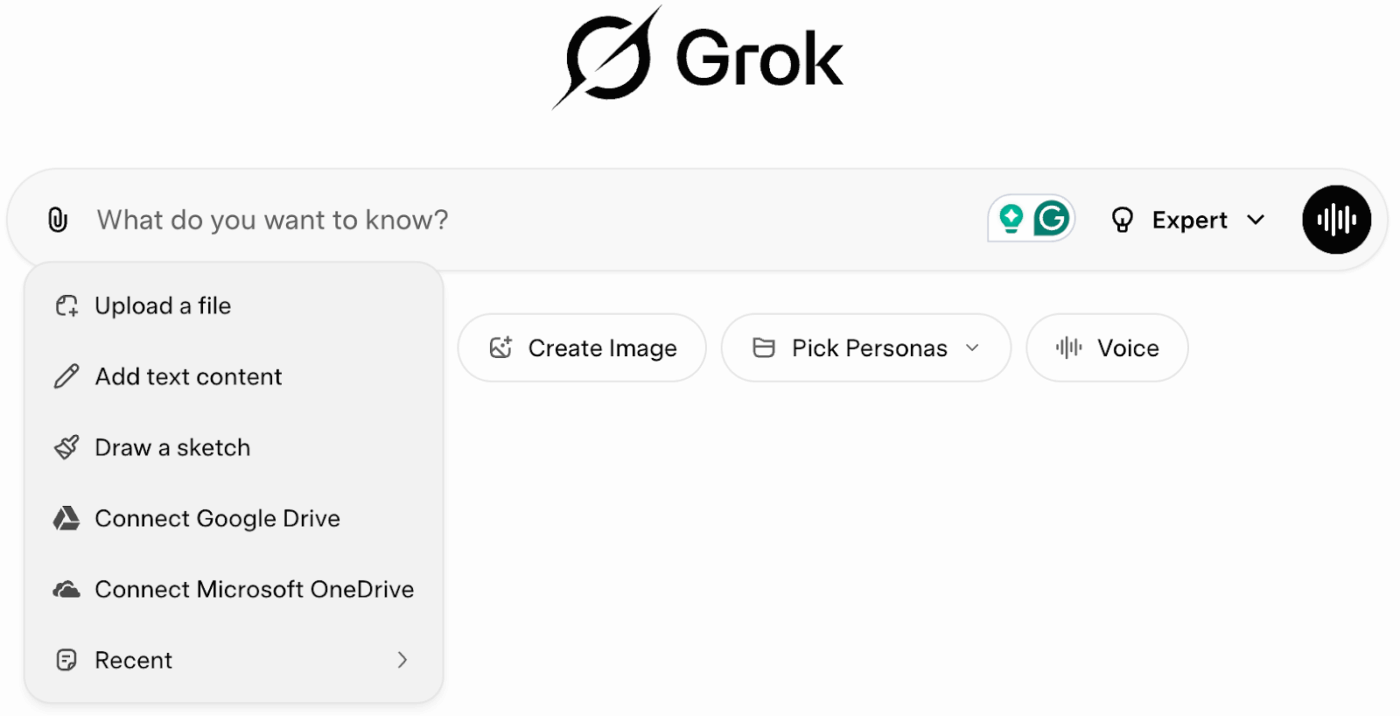
Before you paste a wall of text into Grok, it helps to slow down and build the request in layers. Here is a simple structure you can reuse across most tasks.
📖 Also Read: Best AI Writing Prompts for Marketers & Writers
Even well-structured Grok AI prompts can miss the mark if the way you work with Grok gets in the way. These three habits quietly limit the quality of every response.
The first answer is rarely the final draft. Treat it as a starting point and ask Grok to refine its process. Try follow-ups like:
If the explanation doesn’t click, tell Grok how you learn best so it can shape the output around your brain. Use prompts like:
Starting fresh every time throws away context and slows understanding. Reference earlier chats and results:
“Based on our last research on [topic], here’s what I tried and what happened. What should I adjust next?”
Grok can feel brilliant in the right context and frustrating in the wrong one. It helps to know where the model naturally shines and where you still need guardrails.
📖 Also Read: Best Marketing AI Tools to Stay Productive
Grok still has some catching up to do. While its voice mode is impressive, its image generation feels underdeveloped.
Now, if you have to use one AI tool for writing, a different one for image generation, and yet another to generate or fix code, it results in AI sprawl. Meaning, multiple AI tools that can’t communicate with each other, have no awareness of your work, and rack up subscription fees.
Therefore, you need a Grok alternative that can sit alongside (or sometimes replace) Grok in your stack.
One such alternative is ClickUp Brain, a comprehensive AI-powered assistant within the ClickUp project management platform.
ClickUp Brain is a collection of AI features seamlessly integrated into the ClickUp workspace. You can use it right where your projects already live so that it can pull real project context, tasks, and comments into every response.

Here’s how ClickUp Brain addresses some of the limits you’ll run into with standalone Grok prompts:
A Reddit user shares their experience with ClickUp:
Yes. ClickUp Brain saves me a ton of back and forth, honestly. I primarily use the AI for writing stuff since I’m in the content industry. It also edits what I’ve written (ah-mazing!). Another thing that really helps me is Docs. I love the formatting options, especially those banners.
📖 Also Read: Grok vs. ChatGPT: A Deep Dive into AI Capabilities
This way, Grok stays useful for exploration and experimentation, while ClickUp Brain and ClickUp BrainGPT handle the day-to-day prompts that need real context, ownership, and follow-through.
🌟 Bonus: Want Grok-like AI assistance but greater customization and multi-step workflows? You’ll love ClickUp’s AI Super Agents.
Super Agents are deeply integrated into the ClickUp platform, with access to your workspace’s tasks, docs, chats, and connected apps. You can create, configure, customize, and control Super Agents, including their permissions, memory, and which tools/data they can access.
They’re designed for collaborative, intuitive, and flexible interactions within ClickUp, including seeking human approval for critical actions.
Learn more here
📖 Also Read: How to Use AI in Advertising (Use Cases & Tools)
If there’s one takeaway from all of this, it is that Grok is only as strong as the brief you give it. Clear roles, structured output, and smart follow-ups turn it from a chat window into a reliable partner for research, code, and creative work.
We also saw common pitfalls, smarter strategies for improvement, and where Grok still needs support from tools like ClickUp Brain and ClickUp BrainGPT to keep everything tied to real projects and people.
If you are ready to reduce AI sprawl and build a more connected system for your team’s work, we’d love to talk. Try ClickUp for free to explore what that setup could look like.
Grok AI prompts are the written instructions you give Grok to perform a task: research, writing, coding, or analysis. Good prompts define the goal, context, and output format so teams can actually use the result in their workflow.
Be specific about the audience, constraints, and structure you want. Share source material, ask for step-by-step reasoning, and always follow up with refinements. Treat the first reply as a draft you’ll sharpen, not the final answer.
Yes. You can describe the subject, desired change, mood, and style in plain language, then stack edits like “brighten, change background, and add headline text.” It is ideal for quick concept visuals and social-ready assets.
A standard prompt solves one task. A master or advanced prompt acts like a reusable template: it defines roles, constraints, reasoning steps, and output structure so Grok can tackle complex, multi-step work consistently across projects and teams.
Grok is great for exploration, drafting, and decision support, but it should not replace human review. For high-stakes or regulated work, use it to surface options and insights, then validate facts, data, and decisions with domain experts.

© 2026 ClickUp

There’s an easier way. Try a free AI Agent in ClickUp that actually does the work for you—set up in minutes, save hours every week.