
Sorry, there were no results found for “”
Sorry, there were no results found for “”
Sorry, there were no results found for “”
Galaxy AI is a suite of AI features from Samsung Electronics built into Galaxy devices such as smartphones, tablets, and wearables. It combines on-device and cloud AI to support productivity, creativity, and communication.
The platform works well for quick edits, summaries, translations, text assistance, and lightweight writing tasks on mobile. It also overlaps with tools like Google Lens in areas such as image understanding and contextual recognition.
As work becomes more complex, the limits of a device-centric AI system start to show. Tasks like deep research, long-form content creation, data analysis, reporting, and cross-tool collaboration often require broader capabilities than native mobile AI can provide.
In the sections ahead, we explore Galaxy AI alternatives that support these wider use cases, outlining what each platform offers, along with key limitations and pricing, to help you choose more effectively.
The right choice depends on your specific use case and how you plan to use AI beyond on-device assistance. That said, here are a few core factors worth evaluating before choosing an alternative.
👀 Did You Know? Samsung was founded as a grocery trading store on March 1, 1938, by Lee Byung-Chull. He started his business in Taegu, Korea, trading noodles and other goods produced in and around the city and exporting them to China and its provinces.
Here’s a quick comparison table of all the tools that made it to our list of the best alternatives:
| Tool | Key capabilities | Best for | Pricing* |
|---|---|---|---|
| ClickUp | Work management, documents, AI writing assistance, task automation, collaboration | Teams organizing work, documents, and collaboration beyond on-device AI | Free Forever; customization available for enterprises |
| Microsoft Copilot | AI assistance across Word, Excel, PowerPoint, Outlook, and Teams | Teams using Microsoft 365 for documents, meetings, and email | Free; paid plans from $18/month per user |
| Claude | Long-context reasoning, document analysis, writing and research workflows | Writers and researchers working with long documents and complex analysis | Free; paid plans from $20/month |
| Google Gemini | Research, document editing, multimodal inputs, visual and audio outputs | Teams combining search, documents, and creative research | Free; paid plans from $7.99/month |
| ChatGPT | Writing, planning, research, custom assistants, shared workspaces | Individuals and teams needing a flexible, general-purpose AI assistant | Free; paid plans from $8/month |
| Linguix | Grammar, tone consistency, templates, multilingual writing support | Teams standardizing everyday business communication | Free; paid plans from $99/month |
| Alteryx | Data preparation, analytics automation, governed AI workflows | Teams automating data-heavy analysis and decision workflows | Paid plans from $250/month per user |
| Krater.ai | Text, image, audio, and animation generation | Creative teams producing visual and multimedia assets | Paid plans from $9/month |
| Magai | Access to multiple AI models, personas, prompt management | Power users and agencies working across multiple AI models | Paid plans from $30/month per user |
| NinjaChat AI | Document analysis, summaries, mind maps, image generation | Generalists converting documents and media into learning assets | Paid plans from $9/month |
Our editorial team follows a transparent, research-backed, and vendor-neutral process, so you can trust that our recommendations are based on real product value.
Here’s a detailed rundown of how we review software at ClickUp.
🧠 Fun Fact: Samsung’s Shipbuilding sector (Samsung Heavy Industries Co.), whose center spans 400 million sq. feet (37.16 sq. km), builds more than 30 large ships per year.
Below is a detailed look at the Galaxy AI alternatives that can help you improve productivity, automate workflows, create content, and collaborate efficiently across a user-friendly interface:
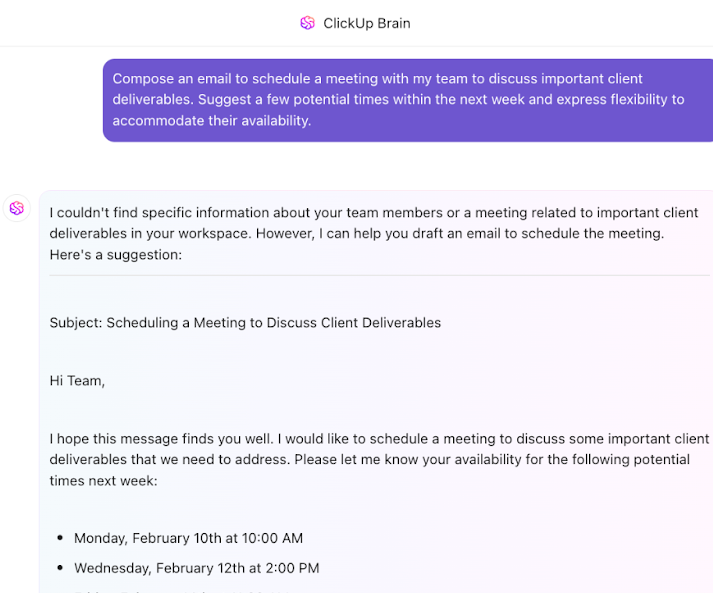
Chat-based AI tools are great at generating answers. But they stop short of execution.
ClickUp is built as a converged AI workspace, where AI operates directly inside your projects, tasks, and Docs.
Let’s see how ClickUp stacks up as the #1 Galaxy AI alternative 👇
To start with, ClickUp Enterprise Search brings all your work data into one searchable space. It turns scattered information from your various tools (including Drive, Notion, Slack, Gmail, and more) into a single source of truth.
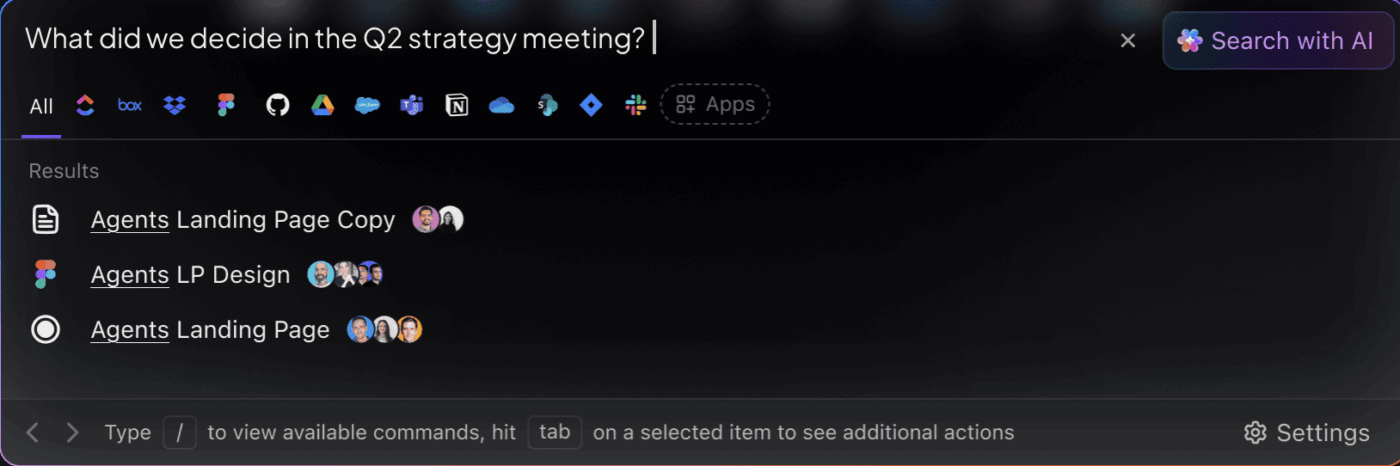
Everything in your Workspace is searchable and accessible.
Unlike traditional search tools that rely on keywords, it understands natural language to interpret questions and return results in full context. And since ClickUp frequently indexes content, your searches reflect the latest state of your workspace.
✏️ Note: Searching across all your tools doesn’t have to mean risking your data. ClickUp Connected Search keeps everything discoverable yet secure. The platform is backed by GDPR, ISO, HIPAA, and SOC 2 compliance, with zero third-party data training or retention.
Connected Search helps you find what you need. What next?
ClickUp Brain, the built-in contextual AI, helps you make sense of it.
Ask questions in plain language, get quick summaries of project updates, identify blockers, summarize projects, and extract action items from meeting transcripts.
Say you’re leading a product launch with tasks spread across Docs, comments, Slack threads, and meeting notes.
You type: “What’s blocking the Q3 launch?”
ClickUp Brain scans live data across your Workspace—task statuses, overdue dependencies, recent comments, and meeting transcripts. It identifies that design approvals are pending, two engineering tasks are delayed, and a dependency tied to legal review hasn’t been resolved.
From there, you can:
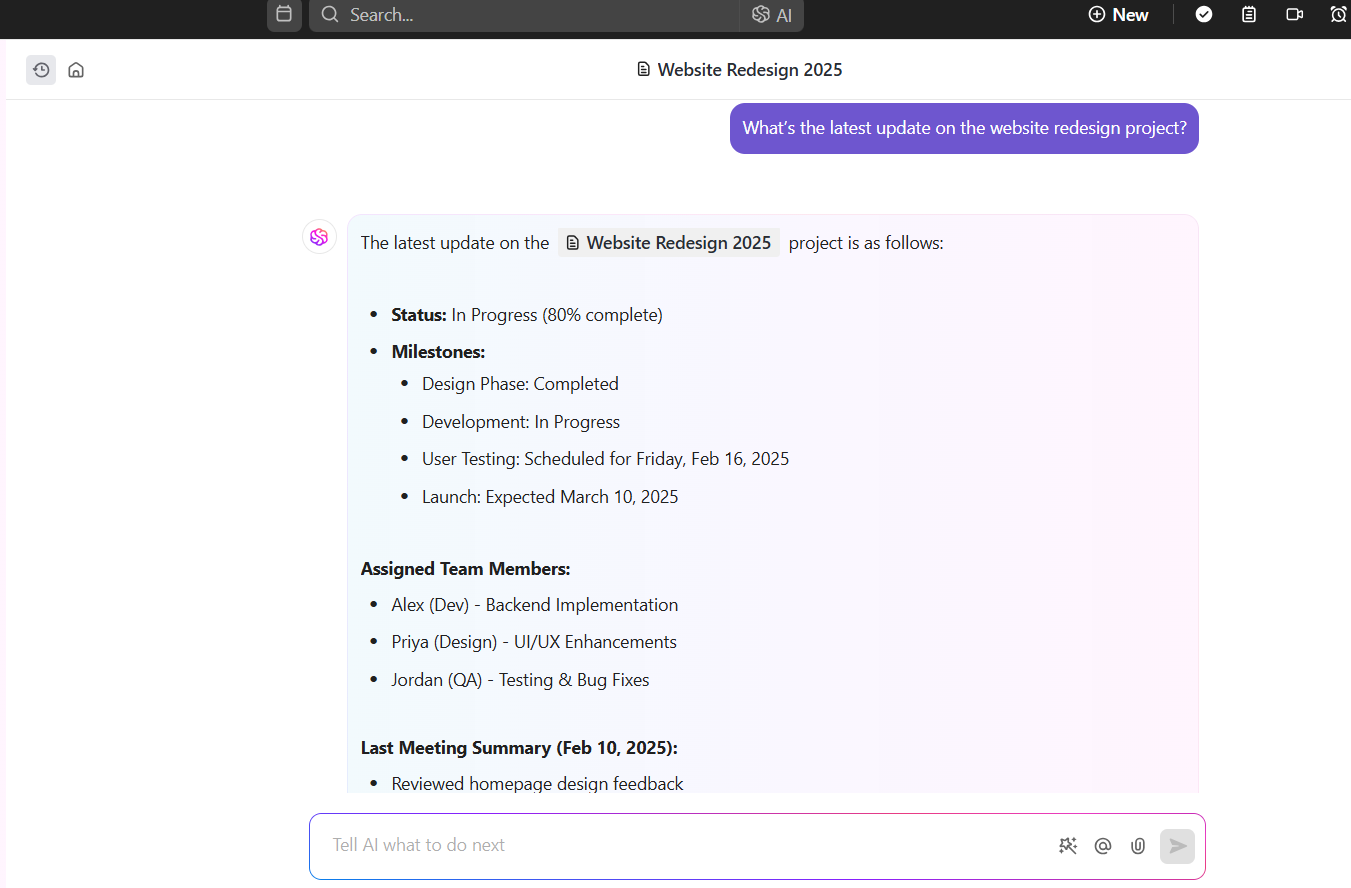
Here’s how you can use AI in ClickUp as a personal assistant to prevent constant context switching and reclaim your focus 👇
ClickUp Brain gives you access to multiple external AI models from a single interface. You don’t need to switch tools, juggle tabs, or manage separate subscriptions.
Model access is abstracted through ClickUp Brain. All AI usage stays centralized, permissioned, and auditable inside your Workspace. This prevents the fragmentation that often happens when teams rely on multiple standalone AI tools for different tasks.
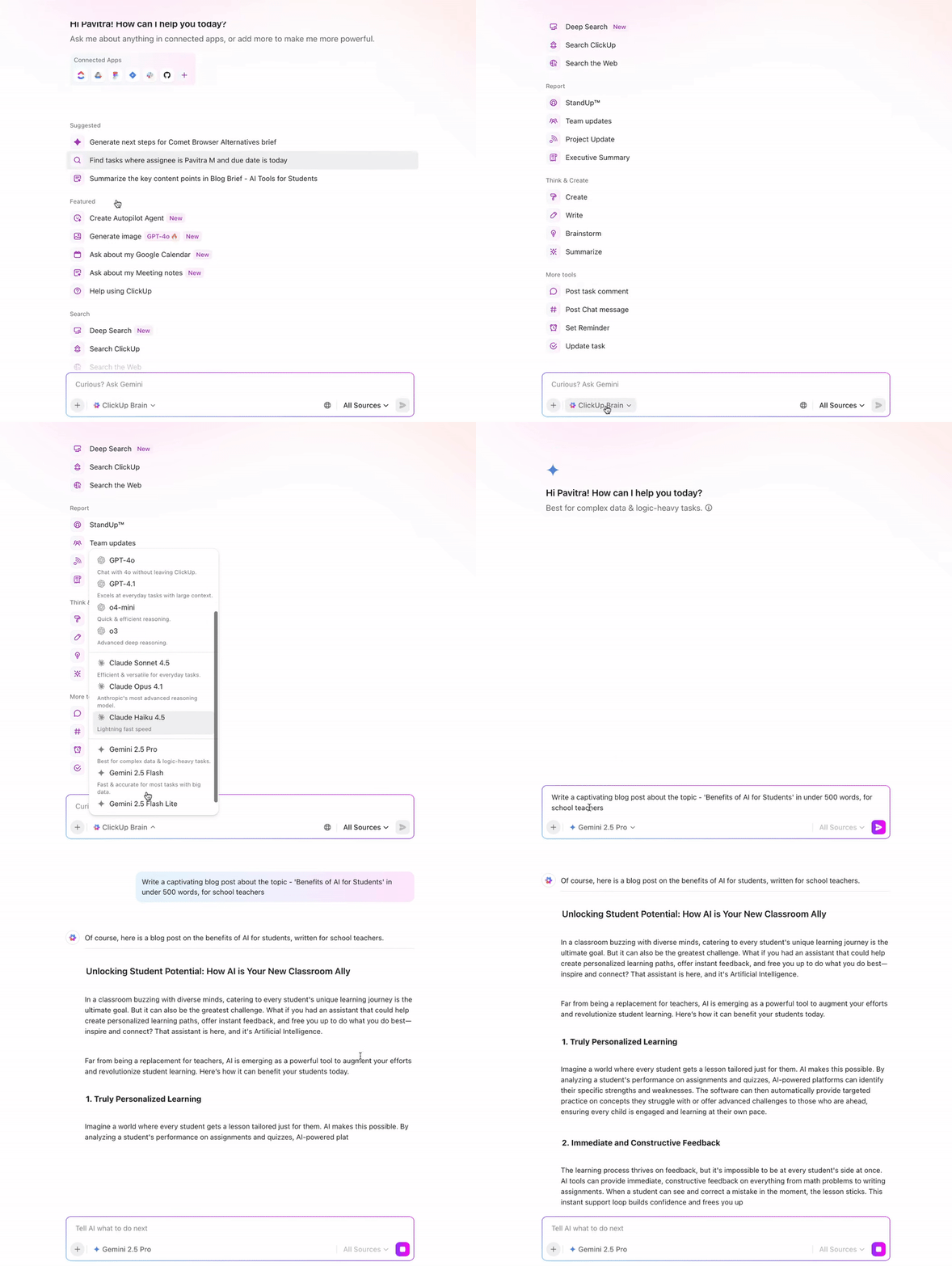
Common use cases include:
📌 Example: A strategy team can use Gemini to analyze source-heavy research, Claude to synthesize insights into a narrative, and ChatGPT to turn that narrative into actionable tasks—all without leaving ClickUp.
Super Agents are ambient AI assistants that operate continuously inside your Workspace. They observe what’s happening across tasks, timelines, dependencies, and activity patterns, then respond as conditions change—without needing a prompt each time.
Instead of waiting for someone to notice an issue or request an update, Super Agents keep work moving in the background.
📌 Example: A Super Agent can:
🎥 Watch this video to know more about Super Agents for AI-powered project management.
A G2 user says:
ClickUp brings all our tasks, documents, goals, and time tracking into one unified workspace. We’ve been using it since 2018, and it’s incredibly flexible for managing both internal workflows and client projects. The customizable views (List, Board, Calendar, etc.) and detailed automation options save us hours each week. Plus, their frequent feature updates show they’re serious about improving the platform.
Microsoft Copilot is an AI-powered digital companion that supports common AI use cases across documents, meetings, and communication. At the center is a secure, enterprise-grade chat interface powered by the latest models.
You can toggle between Quick Response for speed and Think Deeper for complex reasoning. It is also helpful when working through dense meeting transcripts or multi-file projects.
For team collaboration, Copilot Pages provide a robust workspace. You can pull parts of a chat response onto a Page, where everyone can edit together, bring in content from other files, and refine shared materials.
Then there’s Copilot Notebooks, designed for deeper research and structured problem-solving. You can gather files, meeting notes, and web links into a single notebook to ground Copilot in the full context of a long-running project.
A G2 user says:
What I like best about Microsoft Copilot is how it acts like a smart assistant within the tools I already use, helping me create content, analyze data, or summarize information quickly. What’s most helpful is its ability to save time on repetitive tasks, generate ideas, and provide insights that might take much longer to gather manually.
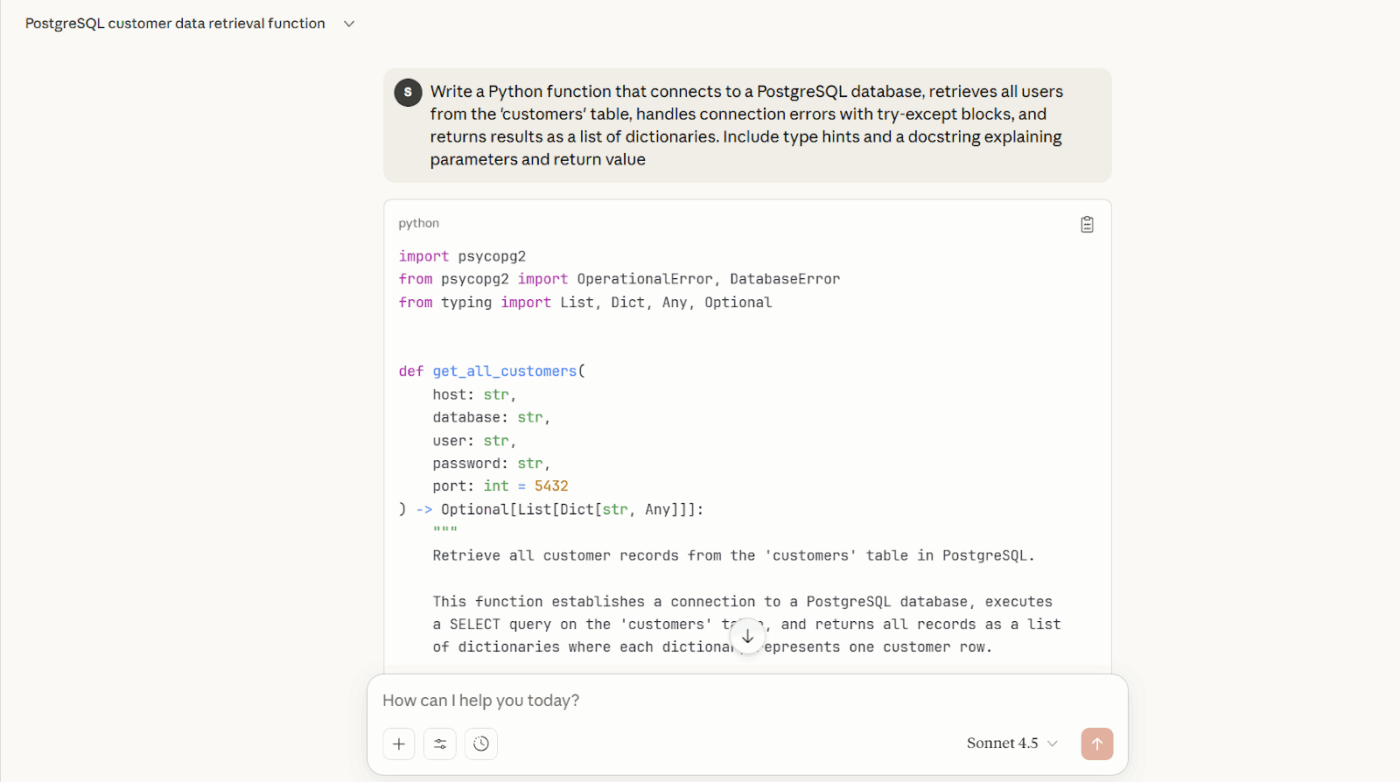
Claude AI is an advanced conversational AI designed for clarity, safety, and complex reasoning.
Built by Anthropic, it can analyze documents, summarize information, and draft structured text. Claude AI supports collaborative workflows by integrating with content pipelines and developer tools through APIs.
For starters, it supports expert-level collaboration across demanding tasks, from critical analysis to long-form writing. You can upload documents once and reference them across conversations, which is valuable for sustained AI in business workflows that require consistency.
It can reason over entire books, long PDFs, or large codebases in a single session, making it well-suited for summarizing 100-page documents or navigating complex systems without manual chunking.
A G2 user says:
Claude seems to be very intelligent, and gives responses that are natural and intuitive. The responses sound like what you would expect from a person. It doesn’t seem to hallucinate like ChatGPT does. Rather, it would admit when it doesn’t have an answer to a question. It also tends to remember previous conversations better than ChatGPT. Claude also does a great job analyzing and analyzing uploaded files.
📮 ClickUp Insight: 62% of our respondents rely on conversational AI tools like ChatGPT and Claude. Their familiar chatbot interface and versatile abilities—to generate content, analyze data, and more—could be why they’re so popular across diverse roles and industries.
However, if a user has to switch to another tab to ask the AI a question every time, the associated toggle tax and context-switching costs add up over time.
Not with ClickUp Brain, though. It lives right in your Workspace, knows what you’re working on, can understand plain text prompts, and gives you answers that are highly relevant to your tasks! Experience 2x improvement in productivity with ClickUp!
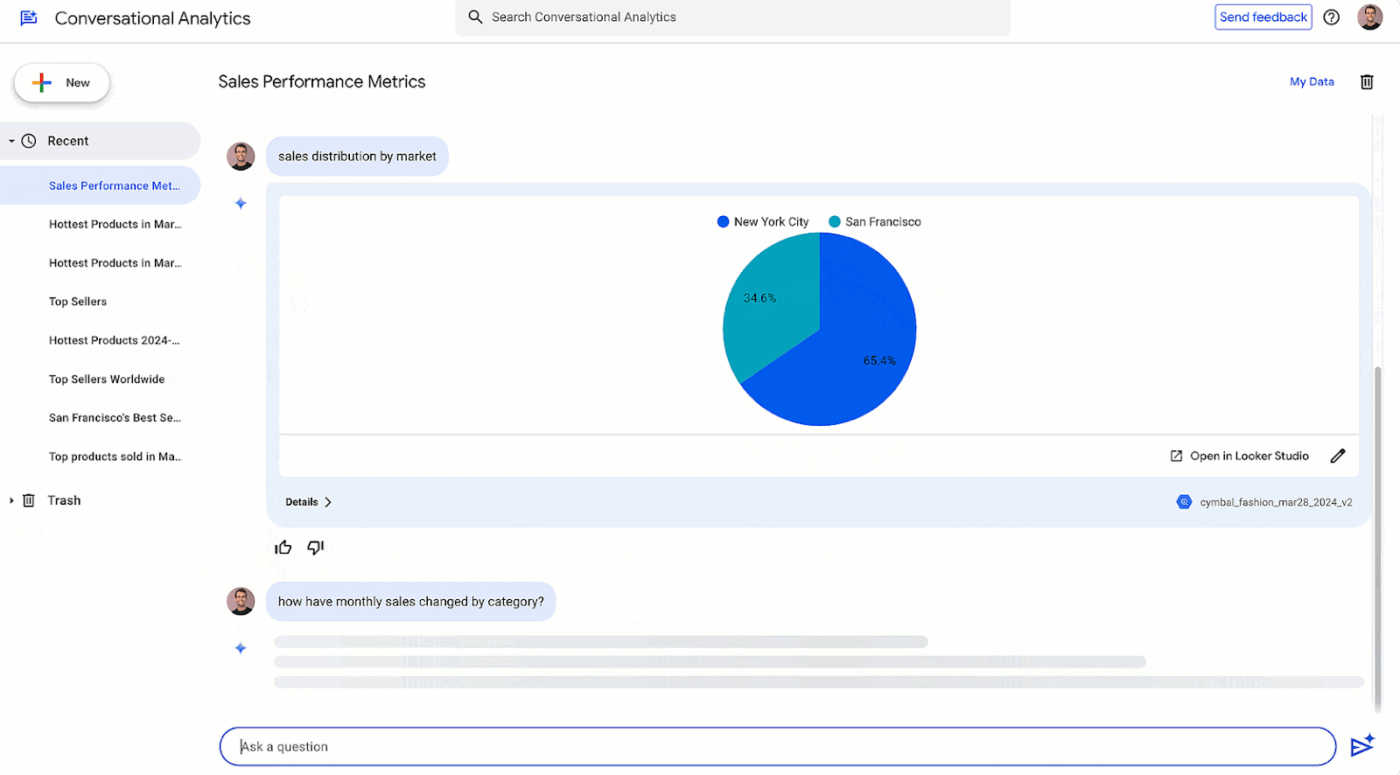
Google Gemini is Google’s AI assistant for learning, research, and creative work, especially when projects span discovery, synthesis, and presentation.
You can upload study guides and source material, then convert that information into quizzes, presentations, or visual explainers. These outputs often function as early-stage productivity tools for teams testing ideas or onboarding collaborators.
Workshop your documents, research, or speeches directly in Gemini. You can expand sections, adjust tone, or restructure content in place, reducing the friction typically associated with iterative writing workflows.
With Deep Research, Gemini generates custom reports in minutes. This conversational AI can also convert findings into slide-ready outlines, charts, and structured briefs. Use this tool in your Google Workspace to move from raw information to presentable outputs faster.
A G2 user says:
I use Gemini for a variety of tasks, from creating images and documents to conducting thorough research. I love how Gemini’s deep research capabilities allow me to find detailed information about any concept, providing me with comprehensive details and citations, which is amazing. The ability to generate diagrams and images in a fraction of the time it would normally take is incredibly valuable. Additionally, I appreciate the canvas feature where I can design prototypes and create documents easily.
⚡ Template Archive: Best Whiteboard Templates for Brainstorming
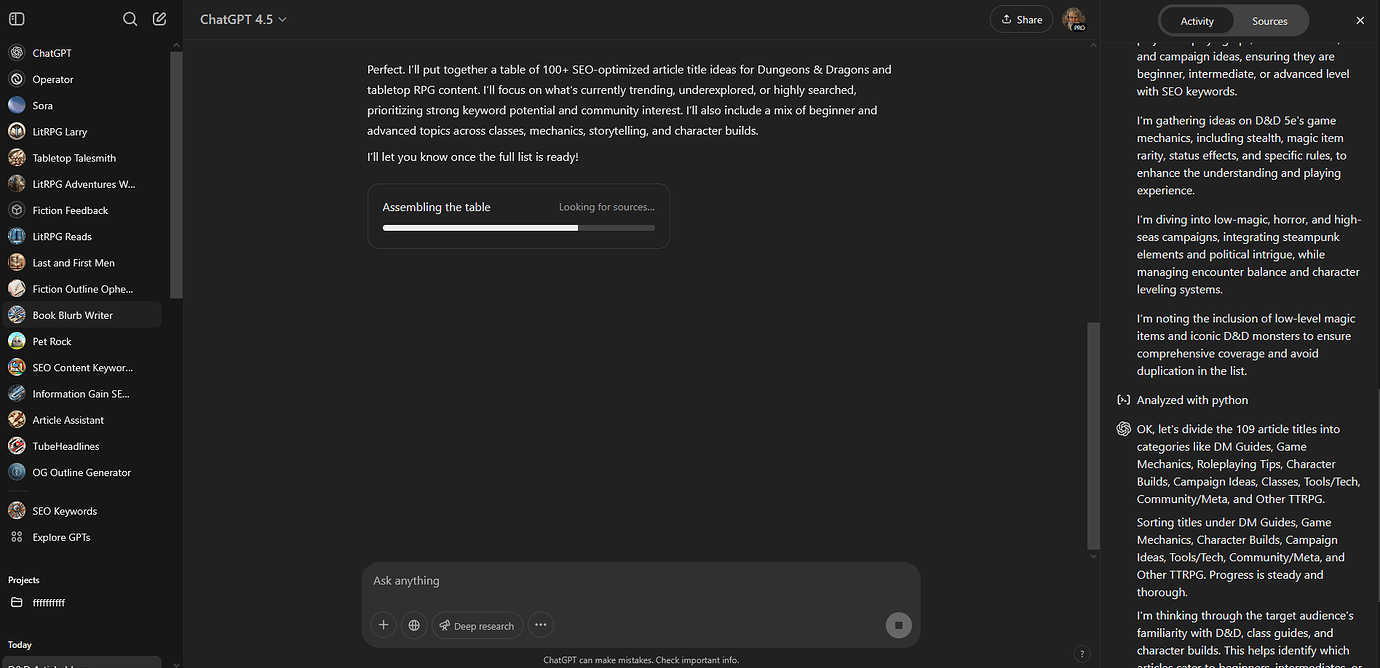
Want to simplify your everyday work with a general-purpose AI tool? Consider ChatGPT. It can run deep, autonomous research that browses the web, synthesizes dozens of sources, and delivers a cited executive brief in a single flow.
ChatGPT supports writing, planning, analysis, and problem-solving across various industries, from marketing and product to operations and education. Its flexible, conversational interface makes it a popular choice for individuals and teams who want fast answers, structured outputs, and adaptable AI assistance without being tied to a specific device or ecosystem.
A G2 user says:
What I appreciate most about ChatGPT is the way it responds. It analyzes your writing style and provides answers tailored to match the tone and approach you prefer. It contains a wealth of information and assists with everything, from my professional tasks to everyday activities. I also find it very useful for generating email templates for both product-related and research purposes.
⭐ If you’re wondering how to write better with AI, we’ve created this mini-video guide for you 👇
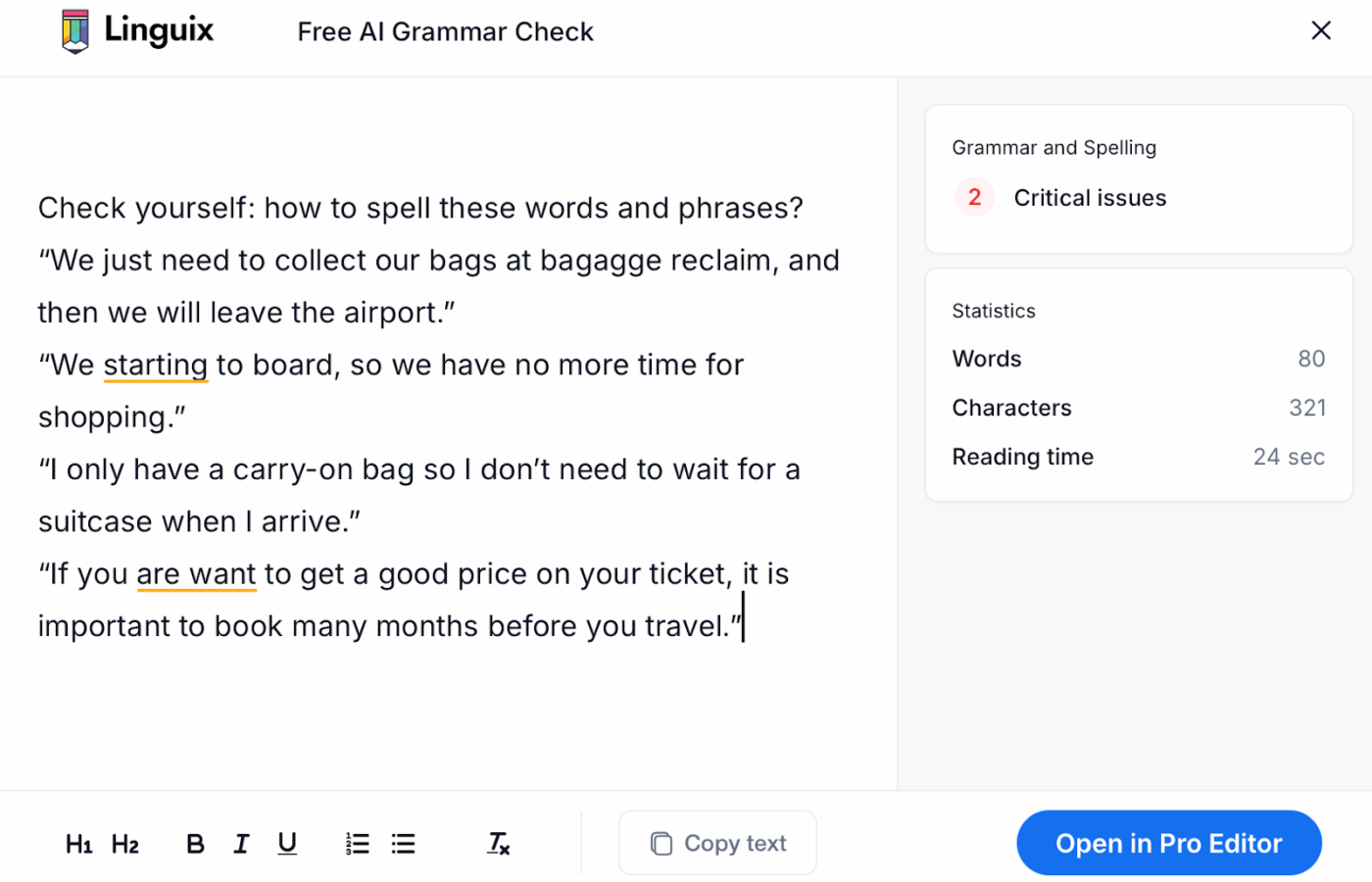
Linguix is an AI writing app for teams that need consistency, speed, and control across everyday communication.
It supports writing in multiple languages, including English, French, German, Spanish, Portuguese, Italian, and Polish. With Shortcuts, you can create custom text expansions like “//intro” that instantly expand into full, pre-written templates.
Linguix’s AI Rewriter can suggest alternate phrasing to improve clarity, tone, and readability, while Content Score evaluates complexity and quality. You can align writing with your target audience.
For sensitive work, Secret Mode ensures your text isn’t retained after the session ends, giving you a privacy-first editing environment.
A G2 user says:
It is one of the best tools that we have used for writing important documents for our company, it provides us with an assistant with artificial intelligence technology that helps us deliver projects, tasks and articles without spelling or grammatical errors, it also offers us courses to improve writing and debugging repetitions.
⚡ Template Archive: Best Docs Templates for Every Use Case
How do you make AI-driven decisions reliable across an entire organization, not just inside a single chat window?
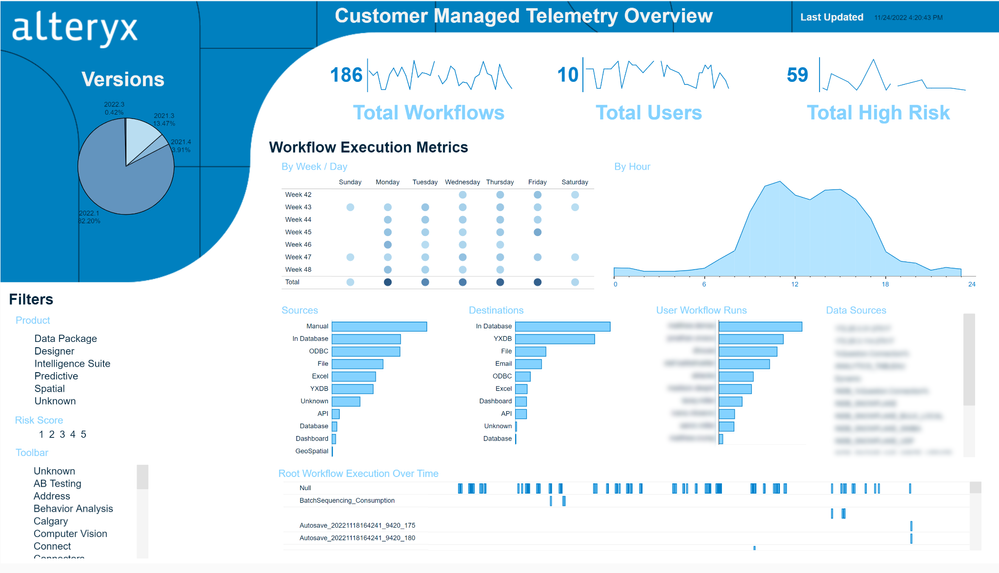
Alteryx is an analytics platform that operationalizes decision-making at enterprise scale. It can convert your raw, fragmented data into governed, repeatable decision workflows.
Alteryx connects directly to the systems that store your business data, including AWS, Google Cloud, and Salesforce, and offers 100+ prebuilt connectors.
With it, you can search your data, prompt in natural language, assemble visual workflows, and share them across teams. Role-based access, version control, and run-level logging features ensure your automated decisions remain secure, auditable, and explainable.
A G2 user says:
Alteryx is authentic and intelligent in data blending and preparation, which enables advanced analytics to be performed easily. The program has enabled swift statistical, predictive, and spatial analysis under a single application. Alteryx is time-focused, with automation that drives speed and efficiency.
📚 Also Read: Your Complete Guide to Workflow Automation
Krater.ai is an AI tool suite that helps you create textual and visual context in seconds.
Pick from ready-made roles like data analysts, educators, marketers, developers, or researchers to guide outputs with clearer intent.
On the content side, Krater supports image generation and editing through natural language. You can describe a scene, modify backgrounds, adjust lighting, change colors, or add elements using simple commands. It also supports basic animation workflows, letting you upload an image and describe how you want it to move.
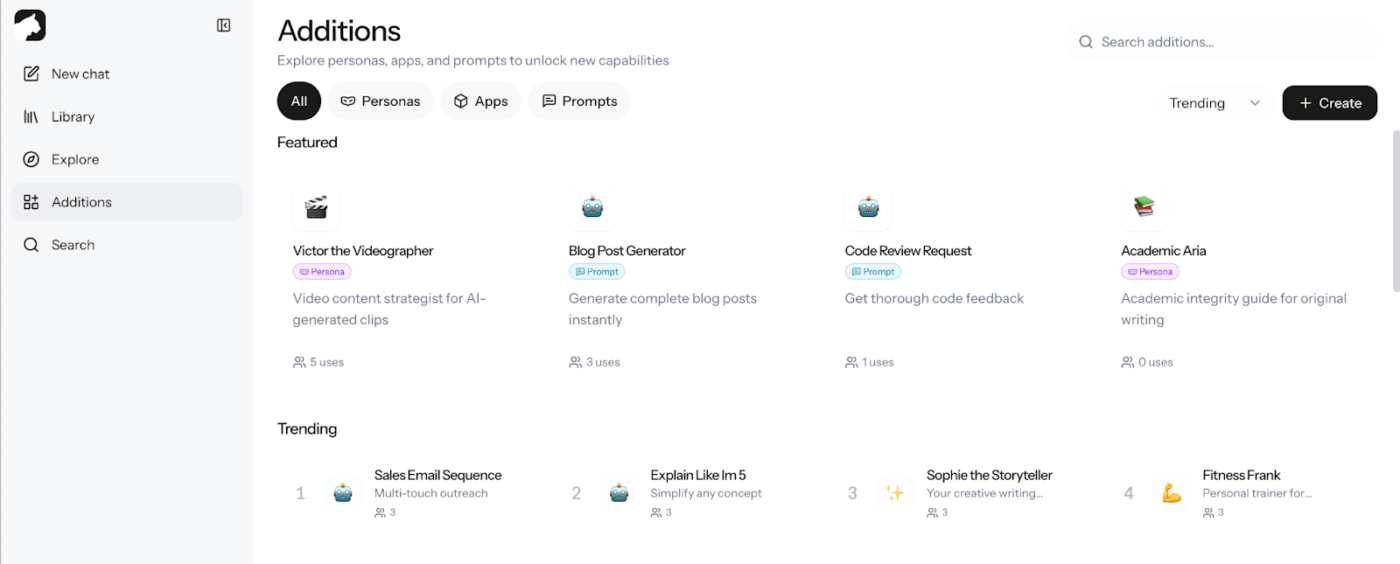
What sets Krater apart is its modular “additions” library. These prompt-based tools cover use cases like SWOT analysis, competitor research, transcription, survey design, headline generation, and SQL queries.
A G2 user says:
I really like how simple and intuitive the platform is, it doesn’t feel overwhelming, even if you’re new to AI tools. The response speed is impressive, and I found the generated content to be relevant and creative. I also appreciate that Krater.ai combines multiple AI features in one place, which saves me time switching between different apps.
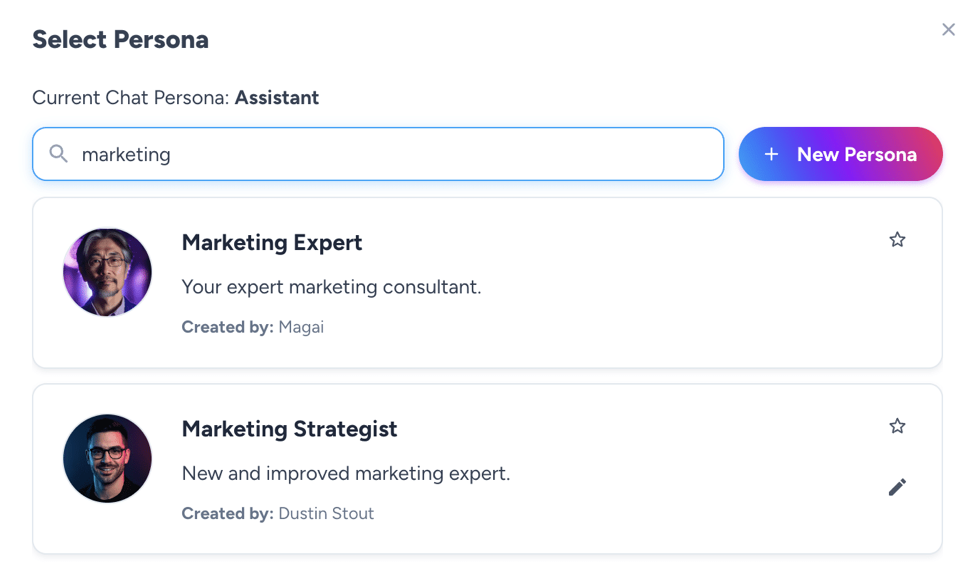
The all-in-one generative AI platform Magai allows you to switch AI models mid-conversation and reuse GPT instructions across models. Magai centralizes them on a single dashboard.
You can save prompts, organize chats, and upload files. For team collaboration, invite your colleagues into AI chat that retains conversations and context. Going forward, set custom access and permissions at the team or project level.
The prompt enhancer auto-upgrades vague prompts to high-quality inputs. Magai includes over 40 built-in personas that handle different types of work, from writing and customer support to analysis and technical utilities like generating regex patterns. These personas also store your instructions once and apply them across every model.
A G2 user says:
Magai has everything you can imagine. Text to text chats contain options for well over 30 LLMs and the team adds and purges as new models are developed. Text to Image and Image to Image models are also extensive, and includes the ability to develop your own Flux based LoRA. The chat functions are easy to use, including being able to switch your LLM midstream and personas.
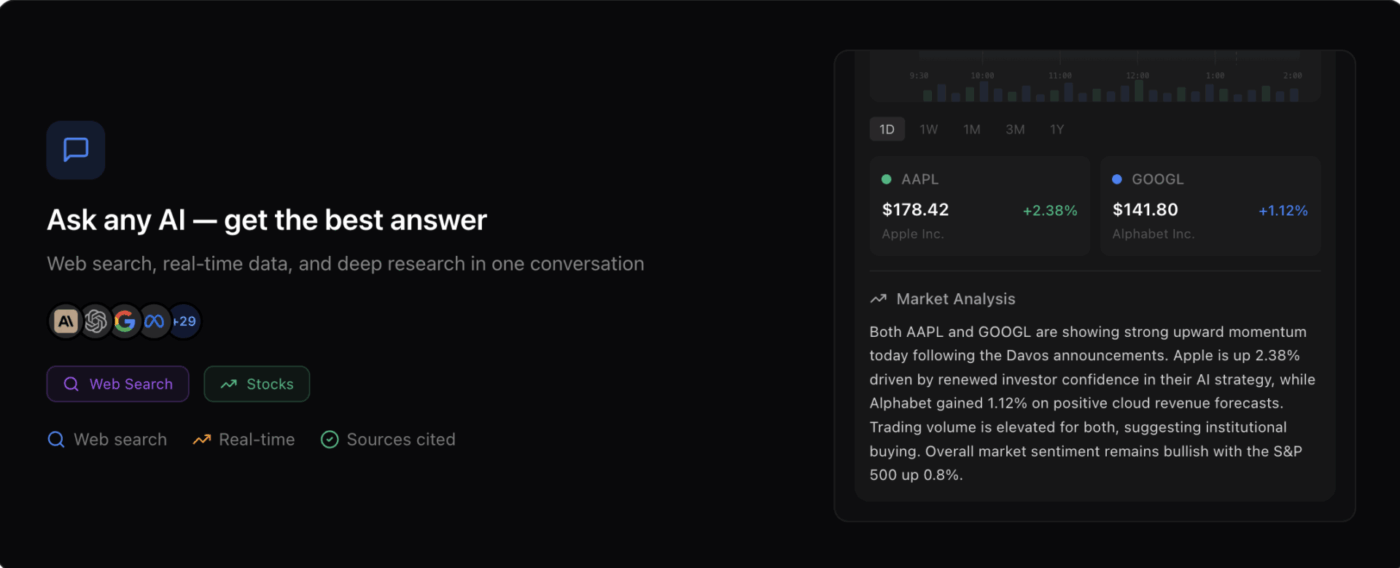
NinjaChat AI is an all-in-one assistant platform that consolidates external AI models, such as GPT-4, Gemini, and Claude, into a central hub.
You can use NinjaChat for writing blog posts, ad copy, emails, essays, and citations, with dedicated tools for platforms like Google, Facebook, LinkedIn, and Instagram. If you’re working with long text, you can summarize or rewrite it to sound more natural.
When you need to work with visuals, you can generate images from text, remove backgrounds or watermarks, and improve image quality. You can also convert media into text by transcribing audio, video, speech, and images.
Most of these AI tools live outside your work. ClickUp’s converged AI workspace, on the other hand, sits right within your tasks, projects, and daily workflows.
ClickUp combines AI with live projects, tasks, documents, conversations, and timelines in one system. That means AI understands not just what you’re asking—but what’s already happening, what’s blocked, and what needs to move next.
The benefits of convergence are:
Ready to explore the power of a converged AI workspace? Sign up on ClickUp for free.
Galaxy AI is great for quick, on-device help (summaries, edits, translations), but it’s not built to carry context across projects. Once work spans docs, tasks, approvals, and multiple people, you need a system that keeps decisions, files, and follow-ups connected—not scattered across apps.
Prioritize tools that keep work persistent and shareable:
1) shared spaces for docs and tasks
2) permissioned collaboration
3) integrations with your stack
4) AI that can turn outputs into assigned action items with owners and due dates
AI answers are one-off responses (summaries, rewrites, ideas). AI execution means the system can apply those outputs to work—creating tasks, updating docs, assigning owners, triggering automations, and tracking progress—so insights don’t die in a chat window.
Teams reduce AI sprawl by centralizing where work happens. Keep prompts, outputs, decisions, and follow-ups inside a shared workspace (docs + tasks + chat) so results are searchable, permissioned, and reusable—instead of scattered across personal chats and tabs.
General AI tools are powerful, but they don’t automatically understand your project structure, ownership, and timelines. A workspace tool adds the missing layer: it connects AI output to execution, so your team can move from “insight” to “done” without manual copy-pasting.
© 2026 ClickUp