

Sorry, there were no results found for “”
Sorry, there were no results found for “”
Sorry, there were no results found for “”
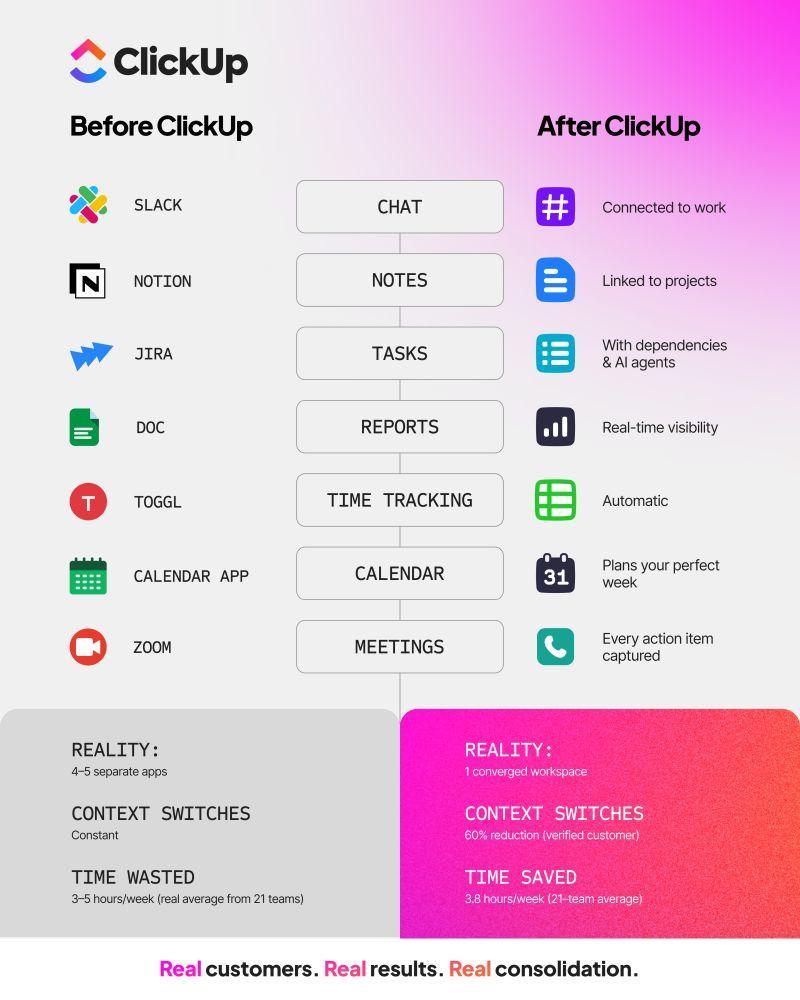
The average org now juggles 75 different martech tools. And two in every three marketers use 16+ apps just to get through their day.
If you thought tool sprawl itself was a problem for marketers, wait till you hear this: the real catch is that these tools don’t talk to each other.
Recent Gartner research shows that only about 49% of tools in a typical marketing tech stack are actively used. That means half the stack is adding cost and complexity without pulling its weight.
So, what’s the solution?
It’s so intuitive yet so hard to implement: tool consolidation.
That’s why, in this post, we’ll break down the process of consolidating the marketing tech stack. We’ll share how pairing your stack with AI that actually understands your work helps teams move faster, stay aligned, and finally get real value from AI.
Marketing tech stack consolidation is the process of replacing scattered, single-purpose marketing apps with a unified platform. This brings your core marketing functions—like project management, content creation, campaign tracking, and team collaboration—into one connected environment.
Consolidation creates a single source of truth for all your marketing work.
This doesn’t mean settling for a clunky, all-in-one tool that does everything poorly. It means choosing a modern, converged workspace where specialized capabilities are built on a shared foundation, giving your team and your AI the full context they need to succeed.
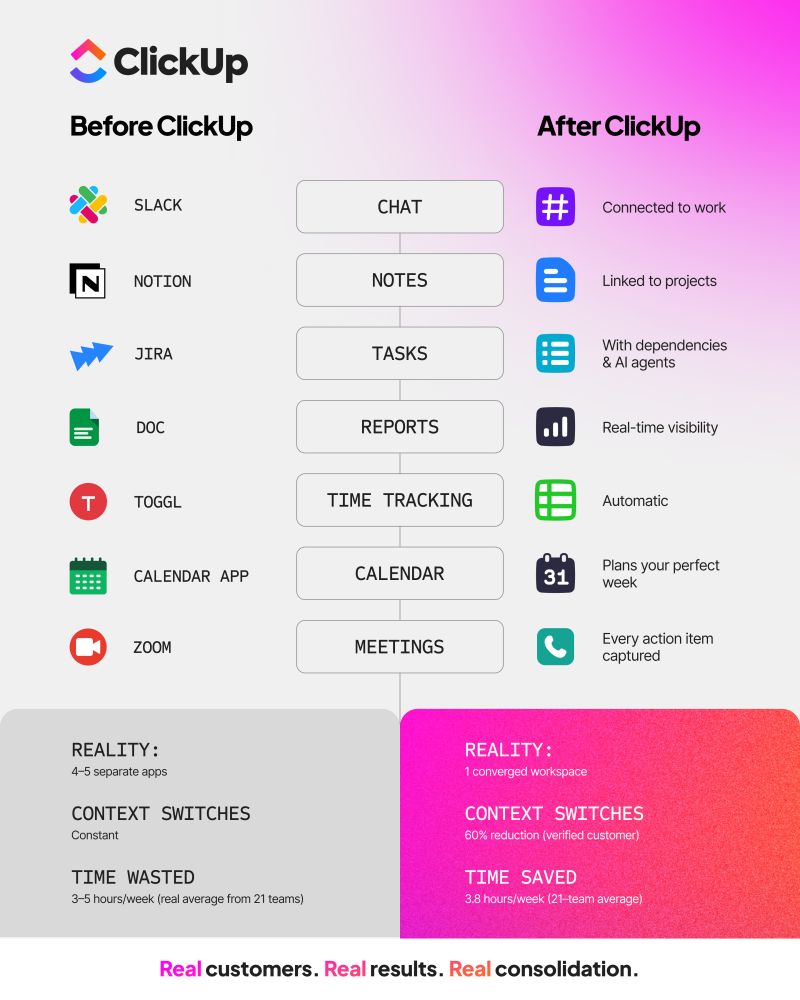
Most stacks have grown organically—one tool for planning, another for content, another for approvals, another for reporting. On paper, it looks powerful. In practice, it’s exhausting. Because when your context lives everywhere, you end up losing momentum.
When your customer data is scattered across a dozen different platforms—your CRM, email tool, analytics software, and social media apps—you never get the complete picture of your user experience map. This forces your team to make critical marketing decisions based on partial information, turning personalization into a guessing game.
Trying to calculate campaign attribution becomes a nightmare of exporting spreadsheets and manually stitching data together, leaving you with an outdated and incomplete view of what’s actually working.
Using generic AI tools trained on the public internet is like asking a stranger to write your marketing copy. They don’t know your brand voice, your product’s unique positioning, or what messaging has resonated with your audience in the past.
The result is “workslop”—AI-generated content that technically fills the page but lacks the specific personality and insight that makes marketing effective. Your team ends up spending just as much time editing this generic output as they would have writing it from scratch, defeating the purpose of using AI in the first place.
The only fix is an AI that’s connected to your actual workspace—your briefs, brand guidelines, and winning campaigns.
🔑 Key Takeaway: Connected AI produces on-brand content because it has context; disconnected AI produces filler because that’s all it knows.
📮ClickUp Insight: 62% of our respondents rely on conversational AI tools like ChatGPT and Claude. Their familiar chatbot interface and versatile abilities—to generate content, analyze data, and more—could be why they’re so popular across diverse roles and industries.
However, if a user has to switch to another tab to ask the AI a question every time, the associated toggle tax and context-switching costs add up over time.
Not with ClickUp Brain, though. It lives right in your Workspace, knows what you’re working on, can understand plain text prompts, and gives you answers that are highly relevant to your tasks! Experience 2x improvement in productivity with ClickUp!
👀 Did You Know? 68% of employees say they lack enough uninterrupted focus time during the workday.
Every time a marketer has to jump from their project plan to a separate document app to find the brief, then to a chat tool for feedback, they lose focus. This constant context switching creates a heavy cognitive load, draining mental energy that should be spent on creative work.
The pain of a fragmented tech stack goes far beyond the obvious subscription fees. Disconnected tools create a web of hidden costs that drain your budget and productivity. These include:
🔑 Key Takeaway: These costs rarely appear as a single line item on a budget report, making them easy to ignore. But when you add them all up, the total cost of ownership for a fragmented stack is often shockingly high. Companies waste an average of $21 million per year on unused SaaS licenses alone.
When your tools and teams operate with shared context in a unified workspace, those pain points flip into powerful advantages.
Off-brand colors and outdated messaging that harm brand recognition slip into campaigns when guidelines live in a forgotten PDF. A consolidated stack keeps brand standards close to the work itself. So, teams reference the right voice, visuals, and messaging while they’re creating—not after.
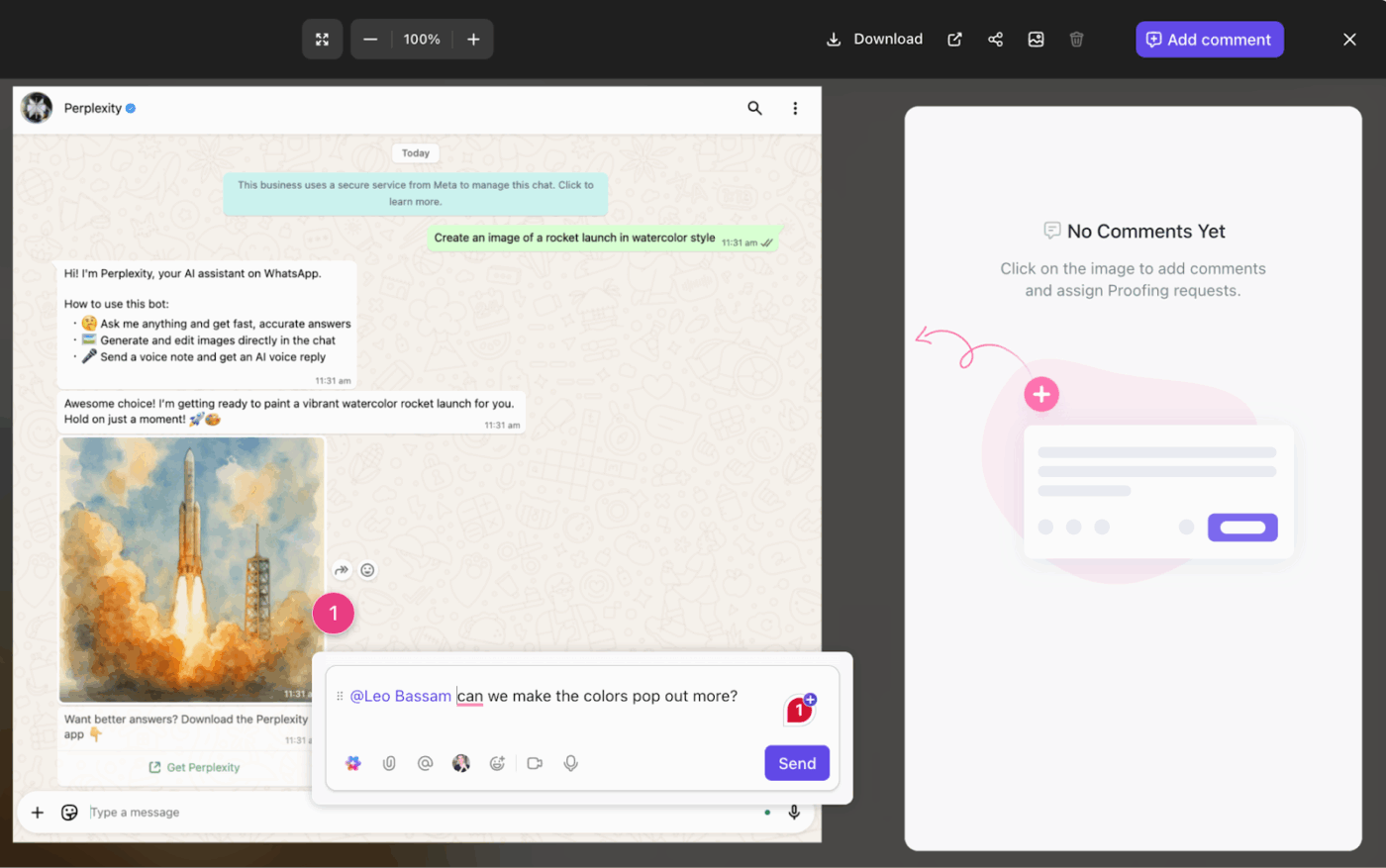
💡 Pro Tip: Enforce visual and tonal consistency for every new campaign, blog post, or social graphic with ClickUp Templates. Ensure every piece of content is on-brand before it goes live using built-in ClickUp Proofing and approval workflows. Your team, partners, and clients can review and comment directly on the work in full context (not in a confusing email thread).
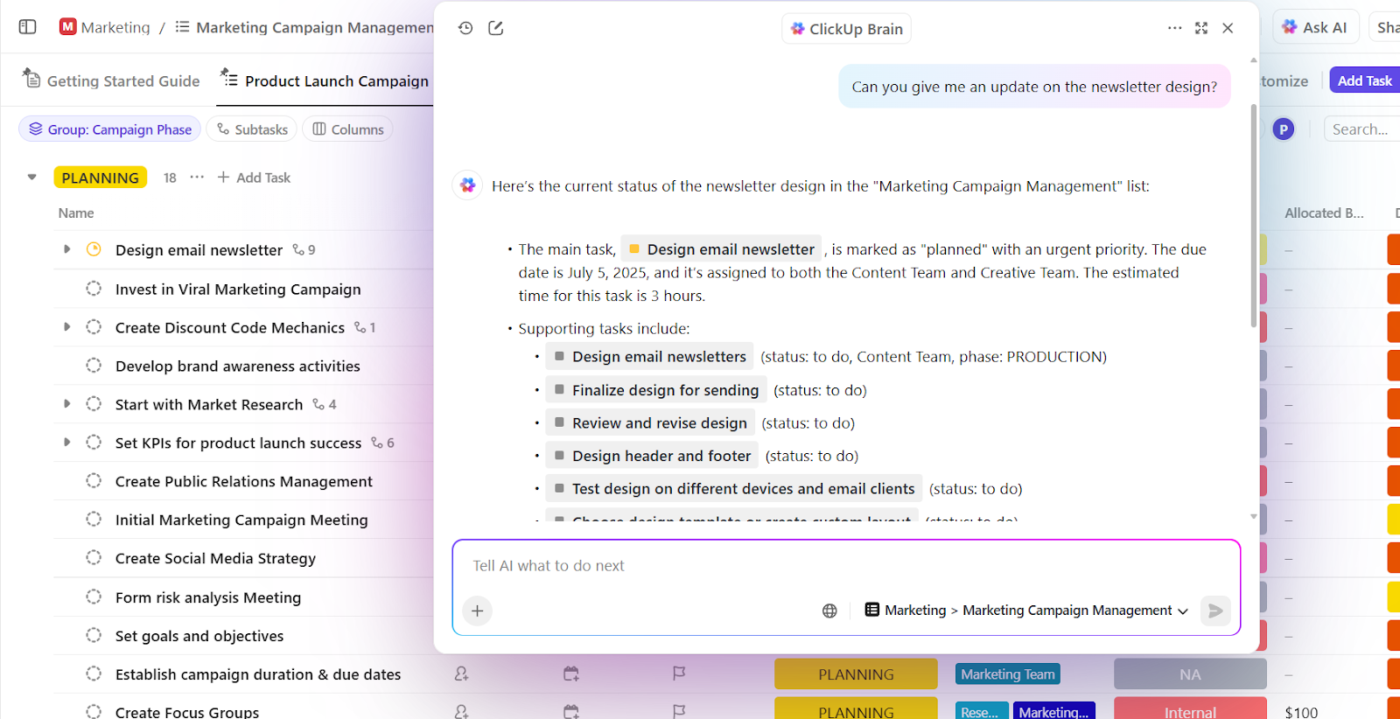
Generic AI tools are a dead end. They can’t produce great marketing content because they have no context about your business. Connected AI can instantly search your entire workspace, reference past campaigns, and understand your unique brand voice.
Connected AI that understands your business is possible with ClickUp Brain and AI Super Agents. These are not bolt-on integrations; they are native AI features that use your specific workspace context.
🌟 Use them to:
Endless handoffs and coordination overhead slow down campaign execution and delay launches.
Consolidation removes those gaps:
💡 Pro Tip: Build a seamless brief-to-execution pipeline with ClickUp Automations.
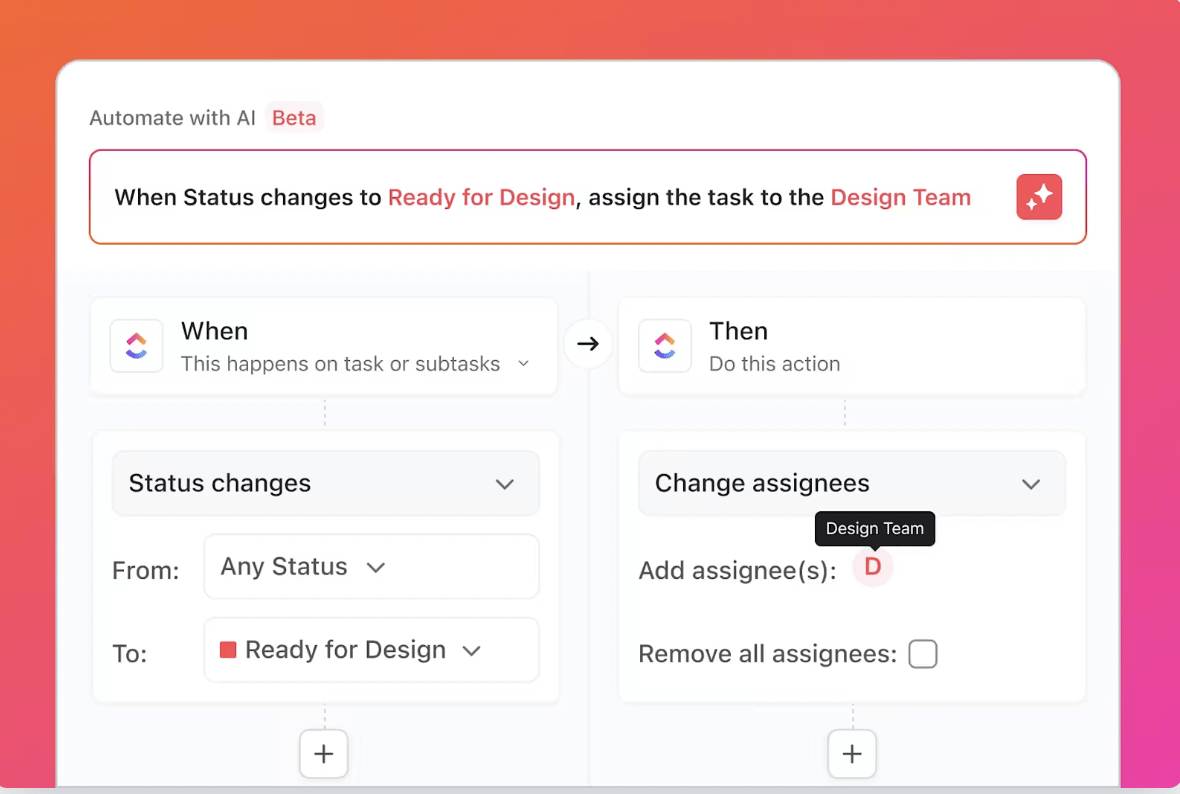
📌 For example, you can set an Automation to automatically create a full task structure with assignees and due dates the moment a creative brief in a ClickUp Doc is approved. To take your automation even further, try the Email Automation with ClickUp Template to streamline repetitive campaign tasks.
Connecting your team’s hard work to actual business results is nearly impossible when data is scattered.
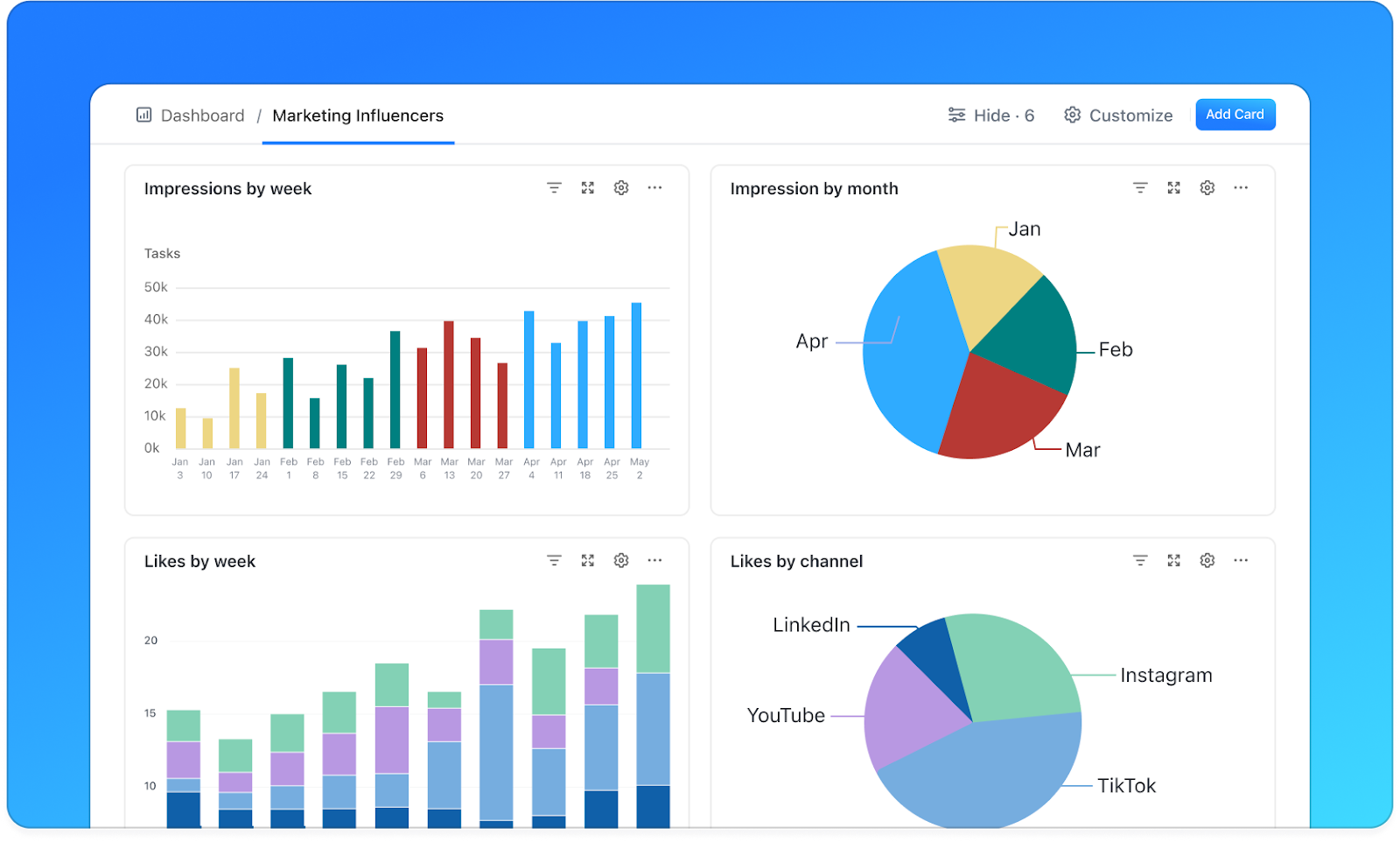
Teams spend hours pulling data, reconciling numbers, and explaining gaps. A consolidated stack ties execution and outcomes together, so leaders can see what’s tanking and what’s driving results, without waiting for manual reports.
💡 Pro Tip: See real-time campaign performance right alongside the tasks and workflows that produced it by building custom ClickUp Dashboards. This gives your team and leadership a clear, immediate understanding of which channels, content types, and strategies are delivering the highest return on marketing investment.
The difference between a standalone AI writing tool and an AI embedded in your workspace is simple: context. A disconnected AI tool only knows what you paste into the prompt box. Every time you use it, you start from zero, manually feeding it the information it needs to do its job.
A connected AI, on the other hand, has persistent context. It’s like the difference between hiring a new freelancer for every project versus having a seasoned team member who has been in every meeting. The freelancer might be skilled, but they’ll take time to develop the deep business knowledge to produce truly strategic work.
🎥 To better understand the landscape of AI marketing tools and how they can fit into your overall strategy, watch this overview of available options and their capabilities.
Full workspace intelligence is what a connected AI like ClickUp Brain provides.
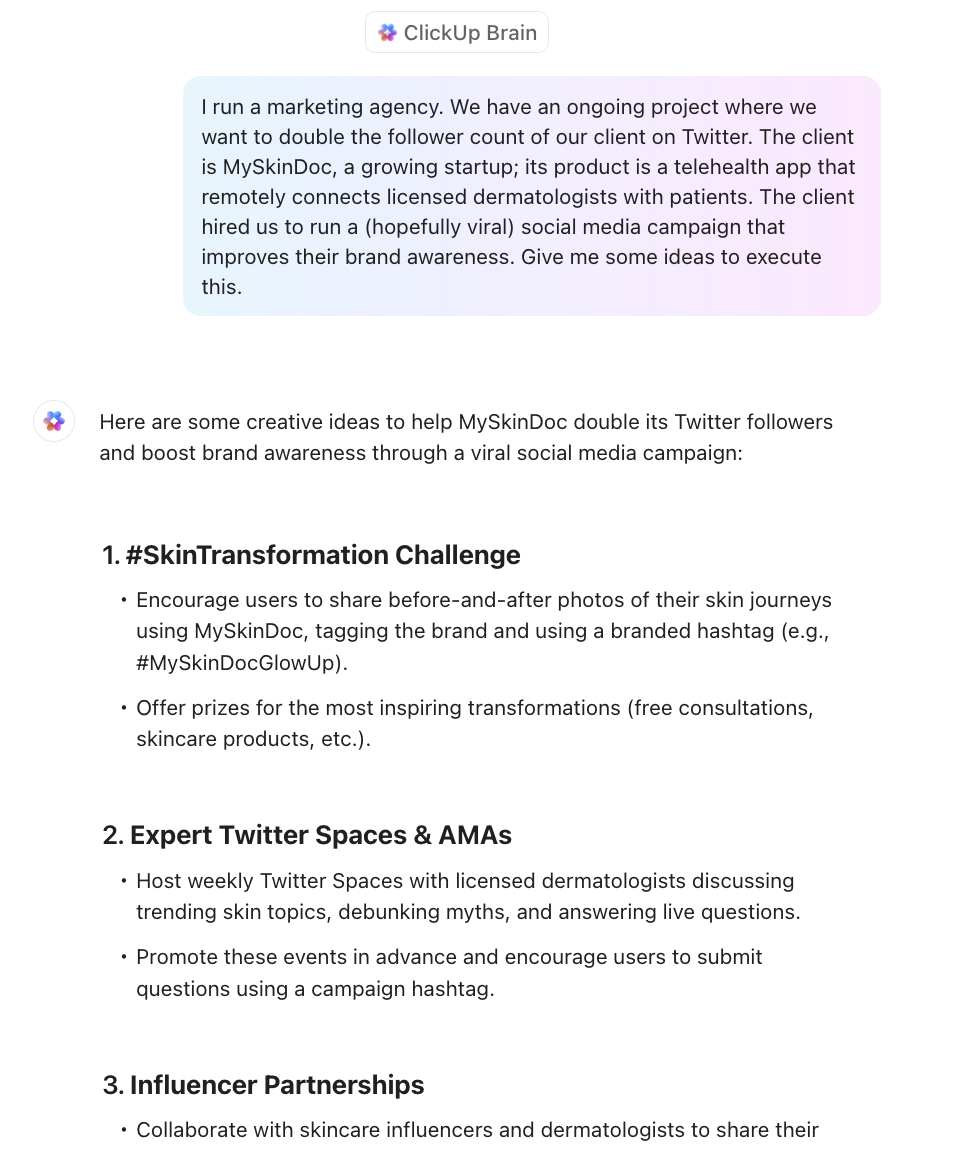
It learns from your projects, your team’s collaboration patterns, your brand assets, and your historical performance data. This is what allows it to move beyond generic “workslop” and produce content that is genuinely insightful and ready to publish.
| Capability | Disconnected point solutions | Connected AI workspace |
|---|---|---|
| Brand voice consistency | Manual prompt engineering every time | Learns from your existing content |
| Cross-campaign insights | Manual data export and analysis | Surfaces patterns automatically from campiagn data stored in your workspace |
| Brief-to-content pipeline | Multiple tool handoffs | Automated within a single workspace |
| Context retention | Surfaces patterns automatically from campaign data stored in your workspace | Builds on accumulated knowledge |
Tech stack consolidation isn’t a weekend project, but it doesn’t have to be a painful, multi-year initiative either. Prioritize quick wins with this step-by-step approach:
First, you need to know what you’re working with. Document every single tool your marketing team uses—including the “shadow IT” apps that people adopted without official approval.
For each tool, note:
✅ Create a simple matrix with your tools on one axis and your core marketing functions (e.g., project management, content creation, analytics, collaboration) on the other. This will immediately highlight where you have redundant tools doing the same job, revealing the clearest opportunities for consolidation.
Before you can fix a broken process, you have to see it clearly. Use process mapping to visualize your team’s most important workflows, like campaign planning, content creation, and performance reviews. For each workflow, identify every step, every handoff between people or tools, and every point where delays or friction occur. This process analysis reveals the true cost of fragmentation.
✅ Use ClickUp Whiteboards to visually map every stage of a campaign, from intake to launch. You can depict handoffs, approvals, and tool switches using various shapes, sticky notes, and text fonts. Embed tasks, link Docs, and tag owners directly on the board, turning a simple diagram into a live, interactive system.
This makes friction impossible to ignore. If a workflow jumps between three tools before content is approved, you’ll see it immediately and know exactly where consolidation creates leverage.
Consolidation doesn’t mean getting rid of every specialized tool. The goal is to have fewer tools that are better integrated. Make a list of the capabilities your team absolutely cannot function without.
Be brutally honest and specific.
📌 For example, “needing to schedule social posts” is different from “needing native Instagram carousel scheduling with automated first-comment replies.”
Separating the “must-haves” from the “nice-to-haves” will help you evaluate new platforms effectively and decide which specialized tools are worth keeping.
If AI is part of your strategy, this step is non-negotiable.
When you’re ready to evaluate new platforms, prioritize two key areas: native AI and integration depth.
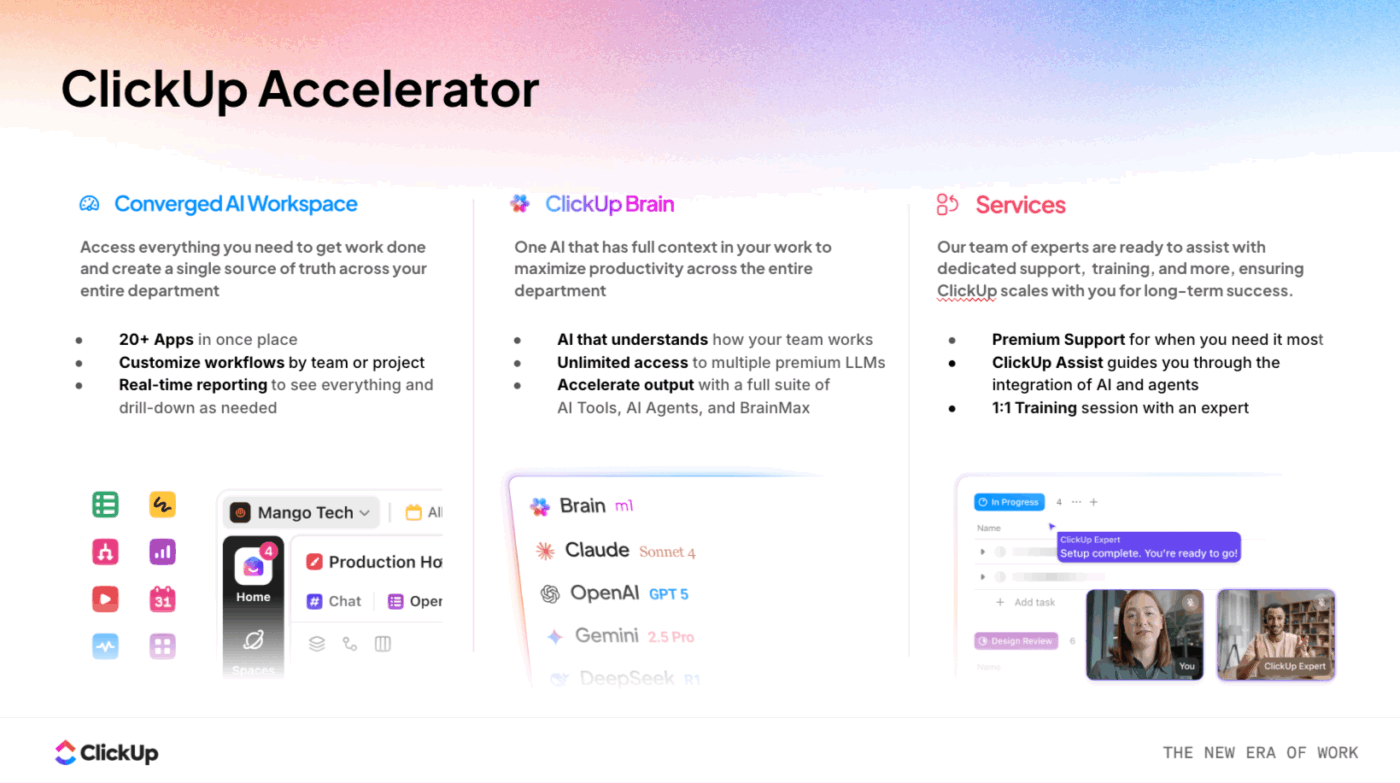
That’s why many teams now prioritize converged workspaces with embedded AI—so agents can assist with planning, drafting, summarizing, and reporting using real context. This is also why turnkey solutions like ClickUp Accelerator focus on AI that’s activated within day-to-day work, not layered on top of it.
🧠 Fun Fact: ClickUp has replaced 3 or more tools for ~41% of our users!
And, here are some other benefits of consolidating your tech stack with ClickUp:

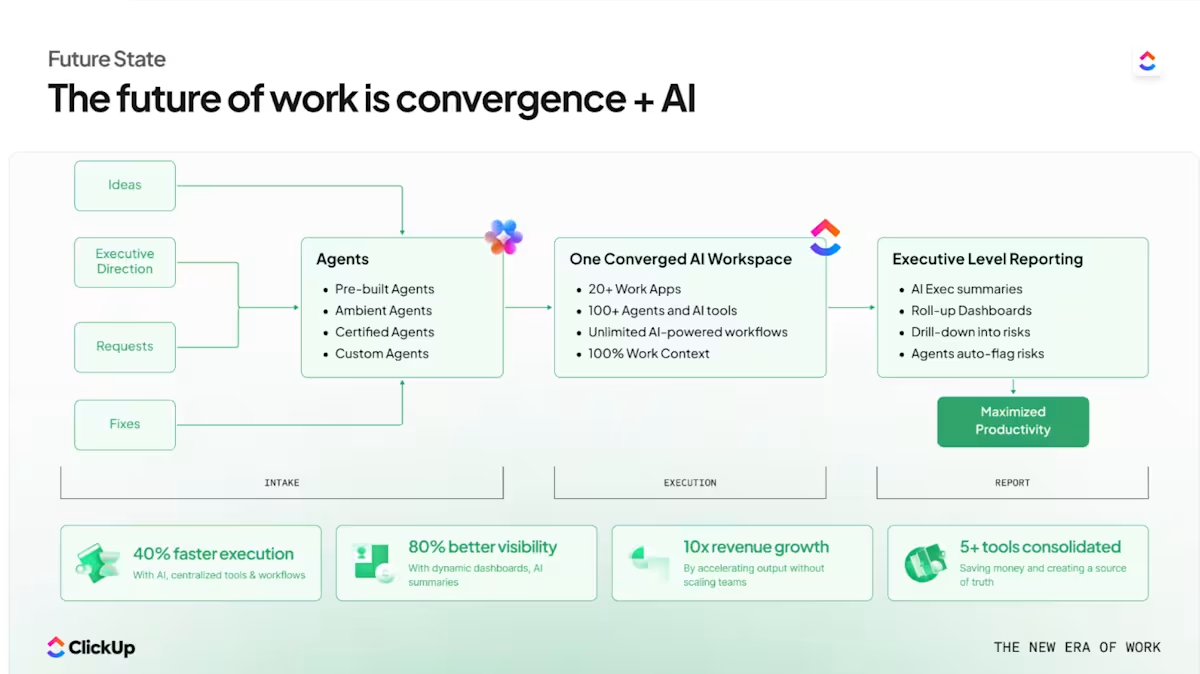
With the ClickUp Accelerator for Marketing Teams, you start in a pre-built (but customizable) converged workspace where planning, execution, collaboration, reporting, and AI already work together.
Here’s how it makes you more productive from day one:
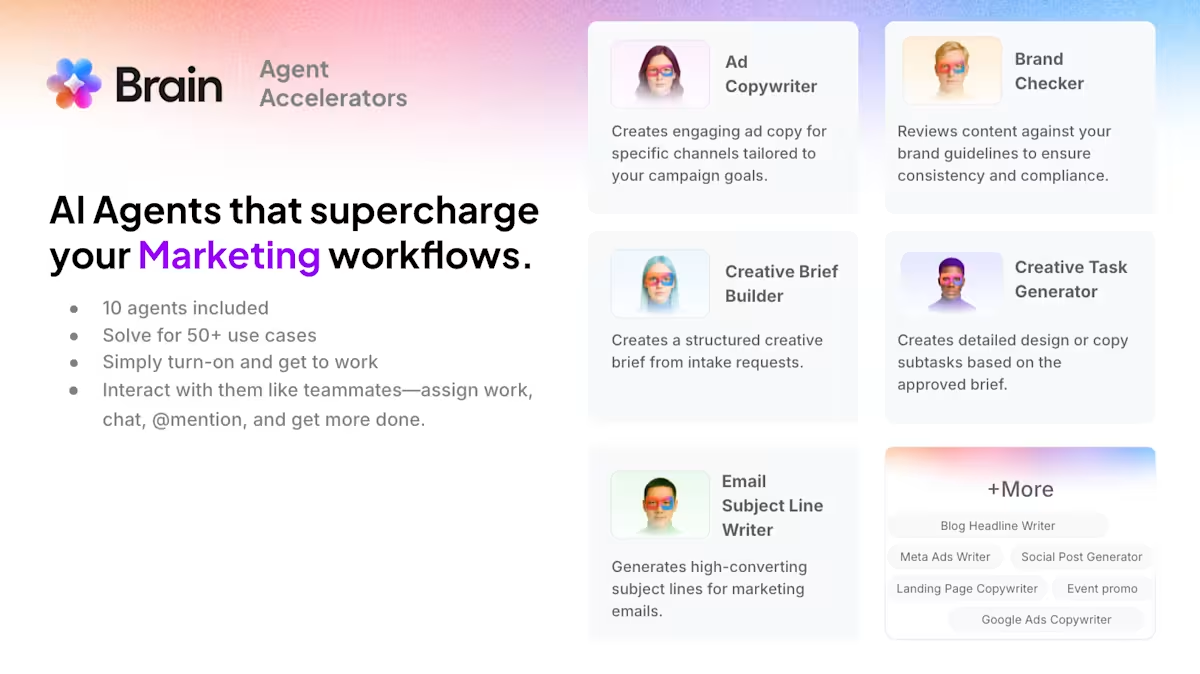
Why this matters
Accelerator helps marketing teams go live in days, not months. It reduces tool sprawl first, then activates AI inside the work. This makes it easier for teams to trust the output and for leaders to see results fast.
ClickUp has eliminated our reliance on 4-5 separate tools (Trello for tasks, Confluence for docs, separate spreadsheets for OKRs, etc.). This consolidation reduces context-switching, improves visibility across departments, and creates a single source of truth for project status. For instance, our customer success team now links client health scores directly to renewal tasks, triggering automated reminders based on usage data from our platform. Leadership uses real-time Dashboards to monitor pipeline health and team bandwidth during scaling phases. The cost savings from tool consolidation alone justified the investment – but the real ROI comes from faster decision-making and fewer missed handoffs.
Don’t try to boil the ocean. A phased migration is the key to a successful transition. Start with one workflow or one team, prove the value, and then expand from there. A typical phased rollout might look like this:
Before you begin, define what success looks like. Key metrics might include:
Track these metrics throughout the consolidation process to demonstrate the impact of your efforts.
Consolidation is not a one-time project; it’s an ongoing process of optimization.
A campaign manager starts their day by opening one unified workspace instead of ten different tabs.
They see every active campaign, every pending approval, and every piece of content in progress on a single dashboard. ✨
They ask the context-aware workspace AI to draft social copy for an upcoming launch. The AI already has the campaign brief, understands the brand voice, and knows what messaging performed well on similar launches in the past. The copy it generates is 90% of the way there, not 10%.
This happens when your tools share context instead of fragmenting it.
Your team shifts from being reactive—chasing updates and manually compiling reports—to being proactive, with insights surfaced automatically and workflows that run themselves.
🌟 Case in Point: Cartoon Network’s social media team consolidated planning, collaboration, and execution into ClickUp, replacing scattered tools with one shared workspace. As a result, they were able to manage 2× more social channels with the same team size and launch campaigns months ahead of schedule—a clear signal of improved efficiency and coordination.
Anybody on the global marketing team can find the social publishing plan, the YouTube plan, and the strategy doc, and they can even get the link to our social media report. They can go back and see reports from old campaigns and understand what worked and what didn’t work.
ClickUp is the world’s first ClickUp Converged AI Workspace—a single, secure platform where projects, documents, conversations, and analytics live together with contextual AI embedded as the intelligence layer. It’s designed to bring your project management, documents, collaboration, and AI into one platform. For marketing teams, this eliminates the fragmentation that kills productivity and creativity.
Replace a handful of disconnected tools with a single, connected hub in ClickUp. Run your campaigns from start to finish with dedicated features for campaign management, ClickUp content calendars, and approval workflows. And for the few specialized tools you need to keep, all your work and data stay connected to your central source of truth through deep ClickUp integrations.
Eliminate martech sprawl and give your AI the context it needs. Try ClickUp for free!
Cutting tools is simple subtraction, while tech stack consolidation is strategic replacement. Consolidation goes hand-in-hand with choosing a unified platform that can handle multiple functions with shared context. It’s not limited to eliminating software and forcing your team to do more with less.
Most mid-sized marketing teams can complete an initial consolidation in one to three months. A phased approach is key, starting with project management, then moving to content workflows, and finally activating analytics and AI.
Traditional consolidation focused on reducing the number of tools. AI-powered consolidation prioritizes creating a unified context that makes your AI tools dramatically more useful, allowing the platform to become smarter as your team uses it.
The goal isn’t to replace every single specialized tool. It’s about reducing fragmentation where possible and ensuring deep integration for the essential, specialized tools that you keep.
© 2026 ClickUp



