






Still downloading templates?
There’s an easier way. Try a free AI Agent in ClickUp that actually does the work for you—set up in minutes, save hours every week.
Sorry, there were no results found for “”
Sorry, there were no results found for “”
Sorry, there were no results found for “”
Terminal-native agents like Claude Code have set a high bar for autonomous development. But for many engineering teams, a single-model ecosystem or a terminal-only interface can feel like a bottleneck.
Whether you’re looking to avoid vendor lock-in, manage scaling API costs, or find an AI that lives natively in your IDE, the right AI tools for developers can make work simpler.
In this guide, we’ll break down the best Claude Code alternatives so you can find the perfect partner for your stack.
The following table compares the leading Claude Code alternatives to help you find the right balance between terminal-first control and IDE-native flow.
| Tool | Best for | Best features | Pricing* |
| ClickUp | Teams of all sizes needing an all-in-one workspace to manage the full dev lifecycle | Unified AI-powered workspace with Codegen Agent for coding + task-to-PR automation and Brain for cross-app technical search, code generation and more | Free forever; Customization available for enterprises |
| Cursor | Developer-led teams that want an AI-native IDE with autonomous agents built directly into the coding workflow | Composer 2.0 for multi-file edits and Predictive Tab for high-speed autocomplete | Free; Paid plans start at $20/month |
| GitHub Copilot | Engineering teams already working inside the GitHub ecosystem who want AI integrated into pull requests and version control | Copilot coding agent for autonomous issue solving and enterprise-grade security logs | Free trial; Paid plans start at $4/month |
| Windsurf | Frontend and full-stack teams that want a visual, AI-assisted IDE with real-time UI previews | Cascade engine for real-time edit awareness and point-and-click UI adjustments | Free; Pro starts at $15/month |
| Amazon Q | AWS-focused engineering teams modernizing legacy systems or managing large cloud environments | AWS Transform for upgrading tech stacks and integrated network troubleshooting | Custom pricing |
| OpenCode CLI | Open-source and infrastructure teams that prefer terminal-native tools with deep customization | LSP integration for “IDE-grade” code intelligence and multi-session parallelism | Custom pricing |
| Gemini CLI | Large engineering teams working with massive repositories and complex system architectures | Massive 1M token context window and real-time Google Search grounding | Custom pricing |
| Cline | Security-focused enterprise engineering teams needing private AI coding workflows inside their IDE | “Bring your own inference” model and Plan-before-edit transparency | Free; Paid plans start at $20/month |
| Aider | Terminal-first developers and Git-heavy engineering teams that want full visibility into AI code changes | Automatic Git commits with sensible messages and repository mapping | Custom pricing |
| Continue | Platform and DevOps teams that need to enforce coding standards and policies across pull requests | Markdown-defined AI checks and continuous PR status automation | Starts at $20/month per user |
| Replit | Solo founders, startup teams, and rapid prototyping groups building full-stack apps quickly | Replit Agent for zero-config app building and a self-healing test loop | Free; Paid plans start at $20/month |
Our editorial team follows a transparent, research-backed, and vendor-neutral process, so you can trust that our recommendations are based on real product value.
Here’s a detailed rundown of how we review software at ClickUp.
While Claude AI is a suitable terminal-native agent, it isn’t a catch-all solution for every engineering workflow. If your priorities include flexibility, predictable costs, IDE-native workflows, or stricter data control, it’s worth evaluating other AI for software teams:
🧠 Fun Fact: One of the earliest AI coding systems, called Programmer’s Apprentice, was developed in the late 1970s. It could read partially written code, suggest next steps, and flag logical issues. Many ideas behind today’s AI coding tools trace back to this project.
Ready to compare the best features? Let’s get into the details now!
Claude Code focuses on generating and editing code inside the development environment. The surrounding work, like planning tasks, documenting decisions, tracking bugs, and reviewing progress, often exists somewhere else.
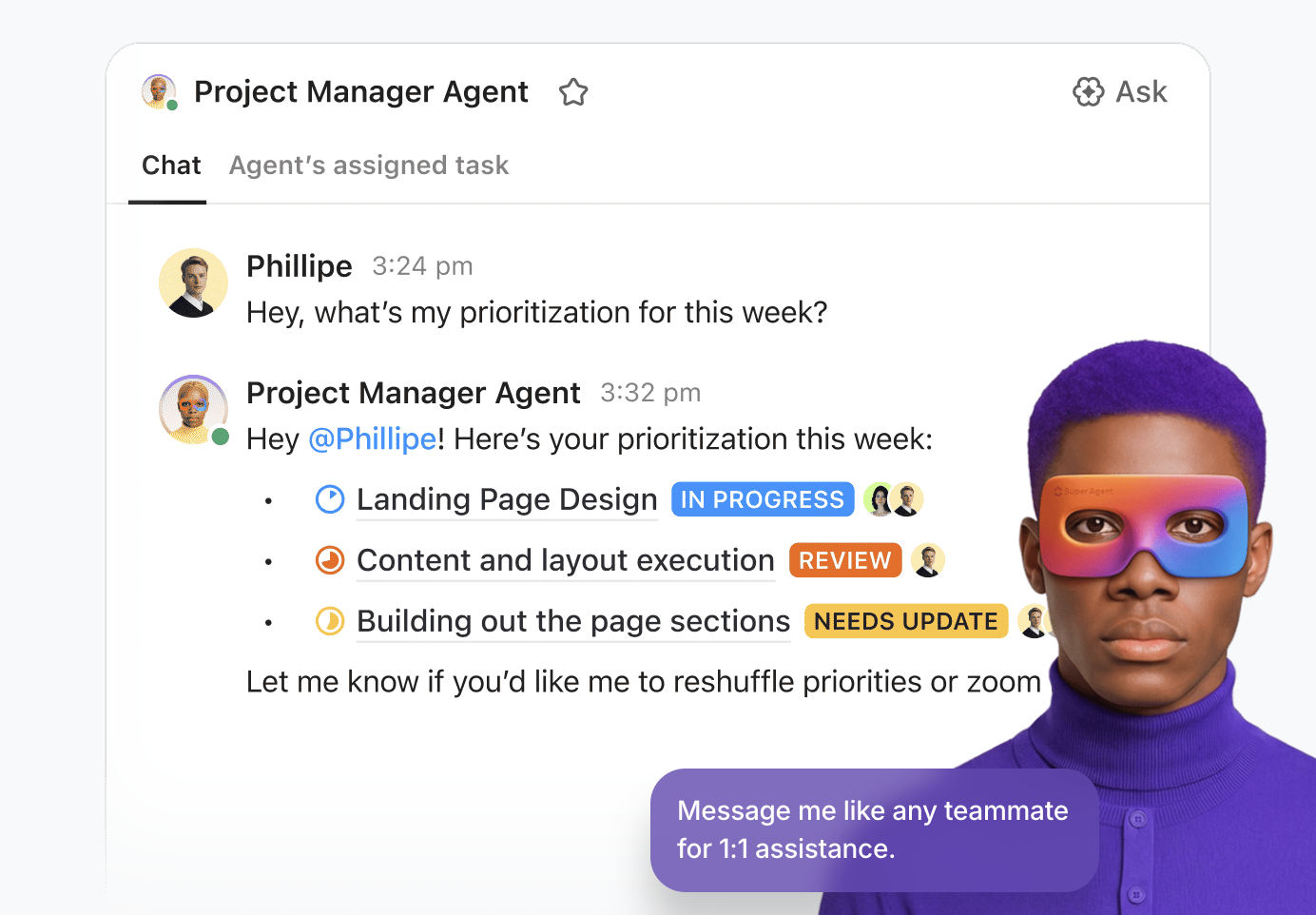
In contrast, ClickUp approaches AI software development support from a different angle than tools built only for writing or modifying code.
This Converged AI Workspace keeps your tasks, projects, documentation, automations, and AI connected in one system, so your team avoids Work Sprawl and moves through planning and execution in a single flow. Let’s see how!
Engineering teams write a large amount of documentation: feature specs, API notes, bug reports, onboarding guides, and architecture explanations. In most tools, those documents sit apart from the work they describe. Someone still has to translate the plan into tickets and assign the work manually.
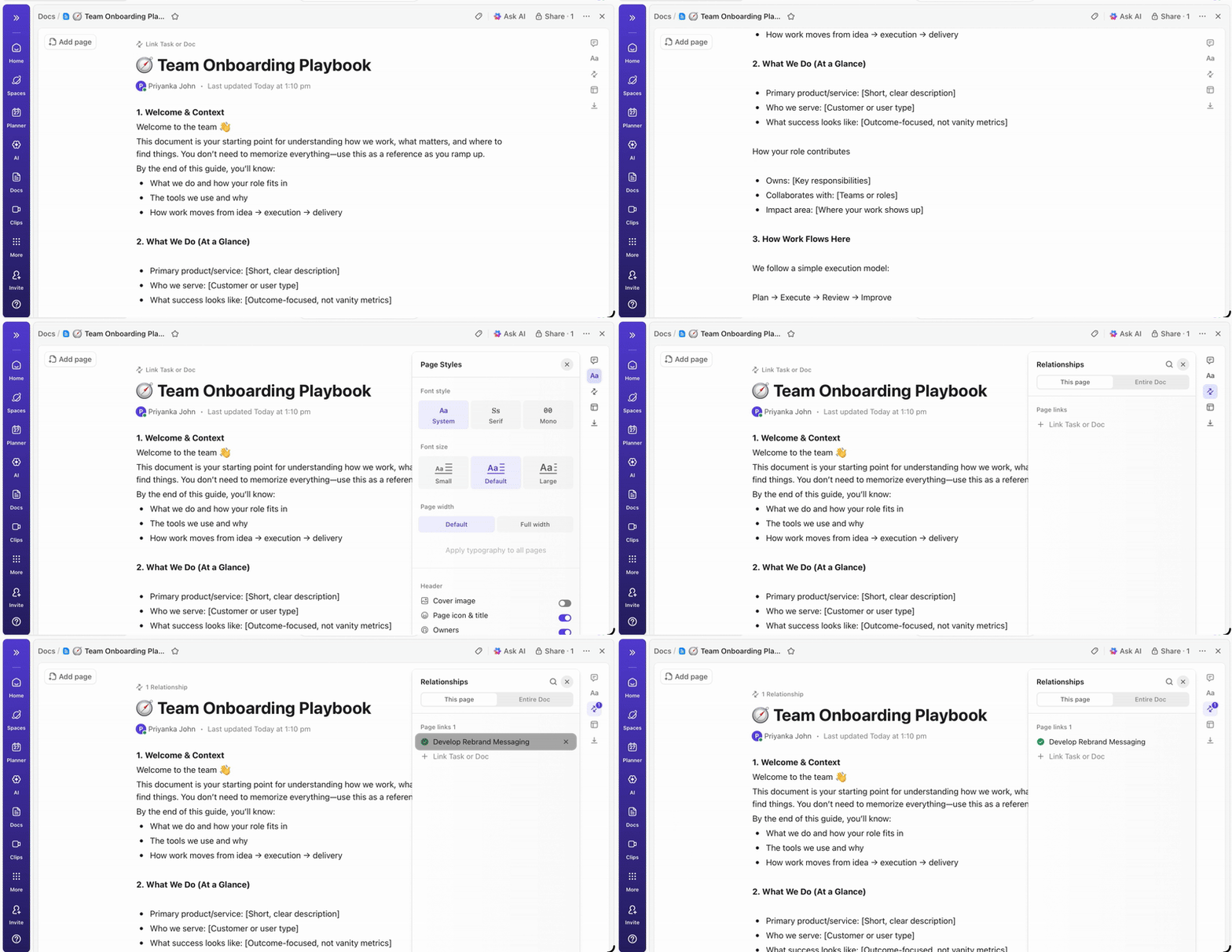
ClickUp Docs removes that step by placing documentation inside the same workspace as your development tasks. It makes it easier to build specs, roadmaps, and reusable software development templates.
Suppose a product manager drafts a feature specification. The document includes requirements, screenshots, and code examples using code blocks with syntax highlighting. As the implementation plan becomes clearer, sections of the document can be turned into ClickUp Tasks directly from Docs.
The Tasks remain linked to the original spec, so anyone reviewing the work can trace them back to the requirement that created them.
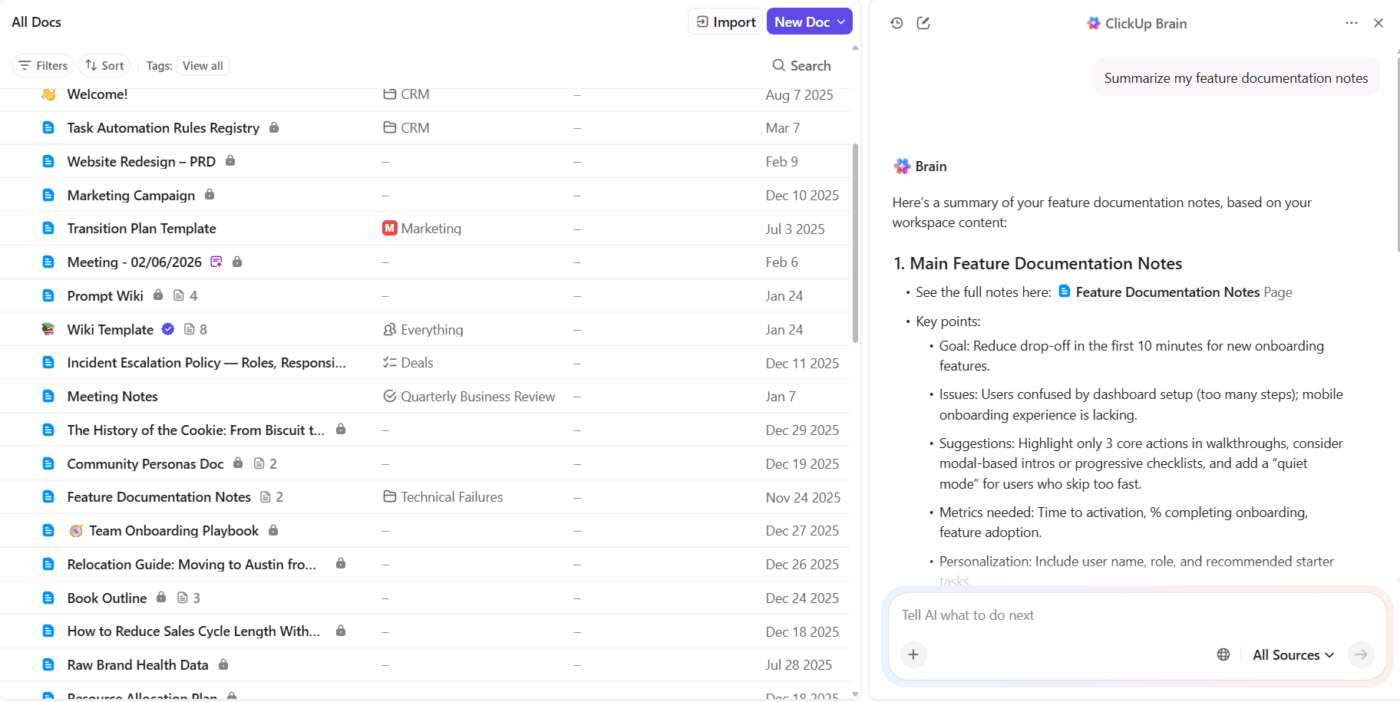
ClickUp Brain enhances this workflow by helping teams move from documentation to execution more quickly. It can read a specification, identify the main deliverables, and generate tasks from the document’s content.
For example, after writing a release plan, a product lead asks ClickUp Brain to review the document and create implementation tasks. AI generates a structured task list with descriptions and suggested owners, while keeping each task linked to the original spec.
Developers can also ask questions about the document itself, such as summarizing key requirements or extracting action items from a long technical outline.
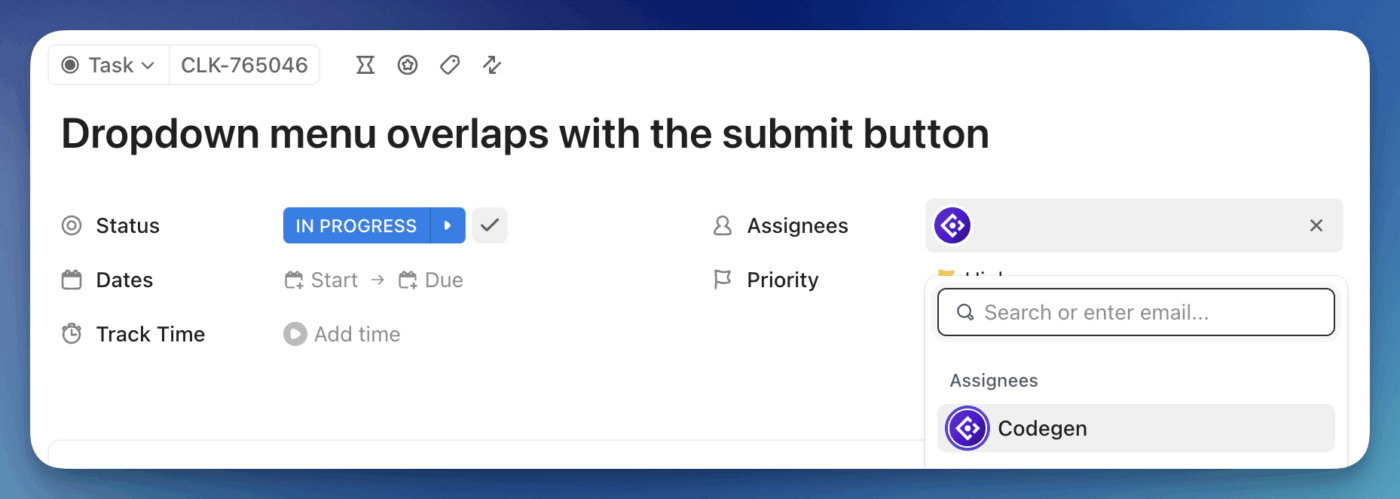
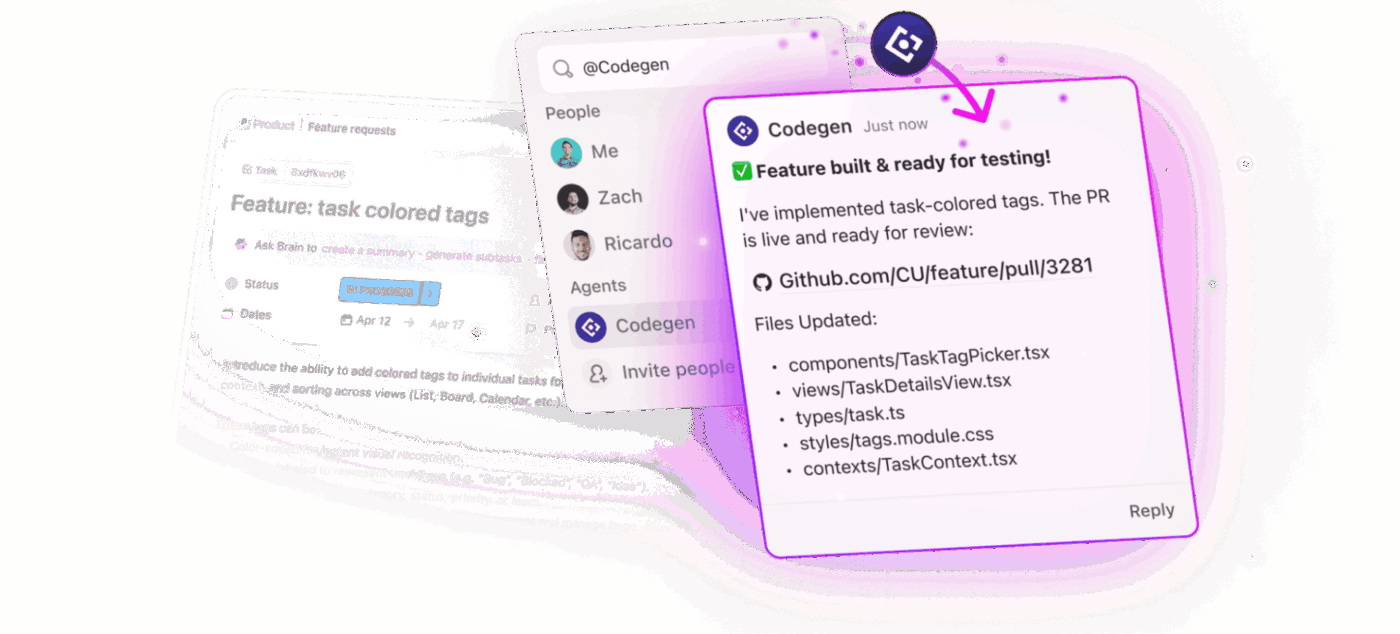
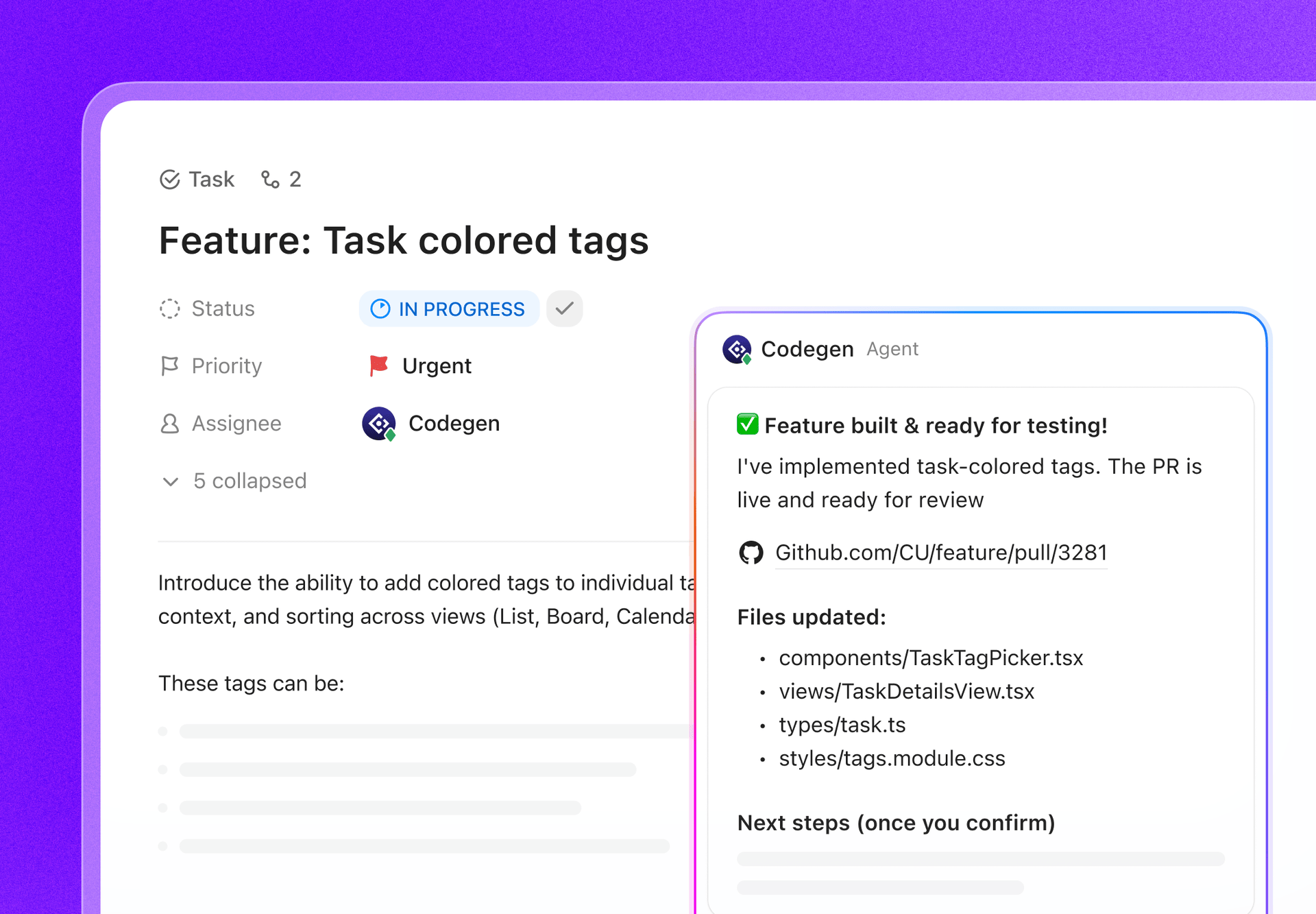
The ClickUp Codegen Agent generates code directly from the tasks your team already tracks.
When a feature request or bug report appears in ClickUp, Codegen reads the task context: the description, linked documentation, comments from product or QA teams, and any related requirements stored in ClickUp Docs. Based on that information, it produces the code changes and opens a pull request for review.
Consider a bug reported during QA testing. The tester attaches logs and reproduction steps to the task. Codegen analyzes those details, generates a proposed fix, and prepares a pull request linked to the original ticket. Engineers review the change instead of starting the fix from scratch.
Because Codegen runs in the same workspace as tasks, documentation, and discussions, it can leverage the surrounding project context when generating code. Teams move from task → code → pull request without recreating the same information across multiple tools. If you need more support coordinating workflows, just add another Super Agent to the workflow.
This is what a Capterra user said about ClickUp:
I really loved the layout, customization, UI, organization, views, and templates. Simply the best project management tool out there in terms of depth and customization. Best look and feel also. I have used over 5 different software.
💡 Pro Tip: Never ask for code in your first prompt. Instead, use a 3-step handshake:
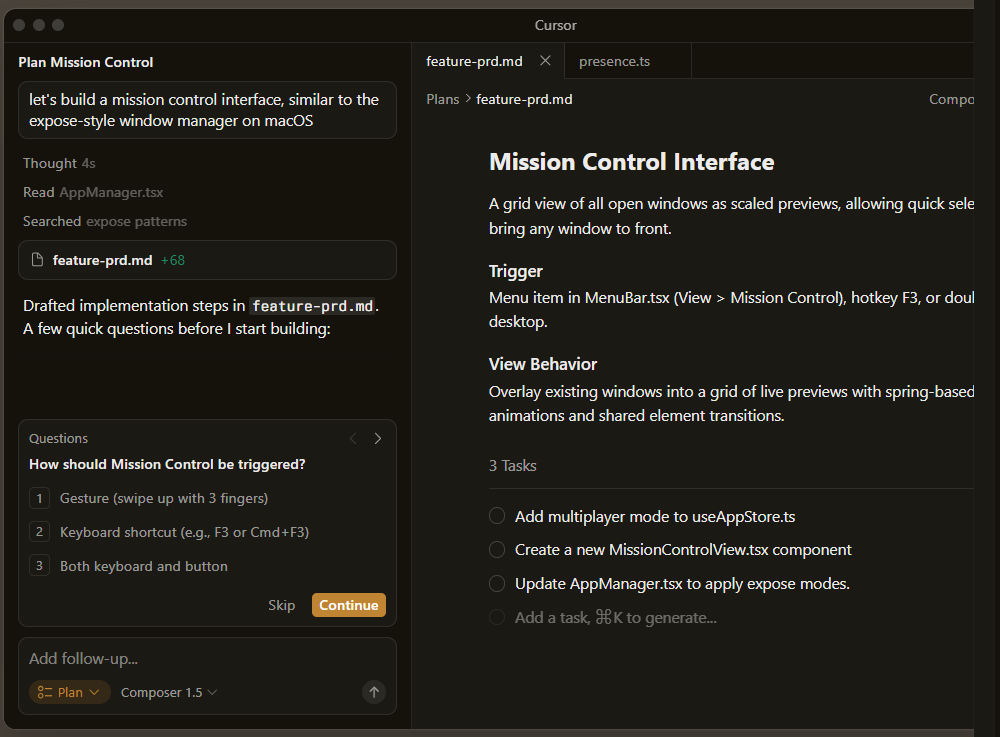
You can re-imagine the entire VS Code experience with Cursor by embedding Composer, a multi-file agentic engine, directly into the editor’s core. It can manage long-running background tasks, such as building an interactive research dashboard from scratch or performing a zero-downtime deploy, while you continue working in a separate tab.
It effectively turns the IDE into a mission control center where you act more like an architect and less like a typist. Unlike Claude Code, which is limited by what it can read in the terminal, Cursor’s agents can spin up their own cloud-based sandboxes to build, test, and even demo features end-to-end.
Here’s what a G2 reviewer has to say:
What I appreciate most about Cursor is the way it seamlessly combines a robust code editor with smart AI assistance. It has an impressive ability to understand context, which allows it to help me write and refactor code more efficiently. Additionally, it explains complex logic in a clear manner and enhances my overall productivity, all without disrupting my development workflow.
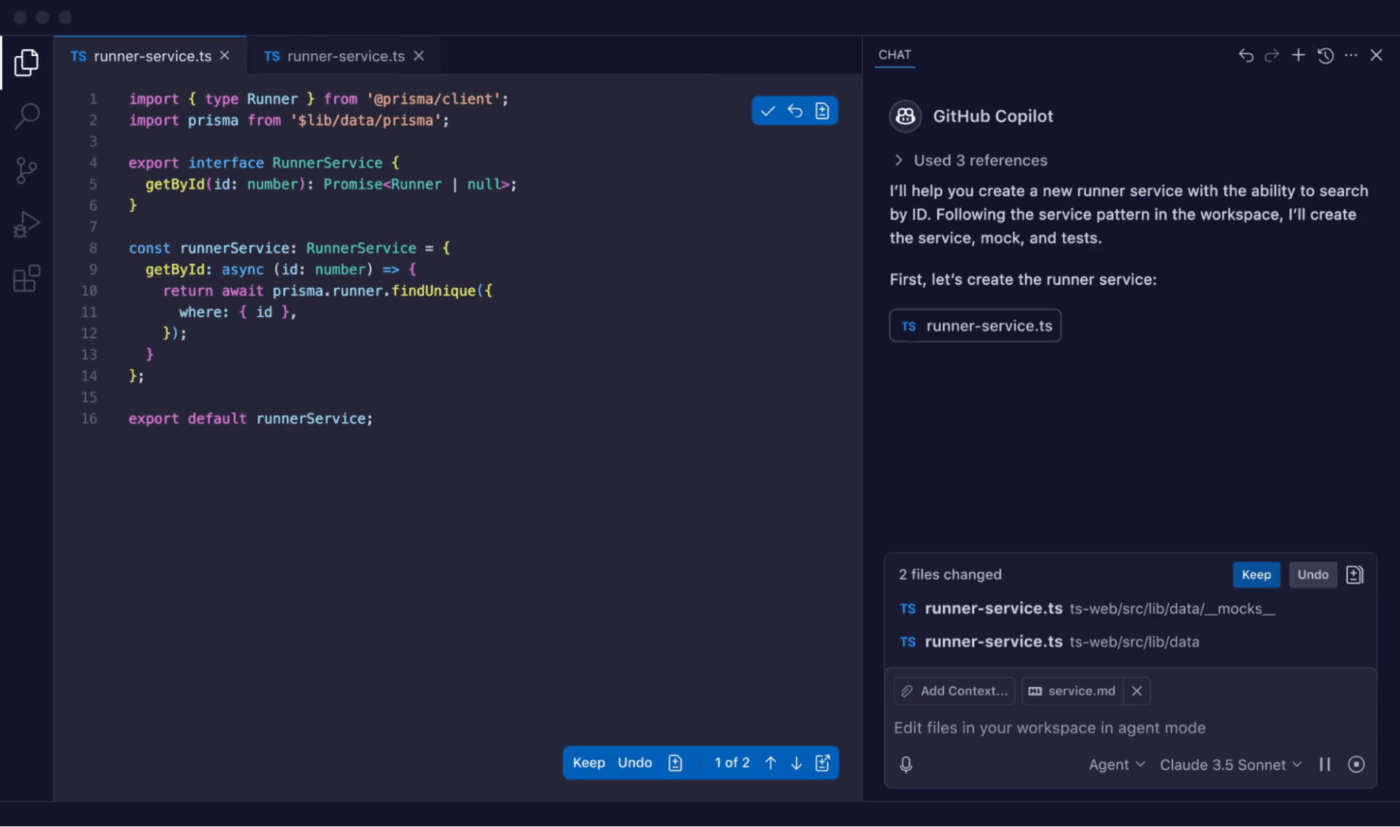
GitHub Copilot is the established veteran of the AI coding space, offering a gravity well of features that span from the local IDE to the remote pull request. Its greatest strength lies in leveraging the GitHub context. Simply put, it understands your organization’s documentation, previous PR discussions, and project issues.
This allows the AI to act as a project-aware agent, autonomously drafting entire pull requests and responding to reviewer feedback in the background while you focus on the next sprint.
A G2 reviewer’s outlook:
The Copilot drastically increases my productivity by suggesting, in real-time, repetitive code blocks and even more complex logic. It’s like having a constant partner in programming the projects at Jheytech.Ai.
🔍 Did You Know? Google CEO Sundar Pichai revealed that over 25% of all new code at Google is now generated by AI before being reviewed by human engineers.
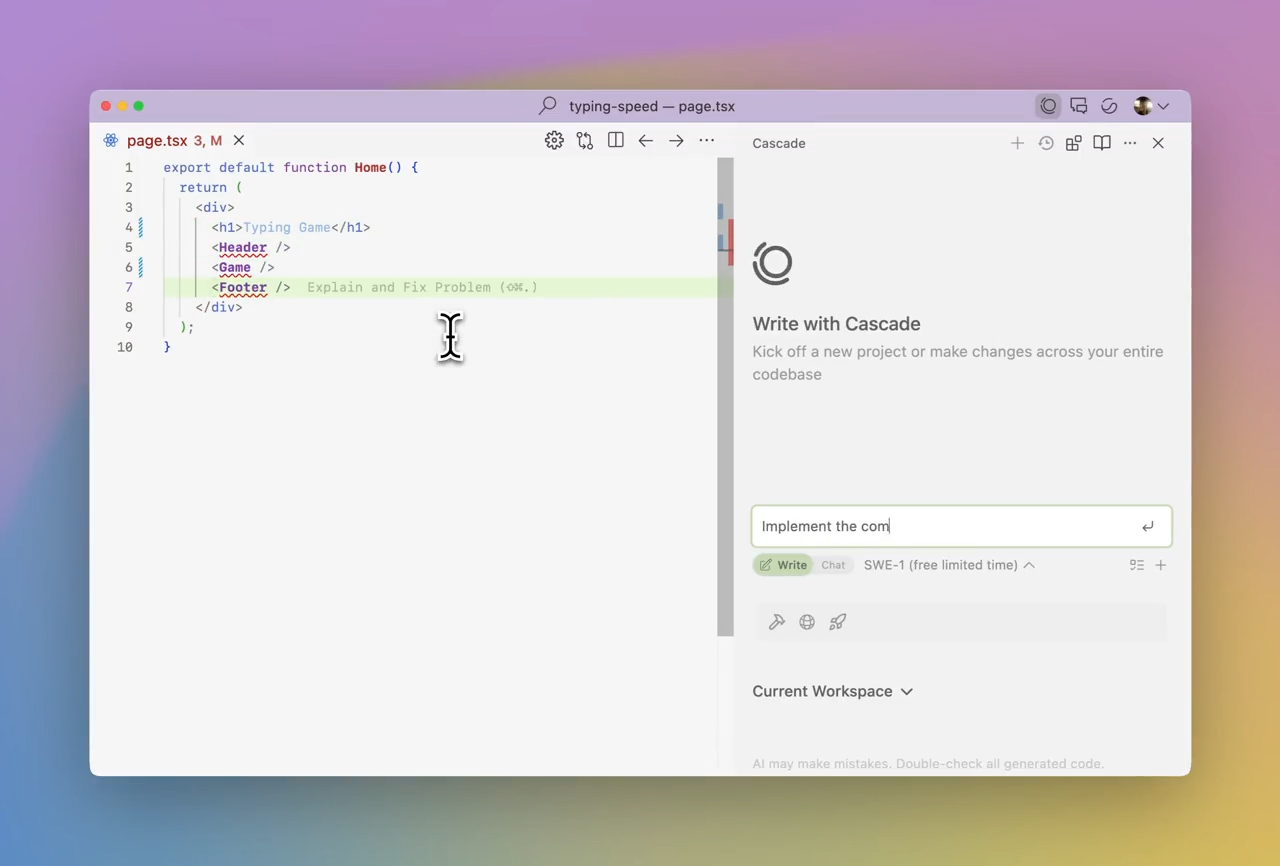
Windsurf is a full-scale, AI-native IDE (forked from VS Code) that treats the AI as a first-class citizen rather than an add-on. Its Cascade engine lives inside your editor with real-time awareness of your every keystroke.
In addition to monitoring your active files, terminal errors, and even your visual previews, it also suggests the next logical step.
While Claude Code is text-heavy and terminal-bound, Windsurf allows you to see your web application live within the IDE. You can click on a UI element in the preview, and Cascade will instantly locate the corresponding code and suggest an edit.
This is what a G2 reviewer thinks:
It’s [sic] stands out for its smooth performance and intuitive user experience. It simplifies complex workflows, offers smart automation features, and helps developers work more efficiently with less manual effort. The tool integrates well into existing development setups and noticeably improves productivity and code quality.
📖 Also Read: Windsurf Alternatives for AI-Powered Coding
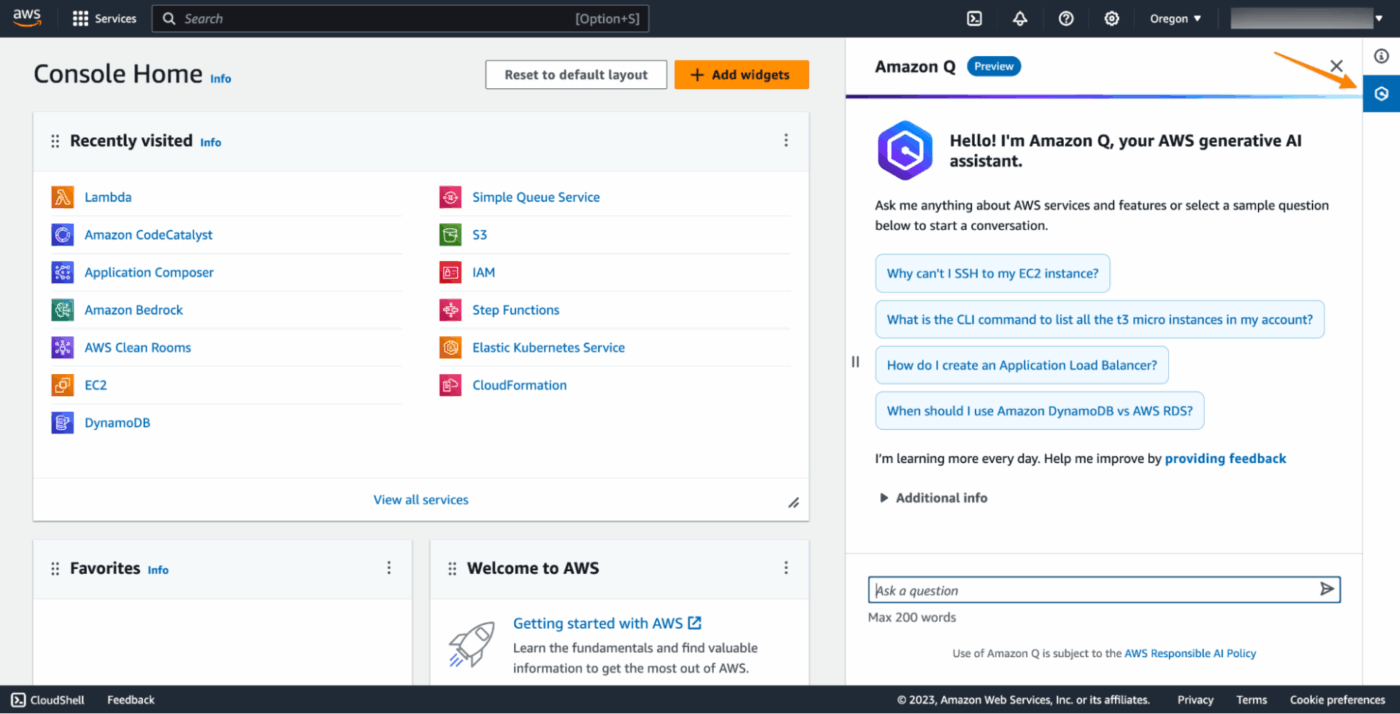
Developers who constantly switch between an IDE and the AWS Console often experience fragmented context. Amazon Q tries to close that gap by bringing AWS knowledge directly into the coding workflow.
For example, consider AWS Transform. Instead of only helping with new code, Amazon Q can modernize existing systems. It analyzes older applications, understands the architecture, and helps migrate them to modern cloud patterns.
This is what a G2 reviewer thinks:
I like using AWS Lambda for its cost-efficiency and ability to handle a big load, which saves money and improves performance when dealing with bulk, asynchronous tasks like image conversion. The pricing is great, and it offers a lot of servers, which is useful when running many tasks in parallel.
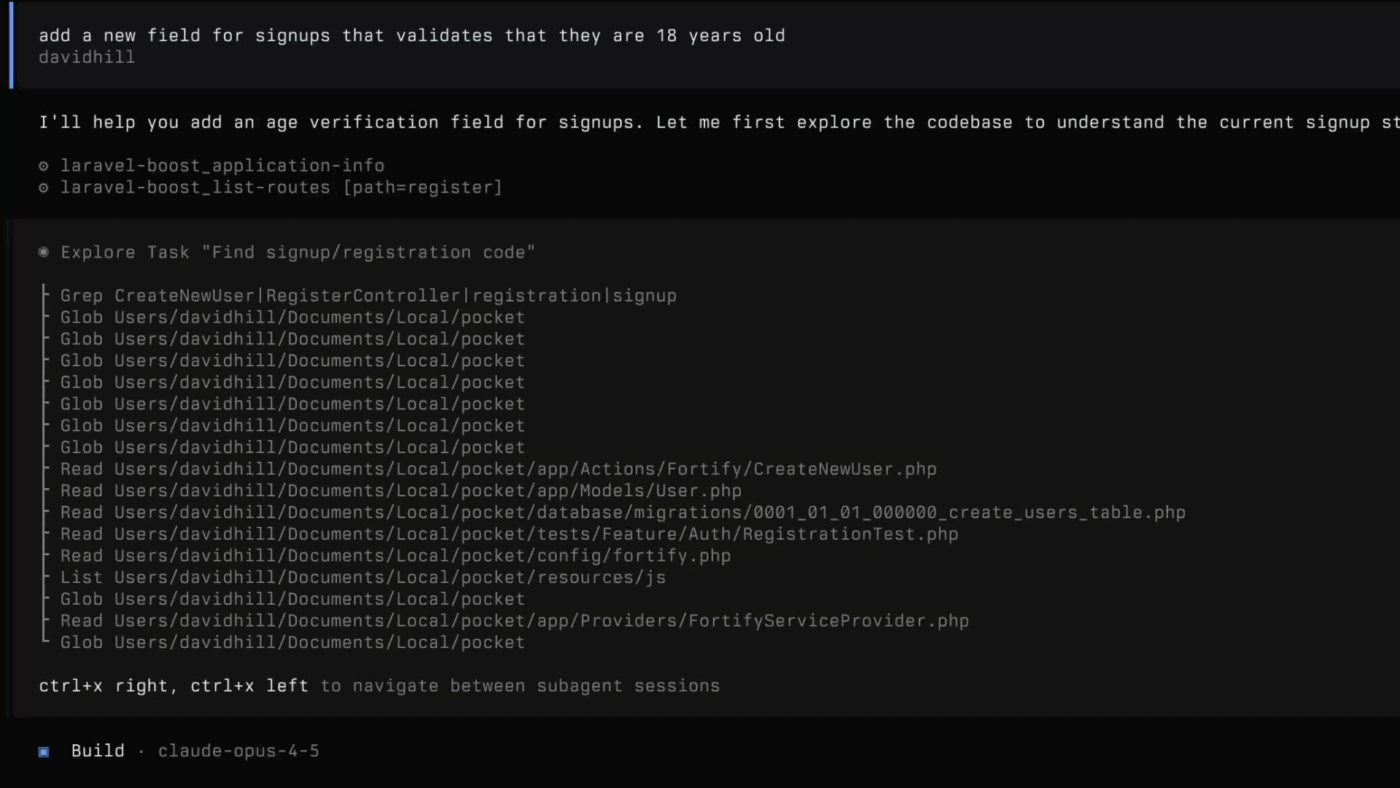
OpenCode CLI positions itself as the Linux of AI coding agents. It is a massive collaborative effort with over 100,000 GitHub stars, built on the principle of total transparency.
It also connects directly to Language Server Protocols, categorizing itself as LSP-native. That means the AI can access the same code intelligence your IDE uses: jump-to-definition, type information, symbol search, and dependency mapping.
When the agent reads your project, it understands how the codebase fits together. This helps it navigate large repositories and make precise edits.
Here’s a Reddit review of OpenCode CLI:
OpenCode is open source and supports 75+ models including local ones which is a huge deal if you care about privacy or want to use your own API keys. The multi-session support is nice too, you can have parallel agents working on different parts of the same project. LSP integration out of the box is a nice touch.
🔍 Did You Know? Developers clearly feel the productivity boost from AI agents, but the impact stays mostly individual. 52% say AI tools or agents have improved their productivity overall. Among developers who actively use agents, the effect looks even stronger: nearly 70% say agents cut down time spent on specific development tasks, and 69% report higher productivity.
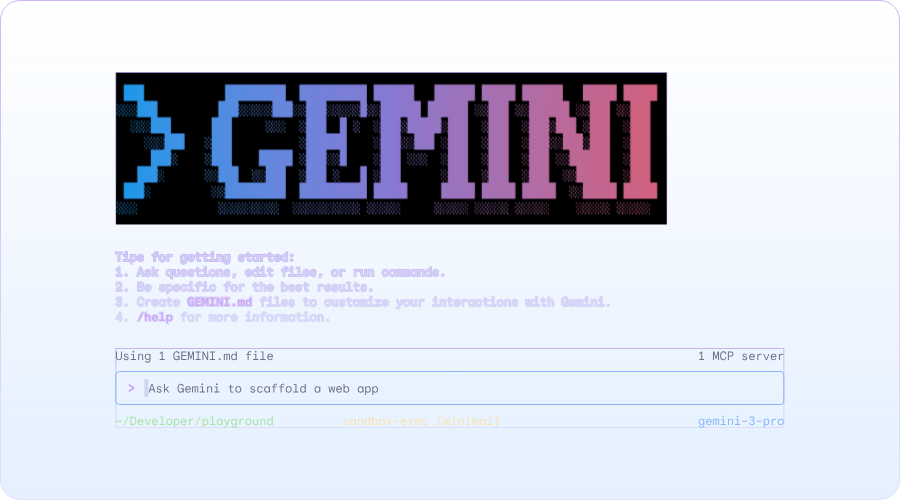
Gemini CLI is Google’s high-performance answer to the terminal-agent race, distinguished by its context handling. It can ingest an entire medium-sized project, up to 1 million tokens, into its active working memory. This allows the model to see every cross-file dependency and architectural nuance simultaneously, rather than looking through a keyhole.
Its native integration with the Google ecosystem, particularly through built-in tools such as Google Search and web fetching, also makes it an attractive option.
This is what a Reddit user has to say:
The more I use Gemini CLI, the more it feels like a legit upgrade to the way we work in the terminal. Being able to summarize files, clean up logs, draft SQL, generate code comments, or output structured JSON right from the shell is way more useful than I expected. It’s basically an AI layer on top of your everyday dev tasks; no switching windows, no copy-paste loops.
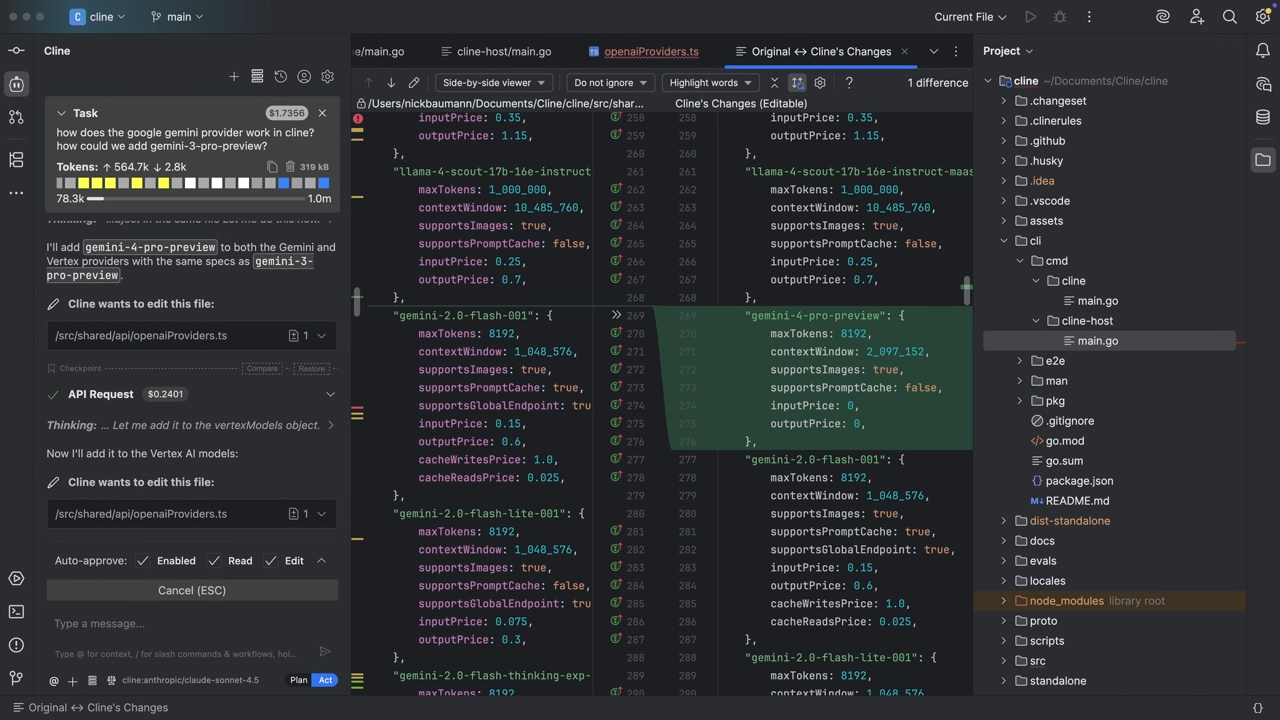
Other managed agents often require your data to pass through their proprietary middleman servers. But Cline acts as a direct bridge between your IDE and your chosen inference provider.
This ‘bring your own inference’ model means that if your organization uses Amazon Bedrock, GCP Vertex, or a private local server, your code and prompts never touch Cline’s infrastructure. It is designed for engineers who want the high-level autonomy of a terminal agent but need it integrated directly into the familiar ergonomics of VS Code or JetBrains.
During their review of Cline, a Reddit user dropped a tip:
Local models + Cline if you have a decent Macbook of M-Series.
📮 ClickUp Insight: 62% of our respondents rely on conversational AI tools like ChatGPT and Claude. Their familiar chatbot interface and versatile abilities—to generate content, analyze data, and more—could be why they’re so popular across diverse roles and industries.
However, if a user has to switch to another tab to ask the AI a question every time, the associated toggle tax and context-switching costs add up over time.
Not with ClickUp Brain, though. It lives right in your Workspace, knows what you’re working on, can understand plain text prompts, and gives you answers that are highly relevant to your tasks! Experience 2x improvement in productivity with ClickUp!
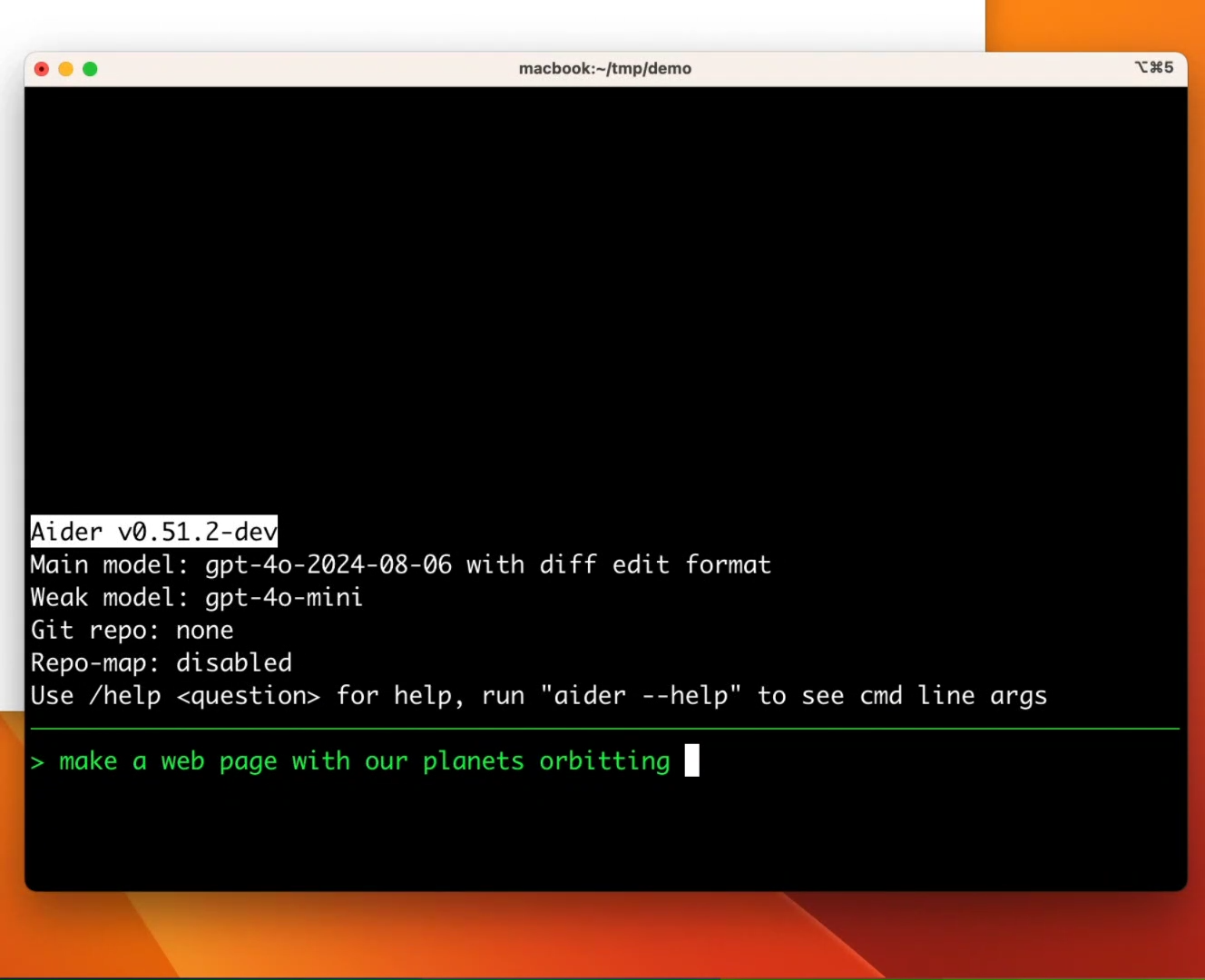
The defining edge Aider has over Claude Code is its deep, native integration with Git. Instead of making silent edits, Aider treats every task as a version-controlled change. When it updates files, it stages the modifications and generates a commit message describing what changed.
Developers can review the difference, make adjustments, or roll back changes using the same Git workflow they already trust. This structure improves developer productivity without sacrificing visibility. The AI moves work forward, while Git keeps every change transparent and reversible.
A Reddit user shares:
Aider works best if you are comfortable and familiar with git. Here’s some more info on aider’s git integration. Aider also has a built in /git command so you could do things like /git diff main to diff all changes on your branch, or /git diff origin/main to diff all your unpushed changes.
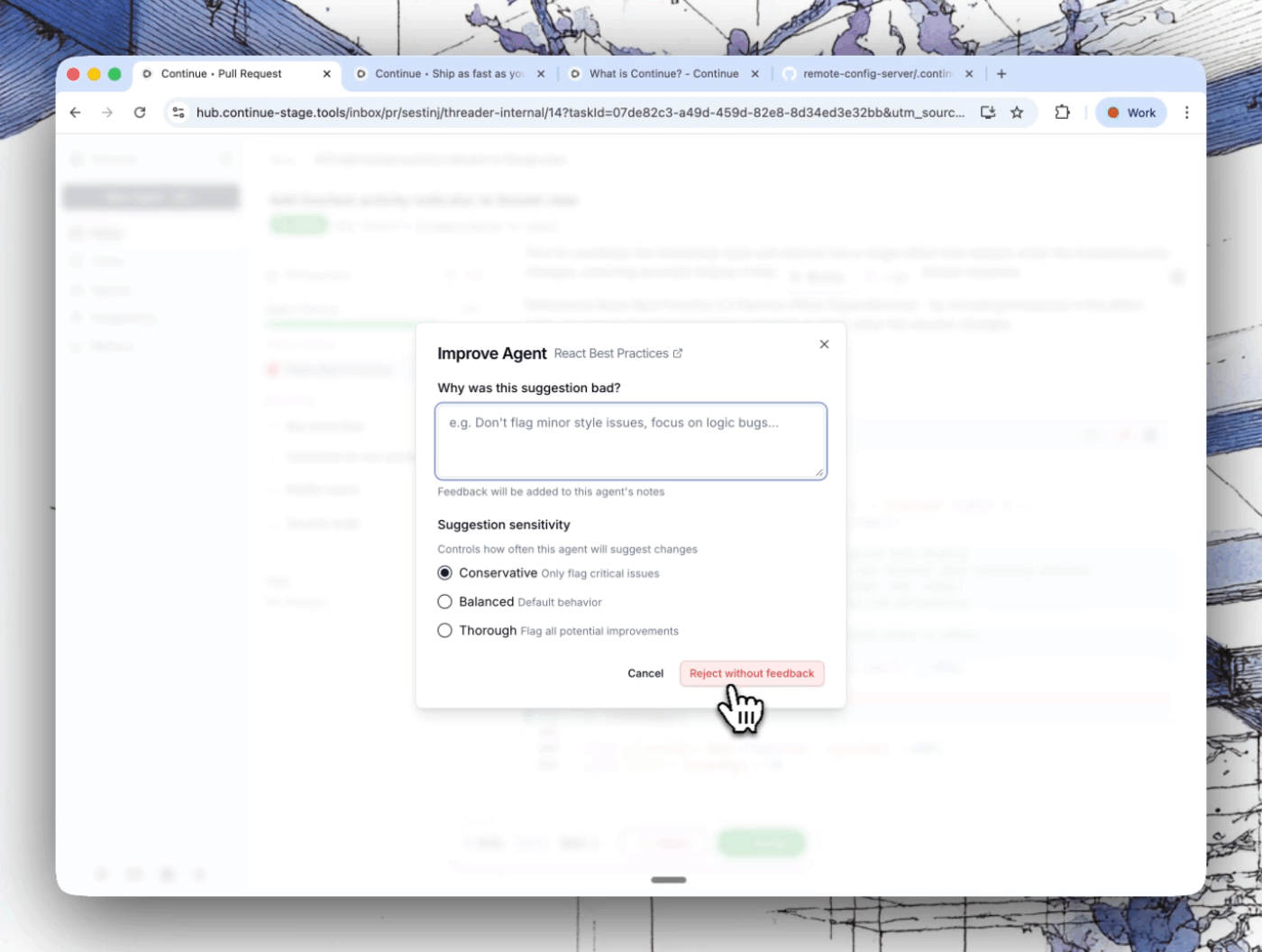
Continue concentrates on what happens after the code is written. It helps teams enforce architecture rules, security requirements, and internal coding practices across every pull request. Your team can define these rules as markdown-based Checks.
Checks act as automated reviewers. They scan new pull requests and evaluate whether the changes follow the project’s engineering standards. These checks can also flag issues such as insecure patterns, redundant type annotations, unnecessary documentation blocks, or code that violates architectural guidelines.
Because these rules live inside the repository, they evolve alongside the codebase.
Here’s what a Reddit user has to say:
continue.dev works well for scan and analyse [sic] of multiple files.
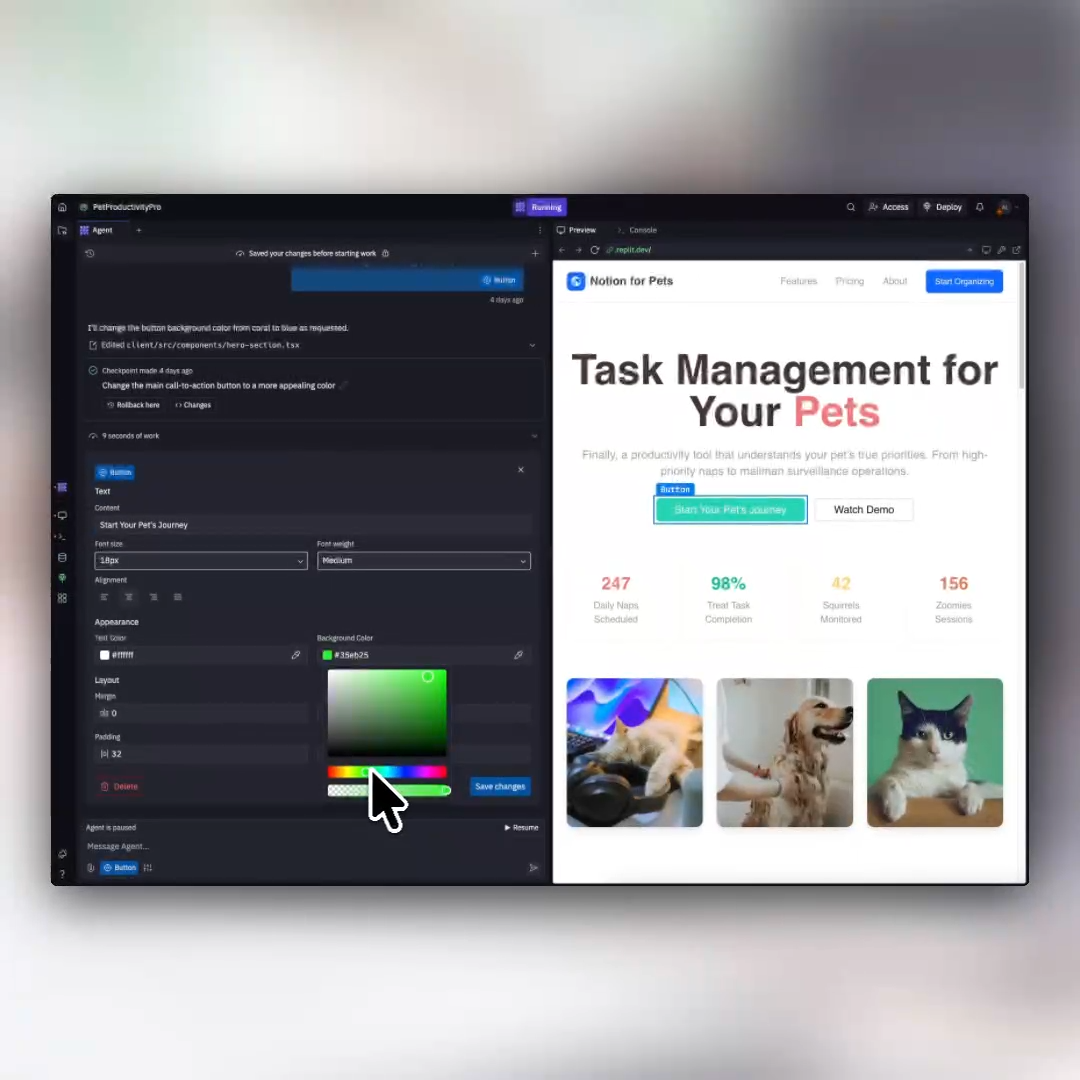
Claude Code requires you to manage your own local environment, dependencies, and deployment pipelines. But Replit provides a managed, cloud-based sandbox where the AI writes code, configures the server, connects to the database, and hosts the final product.
That setup removes the usual environment work. You don’t need to configure local runtimes, install dependencies, or prepare a hosting pipeline before starting a project.
For example, a founder building a small internal tool can describe the interface, backend logic, and database structure. Replit generates the project, sets up the runtime environment, and connects the necessary services so the application runs immediately.
Here’s what a G2 user had to say:
Replit brings down the skill level required to successfully build and deploy a competent app. My background is in IT project management, so I know enough to be dangerous but never enough to learn the full syntax of a programming language or full stack development. I can talk to the Replit agent like a would a developer at work, refine the output, and build apps without the need for a physical developer.
AI coding agents can write and refactor code faster than ever. The bigger challenge is keeping development work aligned with tasks, documentation, and team updates. Among the many Claude Code alternatives, ClickUp makes that doable.
Instead of separating code discussions, project tracking, and technical documentation across multiple tools, ClickUp keeps them connected in one workspace.
The Codegen Agent helps convert those tasks directly into working code and pull requests, reducing manual effort and accelerating delivery. Meanwhile, ClickUp Docs links technical documentation to tasks, and ClickUp Automations streamline repetitive workflows throughout the entire development lifecycle.
The result? Your team gets to plan features, document requirements, track tasks, and monitor progress without losing context. Try ClickUp for free today! ✅

© 2026 ClickUp

There’s an easier way. Try a free AI Agent in ClickUp that actually does the work for you—set up in minutes, save hours every week.