Sorry, there were no results found for “”
Sorry, there were no results found for “”
Sorry, there were no results found for “”
If you’re a developer, engineering lead, or CTO, you’ve probably come across Windsurf (formerly Codeium)—an AI-native IDE promising to handle everything from writing to deploying code.
It felt like the future for a minute: smart autocomplete, contextual suggestions, and in-editor previews.
But the cracks show fast:
For solo devs, it’s frustrating. For teams, it’s disruptive. For leaders, it’s risky.
That’s why the question isn’t “What’s the best all-in-one IDE?” anymore—it’s “What stack actually fits how we work?”
👉 If you’re ready to explore Windsurf alternatives built for real workflows, keep reading.
Windsurf is an AI-powered code editor designed to enhance developer productivity by integrating intelligent features directly into the coding environment. It understands your code, suggests intelligent completions, and lets you refactor or generate code with simple commands.
Even with all its innovative features, you might still look for other AI coding tools to simplify your day in the life as a software developer.
Windsurf is suitable for modern, cloud-first workflows. However, if your setup is heavier, more specialized, or governed by stricter compliance, you may need leading AI models.
👀 Did you know? The term ‘bug’ in programming originated in 1947 when Grace Hopper and her team discovered a moth trapped in a computer, causing it to malfunction. They taped the moth into the logbook to document the issue, and that’s how the term “bug” became a part of programming history!
To help you find the best fit for your complex projects, here’s a side-by-side comparison of Windsurf and its leading alternatives based on key features and pricing:
| Tool | Best for | Key features | Pricing* |
|---|---|---|---|
| ClickUp | All-in-one collaboration and project management Team size: Ideal for teams needing screen recording and workflow integration | AI-powered task management, screen recording with ClickUp Clips, code block documentation, real-time collaboration | Free forever; Customizations available for enterprises |
| Cursor | AI-powered coding with VS Code familiarity Team size: Ideal for solo developers and small teams requiring context-aware AI | AI chat integration, full codebase context, local code search, Agent Mode | Free forever; Starts at $20/user/month |
| TabNine | Secure offline AI coding for regulated industries Team size: Ideal for mid-size to enterprise teams requiring data security | Local AI inference, on-premises deployment, secure autocomplete | Free available; Starts at $9/user/month |
| GitHub Copilot | Context-aware AI coding assistant Team size: Ideal for freelancers to enterprise teams needing smart code suggestions | Multi-model support, context-aware code suggestions, pull request summaries | Free available; Starts at $10/user/month |
| Codium (Qodo) | AI-enhanced pull requests and code governance Team size: Ideal for mid-size to enterprise teams with a focus on code quality | Custom code indexing, pull request automation, compliance checks with Jira | Free tier; Starts at $38/user/month |
| IntelliCode | Intelligent code completions within the Microsoft ecosystem Team size: Ideal for enterprise dev teams using Microsoft tools | Whole-line completions, repeated edit detection, Visual Studio integration | No free plan; Starts at $45/user/month |
| Replit | Fast prototyping and solo development in the cloud Team size: Ideal for solo builders and startups needing quick setup | Instant IDE, built-in deployment, AI agent for code generation, real-time collaboration | Free available; Starts at $25/month |
| Cody | Intelligent code search and AI pair programming Team size: Ideal for small to mid-size teams working with large codebases | Custom assistants, code-aware chatbots, file-level context, prompt manager | No free plan; Starts at $29/user/month |
| Amazon CodeWhisperer | AI coding with AWS integration Team size: Ideal for mid-size to enterprise teams using AWS services | Real-time suggestions, AWS service optimization, secure coding with risk alerts | Free available; Paid starts at $19/month |
| Visual Studio Code | Flexible, plugin-rich IDE Team size: Ideal for backend and full-stack teams needing deep language support | IntelliSense, terminal integration, debugging, Git extensions | Free available; Pro starts at $45/user/month |
✅ Fun Fact: Google has its own programming language called Go (or Golang) to improve programming efficiency. It’s widely used for back-end services due to its scalability, performance, and minimal overhead.
Let’s look at the top Windsurf alternatives in detail. 🔍
If Windsurf feels too narrow for your dev stack, ClickUp is the everything app for work, to code, plan, and collaborate—at scale. It brings your entire development workflow into one place. This platform enables you to organize sprints, manage coding tasks, and write documentation for code, without the chaos of juggling multiple tools.
It starts with ClickUp Brain, a role-aware AI assistant built to support every step of your development process. Unlike generic AI code generators, this AI in software development works inside your actual workspace, so it knows your tasks, deadlines, documents, and backlog.
When you draft a bug report or spec from a conversation, ClickUp Brain can turn a chat thread or comment into a structured document. It isn’t just a code generator—it offers AI assistance that’s context-aware and deeply embedded in your development tasks, helping you move faster with fewer manual steps. Trying to clarify a vague feature request? It can generate sub-tasks, write acceptance criteria, and estimate effort based on your sprint structure—all inside your task.
You can also use Brain during code generation to document APIs, generate sample code snippets, write test cases, or summarize engineering discussions into shareable updates.
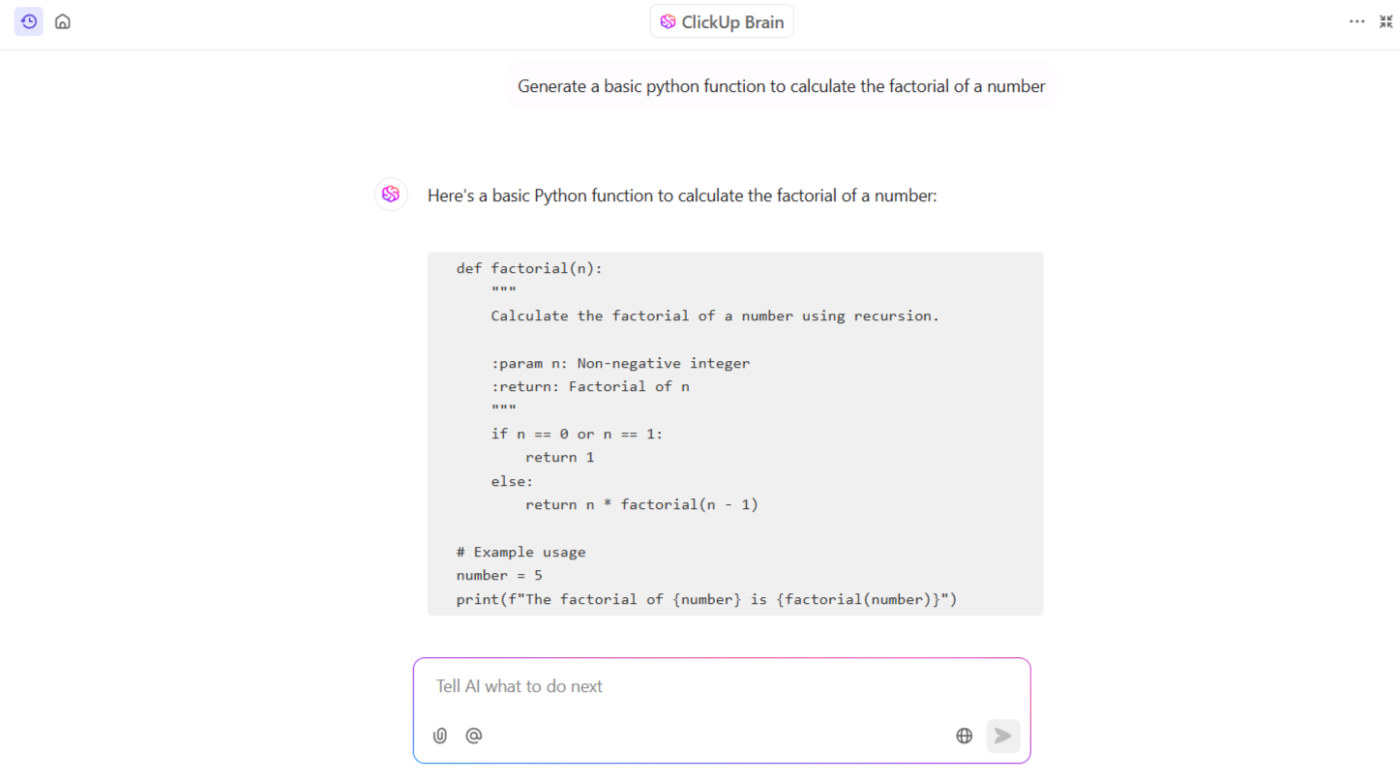
⚡Time Saver: Need to create code snippets without jumping between tools? ClickUp Brain’s Code Snippet Generator makes it easy. Just tell it what language you’re using, what the code should do, and any extra details you have. It will quickly generate a ready-to-use code snippet that fits your needs, all from right inside your task or doc.
Try this prompt:
‘Generate a Python function that validates email addresses using regex, including inline comments explaining each step.’
ClickUp Brain will produce a clean, commented code snippet that you can directly incorporate into your coding tasks or documentation.
Once you streamline coding with Brain, bring structure to documentation with ClickUp Docs. Create, edit, and collaborate on documents with syntax-highlighted code blocks for 30+ languages. Use the /co slash command or select the code block tool and choose your language.
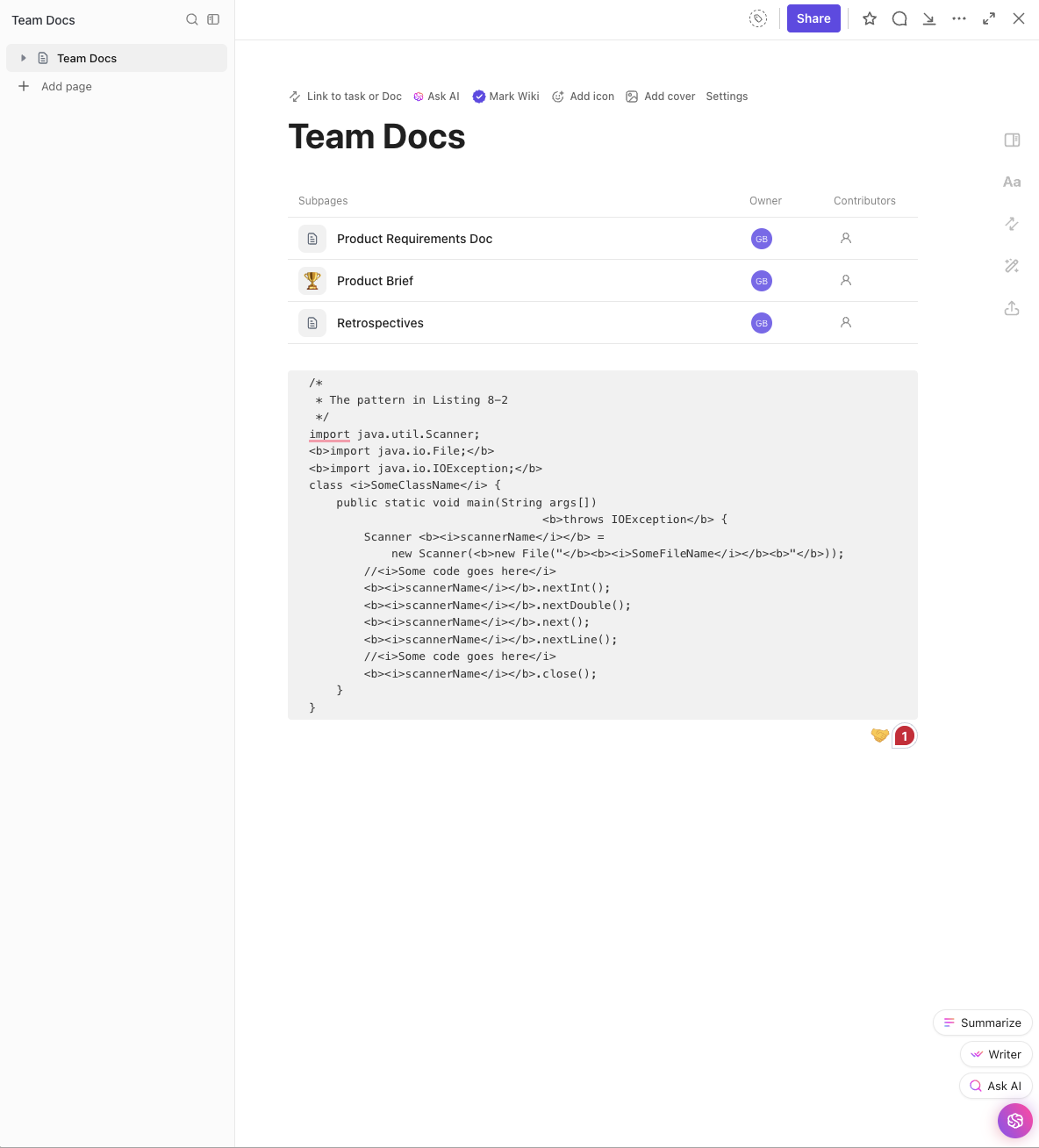
💡Pro Tip: Use backticks (`) for inline code. Great for short commands or references.
You can also save docs as templates to reuse across feature specs, API references, or bug reports. And because Docs supports embedding tasks, images, and live content, your dev workflow stays fully connected.
ClickUp Docs also supports collaborative inline editing, so devs can annotate feature specs, update code snippets, or review decisions without switching tabs.
⚡ Time Saver: Use /figma to embed live files and @@ to link tasks or epics for context-rich documentation.
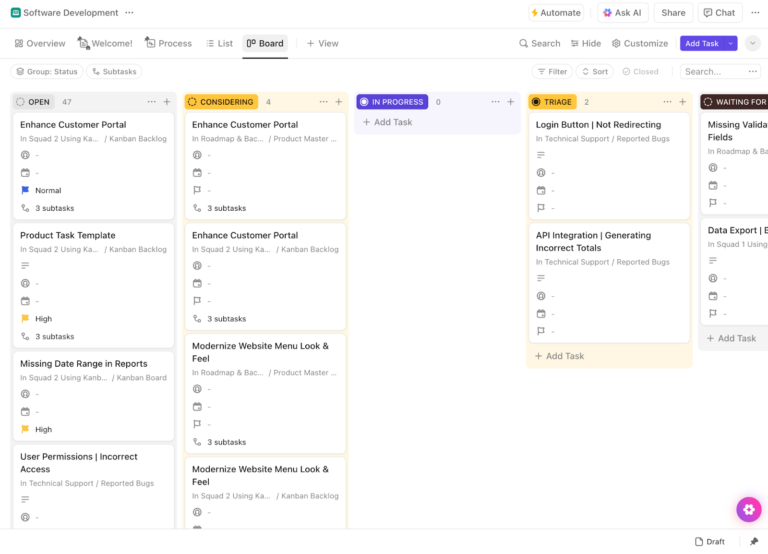
Then, ClickUp for Software Teams ties everything together—sprints, backlog, bugs, and releases—using 15+ views like List, Kanban, Timeline, or Gantt. Automate sprint cycles with custom workflows.
From sprint planning and backlog management to bug tracking and releases, ClickUp gives you the tools to move fast and stay aligned.
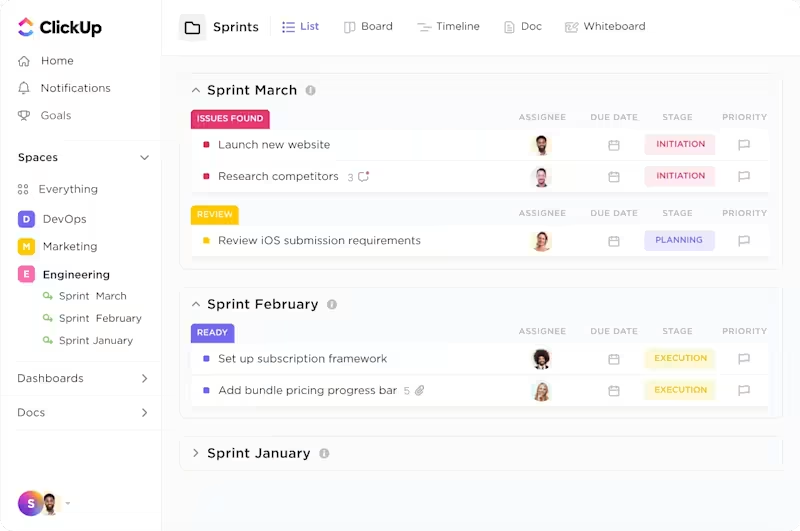
Tasks can be prioritized with AI-powered Custom Fields, bugs captured instantly through custom forms, and engineering workloads managed across integrated boards without switching tools. With native GitHub, GitLab, and Bitbucket integrations and easy Jira migration, you get a software development project management environment that scales with your team.
If you’re unsure where to begin or want a faster way to get your setup right, the ClickUp Software Development Template is a great starting point. It’s pre-built with everything you need to manage your development lifecycle—ready-to-use task statuses, folders for sprints, backlogs, bug tracking, and even custom views tailored for agile workflows.
This free software development template lets you assign story points, use templates for recurring tasks like feature specs or QA checklists, and monitor real-time progress without building your workspace from scratch.
📮ClickUp Insight: Low-performing teams are 4 times more likely to juggle 15+ tools, while high-performing teams maintain efficiency by limiting their toolkit to 9 or fewer platforms.
But how about using one platform?
As the everything app for work, ClickUp brings your tasks, projects, docs, wikis, chat, and calls under a single platform with seamless integration across tools and teams, complete with AI-powered workflows. Ready to work smarter? ClickUp works for every team, makes work visible, and allows you to focus on what matters while AI handles the rest.
A Reddit review says:
We’ve been using Clickup for at least four years, and it’s one of the best project management tools. We tried using Asana, Monday.com, and Trello before going with Clickup. It was the best choice ever! I never had any significant issues, and the customer service has been helpful.
💡 Pro Tip: Test multiple AI tools in parallel.
Use side-by-side comparisons on smaller projects to evaluate response speed, code quality, and context awareness. You’ll quickly see which tool fits your workflow best.
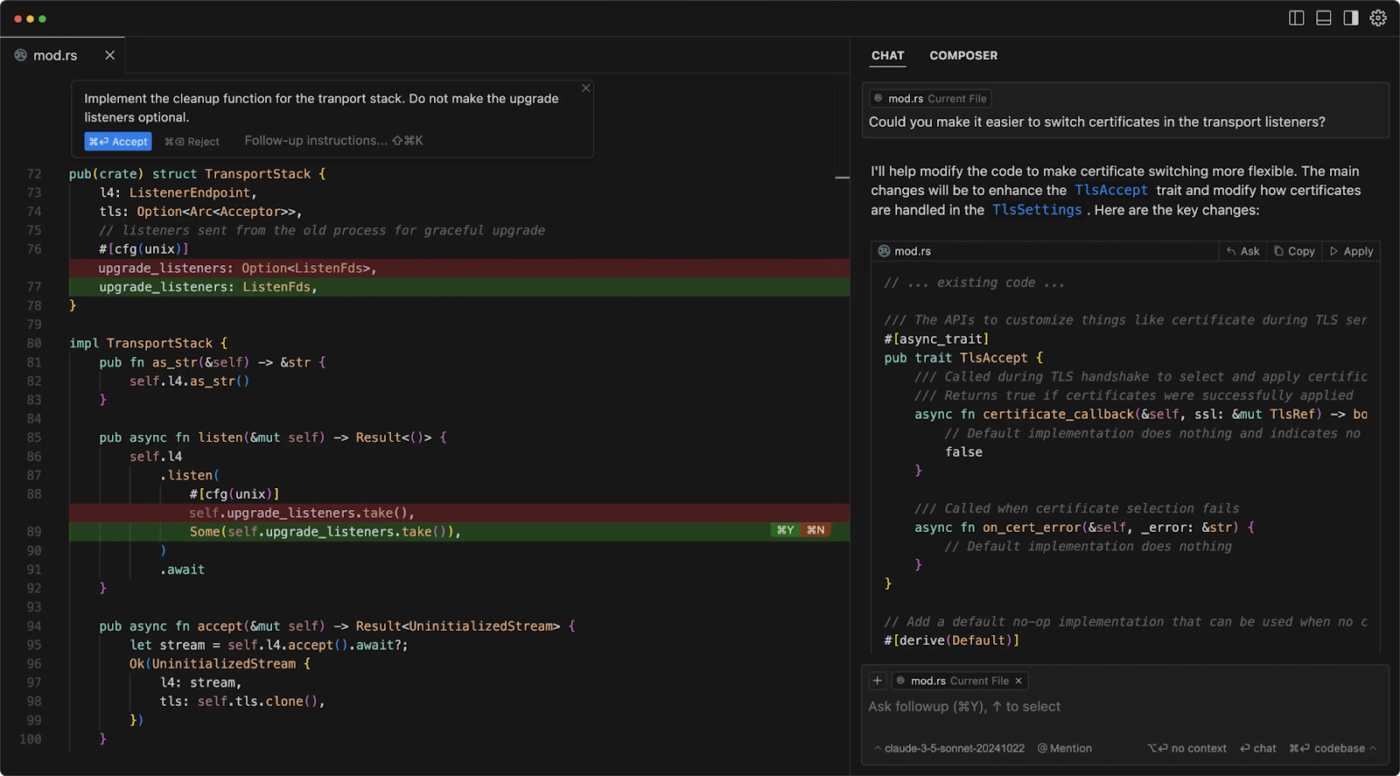
Cursor is an AI-powered code editor built on the foundation of Visual Studio Code, designed to help individual developers work more efficiently. With Agent Mode, you can ask the AI to make changes across files or automate routine edits while staying in control of the process. Cursor provides real-time AI suggestions as you type. Just press Tab to accept, or continue typing to refine the output.
AI Chat Integration lets you interact with the AI based on your current context, right down to the file and cursor position. You can ask questions, request improvements, or get explanations without switching windows or losing track of where you are.
You can also query your entire codebase. Instead of manually searching for functions or dependencies, you can ask direct questions like “Where is this method defined?” or “What files use this component?” and get clear, code-aware responses.
A G2 review says:
Truly, one of those apps that can be a game changer. As a novice coder it changed my outlook on what is possible for me to accomplish. It seems like magic, but it’s not quite magic yet. You need to structure your project, and prompt well.
📚 Read More: Unlock the Power of ClickUp AI for Software Teams
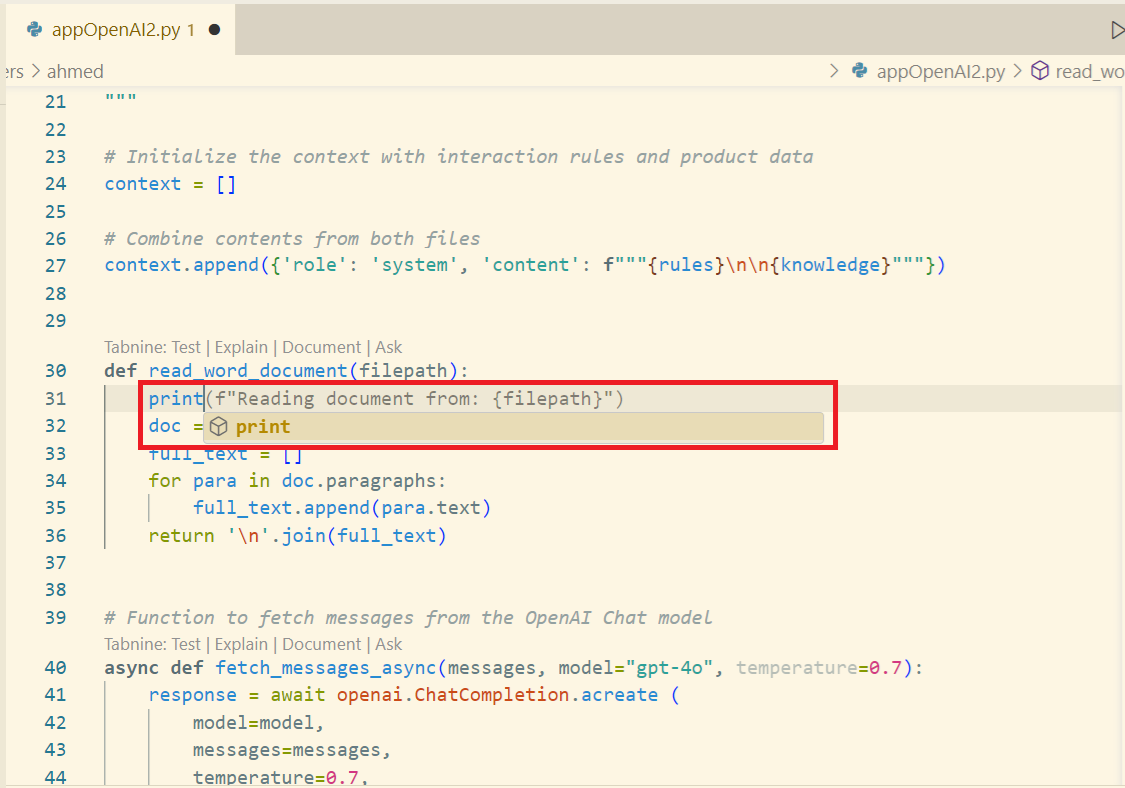
The AI-powered code assistant TabNine is built on GPT-2 and TabNine’s proprietary fine-tuned variants. If you work in finance, healthcare, government, or any regulated sector, you can run the entire model locally, keeping sensitive data under your control.
You can also train Tabnine on your internal codebase, so it learns your patterns without exposing them. TabNine adapts to your preferred coding style, delivering suggestions that mirror the patterns in your own projects and reducing the need for manual cleanup.
It supports offline AI inference and zero data retention and gives complete admin control over how and where the model runs, whether on developer machines or secure servers. With low-latency suggestions across multiple languages and code extensions, TabNine is suitable for high-security industries.
A G2 review says:
I am really amazed by how well it provides the anticipated code. Sometimes it suprises me especially during DSA practice, it identifies the problem including the time and space complexity limits and gives code accordingly.
⚡ Template Archive: Need to improve or standardize your code documentation? Use these code documentation templates with ready-to-use formats that can help streamline your workflow, improve real-time collaboration, and keep your codebase easier to maintain.
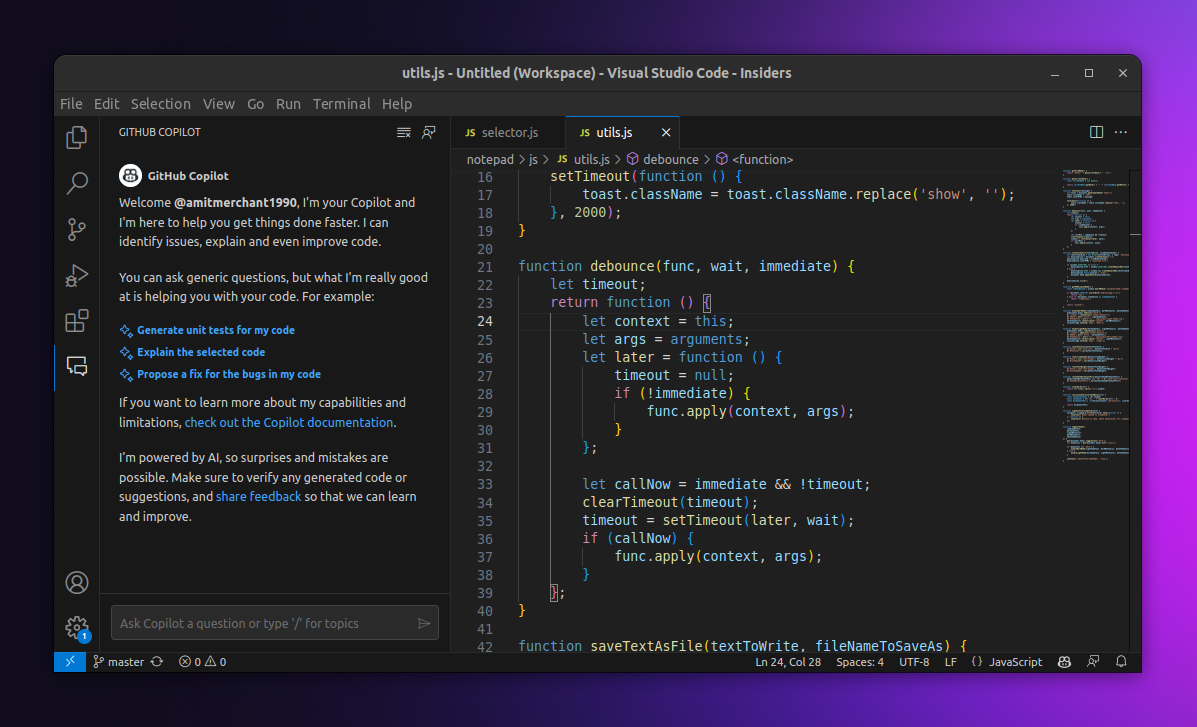
GitHub Copilot, developed by GitHub in collaboration with OpenAI, is an AI coding assistant designed to help you write code faster and with less friction. GitHub Copilot’s tight AI integration with Visual Studio Code makes it feel like a natural extension of your development environment.
It’s powered by advanced AI models, including OpenAI’s Codex (a version of GPT-3 fine-tuned specifically for programming). Now, enterprise-level users can access different models like GPT-4.1, Claude, and Gemini.
Copilot works directly in your editor, offering real-time, context-aware code suggestions as you type. It can translate natural language comments into working code, to help you move from intent to implementation without breaking flow.
Copilot also helps you manage your code. It generates pull request summaries, highlights key changes, and offers a collaborative workspace where you can validate suggestions and refine contributions.
For Individuals
For Businesses
A Capterra review says:
The fact that Copilot can predict what you’re about to write is an amazing feature. I love this. Since I have also worked as a Laravel Developer, I can confirm that Copilot makes your programming life easier and faster. It’s actually intelligent and gives me proper lines of code in matter of seconds.
⚒️Quick Hack: You can automatically update task statuses in ClickUp directly from your GitHub commit messages with the ClickUp GitHub integration.
Include the ClickUp task ID followed by the new status in square brackets. For example, a commit message like Fix bug in login flow #DEV-102[In Review] will link the commit to task DEV-102 and update its status to “In Review” in ClickUp. It’s a simple trick that keeps your tasks in sync with your codebase, saving you from jumping between tools while maintaining workflow continuity.
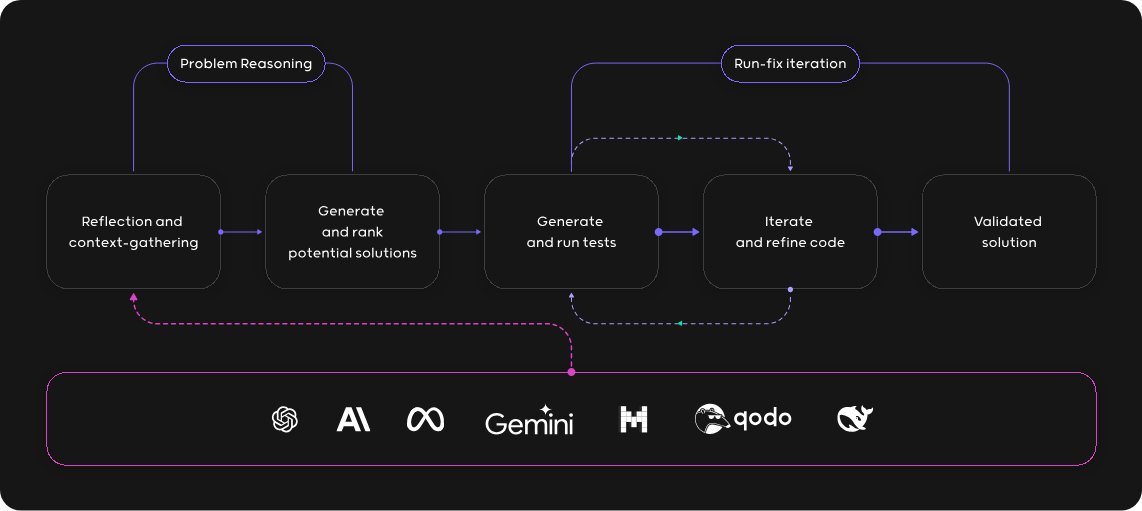
Qodo (previously Codium), built on its own LLM models, offers a deeply customizable AI development environment. The context-rich code assistance enabled by local and remote indexing gives the AI a comprehensive view of your repositories. It is an AI-driven code integrity platform that assists developers throughout the software development lifecycle.
Compared to Windsurf, which offers strong contextual code understanding and lightweight review features, Qodo prioritizes full-lifecycle code quality and governance. CodiumAI also excels in handling complex codebases, where automated test generation and context indexing can drastically cut down review time.
A G2 review says:
I use Qodo almost daily as an essential part of my coding routine. Its reliability and consistent value keep it indispensable in my IDE.
⚡Template Archive: Free Bug Report Templates & Forms for Bug Tracking
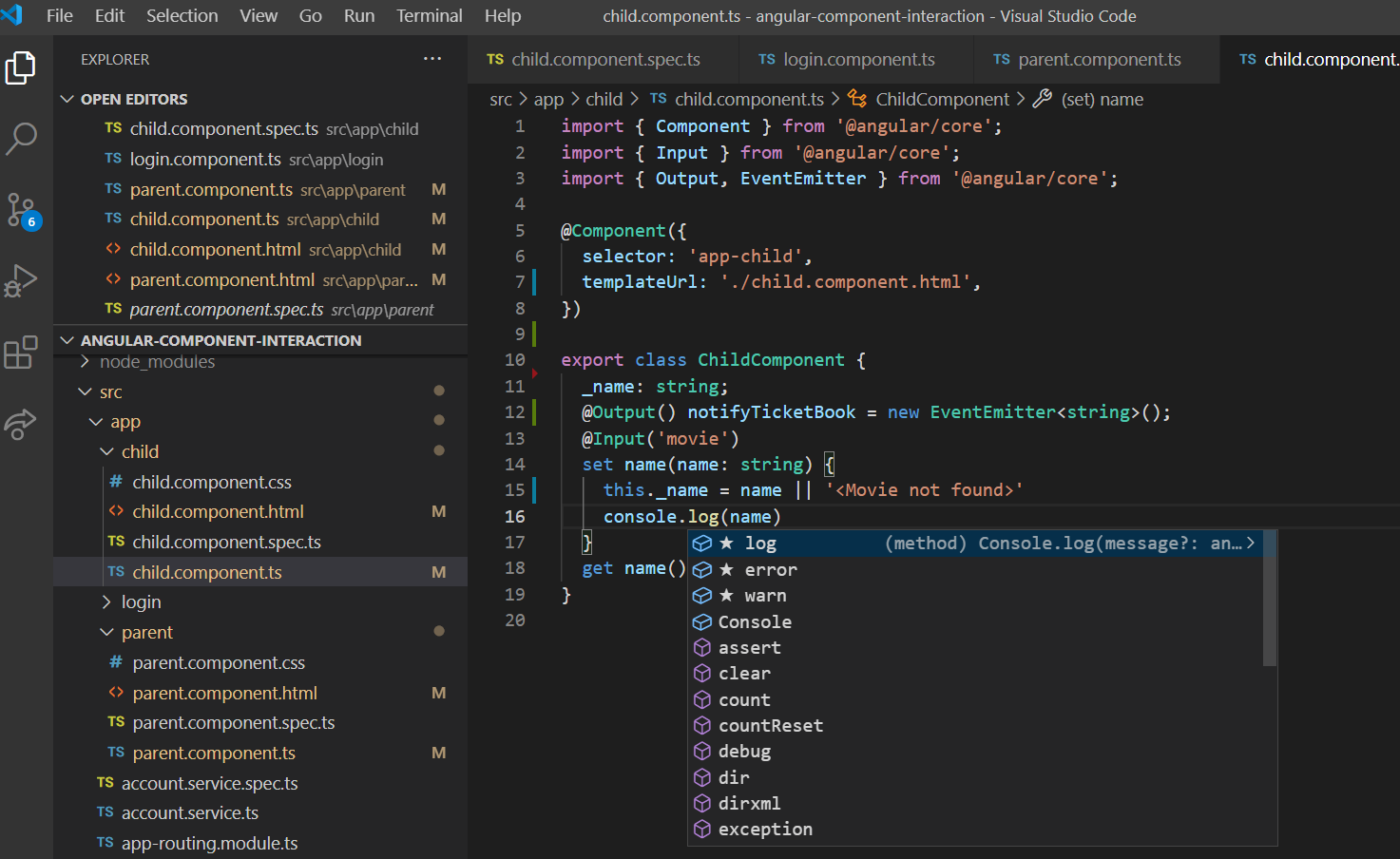
If you want to become a better programmer in the Microsoft ecosystem, Visual Studio IntelliCode is built to help you move faster while keeping your code clean and consistent. Integrated directly into Visual Studio and Visual Studio Code, it offers intelligent, context-aware suggestions based on the code you write, your project’s structure, and your team’s patterns.
It automatically formats and refactors code to match best practices, so your output stays clean without constant manual fixes. When you’re working with APIs, it predicts the arguments you’re likely to use, saving you from digging through documentation.
*While IntelliCode itself is free, it is part of the broader Visual Studio ecosystem, which offers various subscription plans:
A Reddit review says:
As for Intellicode, it learns from you as you go. So it may reinforce bad habits and its only really a time saver.
✅ Fun Fact: High-performing dev teams use fewer tools.
Teams using fewer than 9 platforms are 4x more likely to meet project goals than those juggling 15+ apps.

Replit is a browser-based software development platform that lets you write, run, and deploy code from a single workspace. It combines an instant IDE, built-in hosting, databases, and an AI-powered coding assistant (Replit AI) to help you quickly move from idea to deployment.
You can collaborate in real time, use templates to start projects in 50+ languages, and even build full-stack applications without ever leaving your browser.
For indie hackers and solo builders, Replit offers an all-in-one toolkit to validate ideas and ship products quickly. Its AI-powered features help you fix bugs, generate code, or scaffold new features quickly. Replit’s AI agent uses machine learning to refine its coding suggestions and improve accuracy over time.
✅ Fun Fact: Replit was founded by high school students.
Replit’s creators started building their cloud IDE while still in high school—and now it’s one of the top tools for learning and prototyping code fast.
A G2 review says:
I’ve been using the new Replit Agent tool for several months and its unbelievable what I can build as a non-coder. I’ve built all kinds of apps for both business and personal use. If you would have told me a year or two ago that I could build these tools without coding knowledge I would have told you your crazy.
💡Pro Tip: Want to stay ahead of the curve in software development? These software engineering trends highlight where the industry’s heading.
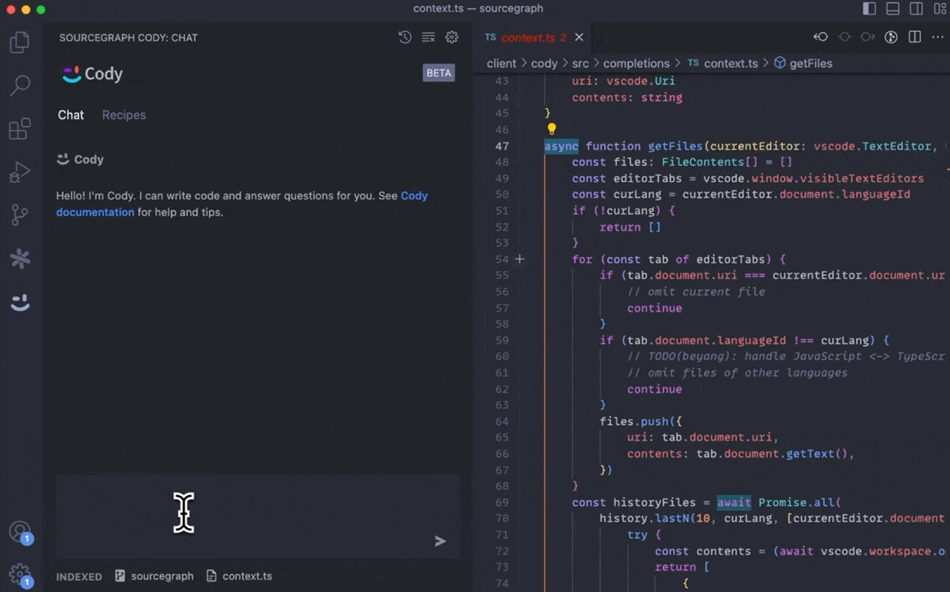
Cody is an AI-powered coding assistant developed by Sourcegraph that helps you write, understand, and refactor your code. With Cody, you can create and manage multiple chatbot assistants, each tailored to a specific use case—like a marketing assistant, onboarding bot, or internal tool.
With Sourcegraph Cody, enterprises can connect internal docs and even bring in their own models for tailored AI output based on private repositories.
Because it uses the latest LLMs from Open AI and Google, the code review responses are very helpful and detailed.
Amazon CodeWhisperer, now called Amazon Q Developer, is an AI coding assistant developed by AWS to accelerate software development and improve code quality. It integrates seamlessly into IDEs like Visual Studio Code, JetBrains, and AWS Cloud9, offering real-time code suggestions as you type. Trained on billions of lines of code, including open-source repositories and Amazon’s internal code, CodeWhisperer offers extensive language support like Python, Java, and JavaScript.
A G2 review says:
The best part of Amazon CodeWhisperer is it’s ability to give real time time suggestions while coding. Also easy to use and implement, by using it regurarly [sic] it significantly enhance the coding skills. Also assistance provided play a crucial role in improving the efficiency of my code and logic building.
📚 Read More: Developer and Coding Communities to Join
Visual Studio Code is a lightweight code editor that fits into your backend or full-stack development workflow. As a backend or full-stack developer, you can use IntelliSense to get smart completions based on your project’s types and imports. Next, the built-in debugger can make stepping through server-side logic feel effortless.
VS Code also supports integrated terminals, REST clients, and Docker tools, so you can run scripts, hit endpoints, and containerize your apps without switching windows. If you work with Git, the version control panel is built in and easy to use. And when you’re deploying to cloud environments or coding on remote servers, features like Remote SSH and Dev Containers help you maintain a consistent workflow.
✅ Fun Fact: VS Code is the world’s most popular IDE.
According to Stack Overflow’s 2024 Developer Survey, over 73% of devs use VS Code as their primary editor.
A G2 review says:
Vscode provides one of the best interfaces to use for writing code , from the different themes, to the marketplace where I can get more tools to help me become more productive in my work. Another perk is that it supports multiple programming languages and with the use of tools in the marketplace makes the experience 10x better.
📚 Read More: Types of Coding Jobs (Skills, Salary, & Career Path)
1. JetBrains AI Assistant: Best for Deep IDE integration and language-specific AI coding support across JetBrains IDEs
2. CodeGeeX: Best for multilingual AI code generation across 20+ languages with open-source transparency
3. Pieces for Developers: Best for saving, reusing, and organizing code snippets with contextual AI support
Windsurf and many of its alternatives offer smart AI coding features. Tools like Cursor, Copilot, and TabNine help you write code faster, but they don’t help you manage your sprints, structure your documentation, or connect your work across the development lifecycle.
ClickUp is a compelling alternative because it brings everything you need into one unified workspace. With ClickUp Brain, you get a tool that understands your tasks, backlog, and documentation.
It can break down vague feature requests, generate clean code snippets, document APIs, and even help estimate dev effort inside your workflow. From ClickUp Docs to Whiteboards and native Git integrations, every part of your process stays connected, clear, and customizable.
Try ClickUp for free and experience a development environment that’s built for how you actually work. 🚀

Manasi Nair
Max 26min read

Arya P Dinesh
Max 18min read
Arya P Dinesh
Max 20min read

© 2026 ClickUp