Relevance AI helps teams build agents that handle work across tools, from researching leads to updating a CRM. As you plan those workflows, the next question is how much they’ll cost to run.
That makes pricing an important factor when considering Relevance AI alternatives. Its public pricing page highlights an Enterprise offering with custom pricing, while its documentation still lists Pro and Team plans with an in-app upgrade path. If you’re comparing options on a set budget, published plans and clear usage rates can make that decision easier.
This guide compares 10 AI agent builders, covering their capabilities, pricing models, and limitations. Whether you want clearer costs, more control over hosting, or agents that work alongside your projects, you’ll find options to match your team’s needs.
TL;DR
Try Dust for agents that work with company knowledge, StackAI for document-heavy enterprise workflows, or Microsoft Copilot Studio if your organization already uses Microsoft 365
Pick n8n if you want flexible hosting and execution-based billing on paid plans. Gumloop suits AI-heavy workflows with a visual builder and a shared organizational credit pool
Choose Zapier Agents if your agents work across many SaaS apps, but check its transition to AI by Zapier before building. Make supports visual automations with branching workflows and AI Agents currently in open beta
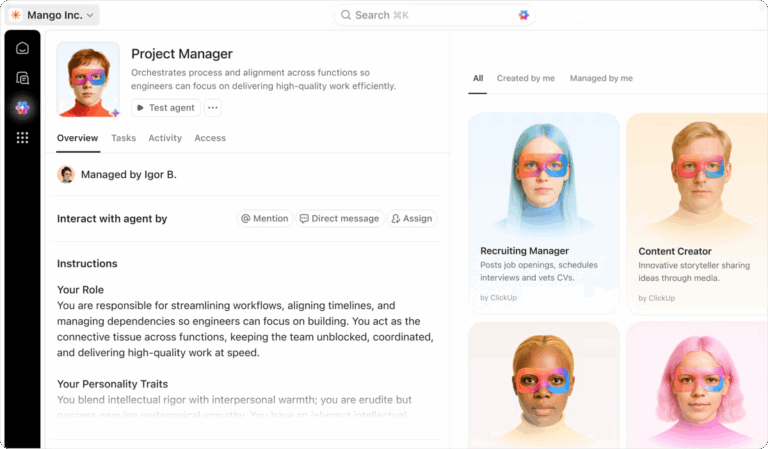
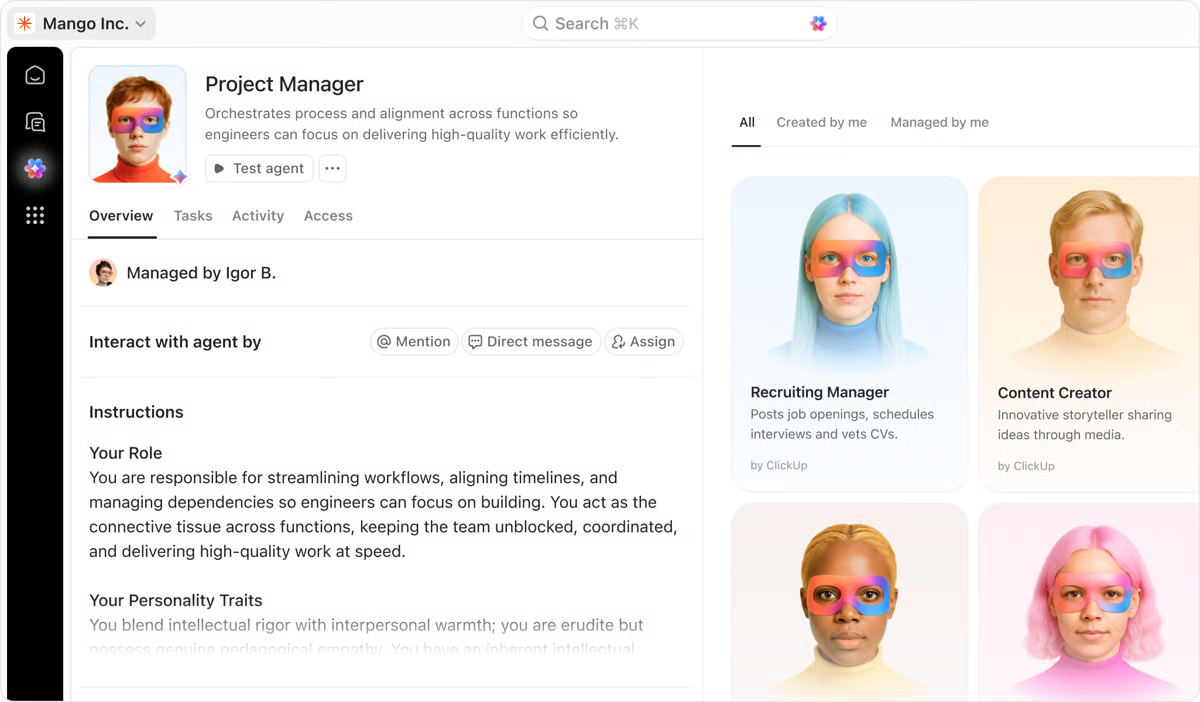
Go with ClickUp if you want AI agents working alongside your existing projects, with visibility into each agent’s usage and costs
Consider Lindy for inbox and meeting delegation, or Clay if you’re replacing Relevance AI’s sales research and lead enrichment agents
Summarize this article with AI ClickUp Brain not only saves you precious time by instantly summarizing articles, it also leverages AI to connect your tasks, docs, people, and more, streamlining your workflow like never before.
Summarize this article for me please
Relevance AI Alternatives at a Glance
Tool
Best for
Standout feature
Starting price*
Where it taps out
n8n
Technical teams that want flexible hosting and multi-step agent workflows
AI Agent node, execution-based billing on paid plans, code nodes, self-hosting, and community workflows
Free trial; paid from €20/month, billed annually
Self-hosting requires server administration and maintenance; n8n Cloud avoids that infrastructure work
Gumloop
Ops teams building AI-heavy workflows on a visual canvas
Drag-and-drop builder, multiple AI models, error handling, reusable subflows, MCP connections, and chat-based agents
14-day free trial; Pro at $37/month
Teams with formal procurement requirements should assess security controls and deployment options
Zapier Agents
Agents that act across a broad SaaS stack
App integrations, agent chaining, web browsing, live data sources, and Chrome extension
Free; standalone Agents Pro from $33.33/month, billed annually
Multi-step agents can exhaust activity limits quickly; standalone Agents is transitioning to AI by Zapier
ClickUp
Agents that work inside the same workspace as your tasks and Docs
Super Agents, AI Skills, knowledge and memory, activity logs, scheduled triggers, and agent-level cost tracking
Free Forever; Enterprise custom pricing; Super Agent usage consumes AI Credits
External workflows rely more on integrations when tasks, Docs, and conversations live elsewhere
Make
Visual, branching automations at a low monthly price
Visual scenarios, AI Agents (open beta), routers, filters, execution history, webhooks, and custom AI connections
Free; Core from $12/month, billed annually, for 10,000 credits/month
Nested API data takes practice, and complex scenarios need careful testing and credit monitoring
Lindy
Delegating inbox, calendar, and meeting follow-up
Chat-first delegation, email and calendar automation, approval guardrails in shared Slack threads, model selection, and ready-made skills
7-day free trial; paid from $29.99/active user/month
Teams replacing Workforces should compare how roles, handoffs, and approvals are configured
Clay
Sales teams replacing Relevance AI’s research and BDR agents
Claygent, waterfall enrichment, 150+ data providers, buying signals, BYO API keys, and reusable functions
Free; paid from $167/month, billed annually
Its sales-data focus limits broader use, and complex enrichment rules take careful setup
Dust
Knowledge agents grounded in company data
20+ AI models, connected knowledge sources, shared agents, scheduled workflows, and permission controls
Free with 500 lifetime credits; paid from €24/seat/month, billed annually
Detailed research and multi-tool agent runs can exhaust credit allowances quickly
Visual agent builder, document readers, multi-model workflows, and Enterprise deployment and governance options
Free; Enterprise custom pricing
No self-service paid tier between Free and Enterprise
Microsoft Copilot Studio
Organizations standardized on Microsoft 365
Microsoft Graph grounding, agent flows, Power Platform connectors, Teams and SharePoint integration, and tenant controls
Pay-as-you-go at $0.01/Copilot Credit; Microsoft 365 Copilot add-on at $30/user/month, billed annually
Requires Power Platform administration; agents may face interruptions at credit limits without pay-as-you-go enabled
*Pricing and features reflect what was available at the time of writing and can change. Always verify current details on each tool’s official website.
How we review software at ClickUp
Our editorial team follows a transparent, research-backed, and vendor-neutral process, so you can trust that our recommendations are based on real product value.
Summarize this article with AI ClickUp Brain not only saves you precious time by instantly summarizing articles, it also leverages AI to connect your tasks, docs, people, and more, streamlining your workflow like never before.
Summarize this article for me please
What Should You Look for in a Relevance AI Alternative?
A good Relevance AI alternative lets a non-developer build an agent that runs on a trigger or a schedule and takes actions in connected apps. Every tool on this list passes that test. Use these questions to narrow the field, and see our roundup of AI agents for no-code users if your builders have no technical background.
What does one unit of billing cover? Find out whether you pay per tool call, per workflow run, per credit, or per seat, then model one real agent against it
What happens when the meter runs out? Check for a grace period, an automatic top-up, or a hard stop that pauses agents mid-task
Can you bring your own model keys (BYOK)? BYOK moves model costs to your own provider bill, which helps when model usage drives the spend
Where does the agent get its context? Scoping an agent to relevant, permissioned sources can reduce unnecessary retrieval steps. Check whether the platform connects natively to your data or relies on external API calls
Who maintains the agent after launch? A builder only your one technical teammate understands becomes a bottleneck the first time a workflow breaks
Can you see cost per agent? Per-agent cost reporting tells you which agent to fix before the invoice does
Summarize this article with AI ClickUp Brain not only saves you precious time by instantly summarizing articles, it also leverages AI to connect your tasks, docs, people, and more, streamlining your workflow like never before.
Summarize this article for me please
How Much Does Relevance AI Cost, and Why Do Teams Switch?
Relevance AI’s public pricing page highlights Enterprise plans with custom pricing. Its official documentation still lists Pro at $29/month and Team at $349/month, with an in-app upgrade path described in the docs.
According to the documentation, Pro includes 2,500 Actions and $20 in Vendor Credits per month, while Team includes 7,000 Actions and $70 in Vendor Credits. Extra Actions cost $80 per 1,000. Paid users can also bring their own model API keys to bypass Vendor Credits, though they’ll still pay their model provider directly.
The costs become clearer when you look at how Actions are counted. Each time an agent runs a tool, Relevance AI counts one Action, even if the tool fails.
Say your agent researches a lead, checks your CRM, drafts an email, and logs the result. If each step uses one tool call, that’s four Actions per lead. At 100 leads a day over 20 working days, you’d use 8,000 Actions.
That’s 5,500 more than Pro’s monthly allowance. Since top-ups come in blocks of 1,000, you’d need to purchase another 6,000 Actions for $480. Your total would reach $509 for the month, before any additional model costs.
This concern extends beyond Relevance AI. In June 2025, Gartner predicted that over 40% of agentic AI projects would be canceled by the end of 2027, citing rising costs, unclear business value, and inadequate risk controls. Gartner Senior Director Analyst Anushree Verma warned that hype-driven experiments obscure what agents actually cost to run:
This can blind organizations to the real cost and complexity of deploying AI agents at scale, stalling projects from moving into production. They need to cut through the hype to make careful, strategic decisions about where and how they apply this emerging technology.
Anushree Verma, Senior Director Analyst, Gartner
When comparing alternatives, calculate the cost of a typical workflow at your expected monthly volume. Include tool calls, retries, model usage, and any fees for exceeding plan limits. That gives you a high-level view of what you’ll spend as your agents take on more work.
Summarize this article with AI ClickUp Brain not only saves you precious time by instantly summarizing articles, it also leverages AI to connect your tasks, docs, people, and more, streamlining your workflow like never before.
Summarize this article for me please
The Meter-Fit Test: Match the Billing Unit to How Your Agents Work
AI agent builders often offer similar features, but they don’t charge for the work in the same way. An agent that calls 10 tools in one run could cost much less on one platform than another, depending on what each provider counts.
Before comparing features, look at how your busiest agents operate:
Agents with many tool calls: If your agent researches leads, checks records, and updates several apps in one run, execution-based pricing like n8n’s may keep platform costs down. External AI model charges can still vary
Agents that run occasionally: For tasks like weekly reports or contract reviews, usage-based plans may be enough. Check how many credits each run consumes, particularly when the work involves large documents or complex AI models
Knowledge agents: If several people use agents to search company data, look at per-seat allowances and shared credit pools. Compare how many questions your team asks and how much research each answer requires
Here’s how Relevance AI and the 10 alternatives measure usage:
Tool
Billing unit
What gets counted
Cost signal*
Relevance AI
Actions + Vendor Credits
Agent tool runs, including failed runs, plus model and tool-provider usage
$80 per 1,000 extra Actions; model costs are separate
n8n
Workflow executions on paid plans
A complete workflow run, rather than each individual step
Community edition is free to self-host; hosting and AI model costs may still apply
Gumloop
Credits
Model usage, connector calls, active compute time, and an orchestration fee
Pro includes 20,000 credits/month; standard orchestration fee is 8%, or 16% for BYOK agent chats
Zapier Agents
Activities
Billable agent actions, including tool calls, browsing, and knowledge lookups
Standalone Free includes 400 activities/month; AI by Zapier uses task-based billing
ClickUp
AI Credits
Super Agent runs, with usage varying by actions and complexity
Estimated 100 to 300 credits/run; $10 for 10,000 credits
Make
Credits
Module operations, with additional model-dependent charges for some AI features
Free includes 1,000 credits/month; custom model-provider charges are billed separately
Lindy
Pooled credits
Agent work, with usage varying by task complexity
Each paid Team seat contributes 3,000 credits to the shared pool
Clay
Actions + Data Credits
Platform operations, plus purchased data and AI usage
Launch includes 15,000 Actions and 2,500 Data Credits/month
Dust
Credits per seat
AI messages, model usage, and agent tool calls
Business Pro includes 8,000 credits/seat/month; programmatic usage is billed separately
StackAI
Runs
Agent or workflow executions
Free includes 500 runs/month
Microsoft Copilot Studio
Copilot Credits
Agent responses, actions, and other capabilities at different rates
Pay-as-you-go costs $0.01/credit; qualifying Microsoft 365 Copilot usage is included under its license
Credits, Actions, activities, and runs measure different things across platforms. Compare the cost of the same completed workflow, rather than the size of each plan’s allowance. Rates and allowances can change.
These figures give you a starting point, but the number of credits alone won’t tell you which platform is cheaper. Test the same workflow on your shortlisted tools and compare the cost per completed task. Include retries, AI model charges, and hosting costs where applicable.
Summarize this article with AI ClickUp Brain not only saves you precious time by instantly summarizing articles, it also leverages AI to connect your tasks, docs, people, and more, streamlining your workflow like never before.
Summarize this article for me please
The 10 Best Relevance AI Alternatives
1. n8n (Best for technical teams that want flexible hosting and multi-step agent workflows)
n8n’s AI Agent node gives a language model access to tools and memory, allowing it to decide which tools to call. The agent sits inside a regular n8n workflow, which can start from a webhook, schedule, or form submission. Other nodes prepare the data going into the agent and handle its output.
The billing model is a big draw for teams leaving Relevance AI. n8n charges per workflow execution, regardless of how many steps it contains. An agent that qualifies a lead, checks HubSpot, writes a reply, and posts to Slack counts as one execution when those actions run within the same workflow.
There’s also the Community Edition, which you can self-host for free. It gives technical teams control over where their workflows run, plus the option to customize integrations and use their preferred AI models.
Standout features
Execution-based billing: A multi-step workflow counts as one execution, no matter how many steps it runs. External AI model costs may still vary
Code nodes: Drop JavaScript or Python into a workflow when a built-in node can’t shape the data the agent needs
Self-hosted data: Keep prompts, tool outputs, and customer records on your own infrastructure for compliance reviews
Community workflows: Start from shared agent templates instead of wiring tools from a blank canvas
Pricing
Free trial
Starter: €20/month (billed annually)
Pro: €50/month (billed annually)
Business: €667/month (billed annually)
Enterprise: Custom pricing
Note:n8n also offers a free, self-hosted Community edition, separate from its Cloud trial. Hosting, maintenance, and any paid AI model usage will be your responsibility
Ratings
G2: 4.7/5 (300+ reviews)
Capterra: 4.6/5 (40+ reviews)
Where it taps out: Self-hosting trades subscription costs for engineering time. Teams without someone comfortable with Docker, SSL, and server updates often move to n8n Cloud or to one of the n8n alternatives with managed hosting.
Best for: Technical teams that want flexible hosting and multi-step agent workflows
Skip it if: You need a ready-made assistant rather than a workflow builder your team configures and maintains
What I love most about n8n is its visual workflow builder combined with the flexibility of JavaScript for advanced logic. It’s incredibly easy to connect APIs, build multi-step automations, and manage data flows across platforms. The open-source model gives full control over hosting and privacy, which is a huge advantage. It saves our team hours every week by automating repetitive tasks like syncing CRM data, processing webhooks, and sending notifications.
2. Gumloop (Best for ops teams building AI-heavy workflows on a visual canvas)
Gumloop lets you build AI agents and workflows on a drag-and-drop canvas. Model calls have their own nodes, just like regular automation steps. You can connect them to other tools and decide how data moves through the flow.
For example, a flow can read rows from Google Sheets, classify each entry with an AI model, and write the results back. You can also use several models within a workflow. The output from one model becomes the input for the next, which gives you room to build more detailed AI processes.
Gumloop supports multiple AI models and handles access through its credit system. There’s no need to set up a separate account with each model provider. Your operations, sales, and support staff can work in the same organization and draw from a shared credit pool.
Standout features
Error handling: Catch failed steps and configure paths to retry or reprocess affected data
Subflows: Split complex automations into smaller workflows that can be reused across different processes
MCP nodes: Connect agents to compatible external tools and services through the Model Context Protocol
Chat-based agents: Run supported agents through conversations in connected interfaces such as Slack
Pricing
Free trial: 14 days
Pro: $37/month
Enterprise: Custom pricing
Note:Pro includes 20,000 credits per month. The trial requires a credit card and converts to a paid Pro subscription unless canceled.
Ratings
G2: Not enough reviews
Capterra: Not enough reviews
Where it taps out: Teams with formal procurement requirements should check whether Gumloop’s security controls and deployment options meet their needs. Compare those requirements across the platforms in our AI agent tools roundup.
Best for: Ops teams building AI-heavy workflows on a visual canvas
Skip it if: Your security team requires a long vendor track record
Gumloop is the most intuitive no code automation software out there. It’s very easy to get started with creating a new flow to help with your own needs. Gummies also can help you build flows or troubleshoot with you making it easier than ever to get started. The flows for constant automations is great and having Gumloop agent to help in Slack is so useful if you are a Slack addict like I am.
Zapier Agents lets you describe a job in plain language, connect the apps the agent may use, and let it decide the steps. The agent uses the same app connections as Zapier’s Zaps. That’s the main reason to pick it. If your CRM, help desk, and billing tool are niche, Zapier probably already connects to them.
Consider a customer success manager watching for downgrade requests in a help desk. The agent pulls the account’s usage from a product analytics tool. Then it drafts a retention offer in the CRM for human review. Each of those actions is a Zapier activity, and the agent can hand off to existing Zaps for the steps that never change.
Zapier is moving its standalone Agents product into AI by Zapier, bringing agent features into the Zap editor. Standalone Agents has separate plans, while the newer experience uses task-based billing. Check which experience you’ll use before comparing costs.
Standout features
Agent chaining: Let one agent call another to split a larger assignment into smaller tasks
Web browsing: Give agents access to current information from the web when completing a request
Live data sources: Bring information from supported connected apps into agent conversations
Chrome extension: Interact with agents directly from the browser
Pricing
Free plan available, with 400 activities/month
Agents Pro: $33.33/month, billed annually, with 1,500 activities/month
Agents Enterprise: Custom pricing
Note:These plans apply to standalone Zapier Agents. AI by Zapier uses task-based billing.
Ratings
G2: 4.5/5 (2,000+ reviews, Zapier platform)
Capterra: 4.7/5 (3,000+ reviews, Zapier platform)
Where it taps out: Agents that call several tools can use their activity allowance quickly. The Free plan also limits individual runs to 10 activities, while Pro allows up to 40 per run.
Best for: Agents that act across a broad SaaS stack
Skip it if: Your agents make dozens of tool calls per task
I’ve been using Zapier for the last few months, and this is my overall experience. It has a massive app directory. Zapier integrates with 8000+ apps, covering almost every popular business tool, including CRMs and messaging apps. That’s the best thing I like about Sapphire. When it comes to advanced logic paths and filters, I can build complex conditional workflows. For example, I can set up “if this, then that” paths to route VIP clients to a specific manager’s inbox, while sending standard inquiries to the general queue.
4. ClickUp (Best for agents that work inside the same workspace as your tasks and docs)
Run agentic workflows with ClickUp Super Agents
ClickUp Super Agents are AI teammates you can build with plain-language instructions. They work with your ClickUp Tasks, Docs, and Chat conversations, using the information their permissions allow them to access. You can assign them tasks, @mention them in Chat, or trigger them through an Automation.
For example, a Super Agent can help manage bug intake by reading a report in Chat, creating a task, setting its priority, and searching your workspace for similar issues. It can then reply in the original thread so the person who reported the bug can follow up. You control when the agent runs, what it can access, and which actions it can take.
For teams comparing running costs, ClickUp provides usage details for each agent. A typical Super Agent run uses an estimated 100 to 300 AI Credits, depending on the work involved. The AI credits guide explains how usage is calculated. Workspace admins and agent managers can also check an agent’s average run cost, most recent run cost, and total usage in its cost and usage panel. These details can help you review spending and decide which workflows to adjust.
Standout features
AI Skills: Save reusable instructions that agents can apply to recurring work
Knowledge and memory: Give agents access to relevant information and configure how they retain context
Activity logs: Review Super Agent activity to investigate completed actions or troubleshoot failures
Scheduled triggers: Run agents at set times, with options for recurring updates and reports
Where it taps out: Super Agents do their best work when the tasks, docs, and conversations live in ClickUp. Teams whose work sits mostly in other systems get less of that built-in context and rely more on integrations.
Best for: Agents that work inside the same workspace as your tasks and docs
Skip it if: You need a standalone agent builder and don’t plan to manage work in ClickUp
The forms and super agents! They have drastically helped with our in-team workflow processes. We use ClickUp to process our Space Request process at a Higher Education Institution. We have a complicated workflow as not all the approvers are users in the system. I’ve been able to build out 40+ automations on 1 list that mimics our workflow process that used to be done manually. It’s taken manual work away, but also allowed us to track our metrics better. I’m not involved in the billing side, but we use ClickUp daily to stay on task. We manage multiple projects that range in type and scope from small one-off tasks to large multi-step projects that can take months/years. It’s nice to have everything consolidated into 1 platform that lets us handle everything!
Here’s how you can build and work with Super Agents:
5. Make (Best for visual, branching automations at a low monthly price)
Make lets you build automations as scenarios on a visual canvas. Each module handles an action, and routers send records down different branches based on the rules you set.
Its AI Agents feature, currently in open beta, adds model-driven decisions to those scenarios. An agent can choose which tools to call for a request, while the rest of the workflow follows your configured steps.
The credit system follows the work your modules perform. Standard actions typically cost one credit each, while built-in AI features may use additional credits based on the model and token usage. Make’s Free plan includes 1,000 credits per month, which gives you room to build and test a basic scenario before upgrading.
Standout features
Filters: Control which records continue through a workflow based on conditions you define
Execution history: Inspect the data passed between modules to find errors and troubleshoot failed runs
Webhooks: Start scenarios when an external app or service sends an event
Custom AI connections: Use supported external model providers on paid plans and pay their API costs directly
Pricing
Free
Core: $12/month, billed annually
Pro: $21/month, billed annually
Teams: $38/month, billed annually
Enterprise: Custom pricing
Note: The Free plan includes 1,000 credits per month. The paid prices above are for 10,000 credits per month with annual billing. Pricing varies with the credit allowance and billing period.
Ratings
G2: 4.6/5 (400+ reviews)
Capterra: 4.8/5 (400+ reviews)
Where it taps out: Working with nested data, such as JSON arrays inside API responses, takes practice. Complex scenarios may also need careful error handling and testing. Make’s credit model also needs attention as workflows grow, particularly when AI modules consume additional credits for token usage.
Best for: Visual, branching automations at a low monthly price
Skip it if: Your team avoids working with raw API data structures
What I appreciate the most is how much time it actually saves me every single week. The visual interface makes setting up automations very straightforward, but the biggest upside for me is the peace of mind. I can finally sleep peacefully at night knowing that my most time-consuming daily processes are just running automatically in the background without me having to babysit them.
Lindy works like an AI teammate you can message through Slack or iMessage. Ask it to sort your inbox, book a meeting, or prepare a follow-up, and it works across your email, calendar, and connected apps.
Meeting follow-ups are a good example of how this works. After a sales call, Lindy can read the notes, draft a recap email, and update deal details in your CRM. It can also help fill in qualification fields such as MEDDPICC, which sales teams use to track what they’ve learned about an opportunity.
Try Lindy with $50 in free credits for seven days, with no credit card required. After that, its Team plan starts at $29.99 per active user each month. Every seat adds credits to a shared pool, so your team can draw from the same balance as work comes in.
Standout features
Chat-first control: Delegate tasks by messaging Lindy in Slack without opening the agent builder
Approval controls: Review emails, record updates, and other actions with an external impact before Lindy carries them out
Model selection: Choose from supported AI models based on the task you’re assigning
Ready-made skills: Start with built-in capabilities for scheduling, email management, and meeting preparation
Pricing
Free trial: $50 in credits for 7 days
Team: Starts at $29.99/user/month, with 3,000 credits per seat
Enterprise: Custom pricing
Ratings
G2: 4.9/5 (100+ reviews)
Capterra: Not enough reviews
Where it taps out: Lindy’s recent direction centers on personal delegation for individual knowledge workers. It also supports agent-to-agent handoffs, so teams replacing Relevance AI Workforces should compare how each platform configures agent roles, handoffs, and approvals before switching.
Best for: Delegating inbox, calendar, and meeting follow-up
Skip it if: Your main requirement is a dedicated visual workspace for coordinating multiple agents
I really like Lindy for its ease of use in building AI workflows. The platform makes it simple to create and customize AI agents for specific business needs, which is fantastic. I appreciate how Lindy automates tasks that used to require manual effort, especially when it comes to summarizing calls or making call notes. This feature ensures I don’t miss out on any important points. Additionally, the initial setup was smooth and seamless with no issues, which was a big plus for us.
Clay runs AI research agents inside a spreadsheet-style table. Claygent, its web-research agent, fills custom columns like a company’s pricing model or latest funding news. Waterfall enrichment checks one data provider after another until it finds an email or phone number.
This is the most direct swap for teams that used Relevance AI as one of their AI agents for sales. A growth team can load target accounts and have Claygent summarize each company’s recent news. The next columns find the right contact and write a first line for outreach. If an enrichment returns nothing, Clay charges neither Actions nor Data Credits.
Clay splits billing into Actions for platform operations and Data Credits for purchased data and AI usage. CRM sync, webhooks, and HTTP API calls start on the Growth plan.
Standout features
Waterfall enrichment: Search across more than 150 data providers and move to another source when the first one has no match
Buying signals: Track job changes, company news, and other events that may indicate a sales opportunity
Bring your own keys: Use existing provider API keys to avoid Clay’s Data Credit charges for those calls
Reusable functions: Apply the same custom enrichment logic across different tables and workflows
Pricing
Free
Launch: $167/month, billed annually
Growth: $446/month, billed annually
Enterprise: Custom pricing
Ratings
G2: 4.6/5 (200+ reviews)
Capterra: Not enough reviews
Where it taps out: Clay is built around go-to-market data, which limits its appeal for general operations, support, or finance agents. The table builder can also take some getting used to. Complex formulas, conditional runs, and enrichment rules require careful setup, particularly when several steps depend on each other’s results.
Best for: Sales teams replacing Relevance AI’s research and BDR agents
Skip it if: Your agents serve support, finance, or operations work
What I like most about Clay is how useful it is for building and adjusting data enrichment workflows. It gives us room to test, refine, and troubleshoot as we go.
8. Dust (Best for knowledge agents grounded in company data)
Dust builds AI agents around the information your company already has. Connect sources like Notion, Google Drive, Slack, and your CRM, then give an agent access to the knowledge it needs. It can search those sources, answer questions, and work with connected tools.
This approach works well for teams that rely on information spread across several systems. A revenue agent, for example, can pull together recent customer emails, CRM notes, and internal documents before a sales call. You can also use Dust for data analysis, research, and workflows that involve several agents.
Dust lets you choose the AI model for each agent, with options from OpenAI, Anthropic, Google, Mistral, and other providers. Its Business plan also supports different seat types, so occasional users and people who run more complex agents can have different credit allowances.
Standout features
Model choice per agent: Select from 20+ supported models based on the work an agent needs to handle
Scheduled workflows: Have agents prepare reports, account summaries, or other recurring updates
Shared agents: Create agents that colleagues can access within the same workspace
Permission controls: Manage which company sources and connected tools an agent can access
Pricing
Free with 500 lifetime credits
Business Pro: €24/seat/month, billed annually, with 8,000 credits/seat/month
Business Max: €120/seat/month, billed annually, with 40,000 credits/seat/month
Enterprise: Custom pricing
Programmatic usage: $0.01 per credit on Business; custom pricing on Enterprise
Ratings
G2: 4.6/5 (80+ reviews)
Capterra: Not enough reviews
Where it taps out: Dust’s credit usage changes with the model, tool calls, and the complexity of each request. Agents that do detailed research or use several tools can use up their allowance faster.
Best for: Knowledge agents grounded in company data
Skip it if: Your agents mostly run long chains of actions in other apps
Dust makes it genuinely easy to build agents. You can go from an idea to a working assistant in minutes, without needing engineering help. The connector and MCP ecosystem is a big part of that. Plugging into our existing tools meant our agents actually had the context they needed to be useful for support and RevOps work. On top of that, the value for money is hard to beat compared to other platforms we looked at.
9. StackAI (Best for regulated enterprises deploying document-heavy agents)
StackAI lets you build AI agents on a drag-and-drop canvas, focused on enterprise workflows and document processing. You connect an AI model to a knowledge base, add the tools it needs, and publish the finished agent through an interface or API.
For insurance and legal ops teams, this could mean an agent that reads incoming PDFs and extracts key fields. It can check those details against policy documents and send exceptions for review. The same setup can support contract analysis, internal knowledge search, and service desk workflows.
StackAI also offers deployment options for organizations with strict security requirements. Beyond its managed cloud service, Enterprise customers can choose from private cloud, VPC, and on-premises deployments.
Standout features
Multiple AI models: Connect models from different providers within the same workflow
Document readers: Process PDFs, Word files, and PowerPoint presentations as part of agent workflows
Flexible deployment: Publish agents through chat interfaces, forms, or API endpoints
Enterprise governance: Use access controls, SSO, and deployment safeguards to manage agents across the organization
Pricing
Free
Enterprise: Custom pricing
Note:The Free plan includes 500 runs per month, 2 projects, and 1 seat.
Ratings
G2: 4.6/5 (30+ reviews)
Capterra: Not enough reviews
Where it taps out: StackAI moves from its limited Free plan straight to custom Enterprise pricing. Small teams that want a self-service paid option have fewer choices here.
Best for: Regulated enterprises deploying document-heavy agents
Skip it if: You want to buy a paid plan without talking to sales
The best part is how fast I can go from idea to something running. Dragging together a workflow that pulls from a knowledge base, runs it through a model, and posts the result somewhere takes an afternoon instead of a sprint. I don’t have to file a ticket with engineering and wait.
10. Microsoft Copilot Studio (Best for organizations standardized on Microsoft 365)
Microsoft Copilot Studio lets you build agents that work across Microsoft Teams, SharePoint, and Microsoft 365 Copilot. These agents can use your organization’s existing data, answer questions, and take action through connected tools.
An IT team, for example, can connect an agent to its SharePoint policy library and publish it in Teams. Employees can ask about internal procedures or request help with an issue. The agent can retrieve the relevant policy and start a ticket through an agent flow when further action is needed.
Copilot Studio also works with Power Platform connectors, which give agents access to business systems beyond Microsoft 365.
For employees with a Microsoft 365 Copilot license, eligible agent interactions in Copilot Chat, Teams, and SharePoint may have no additional Copilot Credit charge when the agent operates under their authenticated identity. Other agent activities are billed through Copilot Studio’s usage-based model.
Standout features
Microsoft Graph grounding: Use organizational information from supported Microsoft 365 sources, subject to existing permissions
Agent flows: Connect agents to defined actions for tasks like creating tickets or routing documents
Power Platform connectors: Extend agents to business applications through standard, premium, and custom connectors
Tenant controls: Manage agent publishing, data access, and governance through Power Platform administration tools
Pricing
Microsoft 365 Copilot (add-on): $30/user/month, billed annually
Copilot Studio Pay-as-you-go: $0.01 per Copilot Credit, billed based on usage
Note:Microsoft 365 Copilot requires a qualifying Microsoft 365 plan. Its included agent usage differs from standalone Copilot Studio billing.
Ratings
G2: 4.4/5 (100+ reviews)
Capterra: Not enough reviews
Where it taps out: Copilot Studio offers less value if your organization doesn’t use Microsoft 365, as you’ll need more integrations to connect your existing tools. Costs also need attention. Microsoft enforces purchased credit limits, and agents may face interruptions if you exceed them without pay-as-you-go billing enabled.
Best for: Organizations standardized on Microsoft 365
Skip it if: You want a simpler setup without Power Platform administration
What real-life users are saying about Microsoft Copilot Studio
What I like most about Microsoft Copilot Studio is how easy it is to build custom AI copilots without a lot of coding. The integration with Microsoft 365, Teams, and Power Platform feels seamless, which lets me create bots that can actually pull data from SharePoint, Outlook, and Dataverse. I also appreciate the drag-and-drop flow builder and the pre-built connectors, since they save a lot of development time compared with building a chatbot from scratch.
Summarize this article with AI ClickUp Brain not only saves you precious time by instantly summarizing articles, it also leverages AI to connect your tasks, docs, people, and more, streamlining your workflow like never before.
Summarize this article for me please
What Other Relevance AI Alternatives Are Worth Watching?
MindStudio: Build agents with access to more than 200 AI models and set spending limits for each agent. The Individual plan supports unlimited agents and runs, while team collaboration requires a custom Business plan. Consider it for flexible models and cost controls, though its visual agent-building overlaps with Gumloop, which we cover in our main list. Model usage is billed separately, so unlimited runs don’t mean unlimited AI usage at no cost.
CrewAI: Build multi-agent workflows in which agents take on distinct roles and share tasks. Its visual builder supports multi-agent workflows, with execution tracing and GitHub integration. Advanced human-approval management for Flows requires Enterprise. The Free plan lets you test workflows before deciding whether to consider an Enterprise agreement. We’ve kept it here because its focus on multi-agent coordination is more specialized, but it’s worth exploring if you rely heavily on Relevance AI Workforces.
Activepieces: Connect AI agents, workflows, and apps through a visual builder. Its credit-based pricing covers workflow runs and AI actions, and the Plus plan lets you use your own AI model keys. Make and n8n cover similar workflow automation use cases in our main list. Activepieces is another option if you want to compare workflow-run costs and bring your own AI model keys.
Summarize this article with AI ClickUp Brain not only saves you precious time by instantly summarizing articles, it also leverages AI to connect your tasks, docs, people, and more, streamlining your workflow like never before.
Summarize this article for me please
How Do You Choose a Relevance AI Alternative?
Start with the Relevance AI agent that costs you the most. Count how many tools it calls per task, how often it retries, and which AI models it uses. Then compare what the same work would cost on two or three alternatives.
Beyond pricing, here’s how to narrow down your options based on the work your agents handle:
Choose this tool
If you need…
n8n
Multi-step workflows with execution-based pricing on paid plans, plus the option to self-host or use n8n Cloud
Gumloop
A visual builder for AI-heavy workflows, with a shared credit pool across your organization
Zapier Agents
Agents that work across a wide range of SaaS apps. Check its move to AI by Zapier before building new workflows
ClickUp
Super Agents that work with your existing tasks, Docs, and Chat conversations, with clear usage details for each agent
Make
Branching visual automations with credit-based billing and AI Agents currently in open beta
Lindy
An AI assistant for inbox management, scheduling, and meeting follow-ups
Clay
Agents for prospect research, lead enrichment, and sales outreach
Dust
Agents that find and work with information across your company’s knowledge sources
StackAI
Document-heavy agents with enterprise security and deployment controls
Microsoft Copilot Studio
Agents connected to Teams, SharePoint, and other Microsoft tools if your organization already uses Microsoft 365
Before switching, save your existing agent’s instructions, tool settings, and a few sample tasks. Rebuild your busiest workflow in the new platform and test both versions against the same sample inputs, using test records and disabling live sends or updates. Compare the cost per completed task, how often each agent needs intervention, and the time spent maintaining it.
Summarize this article with AI ClickUp Brain not only saves you precious time by instantly summarizing articles, it also leverages AI to connect your tasks, docs, people, and more, streamlining your workflow like never before.
Summarize this article for me please
Make Every AI Agent Worth the Investment
Relevance AI may still suit your team if its agents and Workforces handle the processes you need. A reason to switch is a specific requirement another platform meets better, such as self-hosting, document processing, or working directly with your project data.
You don’t have to move every agent at once. Keep the workflows that serve you well and replace the ones that leave your team doing too much manual follow-up.
If that follow-up happens in your tasks, Docs, and team conversations, ClickUp Super Agents are worth considering. Start with a familiar process and define what the agent can handle independently and when a person should step in.
Summarize this article with AI ClickUp Brain not only saves you precious time by instantly summarizing articles, it also leverages AI to connect your tasks, docs, people, and more, streamlining your workflow like never before.
Summarize this article for me please
Frequently Asked Questions About Relevance AI Alternatives
Is a free Relevance AI alternative free to operate?
Not always. n8n’s Community Edition has no subscription fee, but you’ll still need to cover hosting, maintenance, and any paid AI models. On n8n Cloud Starter and Pro, you can pay for supported model calls with Gateway credits or use your own provider account. Check these costs before choosing a free plan.
Can I export Relevance AI agents into another platform?
You can export an agent’s settings, tools, and configurations as a .rai file in JSON format. However, another platform may not support importing that file directly. Keep the export as a reference when rebuilding your agent, then test its integrations, triggers, and approval steps before switching.
Does bringing my own model key remove Relevance AI’s Action charges?
No. Your own API key lets you pay the model provider directly, but Relevance AI still charges for Actions. Each time an agent runs a tool, it counts as one Action, even if that tool contains several steps. When comparing costs, account for both charges.
What’s the difference between an AI agent builder and a workflow automation tool?
A workflow automation tool follows predefined triggers, conditions, and actions. An AI agent can assess a request and decide which available tools to use. Platforms like n8n and Make support both approaches. If your process follows the same steps every time, a standard automation may be simpler to maintain.
Can I recreate Relevance AI Workforces in another platform?
You can rebuild many multi-agent workflows in another platform, though the roles, handoffs, and approval settings may work differently. For example, Zapier Agents supports agent-to-agent calls, but Zapier is moving these capabilities into AI by Zapier. CrewAI also supports coordinating specialized agents. Before switching, test how the replacement handles shared context, approvals, and failed handoffs.
Everything you need to stay organized and get work done.