


Sorry, there were no results found for “”
Sorry, there were no results found for “”
Sorry, there were no results found for “”
We live in a world of nonstop information. Ideas come and go, tasks pile up, and good intentions vanish the second a new Slack ping arrives.
That’s why more people are building a “Second Brain”—a digital extension of your memory that helps you capture, organize, and retrieve important information effortlessly.
Whether you’re a creator, entrepreneur, student, or manager, having a Second Brain means you’ll spend less time remembering things—and more time thinking, creating, and doing.
Let’s explore how to build a Second Brain and why ClickUp is the ideal platform to bring it to life.
Building a Second Brain (BASB), as conceptualized by Tiago Forte (one of the world’s foremost experts on productivity), is a systematic approach to creating a digital repository for organizing and taking action on the abundant ideas you come across daily.
Given the exponential growth in our online consumption, remembering all this information becomes impractical. However, consolidating this wealth of information in a single, accessible location can increase your productivity significantly.
Having a structured space for storing and organizing information allows our minds the freedom to think, imagine, and be present in the moment. Moreover, when not burdened by the constant pressure of trying to remember everything, you take the right actions.
📮ClickUp Insight: While 34% of users operate with complete confidence in AI systems, a slightly larger group (38%) maintains a “trust but verify” approach. A standalone tool that is unfamiliar with your work context often carries a higher risk of generating inaccurate or unsatisfactory responses.
This is why we built ClickUp Brain, the AI that connects your project management, knowledge management, and collaboration across your workspace and integrated third-party tools. Get contextual responses without the toggle tax and experience a 2–3x increase in work efficiency, just like our clients at Seequent.
Forte further introduced two crucial principles as part of building a Second Brain. Let’s break these down:
This four-step method helps you organize information and turn it into concrete results:
According to Forte, all the information in your life can be divided into just four categories:
Building your second brain helps eliminate the stress that comes with the continuous consumption of information. But that’s not all; here are some more benefits of this proven method:
Have you ever felt incredibly overwhelmed by the sudden burst of information you consume online? Let’s say in a week, you attend a series of webinars, read several articles on recent trends, and engage with online communities or discussions.
Your brain faces information overload and needs help organizing and categorizing information. This is where the second brain methodology can come in. Without a proper system, you risk forgetting important details before you even realize it—and trying to connect the dots later is frustrating.
By using modern tools like note-taking apps, virtual whiteboards, mind maps, and second brain apps, you can retain important insights and communicate them effectively with your team.
📌 Example: After attending a marketing webinar, instead of scribbling notes in random docs, you add the core takeaways to a structured folder in your second brain app. When it’s time to brainstorm campaign ideas, those learnings are ready—organized and actionable.
Let’s be honest—no one wants to dig through scattered documents while preparing for a big presentation or making a time-sensitive decision. You need information to be accessible, contextual, and ready to use.
For instance, imagine preparing a strategy deck. You’re scanning through research reports, notes from past meetings, and industry benchmarks. In a high-pressure moment, the BASB method allows you to quickly pull key points from your digital workspace—no backtracking or context-switching required.
Use mind-mapping techniques to organize your thinking visually, and jot down innovative ideas or angles during research. This structured flow ensures that when it’s time to create, you’re not starting from scratch.
📌 Example: You’re pitching a new product. With everything tagged in your second brain—past market research, customer pain points, tested messaging—you can build your story faster and with more confidence.
Creative thinking thrives when ideas are captured, stored, and revisited. When you have a constant flow of thoughts and inspirations, jotting them down and categorizing them is key.
The BASB method helps you build a central repository of images, quotes, articles, and notes—so nothing valuable slips away. This collection becomes your go-to space during creative blocks or content planning.
📌 Example: You come across a brilliant analogy while reading a novel. You save it in your second brain under “storytelling techniques.” Weeks later, it becomes the hook for a viral ad concept.
You can also use interactive whiteboard templates for team brainstorming. Everyone works in the same space—no screen-sharing or clunky file exchanges—making collaboration seamless and fast.
Juggling multiple priorities? The BASB method helps you break down complex projects into smaller parts, set milestones, and track progress, ensuring tasks don’t fall through the cracks.
Let’s say you’re a project manager in a creative agency. Use your digital workspace to create detailed project plans, track deliverables, and prioritize activities by urgency. When each step is visible and organized, you avoid last-minute chaos and delays.
Your second brain also becomes a valuable record of what worked, what didn’t, and how you overcame challenges—fueling better planning for future projects.
📌 Example: After delivering a campaign, you document key wins and roadblocks. Months later, during a similar launch, you revisit these notes and avoid past pitfalls, saving time and improving outcomes.
Even with a solid plan, building and maintaining a second brain comes with hurdles. Here’s what to watch for:
The digital era inundates us with abundant information, and deciding what to capture or discard becomes overwhelming. Let’s say you want to stay updated on the latest trends, research, and news.
Even a quick Google search brings up dozens of articles, making it hard to choose what’s truly relevant. Without a clear strategy, you either over-save or miss what matters.
📌 Example: You save every article you see “just in case.” Weeks later, you can’t find the one insight you actually needed.
Maintaining your second brain takes consistency, but procrastination often leads to messy systems and neglected notes. If your second brain is just a scattered collection of Google Docs, it stops being useful.
📌 Example: You start strong with neatly tagged folders, but skip updating them for weeks. Now it’s a digital junk drawer instead of a productivity tool.
Remember: Your second brain shouldn’t become a digital graveyard. A weekly cleanup or review helps keep it alive and useful.
The number of tools available, from Notion to Obsidian to second-brain apps with built-in AI, can be paralyzing.
📌 Example: You test three tools in one month but stick with none, leaving your notes spread across platforms and your workflows disconnected.
Evaluate tools based on ease of use, workflow compatibility, and long-term sustainability. Don’t overcomplicate—start with what you’ll actually use.
A common blocker is the fear of failure with the system—the worry that you’ll spend hours setting it up, only to abandon it.
📌 Example: You delay creating your second brain because you’re unsure of the “right” way. This fear of imperfection stops you from starting altogether.
Instead, treat your second brain as a living system. It’s okay to start small and evolve as you go.
Building a Second Brain isn’t about collecting notes—it’s about creating a reliable system to think better, remember more, and act faster. Let’s walk through how to build yours in five clear steps, combining conceptual clarity with ClickUp’s practical tools.
The first step towards building a second brain is identifying your most common challenges. Do you struggle to retain valuable insights, apply what you’ve read, or act on scattered ideas?
Keep questioning yourself about the areas where you find yourself stuck. Jot down these specific challenges to ensure you capture the required information and use the right approach to building a second brain.
Let’s say you often hit a creative block. A Second Brain gives you a place to store ideas as they come to you, so you always have something to return to when your mind goes blank.
Once you’ve identified what’s holding you back—like scattered ideas or forgotten insights—it’s time to design a system that works for your brain.
Create a Knowledge Base Space
Start by creating a new Space in ClickUp dedicated to your Second Brain. You can call it “Second Brain,” “Digital Vault,” or “Personal Knowledge Base.” This will be your master container—everything you store, organize, or revisit will live here.
💡 Pro Tip: Use a distinct icon and color for your Space to make it easily recognizable in your workspace sidebar.`
Now you know the challenges you must face using a second brain. However, it is crucial to capture the right information, as not every information is equally valuable. That’s where a brainstorming session with the right ideation techniques helps you gather the right information.
It’s best to use diverse formats to capture information, such as notes, texts, images, links, audio recordings, and sketches.
Use ClickUp AI Notetaker to auto-capture conversations and meetings
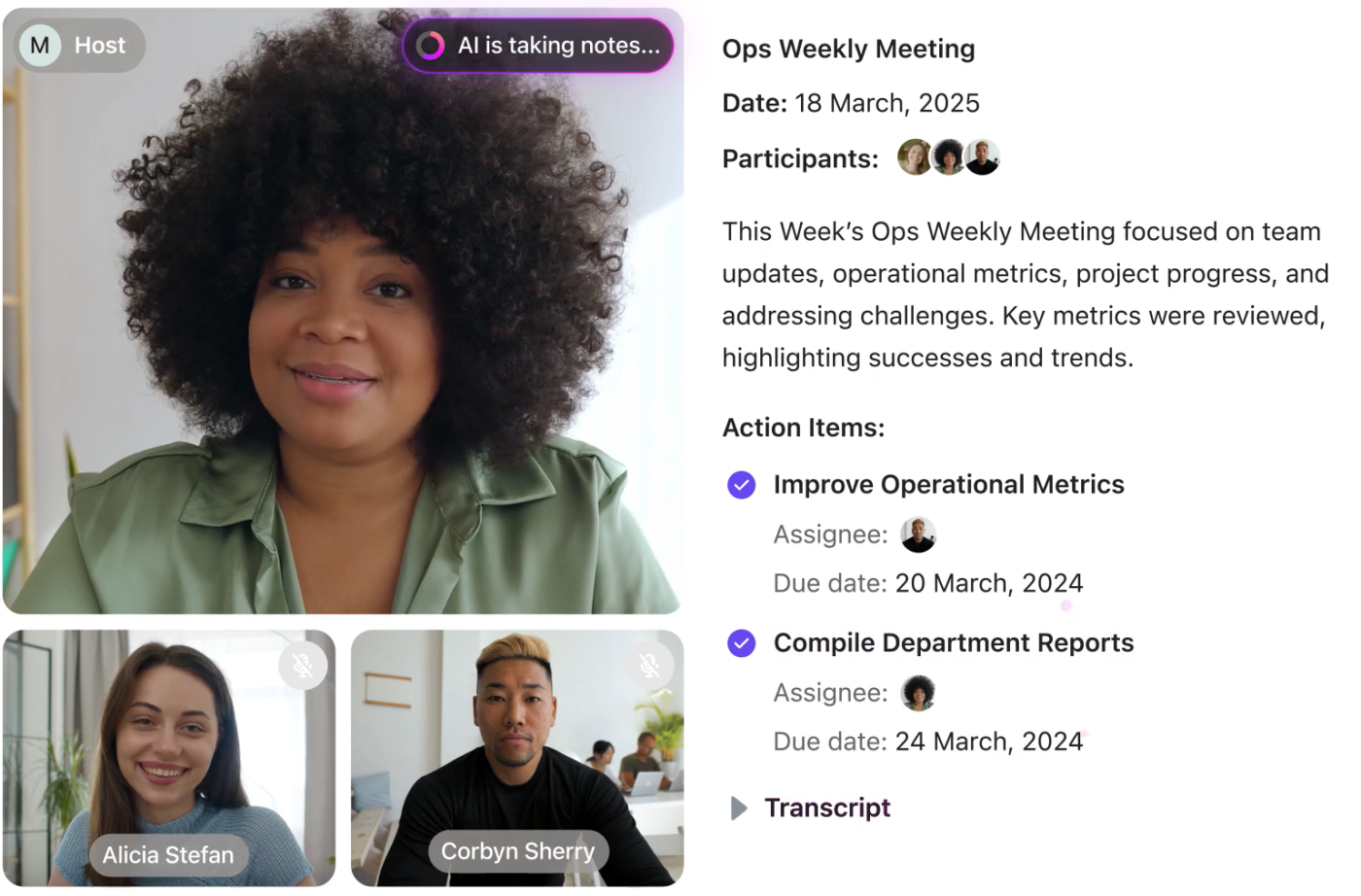
Instead of scrambling to jot down ideas during important discussions, let the AI Notetaker record your Zoom, Google Meet, or Microsoft Teams calls and auto-generate summaries, action items, and transcripts.
You can instantly turn those insights into tasks, Docs, or folders in your Second Brain—without losing any context.
💡 Pro Tip: Create a recurring “Review AI Notes” task to process these insights weekly and decide what to keep, tag, or archive.
Add Folders to Represent Key Areas of Your Life and Work
Within your Second Brain Space, create Folders that represent major domains of your life or responsibilities, such as:
This mirrors the “Areas” and “Resources” sections from the PARA method and helps you segment knowledge meaningfully.
💡 Pro Tip: Use emojis in folder names (e.g., 🧠 Learning, 🏃 Health) for quick visual scanning and a touch of personality.
If you want to incorporate brainstorming into your capture process:
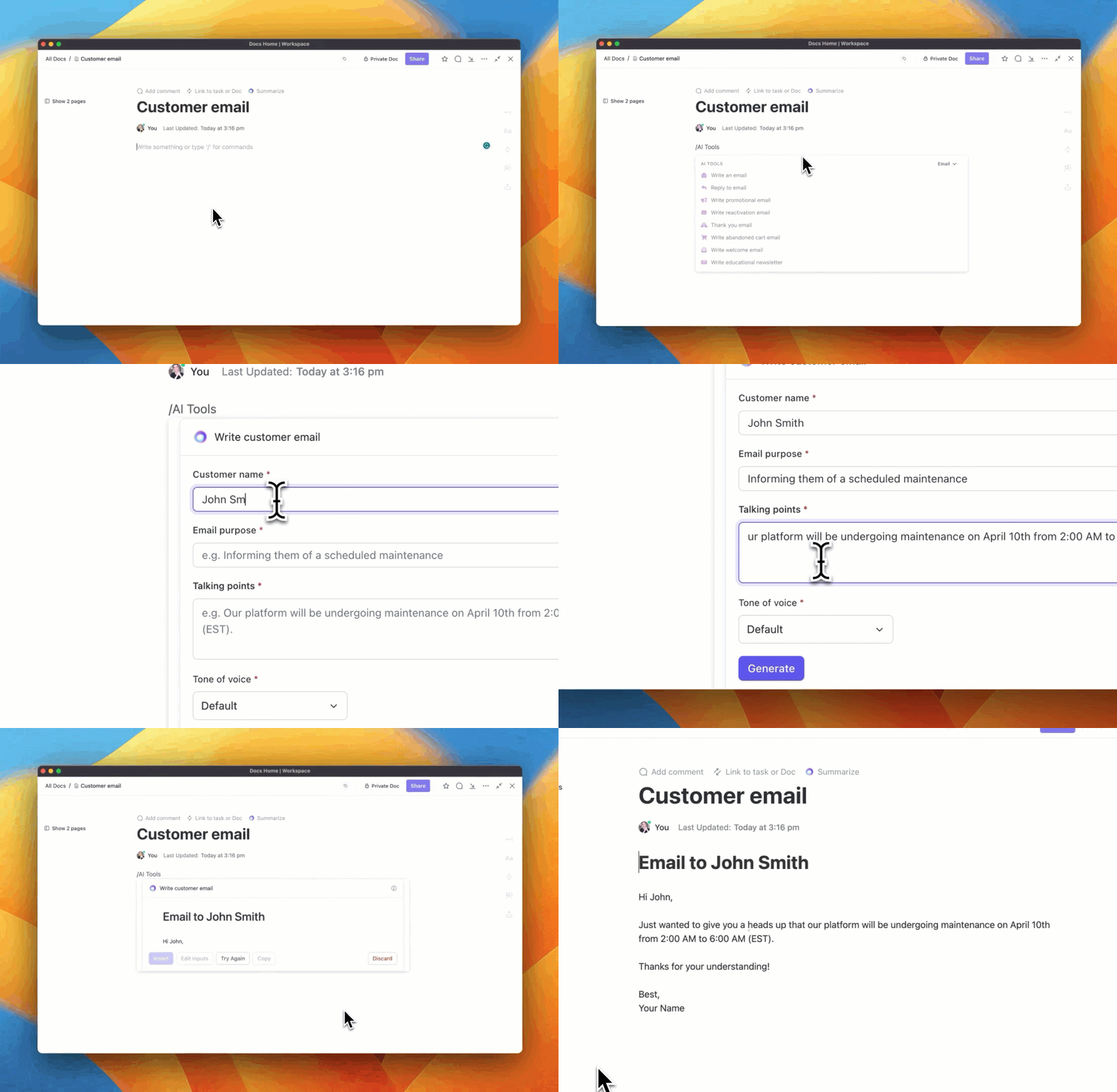

💡 Pro Tip: Don’t wait for the “perfect moment.” Build the habit of capturing information as you encounter it—via note apps, voice memos, or quick-click bookmarks.
Still stuck? Try a brainstorming software or template inside ClickUp to structure your creative sessions.
Building a second brain is about organizing, categorizing, and retrieving information when needed. While you can spend hours manually tackling these tasks, investing in knowledge management software will make your job easier.
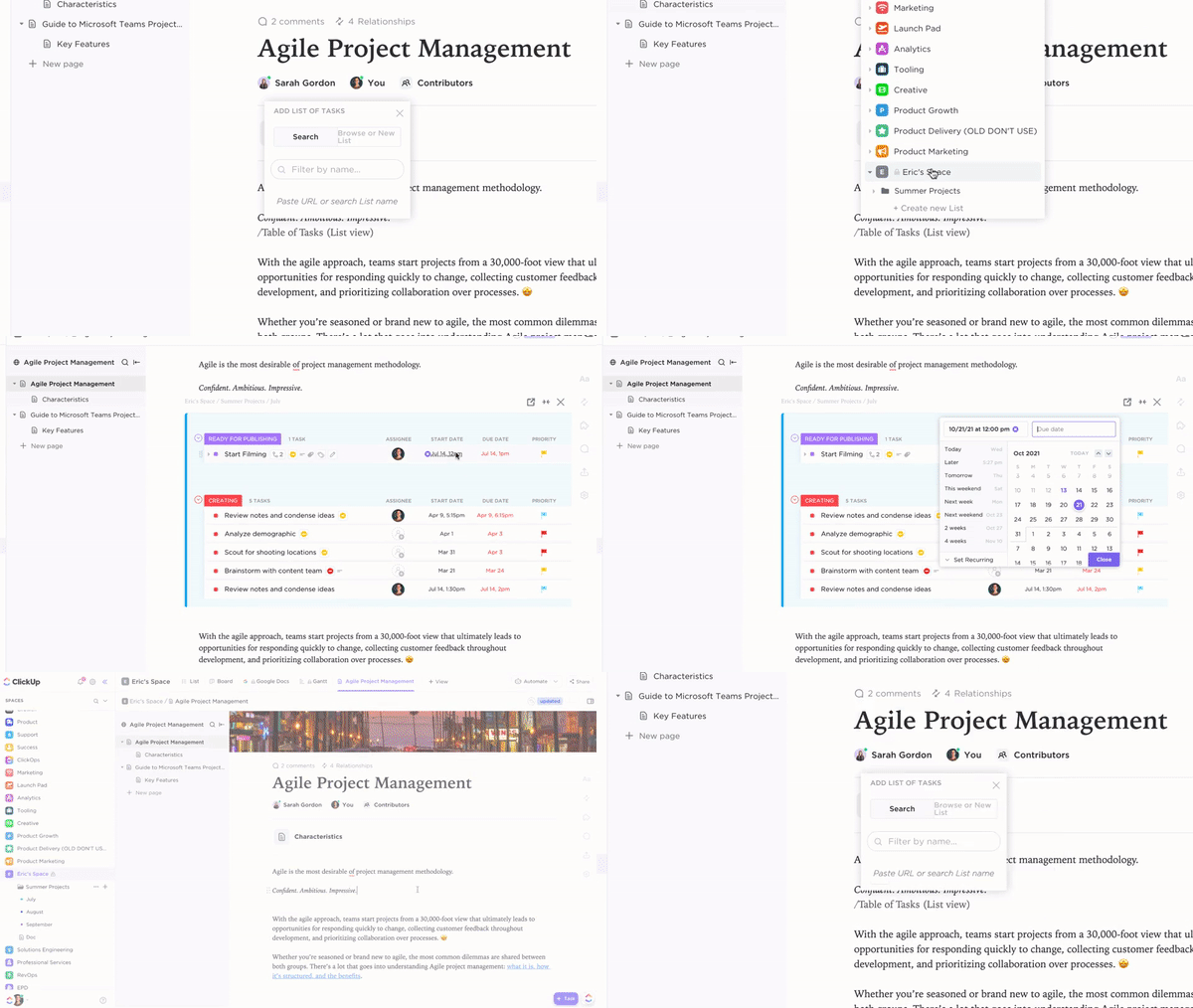
Use ClickUp Docs to Capture and Organize Notes

Docs are your digital notebooks. Inside each Folder, create Docs to store your thoughts, learnings, and inspirations. You can:
Examples:
Different teams can easily collaborate on the doc and brainstorm together. Create a second brain that keeps everything intact for everyone. Editing in real time helps ensure that important ideas are not missed during discussions.
ClickUp Whiteboards help you take your brainstorming to the next level. This kind of visual collaboration is particularly helpful for remote or hybrid teams. Combining this with the right brainstorming templates allows you to have some great ideation sessions with your team.

Lastly, organize your notes into categories, folders, or views so you can instantly locate the right information when needed.
At this stage, you’ve collected a lot—but without structure, your Second Brain can become chaotic.
That’s where organization frameworks like P.A.R.A. (Projects, Areas, Resources, Archives) and C.O.D.E. (Capture, Organize, Distill, Express) come in.
💡 Use ClickUp Mind Maps to visually connect your thoughts, categorize knowledge, and restructure your workspace using drag-and-drop nodes.
You can:

With the right visual tools, you won’t just store information—you’ll understand and act on it faster.
A Second Brain isn’t “set it and forget it.” You need to regularly reflect, refine, and resurface what matters.
Start with a simple habit: a weekly 1-hour review. During this time:
Set Reminders to Revisit and Refine Knowledge
Use ClickUp Reminders or Automations to:
Link, Tag, and View Your Brain Your Way
Enhance discoverability and retrieval by:
Use ClickUp Connected Search to find anything, instantly.
With consistent reviews and the right system in place, your Second Brain becomes a powerful thinking partner—not just a filing cabinet.
💡 Pro Tip: Use ClickUp Dashboards or Docs to log review notes and identify themes across time.
Here’s how real people use ClickUp to extend their minds:
🧠 ClickUp becomes your central command center—from notes to ideas to action.
Now that you’ve finally decided to build a second brain that retains information, ditch the manual burden.
Tools and technology can quickly enhance your processes and reduce the chances of information being lost. After all, you need a second brain to return to when you feel stuck.
With ClickUp, access a range of tools to store information the way you like to view it. Quickly act on tasks, collaborate with others, and make the most of the information you collect online.
Whether you use Docs, Mind Maps, or Whiteboards, ClickUp ensures no information slips through the cracks, and your ideas turn into meaningful outcomes.
Want to learn how ClickUp can help you create a digital brain? Sign up for free and start building your Second Brain today.”
The PARA method is a simple organizational framework developed by Tiago Forte that stands for Projects, Areas, Resources, and Archives. It helps you sort all your digital information by how actionable or evergreen it is. In ClickUp, PARA can be mapped using Lists, Folders, and Docs to create a flexible, scalable system for managing your Second Brain.
Popular tools include ClickUp, Notion, Obsidian, Evernote, and Workflowy. ClickUp stands out as an all-in-one platform that combines knowledge capture (Docs), action (Tasks), and automation (AI + Automations)—making it ideal for building a Second Brain with both structure and execution in mind.
Start by choosing a structure like the PARA method. Then, pick a tool like ClickUp to house your knowledge. Set up spaces for Projects, Areas, and Resources, and begin capturing notes, ideas, and action items. Over time, refine your system with tagging, reminders, and automation.
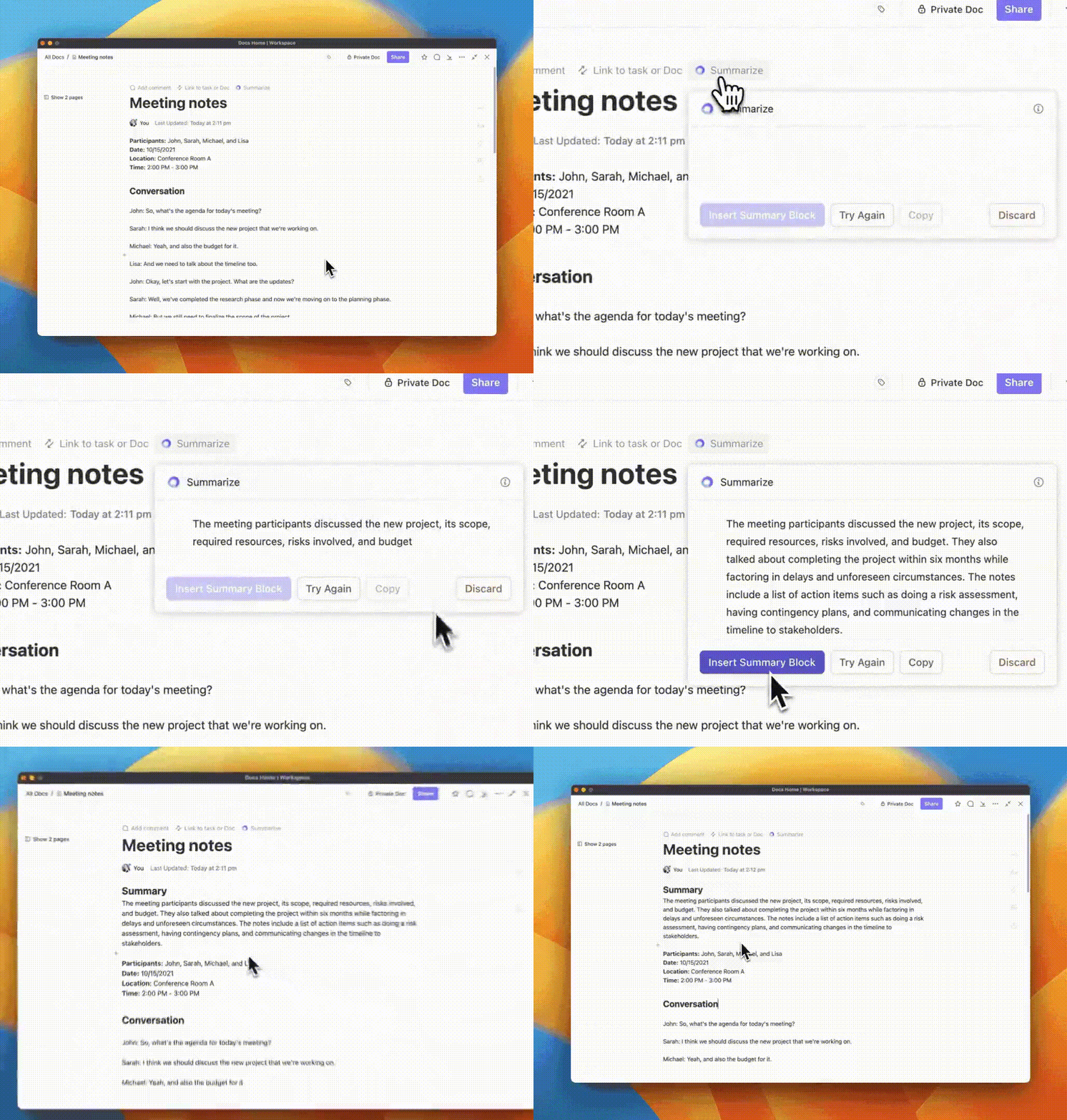
ClickUp Brain is an AI-powered assistant that helps you summarize notes, extract insights, create tasks from ideas, and answer questions based on your knowledge base. It turns your Second Brain into a searchable, actionable system that works with you in real time.
Yes. ClickUp is highly customizable and supports second-brain workflows through Docs, Tasks, AI, and integrations. It’s great for individuals and teams who want to capture, organize, and execute on ideas from a single workspace.
A Second Brain isn’t just about saving notes—it’s about organizing them in a way that helps you retrieve and act on them. It combines knowledge capture with task management, reflection, and decision-making. ClickUp helps bring that full cycle together in one place.

Sudarshan Somanathan
Max 22min read

Manasi Nair
Max 20min read
Manasi Nair
Max 31min read

© 2026 ClickUp




