






Still downloading templates?
There’s an easier way. Try a free AI Agent in ClickUp that actually does the work for you—set up in minutes, save hours every week.
Sorry, there were no results found for “”
Sorry, there were no results found for “”
Sorry, there were no results found for “”
Sometimes, studying feels like assembling IKEA furniture without instructions. You sit down to study, and distractions flood in—notifications pinging, the quick snack or social media beckoning, and your mind working overtime to remember things on your to-do lists.
No wonder focus crumbles, which hurts learning. And it’s not just you who struggles. 75% of public school leaders reported that student lack of focus or inattention had a moderate or severe negative impact on learning and retention.
The good news is that technology has evolved to meet this challenge head-on. Many productivity apps and study tools are designed specifically for students like you, creating an environment that optimizes your learning.
This blog post will explore the 12 best study apps to revolutionize learning. Whether you’re struggling with motivation, concentration, or organizing your study activities, we have an app tailored to meet your study goals.
The following are the 12 study apps that will be covered in this blog post:
Choosing the correct study app can make a world of difference. Look for apps that:
Using multiple AI tools for summaries, writing, and planning often leads to AI sprawl, where insights don’t connect to real study workflows. AI is most effective when it works inside the same system where planning and studying already happen.
➡️ Also Read: How to Use AI Tools to Maximize Productivity
👀 Did you know? The Pomodoro Technique, a time management method popularized by Francesco Cirillo, involves working in focused bursts of 25 minutes followed by a 5-minute break. Over 2 million people have already used this method to transform their lives, making them more productive and focused.
Now let’s take a look at these 12 best study apps that you can use to get better grades and improve your focus:
Feeling overwhelmed by looming deadlines, scattered notes, and a never-ending to-do list?
ClickUp is your all-in-one platform that can organize your study schedules and keep track of assignments.
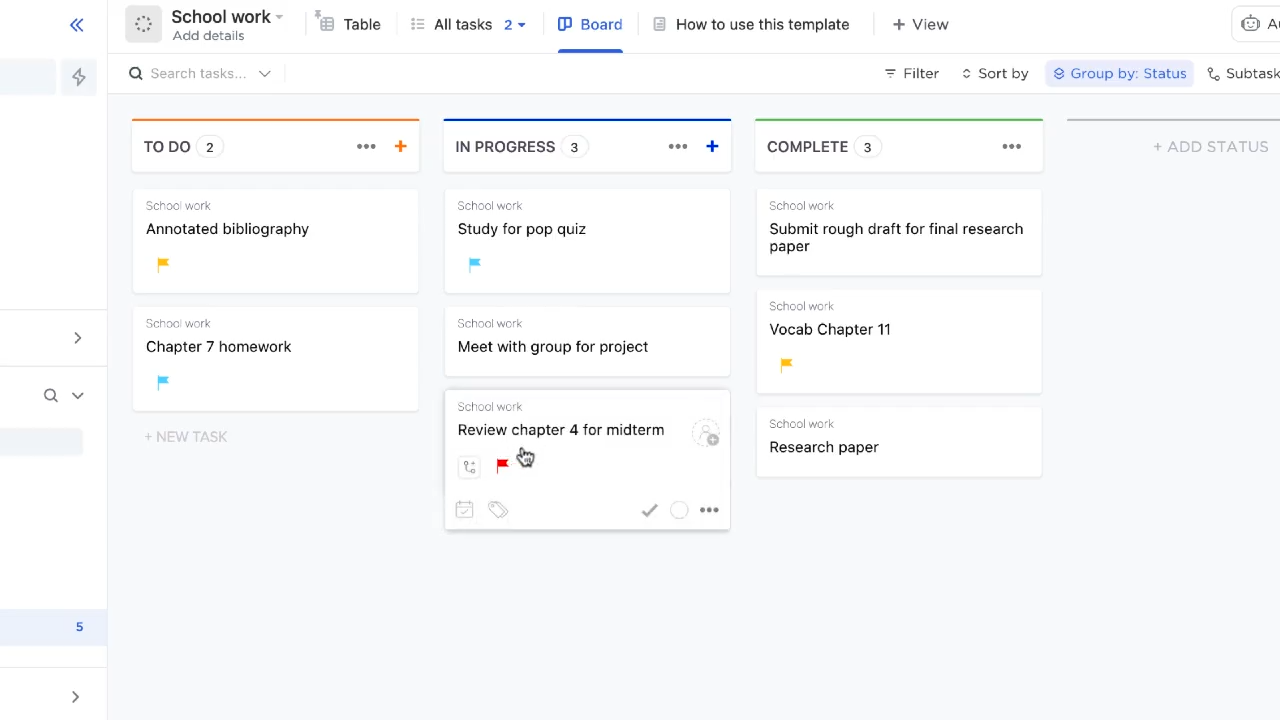
Evolve from sticky notes and messy calendars to clear, organized task lists for assignments, projects, and study sessions. ClickUp’s Project Management Software for Students has an intuitive interface that lets you prioritize tasks, set deadlines, and keep track of progress—ensuring you stay on top of everything.
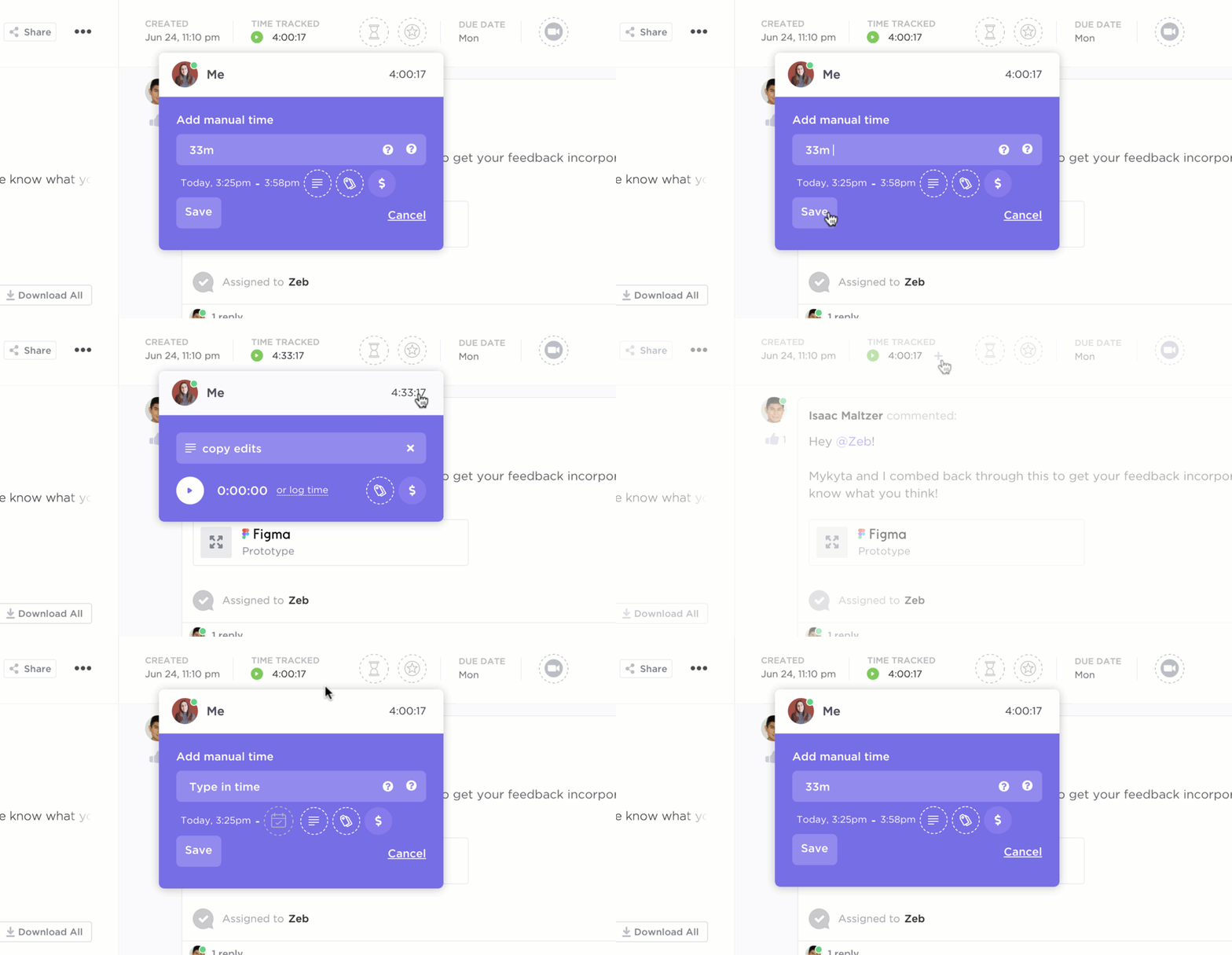
If you feel stretched thin, use ClickUp’s Time-Blocking feature to schedule dedicated study sessions for each subject. Visualize your week and block out specific times for focused learning, ensuring you maximize your study time and efforts. ClickUp’s time-tracking feature can be used with time-blocking techniques like the Pomodoro method.
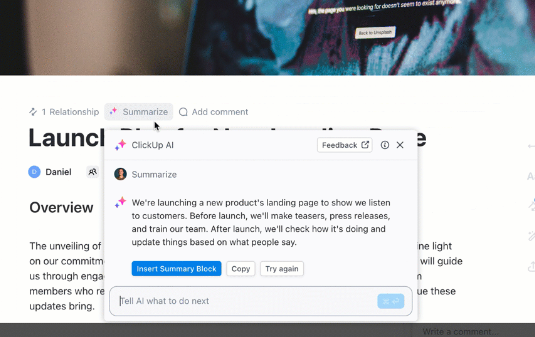
What’s more, combine ClickUp Docs and ClickUp’s in-house AI assistant, ClickUp Brain, which summarizes lectures, highlights key points, and even generates flashcards—all while you focus on understanding the material.
If you are struggling with tight deadlines and to-do lists on a writing assignment, ClickUp Brain can simplify content generation by using new ideas, supplementing your brainstorming efforts, and generating outlines. The AI features of ClickUp Brain can also summarize research papers, lengthy articles, or textbook chapters in seconds, saving you valuable time and helping you focus on the most critical information.
Further, ClickUp Brain empowers students to leverage multiple Large Language Models (LLMs) via a single interface, with access to OpenAI’s GPT-4 and Google Gemini.
GPT-4 excels in generating detailed explanations, summarizing complex topics, drafting essays, and brainstorming creative ideas, making it ideal for academic research and writing. Google Gemini, on the other hand, is perfect for visual and creative tasks, such as generating images for presentations, designing study aids, or creating visual summaries of concepts.
With the ability to seamlessly switch between these models as well as ClickUp Brain based on their specific requirements, students get to experience a smarter, more efficient, and personalized learning experience. Additionally, ClickUp Brain is continuously expanding its capabilities by integrating more LLMs, so the users always have access to the best tools for supporting their diverse needs.
ClickUp is a simple, powerful software to boost your productivity. It is free, cross-platform, and fast.
💡 Pro Tip: Implement tags for different assignments or topics within each list, making it easier to filter and prioritize tasks based on urgency or importance.
👀 Did you know? The number of education apps available in Google Play and Apple App Store reached approximately 389,000 in 2023, reflecting the growing demand for diverse student learning tools.
➡️ Also Read: Most Important Project Management Tips for Students
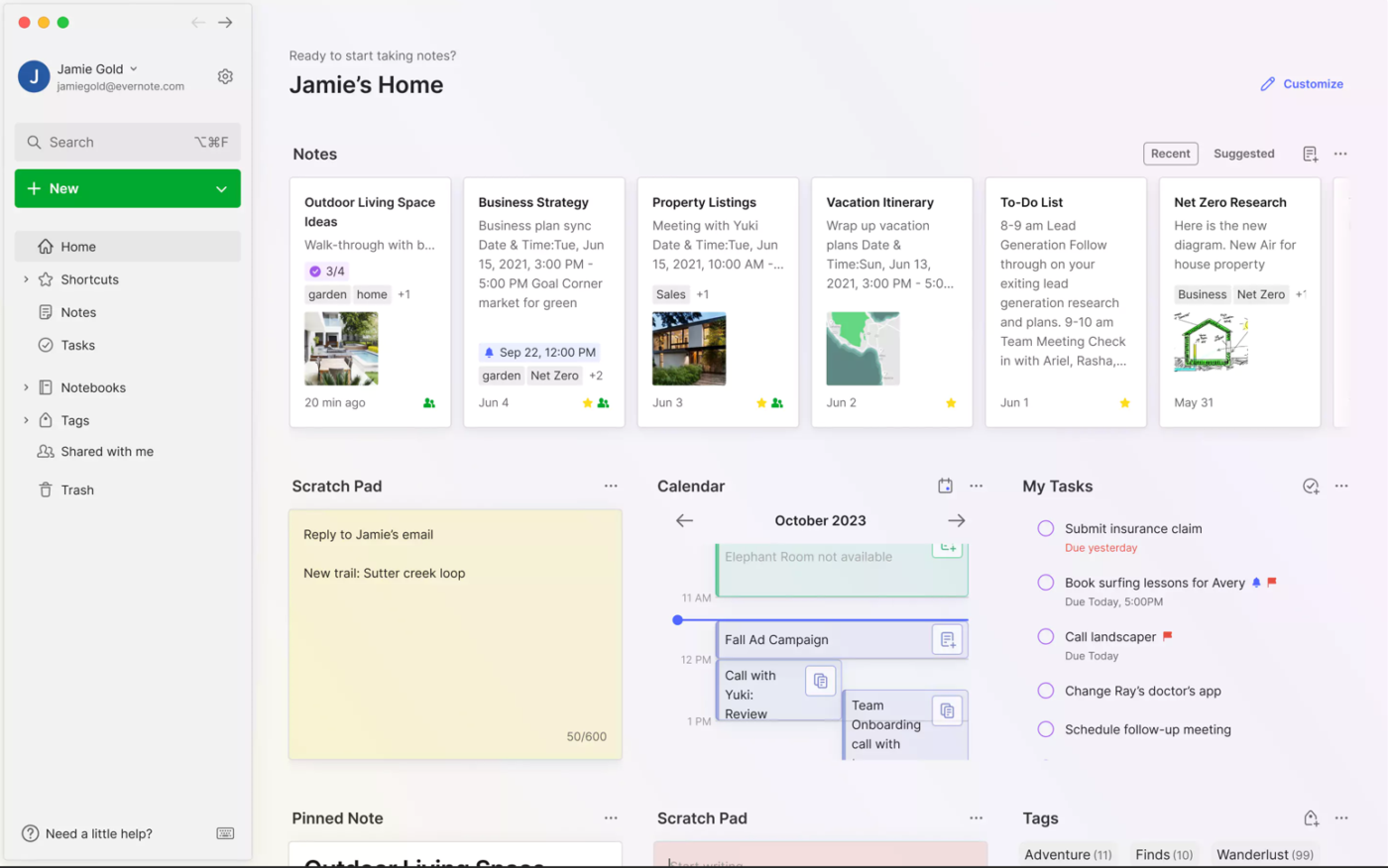
Evernote is a powerful digital workspace that goes beyond essential note-taking. It’s a central hub for all your study materials. You can capture lecture notes, research articles, and handwritten notes using your phone’s camera.
One of Evernote’s standout features is its Web Clipper, a browser extension that allows you to save web content directly into your account. This includes articles, images, videos, PDFs, and web pages.
👀 Did You Know? Evernote includes powerful search capabilities, including Optical Character Recognition (OCR), which allows users to search text within images and handwritten notes.
➡️ Also Read: Best AI Tools for Students
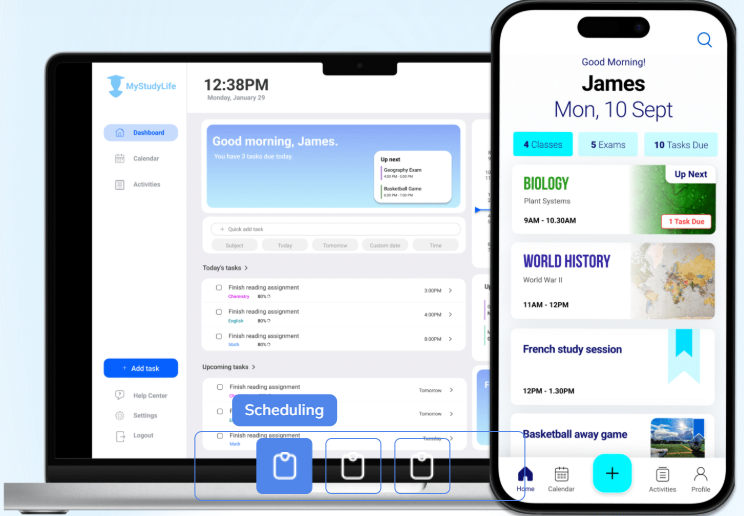
If you’re stretched thin between exams, assignments, and classes, MyStudyLife is your go-to solution to bring order to the chaos. Think of it as your personal academic organizer that creates and tracks your personalized weekly study schedule.
It helps you break down your academic workload into manageable chunks. The app allows you to create a detailed timetable, assigning specific time slots for each subject.
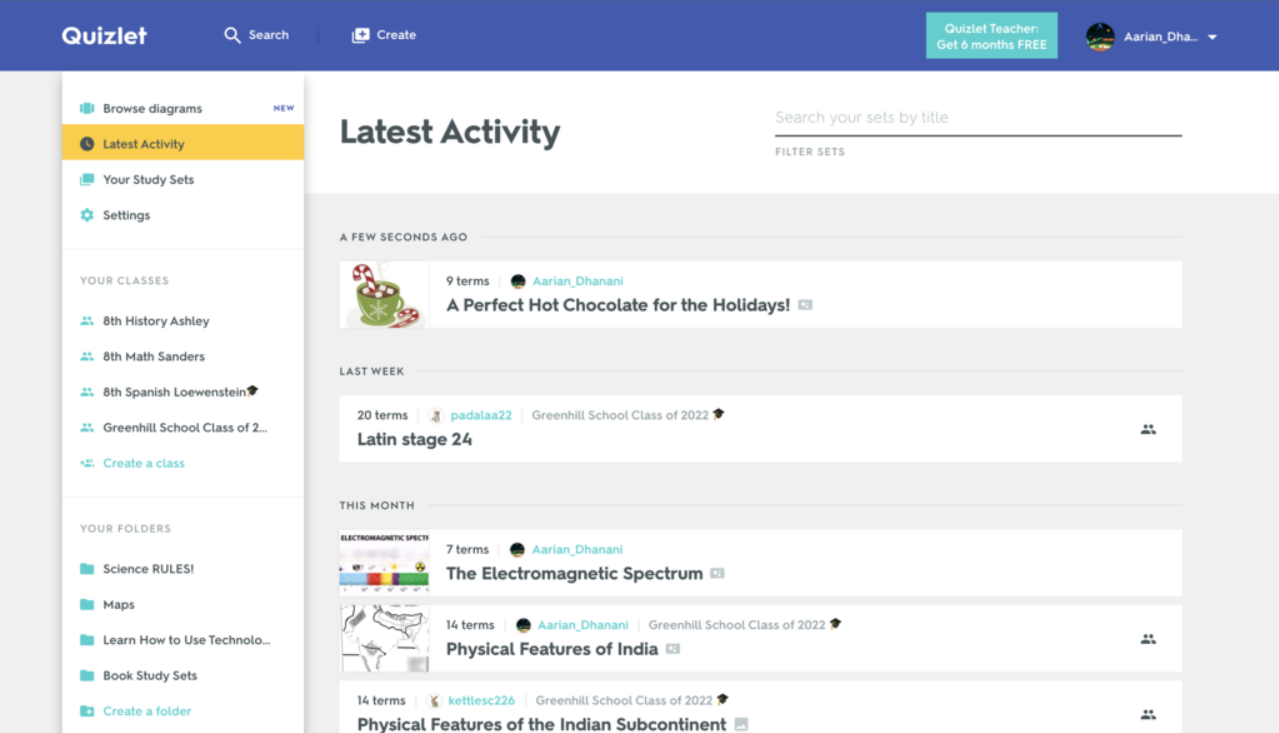
Quizlet is a dynamic app that excels at flashcards and vocabulary learning. Its user-friendly interface makes creating flashcards for any subject easy, making it a versatile tool for students and teachers alike.
One practical use case for Quizlet is studying for a foreign language exam. This app allows you to create flashcards with vocabulary words on one side and their translations on the other.
🧠 Fun fact: Playing cards designed for teaching purposes were introduced in England as far back as the early 1700s. By the 20th century, flashcards became popular for making arithmetic drills more interactive.
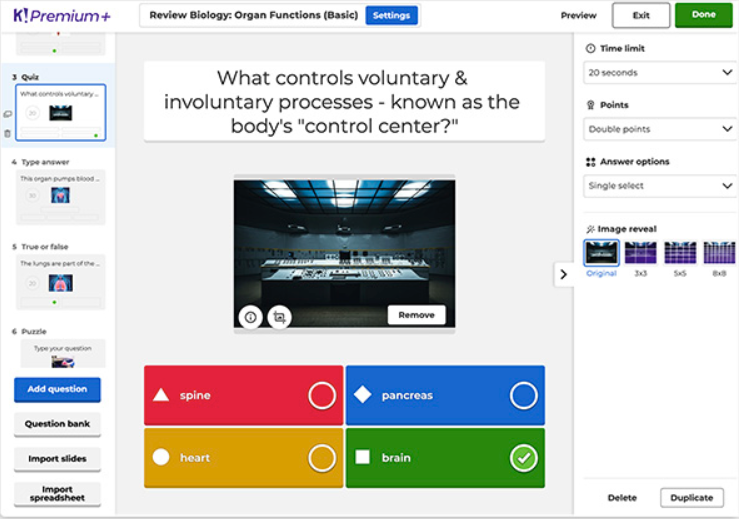
While studying alone, one can feel overwhelmed by the sheer volume of material. Kahoot addresses this challenge by gamifying the learning process, making absorbing information more straightforward and enjoyable.
The platform thrives on friendly competition, making it perfect for group study sessions. For example, you can pit classmates against each other in a fun finance quiz or test your knowledge of blockchain concepts while staying motivated to learn.
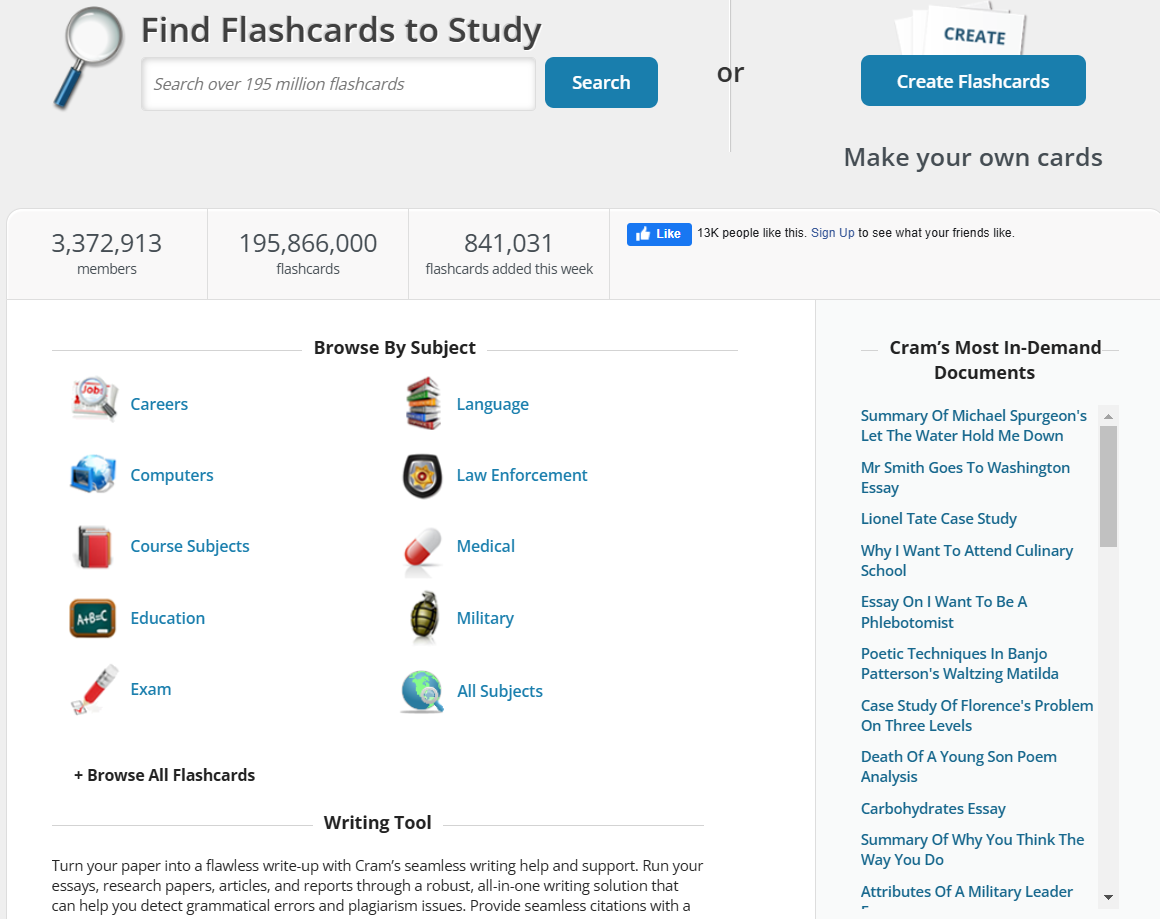
Cram’s robust essay writing tool helps you improve your writing skills. You can draft essays directly within the platform and use its grammar-checking and plagiarism-detection features to ensure your work is polished and original.
Test your knowledge with flashcards, play a matching game, or challenge yourself with a timed quiz. Cram offers a variety of study tools to help you reinforce your learning and identify areas that need further attention.
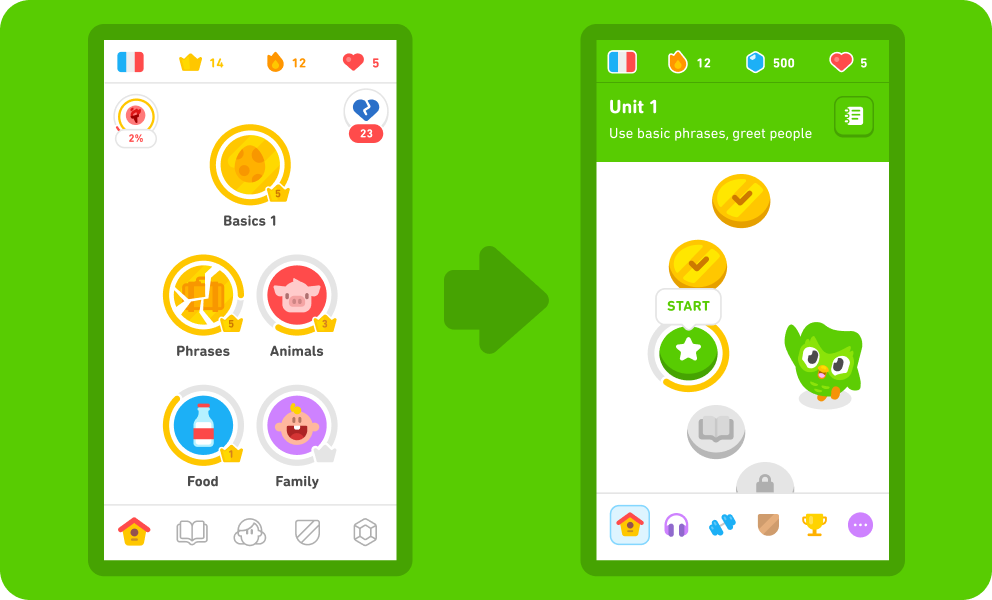
You might often feel overwhelmed by the complexity of learning a new language, especially when balancing grammar, vocabulary, and pronunciation. Duolingo simplifies this by breaking lessons into manageable, bite-sized exercises that make learning approachable and fun.
One practical way to use Duolingo is to prepare for a specific event, like an upcoming vacation. For example, if you’re heading to France, you can focus on common French phrases, helping you with everyday interactions such as ordering food or asking for directions.
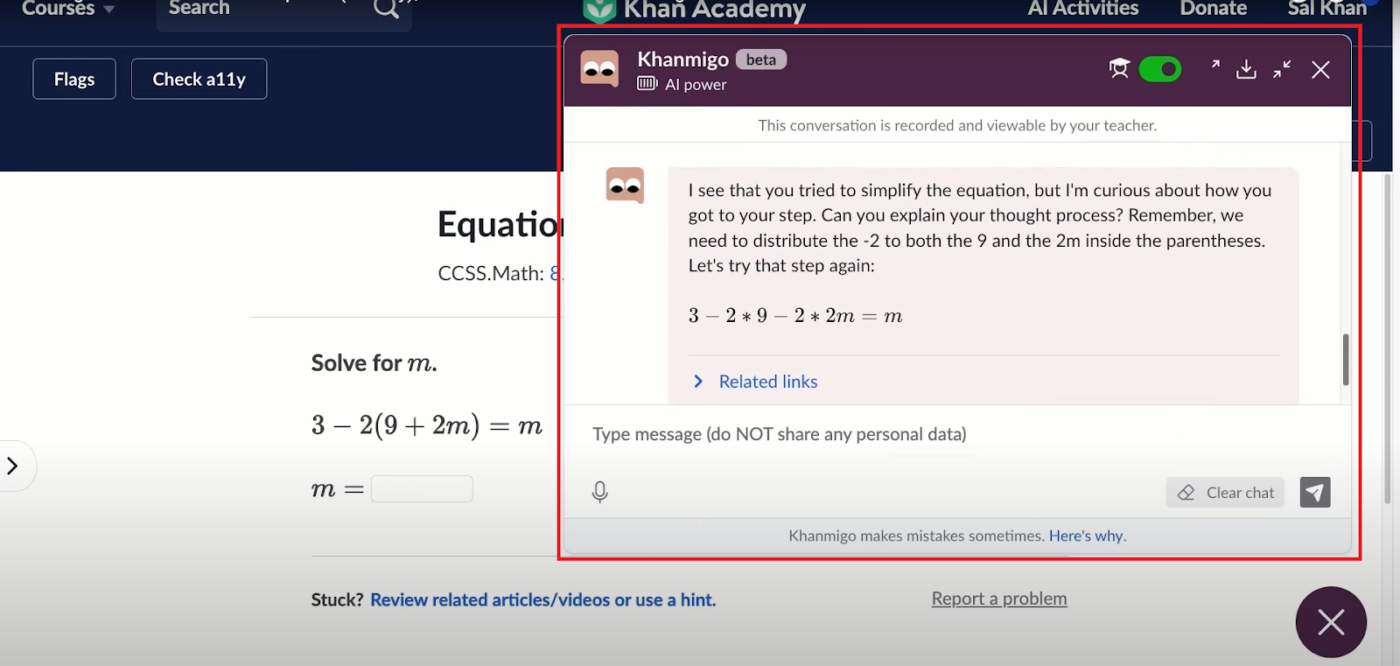
Khan Academy breaks down complex concepts into simple, bite-sized video lessons with step-by-step demonstrations, making complex subjects easier to understand.
The platform provides free, high-quality content across subjects in multiple languages, while eliminating the financial barriers often linked with tutoring services.
Khan Academy also offers a generative AI-based personal tutor called Khanmigo (currently available only in the US) that simulates a real tutor. It won’t do your homework for you but will guide you through the process via chat, just like a real tutor.
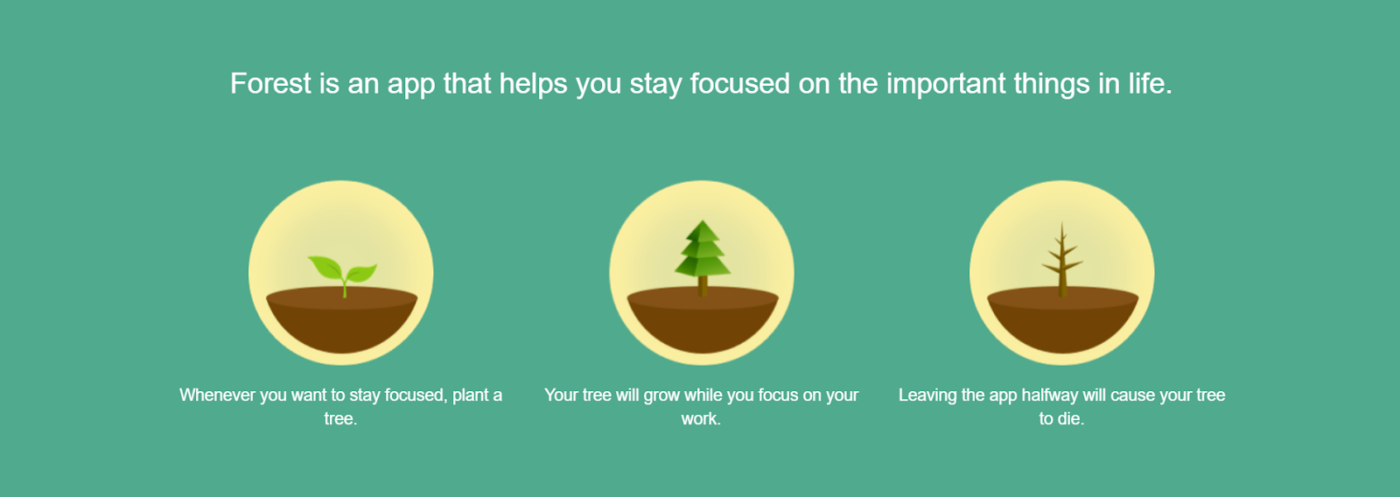
Staying focused can be challenging, especially with constant smartphone distractions. Forest is a productivity app designed to help you concentrate by encouraging you to stay off your phone.
When you need to focus, you plant a virtual tree in the app; as you remain focused, the tree grows, but if you leave the app for other apps or activities on your phone, the tree withers. This gamified approach transforms concentration into a rewarding experience.
Forests also allow users to earn coins and use their virtual coins to plant trees. This feature adds an environmental incentive, motivating users to stay healthy and focused while contributing positively to the planet.
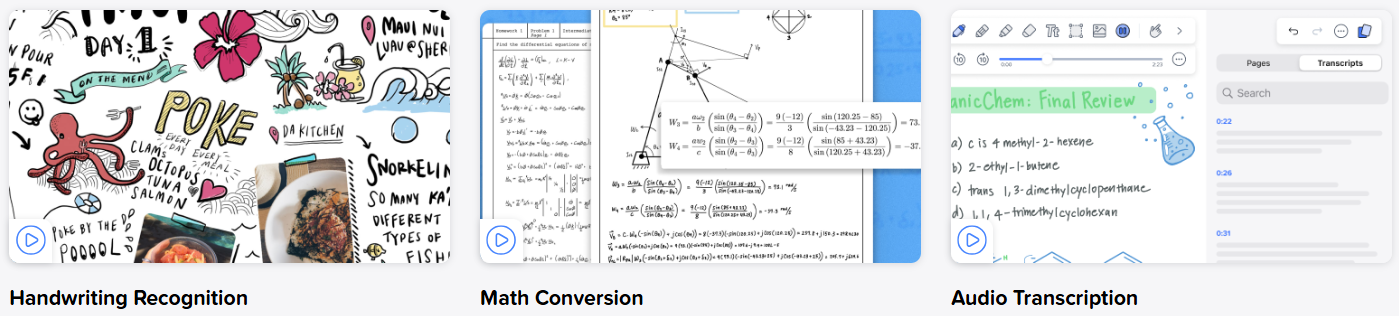
If you’ve ever struggled to keep your lecture notes organized or wished for a seamless way to annotate PDFs, Notability has you covered. Its intuitive interface lets you combine handwritten notes, typed text, and multimedia elements in one place.
You can write notes by hand during lectures or meetings and simultaneously record audio, which syncs with your notes. Later, you can tap on a specific part of your notes to play the corresponding section of the recording—ideal for revisiting complex topics.
➡️ Also Read: Best Notability Alternatives and Competitors
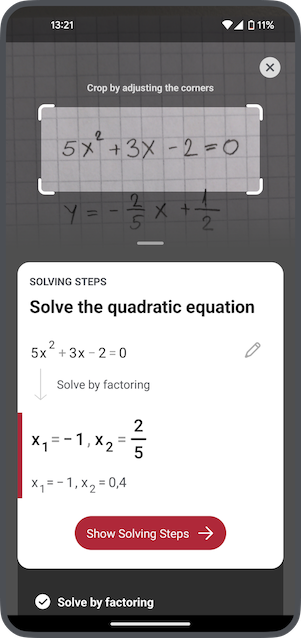
Photomath is ideal for students struggling with math problems. By scanning a math equation with your phone’s camera, the app instantly provides a step-by-step solution, breaking down the process so you can understand how to solve similar problems in the future.
A practical use case is for students who are stuck on homework questions. With Photomath, you can scan an equation, follow the detailed solution steps, and reinforce your understanding of the math concepts involved.
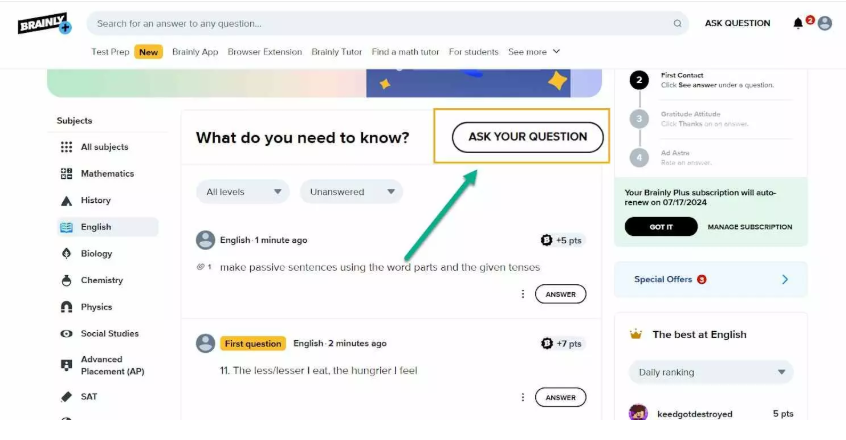
Brainly is more than just a Q&A platform: You can upvote helpful responses, comment to clarify doubts, and participate in discussions to solidify your understanding.
It is an ideal platform for students who need instant help with homework or complex concepts. With a large community of learners, you can post questions and get helpful answers from other students, peers, or educators who have already mastered the topic.
A helpful study app should enable you to simplify your learning process and help you focus on what matters most: mastering your material.
ClickUp is the ultimate all-in-one study app, combining task management, note-taking, and collaboration tools in a single platform. From creating to-do lists to visualizing concepts with Mind Maps, ClickUp helps you stay productive and organized.
Whether tracking assignments, planning group projects, or using AI-powered tools for faster note summaries, ClickUp keeps your academic life in sync. Its Calendar and time-blocking features make it easy to manage your schedule.
Ready to simplify your study routine with one app? Sign up for ClickUp for free today and experience how the app can transform how you learn, collaborate, and succeed.
Study apps are most effective long-term when they combine planning, repetition, and progress tracking rather than just timers or reminders.
Ideally one core app for planning and organization, and one or two specialized apps for specific needs like flashcards or focus.
AI helps by summarizing content, organizing notes, and personalizing study plans, but learning still depends on consistent effort and practice.
Many free study apps cover core needs well, but advanced features like automation, deep analytics, or AI support may require upgrades.
Visual learners benefit from mind maps and dashboards, while active learners do better with quizzes, tasks, and interactive planning tools.

© 2026 ClickUp

There’s an easier way. Try a free AI Agent in ClickUp that actually does the work for you—set up in minutes, save hours every week.