







Still downloading templates?
There’s an easier way. Try a free AI Agent in ClickUp that actually does the work for you—set up in minutes, save hours every week.
Sorry, there were no results found for “”
Sorry, there were no results found for “”
Sorry, there were no results found for “”
Every process has two timelines.
There’s the one you planned. And there’s the one you actually encountered, with rework, approvals that took three days, and ‘quick questions’ that turned into full detours.
Traditional workflow maps only capture the planned version. You interview people, draw boxes, publish the diagram, and a month later, the team has already moved on.
AI visual workflow mapping starts from what genuinely happened. It can pull patterns from your real work trail, like tasks, status changes, handoffs, and documented decisions, then surface where time is being lost: repeat loops, waiting periods, overloaded owners, and steps that exist only because nobody is sure who owns the next move.
In this guide, we’ll break down how AI visual workflow mapping saves time, what kinds of workflows it improves fastest, and how to use it to tighten execution without adding more process overhead.
AI Visual Workflow Mapping (sometimes called AI-powered process mapping or AI process visualization) refers to using AI to automatically or semi-automatically create visual diagrams (like flowcharts, swimlane diagrams, or process maps) that represent business workflows, processes, or sequences of work.
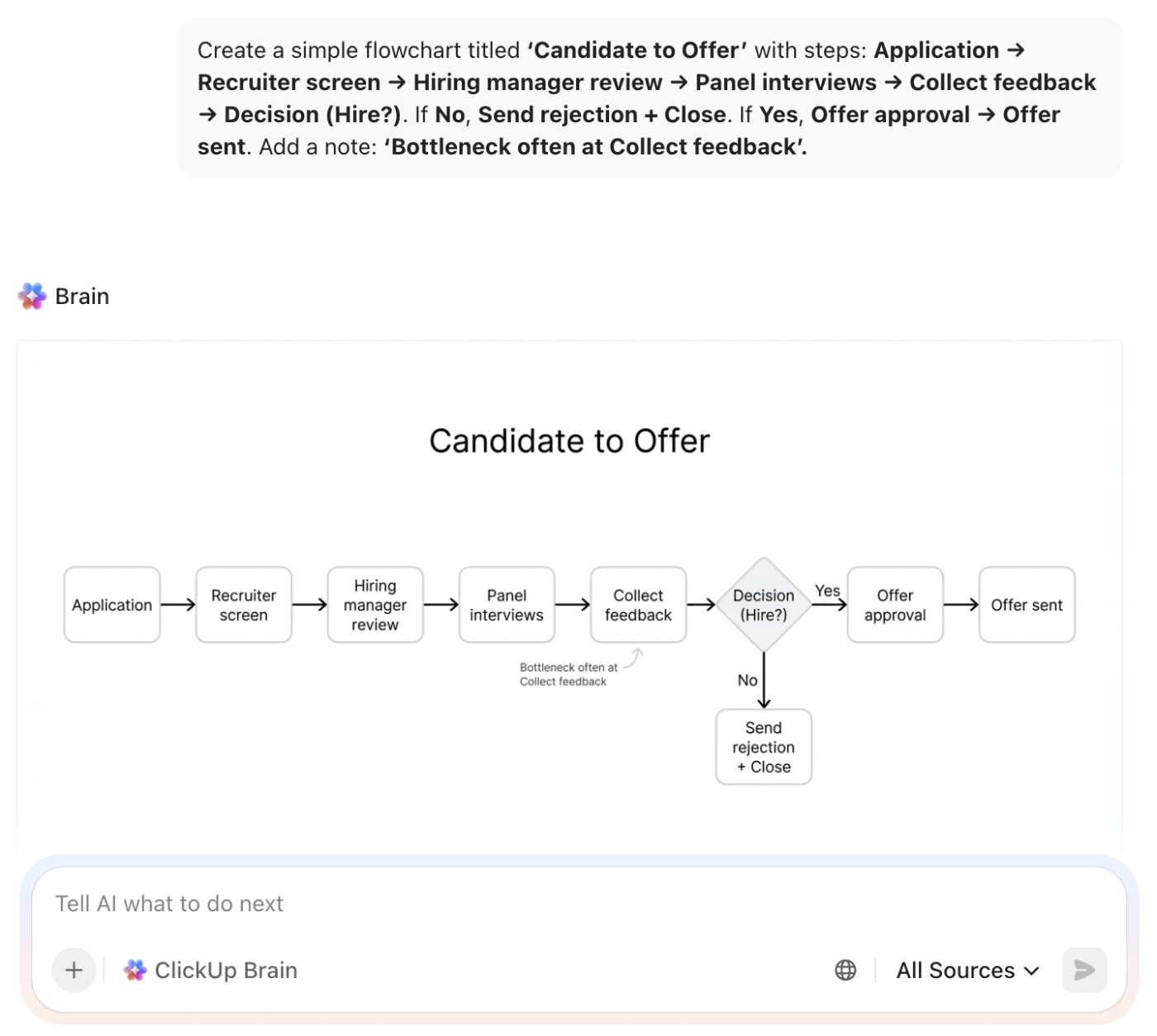
📌 Core concept: It uses real-time data from user activity, tools, and systems to automatically map tasks, dependencies, and handoffs, often as flowcharts or interactive diagrams. Unlike manual process mapping, AI versions use machine learning and natural language processing for continuous updates and pattern recognition.
AI visual workflow mapping gives you the process visibility needed to make smart decisions and reclaim wasted time. In other words:
Is this AI-powered approach really better than a plain whiteboard session?
The reality is, sticking with old methods means you’re stuck with their limitations: they’re slow, often inaccurate, and impossible to scale across an organization.
Here’s a comparison that makes the value of automated process mapping clear.
| Minutes to a few hours | Traditional Process Mapping | AI Visual Workflow Mapping |
| Creation time | Days to weeks per process | Minutes to few hours |
| Update frequency | Quarterly at best (often never) | Real-time or on-demand |
| Accuracy | Depends on interviewer skill and stakeholder memory | Based on actual work data and patterns |
| Bottleneck identification | Requires manual analysis and observation | Automated detection with specific recommendations |
| Scalability | One process at a time | Multiple processes simultaneously |
| Version control | Manual tracking, often inconsistent | Automatic versioning with change history |
This doesn’t mean traditional methods are outdated. Whiteboarding and creating static diagrams are still valuable for initial brainstorming and high-level stakeholder alignment.
However, for documentation that needs to stay accurate and actionable, AI-powered approaches eliminate the maintenance burden that causes most process maps to gather dust.
Many teams now use a hybrid approach: let AI generate the initial as-is mapping, then use that data-driven foundation for a much faster, more productive to-be design session with stakeholders.
Process mapping projects often fail for the same frustrating reasons. The knowledge is stuck in one person’s mind, the document is outdated before it’s even approved, or the workflow is just too tangled to draw.
AI directly targets these classic failure points, turning process mapping from a dreaded chore into a reliable practice.
Critical workflows often live as ‘tribal knowledge,’ making documentation dependent on interviewing the right people, who may describe an idealized version of the process.
✅ How AI solves it: AI doesn’t need to interview anyone. It analyzes actual task completion patterns, handoffs, and dependencies from your work management data, capturing how work flows.
By the time you’ve mapped a complex process, it has likely already changed. New tools or team restructures make your static diagram obsolete.
✅ How AI solves it: AI-generated maps can be refreshed automatically as underlying work patterns change, maintaining accuracy without constant manual intervention.
When work crosses multiple teams, tools, and approval chains, creating a coherent visual can feel almost impossible.
✅ How AI solves it: AI can parse complex dependencies and present them in layered views. This allows you to show the high-level flow while enabling users to drill down into specific handoffs or decision points.
Getting everyone to agree on ‘how we do things’ can lead to endless meetings and diagram revisions.
✅ How AI solves it: Starting with an AI-generated map based on actual data shifts the conversation from ‘how do we do this?’ to ‘is this accurate?’ This provides a data-driven starting point and leads to much faster consensus.
AI visual workflow mapping applies differently depending on your team’s function, turning an abstract concept into a practical tool for your daily work.
For development teams, process visibility directly impacts delivery speed and code quality. Instead of assuming where sprints go off the rails, you can see it.
For ops teams, efficiency and compliance are everything.
AI mapping provides both audit documentation and insights to make repeatable business processes run more smoothly.
Creative teams often resist rigid documentation, fearing it will stifle creativity.
But the reality is that chaotic processes are the real creativity killers. AI mapping helps protect creative time by streamlining the administrative work that surrounds it.
Settling on the right process mapping software depends on a key question:
‘Do you want a standalone diagramming tool or a workflow mapping tool that’s integrated with your end-to-end work?’
Some of the best AI workflow mapping tools to answer your question include 👇
Mapping workflows in one tool and managing work in another creates work sprawl. While the map says one thing, your team understands another. This disconnect is where mistakes happen, and productivity dies.
Eliminate this gap by mapping your workflows and executing them in the same place with ClickUp, the world’s first Converged AI Workspace.
In a nutshell, use:
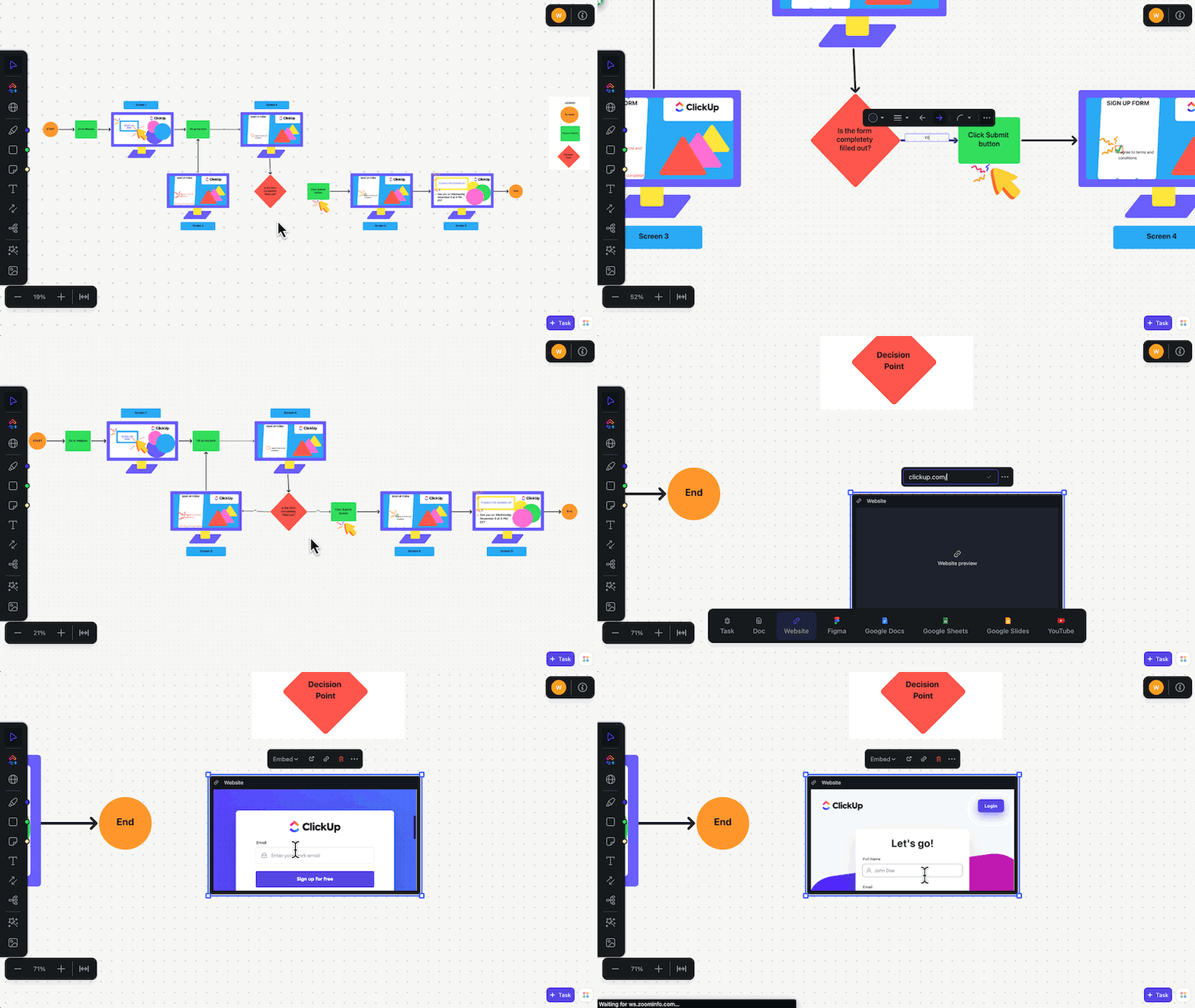

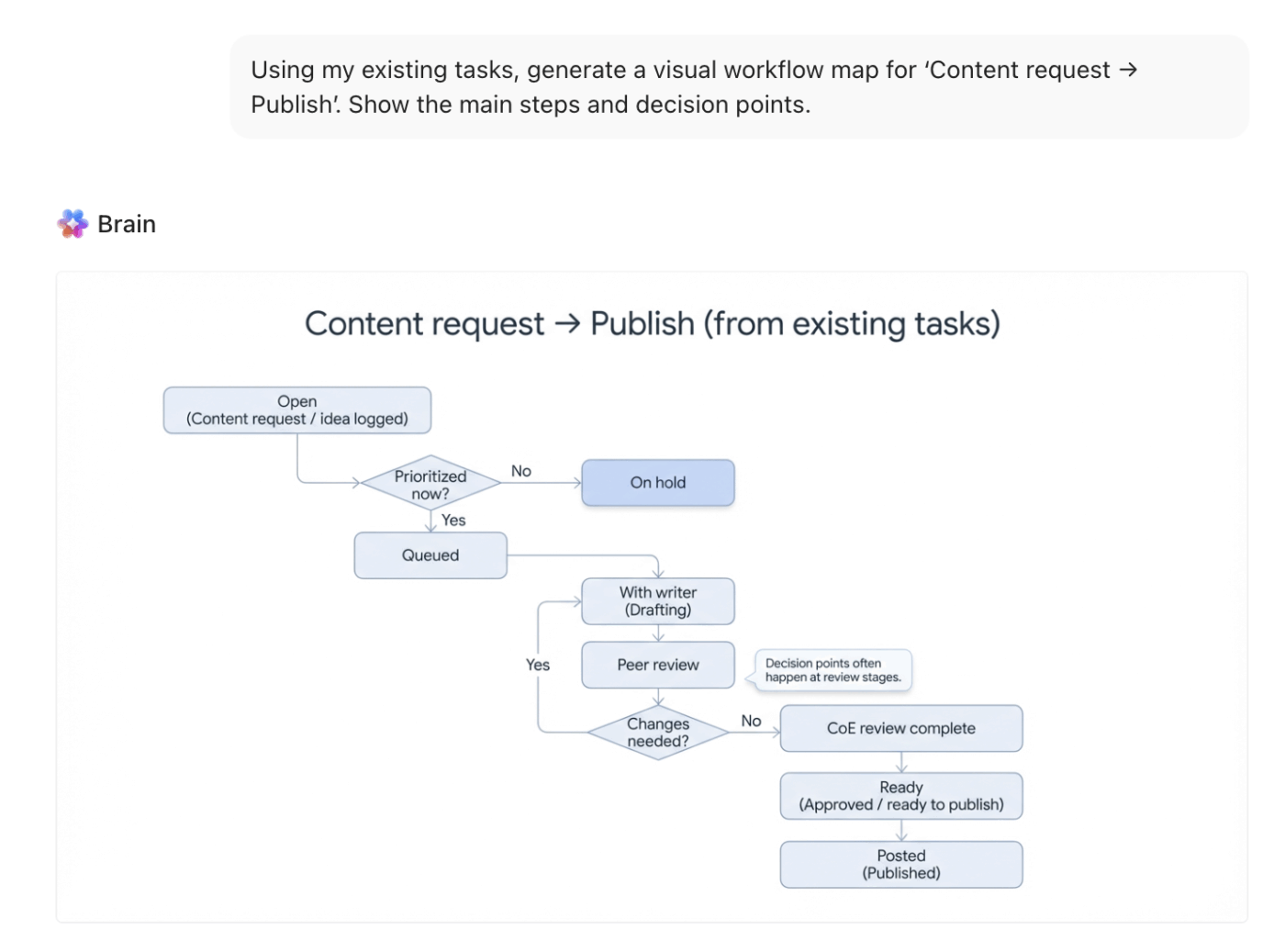
Keep your process documents always connected to reality because ClickUp combines task management, time tracking, and team collaboration with visual mapping.
💡 Pro tip: Process mapping makes the handoffs, bottlenecks, and weird little delays painfully obvious.Watch this video to learn how to map your processes with real-world examples, so your workflows are clear, scalable, and way easier to improve over time 👇
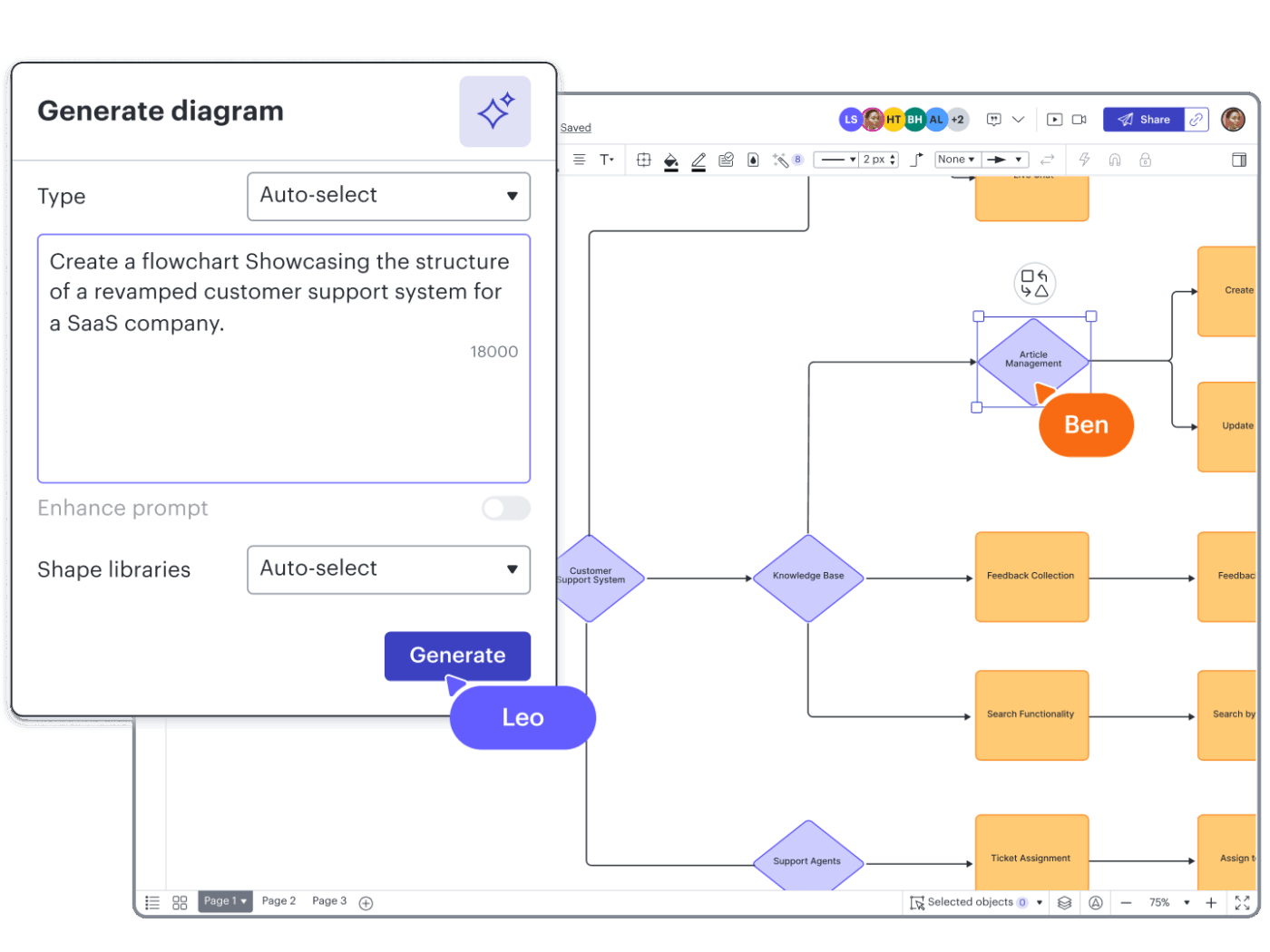
Lucidchart is a dedicated diagramming tool. It’s a choice for teams that need to adhere to strict, formal notations.
📚 Read more: Team Collaboration
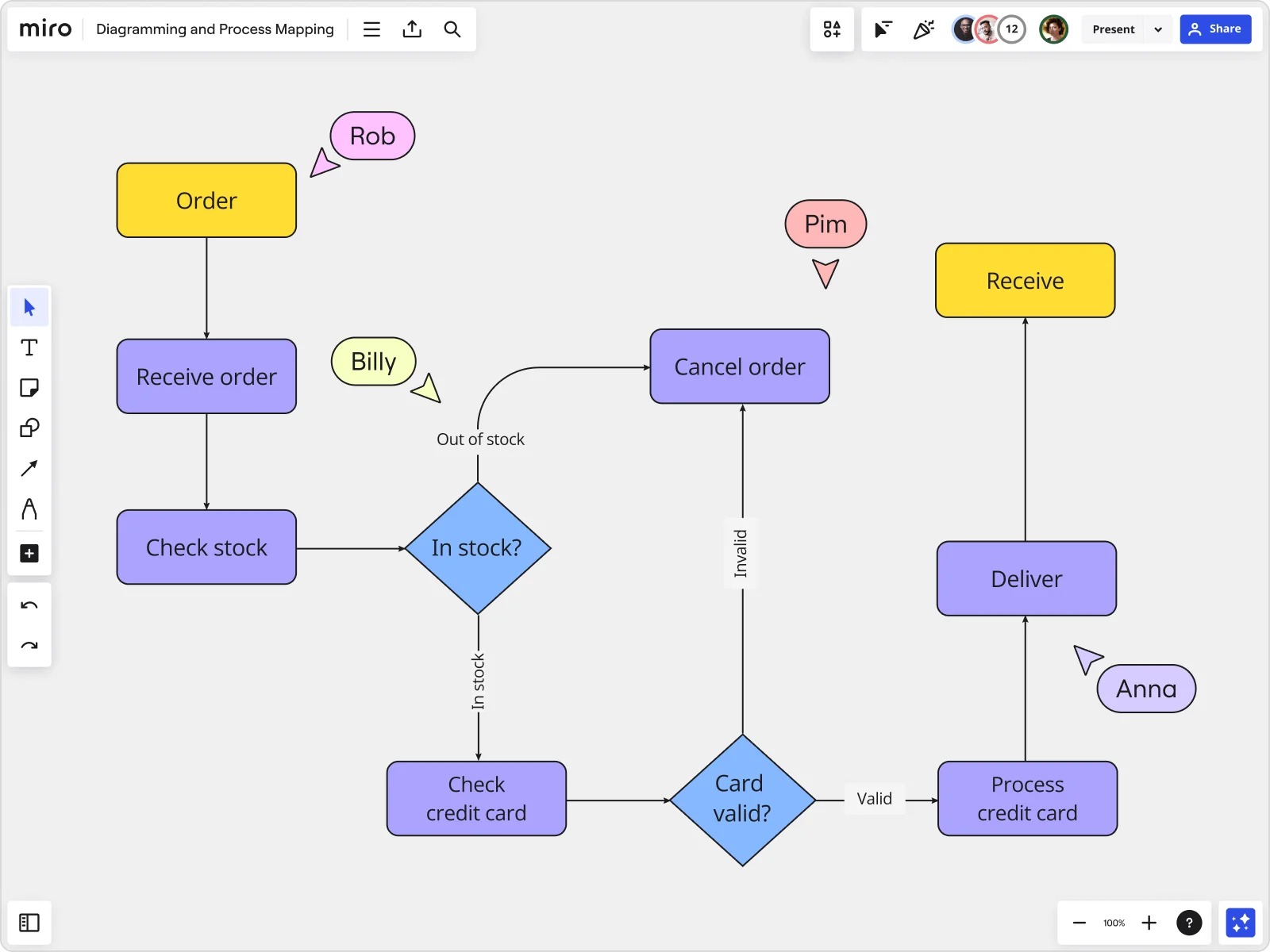
Miro is a collaborative whiteboarding tool that has expanded into workflow mapping. It shines in workshop-style process discovery sessions.
Miro is one of the best flowchart software options for collaborative discovery. But like other standalone tools, the diagrams it produces live separately from where the work is actually managed.
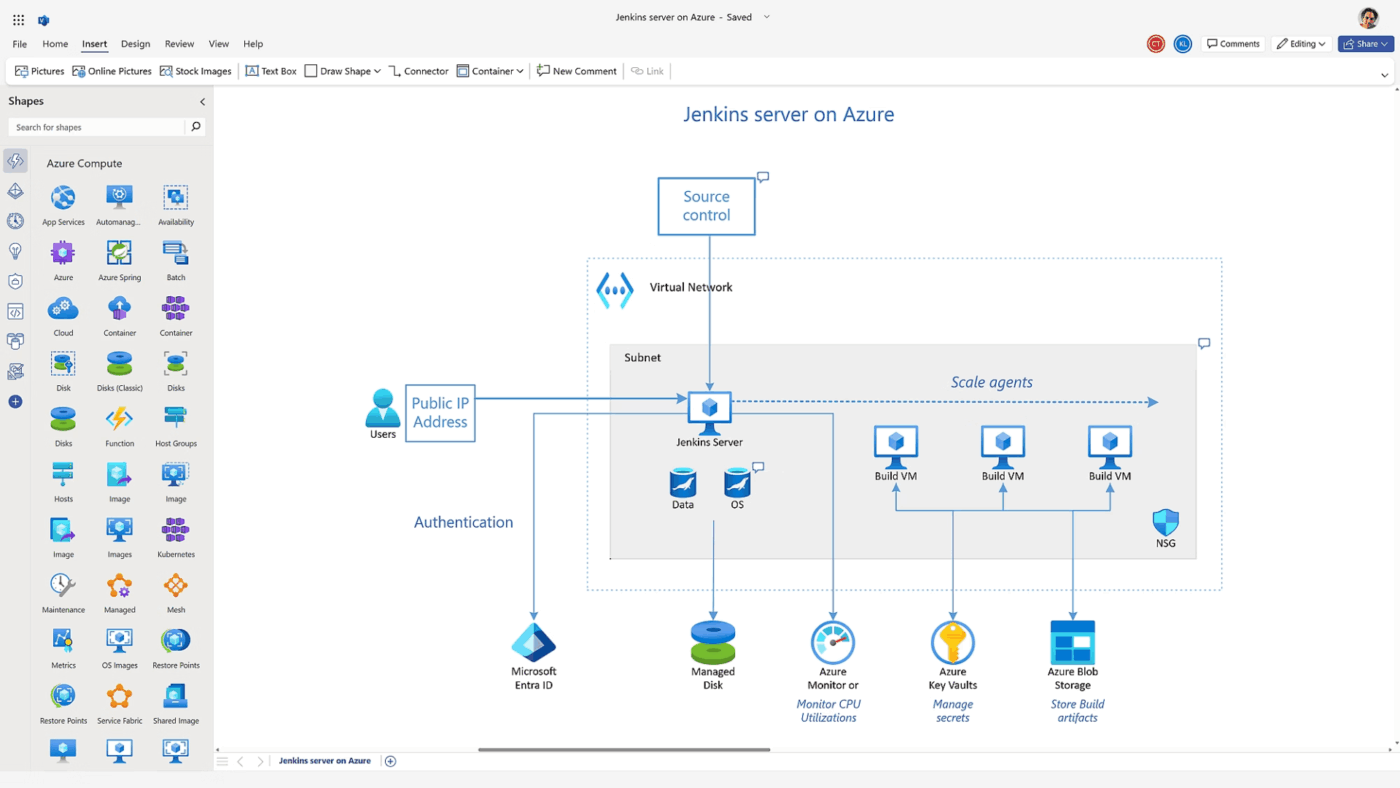
Microsoft Visio is a popular choice for enterprises because it comes with Microsoft 365 licenses.
📮ClickUp Insight: 30% of workers believe automation could save them 1–2 hours per week, while 19% estimate it could unlock 3–5 hours for deep, focused work.
Even those small time savings add up: just two hours reclaimed weekly equals over 100 hours annually—time that could be dedicated to creativity, strategic thinking, or personal growth.💯With ClickUp’s AI Agents and ClickUp Brain, you can automate workflows, generate project updates, and transform your meeting notes into actionable next steps—all within the same platform. No need for extra tools or integrations—ClickUp brings everything you need to automate and optimize your workday in one place.
💫 Real Results: RevPartners slashed 50% of their SaaS costs by consolidating three tools into ClickUp—getting a unified platform with more features, tighter collaboration, and a single source of truth that’s easier to manage and scale.
Creating AI-powered workflow maps in ClickUp is about combining flexible visual tools with intelligent automation.
Here’s how you can go from a blank canvas to an optimized, actionable process.
First, navigate to the ClickUp Workspace where your workflow will live. Identify the specific process you want to map—it’s best to start with a single, well-defined workflow.
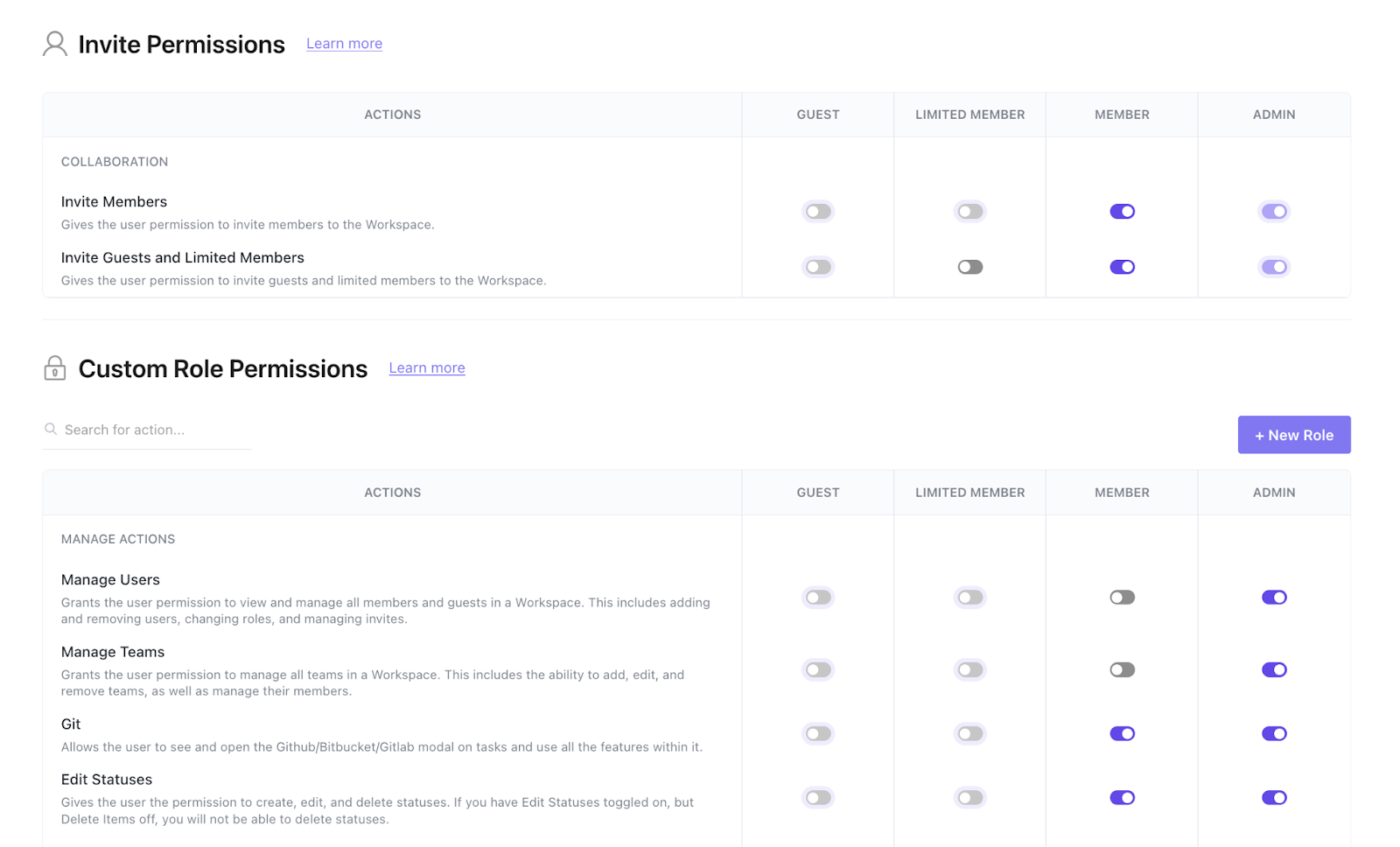
Before you begin, determine who needs to view or edit the map and use ClickUp Permissions to control access.
Finally, consider what success looks like. Are you trying to spot bottlenecks or standardize a process for onboarding?
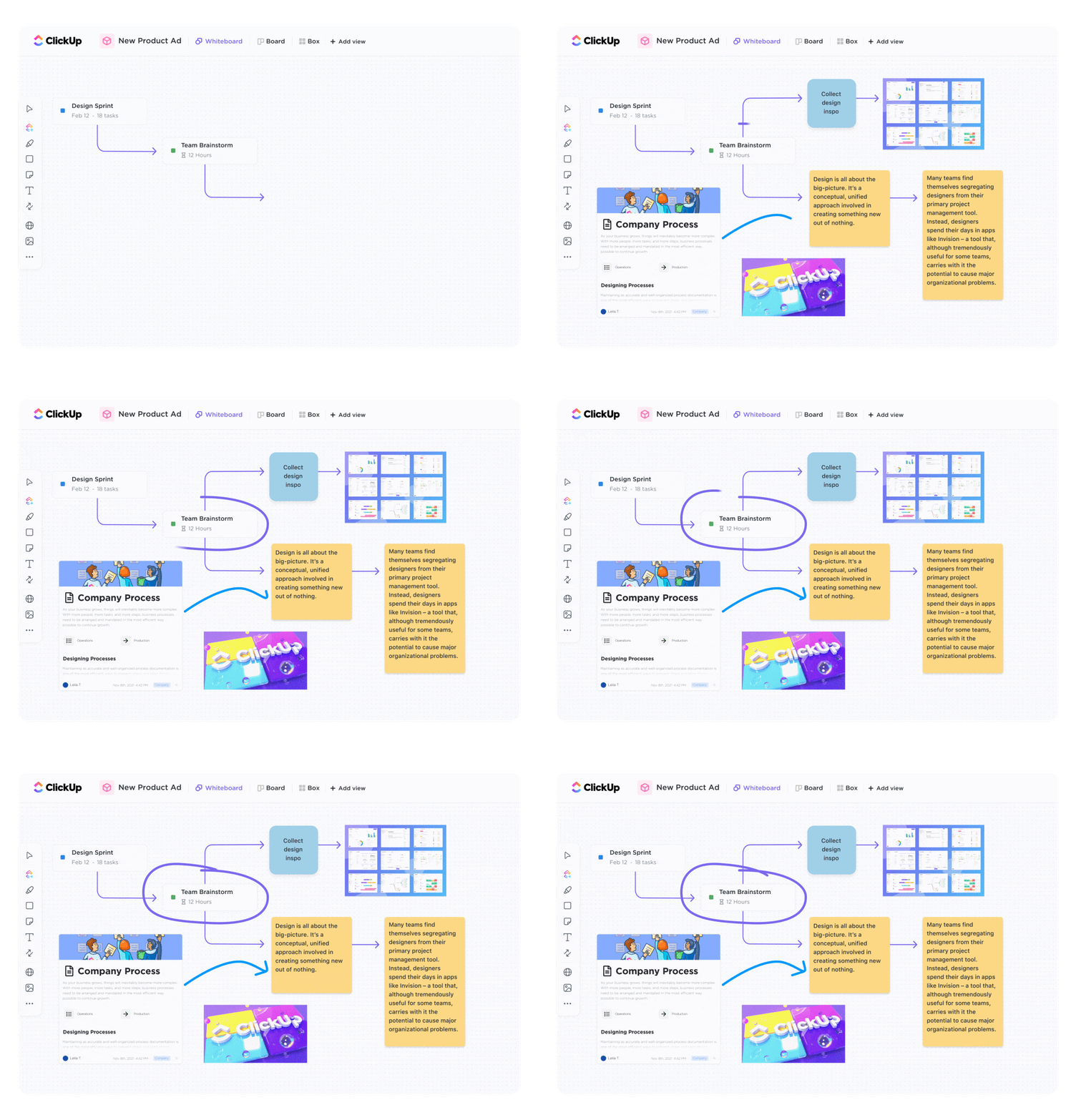
For workflows with multiple paths, approvals, or decision points, use ClickUp Whiteboards. Add steps using shapes and connectors, then make the map executable by converting key elements (like shapes, sticky notes, or text) into ClickUp Tasks.
If you want a role-based layout (who does what), then you can turn to the ClickUp Swimlane Flowchart Template for a ready-to-use framework.
It’s built to map processes with ownership and handoffs impossible to miss. At the top, you name the workflow in the Process Name bar, so the diagram stays tied to one specific process (for example, ‘Content approval workflow’ or ‘Bug triage’).
Down the left side, you’ll see lanes for Assigned A, B, C, and D. Each lane represents a person, role, or team, and every step is placed inside the lane of whoever owns it.
And for more linear or hierarchical processes, go with a ClickUp Mind Map. Just turn to the Task Mode to automatically build a map from your existing tasks or the Blank Mode to brainstorm from scratch.

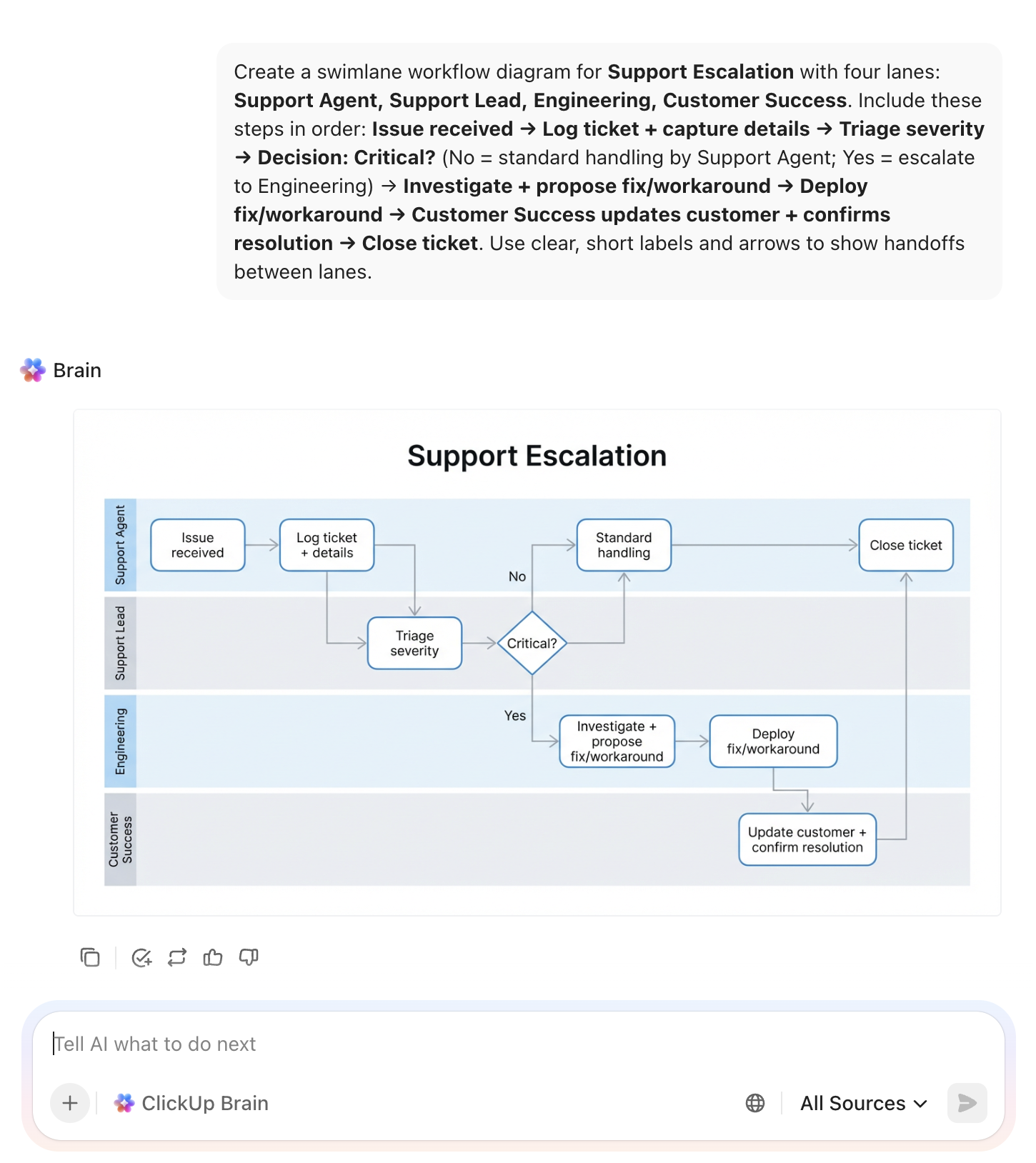
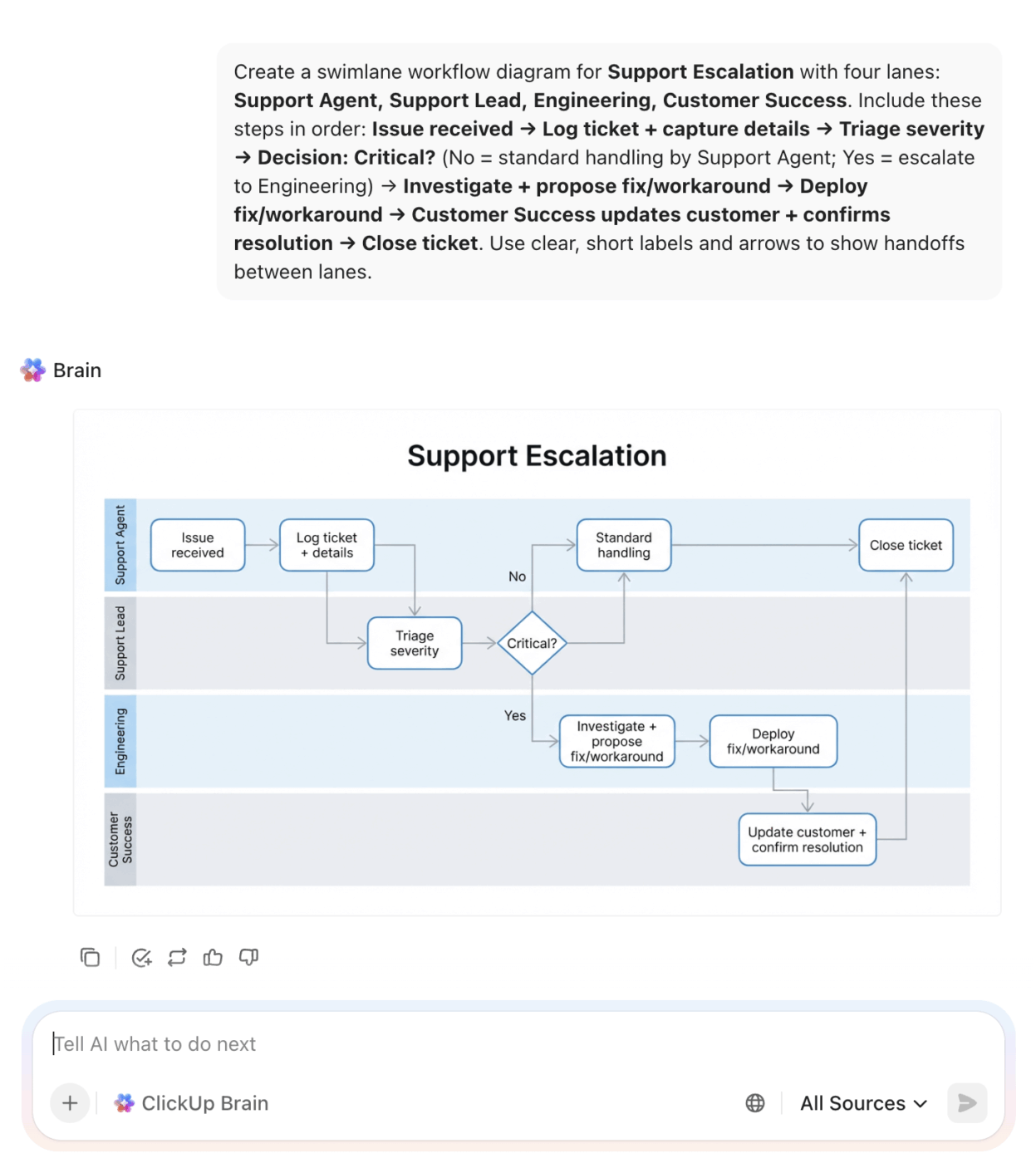
Now’s the time to use ClickUp Brain to speed up the first draft. You can use it on Whiteboards or directly from the sidebar (your choice).
Provide a plain-language description of the workflow you want, then refine the output into clear steps, decision points, and handoffs.
Roles: Support Agent, Support Lead, Engineering, Customer Success
Steps:
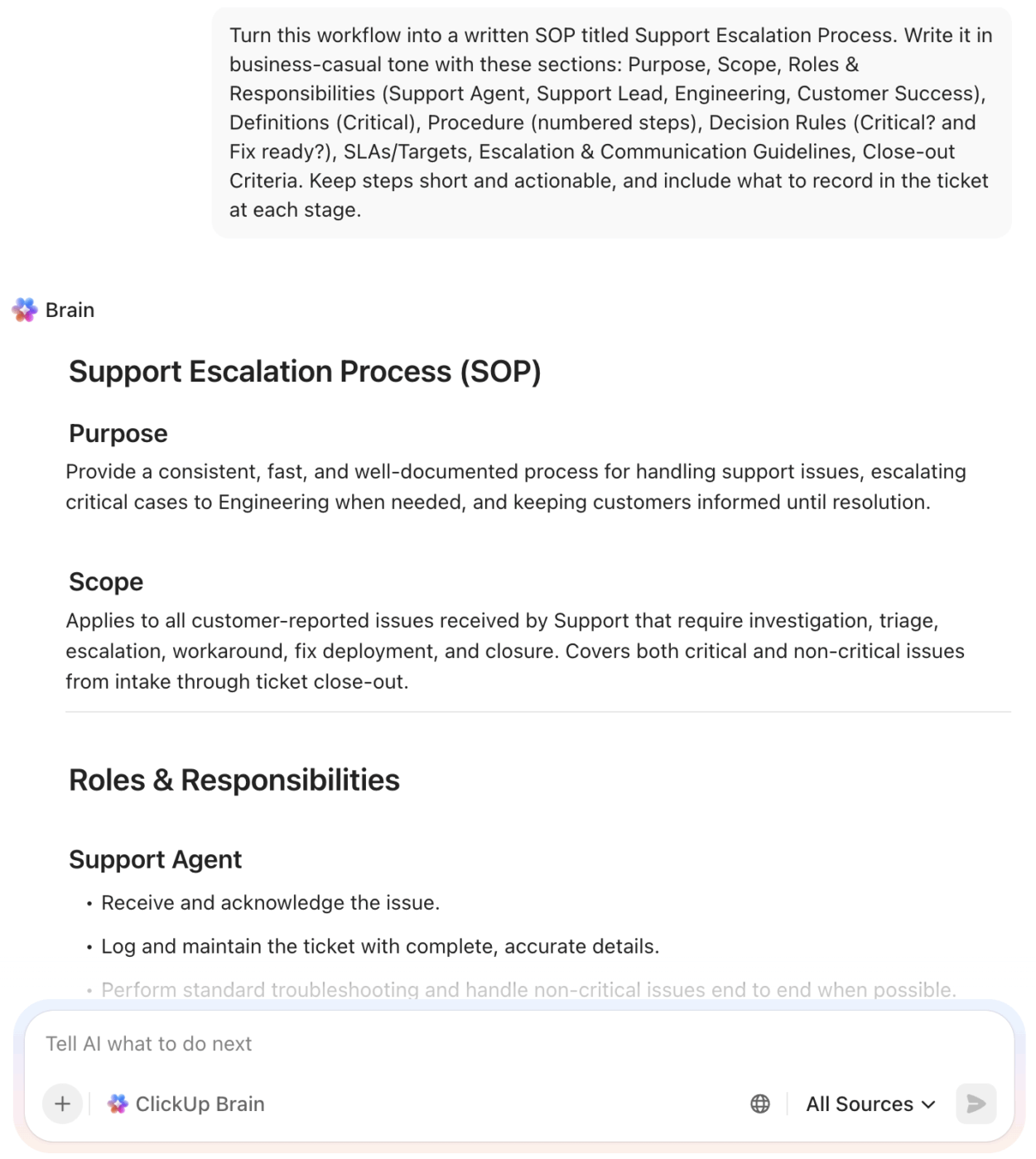
You can also use Brain to support the ‘documentation layer’ by producing a written SOP from the mapped steps once the flow is finalized.
A map is only useful if it improves your work.
Link your map elements to ClickUp Tasks to track execution against your documented process. Further, turn to ClickUp Dashboards to zoom out and get a high-level view of performances.
And to make sure your team isn’t occupied with the same mundane admin work (e.g., changing statuses across the workspace), just switch to ClickUp Automations to enforce process steps on the go.
💭 Want to automate your workflows and save 5+ hours a week? Well, it’s time you watch this:
Following key practices ensures your AI mapping efforts succeed. To name a few best practices:
AI visual workflow mapping works because it exposes where time goes, then gives you a clear path to fix it. The fastest wins usually come from tightening handoffs, removing repeat loops, and making ownership obvious.
ClickUp helps you keep that momentum in one place. Map the workflow, document the process, and track the work as it moves, all in the same system. With AI layered into your workspace, you can spot patterns, summarize changes, and turn insights into the next action without bouncing across tools.
If the goal is less process and more progress, this is how you get there.
AI workflow mapping uses artificial intelligence to generate and optimize diagrams from descriptions or work data, making it a generative and advisory tool. Automated process mapping, or process mining, is observational and descriptive, capturing flows by monitoring actual user actions within a system.
Yes, and the depth of that integration is critical. While some tools offer basic import/export functions, a converged workspace like ClickUp includes workflow mapping as a native feature, directly connecting your maps to the tasks and automations that drive the work.
Traditional flowchart software gives you the tools for manual diagramming, offering precise control. AI-generated mapping offers speed, creating initial diagrams from natural language and suggesting optimizations you might miss.
AI-generated maps provide a strong starting point, but they should always be validated by the people who own the process. Accuracy is highest when the AI can analyze actual work data and when humans review and refine the output.
AI visual workflow mapping turns process documentation into a continuous capability—living documentation that evolves with your work.

© 2026 ClickUp

There’s an easier way. Try a free AI Agent in ClickUp that actually does the work for you—set up in minutes, save hours every week.