








Still downloading templates?
There’s an easier way. Try a free AI Agent in ClickUp that actually does the work for you—set up in minutes, save hours every week.
Sorry, there were no results found for “”
Sorry, there were no results found for “”
Sorry, there were no results found for “”
Your team is excited about generative AI, but everyone is using different tools with zero oversight. Without clear guardrails, you’re exposing your company to AI sprawl—the unplanned proliferation of AI tools, models, and platforms with no oversight, strategy, or control.
This leads to data privacy risks, inconsistent work quality, and major compliance headaches as employees unknowingly feed confidential information into public AI models.
The resultant accountability gaps are difficult and time-consuming to resolve, with 69% of enterprises suspecting or having evidence of employees using prohibited AI tools.
This article walks you through 10 free AI usage policy workflow templates that transform your written guidelines into enforceable, trackable processes.
| Template Name | Download Link | Ideal for | Best features |
| Employee Handbooks, Policies & Procedures Template by ClickUp™ | Get free template | Teams building their first AI policy handbook, or consolidating scattered guidelines into one central source of truth | 12 pre-built policy sections; built-in version control and revision history; acknowledgment tracking; Custom Fields to tag by department, risk level, or next review date |
| Company Policy Template by ClickUp | Get free template | Teams that need a focused AI acceptable use policy as a standalone doc (without managing a full handbook) | Policy overview section; approval workflow via task assignments (legal, HR, leadership); effective date and review reminders via Custom Fields; linked resources (training, FAQs, compliance docs) |
| Governance Plan Template by ClickUp | Get free template | Organizations implementing formal AI governance with defined decision-making roles and oversight | Governance structure mapping (ownership and responsibilities); risk assessment repository; meeting cadence tracker for governance reviews; decision log |
| IT Security Template by ClickUp | Get free template | IT and security teams documenting the technical controls that support AI governance (access, data protection, tool vetting) | Access control documentation and role-based permissions; data classification matrix tied to usage permissions; incident response procedures for AI-related breaches; vendor assessment checklist for AI tool providers |
| Process and Procedures Template by ClickUp | Get free template | Teams turning AI policy into repeatable, step-by-step procedures employees can follow day to day | Step-by-step workflow breakdowns; role assignments for each step; compliance checkpoints via nested checklists; process flow visualization for at-a-glance understanding |
| Implementation Management Template by ClickUp | Get free template | Teams rolling out an AI workplace policy and managing drafting, training, launch, and adoption like a project | Phased rollout timeline with dependencies; stakeholder communication and acknowledgment tracking; training task management and completion tracking; adoption metrics via Custom Fields |
| Internal Audit Checklist Template by ClickUp | Get free template | Compliance, risk, and internal audit teams running recurring audits of AI usage against policy | Pre-defined audit criteria checklist; evidence collection via attachments (screenshots, logs, docs); finding categorization by severity and action needed; remediation tracking |
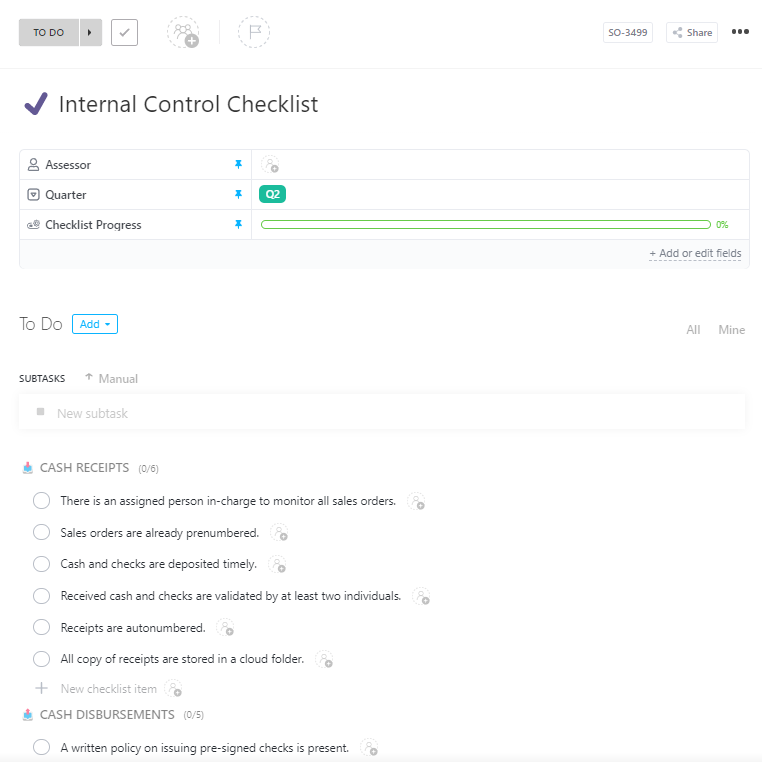
| Internal Control Checklist Template by ClickUp | Get free template | Teams monitoring controls proactively to prevent AI policy violations (instead of only auditing after the fact) | Control objectives (what each control prevents/detects); documented testing procedures; control owner assignments for accountability; exception logging with documented business justification |
| Audit Policy Template by ClickUp | Get free template | Organizations standardizing how AI audits are run (scope, cadence, qualifications, reporting) | Audit scope definition (tools, activities, teams); audit frequency and triggers; auditor qualifications/training requirements; standardized reporting requirements for audit results |
| AI Usage Policy Template by HubSpot for Startups | Download this template | Startups and early-stage teams that need a quick baseline AI policy without dedicated compliance/legal resources | Startup-friendly language; customization guidance notes; quick deployment with minimal revisions |
An AI usage policy is a formal document that stops the chaos. It’s a single source of truth that outlines exactly how employees can—and cannot—use AI tools in their work. This isn’t just another informal guideline; it’s a documented, enforceable standard that protects your organization.
An effective AI policy for companies typically addresses:
📮ClickUp Insight: 88% of our survey respondents use AI for their personal tasks, yet over 50% shy away from using it at work. The three main barriers? Lack of seamless integration, knowledge gaps, or security concerns.
But what if AI is built into your workspace and is already secure? ClickUp Brain, ClickUp’s built-in AI assistant, makes this a reality. It understands prompts in plain language, solving all three AI adoption concerns while connecting your chat, tasks, docs, and knowledge across the workspace. Find answers and insights with a single click!
So you’ve written an AI acceptable use policy. The problem is, it’s now sitting in a shared drive, collecting digital dust. A policy no one reads is the same as having no policy at all, creating a false sense of security while risky behavior continues unchecked.
Instead of hoping people remember the rules, you should embed compliance directly into their daily operations. This is the key to effective AI policy enforcement.
A workflow template transforms your policy from a passive document into an active, automated process with clear benefits:
💡 Pro Tip: ClickUp centralizes policy creation, tracking, and collaboration alongside AI project workflows, reducing tool fragmentation and enhancing governance.
Before you grab a template, you need to know what a good one looks like. Your team might be tempted to just write a few quick rules, but a weak policy leaves you just as exposed as having none. A comprehensive AI workplace policy is your first line of defense against AI sprawl and compliance risks.
Use this list to make sure your policy covers all the critical areas.
📮ClickUp Insight: While 34% of users operate with complete confidence in AI systems, a slightly larger group (38%) maintains a “trust but verify” approach.
A standalone tool that is unfamiliar with your work context often carries a higher risk of generating inaccurate or unsatisfactory responses.
This is why we built ClickUp Brain, the AI that connects your project management, knowledge management, and collaboration across your workspace and integrated third-party tools. Get contextual responses without the toggle tax and experience a 2–3x increase in work efficiency, just like our clients at Seequent.
Starting your AI governance from a blank page takes significant time and effort. You’re left wondering what to include, how to structure it, and how to make it enforceable. This leads to delays that prolong your company’s exposure to risk.
These AI usage policy workflow templates provide the structure you need to build a comprehensive governance framework fast. Instead of starting from scratch, adapt these templates to fit your organization’s specific needs, whether you’re a startup or a large enterprise.
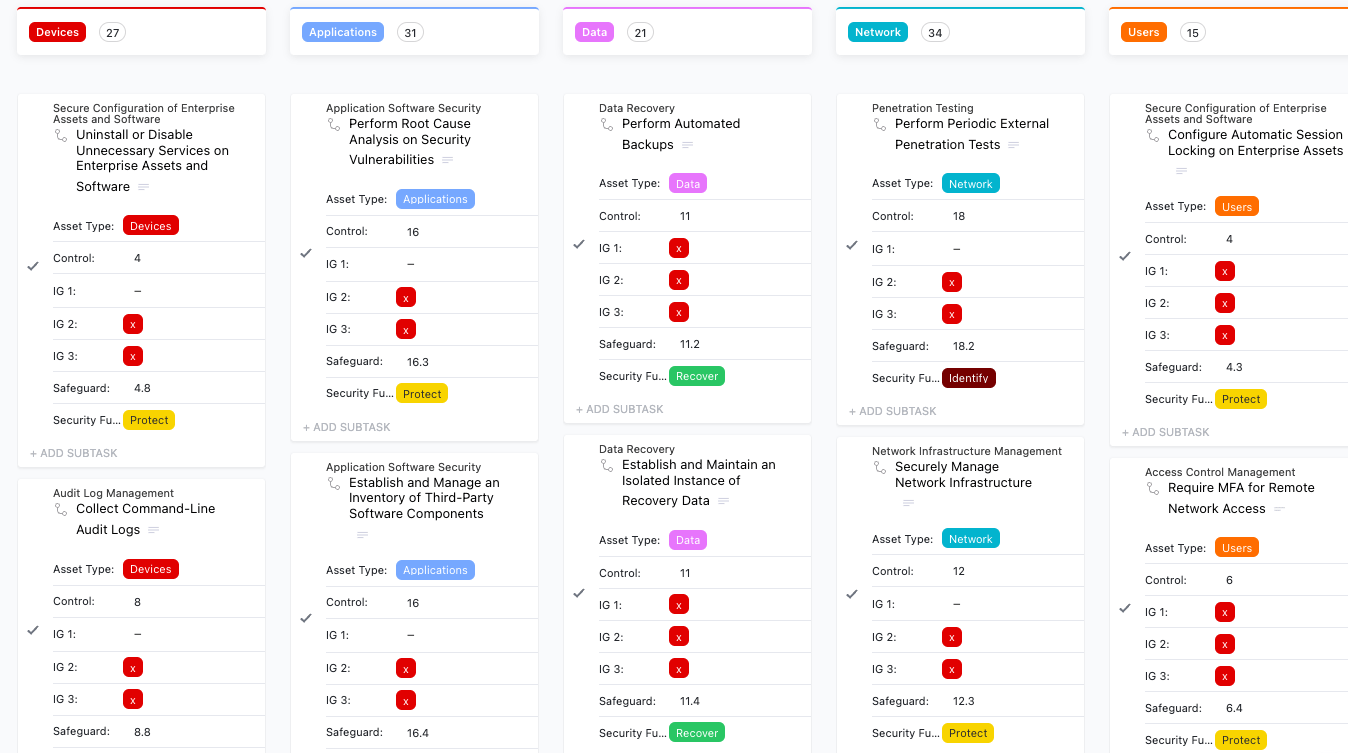
Employee Handbooks, Policies & Procedures Template by ClickUp is a comprehensive framework for documenting all company policies, including your new AI usage guidelines, in one centralized and easily accessible location.
It’s perfect for organizations building their first formal AI policy or consolidating scattered guidelines into a single, authoritative handbook.
Why you’ll like this template:
Use the Company Policy Template by ClickUp to create a focused, individual AI usage policy document with a clear structure and built-in approval workflows.
It’s ideal for teams that need a dedicated AI acceptable use policy without the complexity of managing a full employee handbook.
Why you’ll like this template:
ClickUp’s Governance Plan Template is a strategic planning template that helps you establish the complete organizational framework needed to create, enforce, and update your AI policies over time.
It’s best for organizations implementing formal AI governance with defined roles, responsibilities, and decision-making processes.
Why you’ll like this template:
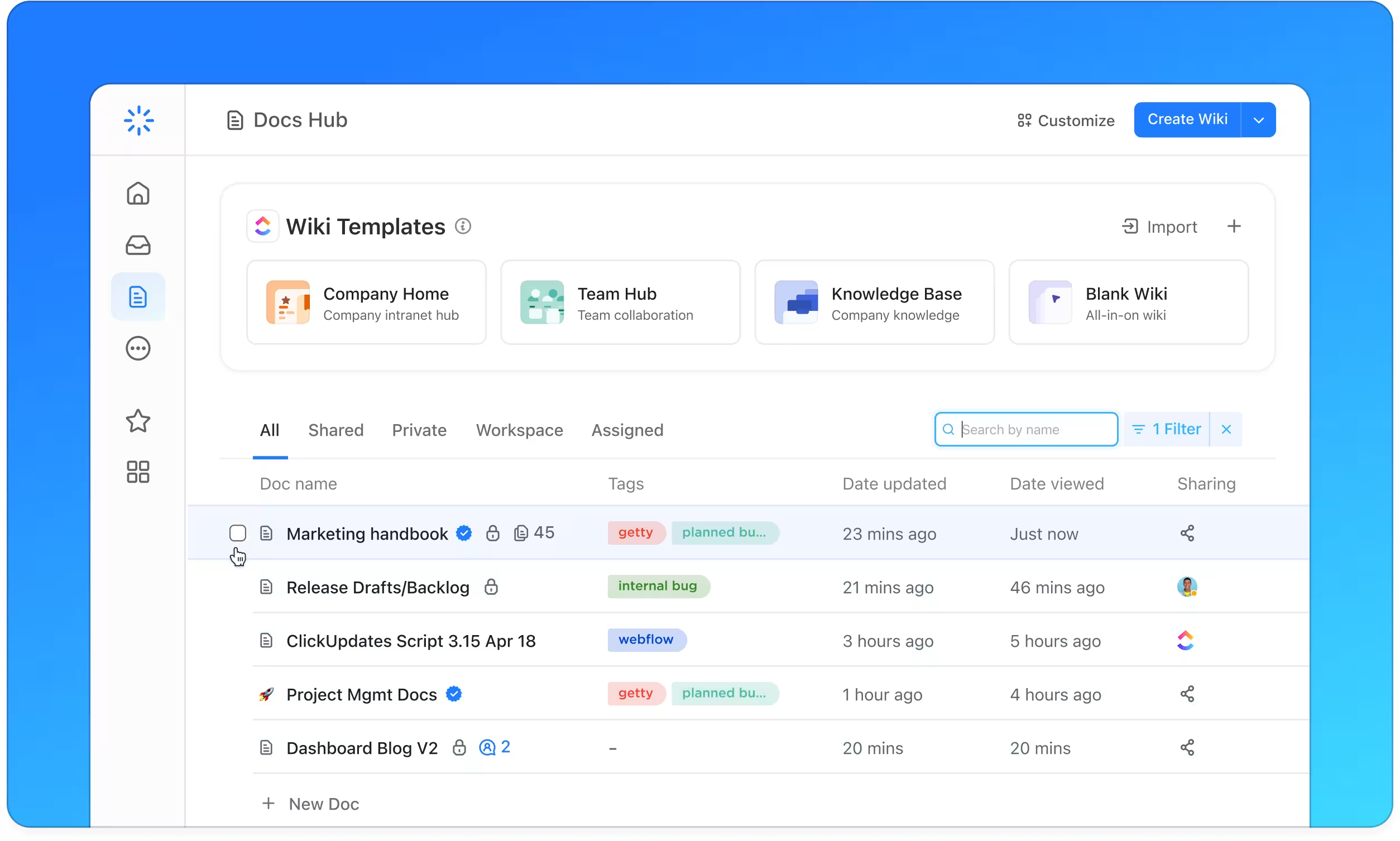
💡 Pro Tip: Empower users to self-serve and understand policies independently in ClickUp. Unify all your policies in a single hub with ClickUpDocs, and mark the critical ones as Wikis. Enterprise Search in ClickUp ensures that searchers can quickly get answers and AI summaries as needed.
The video below shows you how to use AI as an internal search tool.
Address the technical backbone of your AI governance by documenting access controls, data protection measures, and vendor security protocols. ClickUp’s IT Security Template is designed for IT and security teams who are prioritizing the technical dimensions of AI usage, such as data input restrictions and tool vetting.
Why you’ll like this template:
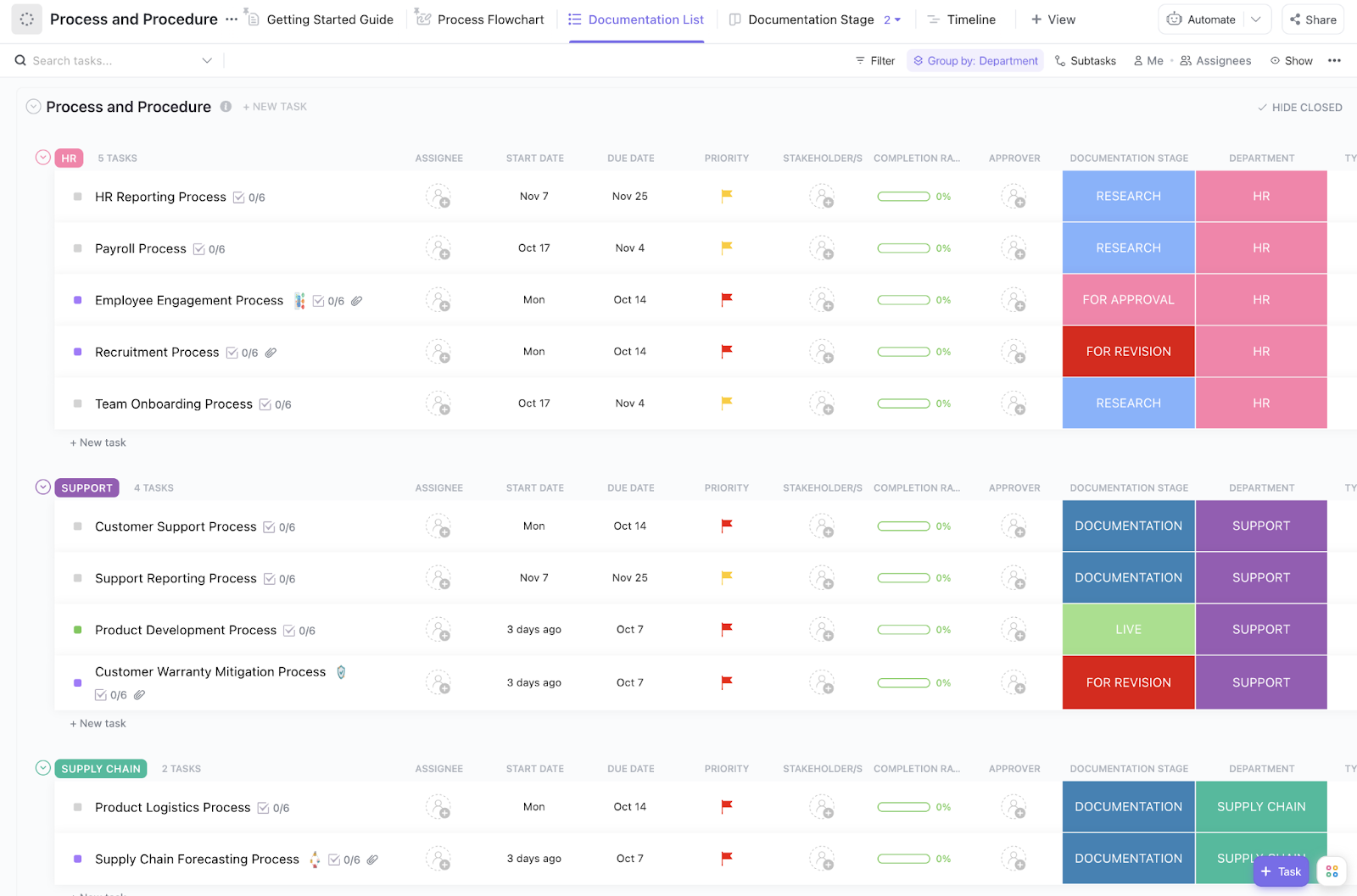
Turn your high-level policy statements into concrete, repeatable procedures that employees can follow without any guesswork. ClickUp’s Process and Procedures Template is perfect for teams that need to show employees exactly how to request, use, and report on AI tools in their daily work.
Why you’ll like this template:
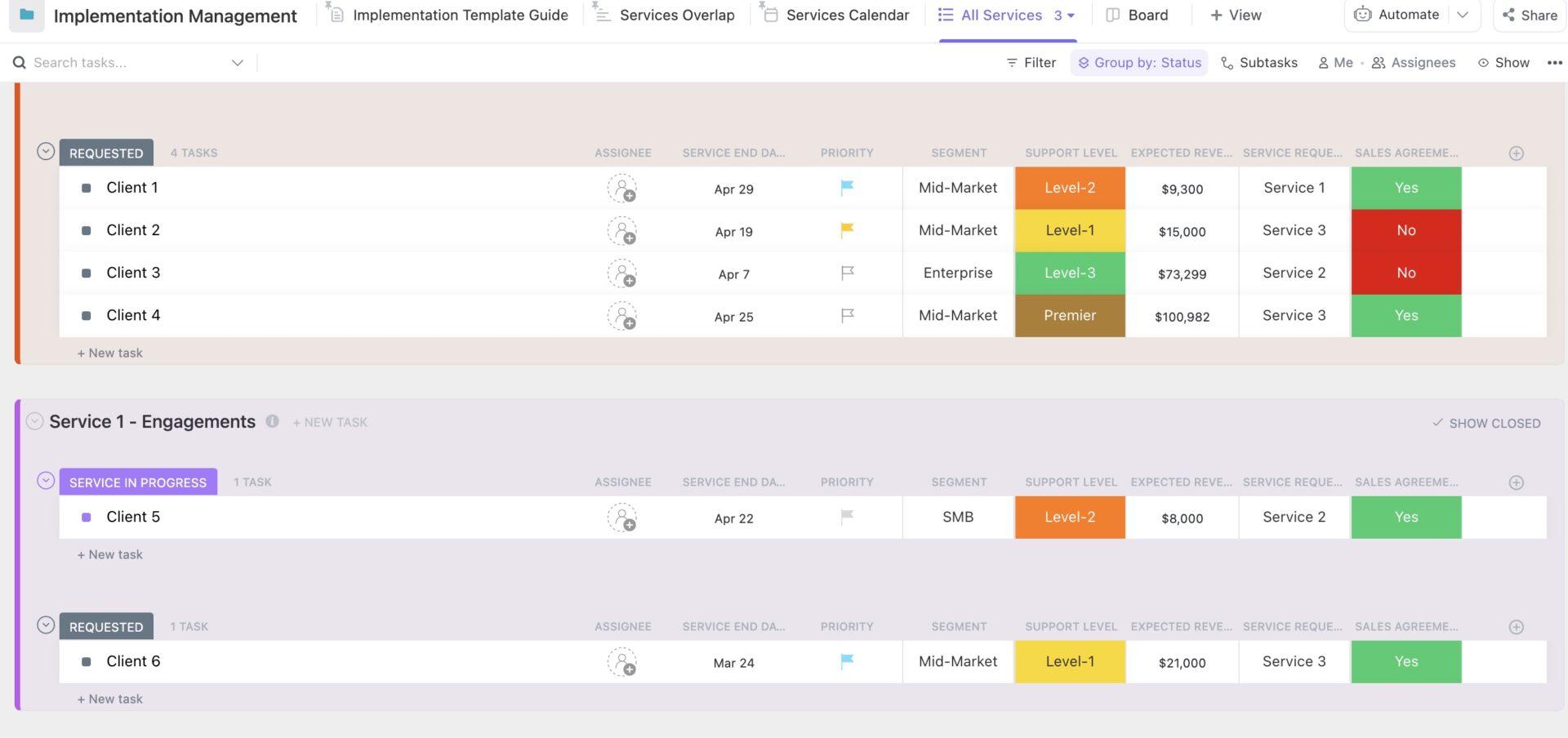
Treat your AI policy deployment like a formal project with clear milestones, tasks, and deadlines to ensure nothing falls through the cracks during the rollout. ClickUp’s Implementation Management Template is built for teams launching a new AI workplace policy who need to manage all the moving parts, from drafting to training and adoption.
Why you’ll like this template:
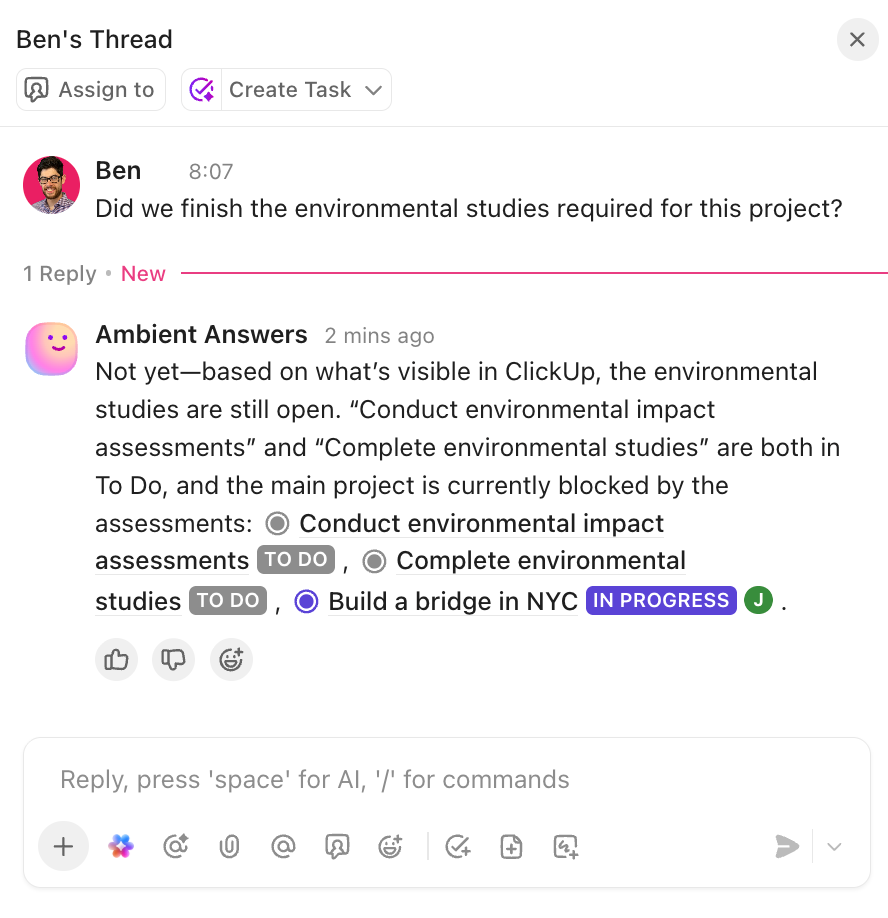
💡 Pro Tip: Ambient Answers, a prebuilt Autopilot Agent available in Chat Channels, provides detailed, accurate, and context-aware answers to your team’s questions.
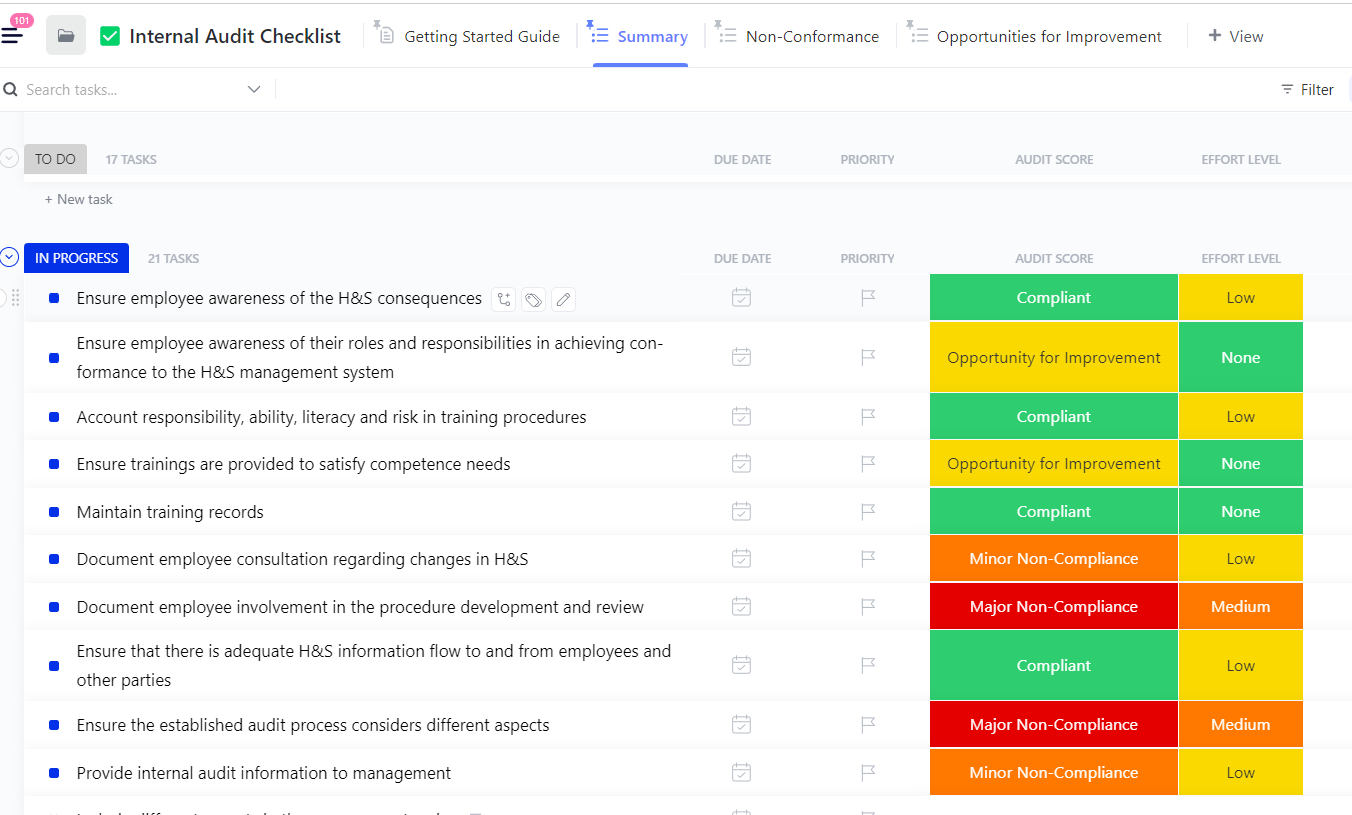
Conduct periodic reviews of your company’s AI usage against your established policies with Clickup’s Internal Audit Checklist Template. It’s designed for compliance, risk, and internal audit teams who need to run AI policy audits on a regular schedule.
Why you’ll like this template:
Shift from reactive auditing to proactive control monitoring by regularly verifying that your AI safeguards are functioning as intended. ClickUp’s Internal Control Checklist Template helps teams prevent AI policy violations before they happen, rather than just detecting them afterward.
Why you’ll like this template:
Create the meta-layer of your governance program by formalizing how, when, and by whom your AI policy audits will be conducted. The Audit Policy Template by ClickUp is for organizations that are ready to standardize their approach to compliance reviews with documented standards and schedules.
Why you’ll like this template:
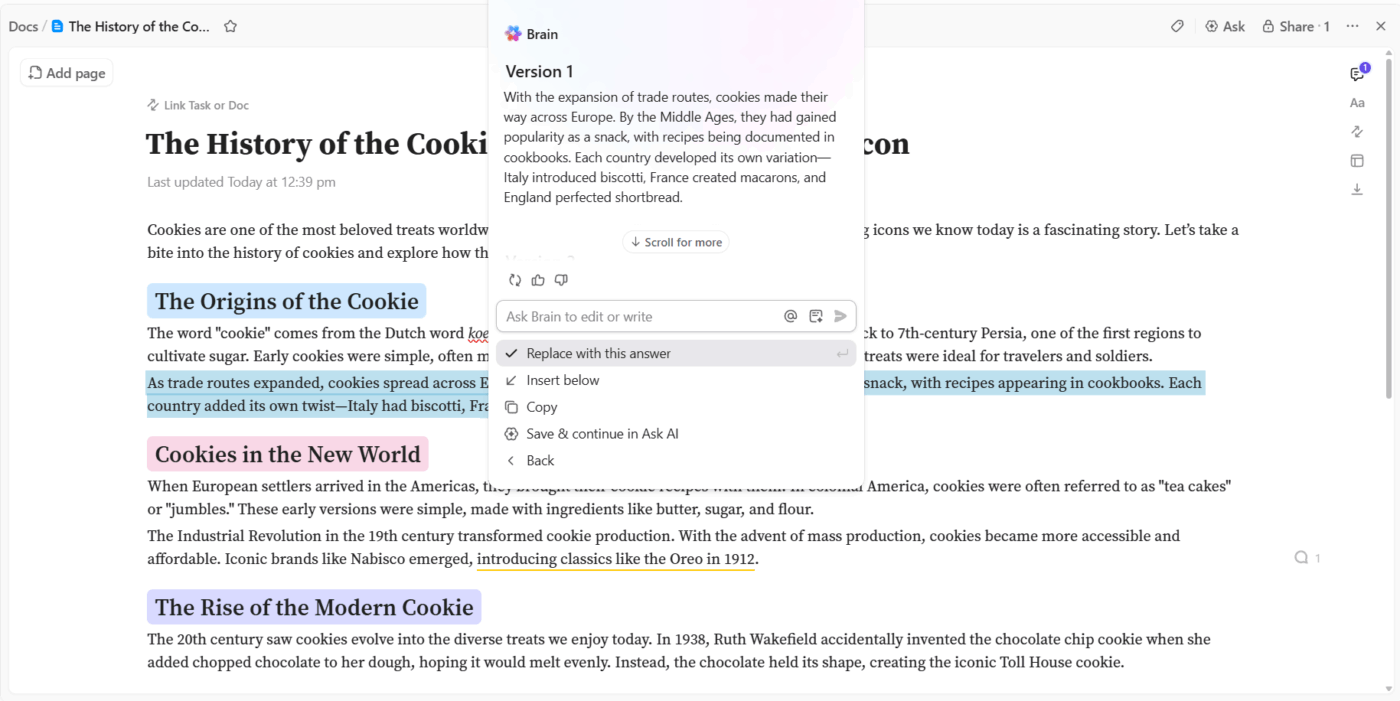
💡 Pro Tip: Need help modifying existing AI policies at your workplace? ClickUp Brain’s generative AI can help. Just prompt, and it’ll modify the copy the way you need it.
Get a quick-start AI policy without building it from scratch with HubSpot for Startups’ AI Usage Policy Template, a ready-to-use document designed for smaller teams and startups. It’s an excellent choice for early-stage companies that need to establish governance now but may lack dedicated legal or compliance staff.
Why you’ll like this template:
Here’s a quick summary of all the ways AI in ClickUp helps you be more productive at work:
AI governance requires more than a static document—it needs workflows that embed policy into daily operations, clear ownership, and regular reviews. Teams adopting AI without structured policies face AI sprawl, compliance risks, and inconsistent practices.
AI workflow templates provide the scaffolding to govern AI use without building from scratch. As AI capabilities expand and regulations tighten, organizations with documented, enforceable policies will adapt faster than those scrambling to catch up.
Get started for free with ClickUp and build your AI usage policy workflow today.
An AI usage policy defines the day-to-day rules for employees, while an AI governance policy is the high-level framework for how your organization manages AI risk and strategy. Think of usage as the “what” and governance as the “how and why.”
Workflow templates turn your policy into an interactive process. They embed compliance checkpoints and approvals directly into daily tasks, creating an automatic audit trail and ensuring rules are followed without relying on memory.
A corporate AI usage policy should cover all employees, contractors, and third-party vendors who access company systems or data. Essentially, anyone who might use AI tools in the course of their work for the organization needs to be included.
Most organizations review their AI usage policies quarterly or whenever a significant change occurs, such as a new AI tool adoption, a major regulatory update, or a security incident. Your policy should include a defined review cadence to prevent it from becoming outdated.

© 2026 ClickUp

There’s an easier way. Try a free AI Agent in ClickUp that actually does the work for you—set up in minutes, save hours every week.