Top 10 AI Transcript Summarizers to Save You Time

Sorry, there were no results found for “”

I want to spend less time in meetings and more time getting things done. I’m not alone.
Employees spend an average of 11.3 hours in meetings every week—that’s nearly 30% of a workweek!
Long meetings often lead to multitasking (doom scrolling, replying to emails and Slack messages). 55% of employees admit to multitasking during longer sessions, and 39% have even dozed off mid-meeting.
This is where AI transcription tools can help. They don’t just transcribe—they highlight key points, summarize discussions, and help us focus on what truly matters.
After testing the top AI transcript summarizer tools and AI summary generators, I’ve narrowed it down to these 10 to save you time, keep your productivity on track, and help you dodge that dreaded meeting fatigue:
Earlier, I used speech-to-text software to generate detailed summaries of meetings. But transcript summarizer AI functionalities make it much easier.
Here’s what I look for in a great text summarizer:
These features help me make meetings more productive and worth my time.
🧠 Fun Fact: A SurveyMonkey poll found that 42% of employees sometimes feel, “This meeting really could’ve been an email,” and 32% think it most or all of the time.
When I saw 45+ meetings on my calendar last month, I had to figure out how to use AI for meeting notes and save time. So, I spent an entire week understanding how AI transcript summarizers work and which one I should use. Here’s a rundown of what I found.
ClickUp is the everything app for work that combines project management, knowledge management, and chat—all powered by AI that helps you work faster and smarter.
I’ve been using ClickUp as an end-to-end project management platform for nearly 2 years at work. It also functions as my personal wiki. I tried multiple AI transcript summarizers (which are listed below) but always found myself coming back to ClickUp.
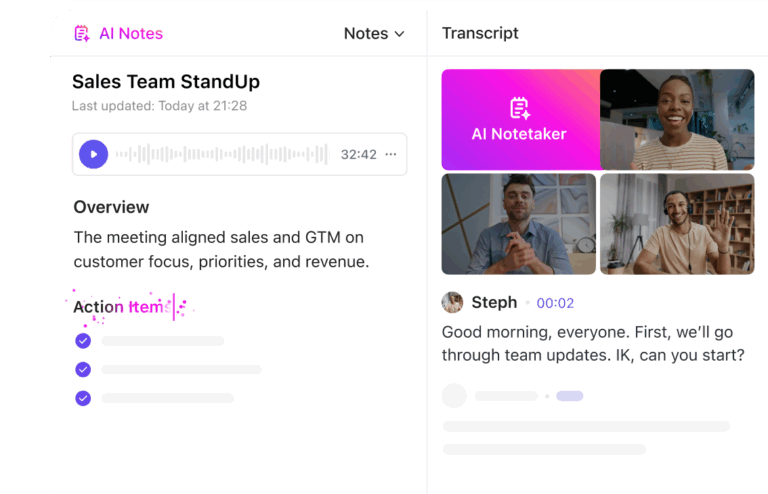
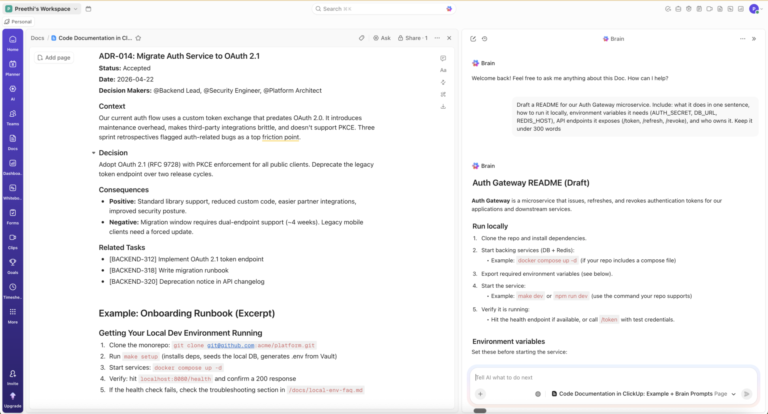
ClickUp AI Notetaker transforms meetings into actionable insights with automated transcriptions, smart summaries, and identifiable action items. It seamlessly integrates with your ClickUp Tasks and Docs, ensuring all meeting notes are organized and accessible. Key decisions and to-dos are captured, assigned, and tracked within ClickUp, streamlining workflow. With AI-generated summaries and action items automatically posted in your chat channels, ClickUp AI Notetaker keeps everyone aligned and productive.
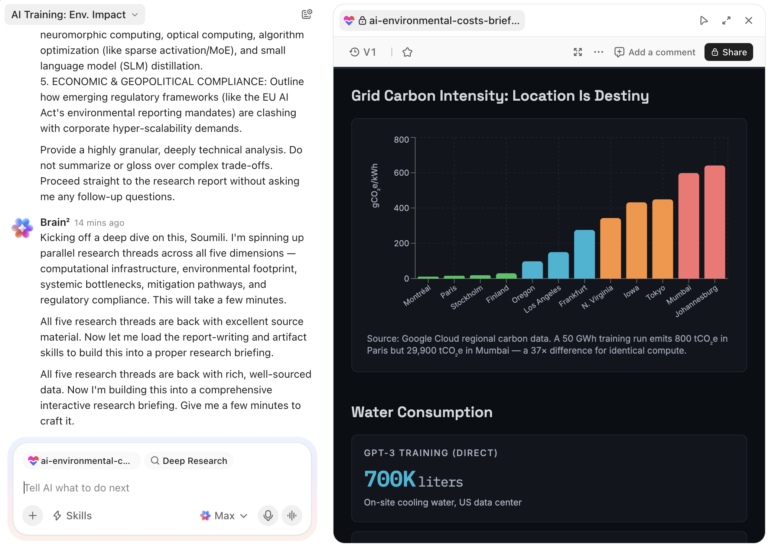
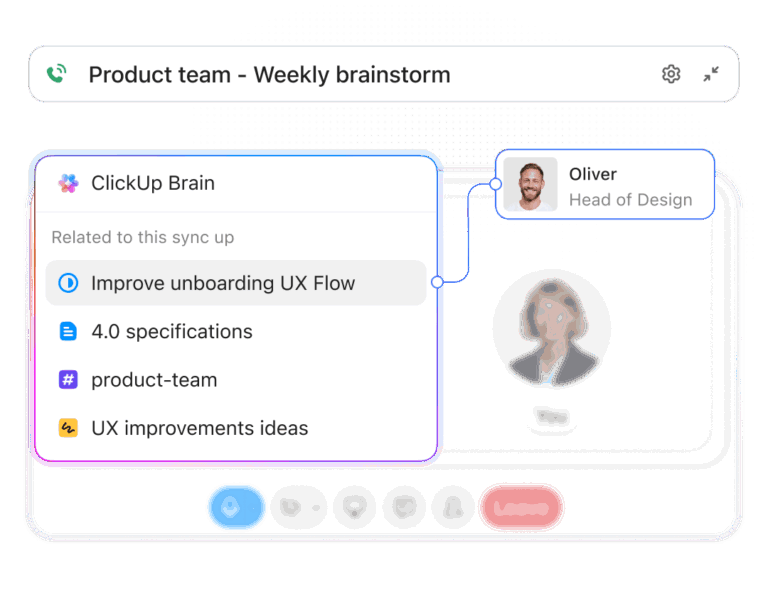
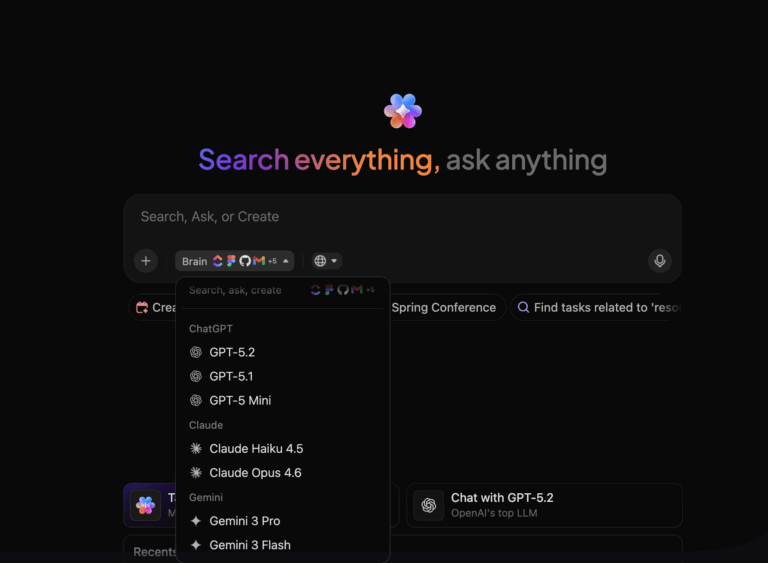
I also love how ClickUp Brain helps me work smarter and faster by generating clear summaries and key bullet points and seamlessly integrating with Slack and my email. It truly is an all-in-one AI transcript and summarizer tool.

The ClickUp Calendar organizes my life with a clear visual of deadlines. It also integrates with my Google Calendar, making my schedule easier to manage. This helps me keep track of all my meetings and makes getting all meeting transcripts easier!

With ClickUp Clips, I can record audio during meetings, which can be managed within ClickUp Clips Hub and summarized using ClickUp Brain. You can also adjust the summary length for convenience.

What I love most is the ClickUp Connected Search feature. Instead of scrolling through notes or listening to entire recordings, I search for the word, and ClickUp takes me straight to the right section in the right document. I can literally search for anything within my Clickup ecosystem with ClickUp Connected Search.
It’s a huge time-saver, especially for those “Did we already discuss this?” moments.
Sharing transcriptions with my team is just as easy, and knowing everything is connected in one place makes collaboration seamless. It’s helped me work smarter, faster, and with way less meeting fatigue.

The best part? You no longer need to sift through scattered files. Keep all your transcript summaries, notes, and key points in one organized hub with ClickUp Docs. Structure your documents by projects, topics, or categories using folders and subfolders, ensuring quick access to critical information.
And it’s not just me. Here’s what Marianela Fernandez, Water Treatment Consultant at Eco Supplier Panamá, says about ClickUp.
By integrating various functionalities such as notifications, calendars, emails, and workflow in the execution of the project, ClickUp effectively makes workers stop focusing on constantly reviewing the different technological mechanisms and focus on tasks that generate value.
💡 Pro Tip: ClickUp has a huge library of templates for each use case, like the ClickUp Meeting Tracker Template. This template will help you keep track of every meeting and prepare for upcoming meetings with agendas, notes, to-do lists, and detailed meeting minutes.
📮ClickUp Insight: 37% of workers send follow-up notes or meeting minutes to track action items, but 36% still rely on other, fragmented methods. Without a unified system for capturing decisions, key insights you need may get buried in chats, emails, or spreadsheets.
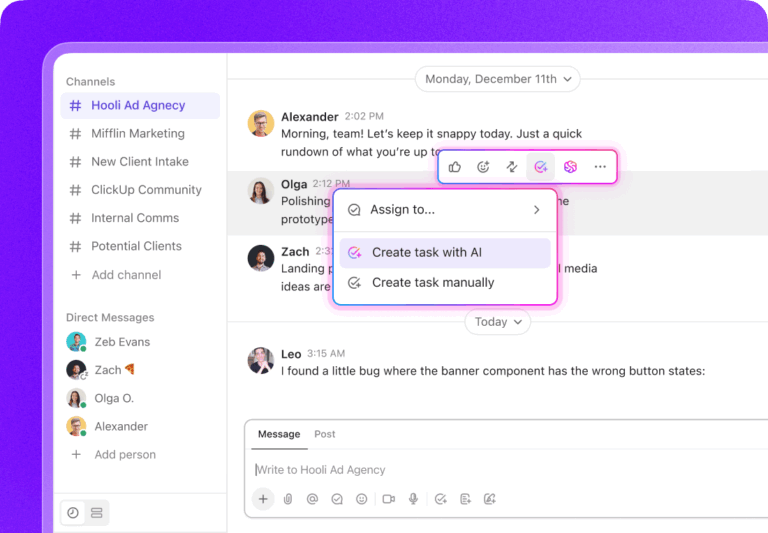
With ClickUp, you can instantly turn conversations into actionable tasks across all your tasks, chats, and docs—ensuring nothing falls through the cracks.
Also Read: Inside ClickUp Brain for Teams: Top 1Tools for Knowledge Sharing, Project Automation, & Writing

Otter.ai captures conversations in real time, so you’re not bogged down by note-taking.
After every meeting, we had to sit down and analyze who said what (if we did not specifically note names down). So, what I loved most about Otter’s AI summary feature is speaker identification.
It also allows you to create custom vocabulary to account for your slang, ensuring every conversation is captured accurately, even with industry-specific terms.
Thanks to its integration with platforms such as Zoom, Google Meet, and even Microsoft Teams, Otter.ai automatically joins all meetings, transcribes them, and creates custom summaries.
Otter is now my go-to for recording and transcribing calls. Otter timestamps, generates notes, and identifies action items and highlights from my meetings.

Brainstorming calls generally bring in way too many emotions–and slang takes over! This AI summary generator ensures that even those are caught during transcription. Sonix supports transcription in over 50 languages with accurate speaker identification and timestamp features.
The in-browser editor lets you make real-time edits and comments as soon as the transcription is generated, and it also allows you to adjust the summary length.
Sonix’s automated translations, subtitles, and summaries also enhance content management.
Also Read: Best AI Writing Tools for Content

If you’re a reporter, you try to include subject matter expert (SME) quotes and insights wherever possible to enrich your articles. Trint helps you manage this better.
Created by Emmy Award-winning journalist Jeff Kofman, this AI tool turns those long, sometimes messy recordings into polished transcripts with remarkable speed and accuracy.
It includes a custom dictionary to record the key language of your beat. You can also share a real-time feed with colleagues to verify, pull quotes, and build your story as it develops.
I like the ability to slow down recordings or speed them up so I can make corrections easier. I also like that clicking somewhere in the transcription automatically takes the audio to that part of the recording. I wish it could pick up lower voices or mumbled words better.

With a remarkable 99%+ accuracy rate for human transcription, Rev is ideal for users requiring precision, including legal professionals and journalists. Rev’s automated transcription, too, delivers an impressive 95%+ accuracy, ensuring fast, AI-generated transcripts meet high-quality standards.
A network of vetted human transcriptionists meticulously reviews and edits each file, maintaining strict quality control to ensure accuracy and consistency. This service reliably produces polished and precise transcript summaries by combining human expertise with advanced AI technology.

After each meeting, every attendee receives a concise summary from Fireflies highlighting key points and action items, making it easy to stay on top of follow-ups.
The analytics features are especially useful. You will get detailed data on speaker talk time and filler word usage. Like other tools, it automatically starts recording and transcribing everything in real time while integrating with Zoom, Google Meet, and Microsoft Teams.
I have found the software to be simple to use and easy to access. The minutes are as good as a human’s with the added bonus of audio/video recording, transcription, and some nice extras.
👀 Did You Know? According to a London School of Economics report, over one-third of business meetings are unproductive, costing firms $259 billion annually in the U.S. and £50 billion in the U.K.

Scribe is a document collaboration tool that can help you avoid meetings entirely. If most of your meetings are product, feature, or process walkthroughs—you can turn them into detailed step-by-step walkthroughs using Scribe.
You can create detailed guides with screenshots, YouTube videos, and annotations with just a few clicks. For me and my team, these guides were perfect for training new team members and documenting workflows. Customizing these guides using AI for documentation with our branding added a professional touch.

If you work on both video and audio production, you’ll love Descript! It’s an all-in-one tool that lets you write, record, transcribe, edit, and collaborate, all within one intuitive interface.
Instead of relying on traditional waveform editing, which, believe me, is tedious and technical, Descript transcribes your audio into text. You can edit your recordings just like you would an article—cutting filler words like “um” or “uh” or removing awkward pauses with a simple backspace.
Descript saves me hours of work every week as it allows me to upload video files and within seconds, I have a full transcript. Instead of watching hours of pre-recorded webinars, I can simply upload and review the transcript for the exact information I need. You can even remove speakers’ filler words from the transcript with just one click which is so cool!

What sets Deepgram apart is its powerful suite of APIs, which offer developers unparalleled access to voice AI capabilities—from transcription to sentiment analysis. It supports over 30 languages, catering to diverse applications across multiple languages and industries.
It allows you to train custom models tailored to specific use cases, which means you get higher accuracy with industry-specific terminology, ensuring that your transcripts are precise. It offers unique voices optimized for human-like conversations (natural tone, rhythm, and pauses).

Fathom is another AI-powered transcription tool that automatically records, transcribes, and summarizes your meetings. What I liked most was its focus on making the post-meeting workflow seamless. Instead of sifting through hours of recording, you can instantly pull out action items or key points, saving me hours of manual note-taking.
Its ability to sync with CRMs like Salesforce and HubSpot makes it a fantastic tool for sales and customer success teams. You can automatically sync call summaries with the appropriate contact in your CRM.
Check out these Fathom AI alternatives!
The summaries are genuinely useful, it does everything you need it to. Like the full video transcript plus the summary in a ton of different ways plus a built-in chat bot plus it’s super easy to share.
I learn through YouTube and podcasts while working full-time, which means endless meetings. Transcript summarizers allow me to quickly sift through important information, turning hours of content into bite-sized, actionable insights. They’ll save time, improve my productivity, and keep me on top of my game.
But should you add a new tool to your tech stack? As a business, you’re already using a variety of tools.
Research says that mid-market companies can save around $94K annually after cutting unnecessary spending on other AI tools. This is where ClickUp shines!
ClickUp’s ability to bring your tasks, conversations, and workflows together helps you manage your time effectively. Its native AI makes it easy to condense key information, organize notes, and quickly transcribe even the most complex texts.
Sign up with ClickUp for free and test it for yourself.
© 2025 ClickUp