






Still downloading templates?
There’s an easier way. Try a free AI Agent in ClickUp that actually does the work for you—set up in minutes, save hours every week.
Sorry, there were no results found for “”
Sorry, there were no results found for “”
Sorry, there were no results found for “”
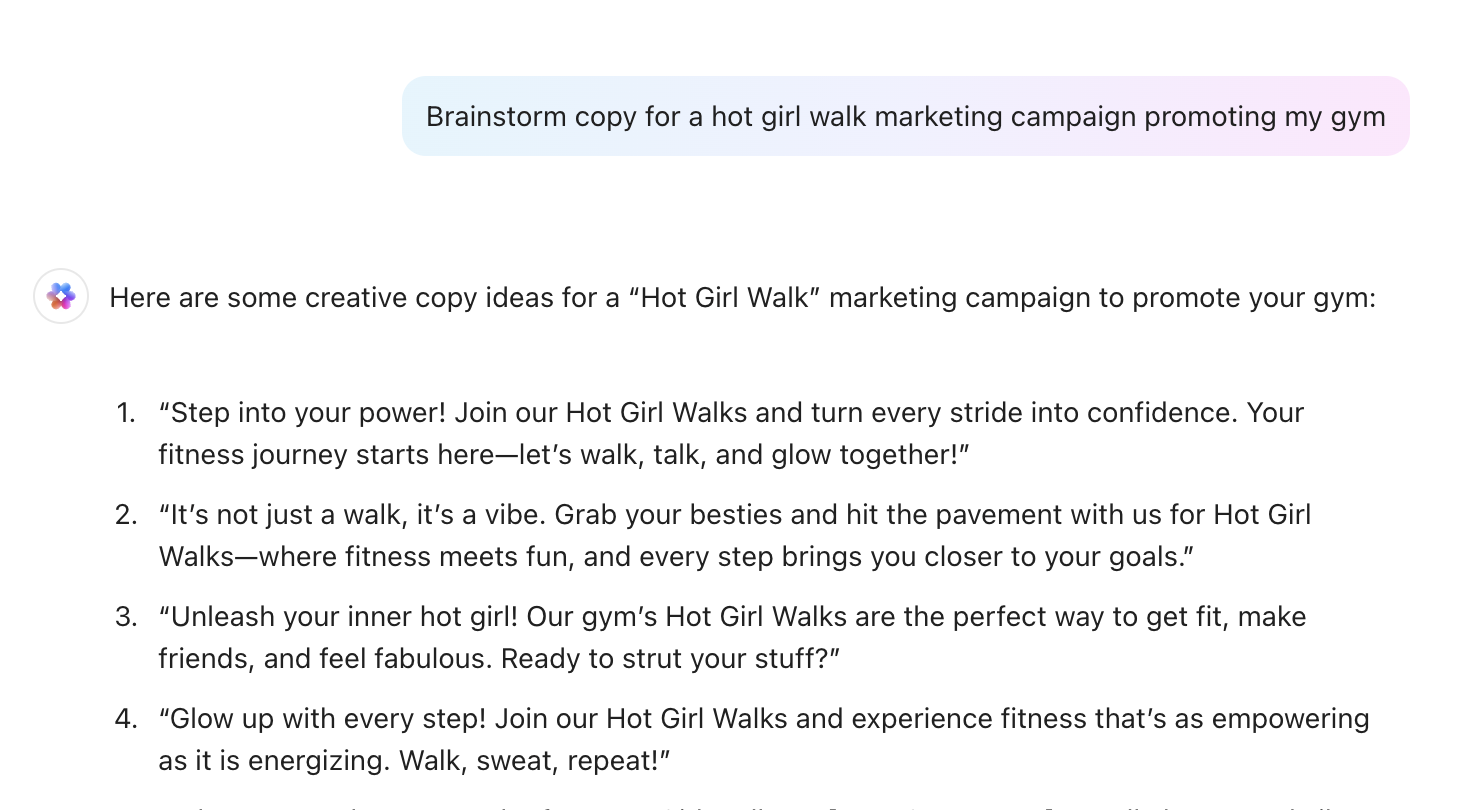
The right AI stack ties creative variants to audience intent and distribution context, so trailers, thumbnails, and copy adapt per segment.
That means clean and structured data, permissioned knowledge, and agents embedded where decisions are made, such as during edits, scheduling, and buying.
The upside is reflected in PwC’s projections, which forecast media and entertainment industry revenue streams to reach $3.5 trillion by 2029, driven in part by AI-supercharged advertising and smarter creative optimization.
In this blog, we’ll map a build that gets you there without sprawl, so every release learns from the last and your next campaign lands faster and better.
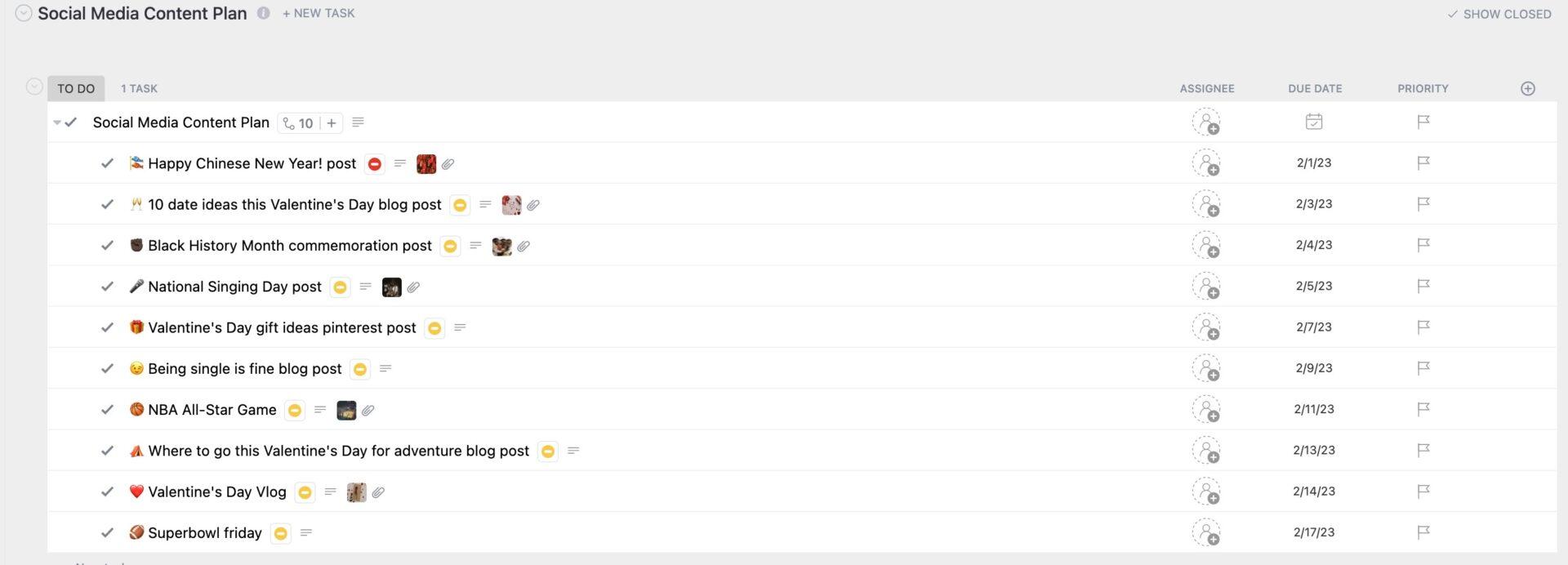
The Entertainment Company Social Media Marketing Plan Template by ClickUp gives you a ready-to-use folder structure with lists, tasks, and documentation. This can help you plan media campaigns, track content, monitor engagement, and report results, all in one place.
Your pipeline should feel like one motion. A shot becomes an asset, turns into a campaign, and then builds into learning for the next release.
This is how you can build for that glide:
🧠 Did You Know: Deloitte Center for Technology (Media & Telecommunications) suggests modernizing operations and finance for adopting tech like virtual production, generative AI dubbing/translation, and automated ops. These enhance cheaper, faster production, overcome language barriers, and automate functions such as contract review, script review, and location scouting.
At NAB Show New York 2025, AWS introduced cloud-native, fast-turnaround media workflows.
They’ve built this with BBC, Sky, and partners, showing that end-to-end acceleration is real when pipelines are rewired for open, interoperable media flows (CNAP/TAMS).
These are real-world examples of selecting technology for AI-generated content in media and entertainment. Speed, interoperability, and proof that you can scale past pilots.
Step 1 : Start with the release you must ship
Pick a single title, season drop, live event, or game update and document the path from ingest → edit → distribution → audience analytics. If an AI solution doesn’t remove a handoff, reduce rework, or shorten time-to-air for that real workflow, treat it as optional and not foundational.
Step 2: Lock the asset & metadata spine
Before you debate foundation models, make sure every asset has a canonical ID, timecode alignment, transcripts/captions, and rights tags. That’s what keeps versions consistent across cutdowns, localization, and platform variants.
Step 3 : Normalize signals early
Choose where AI models live (cloud, on-prem, vendor APIs), what training data is allowed, and how outputs are checked. If you’re using retrieval augmented generation for script breakdowns or internal knowledge, define what sources are “approved” and what gets cited back to human reviewers.
Step 4: Ground decisions in a living knowledge base
Set standard IDs for title/episode/segment, define consent boundaries, and agree on the minimum audience data you need to make decisions (watch time, completion, skips, engagement, conversion). Fresh, consistent signals beat a “big” dashboard that arrives too late.
📮 ClickUp Insight: 70% of managers use detailed project briefs to set expectations, 11% rely on team kickoffs, and 6% tailor their project kickoffs based on tasks and complexity.
That means most kickoffs are documentation-heavy, not context-driven. The plan might be clear, but is it clear to everyone, the way they need to hear it?
ClickUp Brain’s AI features help you tailor communication from the very start. Use it to summarize kickoff docs into role-specific task briefs, generate action plans by function, and surface who needs more detail vs. who needs less.
💫 Real Results: Hawke Media cut project delays by 70% with ClickUp’s advanced project tracking features and automation.
Step 5: Place AI where judgment happens
The best AI agents show up where decisions are made. This is where discussions are held on which shots to pull, which cut to approve, which copy variant to ship, which channel gets which version, and what changes when performance shifts.
Step 6: Orchestrate the happy path; expose exceptions
Plan for hate speech risk, brand suitability, disclosure, and IP compliance as part of the production path. If checks are optional, they will be skipped under deadline pressure.
Step 7: Rights, safety, and governance
Automate routine handoffs (assignments, due dates, and status routing), but make exceptions loud: who owns the fix, what’s blocked, and what must be approved before anything ships.
Step 8: Close the loop
Define what “better” means for this release (faster turnaround, fewer revisions, higher completion, better conversion), and tie that back to the decisions you made (edit choices, packaging, distribution strategy).
💟 The ClickUp Advantage: Now, once you’ve sketched this flow through massive content libraries, you need a coordination layer that reduces Work Sprawl. That’s where ClickUp comes to your rescue, without adding bloat.
ClickUp 4.0 can act as the coordination layer in your AI stack by centralizing and orchestrating workflow for creative ideation, linking content production tasks, managing approvals, tracking distribution schedules, integrating analytics dashboards, and automating repetitive tasks.
This ensures your AI-stack tools connect cleanly with the human side that wants to create content and deliver.
📖 Also Read: Best AI Content Creation Tools
Now, once you’ve sketched this flow through massive content libraries, you need a coordination layer that reduces work sprawl: the constant shift between different tools and platforms.
What’s worse is that this situation can also lead to AI sprawl, where multiple AI tools are used in isolation. That’s where ClickUp steps in as a converged AI workspace that helps you make the most of your AI stack.
It centralizes and orchestrates workflow for creative ideation, linking content production tasks, managing approvals, and automating repetitive tasks.
If you’re ready to turn shot → asset → campaign → insight into one motion, here’s how ClickUp meets you where the work actually happens:
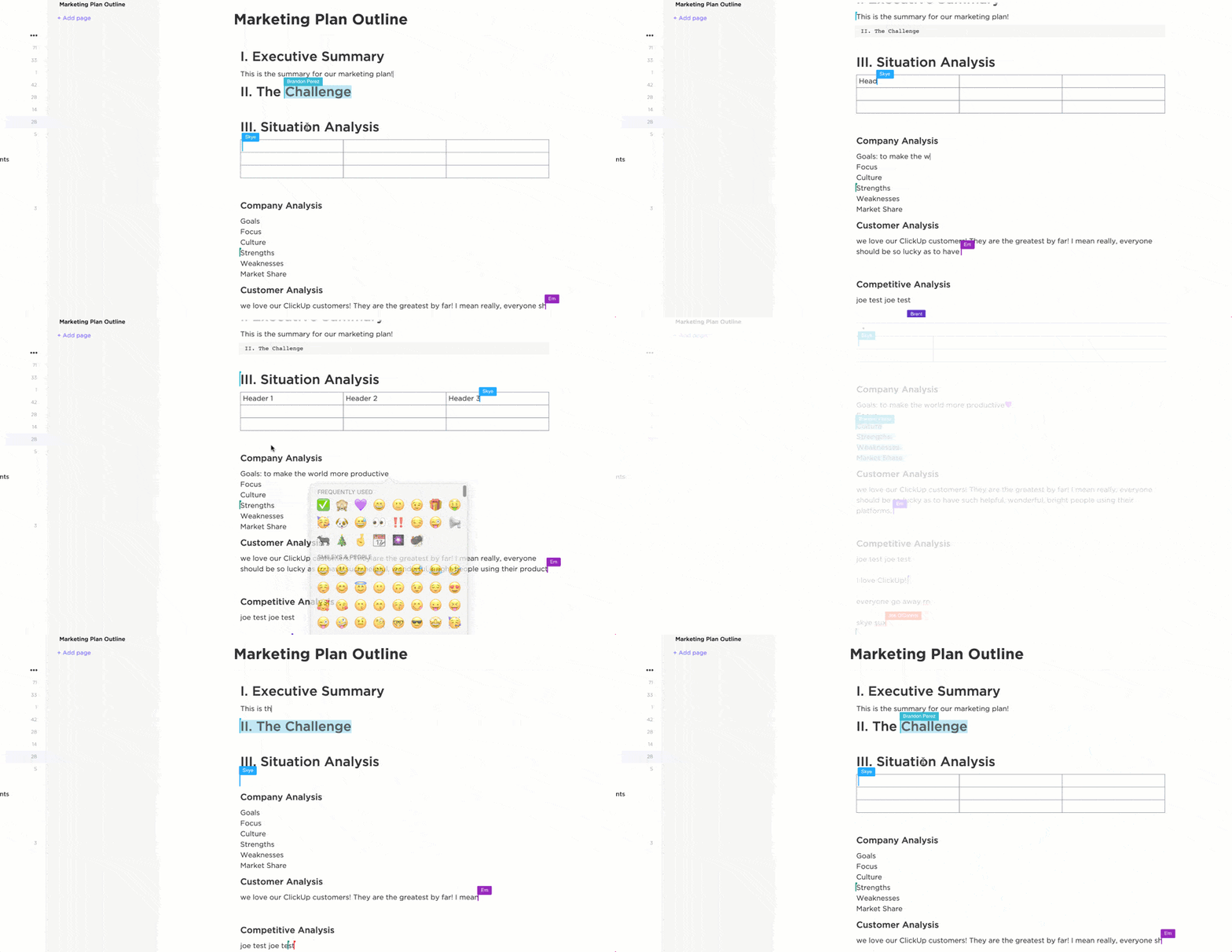
Creative work breaks down when the brief, references, and decisions live far from the tasks that ship.
In ClickUp Docs, you can create wikis and knowledge bases, collaborate in real time, tag teammates, and convert text into trackable tasks. That’s useful for style guides, localization rules, campaign messaging, and approval notes that need to stay current and attributable.
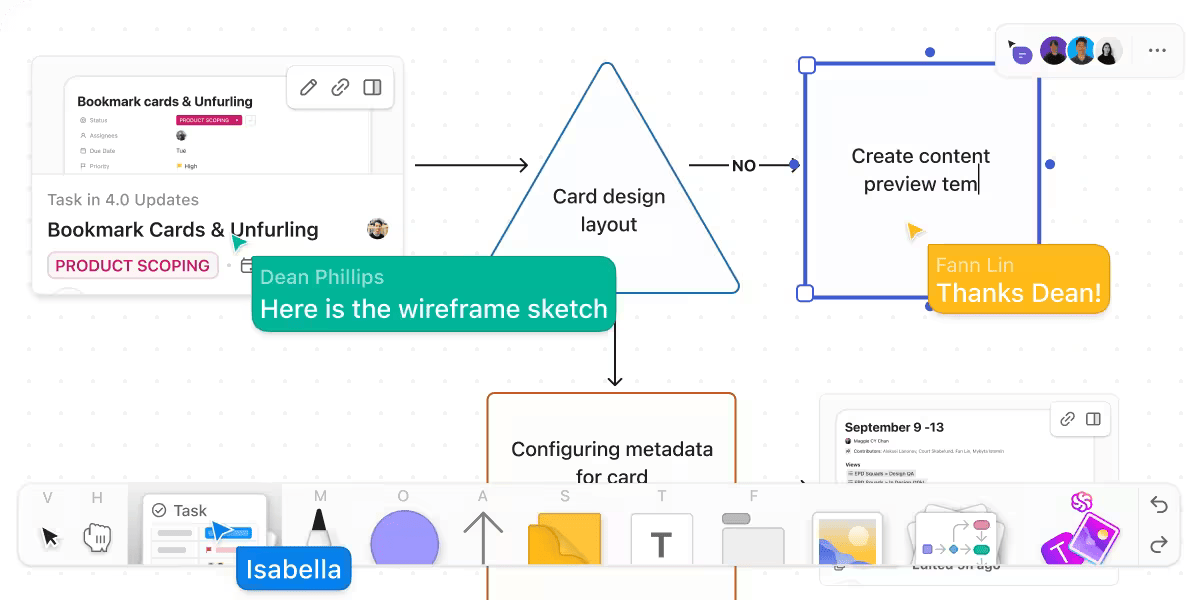
Using ClickUp Whiteboards, you can brainstorm visually and then create tasks and Docs from the board so your concept work turns into a real plan without re-creating it elsewhere
When content production moves across different teams, the risk is not “lack of tools”; it’s unclear ownership and missed handoffs.
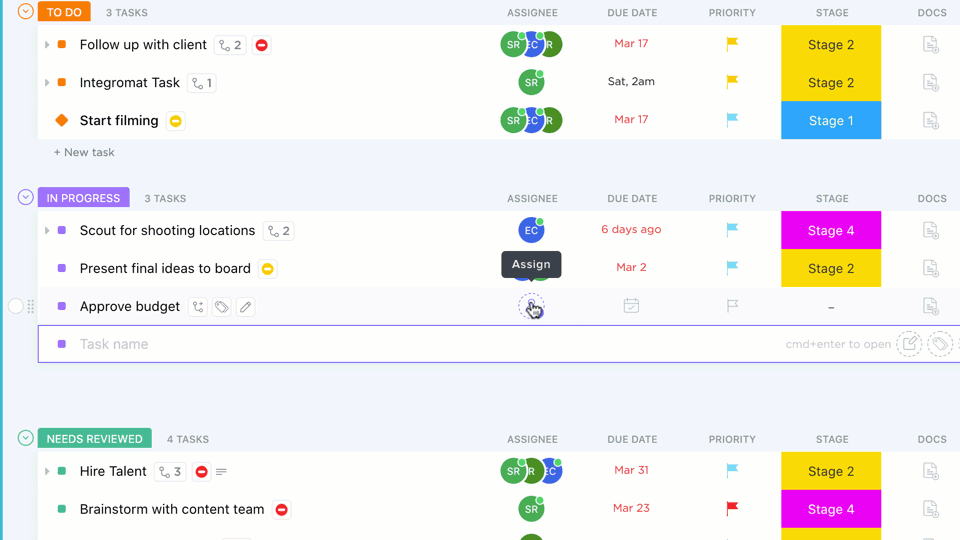
ClickUp Tasks are designed to connect to the rest of your work, with customization options like statuses, task types, and Custom Fields so you can reflect how your pipeline actually runs (for example: rough cut, review, legal, localization, final export, scheduled).
ClickUp’s Media Team workflows also emphasize planning and visualizing campaigns across multiple views so you can see dates, assignees, and details at a glance. That helps when distribution schedules shift, and you need to re-slot work without losing track of dependencies.
The point of AI-powered tools in media operations is reducing manual coordination, not creating more admin work. This can be achieved through a mixture of automation and AI.
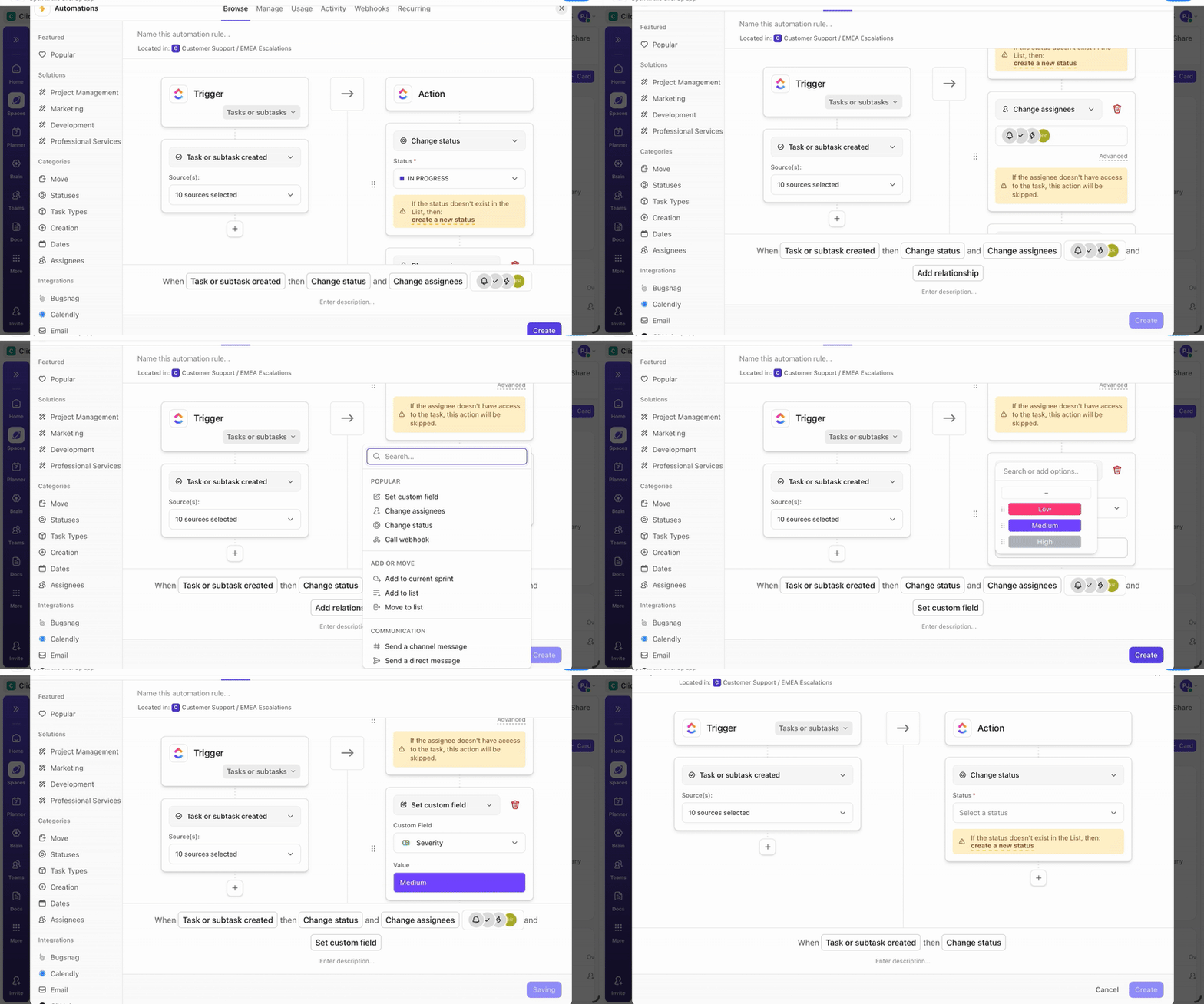
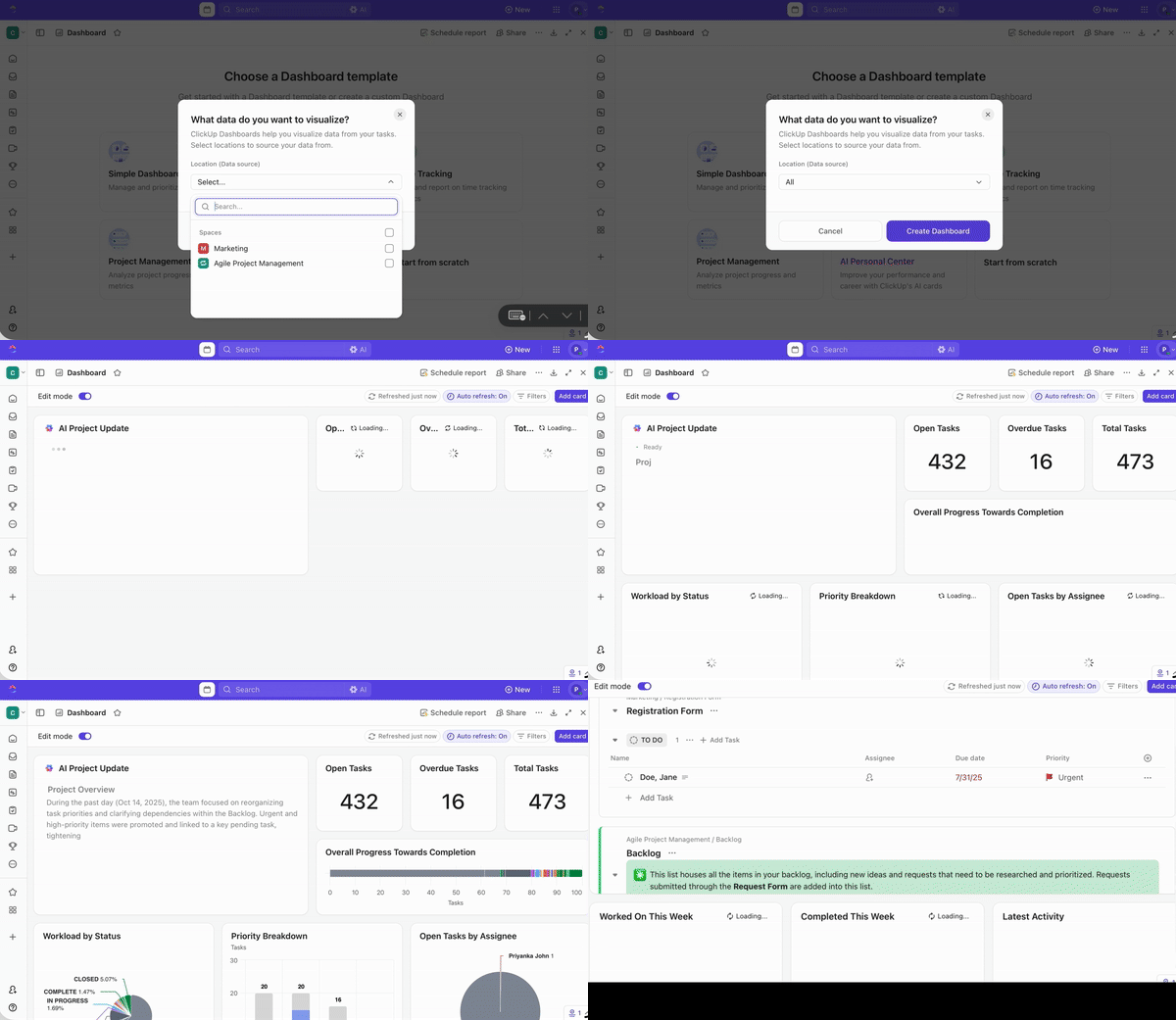
ClickUp Automations help you route the routine parts of production: assign owners, move statuses, trigger reminders, and standardize handoffs. ClickUp also includes an AI Automation Builder that can generate automations from a plain-language prompt, so your team can create workflows faster and adjust them as the process evolves.
💡 Pro Tip: Use ClickUp Super Agents to keep releases moving when the handoffs get messy.
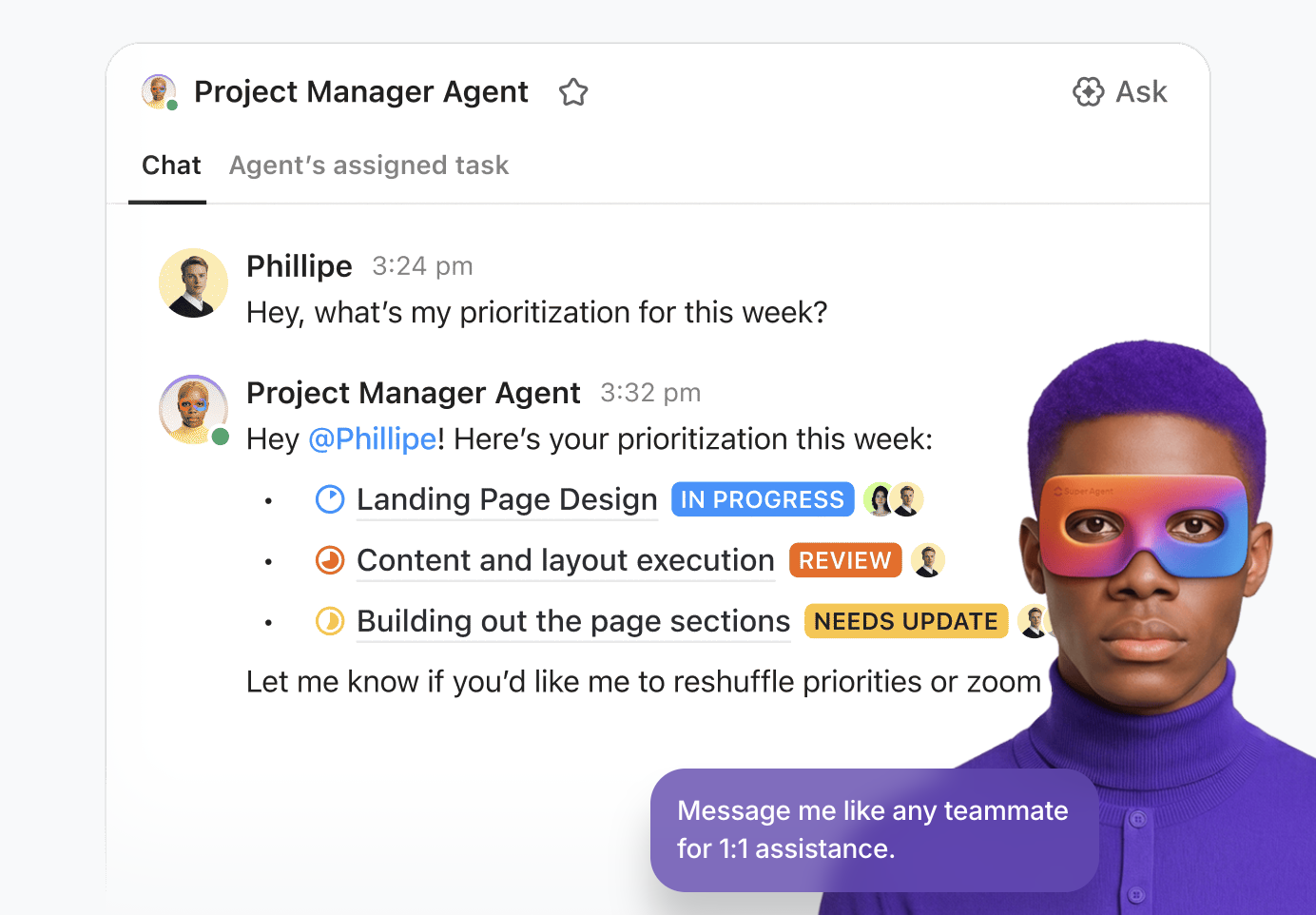
These AI agents can help automate reminders, distribute task lists, compile daily updates, flag delays, and adjust priorities based on how work is progressing. That’s a strong match for media operations, where approvals and schedule changes pile up fast.
How to use this in a media workflow (example setup):
Then, instead of exporting updates into slide decks, ClickUp Dashboards let you build custom reports so stakeholders can see what matters, from campaign performance to team productivity. This is where you connect audience data outcomes back to decisions and throughput, so each release creates learning you can reuse.
ClickUp also supports AI Cards, which add AI-powered reporting to Dashboards and Overviews. You can use them to generate standup-style updates and summary reports using context from your team’s actual work.
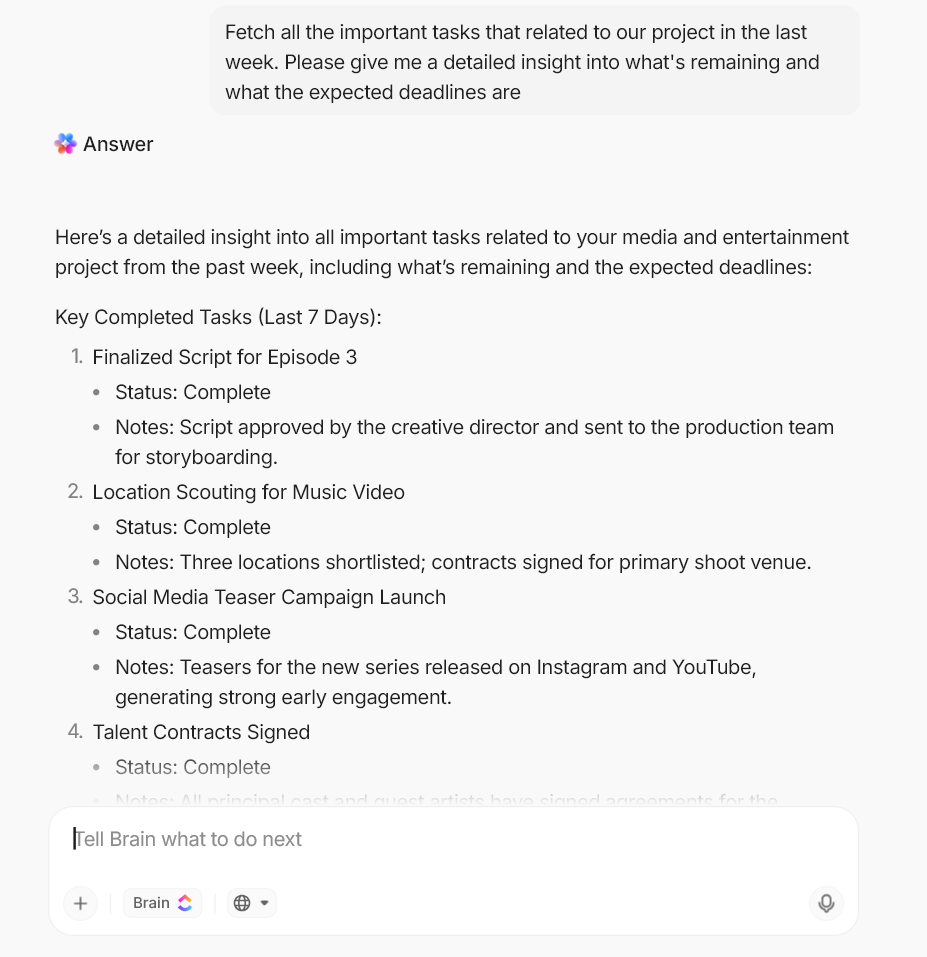
Finally, ClickUp Brain adds a layer of AI inside the Workspace for tasks and docs, with enterprise-focused controls like no third-party data training and zero data retention from AI providers. You can ask Doc or task-related questions at ClickUp Brain and get detailed insights and quick summaries of all the work that’s going on in your Workspace.
📖 Also Read: Best AI Content Creation Tools
This entertainment and media industry blueprint is opinionated on purpose: each layer exists to remove a specific bottleneck in the journey from capture to campaign to cash.
We’ll move in the same order your work moves, and for each layer we’ll spell out what it does, why it matters now, and how to decide between build vs. buy.
This layer kickstarts momentum: you turn a brief into boards, concepts, and quick-moving shots your editors can actually use, without waiting on reshoots or guesswork.
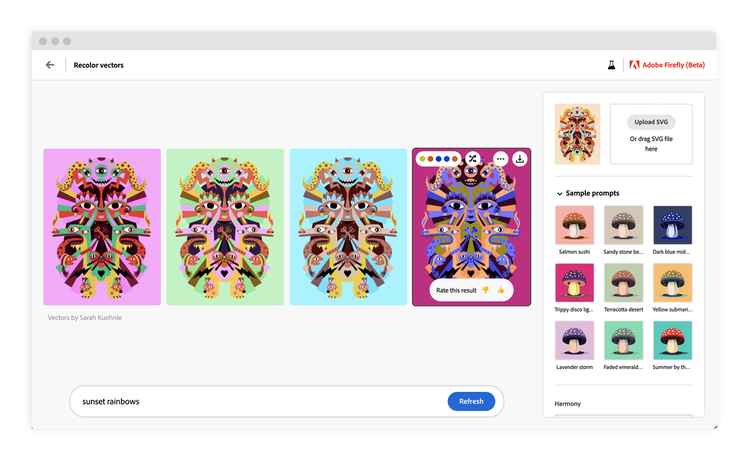
When you need generative AI for campaign assets but can’t afford licensing ambiguity, Adobe Firefly is built for that “commercial-use” reality. You can generate concepts quickly (image generation and style exploration) and keep work in the same Adobe ecosystem your creative professionals already use. This helps reduce handoffs between ideation and production-ready files.
Adobe also positions Firefly around content credentials and usage transparency. This matters when you’re creating AI-generated content that still needs approvals and clear disclosure workflows.
A reviewer shared:
What I like best about Adobe Firefly is how quick and easy it makes the creative process. I can turn ideas into visuals almost instantly and make changes without starting from scratch.
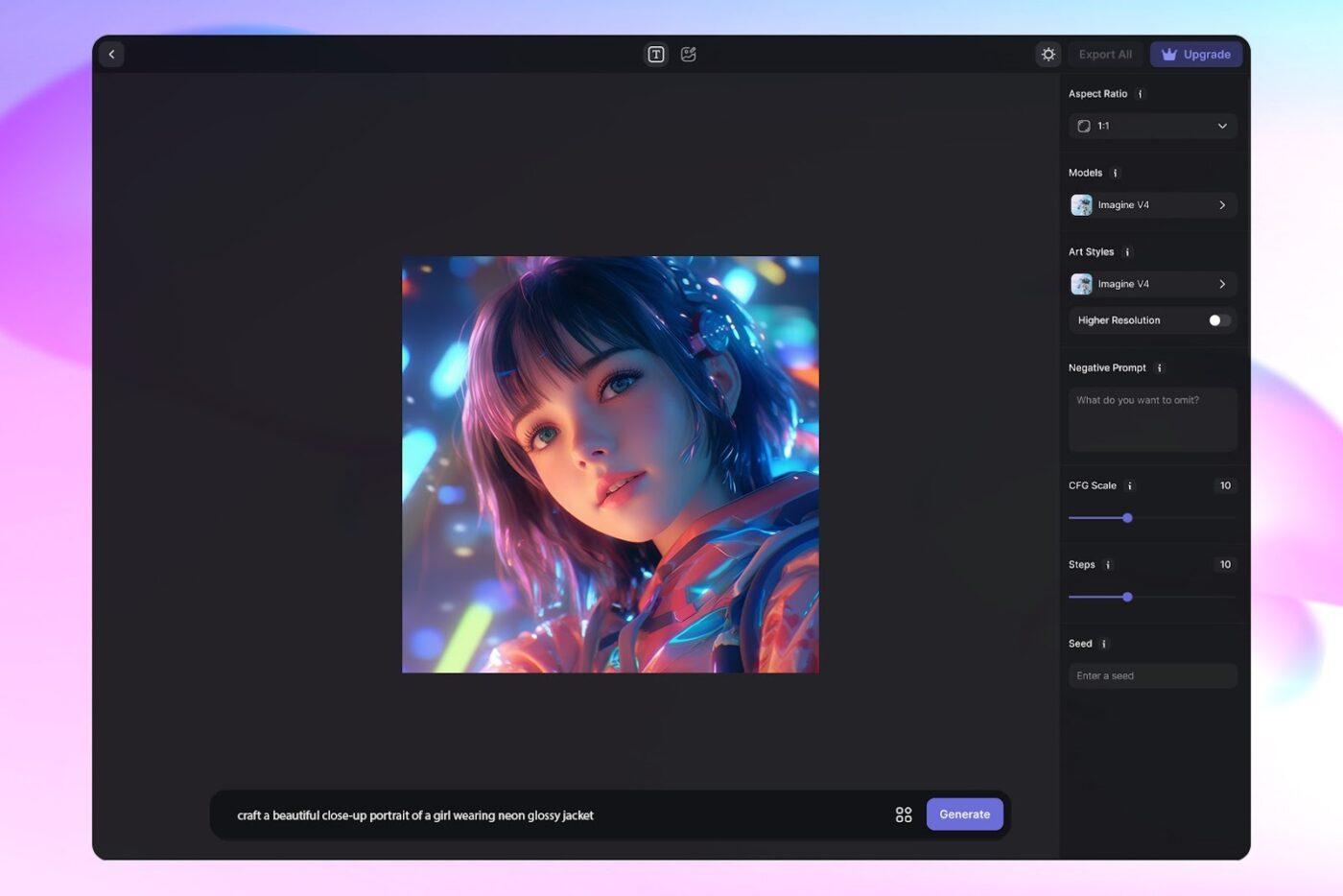
ImagineArt is a browser-first creative suite that’s oriented around speed-to-variation. It allows quick image and video drafts, short-form concepts, and prompt-based iterations that help you test creative possibilities before committing to a full edit session.
For media and entertainment teams, that’s useful when you’re trying to explore “what if we cut it this way?” options for social-first hooks or different visual tones, while keeping the creative process moving.
A reviewer shared:
I use the Imagine.Art platform, and I’m constantly impressed by how quickly the team reacts to new tools and immediately integrates them into the platform, adding fresh features.
This layer transforms raw footage into usable assemblies quickly, finding beats, splitting scenes, reframing for vertical, and preparing captioned rough cuts, so your media and entertainment industry editors can focus on their craft.
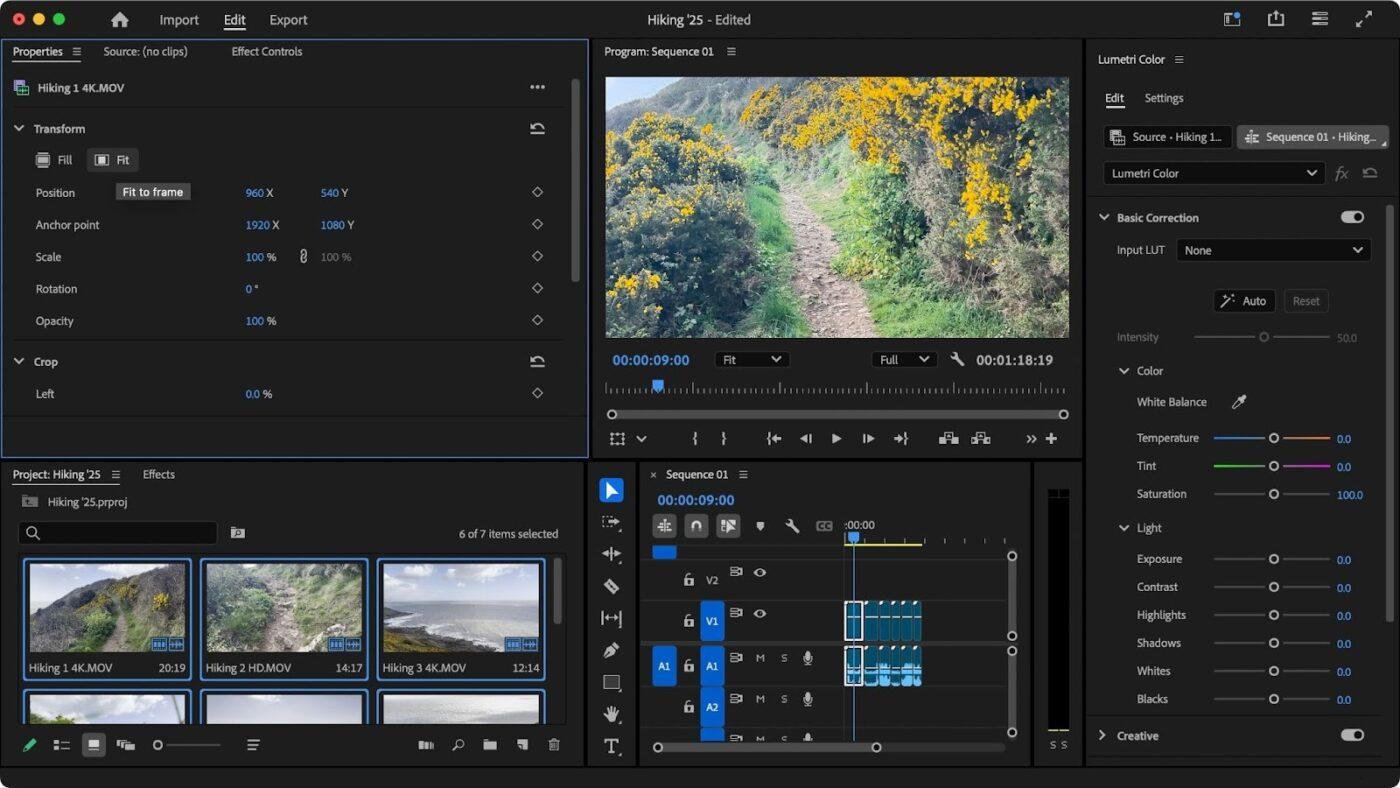
Premiere Pro remains the workhorse when you need AI assistance in non-linear editing (NLE), rather than relying on a separate tool. Transcript-driven workflows (text-based editing) help you assemble a rough cut by working directly from dialogue, which is a big win for interviews and doc-style edits.
Speech-to-text and captions support also help when you’re turning longform into shortform and need captions ready for review quickly.
A reviewer shared:
It has been great! I have been able to create high quality videos with advanced animations that really bring my designs to life.
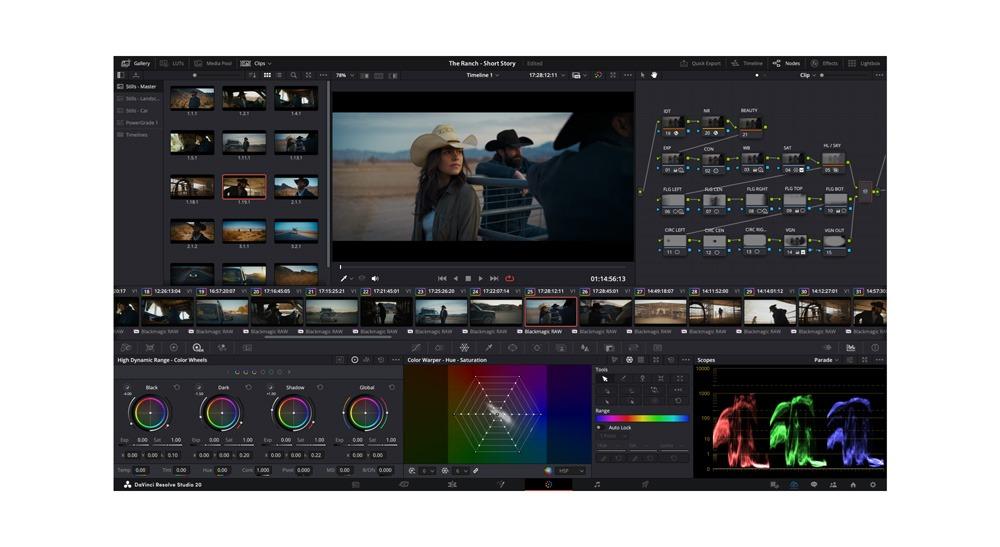
Resolve is a strong fit when you want AI assistance plus high-end finishing (color + audio + delivery) in the same environment.
Features like script-to-timeline-style assembly and automated multicam switching are aimed at shortening the “first usable cut” window, especially when you’re working with lots of raw footage and multiple angles. For entertainment companies that ship frequently, that time saved compounds across episodes, trailers, and live event packages.
A reviewer shared:
Davinci Resolve has loads of features, while not having an overwhelming interface. I was able to use it right away, and have been implementing even more of its functions ever since.
📖 Also Read: AI-Generated Content Examples To Inspire Your Own
This is where finished edits become reach: turn long cuts into channel-ready video clips, schedule them across networks, and learn fast enough to adjust next week’s plan.
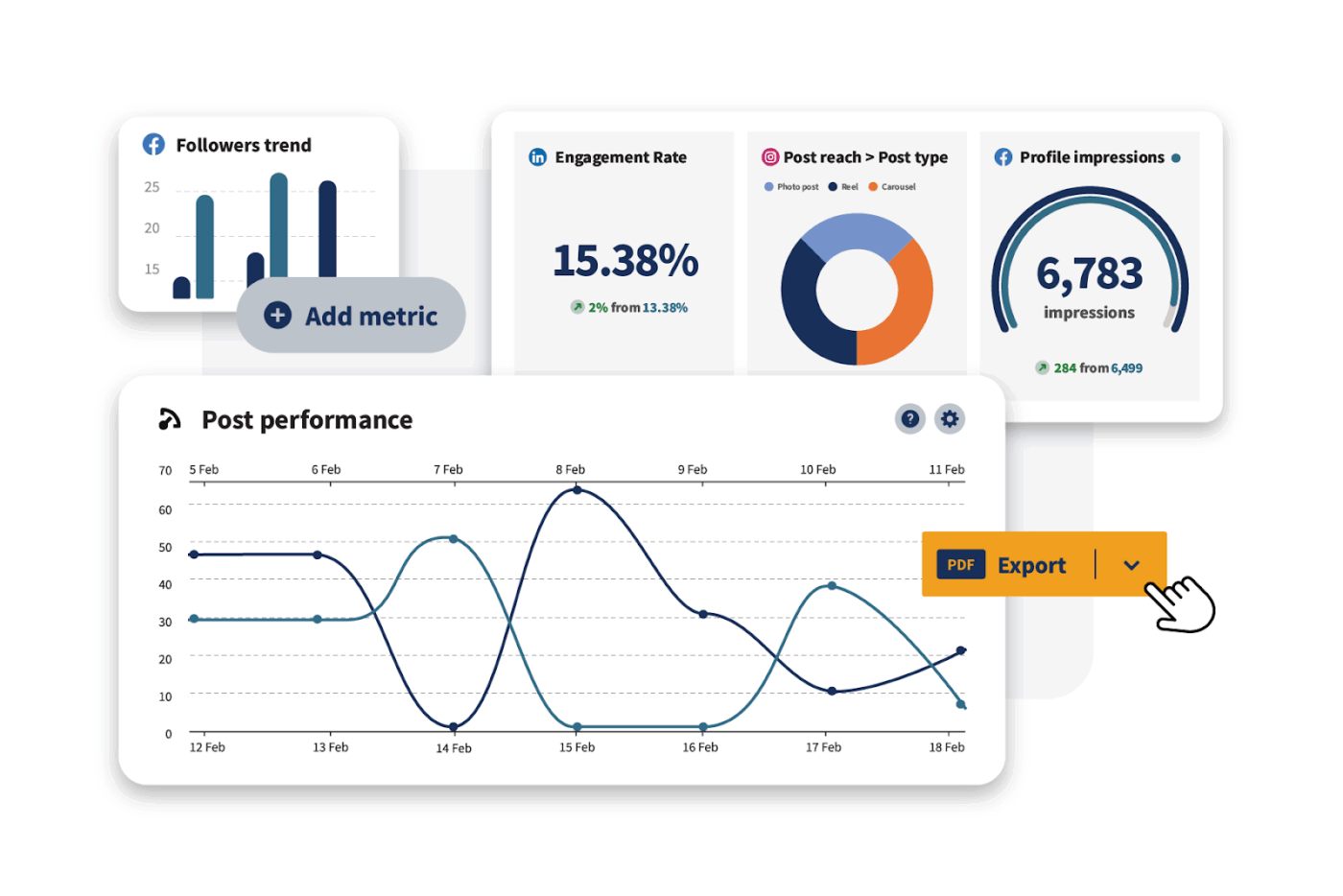
Hootsuite is useful when distribution is complex enough that “posting” becomes an operations problem with multiple channels, stakeholders, and approval gates.
A unified planner within the platform helps marketing and distribution teams coordinate what ships when, while collaboration and approval features help prevent the wrong cut or caption from going live when timelines get tight.
A reviewer shared:
I love that Hootsuite is a one-stop shop for managing social media across multiple platforms. This feature greatly simplifies my work, allowing me to create content, track its performance, and decide on the best times to post, all within the same tool.
📖 Also Read: Tips to Amp Up Your Creative Work
This layer tells you who stayed, who bailed, and what to show next, in time to change outcomes, not just report them.
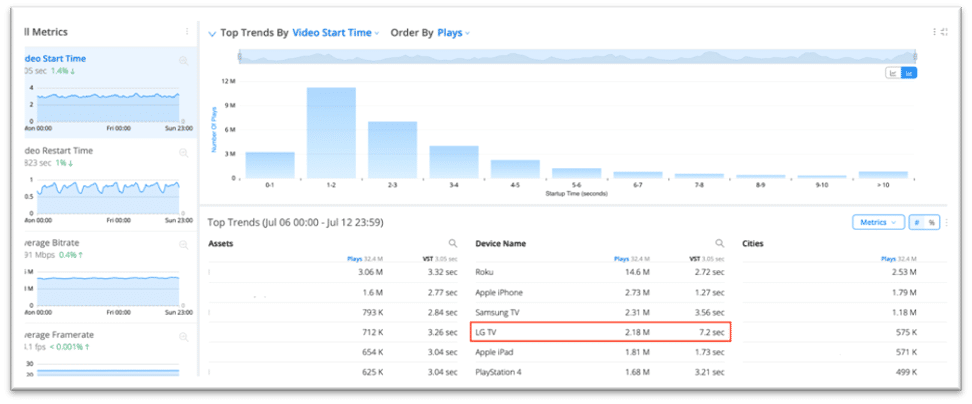
Conviva is designed for the “why did viewing drop?” reality across streaming platforms, the web, and apps.
Instead of treating audience data as a static report, the platform emphasizes consumer-pattern and experience intelligence so media operations teams can spot abandonment spikes and act while the release is still live.
Its USP is cross-team visibility: analytics that can be shared across roles (product, marketing, support, and data teams) so you’re not debating whose dashboard is “right.”
A reviewer shared:
The platform is easy to navigate, offers AI alerts, and features user-friendly dashboards. I also appreciate the ability to customize metrics.
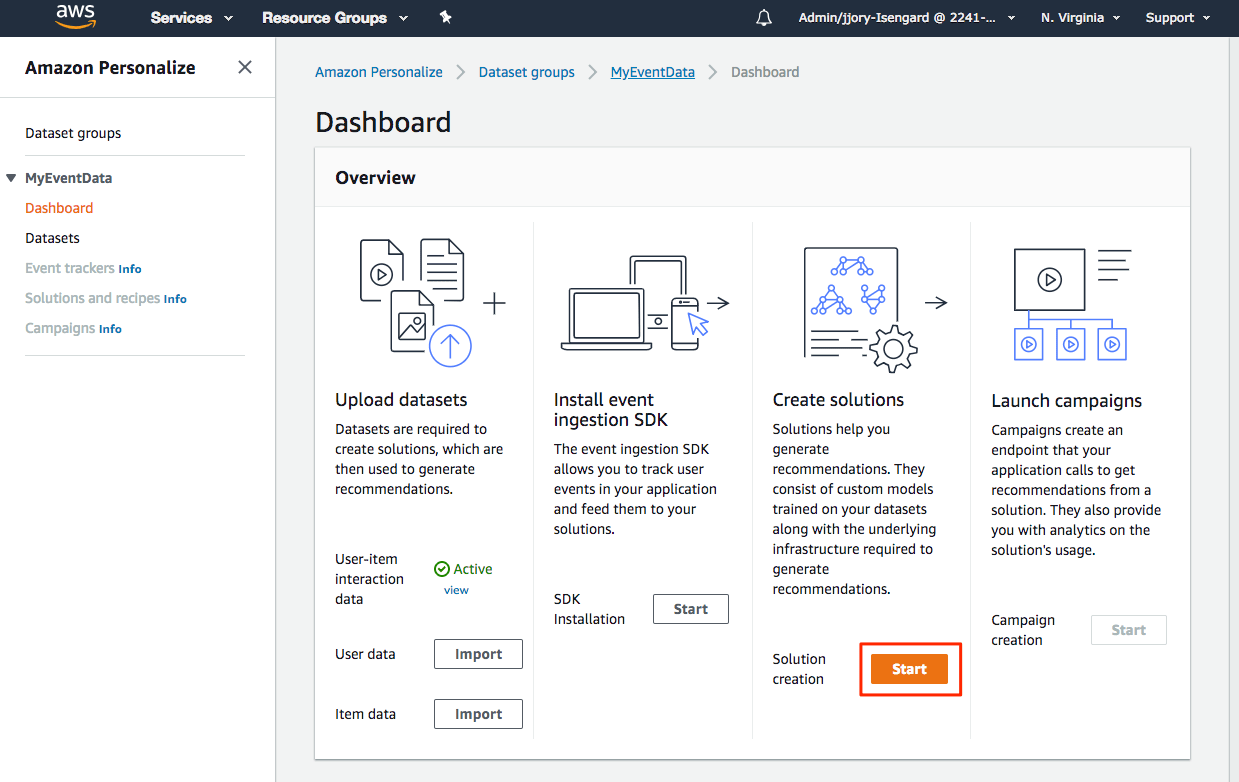
Amazon Personalize is a managed recommendation service for streaming services and content-heavy media companies that want personalization without building the entire ML stack in-house.
You can train models on past interactions (views, clicks, and watch time signals plus item metadata) and serve real-time recommendations at scale. The practical USP is speed-to-production, where you’re deploying a system that continuously adapts to changing user behavior.
A reviewer shared:
It is very easy to make conversions when using Amazon personalize. Whether you are there to sign up for a webinar or to download an ebook the actions are very fast and easy.
📖 Also Read: Free Marketing Brief Templates for Creative Projects
This is where new creative possibilities turn into contracts, windows, and cash. You need a system that knows exactly what you can sell, where/when you can sell it, and how to pay and get paid, without spreadsheet archaeology.
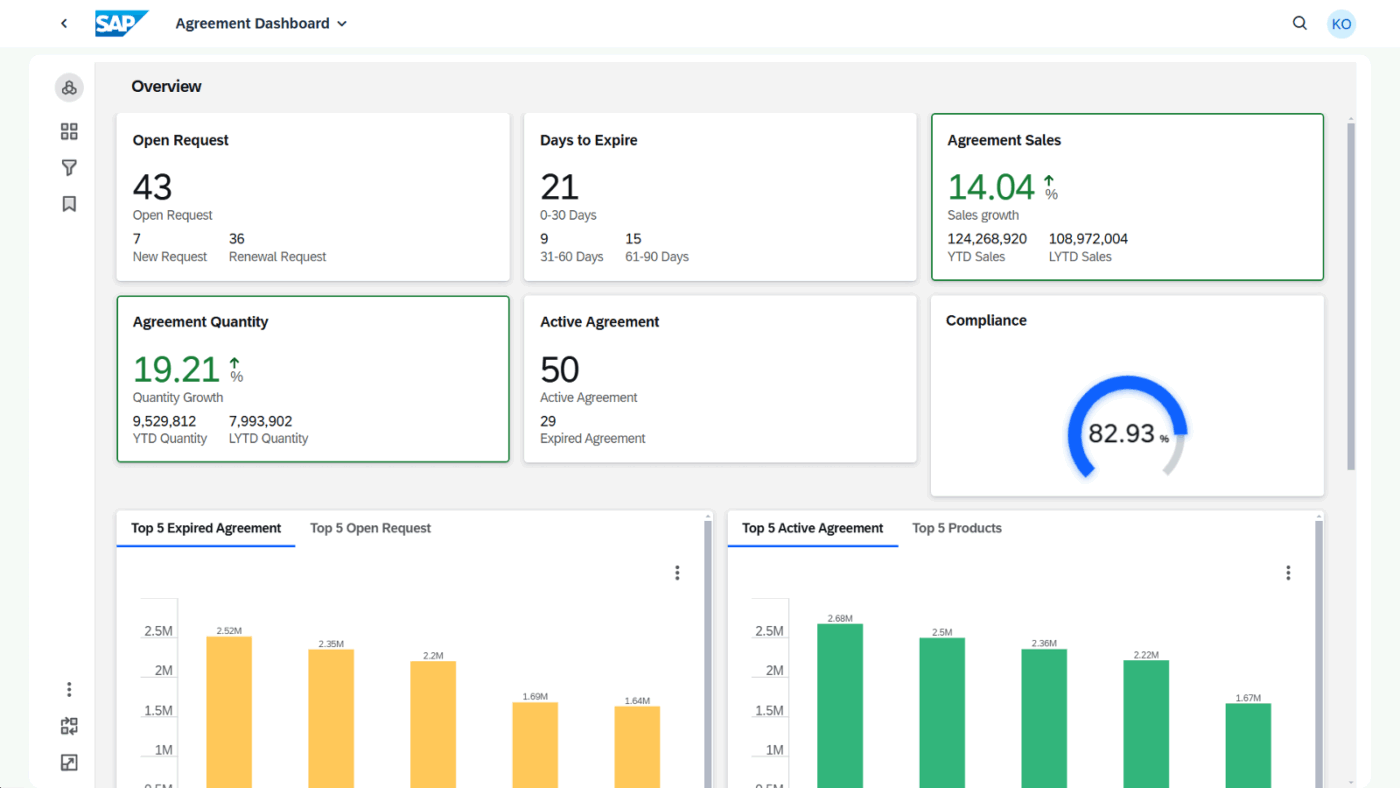
Vistex is built for the layer where creativity turns into revenue streams: rights, royalties, fees, and contract-driven monetization across territories, channels, and formats. In media, the hard part isn’t only “what can we sell,” but “what can we sell now, where, under which deal terms, and what does that do to reporting and payments?”
The USP here is operational control: contract terms, usage validation, royalty calculations, and analytics that help you understand profitability and obligations without spreadsheet archaeology.
A reviewer shared:
The technology is outstanding, but also their in-depth knowledge of my life sciences industry. They come up with practical solutions to my everyday challenges.
This layer keeps briefs, tasks, approvals, automations, and reporting moving in one rhythm, so releases don’t stall in handoffs.
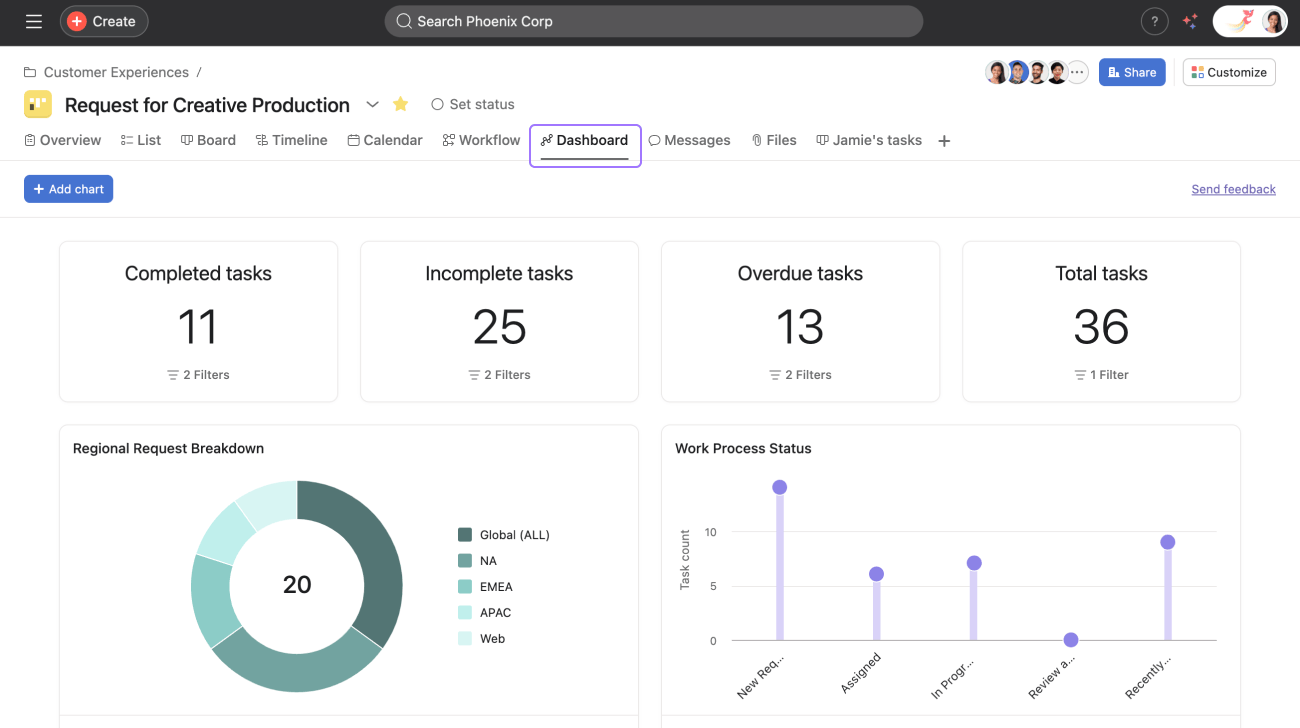
Asana fits when you need campaign and production coordination, but want a relatively lightweight work manager. It’s commonly used by marketing and creative teams to keep schedules and dependencies visible, especially when many contributors are working across parallel deliverables (trailers, social cutdowns, key art, release notes).
Its USP is clarity at scale: workload-style resourcing for capacity awareness and goals-style tracking for outcomes, which helps teams connect tasks to business goals without building a custom system
A reviewer shared:
Asana makes it easy to turn plans into clear, trackable work. I like how quickly you can break down big initiatives into projects, tasks, and subtasks with owners and due dates, then switch views (list, board, timeline) depending on how the team likes to work.
💡 Pro Tip: Build a “release intelligence” routine with ClickUp BrainGPT. ClickUp BrainGPT is designed as a desktop companion that can search across your work apps and the web using multiple AI models, and also supports voice-to-text functionality so you can capture inputs quickly during reviews.
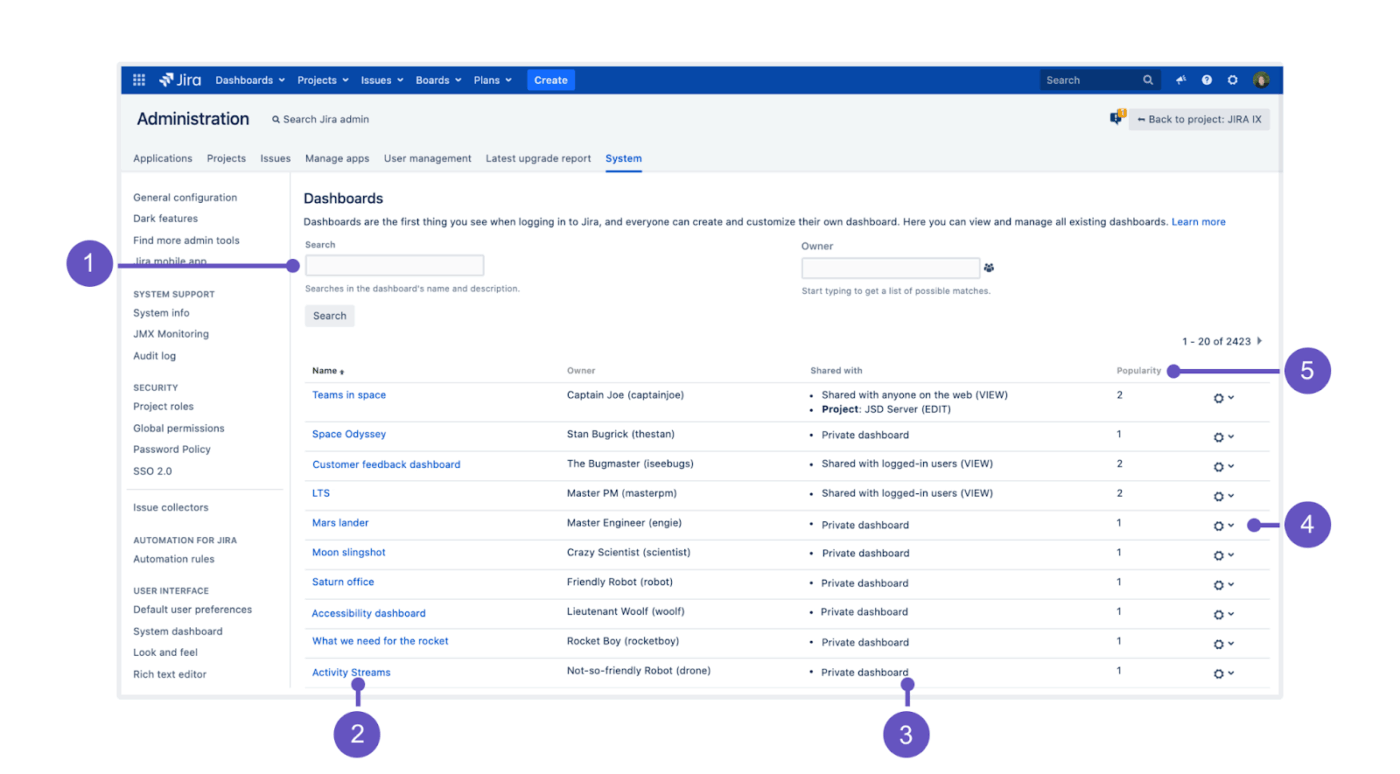
Jira is the better fit when media operations overlap heavily with engineering and platform work: release trains, player changes, ingestion pipeline changes, app updates, and structured QA gates.
Its USP is workflow rigor (custom issue types and audit-friendly tracking), so production and engineering teams can coordinate changes without losing accountability when timelines compress.
A reviewer shared:
I have been using Jira for over a year now, and I appreciate how it links stories or bugs to the pull requests or commits we create in Bitbucket. This integration makes tracking work much more convenient.
When your stack is wired for speed and learning, you don’t just “produce content”; you run a repeatable machine. Files move from shot to cut to campaign without stalls, rights checks happen upstream, and every release teaches the next one what to do better.
You cut days when assistants sit at decision points. Shot selects, transcripts, and alternate cuts land faster; approvals move on rails; reshoots are dropped because brand/rights checks run earlier. Result: fewer idle hours, tighter budgets, and quicker time-to-air.
💡 Pro Tip: Smooth the handoffs with this step-by-step guide to a video production workflow, then mirror those stages in your task statuses and automations.
One master becomes many: trailers, shorts, thumbnails, and localized captions. Your stack keeps lineage intact, enforces voice and rights, and ships channel-ready versions tuned to each platform, without requiring a separate project for every cut.
You stop guessing. Watch time, completion, and comments guide variant choices; the assistant’s nudges are timed to when viewers are most receptive. Engagement increases because creativity and context finally align.
Producers see which scenes, cuts, or copy actually moved the needle, by segment, market, and device. Finance gets forecasts grounded in reality, not anecdotes. Experiments become easier to justify, and greenlights get cleaner.
💡 Pro Tip: Set up a performance cockpit using these data dashboard examples, then schedule weekly snapshots to keep decisions moving forward.
Everyone works from the same brief, schedule, and approval trail. Editors aren’t waiting on transfers, marketers aren’t copy-pasting across trackers, and legal sees rights in context. Alignment improves, and context switching decreases.
With formats, rights, and releases moving quickly, a few common pitfalls keep resurfacing. Spot them early, before they cost time, trust, or budget.
🚩 Starting with AI edits before fixing your asset/metadata spine
✅ Establish canonical IDs, transcripts, captions, and rights tags first. If variants can’t be traced back to a master with clear ownership and usage windows, every downstream “speed” gain turns into rework.
🚩 Cloud AI, local drives
✅ Don’t run assistants in the cloud while dailies live on externals. Move ingest and proxies into your MAM/cloud store so selects, cutdowns, and localization jobs can run in parallel without sneaker-net delays.
🚩 Pretty dashboards, no scheduling decisions
✅ Tie views to actions: who approves which cut by when, which channel gets which variant, and what happens if a slot slips? Reports should drive slotting, not decorate it.
🚩 “Set and forget” automations that publish the wrong thing
✅ Add guardrails: pre-flight checks for rights/regions, max-retry caps, and human sign-off on any first release to a new channel or market. Review false positives/negatives monthly and retire noisy rules.
🚩 Tool sprawl disguised as innovation
✅ If a tool doesn’t reduce handoffs or time-to-air, it’s shelfware in waiting. Consolidate where briefs, tasks, approvals, and distribution already live; integrate only where lift is proven.
🚩 Synthetic media operations without disclosure or governance
✅ Require explainability and labeling for AI-assisted assets, plus audit trails and rollback paths. If a producer can’t answer “what changed and why,” it shouldn’t ship.
🚩 Experiments no one measures
✅ Define outcome metrics before testing (watch time lift by variant, localization TAT, cost per deliverable) and push them to a weekly review so wins scale, and misses don’t repeat.
You’ve seen the blueprint for which AI stack is right for media and entertainment teams.
The ideal tech stack helps shift existing workflows and processes, like video editing and user-generated content creation workflows, from conception to execution. All while artificial intelligence models and intelligent systems, such as AI agents, help in the background.
For media companies, ClickUp serves as the coordination layer, keeping briefs, tasks, approvals, schedules, and reporting all in one rhythm, alongside AI that surfaces next steps where work is happening. That means less work sprawl, clearer ownership, and releases that compound.
Sign up for your ClickUp today and utilize its powerful tools for your teams.

© 2026 ClickUp

There’s an easier way. Try a free AI Agent in ClickUp that actually does the work for you—set up in minutes, save hours every week.