






Still downloading templates?
There’s an easier way. Try a free AI Agent in ClickUp that actually does the work for you—set up in minutes, save hours every week.
Sorry, there were no results found for “”
Sorry, there were no results found for “”
Sorry, there were no results found for “”
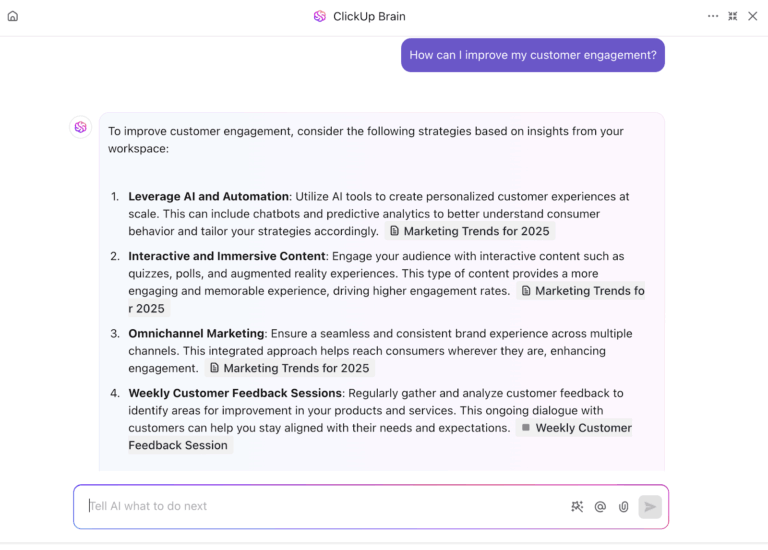
In the past, buying AI meant adding a helper to each tool. Now, leaders prefer AI agents that work with customer success managers to understand customer needs, suggest next steps, and connect different systems.
Executives saw this shift in 2024. The real change wasn’t flashy demos, but a renewed focus on data quality and connective tissue across the customer success tech stack.
93.7% of C-suite executives reported seeing business value from their AI investment through measurable results like increased customer acquisition, customer satisfaction, and revenue.
Translation: your CS AI is only as strong as the customer data and workflows it can actually reach.
In this guide, we’ll show you how to build a stack that treats AI as a strategic partner, not just another feature. You’ll get a practical blueprint for sizing each layer—plus clear decision criteria to evaluate what moves the needle on retention, onboarding velocity, and customer health.
When customer success leaders talk about an AI stack, they’re really talking about the engine behind their customer success strategy—how signals from accounts turn into timely, human actions.
A good customer success stack helps you move from reactive firefighting to proactive value delivery, using artificial intelligence to connect usage data, sentiment, and goals into one picture.
Let’s break down the layers.
This is where you consolidate CRM records, product usage patterns, support tickets, and billing into a single source of truth. Every account and user gets a stable ID so you can track feature adoption, logins, and key customer interactions over time. When this layer is clean and reliable, every other AI use case becomes easier.
✅ Data quality checklist (do this before you add agents)
Playbooks, onboarding guides, policies, and “how-to” docs live here. A modern CS knowledge base is versioned, permissioned, and searchable by both humans and agents. CSMs can see who wrote what and when it was last updated, while AI can cite the right article in context instead of hallucinating answers.
On top of data and knowledge, you add models and agents that interpret signals and suggest next steps. They flag churn risk, draft renewal emails, and recommend playbooks that are most likely to improve customer outcomes. Think of this layer as the “brain” for improving customer engagement, not a replacement for human judgment.
Here, recommendations become work. Automations create tasks, assign owners, and set SLAs across CS, sales, and product. Exception paths handle tricky situations—like when an executive sponsor changes or a usage dip hits a key account—so proactive account management becomes the norm rather than a heroic one-off.
This layer powers day-to-day outreach: email, chat, in-app guides, QBR decks, and live calls. Agents can prep briefs, generate call summaries, and personalize nudges while CSMs keep the relationship authentic. Done well, it feels like a single, consistent conversation rather than scattered pings from different tools.
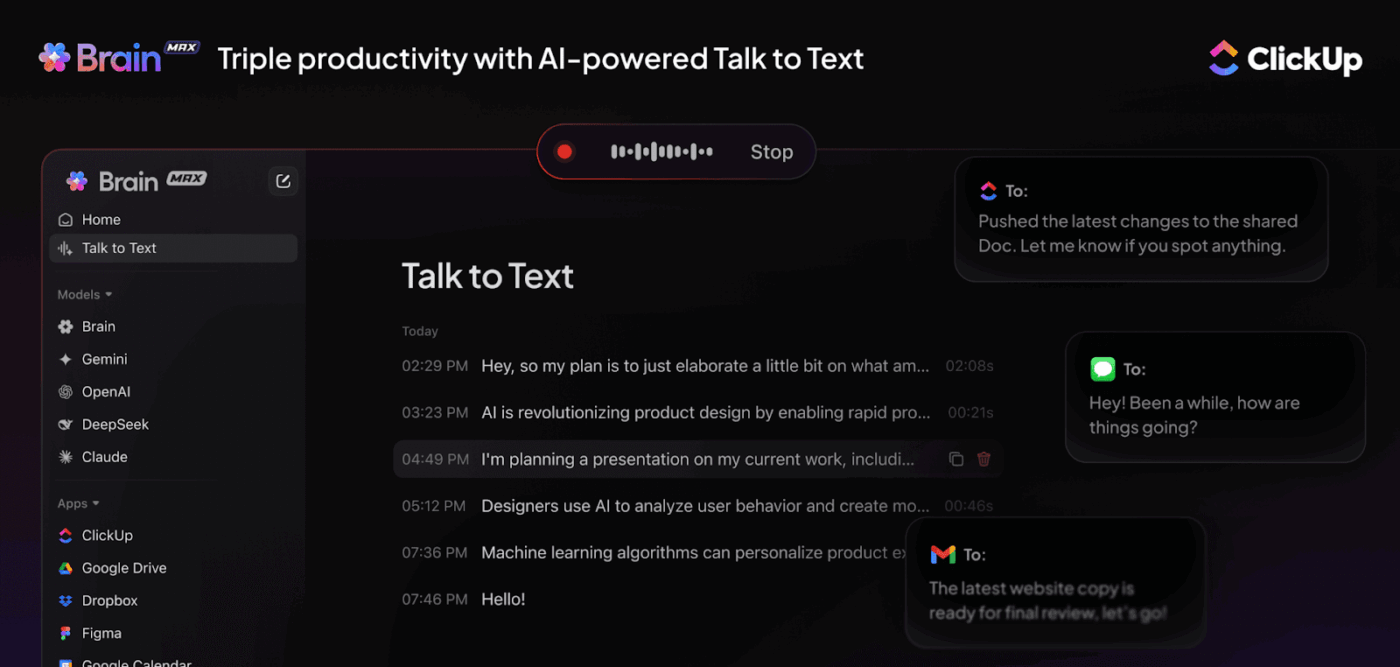
💡 Pro Tip: Check out ClickUp Brain MAX, which is the AI super app that lets you search your workspace, interact with multiple AI models, and even use voice commands to retrieve context from a single interface.
Here you blend leading and lagging indicators into a defensible health score: logins, feature adoption, NPS, ticket volume, expansion signals, and more. AI helps you spot patterns (for example, which workflows predict an on-time renewal) so your team can focus on the accounts where they move the needle most.
Finally, you need guardrails: role-based access, audit trails, PII redaction, and evaluation loops so automated actions are explainable and reversible.
Minimum governance requirements (don’t skip these):
The world of enterprise software is going to get completely rewired… Companies with untrustworthy AI will not do well in the market.
📖 Also Read: A Day in the Life of a Customer Success Manager
📊 Watch this video to see how customer success teams choose between PLG and CLG—and how AI tools like ClickUp support both models in practice.
A solid customer success stack should feel like a flywheel: it turns raw signals into next-best actions that move customer outcomes, not just dashboards.
Use this as a practical path when you’re shortlisting tools or designing your workflow.
🤝 Friendly Reminder: When you add AI to customer workflows, pair every new automation with clear governance on data sources, approvals, and escalation paths so you don’t trade speed for trust
Renewal-leading customer experience KPIs are the way to go, with adoption milestones, risk lift, and expansion signals. Start by asking, “What would good customer success look like in 6–12 months?”
Great dashboards don’t matter if no one moves:
Use AI to accelerate decisions, not replace your CSMs:
“Set and forget” workflow automations are wrong. Evaluations that improve prompts, routing rules, and timing each quarter are what make the system smarter over time.
🔎 Did You Know? IBM reports that about 42% of enterprise-scale companies have actively deployed AI, and another 40% are exploring or experimenting, meaning roughly 82% are deployed or exploring.
You must build or choose your AI stack to beat the work sprawl. If tasks are in one place, docs are in another, and updates are in chat—it kills momentum.
This is where ClickUp naturally becomes the layer that reduces switching and keeps decisions moving. ClickUp is the everything app that integrates project management, knowledge sharing, and chat, all enhanced by AI to enable faster and smarter work.
Instead of shuffling between AI tools, CSMs see the same plan, the same playbooks, and the same SLAs—backed by assistants that surface next-best actions right where the work lives.
Crucially, this is about routing work and decisions through one execution layer without forcing teams to abandon the tools they already rely on. ClickUp integrates with over 1,000 applications, including Slack, GitHub, Jira, HubSpot, Clockify, and more.
That means your team connects favorite systems directly into ClickUp—centralizing execution without forcing anyone to abandon proven tools.
📮ClickUp Insight: 31% believe cutting typing by 40% would unlock faster communication and better documentation.
Imagine what you could do with that time back. BrainGPT’s Talk-to-Text lets you capture every detail, every idea, and every action item at 4x the speed of typing. Here’s to never having to sacrifice key details or clarity.
📖 Also Read: A Guide to Building Superior Customer Relationships
Think of this as a signals-to-revenue stack. Every tool below is selected to answer one question:
Can we turn usage, sentiment, and contract context into an action that drives renewals or expansions?
We’ll show a pragmatic default for each layer and credible alternatives, so CS leaders can trade off speed, precision, and cost without losing the throughline: fewer escalations, healthier accounts, and predictable revenue.
Before we list tools, it helps to clarify how ClickUp fits into the stack. Most teams don’t struggle to buy tools. They struggle to turn signals into owned work fast enough to make the stack usable week to week.
Once you’ve chosen your data sources, health tooling, and engagement channels, the next failure point is predictable. Signals show up, but they don’t turn into owned work fast enough. That’s where Work Sprawl creeps in. Information lives in one tool, decisions live in another, and follow-through gets handled through manual reminders.
ClickUp fits as the execution and coordination layer that keeps your AI stack usable day-to-day. It gives customer success teams one place to route signals into action, store playbooks where people actually reference them, and keep risk management auditable.
Below are three ClickUp components that map directly to the core layers of a customer success AI stack.
Customer success leaders rarely struggle because they lack information. They struggle because the context is distributed across tasks, notes, docs, and conversations, and the story has to be reconstructed every time a decision needs to happen.

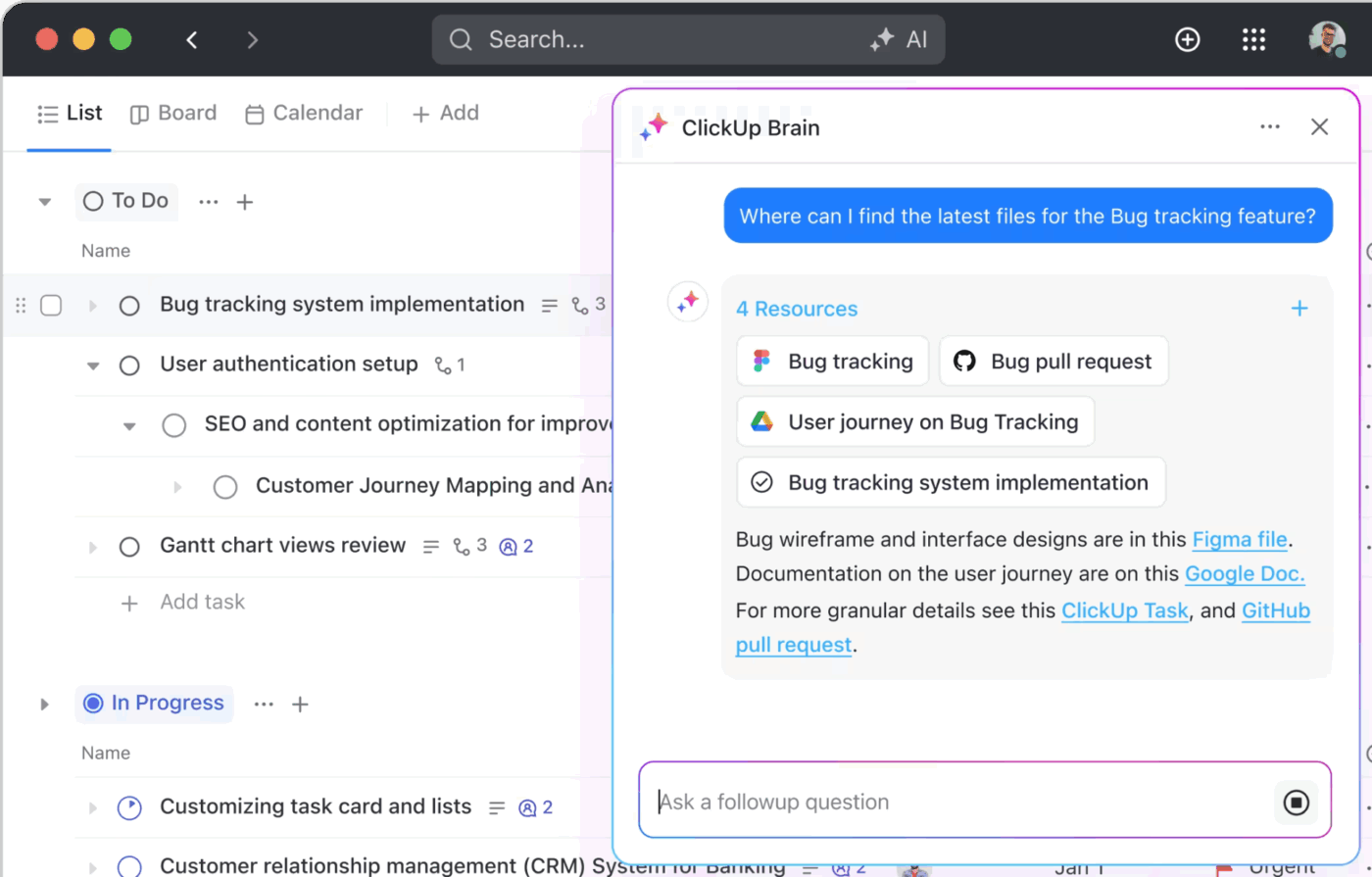
ClickUp Brain helps by summarizing and synthesizing what’s already in the workspace so a CSM can answer questions like:
Instead of pulling a status update from five places, Brain can surface a short, readable account brief grounded in recent activity.
Example: Renewal readiness brief
A CSM asks for a 14-day summary of account activity, key risks, and recommended actions. ClickUp Brain and Enterprise Search can pull from onboarding tasks, ticket history logged into the workspace, internal discussions, and linked playbooks to produce a quick plan that the team can act on immediately.
Most customer success teams already have the right playbooks. The friction shows up in execution.
A risk signal appears. The right response exists somewhere. Then the handoff slows down because nobody creates the task, assigns the owner, sets the SLA, or escalates when needed. Super Agents help reduce that coordination tax by running repeatable workflows inside the same system your team uses to manage the account.
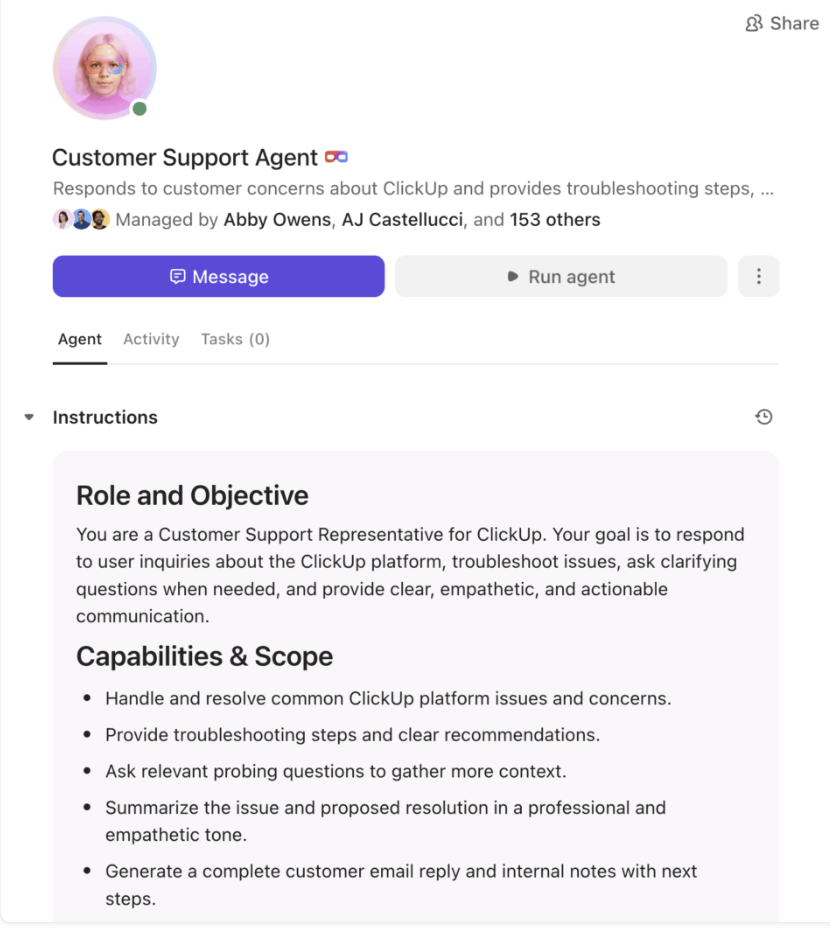
ClickUp Super Agents are most valuable when they have a narrow job, clear triggers, and clear approval rules. In customer success, that usually means taking a known signal and turning it into owned work with visibility.
Example: Stalled onboarding rescue
When an onboarding milestone goes overdue, or product usage dips below a threshold, a Super Agent can:
This is what makes proactive customer success feel normal instead of heroic.
Pricing:
Your AI can’t reason without a clean nucleus. The CRM/data layer is the nucleus—where accounts, contacts, product events, contracts, and customer feedback are linked by stable IDs. Choose a CRM system your agents (and humans) can trust, then make sure it pushes actionable signals to the rest of your stack.
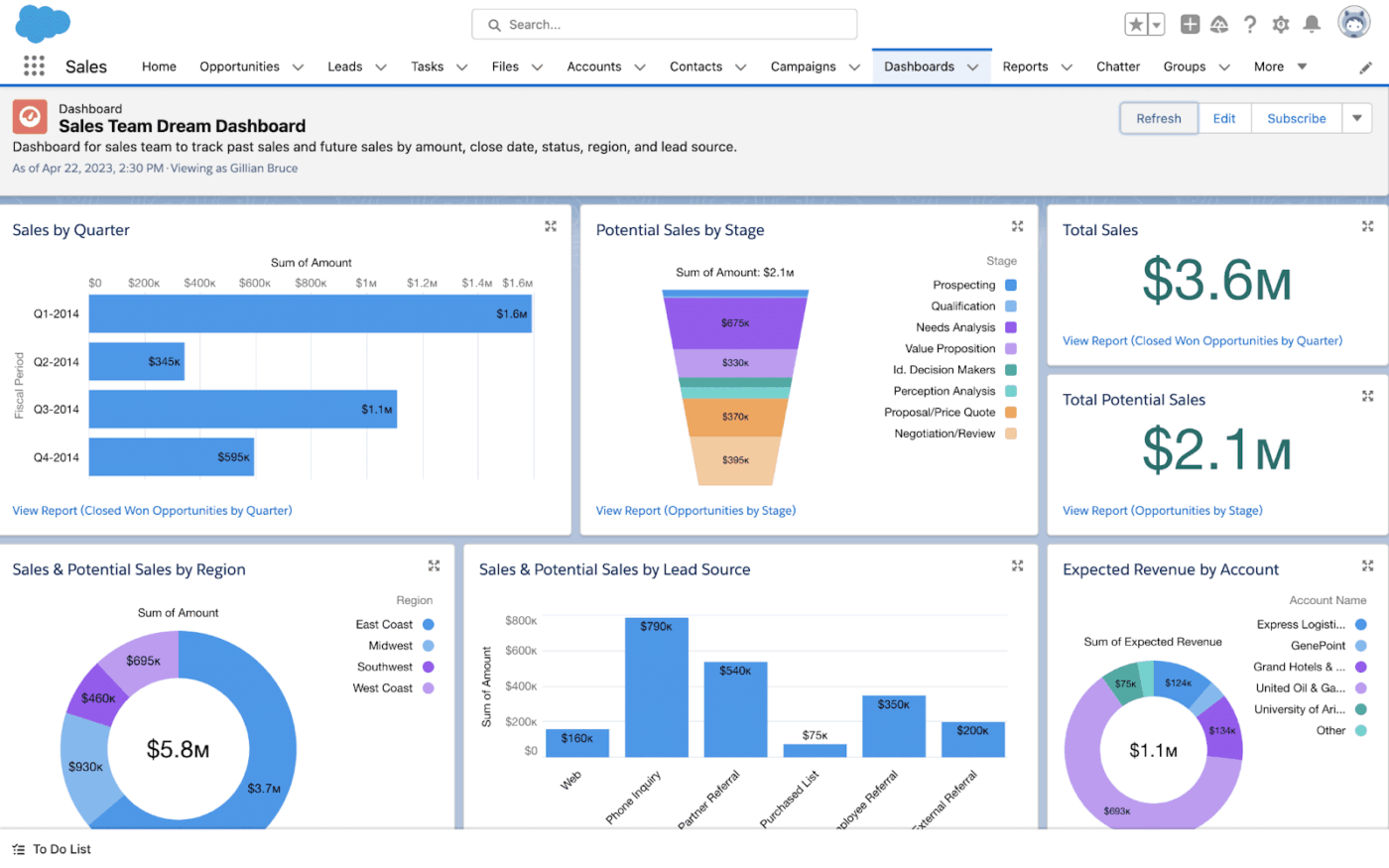
It’s AI analytics and predictive insights built into Salesforce to surface customer patterns and recommendations.
Why does it matter in customer success? Data sits in systems, but insights rarely travel to CSMs. Einstein pulls customer interactions, usage, and financial signals into predictions your team can act on—like flagging an at-risk account before renewal when engagement dips and billing looks odd.
Key features
Pricing:
📖 Also Read: How to Improve Customer Stickiness
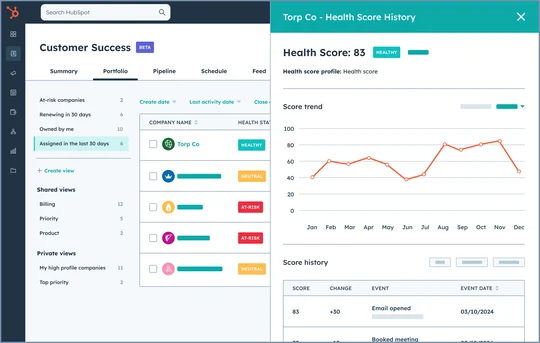
An omnichannel service platform with ticketing, surveys, a knowledge base, and AI assistant features—tightly coupled with its CRM.
Why does it matter in customer success? Small and mid-sized teams get one place to handle tickets, capture feedback, and keep records clean. AI reduces response time and surfaces insights—so a CSM sees satisfaction trends and ticket history in a single pane.
Key features
Pricing:
💡 Pro Tip: You can use ClickUp CRM to pull together deals, account notes, emails, and tasks in one place. This makes health scores, playbooks, and proactive outreach far more trustworthy.
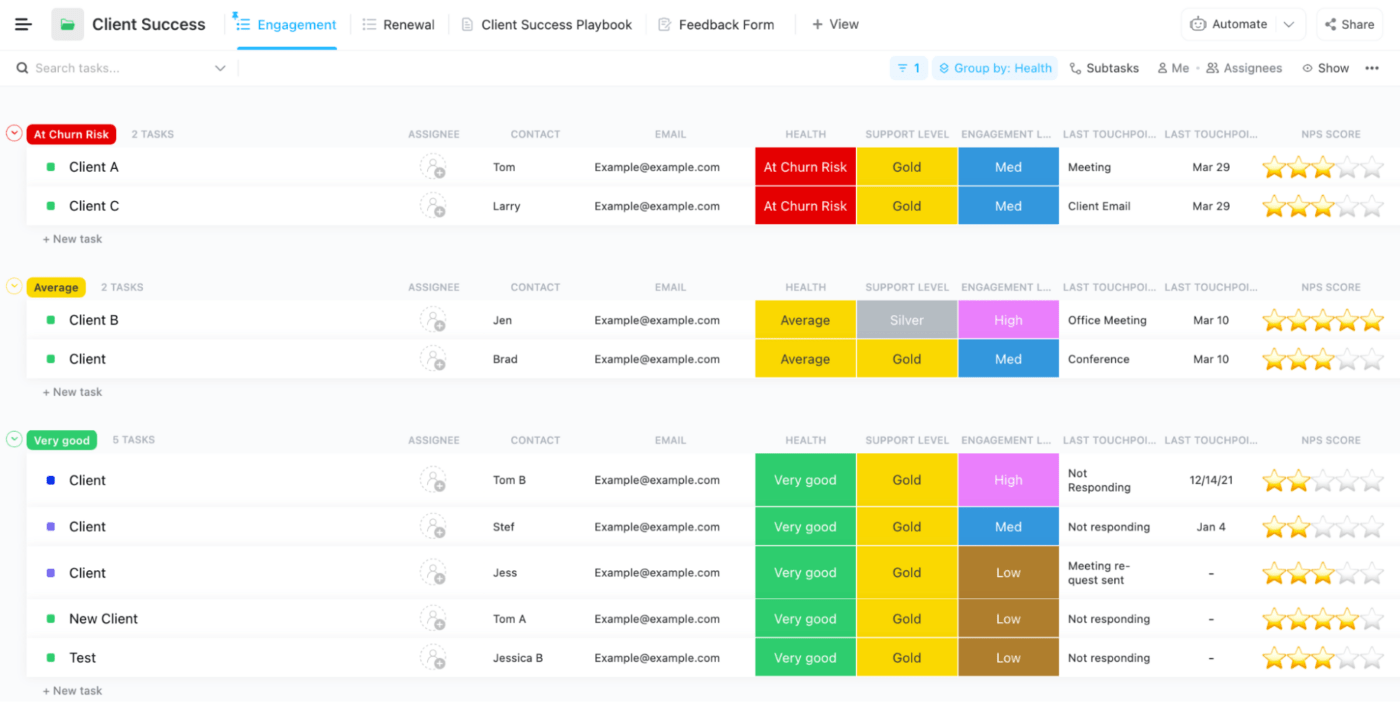
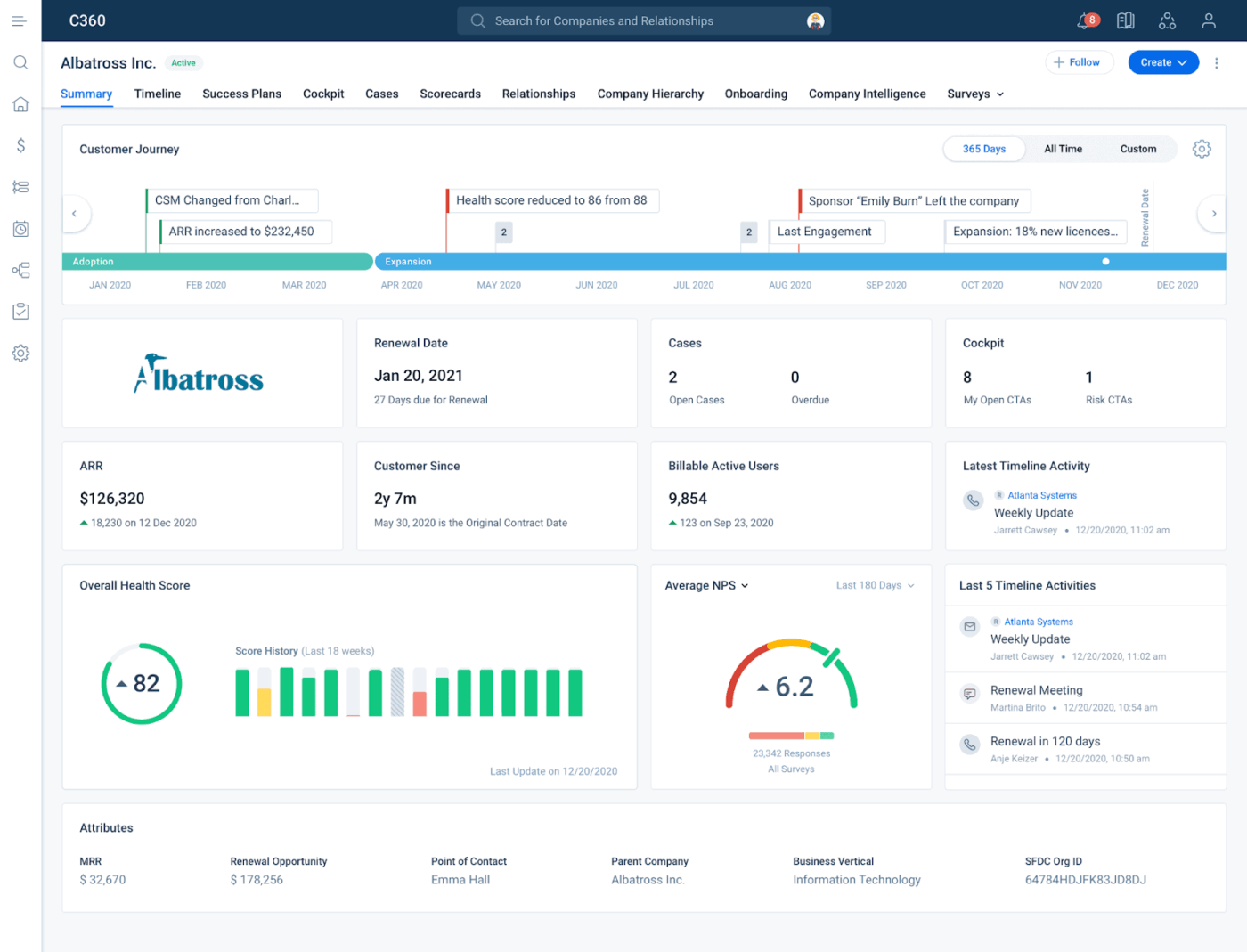
A predictive analytics platform for managing the customer lifecycle with ML-driven health scores and playbooks.
Why does it matter in customer success? Enterprises need coordinated outreach at scale. Gainsight computes health, watches for risky patterns, and triggers action—think Slack/Teams alerts nudging a CSM to call before the renewal window.
Key features
Pricing: Custom pricing
📖 Also Read: Free Customer Journey Map Templates
Your CRM tells you who to talk to; the comms layer decides how and when, so guidance lands at the exact moment a user needs it. Instead of “more messages,” the goal is fewer, smarter touches that accelerate activation and keep real escalations off your CSMs’ plates.
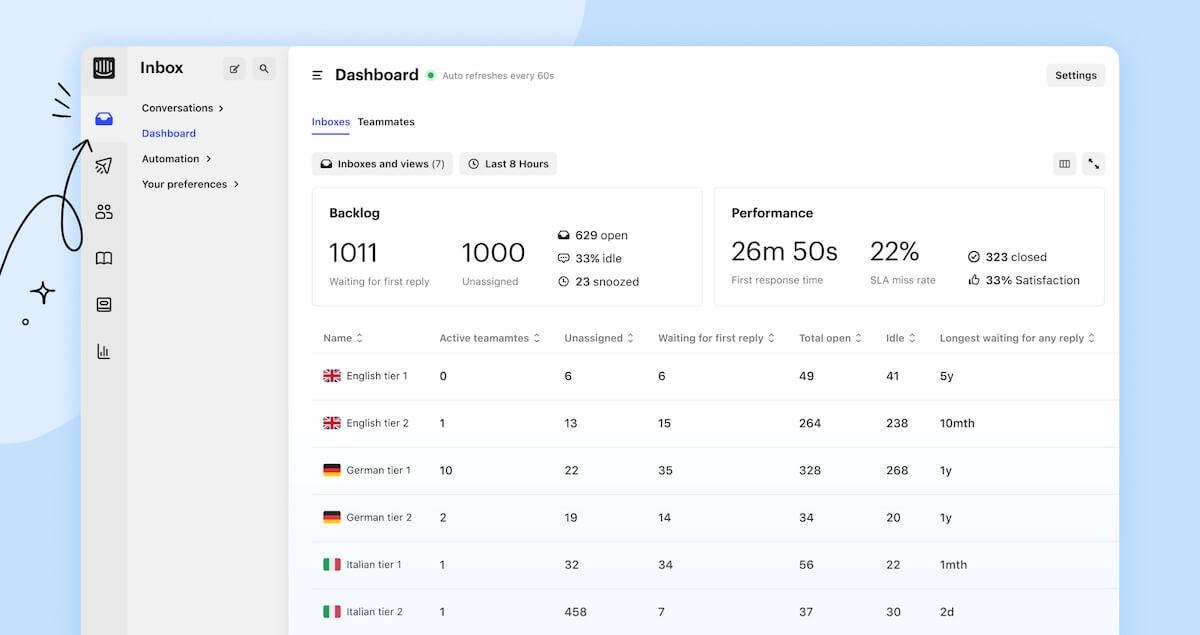
A customer engagement platform built for timely, in-product guidance—plus onboarding flows and personalized campaigns.
Why does it matter in customer success? Activation happens where users work. Intercom lets CSMs nudge the right users at the right time with contextual prompts, announcements, and help. Launch a new capability and target only the segments that benefit, so adoption climbs without inbox fatigue.
Key features
Pricing:
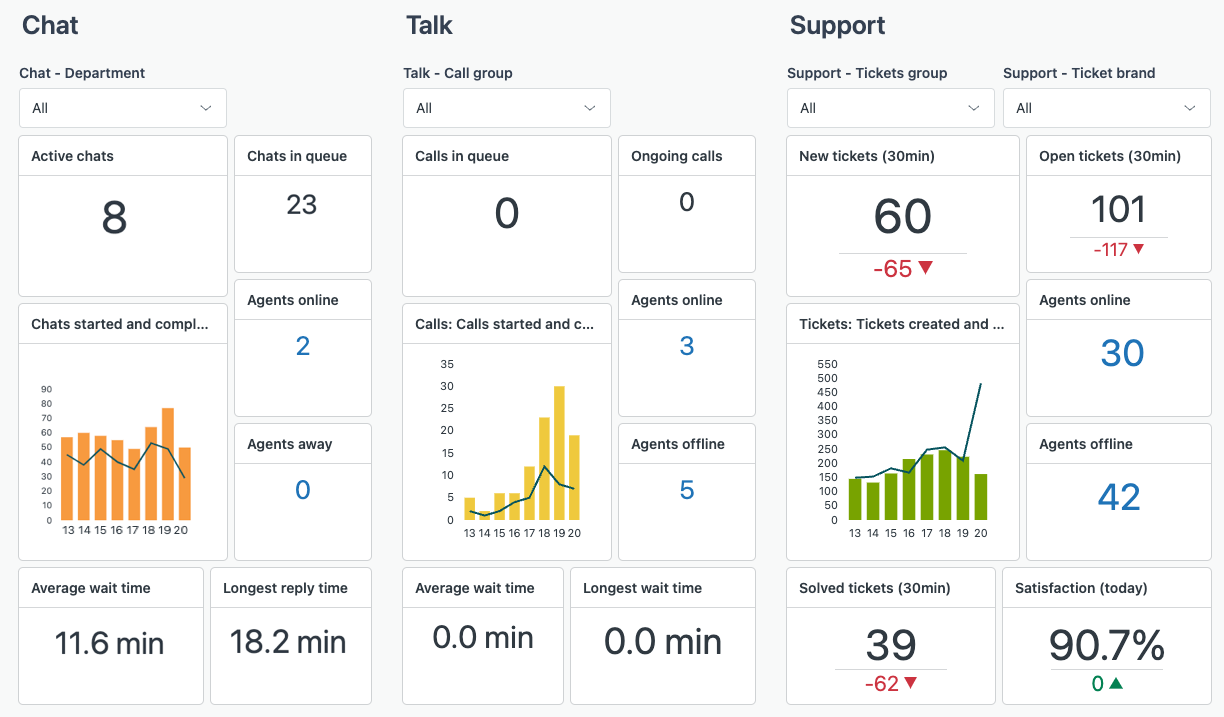
A unified support and success platform with AI-powered routing and no-code workflow builders.
Why does it matter in customer success? Customer conversations sprawl across channels. Zendesk centralizes threads and uses AI to triage, so simple issues resolve fast. At the same time, complex cases route directly to the right expert—freeing senior CSMs to focus on customer relationship management.
Key features
Pricing:
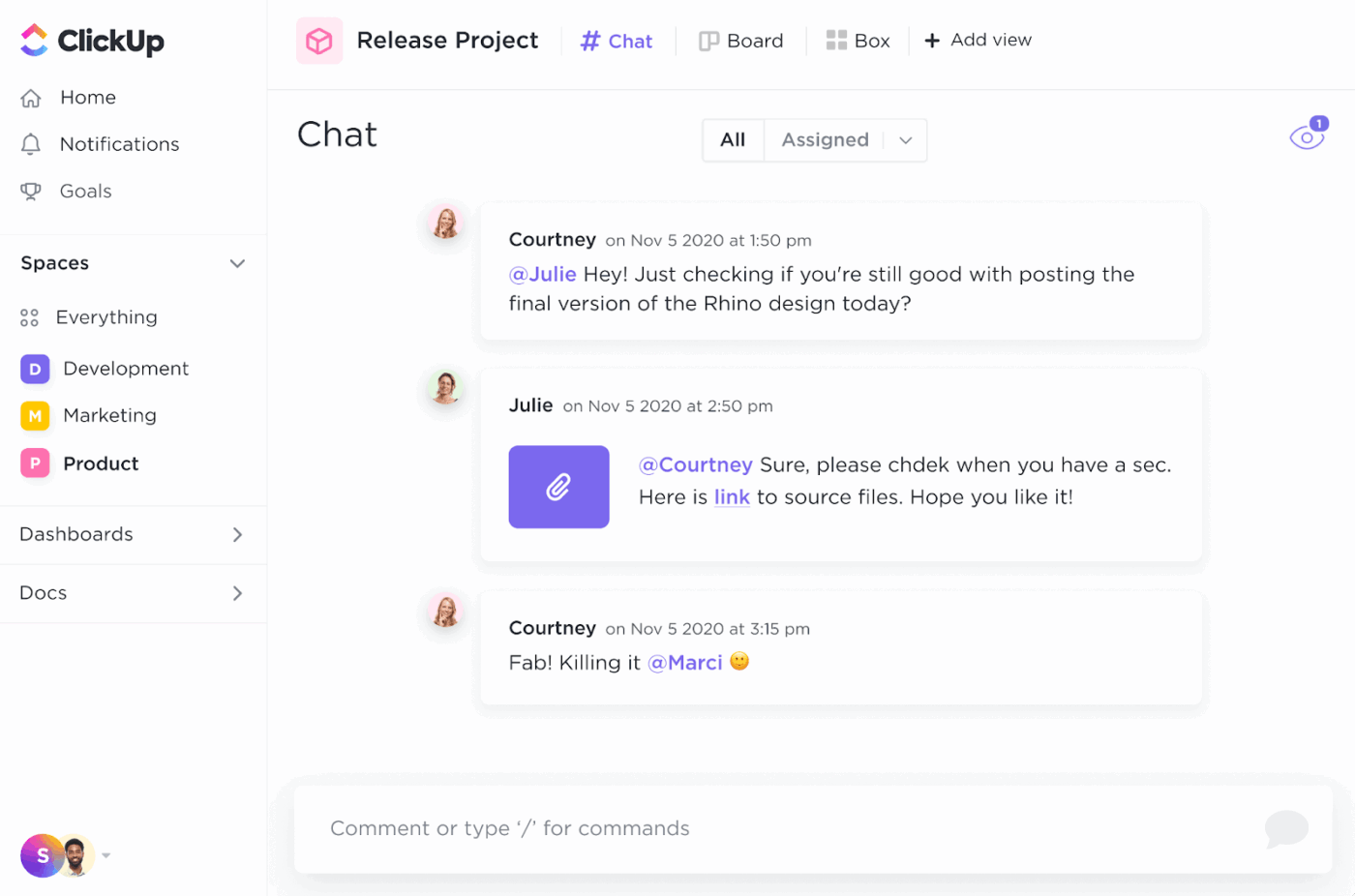
💡Pro Tip: Use ClickUp Chat as the engagement layer in your AI stack. Keep customer escalations, internal discussions, and follow-ups in one thread, then turn key messages into tasks or @mention to summarize and suggest next steps.
Turning signals into renewal math needs two things: timely data and trusted views. Here’s how either of these tools fits into that loop: they can spot risk early and attribute playbooks to outcomes.
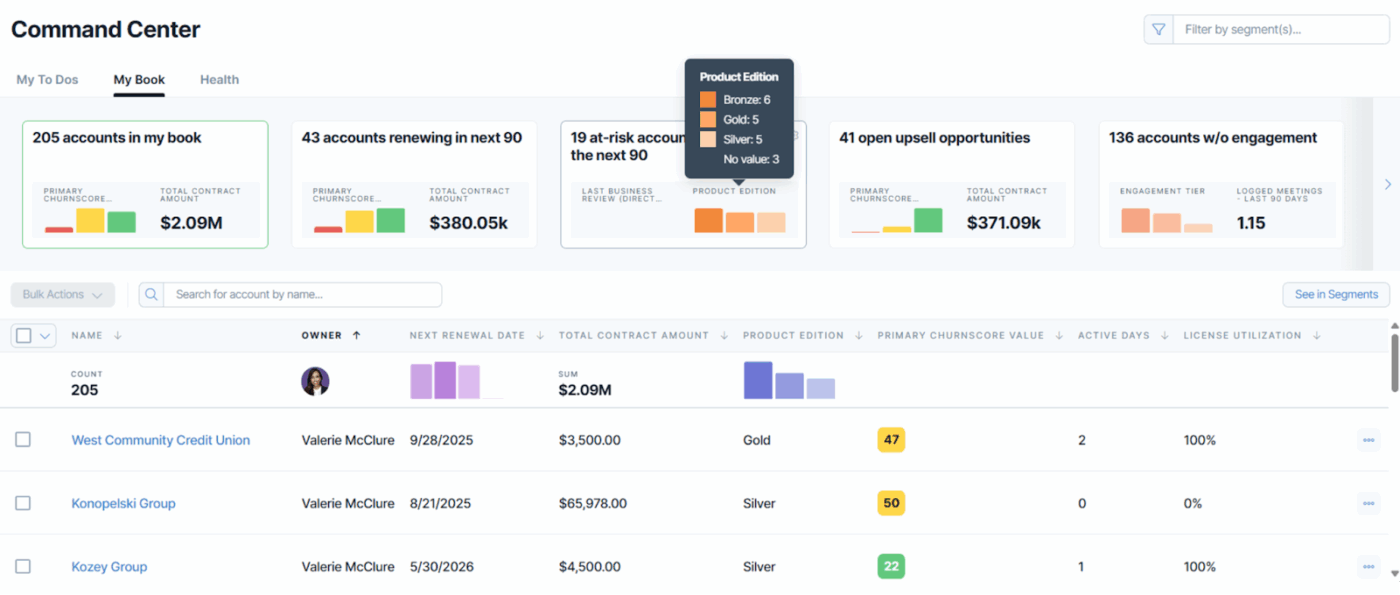
It is a customer success platform that provides product usage insights, customer health scores, and proactive engagement tools.
Why does it matter in customer success? Knowing who is likely to churn gives you time to act. ChurnZero monitors usage and engagement, surfacing accounts that need intervention—so in renewal week, you already have an ordered list of at-risk accounts to prioritize.
Key features
Pricing:
Starting price: $12,000/year
📖 Also Read: How to Measure Customer Effort Score (CES)
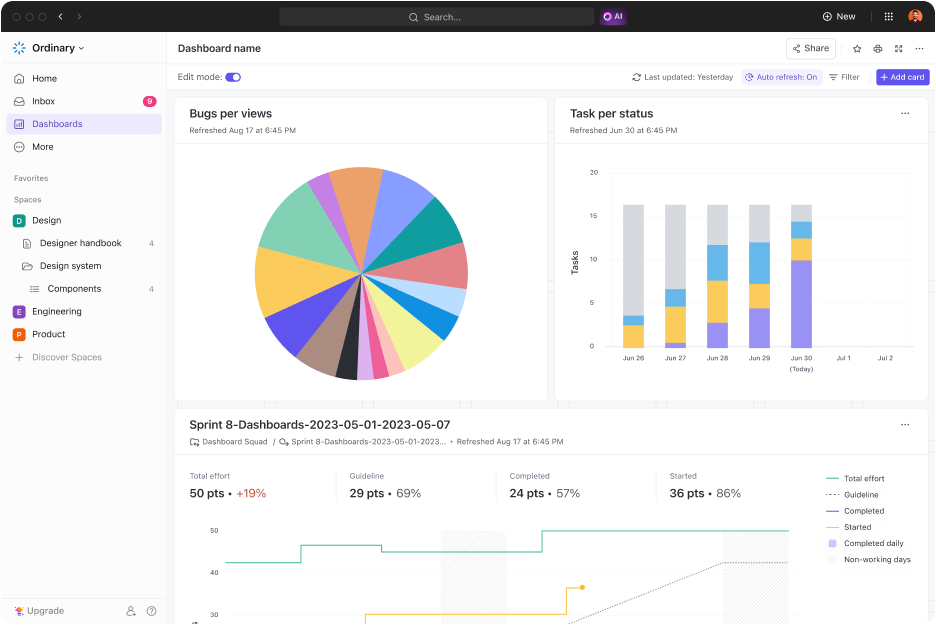
ClickUp Dashboards visualize your workspace data (tasks, time, sprints, goals) so leaders and CSMs get the same truth in one place—no spreadsheet choreography. Build custom reports for anything from adoption KPIs to onboarding SLAs and CSAT follow-through.
Why does it matter in customer success? Health isn’t a single number. ClickUp’s cards let you combine leading and lagging indicators—usage tasks completed, playbook completion, ticket cycle time, renewal pipeline—into views you can share with execs or clients. Role- and plan-aware controls ensure the right audience sees the right rollups.
Key features
Pricing: ClickUp has a Free Forever plan that is also available for individuals and small teams, and customizations for enterprises.
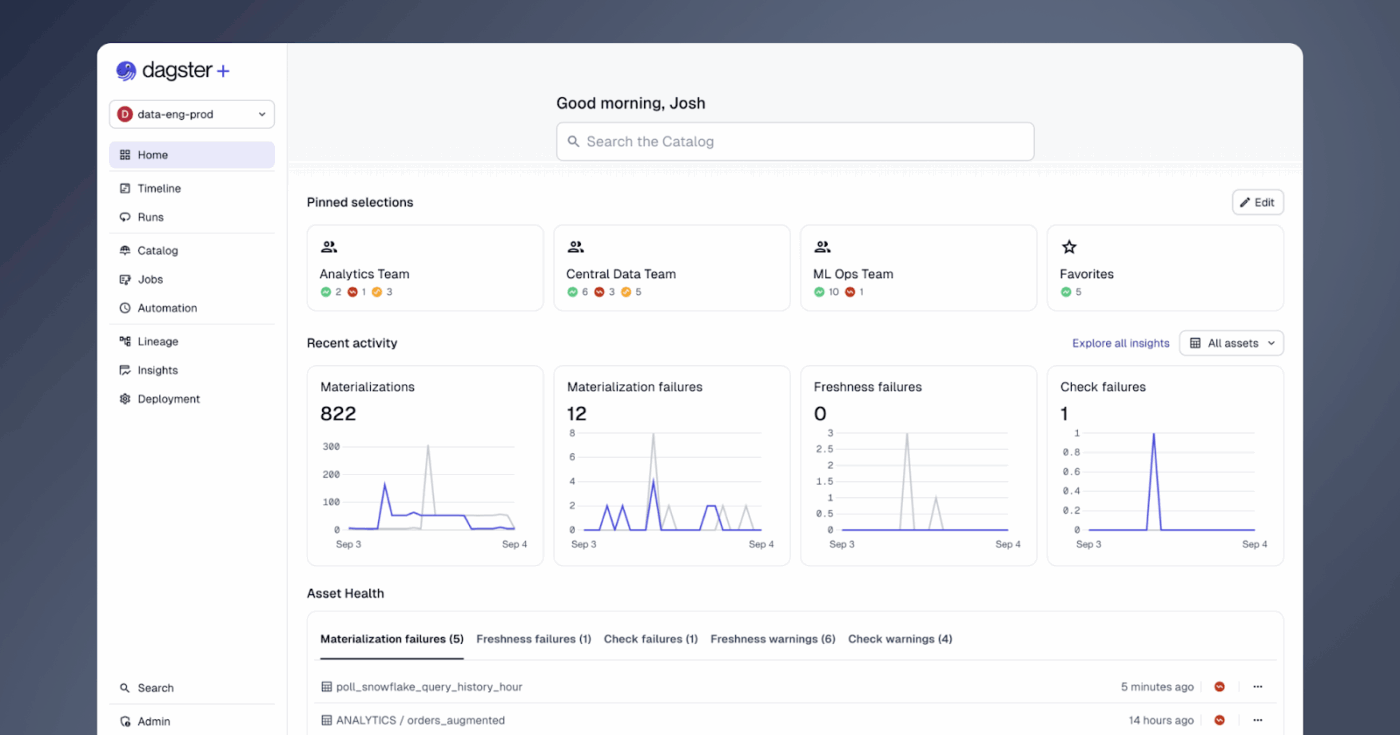
Dagster provides a unified control plane for data and AI pipelines so product events, billing signals, and ticket data arrive fresh and trustworthy for analytics and health models. Asset health/freshness monitoring and lineage make it clear what your dashboards are built on and whether it’s safe to act.
Why does it matter in customer success? Customer health scores rot without dependable inputs. Dagster’s orchestration, observability, and data catalog ensure the CS stack gets on-time events with traceability—so you can defend a risk flag in a QBR with lineage and freshness receipts.
Key features
Pricing:
🔎 Did You Know? Only one in five consumers will forgive a bad experience at a company whose customer service they rate as “very poor.”
There’s a better way to handle this. In this ClickUp video, you’ll see how teams pair human agents with AI to respond faster, keep customer interactions consistent, and prevent follow-ups from falling through the cracks. The walkthrough covers how to use:
This is a quick, practical walkthrough of what modern AI-powered support can look like in ClickUp—beyond just chatbots.
📖 Also Read: Definition & Tips on Customer Lifecycle Management
Your AI is only as good as what it can find, trust, and cite. Knowledge management with AI keeps playbooks current and provides instant answers. So CSMs (and agents) don’t have to guess anything.
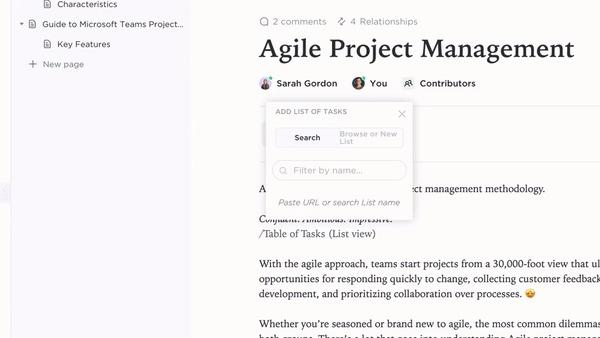
ClickUp Docs provides an integrated productivity atmosphere that uses AI to assist with creating, editing, and managing documents within the ClickUp platform.
Why does it matter in customer success? Outdated macros and buried SOPs stall resolutions. With ClickUp, your playbooks live where work happens, AI surfaces what’s relevant, and every answer is traceable to a source your team can verify.
Key features
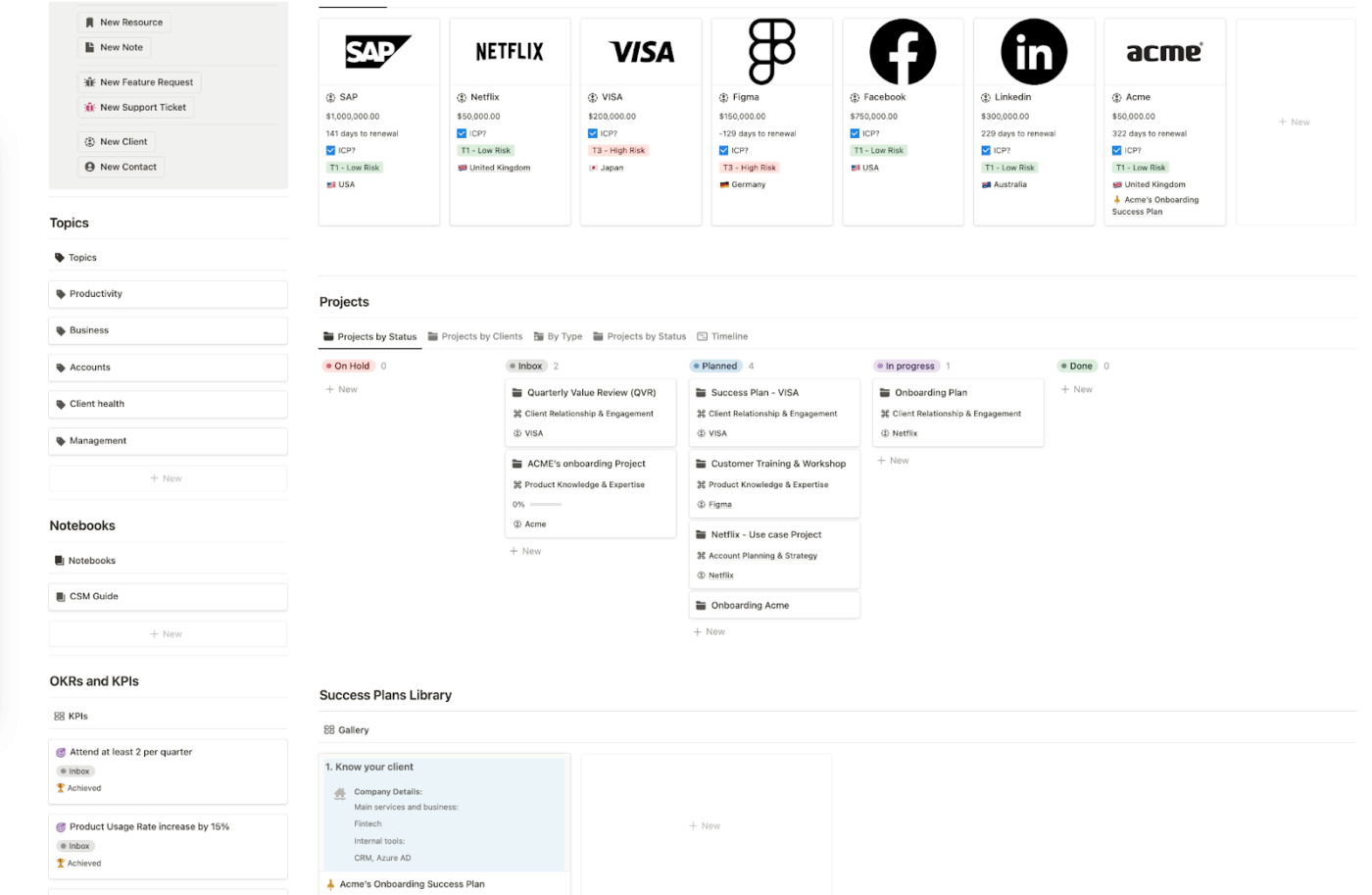
Notion positions AI as an all-in-one layer for writing, search, and workflow. Teams can chat with AI and apply “write in your style” to keep brand voice consistent. AI Meeting Notes turns discussion into action items with owners and due dates.
Why does it matter in customer success? When customers ask “how” or “why,” CSMs need fast, on-brand answers. Notion AI helps draft, normalize tone, and surface relevant pages, while meeting notes convert talk into tracked follow-ups.
Key features
Pricing:
Notion Business: $20/member/month
🔎 Did You Know? NIB Health Insurance saved $22 million through AI-driven digital assistants, reducing customer service costs by 60%.
Automation should remove handoffs and housekeeping without adding another customer success tool to babysit. Here’s how to wire the “do it for me” layer—starting with your operating hub.
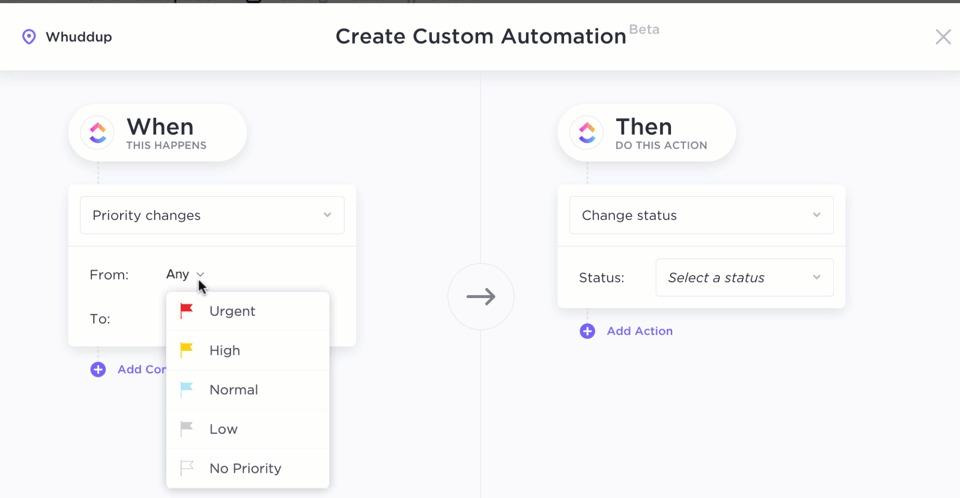
ClickUp Automations handle the repetitive moves so humans can focus on customers. Pick from 100+ prebuilt automations (or create your own) to update fields, assign owners, move statuses, send emails, and more—right where tasks and SLAs already live.
💡Pro Tip: Use ClickUp Chat as the real-time engagement layer for your CS team, then pair it with ClickUp AI Agents. Let them watch key channels for escalations, summarize long threads, and automatically spin up follow-up tasks—so nothing important from a customer conversation slips through the cracks.
Why does it matter in customer success? Customer onboarding nudges, renewal prep, risk triage—these flows hinge on timely, consistent steps. Automations make those steps reliable (and auditable) without swivel-chair updates. Plan-aware controls and usage alerts keep teams within guardrails.
Key features
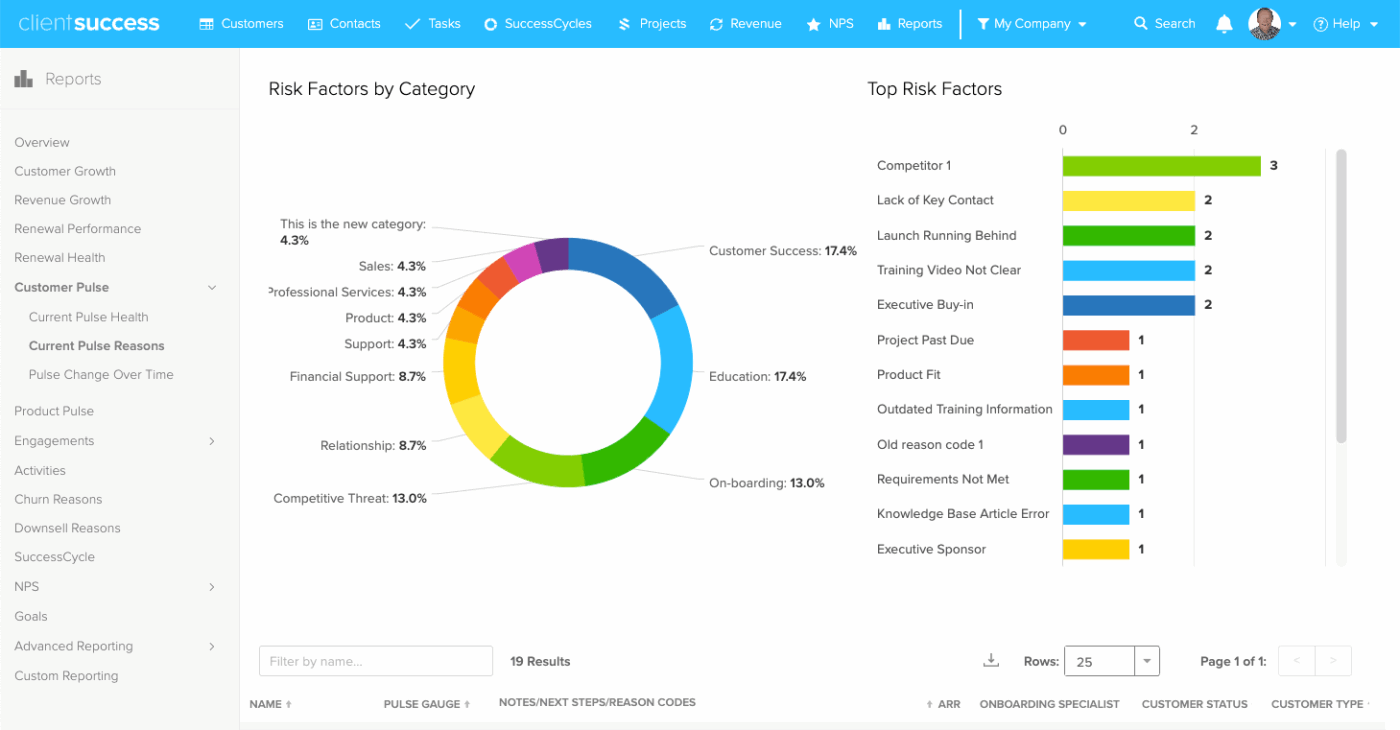
Zapier is the most connected no-code orchestration layer, useful when you need to reach apps outside your core stack fast. Build multi-step workflows and AI-assisted automations in minutes.
Why does it matter in customer success? When a CS playbook spans niche tools (webinar platforms, billing add-ons, surveys), Zapier can glue them together without engineering time—so signals don’t die at the edge.
Key features
Pricing:
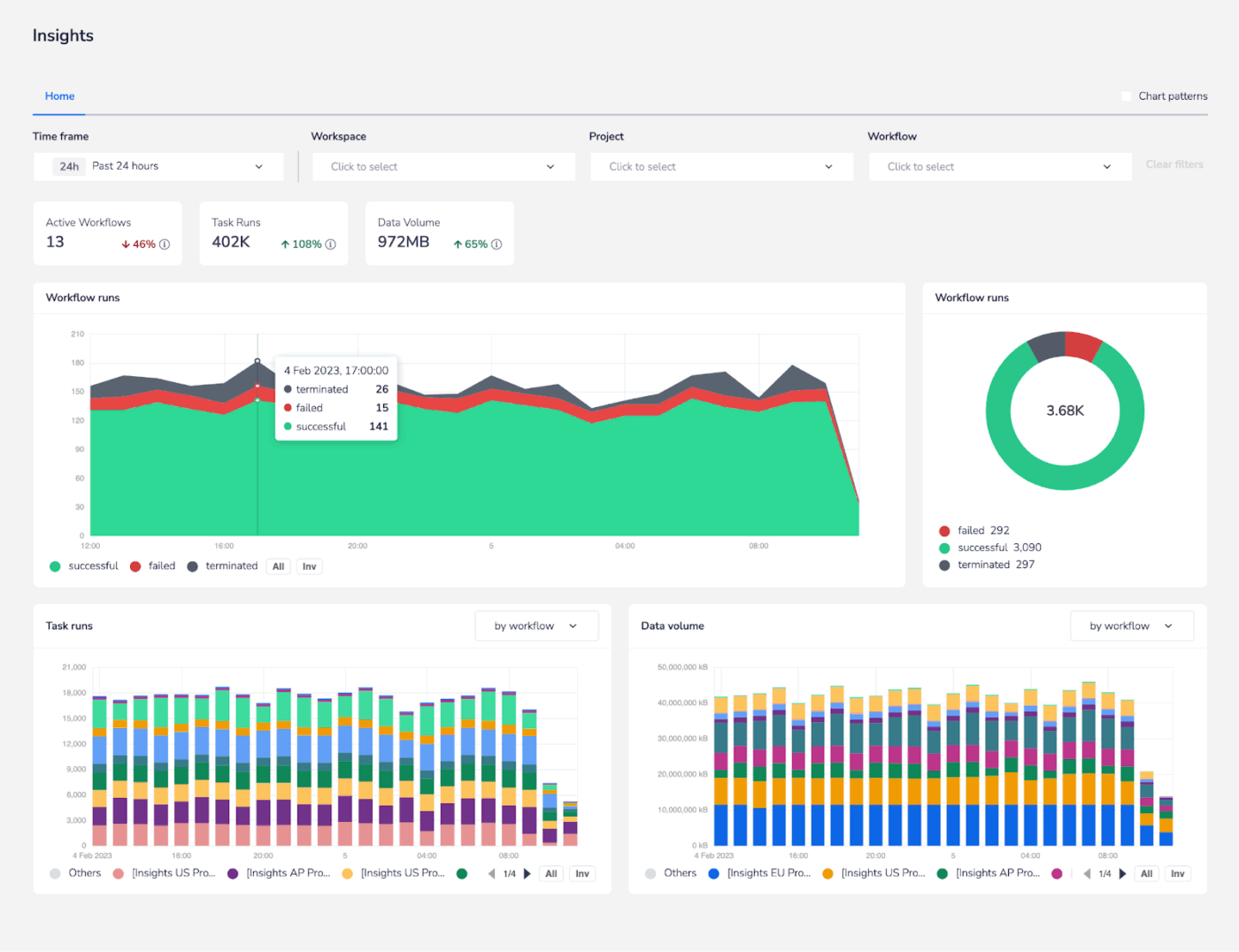
Tray is an AI-ready integration and automation platform built to orchestrate processes and agents under IT control—so automations scale with governance.
Why does it matter in customer success? When CS ops needs enterprise-grade orchestration (complex branching, governance, data stewardship), Tray’s iPaaS model centralizes integrations and keeps AI actions compliant.
Key features
Pricing: Custom price
📖 Also Read: Best Customer Journey Mapping Software Tools
Customer insights aren’t a single chart—it’s a shared, trustworthy view that turns work into decisions. Start with the view your CS team will actually open daily, then add exec-ready rollups you can share in a click.

ClickUp Dashboards convert your workspace data (tasks, time, sprints, goals) into custom reports—so leaders, CSMs, and Ops see the same truth without exporting spreadsheets. Build boards for onboarding SLAs, renewal pipeline, playbook attribution, and CSAT follow-through—with cards you can arrange, resize, and schedule as stakeholder updates.
Why does it matter in customer success? Health is about trends across adoption, ticket cycle time, risk flags, and upcoming renewals. ClickUp’s cards let you combine leading and lagging indicators into views you can defend in QBRs and share broadly, with access and limits that align to roles and plans.
Key features
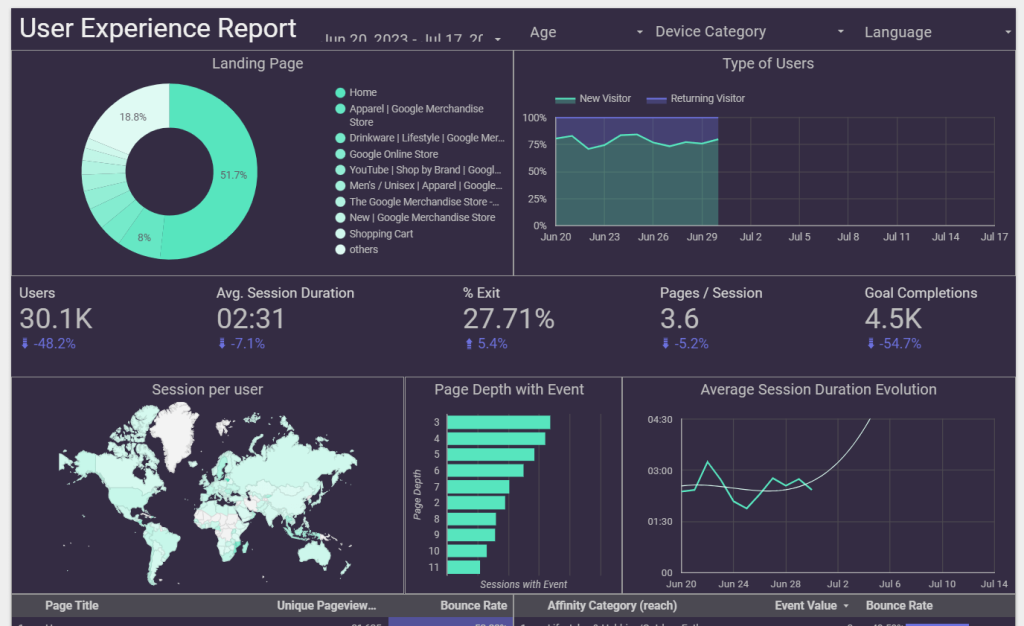
Looker Studio turns your data into interactive, customizable reports and dashboards, with a drag-and-drop editor and a library of templates. Connect sources (including BigQuery) and share insights broadly; Looker Studio Pro adds team workspaces and project linking for scale.
Why does it matter in customer success? When CS needs to mash up external data (marketing, web analytics, ads) with product and support signals, Looker Studio provides fast visualization and easy distribution—handy for executive or board reporting.
Key features
Pricing:
📖 Also Read: How to Optimize Customer Success for SaaS
When your stack talks to itself, customer success stops being a relay race and starts looking like a well-rehearsed play. Signals flow, owners are clear, and every next step is traceable. Below, five outcomes you can feel in weekly standups.
A connected stack turns faint signals into timely action. Usage dips, negative ticket sentiment, and contract context roll up into risk you can explain—and address—days or weeks earlier. Agents propose next steps; CSMs apply judgment and move.
📌 Example: A segment’s onboarding completions slide for two releases. The system flags risk, opens a customer success plan with enablement tasks, and schedules a follow-up check—before renewals come due
📖 Also Read: How to Solve Common Customer Service Challenges
Health becomes a storyline, not a number: milestones hit, value moments realized, advocacy earned, billing clean. CSMs get a single cockpit; leaders get rollups they’ll defend in QBRs.
Playbooks live next to the work. Handoffs, SLAs, and approvals run on rails; exception paths surface fast. Renewals feel like confirming value, not reconstructing history.
💡 Pro Tip: Use the free ClickUp Customer Onboarding Template to standardize milestones, owners, and SLAs. Pair it with Automations to trigger nudges when a step lingers past its threshold, keeping momentum without manual check-ins.
The stack decides when and who; humans decide how. Messages carry policy-safe guidance and product context, so nudges feel helpful, not spammy. Teams ship fewer, smarter touches and see adoption climb.
Updates and reporting stop being “extra work.” Automations write the receipts; dashboards package outcomes for execs or clients with a click.
📌 Example: Every Friday, a renewal readiness dashboard snapshots expansion signals, risk flags, and playbook attribution to leadership—so Monday prioritization starts itself
With privacy shifts and a fast-moving customer success software stack, a few traps keep showing up. Spot them early and fix them before they cost trust—or renewals.
🚩 Rolling out writers and chatbots without mapping owners, SLAs, and handoffs
✅ Start with two end-to-end use cases and diagram the baton passes. Name the owner, SLA, and verification step for each transition so AI outputs translate into accountable work
🚩 Usage, tickets, and billing don’t align—so “health” can’t be defended
✅ Normalize account/user IDs first, then set freshness SLAs per source. Only after lineage is clear should you score risk or trigger outreach; otherwise, you’re optimizing noise
🚩 Pretty charts, no next steps
✅ Convert every view into an action list: who moves what by when, plus a status column you review weekly. Reports should drive a standup decision, not decorate it
🚩 “Set and forget” rules that escalate noise or loop forever
✅ Add a monthly eval loop. Track false positives/negatives, cap retries, and retire any rule that doesn’t change behavior or outcomes within a quarter
🚩 Buying overlapping point solutions and calling it a stack
✅ Consolidate where work already lives; integrate only where lift is proven. If a tool doesn’t reduce handoffs or time-to-action, it’s shelfware in waiting
🚩 Opaque recommendations erode trust with customers and finance
✅ Require explainability, audit trails, and rollback paths for any AI-driven change. If a CSM can’t answer “why this next step?”, it shouldn’t auto-ship
Proactive customer success isn’t a feature you buy—it’s the outcome of a stack that thinks and acts with your team. Start small: two use cases, clean IDs, living playbooks, and agents placed where judgment happens.
Then wire the handoffs and let dashboards prove the lift.
ClickUp helps you do this without adding bloat: ClickUp Docs that live next to work, ClickUp Automations that keep momentum, ClickUp Dashboards your execs will trust, and ClickUp Brain to surface the next best step right where people decide.
The result is simple—fewer fire drills, clearer ownership, healthier accounts, and renewals that feel inevitable.
If this sounds like the way you want to work, you’re up for a quick win. Start your workspace in ClickUp today and build the CS stack that compounds.
A layered toolkit that turns signals into action: unified data, living knowledge, reasoning/agents, orchestration, engagement, and reporting. Platforms like ClickUp act as the connective layer—automating handoffs, surfacing next steps, and keeping teams aligned around shared outcomes.
By spotting risk earlier and guiding timely interventions. AI analyzes usage, sentiment, and contract context to propose next-best actions, helping CSMs fix onboarding gaps, reinforce value moments, and progress renewals proactively—before issues become escalations.
A trustworthy CRM/data core, a knowledge workspace, reasoning/agents, workflow automation, communications, and exec-ready reporting. ClickUp centralizes docs, tasks, automations, and dashboards so insights become accountable work—without adding tool sprawl.
ClickUp Brain summarizes context, answers questions, and suggests actions inside tasks and docs. Automations move work forward, while Dashboards roll up health and outcomes—letting CSMs act faster and show impact without manual updates or spreadsheet juggling.
Going bot-first without workflows, scoring with messy data, dashboards without owners, “set and forget” rules, tool sprawl, and opaque recommendations. Start with two end-to-end use cases, clean IDs, human-in-the-loop guardrails, and action-linked reporting.

© 2026 ClickUp

There’s an easier way. Try a free AI Agent in ClickUp that actually does the work for you—set up in minutes, save hours every week.