






Still downloading templates?
There’s an easier way. Try a free AI Agent in ClickUp that actually does the work for you—set up in minutes, save hours every week.
Sorry, there were no results found for “”
Sorry, there were no results found for “”
Sorry, there were no results found for “”
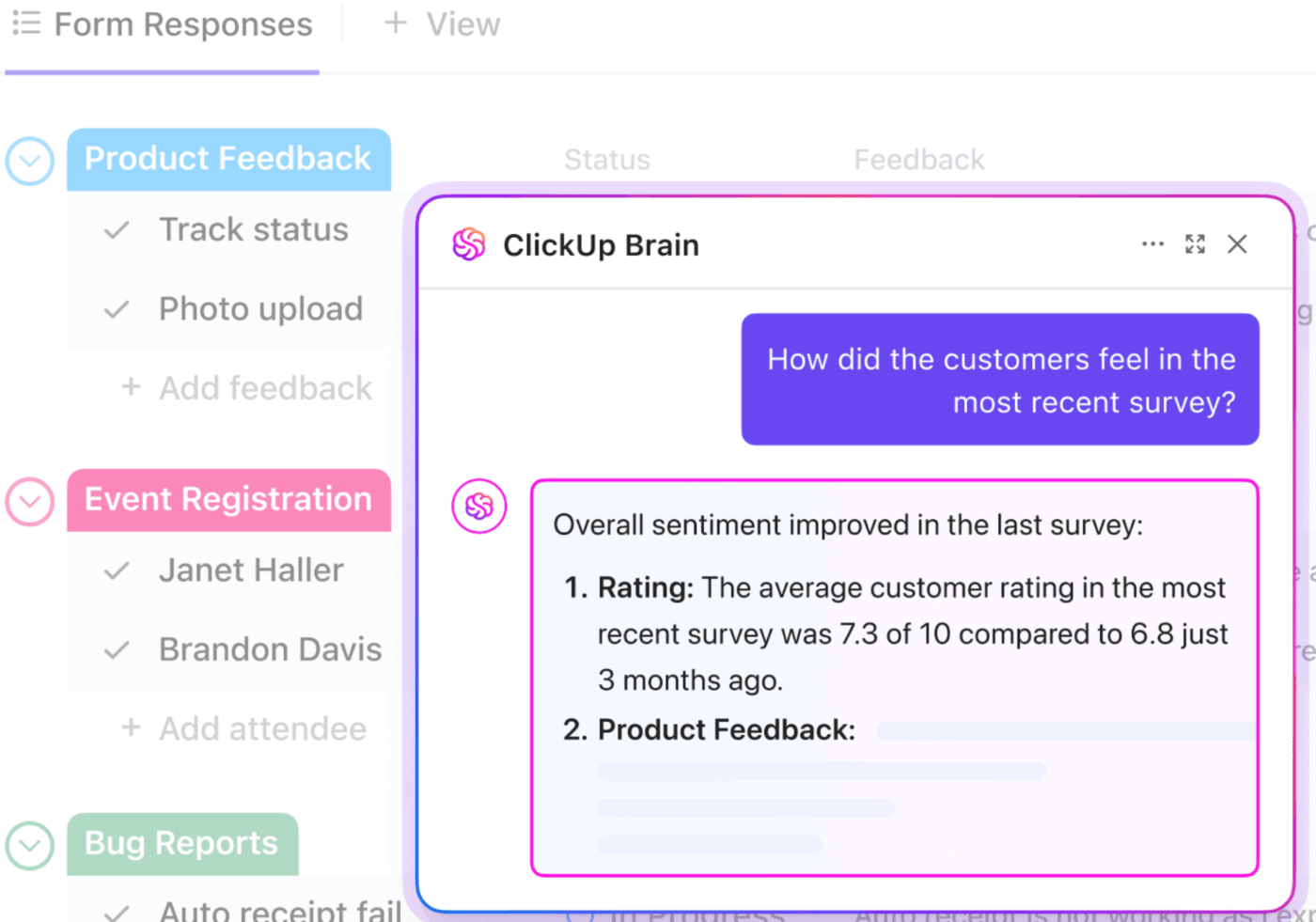

AI cannot feel emotions or sentiments.
What it can do is: analyze thousands of customer reviews, comments, support tickets, messages, and social posts to:
That’s AI sentiment analysis (also known as opinion mining).
In the sections below, we share everything about sentiment analysis using AI. How it works, its different types, practical use cases, top tools, and how to implement it in your workflow step-by-step.
AI sentiment analysis is the use of artificial intelligence technologies to identify and classify emotions in textual data.
These technologies include:
📌 Example: A company receives thousands of app reviews every month. Using AI sentiment analysis algorithms, they automatically collect, clean, and analyze each review to extract the underlying sentiment.
So, if a user review says, “The app keeps glitching for some reason,” AI labels it as negative sentiment. Similarly, a review like “Really love the app interface” is classified as positive sentiment.
The AI also identifies recurring themes in user reviews, such as “slow performance” or “easy to use,” to show what drives customer sentiment at scale.
Together, these technologies sort feedback into the following common sentiment categories:
“Why is sentiment analysis important? Isn’t tracking CX metrics or social media mentions enough?”
The answer is a BIG NO, and here are three main reasons why:
🧠 Fun Fact: Long before computers, 19th-century scholars performed manual sentiment analysis by counting words in religious and literary texts. They manually tracked the frequency of specific emotional terms to uncover moral patterns and emotional shifts in public discourse. Pretty much what AI does in milliseconds today.
AI-driven sentiment analysis typically involves three phases. They include:
AI systems collect data from sources such as customer reviews, support tickets, chat conversations, surveys, emails, social media platforms, etc.
The goal is to centralize this unstructured data so that AI can process it consistently.
But this text isn’t analysis-ready. So we move to phase 2. 👇
Raw feedback contains typos, emojis, slang, and irrelevant characters that can trip sentiment analysis algorithms.
So, AI first cleans and standardizes the collected feedback. This includes:
This processed data is now ready for phase 3. 👇
There are three main approaches to performing sentiment analysis using AI. Once the data is clean, you can use either of these methods:
AI systems follow predefined rules and sentiment dictionaries (they contain words pre-labeled as positive, negative, or neutral).
So, if a message contains more negative indicators than positive ones, it’s classified as negative.
While this approach is fast, AI models struggle to grasp context or hidden nuances in the text because they must work within strict, predefined rules. This can lead to incorrect sentiment classification.
📌 Example: An AI model labels “This update is great…if you enjoy bugs” as positive sentiment just because it contains a positive indicator “great,’ totally missing the sarcastic tone.
In ML sentiment analysis, machine learning models are trained on millions of examples of human-labeled text. Over time, they learn how words, phrases, and sentence structures combine to express emotion.
This method is far more accurate than rule-based sentiment analysis. However, accuracy ultimately depends on the quality of the training data and ongoing model refinement.
📌 Example: An AI model labels “This feature is bomb” as positive, even though “bomb” is usually a negative word.
Most modern sentiment analysis tools use a hybrid approach, combining rule-based logic with deep learning algorithms.
While the rules enforce consistency for known patterns or domain-specific jargon, ML handles nuance, variation, emotional tone, informal phrasing, and edge cases.
👀 Did You Know? Sainsbury’s once officially changed the name of their Tiger Bread to Giraffe Bread after a three-year-old girl wrote a letter saying it looked more like a giraffe. The letter gained significant traction, sparking a campaign to rename the bread.
By listening to a toddler’s review, Sainsbury created a viral marketing moment that showed the power of acknowledging customer sentiment.
AI can analyze sentiment at different levels of depth and intent, based on what you want to understand.
Below are four main types of sentiment analysis techniques:
🧠 Fun Fact: The term “Sentiment Analysis” first appeared in a 2003 paper by Nasukawa and Yi. “Opinion Mining” appeared that same year in a paper by Dave, Lawrence, and Pennock. Despite being a huge industry now, the terminology is barely two decades old!
Analyzing data from just one source paints an incomplete picture of brand perception, customer satisfaction, or market trends (whatever you want to measure).
For deeper insights, you must collect data from multiple channels. These include:
Social media conversations provide the most unfiltered, real-time analysis of public perception.
⭐ Data sources to analyze here:
Product review platforms provide opinion-rich feedback on user/customer satisfaction, product quality, in-person experience, and overall brand reputation.
⭐ Data sources to analyze here:
Support conversations reveal raw customer sentiment under pressure—when they need help the most. Use these valuable insights to prioritize product features and improve response quality.
⭐ Data sources to analyze here:
Emails, tickets, and surveys capture more deliberate, reflective customer feedback. Unlike real-time chats, these channels give users space to explain their experience in detail.
⭐ Data sources to analyze here:
These capture customer sentiment during buying, onboarding, renewal, and expansion conversations. They’re vital for understanding lead sentiment and long-term account health.
⭐ Data sources to analyze here:
Here are four reasons why you must go for AI-powered sentiment analysis:
📮 ClickUp Insight: 62% of our respondents rely on conversational AI tools like ChatGPT and Claude. Their familiar chatbot interface and versatile abilities—to generate content, analyze data, and more—could be why they’re so popular across diverse roles and industries.
However, if a user has to switch to another tab to ask the AI a question every time, the associated toggle tax and context-switching costs add up over time.
Not with ClickUp Brain, though. It lives right in your Workspace, knows what you’re working on, can understand plain text prompts, and gives you answers that are highly relevant to your tasks! Experience 2x improvement in productivity with ClickUp!
However, using AI for sentiment analysis also has its potential setbacks:
🧠 Fun Fact: Around 1750 BCE, a Mesopotamian man named Nanni wrote a stinging complaint on a clay tablet to a merchant named Ea-nasir. He was furious about being sold sub-standard copper and having his messenger treated rudely. It is officially recognized as the oldest customer complaint in history.
Now, let’s quickly go through different ways brands can use AI to analyze sentiment:
Brands use AI models to track:
This lets you adjust campaign messaging, close gaps with competitors, and capitalize on emerging trends.
📌 Example: A snack brand uses real-time AI alerts to track rising hashtags. It spots a positive sentiment shift toward “nostalgic 90s snacks” and quickly posts a retro-themed meme. The post goes viral because it perfectly matches the audience’s current mood, driving a massive spike in brand awareness.
Using AI in customer service can elevate the overall efficiency of your support team and, in turn, support experience.
By capturing customer sentiment in support tickets, calls, or chats, you can:
📌 Example: A SaaS provider uses AI to scan incoming tickets for “frustration” or “churn intent.” Messages from angry customers are automatically pushed to the top of the queue for senior customer service agents. This ensures high-stakes issues are resolved instantly, preventing dissatisfied users from canceling their subscriptions.
If you’re sitting over the fence, wondering how to use AI for customer service, we’ve created this video for you.
Tracking employee sentiment in internal forms, exit interviews, engagement surveys, and pulse checks is vital.
With AI sentiment analysis algorithms, you can:
📌 Example: After announcing a return-to-office mandate, a company uses AI to categorize internal employee feedback. The AI identifies that “commute stress” is the primary driver of negative sentiment. The company pivots to a hybrid model instead, successfully maintaining high morale and talent retention.
Closed surveys and star ratings only tell you so much about your product. The real insight lies in open-ended answers to product feedback surveys, data from market research tools, and unfiltered feedback.
By running an AI-powered sentiment analysis on such responses, you can:
📌 Example: Before a full launch, a software company runs sentiment analysis on user feedback from its 100 beta testers. The AI reveals that while the new dashboard is “exciting,” the navigation is “confusing.” The team fixes the layout before the public release, ensuring a smooth and positive launch.
Before we dive into how to implement AI sentiment analysis, let’s quickly look at the top four tools that make this process super easy:
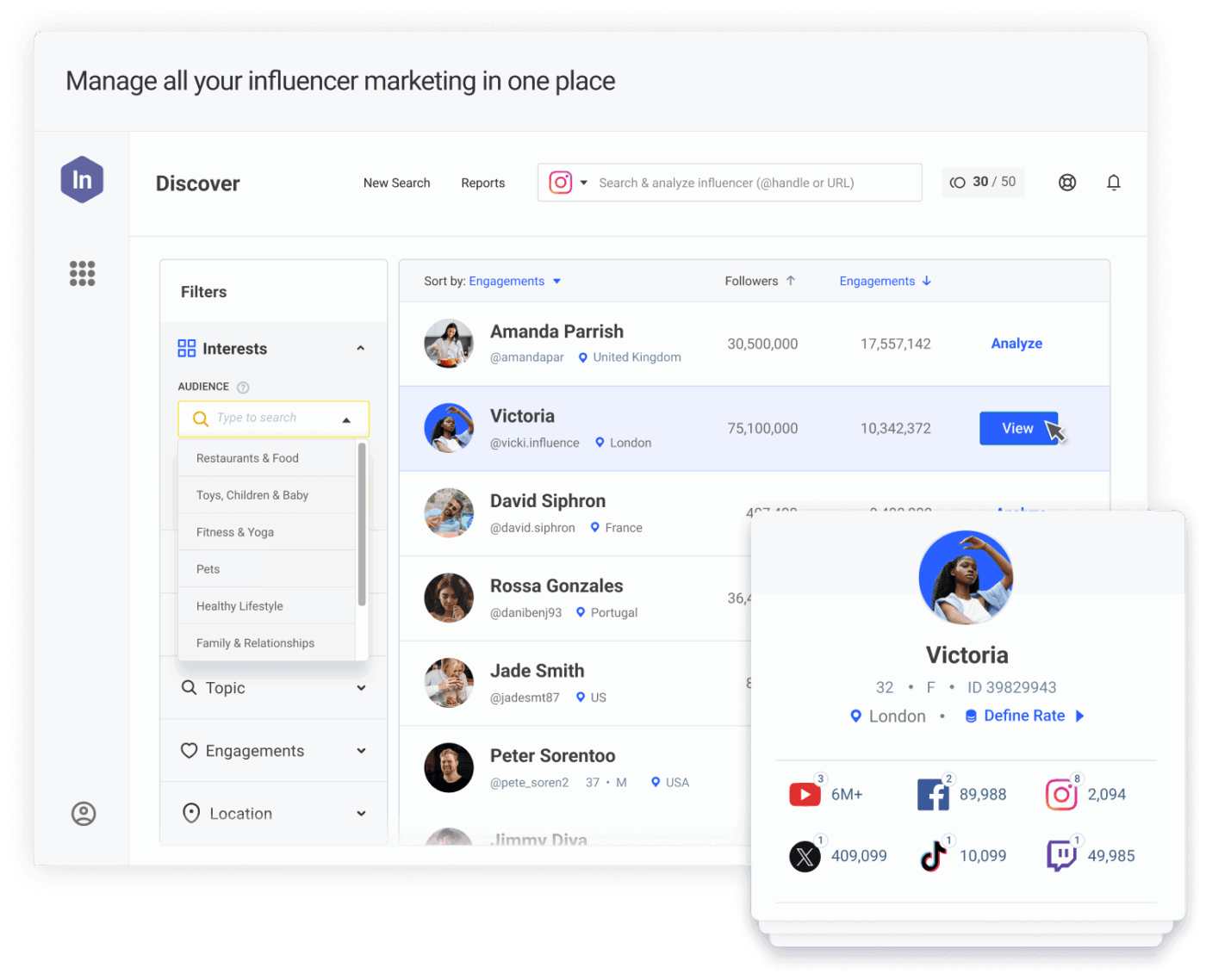
Brandwatch is a social listening tool that helps you track online conversations to gain valuable insights. You can search across millions of posts, categorize them into custom buckets, analyze customer sentiment using AI, and share live reports with your team.
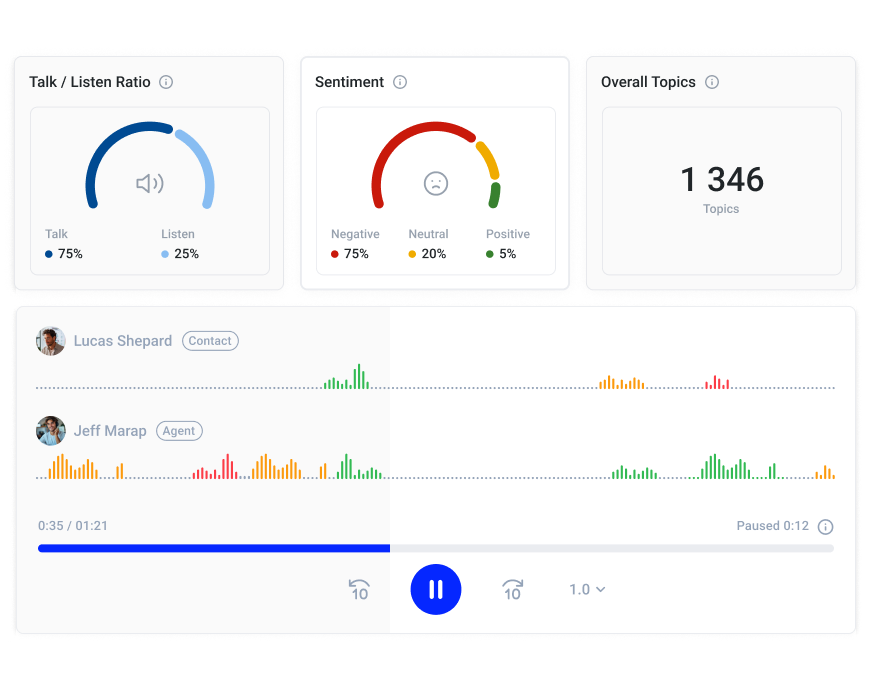
CloudTalk is a cloud-based call center platform that handles global calling and provides AI voice agents for 24/7 call support.
It offers AI-driven conversational intelligence, too: you can transcribe calls in real time, auto-tag keywords/emotions, and generate searchable summaries with one-click transcript access.
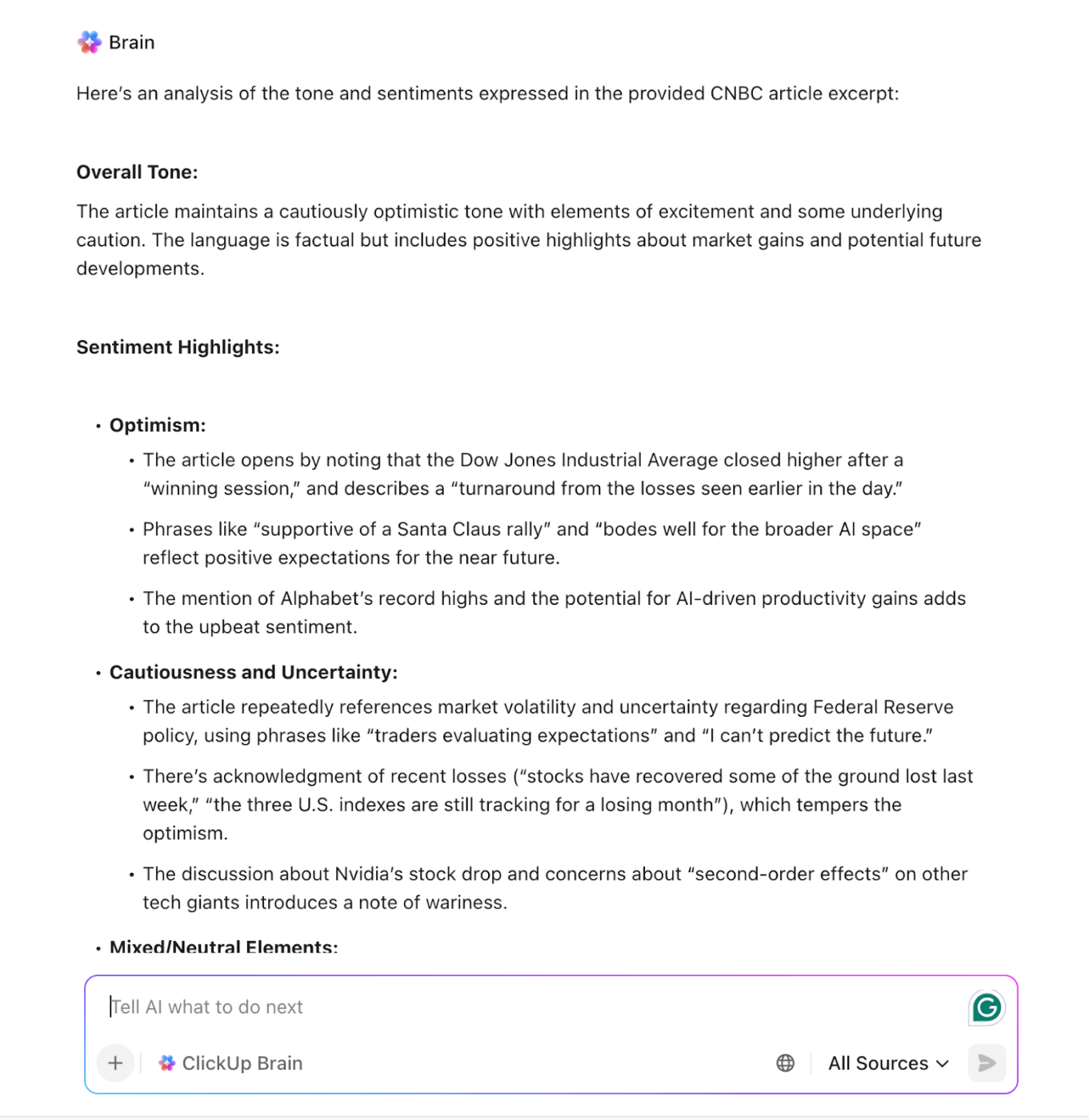
ClickUp, the everything app for work, combines project management, feedback collection, and sentiment analysis.
You can create and share survey forms directly inside ClickUp, integrate with external tools to collect social data, or even upload your custom datasets for analysis.
ClickUp Brain, the platform’s built-in AI assistant, summarizes long qualitative feedback responses, detects sentiment with nuance, spots recurring themes, and even cleans raw feedback data.
You can also manage your sentiment analysis workflow and track progress within the same platform. For example, connect ClickUp with Jira to sync support tickets, use no-code automations to turn those tickets into tasks, and call ClickUp Brain to tag sentiment automatically.
👀 Did You Know? ClickUp is 100% committed to your privacy. It never uses your workspace data to train AI models, ensuring your data is always protected.
Choosing an AI sentiment analysis tool is one thing. Implementing it in your workflows is another.
The last thing you want is to disrupt your existing operations or overcomplicate your team’s processes.
ClickUp simplifies this by centralizing your everyday work and sentiment analysis into a single, converged AI workspace. It offers numerous features to streamline the entire sentiment analysis process without adding friction to your current workflows.
That said, let’s walk through the five steps to implement AI sentiment analysis and see how ClickUp helps in each:
Begin by identifying all the data sources you need to analyze. For instance, if you want to measure customer satisfaction, you might pull from social media, support tickets, and product reviews.
Don’t collect raw text alone. Always capture the surrounding metadata that gives sentiment meaning, such as:
Next, strip out names, phone numbers, email addresses, account IDs, and any other sensitive identifiers for compliance.
Finally, clean the text so that AI models can process it easily. This mainly includes removing duplicates, normalizing emojis and short-forms, and fixing formatting issues.
Centralizing your data is the only way to get an accurate, high-level view of customer sentiment. ClickUp eliminates manual data entry by funneling feedback directly into your workspace.
For starters, you can build intake forms for feedback surveys, NPS/CSAT, support requests, and more using ClickUp Forms.
Customize the form’s look to match your brand style, set conditional logic to show relevant questions, and trigger automated task creation for every submitted response.

Alternatively, use ClickUp Integrations to automatically import data from external tools (like CRMs, spreadsheets, or other survey platforms) into ClickUp. This ensures all your data—whether from forms, emails, or third-party apps—lands in one place.
💡 Pro Tip: To analyze sentiment in meetings and voice notes, try the ClickUp AI Notetaker. It joins your meetings (Zoom, Teams, Google Meet), records them, and automatically generates a transcript and summary for analysis.
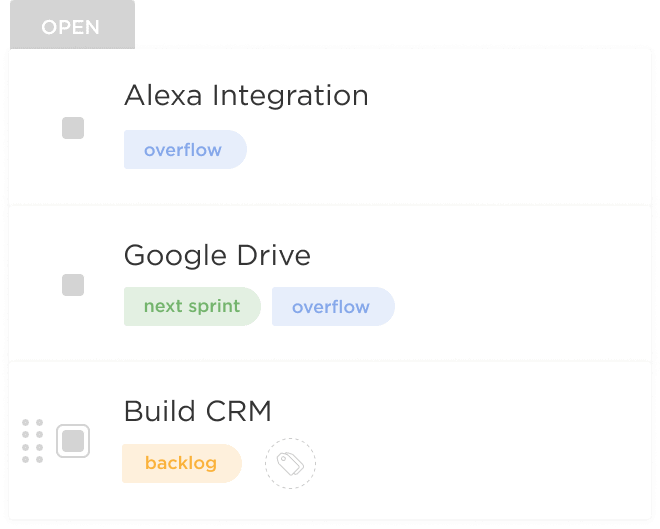
Once you have the raw data in hand, use ClickUp Tags to sort feedback into categories like “complaint,” “product feature,” or “billing.” Since tags are localized to specific Spaces, your marketing and support teams can manage their custom sentiment tags without cluttering each other’s views.
Finally, use ClickUp Brain to prep your data for analysis. Simply mention @Brain in a task or doc to:
🚀 ClickUp Advantage: Truly automate your entire sentiment analysis process using the double power of ClickUp Automations + AI Super Agents.
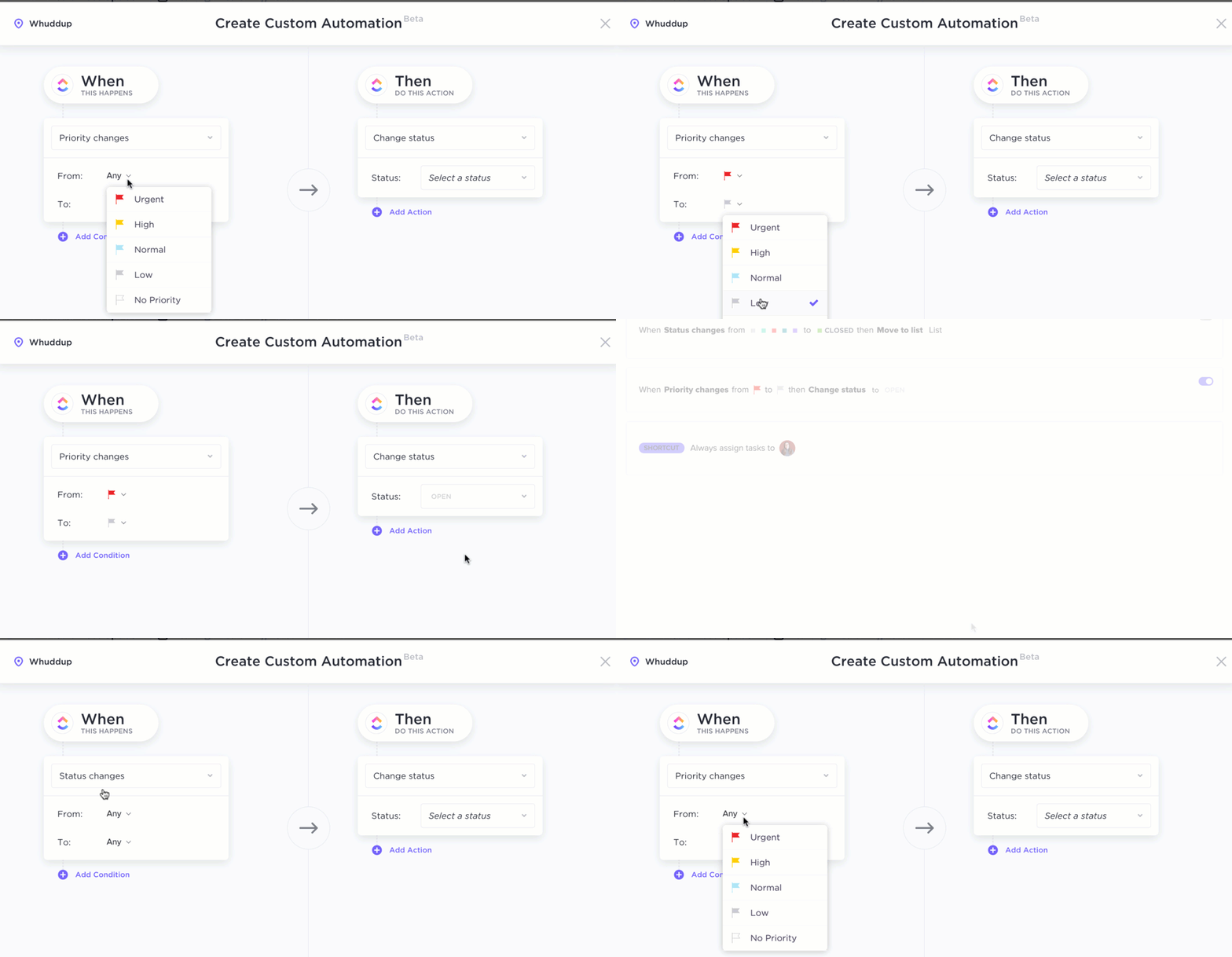
Set up simple, rule-based automations to:
In fact, you can also set up a dedicated AI agent to run the complete sentiment analysis process on your behalf.
📌 Example: Build a Customer Service Emotion AI Agent in ClickUp that monitors support chats around the clock. It flags frustrated customers in real-time, drafts empathetic responses, and suggests practical solutions before a human agent even steps in.
There are two ways to analyze text sentiment using AI:
ClickUp Brain is your always-on AI-assistant that offers multiple features (or approaches) to analyze sentiment. You can:
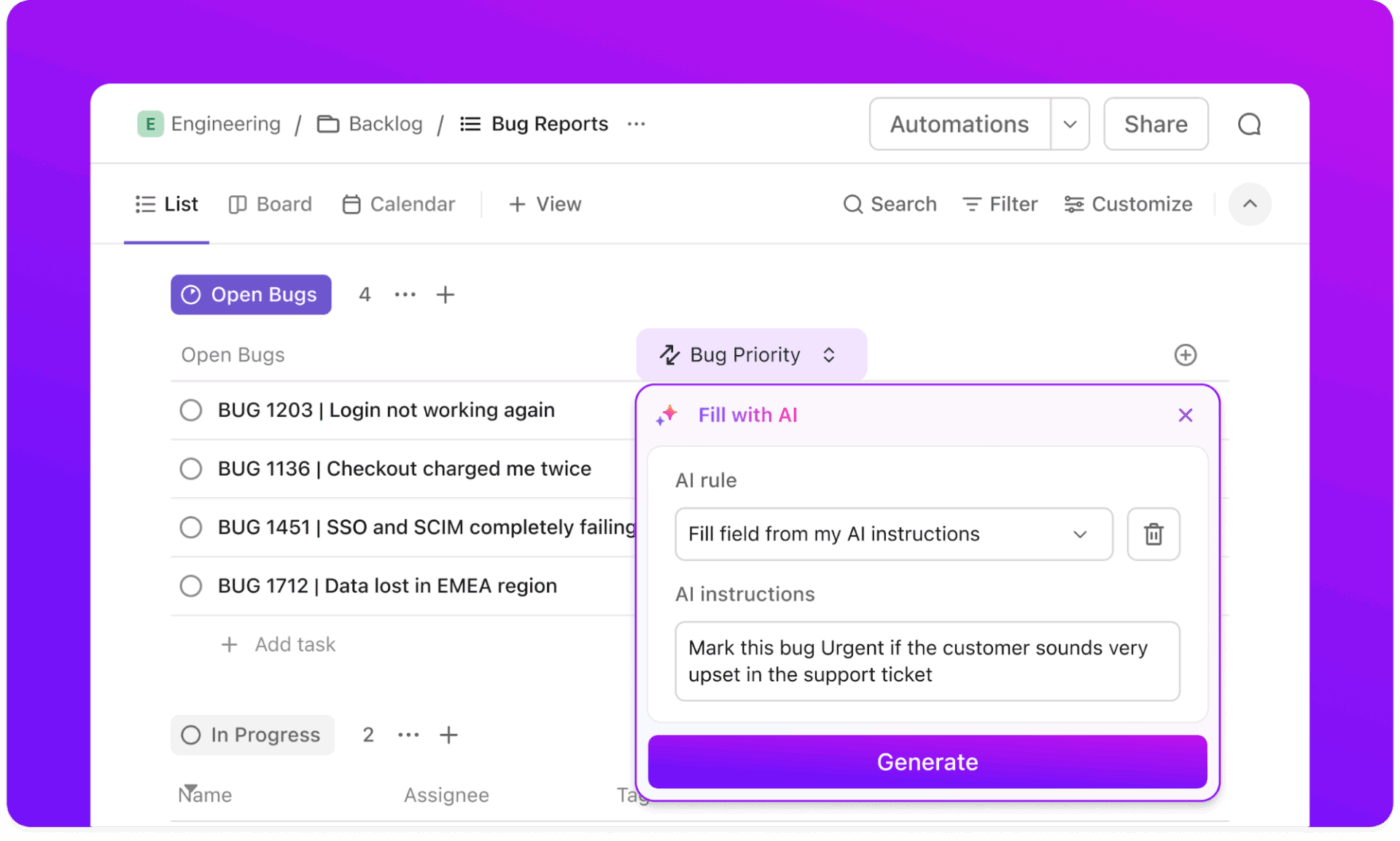
💡 Pro Tip: Use ClickUp Custom Fields to create specific sentiment categories like Negative, Highly Positive, Frustrated, etc. This makes it easy to filter your workload and prioritize the customers who need you most.
If you’re choosing or building a custom AI model for sentiment analysis, you must first train it on custom datasets.
To do so, pull a sample of 500-1000 feedback responses. Manually label them as Positive, Negative, or Neutral (or any other categories you want to train the model on).
If your audience uses heavy irony or industry-specific jargon, include those examples in your training set. You want AI to recognize edge cases, learn from them, and improve its analysis.
Run a validation test on 100 new feedback samples to assess model accuracy. Fine-tune more if needed.
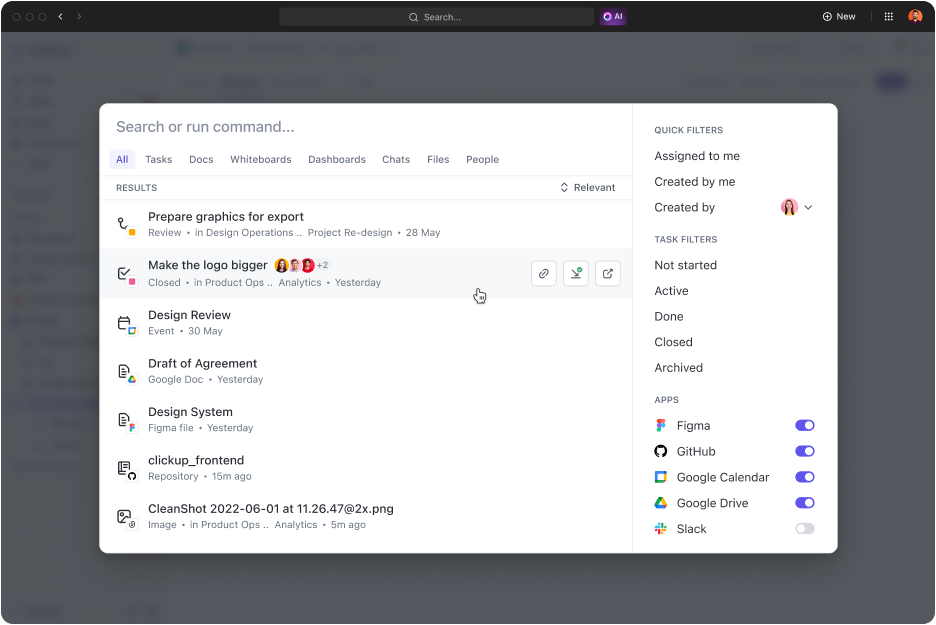
ClickUp Brain has secure, real-time access to your entire workspace—including tasks, docs, comments, chat messages, and even data flowing in from integrated tools.
It’s already trained on your organization’s unique language, context, and workflows. You don’t need to spend hours labeling feedback or building custom training sets.
And in case you need to quickly find a specific feedback, doc, or anything else, use ClickUp Enterprise Search. With one search bar, you can instantly find anything across your entire workspace and all connected apps.
⭐ Bonus: Tired of typing out sentiment labels, prompts, or custom rules for analysis?
Try ClickUp’s Talk-to-Text feature to manage your analysis while on the move.
Sounds amazing, right? Learn more about Talk-to-Text here 👇
Set up dashboards to turn analysis into meaningful, visually appealing insights that stakeholders can use.
You can also push sentiment insights directly into your CRM. This allows sales and success teams to view sentiment alongside customer profiles, accounts, tickets, or deals.
Next, set up alerts to flag rising negative tone, repeated frustration, or sudden sentiment drops in particular features, launches, etc.
Finally, use these insights to make data-driven decisions and close the feedback loop.
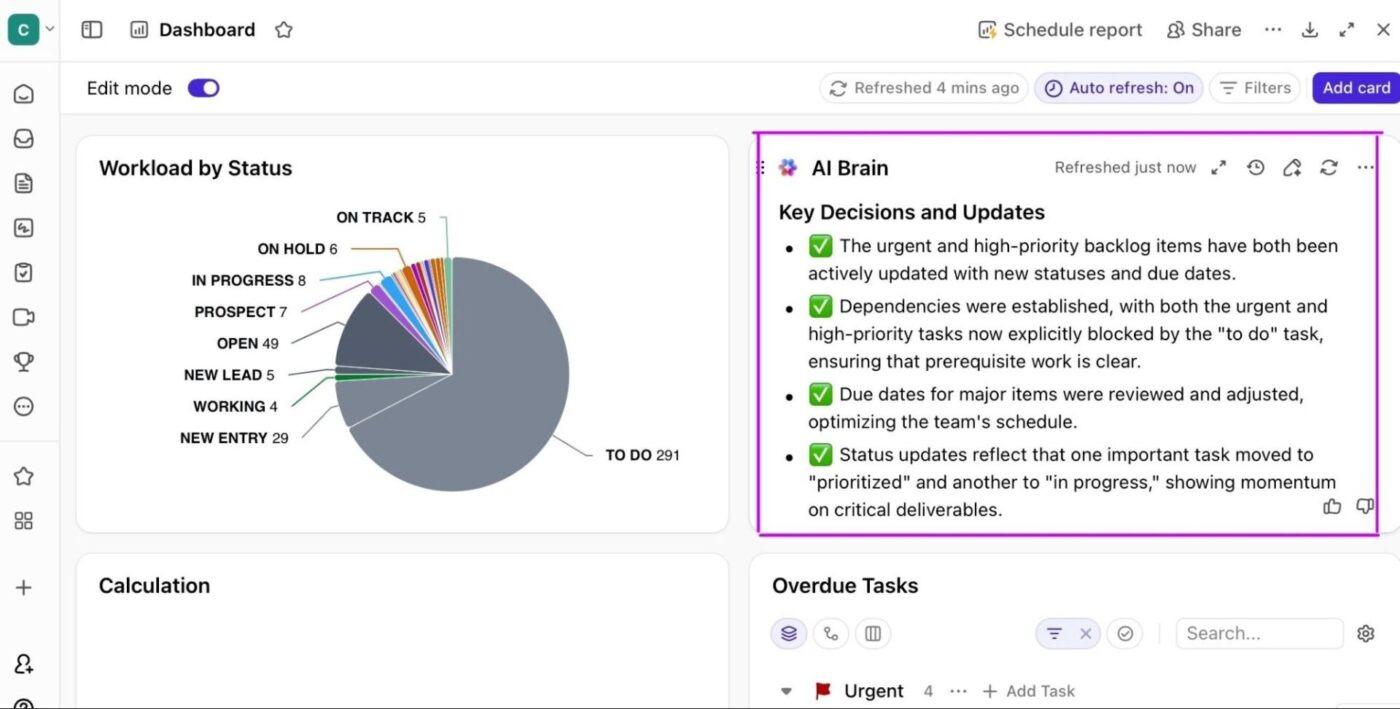
ClickUp Dashboards are your command center for visualizing sentiment analysis and feedback trends. You can build custom dashboards with 20+ drag-and-drop widgets, each pulling live data from your workspace:
Since dashboards live right inside your workspace, you can easily share insights with your team, set up role-based views for different stakeholders, and drill down into details with a single click.
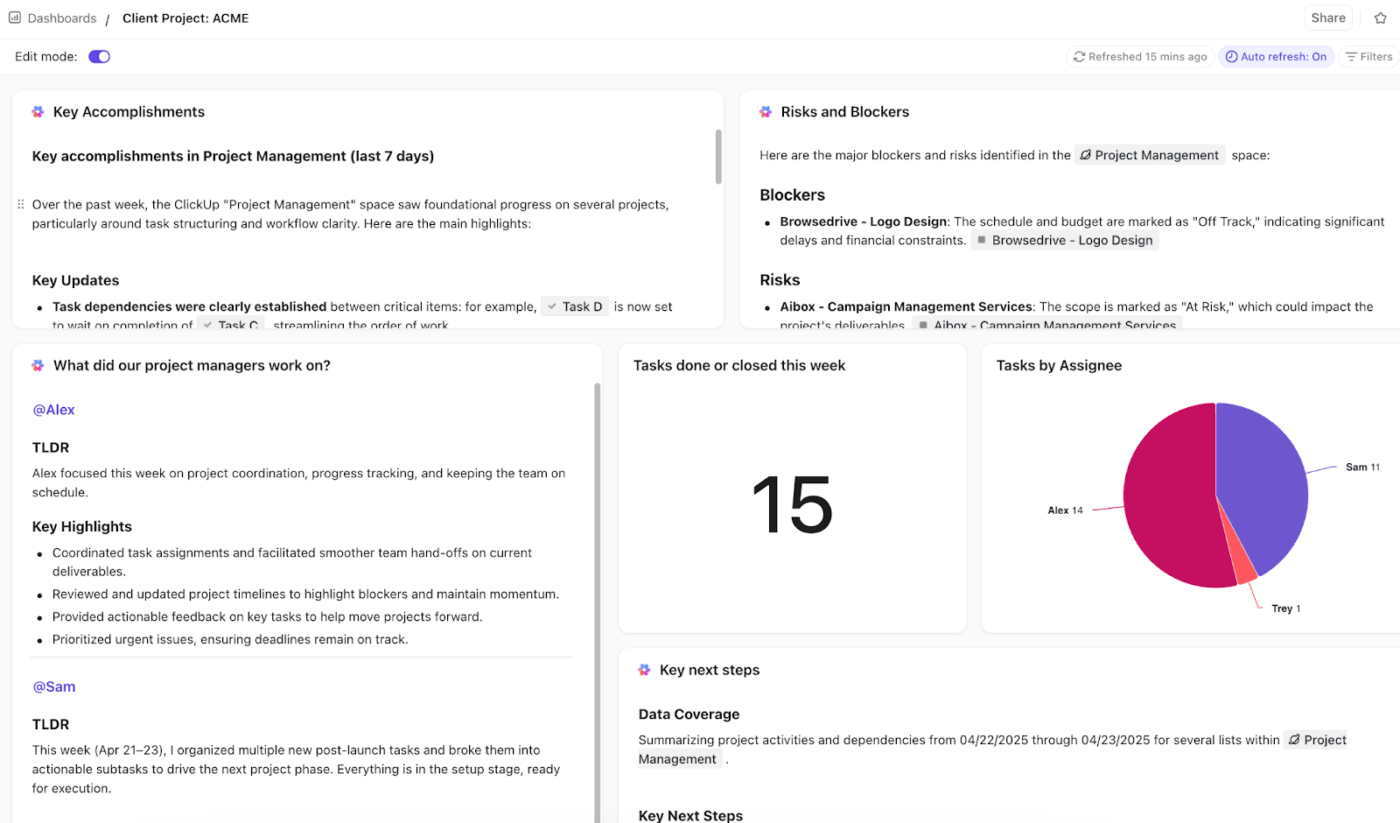
💡 Pro Tip: Place AI Cards next to your dashboards for added context and explanation. They act as your built-in analyst, automatically interpreting the data displayed in your widgets and surfacing the most important insights.
For example, “Top 3 reasons for negative sentiment this week” or “Emerging positive themes.”
Regularly review your sentiment tags to ensure they still align with your current product offerings and brand voice. If you’re training custom models, update training data and rules in a timely manner.
Don’t underestimate the power of manual checks. Periodically compare AI outputs with manual analysis to prevent model drift and maintain accuracy.
⚡ Template Archive: Free Feedback Form Templates to Collect Insights
In the future, AI sentiment analysis will focus on predicting intent and next actions rather than just analyzing current sentiment. We’ll also see a significant increase in model accuracy in understanding nuanced human sentiment.
Here’s a quick peek:
Using artificial intelligence to analyze complex human sentiment and emotions sounds surreal, for sure. But it’s possible, real, and your competitors are likely already using it.
ClickUp AI brings sentiment analysis directly into your workspace, eliminating context switching and tool sprawl.
You can analyze thousands of comments, survey responses, forum discussions, voice or meeting transcripts, and more in one place—where the rest of your work lives.
Sign up for free today to get started!
Sentiment analysis identifies the overall attitude (positive, negative, neutral) in text, while emotion detection goes deeper to recognize specific emotions like joy, anger, sadness, or fear. Emotion detection provides more granular insights than basic sentiment analysis.
Sentiment analysis is generally accurate for straightforward text, but accuracy can drop with sarcasm, slang, or complex language.
Results improve with high-quality data and context-aware AI models, but no system is perfect. It’s best to run periodic human reviews to check AI output accuracy.
There are many AI models available for sentiment analysis. Your choice depends on feedback complexity mode (text, voice, visual), data privacy concerns, and model maturity.
ClickUp Brain is an enterprise-grade AI model that is tailored to your workspace context. So you get accurate, relevant sentiment analysis without any technical setup or manual training.
Absolutely! ClickUp Brain supports sentiment analysis in multiple languages, making it easy to analyze feedback from global teams or customers.
AI can sometimes detect sarcasm, especially with advanced models and enough context, but it remains a challenging task. Sarcasm often relies on tone or cultural cues that are hard for AI to interpret, so detection is not always reliable.
Sentiment analysis is widely used in industries like marketing, customer service, finance, retail, healthcare, media, and politics. It helps organizations monitor brand reputation, analyze customer feedback, improve products, and inform business decisions.

© 2026 ClickUp

There’s an easier way. Try a free AI Agent in ClickUp that actually does the work for you—set up in minutes, save hours every week.