






Still downloading templates?
There’s an easier way. Try a free AI Agent in ClickUp that actually does the work for you—set up in minutes, save hours every week.
Sorry, there were no results found for “”
Sorry, there were no results found for “”
Sorry, there were no results found for “”

Taking notes in a Zoom meeting needs attention and speed, and let’s be real, hampers your ability to participate in the conversation and stay focused.
If you still manage to take notes, you need to compile the important moments and share them with attendees, along with the insights. Achieving all this manually can be taxing, and companies are now shifting towards AI note takers for Zoom.
AI-powered note takers automate summarizing meetings, recording minutes, taking meeting notes, and sharing them. In this blog, we’ll discuss the 10 best AI note takers for Zoom that excel at meeting your business needs.
| Tool | Best features | Best for | Pricing |
|---|---|---|---|
| ClickUp | AI-powered meeting notes and task management | Individuals, small businesses, mid-market companies, enterprises | Free plan; Customization available for enterprises |
| Otter.ai | AI transcriptions in sales meetings | Small businesses, mid-market companies, enterprises | Free plan available; Paid plans start at $16.99 |
| Fireflies.ai | Analyzing team conversations | Small businesses, mid-market companies, enterprises | Free plan available; Paid plans start at $10 |
| Sonix | Fast translations and subtitles | Small businesses, mid-market companies, enterprises | Free plan available; Paid plans start at $16.50 |
| Rev.ai | High-accuracy transcription and insights | Mid-market companies, enterprises | Pay as you go; Custom pricing |
| Trint | Story-building from transcriptions | Mid-market companies, enterprises | Paid plans start at $80 |
| Descript | Editing audio and video transcripts | Individuals, small businesses, mid-market companies | Free plan available; Paid plans start at $12 |
| Tetra | Easy integration into web apps | Mid-market companies, enterprises | Paid plans start at $100 |
| Deepgram | Developing voice AI products | Enterprises | Pay as you go; Paid plans start at $4000/year |
| Speechmatics | Applying conversational AI features | Enterprises | Free plan available; Paid plans start at $0.30/hour |
Popular AI note takers come with distinct features and USPs. Here, we’ll discuss the top 10 best AI note takers for Zoom, providing a holistic view of their benefits and limitations.
ClickUp is a leading AI-powered productivity platform designed for small to medium-sized businesses. With its robust suite of features—including an advanced AI Notetaker for Zoom—ClickUp empowers teams to capture every detail during client and team calls, so you can stay present in the conversation.
By automating note-taking and streamlining collaboration, ClickUp helps you boost productivity, ensure nothing falls through the cracks, and keep your entire team aligned—all in one unified workspace.
ClickUp AI Notetaker is the best way to connect your meeting conversations to the rest of your work. through automatic notes and summaries that connect to docs and tasks. You can access smart summaries with keywords and highlights, and create action items for yourself or to assign to your team.
With ClickUp’s AI Notetaker, you can create searchable transcripts with action items that come with the power of ClickUp’s other document features, coupled with ClickUp Brain. You can also integrate your calendar with the AI Notetaker to set up tasks and deadlines based on your meeting agenda.
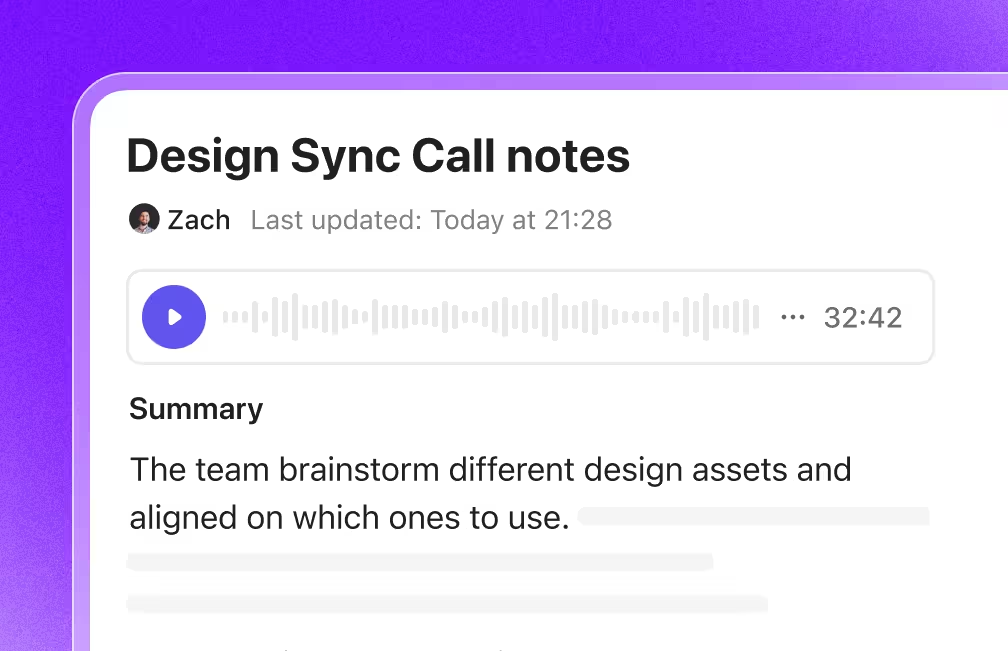
The AI Notetaker also lets you connect with ClickUp Chat so that you can send summaries and actions automatically in your chat channels. It lets you access and record the following information from a meeting:
Apart from providing all these details about your meeting, Notetaker has other productivity features, such as:
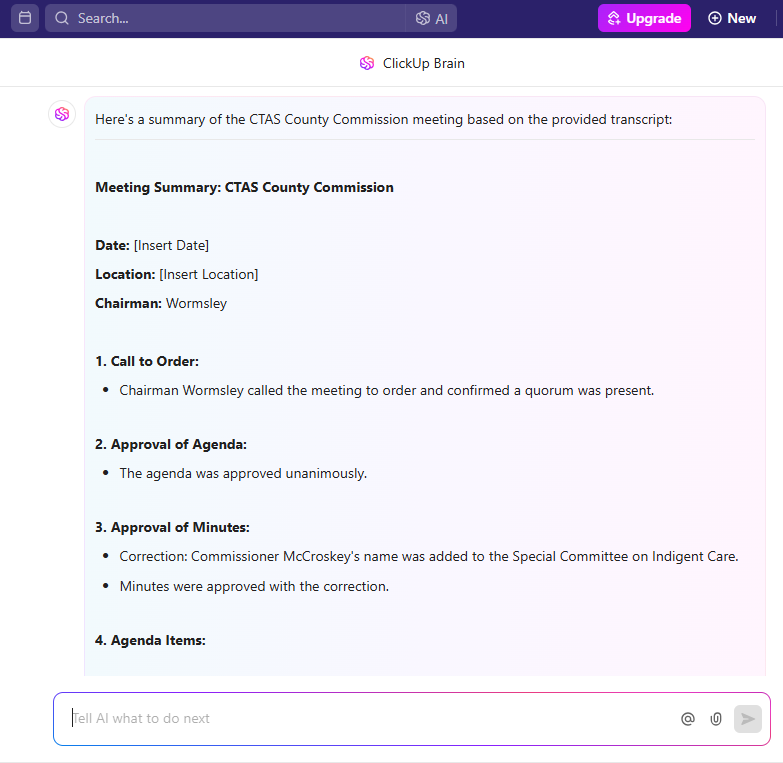
Check out this video to know more about ClickUp Brain 👇
This feature enables you to boost meeting productivity in the following ways:
ClickUp’s note-taking feature helps businesses increase productivity and create AI summaries. You can also use ClickUp’s meeting templates to communicate expectations and set action items for your next meeting.
Here are a few options you can try:
With ClickUp Meetings, manage your whole meeting experience by taking notes, creating an agenda, setting action items, and collaborating with your team. It lets you record meetings so that you can:
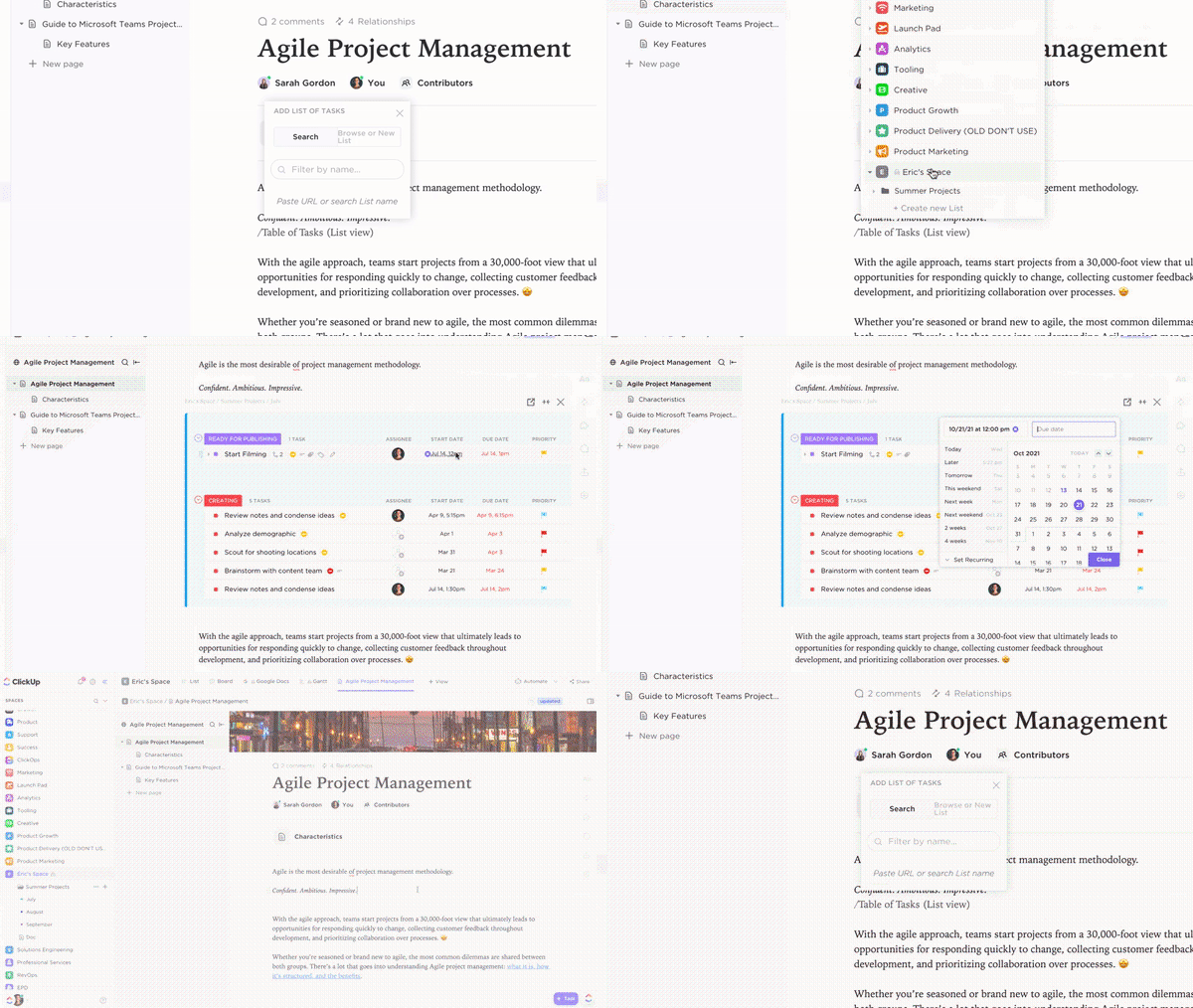
Additionally, you can use ClickUp Docs to capture important takeaways from Zoom discussions and save them for later. These docs can then be connected to workflows and assigned to team members for follow-up.
Docs lets you summarize long transcripts with AI, customize views and fields, integrate with your existing tools, create action items for assignment, and much more.
🧠 Fun Fact: AI transcription tools have learned how to distinguish spoken words, summarize meetings, and remove redundant words in seconds. Now, you don’t need to spend hours listening to and making notes from meeting recordings.
Here’s what Michael Turner, Associate Director of Career Communities at Miami University says about ClickUp:
I have biweekly meetings with my supervisor and we use ClickUp for our agenda. I feel more on top of my game because all of my event and presentation requests live here, along with an up-to-date status indicator that she can check out.
💡 Pro Tip: Don’t just record meetings—turn them into tasks. With tools like ClickUp, you can instantly convert action items into assignable tasks with due dates.
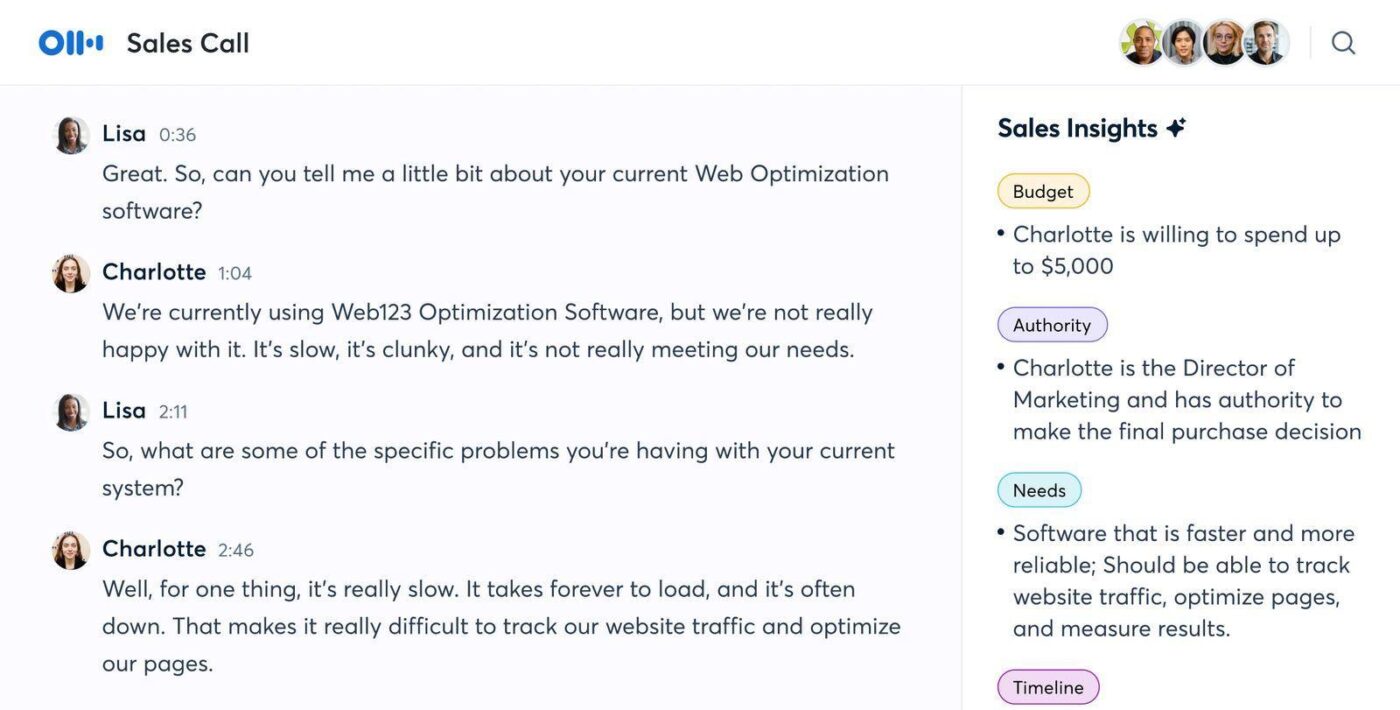
Otter.ai is an AI-powered meeting assistant to generate transcriptions from video meetings or audio conversations into text. It can identify speakers, label texts with the speaker name, and capture shared slides.
The platform has a live chat feature that allows you to ask questions during a meeting, add comments to the transcript, or highlight key takeaways. You can also generate live summaries in real time from AI notes, in case you miss some points in a meeting.
💡 Pro Tip: Explore our best Otter AI Alternatives that help you share notes and meeting summaries quickly!
The real-time transcription is highly accurate, and AI summaries save time. Searchable transcripts make reviewing meetings effortless, boosting productivity.
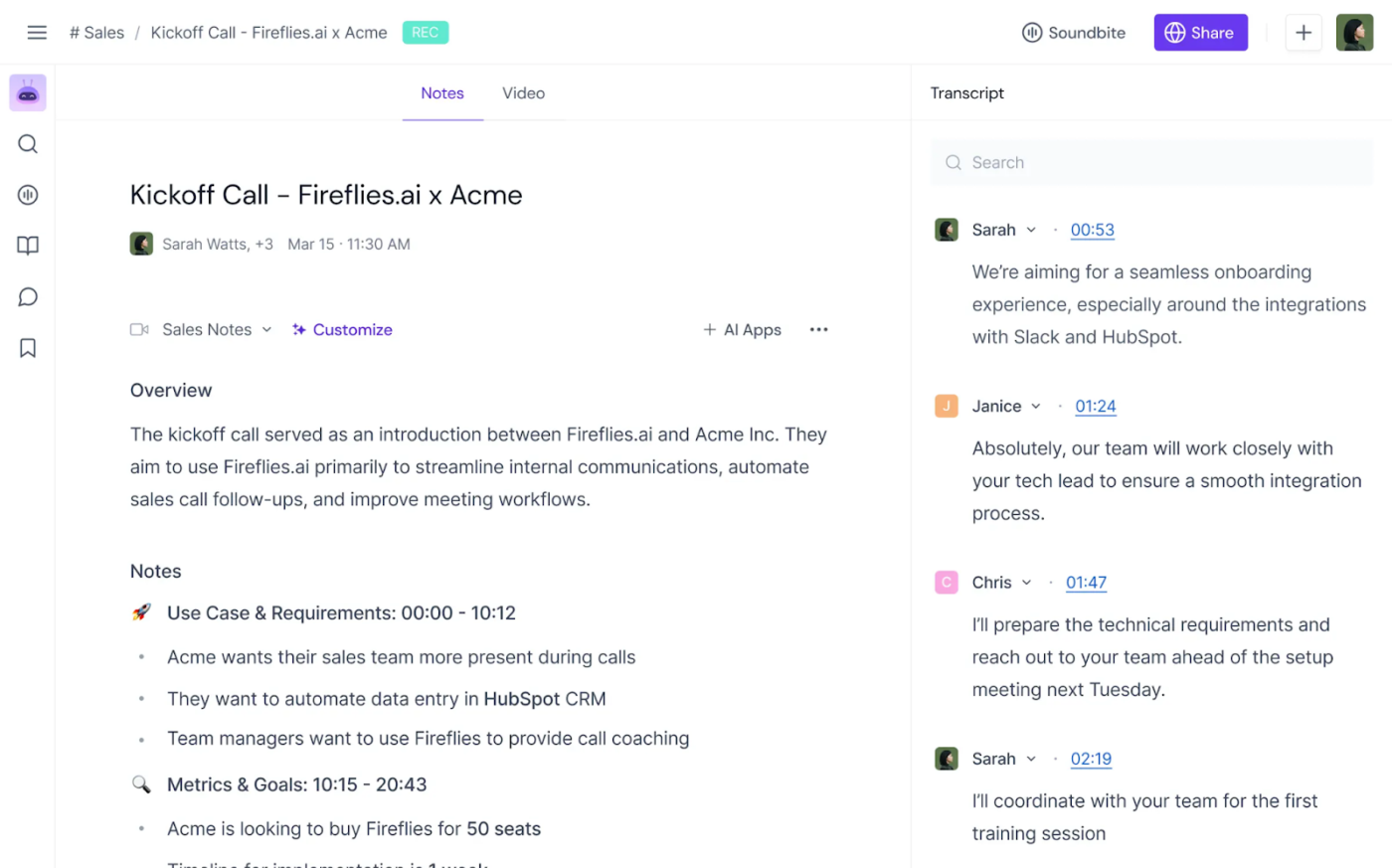
Fireflies.ai is a great tool to perform real-time transcription and recording of your Zoom call. It summarizes key points, highlights decisions, and creates action items from meeting notes.
You can also replay parts of the meeting, search for keywords, and change the playback speed of the meeting recording. Fireflies.ai’s collaboration tools also allow your team to pin, comment on, and react to conversations, or extract audio snippets from the recording.
💡 Pro Tip: Need to find the most productive way to take meeting notes? Here’s our complete guide to help you handle everyday tasks efficiently!
The accuracy and the synchronization of the audio to the text of the transcription is very helpful. It is not intrusive since you can program in settings the condition to invite Fred (Fireflies) just if you want to. This is very important because there are some meetings which need to be private. I´ve been comparing similar AIs and this is the best of all of them in precision and confidentiality.
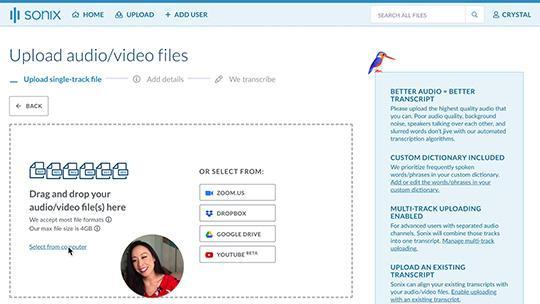
Sonix provides automated transcriptions and subtitles in multiple languages, and generates automated summaries in a few seconds. It can also identify multiple speakers and what they are saying when.
With Sonix, you get automated translations and conversions of audio and visual content into text. Its collaboration features also enable multi-user permissions so that members can upload, share, edit, or restrict access to files.
📮ClickUp Insight: Only 12% of our survey respondents use AI features embedded within productivity suites. This low adoption suggests current implementations may lack the seamless, contextual integration that would compel users to transition from their preferred standalone conversational platforms.
For example, can the AI execute an automation workflow based on a plain text prompt from the user? ClickUp Brain can! The AI is deeply integrated into every aspect of ClickUp, including but not limited to summarizing chat threads, drafting or polishing text, pulling up information from the workspace, generating images, and more! Join the 40% of ClickUp customers who have replaced 3+ apps with our everything app for work!
🔎 Did You Know? Zoom started with hosting meetings for up to 15 participants, and has now grown to accommodate up to 1000 at a time. An efficient AI note taker will be able to identify most of these speakers and attribute their speech to them.
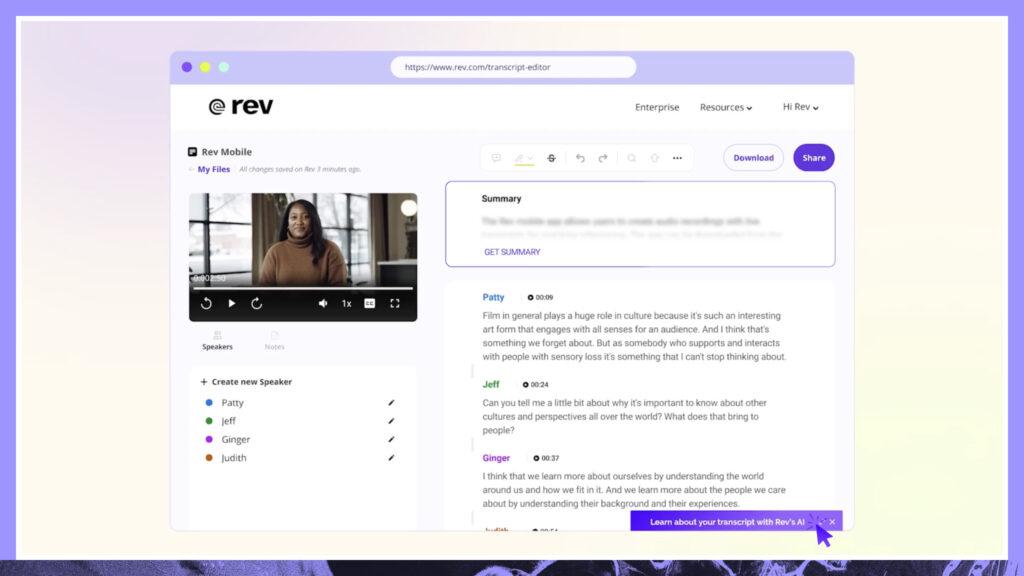
Rev.ai is a highly-accurate API for AI- and human-generated transcripts. You can record and transcribe notes for your Zoom meetings, video and voice applications, and share them with the organization.
It offers speech-to-text capabilities, AI insights, multiple language transcriptions, and the highest level of accuracy from human-created transcripts.
It is straightforward to upload and download files to Rev. Online editing is easy to use. Customer support is responsive and helpful. By rating the finished files, Rev seems to learn and get better with each transcription and caption.
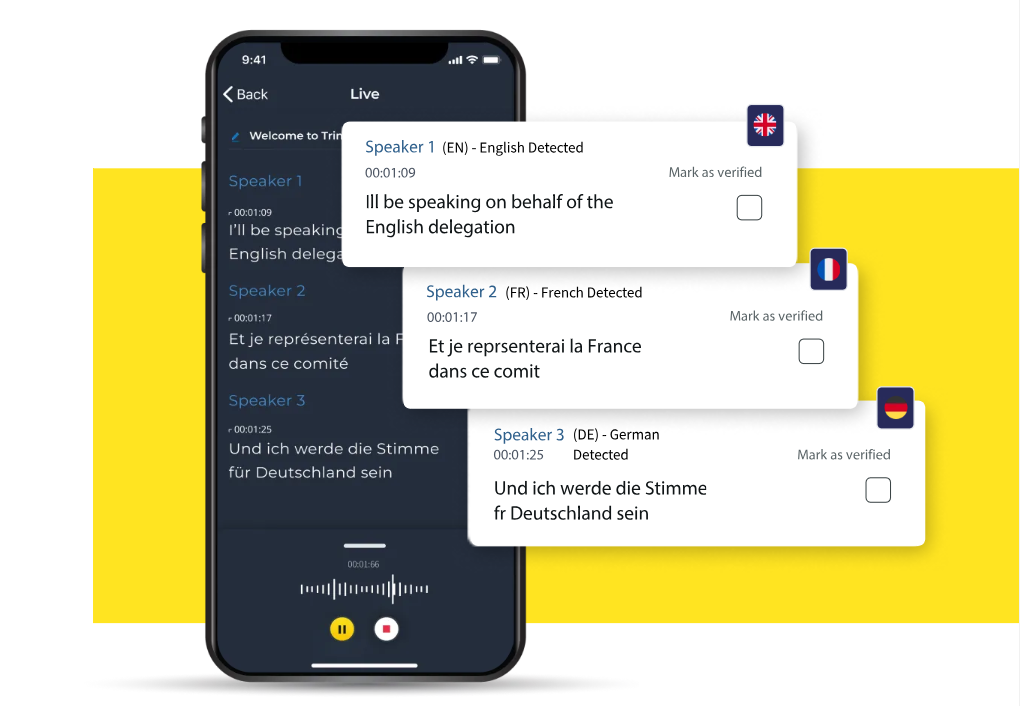
Trint is an automated transcription software that helps you craft powerful content with your audio and video transcripts. You can convert video, audio, and speech-to-text with high accuracy for editing, summarizing, translating, and collaborating in a single workflow.
Trint’s story-telling features let you extract quotes from multiple transcripts and create articles, podcasts, scripts, and soundbites through editorial tools. Use the sentence note-taking method to build compelling storyboards and summaries from your meeting transcripts.
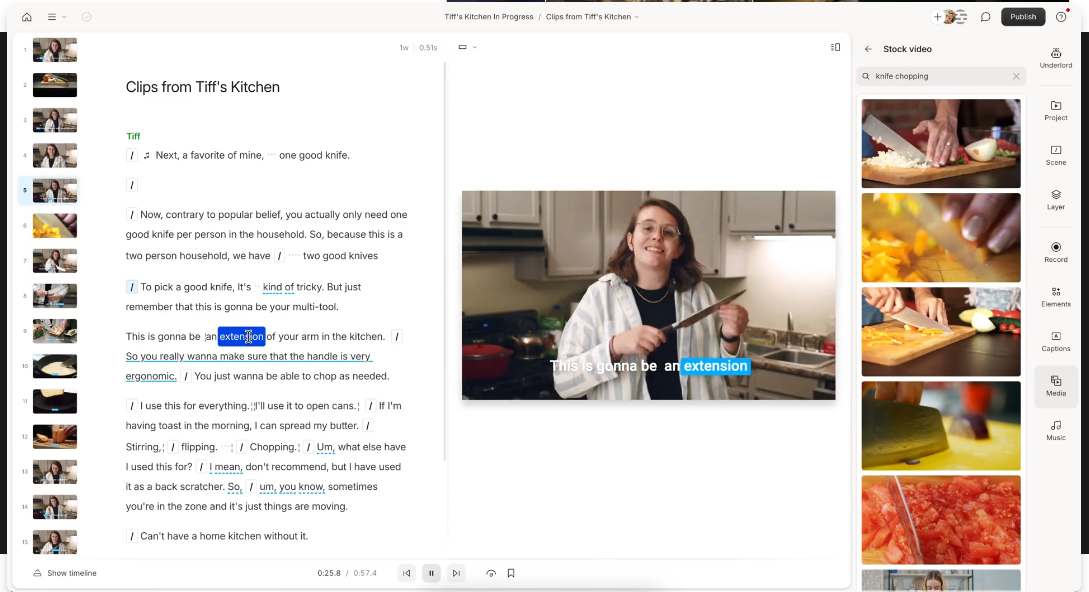
Descript uses AI capabilities to generate transcripts from videos, translate content, generate video captions, and edit media. You can convert audio to text, generate AI and human transcriptions, record meetings, collaborate on audios, and share on several popular channels.
Directly upload the file on Descript and get transcriptions easy to understand, summarize, and share. You can also edit videos and audios on this platform to retain important sections of your meetings and highlight key points.
A G2 user says:
Used it for a mini podcast, found it less glitchy as compared to other platforms like Podcastle.
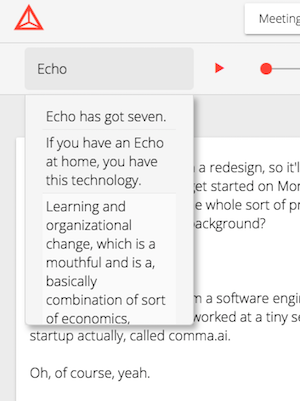
Tetra is an efficient productivity tool that can dial directly into your Zoom calls and start taking notes to build transcripts. This way, you don’t need to worry about jotting down meeting minutes and can focus on the conversation at hand.
Tetra’s web app lets you view your meeting transcripts at any time. You can use built-in search tools to look for keywords and phrases. It gives you synced word timestamps in the audio file to make analysis easier.
🎯 Insight: Meeting fatigue is real. But when you’re not worried about taking notes, you can stay more engaged in the conversation—and that leads to better decisions.
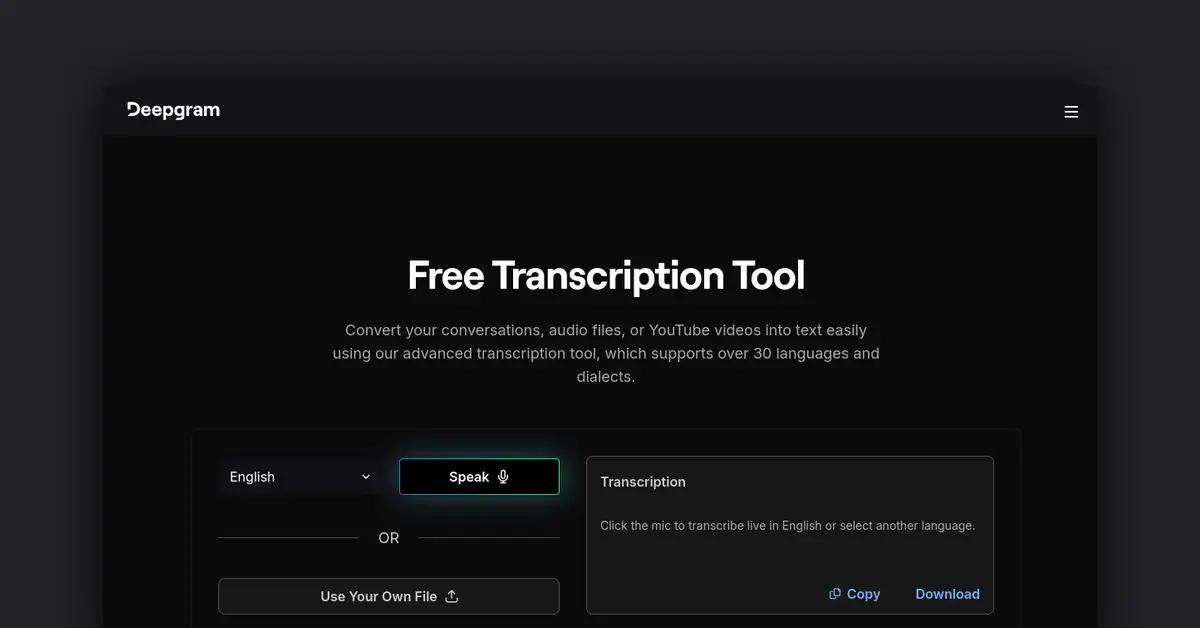
Deepgram is a voice AI platform that converts speech to text and text to speech, along with speech-to-speech voice agents. Developers can use this platform to build voice AI products and features.
Deepgram’s audio intelligence features help you create speech transcripts with optimal accuracy, speed, and cost.
I love that Deepgram captures the audio and video, transcribing them with such accuracy. It’s worked great for transcribing client meetings and internal discussions. With the features to store and share transcriptions with platforms such as Google Drive, it’s easy to integrate with.
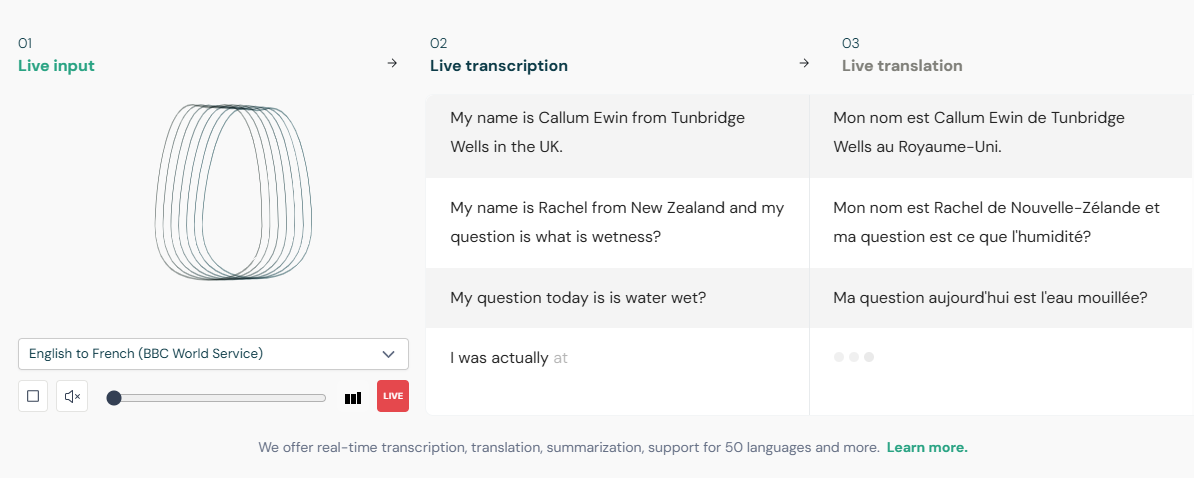
Speechmatics is a conversational AI API that enables natural and responsive voice interactions with its own leading ASR technology, irrespective of accent, language, or environment.
Its ASR delivers highly accurate transcriptions that recognize speakers in real time from live meetings or recorded media in 50+ languages.
🧠 Fun Fact: The average employee spends 31 hours a month in unproductive meetings. AI note takers can help recover that lost time by summarizing meetings automatically.
When choosing the right AI note taker for Zoom, prioritize features that are most critical to your business operations. Some of these may be:
📈 Stat to Know: According to a Microsoft survey, 52% of meeting attendees find it hard to keep up with notes. AI tools bridge this gap with real-time transcription and summaries.
Choosing the best AI note taker for Zoom involves considering a few key aspects. Consider how well it matches your budget and business needs and how easily it can integrate into your current workflows.
If your company holds many Zoom calls, you need to optimize meeting note-taking with the best tool. That’s where ClickUp comes in. The project management platform offers multiple transcription and collaboration features that make summarizing your meetings and follow-ups a breeze. Harness ClickUp Brain’s features to revolutionize your workflows with ease and team efficiency. Sign up today!

© 2026 ClickUp

There’s an easier way. Try a free AI Agent in ClickUp that actually does the work for you—set up in minutes, save hours every week.