






Still downloading templates?
There’s an easier way. Try a free AI Agent in ClickUp that actually does the work for you—set up in minutes, save hours every week.
Sorry, there were no results found for “”
Sorry, there were no results found for “”
Sorry, there were no results found for “”

Halfway through your Google Meet call, you hear, ‘Wait, what was that action item again?’ A quick scroll through the chat doesn’t help, and no one seems to have taken proper notes. Now, you’re stuck piecing things together instead of moving forward.
AI note-takers for Google Meet can spare you the chaos and keep meetings on track. They capture everything—key points, decisions, action items—so you don’t have to.
Let’s look at the best ones to keep your meetings productive and notes effortless. 🧑💻
A good note-taker should make meetings more productive, not create extra work. Choosing the right one depends on how you run meetings and what kind of notes you need.
Here are a few key features to look for in the AI tool for meeting notes:
🔍 Did You Know? Google Meet was once invite-only. In 2017, it was called ‘Google Hangouts Meet’ and was only available to G Suite users. It wasn’t until 2020 that Google made it free for everyone—just in time for the remote work boom.
Not sure which tool fits your workflow best? Here’s a quick breakdown of the top Google Meet AI note-takers, what they’re best at, and who they’re built for:
| Tool | Key features | Best for | Pricing |
|---|---|---|---|
| ClickUp | – AI Notetaker with task + doc integration – Action item extraction – Automatic meeting-to-action workflows | Project teams needing full meeting-to-action workflows | Free forever; Customization available for enterprises |
| Gemini | – Native Google Workspace integration – Direct Google Docs syncing – Multilingual support for global teams | Teams embedded in Google Workspace needing seamless note-taking and integration | Exclusive to Google Workspace Enterprise; Custom pricing |
| Tactiq | – Multi-platform support (Meet, Zoom, Teams) – Real-time transcript tags – Cross-platform team support | Cross-platform teams tracking discussions across multiple video meeting platforms | Free; Pro: $12/month per user; Team: $20/month per user |
| tl;dv | – Timestamped highlights – AI-powered follow-ups – Video highlights for sales teams | Sales and customer success teams needing quick video highlights and action item tracking | Free; Pro: $29/month per user; Business: $98/month per user |
| Scribbl | – Study-ready notes – Quiz/question generator – Timestamped transcripts for education | Educators and training teams needing meeting notes that can be converted into study materials | Free; Pro: $20/month per user; Team: Custom pricing (billed annually) |
| Bluedot | – Code snippet extraction – Technical decision tagging – Project management integrations | Technical and engineering teams needing to track code and architecture discussions | Free; Basic: $18/month per user; Pro: $25/month per user |
| Read AI | – Quick meeting digests – Highlight reels – Action item categorization | Teams needing quick, digestible meeting summaries and action item tracking | Free; Pro: $19.75/month per user; Enterprise: $29.75/month per user |
| Otter.ai | – Multilingual transcription – Real-time collaboration – Speaker identification | Hybrid and global teams needing multilingual meeting support with real-time collaboration | Free; Pro: $16.99/month per user; Business: $30/month per user |
| MeetGeek | – Meeting effectiveness analytics – Sentiment tracking – Role-specific summaries | Data-driven teams optimizing meeting culture and customer interaction tracking | Free; Pro: $19/month per user; Business: $39/month per user; Enterprise: $59/month per user |
| Fathom | – Client relationship tracking – Automatic deliverable mapping – Interaction history tracking | Client-facing teams (consulting firms, agencies) needing detailed client interaction histories | Free; Premium: $19/month per user; Team Edition: $29/month per user; Team Edition Pro: $39/month per user |
Our editorial team follows a transparent, research-backed, and vendor-neutral process, so you can trust that our recommendations are based on real product value.
Here’s a detailed rundown of how we review software at ClickUp.
There’s no shortage of AI note-takers for Google Meet, but not all get the job done right. Some struggle with accuracy, while others make sharing or organizing notes more complicated than necessary.
Here are ten delivery options to save you the hassle of testing them all. 🙌🏼
Work today is broken.
Projects, knowledge, and conversations are scattered across disconnected tools, slowing teams down. ClickUp fixes this with the everything app for work, combining project management, documentation, and communication in one place—powered by AI to help teams move faster.
Meetings don’t have to be a mess of lost notes, missed action items, and endless follow-ups. ClickUp connects the dots—turning conversations into results without extra effort.
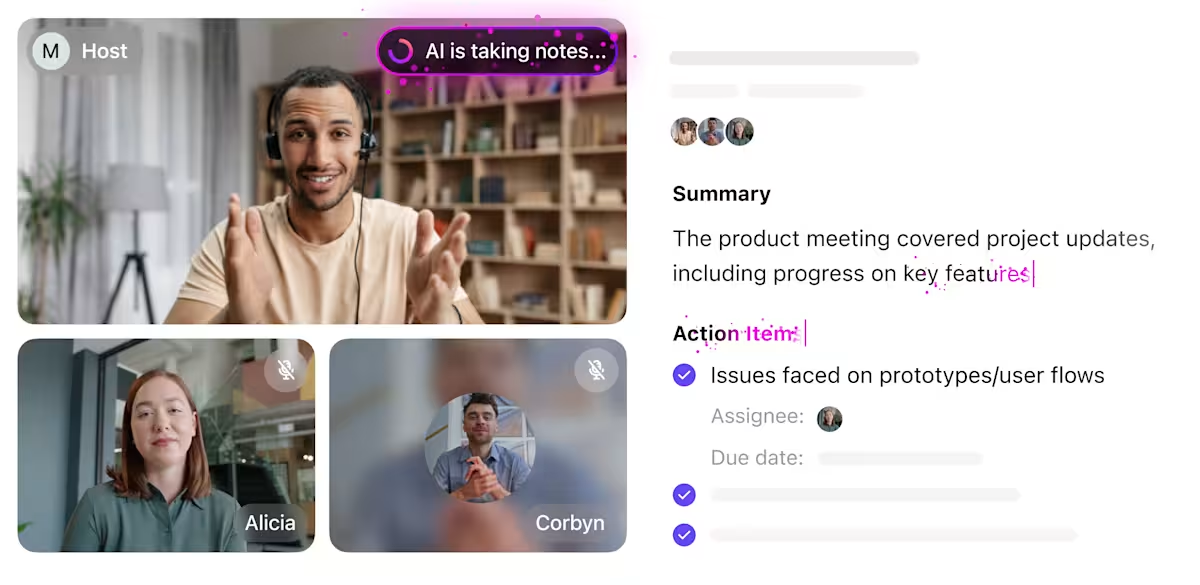
ClickUp AI Notetaker automatically transcribes conversations, generates structured summaries, and extracts action items while linking everything to tasks and documents.
A marketing team discussing their next campaign on a Google Meet call doesn’t have to list every deliverable manually. AI automatically highlights key points—such as deadlines for ad creatives, a new tagline idea, and a competitor strategy worth revisiting—while assigning follow-ups to the right people.
But ClickUp AI Notetaker doesn’t stop at transcripts.
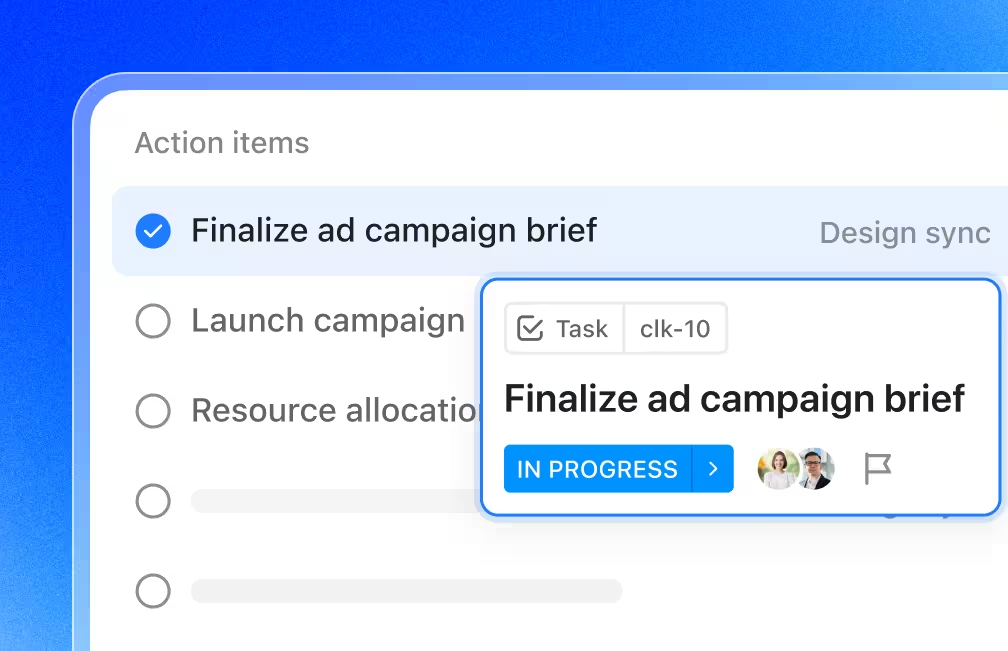
Action items become ClickUp Tasks, so follow-ups aren’t lost. A sales team negotiating a contract can have ClickUp automatically extract key client requests—like adjusting payment terms or adding a specific clause—and assign them to the legal team. This keeps work organized without needing a separate to-do list.
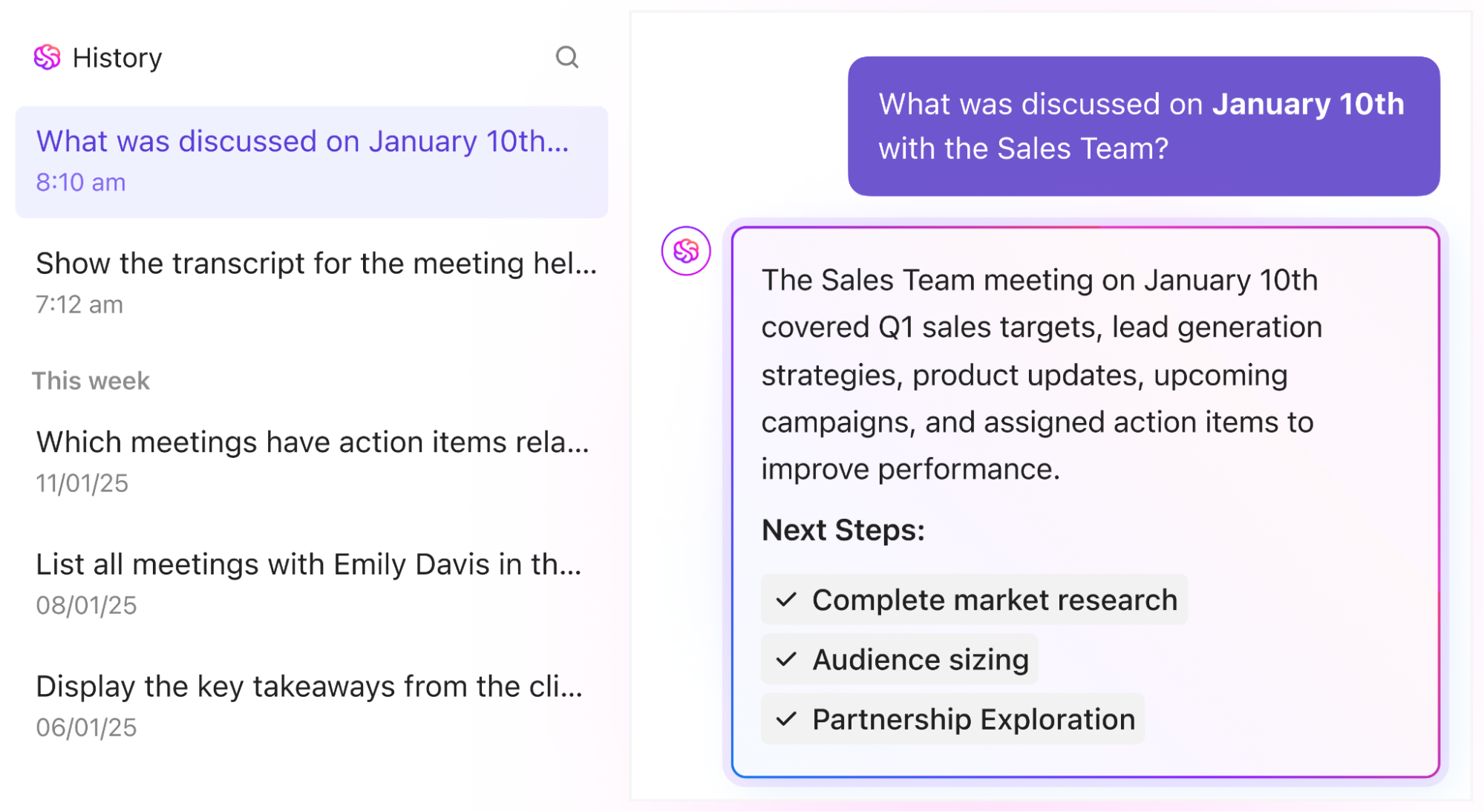
ClickUp Brain makes finding information effortless. Instead of sifting through notes, teams can ask AI direct questions like, “What did the client request in last month’s meeting?” or “What were the key concerns about the product launch?” and get instant answers.
A product manager prepping for a follow-up call can instantly retrieve every mention of a specific feature request.
📮ClickUp Insight: 30% of workers believe automation could save them 1–2 hours per week, while 19% estimate it could unlock 3–5 hours for deep, focused work.
Even those small time savings add up: just two hours reclaimed weekly equals over 100 hours annually—time that could be dedicated to creativity, strategic thinking, or personal growth.💯
With ClickUp’s AI Agents and ClickUp Brain, you can automate workflows, generate project updates, and transform your meeting notes into actionable next steps—all within the same platform. No need for extra tools or integrations—ClickUp brings everything you need to automate and optimize your workday in one place.
💫 Real Results: RevPartners slashed 50% of their SaaS costs by consolidating three tools into ClickUp—getting a unified platform with more features, tighter collaboration, and a single source of truth that’s easier to manage and scale.
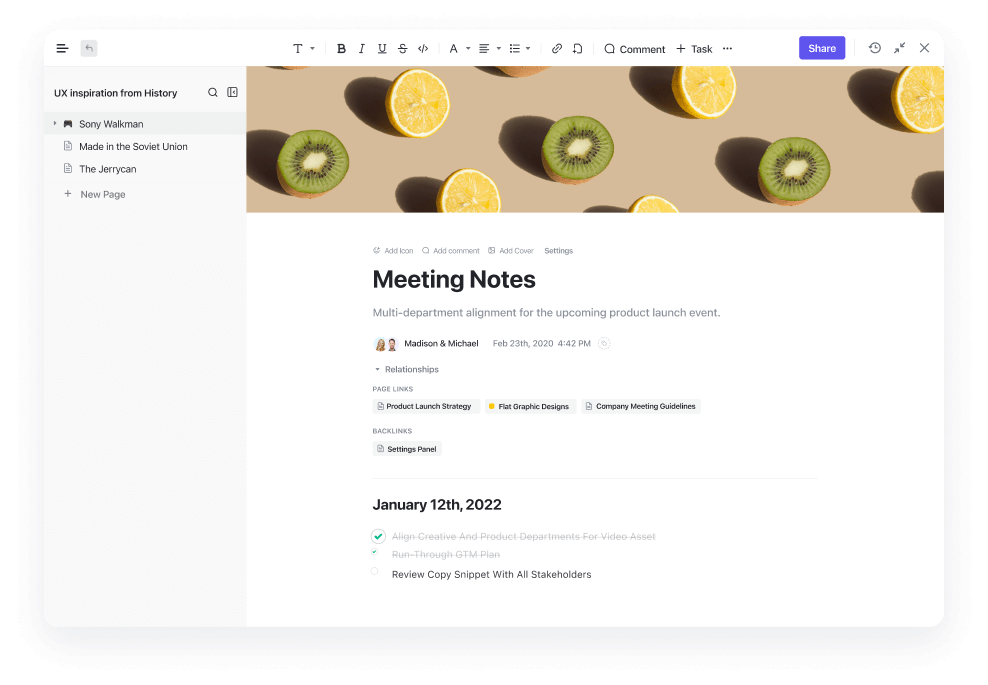
ClickUp Docs centralizes and organizes all meeting records in one place. Transcripts and summaries save automatically, ensuring teams never lose essential conversations.
A legal team finalizing a contract can quickly reference past negotiations and tag specific sections, making tracking changes and decisions over time easy.
Similarly, ClickUp Notepad offers a personal space to jot down quick ideas before turning them into structured tasks. For example, a designer brainstorming improvements for a website can note feedback from a client call and refine those ideas into an actionable plan later.
What real-life users are saying about ClickUp
A G2 user shared this about their experience using ClickUp:
ClickUp is an incredibly versatile software that has enhanced my productivity at least 10x.
I love the blend of personal task management, with business knowledge management, quick notes and the AI ClickUP brain is FANTASTIC. it is amazingly context aware and literally a beast of an assistant.
Nested documents, task hierarchy, custom fields, advanced filtering… this app has it all, and it’s not too complicated to get up and running. It also has useful integrations into standard business platforms which is great.
🧠 Fun Fact: Meet backgrounds once had… dinosaurs? When Google first introduced virtual backgrounds, one of the early options was a prehistoric jungle scene with dinosaurs casually roaming around. Sadly, they didn’t stick around for long.
Google has added its AI note-taker, powered by Gemini, right into Meet. This built-in tool captures your conversations without needing any extra apps or extensions.
The notes land directly in Google Docs, which makes sense if your team uses Google Workspace tools daily.
You can grab action items, get meeting summaries, and collaborate on notes without leaving your Meet window. The note-taker handles multiple languages, too, so global teams can get summaries in their preferred language.
What real-life users are saying about Gemini
A G2 review reads:
What I like most about Gemini is its ease of use combined with an intuitive interface. It allows for the quick execution of complex tasks and is suitable for both beginner and expert users. I have found it particularly useful for automating workflows and organizing information. Integration with other platforms is straightforward, and customer support has been very responsive.
⚙️ Bonus: Try Google Docs meeting agenda templates to structure discussions, outline key topics, and keep meetings focused and productive.
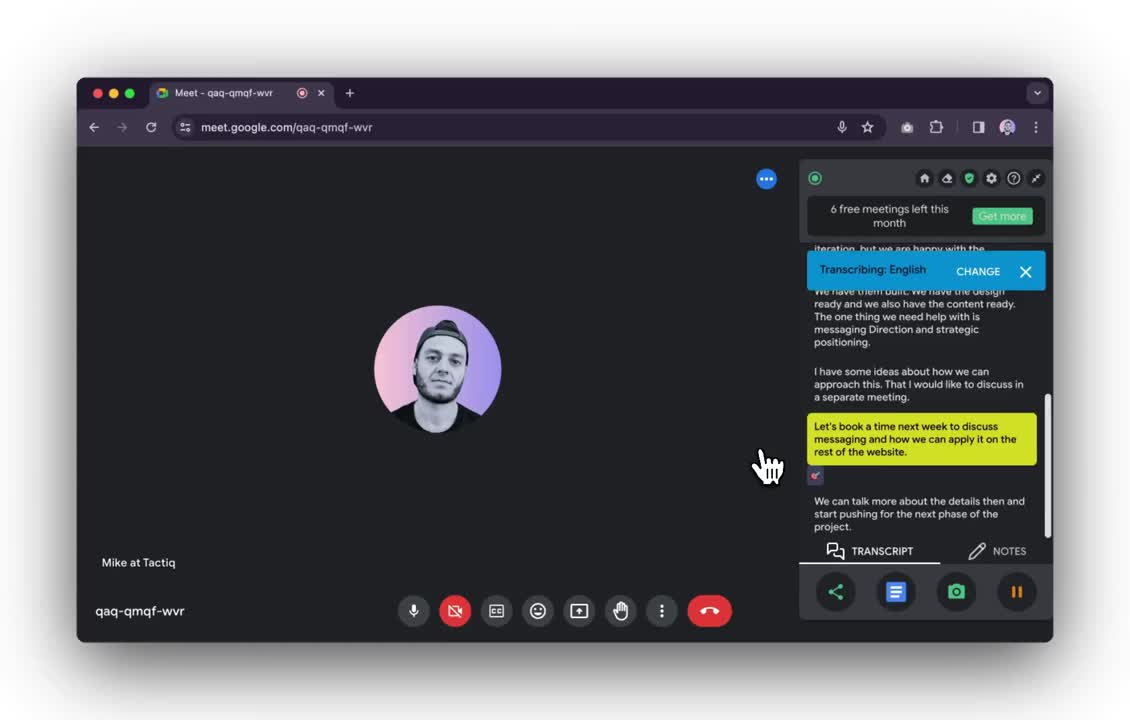
Tactiq goes beyond Google Meet and works across Zoom, Microsoft Teams, and other video platforms. The tool sits quietly in your browser, ready to jump in when you start any meeting.
You can highlight important moments during calls by clicking a button or using keyboard shortcuts—no frantic typing needed. Teams can search through past meetings using topic tags, making finding that one conversation from last month easier.
The real-time transcript is right next to your meeting window, so you can scan what’s been said without disrupting the flow.
What real-life users are saying about Tactiq
Here’s what one G2 reviewer had to say:
Tactiq helps you record and transcribe your meetings, calls, interviews and more. I’ve used it for all of the above. It is perfect for recording your calls with clients, prospects and partners. It also helps you to write follow up emails and to-do lists. It helps you to write better emails with tactiq’s auto-suggestions.
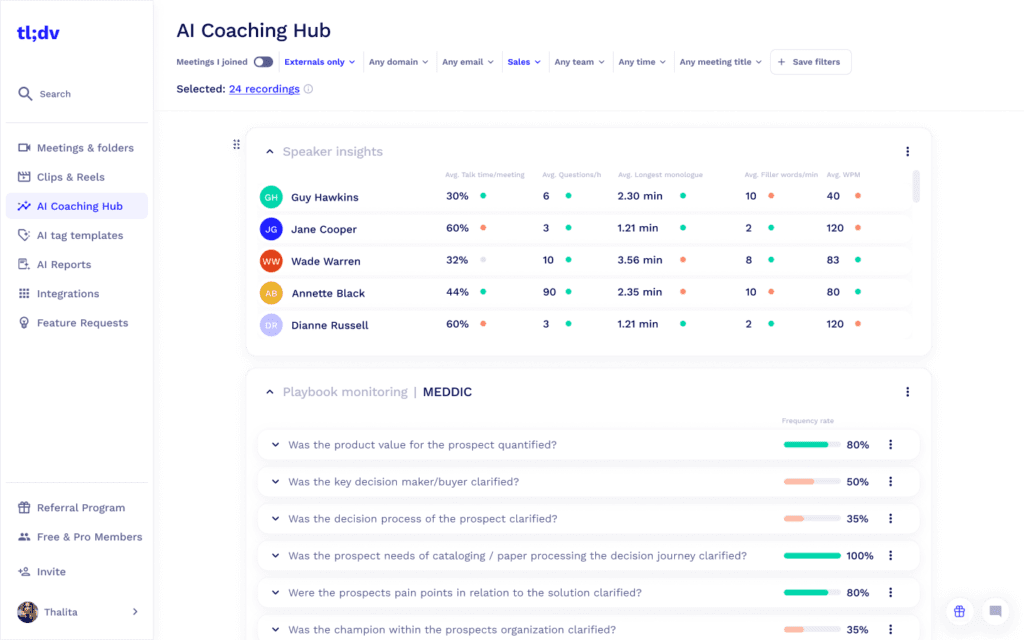
tl;dv focuses on making customer conversations more valuable. The tool timestamps essential moments as you add notes or reactions during calls.
Sales teams can clip key parts of meetings to share with teammates or revisit later. The transcript appears alongside your video call, and you can add quick tags to mark different parts of the conversation. Sharing snippets takes seconds, which is helpful when you need to loop in other team members who missed the meeting.
What real-life users are saying about tl;dv
As one G2 user puts it:
TLDV has made a big difference in how I manage meetings. The automatic transcriptions and summaries save me a ton of time, especially when I need to revisit specific points or share notes with my team. I also love the ability to tag key moments and quickly navigate through long recordings. The interface is clean and easy to use, and it integrates well with my existing tools.
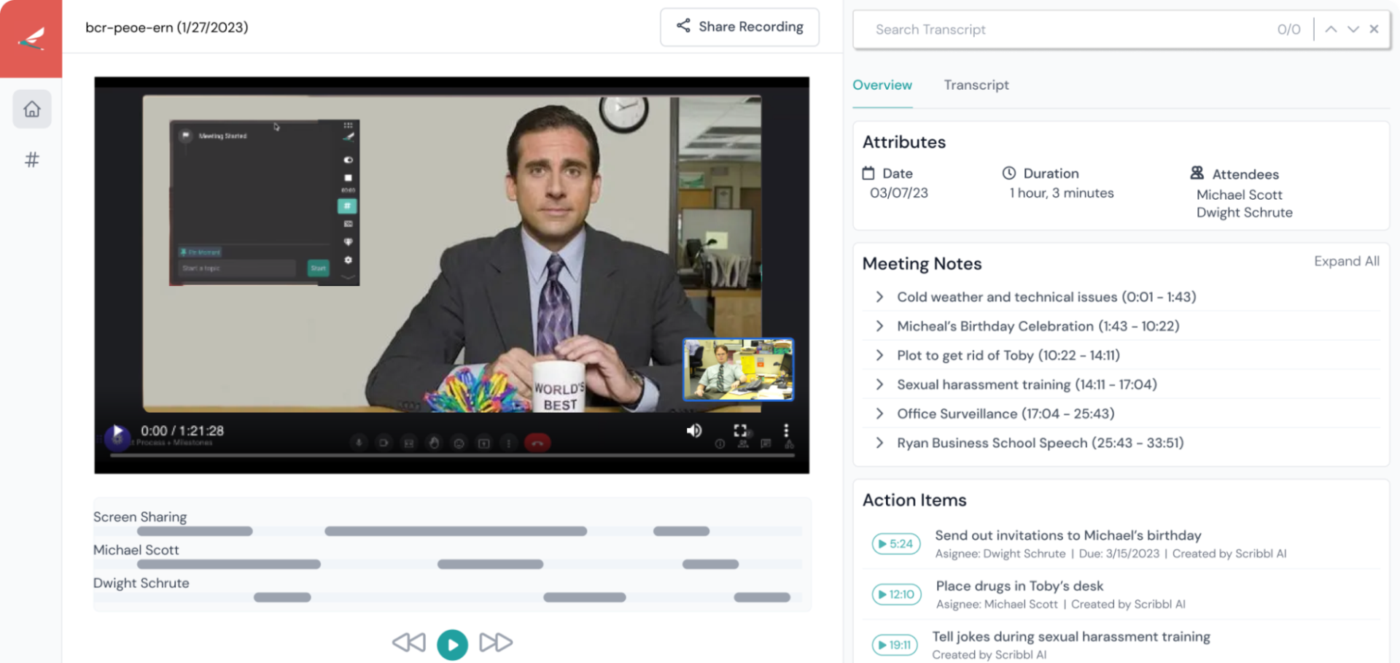
Scribbl puts a spin on meeting notes by focusing on learning environments. This tool automatically organizes notes into study-friendly formats.
Teachers and trainers can mark key learning points during sessions, and students can add notes without disrupting the flow. The notes sync up with timestamps in the recording, so you can return to exactly when something was explained.
Plus, anyone who missed the live session can catch up using the structured notes and recording combo.
What real-life users are saying about Scribbl
A G2 review reads:
Scribbl is simply amazing. It automates tasks that used to take me hours, and the scheduling and content planning features are top-notch. I love how easy it is to connect all my social accounts and get everything running seamlessly. The AI suggestions for improving my posts are also very helpful – it’s like having a digital assistant. Just top, great app!
🔍 Did You Know? A Dialpad survey found that most people spend up to a third of their workweek in meetings. Around 46% spend less than four hours in meetings, while 37% clock between 4 and 12 hours. Another 12% sit through 12-20 hours of meetings, and 5% spend at least 20 hours in them. That’s a lot of time tied up in discussions!
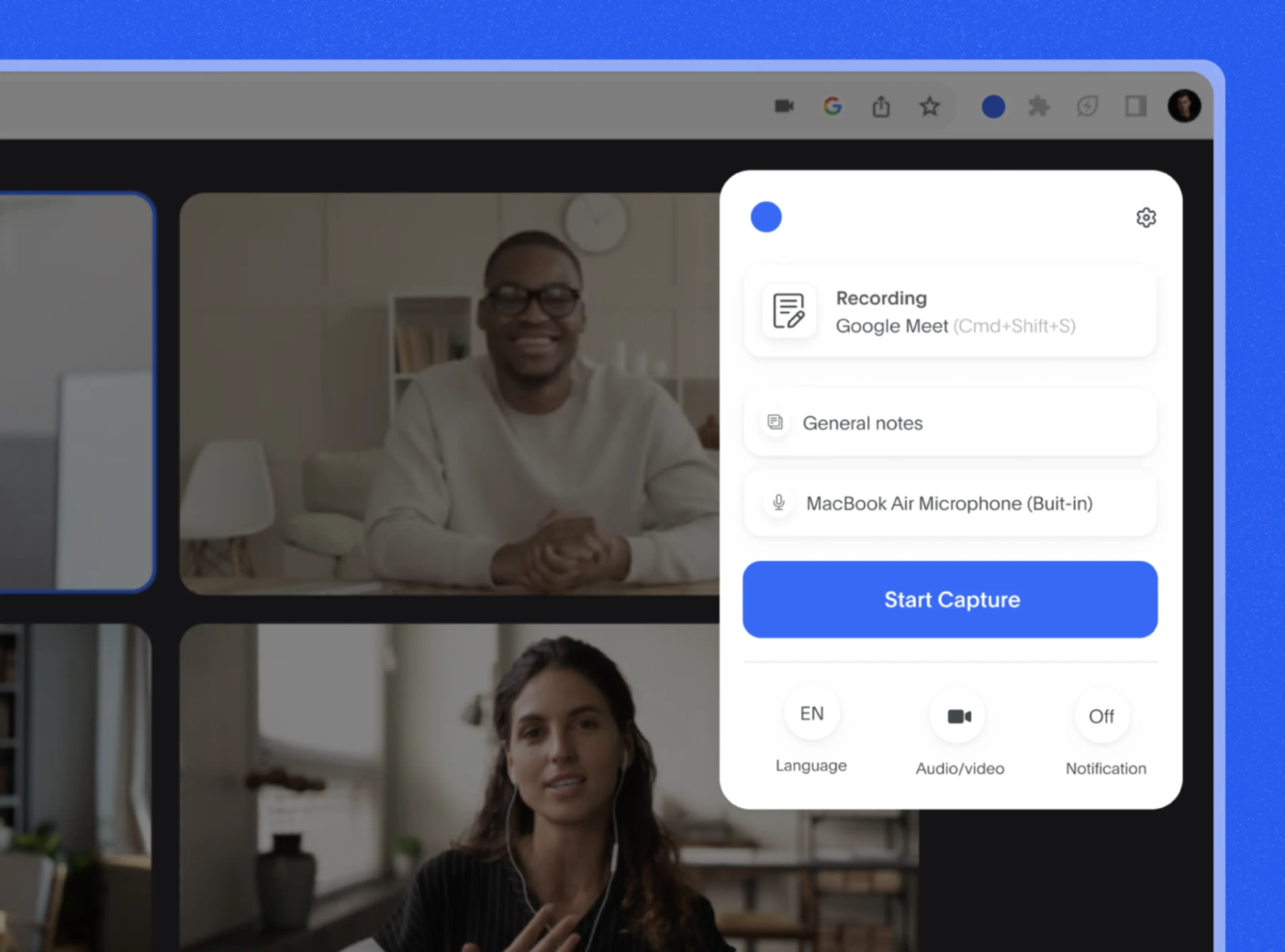
Bluedot stands out by handling technical discussions differently. The tool recognizes code snippets, technical terms, and architecture discussions in your meetings.
Developers can flag important technical decisions without breaking their focus. The AI helps organize technical documentation straight from your discussions, saving time when writing things up later.
Meeting notes can also automatically link to your tech stack documentation and project management tools.
What real-life users are saying about Bluedot
A G2 review reads:
The best thing about Bluedot is its ease of use and the interface quite user-friendly. The ability to be able to use it anywhere is another likeable thing about Bluedot. The engagement it brings along is top-notch.
🧠 Fun Fact: Ever had a Google Meet link that lasted forever? Google Meet links technically don’t expire—some have been active for years! So, if you randomly click on an old invite, you might land in a ghost town of a meeting.
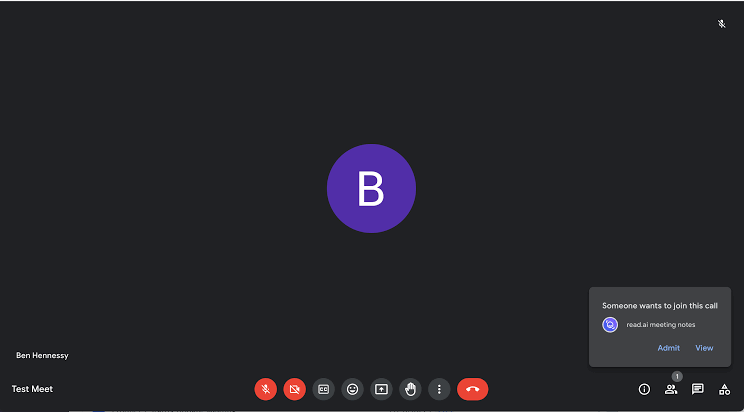
Read AI takes a different spin on meeting notes by focusing on bite-sized summaries. The tool breaks down hour-long meetings into scannable highlights that make sense.
Unlike other note-takers that dump everything into lengthy transcripts, Read helps you grasp the key points in minutes. Teams love how it neatly organizes action items and decisions into review-friendly summaries.
The real kicker is its ability to catch those critical side discussions that often get lost in regular notes.
What real-life users are saying about Read AI
A G2 review reads:
What I like most about Read is its ability to automate Zoom meeting transcriptions. Real-time transcriptions and its smart scheduling features are invaluable in streamlining communication and ensuring meetings are more efficient.
📖 Also Read: Best AI Communication Tools
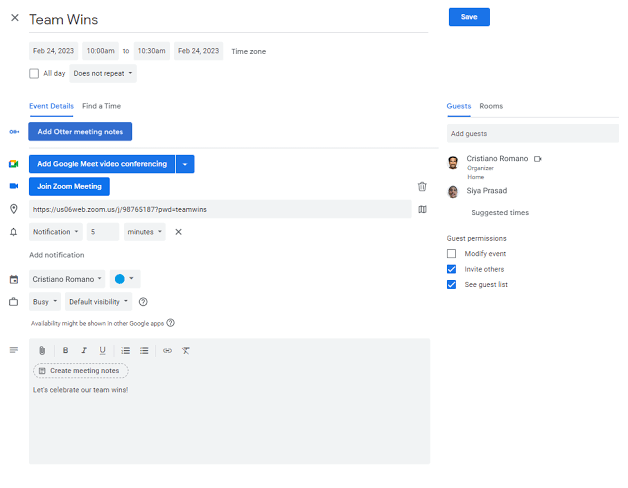
Otter.ai brings a unique approach to meeting notes by focusing on real-time collaboration and language processing. It’s best at handling meetings where participants switch between languages or need instant translations.
Hybrid teams particularly benefit from this meeting minutes software’s ability to distinguish between speakers and capture side conversations accurately. The automated summary generator adapts to different meeting types—from quick standups to lengthy strategy sessions.
Beyond basic transcription, Otter.ai helps teams spot conversation patterns and recurring topics across meetings, making tracking how projects evolve over time easier.
What real-life users are saying about Otter.ai
A G2 review reads:
Love the summaries, how they are editable, and how I can use the sidebar to create a follow up email starter based on the summary of details. It saves SO MUCH TIME. I love that all the notes are searchable on the website and easy to search through. Easy to schedule Otter joining my meetings at the beginning of the week. Easy to share the notes with my team.
🧠 Fun Fact: The original Google Meet logo looked like a camera, but people confused it with YouTube! Google eventually redesigned it to its now-familiar green and yellow icon to make the distinction clearer.
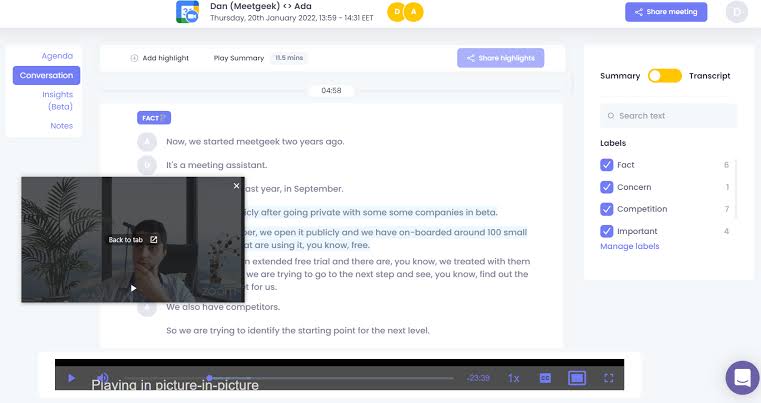
MeetGeek approaches meeting documentation through the lens of data analysis. The tool digs deeper than basic transcription by analyzing meeting dynamics, participant engagement, and discussion patterns.
Teams can track how their meeting culture evolves through detailed analytics. The platform automatically categorizes different types of meetings and adapts its note-taking style accordingly. MeetGeek also helps teams optimize their meeting schedules by identifying patterns in productive discussions versus time-consuming tangents.
What real-life users are saying about MeetGeek
A G2 review reads:
I love that I am able to focus on listening carefully to what the customer is saying, without having to worry about taking notes and capturing as much information as possible, as this is already being done for me. It’s also been so beneficial to have a succinct summary of the follow-up points so that you can refer back to this to ensure you’ve ticked off the necessary pointers when reaching out after the meeting has ended.
🔍 Did You Know? Google Meet has hidden Easter eggs! Type ‘/pitchforks’ in the chat, and everyone’s screen will flood with tiny pitchfork emojis. It’s a fun way to express (fake) outrage.
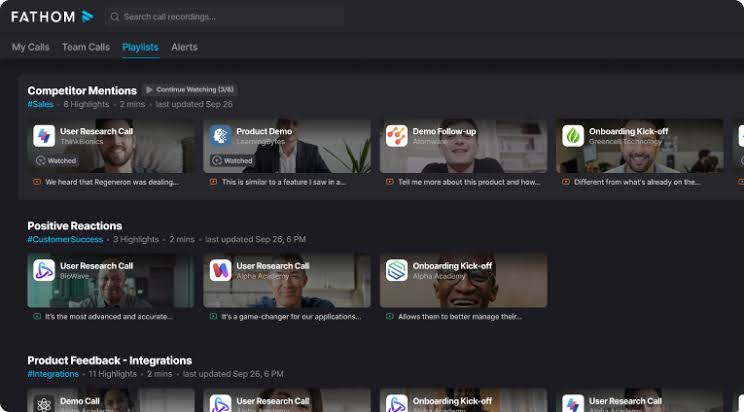
Fathom takes a relationship-centric approach to meeting documentation. The AI meeting tool captures and organizes client interactions, making it valuable for consulting firms, agencies, and customer success teams.
It helps track relationship development over time by maintaining detailed interaction histories. Teams can quickly access past conversations and decisions without digging through endless meeting recordings.
What real-life users are saying about Fathom
A G2 review reads:
Fathom has been extremely easy to use, very user friendly and with a very intuitive platform. It has been our go-to for note taking in meetings, both in English and Spanish, and even after reviewing the notes it never has any errors. The to-do lists, the organized note taking, and the very easy platform has made our experience with Fathom very enjoyable. I have been recommending it to everyone who I think could benefit from it.
🧠 Fun Fact: Leonardo Da Vinci filled over 7,000 pages of notebooks with sketches, ideas, and scientific observations. He even wrote in a mirror script to keep his notes private.
📖 Also Read: Best Fathom AI Alternatives for AI Note Taking
Great meetings don’t end when the call does. The right AI note taker keeps everything organized, tracks action items, and ensures nothing gets overlooked. Scrambling through scattered notes becomes a thing of the past with clear summaries and searchable transcripts that make follow-ups effortless.
ClickUp takes this a step further. Beyond AI-powered meeting notes, it connects conversations with tasks, docs, and team chats—all in one place. Every meeting becomes a productive next step, not just another entry in your calendar.
Sign up for ClickUp today! ✅

© 2026 ClickUp

There’s an easier way. Try a free AI Agent in ClickUp that actually does the work for you—set up in minutes, save hours every week.