“AI for networking” gets thrown around a lot. Usually, without anyone stopping to explain what it actually does for the people running networks on a day-to-day basis.
For most networking teams, the reality is still painfully manual. Alerts fire. Dashboards multiply. Engineers bounce between tools, tickets, and tribal knowledge just to figure out what broke and who should fix it.
AI for networking, when done right, can reduce that manual drag. Spotting patterns faster, flagging issues before they escalate, and turning signals into actions without endless handoffs.
The real shift happens when that intelligence lives inside your workflow. That means insights, fixes, and follow-ups are directly connected to how work is planned, assigned, and tracked. Let’s understand how AI works here.
Summarize this article with AI ClickUp Brain not only saves you precious time by instantly summarizing articles, it also leverages AI to connect your tasks, docs, people, and more, streamlining your workflow like never before.
Summarize this article for me please
What Is AI for Networking?
AI for networking refers to the use of artificial intelligence and machine learning to automate, optimize, and secure an organization’s network operations. This marks a significant shift from the old way of doing things—instead of waiting for your network to break and then scrambling to fix it, AI-powered networks predict and prevent issues before they occur.
It’s also helpful to know the two sides of this coin:
AI for networking: Using artificial intelligence to manage your network infrastructure
Networking for AI: Building a high-performance network specifically to support demanding AI workloads
Here’s what that looks like in practice:
Automation: It handles routine tasks like configuration, testing, and deployment, so your engineers don’t have to
Optimization: It analyzes traffic patterns to find the most efficient routes for your data, reducing lag
Prediction: It identifies potential hardware failures or slowdowns before they cause a full-blown outage
Security: It spots unusual activity and potential threats in real-time, giving you a heads-up on security risks
Summarize this article with AI ClickUp Brain not only saves you precious time by instantly summarizing articles, it also leverages AI to connect your tasks, docs, people, and more, streamlining your workflow like never before.
Summarize this article for me please
⭐ Featured Template
The IT Incident Report Template in ClickUp gives teams a structured, ready-to-use way to capture, assess, and resolve technical incidents. Instead of scrambling for details after the fact, responders fill in consistent fields for impact, root cause, steps taken, and next actions.
Built-in Custom Fields, statuses, and automation ensure every incident is logged with clarity, routed to the right owners, and tracked through resolution. With this template, teams spend less time chasing context and more time fixing what matters, plus every report becomes part of a searchable knowledge base for faster learning and future prevention.
Summarize this article with AI ClickUp Brain not only saves you precious time by instantly summarizing articles, it also leverages AI to connect your tasks, docs, people, and more, streamlining your workflow like never before.
Summarize this article for me please
Why AI for Networking Matters for Modern Teams
When the network goes down, work grinds to a halt, and your most skilled engineers are stuck firefighting instead of building what’s next.
AI network management transforms this process from a reactive to a proactive approach.
It helps you get ahead of problems, which means more uptime, lower operational costs, and a better experience for everyone.
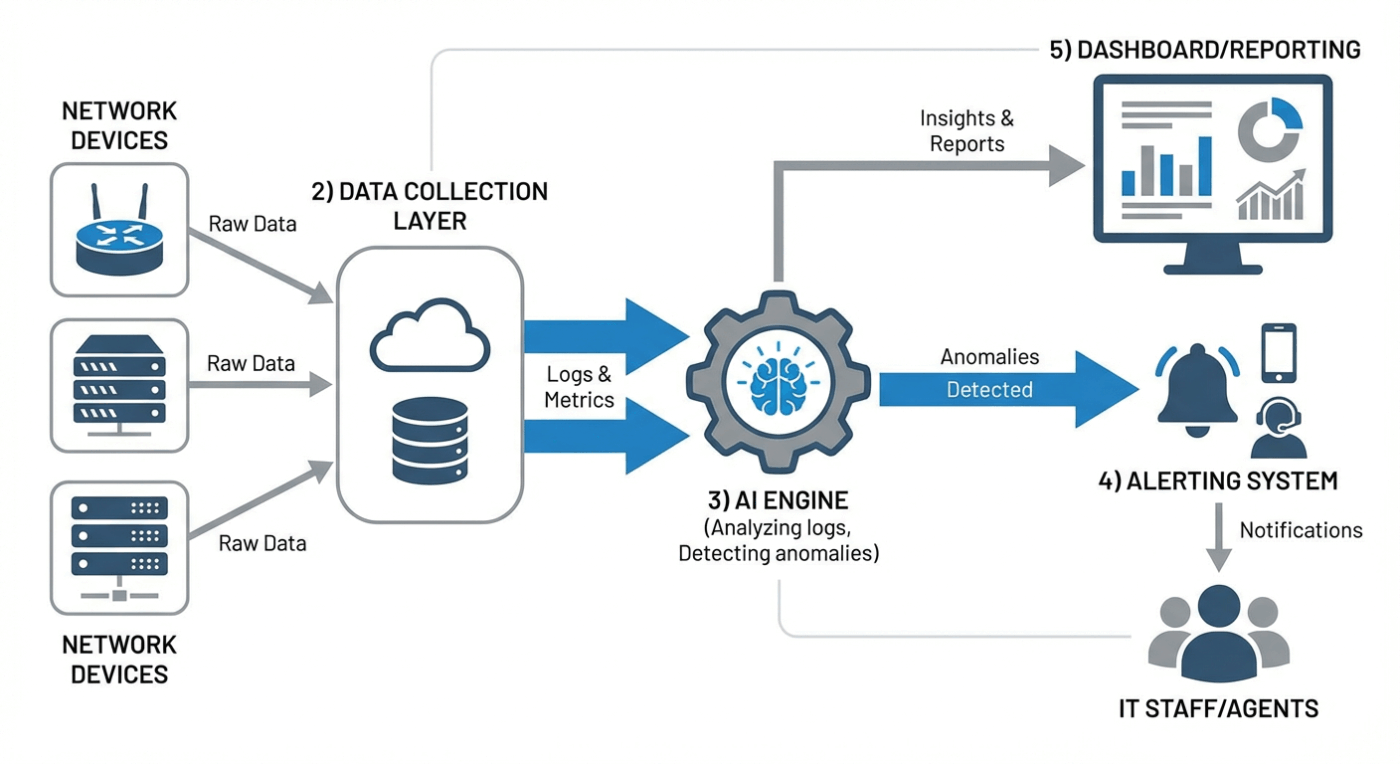
Here’s a visualization of AI-assisted networking workflows
But the technology alone isn’t enough. You’ve got to manage the human side, too. By bringing incident management and network projects into a converged workspace, you give your team a single source of truth to coordinate their response.
This transformation means you get:
Reduced downtime: Predictive capabilities catch problems before users ever notice them
Better user experience: Optimized routing and content delivery mean faster, more reliable connections
Stronger security posture: Real-time threat detection and response keep your data safe
📮ClickUp Insight: Low-performing teams are 4 times more likely to juggle 15+ tools, while high-performing teams maintain efficiency by limiting their toolkit to 9 or fewer platforms. But how about using one platform?
As the everything app for work, ClickUp brings your tasks, projects, docs, wikis, chat, and calls under a single platform, complete with AI-powered workflows.
Ready to work smarter? ClickUp works for every team, makes work visible, and allows you to focus on what matters while AI handles the rest.
Summarize this article with AI ClickUp Brain not only saves you precious time by instantly summarizing articles, it also leverages AI to connect your tasks, docs, people, and more, streamlining your workflow like never before.
Summarize this article for me please
How AI for Networking Works
The ‘how’ behind AI networking can feel like a black box. How does a network ‘learn’ to fix itself?
Without understanding the basic mechanics, it’s hard to trust the outputs or know what to do when things go wrong.
The process is actually pretty logical. It starts with data collection. Your network devices—routers, switches, firewalls—are constantly generating network telemetry, which is just a fancy term for logs, metrics, and event data that describe what’s happening.
AI and machine learning models then analyze all this data to find patterns and anomalies that a human would miss.
Once the process is demystified, you can have much more productive conversations with your technical teams. The basic flow looks like this:
Data collection: Network devices generate a constant stream of telemetry data
Analysis: Machine learning models process this data to identify patterns and detect anomalies
Insight generation: The AI pinpoints root causes and predicts potential future issues
Action: The system triggers an automated response or sends a recommendation for a human to review
Summarize this article with AI ClickUp Brain not only saves you precious time by instantly summarizing articles, it also leverages AI to connect your tasks, docs, people, and more, streamlining your workflow like never before.
Summarize this article for me please
Key AI Networking Technologies and Components
You hear terms like ‘NLP,’ ‘SDN,’ and ‘machine learning,’ but it’s not always clear what they actually do in a network. This makes it tough to evaluate different solutions or understand what your technical team is proposing.
Let’s look at the foundational technologies that power modern AI networking. 🛠️
Machine learning and predictive analytics
Your team is constantly surprised by network failures that seem to come out of nowhere, causing unexpected downtime. This reactive approach means you’re always playing catch-up, making it impossible to plan effectively for future needs.
This is where predictive AI shines. Machine learning (ML) algorithms solve this by learning from your historical network data to predict future behavior. They excel at forecasting capacity needs, predicting hardware failures, and optimizing performance by identifying subtle patterns.
Natural language processing for network queries
When a problem arises, your non-technical team members have no way of knowing what’s going on. They have to file a ticket and wait, completely in the dark, because they often don’t have the option to use Natural language processing to query network dashboards.
Automated network management systems
Your team end up spending countless hours manually configuring new devices, updating policies, and ensuring compliance. This repetitive work is slow, prone to human error, and detracts people from more strategic projects.
Reality check? 64% of enterprises rely on home-grown scripts for network automation, with 61% of those teams spending six or more hours weekly just debugging and maintaining those scripts. It does seem like a vicious circle at times. 🫠
AI-driven security and threat detection
90% of network teams worry about failing compliance audits because of preventable misconfigurations. Traditional security tools that rely on known signatures can’t protect you from new, never-before-seen attacks, leaving your organization vulnerable.
Summarize this article with AI ClickUp Brain not only saves you precious time by instantly summarizing articles, it also leverages AI to connect your tasks, docs, people, and more, streamlining your workflow like never before.
Summarize this article for me please
Core Capabilities of AI-Powered Networks
You understand the technology, but what are the tangible results?
It’s hard to justify investing in AI for networking if you can’t connect it to real business outcomes. Let’s look at the practical capabilities that this technology delivers.
Real-time traffic analysis and anomaly detection
Your team often discovers network problems only after a user complains about a slow application or a dropped connection. By then, productivity has already taken a hit, and your IT team is left scrambling to find the root cause.
AI-powered networks solve this with continuous, real-time monitoring of all network traffic. The system establishes a baseline of what “normal” looks like and then automatically flags any deviations. This allows you to catch both performance bottlenecks and security issues the moment they happen.
Anomalies the AI can detect, and you can document in an incident report include:
Performance anomalies: Unexpected spikes in latency, sudden bandwidth saturation, or application slowdowns
Security anomalies: Unusual login patterns, attempts to access sensitive data, or signs of malware
Configuration anomalies: Unauthorized changes to device settings or violations of security policies
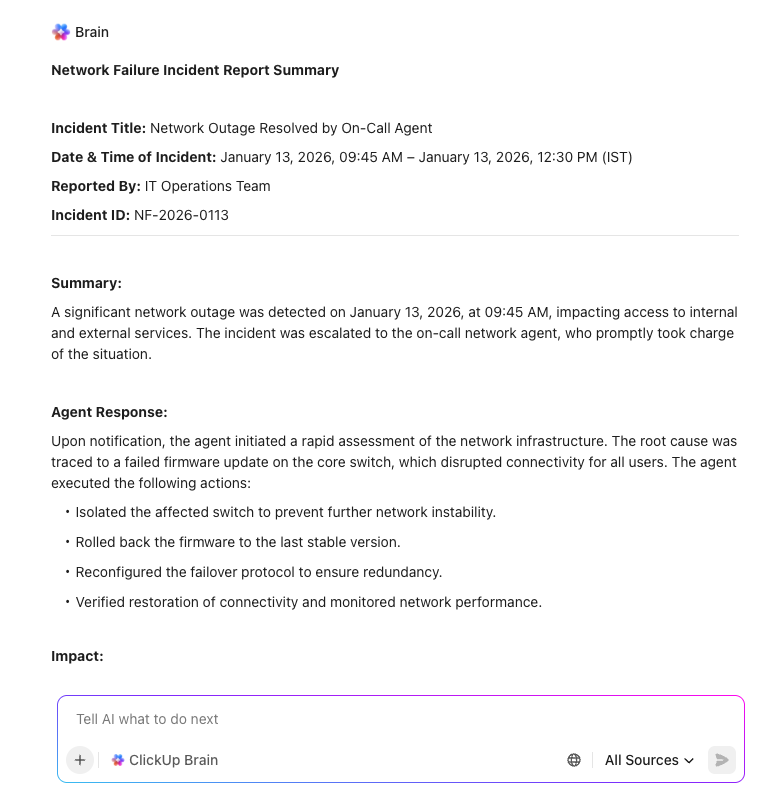
ClickUp Brain, the built-in AI assistant in ClickUp, can create or collate incident reports within minutes, while helping your teams move faster
Self-healing and automated remediation
When a network device fails or a connection goes down, it triggers a manual, time-consuming fire drill. An engineer has to be paged, diagnose the problem, and manually reroute traffic or restore service, all while users are waiting.
Self-healing networks automate this entire process. They can automatically detect and fix many issues without any human intervention. This is achieved through closed-loop automation: the system detects a problem, diagnoses the cause, and executes a predefined fix, such as rerouting traffic to a backup link. This philosophy of reducing manual intervention is the same one that drives workflow automation, freeing up your team from repetitive fixes.
Predictive maintenance and capacity planning
If your capacity planning is based on guesswork rather than data, you need AI right now. By monitoring traffic growth, utilization patterns, and seasonal spikes, it flags when systems are approaching risk thresholds long before performance degrades.
These timely triggers prompt teams to review configurations, rebalance loads, or plan upgrades at the right moment. Instead of static forecasts, capacity decisions stay grounded in live network behavior. That means fewer last-minute scrambles and more confident, proactive planning.
Summarize this article with AI ClickUp Brain not only saves you precious time by instantly summarizing articles, it also leverages AI to connect your tasks, docs, people, and more, streamlining your workflow like never before.
Summarize this article for me please
AI for Networking Use Cases
The concepts behind AI networking are powerful, but they can still seem somewhat abstract.
Here are some concrete examples of how this technology applies to real-world business scenarios that project managers, operations teams, and other leaders face every day.
Improving network performance and connectivity
Your distributed team is constantly complaining about laggy video calls and slow access to cloud applications. Poor connectivity directly impacts productivity and creates frustration, especially when your team is already juggling dozens of different tools that all compete for bandwidth.
AI-optimized routing directly addresses this. It dynamically analyzes traffic paths in real-time to find the fastest, most reliable route for your data, reducing latency. It can also prioritize traffic for critical applications, ensuring your video conferencing and core business apps always get the bandwidth they need.
Automating routine network tasks
Your highly skilled network engineers are spending a huge portion of their day on tedious, repetitive tasks. They’re manually backing up configurations, running compliance checks, and generating reports—work that is essential but of low value.
Common network tasks that can be automated include:
Configuration backups: Automatically scheduled and verified without any manual effort
Compliance audits: Run continuously to ensure policies are always enforced
Report generation: Create and distribute performance summaries on a set schedule
User provisioning: Allow users to request and receive access through a self-service portal
📮 ClickUp Insight: 21% of people say more than 80% of their workday is spent on repetitive tasks. And another 20% say repetitive tasks consume at least 40% of their day.
That’s nearly half of the workweek (41%) devoted to tasks that don’t require much strategic thinking or creativity (like follow-up emails 👀).
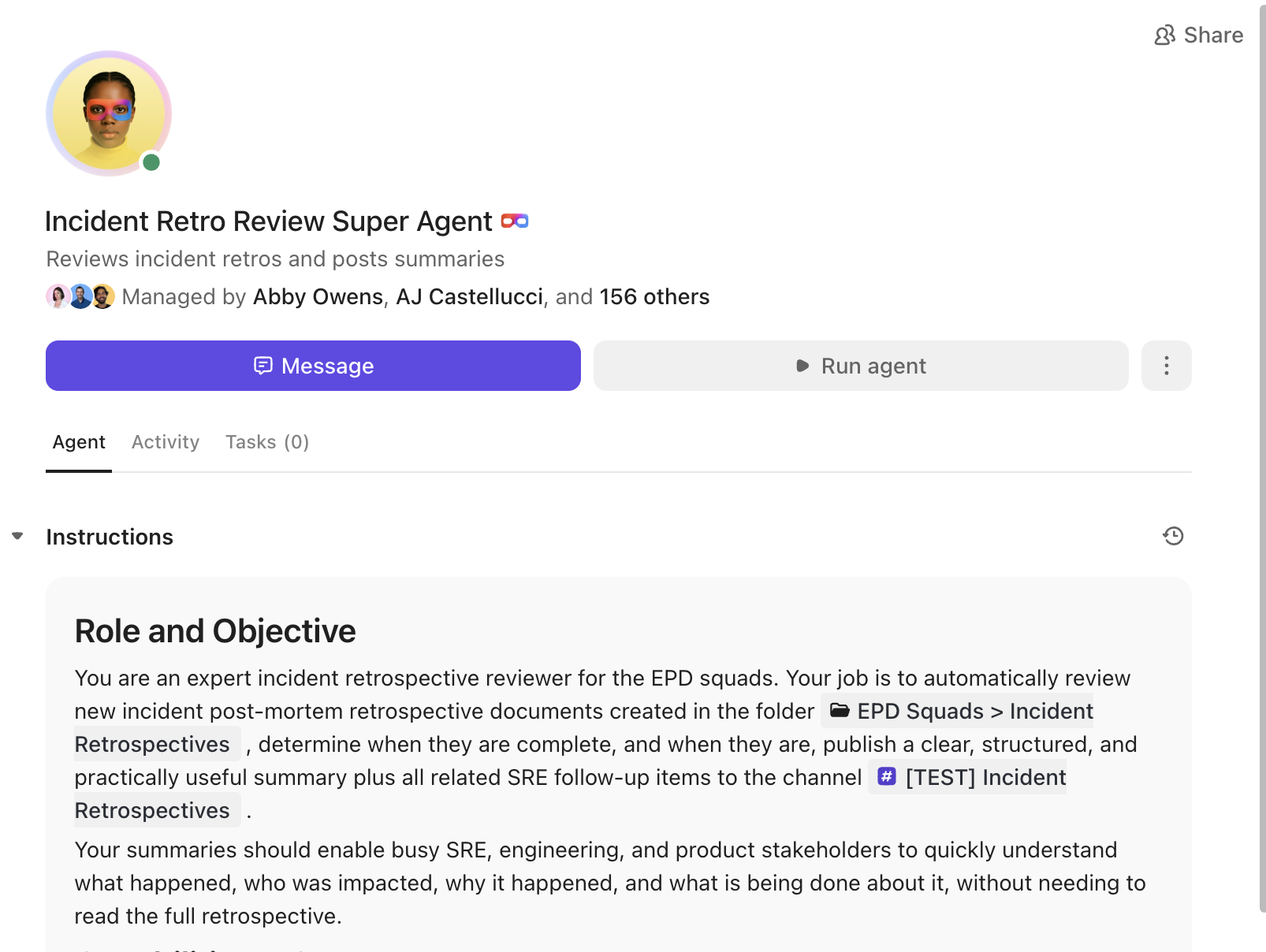
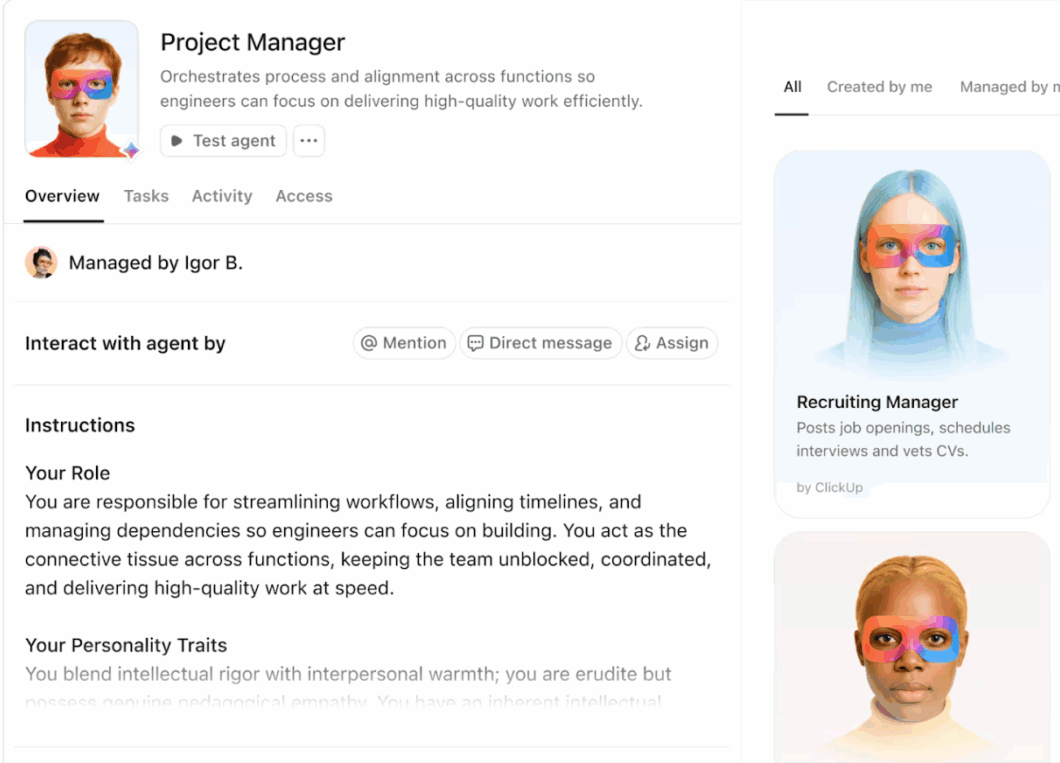
ClickUp Super Agents help eliminate this grind. Think task creation, reminders, updates, meeting notes, drafting emails, and even handling end-to-end workflows! All of that (and more) can be automated in a jiffy with ClickUp, your everything app for work.
Create custom AI Agents with preconfigured instructions and personalities via ClickUp Super Agents
💫 Real Results: Lulu Press saves 1 hour per day, per employee using ClickUp Automations—leading to a 12% increase in work efficiency.
Enhancing security across distributed teams
Security used to mean protecting a single network perimeter. Now it means watching thousands of daily access decisions across home Wi-Fi, cloud apps, personal devices, and automated systems.
Every login, API call, and device connection poses a potential risk, and most teams struggle to track them across disconnected tools. When signals are scattered, suspicious behavior shows up late or not at all.
AI helps by watching behavior across the network, not just isolated events. It learns what normal access looks like for users, devices, and services, then flags anomalies such as unusual login locations, unexpected data transfers, or abnormal device activity in real time.
Instead of relying on static rules, it adapts as teams, tools, and usage patterns change. These signals give security teams early, actionable prompts to investigate before incidents escalate.
Summarize this article with AI ClickUp Brain not only saves you precious time by instantly summarizing articles, it also leverages AI to connect your tasks, docs, people, and more, streamlining your workflow like never before.
Summarize this article for me please
What to Look for in an AI Networking Solution
You’re ready to evaluate tools, but you’re getting buried in vendor marketing hype. How do you know which criteria really matter? The biggest mistake is choosing a tool that looks great in a demo but ultimately creates another data silo because it fails to integrate with your existing systems.
The most powerful AI networking tool is useless if it just adds to your team’s tool sprawl.
That’s why integration capabilities are the most important factor to consider. You’ll want a solution that can talk to your existing workflow management system, so alerts and insights are automatically turned into actionable tasks.
Here’s a practical framework to help you compare your options:
Criterion
What to look for
Why it matters
Integration
Robust APIs, pre-built connectors, and easy data export options
Avoids creating new data silos and ensures insights lead to action
Scalability
The ability to handle future growth in devices and traffic without performance hits
Future-proofs your investment and prevents you from having to switch tools later
Explainability
Clear, understandable reasoning for the AI’s decisions and recommendations
Builds trust with your team and makes it easier to troubleshoot issues
Automation depth
Highly configurable rules and closed-loop remediation capabilities
Maximizes time savings and frees up your engineers for strategic work
Security
Industry-standard compliance certifications and transparent data handling policies
Protects your sensitive network data and ensures you meet regulatory requirements
Summarize this article with AI ClickUp Brain not only saves you precious time by instantly summarizing articles, it also leverages AI to connect your tasks, docs, people, and more, streamlining your workflow like never before.
Summarize this article for me please
How ClickUp Supports AI-Powered Workflows
You’ve invested in a powerful AI networking tool. But now your team is drowning in a flood of new alerts, and the project to roll it out is a chaotic mess of spreadsheets, emails, and disconnected chat threads.
You’ve solved a technical problem but accidentally created a human coordination nightmare.
This is where a converged AI workspace becomes essential. ClickUp is the platform where the human side of your AI networking initiatives comes together with the rest of your organization’s work.
It eliminates context sprawl by connecting your tasks, documents, and team communication in one place. Here’s how you can build a seamless workflow for your network team:
Capture issues and requests in a structured way
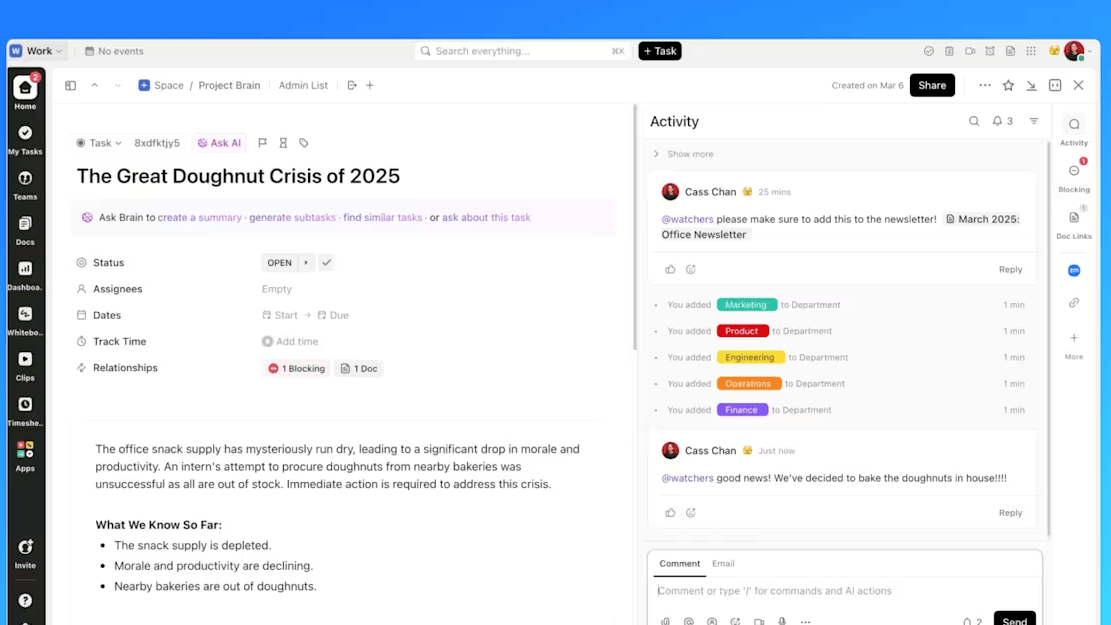
Document every detail of network issues with ClickUp Tasks
Every network issue begins somewhere. A monitoring alert, a user report, a capacity warning, or a security concern. When these arrive via email, chat, or ad hoc tickets, important details are often lost immediately.
A structured intake process fixes that. Requests are captured with the right context from the start: what’s affected, urgency, environment, and who’s reporting it. Each request becomes a trackable unit of work with clear ownership and visibility, supported by Custom Fields and Custom Statuses that provide critical context.
With ClickUp, Forms and Email Project Management can be configured to feed directly into ClickUp Tasks, creating a lightweight ticketing system without forcing teams into rigid ITSM tooling. The benefit is straightforward: fewer follow-ups, cleaner handoffs, and a reliable record of every issue from the outset.
In practice, that looks like:
Monitoring alert: An automated alert submits a ClickUp Form that creates a task with severity, affected service, and timestamp already filled in
User-reported issue: A simple form or email intake captures symptoms, location, and urgency without back-and-forth
Capacity warning: A recurring threshold breach logs a task tagged for review instead of becoming an emergency later
Security concern: A flagged access event creates a task routed to the right team with audit context attached
Triage, route, and reduce repetitive work automatically
Repetitive tasks become a thing of the past with ClickUp Automations
Once a request exists, speed matters. Someone has to decide priority, assign the right owner, and handle routine steps that don’t need human judgment.
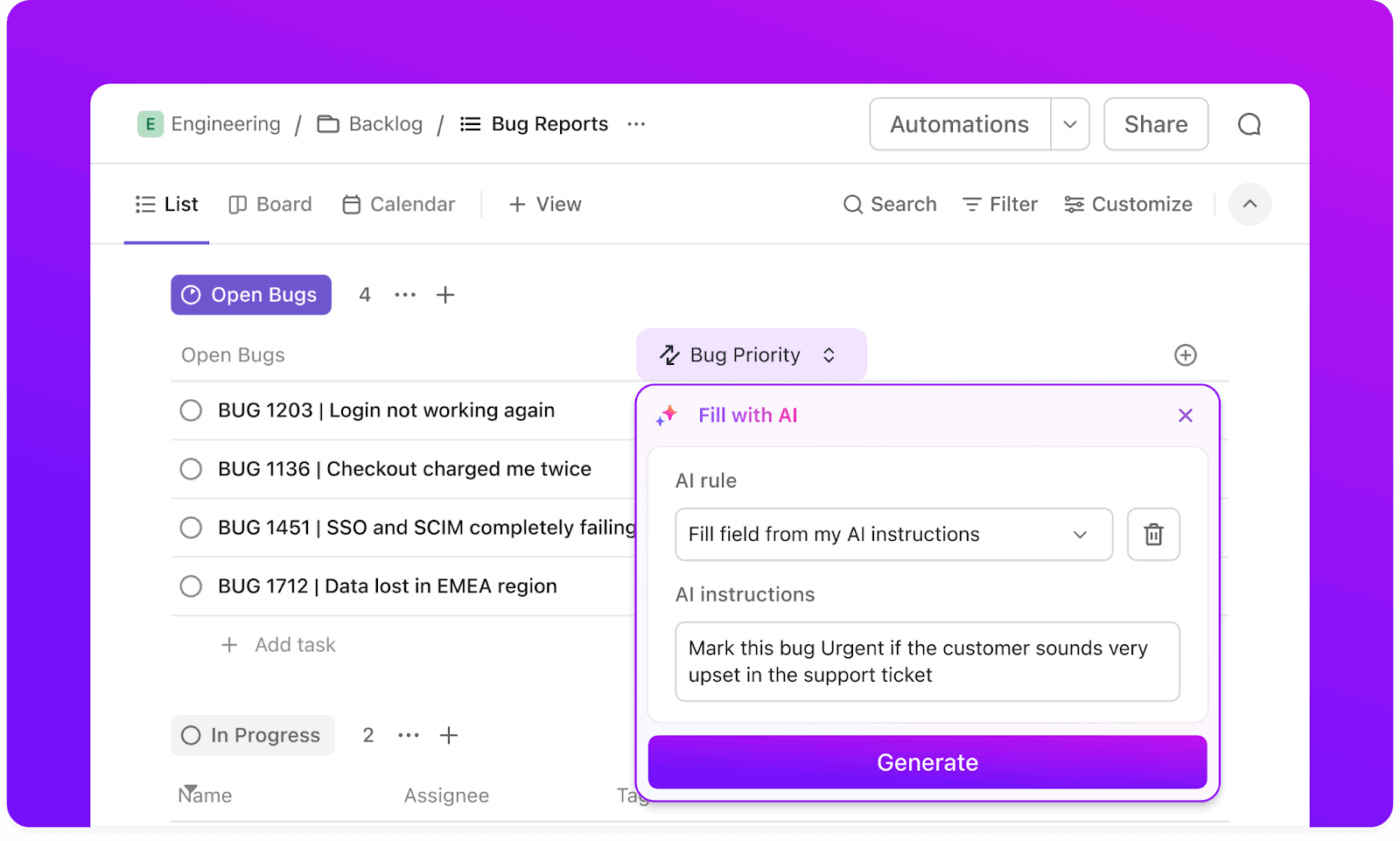
This is where automation earns its keep. ClickUp Automations can assign tasks, set priorities, notify stakeholders, or escalate issues based on conditions. Rules handle predictable decisions. Repetitive actions happen automatically. Human effort is reserved for the work that actually requires it.
ClickUp Super Agents take it a step further by helping to triage requests, generate updates, handle follow-ups, and execute repeatable workflows end-to-end. The result is faster response times and far less coordination overhead.
This is automation that adapts to your specific needs. Here’s a sample workflow:
Low-severity incidents: Auto-assigned, logged, and resolved with predefined steps
Known issue types: Tasks auto-tagged with resolution checklists or linked runbooks
Routine requests: ClickUp Super Agents generate updates, close tickets, or trigger follow-ups without human input
Monitor patterns, trends, and early warning signals
Individual incidents matter, but patterns matter more. Repeated slowdowns, seasonal spikes, and recurring configuration issues. These are easy to miss when data is scattered across tickets and tools.
Effective teams regularly zoom out. They look across incidents, timelines, and workloads to understand what’s really happening and what’s likely to happen next.
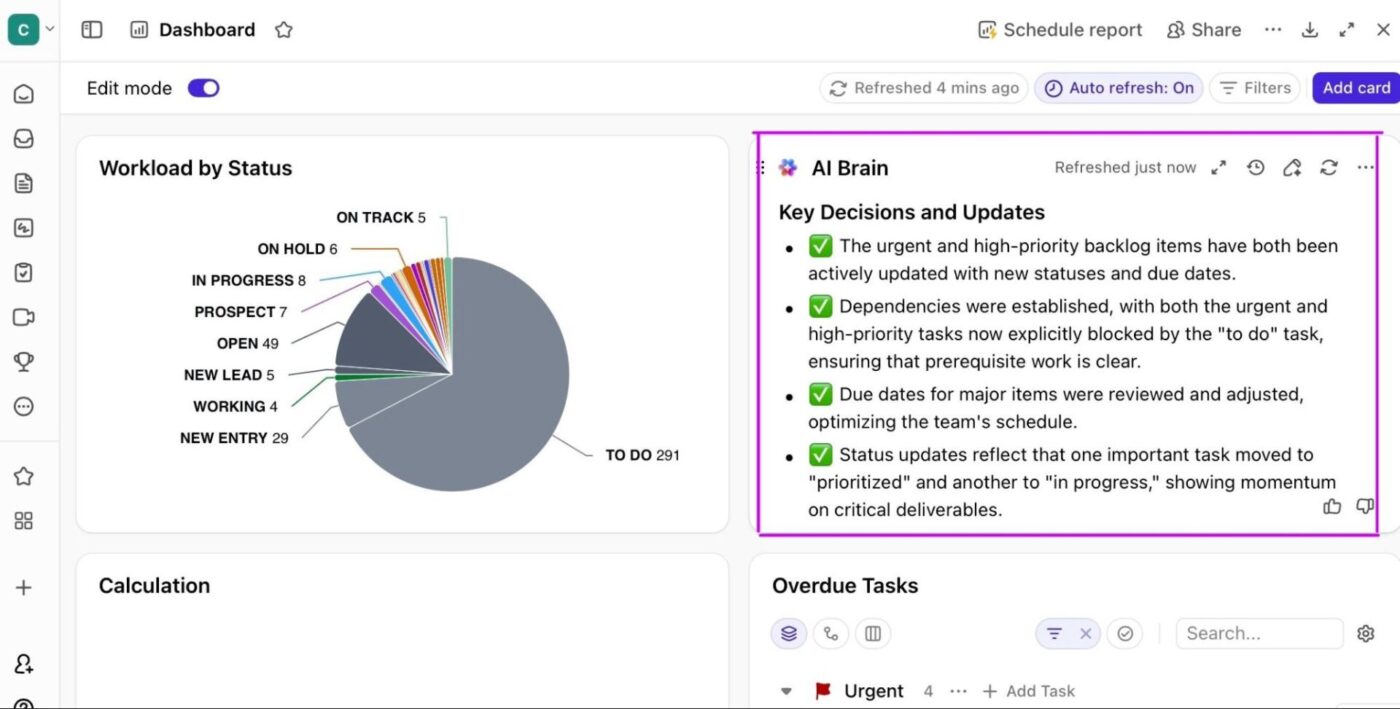
ClickUp Brain helps teams summarize activity across tasks, incidents, and historical data. It can surface recurring themes, highlight spikes in volume, and generate quick explanations without manual analysis.
Get instant AI summaries and updates with ClickUp Dashboards
AI Cards in ClickUp Dashboards keep these insights visible, so teams aren’t reacting blindly to each new alert. This helps to address the following scenarios:
Recurring slowdowns: ClickUp Brain surfaces repeated incidents tied to the same service
Seasonal traffic spikes: AI summaries highlight predictable capacity pressure windows
Team overload: Dashboards show rising incident volume before burnout hits
Post-incident review: AI Cards summarize what’s happening across weeks or months, not just today
Collaborate and retain knowledge where work actually happens
After an incident is resolved, the work isn’t over.
Decisions need to be documented, runbooks updated, and lessons learned so that the same problem doesn’t recur six weeks later. But when documentation and discussion reside in separate tools, this critical knowledge-capturing process deteriorates fast.
ClickUp Docs and ClickUp Chat keep collaboration tied directly to the work itself. Runbooks, post-incident reviews, and architecture notes stay connected to the tasks and incidents they reference. Over time, this creates a living knowledge base that actually reflects how the network is run.
By having a single point of connection between network operations and the broader organizational context, you can finally break free from the endless cycle of switching between monitoring tools, ticketing systems, and project management platforms. The result looks like this:
Incident resolution: Decisions and fixes are documented directly on the task
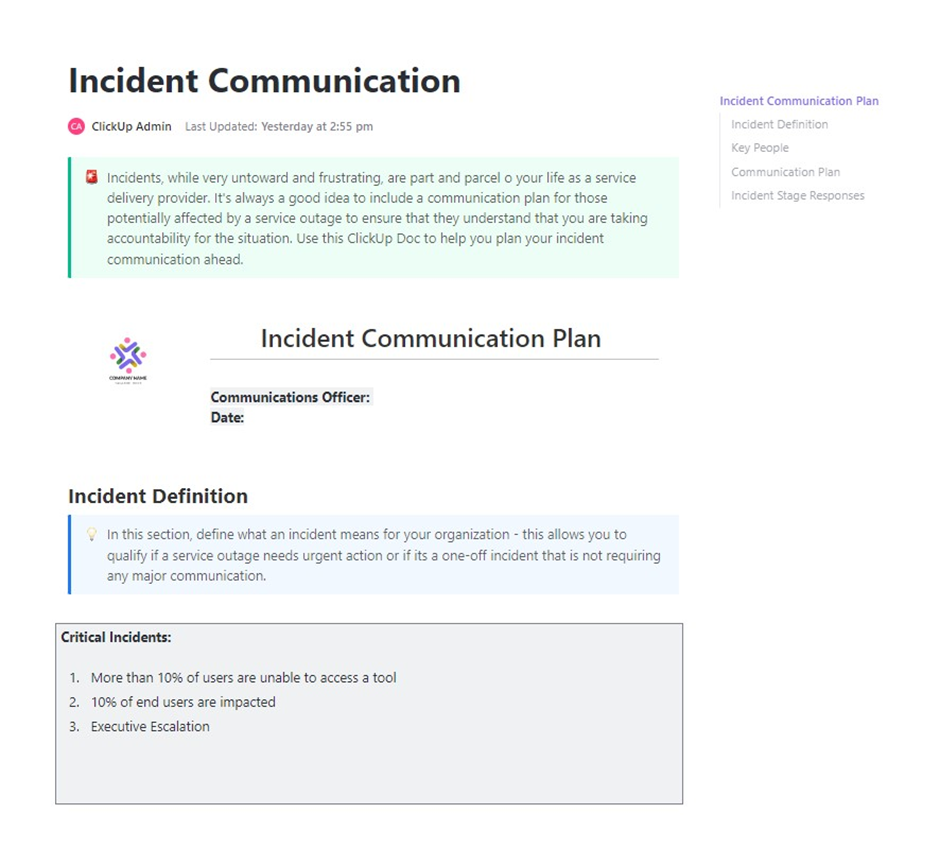
Postmortems: ClickUp Docs capture what happened, why, and what changes next
Runbook updates: Procedures evolve alongside tasks, showing real incidents, with full context
Ongoing discussion: ClickUp Chat keeps conversations tied to the work, not lost in threads
The right approach combines intelligent network management with a converged workspace where your team can act on insights without missing a beat.
Summarize this article with AI ClickUp Brain not only saves you precious time by instantly summarizing articles, it also leverages AI to connect your tasks, docs, people, and more, streamlining your workflow like never before.
Summarize this article for me please
Emerging Trends in AI for Networking
You’ve got the basics down, but where is this technology heading? To make smart, future-proof decisions, you need to understand the trends that are shaping the future of networking. Staying ahead of the curve helps you avoid investing in a solution that will be obsolete in a year. 👀
The biggest trend is the move toward fully autonomous networks that require minimal human intervention. 60% of IT leaders expect to have AI-enabled predictive network automation running across all domains within the next two years.
We’re also seeing the convergence of AI with edge computing and 5G, which pushes intelligence closer to where data is created, enabling faster responses.
Here are the key trends to watch:
Autonomous operations: Networks that can self-configure, self-optimize, and self-heal
AI-native platforms: Solutions designed from the ground up with AI at their core, rather than as an add-on
Edge AI: Processing data and making decisions at the network edge instead of sending everything back to a central cloud
Generative AIassistants: Natural language interfaces that help engineers design, manage, and troubleshoot networks conversationally
As AI becomes a core part of every business function, your network infrastructure and your team’s workspace must evolve together. To coordinate these increasingly complex initiatives, you’ll need a converged workspace that brings everything together.
Summarize this article with AI ClickUp Brain not only saves you precious time by instantly summarizing articles, it also leverages AI to connect your tasks, docs, people, and more, streamlining your workflow like never before.
Summarize this article for me please
Keep Your Network Connected With ClickUp
Implementation is where most networking workflows break down.
Alerts live in one tool. Incidents are tracked in another. Knowledge ends up scattered across tickets, chats, and outdated docs. The result is a smarter network paired with the same old human bottlenecks.
ClickUp closes that gap. As a converged workspace, it gives network teams a single place to turn AI-driven signals into structured action. Incidents become tasks with owners and timelines. Runbooks and postmortems live alongside the work they support. Automation handles the handoffs, while ClickUp Brain helps teams summarize, prioritize, and stay aligned without losing context.
When network intelligence and team workflows live in the same system, AI stops being a layer you monitor and becomes something you actually use to run the business.
Summarize this article with AI ClickUp Brain not only saves you precious time by instantly summarizing articles, it also leverages AI to connect your tasks, docs, people, and more, streamlining your workflow like never before.
Summarize this article for me please
Frequently Asked Questions About AI for Networking
What is the difference between AI for networking and AI-powered workflow automation?
AI for networking is focused on managing technical infrastructure like routers and traffic, while AI-powered workflow automation handles business processes and team collaboration. They use similar principles but apply them to different domains—one for machines, one for people.
How can project teams implement AI network monitoring without technical expertise?
Modern AI networking tools offer user-friendly dashboards and natural language interfaces that don’t require deep technical knowledge. Project teams can also integrate network alerts directly into a workflow tool like ClickUp to track and respond to issues without ever touching a network console.
How does AI network management compare to manual network administration?
Manual administration is reactive; you fix problems after they happen. AI network management is proactive; it predicts and prevents issues before they impact users, and it handles a scale and speed that humans simply can’t match.
Is AI for networking worth it for small and mid-sized teams?
Absolutely. AI networking benefits teams of all sizes, especially those without a large, dedicated IT staff. Modern cloud-based solutions have made these powerful capabilities accessible and affordable without requiring a massive upfront investment in hardware.
Everything you need to stay organized and get work done.