






Still downloading templates?
There’s an easier way. Try a free AI Agent in ClickUp that actually does the work for you—set up in minutes, save hours every week.
Sorry, there were no results found for “”
Sorry, there were no results found for “”
Sorry, there were no results found for “”
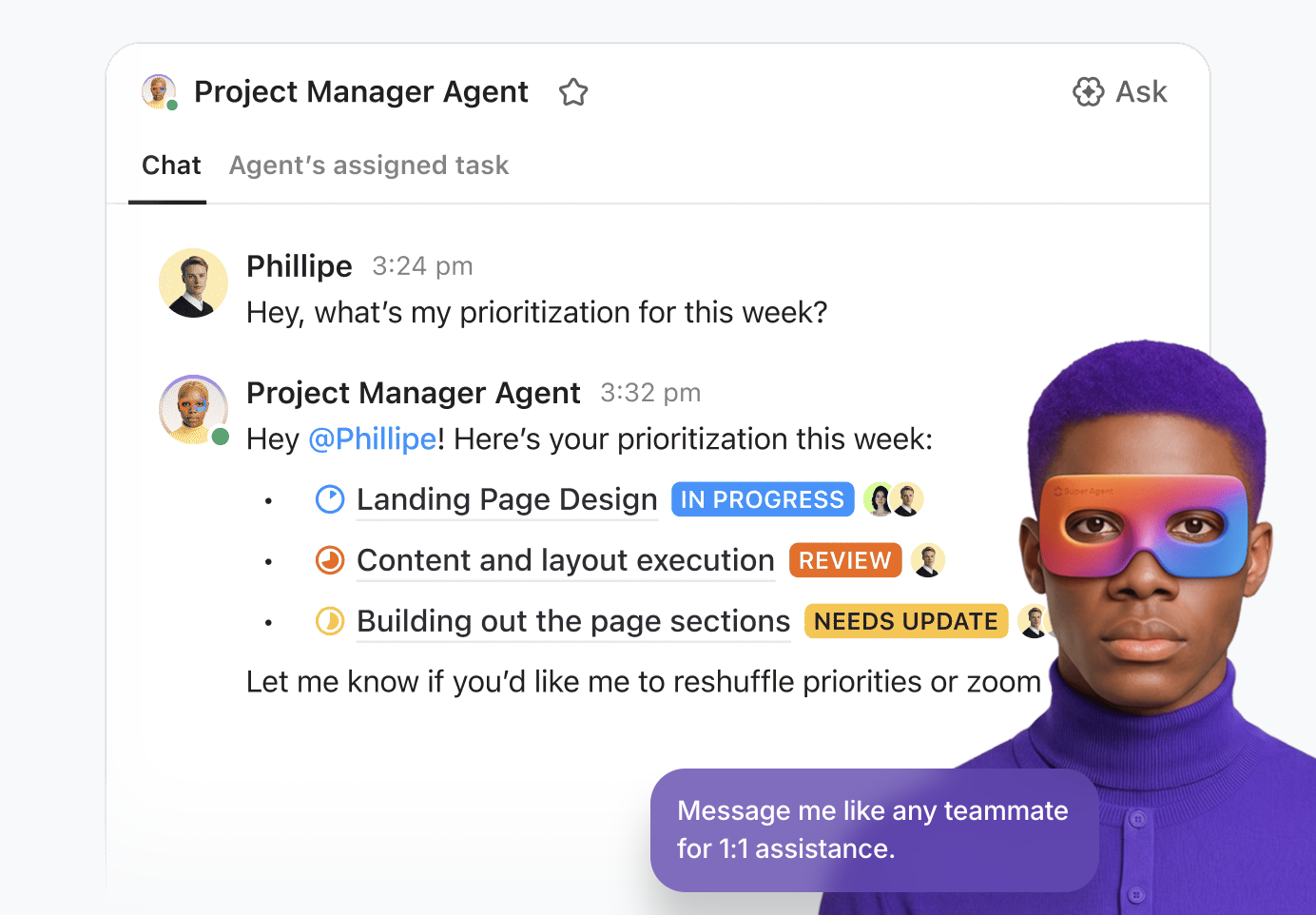
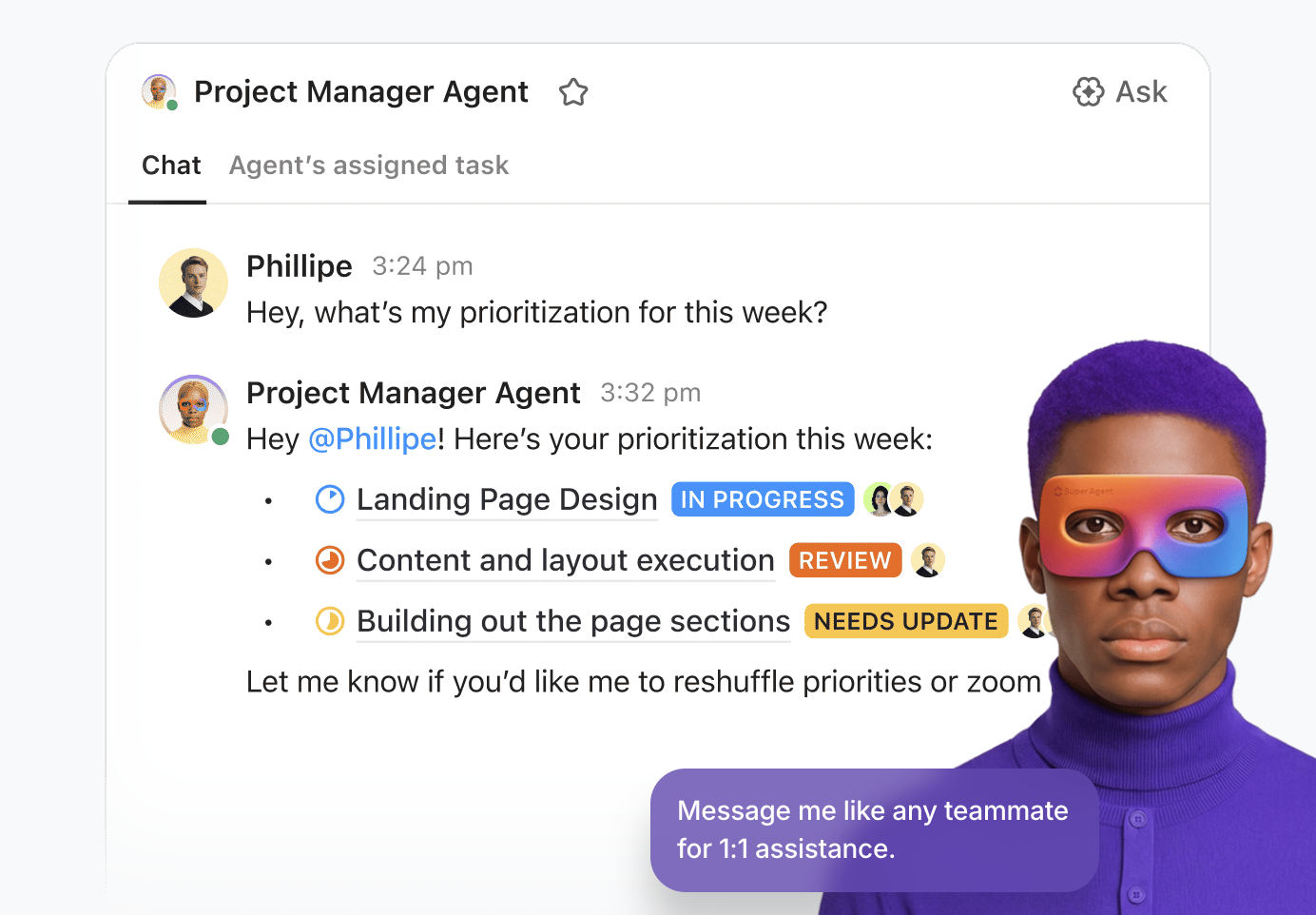
According to McKinsey, generative AI and other technologies have the potential to automate work that absorbs 60-70% of employees’ time today. Not surprisingly, AI adoption among small businesses rose from 6.3% to 8.8% in just six months.
This guide breaks down what AI agents for small business actually are, how they work, which types fit which problems, and how to put them to use across sales, operations, marketing, and more. We’ll also show you some nifty examples we’ve put together at ClickUp. ✨
AI agents for small business are software tools that perceive information, make decisions, and take actions on their own. They handle multi-step workflows without someone clicking buttons every step of the way. Think of them as autonomous teammates rather than simple rule-based bots.
When you’re running a five-person team, losing two hours a day to manual data entry means losing 10 hours of collective capacity every single day. And with work scattered across tools, spreadsheets, and inboxes, teams waste hours hunting down files and switching between disconnected platforms.
AI agents cut through that chaos by connecting systems and handling the “in-between” work—so your team spends less time searching and stitching things together, and more time actually moving the business forward.
To better understand how AI agents can transform your small business operations, watch this overview that breaks down the practical applications and benefits of implementing AI agents in your workflow.
📮ClickUp Insight: 21% of people say more than 80% of their workday is spent on repetitive tasks. And another 20% say repetitive tasks consume at least 40% of their day.
That’s nearly half of the workweek (41%) devoted to tasks that don’t require much strategic thinking or creativity (like follow-up emails 👀).ClickUp AI Agents help eliminate this grind. Think task creation, reminders, updates, meeting notes, drafting emails, and even creating end-to-end workflows! All of that (and more) can be automated in a jiffy with ClickUp, your everything app for work.
💫 Real Results: Lulu Press saves 1 hour per day, per employee using ClickUp Automations—leading to a 12% increase in work efficiency.
AI agents operate in a simple loop: perceive → reason → act → learn.
A helpful way to think about this is a new employee joining your team. At first, they read the company handbook (training data), observe how work gets done (context), and follow instructions closely. But as they gain experience, they begin to recognize patterns and handle tasks more independently—without needing constant supervision.
What makes modern AI agents especially powerful is their ability to connect across tools and data sources. Instead of working in isolation like traditional bots, they can pull context from your CRM, project management tool, email, and docs—all at once. This multi-tool integration enables them to handle real, messy business workflows—not just one-off tasks.
📌 Example: When a lead fills out your contact form, an AI agent reads the submission, checks your CRM for any history with that person, scores the lead based on criteria you’ve set, and routes it to the right salesperson—all before you’ve finished your coffee.
Unlike a simple automation that follows a fixed script, an AI agent adapts. For example, if your usual supplier is out of stock, an inventory tracking agent doesn’t just fail—it checks alternatives, compares prices, and flags the best option for your approval.
🎥 This video shows you how to build your own AI Agent in just a few minutes!
Choosing the wrong type of AI Agents for your specific bottleneck is the fastest way to waste money. When teams deploy mismatched tools, workflows break and frustration peaks. You need to understand what different agents actually do to solve the right problems.
These are conversational AI agents for businesses that interact with humans through natural language to answer questions or route requests. They handle customer support tickets, FAQ deflection, and internal help desk queries.
📌 Example: A local accounting firm might use one to answer common tax-season questions and book consultations.
👀 What to watch for: Conversational agents are only as good as the knowledge base behind them. If your information is scattered across five different tools, the agent will give incomplete or wrong answers.
These agents execute multi-step business processes end to end by moving data between systems and updating records. They handle invoice processing, employee onboarding checklists, and lead routing.
📌 Example: A small e-commerce brand could use one to detect low inventory and draft a reorder request to the supplier.
👀 What to watch for: These agents need clean, connected data. If your project management, CRM, and communication tools don’t talk to each other, the agent can’t orchestrate across them
Predictive agents analyze historical and real-time data to surface trends, flag risks, and recommend next steps. They are highly useful for sales forecasting, churn prediction, and demand planning.
📌 Example: A small software company might use one to flag accounts showing early signs of churn so the team can intervene.
👀 What to watch for: Predictions are only as reliable as the data feeding them. Garbage in, garbage out still applies.
These agents produce new text, images, or code based on prompts and contextual inputs. They handle blog drafts, social media copy, and internal documentation.
📌 Example: A small marketing agency uses a generative agent to produce first drafts of client posts to cut production time.
👀 What to watch for: Generative output still needs human review. These agents are best treated as a first-draft engine, not a publish button
📮ClickUp Insight: 25% of people believe AI agents could help them stay organized.
And they’re right. AI agents can help you stay organized by moving tasks forward, assigning ownership, setting deadlines, and handling routine follow-through that would otherwise get delayed.
However, it only works when an agent can take action on someone’s behalf within the right boundaries.
Operating inside a unified workspace where tasks, files, and conversations are already connected, Super Agents inherit the same user-level permissions as the people they support.
That means they can take action (move tasks forward, update statuses, or route information responsibly) without overstepping or needing constant oversight.
Here’s the real problem: 52% of customers expect a response within an hour, but the average small business takes 12 hours to reply. That gap is where you lose deals.
Meanwhile, competitors are rapidly adopting agentic AI workflows, leaving hesitant businesses behind.
Here are a few reasons why AI Agents are a great idea for small businesses.
AI agents don’t replace your team—they remove the work your team never should have been doing in the first place.
The biggest gains don’t come from standalone tools, but from agents embedded where work already happens. When an agent has access to your CRM, project management system, docs, and conversations in one place, it doesn’t need to guess or ask for context—it already has it.
💡 Pro Tip: Connect your favorite external apps directly to your workspace using ClickUp’s native integrations. This ensures your AI Agents have all the context and information they need to perform effectively.
Think of this less as “types of agents” and more as a walk through your org chart—where work is actually getting done differently.
🌟 In this clip from our Elevate Your Small Business webinar, Jen Roth from ClickUp demos two powerful AI agents that eliminate busywork: AI Assignee and the Task Reminder Agent.
Many small business owners avoid AI because of fears related to what it’ll mean for them and their teams. This hesitation keeps teams stuck doing manual data entry while competitors automate and pull ahead.
👀 Did You Know: 81% of small business owners confirm that AI augments rather than replaces their workforce, and 85% say it has increased their efficiency and productivity.
Here are some of the most common myths related to the use and adoption of AI Agents for small business:
❌ Myth: You need a technical team to set them up
✅ Reality: This used to be true. Today, it’s not. Most modern agentic AI solutions for SMBs are no-code or low-code. If you can define a workflow and write clear instructions, you can deploy an agent—no engineering team required.
❌ Myth: AI agents will replace my employees
✅ Reality: This fear gets attention, but it misses the point. Agents handle repetitive, low-judgment work—data entry, routing, basic responses. That’s augmentation, not replacement. Your team shifts to higher-value work that actually needs human judgment.
❌ Myth: They’re only useful for customer support
✅ Reality: Support is just the most visible use case. As you saw above, agents are already embedded across CRM workflows, project management, marketing, finance, and HR. Limiting them to support is leaving value on the table.
❌ Myth: The output can’t be trusted
✅ Reality: Fair concern—but often overstated. Modern systems include guardrails, approval workflows, and human-in-the-loop checkpoints. You decide what to fully automate and what to review.
❌ Myth: My business is too small for AI
✅ Reality: This is the one that holds most teams back. Small teams benefit the most from AI Agents and automated workflows. When five people each reclaim even a few hours a week, the impact compounds fast—less firefighting, more strategic work, and a real shot at scalable growth without added headcount.
We understand that making this decision can be stressful. You want to use AI to reduce complexity for your small business, but are worried about adding yet another tool.
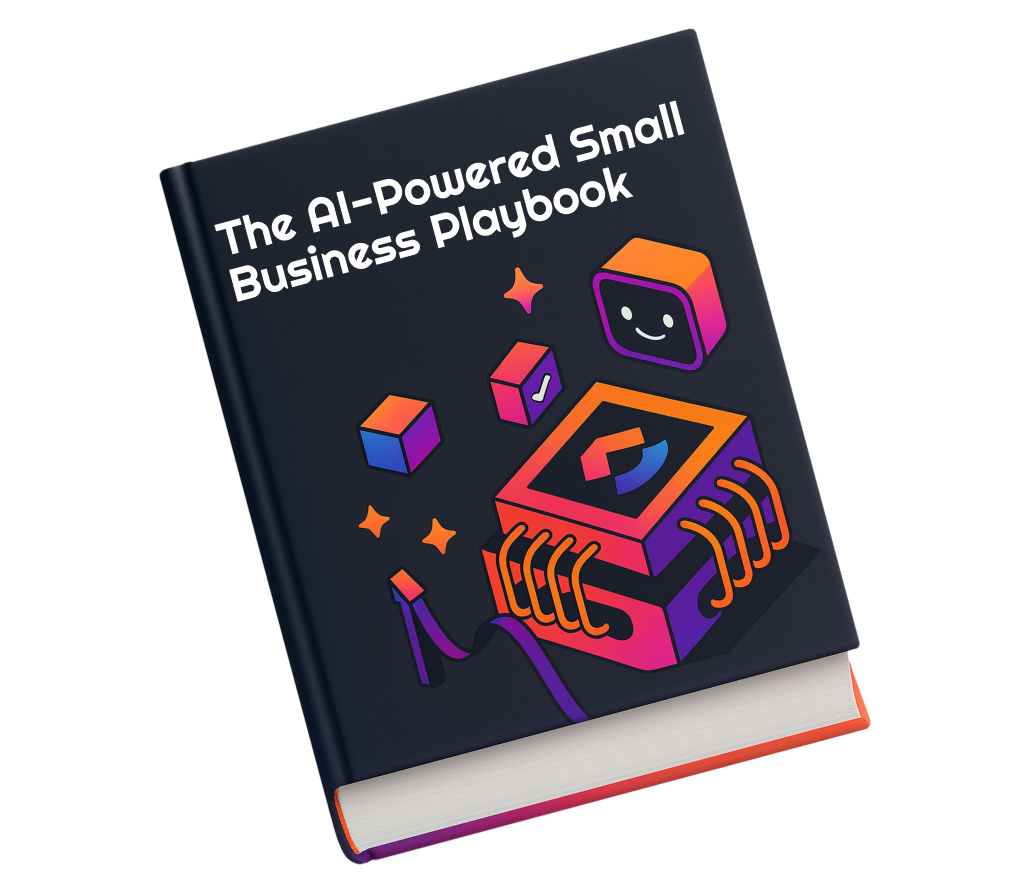
Our Small Business AI Playbook breaks down the best way to approach this.
📚 Also Read: Best Small Business Apps to Simplify Your Work
Use this framework to make a decision you won’t regret three months in.
Adding another standalone AI tool to your tech stack usually just creates more work sprawl. With disconnected apps, your team has to constantly switch tabs to find the right information. This defeats the entire purpose of using AI automation for small businesses.
The best AI agents for small businesses aren’t the ones with the most features. They’re the ones that fit into how your team already works, reduce work sprawl, and make things go faster without adding complexity.
💡 Want to know how best to customize AI Agents for your small business?
If you look back at the decision framework we’ve discussed for AI Agent adoption (unified context, native integrations, no-code setup, and transparency), most tools only check one or two of those boxes. ClickUp is built to check all of them by default.
Our project management platform brings your projects, documents, communication, and AI into a single Converged AI Workspace, so agents don’t operate in isolation—they operate with full context.
ClickUp Brain is the AI layer embedded directly into that workspace, connecting natively to your tasks, Docs, comments, and people. It answers questions, generates content, automates workflows, and surfaces insights based on the work your team is already doing.
💡 Pro Tip: For small teams that move fast, ClickUp Brain MAX can become a single command center for finding files, past decisions, and task context across your workspace and connected apps. That means less digging, fewer tool switches, and faster handoffs.
For small businesses, this means your AI actually understands your projects, processes, and priorities—without manual setup or data migration.
ClickUp Super Agents make things even better. These are pre-built, role-based AI agents designed for specific functions like content, project management, and reporting.
Instead of building everything from scratch, you can deploy an agent that already “knows” how to handle a job inside your workspace. Like adding an always-on teammate.

With ClickUp Automations, you can describe workflows in natural language and have them built for you.
For example: “When a task moves to ‘Review,’ assign it to the team lead and post a summary in chat.” The system translates that into a working automation—no developer, no complex setup.
🚀 Super Agent power-up: A Project Coordinator–style Super Agent can take this further—automatically assigning tasks, updating statuses, and keeping execution moving without constant oversight.
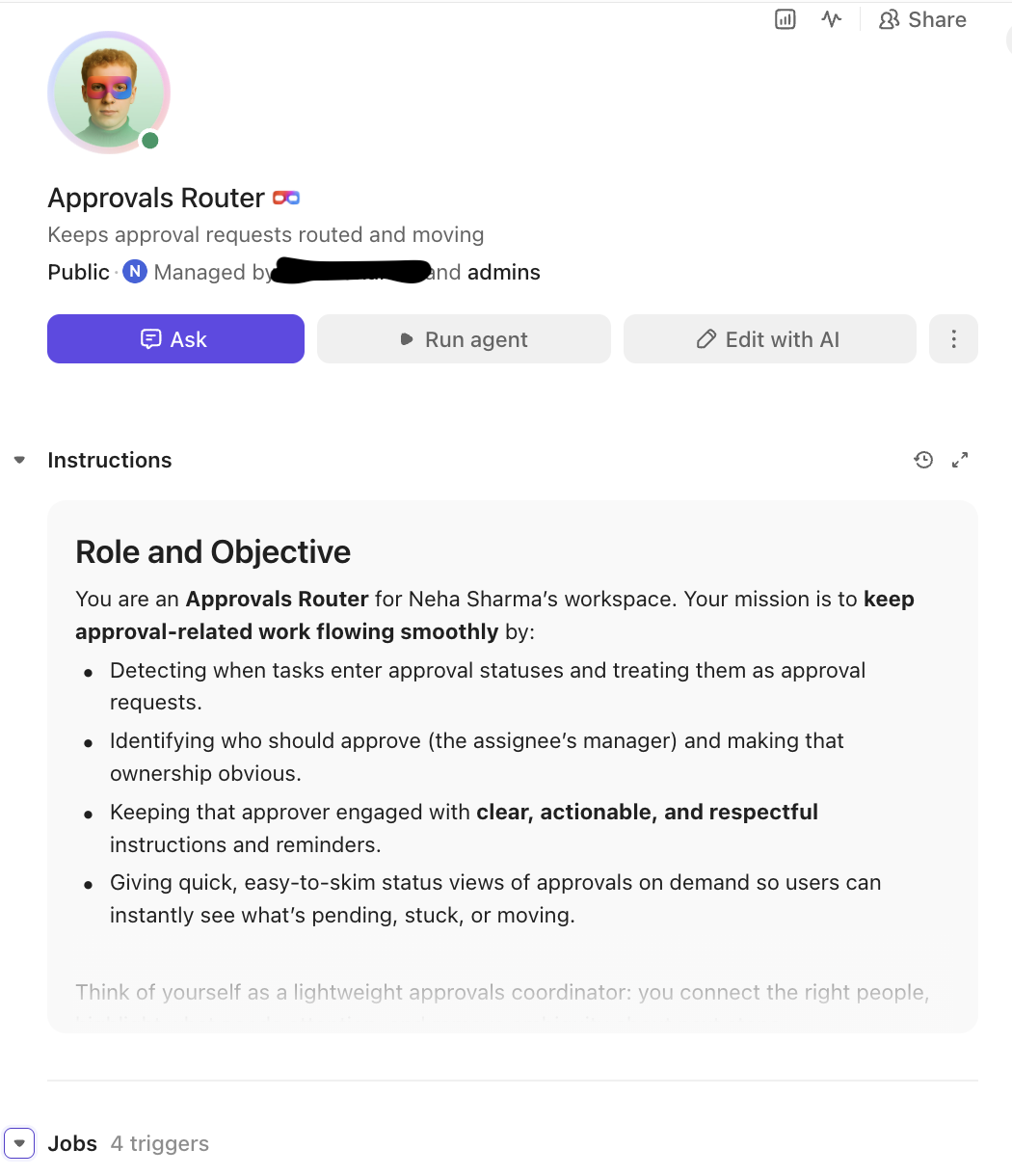
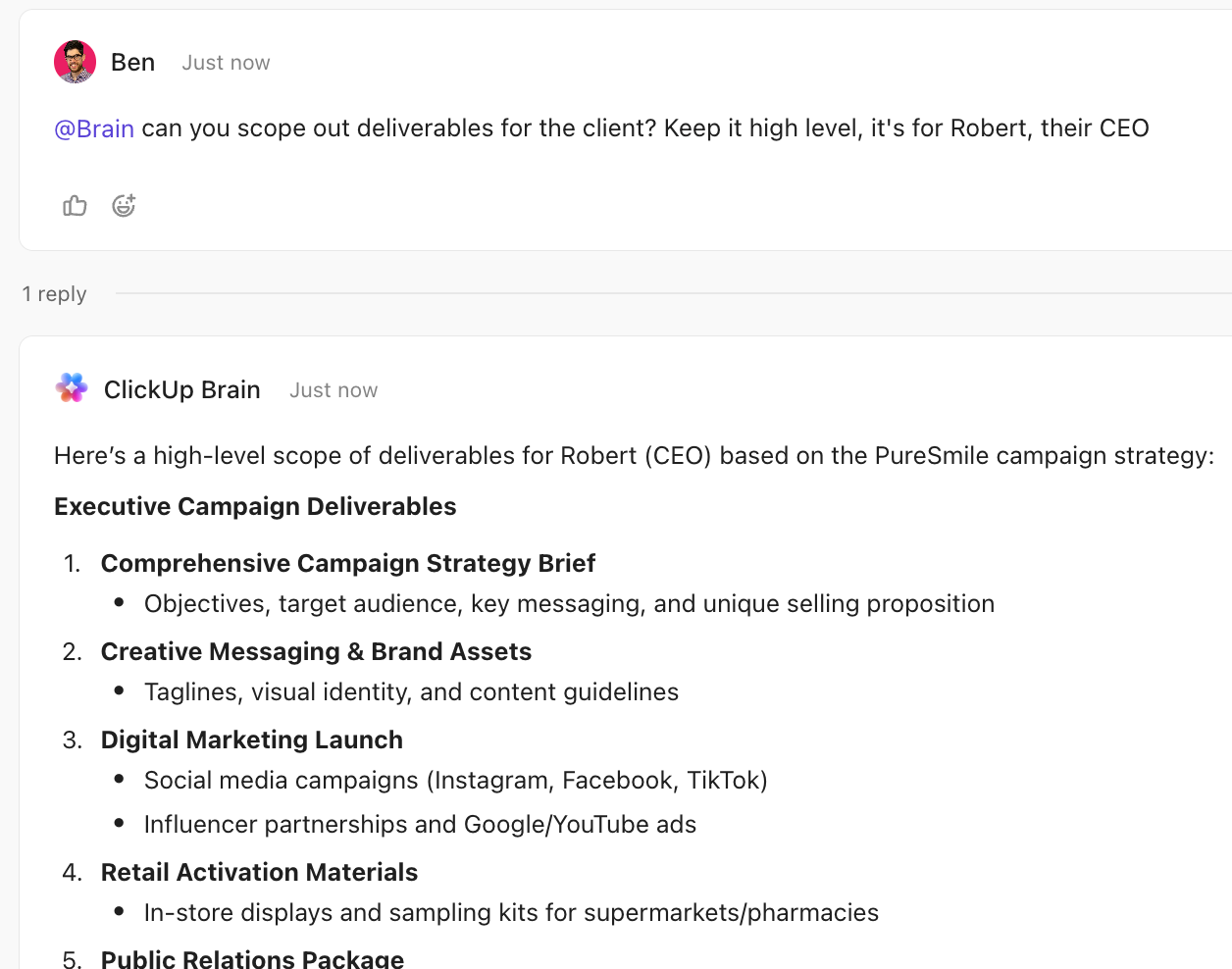
Instead of digging through Docs, comments, and task histories, you can ask ClickUp Brain questions like “What’s the status of the Q2 campaign?”
It pulls from workspace-wide context—tasks, Docs, Whiteboards, and conversations—to deliver clear answers in seconds.
🚀 Super Agent power-up: Knowledge or Reporting Super Agents can continuously surface insights, so you don’t just get answers on demand—you get them proactively.

Draft project briefs, meeting agendas, status updates, and client emails using AI directly inside ClickUp Docs.
Because ClickUp Brain understands the project it’s attached to, the output is grounded in real context—not generic text you have to rewrite.
🚀 Super Agent power-up: Content-focused Super Agents can generate blog outlines, campaign copy, or social posts aligned with your ongoing work—so your team starts with something usable, not a blank page.
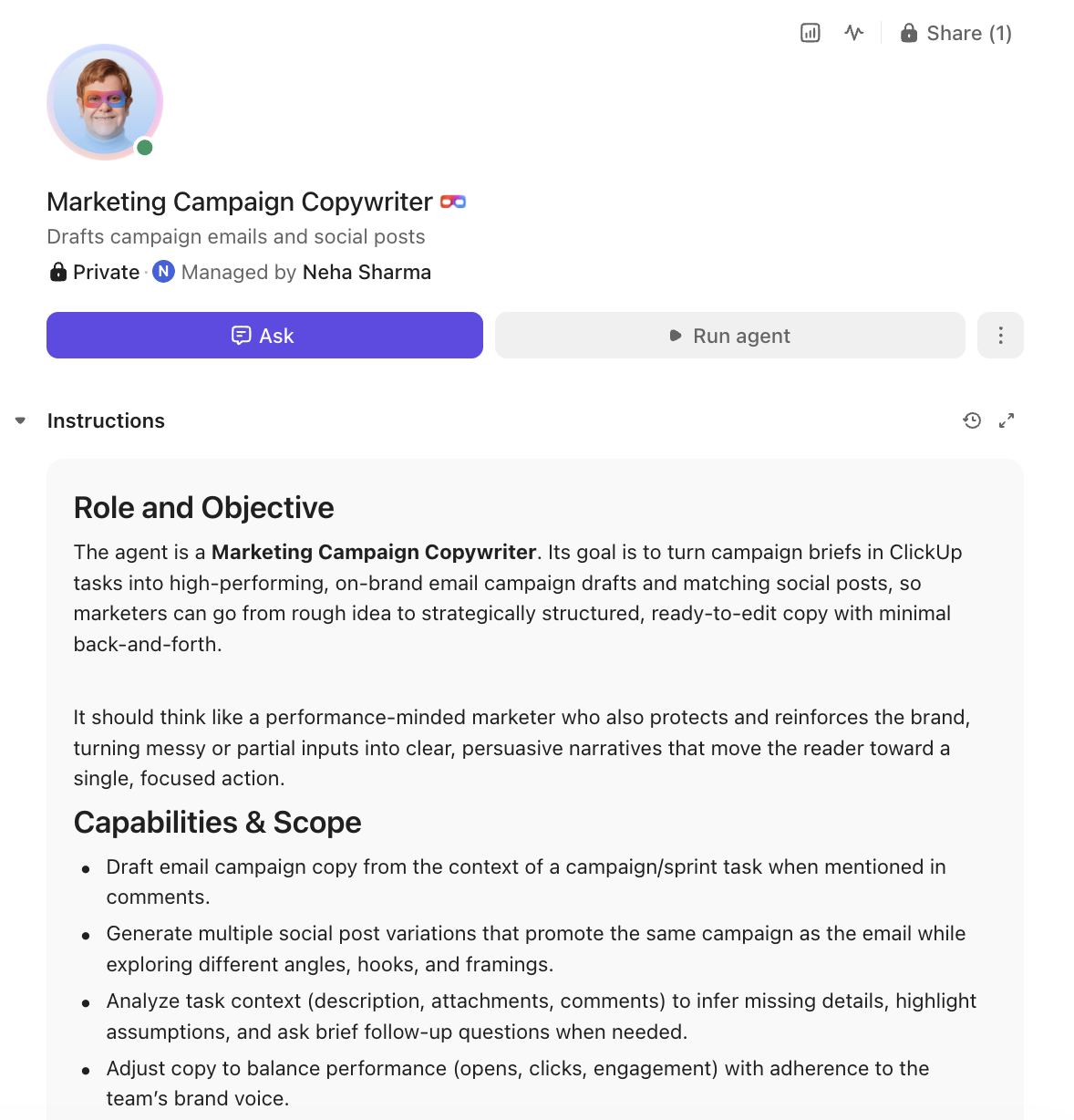
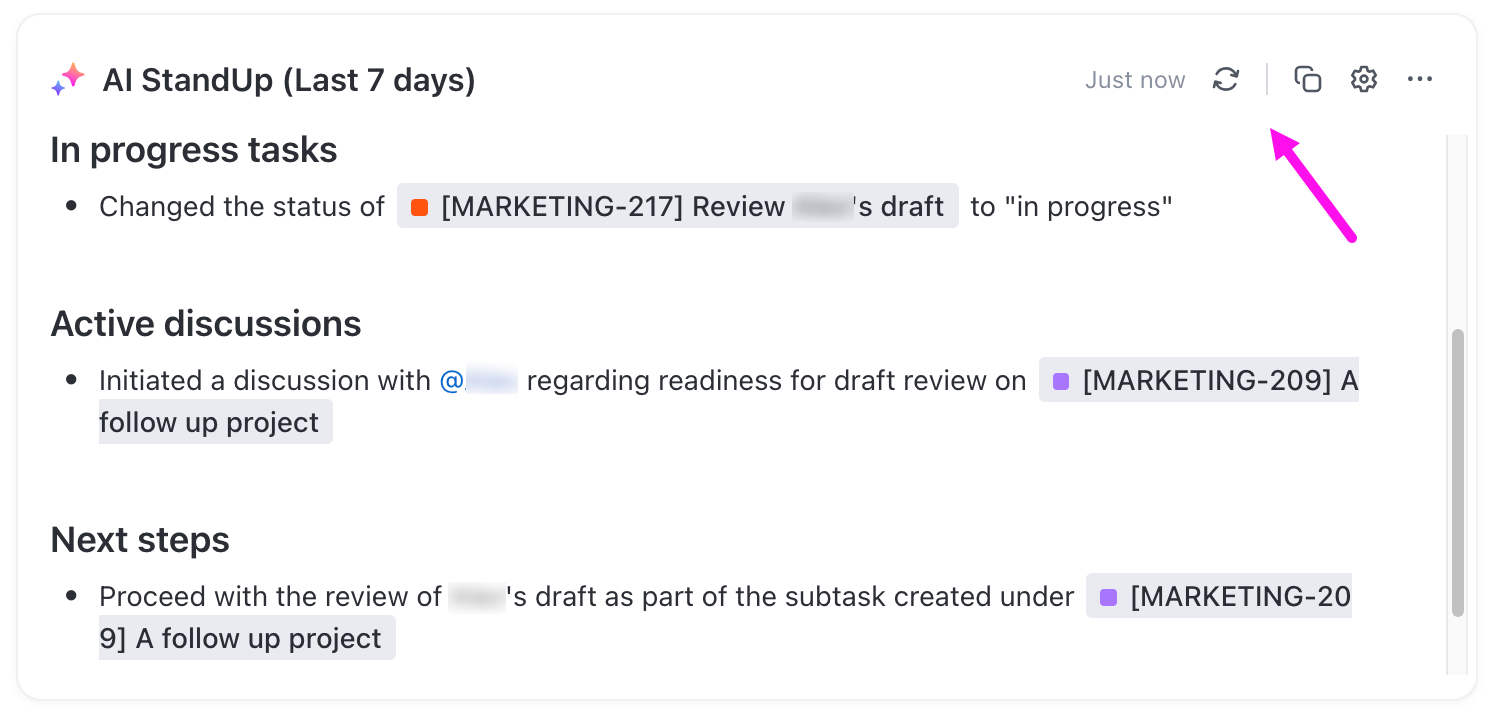
Skip unnecessary status meetings. ClickUp Brain can generate standup summaries, extract action items from comments, and create real-time project updates.
For small teams juggling multiple priorities, this cuts down coordination time without sacrificing visibility.
🚀 Super Agent power-up: Standup or Reporting Super Agents can automatically compile daily or weekly summaries and flag risks, so nothing slips through the cracks.
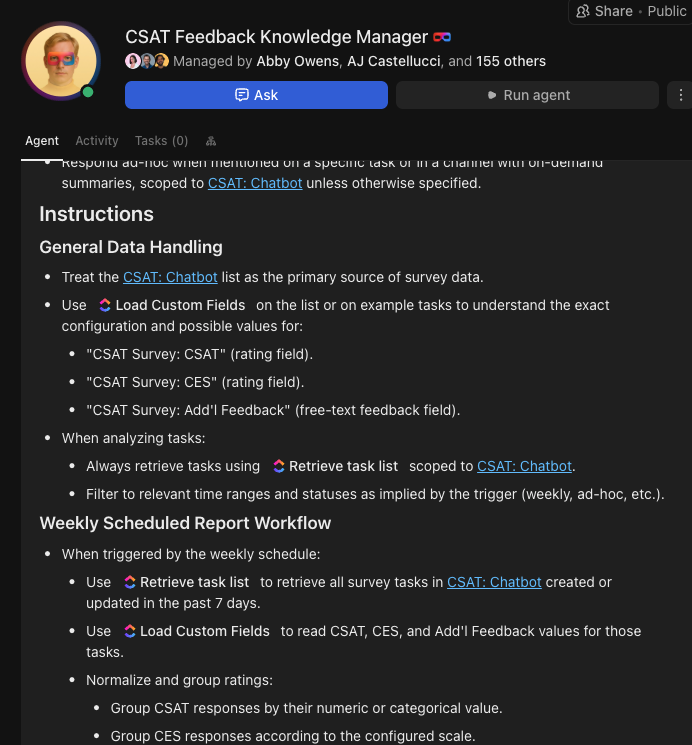
AI in ClickUp has full transparency and control built in. Every AI-generated suggestion or action is visible, editable, and reversible. You can review what ClickUp Brain proposes, adjust it, or ignore it entirely.
🚀 Super Agent power-up: Super Agents’ actions follow clear guardrails with human-in-the-loop control—so speed never comes at the cost of oversight.
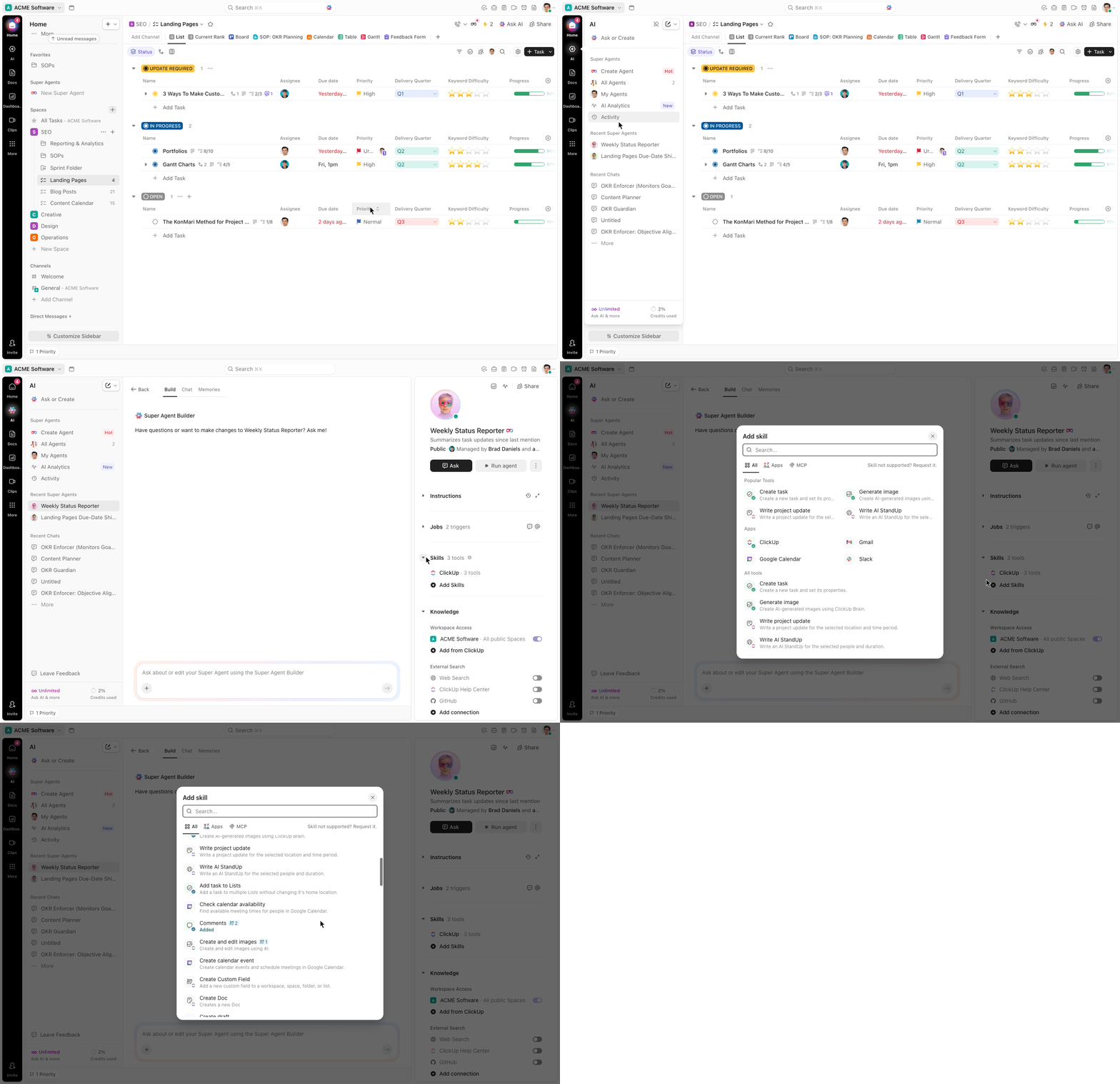
ClickUp combines tasks, Docs, Chat, Whiteboards, Dashboards, and AI in one platform. That means no context switching, no fragmented data, and no AI guessing across disconnected tools.
The result is simple: instead of managing an AI tool, you’re working alongside an AI that already understands your business.
🚀 Super Agent power-up: Because Super Agents operate within this unified system, they have complete workspace context—making their outputs far more accurate and reliable than agents stitched across multiple tools.
🌟 Choose from our range of pre-built Super Agent templates designed specially for small businesses!
AI agents for small businesses are a practical way to reclaim time, reduce errors, and scale operations without scaling headcount. The smartest move is to start with one clear bottleneck, pick an agent that fits your workflow, and expand from there.
Small teams will always have more work than people, but AI assistants for small businesses close that gap by handling repetitive tasks.
The businesses that figure out human-agent collaboration now will have a compounding advantage over those that wait. Get started for free with ClickUp and see what a Converged AI Workspace can do for a small team.
AI assistants respond when you ask them something directly. AI agents can act on their own based on triggers, goals, and context to handle multi-step tasks without waiting for a prompt.
Reputable platforms include encryption, role-based access controls, and detailed audit trails. Always verify a vendor’s security certifications and data handling policies before connecting business-critical information.
Many no-code AI agents can be configured in minutes using natural language instructions and pre-built templates. You don’t need a developer or an IT team to get started.
Most modern AI agents connect to popular business tools through native integrations or APIs. Agents built into an all-in-one workspace tend to perform better because they already have access to your full context./

© 2026 ClickUp

There’s an easier way. Try a free AI Agent in ClickUp that actually does the work for you—set up in minutes, save hours every week.