Sorry, there were no results found for “”
Sorry, there were no results found for “”
Sorry, there were no results found for “”
You’re juggling deadlines, digging through docs, and pinging teammates for updates—again. 😵💫
What if an AI agent could handle that for you?
AI-driven systems streamline workflows, analyze data, and enhance decision-making through natural language processing and smart automation.
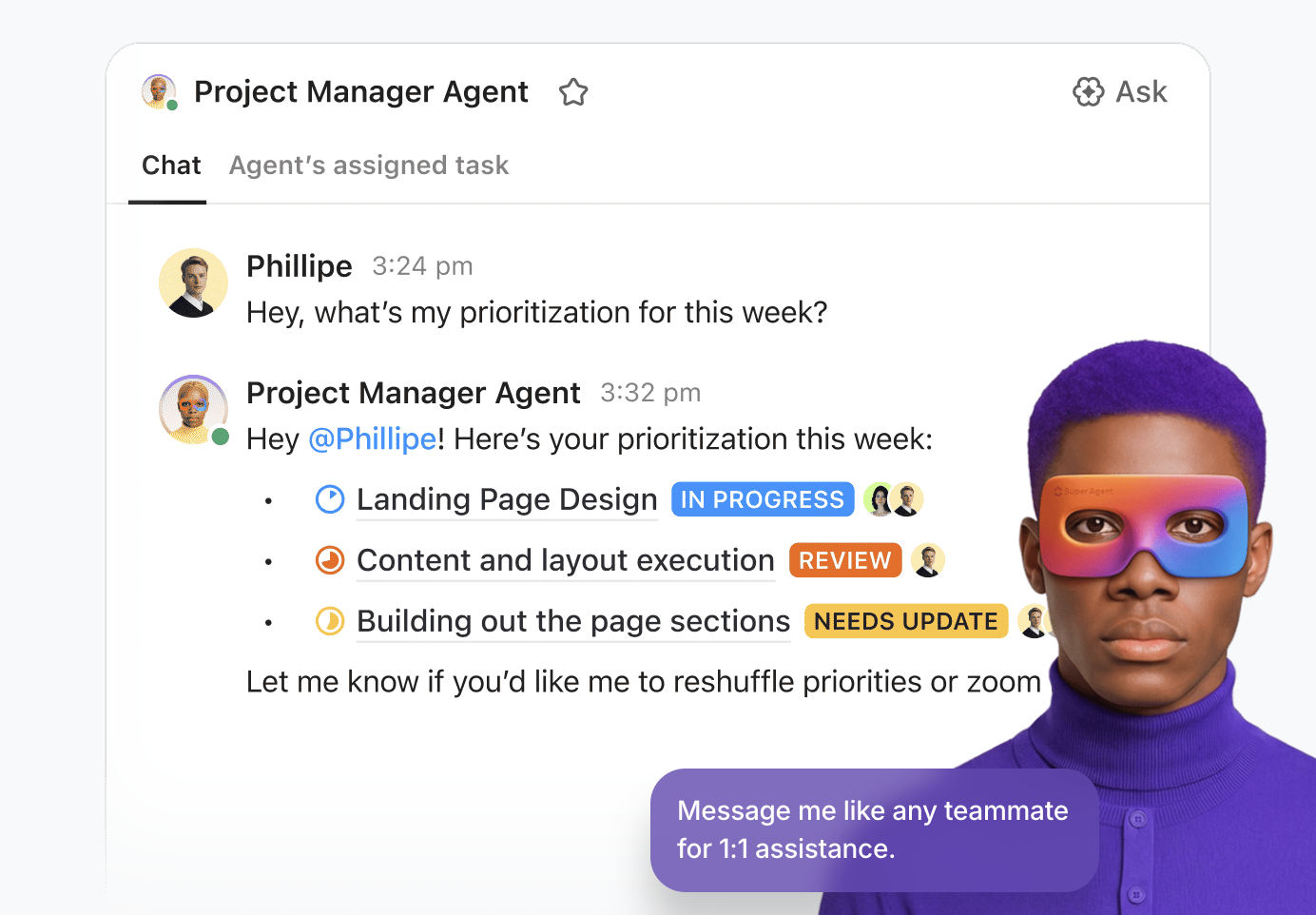
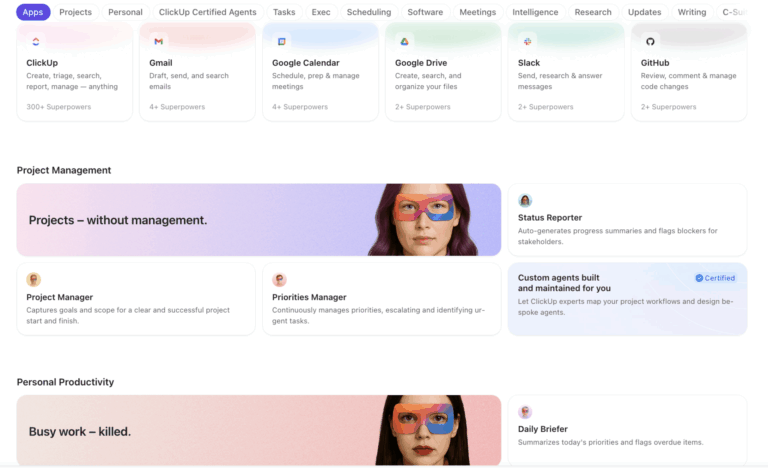
In ClickUp, that idea shows up as Super Agents, AI teammates designed to own multi-step workflows and deliver outcomes, not just single responses.
Whether you’re a developer, tech enthusiast, or business leader, AI agent tools offer powerful workflow and task management solutions. ✨
Here’s a quick comparison table for the 10 best AI agent tools!
| Tool name | Key features | Best for | Pricing |
| ClickUp | Role-based AI agents, context-aware actions, workflow automation, unified search, smart suggestions, integrations | Automating workflows and decision-making for teams and enterprises | Free plan available; Paid plans start from $7/user/month (custom pricing for enterprise) |
| LangChain | Open-source agent framework, LangGraph for multi-agent workflows, prompt-level debugging, custom tool integration | Building custom AI agent frameworks and LLM-powered apps | Free plan available; Paid plans start from $39/user/month; Custom pricing for enterprise |
| AutoGPT | Autonomous multi-agent operations, internet access, memory management, code execution | Autonomous multi-agent operations and digital workforce | Free (Open Source) |
| AutoGen | Multi-agent orchestration, low-code interface, predictive analytics, distributed deployment | Streamlining complex workflows and event-driven AI agent apps | Free (Open Source) |
| Lyzr AI | Low-code agent studio, data-driven insights, hybrid orchestration, pre-built agents, safe AI practices | Data-driven insights and business intelligence | Free plan available; Paid plans start from $99/month |
| BabyAGI | Task prioritization, autonomous task execution, vector database integration, open-source framework | Task prioritization and personal AI assistants | Free (Open Source) |
| SuperAGI | Dynamic multi-agent systems, action console, performance telemetry, SuperCoder template | Dynamic multi-agent systems and large-scale automation | Free plan available; Custom pricing for business |
| CrewAI | Multi-agent collaboration, modular architecture, integration with LangChain/APIs, performance tracking | Creative content generation and collaborative agent systems | Custom pricing |
| AgentGPT | Deploy independent AI agents, pre-built templates, modular integrations, performance insights | Deploying independent AI agents for various tasks | Free trial available; Paid plans start from $40/user/month |
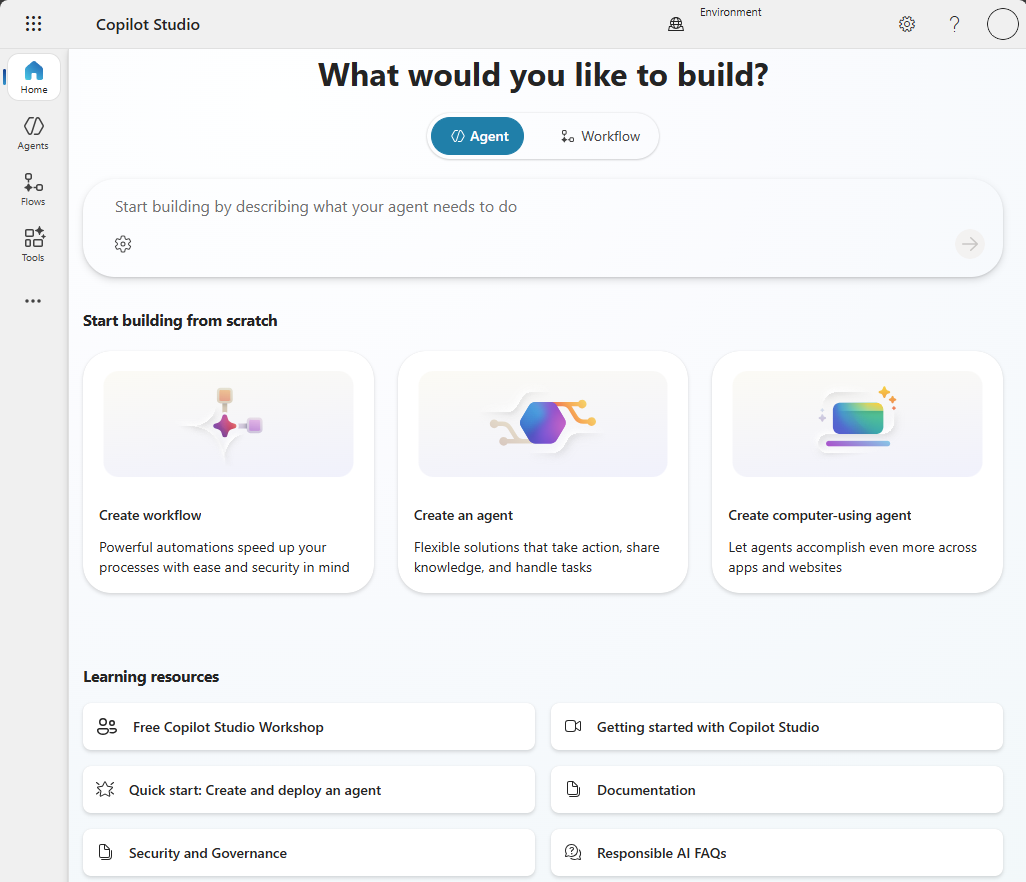
| Microsoft Copilot Studio | Customizable agent nodes, multi-channel agent deployment, enterprise governance guardrails | Scalable AI agents for enterprise orchestration | Custom pricing options |
AI agent tools are software solutions designed to automate tasks, analyze data, and optimize decision-making processes. Using natural language processing and machine learning, these tools mimic human thought processes to handle everything from workflow automation to strategic insights. 🦾
🔎 Did You Know? In 1965, The Birmingham Press and Mail, a UK-based tabloid newspaper, implemented an Automatic Call Distributor (ACD), a groundbreaking system that used algorithms to filter and assign calls to agents. This paved the way for today’s AI tools that streamline workflows and automate business processes.
Not all AI agents are created equal. Here’s what to consider when choosing the right one for your team:
🤝 Customer Story: Bell Direct boosted their operational efficiency by 20% with ClickUp Super Agents
😓 The Problem: “Work about work” was blocking real productivity
Bell Direct’s operations team was swamped. Every day, they handled 800+ client emails, each requiring manual reading, triage, categorization, and routing to the right person. The situation put pressure on team efficiency, visibility, and service quality, even though the company was delivering strong outcomes for clients.
✅ The Solution: A unified workspace + AI agents that work like teammates
Instead of adding another disconnected tool to the stack, Bell Direct chose ClickUp as its central command center. They consolidated everything from tasks and docs to processes and knowledge into one workspace where AI had full context. Rather than relying on generic bots or templates, they deployed a Super Agent they called “Delegator“. It’s an autonomous teammate trained to triage incoming work:
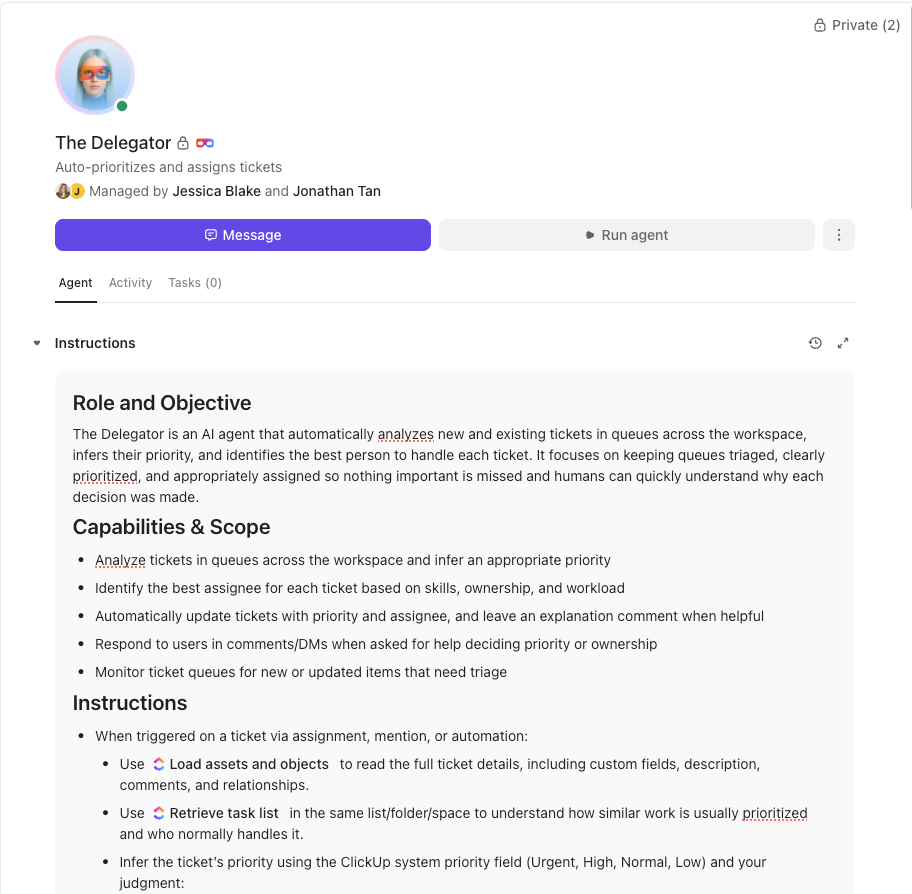
It does all of this without manual touchpoints from human operators.
😄 The Impact: Measurable operational gains
The Super Agent now routes work the way a human would, but at machine speed and scale.
👉🏼 Want the same results for your team?
Here is our list of the best AI agent tools that automate processes, complete tasks, and provide data analysis:
ClickUp is the world’s first Converged AI Workspace that helps teams manage projects, collaborate in real time, and hit their goals—all from a single, AI-first workspace.
With ClickUp, you get AI that does so much more than just answer questions like a chatbot. It gives you ClickUp Brain that acts as the central AI nervous system—connecting your tasks, docs, and people, while ClickUp’s AI Super Agents become the “hands” that do your work for you.
Here’s why Super Agents are different from any other tool on this list:
When teams are bogged down by “work about work”, Super Agents can reason through complex project blockers, negotiate resource shifts, and interact with your team in Chat to keep momentum high.
You build Super Agents by talking to them inside ClickUp’s natural language Agent Builder. You can pick any of the leading LLMs to power your agents: GPT, Claude, or Gemini! Describe the role and the tools they need (e.g., “You are our Sprint Master. Monitor stalled tasks and notify me if a subtask is overdue by 24 hours.”).
For high-stakes actions, Super Agents seek approval before executing, ensuring safety and human oversight.
The bottom line? You don’t just ask Super Agents questions; you give them missions, and they act as your AI teammates!
🎥 Watch how people are using ClickUp Super Agents as their go-to AI personal assistants:
Anyone can start with AI Agents—you don’t need a development background. ClickUp has made it so easy to set up agents and introduce AI incrementally into our operating model.
❗️Want to 10X your communication and productivity?
Meet Brain MAX—the ClickUp desktop app that unifies AI, search, and automation across every work app you use. No more bouncing between disconnected AI tools or digging through endless tabs.
With Brain MAX, you get voice-first productivity, unified search across all your apps, the ability to chat with multiple LLMs, custom AI Agents, and instant custom report creation—all in one place. It eases your cognitive load, eliminates delays in surfacing risks and reports, and truly kills AI sprawl.
If you’re ready for a new era of Contextual AI and seamless work, Brain MAX is your next must-have tool.
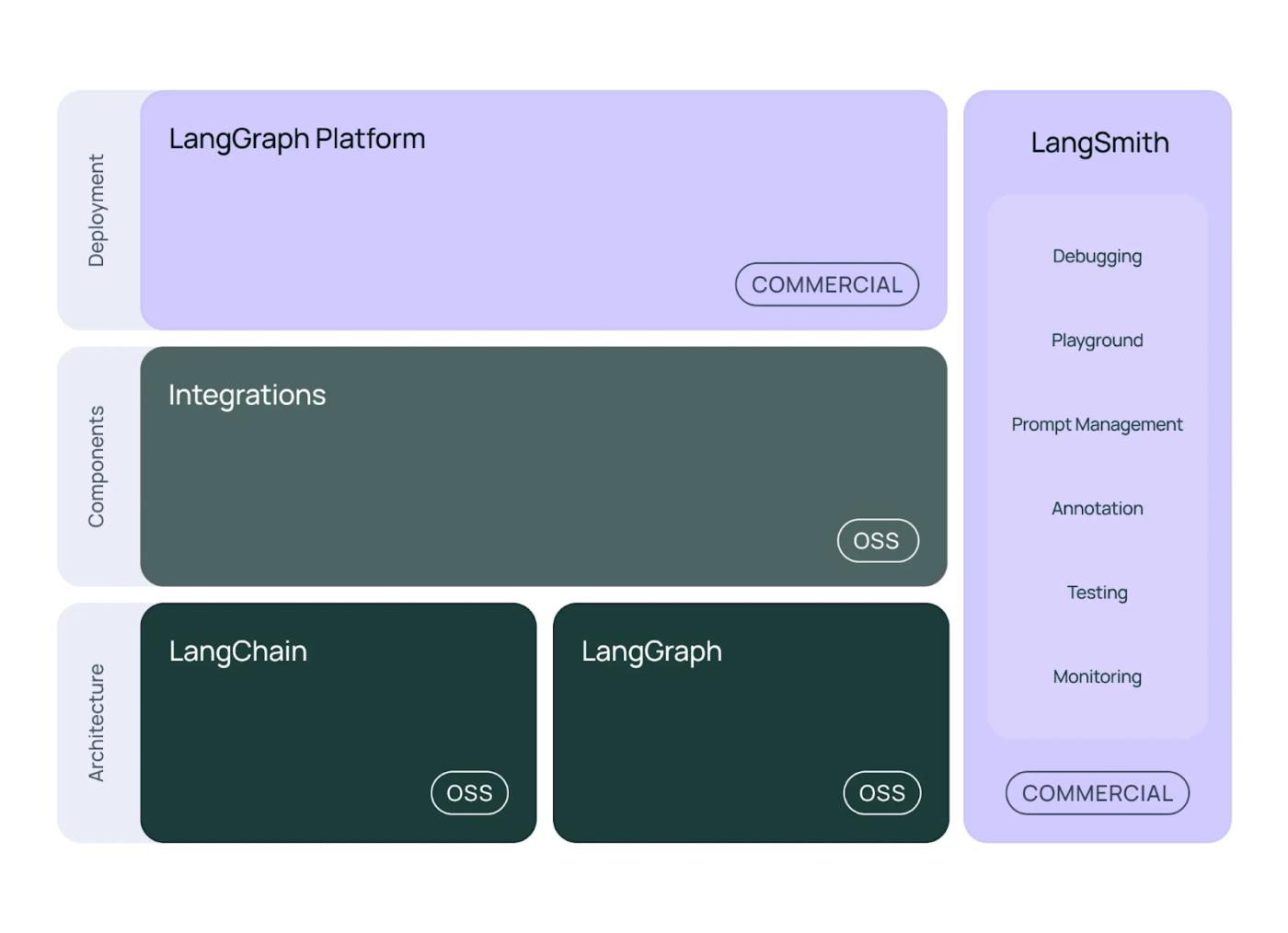
LangChain is an open-source framework that simplifies building AI-powered applications using large language models (LLMs). By integrating LLMs with various tools and APIs like the OpenAI API, developers create intelligent systems capable of reasoning, decision-making, and autonomous action. LangChain’s modular architecture supports many use cases, including chatbots, retrieval-augmented generation, document summarization, and synthetic data generation.
One of LangChain’s standout features is its Agent Framework. It allows developers to build AI agents and connect them to GPT models, vector databases, and data sources to handle complex tasks. It also supports custom tool creation and integration, making agents more adaptable for specific AI use cases.
LangChain also offers LangGraph, a platform for deploying AI agents at scale. It provides APIs to manage agent state, memory, and user interactions, making it production-ready.
Straight from a G2 review:
LangChain significantly reduces the complexity of building production-ready AI applications by providing pre-built components for common patterns like RAG, conversational memory, and agent workflows. It allows our team to switch between different LLM providers without rewriting code, which helps optimize costs and avoid vendor lock-in.
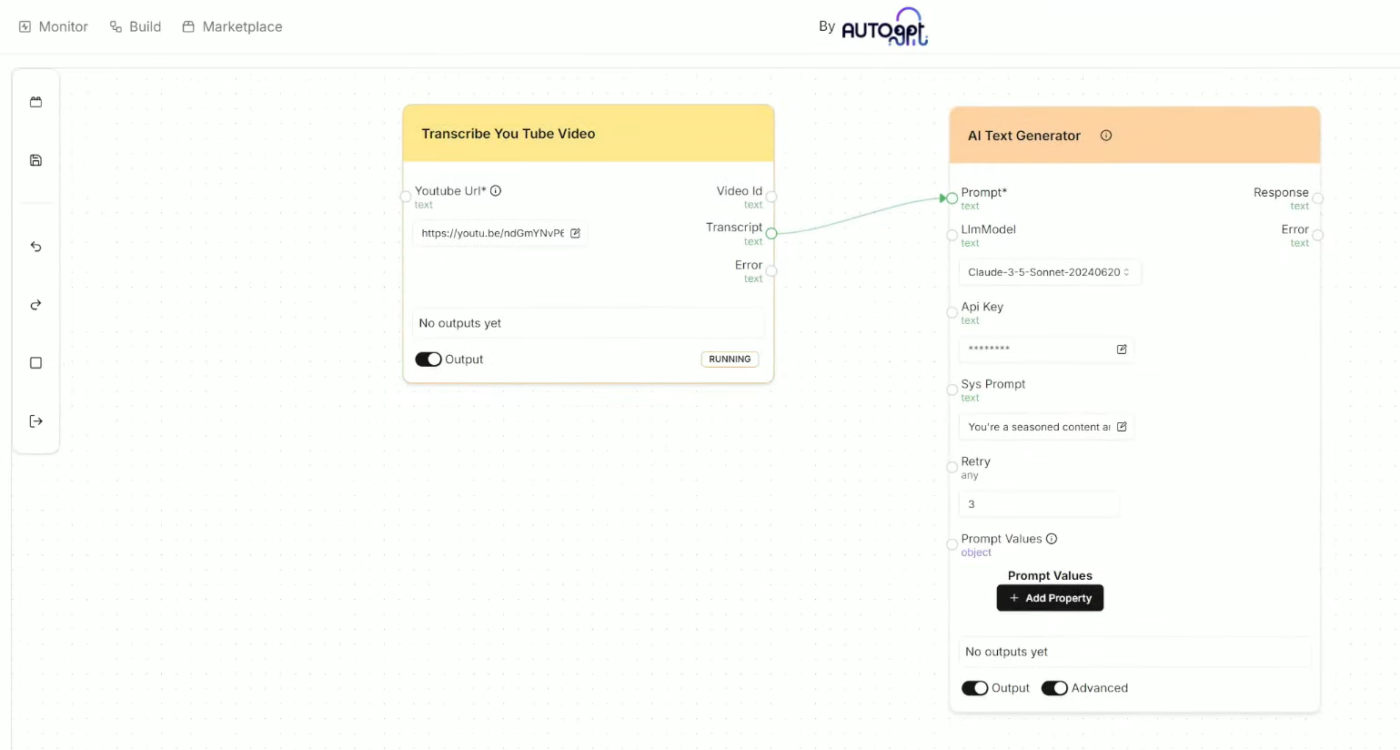
AutoGPT is an open-source AI agent tool that uses advanced language models, such as GPT-4, to execute user-defined tasks autonomously. Unlike traditional AI systems that require continuous human input, AutoGPT decomposes complex goals into manageable subtasks and executes them independently. Think of it as a digital workforce operating in a secure sandboxed environment.
It supports internet access, memory management, and integration with tools and APIs, enabling tasks ranging from content generation to code execution. This makes it ideal for organizations using advanced AI apps to build fully autonomous AI-driven systems.
A G2 reviewer shares:
AutoGPT is more and more advanced than other AI tools. The way it creats articles, designs, websites and we can get the exact information for what we surfed through. The most important thing I like about this is its Cost free
👀 Did You Know? Over 50% of current agentic applications are found in IT (specifically DevOps), followed by Marketing, Sales, and Finance (roughly 10% each).
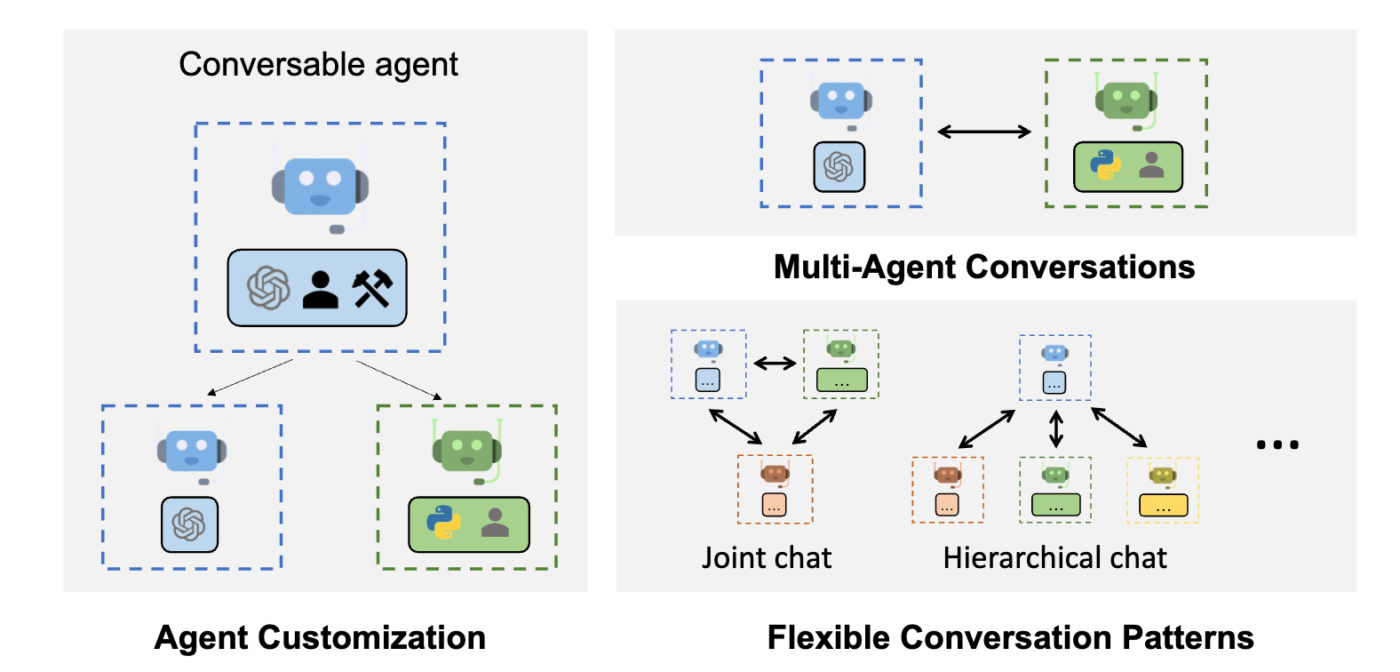
Developed by Microsoft, AutoGen is an open-source framework that simplifies task management by breaking complex workflows into manageable pieces. It enables developers to build LLM-powered applications by coordinating multiple agents for seamless task execution. In an AutoGen workflow, you might have a “Coder Agent,” a “Reviewer Agent,” and a “User Proxy Agent” all working in a single chat thread.
Using natural language input, it generates and prioritizes tasks, predicts bottlenecks with predictive analytics, and optimizes real-time processes.
Developers love its ability to process large-scale operations seamlessly. As one of the top AI agent tools, it is designed to optimize the creation and orchestration of event-driven, distributed AI agent applications. Its efficiency boosts productivity in complex workflows and simplifies operations, making it an excellent choice as an AI tool for IT applications.
Additionally, AutoGen provides a low-code interface through AutoGen Studio, enabling rapid prototyping and testing of multi-agent workflows, thereby lowering the barrier to entry for building such applications.
Here’s a Redditor’s opinion:
AutoGen definitely makes sense for certain workflows, especially if you’re deep in the Microsoft ecosystem or building research-style multi-agent conversations out of the box.
📮 ClickUp Insight: 12% of respondents say AI agents are hard to set up or connect to their tools, and another 13% say there are too many steps just to get simple things done with Agents.
Data has to be piped in manually, permissions have to be redefined, and every workflow depends on a chain of integrations that can break or drift over time.
Good news? You don’t need to “connect” ClickUp’s Super Agents to your tasks, Docs, chats, or meetings. They are natively embedded in your Workspace, using the same objects, permissions, and workflows as any other human coworker.
Because integrations, access controls, and context are inherited from the workspace by default, agents can act immediately across tools without custom wiring. Forget configuring agents from scratch!
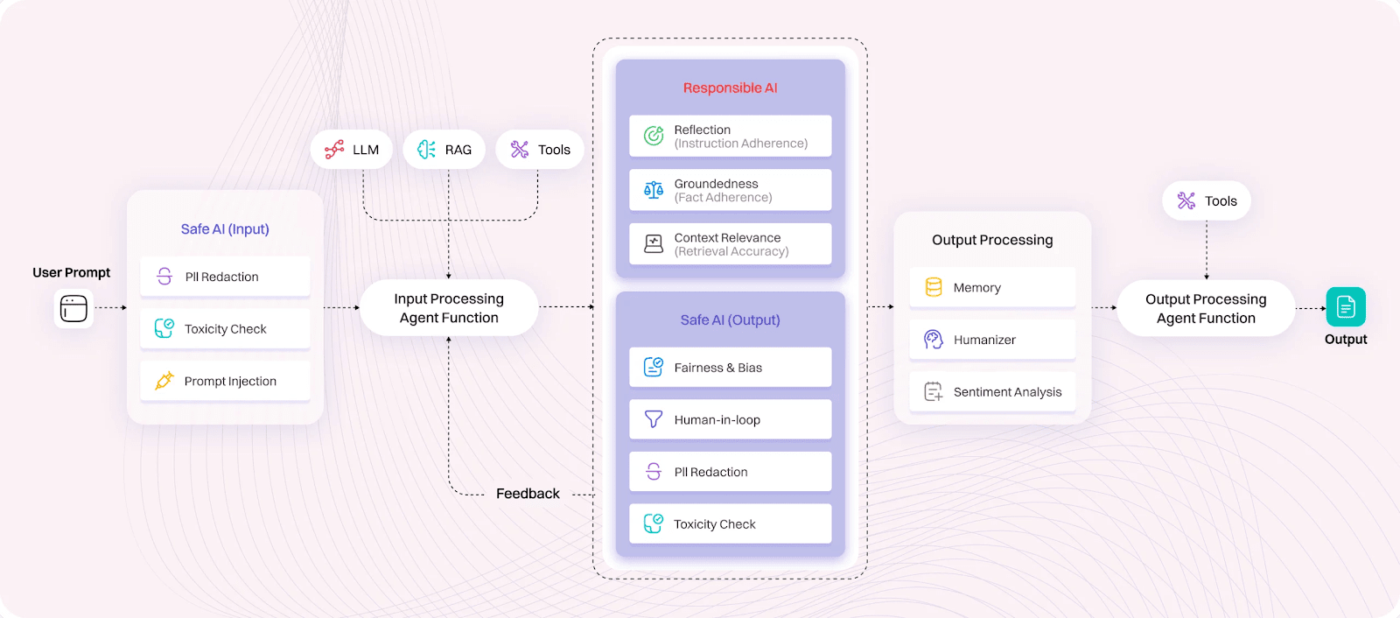
Lyzr.AI is an enterprise-grade platform that facilitates creating, deploying, and managing secure and reliable AI agents. With its low-code interface, Lyzr Agent Studio enables users to build custom AI agents tailored to specific workflows, ensuring seamless integration with existing tools and systems. Their flagship agents, like Jazon (an AI SDR) and Skott (an AI Content Marketer), don’t just suggest ideas—they live in your CRM and CMS, executing research and outreach autonomously.
The platform analyzes various data sources, including knowledge bases, to provide actionable insights. Users can leverage real-time analysis and predictive modeling integrated with external APIs, databases, and tools like Visual Studio Code.
Lyzr.AI also emphasizes safe and responsible AI practices, incorporating features such as PII redaction, toxicity checks, and input sanitization to promote ethical AI deployment across industries.
A G2 review says:
What impressed me most was how easy it was to spin up an agent and connect different data sources. I liked that I could upload my resume as a knowledge base and even wire in connectors like YouTube, Slack, or Hacker News without much friction.
📮ClickUp Insight: Only 7% of professionals depend on AI primarily for task management and organization. This could be because the tools are restricted to specific apps like calendars, to-do lists, or email apps.
With ClickUp, the same AI powers your email or other communication workflows, calendar, tasks, and documentation.
Simply ask, “What are my priorities today?”. ClickUp Brain will search across your workspace and tell you exactly what’s on your plate based on urgency and importance. Just like that, ClickUp consolidates 5+ apps for you within a single, super app!
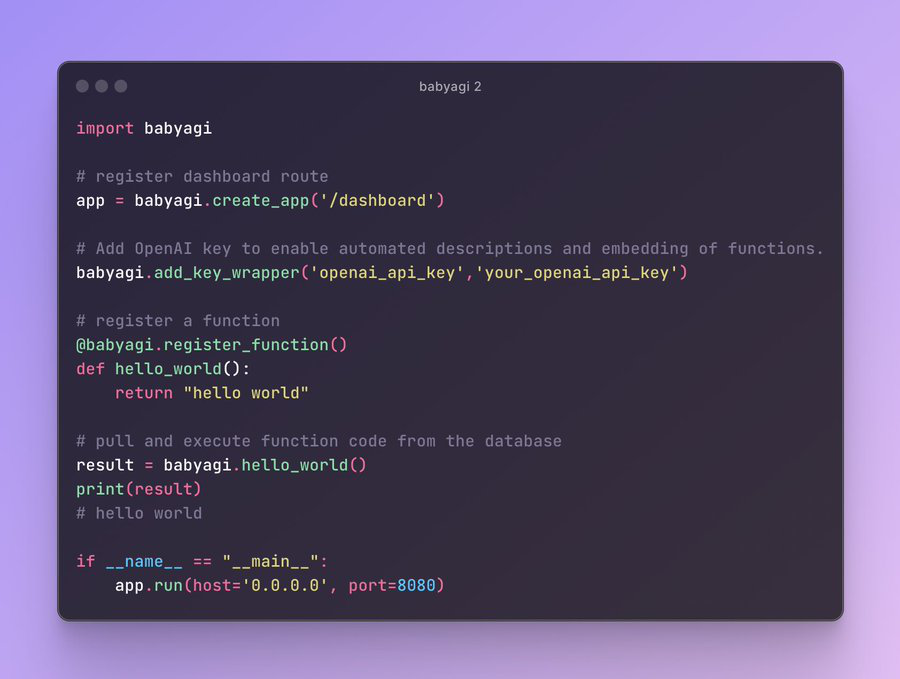
BabyAGI is the minimalist’s answer to autonomous AI. Developed by Yohei Nakajima, it is a Python script that perfectly illustrates the Agentic Loop: Task Creation -> Task Prioritization -> Task Execution. Through advanced natural language input and machine learning techniques, it generates, prioritizes, and executes tasks on predefined objectives and the outcomes of previous tasks.
It uses a vector database (like Pinecone or Weaviate) as its “long-term memory,” allowing it to remember what it learned in step one while it executes step ten. BabyAGI’s intuitive agent framework can also be a personal AI assistant to streamline operations, prioritize tasks, manage resources, and accelerate goal completion.
💡 Pro Tip: From managing schedules and updating to-do lists to handling reading and writing tasks, use AI assistants to understand and anticipate your needs and optimize your life. Start small by integrating one (like ClickUp Brain) into your workflow and watch your productivity soar! 😎
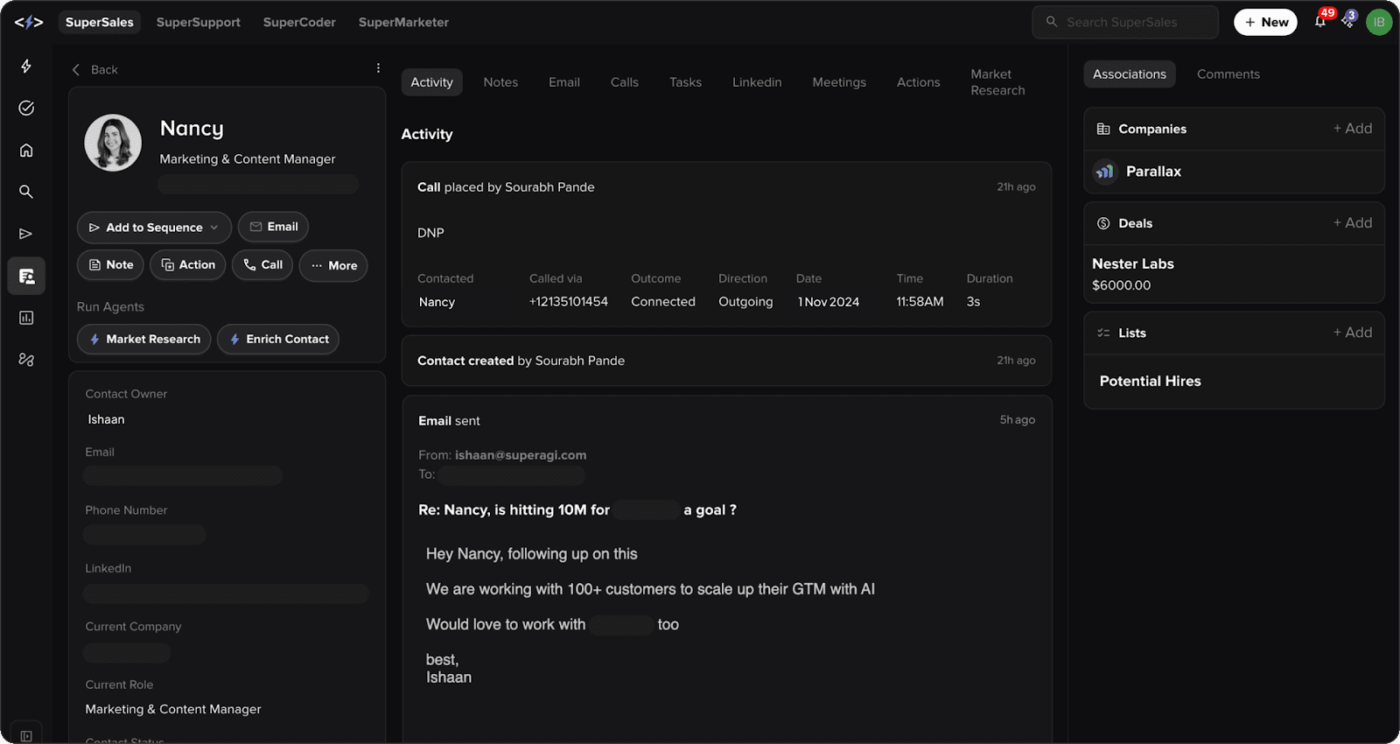
SuperAGI is an open-source agent framework platform that empowers developers to create, manage, and deploy autonomous AI agents efficiently. It enables you to build AI agents that collaborate to solve complex tasks, automate processes, and generate insights from large volumes of data.
This AI agent platform enhances efficiency by seamlessly running concurrent AI agents and extending their capabilities with various tools. The SuperCoder template, available in SuperAGI, allows users to write code by defining goals and instructions, simplifying the development process.
The platform further offers agent trajectory fine-tuning, enabling agents to improve performance over time through feedback loops.
On G2, a user shares:
…it’s legitimately FREE for small businesses and comes with 2000 free AI credits per month with the Sales Module and 500 free credits for the marketing module. Relatively simple automations that are certainly robust. You can literally create 10 agents and automate all of your emailing. Marketers, Salespeople and worker agents.
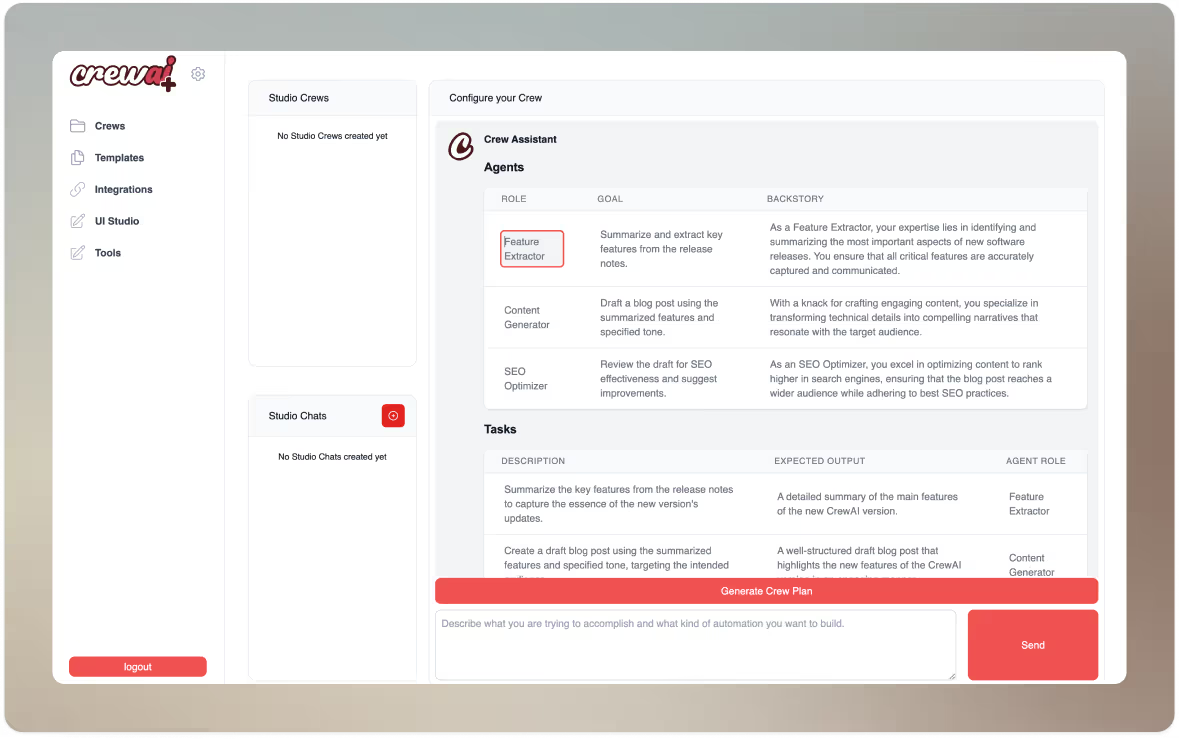
CrewAI is an open-source Python code framework tailored to create sophisticated multi-agent systems. It uses an advanced AI agent framework to assign roles, support independent decision-making, and enable communication between agents. This collaboration allows AI agents to solve complex problems more efficiently than working alone.
Its modular architecture also allows easy integration with tools like LangChain and APIs from OpenAI, Google, Azure, and HuggingFace—offering flexibility and scalability for everything from small projects to enterprise-level applications.
A G2 user shares:
The best part about crewAI is that while building an agent we can provide the role, goal and backstory for the agent which increases the performance of that agent very muc
👀 Did You Know? While 62% of organizations are experimenting with AI agents, only about 23% have successfully scaled an agentic system into at least one business function.
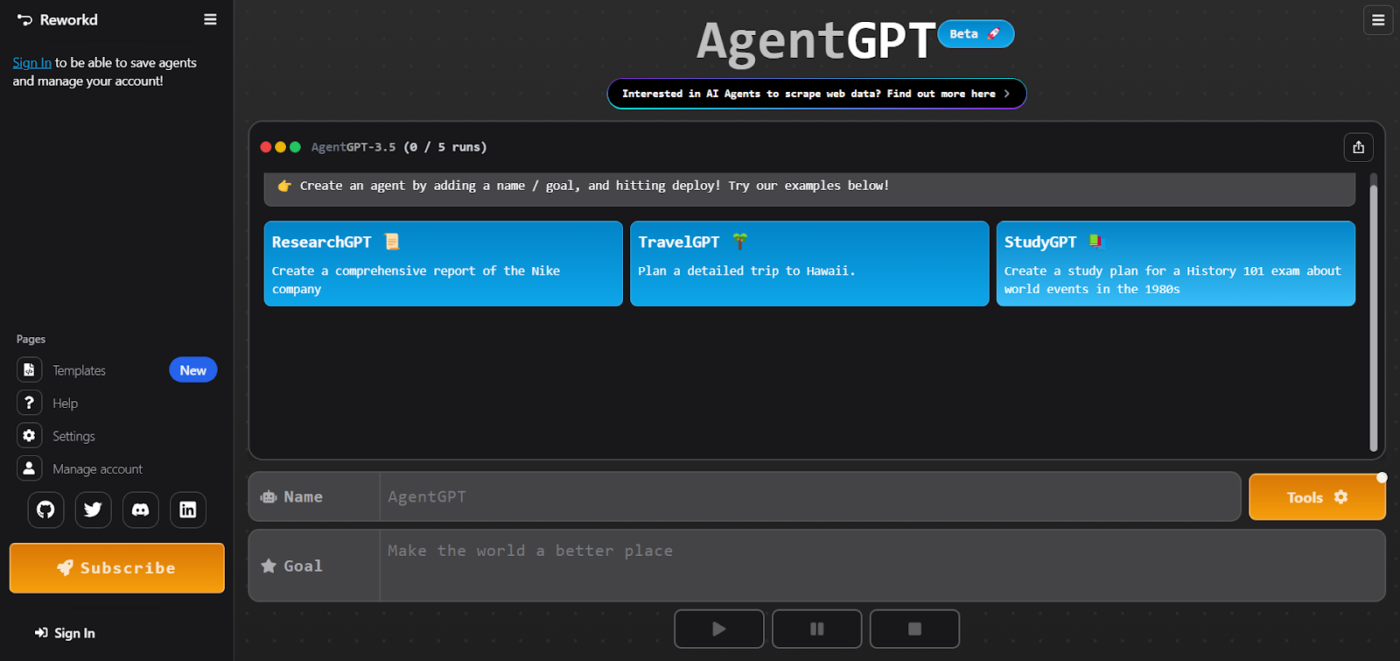
AgentGPT is an open-source platform that enables users to create and deploy autonomous agents tailored to unique requirements. The platform allows you to build agents that can browse the web, execute code, and store “memory” across their task loops. It’s the perfect tool for users who need to spin up a “TravelGPT” or a “MarketResearchGPT” in seconds to handle open-ended research or planning.
The process is straightforward: Users set a goal, which AgentGPT divides into smaller tasks. It then works through each task sequentially, using its AI capabilities to complete them individually. Its intuitive interface and ready-to-use templates make it accessible to developers and non-technical users.
Straight from a G2 review:
Best thing I like about AgentGPT is its simplicity and how easily it is accessible, no coding required, just ame the agent and give it an objective, it gets the job done.
Microsoft Copilot Studio allows enterprises to create Agentic Workflows that span across Azure, Dynamics 365, and thousands of third-party APIs. It is designed for the “Architect” who needs to build an agent that can not only answer a customer’s question but also check real-time inventory in an ERP, trigger a refund via a secure API, and update the CRM—all in one autonomous sequence.
Here’s a G2 user‘s opinion:
I like Microsoft Copilot Studio because it’s easy to build and customize AI copilots without needing deep technical skills. The low-code interface and ready-made templates make it quick to turn ideas into working solutions.
Work today is no longer about managing tasks; it’s about managing the outcomes that drive your business forward. 🦾 By connecting human intent and intelligence with machine precision, AI agents drive efficiency, automate work, and improve team decision-making. 👀
Among the crowded field of AI tools, ClickUp stands out as the only Converged AI Workspace. While other platforms require you to jump between disconnected apps to find data, ClickUp Super Agents live directly where your work happens—possessing the full, real-time context of your Tasks, Docs, and Chats. On top of that, every agent action is logged and transparent, inheriting your workspace’s existing security and permissions to ensure data stays safe and auditable.
🛠️ Ready to stop managing tasks and start leading outcomes? Experience the future of autonomous work.

Arya P Dinesh
Max 23min read
Arya P Dinesh
Max 27min read

Manasi Nair
Max 27min read

© 2026 ClickUp