






Still downloading templates?
There’s an easier way. Try a free AI Agent in ClickUp that actually does the work for you—set up in minutes, save hours every week.
Sorry, there were no results found for “”
Sorry, there were no results found for “”
Sorry, there were no results found for “”
Businesses want smart systems that can think, decide, and take action when needed. In the real world, that’s easier said than done.
Because when work is spread across too many tools, with too many people in the middle, gaps in automation start to show.
And the more complex your workflow, the harder it becomes to spot what broke and why.
This shift has made agent development a priority. Not because they can write messages or summarize documents (that’s the easy part), but because they can act autonomously inside your tools.
In this article, we’ll break down the top AI agent management platforms, what each one does best, and how to choose the right one for your workflows.
AI agents are not a passing trend. Gartner predicts AI agents will handle 15% of everyday work decisions.
So if your team is thinking about adopting AI agents, here’s what your agent management platform should be capable of:
| Tool | Key features | Best for | Pricing* (USD/user/month) |
| ClickUp | AI Agents that trigger actions based on workspace events, prebuilt agent roles, AI summaries, automation rules with logs, connected search across docs/tasks/apps | Teams that want AI agents inside project and ops workflows (PMs, ops, marketing, dev teams) | Free forever; Customizations available for enterprise |
| Voiceflow | Drag-and-drop visual flow builder, omnichannel deployment (chat, voice, web, IVR), knowledge base connection, integrations via connectors, real-time testing, analytics logs | Teams building conversational AI agents at scale (CX, chatbot teams, product teams) | Free plan available; Paid plans start at $60/month |
| Devin AI | AI engineering agent that can refactor, build features, ‘Ask Devin’ IDE-like interface, parallel agent workflows, auto-doc, human approvals before deploying changes | Engineering orgs that want AI-led software execution (dev teams, platform teams) | Paid plans start at $20/month |
| LangChain | Open-source agent framework, dynamic tool calling, API and data-source interaction, LangGraph stateful workflows, LangSmith agent builder, observability, logs, testing | Builders who want custom LLM-powered agents with full flexibility (developers, AI engineers) | Free plan available; Paid plans start at $39/month |
| n8n | Open-source, self-hostable automation, visual node-based workflows, webhooks, LLM tasks (summarize, classify), custom JS/Python logic, governance controls | Ops and automation-heavy teams wanting agent-like workflows across apps (RevOps, IT, ops, automation teams) | Paid plans start at 24€ per month |
| Crew AI | Multi-agent collaboration (crew members), visual editor, built-in AI copilot, API, logs, reasoning trails, RBAC, containerized agents, on-prem/VPC options | Teams orchestrating multi-agent systems (enterprise AI ops, dev teams, workflow owners) | Free plan available; Paid plans start at $25/month |
| Microsoft Copilot | Native AI across Word, Excel, Outlook, Teams, Copilot Studio for agent workflows, Microsoft Graph context, compliance and security via Azure controls, enterprise templates (finance, legal, IT) | Microsoft-first companies that want AI productivity agents inside M365 | Paid plans start at $27.25/month |
| Vellum AI | Visual builder, generate workflows from plain English, hybrid GUI and code, prompt comparisons side-by-side, function calls, multi-step workflows, security controls (SSO, HIPAA, private cloud) | Teams building enterprise-grade workflows and agents (product teams, ops, AI builders) | Free plan available; Paid plans start at $25/month |
| IBM watsonx | watsonx Orchestrate drag-drop workflows, enterprise agent governance, internal AI Search, connects to Db2, Cloud Pak for Data, dashboards, logs, audit trails, industry templates | Enterprises needing governed AI, orchestration, compliance (CIO orgs, large ops) | Free plan available; Paid plans start at $1050/month |
| Stack AI | Spreadsheet, table-driven agents, chat over structured datasets, triggers, actions in tools like ClickUp, Slack, Gmail, Zapier, branching, version rollback, feedback loop, enterprise security and permissions | Teams wanting simple AI agent deployment on workflow data (ops, Airtable, spreadsheet users) | Free plan available; Custom pricing |
Our editorial team follows a transparent, research-backed, and vendor-neutral process, so you can trust that our recommendations are based on real product value.
Here’s a detailed rundown of how we review software at ClickUp.
Up next, let’s look at the top AI agent management platforms and where each one fits best.
When people hear ‘AI agents’, they often imagine a standalone bot sitting outside the business.
As the world’s first converged AI workspace, ClickUp flips that idea. It is an AI agent management platform that holds the insights agents need to operate: tasks, docs, chat, owners, due dates, dependencies, priorities, and more.
So, rather than building an agent and then figuring out how it plugs into your processes, you start with the process, and the agent plugs into that.
Here’s what makes that possible.
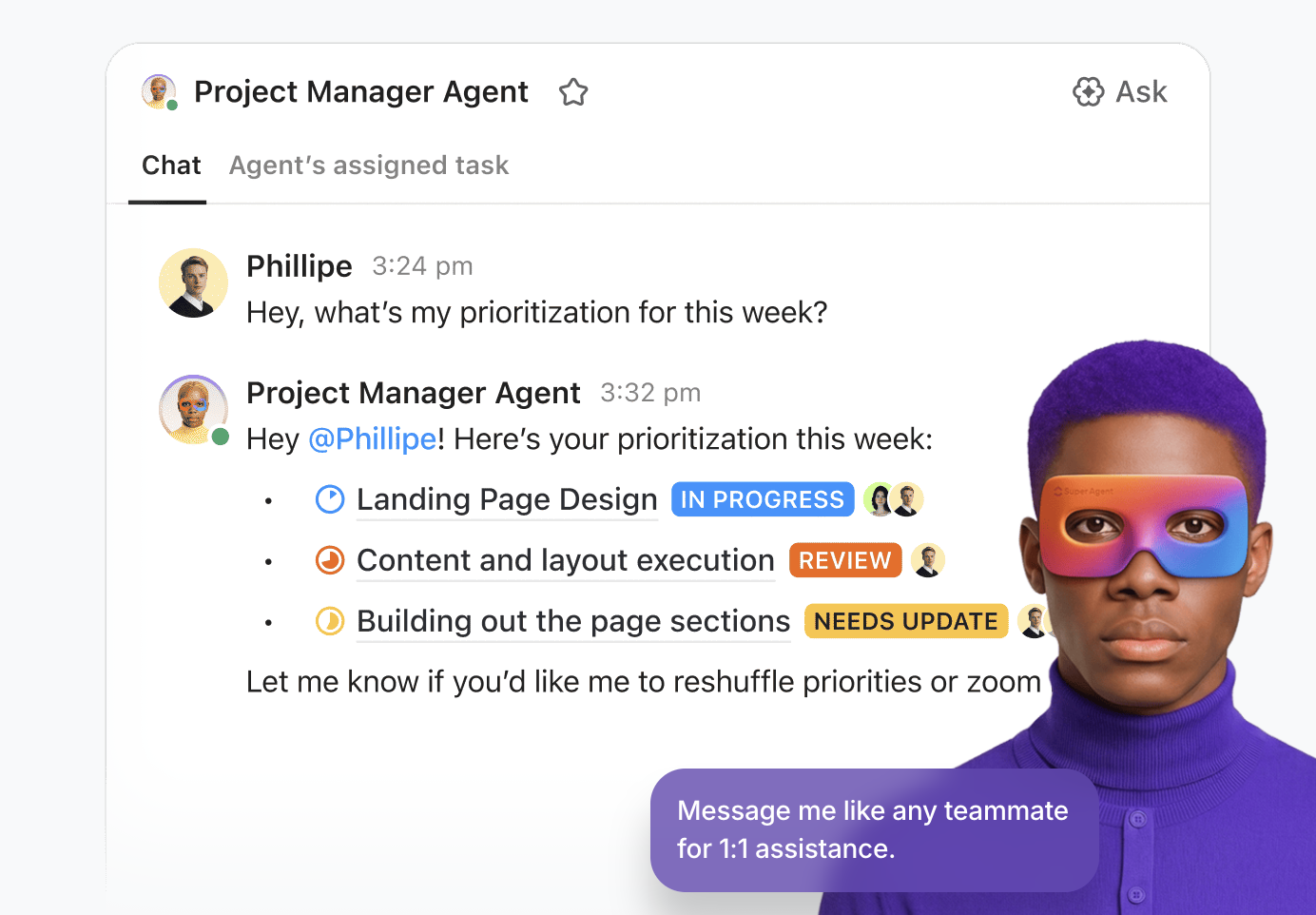
ClickUp Super Agents are always watching your workspace and can be trained to take specific actions based on triggers. These agents run on logic you define, but they go far beyond basic automation rules.
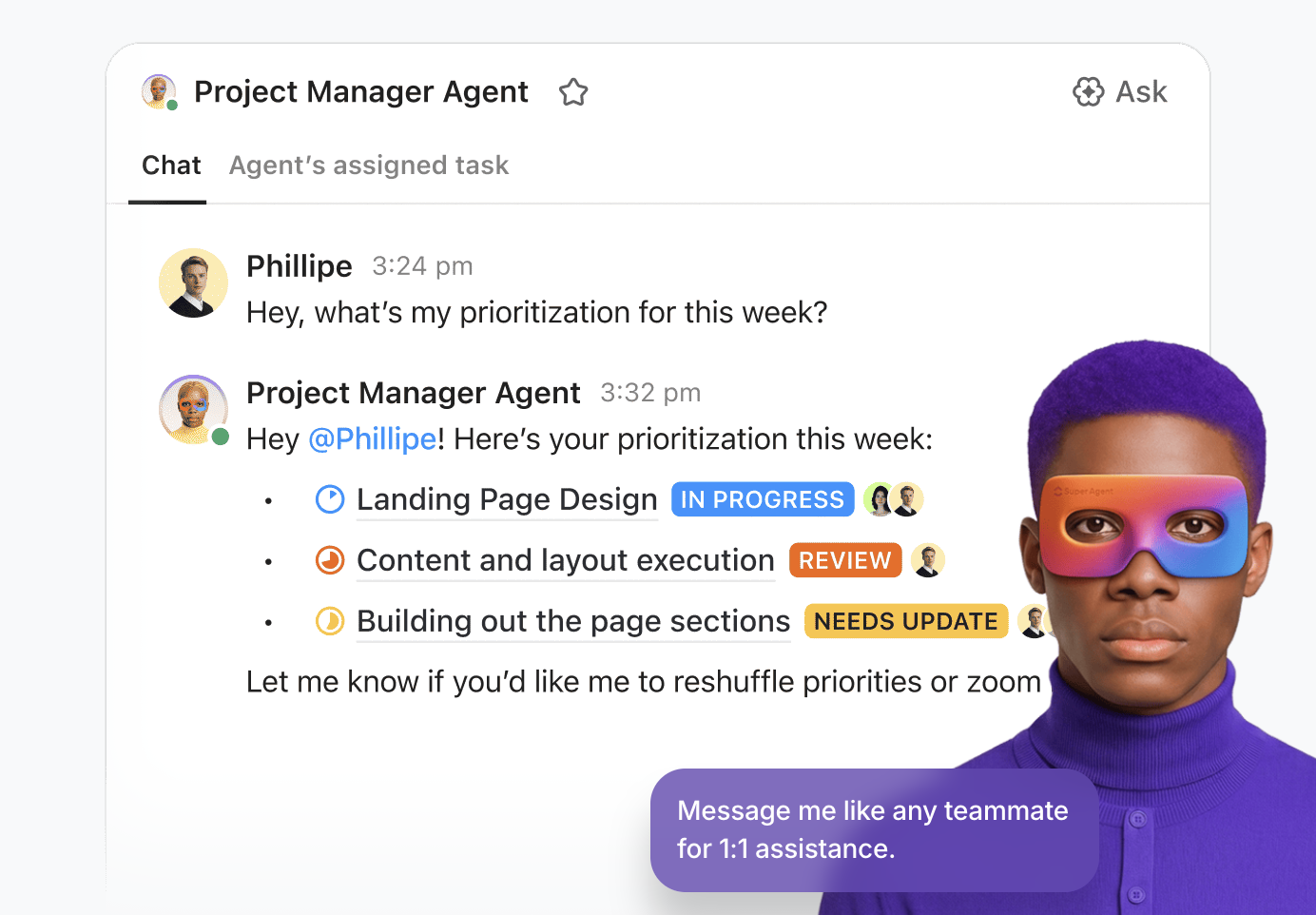
These specialized agents can analyze context, trigger the right workflows, and communicate with humans (or each other) to move work forward.
ClickUp includes several prebuilt agent experiences built for specific workflows.
For example:
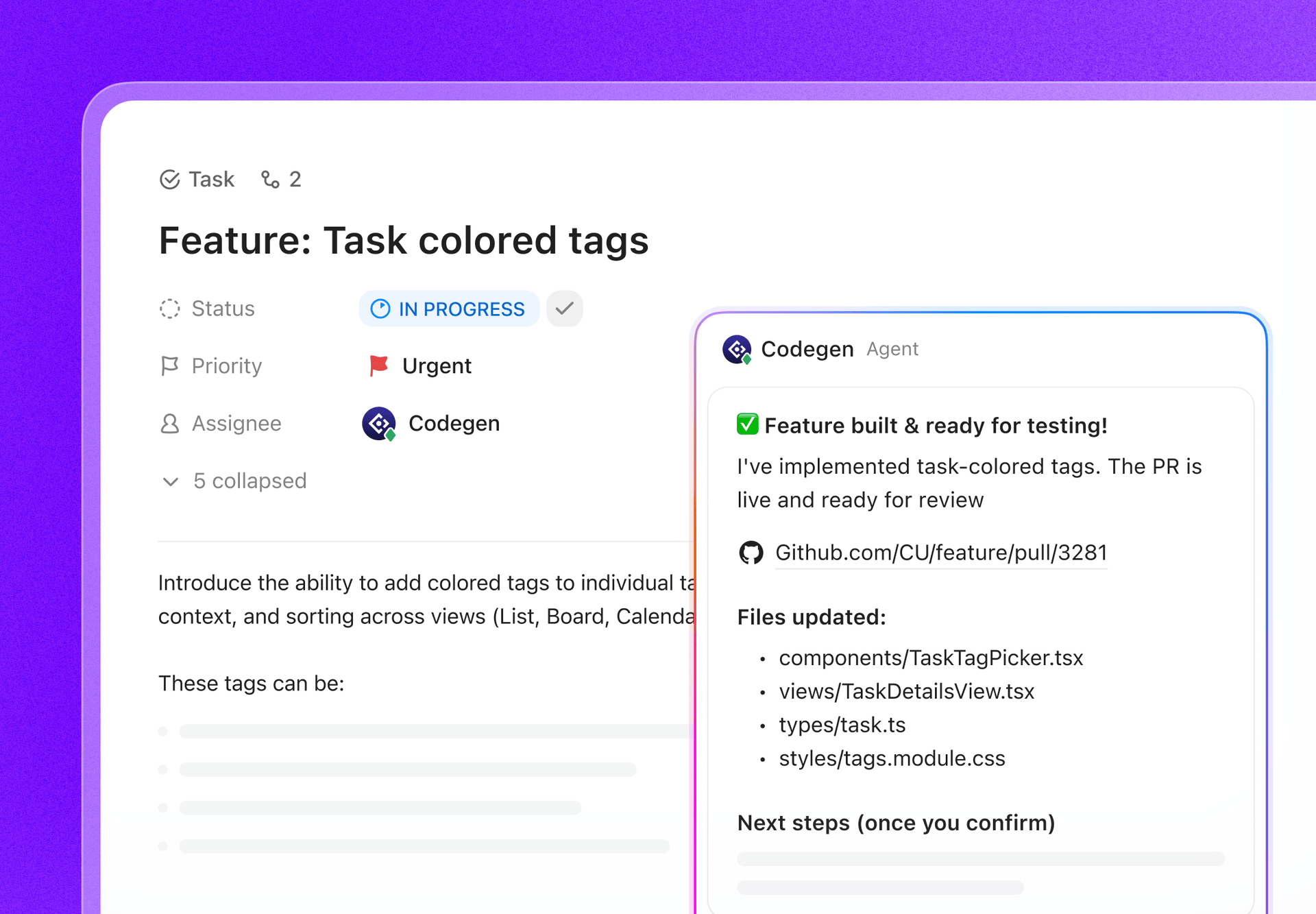
To manage AI agents effectively, ClickUp lets you configure:
Also, when you want to build an AI agent that behaves like your business (your rules, your handoffs, your escalation paths), ClickUp supports custom agents that can act and execute based on how your workspace is set up.
This video shows how you can build your own agent in less than 20 minutes ⏰:
If AI agents are the doers, ClickUp Brain is the layer that helps agents understand your work because it’s connected to your workspace information (tasks, docs, owners, deadlines, comments) and even connected apps.
You get two big benefits:
🎯 Better context (agents aren’t guessing). They make decisions rooted in actual project history, dependencies, and team priorities. So instead of pinging a random teammate or repeating tasks, they act in ways that mirror your team’s workflow.
🎯 Faster execution (agents can summarize, plan, and act in the same place). Because everything happens within the same system, agents can read updates, generate summaries, and assign tasks without switching platforms or pulling from disconnected sources.
ClickUp’s AI powered project summaries turn scattered updates into instant clarity. You can quickly understand progress and blockers without manually reading every item in your workspace.
In addition to project updates, this feature actively supports execution. ClickUp Brain automates tasks using AI, such as auto-generating subtasks, defining dependencies, and adjusting timelines based on project movement. Acting like an intelligent project coordinator, it not only summarizes what’s happened but also highlights what needs attention, allowing you to course-correct fast.
Just ask for a project overview, and you’ll get a smart summary with context-aware insights and action-ready suggestions.
ClickUp Automations let you create trigger-condition-action workflows in a simple visual builder.
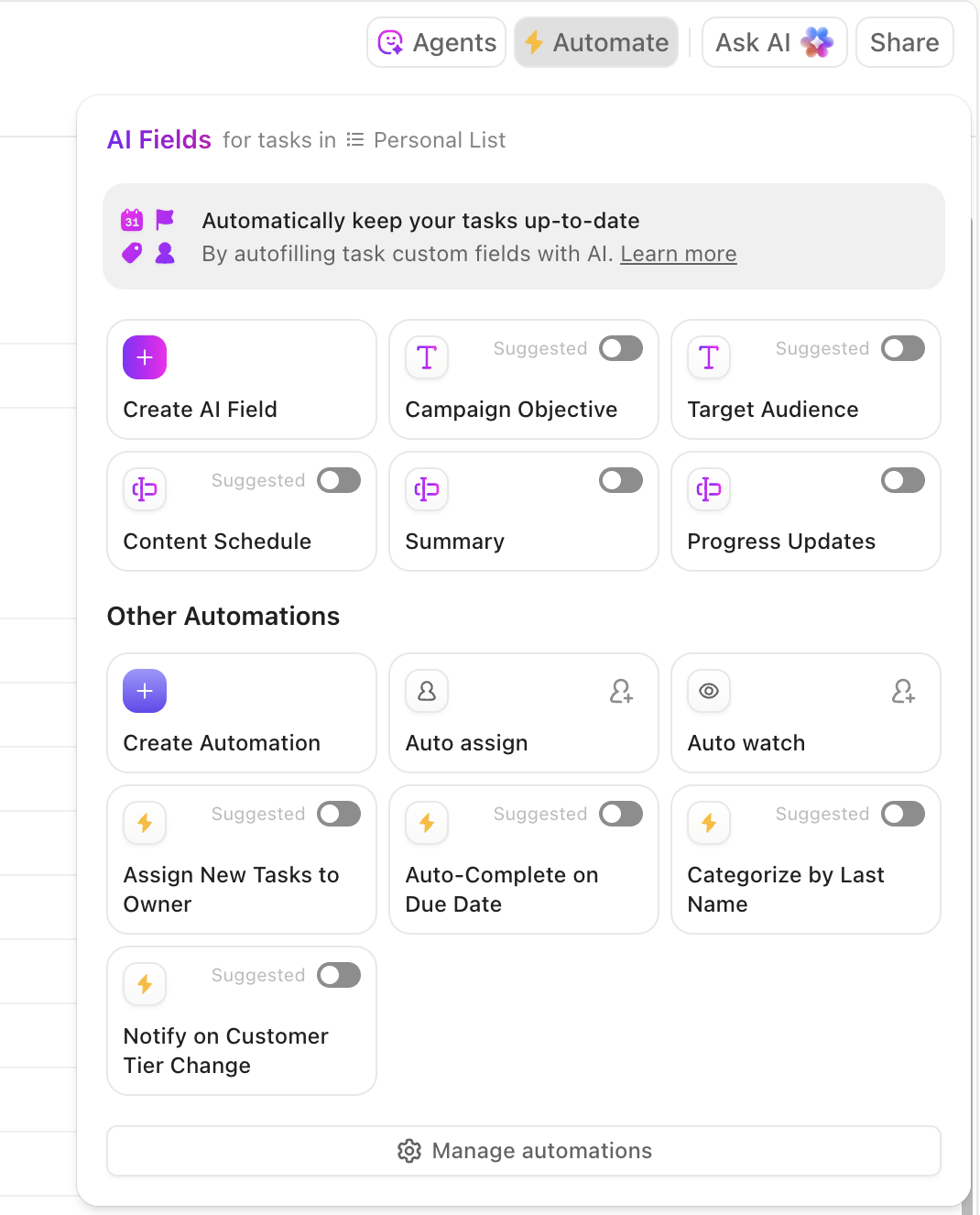
For quick setup, you get a library of ready-made automation templates to handle common workflows, such as assigning tasks, posting comments, changing statuses, moving lists, and more.
You can also automate emails triggered by ClickUp events, such as when a form is submitted or a task status changes. This becomes especially useful when you want to keep communication with stakeholders or clients proactive.
Here’s how one Reddit user reviewed ClickUp Super Agents:
Right now, we have one agent set up to trigger when a feature or bug is marked as released. It reads the ClickUp task and cross-references GitHub, then automatically updates our rolling release notes doc and notifies the sales and marketing team. So far, it’s done an excellent job distilling all the scattered task descriptions and developer comments into clean, readable notes, formatted in a way our non-technical marketing team can easily understand.
📌 Did You Know? Most agentic AI isn’t running fully on autopilot. 70% of AI-driven decisions are still human-verified, and 87% of businesses using agentic AI say it requires oversight.
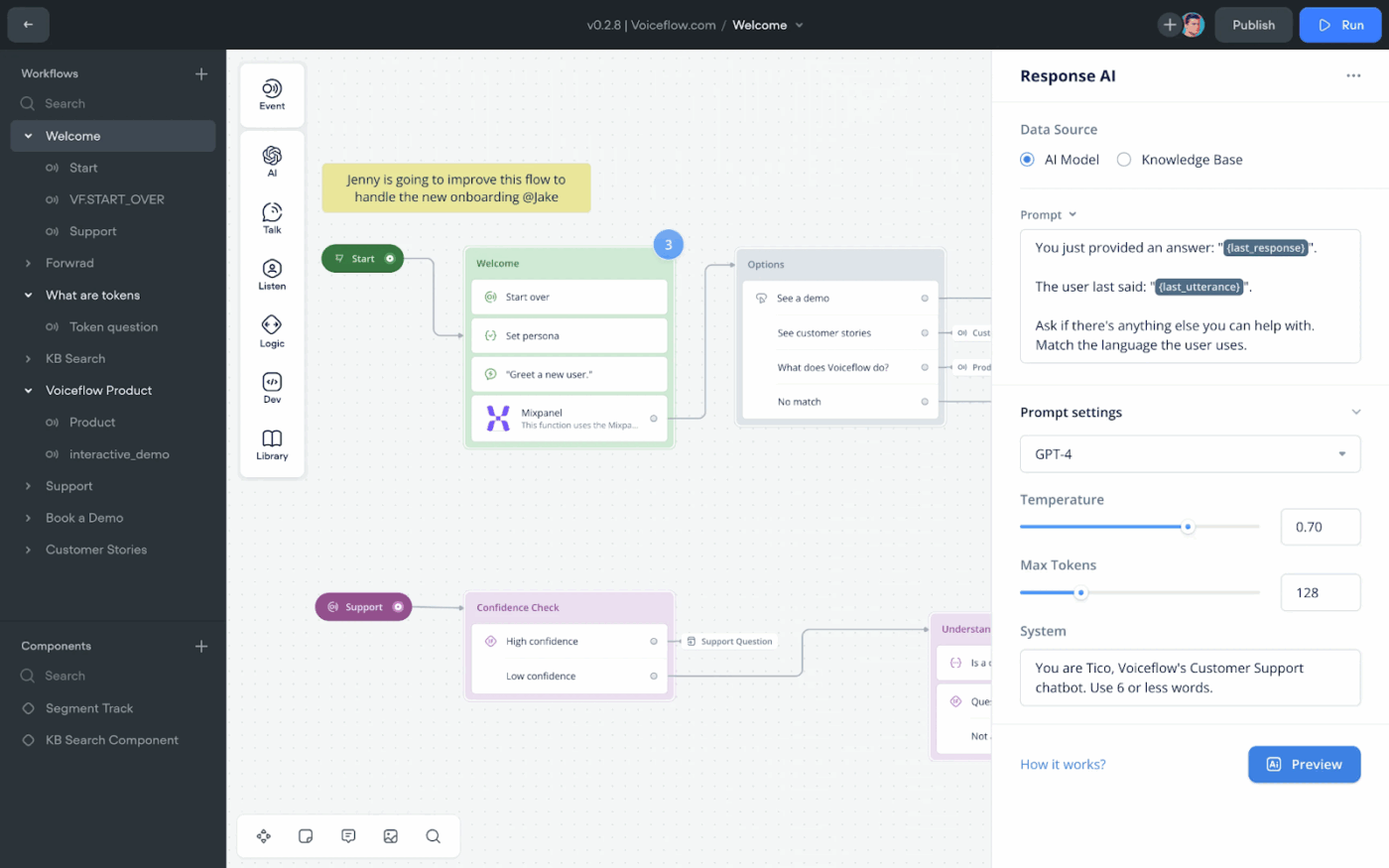
Voiceflow is designed for building conversational agents, both for chat and voice. Its drag-and-drop flowchart interface makes it feel more like sketching ideas than coding. You can map out a full customer interaction in minutes, test it instantly, and tweak it without having to start from scratch.
The tool lets you design a single agent and deploy it across multiple channels, such as web chat, messaging apps, and even phone (IVR), without redoing the logic. That kind of omnichannel support saves time and keeps everything consistent, especially if you’re trying to build an AI workforce that can handle support and queries across every touchpoint.
Agents can reference FAQs, help docs, and product content in real time, so when the ops team updates something, the agent’s answers update too.
Here’s how one G2 user reviewed Voiceflow:
What I like best about Voiceflow is how incredibly intuitive and flexible it is! The visual flow builder makes it so easy to design complex conversational experiences without feeling overwhelmed. I love how I can quickly prototype, test, and deploy both voice and chat assistants all in one place.
⭐ ClickUp Advantage: Most teams struggle to get real results from AI. Only 7.2% say their strategy delivers strong ROI, and nearly half have already dropped tools they adopted last year.
The biggest reason? AI sprawl, i.e., too many disconnected tools, not enough coordination.
ClickUp BrainGPT changes the game. It brings everything, including search, automation, and creation, into one smart workspace, so you don’t have to look for a dozen apps to get work done.
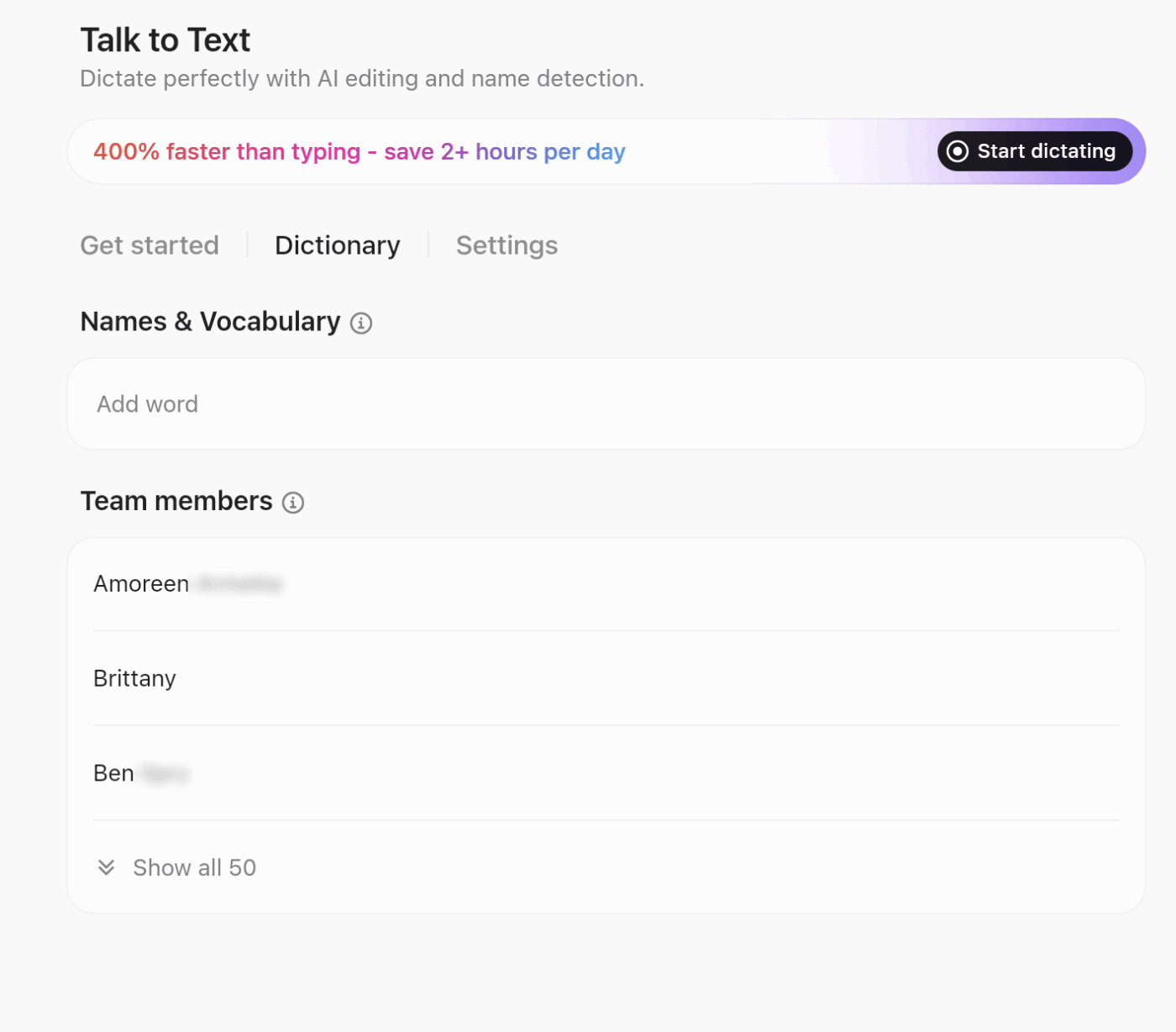
You can talk to it, type in it, and let it take action behind the scenes. With support for voice-first commands (via ClickUp Talk-to-Text), top-tier models (like ChatGPT, Claude, and Gemini), and deep integration with tools like Google Drive, Notion, GitHub, and SharePoint, ClickUp Brain MAX is built to unify and simplify your work.
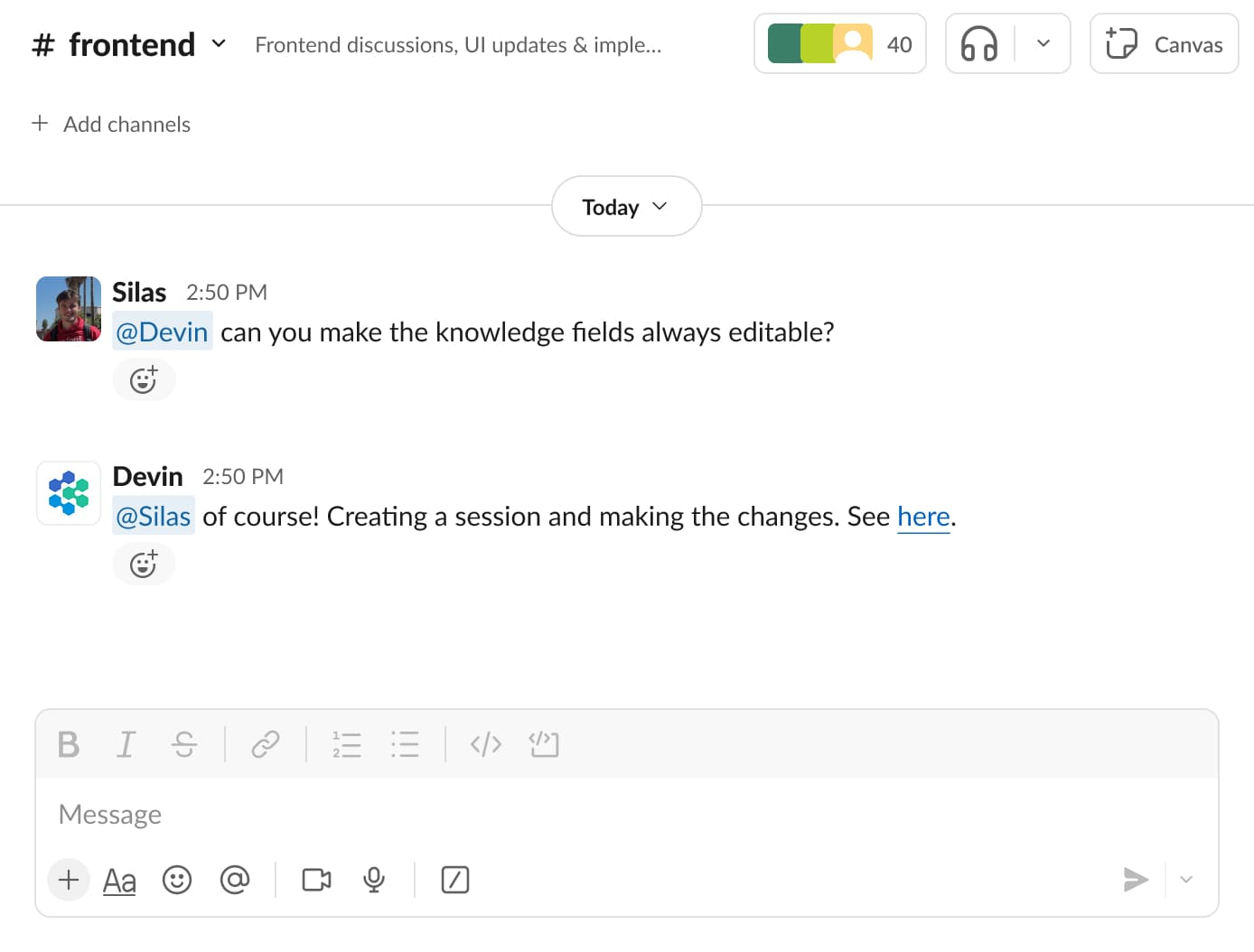
Devin AI is built specifically for automating software engineering workflows with AI agents. You can give the tool instructions like ‘refactor this module’ or ‘build a reporting dashboard,’ and it just gets to work across your codebase. Multiple types of AI agents run in parallel to handle tasks such as ETL migrations or large refactors.
The ‘Ask Devin’ visual interface works like an AI-powered IDE assistant. You can upload code, ask questions, or just get quick explanations. Because it maintains context across interactions, it feels more fluid than constantly switching between documentation and tools.
And everything gets logged. So if Devin solves something once, it’s searchable next time. It’s like having a developer agent that codes, documents, and learns as it goes.
Here’s how one Reddit user reviewed Devin AI:
One of my companies adopted Devin pretty early. On the surface it was impressive. Integration with Slack made it extremely accessible. Their UX was really nice. I felt like it was worth the relatively high price point.
📮 ClickUp Insight: Only 10% of our survey respondents regularly use automation tools and actively seek new opportunities to automate.
This highlights a major untapped lever for productivity—most teams are still relying on manual work that could be streamlined or eliminated.
ClickUp’s AI Agents make it easy to build automated workflows, even if you’ve never used automation before. With plug-and-play templates and natural-language commands, automating tasks becomes accessible to everyone on the team!
💫 Real Results: QubicaAMF cut reporting time by 40% using ClickUp’s dynamic dashboards and automated charts—transforming hours of manual work into real-time insights.
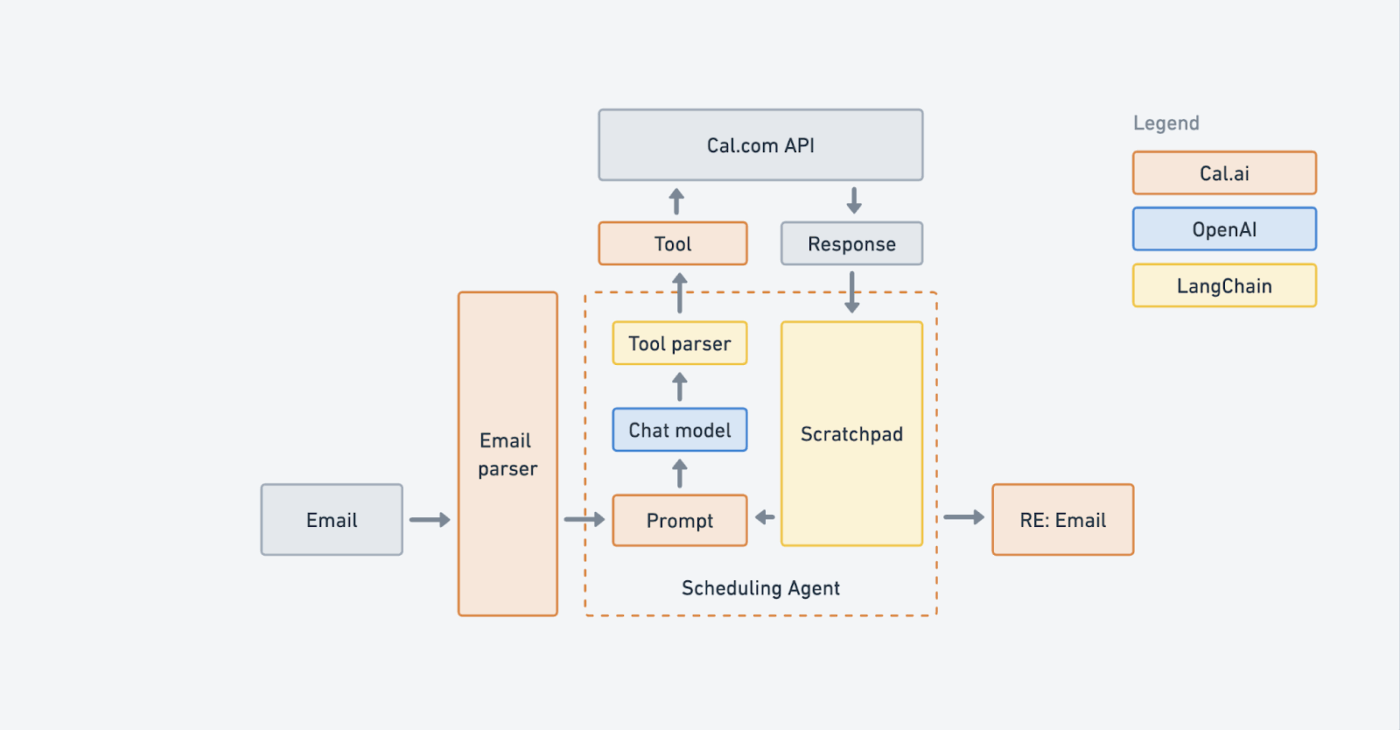
LangChain is open source, which means you can fully customize how your AI agents operate. It comes with ready-made templates, such as ReAct, to help you get started quickly. You just connect prompts, tools, and actions, and the tool orchestrates the flow in the background.
Agents can actively make decisions, call external APIs, search knowledge bases, and interact with data sources depending on the user input. With LangGraph, agents can store state, pause their work, and pick up where they left off without losing context, which is ideal for business processes that can’t be completed in one go.
Here’s how one G2 user reviewed LangChain:
It is my go to Framework for all the Agentic AI or Generative AI use cases I have built using Python. It is easy to install, just via the pip install command, and the documentation is also vast, the number of features and flexibility it provides is also good.
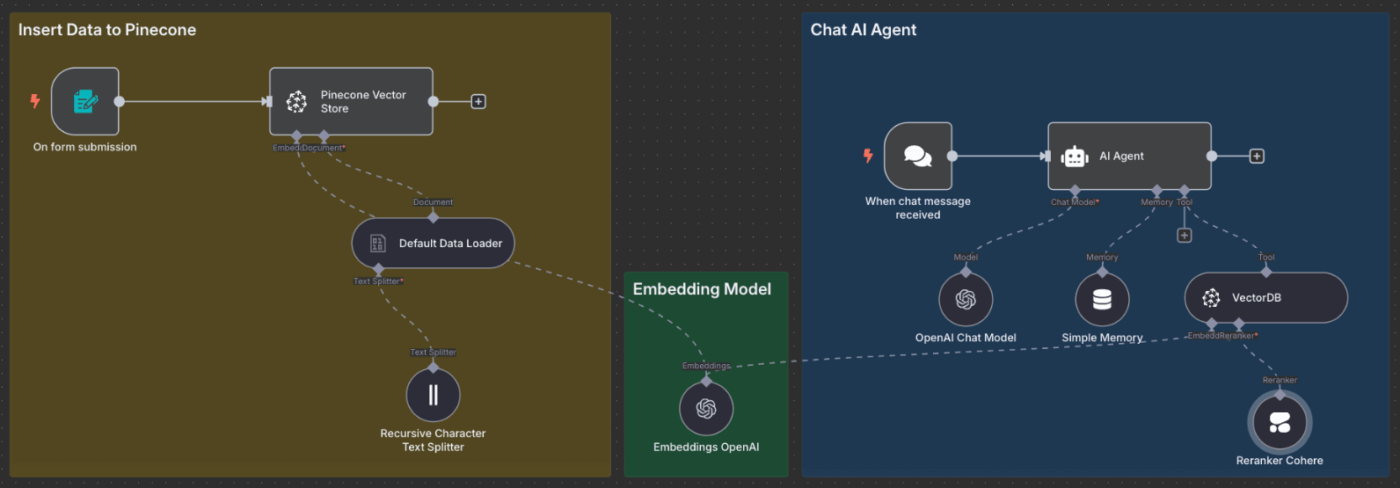
If you’re looking to build AI-powered workflow automations without being tied to a vendor, n8n is a good choice. It’s open-source and self-hostable, so you can run everything on your own infrastructure and have full control over data and workflows. You can plug in any large language model, set your own business rules, and get things moving.
The visual editor is super intuitive. Each step is a node on a canvas. You just drag in AI tasks, connect them to triggers or databases, and you’ve got yourself an agent.
Role-based access control lets you define who can build, review, or run workflows, while versioning makes it easy to track changes and roll back mistakes. With environment separation (dev, staging, prod), teams can safely test and iterate on automations before deploying them.
Here’s how one Capterra user reviewed n8n:
This platform’s self-hosting option is mind-blowing. Also, it allows the automation scripts to be written in typescript or javascript. As a web developer, it’s a good thing so no need to learn a separate language for automation.
📚 Read More: Best Agentic AI Tools to Automate Complex Workflows
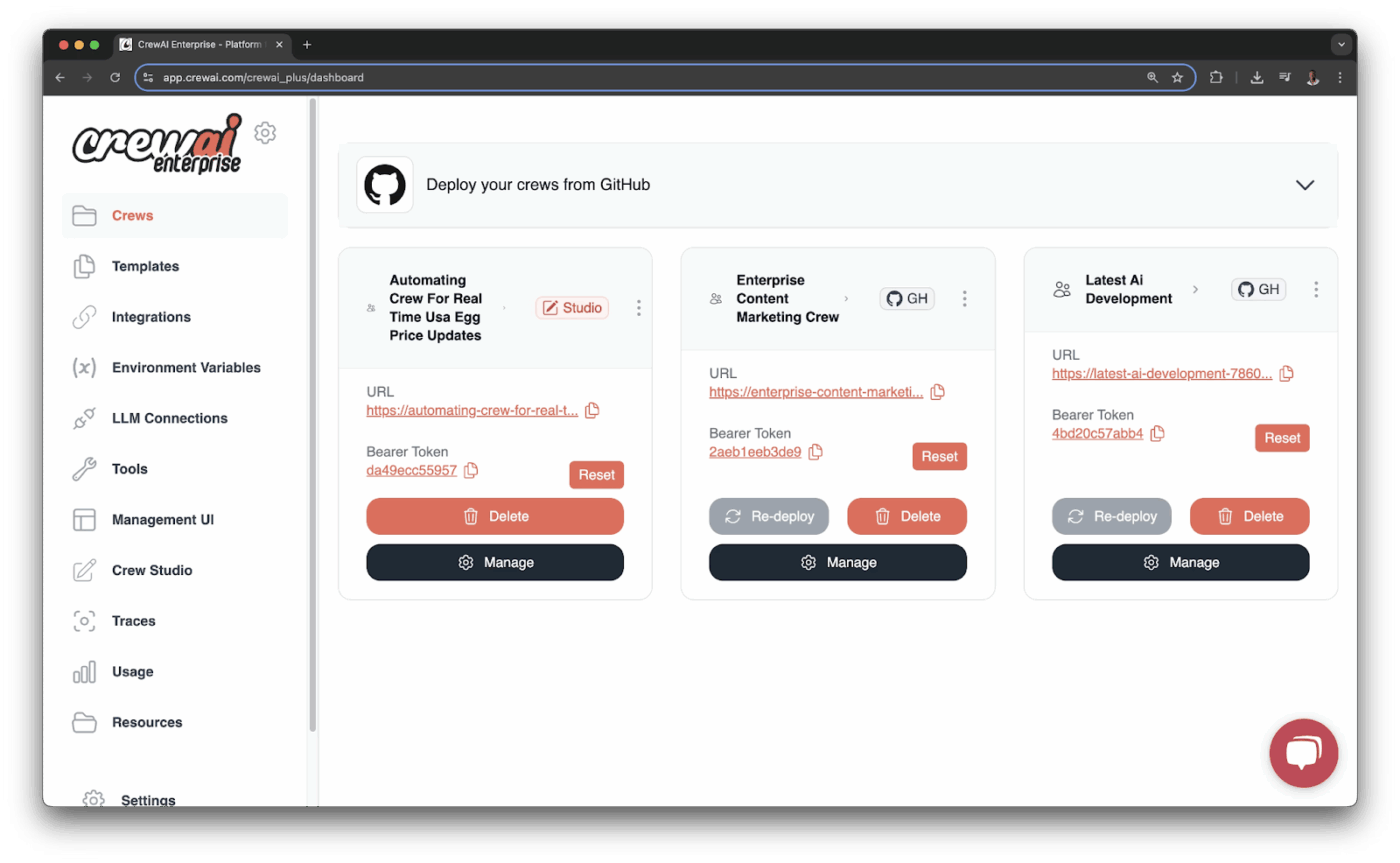
CrewAI is built to make multiple AI agents work together like an actual team. You set up crew members, assign them roles, define how they should collaborate, and the platform coordinates everything behind the scenes. The setup is easy with their visual editor and built-in AI copilot, which walks you through creating workflows.
Engineers can dive into the API to customize logic, while non-technical people like project managers can still configure and manage agents through the UI without touching code.
The tool also connects to tools like CRMs, email, and webhooks, so once your crew is up, they can respond to messages, update systems, and trigger actions across apps. For monitoring, you get full logs of what each agent did and why, making debugging effortless.
Here’s how one Reddit user reviewed Crew AI:
I have recently been using CrewAI to build multi-agent workflows, and overall the experience has been positive. Task decomposition and agent coordination work smoothly.
📚 Read More: If you’re using CrewAI or similar platforms, consider pairing it with an AI Agent plugin to extend agent functionality into tools your team already uses.
If you work inside the Microsoft 365 ecosystem, Microsoft Copilot feels like a natural extension of your workflow.
It’s one of the easiest ways to get started with AI agents for productivity, since Copilot is built into tools like Word, Excel, Outlook, and Teams. You just use Copilot Studio to define what the agent should do (like automating financial reconciliation or handling internal ticketing), pick the data it should access, and it sets everything up with the Microsoft stack in mind.
Users can also chat with Copilot in these apps and receive useful, context-aware responses. And because it uses Microsoft Graph, it understands your data across the organization and not just one app at a time.
Here’s how one G2 user reviewed Microsoft Copilot:
Copilot Studio is helping solve the challenge of building conversational AI agents without needing to write tons of code. I can design and deploy AI agents that handle internal queries, automate repetitive tasks, or guide users through processes — all with minimal technical overhead.
🔍 Did You Know? Isolated agents become a real risk when they can directly access live systems. In serious setups, agents should run inside a sandboxed environment first, so even if they make a wrong move, it doesn’t hit your production database or break real workflows.
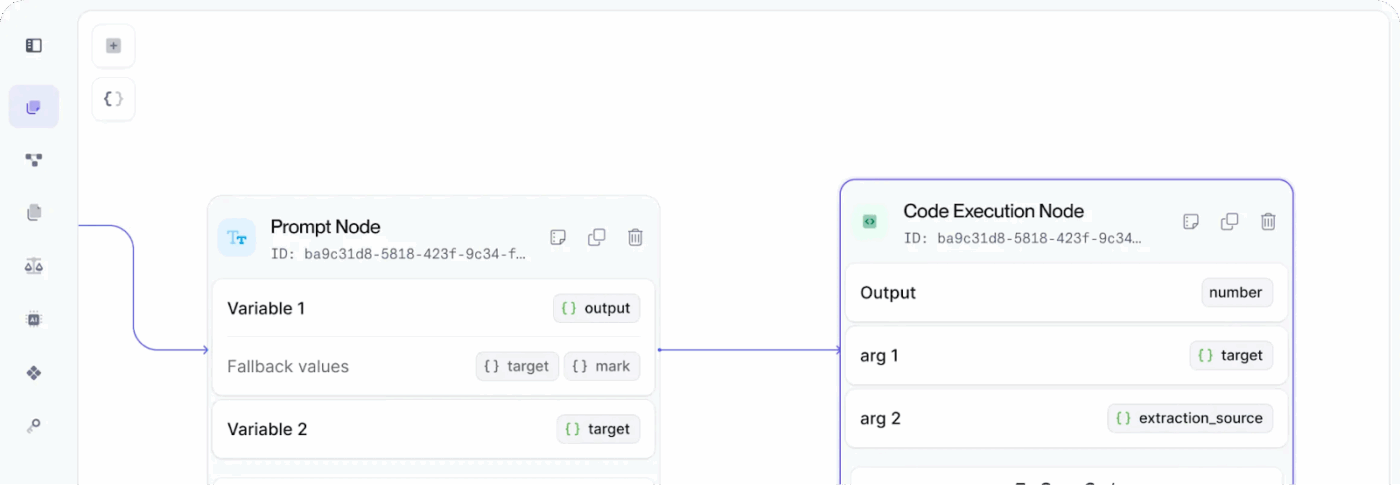
For agent building, describe a task in plain language, and Vellum generates a working agent that connects to tools, handles logic, and shows exactly what it does on each run.
The visual builder lets you drag and drop prompts, models, and data sources in a GUI or embed them in code. This hybrid approach means technical and non-technical teams can collaborate on the same agent designs.
In the prompt editor, you can compare prompt outputs side-by-side, tweak, and rerun instantly. Function calls are supported too, so your agents can hit APIs or run logic mid-flow.
Here’s how one Reddit user reviewed Vellum AI:
Vellum is super practical as an agent builder because you just describe what you want and it builds the workflow for you. No learning curve basically. Their vibe coding approach to ai automation makes a lot of sense if you don’t want to dedicate engineering time to this stuff.
📊 Stat Alert: Orchestrating agents isn’t just about making workflows look clean; it can change outcomes. Some estimates suggest that well-orchestrated agent systems could improve market outcomes by 15–30%.
What does this mean? The competitive edge comes only from having agents who work together with clear roles, handoffs, and guardrails.
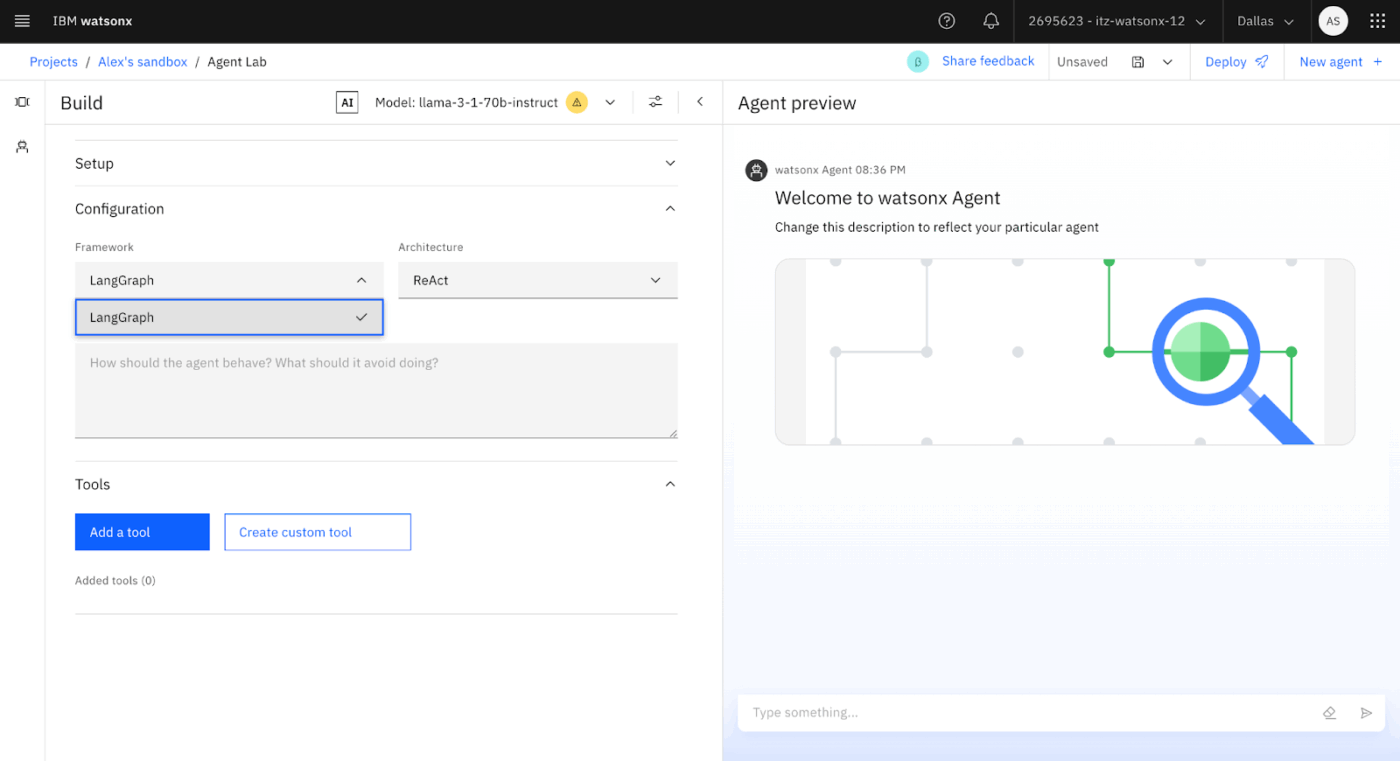
IBM WatsonX is a full-suite AI platform that includes tools for agent orchestration. With WatsonX Orchestrate, you can create workflows by dragging and dropping steps and automate complex tasks such as contract reviews or customer support handoffs. These multi-step agents connect across both IBM and third-party tools.
You can fine-tune IBM’s pre-trained domain models, like watsonx.data, for your own AI use cases, and build agents that are tailored to your organization’s needs. If you’re more on the engineering side, there’s an SDK, too, that lets you script, version, and manage agents like in real software projects.
Here’s how one G2 user reviewed IBM WatsonX:
IBM Watson x orchestrate is impressive because it takes the complexity out of automation and makes it feel intuitive. Instead of relying on heavy coding or multiple disconnected tools, it allows you to delegate tasks in plain language and have AI agents work together seamlessly.
📚 Read More: Curious about smarter planning tools? Explore popular digital planner apps and how they’re used.
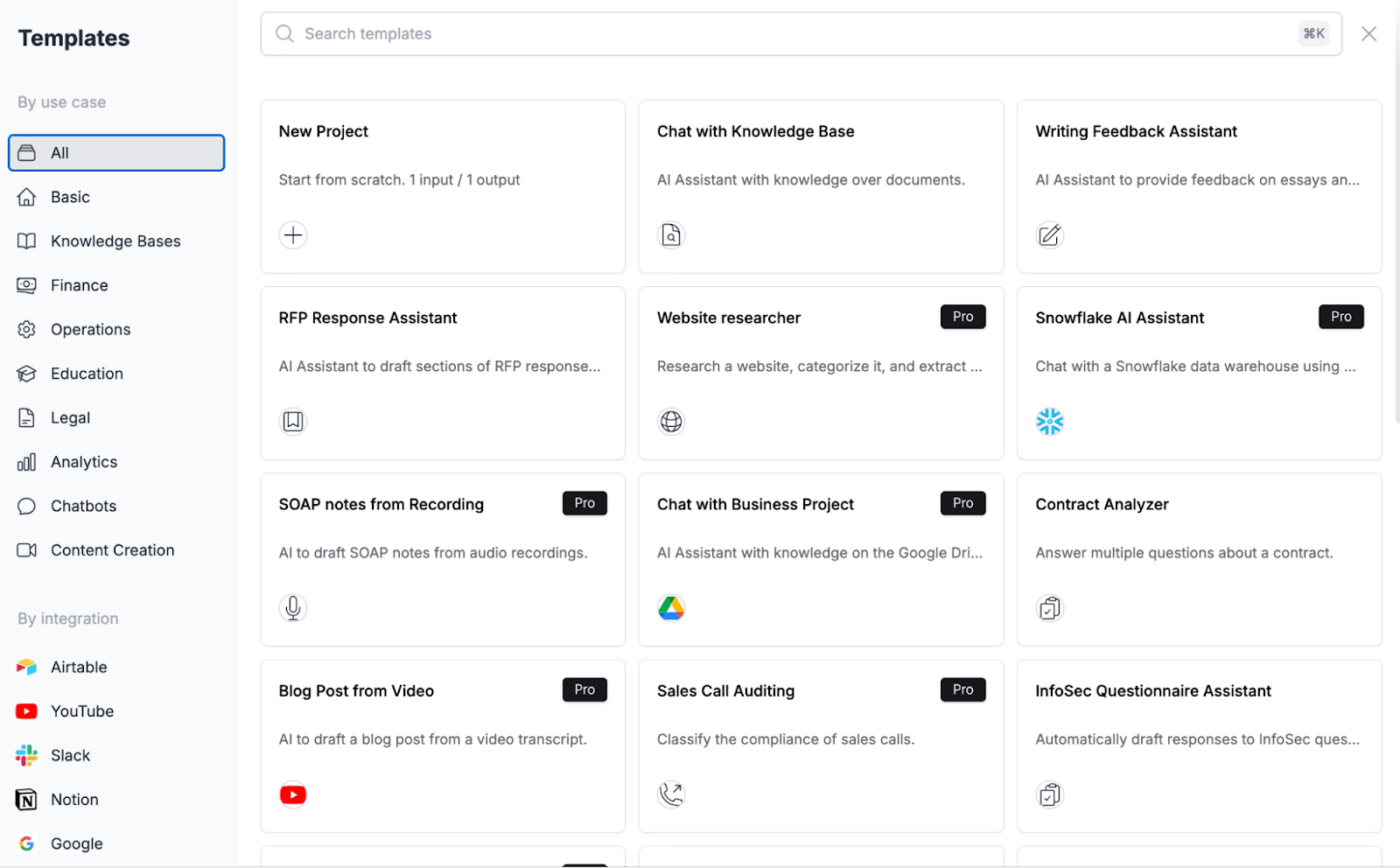
Stack AI is suited for automating tasks that normally require manual effort or deep technical expertise. AI agents can analyze data, answer questions, extract structured insights, and act on information without coding.
You get a low-code, visual workflow builder to compose logic and connect systems on a canvas. So, subject-matter experts can create solutions without deep programming skills.
The platform has built-in tools to convert unstructured documents (PDFs, scans, forms) into structured data. For efficient data extraction, you can create agents that can retrieve answers from company knowledge bases with citations using retrieval-augmented generation (RAG).
Here’s how one G2 user reviewed Stack AI:
I mainly use Stack AI for building agents that help me organize and speed up creative workflows, like turning client notes into briefs or pulling quick insights from reports. I’ve also used it for setting up simple chatbots — both for internal use (answering team questions) and for client projects where a chatbot makes sense.
If you’re just starting to explore the best AI agent platforms, it’s easy to get overwhelmed. Some platforms are powerful but too complex. Others look simple but miss key features.
ClickUp hits a sweet spot. It’s flexible enough for teams who want control, but also beginner-friendly if you want to get things done quickly.
You can automate repetitive tasks, embed AI, and track everything in one place (goodbye tool sprawl 👋🏻). Whether you’re solo or scaling, it works.

© 2026 ClickUp

There’s an easier way. Try a free AI Agent in ClickUp that actually does the work for you—set up in minutes, save hours every week.