







Still downloading templates?
There’s an easier way. Try a free AI Agent in ClickUp that actually does the work for you—set up in minutes, save hours every week.
Sorry, there were no results found for “”
Sorry, there were no results found for “”
Sorry, there were no results found for “”
Managing complex projects is tough. Your team has a million moving parts to track, deadlines keep shifting, and priorities change daily.
The real challenge? Breaking down massive initiatives into digestible chunks that your team can tackle. That’s where agile epics come in—bridging your big-picture goals and the day-to-day work that gets you there.
But creating an effective agile epic template isn’t as simple as jotting down a few bullet points. You need a framework that helps you map out dependencies, track progress, and keep everyone aligned.
Once you have that epic mapped out, you’ll need to break it down into smaller user stories that your team can work on sprint by sprint. This blog offers agile templates with examples, sprint planning tips, and proven project-tracking methods.
An agile epic template is a big-picture blueprint for your agile team. It’s a structured framework that helps teams organize major chunks of work, ones too big to finish in a single sprint.
For example, if you’re building a food delivery app, the agile values might be ‘User Account Creation System.’ This would include smaller pieces like login screens, password recovery, and profile settings.
Your epic template organizes all your user stories in one place. For example, in our app example, stories might include ‘As a user, I want to sign up using my email’ or ‘As a user, I want to reset my forgotten password’.
The template also defines acceptance criteria—the specific conditions that mark a task as done. For the password reset feature, the criteria might include sending a recovery email within 30 seconds and requiring strong new passwords.
🧠 Fun Fact: The concept of breaking big tasks into smaller pieces isn’t unique to software teams. Ernest Hemingway used a similar approach in writing, breaking his novels into small, daily word-count targets.
Want to run successful sprints? Your agile epic template should work as hard as your development team—bringing clarity to complex projects and keeping everyone focused on key deliverables.
Here’s what to look for:
With the right template, your team can break down big ideas into actionable tasks, making every sprint more productive
Scattered tools and siloed systems slow teams down, and 60% of their time is wasted searching for and updating information.
ClickUp, the everything app for work, fixes this by converging project, knowledge, and chat into a single platform—powered by the world’s most cohesive AI work assistant.
With agile templates built for seamless sprint planning, backlog management, and progress tracking, ClickUp helps teams work faster, stay aligned, and turn ideas into action, without switching between tools.
Vani Gupta, software engineer at Hiver, a ClickUp user, quotes:
ClickUp comes as very useful when doing task assignments as well as tracking them throughout the sprint. It has features like changing lists, linking tasks, blocking other tasks, commenting, adding images, custom fields, tagging people, assigning multiple people to a single task, adding emojis on comments, and whatnot. It has huge options when it comes to settings.”
Here are 10 agile epic templates to structure your Scrum events:
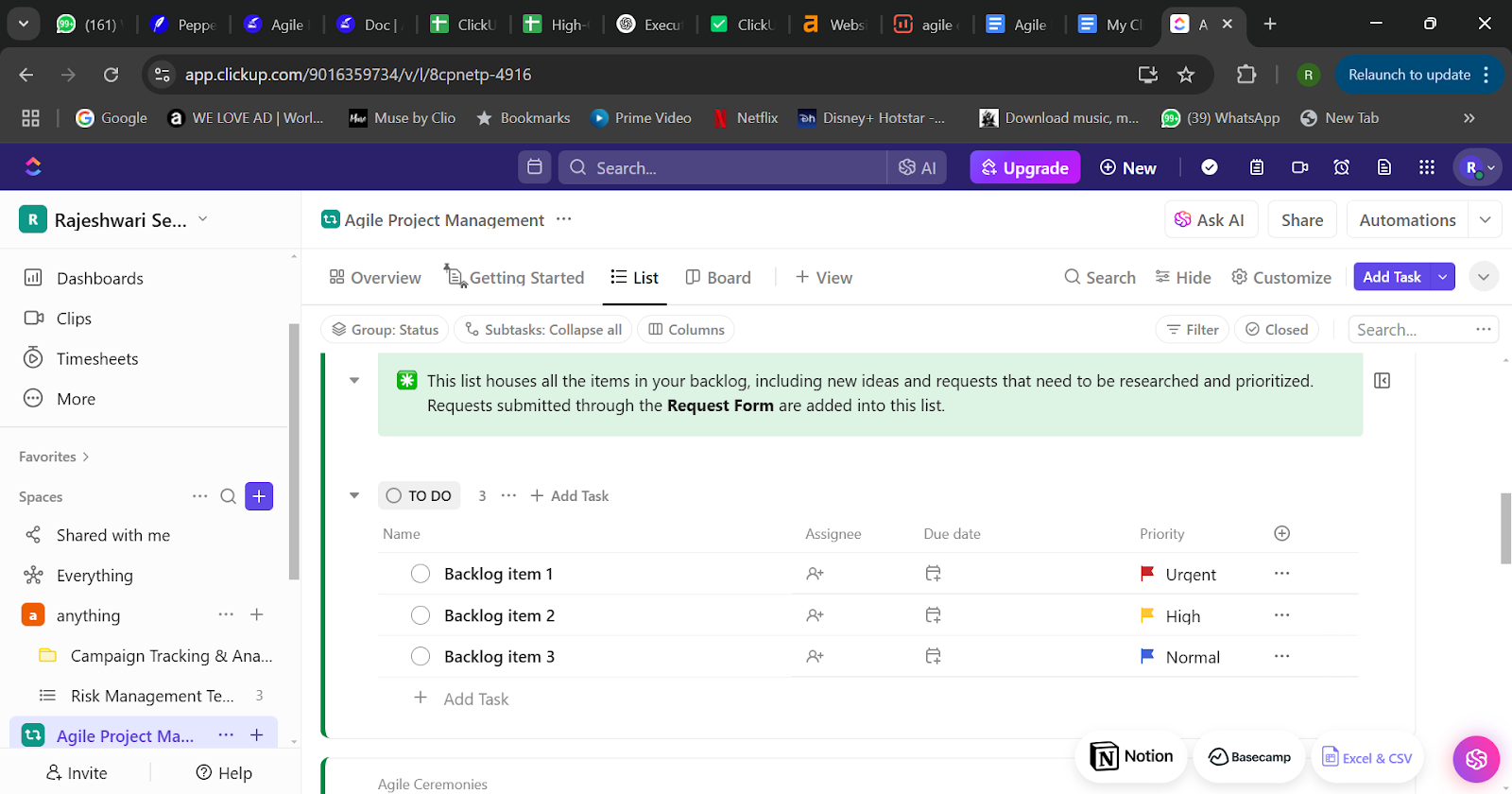
Want to bring agile methods to your non-software teams? The ClickUp Agile Project Management Template helps multiple teams organize their work into manageable tasks.
Here’s what makes this template stand out:
Ideal for: Agile product teams looking to improve their project management capabilities.
📮 ClickUp Insight: Low-performing teams are 4 times more likely to juggle 15+ tools, while high-performing teams maintain efficiency by limiting their toolkit to 9 or fewer platforms. But how about using one platform?
As the everything app for work, ClickUp brings your tasks, projects, docs, wikis, chat, and calls under a single platform, complete with AI-powered workflows. Ready to work smarter? ClickUp works for every team, makes work visible, and allows you to focus on what matters while AI handles the rest.
The ClickUp User Story Template helps product teams monitor user needs and requirements throughout the development process.
Here’s what you can do with this template:
Ideal for: Agile product teams looking to improve their user story creation and management process while ensuring better alignment between development work and user needs.
📖 Also Read: The Ultimate Guide To Scrum Project Management
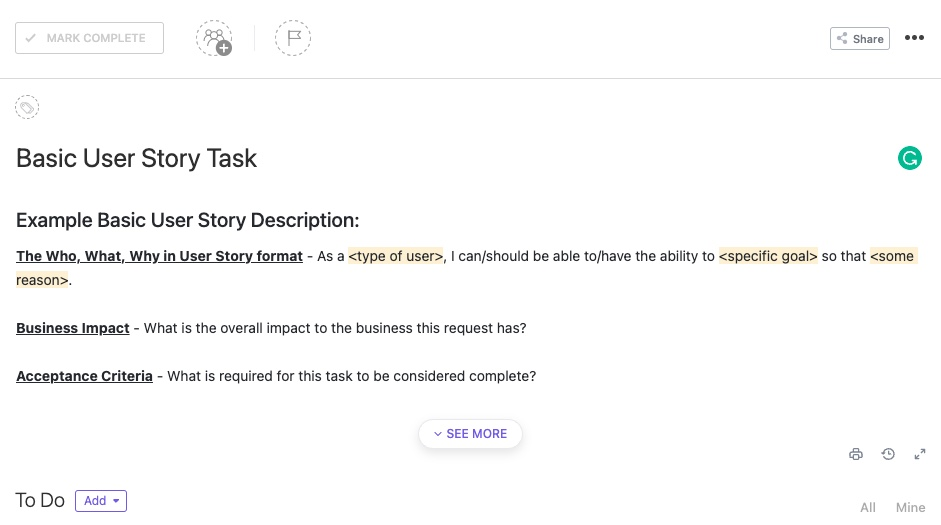
The ClickUp Basic User Story Task Template helps product teams shift from simply documenting requirements to actively addressing them. This template creates a clear path toward meeting your business goals by breaking user stories into smaller tasks.
Here’s what makes this template a game-changer for product teams:
Ideal for: Product managers and agile teams who want to organize user stories efficiently and keep development cycles moving smoothly.
💡Pro Tip: Define clear success criteria upfront. Avoid vague epics by ensuring each user story within it contributes measurable progress toward the bigger goal.
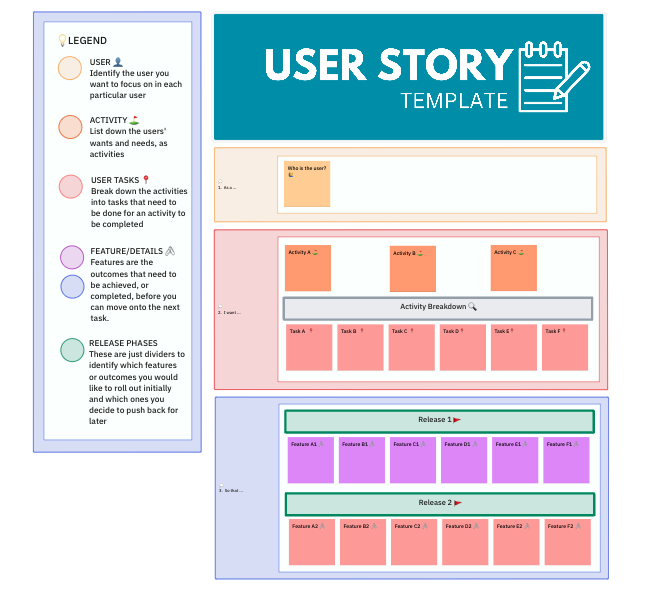
The ClickUp User Story Mapping Template helps teams break down complex user needs into manageable pieces. This template excels in organizing your product backlog and mapping out the user’s journey step by step.
Here’s what makes this template stand out:
Ideal for: Product managers and agile teams who want to create user-focused products through organized sprint planning.
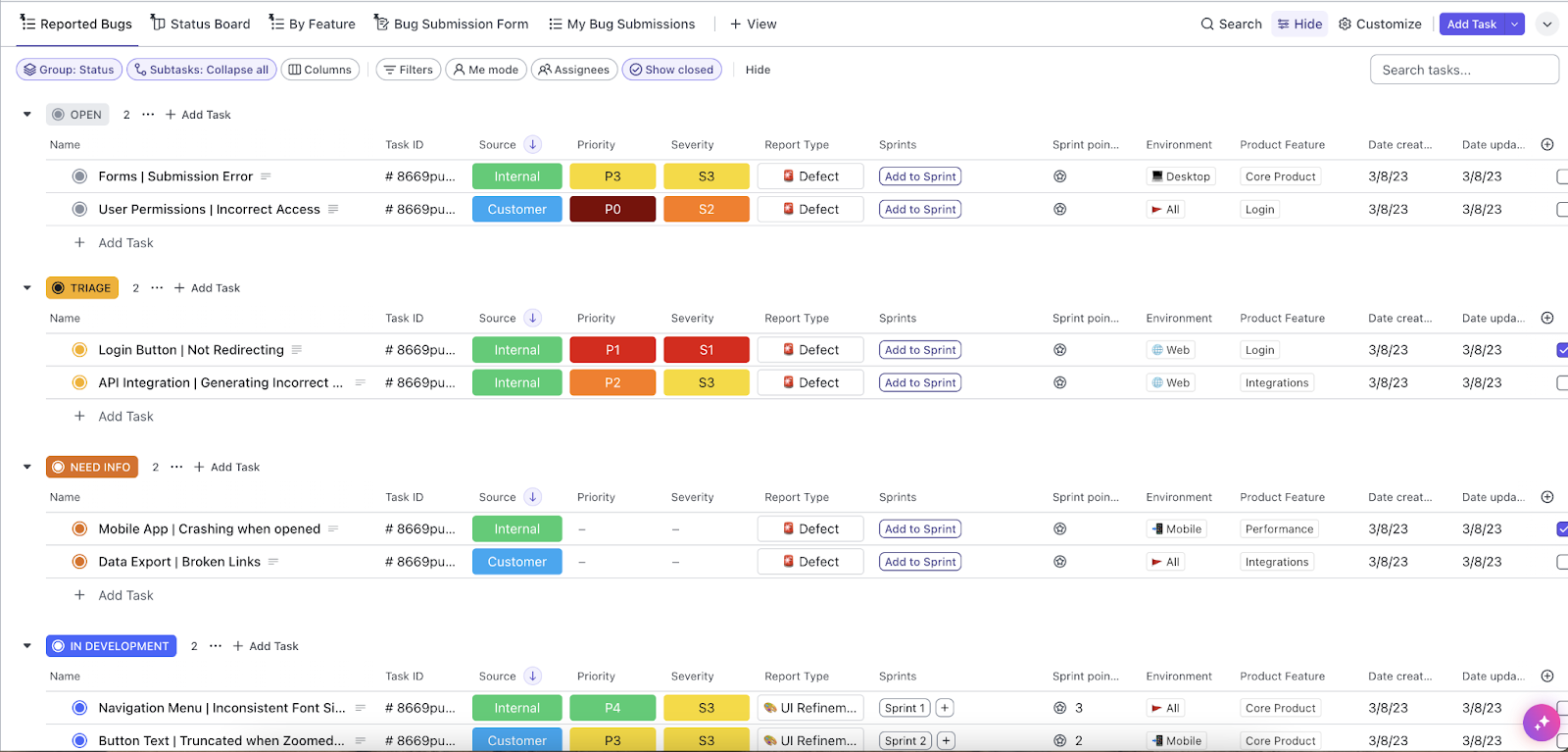
Built specifically for teams following agile methodology, the ClickUp Agile Scrum Management Template brings structure to everything from backlog refinement to sprint reviews.
It helps your development team stay coordinated through the entire software delivery cycle. The template comes packed with practical features to keep your team on track:
Ideal for: Product managers and scrum masters who must coordinate cross-functional teams and deliver software consistently.
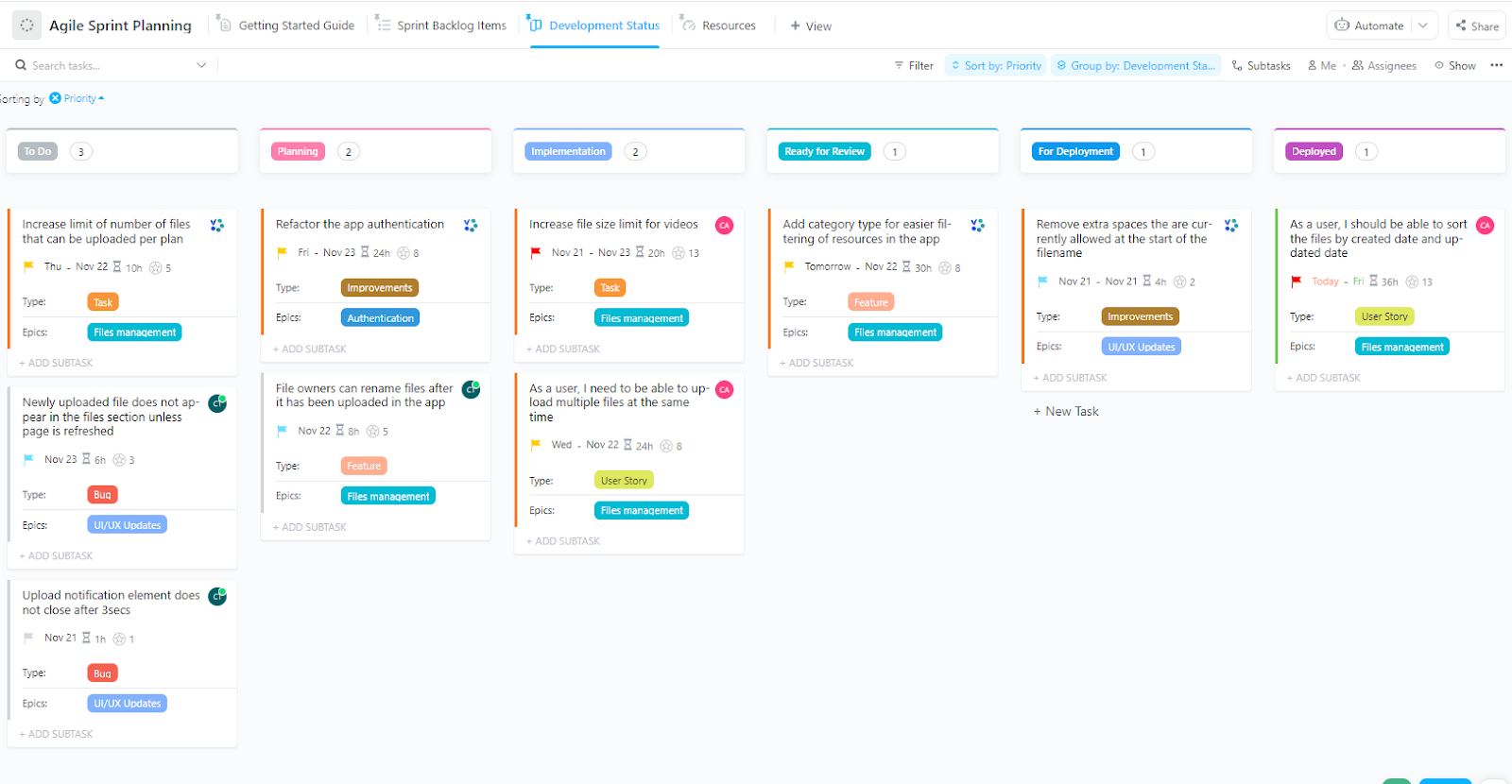
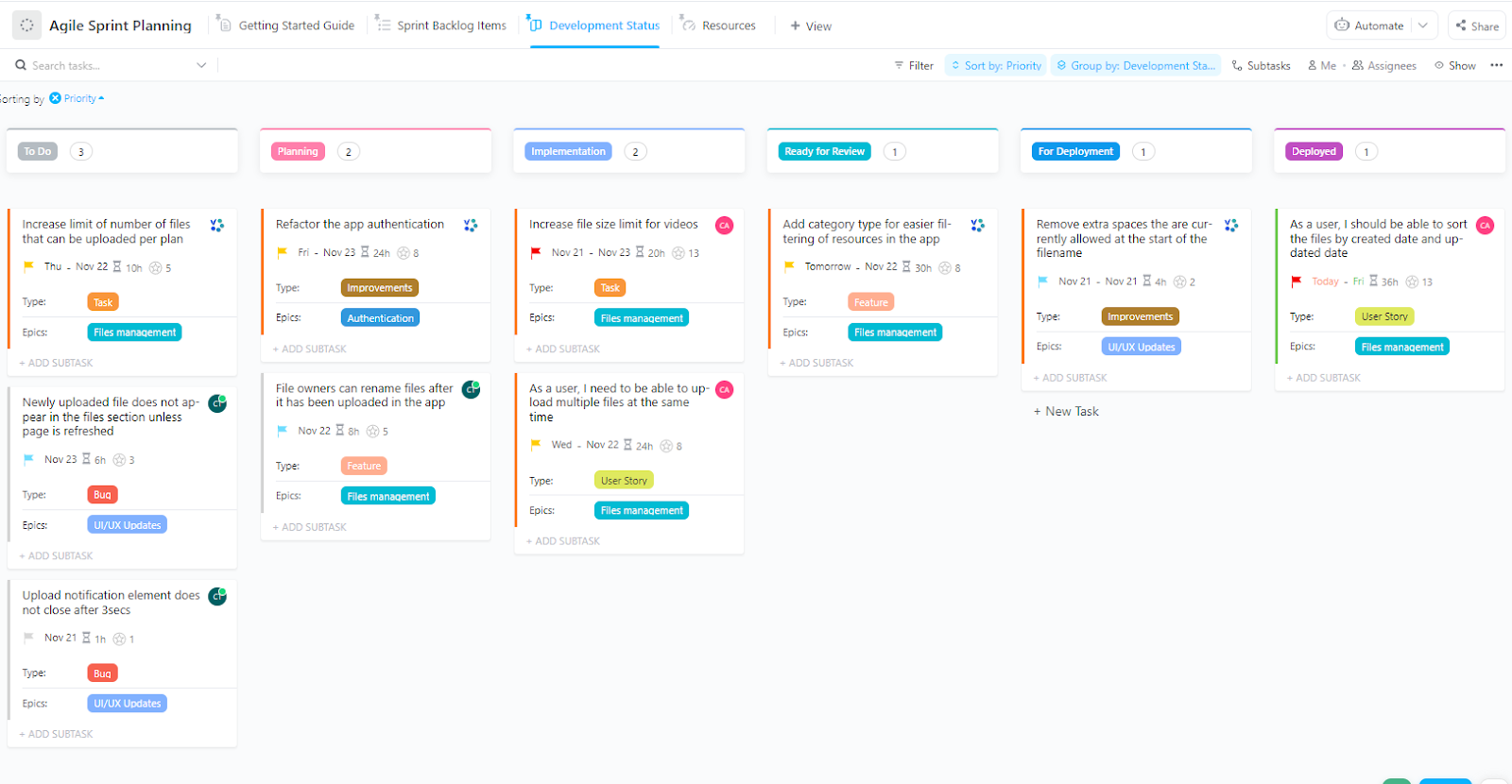
Want to run more focused sprint planning meetings? The ClickUp Agile Sprint Planning Template helps teams plan tasks, monitor progress, and handle resources—all in one organized space.
This template makes it simple for a senior product manager to keep everyone aligned on sprint goals. You can collect user feedback during planning and use it to shape priorities.
Here’s what makes this template stand out:
Ideal for: Agile teams looking to run more organized and productive sprint planning sessions.
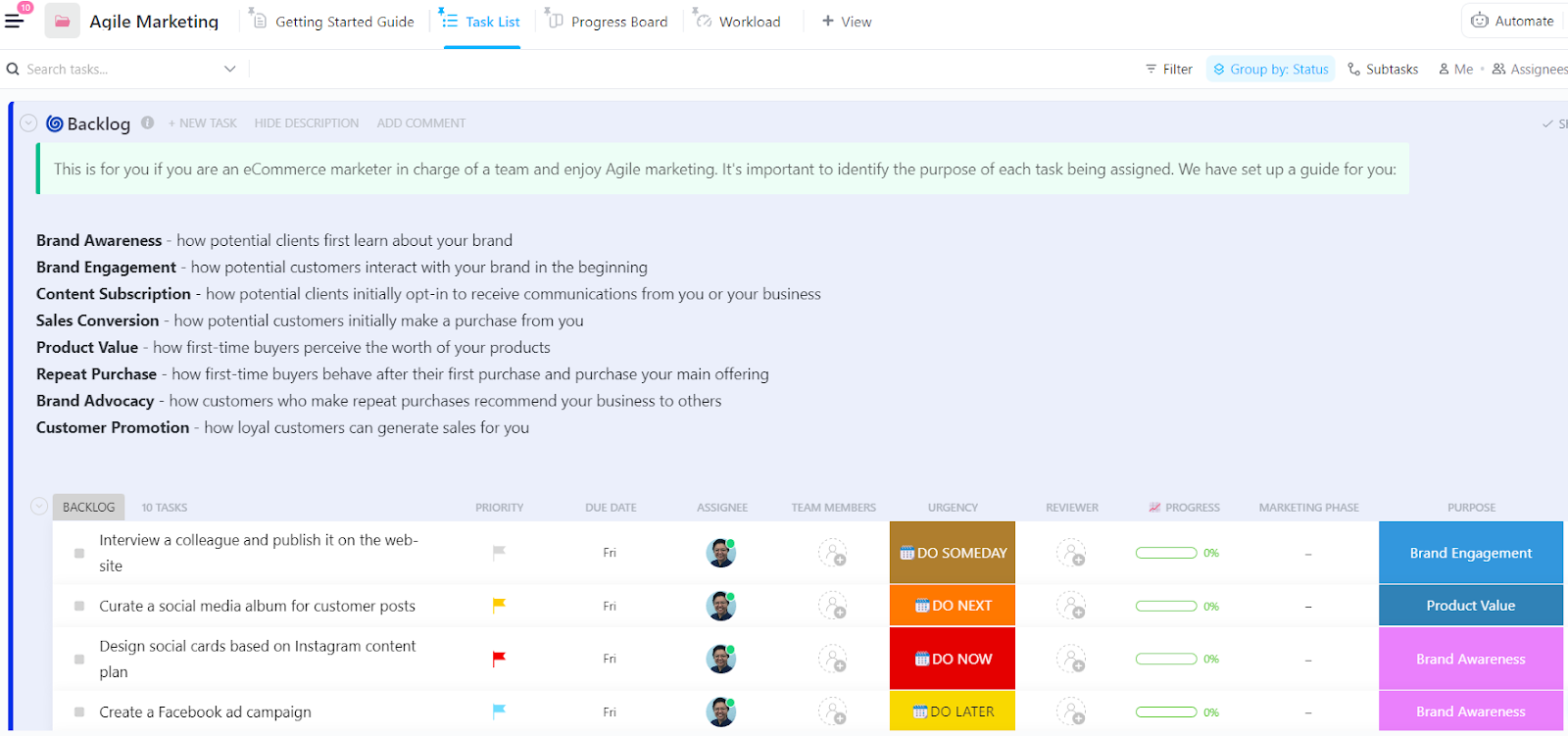
The ClickUp Agile Marketing Template applies agile project management principles to marketing workflows, helping teams stay nimble and deliver results quickly.
Here’s what makes this template impactful for marketing teams:
Ideal for: Marketing teams ready to embrace an agile approach to campaign planning and execution.
👀 Did You Know? Agile methodologies have been applied beyond software development. For instance, the Wikispeed team applied Agile principles to design and build a car capable of achieving over 100 miles per gallon in less than three months. This demonstrates Agile’s versatility in fostering rapid innovation across various industries.
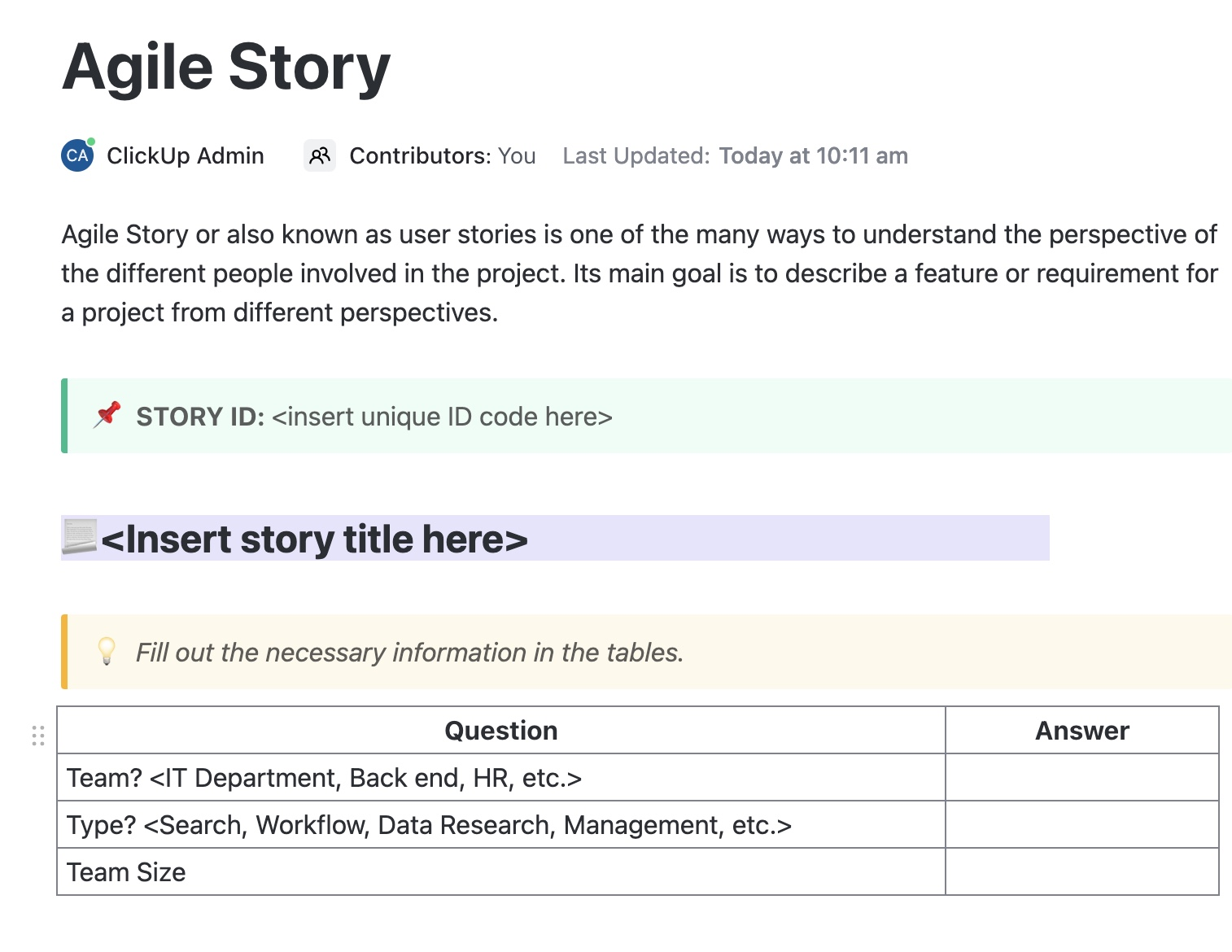
The ClickUp Agile Story Template helps teams manage requirements from various stakeholders’ viewpoints, making it a vital tool for agile project management.
Here’s what makes this template stand out:
Ideal for: Agile teams that need a structured way to collect, organize, and track user requirements throughout the development process.
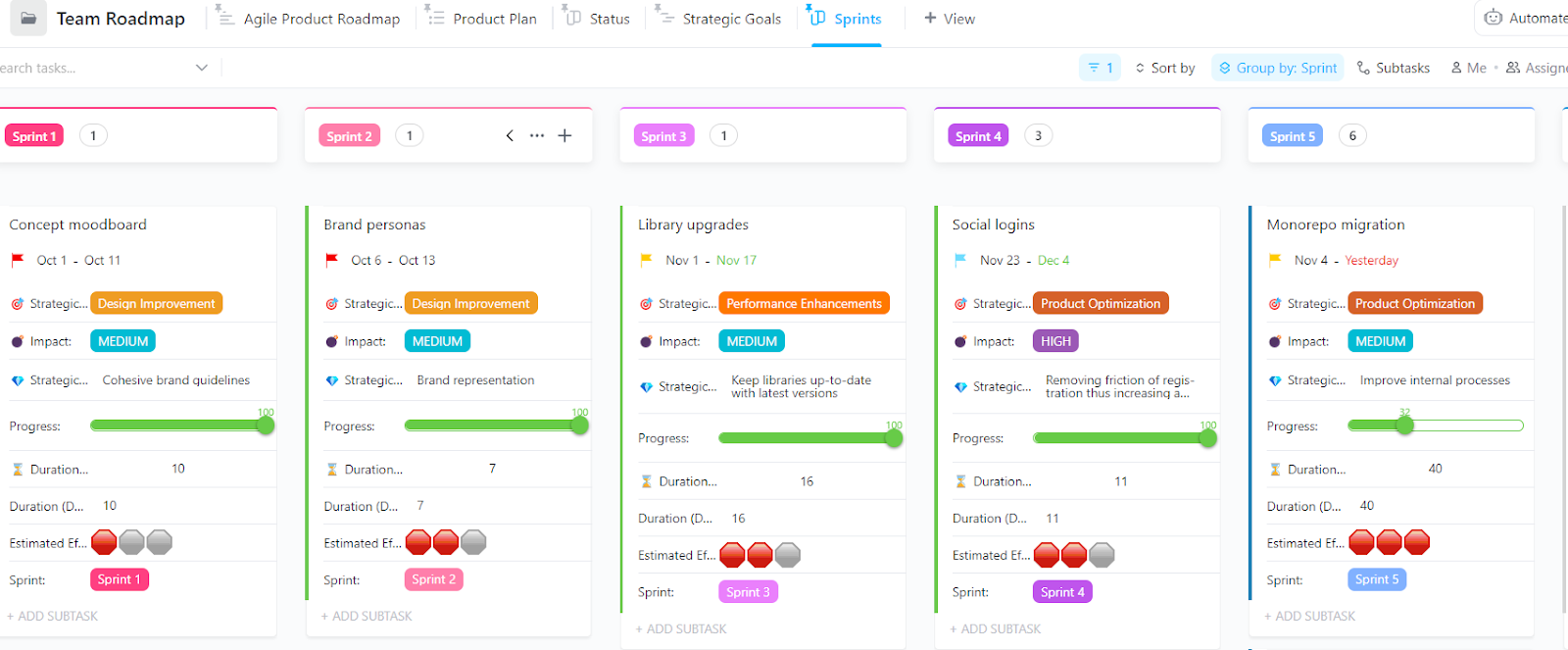
The ClickUp Agile Roadmap Template helps product teams align their development plans with business goals and keep stakeholders in the loop.
Here’s how the template creates impact:
Ideal for: Product managers and Agile teams who must clearly communicate product strategy while staying flexible enough to pivot when needed.
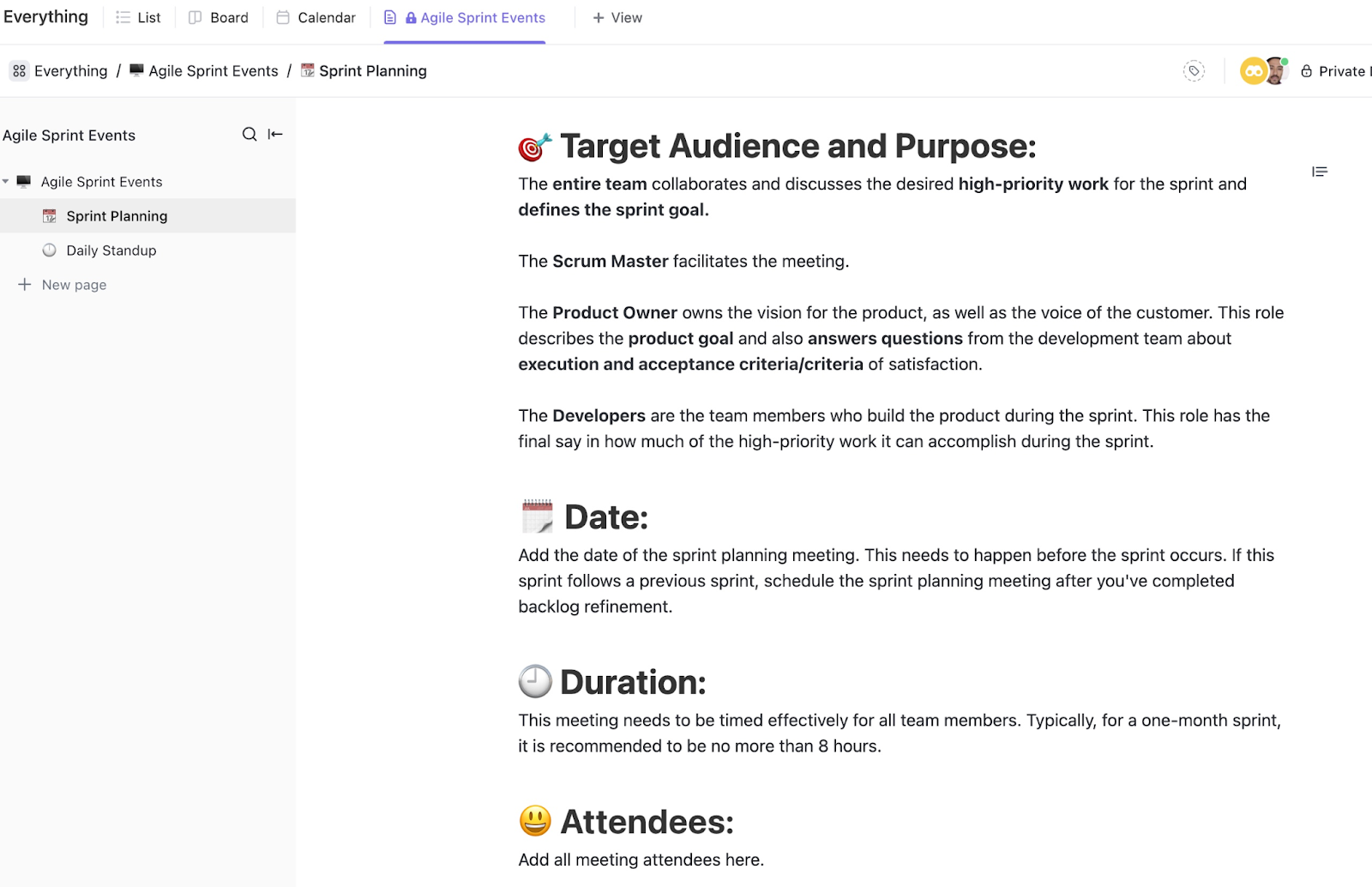
Need a simple way to keep your sprint events organized? The ClickUp Agile Sprints Events Template helps teams document and track all sprint-related activities in one central hub.
Here’s what makes this template particularly useful:
Ideal for: Agile teams who want to maintain clear documentation of their sprint events and decisions while following Agile Scrum methodology.
Planning and tracking epics doesn’t have to be a headache. The right template can streamline your workflow, making it easier to manage grouping user stories, track progress, and ensure your app development team stays on the same page.
With ClickUp, teams can collaborate right where the work happens—sharing updates, files, and customer feedback without switching between apps. Whether you’re planning a new mobile app or refining features in an existing project, ClickUp keeps everything organized.
Need to adjust your approach?
ClickUp’s flexible views let you switch between list, board, and timeline layouts to find what works best for your team. Plus, with powerful automation, you can eliminate repetitive admin tasks and focus on delivering value.
Want to see an agile epic example in action? Try ClickUp today and experience how the right tools can transform your workflow—from tracking new user stories to shipping high-quality features faster. 🚀

© 2026 ClickUp

There’s an easier way. Try a free AI Agent in ClickUp that actually does the work for you—set up in minutes, save hours every week.