Sorry, there were no results found for “”
Sorry, there were no results found for “”
Sorry, there were no results found for “”
Hiring managers skim resumes in seven seconds!
If yours doesn’t grab attention instantly, it’s lost in the pile.
A bland, text-heavy resume? Forget it.
You need a sharp, professional, and visually compelling design—without spending hours tweaking margins in Word.
Say hello to free Figma resume templates. No clunky software, no frustrating formatting—just sleek, ready-to-use designs you can customize in minutes. Whether you’re aiming for a creative edge or a polished corporate look, these templates help you stand out, not blend in.
But Figma isn’t your only option. This article covers the best free resume templates on Figma, along with top alternatives (read: ClickUp!), so that you can choose the right tool, without regrets!
A well-designed Figma resume template helps job seekers create a standout resume that balances aesthetics with functionality. It should be visually appealing while remaining professional and easy to customize. Here are some essentials to consider:
With this checklist in mind, we’ll suggest some of the best Figma resume templates for your next job application!
Grab these five free creative resume templates from Figma to create a job-winning resume. You can also export them as PDF or edit them in Google Docs for greater flexibility:
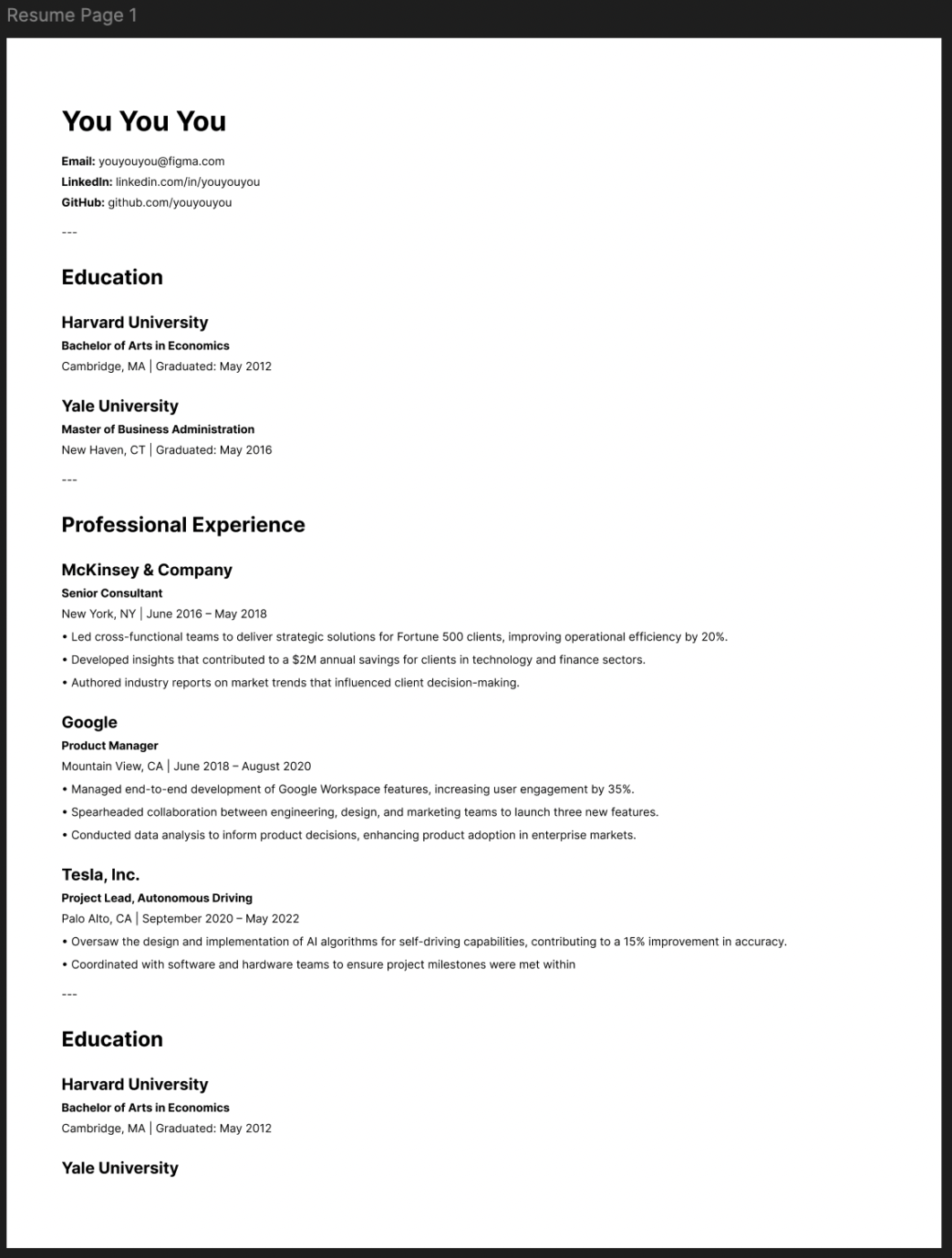
This Classic Resume Template is perfect for those who prefer the efficiency of a pre-formatted layout over painstaking manual formatting and alignment.
It uses the md2fig tool, allowing you to write your resume in Markdown and automatically convert it into a structured, well-designed Figma layout. No need to drag and align text manually—just focus on the content and let md2fig handle the rest.
The design itself is clean and professional, with a strong emphasis on readability. It avoids unnecessary visual clutter, ensuring your experience, professional goals, and skills take center stage.
Some of the template’s best features include:
📌 Ideal for: Developers, writers, and professionals who prefer writing in Markdown and want a fast, automated way to generate a polished resume in Figma
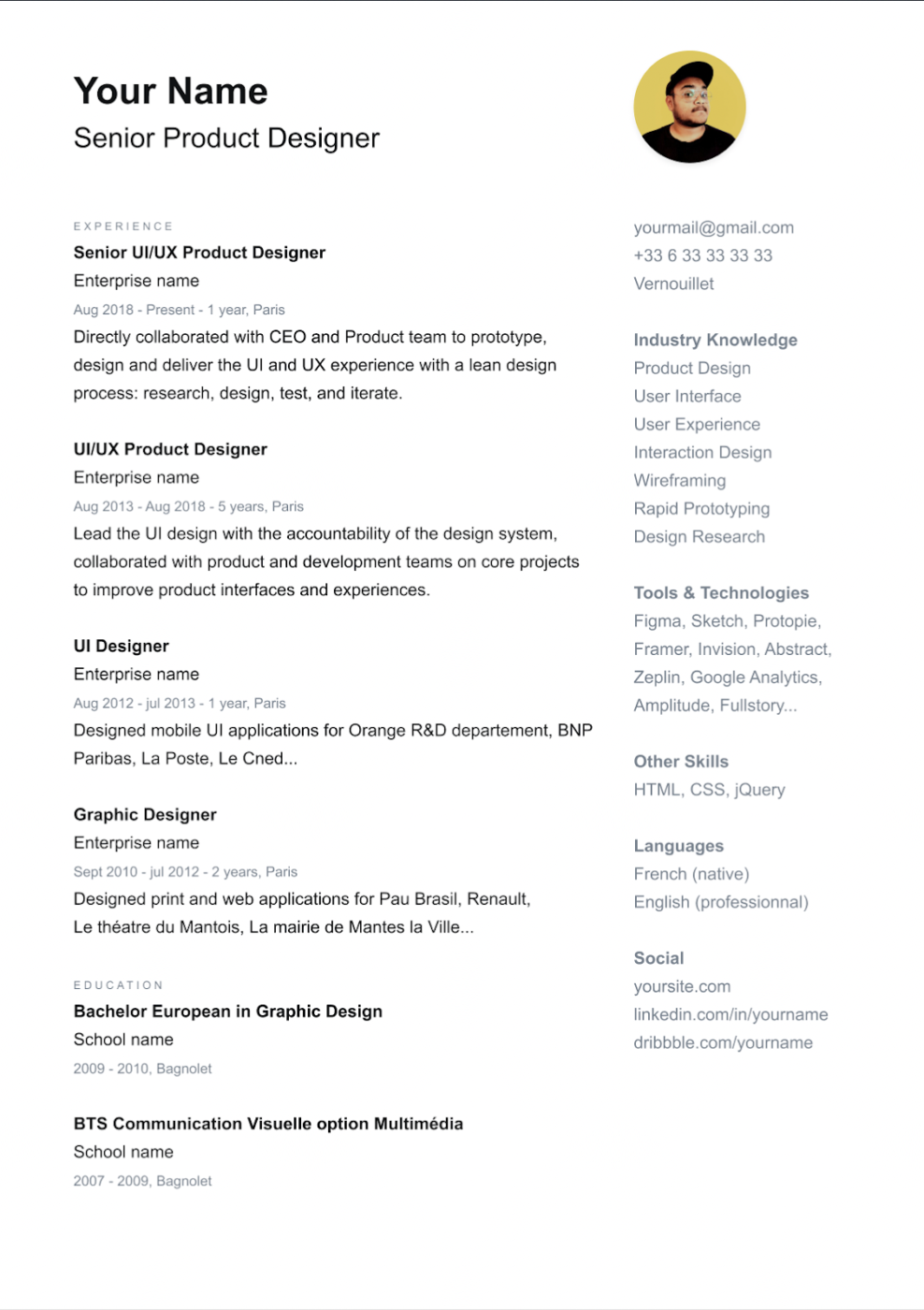
If you’re looking for a simple, professional, and visually balanced resume, the CV/Resume Template by Alexis Riols is an excellent choice. It follows a minimalist design approach, using a structured layout with clear sections for documenting your work experience, education, and skills.
The sans-serif typography is carefully selected to ensure easy readability, while subtle design elements add a modern touch without cluttering the resume.
The template stands out for its:
📌 Ideal for: Professionals in corporate roles, academia, or any industry where a clean, no-nonsense resume style is preferred
👀 Did You Know? Using power words like “achieved,” “developed,” and “implemented” instead of generic phrases can increase the impact of your resume and make your accomplishments stand out.
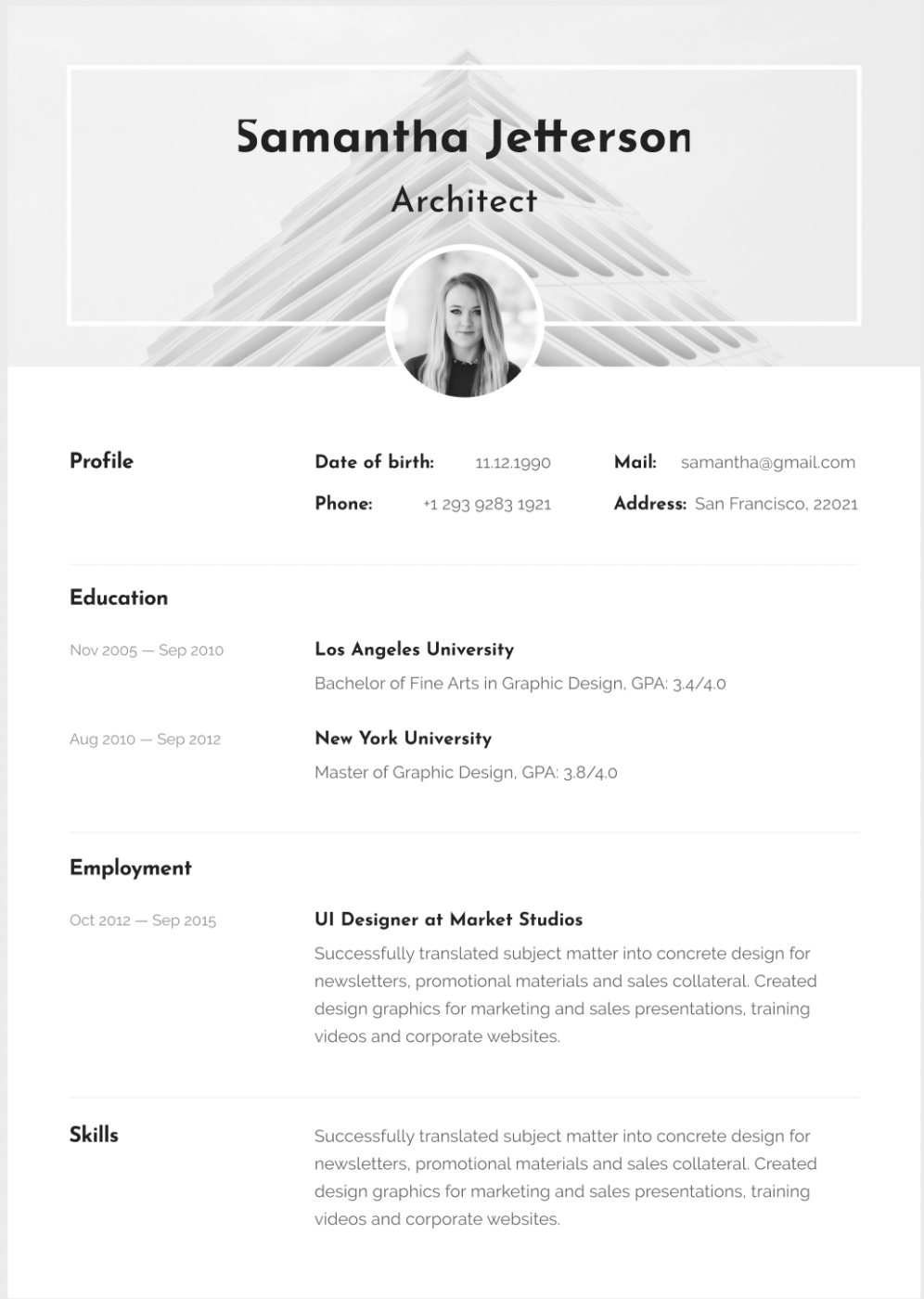
Would you rather mix and match your resume from a variety of template elements?
The Craftwork Resume Template brings together a collection of resume templates, each designed with a strong visual hierarchy, modern typography, and unique layouts. Whether you want a traditional resume with a touch of style or a creative, eye-catching format, this pack has options to suit different industries.
Each template balances design and readability, ensuring your resume looks professionally designed without sacrificing clarity. The professional templates also come with Figma auto-layout support, making customization super easy.
Some key features of this template include:
📌 Ideal for: Anyone who wants variety and flexibility in their resume formats. From designers and creatives to corporate professionals, this template helps everyone get a stylish yet professional resume.
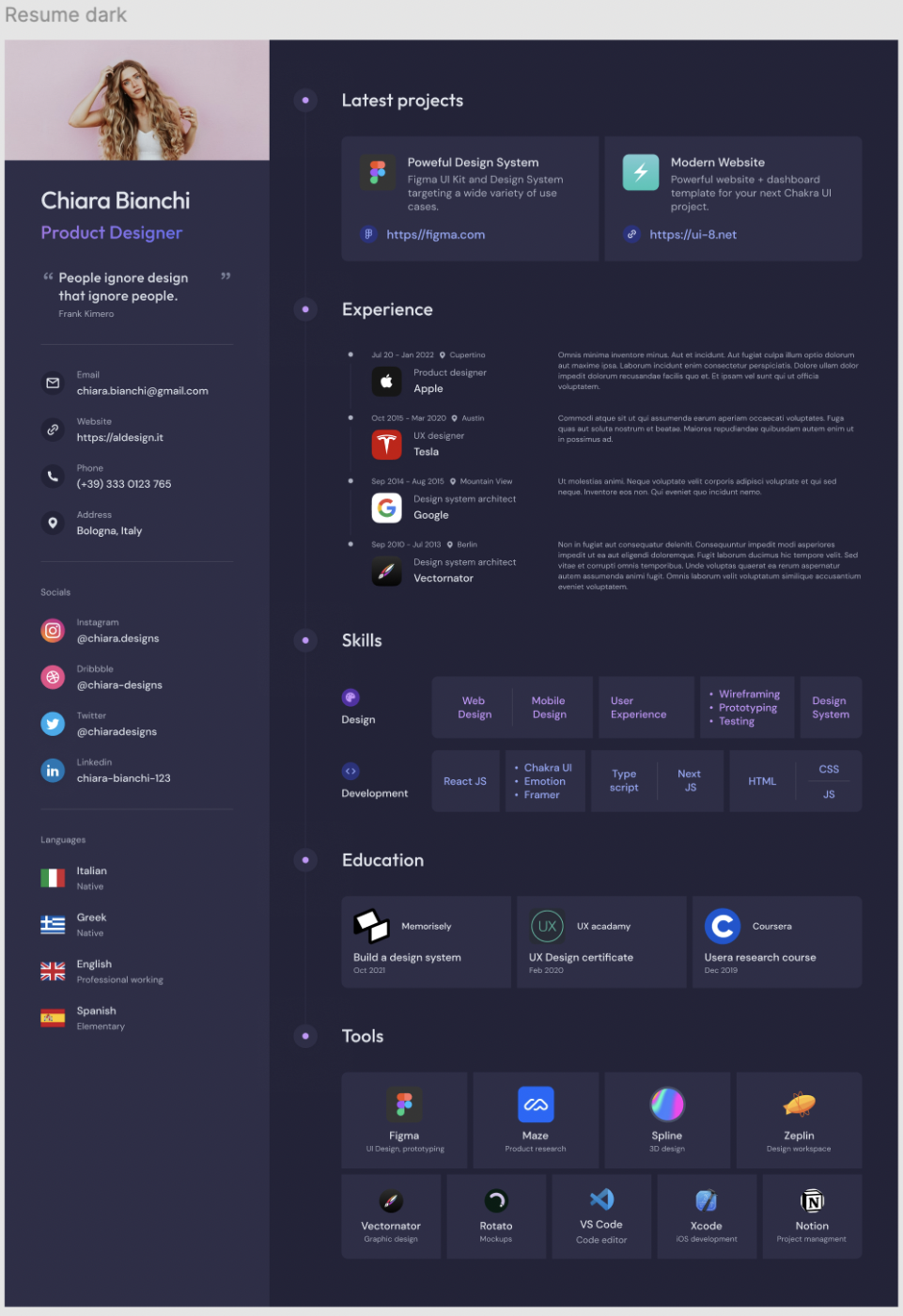
The Supa Resume template is a great option for its light and dark theme variations. It gives users the flexibility to choose a style that best represents their personality and industry. It’s sleek, modern, and visually striking, with a focus on strong typography and a well-organized layout.
Beyond the resume, Supa Resume also includes a matching cover letter template, ensuring consistency across your job application. The design is easy to tweak, so you can adjust colors, fonts, and sections to suit your branding.
The template’s key features include:
📌 Ideal for: Job seekers who want a visually striking resume with the flexibility to choose between light or dark mode. This makes it great for tech, creative, and modern corporate roles.
🧠 Fun Fact: Resumes with a professional headshot can actually reduce your chances of getting hired in some countries, as many companies follow anti-discrimination policies that discourage photos.
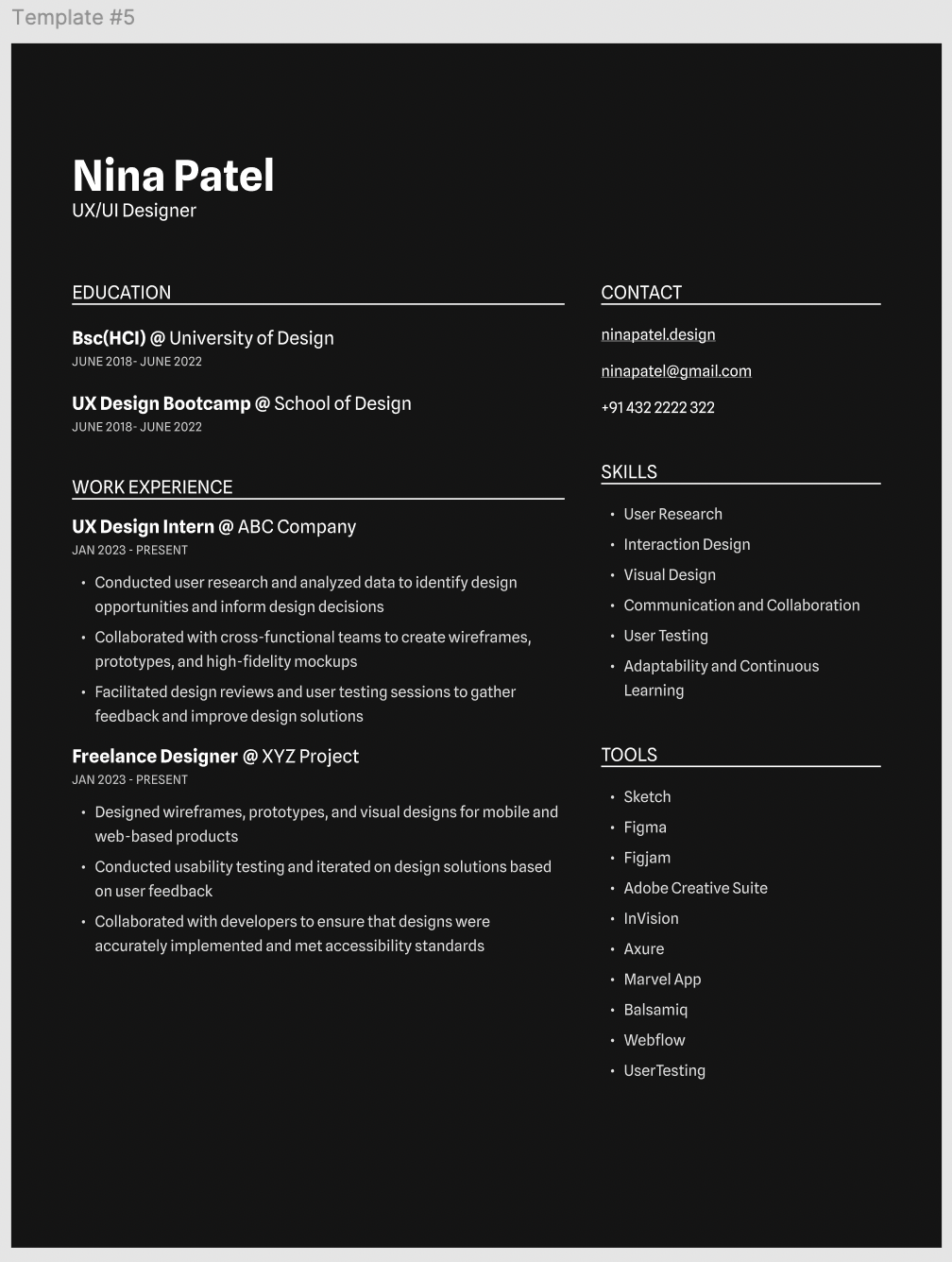
Resumate isn’t just a single template—it’s a comprehensive resume pack that offers multiple styles and layouts. Whether you need a formal corporate resume, a modern creative layout, or something in between, this pack has you covered.
Each design is highly customizable, allowing you to tweak fonts, colors, and sections to create a resume that truly reflects your personal brand in job proposals. The templates are designed with Figma’s auto-layout feature, making them easy to edit and update.
Key features of this template pack include:
📌 Ideal for: Anyone looking for a new dream job—corporate professionals, creatives, and more—who want a single, versatile template without the hassle of searching for multiple options
While Figma is a powerful design tool, it’s not always the best fit for creating and managing resumes. Here’s why:
Unlike AI resume builders or traditional word processors, Figma lacks automatic text formatting, spell check, and predefined resume sections. Users must manually adjust spacing, fonts, and alignment, which can be time-consuming. They must also sometimes download resume templates to work on other software.
However, it offers complete design freedom, making it ideal for those who want a fully customized, standout resume.
Many companies use Applicant Tracking Systems (ATS) to filter resumes. Because Figma exports resumes as PDFs or images instead of structured text documents, some job-tracking platforms may have trouble accurately parsing your details.
This could impact how your resume appears to hiring managers and affect your chances of passing initial screenings.
If you’re new to Figma, managing layers, adjusting layouts, and exporting files can feel overwhelming. Unlike plug-and-play resume builders, Figma requires a learning curve, as you’ll need to format text, align elements, and optimize exports manually.
However, mastering these tools gives you greater control over your resume’s design and customization.
Figma lacks AI-powered writing assistance to refine resume content, suggest impactful phrasing, or tailor applications to specific job postings—features found in AI tools like ClickUp Brain or dedicated resume builders.
This means you’ll need to manually craft and edit your resume, which can be time-consuming without built-in writing support.
Figma isn’t the most efficient tool if you frequently update your resume to land your dream job. Unlike ClickUp Docs, which allows you to maintain a living, easily editable resume, Figma requires manual edits and re-exports each time.
This extra step can be tedious, especially when tailoring resumes for different job applications.
👀 Did You Know? Over 75% of resumes are rejected by applicant tracking systems (ATS) before reaching a human recruiter. Using an ATS-friendly format with the right keywords can improve your chances of getting noticed.
Not sold on using Figma for your resume? No problem. ClickUp, the everything app for work, offers a smarter way to create, edit, and manage your resume—without requiring design expertise.
Here’s what David G., a recruiter, had to say about ClickUp’s templates:
We can set up everything from simple to-do lists to complex cross-functional roadmaps. Task dependencies, automations, templates, and integrations with tools like Slack, Google Drive, and GitHub save time and reduce manual work
With ClickUp Docs, you can build a living, structured resume that’s easy to update for different job applications. Unlike static PDFs, ClickUp Docs lets you format content effortlessly, collaborate with mentors or recruiters in real time, and link supporting documents like portfolios or references—all in one place.

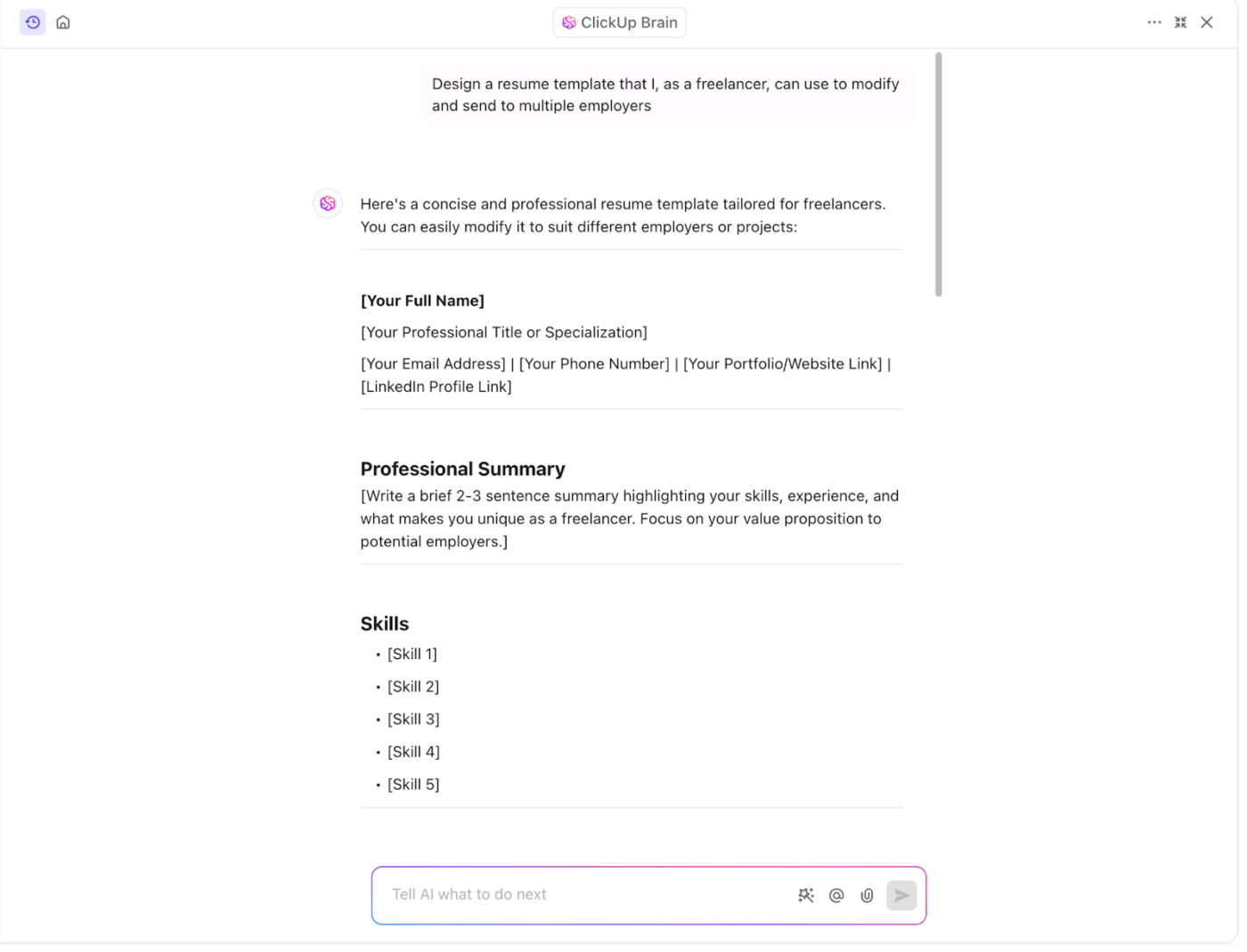
ClickUp Brain takes it further with AI-powered assistance to analyze job descriptions, enhance phrasing to depict your achievements in the best light, optimize your resume summary, and generate compelling cover letters in seconds. It helps refine your content to ensure your resume is clear, impactful, and tailored for each job.
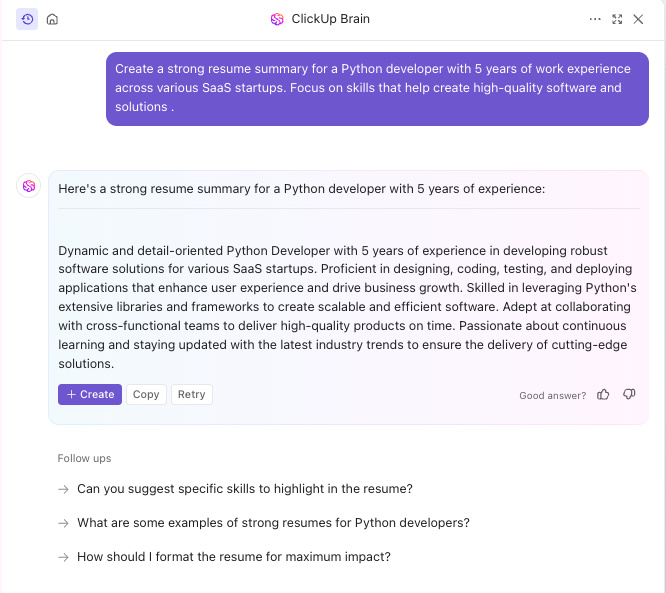
💡 Pro Tip: Want to create the best resume template by customizing it for yourself? ClickUp Brain can do that for you with a simple prompt!
📮ClickUp Insight: 33% of our respondents point to skill development as one of the AI use cases they’re most interested in. For example, non-technical workers may want to learn to build code snippets for a web page using an AI tool.
In such cases, the more context the AI has about your work, the better its responses will be. As the everything app for work, ClickUp’s AI excels at this. It knows what project you are working on and can recommend specific steps or even perform tasks like creating code snippets easily.
To make things even easier, we’ve shortlisted the best ClickUp resume templates as top Figma alternatives, so you can find the right format that fits your needs!
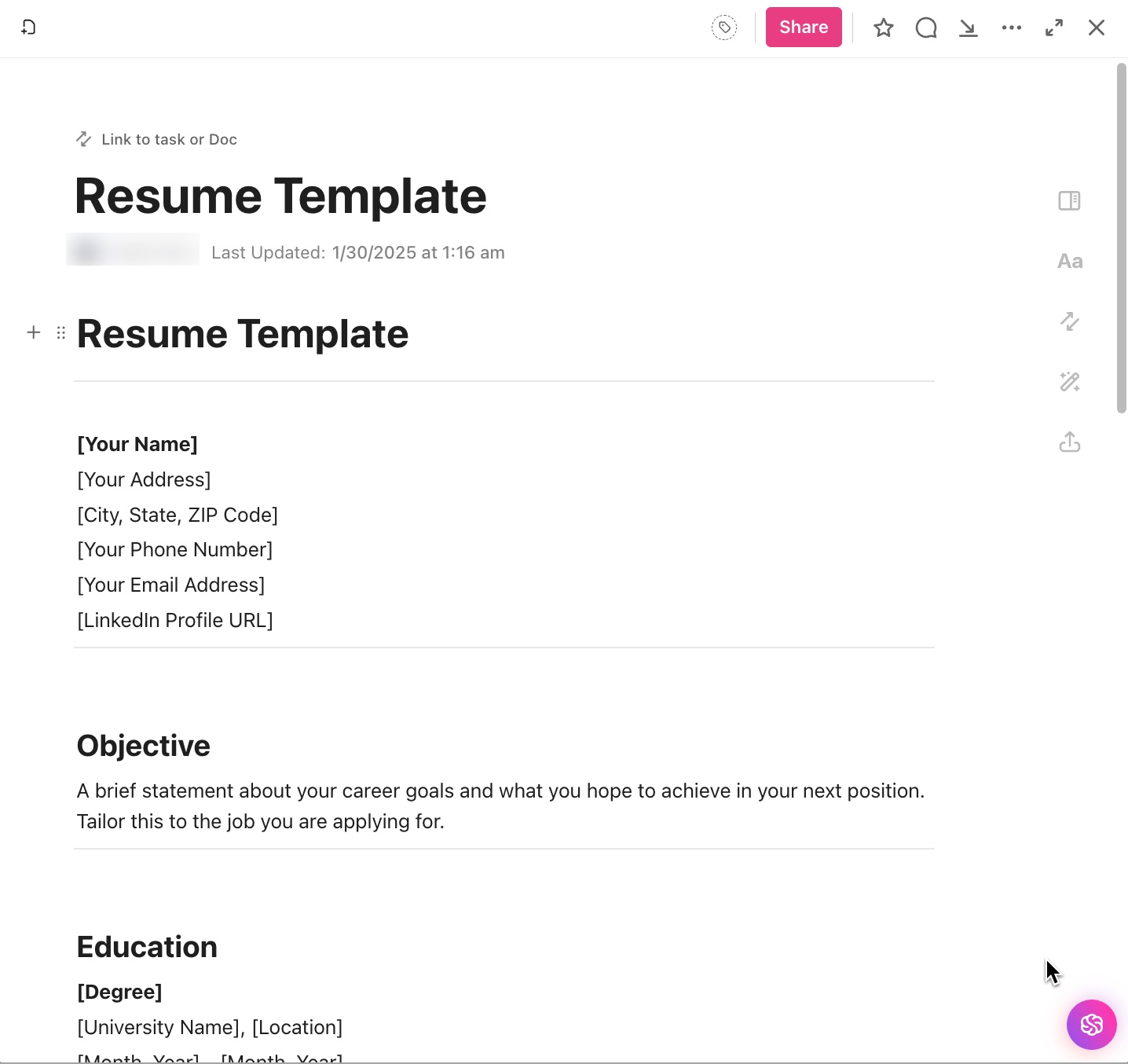
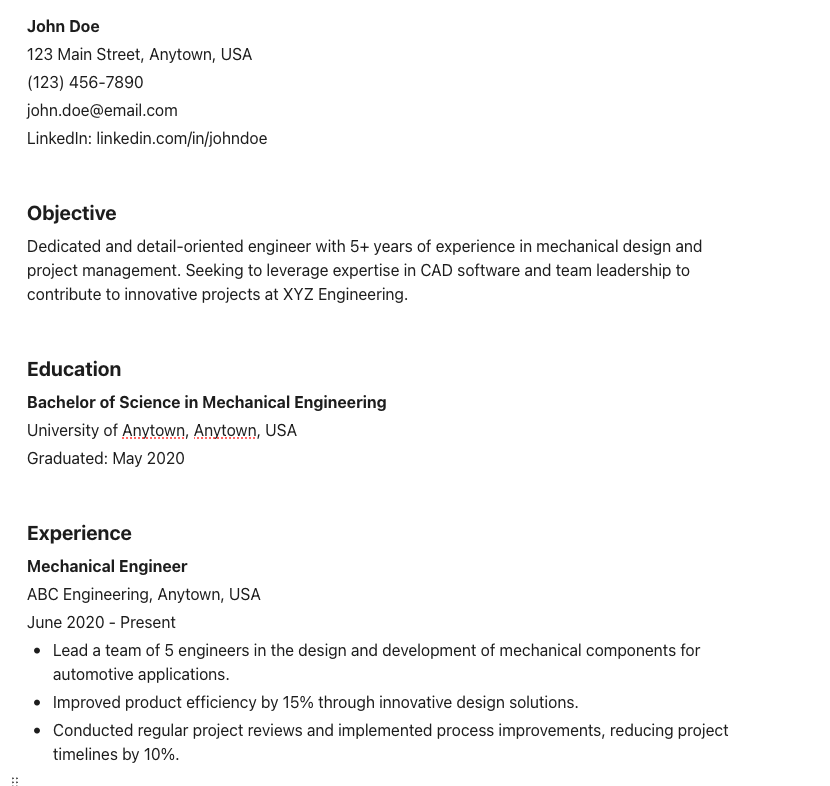
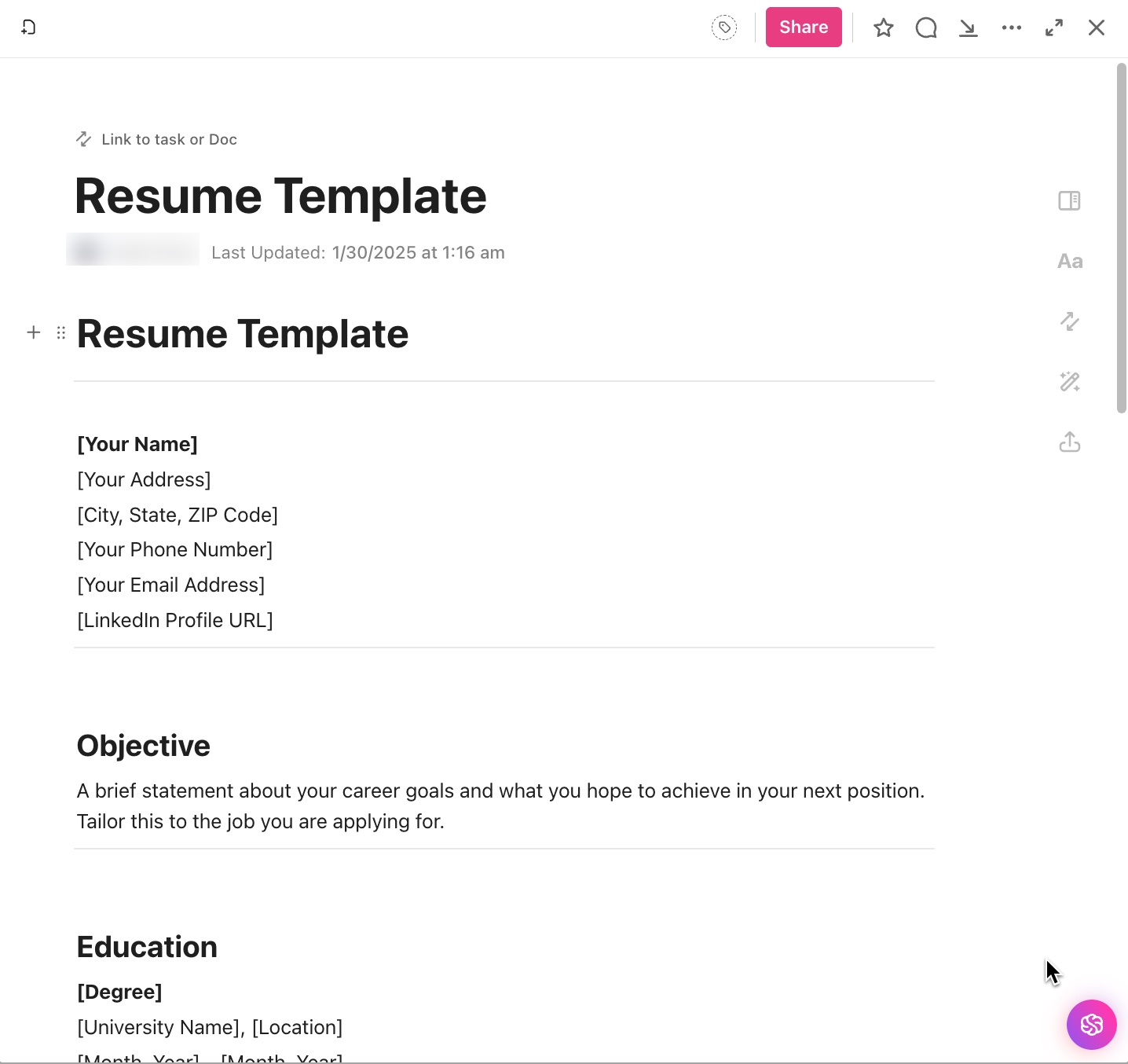
Looking for a standardized resume template that can fit any industry or role? The ClickUp General Resume Template fits the bill. It boasts a clean, well-structured format that focuses on clarity and readability.
This one-page resume template includes sections for:
Unlike rigid resume builders, this template is fully customizable. Use ClickUp Brain to tweak sections, rephrase bullet points, and adjust wording to perfectly match each job description.
📌 Ideal for: Job seekers in any industry who want a flexible, professional resume template that’s easy to update as their career map evolves
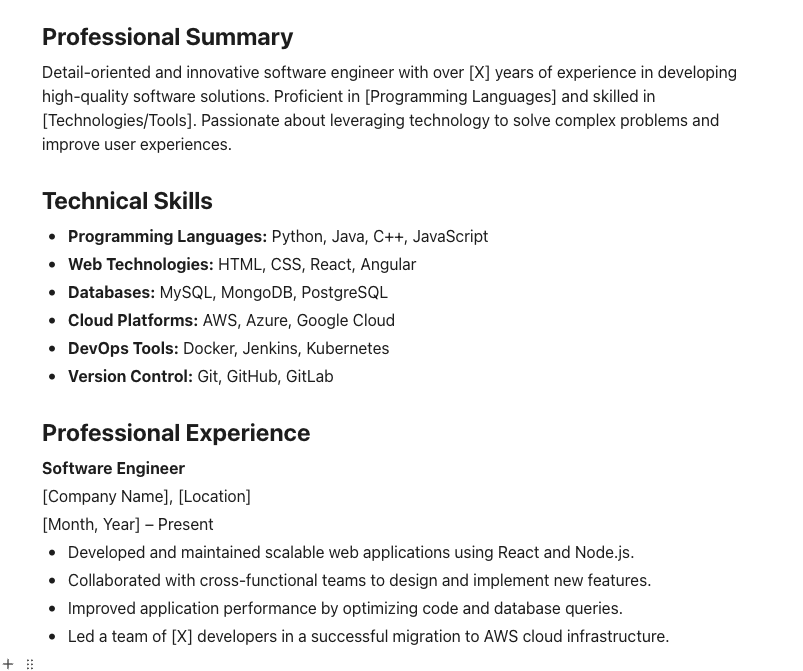
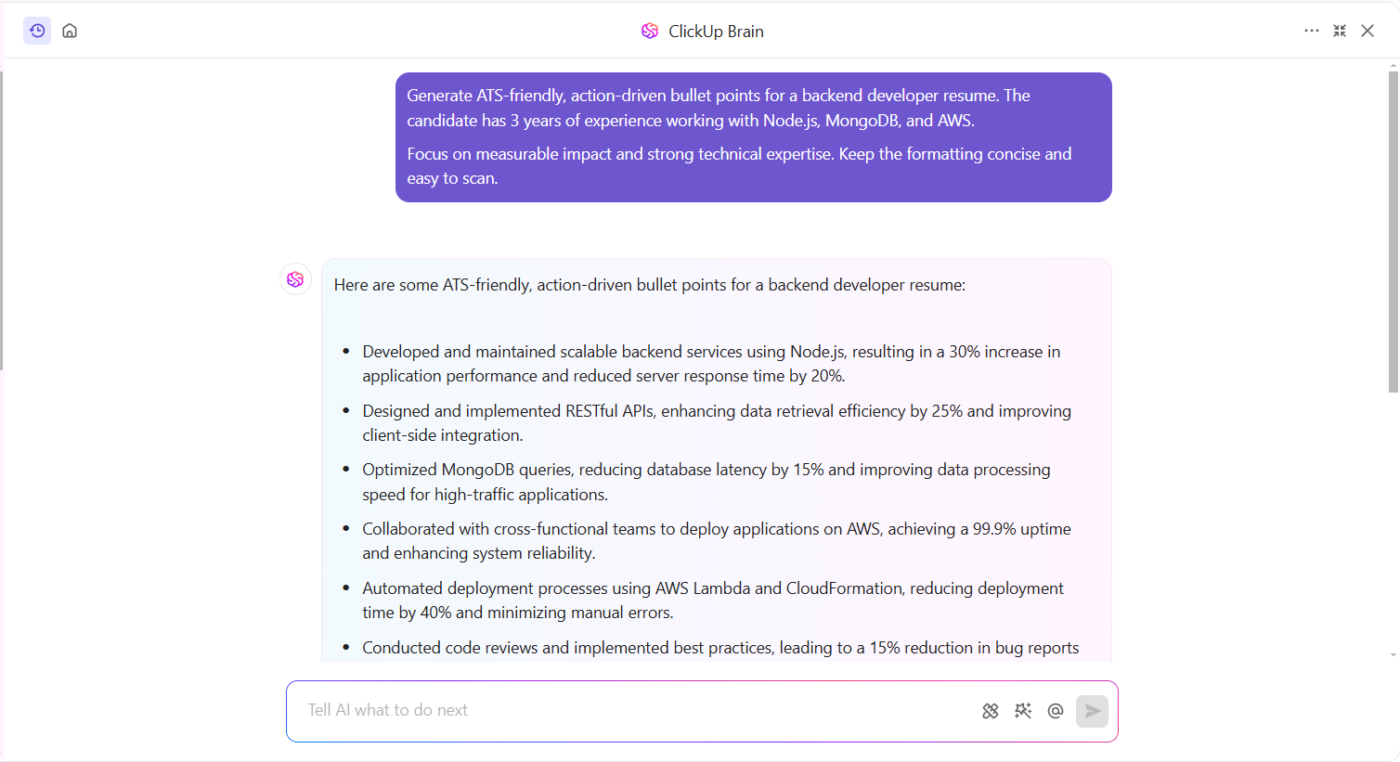
A standard resume doesn’t always cut it for software developers, engineers, IT professionals, and data scientists. You need a format that highlights your technical skills, projects, and problem-solving abilities—and the ClickUp Technical Resume Template does just that.
With this technical resume template, you get the best structure to cover your:
📌 Ideal for: Software engineers, data analysts, IT professionals, and anyone in technical fields who needs a structured yet compelling resume
💡Pro Tip: With ClickUp Brain, you can generate bullet points that describe your projects in an impact-driven way, making sure hiring managers see the value of your contributions at a glance.
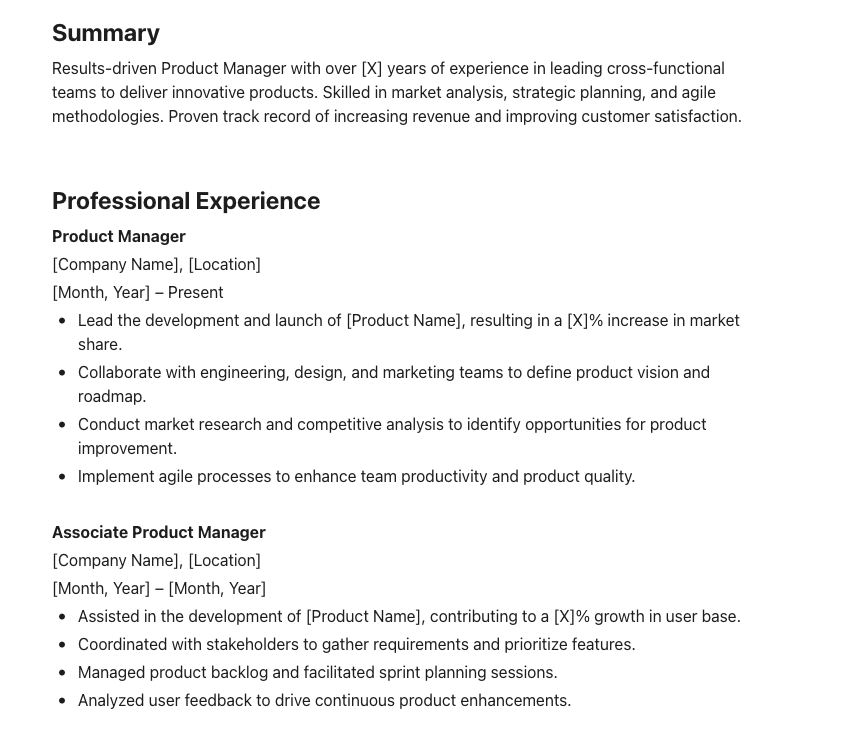
A product management resume needs to do more than list jobs—it must showcase your leadership skills, your mastery of strategy, and your aptitude for cross-functional collaboration.
The ClickUp Product Manager Resume Template helps you present your experience in a way that aligns with what hiring managers look for:
Plus, ClickUp Brain can help refine your impact statements, ensuring each bullet point clearly communicates the value you bring.
📌 Ideal for: Aspiring and experienced product managers who must demonstrate strategic thinking and execution
🧠 Fun Fact: A well-optimized LinkedIn profile can be just as important as your resume—over 90% of recruiters use LinkedIn to find and vet candidates before an interview.
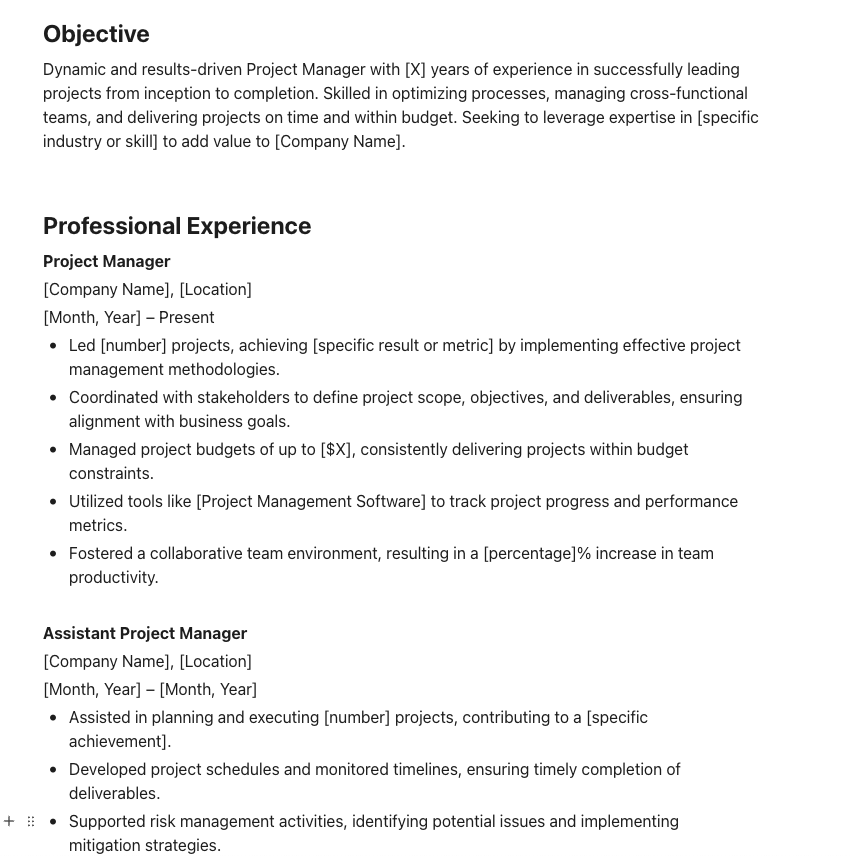
Project managers’ resumes need to prove they can deliver results under pressure.
The ClickUp Project Manager Resume Template focuses on project execution, team leadership, and efficiency, helping you highlight:
📌 Ideal for: Project managers in IT, marketing, construction, or operations who need to showcase leadership, organization, and execution skills
An engineer’s resume must balance technical expertise with problem-solving skills. And if you’re looking for the perfect one-stop solution, the ClickUp Engineering Resume Template may just be the answer.
The template provides a structured way to highlight:
📌 Ideal for: Civil, mechanical, electrical, and software engineers who want a data-driven, technical resume that stands out
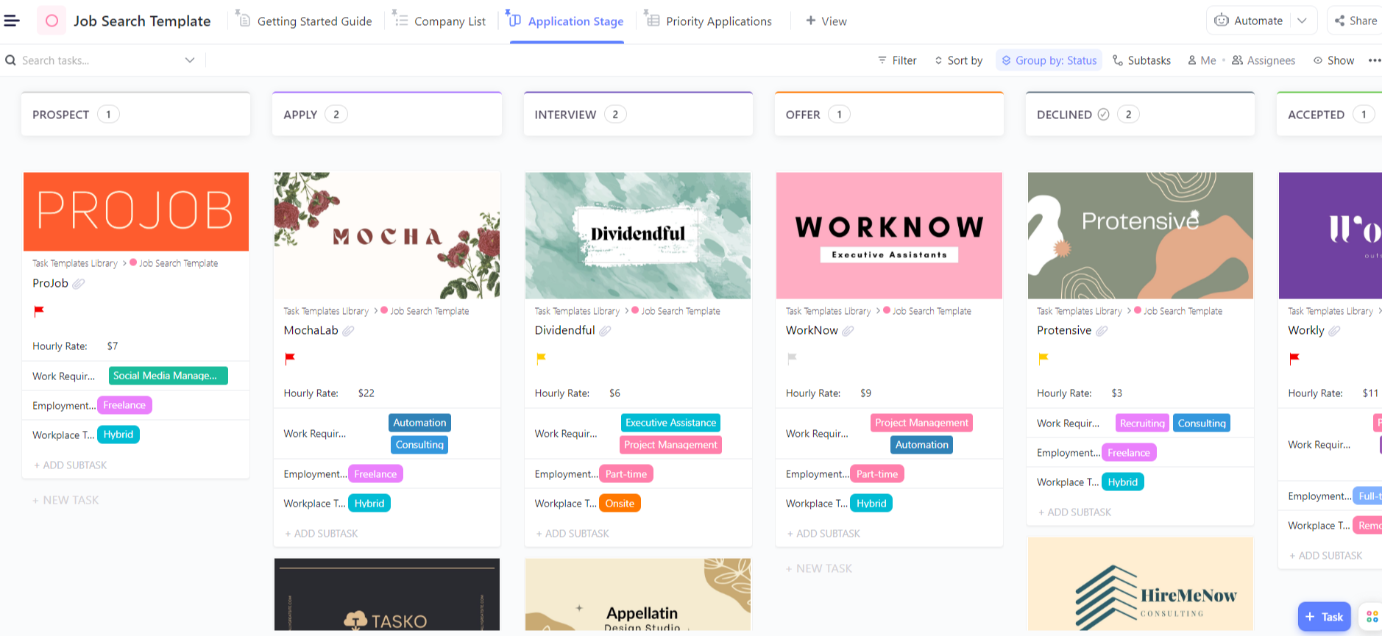
Job hunting during a career change can quickly become overwhelming. There are multiple applications to manage, follow-ups to track, and interviews to schedule.
The ClickUp Job Search Template simplifies this process for you. It helps you:
📌 Ideal for: Job seekers juggling multiple applications who need an organized and efficient way to stay proactive
📚 Also Read: Job Search Tips and Strategies That Actually Work
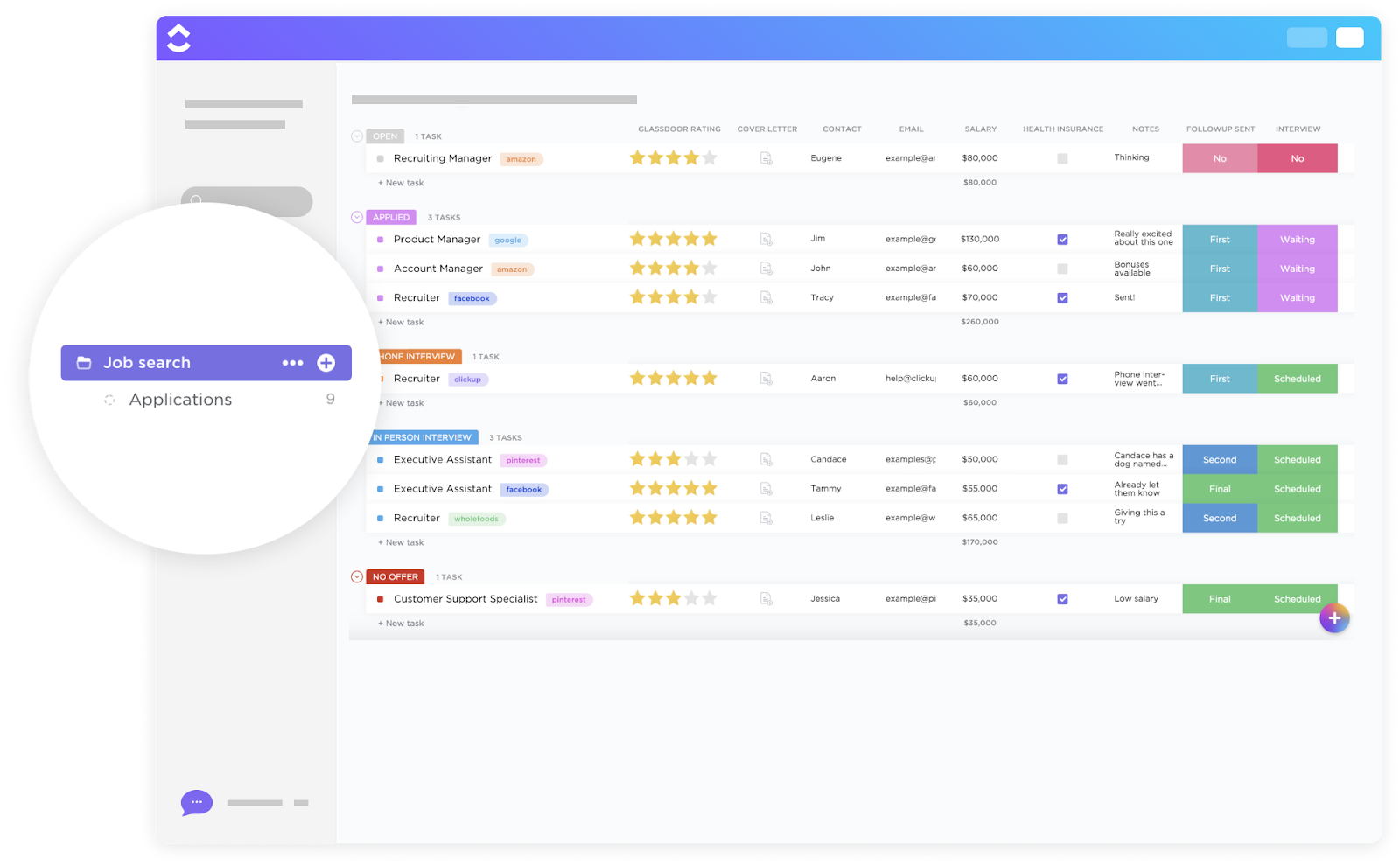
Job hunting can often feel like an extreme sport—one missed email, and poof, there goes an opportunity. Instead of sifting through endless sticky notes and open email threads to land your dream role, why not keep everything in one place?
The ClickUp Job Search List Template has you covered with a simple, list-based approach. It offers a Kanban board or checklist view to track:
📌 Ideal for: Anyone who wants a straightforward, checklist-style tracker for job hunting
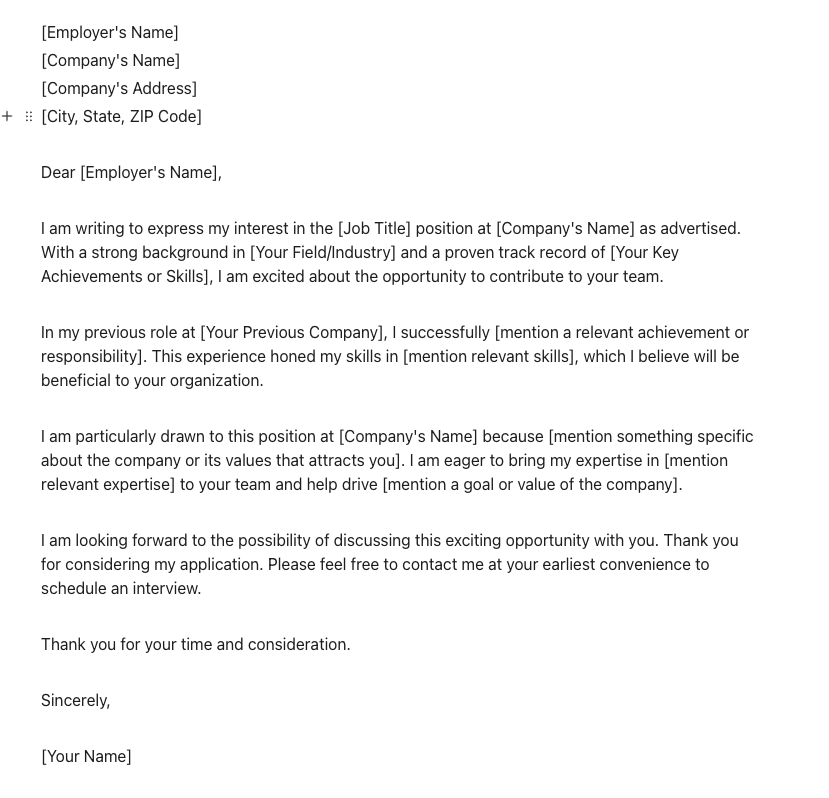
Crafting a compelling cover letter is just as important as your resume. Your resume may list your accomplishments, but it’s the cover letter that tells your career story. The ClickUp Cover Letter Template makes the storytelling process effortless.
Designed for clarity and impact, this template helps you structure your introduction, highlight key achievements, and personalize your message for each application.
This template provides a clear-cut format with:
📌 Ideal for: Job seekers who want to craft personalized, professional cover letters without reinventing the wheel for every application
💡Pro Tip: With ClickUp Brain, you can generate multiple versions of your cover letter, tweaking it for different roles in seconds.
A great resume isn’t just a list of past jobs—it’s a pitch, a first impression, and a ticket to your next big opportunity.
Figma’s free, customizable resume templates give you creative control, letting you tweak layouts, colors, and fonts to reflect your personal style. But you know the struggle if you’ve ever wrestled with shifting text, uneven spacing, or hours spent perfecting alignment.
That’s where ClickUp steps in. With its best, customizable resume templates, you can skip the formatting headache and focus on crafting a resume that not just tells your story, but also sells it convincingly.
ClickUp Docs keep your resume editable, organized, and easy to update, while ClickUp Brain helps refine the content and structure to make your resume stand out.
Stop trying to get a degree in design on Figma. Sign up for a free ClickUp account and create a resume that works as hard as you do!
© 2025 ClickUp