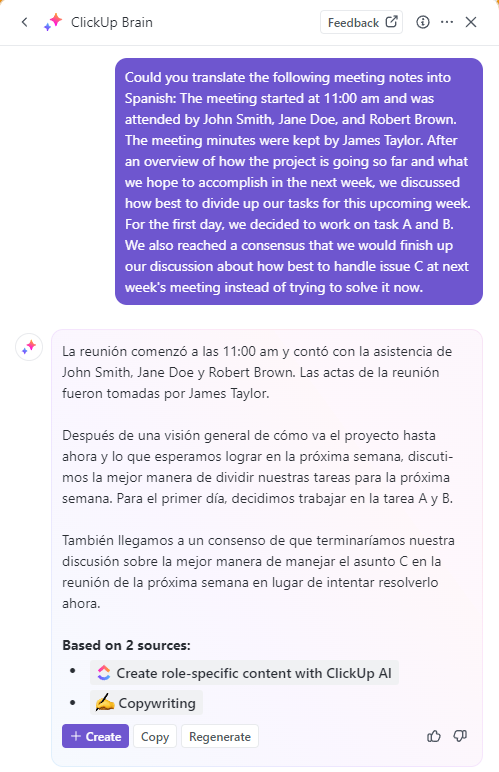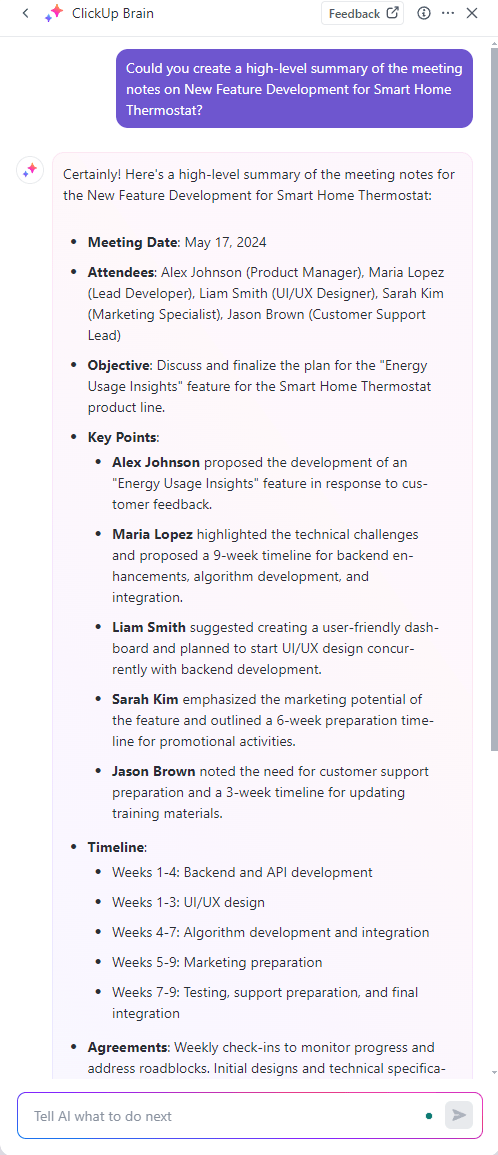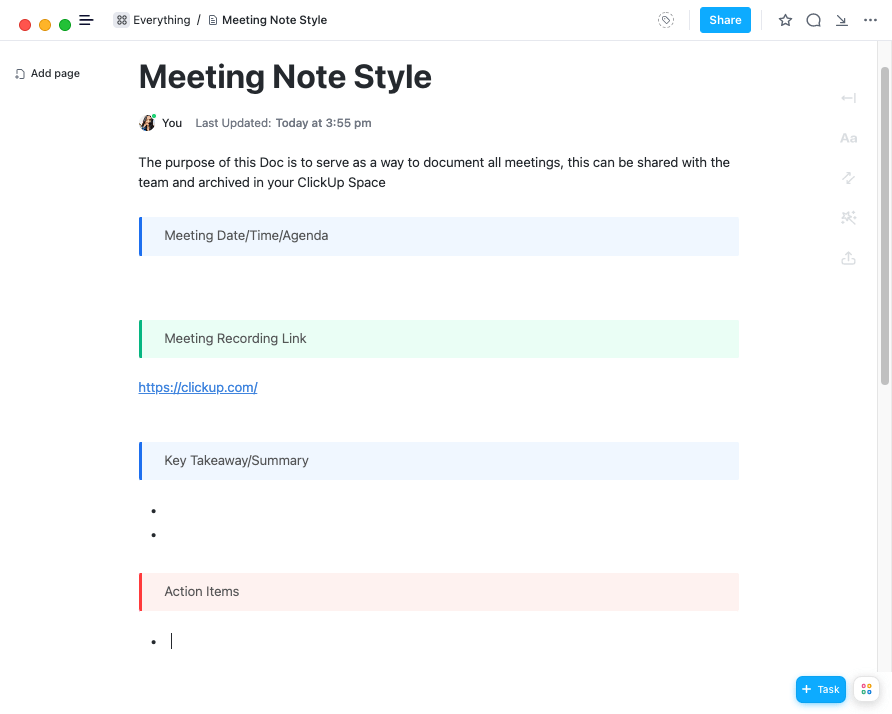

Sorry, there were no results found for “”
Sorry, there were no results found for “”
Sorry, there were no results found for “”
Do you ever feel stuck taking down meeting notes while brilliant ideas fly by? Well, you’re not alone!
On average, people speak 110-150 words per minute. In contrast, they can only clock 20-45 words per minute as their longhand writing speed!
Unless you’re a shorthand expert, you’ll be stuck in a perpetual game of playing catch-up. During this struggle, you also miss out on the new ideas being exchanged, which leaves you feeling left out, confused, and overwhelmed.
But what if there was a way to capture accurate meeting notes without all this hassle?
Do we have your attention? Then, say hello to the AI meeting assistant—a tool to intelligently automate note-taking while you participate in meetings.
Here’s everything you should know about how to use AI for meeting notes.
Messy meeting notes? Try ClickUp’s free Meeting Minutes Template to keep things clear and organized.
Now that you understand the role of AI tools in note-taking, let’s quickly go over the benefits of AI meeting notes:
ClickUp Pro Tip: Accessibility is no longer a nice-to-have feature but mission-critical to organizational success. From driving innovation and increasing market reach to maintaining compliance, it has a large impact.
Also Read: ClickUp’s Commitment to Accessibility
Manual note-taking methods are time-consuming and resource-intensive. Against this background, artificial intelligence (AI) transforms note-taking from a mundane task to a strategic advantage.
Here’s a few methods to try AI note taking in meetings:
At the heart of any AI note-taker lies Automatic Speech Recognition (ASR)—also known as Speech-to-Text (STT).
This technology leverages artificial intelligence (AI) or machine learning (ML) to convert spoken words into accurate, readable text. It has the capacity to keep pace with even the fastest voice conversations. Such real-time and scalable transcription ensures that you can capture every little detail in the conversation as it unfolds.
Did You Know?
ASR is three times faster than typing! You can spend that conserved time focusing on high-value or complex tasks—or scrolling through cat videos on the internet if you prefer it!
While the primary objective of meeting note-taking tools is to transcribe meetings in real time, AI tools like the ClickUp AI Notetaker add more value to this job. Here’s how:

Example prompts:
Have a meeting scheduled on short notice? Work smart and leverage AI assistants to generate pre-meeting materials such as agendas, discussion points, slide decks, etc.
AI tools will analyze past meeting notes and identify areas of focus, recurring themes, outstanding questions, and every detail that led to this meeting. Equipped with this data, they will kickstart the meeting prep by generating and sharing relevant pre-meeting materials. This ensures all meeting participants arrive informed and ready to dive into the core topics. Such a strategy saves time and promotes focused discussions, making for highly efficient and productive meetings.
I have biweekly meetings with my supervisor and we use ClickUp for our agenda. I feel more on top of my game because all of my event and presentation requests live here, along with an up-to-date status indicator that she can check out.
Also Read: How to use ClickUp Brain to generate meeting notes
Real-time transcription and note-taking are the core value propositions of an AI meeting assistant. The note-taking tools capture all the discussions and talking points of a meeting in granular detail, regardless of the number of participants. This quality is particularly crucial in fast-paced meetings, large-scale discussions, and conference calls, as you’ll have clarity on who said what and when.

Focus on the meeting, not the note-taking. ClickUp’s AI Notetaker automatically transcribes conversations in real time
It also helps participants overcome challenges related to language and accents that otherwise cause them to miss out on details or misinterpret information.
AI transcription software recognizes each speaker’s voice, attributes their ideas in the notes, translates in real-time, and generates clear and accurate meeting documentation. We’ve already discussed its impact on inclusivity and accessibility, so this is an easy, low-hanging fruit if you’re looking to leverage AI meeting tools.
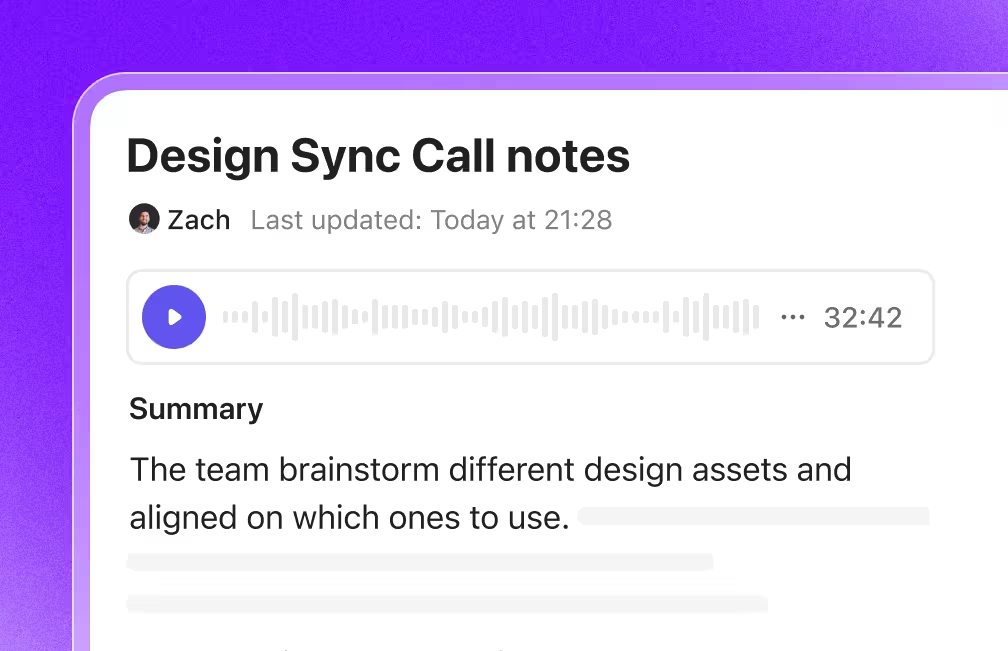
Don’t waste your time extracting key points from lengthy discussions. Instead, get automatic meeting recaps that capture the crux of the entire conversation with tools like the ClickUp AI Notetaker!
Such AI meeting note-taking tools extract key insights to develop a concise overview of the meeting’s takeaways. This brings all participants to the same page without having to go through lengthy pages of transcriptions. They also share timestamps of these key highlights so you can always go back to meeting recordings or audio files and deliberate on the conversation.
These minutes act as a credible record, offering an overview of every meeting ever conducted.
Example prompts:

You will find meeting platforms that leverage AI technology to power visual thinking. They convert spoken word or audio files into concept diagrams and mindmaps. Such visualization unlocks creative exploration and collaborative brainstorming sessions across multiple perspectives and expertise.
Using such tools, distributed teams can visually connect ideas, identify relationships, and spark innovation while working on problems together. In addition to illustrating these concepts, the meeting platform will also document them and store them in a centralized location for quick and easy access for all participants.
Lastly, the whiteboard feature? Obsessed. This tool was often used during team meetings to brainstorm ideas or elaborate more on certain initiatives.
Example prompts:

In addition to AI-generated summaries and meeting minutes, some AI note-taking apps can also generate comprehensive post-meeting reports. These capture the essence of the meeting, complete with talking points, meeting duration, time stamps, participant profiles, etc., that you can review even after the meeting has concluded.
Plus, there are several ways to harness information or implement insights from each review. For instance, you can identify the specific individuals who championed or advocated for an idea between multiple speakers, seek clarification from them, give them credit, and assign ownership of associated tasks.
You get searchable transcripts with ClickUp’s AI Notetaker. Simply ask ClickUp Brain to find the relevant piece of information, decision, or data point you need.

Example prompts:
AI tools trained in conversation analysis can capture valuable insights beyond the spoken word. They boast advanced features to analyze voice conversations and highlight meeting dynamics. By capturing metrics such as speaking time distribution, sections of repetitive points, areas of disengagement, and excessive talking, you can identify areas of improvement in your existing meeting structure.
Accordingly, you can plan interventions, such as improved meeting agenda planning, balancing participation, etc., to optimize future meetings for increased focus and efficiency.
Example prompts:
AI note-taking solutions for meetings can also convert to-do lists or action points into personalized roadmaps. To facilitate this, they might analyze historical meeting notes, individual profiles, personal calendars, schedules, etc., to locate recurring themes, your role in these meetings, upcoming deadlines, and so on.
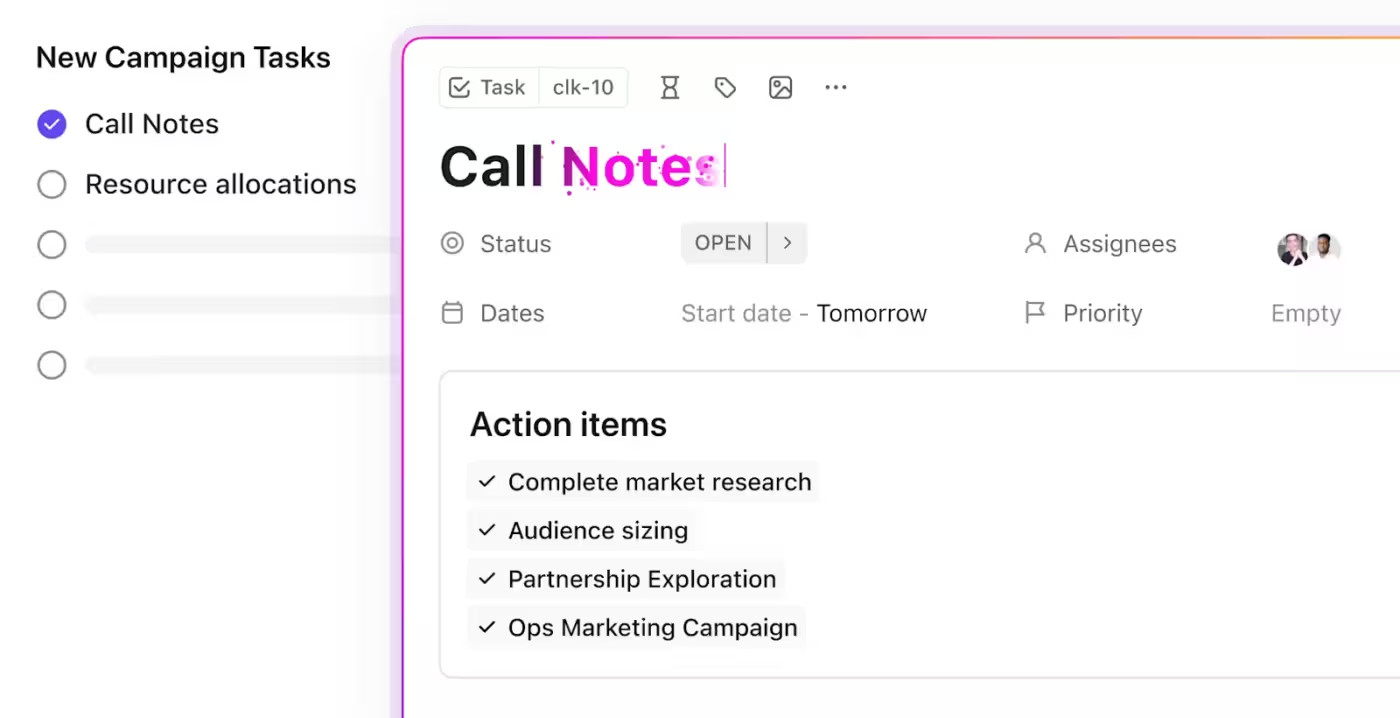
Then, based on such insights, they generate personalized plans that prioritize tasks, assign roles and responsibilities, and define deadlines. Such a seamless transition from the meeting platform to notes to task management makes follow-up easier and more convenient. This helps meeting participants stay laser-focused on the tasks that matter most and contribute meaningfully to the team’s overall success.
Missing Natural Language Nuances: AI tools have made huge strides in transcribing spoken words into text. However, they may sometimes struggle to capture the nuances of human speech, such as humor, sarcasm, or cultural references. This can lead to the risk of important information being missed or misinterpreted.
Dependence on Audio Quality: The effectiveness of AI heavily relies on the clarity of the input audio. The presence of overlapping speech, loud background noise, or poor audio quality can impact the overall quality and accuracy of the transcriptions.
Limited Non-verbal Insight: A significant part of human communication lies in non-verbal cues, such as facial expressions, gestures, and tone of voice. These provide valuable context during conversations. However, AI transcription tools may not be able to capture and interpret these non-verbal cues effectively.
Language Limitations: AI transcription tools may not always understand or correctly transcribe multiple languages or dialects. Modern tools are getting better, but they may still struggle with some languages or strong regional accents. This can lead to a decrease in the transcription’s accuracy and completeness.
Dependence on Stable Internet: AI transcription tools often require a stable internet connection to function effectively. This could be problematic in areas with weak internet connectivity.
There are several ways to generate notes using an AI meeting assistant. Let’s walk you through some options to consider. Watch this quick explainer video and read on to explore the tools in depth!
With ASR, you can set up real-time transcription and automate note-taking. AI-powered intelligent features like ClickUp Brain do more than generate notes. Use it to automatically transcribe meeting recordings captured through Clips (more on this later). You can then use the AI transcription to scan for highlights, skip through videos using timestamps, and copy snippets
While ASR tools generate meeting transcriptions in real time, AI tools with note-taking abilities work with audio recording.
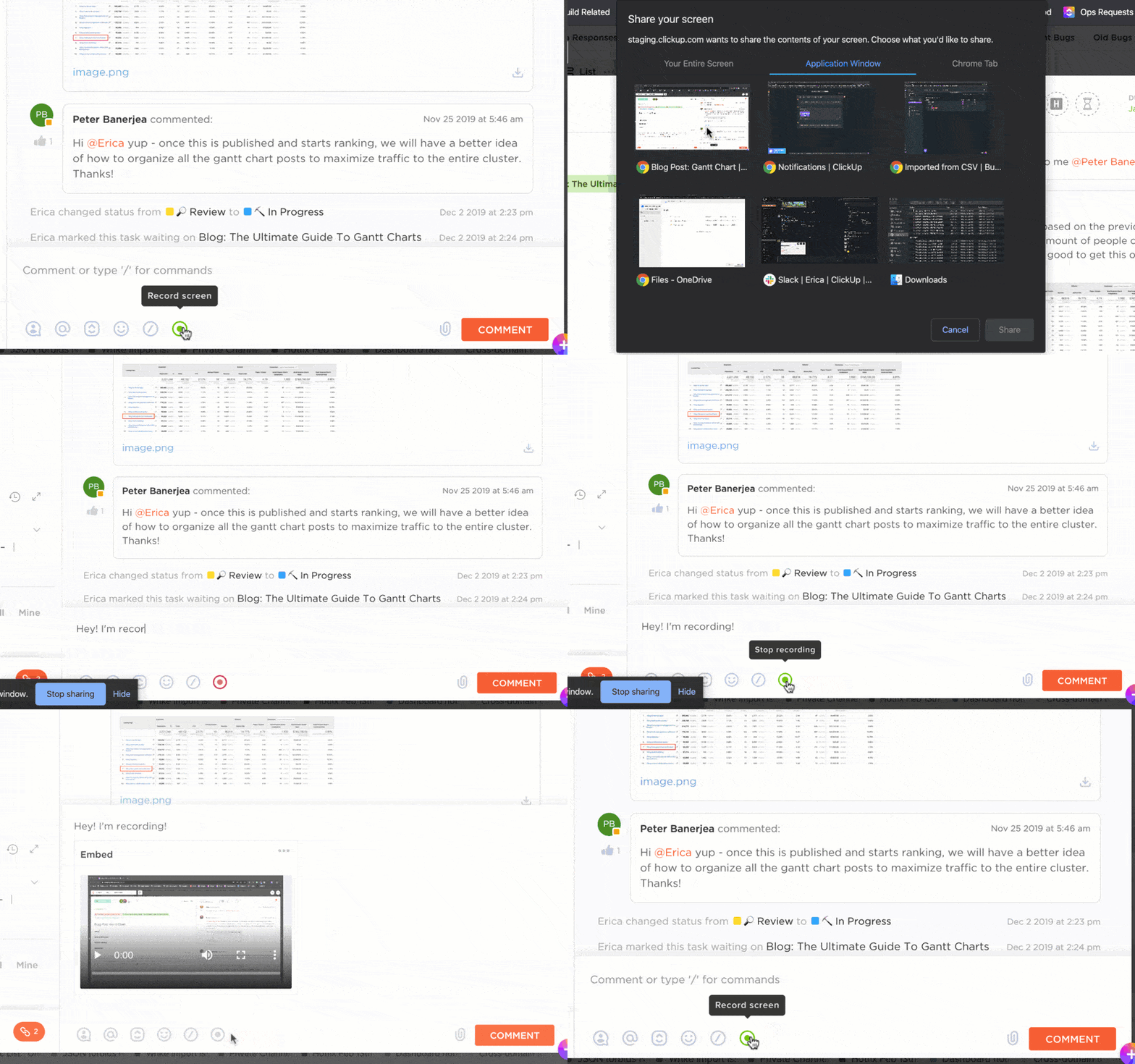
ClickUp Clips is a smart way to upgrade text-based manual notes into rich media. Here’s how you can use them in meetings:
Such AI tools will analyze these audio or video files to generate detailed notes. You may also tinker around with their advanced AI functionalities like speaker identification, keyword-based search, timestamp generation, and highlighting key moments.
In some cases, you may have meeting recordings that you’d want to convert into notes and generate concise summaries from such outputs. In other cases, you may already have meeting transcripts and only wish to summarize them. With ClickUp Brain, you can:
There are two ways to go about this. First, you can select an ASR or AI note-taking tool that integrates with project management platforms. Second, you can choose a project management tool like ClickUp with built-in AI capabilities for note-taking and document management.
Here are a few features that make ClickUp the best AI-powered software solution for meeting notes:
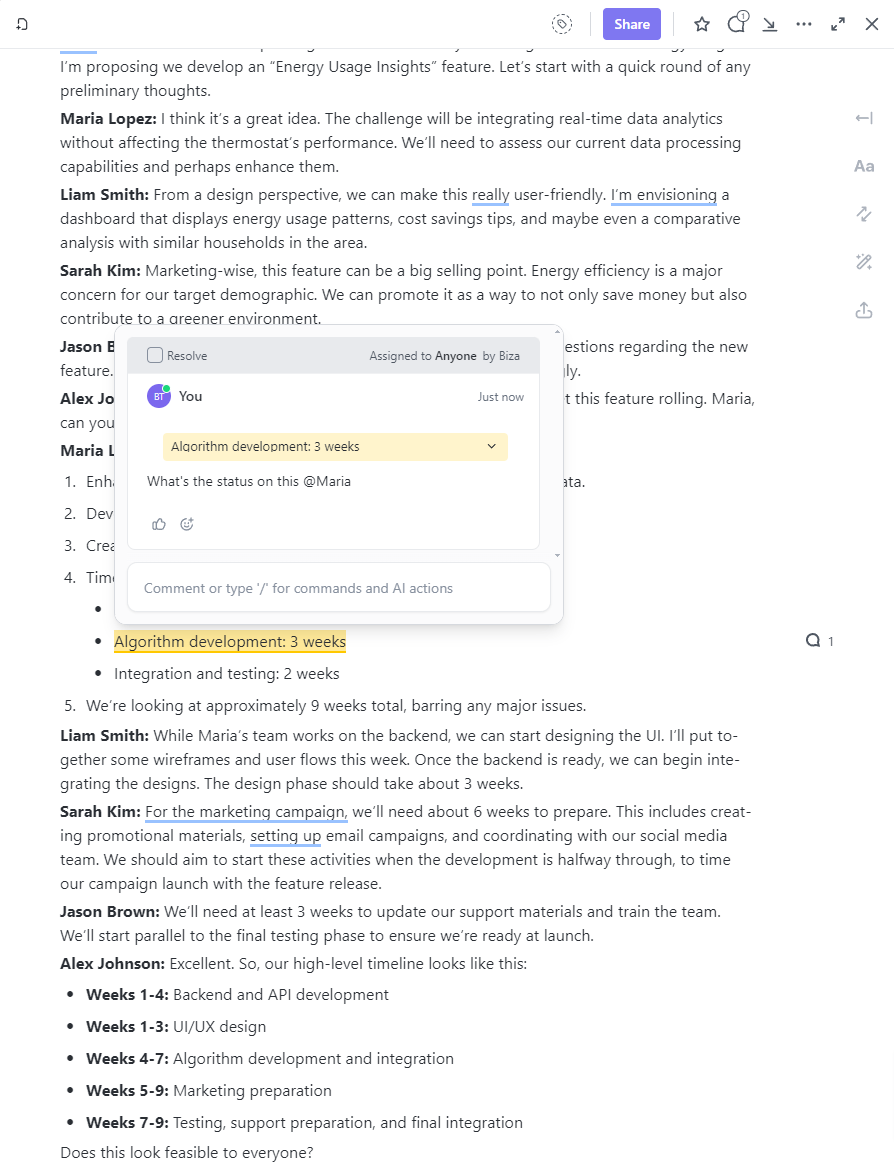
ClickUp Docs is a centralized hub for all your project-related documents. It serves as a collaborative space where you and your team can:
ClickUp Whiteboards is one of the many collaboration tools on ClickUp. It helps with visual brainstorming and ideation during meetings in the following ways:

ClickUp also offers a rich library of free templates that are 100% customizable based on your project or workflow needs.
For instance, the ClickUp Meeting Minutes Template offers a well-defined structure for recording meeting minutes as a doc in ClickUp. From a detailed agenda to changes in previous meeting minutes to announcements, this template covers everything.
Similarly, the customizable Docs template for ClickUp Meeting Notes offers direction. By establishing guidelines and structure for your meetings, you can make every meeting count, whether you conduct it daily or annually.
Since you’ll have to maintain a record of all your meeting notes, we also have this template on ClickUp Meeting Note Style. The meeting template captures brief summaries of each meeting in a simple format and builds a central, searchable repository. It makes organizing notes easier while enabling timely progress updates for teams and stakeholders.
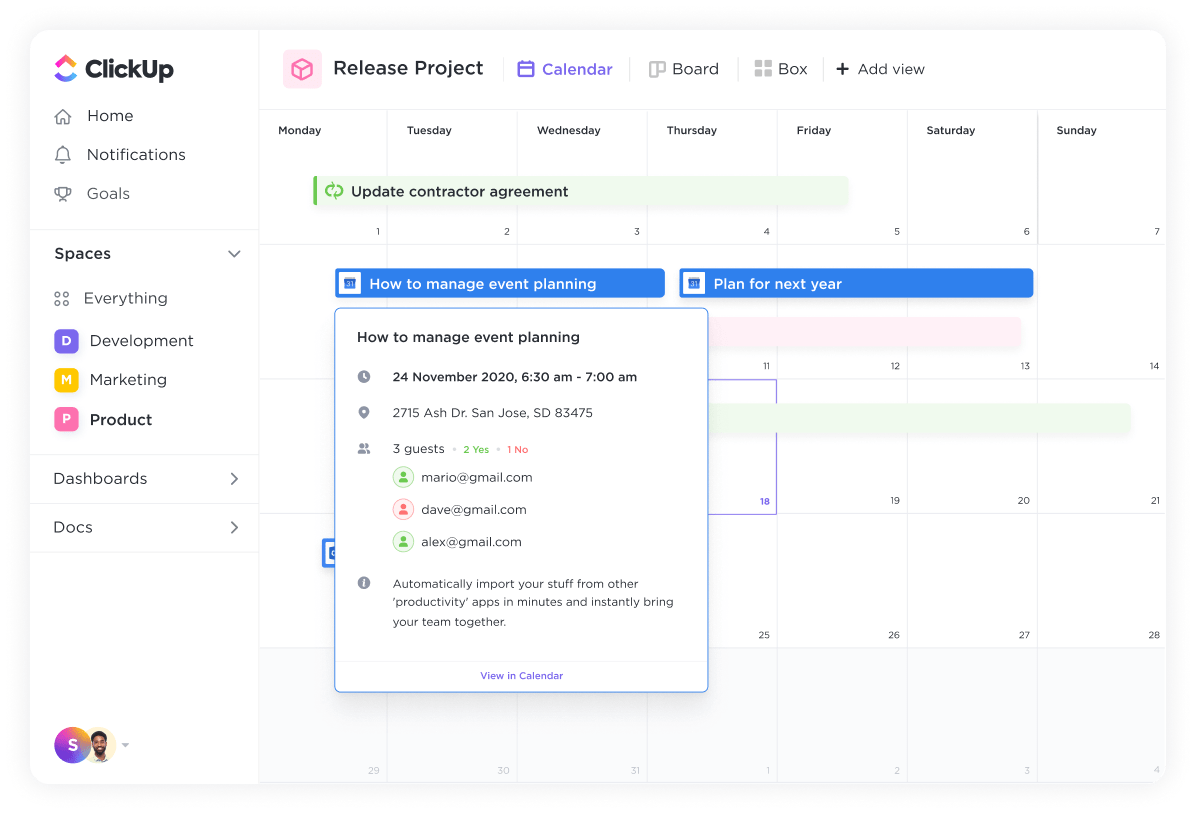
As if ClickUp’s ingrained features and capabilities weren’t enough, you also get the option to integrate ClickUp with your existing tools, platforms, and systems. For example,
ClickUp integrates with Google Meet and Microsoft Teams for video meetings. Similarly, you can connect it with Fireflies and MeetGeek for live transcriptions. Such integrations allow you to add powerful project management capabilities to other tools and make them scalable.
Whether you leverage AI tools for presentations and agendas or use them to generate live closed captions—AI is gaining traction in the meeting note-taking department. More importantly, it paints a positive and promising future for what’s to come.
As the technology matures, you will find more intuitive, value-focused, and actionable AI meeting assistants. Advanced features like sentiment analysis will inform you about the team’s morale, while live translation will connect geographies. It is only a matter of time until we witness this shift.
So, harnessing this technology as early as possible is one of the best ways to stay ahead of the impending curve. Instead of spreading your investments across an assortment of tools, choose a singular solution to get more ROI. In other words, get started with ClickUp and let AI transform your business operations.
Sign up for free on ClickUp now to know how!

Sean Hardy
Max 26min read

Manasi Nair
Max 19min read
Manasi Nair
Max 19min read

© 2026 ClickUp