How to Write Release Notes – Examples & Templates to Enhance Your Product Strategy

Sorry, there were no results found for “”
Sorry, there were no results found for “”
Sorry, there were no results found for “”
When it comes to release notes, Slack keeps them funny and succinct. The folks at Zoom prefer very detailed ones. Ours usually involve a video.
Release notes help product managers and software development teams establish transparency and improve the customer experience. They are a part of the larger release plan and detail the latest software updates—product enhancements, bug fixes, upcoming features, etc.
Let’s explore some of the best release note examples of software companies to learn how to improve user engagement.
Companies publish release notes to share relevant information with users about the latest version of a product. Development teams must write informative release notes without unnecessary technical details.
The focus should be on helping users easily understand the changes made to the product.
Good release notes also unfailingly demonstrate development teams and SaaS companies’ responsiveness to customer feedback by incorporating important user suggestions into new features and product updates.
Working on feedback, whether feature requests, grievances, or any other suggestion, enforces the following:
This commitment to continuous improvement resonates deeply with customers. It reaffirms their confidence in the software product and the company driving its development.
Let’s take a look at some of the great product release notes examples and analyze them to see what makes each one interesting:

ClickUp is a cloud-based project management tool that promotes team collaboration and increases productivity.
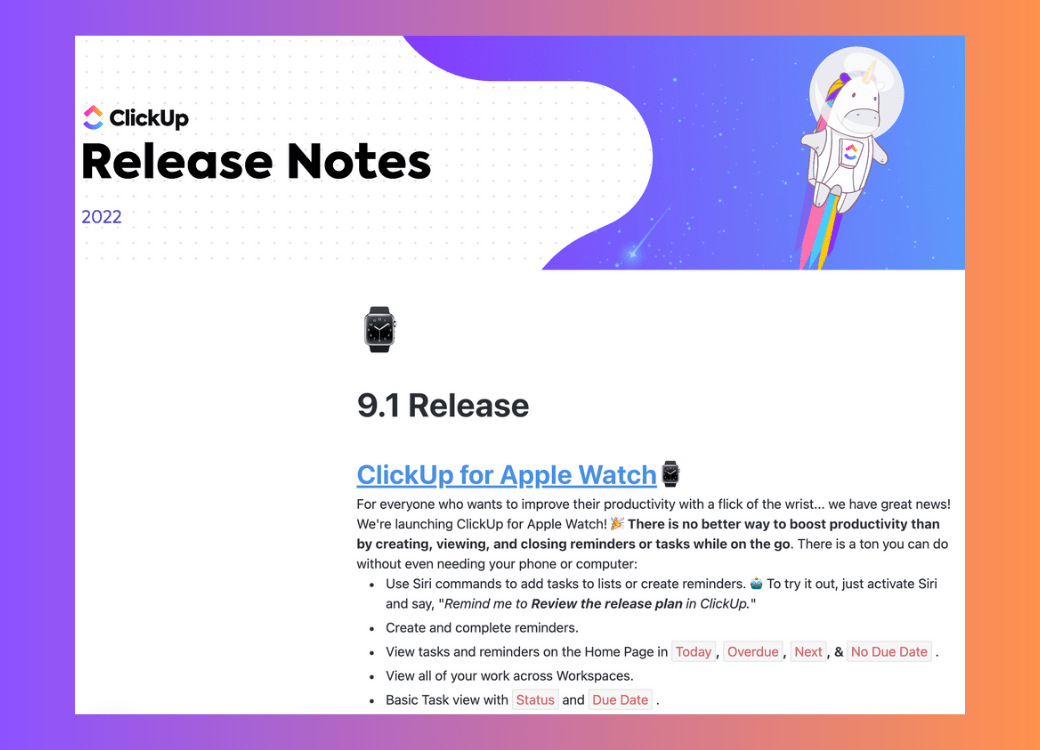
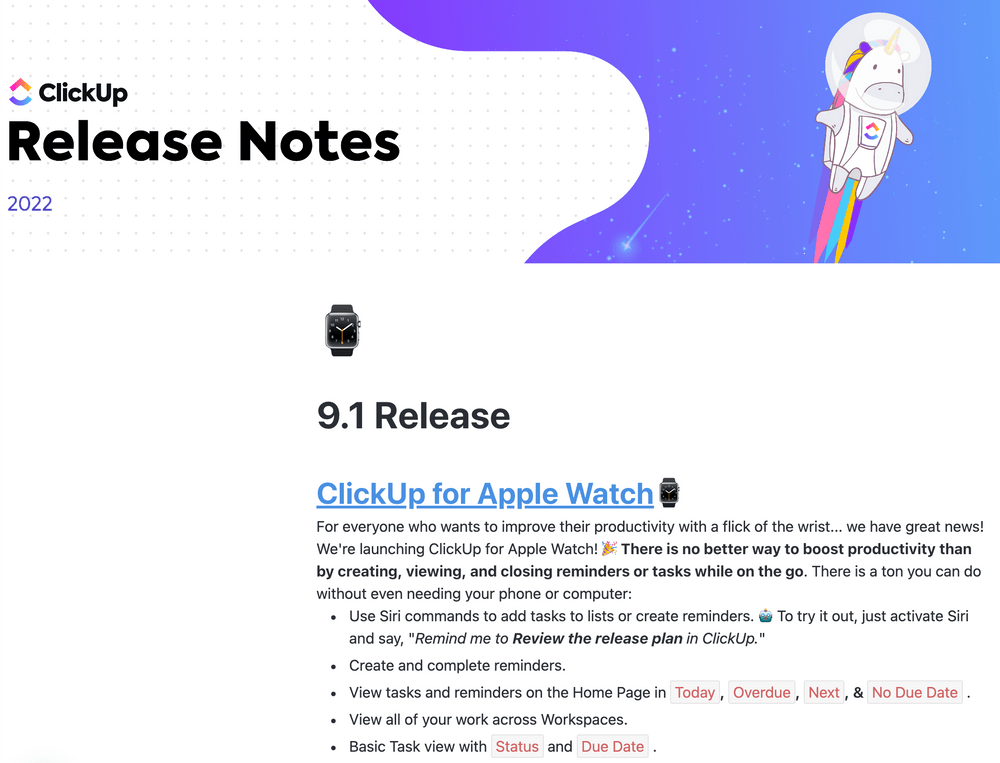
This ClickUp Release 3.15, published on 18th April 2024, is packed with the latest updates for users to stay informed.
For instance, recent updates have introduced features like Formulas in Calculation Cards and SCIM team management, along with integrations with HubSpot workflows and the Morgen calendar.
The ClickUp Release Notes updates are well-designed and visually appealing, thanks to the clear and bold headings, animations, screenshots, and GIFs. This helps engage users and create a better understanding of every new feature and workflow introduced.
What’s unique:
All the factors mentioned above make ClickUp’s release notes an excellent example for product managers looking to create informative and user-friendly release notes page updates for their users.

Zoom is an online platform for communicating with people via video and audio calls, and messaging. Zoom’s release notes are quite comprehensive, detailing all the new features, enhancements, updates, and bug fixes.
While the page is organized and formatted well with headings, subheadings, and bullet listicles, the small font and lengthy paragraphs can make users feel overwhelmed.
What’s unique:
The entire release notes page is categorized by every release date and version number. You can find them all if you keep scrolling down.
However, the infinite scroll here is taxing and may cause inconvenience since direct links to individual release notes updates are not available on this page. This can hinder readability, especially for users tracking multiple updates or seeking specific information.
We felt that simplifying the layout and providing anchors or direct links to release notes could greatly enhance the user experience.

Slack is a messaging and productivity (don’t go by its name; it really does the job) tool. It enables employees within an organization to connect, interact, and collaborate seamlessly.
Slack’s release notes for Windows users stand out for their insightful yet accessible format and their fun sense of humor. Each version’s changes are clearly outlined and categorized into ‘What’s new,’ ‘Bug fixes,’ and ‘Security guidelines.’ The notes are organized by date, streamlining the search for specific updates.
What’s unique:
Slack ensures that the notes are concise and free of technical jargon. Choosing bold headings, subcategories, and bullet point explanation patterns enhances readability, making the release notes page an interesting resource for users.
For instance, in this particular release note, Slack listed all the bugs detected and how they fixed them in a clear, friendly, and humorous tone. This is the kind of release note we’d want to read just for the smiles.
By the way, did you know that you can increase productivity by 30% with the ClickUp and Slack integration?

Amplitude is a robust product analytics tool that helps users create better products by tracking and analyzing customer behavior. The company’s product updates make for another great release notes example that made it to our list.
Unlike Slack and Zoom, you won’t find Amplitude’s release notes clubbed on a single page. Instead, they have a monthly ‘issue’ of release notes on their community page. For instance, Amplitude’s March Product Release Highlights provided a comprehensive overview of critical updates across different features.
They also incorporate minimal emojis for added personality without overshadowing the information about product changes.
What’s unique:
Amplitude also includes a brief summary at the top of each page for readers who find the detailed note too long.
Using bullet points further improves readability, making it easy for users to skim through details without missing anything relevant.

Medium is a content publishing platform where authors, media professionals, and bloggers may post papers, articles, stories, ideas, and opinions on a broad spectrum of themes.
Medium’s release notes prioritize improving user experience and addressing bugs. Users can effortlessly pick up reading from where they left off in a story and conveniently access collections from the homepage.
What’s unique:
The page mentions bug fixes (and squishes), and the tone varies from prosaic to poetic (we found one funny example for you). However, they don’t give a lot of detail about significant new features.

The page maintains a sleek monochromatic color scheme and minimalist typography, ensuring a cohesive visual experience.

Google Cloud is Google’s suite of cloud computing services that offers solutions for storage, analytics, machine learning, and more.
Google Cloud’s release notes are a prime example of keeping users up-to-date with essential information.
What’s unique:
While updating release notes daily might not suit every team, it is a good practice to distribute release notes frequently about new product offerings and significant updates. This can showcase dedication to ongoing improvement and commitment toward users.
We did wish that they’d add a bit of context or a summary paragraph in the release notes alongside the technical updates. This would help less tech-savvy users understand each release note better.

Samsung is a popular electronics company that produces a range of electronics, including appliances, digital devices, memory chips, and more.
Samsung’s approach to release note writing is simple and well-structured, making it easy for users to navigate and find what they need.
They incorporate subheadings, bullet points, tables, paragraph breaks, and drop-down menus, ensuring clarity and organization in their Samsung Internet Release Notes.
At the top of the release notes page, users can quickly locate bullet points outlining the release version and publishing date of each update. Following this, a table presents the release note content in two columns:
What’s unique:
Consider this industry advice—making release notes easily accessible to both new and existing customers displays consideration for customers

Asana is a cloud-based platform that helps users organize and allocate tasks, set project deadlines, and communicate and collaborate directly within teams.
Asana’s release notes are another great example to join our list because of their incorporation of media, particularly videos. Published monthly, these release notes follow a consistent structure, making it easy for users to stay updated on changes.
What’s unique:
The video update efficiently communicates essential feature changes and bug fixes to the target audience (all in just a minute) and is especially beneficial for users who prefer not to read lengthy text or may be short on time.
Following the video, Asana presents the app changes in a bulleted list format, along with links to relevant help articles. This approach ensures that the release notes are short and focus on essentials, and users can quickly access technical details if needed.

Help Scout is a great platform for top-notch customer support! It offers everything from a shared inbox to live chat, messaging, reporting, and customer engagement tools.
Help Scout have an uncommon take on release notes; they share updates monthly and quarterly. The inclusion of a video at the beginning, along with detailed content supported by screenshots and GIFs, makes the release notes remarkably presentable.
What’s unique:
The ‘cool tips’ section at the end of the release notes page also adds value for many. In this segment, customers share different ways of using the product, along with links to resource guides.
For product teams, Help Scout’s idea of leveraging videos to detail release notes can be useful, considering the needs of customers who prefer video content over text. While this may not appeal to everyone, it’s worth appreciating for the focus on user-friendly communication.

monday.com is the last one on our list of best release notes examples. The tool is a cloud-based project management software solution that lets users build their own apps with team collaboration.
Like many on our list, their release notes too are notable for their visual appeal. They use images and screenshots generously throughout the page, providing users with a clear representation of the changes.
monday.com impresses with their use of graphics and videos to showcase the precise changes they’ve made to their platform. These visual aids accompany the first note every month, typically highlighting the most significant change introduced by the tool during that time.
What’s unique:
Additionally, the release notes include links to detailed accounts of specific issues and their solutions, along with some user guides and video tutorials.
monday.com’s focus on aesthetics is another striking factor in its release notes. With plenty of white space and multi-colored images, the notes are attractive and easy to read.
Long blocks of text in release notes can overwhelm users, making it challenging for them to understand the feature updates quickly.
When you don’t include visual aids in content, users may feel disengaged or even completely lose interest, leading to decreased retention of the information.
And we don’t want that, do we?
Visual elements add flow breaks in long-form content, making it more digestible and engaging for users. This is your cue to add various types of visual aids to increase the effectiveness of your product release notes
These visual factors contribute to a more informative user experience. So, next time you’re writing a release note, don’t forget to add visual creativity—it might just make all the difference!
For a developer team, release notes are the main link to end users. Always consider their perspective when you write release note updates. This will help build trust and show that you value customer feedback, ensuring your product evolves in line with their needs.
When you write release notes that are focused on the benefits for users, it helps you demonstrate your commitment to your customers.
Don’t forget to highlight the most important feature improvements, pesky bug fixes, and awaited new features that your current users will appreciate. Moreover, avoid repeating issues from previous versions.
Here are some tips to help you become better at writing release notes:
When writing release notes, use clear and simple language that everyone can understand, not just developers. Keep your sentences short and straightforward, using everyday words that even non-experts will recognize.
Avoid using industry-specific terminology or jargon unless it’s absolutely necessary. The goal is to make your release notes accessible and easy-to-understand for readers of all backgrounds/skills.
Consider the busy schedules and limited time of your users when you write a release note. Users may not have the patience to sift through lengthy release updates. To keep them engaged, organize product updates into clear sections and use bullet points to maintain conciseness.
Focus on sharing only the most important details on release pages: what features changed, why those new enhancements matter, and how they affect product end-users.
As mentioned before, understanding complicated changes on release updates only with words can be tricky for end-users. But pictures really do help users get what’s changed and avoid any confusion that written explanations alone might cause.
Use visual aids like screenshots, GIFs, diagrams, or videos in release updates. They help users quickly understand new workflows or redesigned interfaces and add an element of interest.
Instead of just focusing on technical details, keep the end user in mind before you start working on your own release notes. Take the time to explain why certain product changes were made and how they’ll benefit users.
By clarifying the purpose and benefits of alterations from the user’s perspective, you show that your team values customer feedback and needs above all else.
Using a release notes template to write software release notes can give your team a head start in communicating product changes effectively.
A structured template provides an organized framework, ensuring clarity and ease of understanding for readers. It helps prevent overlooking essential details and maintains consistency across all release notes.
Key sections to look for in your product release notes template include the following:
ClickUp offers a dedicated Release Notes Template to record software changes and enhancement updates fuss-free. It is convenient for software development teams or product managers who want to streamline their product management process but are busy as a bee.
This template lets you create tasks with custom statuses, categorize and manage updates and feature requests, and leverage many useful ClickUp features to optimize the release notes creation process.
On the other hand, if you prefer to start from scratch and create your own release notes template, you may use ClickUp Docs and even leverage AI for better results.
In ClickUp Docs, users can easily create, edit, share, and work together on various types of documents, including release notes. You can include text, images, videos, emojis, and tables and format them using headings, bullets, quotes, and more options.
ClickUp’s AI writing assistant, ClickUp Brain, excels at generating content instantly for any purpose.

Creating engaging release notes is a breeze with our very own AI tool. Just input your data, and it will deliver instant and accurate responses tailored to your needs.

So whether you’re starting from the ground up or using an existing template, ClickUp is your best bet to create great product release notes without breaking a sweat.
Another crucial factor to consider when creating product release notes is testing the software. This will help you ensure your release notes are accurate and dependable.
Yes. Testing bugs, new features, and changes in the software before publishing release notes helps validate that the information provided aligns well with the current product performance. This is a critical step in software development.
Every team needs a solution to streamline the entire software building process, from planning to launching and periodic testing of software updates.
ClickUp for Software Development Teams is a robust tool that automates all these processes, including bug tracking and reporting.
Here’s what else you can accomplish with this:
Additionally, you can use this ClickUp Test Management Template to test all software changes and updates.
Here’s how it looks when you access the template and click on the ‘Test Scenarios & Cases’ option in the ‘Lists’ tab visible at the center of the page:
The template offers visual progress tracking and result evaluation. You can even collaborate seamlessly with your team on bugs, issues, and feature requests.
Also, let’s not forget the invaluable role of customer feedback, which can help improve the creation of software release notes.
Use this ClickUp Feedback Form template to gather feedback, reviews, and opinions from customers.
Feedback can provide insights into user experiences, including encountered bugs and suggestions for feature updates.
By actively incorporating the relevant ones, teams can address issues, refine content, and publish informative updates that resonate most with end-users.
Creating good release notes can benefit in several ways. But to mention a couple, it can help you retain customers and even drive more product adoption.
Want to streamline this process and improve your release notes strategy? Use ClickUp!
With ClickUp, you can create high-quality release notes effortlessly, whether using pre-designed templates or generating content from scratch with ClickUp Brain.
It is an all-in-one solution that can help you with product management, software development, marketing, operations, sales, and more.
Sign up for ClickUp today to leverage its multi-fold benefits for your team!

Praburam Srinivasan
Max 25min read

Engineering Team
Max 12min read
Praburam Srinivasan
Max 24min read

© 2026 ClickUp