Your teams often build products with a vague idea of the customer, leading to features that don’t quite hit the mark.
This happens when everyone has a slightly different picture of the ideal user, causing misaligned decisions and wasted development cycles. Ad-hoc personas get created in random documents, quickly becoming outdated and ignored.
Most teams create user personas once, file them away, and never look at them again—only 29.6% of practitioners use personas in their projects, which defeats the purpose.
This guide walks you through Xtensio’s user persona templates and their limitations when personas live separately from your actual work.
You’ll also learn how ClickUp’s integrated templates keep personas connected to features, sprints, and user stories so they actually inform decisions instead of gathering dust.
Summarize this article with AI
ClickUp Brain not only saves you precious time by instantly summarizing articles, it also leverages AI to connect your tasks, docs, people, and more, streamlining your workflow like never before.
Summarize this article for me please
What Is a User Persona Template?
A User Persona Template provides a single, structured document that captures a fictional representation of your ideal user. It’s based on real user research and data, not guesswork. Product teams, UX designers, and marketers use these templates to ensure everyone is building for the same person.
A great template provides consistent fields so every team member works from the same user profile.
User background: Includes demographic information like age, job title, location, and education level
Pain points and frustrations: Lists the specific obstacles blocking them from reaching their goals via user experience maps
Behavioral patterns: Describes their preferred tools, communication styles, and habits
Preferred channels: Identifies where they get information and interact with products
Summarize this article with AI
ClickUp Brain not only saves you precious time by instantly summarizing articles, it also leverages AI to connect your tasks, docs, people, and more, streamlining your workflow like never before.
Summarize this article for me please
How to Fill Out a User Persona Template
Having a template is a great start, but it’s useless if it’s filled with assumptions.
Personas built on stereotypes instead of real insights lead teams to build the wrong solutions. Follow this process to create a data-backed persona that accurately reflects your target audience.
Step
What to do
Why it matters
Gather user research first
Collect data from user interviews, customer surveys, product analytics, and support tickets before opening any template
Personas built on assumptions fail. Real data ensures accuracy and prevents guesswork. ClickUp’s User Research Plan Template helps you structure this critical first step
Identify patterns and segments
Group users based on shared goals, behaviors, and pain points to find distinct clusters
Reveals meaningful segments instead of vague, overly broad personas
Fill in demographic details
Assign a realistic name, age range, job title, and location based on research patterns
Grounds the persona in reality and prevents caricatures
Document goals and motivations
Define what the user wants to accomplish and what outcomes drive their decisions
Focuses on results they care about, not just features they use
Capture frustrations and pain points
Record obstacles, complaints, and recurring issues from research
Clarifies the problems your product must solve
Add behavioral context
Include preferred tools, communication style, and decision-making patterns
Helps design experiences that feel intuitive and aligned with real workflows
Include a quote or scenario
Add a short representative quote that captures their mindset
Humanizes the persona and makes it easier for teams to relate to and remember
Summarize this article with AI
ClickUp Brain not only saves you precious time by instantly summarizing articles, it also leverages AI to connect your tasks, docs, people, and more, streamlining your workflow like never before.
Summarize this article for me please
Xtensio User Persona Templates
When you need to create a polished-looking persona quickly, you might turn to a tool like Xtensio.
It’s a collaborative document platform known for its visual, drag-and-drop templates that help you create shareable “folios” without needing a designer.
Understanding its specific offerings helps you choose the right starting point. Here’s our roundup of top Xtensio templates for user research.
1. User Persona Template by Xtensio
via Xtensio
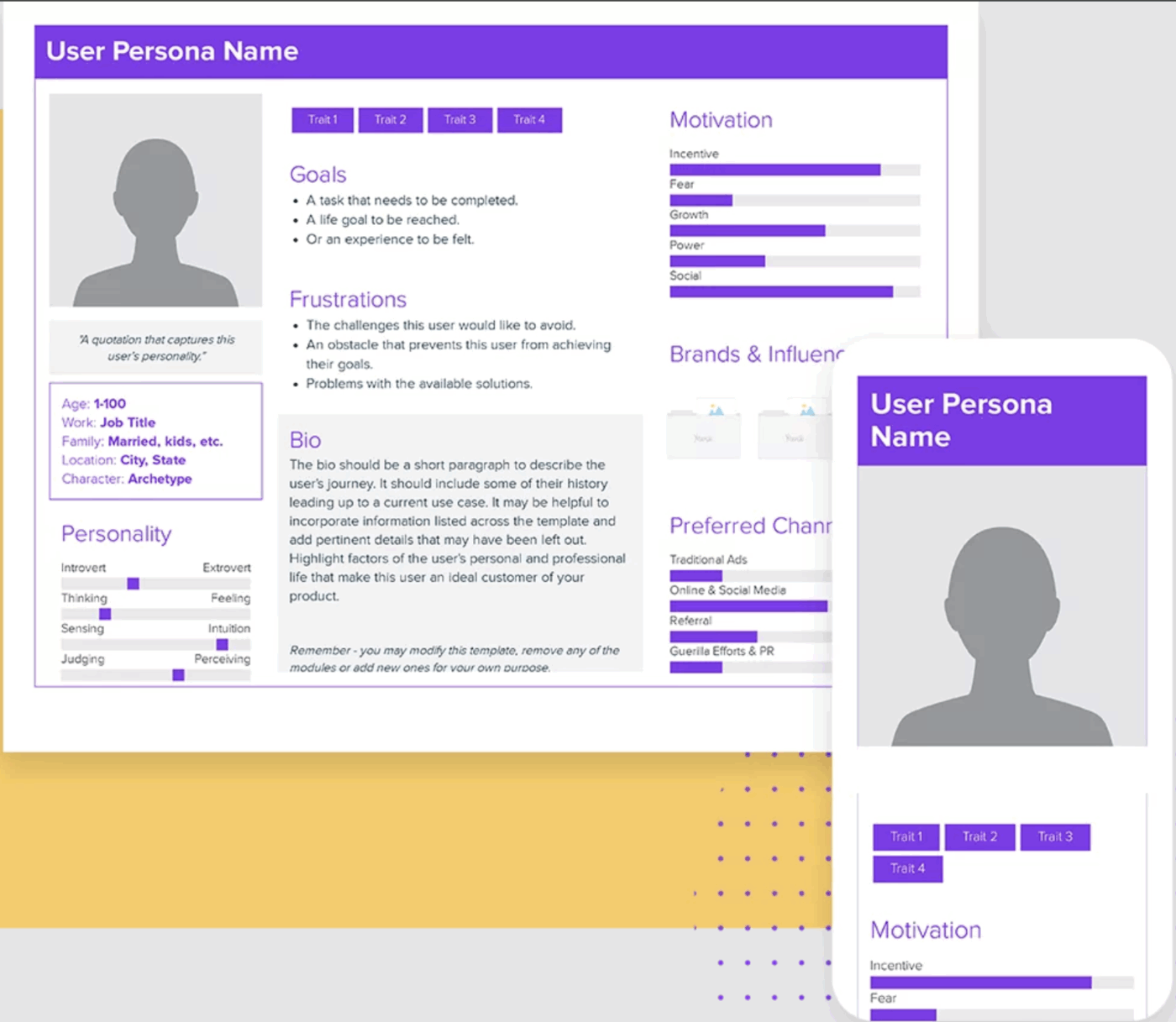
This is Xtensio’s core template for creating foundational personas from scratch, making it a common choice for product and UX teams. This User Persona Template provides a highly visual layout with modular sections that you can customize to fit your research.
🌼 Why you’ll love this template
Bio section: Includes space for a name, photo, key demographics, and a background story
Personality sliders: Offers visual scales to plot personality traits, such as introvert vs. extrovert or analytical vs. creative
Goals and frustrations grid: Displays a side-by-side comparison of what the user wants versus what’s blocking them
Brand affinities: Provides a dedicated area for noting brands, tools, or influencers the persona follows or admires
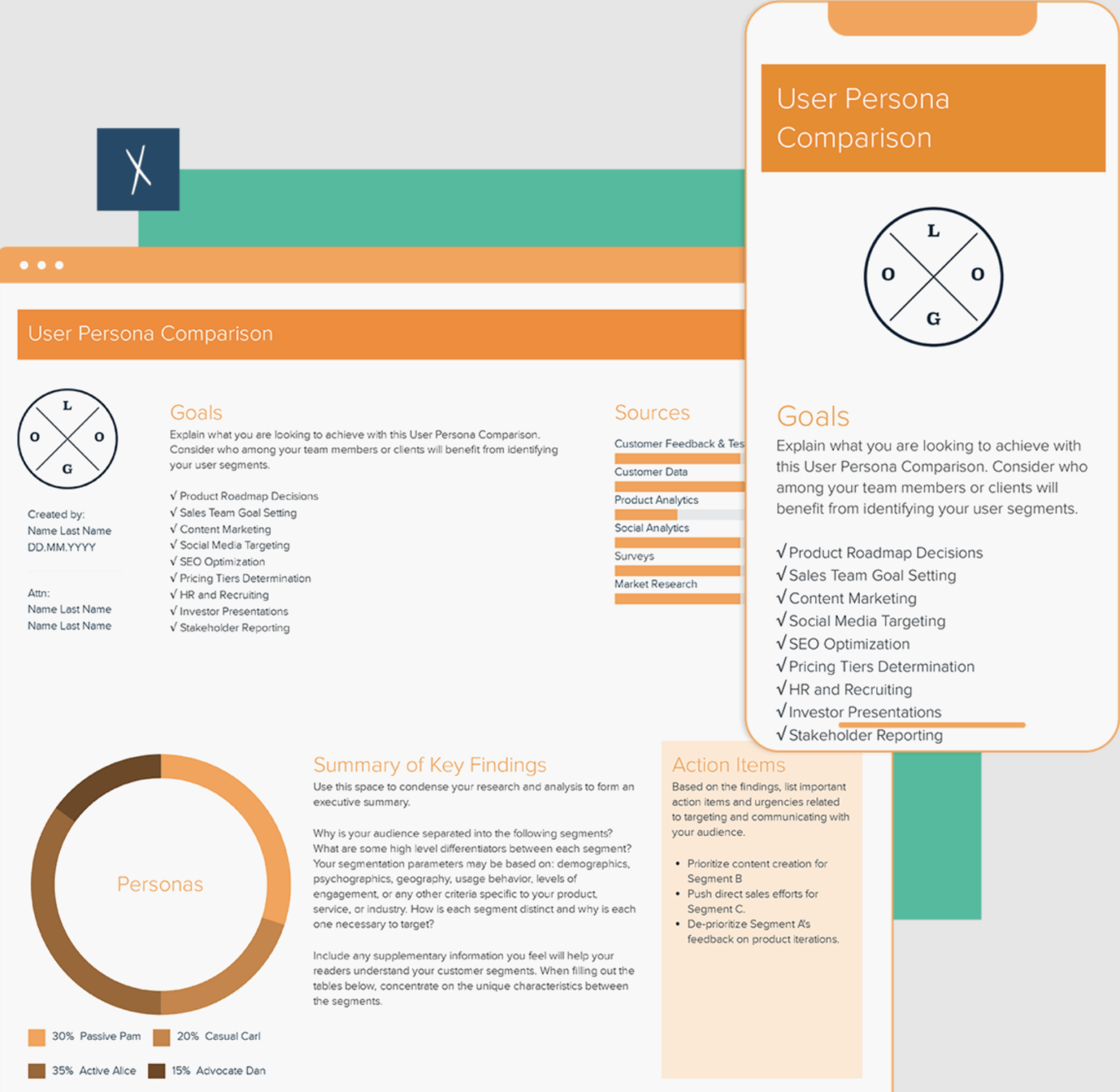
The User Persona Comparison Template helps you prioritize work by placing multiple personas side-by-side for direct comparison. It’s especially useful when your team needs to decide which user segment to focus on for an upcoming feature or product launch.
🌼 Why you’ll love this template
Parallel columns: Displays each persona’s key attributes in matching rows for easy scanning
Quick-scan format: Allows stakeholders to compare demographics, goals, and pain points at a glance
Prioritization support: Helps teams make informed decisions about which personas’ needs are most critical to address first
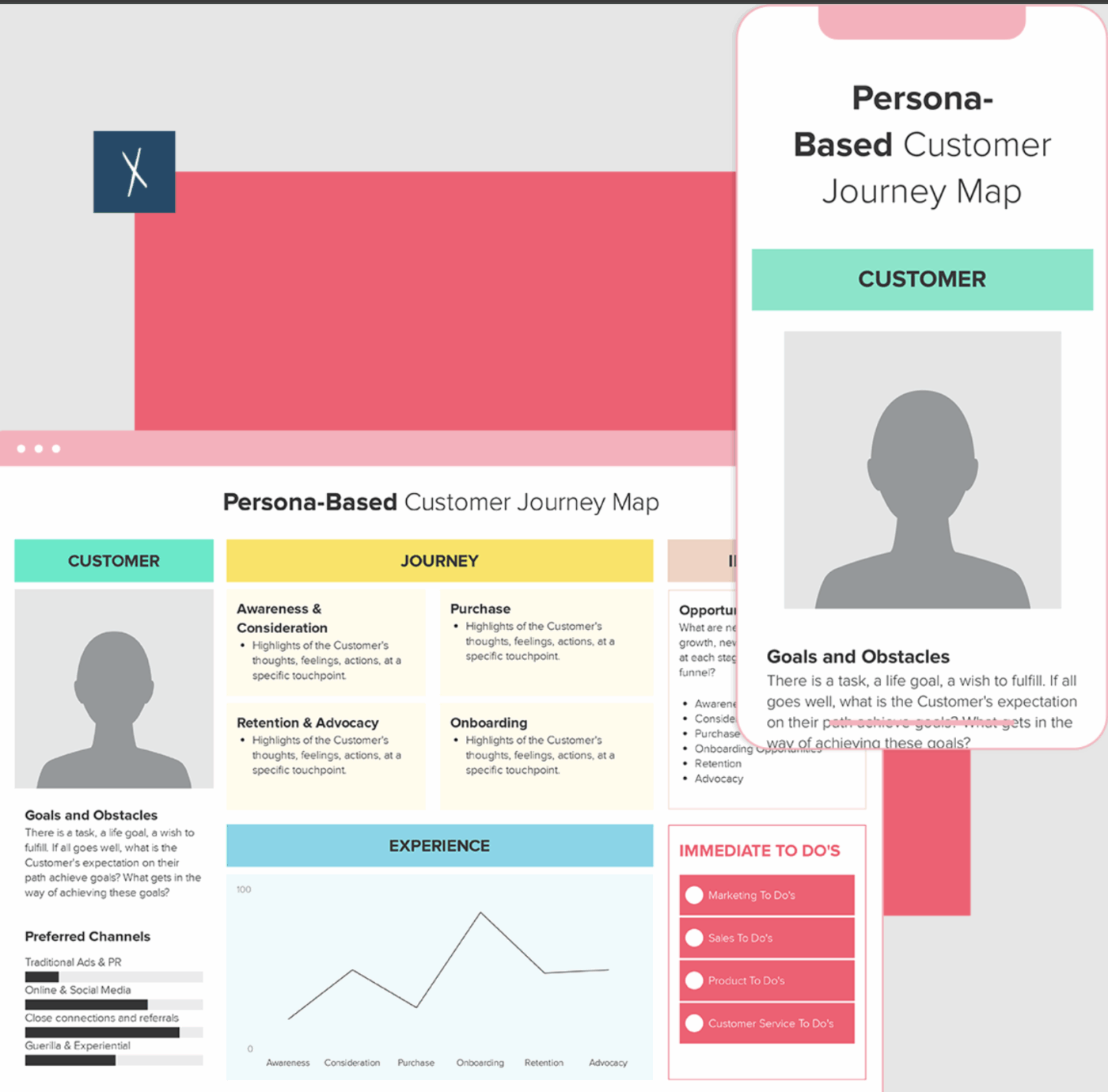
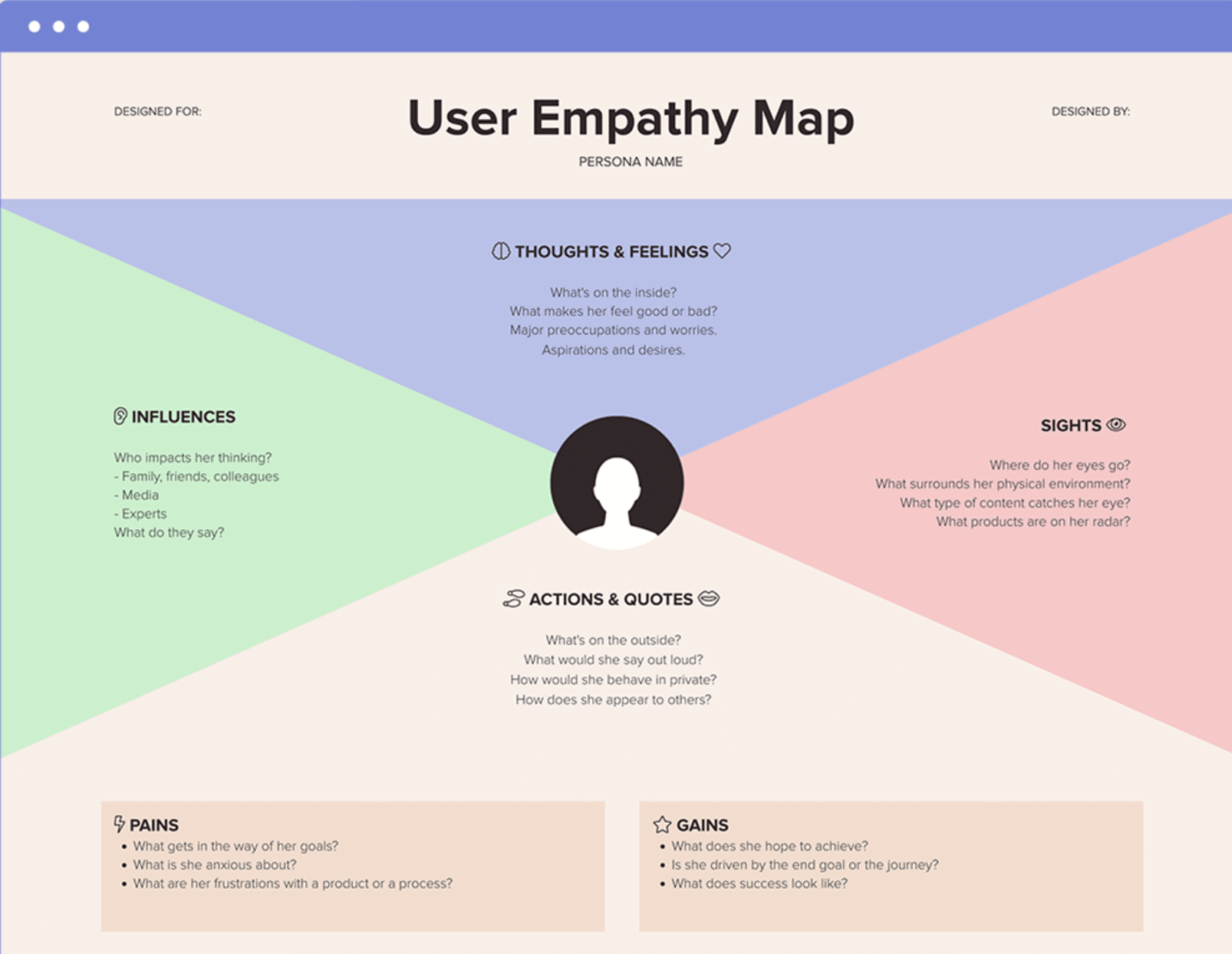
The User Empathy Map Template by Xtensio focuses on understanding the human behind the behavior. Instead of mapping a journey over time, it dives into what the user thinks, feels, sees, hears, says, and does. This template is ideal for product teams, UX designers, and researchers who want deeper insight into motivations before defining features or messaging.
🌼 Why you’ll love this template
Thinks and feels: Captures internal motivations, worries, aspirations, and emotional drivers
Sees: Documents the user’s environment, influences, competitors, and external stimuli shaping perception
Hears: Identifies messages from peers, leaders, media, and industry that affect decisions
Says and does: Highlights observable behaviors, actions, and stated attitudes
Pains and gains: Defines frustrations to eliminate and desired outcomes to amplify
Human-centered clarity: Keeps teams focused on lived experience rather than assumptions or surface-level demographics
Summarize this article with AI
ClickUp Brain not only saves you precious time by instantly summarizing articles, it also leverages AI to connect your tasks, docs, people, and more, streamlining your workflow like never before.
Summarize this article for me please
Limitations of Using Xtensio Templates for User Persona
Creating a visually appealing persona in a tool like Xtensio feels like a win, but the celebration is often short-lived.
The biggest frustration is that the persona is now a static file, completely disconnected from where your team actually does its work. This creates a ripple effect of problems that undermine the very purpose of creating a persona in the first place.
This context sprawl—when teams waste hours searching for information, switching between apps, and hunting down files across multiple disconnected platforms.
In fact, 62% of employees say they spend too much time each day just searching for information—forcing your team to constantly switch between your project management tool and your persona document.
In reality, most people just stop referencing the persona because switching to a separate project management tool is too much effort. The beautiful document you created gathers digital dust, and your team goes back to making decisions based on gut feelings.
Here are the key limitations to consider:
Standalone documents: Personas live in a separate tool, creating a disconnect from your project work and making them difficult to reference during sprint planning or feature discussions
No native task or project integration: You can’t link a persona directly to features, sprints, or user stories, which requires manual cross-referencing that rarely gets done
Limited collaboration beyond comments: While real-time editing is available, there are no built-in workflow management for persona approvals, updates, or version tracking tied to your product cycles
No AI assistance: Creation is entirely manual, with no AI features to help generate or refine persona content based on your research
Sharing constraints: Although shareable via links, integrating these personas into your broader workspace tools requires exporting them as PDFs or copying and pasting the content elsewhere
📮ClickUp Insight: 92% of knowledge workers risk losing important decisions scattered across chat, email, and spreadsheets.
Without a unified system for capturing and tracking decisions, critical business insights get lost in the digital noise. With ClickUp Task Management capabilities, you never have to worry about this. Create tasks from chat, task comments, docs, and emails with a single click!
Summarize this article with AI
ClickUp Brain not only saves you precious time by instantly summarizing articles, it also leverages AI to connect your tasks, docs, people, and more, streamlining your workflow like never before.
Summarize this article for me please
ClickUp User Persona Templates for Product, UX, and Marketing Teams
Your user personas shouldn’t be forgotten artifacts. When you build them where your work happens, they become living documents that guide every decision.
Instead of creating personas in one tool and managing projects in another, you can connect everything in a single, converged workspace via ClickUp.
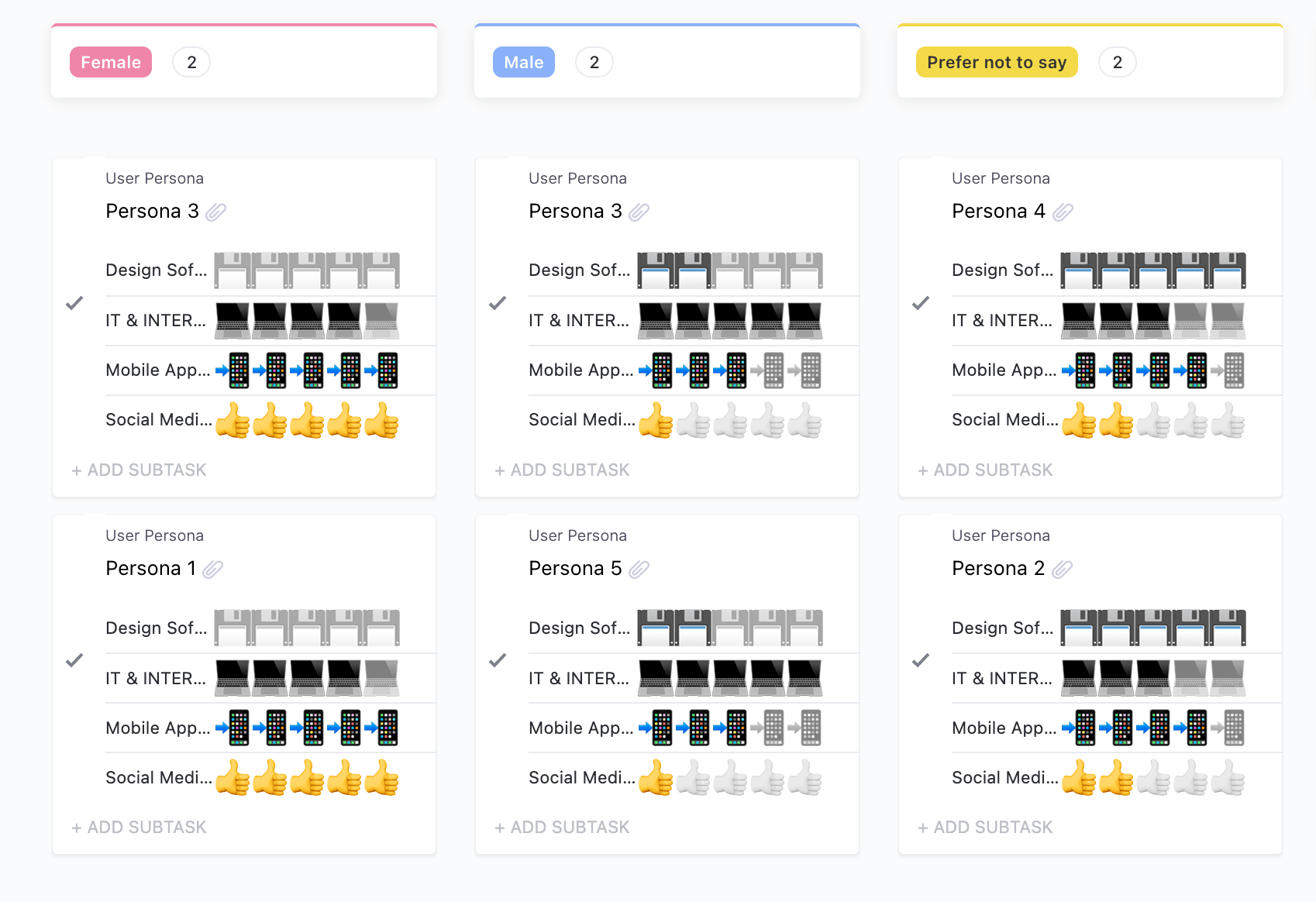
Group and manage your user profiles on an interactive Kanban board using the User Persona Template by ClickUp
Personas only stay useful when they live where work happens. The User Persona Template by ClickUp helps you document goals, behaviors, pain points, and context in a format that is easy to keep current, share with stakeholders, and reference during planning, design, and delivery.
Use it to turn scattered research notes into a single source of truth your team can actually apply.
🌼 Why you’ll love this template
ClickUp Docs integration: Write detailed persona narratives with rich formatting options for headers, images, and tables to bring your user to life
ClickUp Custom Fields: Track and filter key persona attributes like job title, technical proficiency, and primary goals with structured data
Task linking: Connect your persona document directly to feature specs, user stories, and design tasks to ensure context travels with the work
ClickUp Brain support: Use AI to generate draft content for your persona or instantly summarize research notes to speed up the creation process
Capture key traits of your users with this template
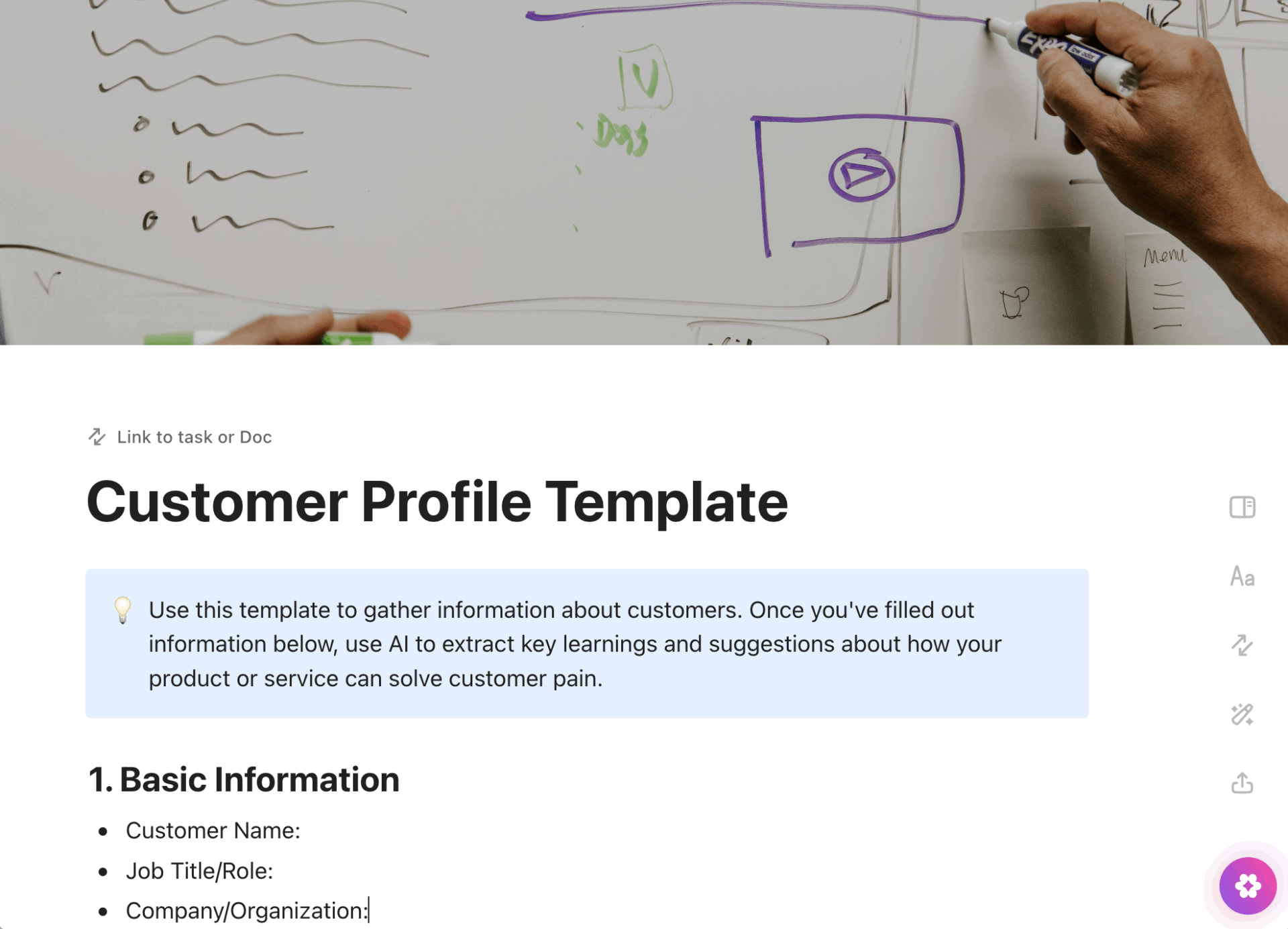
While personas are fictional, customer profiles document your real, existing customers.
Customer Profile Template from ClickUp gives sales, success, and account teams a consistent way to track firmographics, buying signals, usage context, and relationship history so handoffs are cleaner and outreach stays personalized.
🌼 Why you’ll love this template
Account details: Keep track of company name, size, industry, and relationship history
Purchase patterns: Document which products were purchased, how often, and the average order value
Communication preferences: Note preferred contact methods and log engagement history to personalize outreach
Lifetime value indicators: Identify key metrics like total revenue generated and potential retention risks
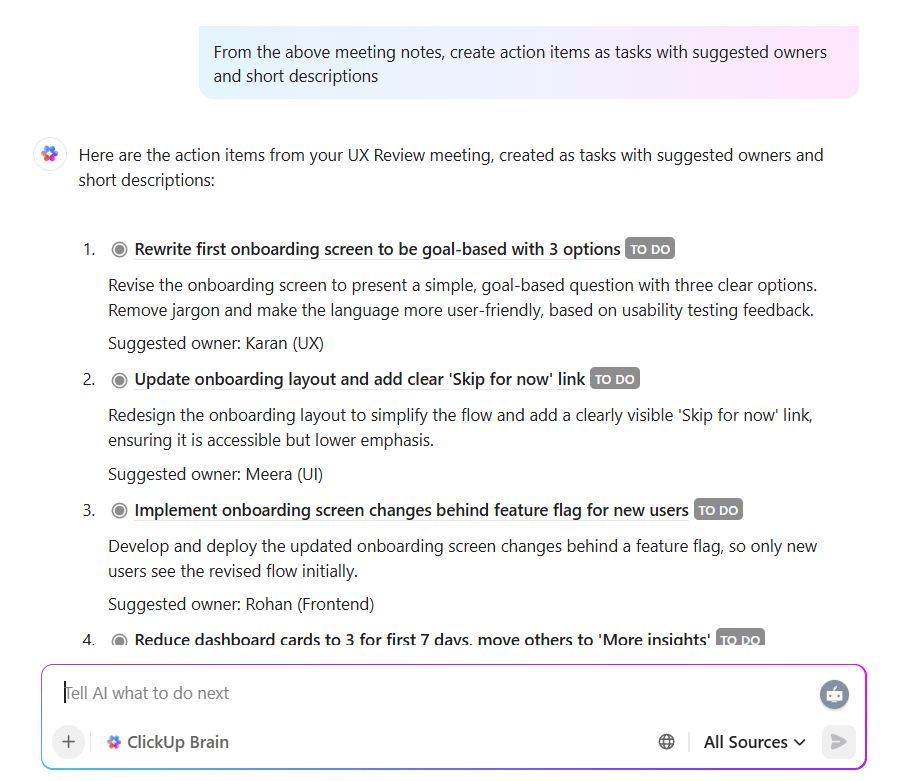
💡Pro Tip: Accelerate the persona creation process with ClickUp Brain, our built-in AI feature. It can draft persona sections, summarize research, and suggest pain points based on your notes. This eliminates the manual busywork and lets you focus on the insights.
Create action Items as tasks with descriptions using ClickUp Brain
Roll out an empathy mapping exercise in one click with this template
Before you finalize a persona, you need to understand what users are experiencing in the moment. This Empathy Map Whiteboard Template by ClickUpgives teams a shared space to capture what users say, think, do, and feel, then align on the most important themes coming out of research or workshops.
🌼 Why you’ll love this template
Collaborative canvas: Use ClickUp Whiteboards for real-time brainstorming with sticky notes and connectors
Says quadrant: Capture direct quotes and key phrases from user interviews
Thinks quadrant: Brainstorm what users might be thinking but not saying out loud
Feels quadrant: Identify emotional responses like frustration, confusion, or excitement
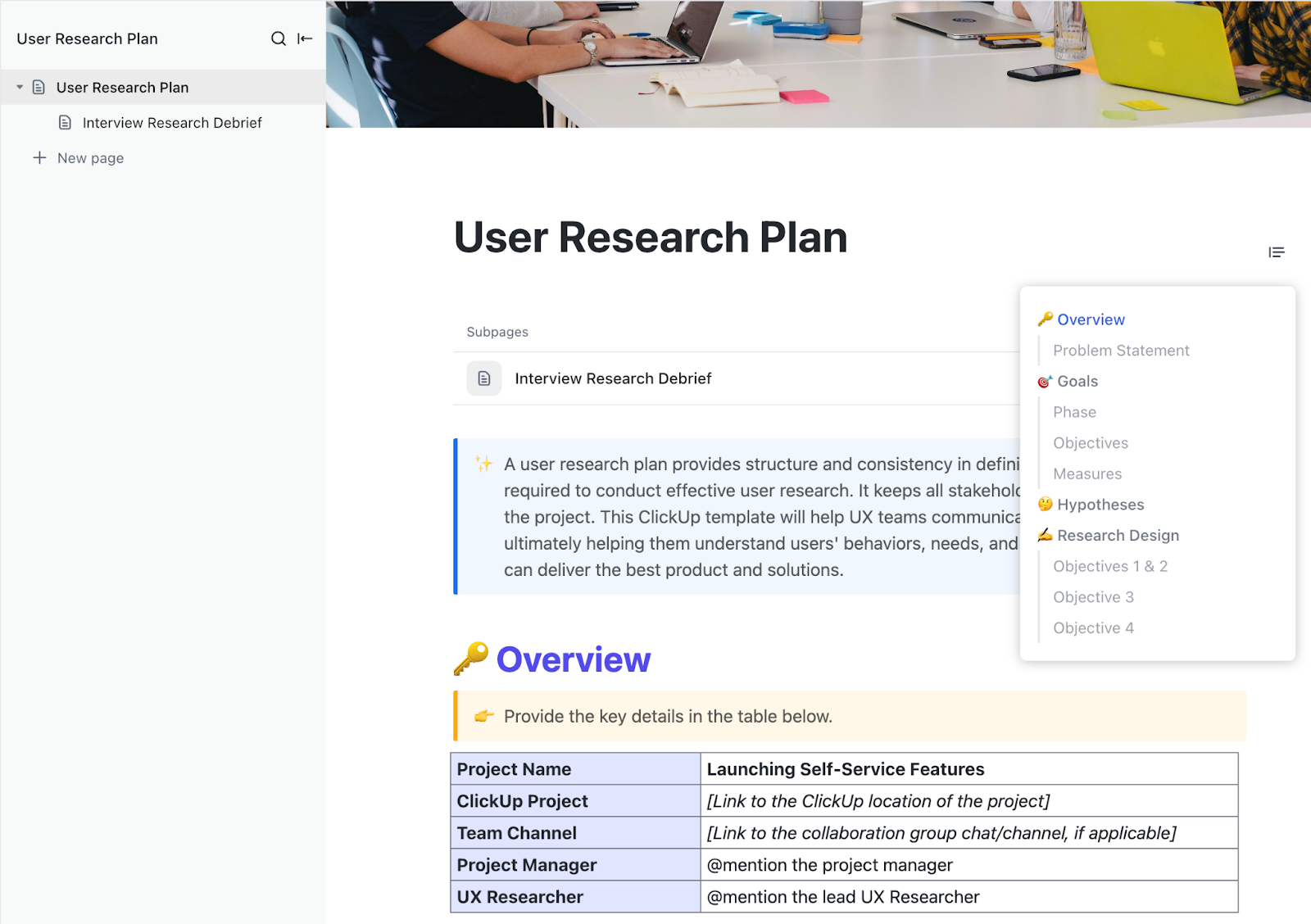
Create structured, efficient, and insightful research plans with the ClickUp User Research Plan Template
Good personas and UX decisions start with a plan that is explicit about what you are trying to learn and how you will learn it.
Resources like this User Research Plan Template from ClickUp helps you define objectives, methods, recruiting criteria, and timelines so stakeholders align early and research outputs are easier to act on.
🌼 Why you’ll love this template
Research objectives: Clearly define what questions you need to answer with your study
Methodology: Outline your approach, whether it’s user interviews, surveys, or usability tests
Participant criteria: Specify the demographics and behaviors of the users you need to recruit
Timeline and deliverables: Set clear expectations for when the research will happen and what outputs you’ll produce
🎥 One way to ensure your personas inform strategic product decisions is by incorporating them into product briefs. Watch this video to learn how to create effective product briefs that keep user needs at the center of your planning process:
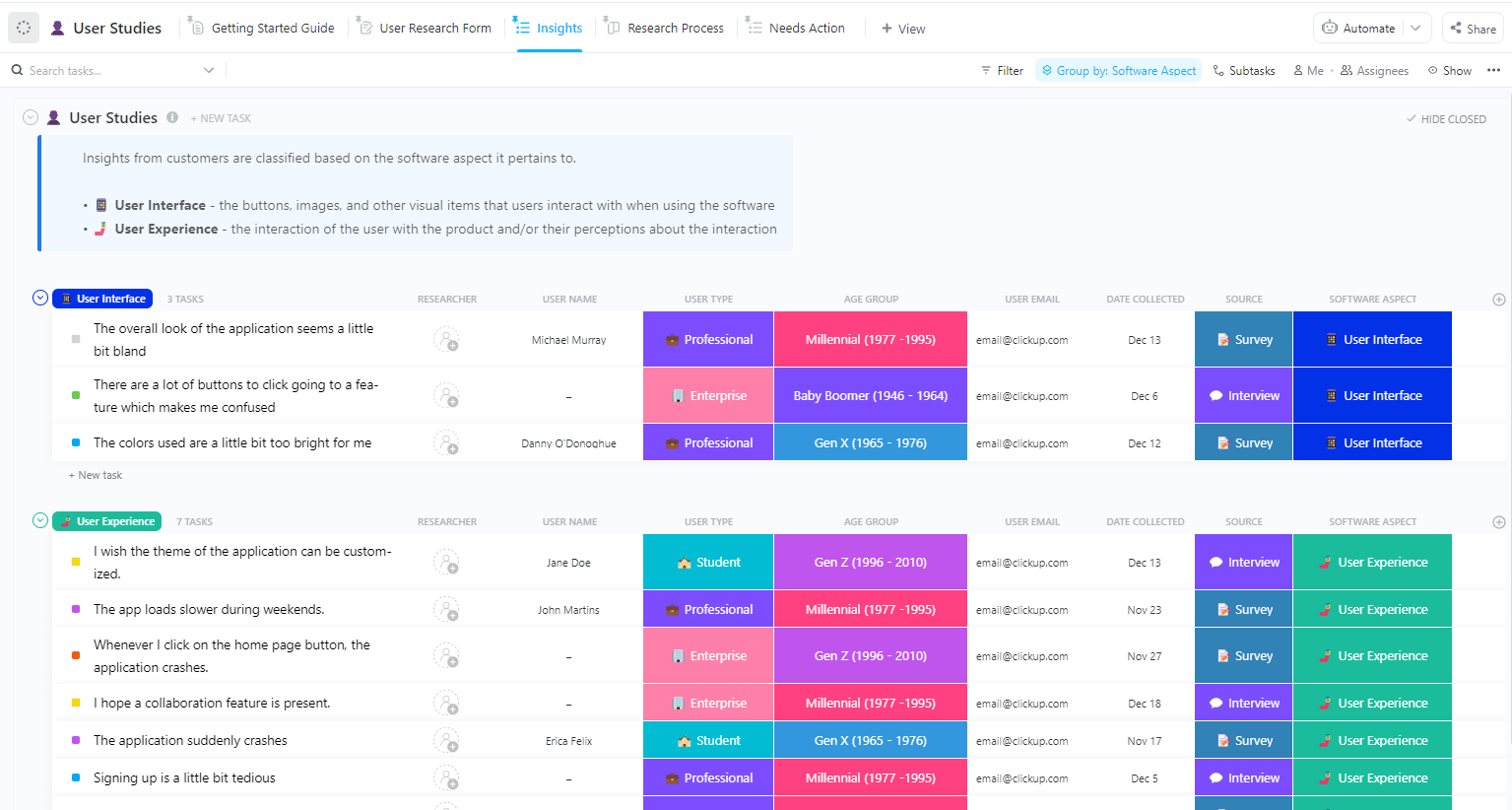
Analyze user behavior and feedback with the ClickUp User Studies Template
Raw research only becomes valuable when it is organized into consistent evidence and clear insights. The User Studies Template by ClickUp helps you log sessions, capture observations, and synthesize findings across participants so patterns emerge and product teams can prioritize fixes.
🌼 Why you’ll love this template
Participant tracking: Keep a log of who participated in your study and their relevant demographics
Observation notes: Record raw notes and observations from each user session
Insight tagging: Categorize your findings by theme or persona attribute to easily spot patterns
Synthesis sections: Create dedicated areas to summarize the key patterns that emerge across multiple participants
Build out detailed user journeys from landing to conversion using the ClickUp User Flow Mind Map Template
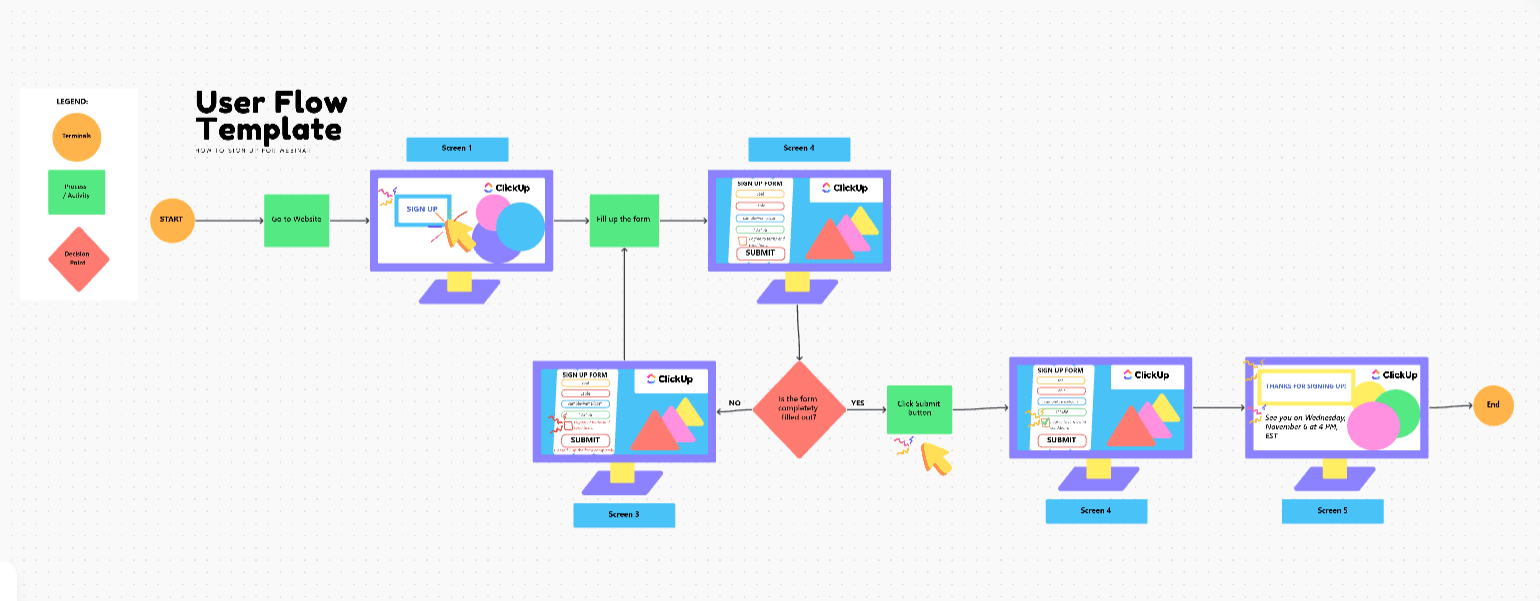
User flows make the invisible visible: they show how people actually navigate a process, where decisions branch, and where friction appears. A visual template like this User Flow Template by ClickUp(Whiteboard-based) helps you map paths end to end, then use that map to inform requirements, UX changes, and testing plans.
🌼 Why you’ll love this template
Screen references: Add visual representations of each interface to make the flow easy to follow
Decision points: Use connectors to show where users make choices that lead them down different paths
Task completion paths: Map the most common—and most frustrating—routes users take to reach their goals
Persona-specific flows: Create different user flows for each of your personas to highlight their unique behaviors
Map out your user journey with clarity and confidence using the ClickUp User Story Mapping Template
Story maps help teams prioritize work based on the user journey, not just a flat backlog.
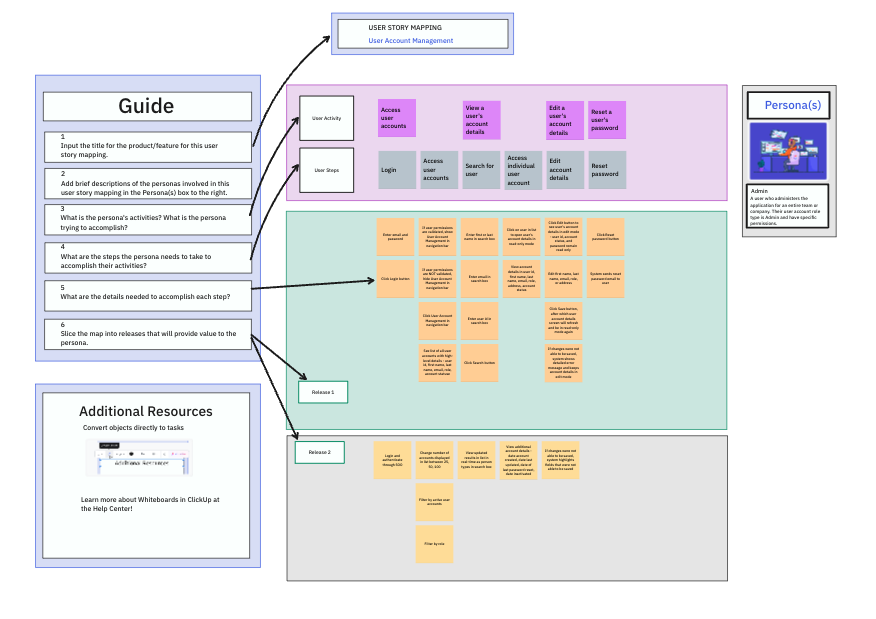
The User Story Mapping Template by ClickUp provides a visual structure for organizing activities, sequencing outcomes, and identifying the smallest viable release, while keeping alignment across product, design, and engineering.
🌼 Why you’ll love this template
Visual board structure: Use a ClickUp Whiteboard to create a high-level view of the user journey
Backbone: Map the major user activities across the top of the board
Walking skeleton: Identify the minimum set of user stories needed to create a viable product
Persona tags: Tag stories by which persona they serve, allowing you to filter the map and focus on a specific user’s experience
Plan and manage user stories from goals to release phases with the ClickUp User Story Template
A story is only useful when it is clear, testable, and tied to a real user outcome.
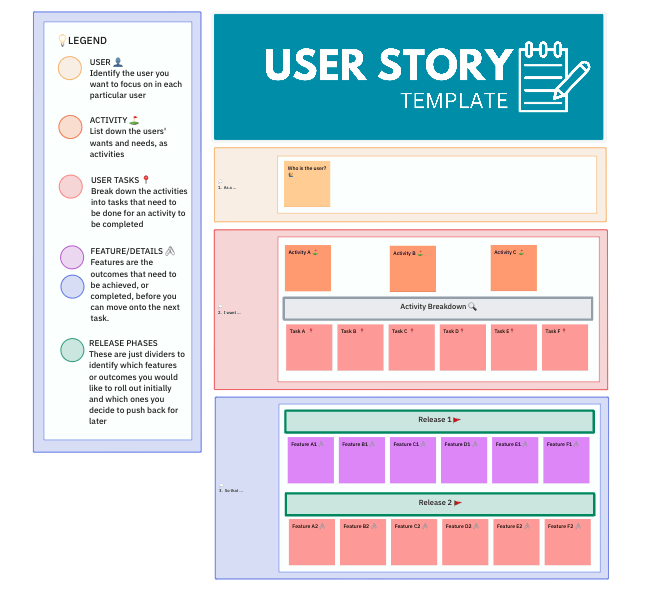
This User Story Template from ClickUp helps teams capture user intent in a consistent structure, then attach acceptance criteria and estimates so stories are ready for planning and execution.
🌼 Why you’ll love this template
Persona reference: Link each user story directly to its corresponding persona document for full context
Acceptance criteria: Define the specific conditions that must be met for the story to be considered complete
Story points: Use a Custom Field to assign effort estimates for better sprint planning and velocity tracking
Use this template to capture the motivations and goals of users
Personas describe who users are, but JTBD captures what they are trying to accomplish and why.
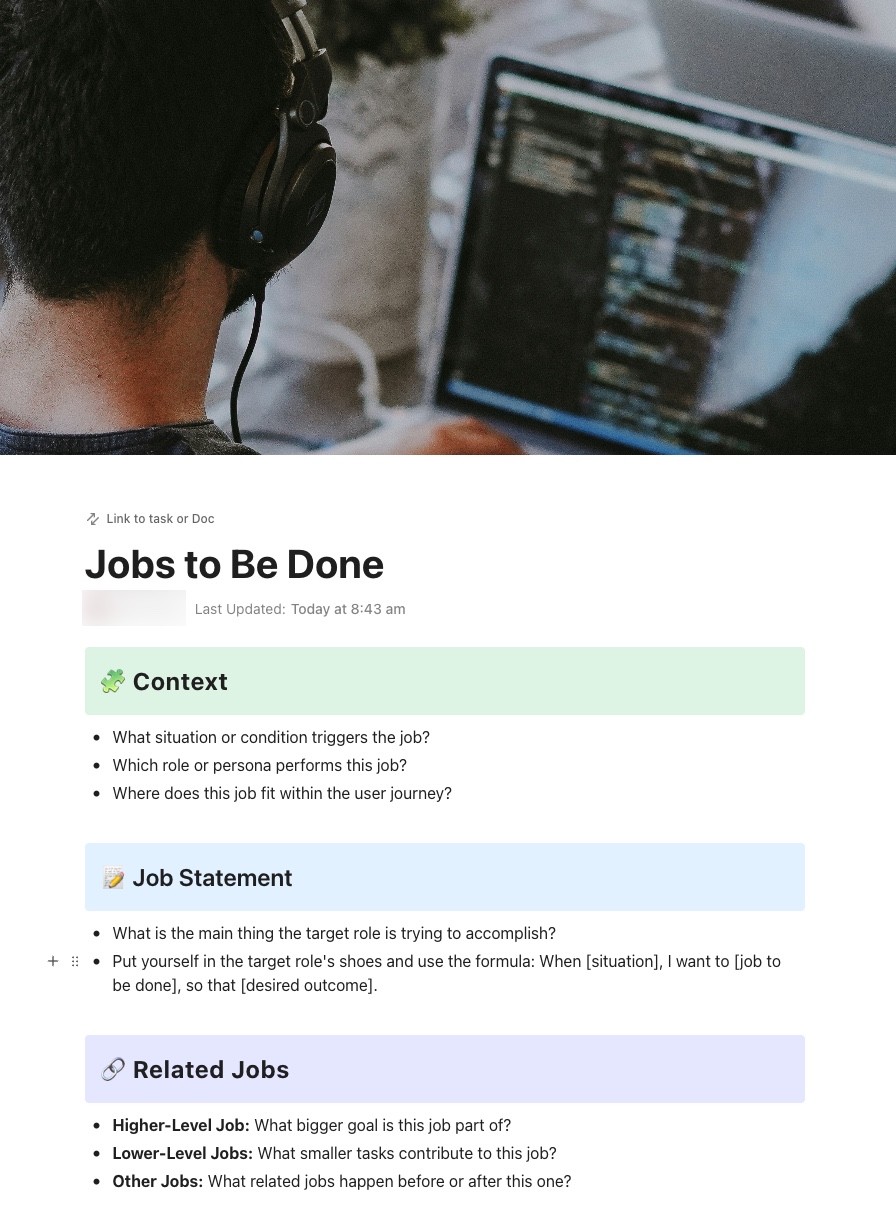
To help with this bit, run a thinking excercise with the Jobs to Be Done Template by ClickUp. It helps teams document the situation, motivation, desired outcomes, and alternatives so product decisions stay focused on the underlying “job,” not just feature requests.
🌼 Why you’ll love this template
Job statements: Clearly articulate what the user is trying to accomplish in a given situation using workflow examples
Circumstances: Document the context of when and why the job arises
Desired outcomes: Define what success looks like from the user’s perspective
Competing alternatives: Identify other solutions—including non-digital ones—that users might “hire” to do the same job
Summarize this article with AI
ClickUp Brain not only saves you precious time by instantly summarizing articles, it also leverages AI to connect your tasks, docs, people, and more, streamlining your workflow like never before.
Summarize this article for me please
What to Do After You Create a User Persona
Creating a user persona is just the first step.
If you want it to be more than a pretty document, you need to actively integrate it into your team’s daily workflows. Otherwise, it will quickly become obsolete and ignored.
Share with your entire team: A persona is useless if it’s hidden in a folder. Make it easily accessible to everyone in product, design, engineering, marketing, and support
Link personas to actual work: Stop context switching by connecting workflows and your persona documents directly to feature specs, user stories, and design tasks. With ClickUp, you can link ClickUp Docs to ClickUp Tasks so the user context is always just a click away
Reference personas in decision-making: When your team is debating features or priorities, make it a habit to ask, “Which persona does this serve?” This grounds discussions in real user needs, not personal opinions
Schedule regular reviews: User needs and behaviors evolve. Set a ClickUp Recurring Task to conducts UX audits to review and validate your personas every quarter against new research and customer feedback
Keep personas fresh with AI: Instead of manually sifting through new research, use ClickUp Brain to summarize findings and suggest updates to your persona documents. This makes it easy to keep your personas relevant and accurate
Summarize this article with AI
ClickUp Brain not only saves you precious time by instantly summarizing articles, it also leverages AI to connect your tasks, docs, people, and more, streamlining your workflow like never before.
Summarize this article for me please
Build the User Story Out With ClickUp
The best user personas are are working documents. They shape roadmap debates, influence copy, guide prioritization, and quietly sit behind every “why are we building this?” conversation.
But personas only stay useful when they stay connected to reality. As customer behavior shifts, as new segments emerge, as feedback patterns evolve, your personas should evolve with them.
That’s where the difference shows up. When user research sits alongside tasks, feature specs, sprint plans, and feedback threads, your personas stop being theoretical. They become operational.
You can link research insights directly to initiatives, track which pain points are being addressed, and update segments as new data comes in. Instead of guessing what your users need, your team works from a shared, visible source of truth.
Ready to create personas that connect directly to your product work and evolve as your customers do?Get started for free with ClickUp today.
Summarize this article with AI
ClickUp Brain not only saves you precious time by instantly summarizing articles, it also leverages AI to connect your tasks, docs, people, and more, streamlining your workflow like never before.
Summarize this article for me please
Frequently Asked Questions
How many user personas should a team create?
Most teams benefit from three to five primary personas. This is enough to capture meaningful user diversity without diluting focus or making it too hard to prioritize.
What’s the difference between a user persona template and a customer profile template?
A user persona template creates a fictional representation of an ideal user to guide product design, while a customer profile template documents real, existing customers to inform sales and account management.
Can AI help generate user personas in ClickUp?
Yes, ClickUp Brain can draft persona sections, summarize research notes, and suggest pain points or goals based on your inputs, which speeds up the creation process.
How do I share user persona templates with stakeholders outside my workspace?
You can share ClickUp Docs and Whiteboards using public links with view-only access. You can also export them as PDFs for stakeholders who prefer static documents.
Everything you need to stay organized and get work done.