Sorry, there were no results found for “”
Sorry, there were no results found for “”
Sorry, there were no results found for “”
Tutoring today is more than just about teaching; it’s about managing lessons, logging goals, tracking growth, keeping parents informed, and still showing up with energy for each student.
That’s where tutoring templates come in! They give structure to your sessions, free up mental space, and help you focus on what matters most: the learning journey of every student you support.
In this guide, you’ll find the best tutoring templates for everything from lesson planning to feedback tracking.
Tutoring templates are pre-designed layouts, often used for syllabus documents or lesson planning, and help tutors quickly create professional-looking study materials.
That means less time spent on paperwork and more time to connect with your students, understand their needs, and celebrate their progress.
The best part? They help you stay organized without losing the personal touch that makes tutoring meaningful.
🎁 Bonus Read: Our Favorite Interview Questions to Ask Teachers
Here’s what makes a good tutoring template:
Ready to transform your tutoring services from the word go? Here are the 18 best tutoring templates for every use case from ClickUp, the everything app for work:
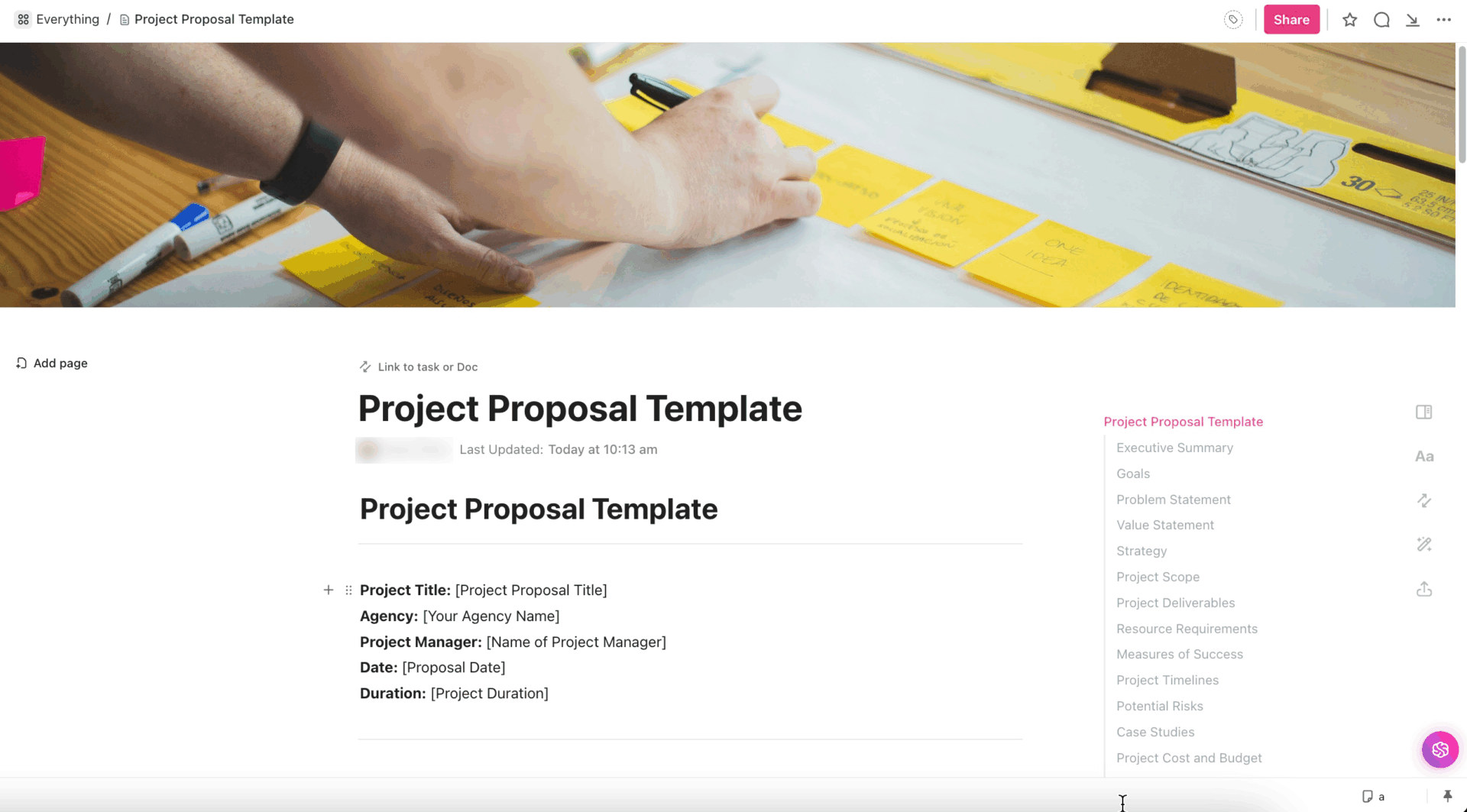
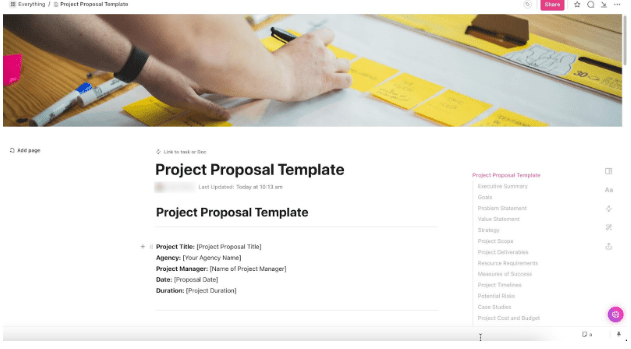
Launching a new tutoring initiative starts with a clear proposal. The ClickUp Tutoring Program Proposal Template is like your calm, organized project manager in a box. It has room for everything that matters—goals, timelines, scope, resources, and even risks.
It serves as a planning document and a persuasive pitch for school administrators or potential investors. Just plug in your plan, add your insights, and you’ve got a proposal that looks sharp and sounds thoughtful.
🔑 Ideal for: Tutors, coaching teams, or education startups building structured programs for schools, platforms, or private clients.
Customer’s voice: Here’s what Sid Babla, Wellbeing Program Coordinator at Dartmouth College Student Welfare Center, had to say about using ClickUp:
We use ClickUp to manage and track our social and digital media content creation pipeline. This allows us to see the status of each content piece (in progress, needs edits, scheduled, etc.) along with who the lead designer is. It also eliminates all the back-and-forth email communication as the comments section for each task can be used to deliberate and delegate tasks/next steps (serving the need for tracking and following up on our content creation cycle).
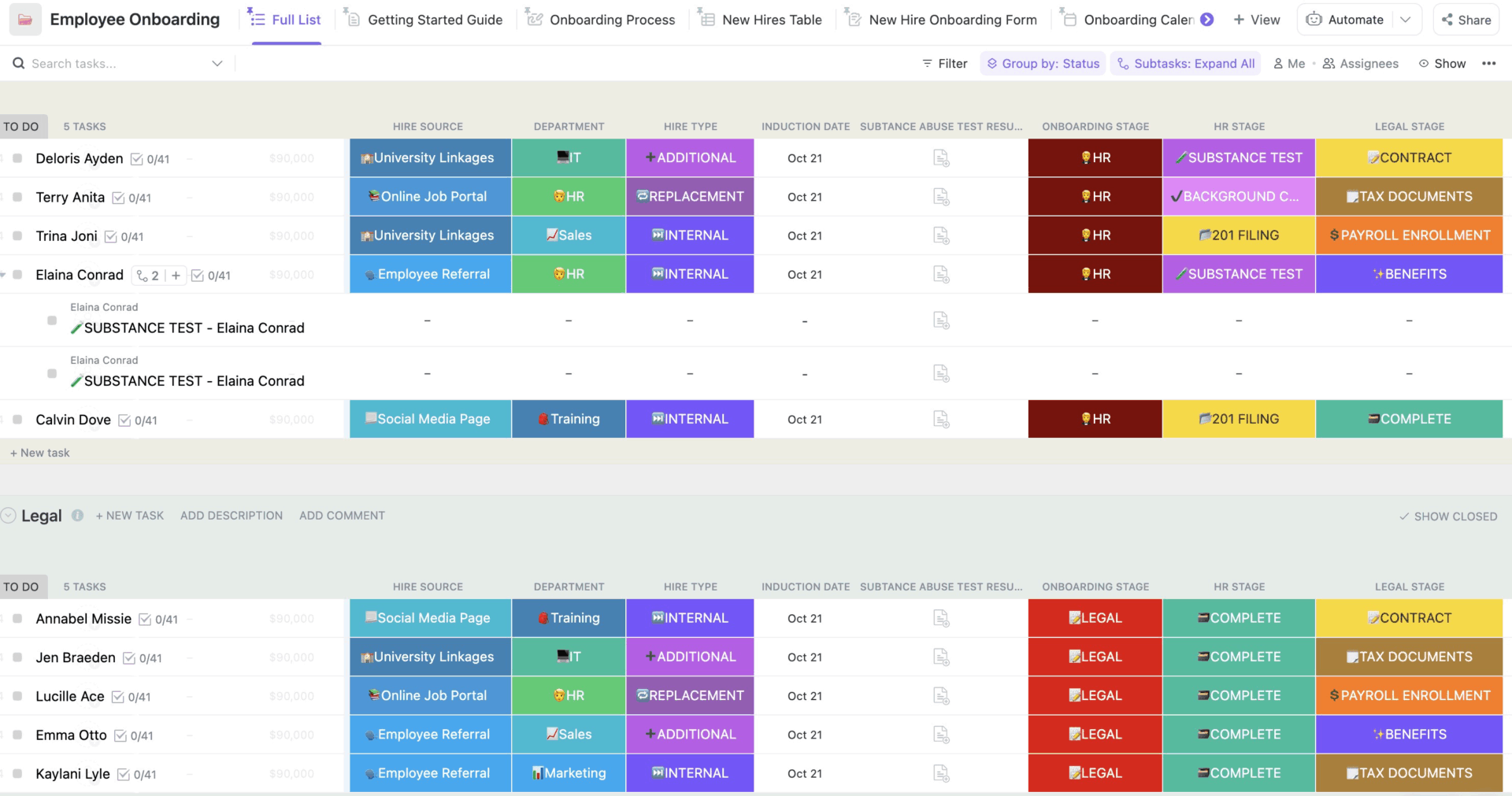
The first few days of a tutor’s employment can shape their entire teaching journey. The ClickUp Tutor Onboarding Template takes the awkward, messy, ‘Where do I even start?’ part of hiring out of your way. It’s your behind-the-scenes checklist, providing a structured onboarding flow that includes orientation tasks, policy acknowledgment, platform training, and performance goals.
Everything has its place—training steps, document submissions, teaching skills, and key policies. Each section of the template is linked to relevant docs, forms, or courses. Whether you’re hiring five tutors or fifty, this template offers consistency and compliance across the board.
🔑 Ideal for: HR teams at tutoring agencies, education directors, and school admins bringing others on board.
💡 Pro Tip: Switch things up with views in ClickUp that think for you! Use the Full List to view all tutors at once, and the Onboarding Calendar to plan your training.
Keep progress in check with the Onboarding Process view, organize tutor information using the New Hires Table, and enable them to complete forms with minimal effort using the New Hire Onboarding Form. Don’t forget the Resources view—it’s your one-stop hub for everything they’ll need.
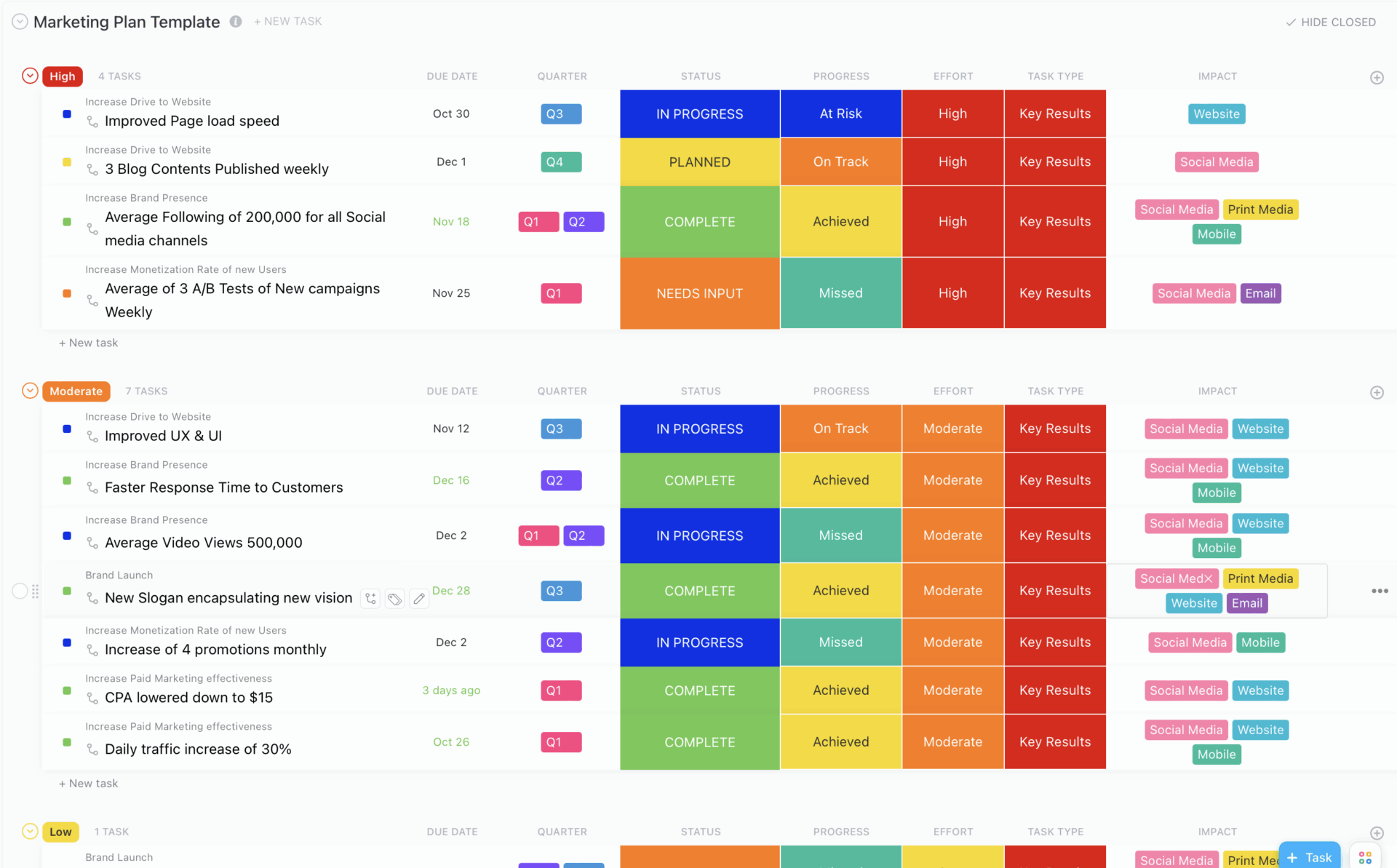
Are you tired of juggling marketing ideas across scattered notes and half-formed thoughts? The Tutoring Business Marketing Plan Template consolidates everything into a visual hub—from branding and audience targeting to content creation and performance tracking—allowing you to grow your business with confidence.
It gives you a clear roadmap from goal to growth. With this, you can set your objectives, break them down into bite-sized action steps (also known as key results), and track everything from effort to impact.
🔑 Ideal for: Tutoring business owners, marketing leads, and education entrepreneurs ready to grow their business with intention and not just by luck or referrals.
🎥 Watch: Learn how you can use ClickUp as a teacher:
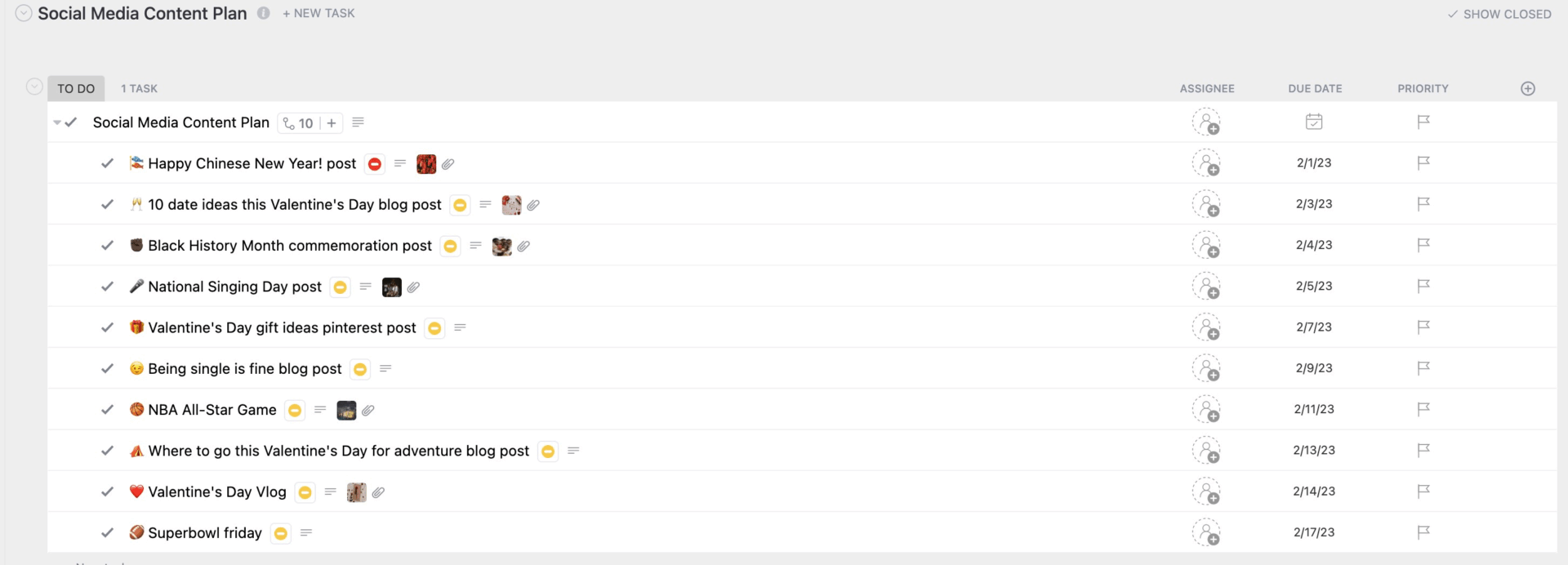
If your tutoring business isn’t on social media, you’re missing out on a vital growth channel. The ClickUp Tutoring Business Social Media Plan Template lets you strategize, schedule, and optimize your online presence across multiple platforms.
It’s built for tutors and education teams who want to promote a consistent tone and voice in their branding message. The visual calendar helps you see what’s coming up, while task views make it easy to assign posts, replace tasks, and manage deadlines.
🔑 Ideal for: Tutors, social media managers, content teams, and tutoring brand founders who want to build trust and stay top-of-mind.
📚 Also Read: The Best Side Hustles for Teachers
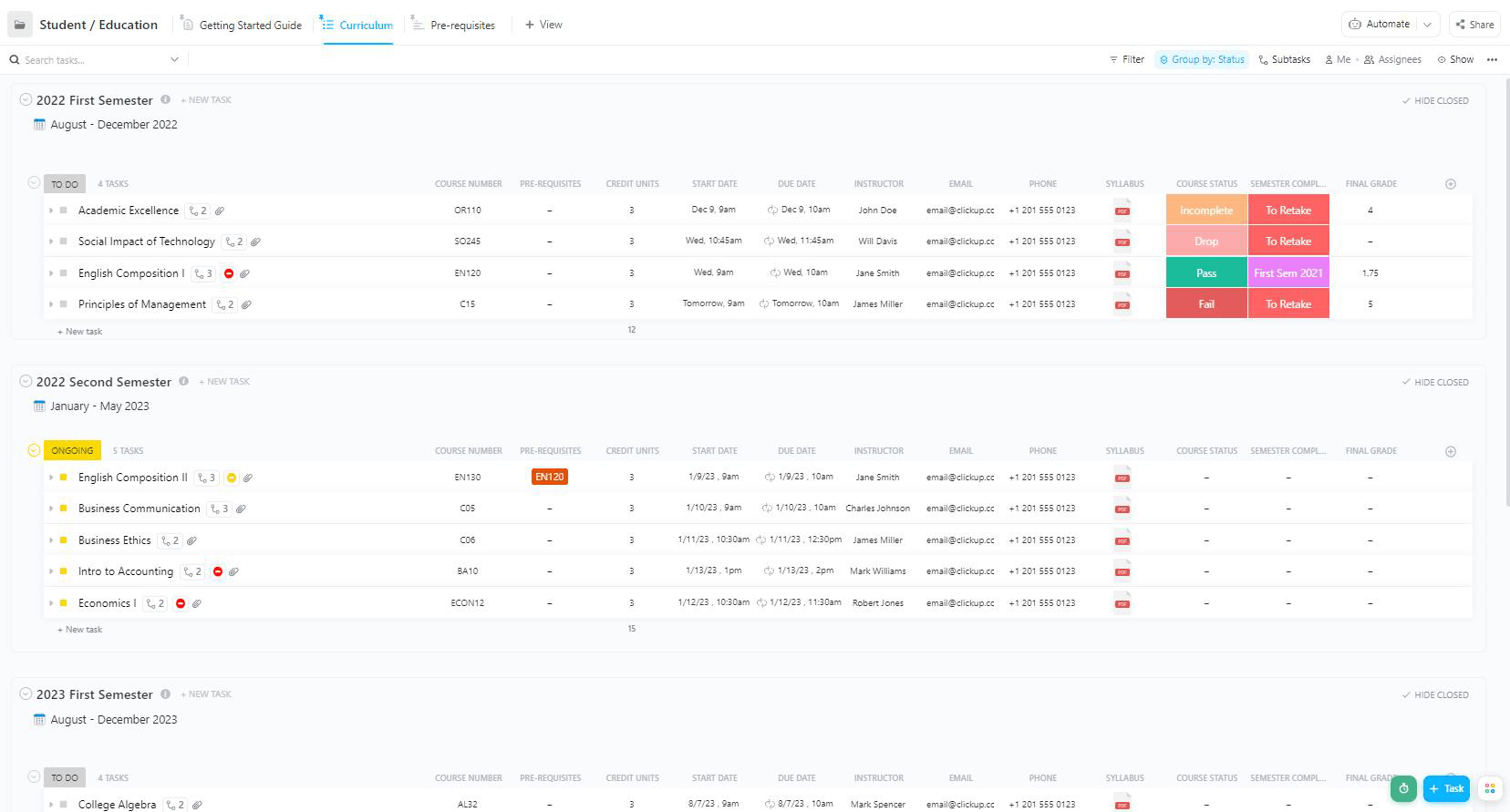
The ClickUp Student Tracker Template helps you organize every part of your academic world. It’s designed for students, academic coaches, and platforms working with multiple people, subjects, and tasks across a term.
This study tool provides a central location to store lecture notes, reading summaries, and assignments. It also includes to-do lists, grade trackers, schedule overviews, and assignment repositories—all fully customizable. You can organize your semester with folders, tags, and recurring task reminders.
🔑 Ideal for: High schoolers, college students, and study groups managing class content, notes, and deadlines across subjects and terms.
➡️ Read More: Top Study Tools Every Student Should Have
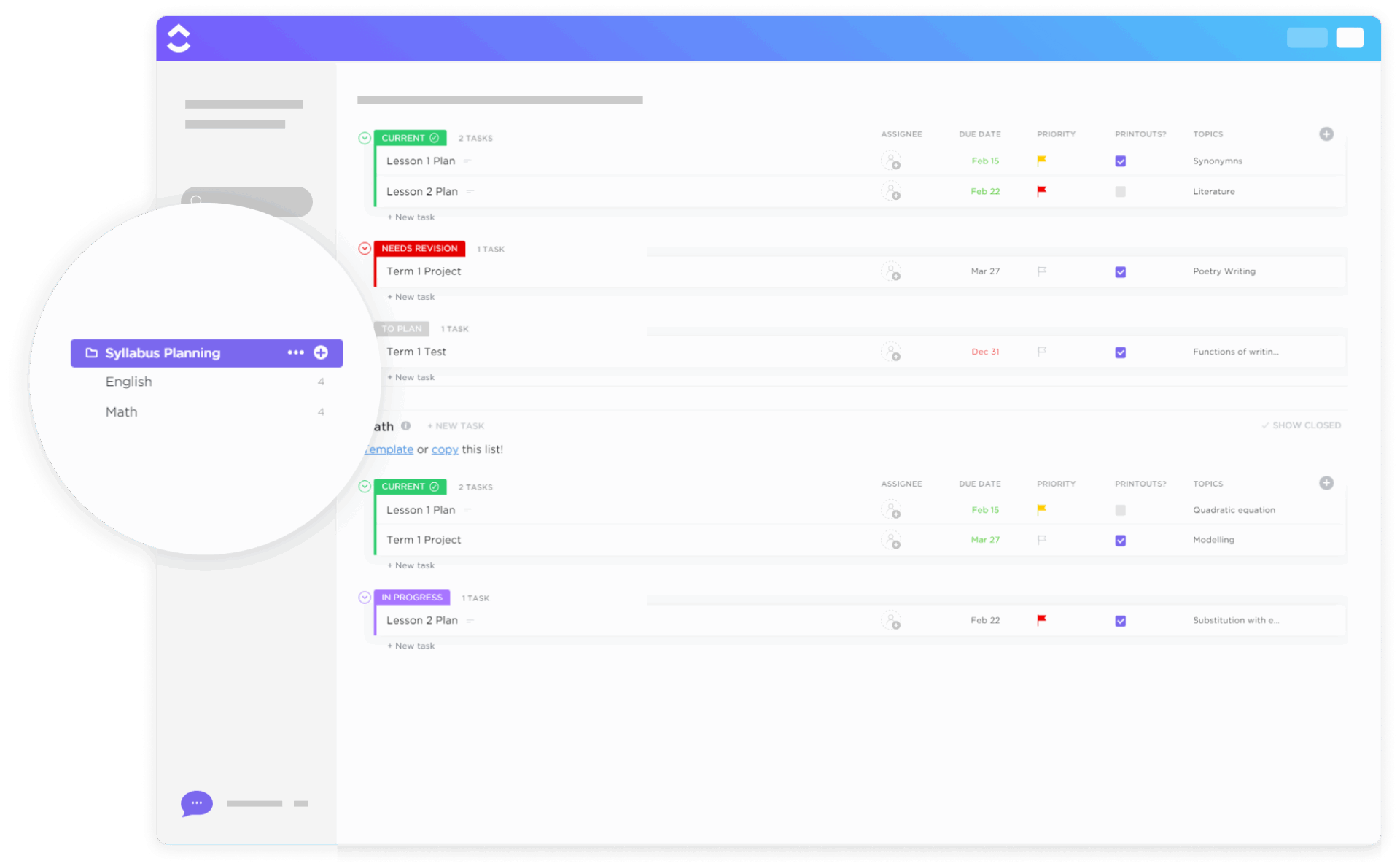
The ClickUp Syllabus Planning Template brings structure, flow, and teamwork into your lesson planning. It’s designed for educators working across shared subjects or year levels, keeping teaching plans transparent and aligned with institutional standards.
🔑 Ideal for: Professors, tutors, community coaches, course designers, and curriculum planners co-creating or editing syllabi.
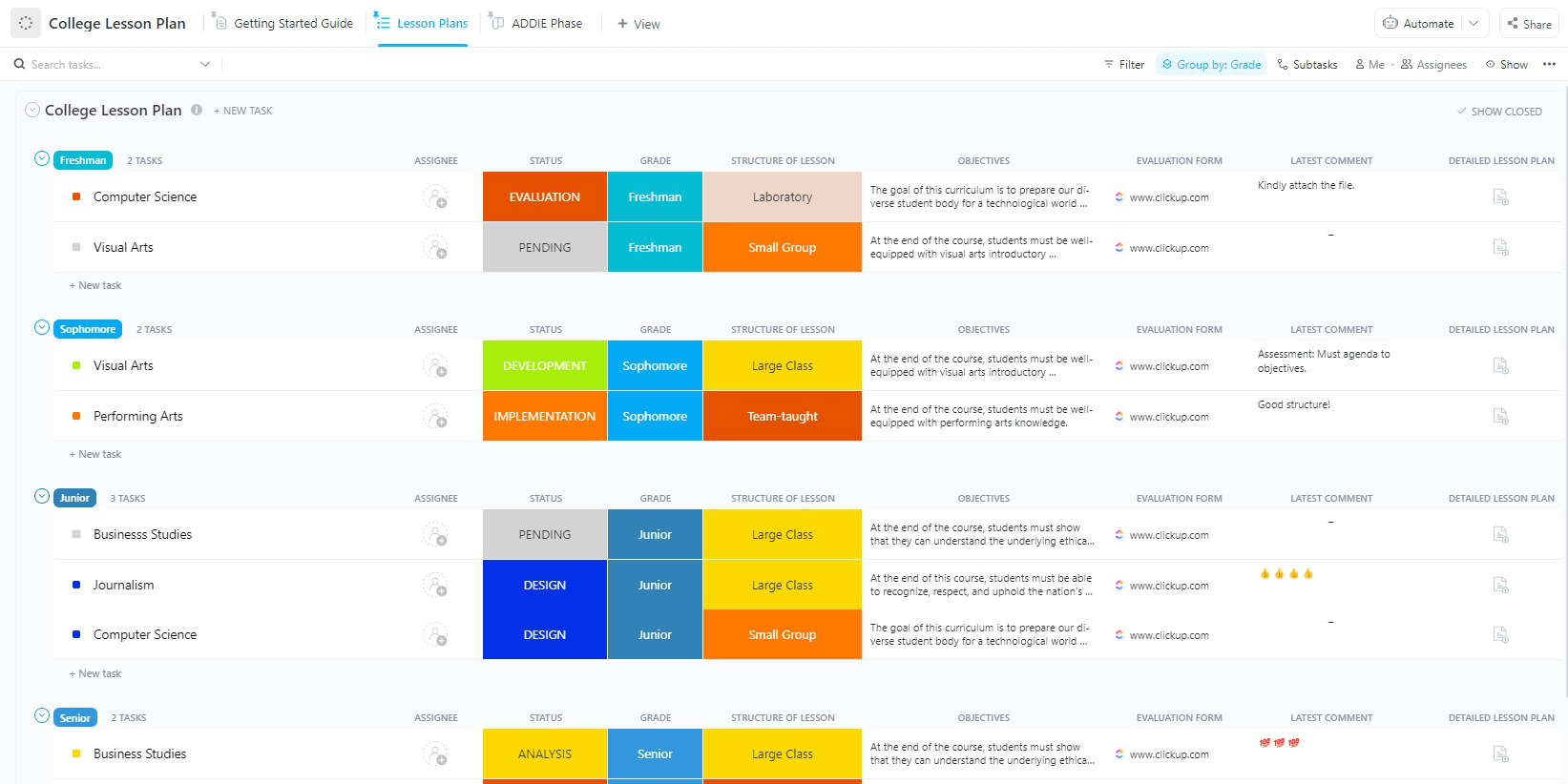
What if your lesson plans felt more like a strategic blueprint than a last-minute checklist? The College Lesson Plan Template by ClickUp gives structure and flow to your academic planning with the trusted ADDIE framework—Analysis, Design, Development, Implementation, and Evaluation.
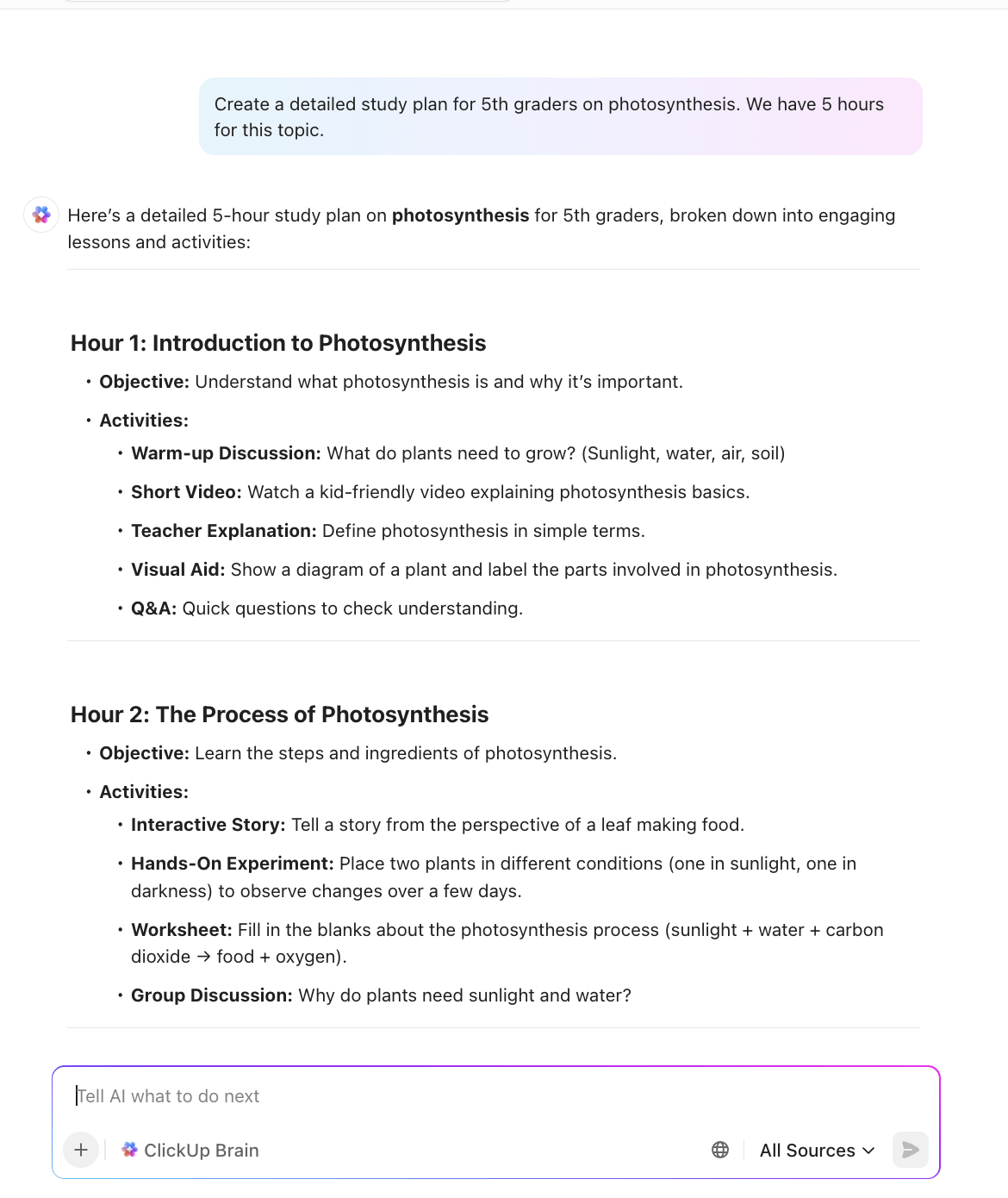
Lessons are neatly grouped by grade, and progress is visualized on a flexible board. Educators can plan lectures by module, tag them with course codes, and link directly to readings and resources. What’s more? You can use ClickUp Brain for lesson planning, including outlining content, refining learning goals, or reframing instruction strategies in seconds.
🔑 Ideal for: College instructors, academic course coordinators, and teaching assistants planning across multiple courses or grade levels following the ADDIE model.
📢 ClickUp Callout: Use ClickUp Brain to auto-generate lesson frameworks, reword objectives, or condense research into bullet points with AI prompts all inside your planning doc.
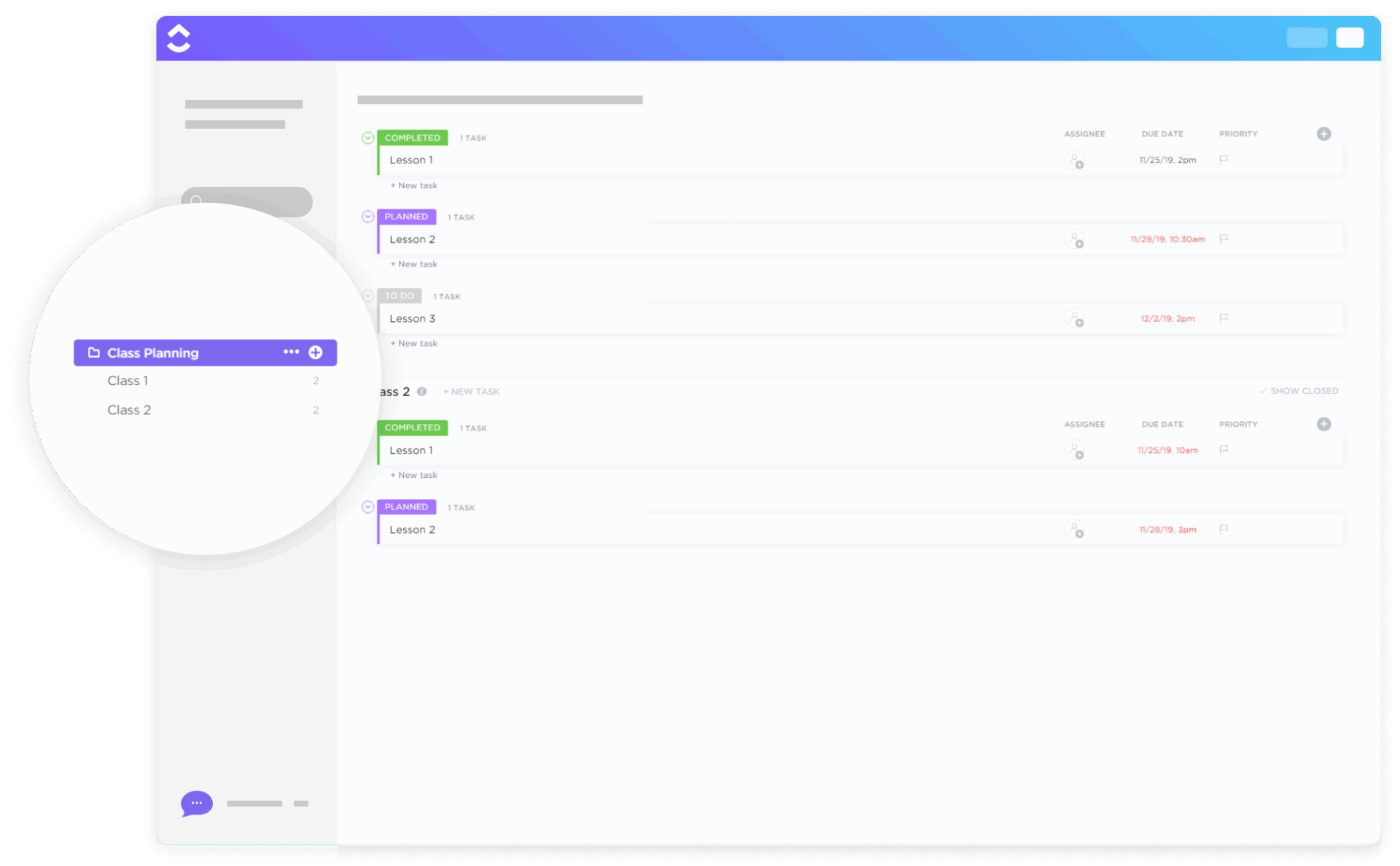
Planning lessons across multiple classes can become chaotic without a centralized system in place. The ClickUp Class Planning Template is designed to help educators break down each class into manageable, organized parts—one list per class and one task per lesson.
From attendance tracking to behavior notes and activity carryovers, it helps you build a complete picture of your classroom. Plan weekly or monthly lessons in bulk, log in-class reflections via comments, and stay on top of what’s happening today with a filtered Today View.
🔑 Ideal for: K-12 teachers, instructional coordinators, and private tutors who want a simple system to plan lessons and track participation.
💡 Bonus: Take your tutoring sessions to the next level with AI
Try ClickUp Brain MAX—the AI Super App that truly understands your tutoring needs because it knows your work. Eliminate tool overload, use your voice to get things done, create and organize lesson templates, assign tasks, and streamline your entire tutoring workflow—all in one place. Here’s how:
It is often challenging to track every assignment, project, and deadline throughout the school year with multiple students. The ClickUp Student Education Template helps students plan assignments, study sessions, exam preparation, and extracurricular activities within a single space.
Custom views support both self-paced learners and traditional classroom attendees. Additionally, it fosters a sense of educational independence while helping students stay on track with their long-term goals.
🔑 Ideal for: High school or college students juggling multiple classes, readings, and assignments.
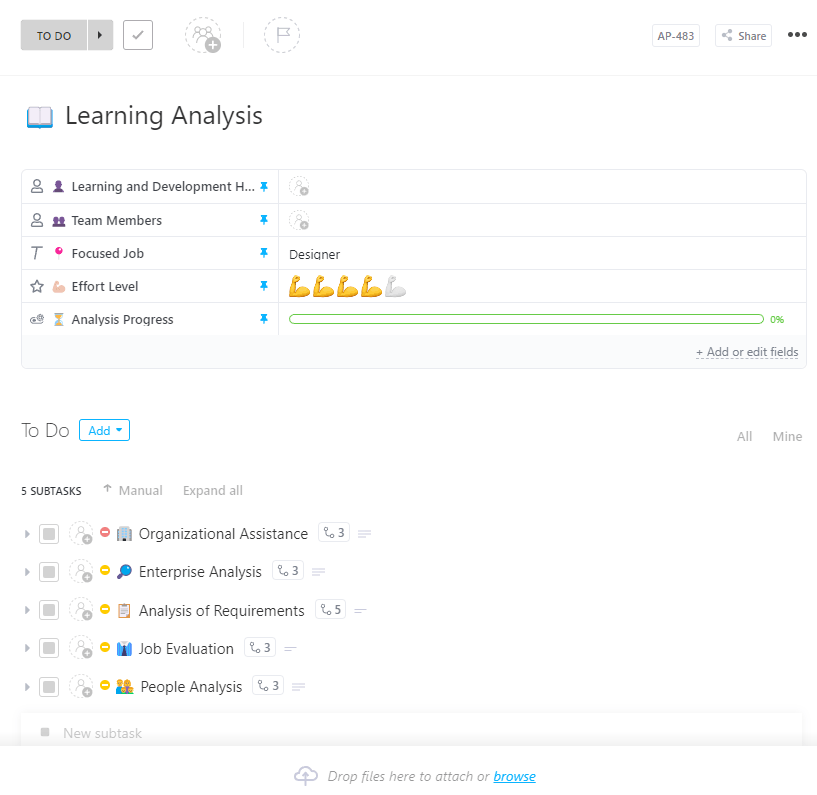
Ever finish a lesson and wonder, ‘What actually stuck?’ The ClickUp Learning Analysis Template is your space to slow down, reflect, and see what worked.
Built for educators who believe learning doesn’t end when the class does, it helps you break down each session, analyze student understanding, and adjust your approach. With visualizations and reports, tracking progress and identifying gaps becomes easier than ever. As a result, it supports data-driven interventions aimed at improving learning outcomes.
🔑 Ideal for: Education analysts, learning support teams, and school counselors who want to improve their teaching by tuning in to learning patterns, behaviors, and progress.
🧠 Fun Fact: Students who receive frequent, focused tutoring tend to learn significantly more, gaining the equivalent of three to fifteen additional months of progress. This level of support helps an average student increase their performance from the 50th percentile to approximately the 66th percentile.
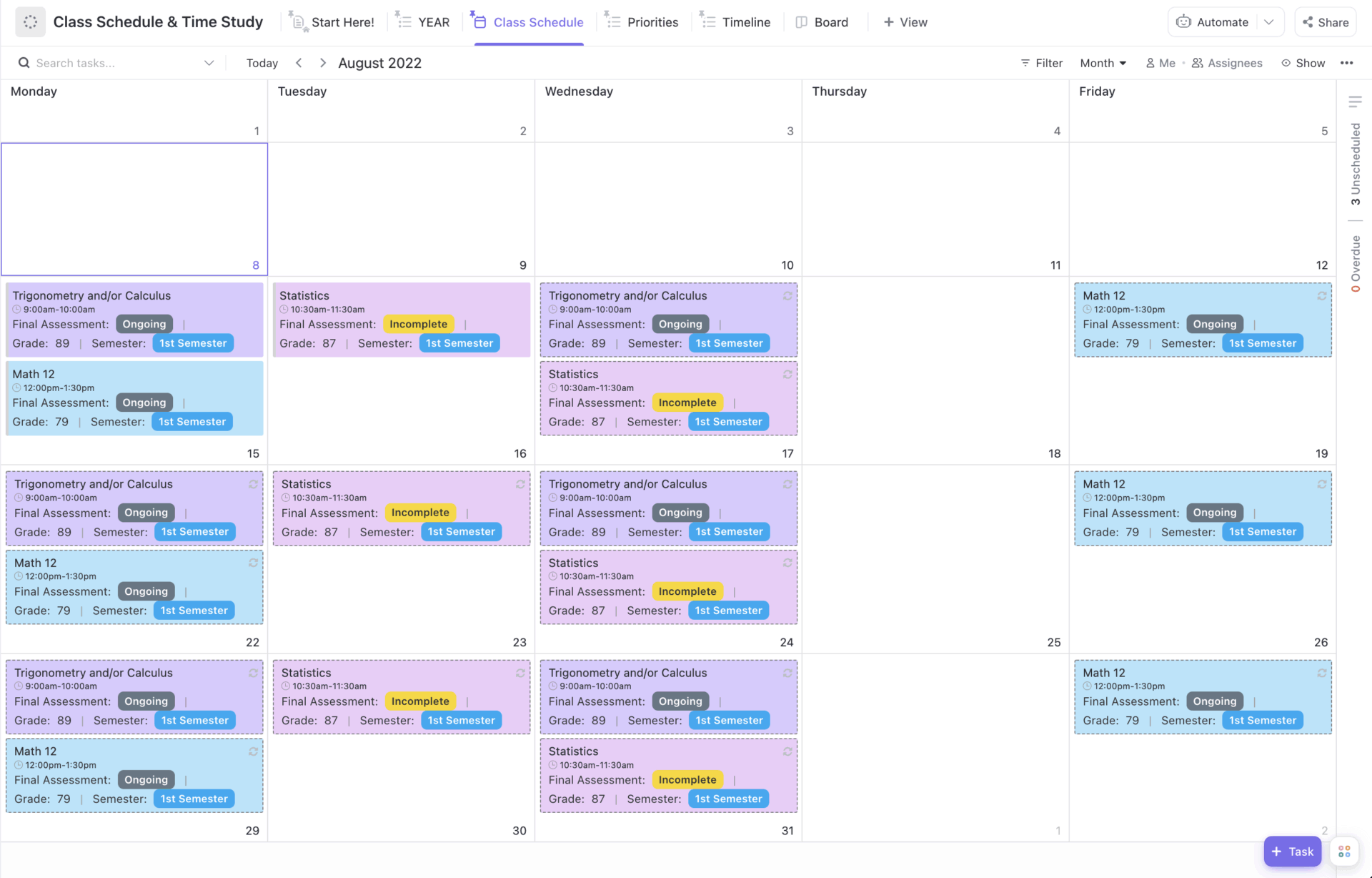
Time is a precious resource, especially in the classroom. The ClickUp Class Schedule & Time Study Template is ideal for students and educators who want a single place to track all their classes, see what they’ve studied or taught in the past, and see what’s on their schedule now.
It offers different views, like Timeline to follow your academic journey year by year, Priorities to focus on what’s happening now, and Sophomore (or whichever year you’re in) to customize your current study load. With built-in charts and recurring task options, get clarity on how each week’s schedule stacks up.
🔑 Ideal for: Students who want a clear, easy-to-use system to organize their courses and study activities all in one place.
📮 ClickUp Insight: 18% of our survey respondents want to use AI to organize their lives through calendars, tasks, and reminders. Another 15% want AI to handle routine tasks and administrative work.
To achieve this, an AI must be able to understand the priority levels for each task in a workflow, execute the necessary steps to create or adjust tasks, and establish automated workflows.
Most tools have one or two of these steps worked out. However, ClickUp has helped users consolidate up to 5+ apps using our platform! Experience AI-powered scheduling, where tasks and meetings can be easily allocated to open slots in your calendar based on priority levels. You can also set up custom automation rules via ClickUp Brain to handle routine tasks. Say goodbye to busy work!
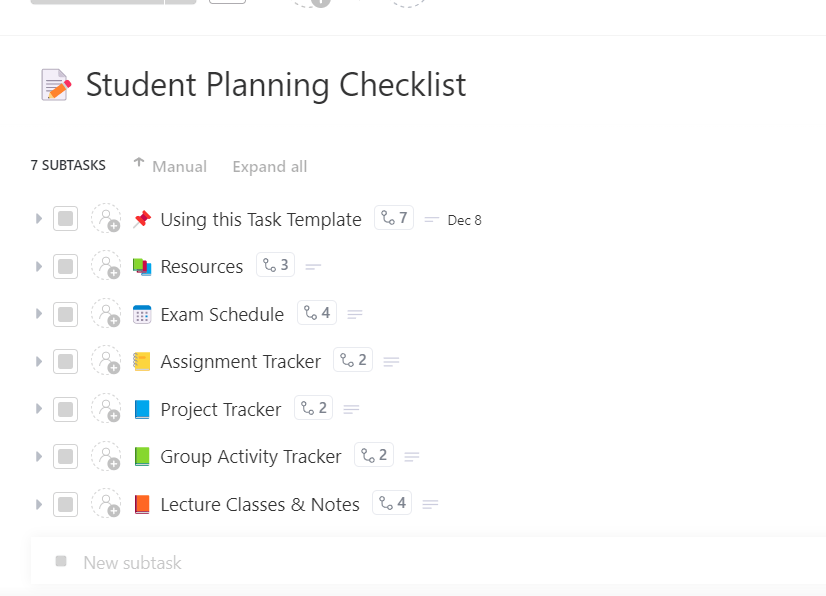
Staying on top of school tasks can feel overwhelming, but it doesn’t have to be that way. The ClickUp Student Planning Checklist Template is a straightforward yet powerful tool for students to organize all their tasks, from assignments to exams and personal study goals.
The checklist is organized into academic, extracurricular, and administrative categories—each with its own due dates and subtasks.
🔑 Ideal for: Students who want a clear and practical way to stay organized, reduce overwhelm, and track every academic task.
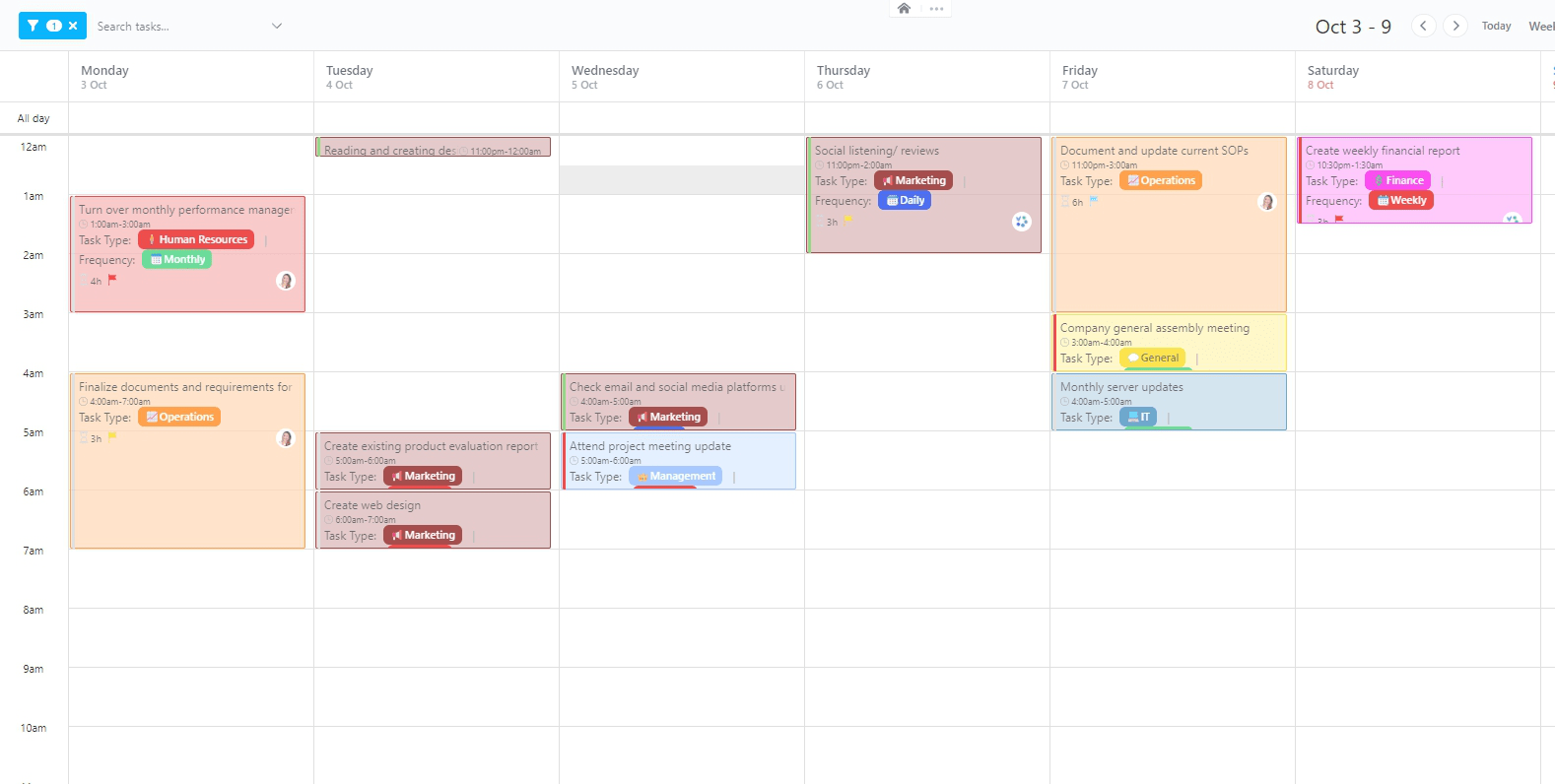
Designed for precision scheduling, the ClickUp Hourly Schedule Template breaks your day into manageable time blocks. It’s great for tutors who juggle sessions with different students or students managing study routines.
Use this schedule template to compare your time estimates with actual tracked time and spot trends in workload and efficiency. Additionally, it includes color-coded time blocks, automated reminders, and integration with daily to-do lists.
🔑 Ideal for: Busy students, private tutors, and time-management enthusiasts who want to track time and performance in one place.
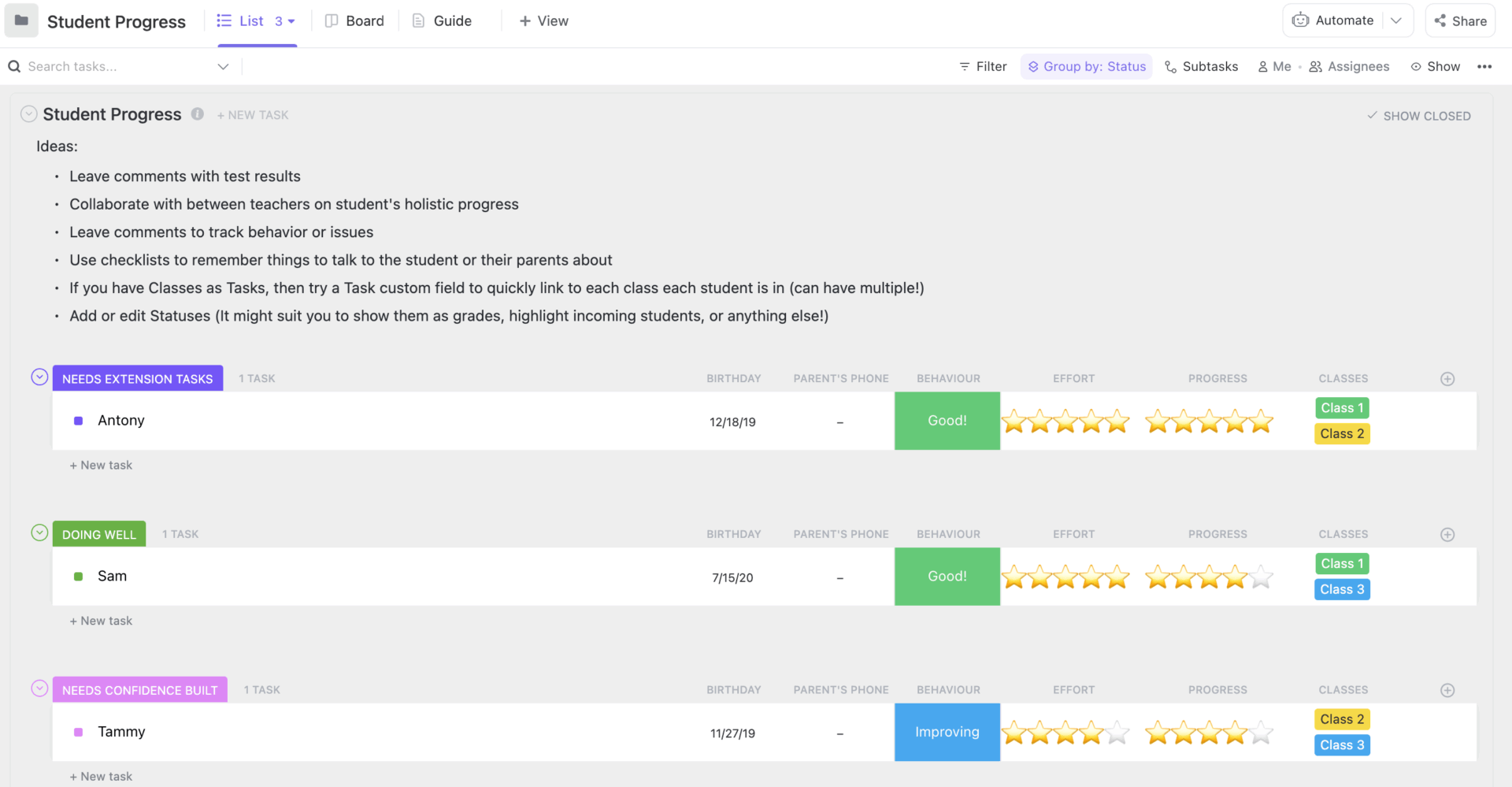
Every student has a story, and this template helps you capture it collaboratively and in real time. The ClickUp Student Progress Template is built to help you track each student’s development across subjects, behaviors, and learning milestones.
Add every student as a task, include notes, test scores, and observations, and keep track of updates using time-stamped comments. With dedicated views for behavior tracking, overall progress, and attention flags, it becomes easy to support students in the ways they need most.
🔑 Ideal for: Teachers tracking individual student progress and co-teachers sharing insights across subjects.
➡️ Read More: Best Online Teaching Tools for E-Learning
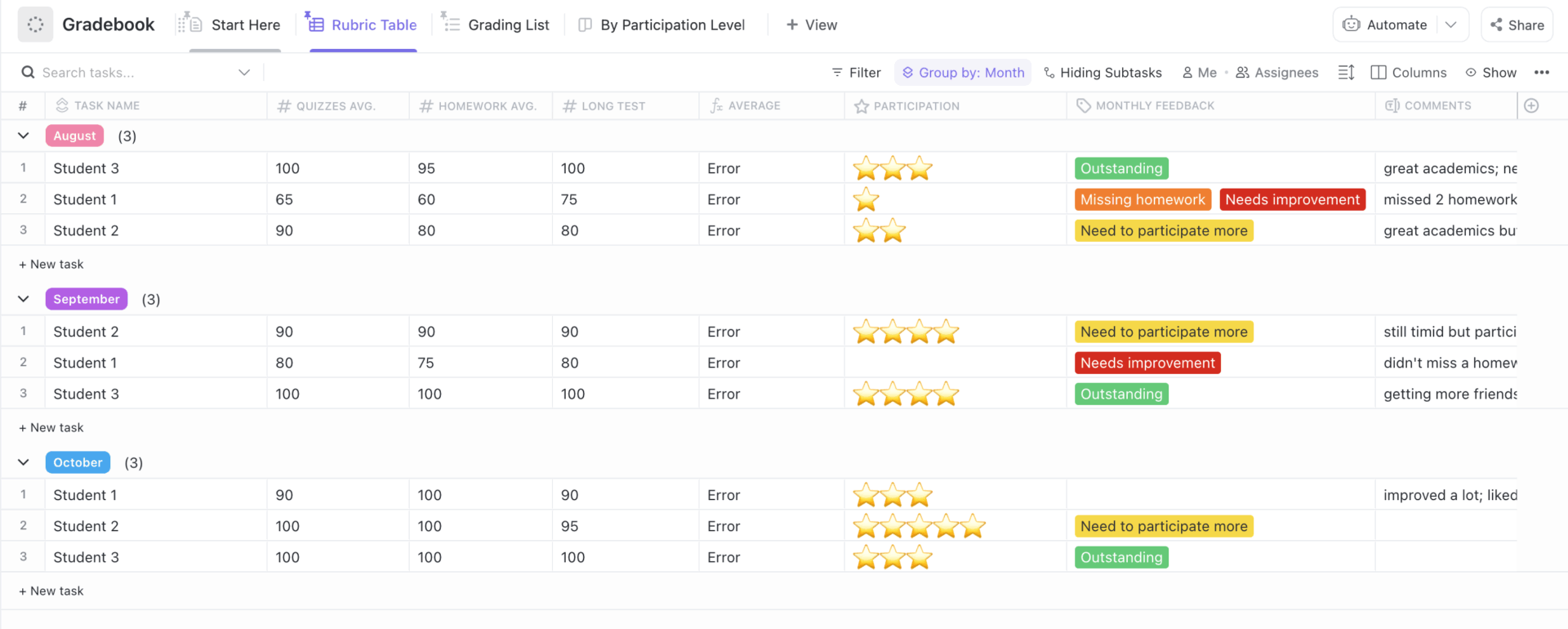
The ClickUp Gradebook Template offers a centralized, smart, and intuitive way to manage student performance. Whether you’re tracking quiz scores, homework averages, or class participation, it gives you clear visuals and calculated insights.
Built to support both daily grading and long-term monitoring, teachers can enter scores by subject or assessment and instantly generate grade summaries or heatmaps.
🔑 Ideal for: Educators, school admins, and academic coaches who want to keep academic records actionable and departments needing shareable grade books
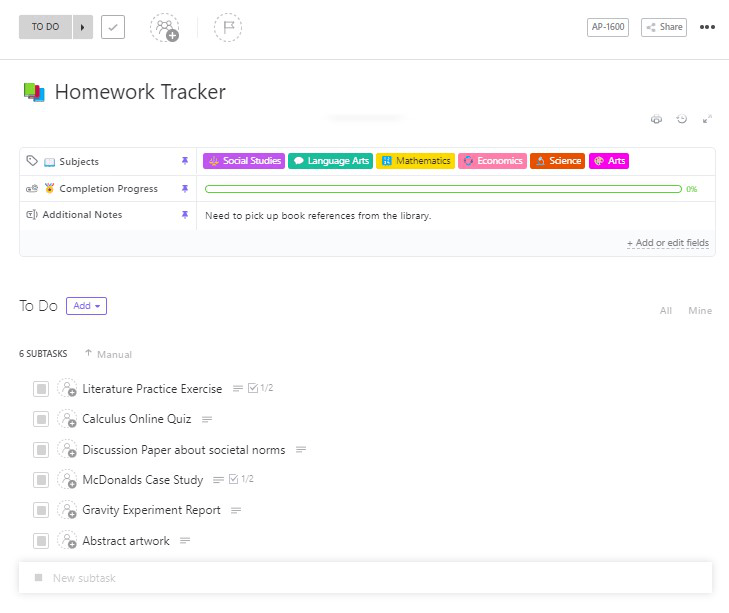
Homework just got a serious upgrade. The ClickUp Homework Tracker Template helps students stay on top of assignments across subjects, deadlines, and workloads.
You no longer have to worry about forgotten due dates or overwhelming task piles with this template. It creates a smooth workflow to track what’s due, what’s in progress, and what’s been submitted. The template also includes subject-wise categorization, calendar integration, and reminders, allowing students to stay ahead of deadlines.
🔑 Ideal for: Students studying multiple subjects or anyone who wants a more innovative way to handle homework without stress.
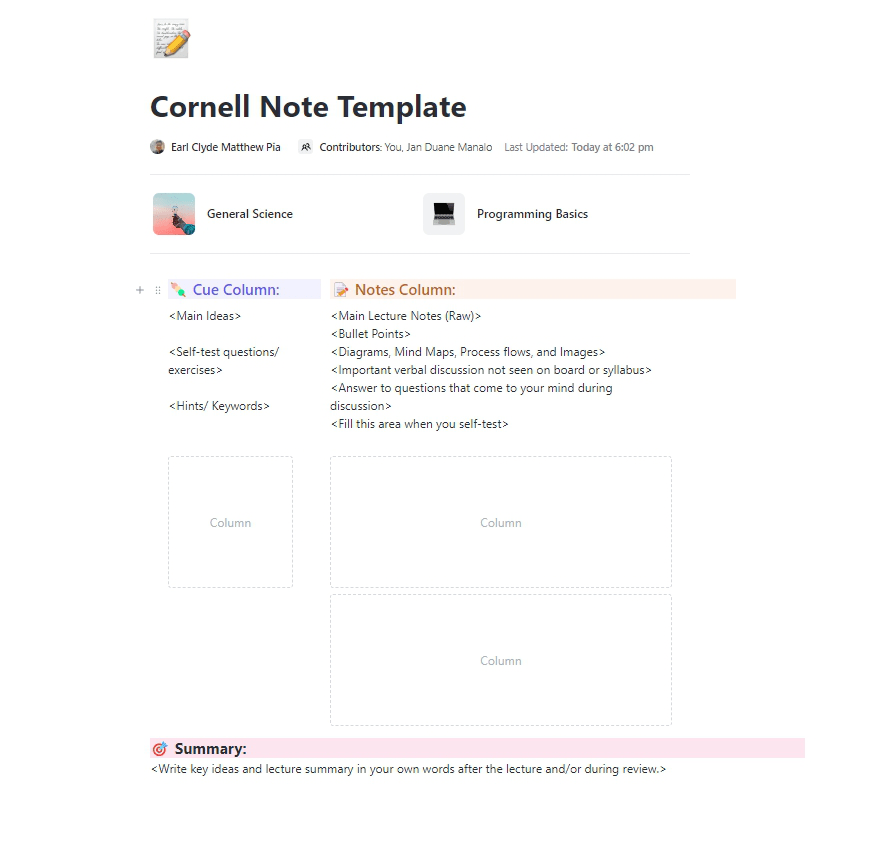
Taking notes doesn’t have to feel like a chore or a mess of scribbles that get lost in the shuffle. The ClickUp Cornell Note Template offers a thoughtful approach to capturing information, enabling you to understand and retain it well, too.
You start by jotting down detailed notes, distilling them into key ideas or cues, and summarizing the most important takeaways. The template comes with sample notes for subjects such as math and programming to help you get started quickly.
🔑 Ideal for: Students, professionals, and lifelong learners who want a smarter, clearer way to take and review notes.
📢 ClickUp Docs, A teacher’s assistant: Say goodbye to scattered files and endless tabs with ClickUp Docs. It brings your ideas, lesson plans, notes, and projects together in one seamless workspace.
Collaborate in real-time, embed multimedia, use AI for drafting, summaries, and more, and link related tasks without leaving your workflow. Keep everything organized, accessible, and ready to share whenever you need it.
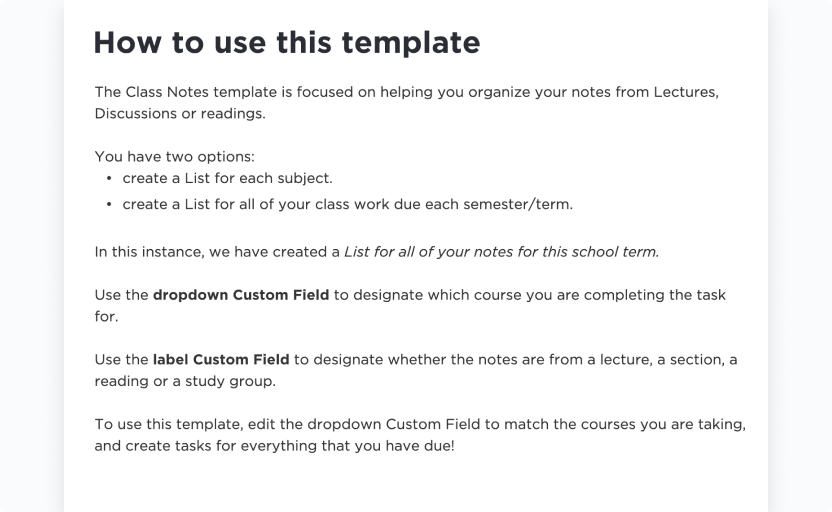
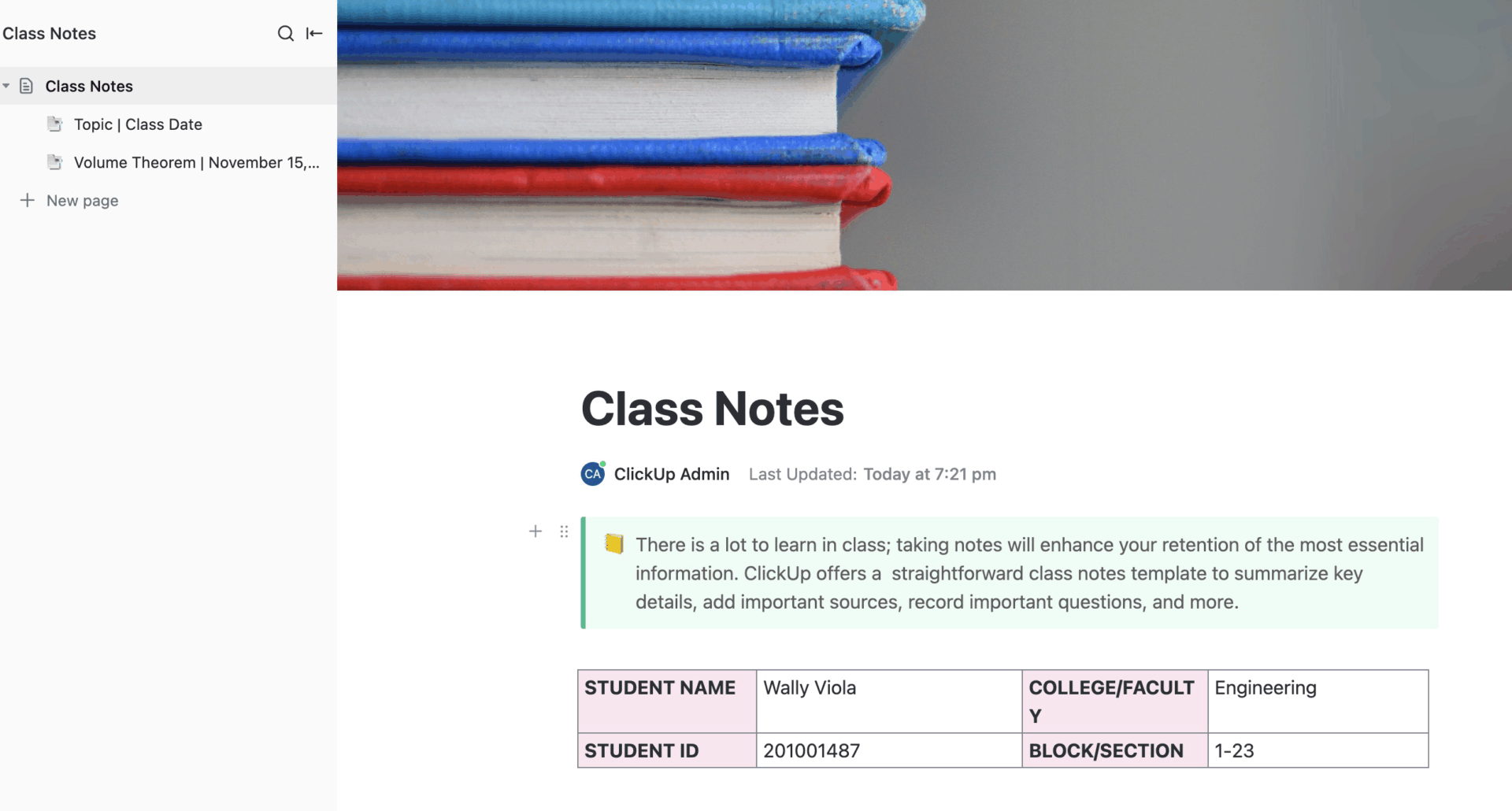
The ClickUp Class Notes for College Students Template is designed to help students focus on what matters most: summarizing important details, tracking helpful resources, and jotting down questions that spark deeper understanding.
This simple yet effective template keeps your notes organized by course, semester, and section, making everything easy to find. You can quickly add summaries, link to articles or videos, and highlight points you want to revisit.
🔑 Ideal for: College students and tutors aiming to sharpen their learning and keep their class notes well-organized.
🧠 Fun Fact: AI’s presence in student life has exploded! A whopping 92% of students are using AI in 2025, up from 66% in 2024.
Tutoring templates are the foundation for creating consistent, effective, and engaging learning experiences.
Using the well-designed templates from ClickUp, tutors can streamline lesson planning, track student progress with precision, and tailor sessions to meet individual needs.
These templates reduce administrative burden, allowing more time to focus on what truly matters: helping students grow and succeed.
Sign up for free today on ClickUp!

© 2026 ClickUp