






Still downloading templates?
There’s an easier way. Try a free AI Agent in ClickUp that actually does the work for you—set up in minutes, save hours every week.
Sorry, there were no results found for “”
Sorry, there were no results found for “”
Sorry, there were no results found for “”

Tired of hitting limits with Speak AI? Your transcript cuts off mid-conversation, or you’re stuck toggling between apps just to assign a simple action item.
What starts as a time-saver ends up adding more work with missed context, messy workflows, and features that just don’t go far enough. If you’ve been looking for something that fits into your daily workflow, you’re in the right place.
We’ve rounded up 11 Speak AI alternatives that go beyond basic transcription, all while keeping accuracy, cost, and integration in check.
Let’s get started! 💪
Speak AI covers the basics but misses out on turning your meetings into actionable workflows.
Here’s why you may consider trying a Speak AI alternative. 💁
Here’s a table comparing all Speak AI alternatives. 📊
| Tool | Best for | Best features | Pricing |
| ClickUp | Transcriptions and project management workflows Team size: Teams of all sizes, including Individuals, small teams, and enterprise operations | Automatic meeting summaries with AI Notetaker, ClickUp Brain for contextual insights, integrated Docs for collaborative editing, seamless task integration with ClickUp Tasks | Free plan available; Customizations available for enterprises |
| Descript | Video and podcast content with built-in transcription Team size: Content creators and podcasters | Overdub for voice cloning, screen recording, multitrack editing, filler word removal, publishing tools for podcasts and videos | Free plan available; Starts at $24/month (Hobbyist) |
| Otter.ai | Live meeting transcriptions, automated summaries, and calendar-linked note-taking Team size: Small to mid-sized businesses | Real-time transcription, AI note- taking, query transcripts using Otter AI Chat, and integrations with Zoom, Teams, and Google Meet | Free plan available; Starts at $17/month per user (Pro) |
| Rev | Human-verified transcripts in legal, academic, and professional documentation Team size: Enterprises and legal firms | Human and AI transcription, automatic time stamps and speaker labels, editable transcripts for enterprise use | Free tier not available; Starts at $15/month (Basic) |
| Duolingo | New languages through voice-powered, gamified lessons Team size: Individual language learners | New languages with conversational AI-powered tools like Roleplay, mistake review through Practice Hub, and easy concept understanding | Starts at $67.89/year (Business plan) |
| Sonix | Fast, multilingual transcription with translation and speaker labeling Team size: Mid-sized companies | Audio transcription and translation in 40+ languages, text analysis with AI tools, subtitle and detailed transcript generation with high accuracy | Custom pricing |
| Google Cloud Speech-to-Text | Integrated scalable transcription Team size: Enterprises and developers | Real-time speech recognition across multiple languages and user interactions, speaker diarization, word-level timestamps for accuracy, API integration | Starts at $0.024/minute |
| Whisper | Open-source, customizable transcription AI models for research Team size: Researchers and developers | Open-source model for multilingual ASR, offline file processing for privacy, effective handling of varied accents and background noise | Free plan available |
| Verbit | ADA-compliant transcription and captioning in education, legal, and enterprise settings Team size: Enterprises and educational institutions | AI transcription with human editing, domain-specific accuracy, real-time captioning for educational and legal sectors | Free plan available; Starts at $29/month (Self service) |
| Amazon Polly | Text to lifelike speech for voice apps, IVR systems, and learning tools Team size: Developers and enterprises | Text-to-speech conversion with lifelike output, tone and pitch customization with SSML, real-time audio streaming | Free plan available; Starts at $4/month (Standard Voices) |
| Assembly AI | App building with topic detection and sentiment analysis Team size: Developers and enterprises | Speech transcription with speaker detection, sentiment analysis, sensitive data redaction | Free plan available; Custom pricing |
Our editorial team follows a transparent, research-backed, and vendor-neutral process, so you can trust that our recommendations are based on real product value.
Here’s a detailed rundown of how we review software at ClickUp.
Here are the best AI language learning apps that offer more control and better collaboration compared to Speak AI. 🎯
Work today is broken.
Our projects, knowledge, and communication are scattered across disconnected tools that slow us down.
ClickUp fixes this as the World’s first Converged AI Workspace that combines AI note-taking, quick transcription, contextual automation, and dynamic documentation, all within a single workspace.

With ClickUp Brain, you weave meeting data into the rest of your workspace.
Ask it for a summary of last month’s client interviews or what’s pending in your content pipeline. It extracts valuable insights based on actual docs, tasks, and notes; no need to jump between platforms or dig through folders.
For teams managing a lot of voice data, ClickUp Brain helps prioritize, organize, and follow through.
It scans your workspace and highlights areas that require attention, such as overdue work or missing dependencies. All you have to do is ask, and its natural language processing capabilities will understand.
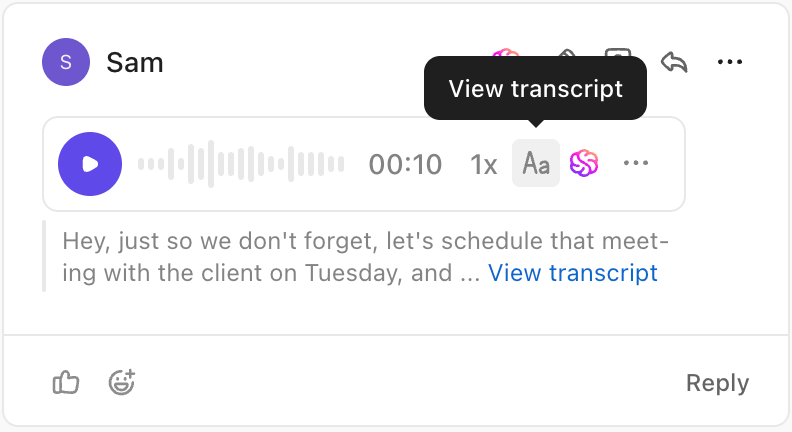
Plus, any voice recordings or video clips you record within the ClickUp workspace are instantly transcribed and made searchable by ClickUp Brain!
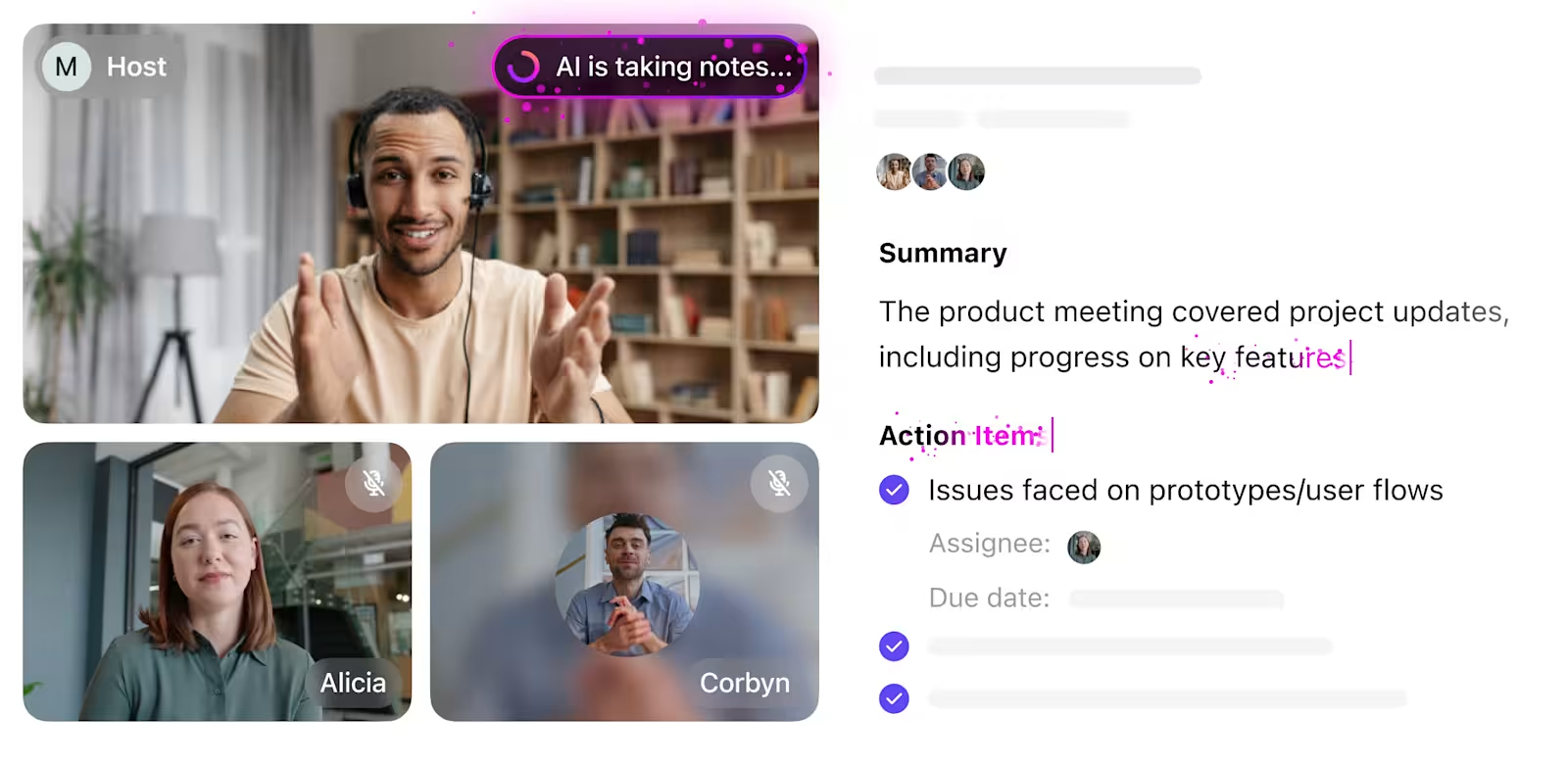
It starts with the ClickUp AI Notetaker, which automatically joins your Zoom, Google Meet, or Teams calls to record and transcribe the discussion in real time. However, that’s not all; it also identifies key action items and converts them into ClickUp Tasks, assigning them to the right people with due dates and relevant context.
Let’s say you’re on a product planning call. Instead of typing frantically or following up later for clarity, you can use AI for meeting notes. It captures the conversation, highlights the next steps (like ‘update landing page copy by Tuesday’), and links those directly to your task list.
Missed a client call? The AI Notetaker has you covered with searchable transcripts, TL; DR-style summaries, and instant call highlights, all saved into private ClickUp Docs for reference. You don’t even need to spend time manually updating meeting notes or converting voice points into task lists.
All of this ties into ClickUp Docs, where you can turn transcripts into working documents.
Build content outlines, product specs, or meeting notes with your team, co-edit in real time, and convert highlights into tasks right from the doc. Everything stays linked: transcripts, timelines, and to-dos, so projects stay grounded in what was said and agreed on.

This G2 review really says it all:
ClickUp Brain really is a time-saver. The built-in AI can now summarize lengthy threads, draft docs, and even transcribe voice clips right inside a task, which lets my team cut down on context-switching and chase fewer add-on tools. […] Everything in one workspace. We run agile sprints, publish docs, and manage OKRs without shuffling between apps. Native integrations (Slack, Drive, GitHub) are quick to wire up. Granular permissions + robust automations. It’s easy to give contractors comment-only access or trigger multi-step workflows when a status changes.
📮 ClickUp Insight: According to our meeting effectiveness survey, nearly 40% of respondents attend between 4 to 8+ meetings per week, with each meeting lasting up to an hour. This translates to a staggering amount of collective time dedicated to meetings across your organization.
What if you could reclaim that time? ClickUp’s integrated AI Notetaker can help you boost productivity by up to 30% through instant meeting summaries—while ClickUp Brain helps with automated task creation and streamlined workflows—turning hours of meetings into actionable insights.
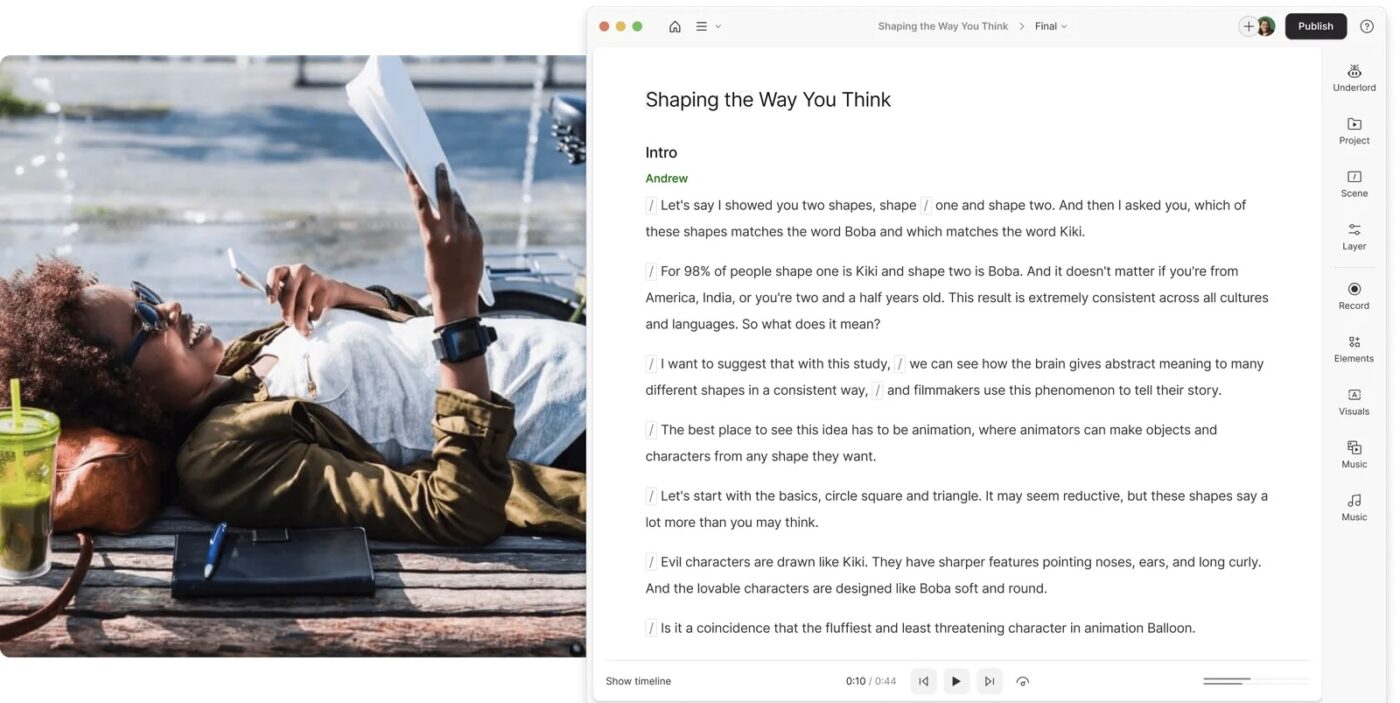
Descript is a professional-grade audio and video editor that simplifies the production process for creators, teams, and educators alike. Its AI-powered transcription turns your recordings into editable text, allowing you to cut, trim, and polish content just as easily as editing a document.
From regenerating voice clips using AI to removing background noise and generating visual content, the AI voice recorder prioritizes end-to-end content creation. This makes it an ideal choice for professionals building media-first content strategies, not just analyzing conversation data.
Look at a G2 review for this Speak AI alternative:
The fact that I can edit/cut/paste text and also edit the underlying video/audio is a game-changer. For the work that I do (producing video lectures for online courses) this is essential and I have not found any other app like this…Transcription has deteriorated. It used to be better and more accurate. Also, syncing the script to the audio is so finnicky. Being able to sync a transcript to audio is so important and is one of the reasons why I use Descript, but it is so frustrating at times because the app very often cannot accurately detect where the text should go, ESPECIALLY if there are multiple takes (which there always are as we record live in-studio).
🧠 Fun Fact: In the early 1990s, Dragon Systems launched ‘Dragon Dictate,’ followed by ‘Dragon NaturallySpeaking,’ which could recognize continuous speech at 100 words per minute, a development that brought us closer to the AI transcription tools we use today.
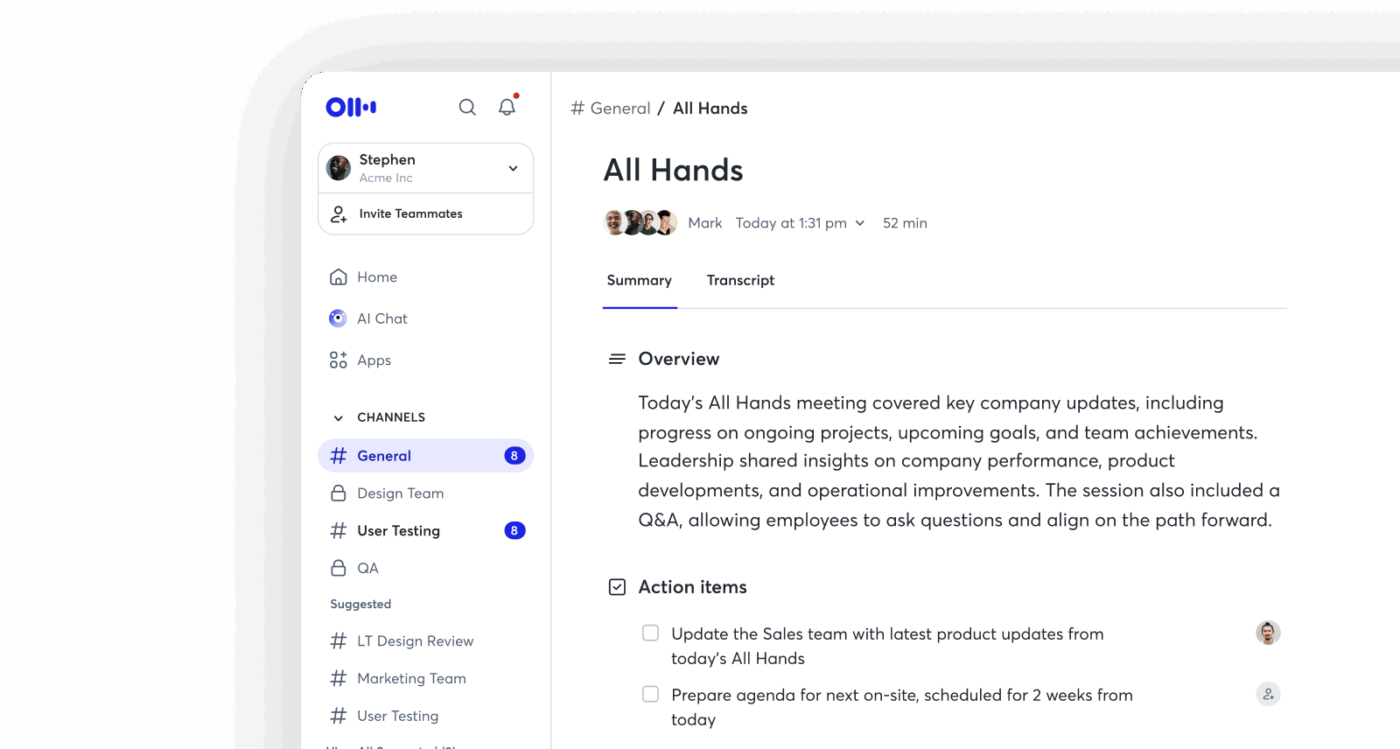
Otter.ai is a full-fledged AI meeting agent for professionals drowning in back-to-back meetings.
What sets Otter apart is its proactive AI that participates. Its Meeting Agent can automatically join Zoom, Teams, and Google Meet sessions.
This AI tool generates live transcriptions with 95%+ accuracy and instantly pushes notes to tools like Google Docs, Salesforce, Notion, and Asana. Additionally, the AI transcript summarizer supports multi-language transcription, including English, French, and Spanish, catering to a diverse user base.
Here’s a G2 review about this Speak AI alternative:
My favorite thing about Otter is that I can pay full attention to those I’m connecting with on a call, without having to continuously take notes. Conversations can become more free-flowing, I can ask more questions and find out a lot more information, because I know that Otter will take notes and record an audio transcript…Currently, I guess the thing that could be improved is the section within the notes about rhw action points. Sometimes it misses them, so I need to review the part of the conversation to get the full action point.
📣 The ClickUp Advantage: Brain MAX is your AI-powered desktop companion that puts voice-first productivity at the center of your workflow.
With advanced talk-to-text features, you can simply speak your ideas, tasks, reminders, or messages, and Brain MAX instantly transcribes and organizes them. Whether you’re capturing quick notes, drafting emails, or updating your to-do list, Brain MAX makes it effortless to stay organized and productive, all hands-free. This seamless voice-first experience helps you move faster, reduce manual effort, and keep your focus on what matters most.
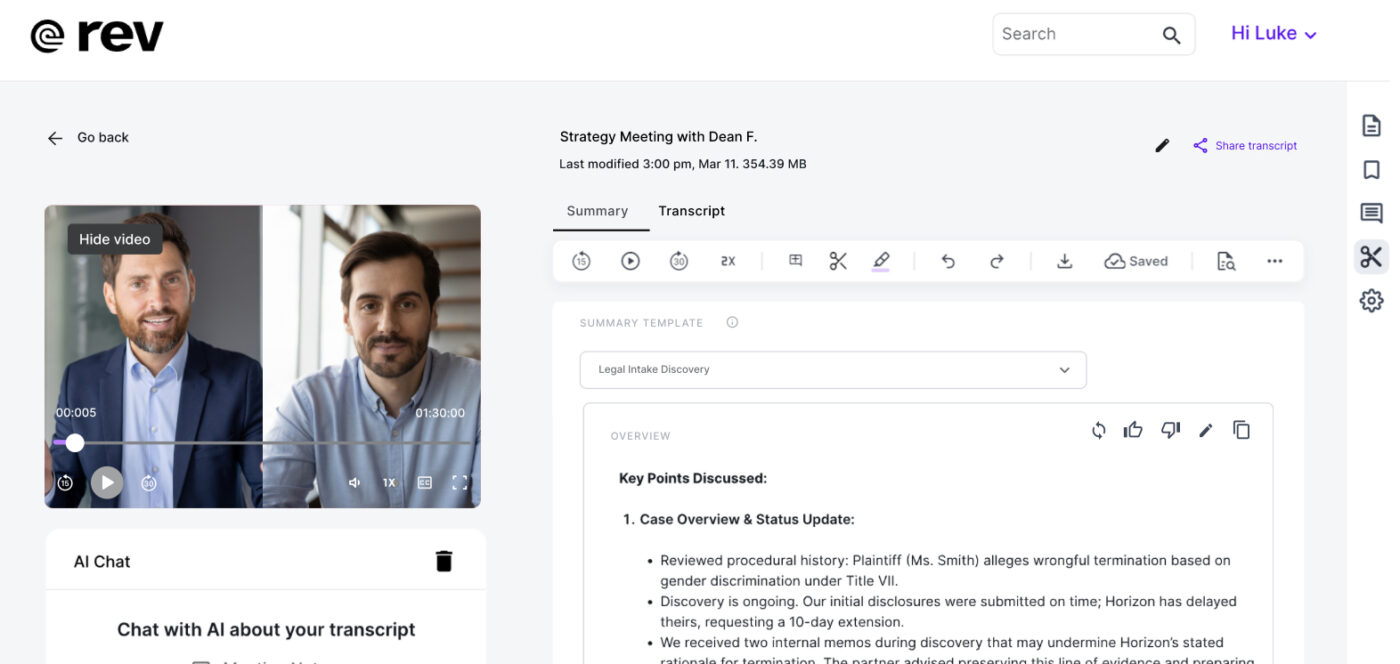
Rev is a veteran speech-to-text software that caters to industries where accuracy is non-negotiable, like legal, healthcare, and media. It delivers transcripts that are court-admissible and HIPAA-compliant.
Unlike Speak AI, which often struggles with multi-speaker clarity or legal-level precision, Rev gives researchers, legal teams, journalists, and consultants the power to choose their level of accuracy. With a robust mobile app, industry-grade security, and multi-file comparison, this alternative supports deep analysis across conversations.
One G2 review puts it this way:
I love using the app to capture audio while I’m touring buildings for stories that I’m writing…I like to use the affordable AI transcriptions, which are getting better, but hoping they’ll keep improving. Interestingly the live transcription that appears on the screen is often better than the AI transcription I can order later and I wish I could opt to use that version but it appears that Rev doesn’t save it.
🧠 Fun Fact: AI transcription has come a long way since 1952, when a system called ‘Audrey’ could only recognize spoken digits. Fast forward to the ‘60s, and IBM’s Shoebox could understand 16 words, which was a big deal then.
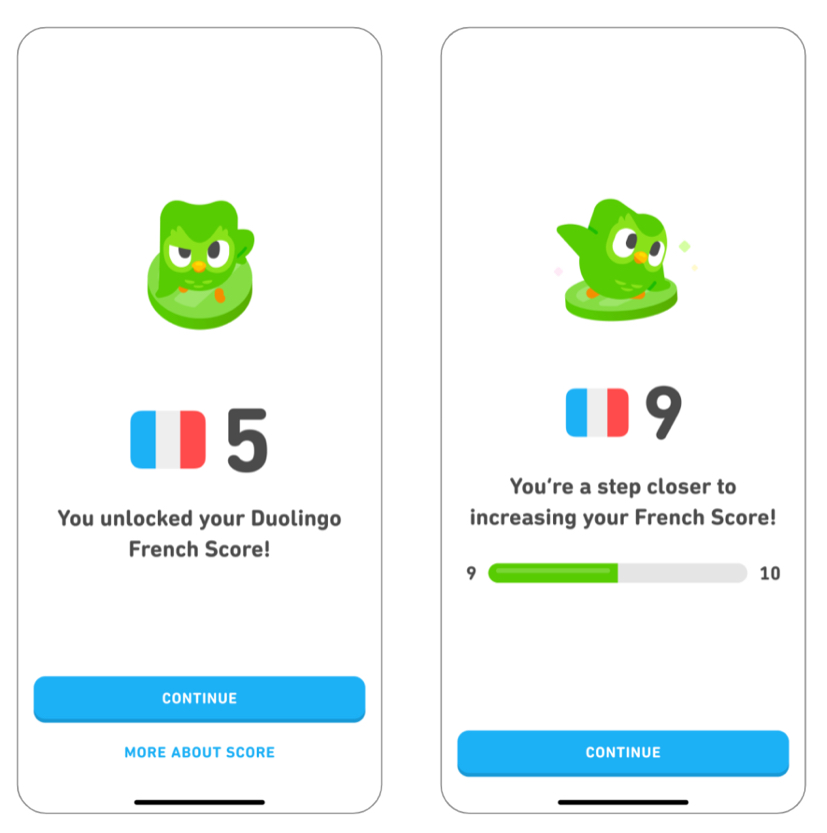
Duolingo might be known for teaching languages, but it can be handy for content creators working on multilingual projects. If you’re creating content for a global audience or juggling different languages, its speech recognition, grammar explanations, pronunciation feedback, and massive language database can help you fine-tune your delivery.
It’s not a complete transcription tool, but it’s great for improving clarity, localizing your scripts, and making sure your phrasing sounds natural. Think of it as a sidekick to your main transcription setup, especially if accuracy and language nuance matter to your work.
Take a look at this Capterra review:
My experience was very good, despite having a lot of ads in the app, I thought it was worth investing in my education in other languages and that’s why I subscribed to the super version of the app…In my opinion, the app could have more languages available to learn even if you only know Portuguese. Since this is not yet possible, Brazilians need to learn English first and then learn most of the other languages in the app.
💡 Pro Tip: Use task list templates in ClickUp to auto-assign follow-up actions from your AI Notetaker summaries. This way, every key takeaway turns into a task without lifting a finger.
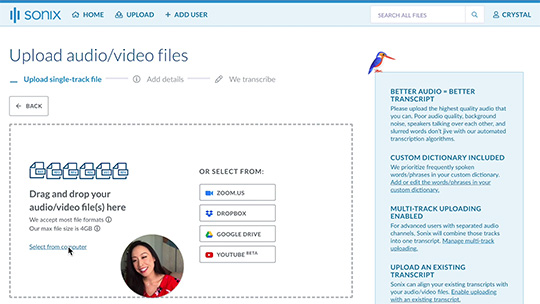
Sonix is an AI transcription tool that turns audio and video content into highly accurate text across 53+ languages. You can also highlight key moments, leave comments, and export in multiple formats (including SRT, DOCX, and PDF).
Unlike tools that simply generate a basic transcript, Sonix also creates a media player with a transcript for sharing or embedding, making it easier to review or present your content. From an intuitive in-browser editor to seamless subtitle generation, it provides a comprehensive workflow for transcribing, translating, analyzing, and sharing notes with ease.
According to one Capterra review about this Speak AI alternative:
This is one of the few services that can handle multy-language and translations. I enjoyed the user-friendly UI and the ability to export to software like Adobe and Atlas.ti. Best part is the easy way to edit transcriptions…The thing that I didn’t love is that they have basic qualitative analysis for an extra fee. I’d love it to be included, but I understand that my license was a basic one.
🧠 Fun Fact: Long before we had keyboards and cloud storage, ancient scribes were the ultimate record-keepers! In Egypt, they were VIPs, trusted by pharaohs to document history, taxes, and rituals using intricate hieroglyphics. In ancient Israel, scribes were legal experts and religious scholars who helped preserve the Hebrew Bible.
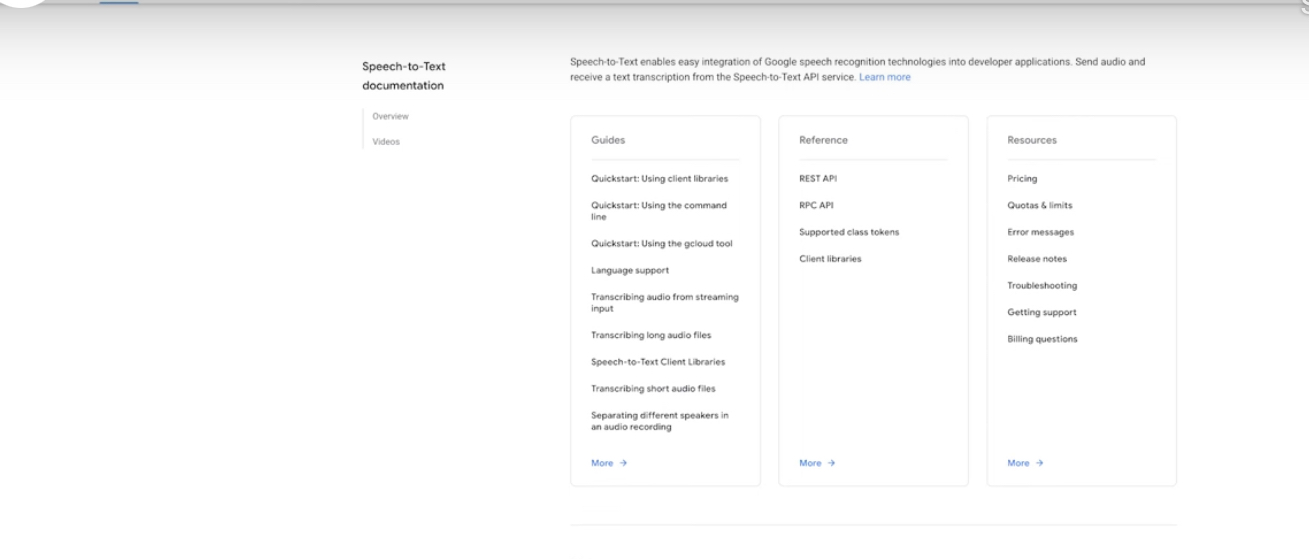
Google Cloud Speech-to-Text is a speech recognition API that taps into Chirp, its foundation model trained on millions of audio hours and billions of multilingual sentences. That means better performance with accents, domain-specific jargon, and background noise.
The tool operates in three flexible modes: synchronous, asynchronous, and streaming, making it a strong fit for real-time applications, batch processing, and everything in between. Researchers working with sensitive data or enterprises with strict compliance needs will find its V2 API useful, which offers enterprise-grade logging and regional transcription control.
Straight from a G2 review:
Adding my first team member to my business was a breeze…The detailed admin settings can be a little difficult to navigate through. However, if you’re running a very small team you probably don’t need to get into all that stuff anyway. And if you are in a bigger company, you probably have the resources to have a staff member or entire department take care of the administrative user settings stuff.
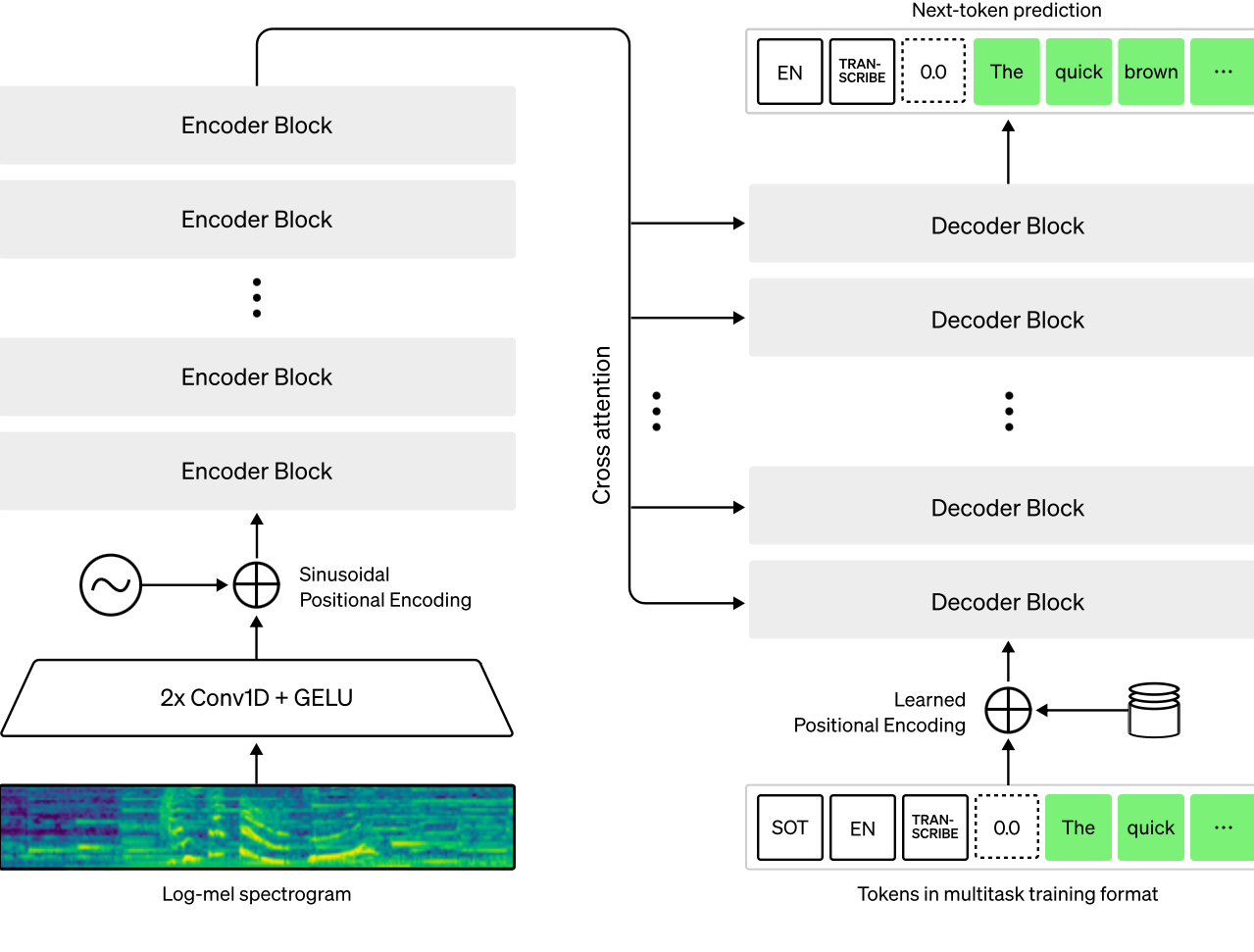
Whisper, built by OpenAI, is trained on a massive 680,000 hours of multilingual, multitask audio to work reliably across real-world conditions, not just studio-quality recordings.
The tool operates on a powerful encoder-decoder Transformer model that identifies languages, adds timestamps, supports multilingual audio, and even translates speech into English, all in one seamless process. And since it’s completely open-source, developers, researchers, and product teams can tweak and build on it freely, without licensing headaches.
Here’s what one user had to say:
Whisper impresses with its seamless user interface, ensuring effortless communication. Implementing it is straightforward, although a bit of initial guidance would enhance the onboarding experience…While generally effective, Whisper could benefit from improved onboarding guidance for new users. Additionally, occasional delays in customer support response times have been noted.
👋🏾 Learn how to use AI for meeting notes. Watch this tutorial:
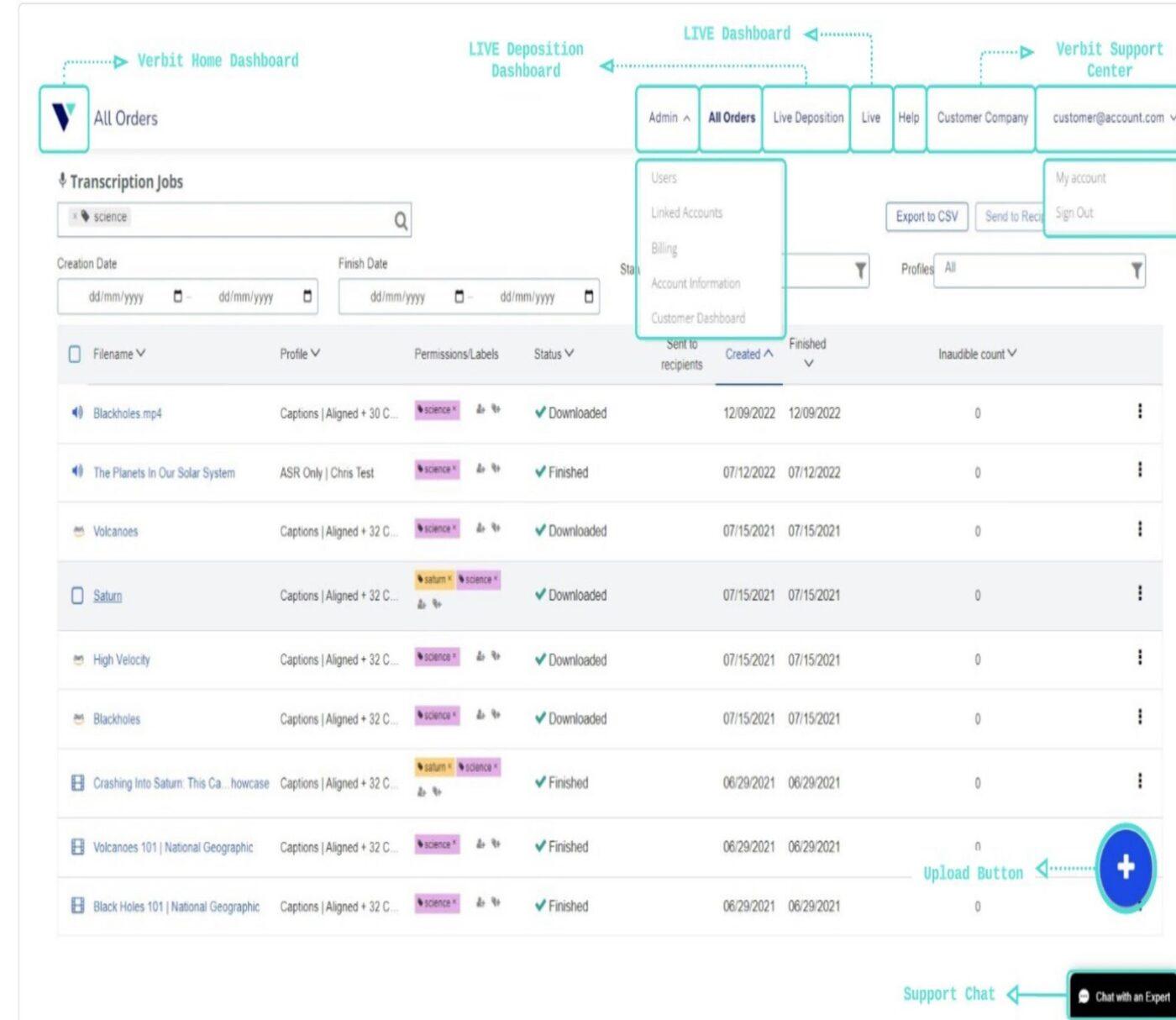
Verbit uses a unique hybrid approach: first, its AI quickly generates transcripts, then a network of professional human editors refines them. This layered model allows Verbit to meet high accuracy standards, even in complex, technical, or noisy recordings.
What sets Verbit apart is its focus on enterprise needs. It’s tailored for industries such as education, law, and media that require stringent legal, academic, and accessibility standards. The platform also offers live captioning, keyword extraction, automatic note summaries, and customizable formatting.
Here’s one G2 review about this Speak AI alternative:
A few things I like about Verbit are its user-friendly interface, accurate ASR, and customer-oriented approach. I use it every day; it’s integrated into our system…Verbit does not offer a peer-to-peer service; you need to sign a contract in order to use it.
🔍 Did You Know? In the 1970s, Carnegie Mellon University, backed by the U.S. Department of Defense, developed a speech recognition system called ‘Harpy’ to understand full sentences using a 1,000-word vocabulary, a major leap forward for AI transcription technology.
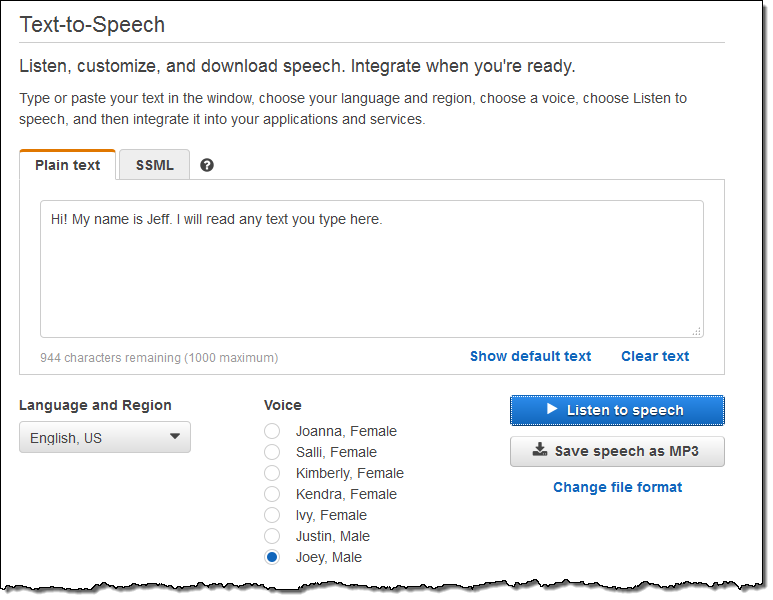
If you’re wondering how to add a voice-over to a video, then this tool has got you. Amazon Polly is Amazon Web Services’ advanced text-to-speech (TTS) engine designed to build interactive voice experiences. It converts plain text, documents, and even multilingual scripts into realistic speech, delivering natural-sounding voices powered by neural networks.
Polly’s edge lies in its ability to interpret complex context, handling homographs, multilingual passages, units, and dates with near-human accuracy. With support for 47 voices across 24 languages, the tool provides great linguistic coverage. It’s especially valuable for teams creating e-learning modules, accessibility tools, or global voice apps.
Here’s a snippet from a G2 review:
I really like how Amazon Polly makes computers talk like humans. It sounds so natural, and you can choose different voices. It’s great for making voiceovers for videos or making your apps talk. Super easy to use!…I don’t like that Amazon Polly has usage fees, which means you have to pay for the number of characters it reads aloud. It can get expensive if you use it a lot.
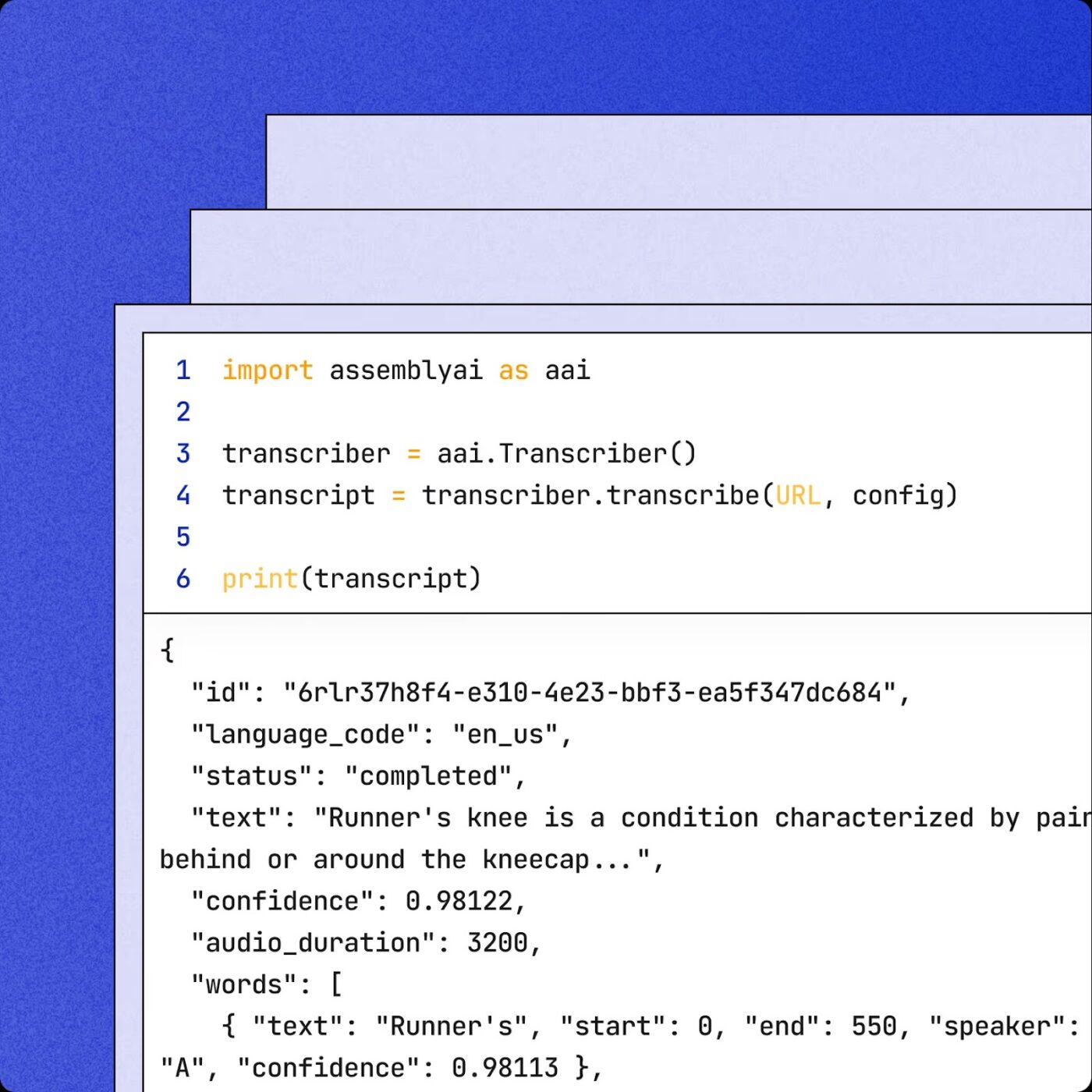
AssemblyAI is designed with developers and technical teams in mind: those who require reliable speech recognition that seamlessly integrates into custom workflows. Rather than just converting audio to text, it helps teams dig deeper into what’s being said and who’s saying it.
The tool supports over 99 languages, separates speakers, recognizes industry-specific terms, and automatically detects language, all through an API. It’s convenient for product teams, researchers, and engineers who want more control over how voice data is processed.
Here’s what a user had to say about this Speak AI alternative:
I use AssemblyAI to get transcripts of my podcast episodes, and the accuracy is pretty good. The timestamp associated with each word allow us to easily make a connection with the podcast audio and jump right where we need. Customer support has been great…Sometimes it’s a bit tricky when the podcaster say the spelling of the promo code he uses. For example, if the promocode is SUMMER. I may get S-U-M-M-E-R, which is not easy to work with. But I it’s an edge case.
🔍 Did You Know? AI is helping bring history to life! Aaron Newcomer, a collector of historical letters, used his passion to launch an AI startup that transcribes 19th-century handwriting. Thanks to machine learning, we can now read centuries-old documents that were once nearly impossible to decode.
Each of these Speak AI alternatives brings something valuable to the table, be it transcription, real-time collaboration, or advanced speech analysis. But if you’re looking for more than just speech-to-text, ClickUp stands out as the all-in-one solution that connects your conversations directly to your work.
With the ClickUp AI Notetaker, you can record and transcribe meetings automatically, while ClickUp Brain offers contextual AI support across your workspace. And let’s not forget ClickUp Docs, where you can collaborate on content, extract action items, and keep everything connected for informed decision-making.
So, what are you waiting for? Sign up to ClickUp today! ✅

© 2026 ClickUp

There’s an easier way. Try a free AI Agent in ClickUp that actually does the work for you—set up in minutes, save hours every week.