You’re trapped in a cycle that feels impossible to break.
Every time you land a new client, the celebration is cut short by the need to hire immediately, which eats into the profit you just earned.
This is the professional services scaling paradox: your revenue is tied directly to billable hours and headcount, meaning growth requires hiring, which in turn compresses your margins.
This article shows you how to break that cycle by using AI-powered automation and a unified workspace to multiply your team’s capacity, so you can scale revenue without proportionally scaling your payroll.
Scaling Professional Services Without Adding Headcount
Summarize this article with AI
ClickUp Brain not only saves you precious time by instantly summarizing articles, it also leverages AI to connect your tasks, docs, people, and more, streamlining your workflow like never before.
Summarize this article for me please
The Professional Services Scaling Paradox
Most professional services firms hit the same invisible ceiling: growth equals headcount.
Win a new client? Hire
Launch a new service line? Hire
Increase scope? Hire again
For years, that formula worked. Revenue scaled linearly with people. But the math is breaking.
At the same time, billable utilization rates have softened across segments, while delivery costs continue to rise. In other words, firms are adding revenue without protecting margin.
The pressure compounds from multiple directions:
Clients demand faster turnaround and measurable ROI
Talent costs continue to climb
Senior consultants spend more time on coordination than on billable work
Project managers drown in reporting instead of delivery
The result? Growth creates drag. Every new hire introduces onboarding time, management layers, communication overhead, and process variability.
Studies on knowledge work consistently show that coordination and “work about work” can consume 60% or more of a professional’s week. When your margin depends on billable hours, that coordination tax quietly erodes profitability.
Meanwhile, hiring itself isn’t frictionless. Recruiting cycles are longer, compensation expectations are higher, and ramp time delays revenue realization. This is adding another layer of complexity.
Now we come to the paradox: You’re growing, but it feels heavier.
The firms that break through the ceiling do three things differently:
They standardize delivery so knowledge compounds instead of living in individual heads
They reduce coordination overhead so senior talent spends more time delivering value
They embed automation and AI into execution, not as side tools, but as force multipliers
And that requires rethinking how work itself flows through your organization. The key? Creating operational efficiency!
Summarize this article with AI
ClickUp Brain not only saves you precious time by instantly summarizing articles, it also leverages AI to connect your tasks, docs, people, and more, streamlining your workflow like never before.
Summarize this article for me please
Why Traditional Scaling Levers Fail
When you hit a capacity wall, the usual moves feel obvious: hire, buy another tool, document the process. On paper, each one should help. In practice, they often create new drag.
The common pattern? You add surface area to the system without reducing its friction.
Hiring more people
Headcount looks like the most direct fix. But new hires come with a 3–6 month ramp before they’re fully productive. In the meantime, senior team members step away from billable work to train them. Coordination overhead increases. Margins tighten before output meaningfully improves.
Adding more tools
A new app promises to solve a specific pain point. But each tool brings setup, integration, and change management work—often more effort than the tool ultimately saves. The average company now runs 101 SaaS applications. The result isn’t efficiency. It’s tool sprawl: teams toggling between platforms that don’t share context, with key information scattered across systems.
Adding more process
Documenting workflows feels responsible. Over time, though, documentation piles up faster than it’s maintained. If it isn’t embedded directly into daily work, it turns into shelfware. The team spends more time following procedures than delivering outcomes. That’s process debt—accumulated complexity that slows execution instead of clarifying it.
These are the hidden capacity killers:
Work sprawl: fragmented tasks across disconnected tools
Context sprawl: time lost searching for information and switching apps
Process debt: procedural overhead that outpaces value
Each one compounds the others. More tools create more context switching. More process increases coordination costs. More people amplify both. You scale inputs—but the system itself remains inefficient.
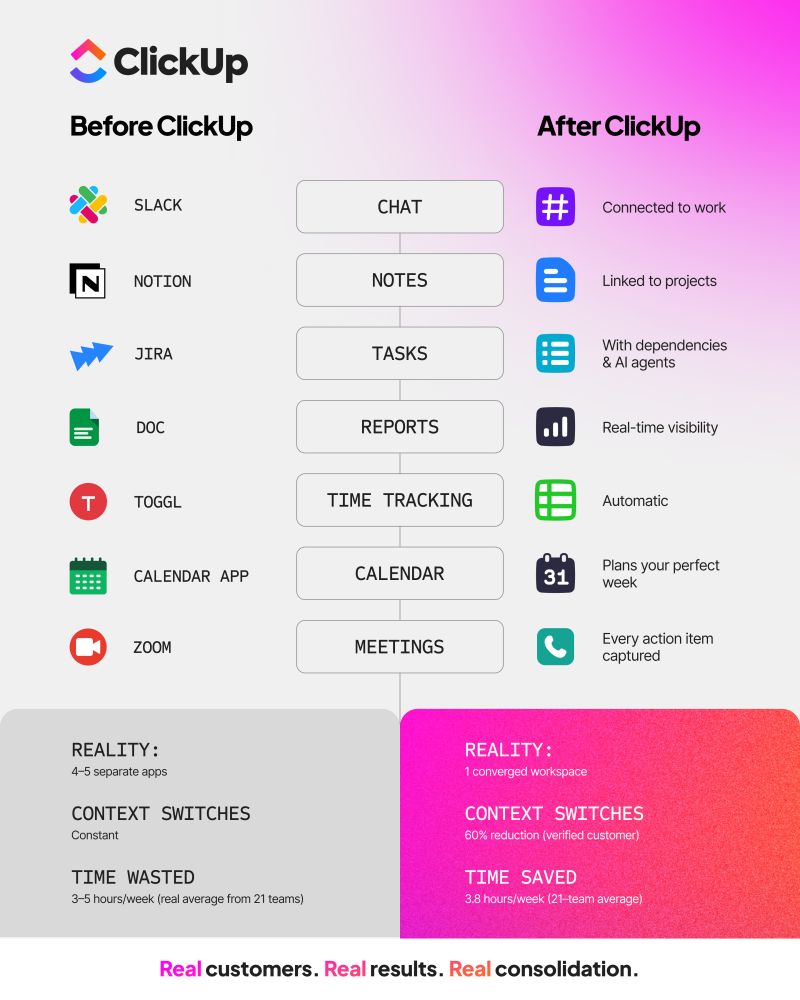
📮ClickUp Insight: Low-performing teams are 4 times more likely to juggle 15+ tools, while high-performing teams maintain efficiency by limiting their toolkit to 9 or fewer platforms.
But how about using one platform? As a converged AI workspace, ClickUp brings your tasks, projects, docs, wikis, chat, and calls under a single platform, complete with AI-powered workflows. Ready to work smarter? ClickUp works for every team, makes work visible, and allows you to focus on what matters while AI handles the rest.
Replace 20+ tools with one powerful workspace inside ClickUp
Summarize this article with AI
ClickUp Brain not only saves you precious time by instantly summarizing articles, it also leverages AI to connect your tasks, docs, people, and more, streamlining your workflow like never before.
Summarize this article for me please
Where Professional Services Teams Lose Capacity
Before you can scale, you need to find the leaks in your operational bucket.
For most professional services teams, valuable hours and capacity disappear in five key areas of the delivery lifecycle. Identifying these friction points is the first step toward plugging the gaps and reclaiming your team’s time. 🛠️
Your delivery team is asking the client basic questions that the sales team already has the answers to. This happens because critical client context, scope details, success criteria, and stakeholder preferences are buried in sales tools, email threads, and call notes. The delivery team starts every project half-blind.
This friction leads to rework, misaligned expectations, and frustrated clients who are forced to repeat themselves. You waste the first few weeks on rediscovery instead of delivery, immediately putting the project behind schedule and damaging the client relationship.
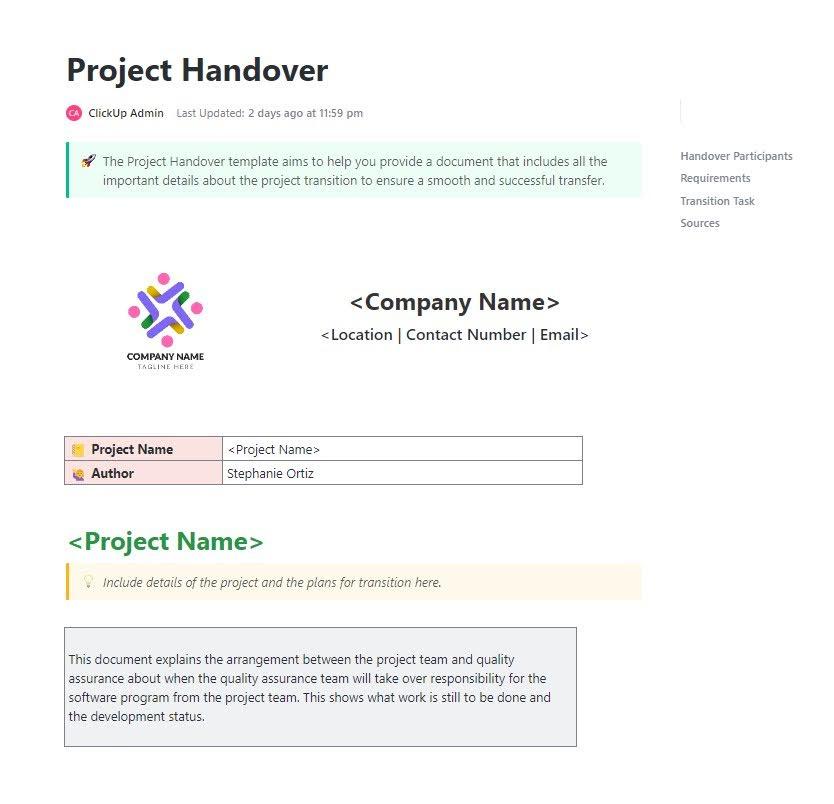
🛠️ Toolkit: Use the ClickUp Project Handoff Template to transfer ownership cleanly and avoid context loss. Include the project goal, current status, what “done” looks like, and any key decisions made so far (with links to the source docs/tasks).
Your project managers are some of your most strategic thinkers, yet they spend hours on administrative work. For every new client, they manually build a project plan from scratch—creating tasks, assigning resources, and setting up timelines. This is a significant scaling bottleneck.
Even though most of your projects follow a similar structure, your team rebuilds them every single time. This repetitive, manual work is a direct tax on your firm’s capacity to take on new business.
Status reporting and client updates
Think about your current reporting workflow. Someone has to chase down updates from every team member, pull data from multiple systems, and manually compile it all into a client-facing status report. This work is necessary for client communication, but it’s pure, non-billable overhead that doesn’t move the project forward.
The friction comes from information being scattered everywhere. Because there’s no single source of truth, reporting becomes a painful, manual aggregation process that’s prone to errors and based on outdated information.
Resource allocation and utilization
You’re trying to decide who can take on a new project, but you’re staring at an out-of-date spreadsheet. You have no real visibility into who’s available, who’s overloaded, and who has capacity. This visibility gap forces you to make staffing decisions in the dark.
The consequences are costly. Poor resource allocation leads to burnout for your top performers and underutilization for others—both of which destroy your margins. You’re flying blind with your most valuable asset: your team’s time.
🚀 The ClickUp Advantage: ClickUp changes this dynamic by making team capacity visible in real time, rather than burying it in static reports.
With Teams Hub, you can see exactly who’s working on what across Spaces and projects, mapped against deadlines and workload. Instead of asking managers for updates or reconciling spreadsheets, you get a live snapshot of allocation at the person and team level. Overloaded contributors surface immediately. So do underutilized pockets of capacity.
Layer in priorities, and the picture sharpens. Because every task can be weighted and ranked, you’re not just seeing volume. You’re seeing importance.
If someone is full but only working on low-impact tasks, you can rebalance before performance suffers. If a high-priority initiative lacks coverage, you catch it early instead of reacting when deadlines slip.
Knowledge reuse and documentation
A junior team member hits a roadblock and asks for help. The only answer is, “Go ask the senior expert,” who is already swamped with their own work. This is a classic sign of tribal knowledge, where critical information lives in the heads of a few key people.
This makes your senior members a bottleneck and prevents your firm from scaling.
Project learnings, process improvements, and reusable assets from past engagements are lost in forgotten documents or email archives. Your team is forced to solve the same problems over and over again.
📮 ClickUp Insight:62% of knowledge workers spend too much time searching for work-related information—that’s over 120 hours a year lost to digging through emails, Slack threads, and scattered files.
An intelligent AI assistant embedded in your workspace can change that. Enter ClickUp Brain.
It delivers instant insights and answers by surfacing the right documents, conversations, and task details in seconds—so you can stop searching and start working.
💫 Real Results: Teams like QubicaAMF reclaimed 5+ hours weekly using ClickUp—that’s over 250 hours annually per person—by eliminating outdated knowledge management processes. Imagine what your team could create with an extra week of productivity every quarter!
Summarize this article with AI
ClickUp Brain not only saves you precious time by instantly summarizing articles, it also leverages AI to connect your tasks, docs, people, and more, streamlining your workflow like never before.
Summarize this article for me please
How to Scale Professional Services Delivery Without Hiring
Now that you know where your capacity is leaking, you can start plugging the holes.
The solution isn’t about working longer hours; it’s about creating operational leverage through AI-powered execution and a unified workspace. These four strategies are practical shifts that directly address the friction points in your delivery process.
Automate repetitive project tasks
Stop wasting your team’s talent on administrative busywork. Project setup, status updates, and routine notifications are perfect candidates for automation. Best part about automations? They ensure consistency and free up your team to focus on high-value client work by setting up trigger-based workflows.
For example, when a project status changes to “In Progress,” an automation can instantly assign the first set of tasks, notify key stakeholders in a chat channel, and update the client portal.
You can easily eliminate this manual drag on your team by using ClickUp Automations. Create rules with specific Triggers, Conditions, and Actions to handle repetitive work. This allows you to standardize your processes for everything from task creation to sending client emails, all without manual input.
Centralize project and client context
Handoff gaps and knowledge silos exist for one reason: your information is scattered across too many places. The solution is to bring all your project data, client communication, and documentation into a single, unified workspace.
When tasks, documents, and conversations live together, anyone on your team can get up to speed instantly. No more digging through emails or asking, “Who has the latest version of that file?”
Think of a single, secure platform where projects, documents, conversations, and analytics live together with contextual AI embedded as the intelligence layer that understands your work.
It serves as the single source of truth for all your work, eliminating the context sprawl that forces your team to switch between apps all day. This centralized foundation is what makes intelligent automation and AI possible—they can’t work effectively without full context. (More on this later)
Enable self-service reporting for clients
Manual status reporting is a time-consuming process that adds no real value to project delivery.
Instead of pushing weekly reports, shift to a pull-based transparency model. Give your clients real-time visibility into project progress so they can self-serve updates whenever they want. This simple change can dramatically reduce the number of status meetings and “just checking in” emails your team has to handle.
💡Pro Tip: Give clients real-time project visibility by building a dedicated Client portal using ClickUp Dashboards. These customizable views can display real-time project health, key milestones, upcoming deadlines, and completed deliverables. This level of transparency not only saves your team time but also builds client trust and reduces the urge for micromanagement.
Keep track of key KPIs easily via ClickUp Dashboards
Use AI agents for routine workflows
Some tasks require more than simple automation; they require judgment. But that doesn’t mean they require human judgment.
AI agents can be trained to handle routine decisions, draft communications, and synthesize information, acting as a force multiplier for your team. This allows your team members to delegate predictable work and focus their expertise on complex, strategic challenges.
Summarize this article with AI
ClickUp Brain not only saves you precious time by instantly summarizing articles, it also leverages AI to connect your tasks, docs, people, and more, streamlining your workflow like never before.
Summarize this article for me please
Before and After: Scaling With AI vs. Without
The shift from a manual, headcount-driven model to an AI-powered, leveraged one changes how you operate. It’s not about incremental improvements; it’s a structural change that improves your profit margins.
Capacity Area
Without AI + Unified Workspace
With AI + Unified Workspace
Sales-to-delivery handoffs
Manual context transfer, repeated discovery calls
Automatic context flow, instant team alignment
Project setup
Hours of manual task creation per project
AI-assisted scaffolding in minutes
Status reporting
Weekly compilation from multiple sources
Real-time dashboards, AI-generated summaries
Resource allocation
Spreadsheet tracking, reactive adjustments
Live utilization views, proactive recommendations
Knowledge reuse
Tribal knowledge, repeated problem-solving
Searchable context, AI-surfaced insights
Teams that embrace this new model can handle a higher volume of clients and more complex projects without proportionally increasing their headcount—improving margins while expanding capacity.
Summarize this article with AI
ClickUp Brain not only saves you precious time by instantly summarizing articles, it also leverages AI to connect your tasks, docs, people, and more, streamlining your workflow like never before.
Summarize this article for me please
How ClickUp Helps Professional Services Teams Scale Without Adding Headcount
The four shifts above—automation, centralized context, self-serve reporting, and AI-assisted workflows—only work if they run inside the same operating environment.
A converged workspace for projects, docs, chat, dashboards, and calls
ClickUp Brain as the context-aware intelligence layer
10 Super Agents designed specifically for PS workflows
Pre-built workflows tailored to client delivery
Premium support and AI activation services
Instead of stitching together automation, reporting, and AI across multiple tools, everything runs from the same source of truth. That alignment is what turns the four strategies from theory into leverage.
Project setup without rebuilding from scratch
The pain of manually translating a statement of work (SOW) into a project plan is a major capacity drain. Reduce project setup from hours to minutes with AI-assisted project scaffolding in ClickUp. Generate a complete project plan with tasks, milestones, and suggested resource assignments by simply pasting an SOW or providing a prompt to ClickUp Brain.
Create a consistent, high-quality plan every time because the AI understands your existing Project templates and team structure. This frees your project managers to focus on strategic oversight instead of administrative setup.
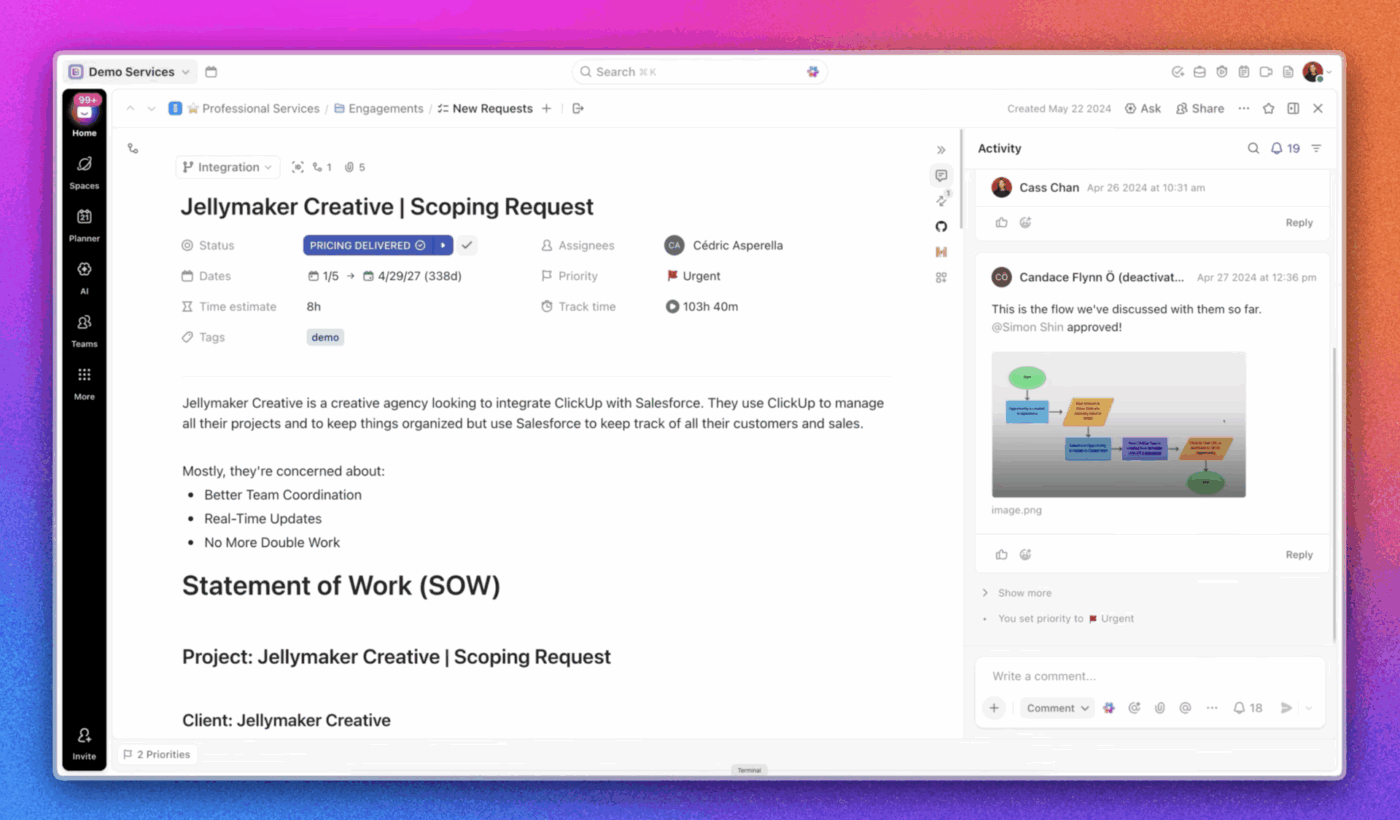
AI can help you capture project details based on your SOWs
Reporting that pulls from execution
Status reporting was another leak. When information is scattered, reporting becomes manual aggregation.
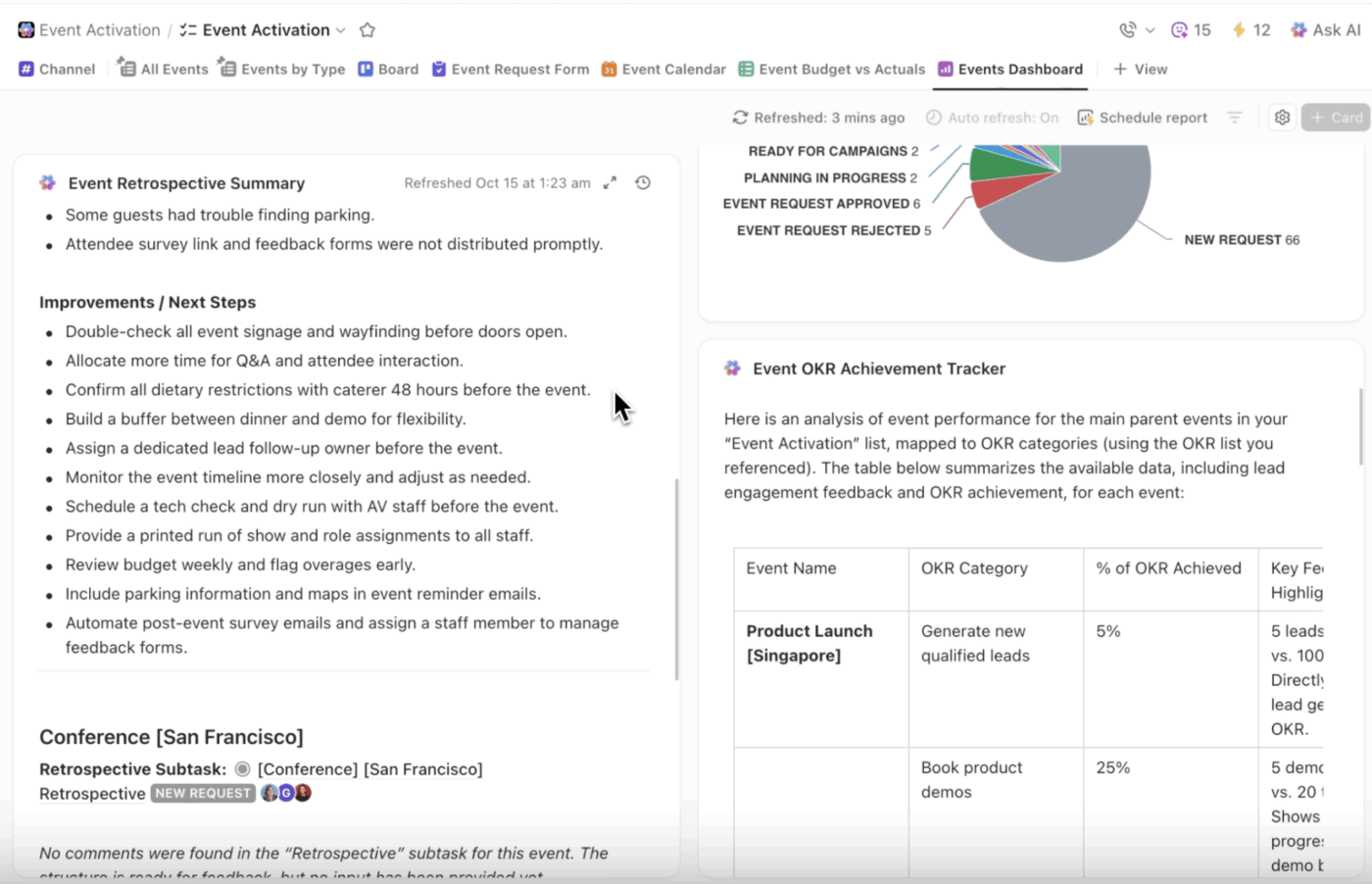
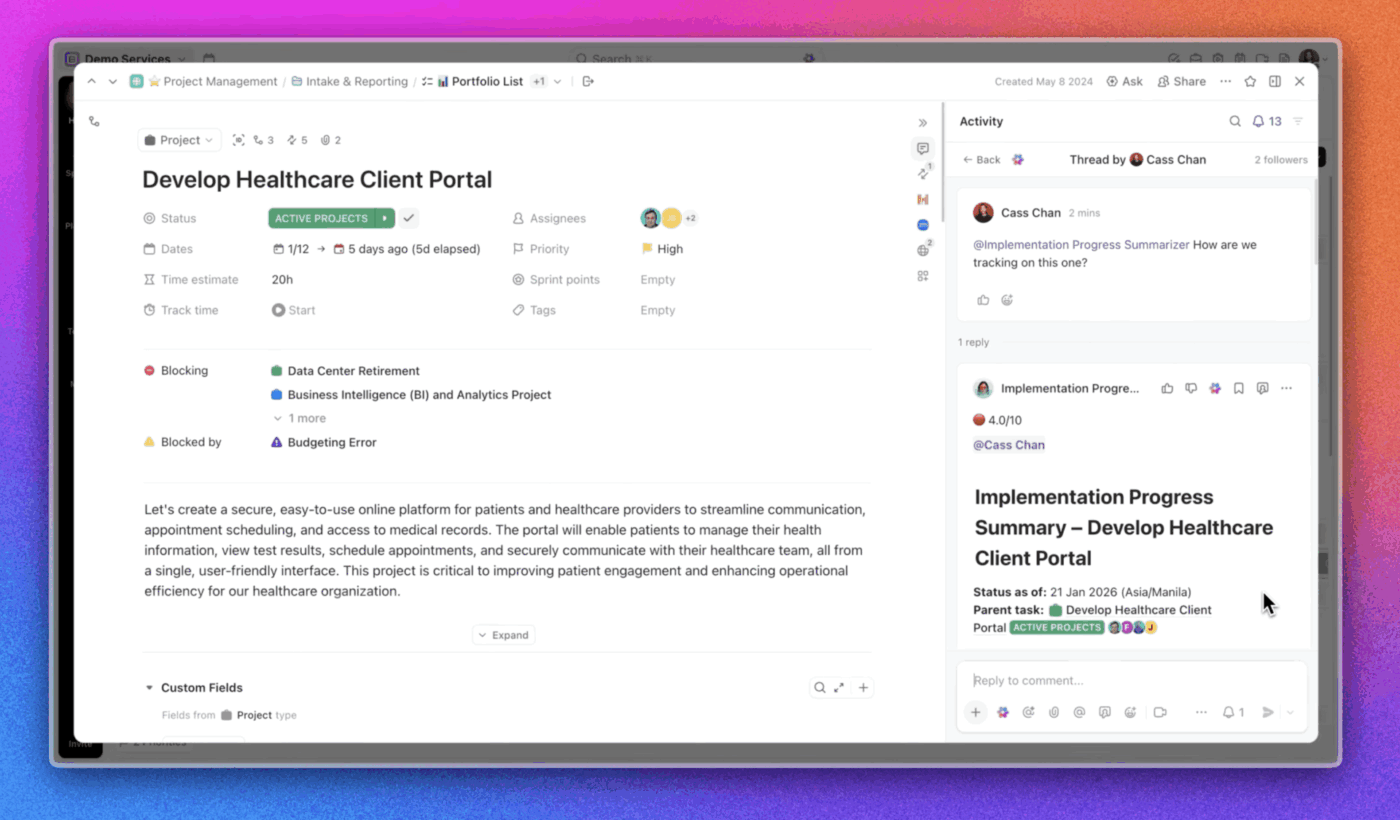
Inside Accelerator, reporting pulls directly from live task data. The Implementation Progress Summarizer Agent can draft structured updates based on current activity across ClickUp Tasks, while shared ClickUp Dashboards provide clients with real-time visibility.
The key shift is this: reporting becomes an output of delivery work—not a separate workflow layered on top. That reduces non-billable activities without reducing transparency.
The Implementation Progress Summarizer Agent helps you keep track of reporting
Engagement health without manual audits
Risk detection is typically reactive because signals are distributed.
Problems often go unnoticed until they become full-blown crises because the warning signs are scattered across tasks, comments, and conversations. In ClickUp, you can catch potential issues before they derail your timeline with ClickUp Brain, an early warning system that constantly monitors your projects.
The AI analyzes task delays, comment sentiment, and ClickUp Task dependencies to collate information. You’ll receive an alert when a critical path task is at risk, complete with context on why and suggested actions, allowing you to protect your margins and keep your clients happy.
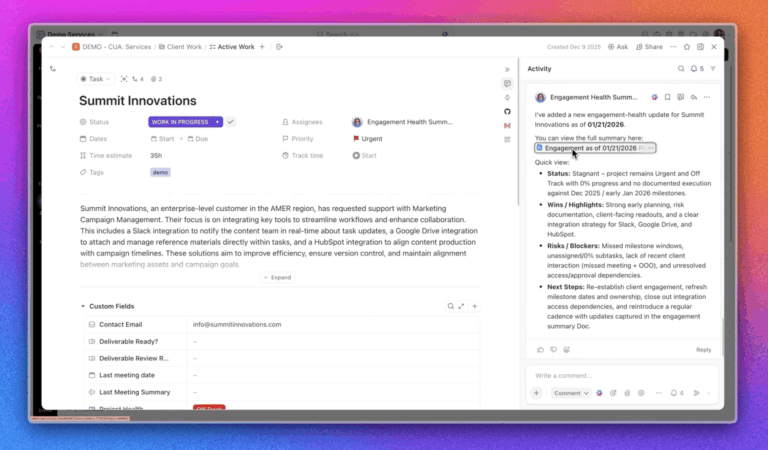
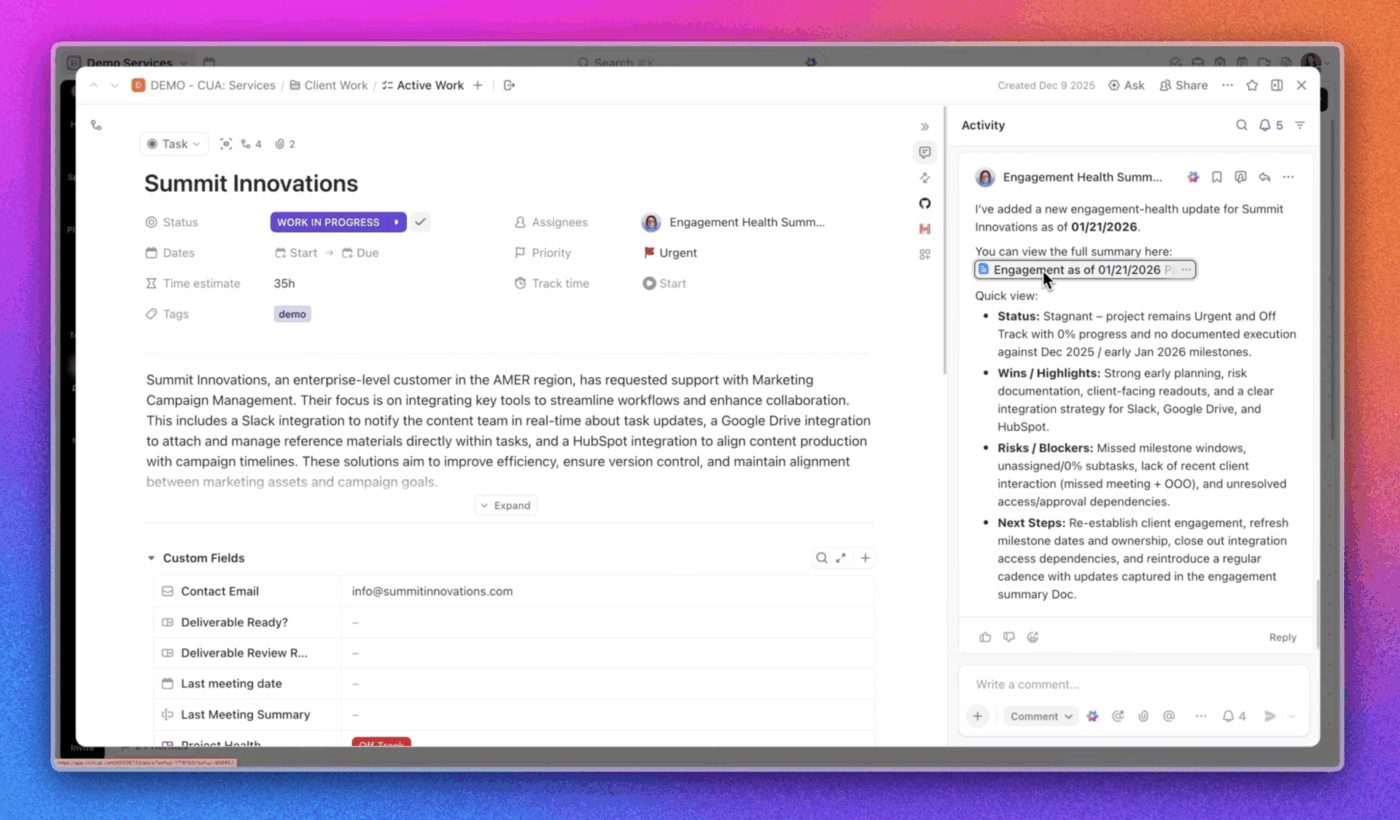
Within Accelerator, the Engagement Health Snapshot Agent synthesizes that data into a clear view of wins, risks, and areas needing attention. Instead of manually reviewing dozens of tasks, leaders can see where intervention is required. This doesn’t replace oversight. But it does shorten the time between signal and response.
Simply tag the Engagement Health Snapshot Agent, and it will give you quick updates on the account
Capacity planning based on live updates
Spreadsheet-driven allocation often creates more uncertainty than clarity. By the time updates are consolidated, the data is already outdated—leading to burnout for some team members and underutilization for others.
Inside ClickUp, workload and execution data are connected at the source.
Utilization views reflect actual project commitments across ClickUp Tasks, so leaders can evaluate capacity in the context of real deadlines, priorities, and dependencies. Instead of reconciling separate reports, they can see who is stretched, where slack exists, and how a new engagement would affect delivery before making staffing decisions.
Capacity planning stops being a retrospective exercise and becomes part of day-to-day execution.
Why the bundle matters
Individually, automations help. Dashboards help. AI drafting helps. But when they operate in separate systems, coordination costs return.
That’s the difference between experimenting with AI and structurally increasing capacity.
When execution, reporting, and staffing decisions all draw from the same environment, growth stops feeling heavier. The strategies above require the right technological foundation to become a reality.
🎥 Watch this video to understand proven capacity planning strategies that can transform how your professional services firm allocates resources and forecasts demand.
Summarize this article with AI
ClickUp Brain not only saves you precious time by instantly summarizing articles, it also leverages AI to connect your tasks, docs, people, and more, streamlining your workflow like never before.
Summarize this article for me please
Turn Operational Leverage Into Profitable Growth
Scaling your professional services firm without adding headcount requires breaking the traditional link between revenue and labor.
By embracing AI-powered execution and a unified workspace, you can create the operational leverage needed to multiply your team’s capacity and drive profitable revenue growth. That includes: automating repetitive work, centralizing your context, enabling client self-service, and deploying AI agents to handle routine workflows.
Firms that operate this way will take on more clients at higher margins than those still trapped in the endless hiring cycle. ClickUp brings all of this together in one converged platform, giving professional services teams the operational leverage they need.
Summarize this article with AI
ClickUp Brain not only saves you precious time by instantly summarizing articles, it also leverages AI to connect your tasks, docs, people, and more, streamlining your workflow like never before.
Summarize this article for me please
Frequently Asked Questions
What does it mean to scale professional services without adding headcount?
It means growing your revenue and delivery capacity by increasing operational efficiency—through automation, AI, and unified workflows—rather than hiring more people.
How can AI help professional services teams scale?
AI handles repetitive tasks like project setup, status reporting, and risk detection, freeing team members to focus on high-value client work.
What’s the difference between automation and AI agents?
Automation follows predefined rules (if X, then Y), while AI agents can make contextual decisions, generate content, and adapt to new situations.
How quickly can professional services teams implement these changes?
With a converged workspace like ClickUp, teams can go live in days—especially with guided implementation through programs like ClickUp Accelerator.
Everything you need to stay organized and get work done.