






Still downloading templates?
There’s an easier way. Try a free AI Agent in ClickUp that actually does the work for you—set up in minutes, save hours every week.
Sorry, there were no results found for “”
Sorry, there were no results found for “”
Sorry, there were no results found for “”
Internal product demos shouldn’t leave teams guessing.
Yet across sales, product, and support, the same questions keep resurfacing. Features get re-explained, edge cases get revisited, and teams end up sitting through the same demo more than once.
The problem isn’t the demo itself. It’s that the knowledge stays siloed.
In this guide, we’ll show how ClickUp SyncUp can replace Google Meet for internal demos and keep product context accessible long after the call ends.
Internal product demos foster shared vision. They ensure that everyone—from product and development teams to stakeholders and sales—understands the product’s features.
So if your employees have half-baked knowledge of the product, even after hosting regular product demo meetings, the underlying problems could be. 👇
When teams are spread across different time zones, scheduling a meeting that’s convenient to everyone’s schedule and work hours is a challenge. Someone from your team will be clocking in extra hours after work to attend a demo.
If the demo is something you can record and let the team watch at their own pace, why force them into a single call?
Async demos save time and protect workplace productivity.
👀 Did You Know? An average 9-5 employee is interrupted every 2 minutes by meetings, emails, or pings. Factor in activity outside core work hours, and the total is 275 interruptions a day.
Companies that expect synchronous communication are losing billions of dollars every year because their employees have no room for deep, focused work.
📚 Read More: How to Measure Productivity in the Workplace
Understanding a product deeply is critical for team success. However, if your employee is hopping on a demo call after wrapping four back-to-back meetings, they definitely won’t have the capacity to understand your new product feature thoroughly.
The result?
👀 Did You Know? Employees spend 392 hours per year in meetings. When broken down, this amounts to over 16 full days spent in meetings annually. Such a significant investment of time underscores the need to ensure meetings are both necessary and efficient.
Feedback from a Google Meet session rarely lives in one place.
One person drops thoughts in Slack. Someone else adds comments to a Google doc two days later. A PM writes partial notes.
A sales enablement lead recalls a verbal suggestion but can’t trace its source. By the time the team tries to act, the feedback is fragmented and incomplete.
Because Google Meet isn’t connected to your work system, there’s no single source of truth for:
Here’s the problem with this: Teams either over-index on loud opinions from the call or under-index on quieter but critical feedback that never made it into the notes.
📚 Read More: How to Write Effective SMART Goals (With Examples)
Say a sales rep raises a concern during the demo, and the product lead promises to get back within 48 hours with a resolution.
How do you ensure that the lead actually resolves the query within that time frame?
The problem with isolated demo meetings is that discussions vanish after the call. There’s no way to convert those discussions into actionable tasks and make people accountable.
Your team keeps going with their days and won’t remember a query until their work gets interrupted by the same unresolved issue.
If you’re struggling with organizing meeting notes, this video is for you 👇
📮 ClickUp Insight: Our meeting effectiveness survey data shows that 25% of meetings involve 8 or more participants on average. We also found that an average meeting lasts approximately 51 minutes. These large meetings can result in at least 6 to 8 hours of collective meeting time spent per week at an organizational level.
What if you could cut it down? ClickUp transforms how teams communicate! Instead of lengthy meetings, collaborate directly within tasks using comments, attachments, voice notes, video clips, and more—in one place.
💫 Real Results: STANLEY Security’s global teams already saved 8+ hours weekly on meetings and updates with our everything app for work!
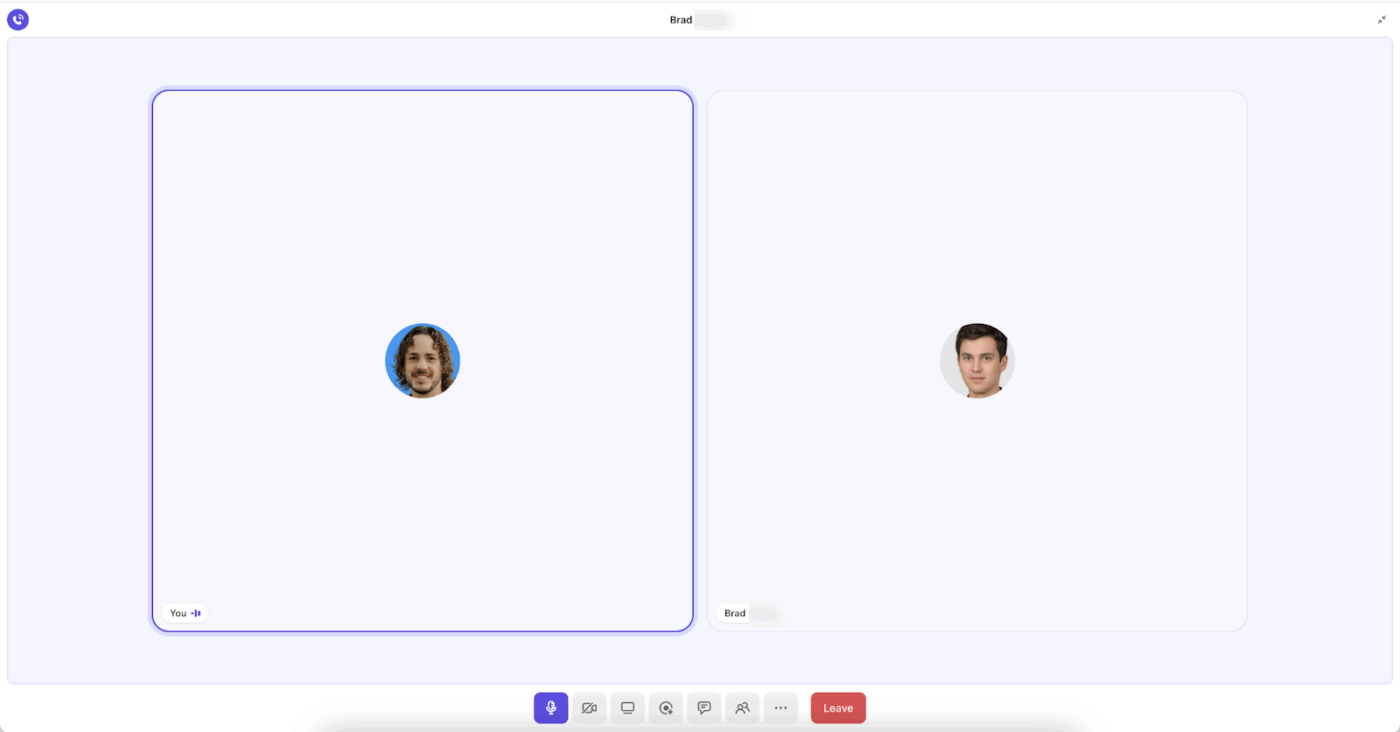
ClickUp SyncUp is an AI-powered meeting and collaboration tool that lets you start one-on-one or group audio and video calls within your ClickUp workspace.
It’s a part of ClickUp Chat and can be initiated from DMs, Channels, or views. Use it to give live product demos, connect discussions to tasks, and get AI-generated summaries for a quick overview.
SyncUp is available on all ClickUp Plans, including a free tier.
Here’s how you can use SyncUp to centralize your product demos and make them actionable 👇
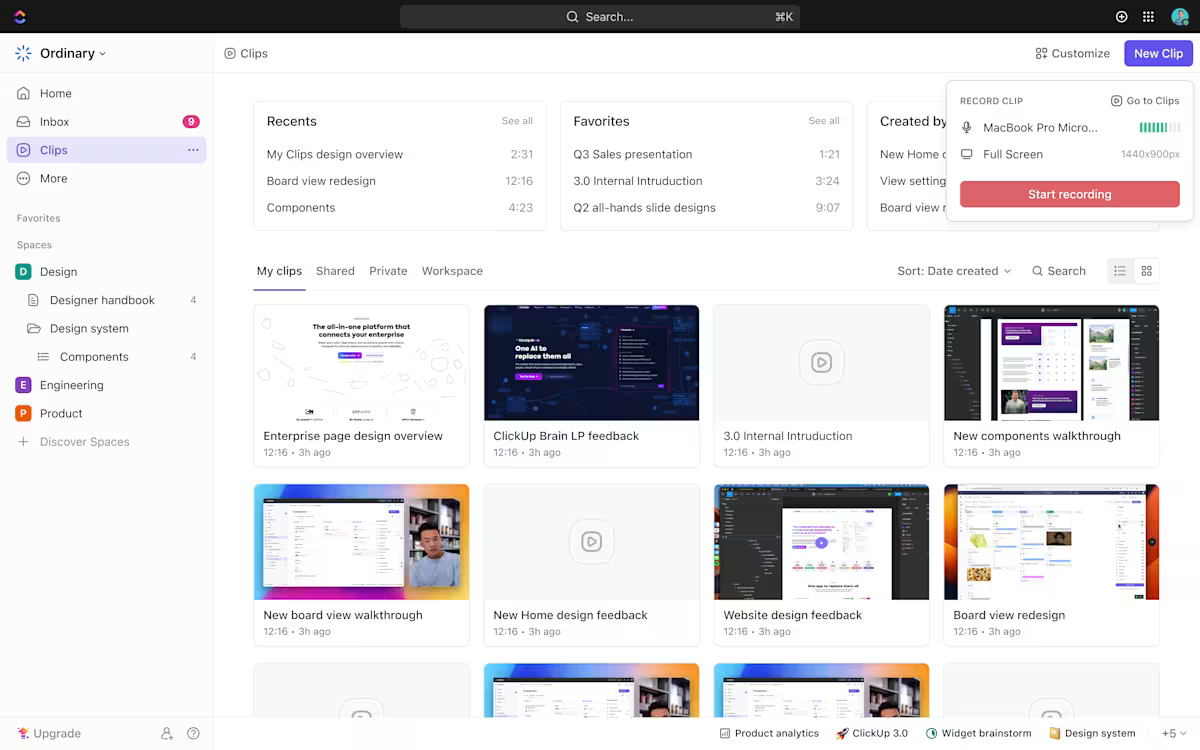
Use ClickUp Clips to record audio/ visual walkthroughs of your product.
Share the screen and explain how a feature works step-by-step. Consider this as a setup similar to Loom. All recorded Clips can be accessed from the Clips Hub, and you can also share the recording link in specific product Channels or conversations for everyone to review.
Clips come with speed control and playback features. This way, you can rewind and understand the complex product walkthrough at your own pace. Leave a timestamped comment to direct a specific conversation.
Simply click a video where you want to leave a question, then assign it to a person who can answer it for you.
🚀 ClickUp Advantage: Connect your Google Calendar account to display events in your Calendar with the Google Calendar Integration.
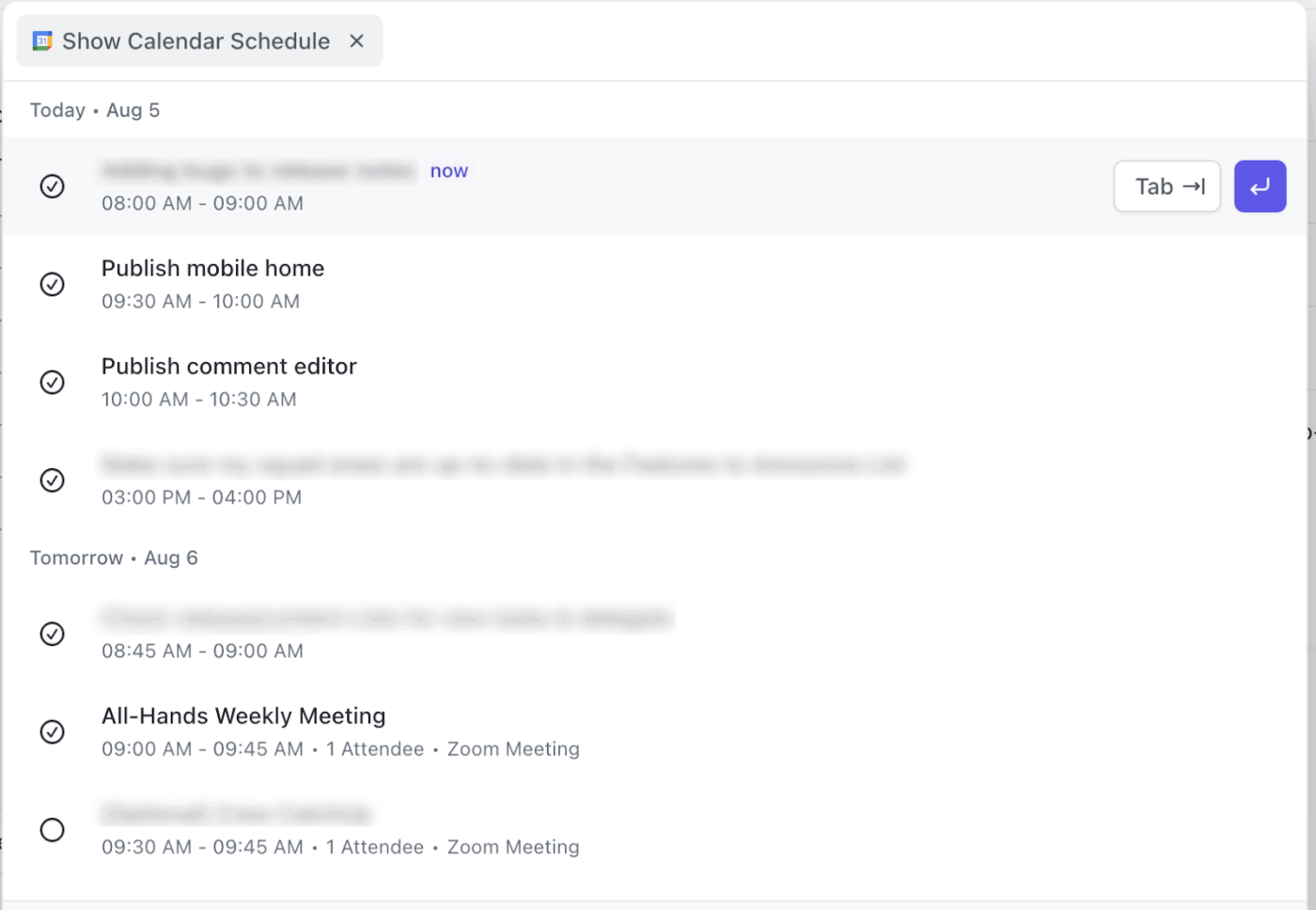
Here’s how to use this integration effectively:
Launch a SyncUp to address all the product-related concerns in one go. To make the Q&A meeting productive and interactive, ask your team members to share their concerns in the chat channel beforehand.
Make sure to send the meeting agenda to all the attendees—this helps everyone get context.
Even if someone is unable to attend the meeting, they’ll still get their concerns addressed.
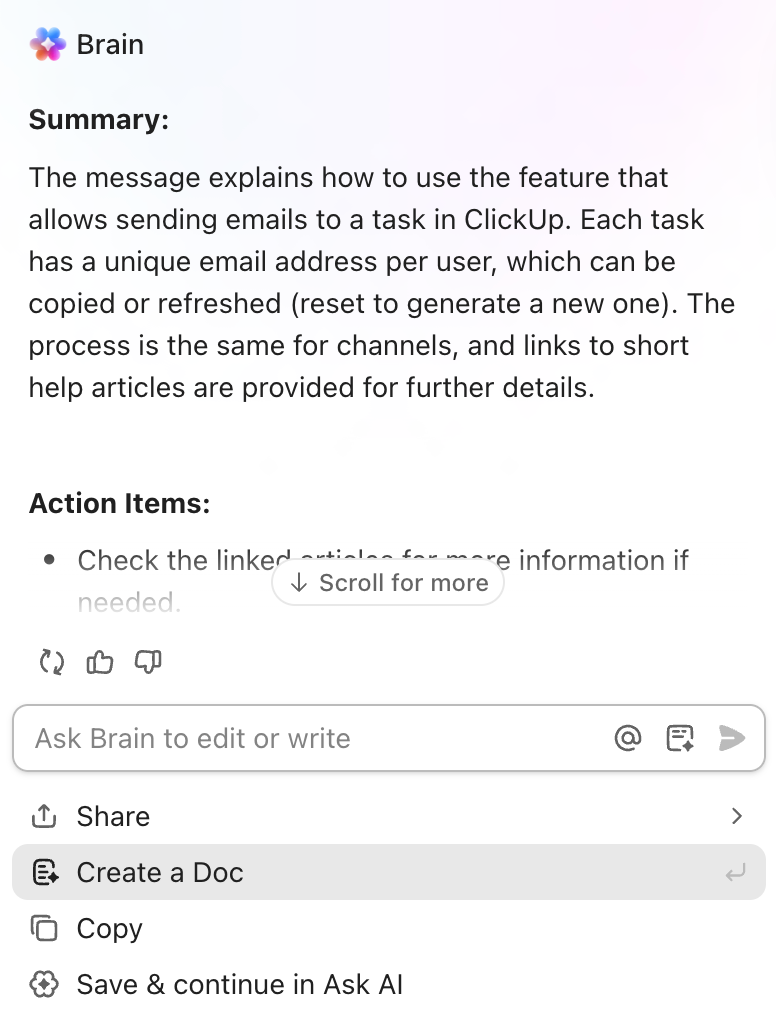
You can generate a comprehensive AI summary after the meeting ends.
Put this summary in a ClickUp Doc and share it with anyone, so they can see the action items without re-watching the SyncUp.
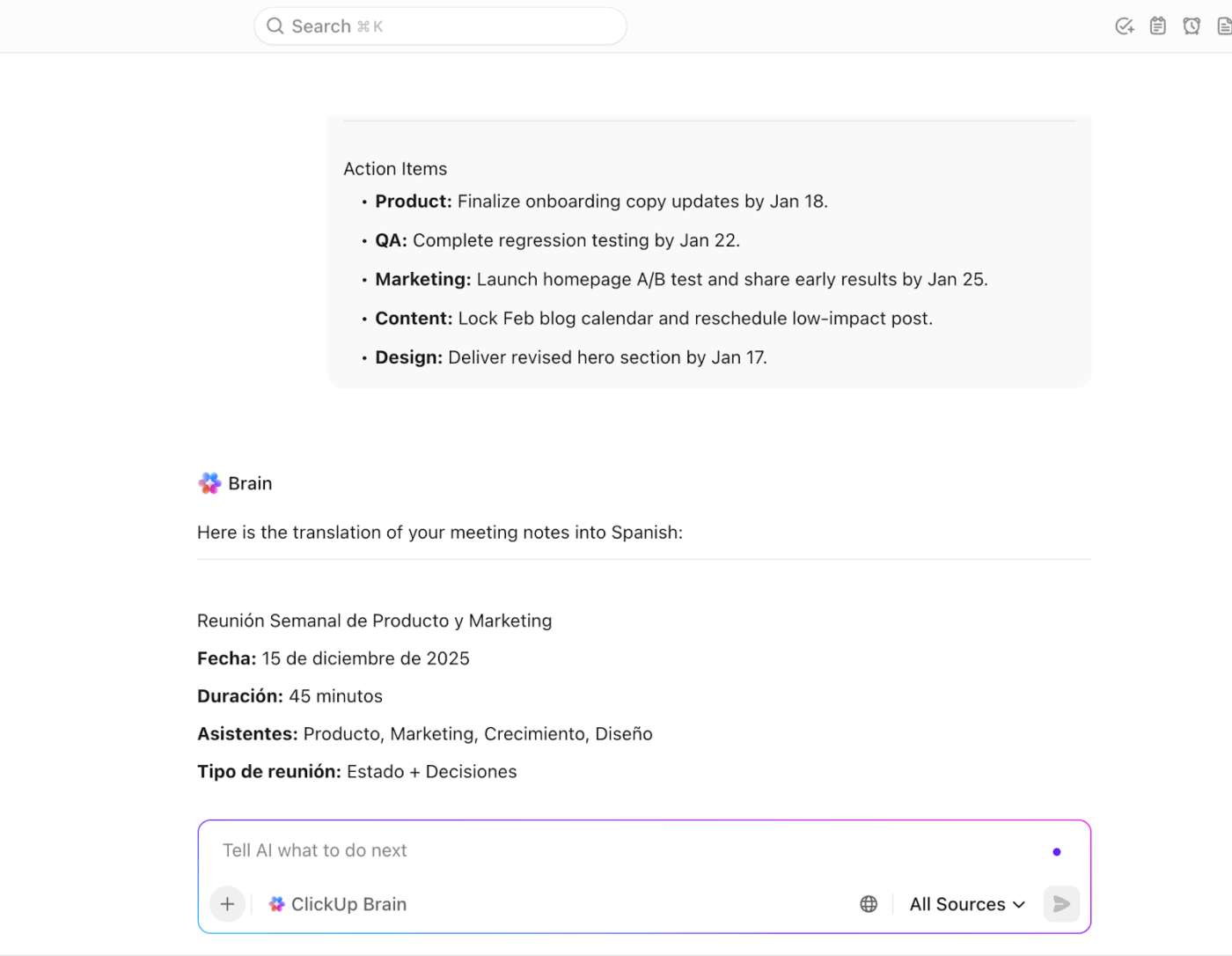
If you have a multilingual team, they can use ClickUp AI inside their Workspace or the ClickUp Brain app to translate those meeting notes into the local language.
⚡ Template Archive: Free and Customizable Meeting Note Templates to Take Better Meeting Notes
ClickUp Chat unifies all your team communication via threads, channels, and DMs.
Note: SyncUp is a part of ClickUp Chat and can only be used when you activate Chat.
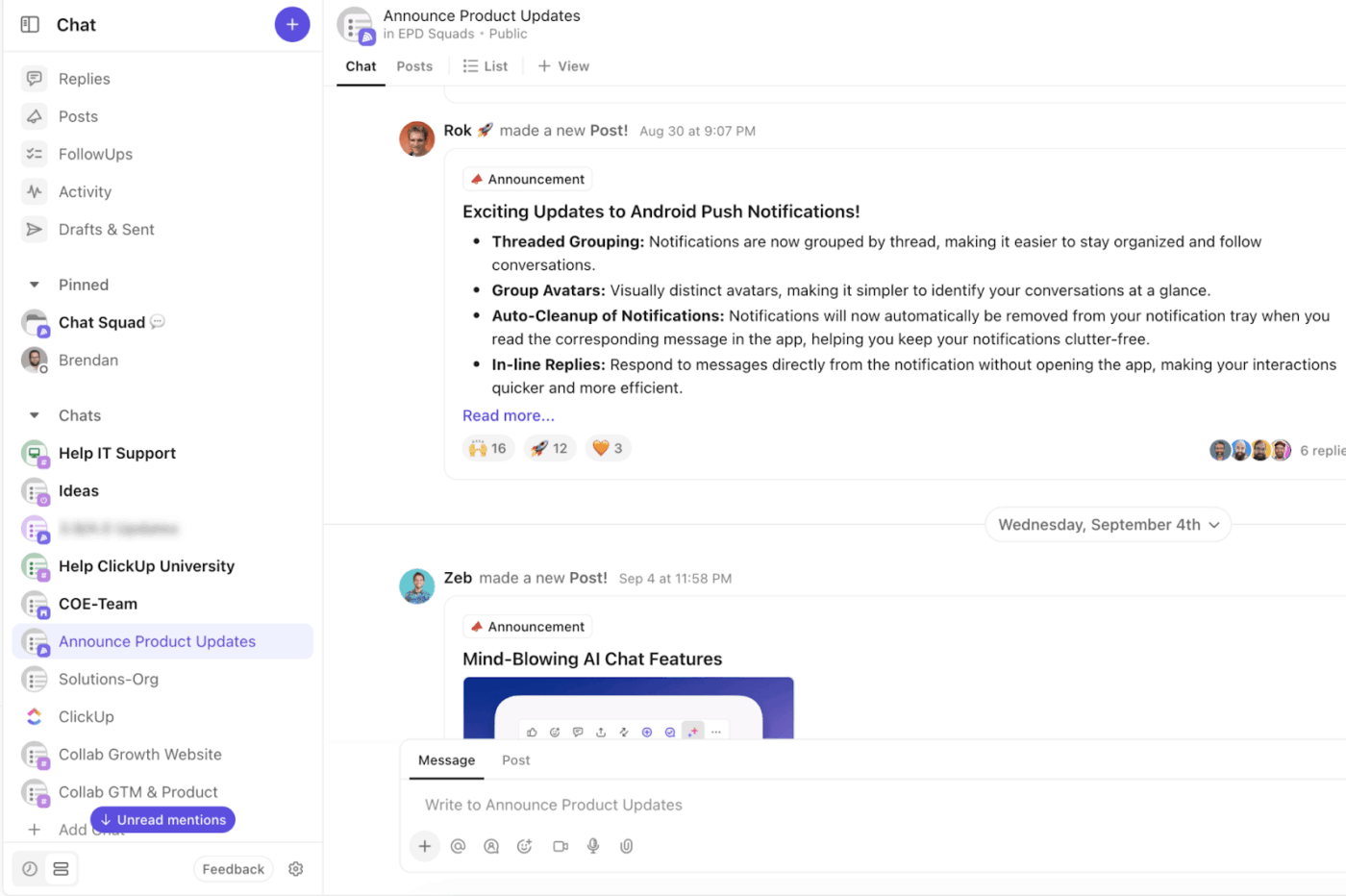
For cross-departmental projects, create a dedicated channel in ClickUp Chat as a central hub. If the project already has a List or Folder associated with it, use that List or Folder’s Chat channel! Share all project-related discussions, tasks, files, and SyncUp calls in this channel.
Since everything is centralized, it reduces context switching.
Can the recorded product demo be turned into a searchable knowledge base?
Totally. Create a ClickUp Doc that organizes these recordings from ClickUp Clips like a structured course.
Add links to specific demos in sequence—feature overview first, then advanced functionality, then edge cases. Anyone can follow the path step by step instead of guessing which video to watch next.
When trainees watch the videos, they can leave timestamped comments with their questions. But they can also refer to previous comments made by other people and view the responses.
If the point of confusion is common, chances are someone already clarified it. They don’t need to wait for a response or interrupt someone’s work to get answers.
📚 Read More: How to Use AI for Meeting Notes
Demos in ClickUp SyncUp don’t exist in isolation. You can share recording links in ClickUp Tasks, Docs, channels, and direct messages. Recordings are also available to meeting attendees in Clips Hub.
You can also connect tasks directly to SyncUps from the channel or DM where the SyncUp was started. Just hover over the SyncUp message, click the ellipsis … icon, and select Add relationship.
📌 Example: You’re walking the team through a new payment integration. Connect the main development task to the SyncUp so others can easily access the relevant files, comments, and context.
Every discussion, question, and follow-up stays tied to the task where the work actually happens. Teams don’t waste time searching across folders, conversations, or tools to reconstruct context later. The demo, the feedback, and the execution all live in one place.
⭐ Bonus: With ClickUp Enterprise Search, you can retrieve information within seconds using natural language prompts.
For instance, if you’ve been OOO for a week, you can just ask the AI assistant to get you caught up on action items and essential discussions from last week.
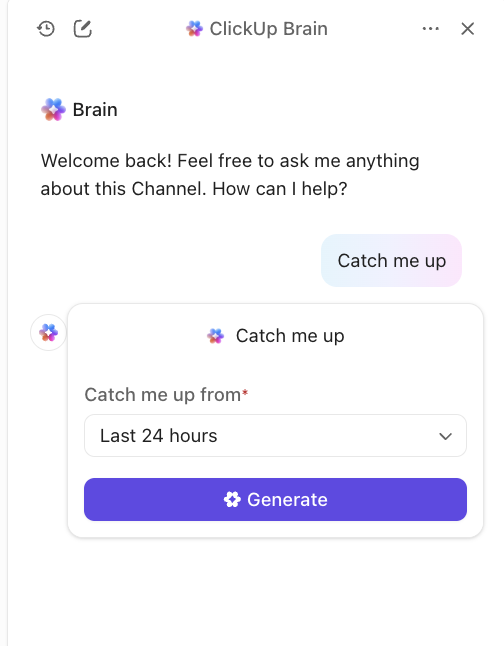
For all recorded SyncUps, you can create an AI-powered summary of the call that outlines key action items and tasks.
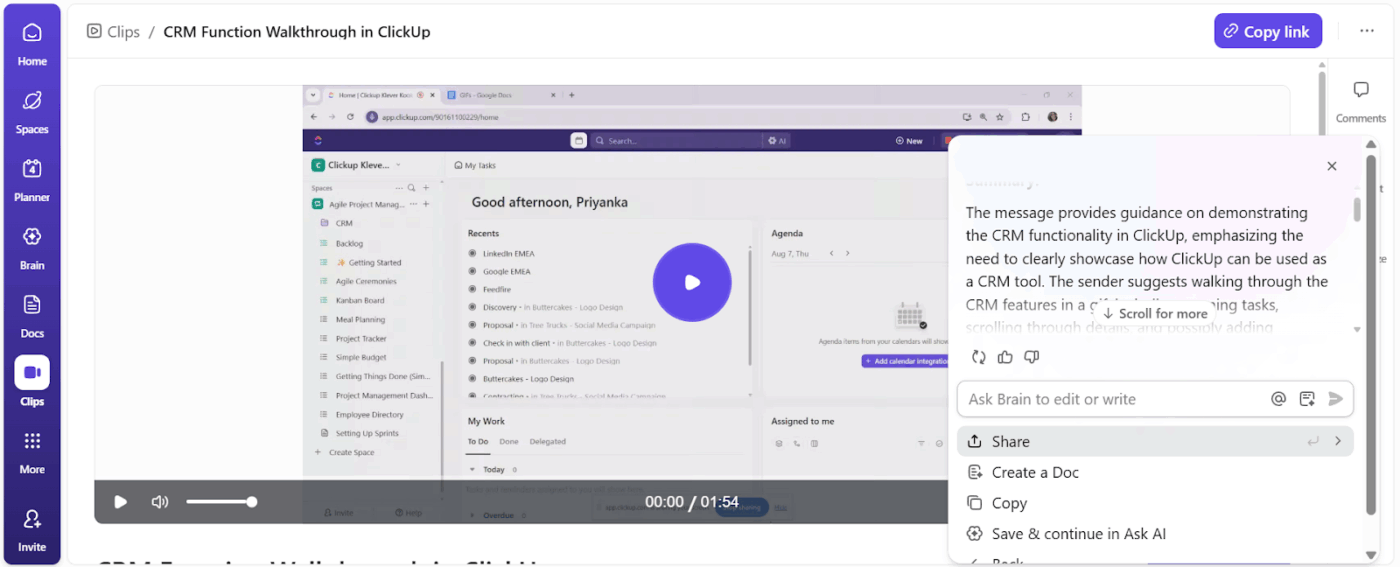
⚡ Template Archive: Free Goal Setting Templates to Plan, Track & Achieve Your Goals
Here’s how you can incorporate ClickUp SyncUp for your product demos:
Review your Google Calendar events and categorize your existing product demos into 2 categories:
Demos that can benefit from sync:
Examples: OKR meetings, strategic planning sessions, and brainstorming discussions
Demos that can be async:
Examples: Feature walkthroughs where most people listen, and internal progress updates
Next, cut back on meeting cadences that don’t require real-time interaction.
Also, set clear communication goals. Teams should have a clear understanding of when to use SyncUp, Clips, or Chats to respond in an async environment.
👀 Did You Know? NASA used voice loops during Apollo missions. These were continuous, real-time multi-channel audio where different teams listened to overlapping conversations. It was one of the earliest forms of synchronous coordination across disciplines.
Start a SyncUp straight from:
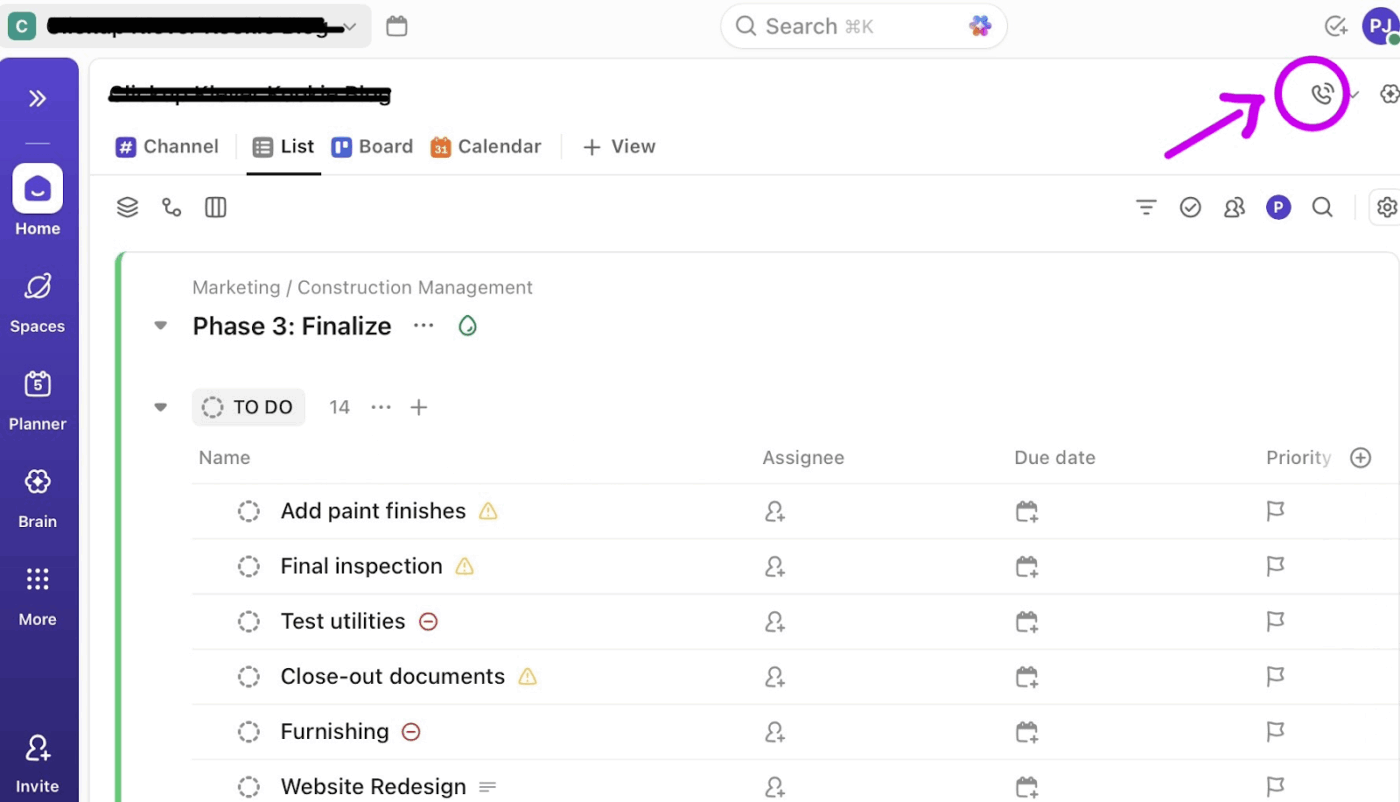
💡 Pro Tip: For demos that everyone in the team needs to watch, create a #Product Channel in your ClickUp Chat. Host all the company-wide product demo meetings from here. All product-related information is accessible in one place.
After explaining products through visual walkthroughs and interactive sessions, you will also need documentation of that product.
With ClickUp BrainGPT, a unified AI workspace, you can process and convert your demo recording summaries into written guides complete with steps, key takeaways, and action items. Here’s what it can do:
👀 Did You Know? Picturephone II by AT&T was the first-ever video conferencing system to launch commercially. People had to visit one of the Picturephone stations in the U.S.—New York, Washington, D.C., and Chicago—and pay at least $16 to make a three-minute call back then. The service didn’t flourish, but it marked the beginning of (now) easily accessible virtual communication tech.
The recorded SyncUps and Clips remain in the Clips Hub permanently. To close the feedback loop efficiently, ask teams to acknowledge the new demo videos and offer their feedback within a set timeframe.
Concerns are resolved faster, and product understanding embeds more deeply across departments when there’s a clear window for responses.
📌 Example: You’re walking the team through a new payment integration. Connect the main development task to the SyncUp so others can easily access the relevant files, comments, and context.
🚀 ClickUp Advantage: Super Agents are AI-powered teammates inside ClickUp that work continuously across your Workspace. They understand tasks, Docs, Chats, and connected tools, and can run multi-step workflows without manual prompts or follow-ups.
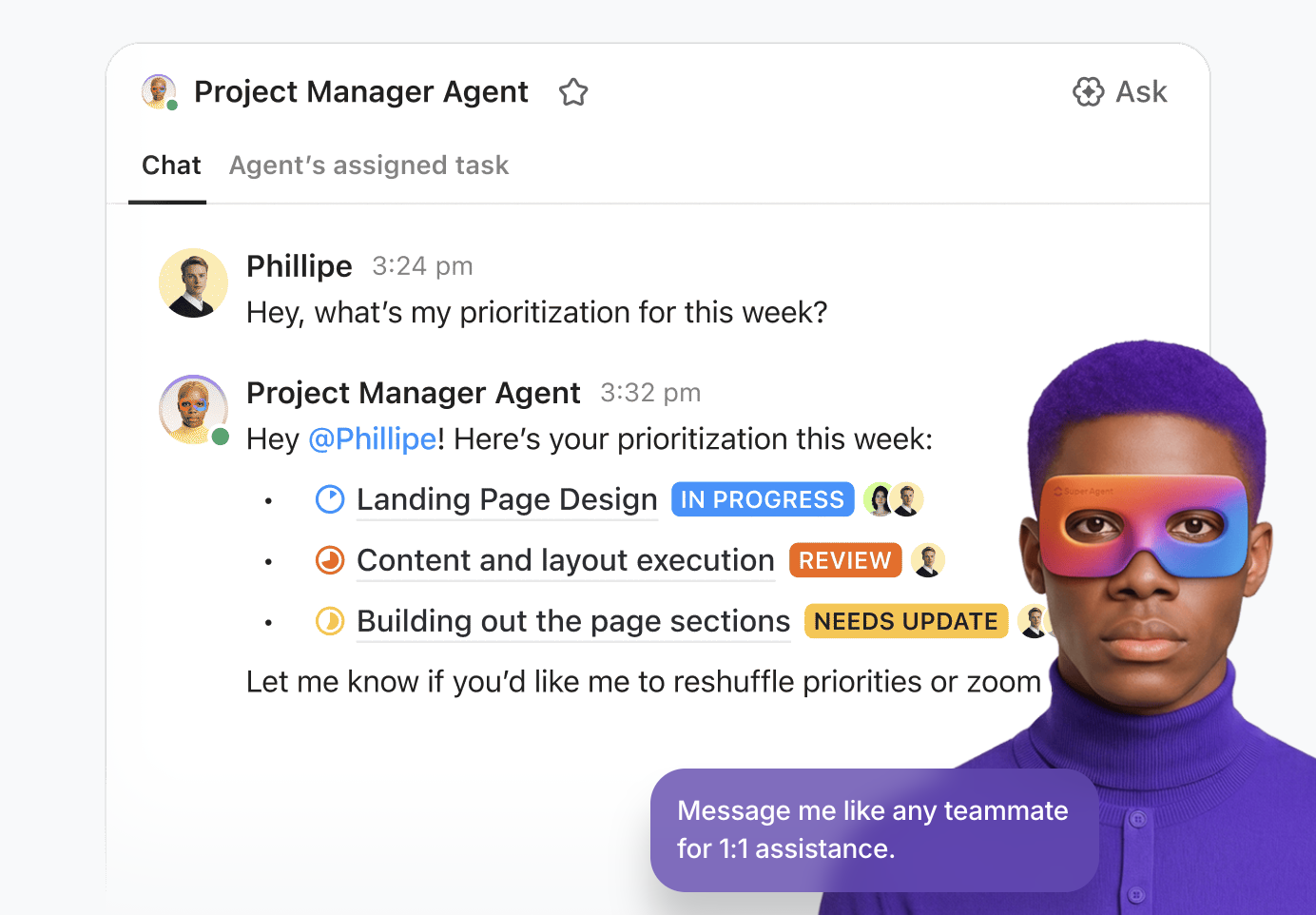
Super Agents excel at workflows like:
Google Meet is a feature-rich audio-video communication tool; however, it is still a standalone tool that doesn’t move alongside your work.
Post a demo meeting, your recordings stay in Drive, and feedback is scattered across emails or Slack threads. There’s no system to turn meeting discussions into actual tasks.
SyncUp eliminates the silos by operating within your workspace. The benefits of using SyncUp over Google Meet are 👇
📚 Read More: How to Write Measurable Goals and Objectives
Product demos aren’t one-size-fits-all. Different teams need different information, at different depths, for different purposes. Some examples of using SyncUps to tailor product demos are:
✅ Try this:
✅ Try this:
✅ Try this:
✅ Try this:
✅ Try this:
That said, the goal was never to eliminate synchronous meetings but to find opportunities where asynchronous demos serve teams better.
If you are transitioning from Google Meet demos to async, here are the common mistakes to avoid:
| Mistake ❌ | Solution ✅ |
| Treating async demos like recorded meetings | Break demos into short, purpose-driven clips with one clear takeaway each |
| Not setting expectations for feedback | Set a clear response window and ask for specific feedback, not open-ended comments |
| Replacing meetings that still need real-time discussion | Keep OKRs, strategy, and kickoff sessions live; move informational demos async |
| Treating async demos as optional viewing | Tie demos to tasks, decisions, or deliverables so that watching has a clear purpose |
| Forgetting cross-functional context | Start every demo with what changed, who it impacts, and why it matters |
| Assuming async means no facilitation | Use summaries and follow-ups in ClickUp to close the loop |
👀Did You Know? Nearly 47% of employees are annoyed because presenters are unprepared to lead a meeting strategically. And more than 55% of employees are frustrated by meetings that could have been handled by email.
Creating a collaborative async culture requires team members to communicate mindfully.
If an idea or demo can be conveyed adequately without pulling people away from deep work, choose that route.
Make live sessions optional and offer adequate resources. People who watch recordings later don’t feel like they missed critical context or discussions.
Enter: ClickUp SyncUps—a hybrid communication tool. It adapts to how teams work.
With contextual AI, discussions turn into action items and tasks.
Sign up for ClickUp and centralize your internal demos with SyncUp.
ClickUp SyncUp is an AI-powered meeting and collaboration tool that lets you start one-on-one or group audio and video calls within your ClickUp workspace. It’s part of ClickUp Chat and can be initiated from DMs, Channels, or views.
SyncUp is a collaborative AI meeting tool built inside ClickUp that connects with your entire workspace ecosystem. The converged AI workspace unifies tools and workflows, reducing work sprawl. Google Meet is a standalone video conferencing tool that connects only to your Google ecosystem, with recordings stored in Drive.
Yes. You can record audio or video product demos with ClickUp Clips or host a live SyncUp and walk team members through the product. SyncUps can be recorded with screen sharing and live commentary. People who view the recording can create an AI summary of the meeting or leave a timestamped comment.
Teams can leave timestamped comments directly on recorded SyncUps or raise questions in the chat or channel where the SyncUp was hosted. Feedback stays threaded to the recording for easy reference and follow-up.
Yes. SyncUp is available to try on all ClickUp plans, including the free tier.

© 2026 ClickUp

There’s an easier way. Try a free AI Agent in ClickUp that actually does the work for you—set up in minutes, save hours every week.