


Online teaching tools have become an essential way for teachers and students to bridge gaps in the classroom. These tools help reduce teacher workload, keep students engaged, and create interactive lessons that effectively deliver key learning points.
If you’re a teacher looking for the best online tools to enhance your classroom experience, we have 10 great options that you’ll want to check out!
10 Best Online Teaching Tools for E-Learning in 2024

 Summarize this article for me please
What is an Online Teaching Tool?
Online teaching tools are apps or websites that empower educators, facilitate student communication, or help achieve learning objectives. Teachers and students can now access a huge variety of online teaching tools that enhance the teaching and learning experience.
As such, these tools play an increasingly important role in modern education.
For instance, if you find it challenging to create presentations that engage your remote class sessions, you might benefit from using a digital whiteboard.
Or, if your students struggle to focus on specific topics, you might incorporate fun activities, such as games or interactive activities, to increase their engagement levels.
Summarize this article for me pleaseWhat Should You Look For in Online Tools for Teaching?
Any online tools you use should serve a purpose and solve a problem. Beyond that, your online teaching tools and resources should be:
- Easy to use: Whether you’re the teacher or the student, the online tool should be easy to use so it feels like a natural classroom extension. If an online tool is distracting or takes an inordinate amount of time to set up and use, it’s probably not worth your time and energy
- Quick to learn: Tools should be easy for students or teachers to use within a few minutes. Time is precious in the classroom, and you don’t want to spend most of it reading the manual
- Secure: The tool you choose should offer comprehensive security measures to ensure data regulation compliance and student privacy
- Customizable: The best tools will have a high degree of customization so they can adapt to your real-world or online learning environment and teaching style
- Affordable: It’s unlikely that your classroom budget will have much room for subscriptions to many different online teaching tools. Look for affordable licensing deals or free online tools
Your favorite online teaching tools will likely be the ones with an active online community. These communities can give you tips on maximizing the tool’s potential and troubleshooting issues. They’re a great resource when exploring online classroom tools and how to use them.
Summarize this article for me pleaseThe 10 Best Remote Teaching Tools to Use
1. ClickUp
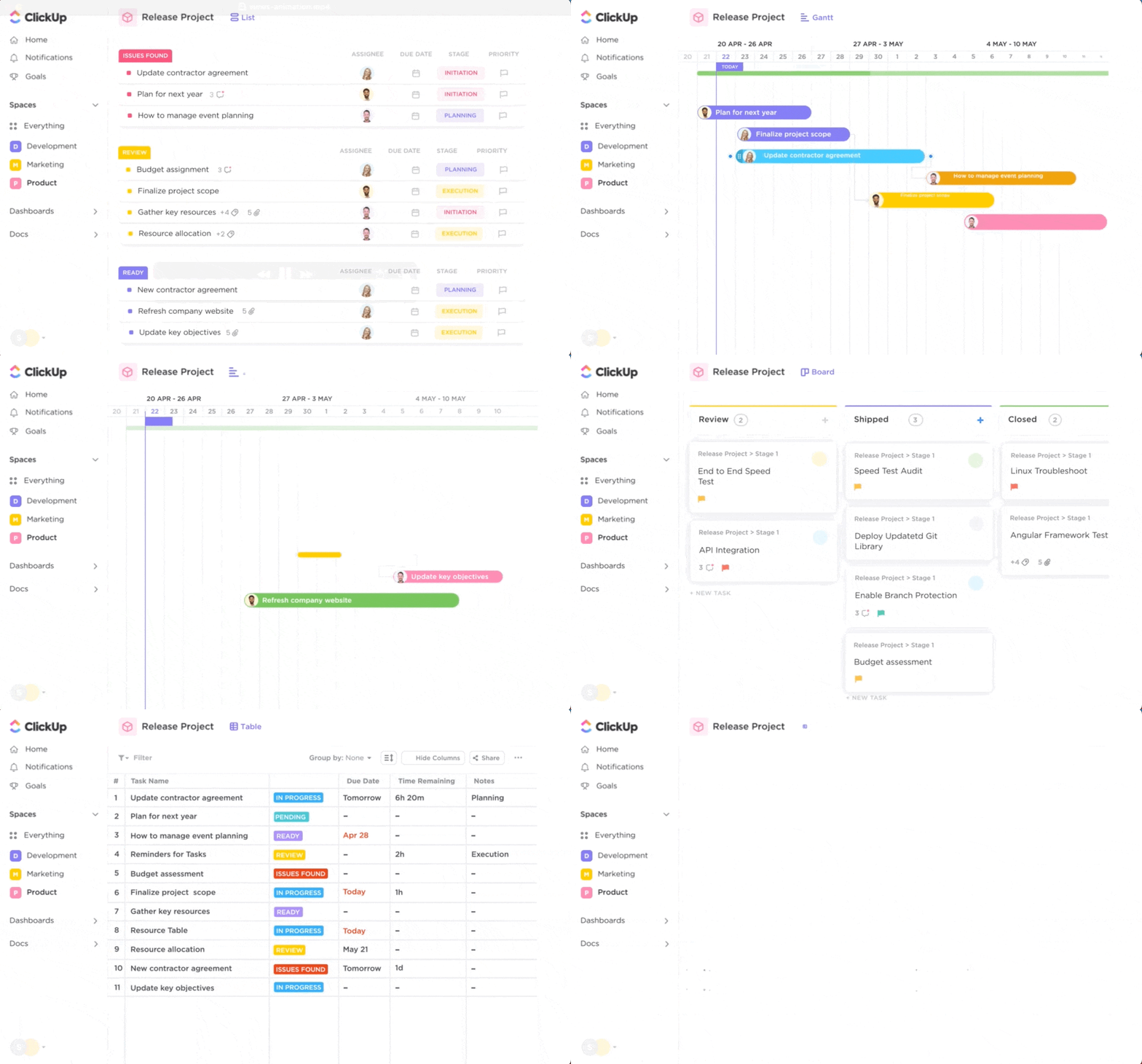
ClickUp is a powerful project management platform, online teaching assistant, and virtual teaching binder. There’s a wealth of tools to help you manage documents, create presentations, map out lesson plans, and manage student communication.
Start with ClickUp Clip, a free screen recorder tool with no watermark. This feature allows you to capture video of your screen and share it with your students, making it easy to share grade updates, show students how to navigate a website, or assist with an online assignment. It’s much easier than screen sharing, and you can share the videos with anyone who needs them, saving you time.
Then, put ClickUp Docs to work. More than a word processor, ClickUp Docs allows you to create documents with nesting pages and link them together in a way that works for you. Using the Docs tool, you can create classroom wikis, build out permission slips, and create lesson plans with all your learning materials.
ClickUp is completely customizable, allowing you to build any resource you need for your classroom. The online tool includes many free templates for Video Production, classroom management, to-do lists, and so much more.
Want to make it even better? Opt for a paid plan, and you’ll gain access to ClickUp AI, which helps you draft emails, expand on lesson plan ideas, and even summarize meeting notes with a click of the mouse. It’s a great way to supercharge your productivity and leave you more time to do the parts of your job you love.
ClickUp best features
- There are tons of free tools within the easy-to-use platform to help teachers manage their classrooms, including daily planner templates, nested documents, and screen recorders
- The platform integrates with all your favorite apps and programs, such as Google Slides and Slack, making creating, using, and sharing your resources easier
- Highly responsive ClickUp support is available, with typical response times of one day for any issues or questions you have
ClickUp limitations
- ClickUp AI is a great tool, but it’s not available in the free version of the platform
ClickUp pricing
- Free Forever
- Unlimited: $7/month per user
- Business: $12/month per user
- Enterprise: contact for pricing
- ClickUp AI is available for purchase on all paid plans at the price of $5 per Workspace member and internal guest per month
ClickUp ratings and reviews
- G2: 4.7/5 (8,900+ reviews)
- Capterra: 4.7/5 (3,800+ reviews)
2. Google Classroom

Google Classroom is an online classroom platform from Google, the same team that made your go-to search engine. It’s a popular platform with various features for educators, students, and anyone in the digital classroom environment.
Google Classroom best features
- Comprehensive course management tools allow teachers to organize online classes, create lessons, distribute assignments, and accept student homework submissions
- Classroom communication tools make it simple to send out announcements or privately message individual students
- Integrates with other Google products, such as Gmail, Google Docs, Google Drive, and other Google apps
Google Classroom limitations
- Not all features are available on mobile devices, and integrations may not always be possible outside the Google ecosystem
Google Classroom pricing
- Free version available
- Contact for pricing
Google Classroom ratings and reviews
- G2: 4.5/5 (1,400+ reviews)
- Capterra: 4.6/5 (2,300+ reviews)
3. Kahoot
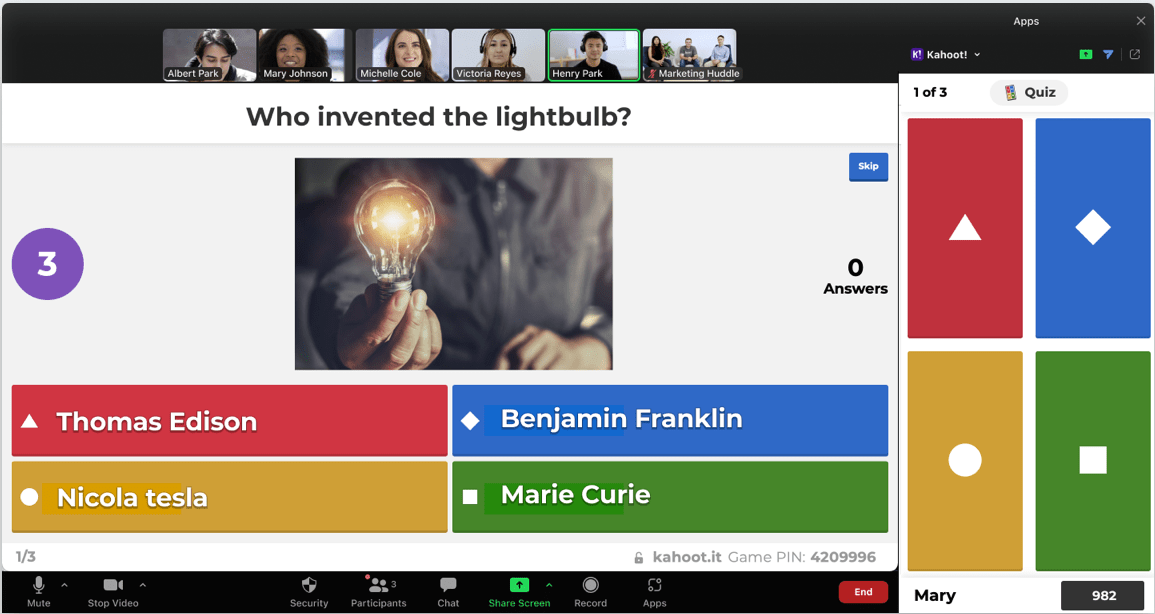
Kahoot is an online platform that lets you gamify your classroom content. Originating from Norway, it offers a range of educational games and interactive quiz activities and has quickly become a popular classroom tool worldwide.
Kahoot best features
- User-friendly interface allows you to quickly design quizzes or create interactive presentations with your lesson plans
- Live games and quizzes help supercharge classroom engagement and get students excited about the topic at hand
- Detailed reporting and analytics allow you to track student performance, and the data can feed back into your favorite grading tools
Kahoot limitations
- Students will need their own devices to participate in live events, which may not suit schools that don’t provide tablets
Kahoot pricing
- Kahoot!+ Start for teachers: $3.99 per teacher per month
- Kahoot!+ Premier for teachers: $7.99 per teacher per month
- Kahoot!+ Max for teachers: $9.87 per teacher per month
Kahoot ratings and reviews
- G2: 4.6/5 (380+ reviews)
- Capterra: 4.7/5 (2,700+ reviews)
4. Zoom
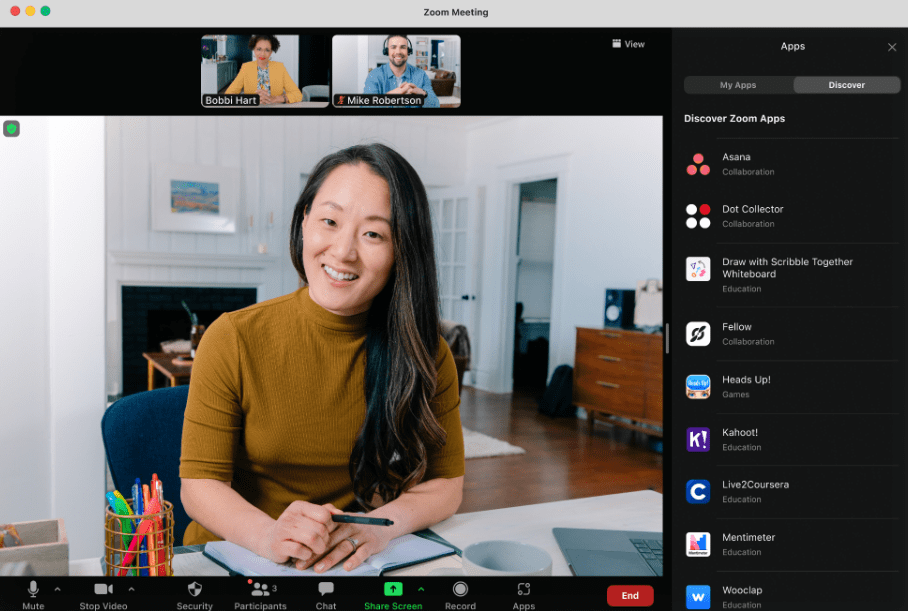
Zoom rocketed into the modern tech stack, and it’s stayed there thanks to its world-class video conferencing features. Teachers can use Zoom to host an online class, set up a virtual classroom, or attend a one-on-one meeting with parents without waiting for back-to-school night.
Zoom best features
- The polling feature allows teachers to collect feedback on topics, test classroom knowledge, and create pop quizzes for virtual classrooms
- Icons enable students to communicate with the teacher without feeling self-conscious on-screen, such as by raising their hand, asking the teacher to slow down, or indicating that they understand the material
- Breakout rooms allow you to split video conferencing participants into smaller groups during group projects while allowing you to visit individuals and groups to see how their projects are progressing
Zoom limitations
- Great for communicating with students, but you’ll need additional tools for managing classroom admin
Zoom pricing
- Basic: free
- Meetings: $1,800/account (up to 300 participants)
- Webinar: $3,400/year per user (up to 1,000 webinar attendees)
- Phone: $180/year per user
- Rooms: $499/year per user
Zoom ratings and reviews
- G2: 4.5/5 (53,600+ reviews)
- Capterra: 4.6/5 (13,600+ reviews)
5. Visme
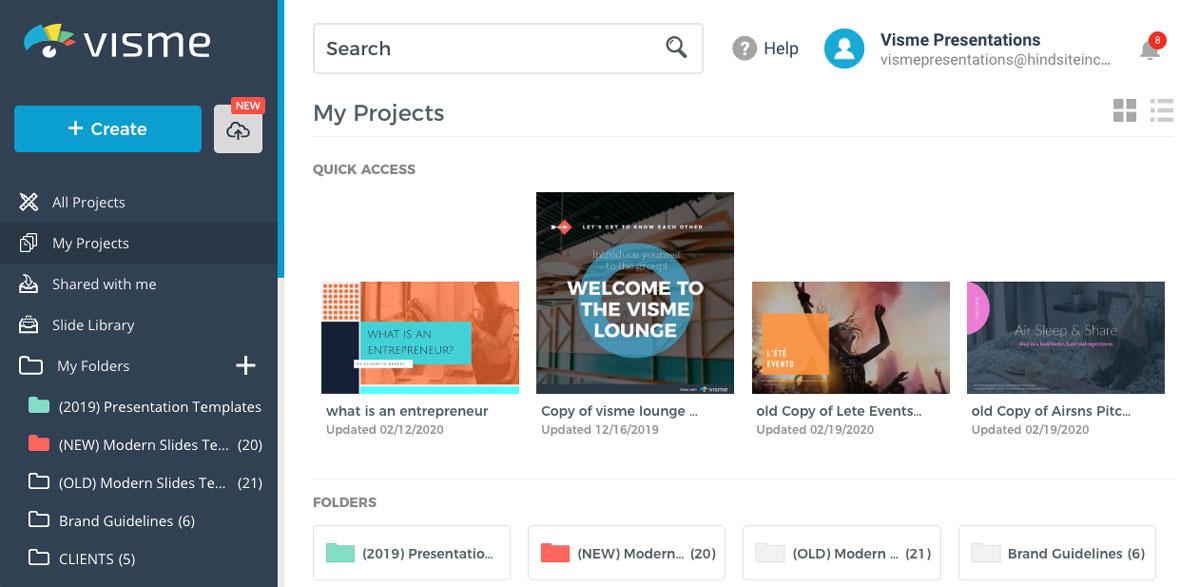
Visme helps educators make their content more visually engaging with presentations, infographics, and school newsletters. It’s also an excellent way for students to make that boring science report a stunning educational masterpiece.
Visme best features
- Tons of templates help you create visually appealing materials in minutes through an easy-to-use drag-and-drop interface
- Collaboration tools let groups of educators or students work on the same project simultaneously
- Analytics show you who’s viewed your material and how they’re using it, which is great for tracking who’s actually reading the latest classroom bulletin
Visme limitations
- Printed materials are often poorer quality than what you see on-screen, so it may be best for online materials only
Visme pricing
- Basic: free
- Starter: $12.25/month billed yearly
- Pro: $24.75/month billed yearly
- Visme for Teams: contact for pricing information
Visme ratings and reviews
- G2: 4.5/5 (350+ reviews)
- Capterra: 4.5/5 (640+ reviews)
6. Actively Learn
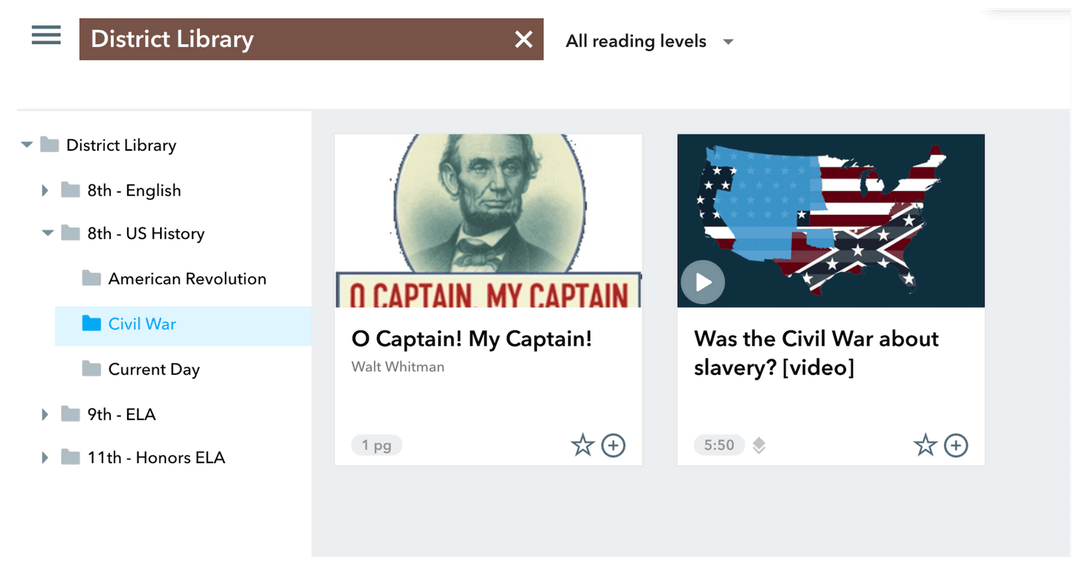
Actively Learn is like a high-performance e-reader. This online learning tool encourages active reading by making text more interactive. Students can leave notes in the margins, teachers can input questions or polls, and readers can click on highlighted words to learn more about a topic.
Actively Learn best features:
- Offers a range of digital texts, including textbooks, novels, and news articles, that you can incorporate into your lesson plans
- Allows you to embed notes, quizzes, videos, and links to external resources to make the reading process more interactive and varied
- Integrates with popular learning management systems to streamline the assignment and grading process
Actively Learn limitations:
- Some of the platform’s best features are behind a paywall, so if you want to get the most out of Actively Learn, you’ll need to pay for it
Actively Learn pricing
- Free
- Premium: contact for pricing information
Actively Learn ratings and reviews
- Capterra: 4.87/5 (20+ reviews)
7. Loom
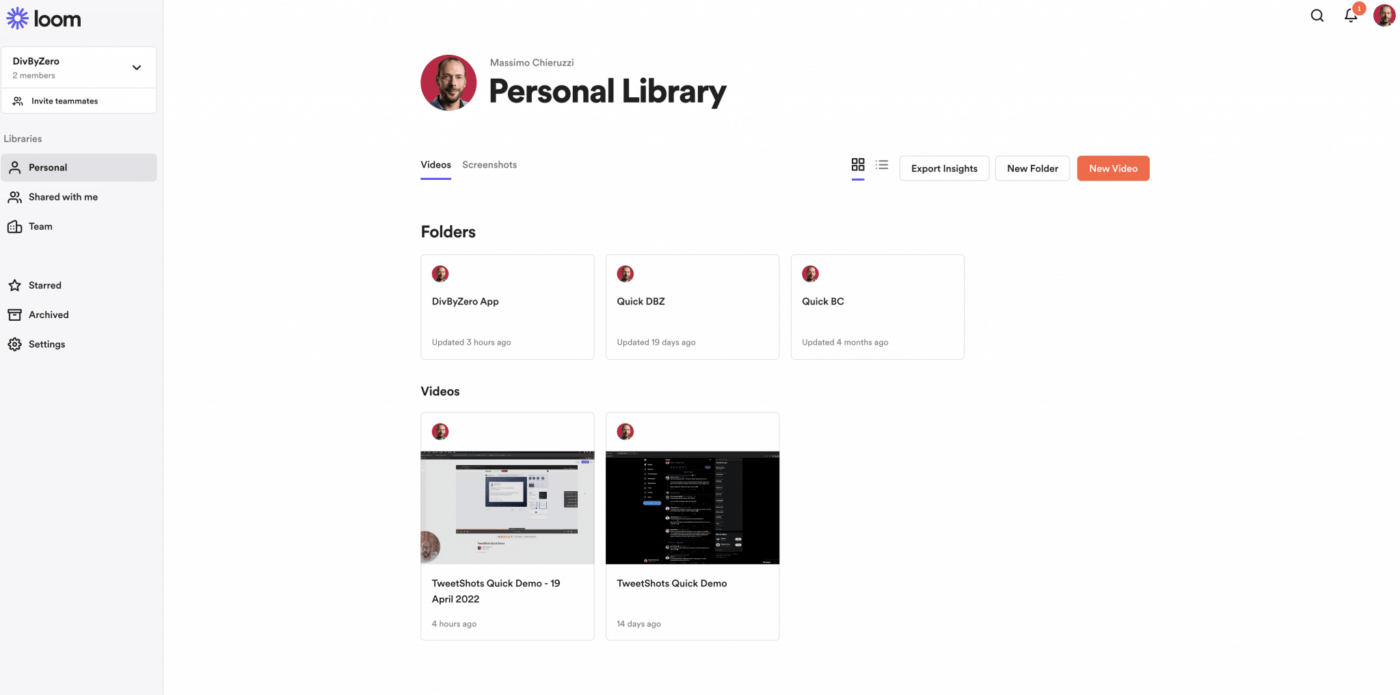
Loom is a screen recorder for Mac, Windows, iOS, and Android. The intuitive interface allows educators to record their screen and webcam simultaneously. It’s an easy (and free!) way to create and share online lessons that students can pause, rewatch, and play when needed. It’s also one of the free online tools, as educators can access the premium features at no additional charge.
Loom best features
- You can see who watched your videos and how long they viewed them with Loom’s built-in analytics
- Students can react to videos by leaving emojis or comments, which is great for promoting classroom discussion and identifying which students need more explanation
- You can add customized call-outs to link to related resources, prompt students for discussion, or assign tasks
Loom limitations
- There are only a handful of editing options, so you may need a couple of takes to get the perfect video
Loom pricing
- Free for educators
Loom ratings and reviews
- G2: 4.7/5 (1,700+ reviews)
- Capterra: 4.7/5 (390+ reviews)
8. Baamboozle
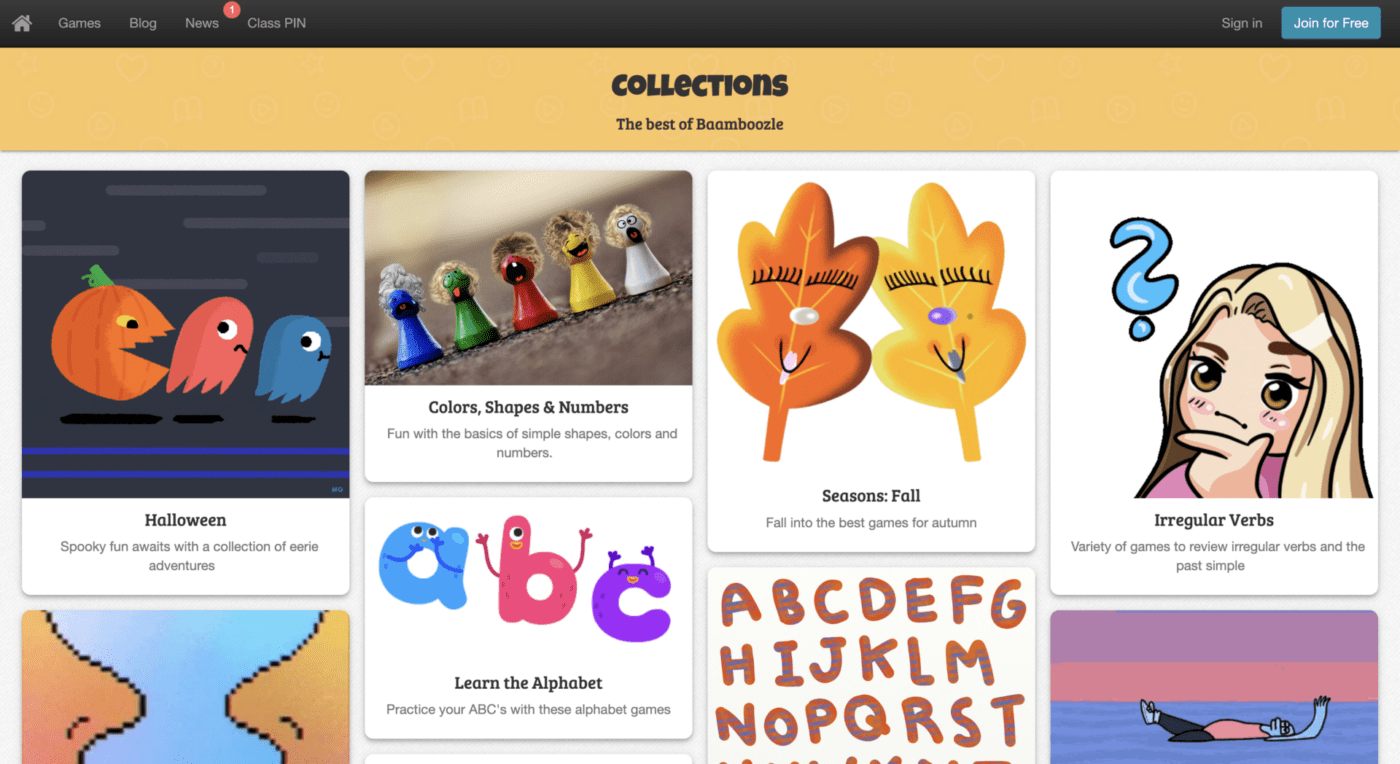
If you need online teaching tools to boost your lessons’ fun factor, Baamboozle is here to help. This online learning platform helps spark student interest and make lessons more interactive and engaging. Choose from the pre-made templates or build-your-own games and quizzes without spending hours devising your own educational tools from scratch.
Baamboozle best features
- There are tons of game-creation tools, including templates for trivia, crossword puzzles, and word searches, with plenty of customization
- The platform integrates with digital Whiteboards, so students can interact in online classes
- The tool allows classrooms to play games on a single screen, so you don’t have to worry about every student needing their own device
Baamboozle limitations
- There’s a good deal of pre-made content, but searching through the good, the bad, and the ugly can be time-consuming, as there aren’t many filters to help you find what you need
Baamboozle pricing
- Free Forever
- Baamboozle+ Monthly: $7.99/month
- Baamboozle+ Yearly: $4.99/month billed yearly
Baamboozle ratings and reviews
- N/A
9. ThingLink
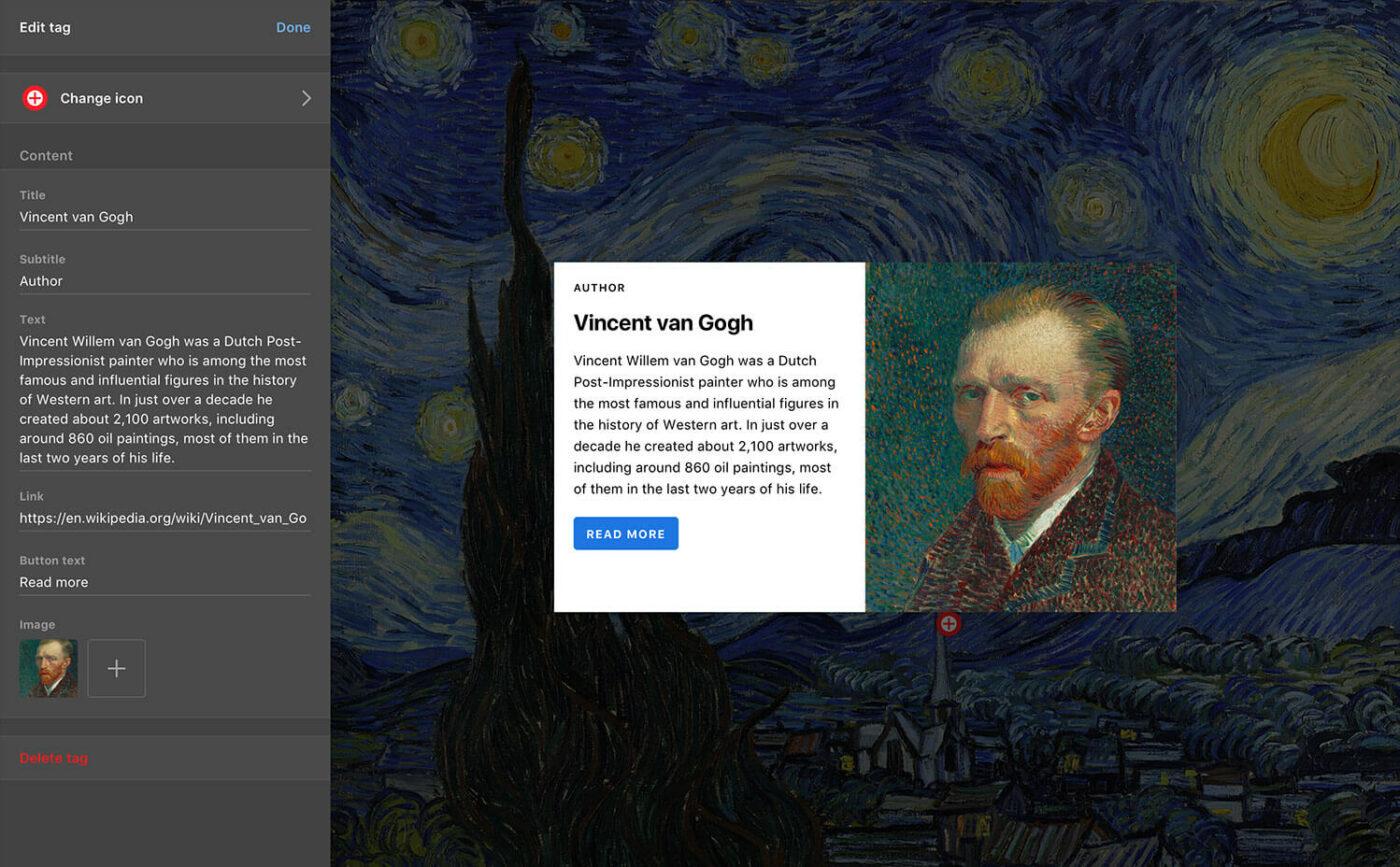
ThingLink is an award-winning online platform that helps educators create interactive multimedia content. Start with an image, a video, or a 3D tour, and add links to videos, voice notes, and articles. You can add layers of information to enhance your visual content and create more interactive presentations.
ThingLink best features
- The platform makes it easy to create interactive, immersive content that engages students
- Analytics allow you to track student engagement with individual links that show you how long they viewed your content for
- Students can create their own learning tools using voice, video, and links (and there are collaborative features for group projects, too!)
ThingLink limitations
- The interface can be clunky, so expect a learning curve as you first familiarize yourself
ThingLink pricing
- Free trial for 60 days
- Teacher License: $60/year
- School License: $2/per seat per year
- Academic License: $9/per seat per year
ThingLink ratings and reviews
- G2: 4.7/5 (2,000+ reviews)
- Capterra: 4.7/5 (2,000+ reviews)
10. Padlet
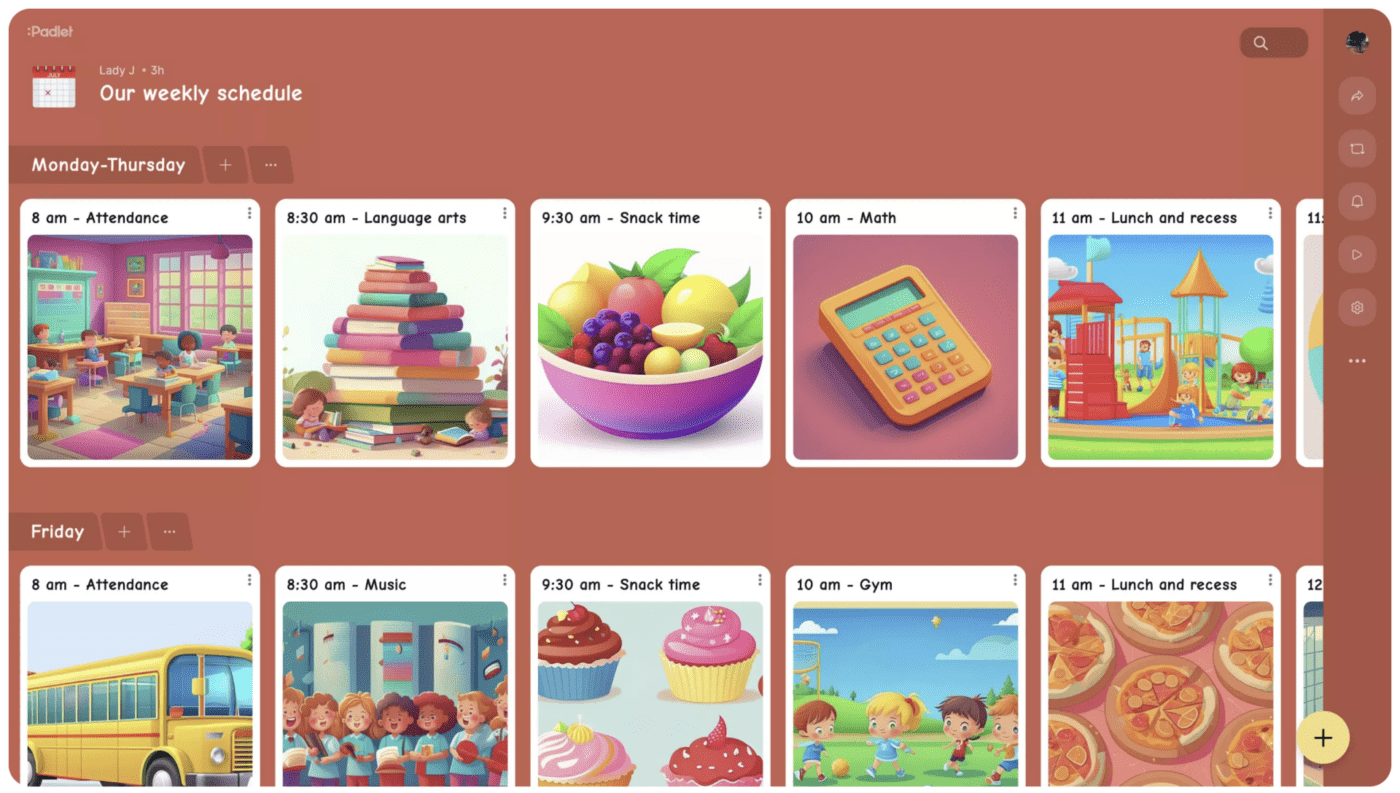
Padlet is an online teaching platform that lets you create digital boards to store, organize, and share content. It’s an excellent way to start a discussion board or class blog, and students will find it handy for posting their work for peer review.
Padlet best features
- User-friendly platform makes it simple to create boards where students and teachers can share and organize content
- Users can add text, images, videos, links, and more in a customized space, which is great for teaching online
- Real-time collaboration capability allows groups to add content or leave comments for other Padlet members, which is ideal for distance learning
Padlet limitations
- It can be challenging to regulate what students post, so make sure that you review what’s happening on Padlets
Padlet pricing
- Classroom: $199/year
- School: starting at $1,000/year
Padlet ratings and reviews
- G2: 4.9/5 (100+ reviews)
- Capterra: 4.8/5 (140+ reviews)
Summarize this article for me pleaseOptimize Your Lessons With Better Online Teaching Tools From ClickUp
Today’s educators must compete with social media, viral videos, and millionaire content creators for students’ attention. With the right online teaching tools in your educator’s toolbox, though, you can create innovative lessons, reduce your admin time, and boost student engagement. A universe of online tools is waiting for you, ready to help you turbocharge your classroom.
When it comes to online teaching tools, ClickUp is at the head of the class. The project management platform is a comprehensive solution for your classroom. It can help you keep your classes organized, foster collaboration, and streamline your admin workflow so you have more time to focus on the parts of the job you enjoy!
Sign up for a free ClickUp account today and discover how the online teaching tool can transform your classroom.

Everything you need to stay organized and get work done.
