Sorry, there were no results found for “”
Sorry, there were no results found for “”
Sorry, there were no results found for “”
You glance at your calendar. Back-to-back meetings, overlapping deadlines, and a sea of color-coded chaos. Somewhere in there, you were supposed to fit in deep work, personal time, and—oh, right—lunch. If Morgen Calendar isn’t cutting it, you’re not alone. 📅
The right calendar app can be the difference between efficiency and burnout. Smarter tools exist for better work management, solid Google Calendar integration, seamless schedule organization, or open invites.
We’ve rounded up 15 powerful Morgen Calendar alternatives that keep your schedule streamlined—so you can actually get things done. Let’s find the one that works for you. 🔥
While it works for some, Morgen isn’t perfect for everyone. As per user reviews, here’s where it falls short:
If these limitations are slowing you down, it’s time to switch. Let’s explore the best Morgen Calendar alternatives to better handle your workflow. ⏳
Here’s a quick overview of the best alternatives to Morgen Calendar, their key use cases, and who they’re best suited for:
| Tool | Key features | Best for | Pricing* |
|---|---|---|---|
| ClickUp | AI-powered task scheduling, calendar integration, meeting booking, real-time syncing with Google/Outlook, templates, dashboards, and automations | Teams, project managers, and freelancers who want to centralize workflows | Free plan available; Custom pricing for enterprises |
| Motion | AI task scheduling, automatic meeting rescheduling, workload balancing, booking pages | Professionals, teams, and businesses | Individual: $34/month per user; Business Standard: $20/month per user; Business Pro: Custom pricing |
| Sunsama | Guided daily planning, workload tracking, email/message time blocking, calendar integrations | Individuals, freelancers, and remote workers | 14-day free trial; $16/month per user (yearly), $20/month (monthly) |
| Akiflow | Universal inbox, task syncing from 3,000+ apps, meeting booking assistant, drag-and-drop time blocking | Productivity-focused users, remote teams | Pro Yearly: $19/month per user; Pro Monthly: $34/month per user |
| Todoist | Natural language input, recurring due dates, shared workspaces, project templates | Individuals, teams, and small businesses | Free plan available; Pro: $5/month; Business: $8/month per user |
| Calendly | Instant booking links, reminders, round-robin/team scheduling, integration with 100+ tools | Entrepreneurs, businesses, client-based teams | Free plan available; Paid plans from $12 to $18/month per user; Enterprise: Custom pricing |
| Notion | All-in-one workspace, AI-powered automation, wikis, docs, and databases, timeline views | Startups, teams, individuals | Free plan available; Plus: $12/month; Business: $18/month; Enterprise: Custom pricing |
| TickTick | Smart task input, habit tracker, Pomodoro timer, Eisenhower Matrix, calendar views | Productivity enthusiasts, students, and professionals | Annual plan: $2.99/month |
| Google Calendar | Syncs with Gmail/Meet, recurring events, shared calendars, real-time updates | Personal use, businesses, teams | Business Starter: $7/month; Standard: $14/month; Plus: $22/month; Enterprise: Custom pricing |
| Routine | Planner calendar, time blocking, keyboard shortcuts, command bar | Professionals, executives, teams | Free plan available; Pro: $12/month; Business: $15/month; Enterprise: Custom pricing |
| Fantastical | Natural language scheduling, meeting links detection, integration with Apple ecosystem | Apple calendar users, individuals, and professionals | Personal: $4.75/month; Family: $7.50/month; Teams: $4.75/month per user |
| Microsoft Outlook | Multi-account email and calendar, AI-powered Copilot, Microsoft Bookings, shared calendars | Businesses, corporate teams, enterprise users | Free plan available; Microsoft 365 Basic: $19.99/year; Personal: $99.99/year; Business Premium: $22/month per user |
| Vimcal | Instant scheduling, natural language input, time zone automation, EA mode | Executives, global teams, remote professionals | iOS: Free; Desktop: $15/month; EA Scheduling: $62.50/month per user; Enterprise: Custom pricing |
| Amie | Combines tasks, meetings, contacts, offline mode, smart reminders | Productivity-focused individuals, teams | Free during beta; Enterprise: Custom pricing |
| TimeFinder | Time blocking with drag-and-drop; daily planning interface | Time management enthusiasts, individuals | Free plan available; Premium: $29.99/month per user |
🔍 Did You Know? 26% of workers miss deadlines due to poor time management—choosing the right calendar can mean the difference between staying ahead or constantly playing catch-up.
Not all calendar apps are built the same. Here are some of the most powerful Morgen Calendar alternatives to explore.
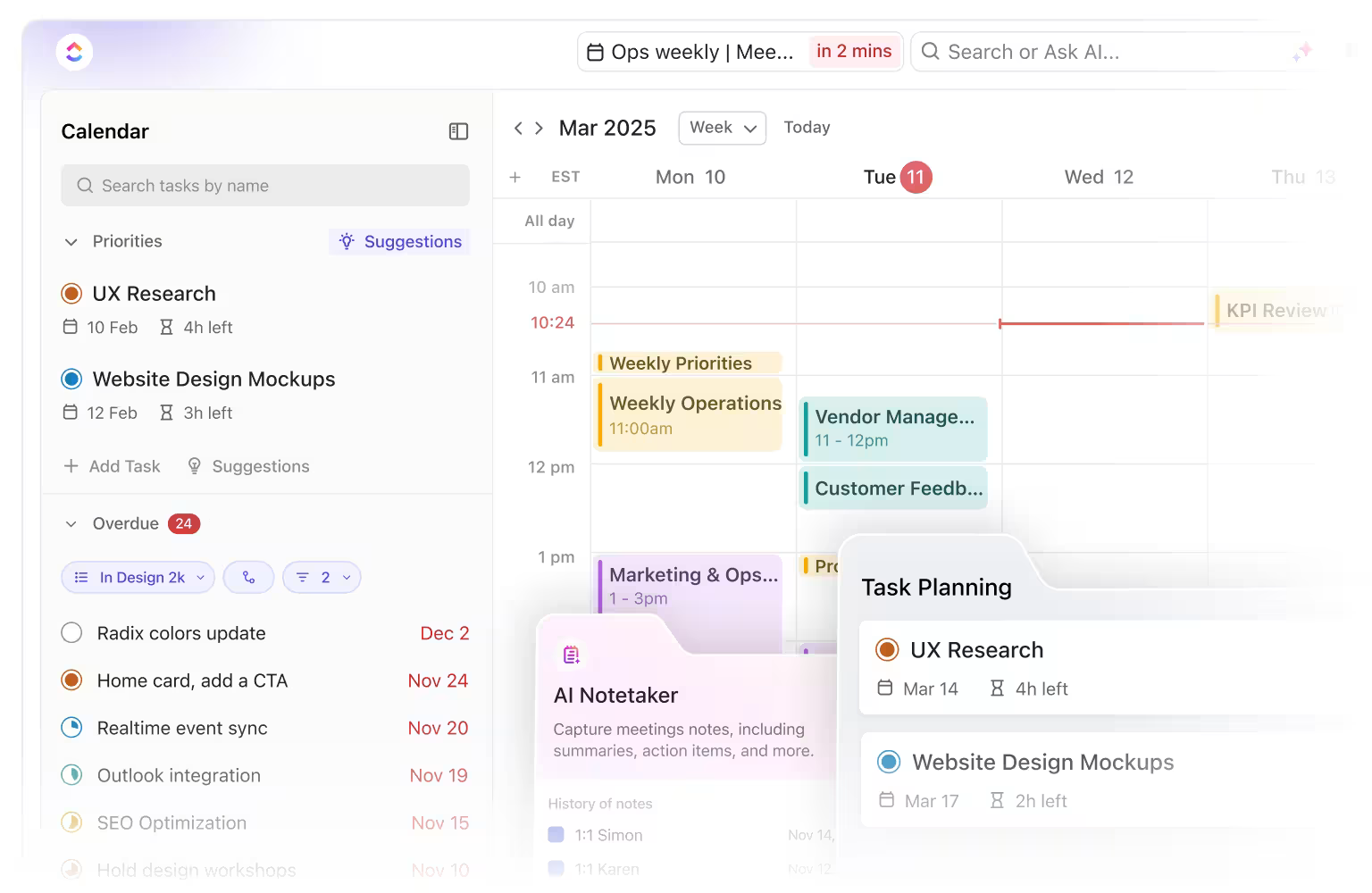
Unlike Morgen, which focuses primarily on calendar scheduling, ClickUp integrates your tasks, meetings, and deadlines—from all your calendars—in a single view. ClickUp’s AI-powered Calendar lets you filter tasks by status, and priority, assignees, due dates, and more, ensuring seamless time blocking.
It automatically schedules your most urgent, high-priority tasks into available slots, reprioritizing them as deadlines and calendars change. You can easily adjust dates and durations for tasks by dragging tasks or meetings, with the Calendar intelligently adapting to maintain focus time and prevent conflicts.
You can automatically find and book optimal meeting times and send invites using natural language—eliminating back-and-forth scheduling efforts. Join meetings directly from within ClickUp and have ClickUp AI Notetaker record, transcribe, and summarize them for you!

Beyond the Calendar, ClickUp offers Gantt, Timeline, and Workload views, giving teams a complete picture of their projects—something Morgen lacks.
If you want to build a project calendar, too, check out our best tips in this video 👇🏽
ClickUp Brain, ClickUp’s built-in AI assistant, helps optimize your schedule by prioritizing tasks based on urgency and workload. It highlights whatever needs your immediate attention.
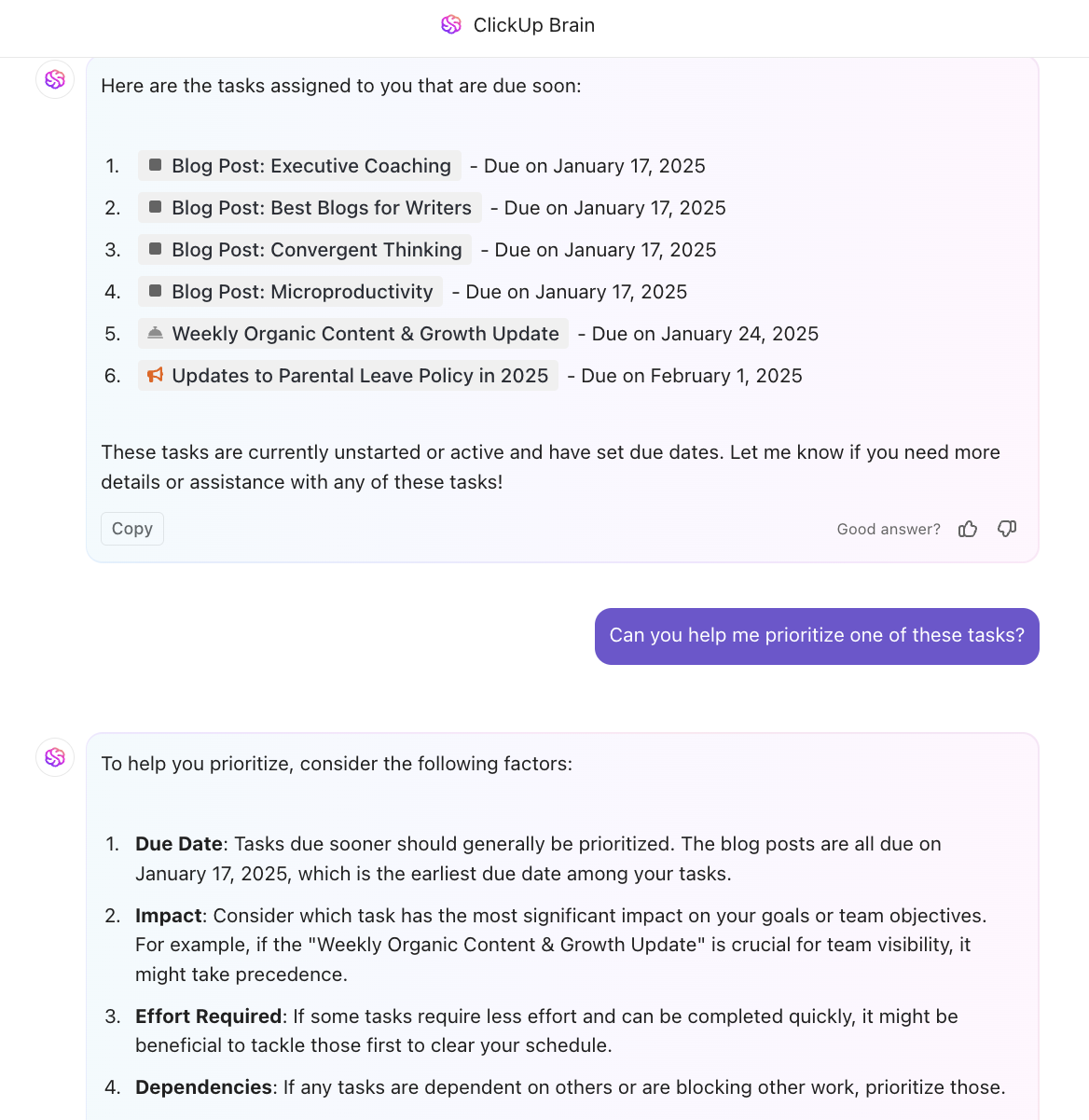
ClickUp also automates recurring tasks, meeting reminders, and status updates, reducing manual scheduling efforts.
One of its biggest advantages is seamless integration with other calendar and planner tools.
Wondering how to manage multiple calendars? Watch this explainer for a step-by-step guide 👇🏽
While Morgen also integrates with external calendars, ClickUp goes further as the everything app for work. With built-in docs, goals, dashboards, and chat, it eliminates the need for multiple apps to stay on schedule with your tasks and projects, reducing the risks of double-booking, delays, and context-switching.
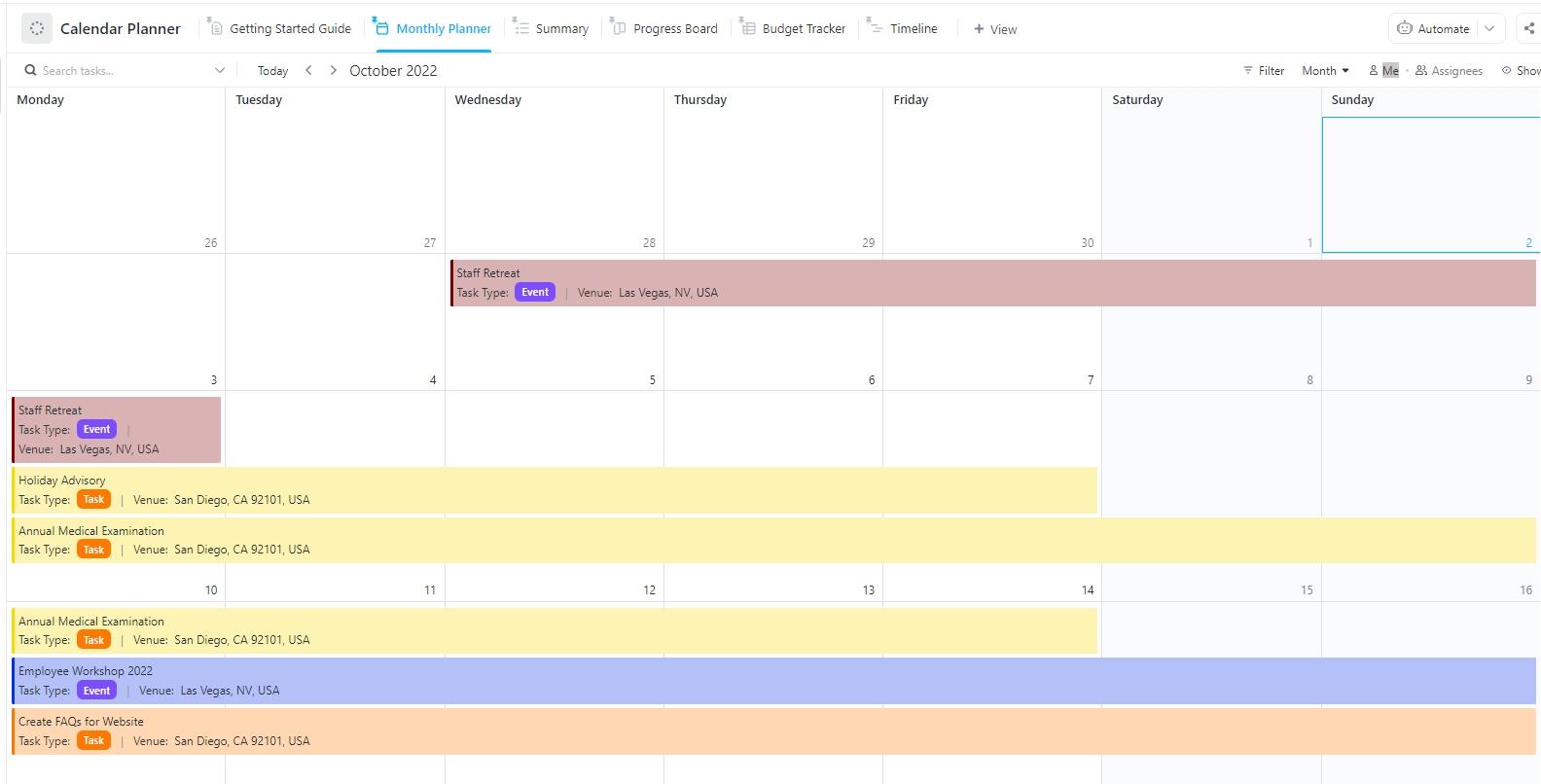
Further, ClickUp’s Calendar Planner Template helps users manage tasks, deadlines, and events in a structured way. It allows easy scheduling, task organization, and milestone tracking, ensuring teams stay on top of their workloads.
With six different views, including Summary, Progress Board, Timeline, and Monthly Planner, users can visualize their schedules from multiple perspectives. The template includes custom statuses like Blocked, In Progress, and Done, making task tracking more transparent.
📮 ClickUp Insight: 92% of knowledge workers use personalized time management strategies. But, most workflow management tools don’t yet offer robust built-in time management features, which can hinder effective prioritization.
ClickUp’s AI-powered scheduling and time-tracking features can help you transform this guesswork into data-driven decisions. It can even suggest optimal focus windows for tasks. Build a custom time management system that adapts to how you actually work!
The biggest upsides of using ClickUp is the fact that you can create multiple different projects, sub- or mini-projects within your larger project, assign tasks to various stakeholders, keep track of dates, get automatic reporting and notifications and it syncs with your calendar. It’s easy to use and saves a lot of time.
➡️ Read more: A cluttered schedule leads to wasted time. Use these time management templates to control your day, prioritize what matters, and stop feeling overwhelmed.
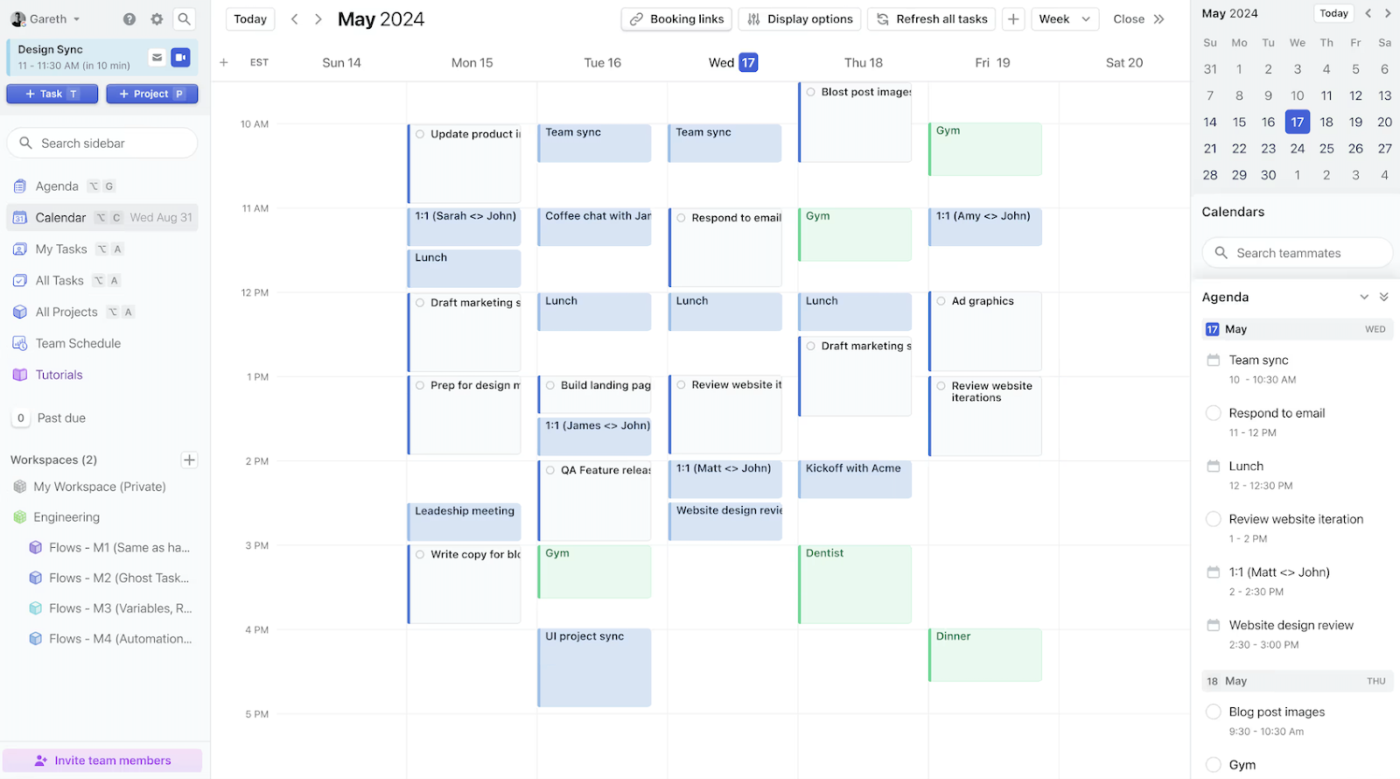
Motion is an AI-driven productivity app that automates scheduling, work prioritization, and meeting coordination. It helps you and your team work more efficiently by dynamically adjusting plans.
The platform offers automated meeting scheduling with booking pages and auto-scheduling. For teams, Motion uses AI to balance workloads, prevent overcommitting, and meet deadlines.
I use motion for personal task management both in work and in my personal life. If I ever need to remember to do something, I can jot it down really quick with a due date and priority and know that I don’t have to remember it—Motion will handle the scheduling for me.
💡 Pro Tip: If your to-do list feels disconnected from your schedule, try a task-integrated calendar like ClickUp, Motion, or Akiflow for seamless workflow management.
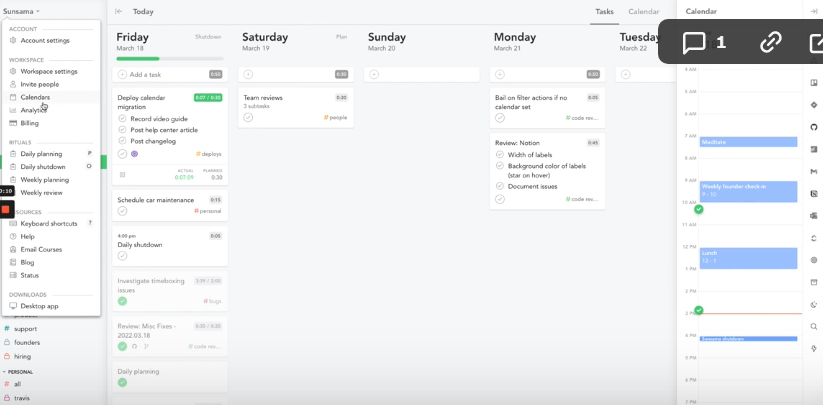
Sunsama is a digital daily planner designed to help you plan your workdays with intention, stay focused, and set realistic goals. Unlike traditional task managers, this tool guides you through a structured planning process. This helps you prioritize the most important work while maintaining a healthy work-life balance.
I love that I’m able to go back and see exactly where my time went, through the tagging feature. It generates nifty reports so you can see where you spend your time and work on having realistic expectations of how much you can get done each day.
💡 Pro Tip: Meetings over 30 minutes are 66% less productive. Use a meeting management tool l to cap meeting lengths and keep discussions on track.
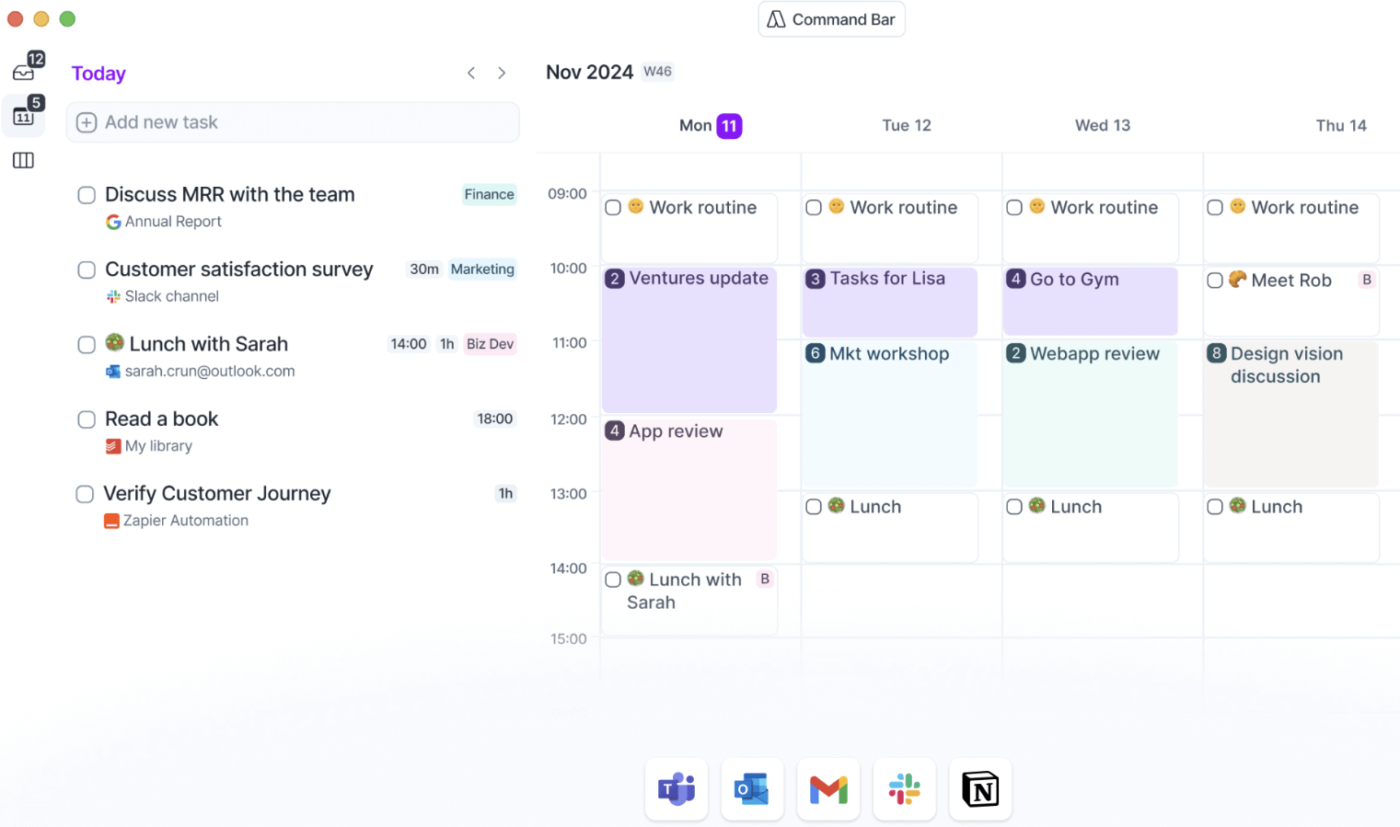
Akiflow is a productivity powerhouse that brings your tasks and meetings together, making time-blocking effortless. With Akiflow’s Sync Engine, tasks and meetings are automatically imported into a Universal Inbox.
The time-blocking calendar allows users to drag and drop tasks directly into their schedule, ensuring structured workdays. Plus, its Meeting Booking Assistant removes scheduling hassles by sharing availability instantly.
📚 Read More: Get ahead of your schedule with structured planning. These monthly calendar templates make it easy to map tasks, deadlines, and events without the chaos.
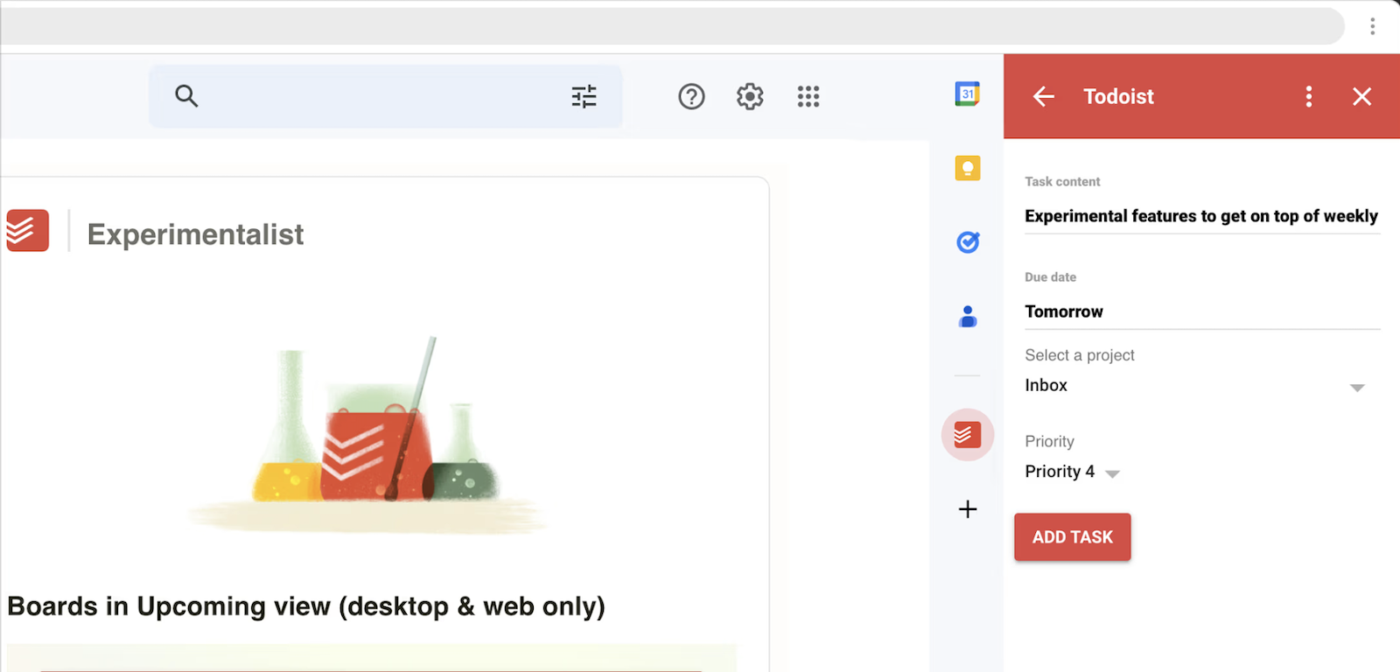
Todoist is a lightweight yet powerful task manager designed to help individuals and teams organize tasks, set priorities, and stay on top of deadlines. Easily capture tasks using natural language with an intuitive interface and quick-add feature.
With Todoist’s calendar integration, you can schedule tasks, set recurring deadlines, and visualize workload. The platform also gives teams a shared workspace to assign, track, and complete tasks, plus pre-built templates for project planning.
It is a simple and quick task software. Adding tasks is easy, and the learning curve is much easier than other apps. I use it every day to keep track of tasks and get reminders when I need them.
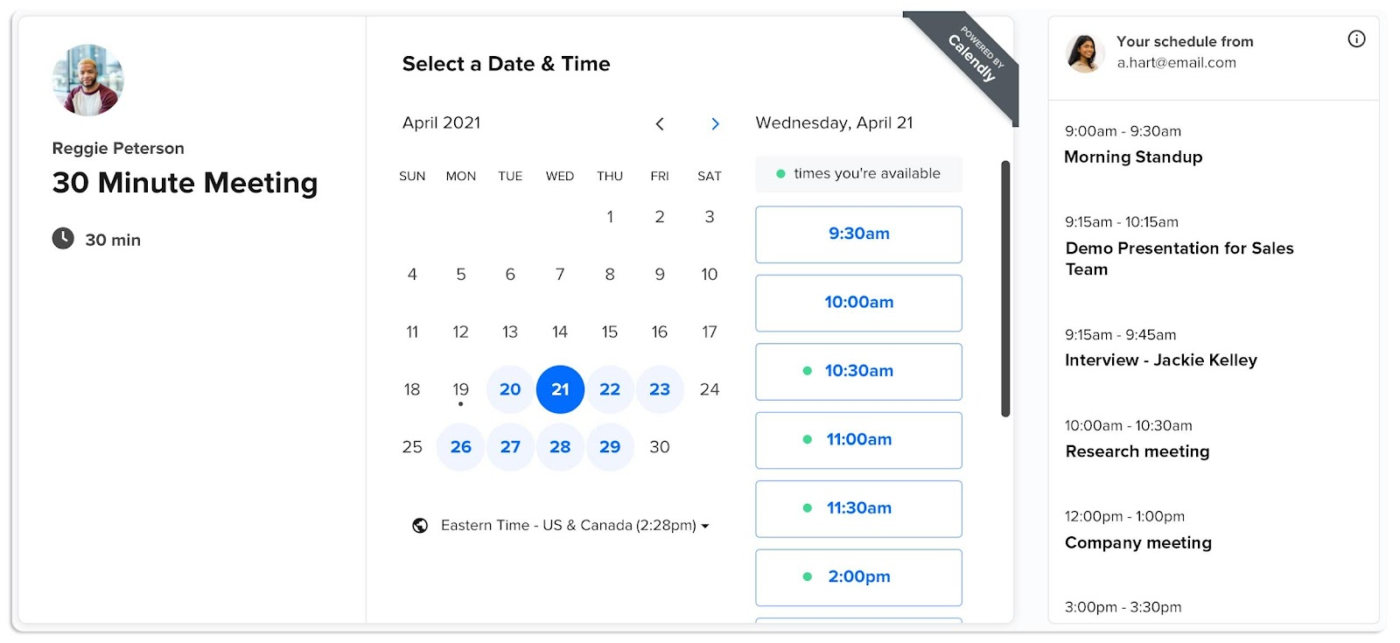
Calendly is for busy professionals looking to eliminate the back-and-forth of scheduling meetings over email. With an intuitive interface, users can share booking links, set availability, and sync calendars for seamless scheduling.
It integrates with 100+ tools, automating workflows, reminders, and appointments without manual coordination. For businesses, Calendly’s round-robin and collective event scheduling ensure the right team members are booked at the right time.
I bought Calendly for our team because we needed a scheduler. We’re remote, meetings are virtual, and we span time zones. Calendly was beyond easy to set up, so our internal meetings worked for the time zones.
➡️ Read More: Best Calendly Alternatives & Competitors
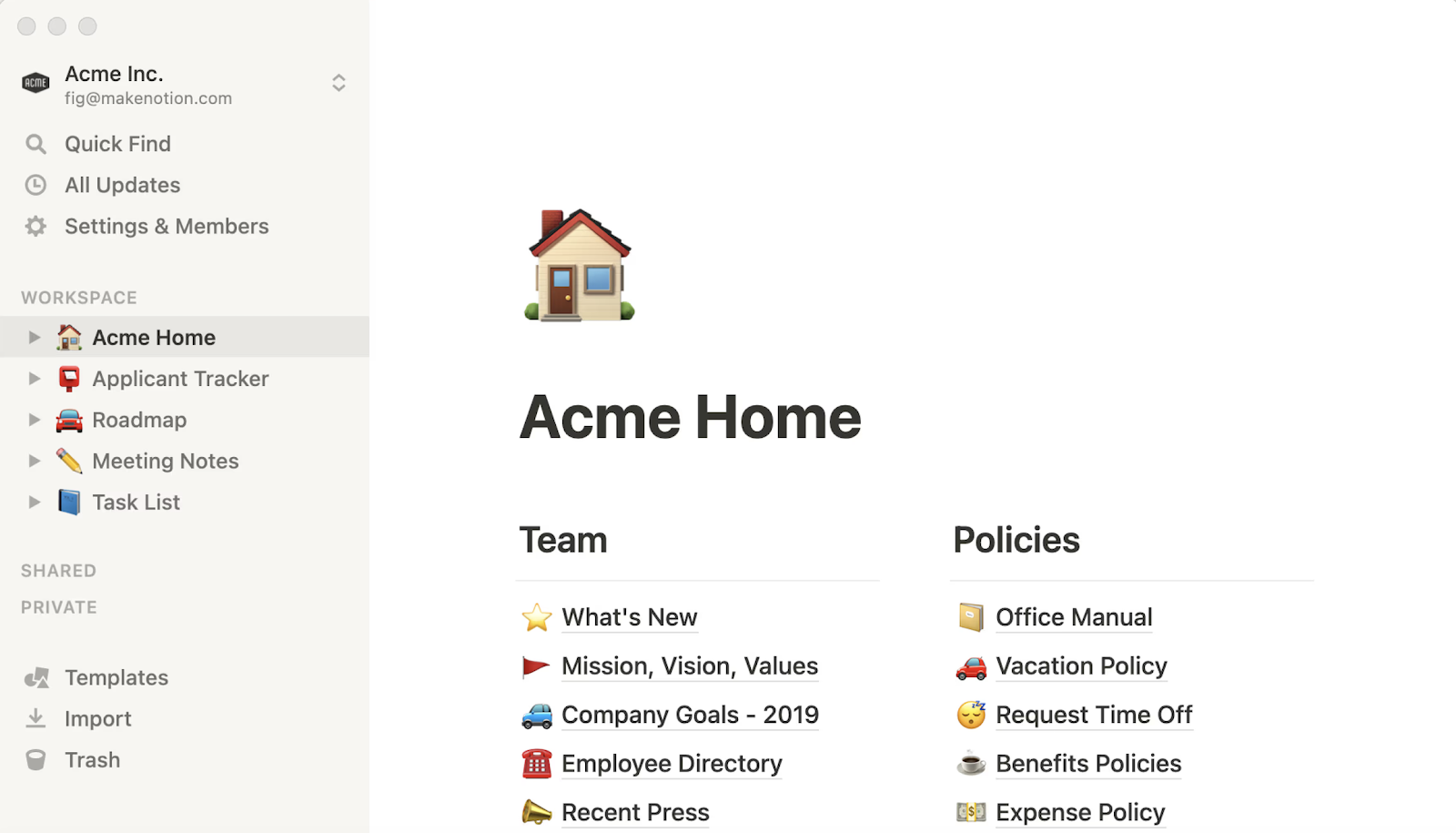
Notion is a versatile, all-in-one workspace that combines documentation, project planning, and AI-powered collaboration. Notion Calendar enables users to create, organize, and collaborate seamlessly in one place.
With powerful database features, Notion lets users customize workflows, track projects, and create knowledge hubs. Notion AI boosts productivity by summarizing content, generating ideas, and automating tasks.
I have been using Notion for six years, and it remains one of my favorite tools. It helps me organize my work, manage projects, and even store all the documents my team uses. The ability to create timelines, tables, and frameworks makes it a powerful workspace.
➡️ Read more: ClickUp Vs. Notion: The Best Docs Tool to Choose
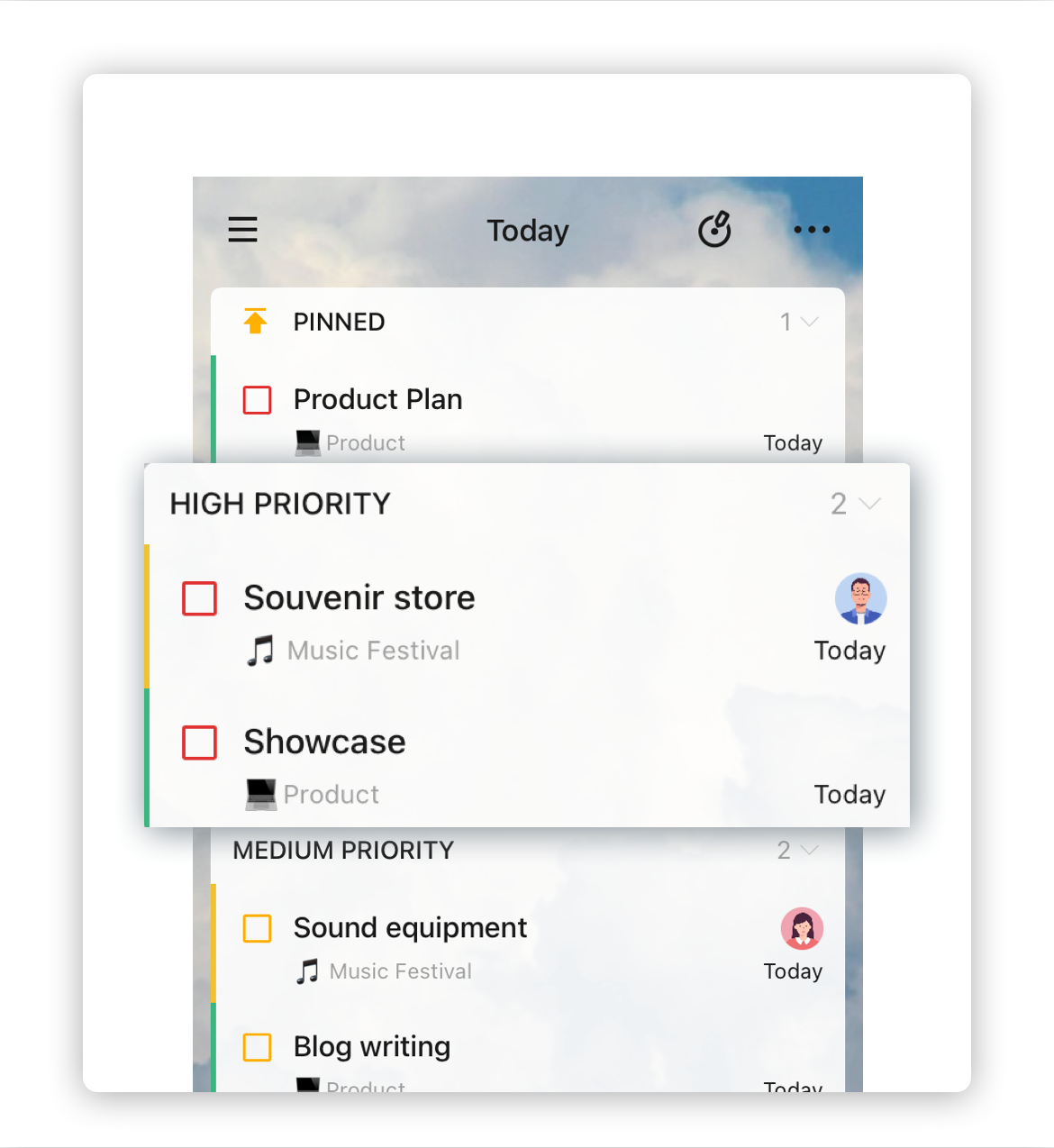
TickTick is a feature-packed task manager that combines to-do lists, calendar planning, habit tracking, and Pomodoro. Perfect for individuals and teams, it helps organize projects, track progress, and stay focused.
TickTick offers flexible work management with calendar views, Kanban boards, and the Eisenhower Matrix. Set reminders, prioritize tasks, automate to-dos, and integrate with apps. Plus, the habit tracker helps keep you on track with personal and professional goals.
🌟 Friendly Reminder: Use color coding strategically. Assign different colors to tasks—work, personal, deep focus, and meetings—to visually organize your day and avoid confusing overlaps.
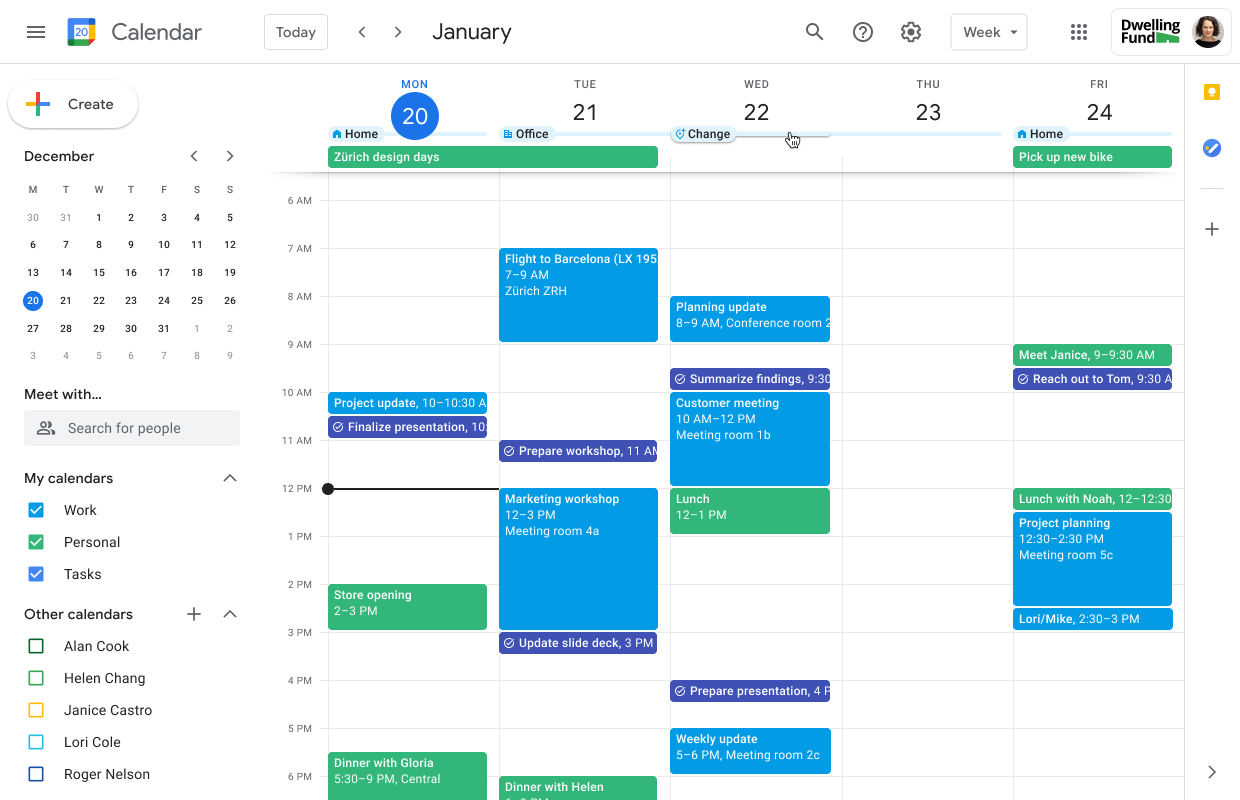
Google Calendar is a popular cloud-based tool for scheduling events, managing appointments, and coordinating with teams. It syncs in real-time across devices and integrates with Gmail, Google Meet, and other Google Workspace apps.
With smart scheduling features, users can set recurring events, create shared calendars, and send invites with automatic reminders. Google Tasks offers color-coded events and multiple calendar support, making organizing schedules and tracking commitments easier within the calendar.
➡️ Read More: Best Google Calendar Alternatives and Competitors
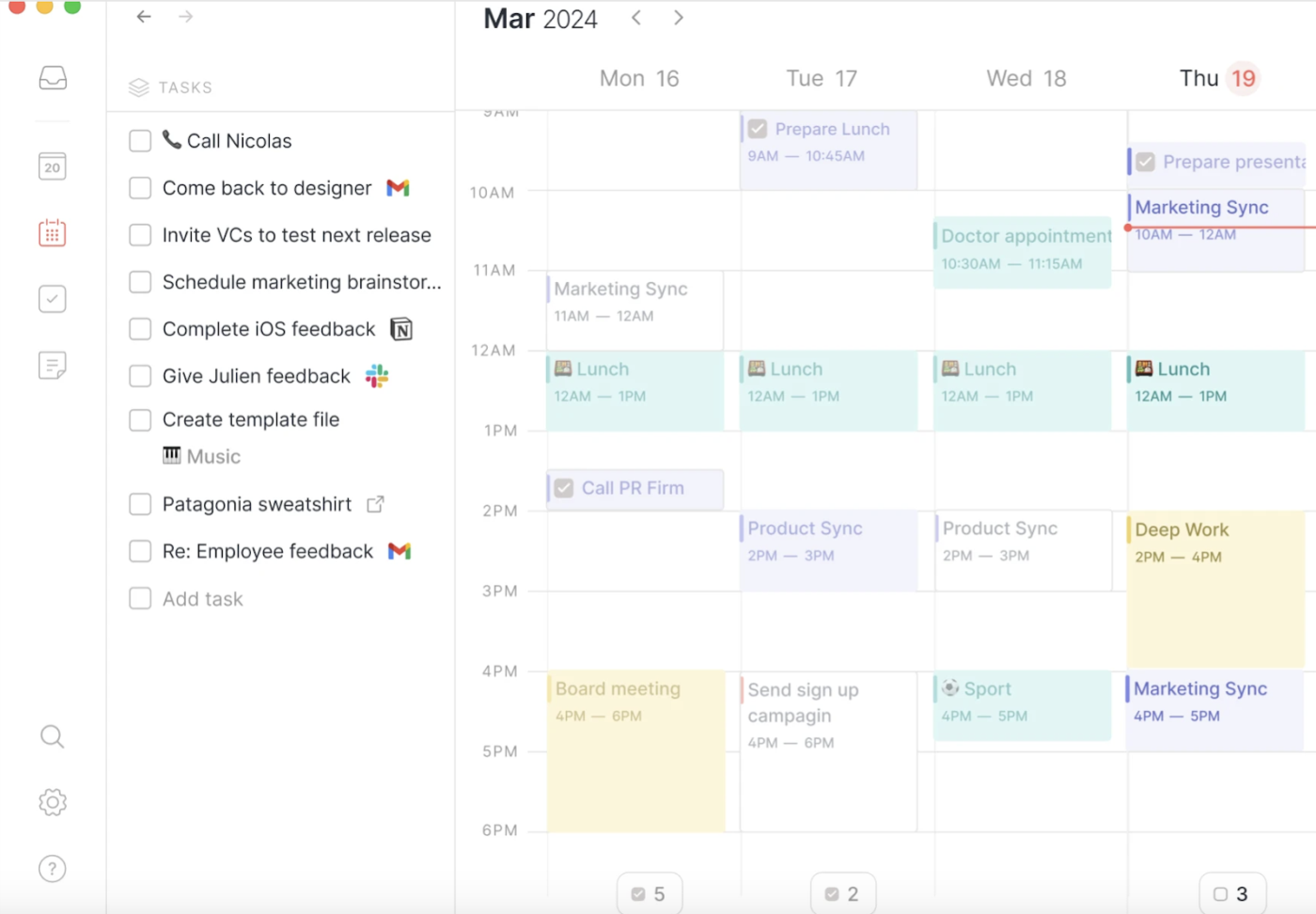
Routine is a next-generation productivity platform designed to help professionals and teams streamline their work. It combines task tracking, calendar organization, and collaboration tools into a single interface.
Its planner and time-blocking features help prioritize tasks and protect your schedule from distractions.
Routine is a wonderful productivity app that helps me schedule my work tasks daily. It helps me establish and maintain my daily routine. Routine has a sleek and visually appealing UI. It is easy to implement and is quite user-friendly as well.
💡 Pro Tip: Want to get more done? Plan your week in advance. The most productive people review and schedule their week every Sunday night or Monday morning. Go for a structured calendar app like ClickUp, which makes weekly planning effortless.
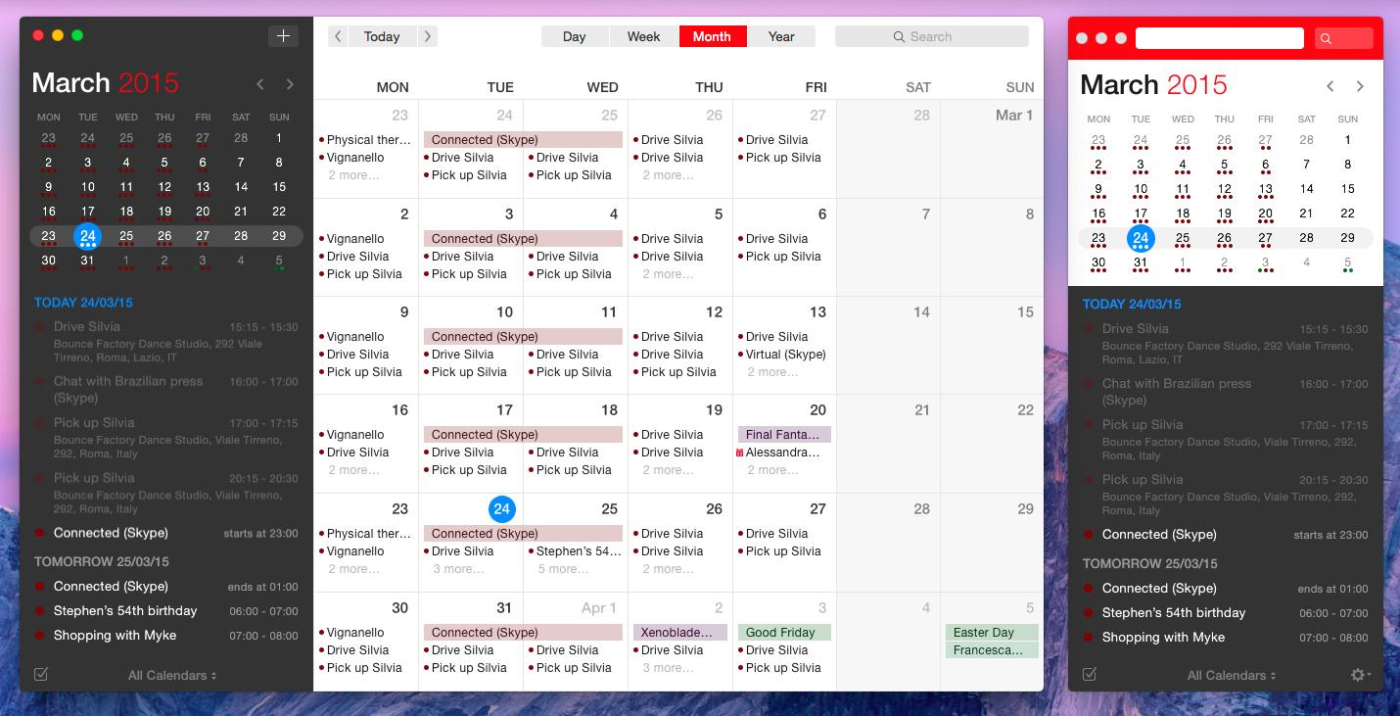
Fantastical is a feature-rich calendar management tool for individuals and teams. It combines event organization, task management, and meeting scheduling. With a clean interface, natural language processing, and multiple views, it makes planning easy.
Fantastical syncs with Google Calendar, iCloud, Microsoft 365, and Exchange so that you can sync all your events and tasks to one platform. It also integrates with Zoom, Google Meet, Microsoft Teams, and Webex for easy meeting scheduling.
Personal & Family:
Teams & Business:
It is super easy to use. It’s hard to explain to folks who have basic calendar needs, but my calendar is very busy. It allows you to use plain English to add items to the calendar, and the interface is great. It’s much better than iCal.
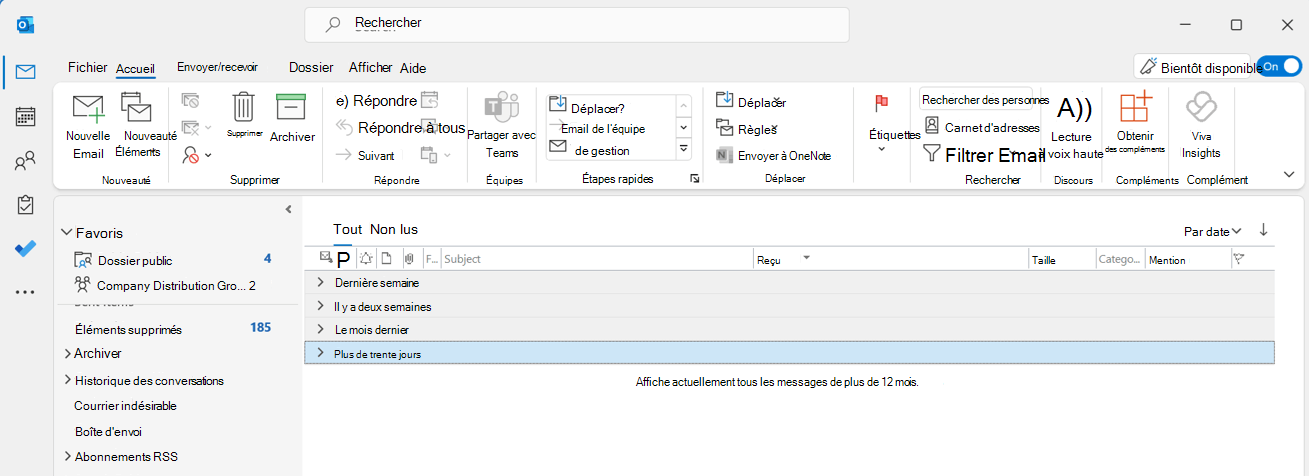
Microsoft Outlook is great for managing emails, meetings, and tasks, whether you’re an individual user or a business. It offers multi-account support and AI email writing and integrates with Microsoft 365 apps like Word, Excel, and Teams.
For businesses, Outlook provides enterprise-grade security, business email hosting, and appointment management via Microsoft Bookings. With advanced scheduling tools, shared calendars, and cloud storage, Outlook helps teams collaborate efficiently.
This is a very crucial tool at work. It organizes all my emails, calendars, and meetings all in one place! This helps me a lot, especially in scheduling and reminding me about future meetings.
➡️ Read More: How to Avoid Planning Fallacy Bias?
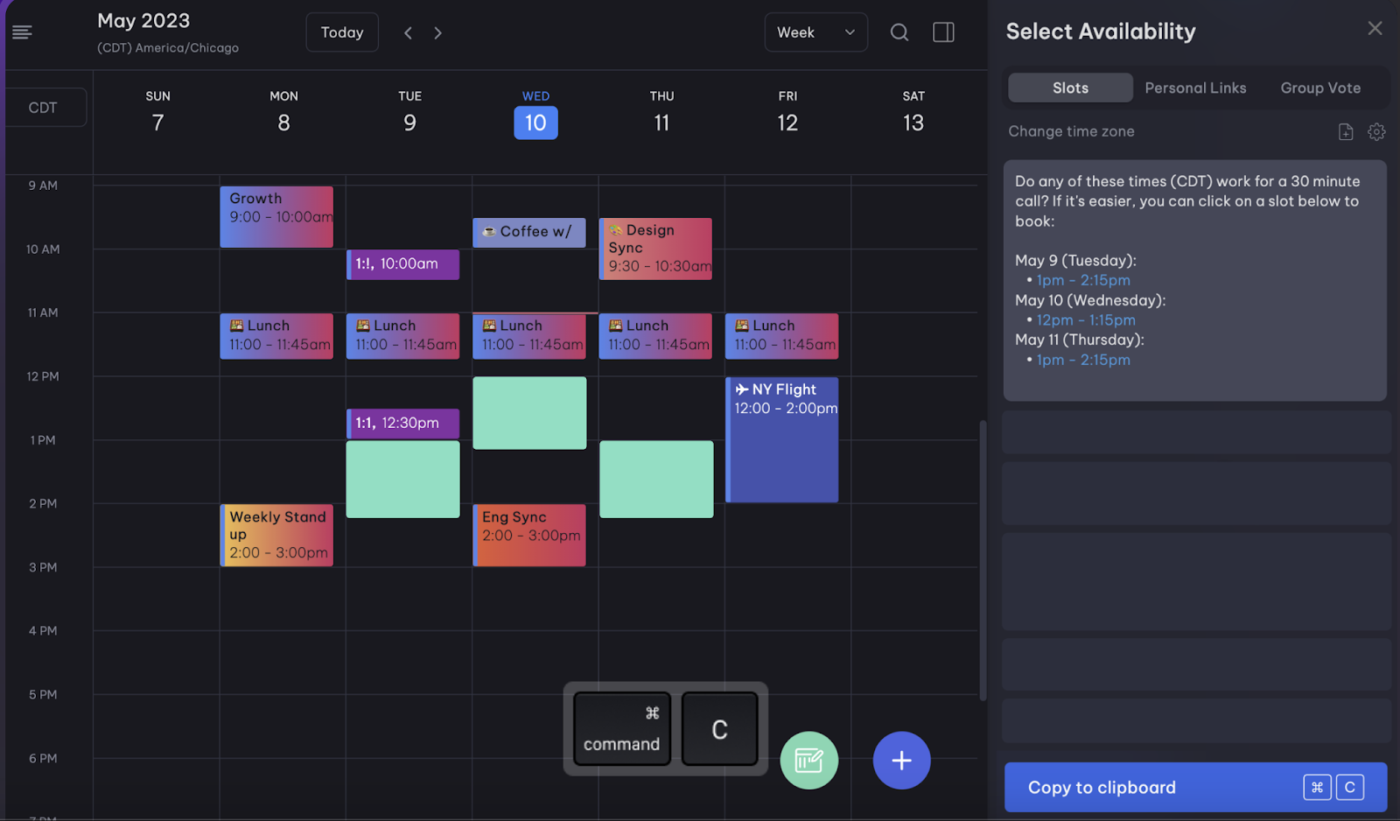
Vimcal is a fast calendar built for executives, assistants, and busy pros. Its instant scheduling, AI-powered booking, and time zone automation make managing complex schedules effortless.
Vimcal optimizes meeting organization with drag-and-drop scheduling, multi-account coordination, and a focus mode to block distractions. Besides, its features are tailored to allow executive assistants to manage schedules across accounts and executives.
Vimcal
Vimcal EA
💡Pro Tip: If your schedule is overwhelming, declutter by setting buffer times between meetings and automating low-priority tasks.
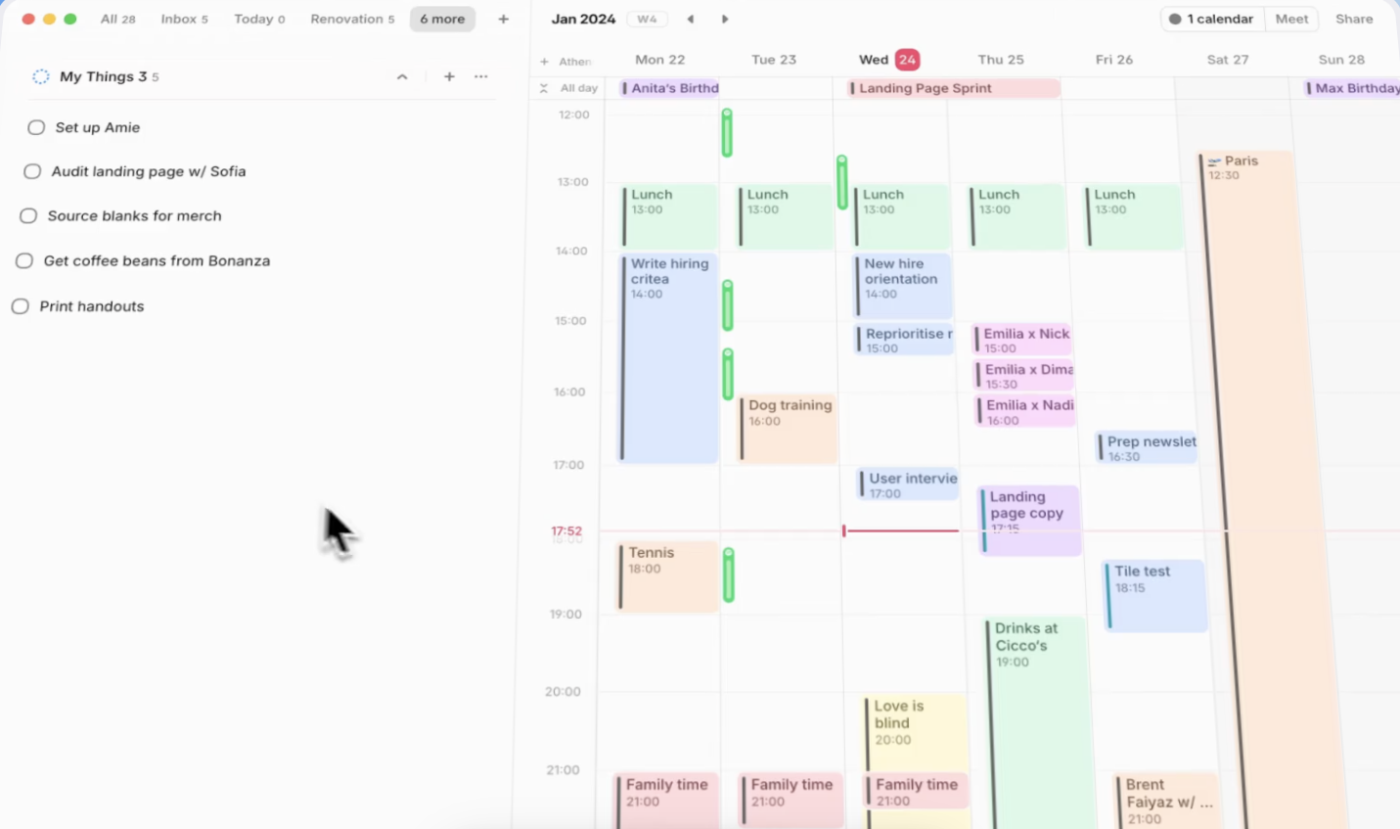
Amie is a sleek productivity app that combines calendars, tasks, and contacts in one fast, visually appealing interface. Perfect for professionals, it helps manage meetings, to-dos, and interactions in one place.
With drag-and-drop scheduling, smart reminders, and real-time collaboration, Amie helps you ditch the need for multiple tools. Its AI features and offline mode make it great for smooth, hassle-free planning.
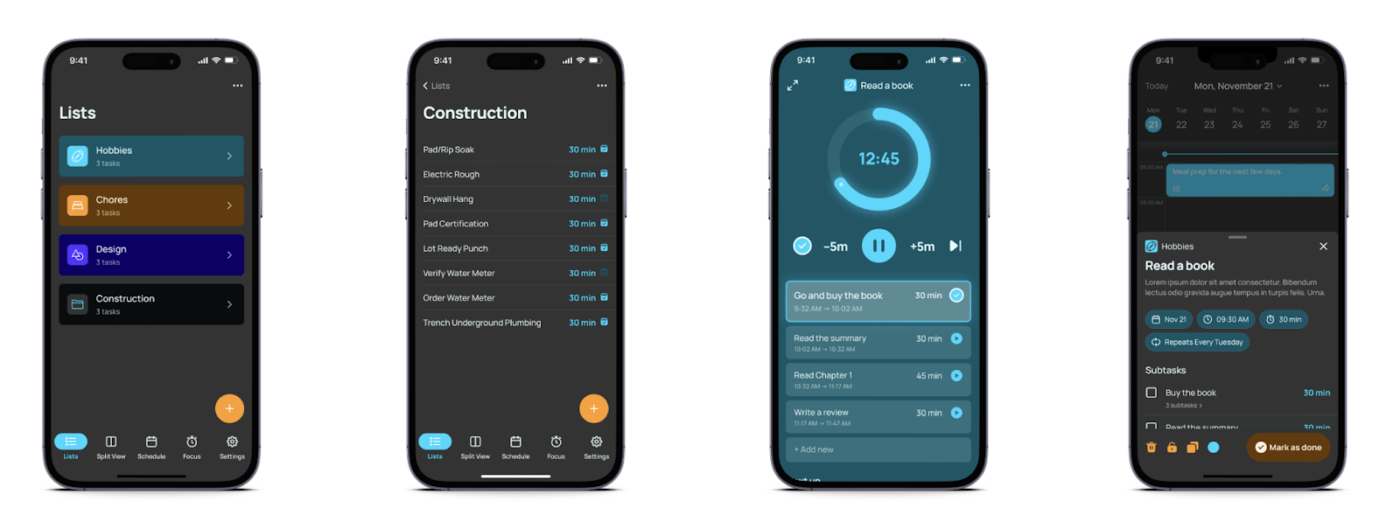
TimeFinder is a drag-and-drop time-blocking app designed to help users control their schedules. Breaking the day into structured blocks ensures better focus, productivity, and time management.
With a simple, user-friendly interface, TimeFinder allows users to plan their day effortlessly, eliminating the need for scattered task lists. Upcoming features, including split-view design, promise a more streamlined planning experience.
➡️ Read More: Best AI Calendar & Planner Apps
Your calendar should work for you, without you having to work too hard for it. If Morgen Assist isn’t getting it done, one of these other tools can streamline your workflow, reduce scheduling friction, and give you more control over your time.
Whether you need AI-powered automation, seamless task integration, or advanced scheduling features, there are multiple platforms that fit your needs.
Looking for an all-in-one solution? ClickUp combines scheduling, task management, and collaboration in a single workspace. Start for free today and upgrade how you plan, work, and stay organized! 🚀

Arya P Dinesh
Max 23min read
Arya P Dinesh
Max 27min read

Manasi Nair
Max 27min read

© 2026 ClickUp