






Still downloading templates?
There’s an easier way. Try a free AI Agent in ClickUp that actually does the work for you—set up in minutes, save hours every week.
Sorry, there were no results found for “”
Sorry, there were no results found for “”
Sorry, there were no results found for “”

Your firm isn’t struggling because of bad accountants; it’s struggling because great accountants are stuck doing work that software should handle.
Follow-ups. Handoffs. Missed statuses. Manual checklists.
Now, you’re actively looking for a tool to help your duct-taped workflow.
So, who wins in the Karbon vs. ClickUp debate? One is purpose-built for accounting, while the other gives you the freedom to build workflows your way.
Let’s unpack. 📦
Here’s a quick summary to get you started:
| Criteria | ClickUp | Karbon |
| Primary audience | Cross-functional teams of all sizes, including individuals, small and mid-sized companies, and enterprise firms | Accounting and bookkeeping firms |
| Views and flexibility | List, Board, Calendar, Gantt, and Timeline Views | List, Timeline, Activity, and Kanban board views |
| Analytics and reporting | Dashboards with charts, formulas, calculation cards, customizable widgets, and other general project management tools | WIP, realization, staff utilization, and client behavior |
| Docs and SOPs | Built-in Docs with different general ledger templates, amongst others, wikis, task linking, and permissions | Supports documentation via linked tasks |
| AI capabilities | Robust with ClickUp Brain that provides contextual answers, summaries, automatic task creation, and dashboards | Integrated AI for workflow efficiency and insights |
Work today is broken—especially in accounting.
Teams are drowning in work sprawl: fragmented workflows spread across spreadsheets, emails, shared drives, disconnected accounting apps, and tools that don’t talk to each other. The result? Accountants spend hours chasing down supporting documents, switching between systems, and piecing together context across audits, reconciliations, and close activities. Meanwhile, firms and finance teams lose productivity, accuracy, and time they can’t afford to waste during peak cycles.
As the world’s first converged AI workspace, ClickUp’s Project Management platform unifies project management, knowledge management, and real-time collaboration—powered by AI that understands your work and helps you move faster with fewer errors.
It provides structure to high-volume, deadline-driven accounting work, spanning from month-end close to audits and client deliverables. Standardize your workflows with custom statuses, automations, and permissions to create repeatable processes, reduce rework, and give partners, controllers, and staff complete visibility into every engagement, task, and deadline.
Let’s look at ClickUp features designed to handle multi-step processes, cross-functional collaboration, and client-facing work with precision.
ClickUp for Finance Teams turns vendor onboarding, payroll, and P&L reviews all into repeatable, trackable workflows with ready-made templates and specialized tools.
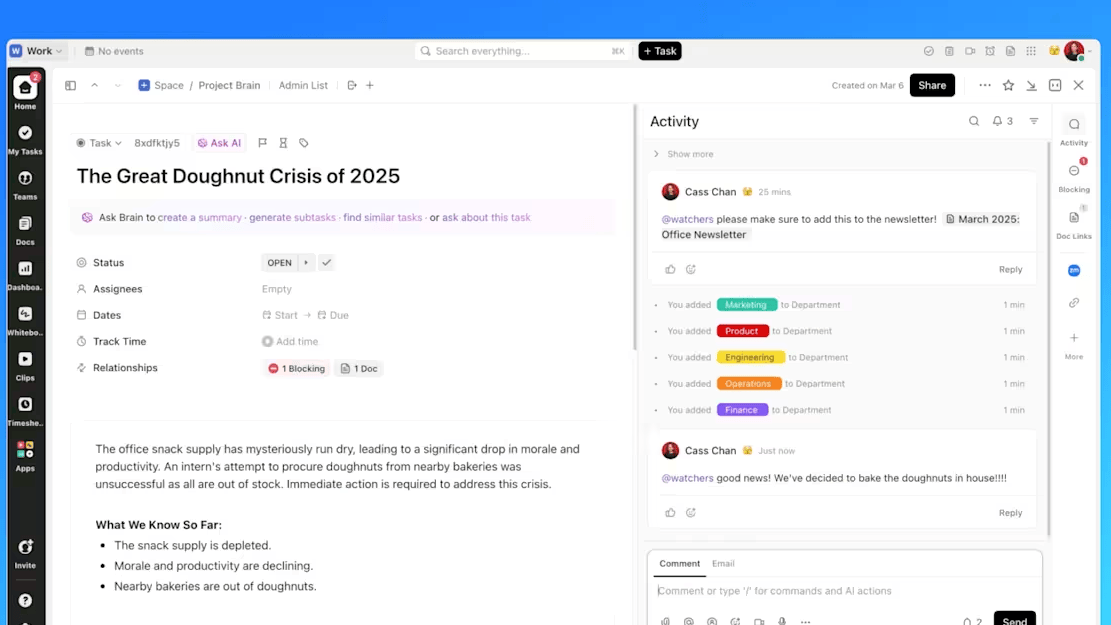
ClickUp Tasks are the key components that serve as flexible action units.
For example, when preparing a Q3 financial report, create a task in the client folder with subtasks for bank statements, expense checks, reconciliations, and a final summary, each assigned with a deadline.
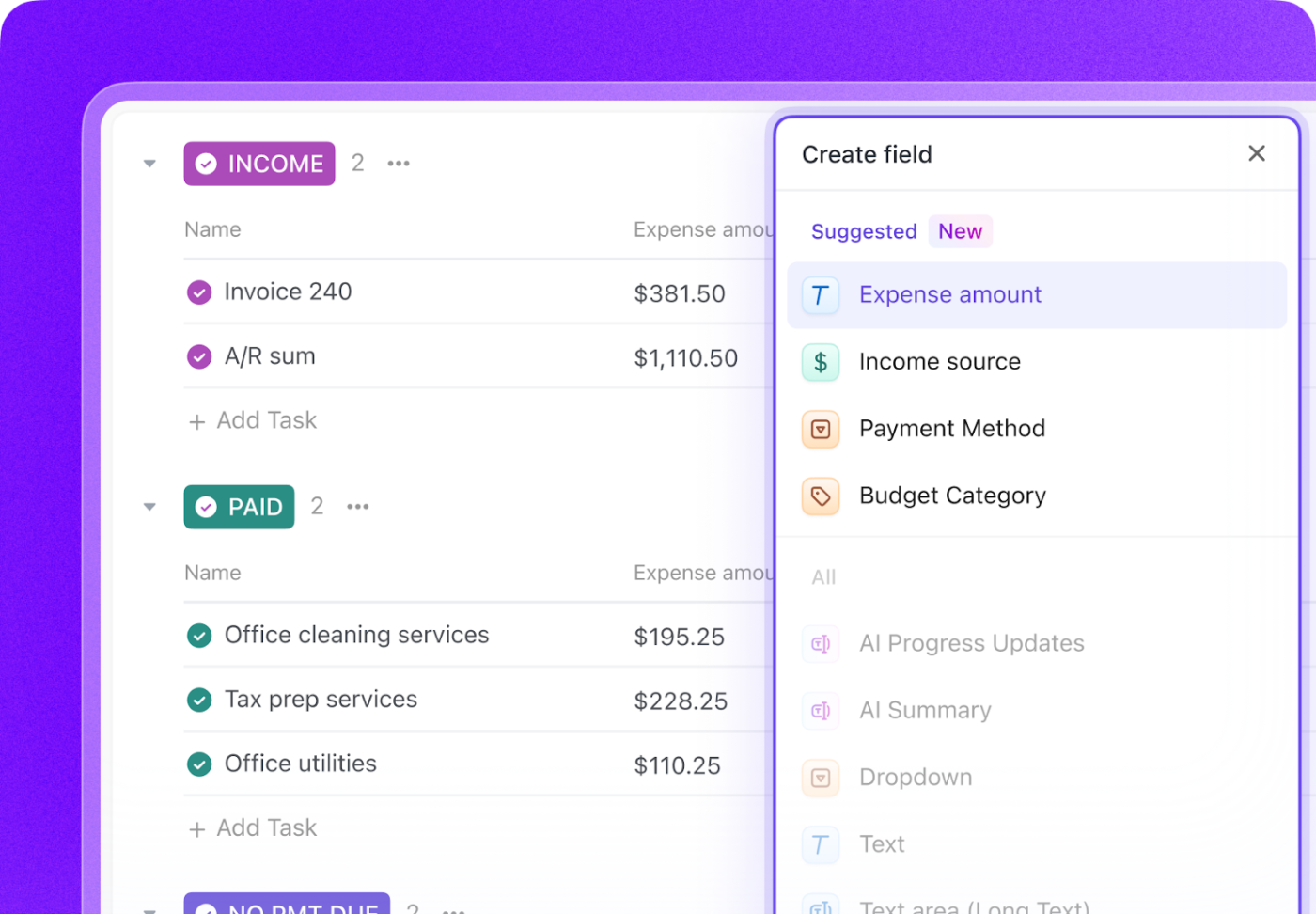
Use Clickup Custom Fields for ‘Budgeted Amount,’ ‘Actual Spend,’ and ‘Variance,’ and apply Formula Fields to auto-calculate gaps directly in the task.
ClickUp Dashboards bring everything into focus, showing pending approvals, upcoming deadlines, and flagged tasks across all clients and departments.
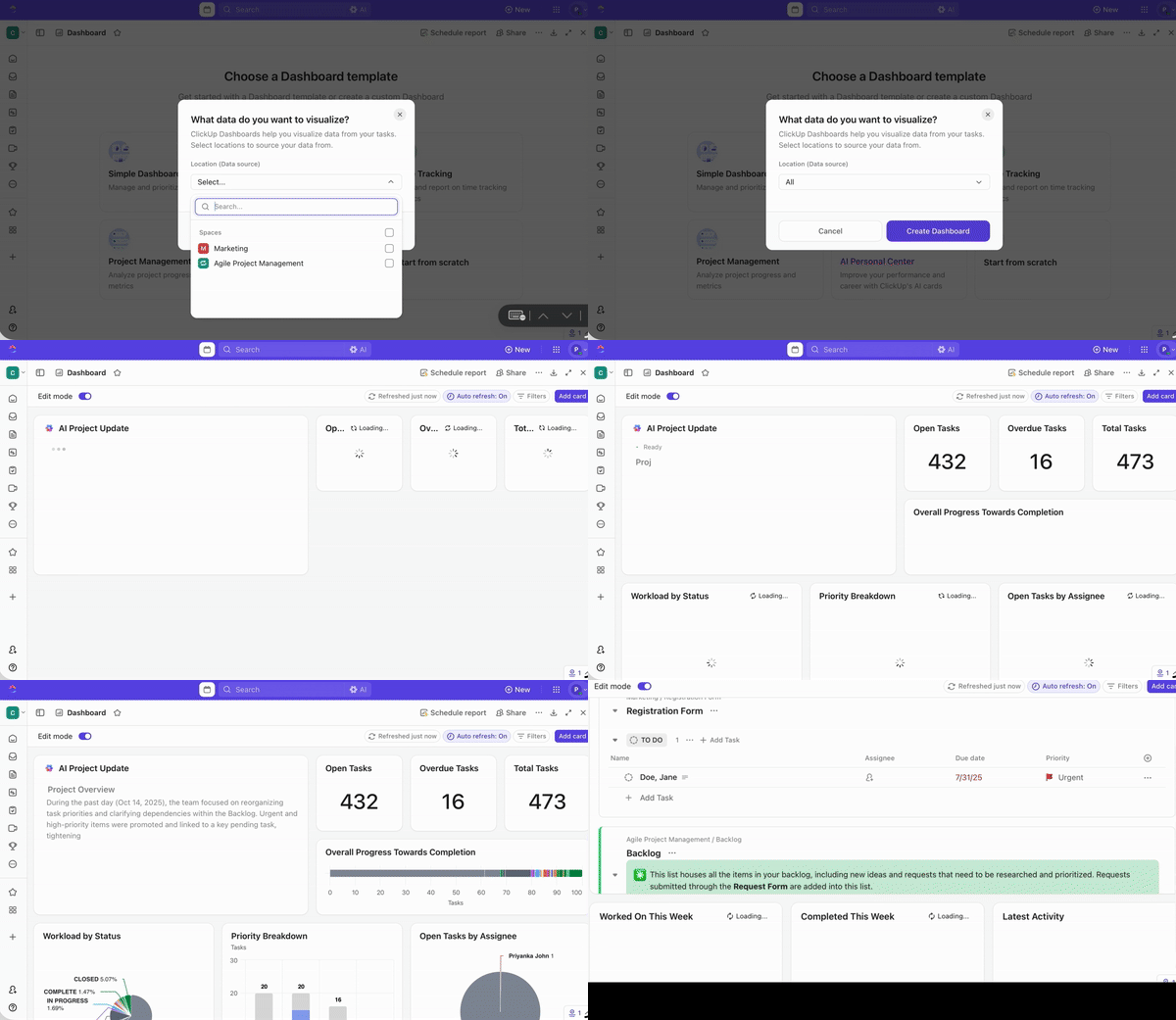
Say you’re managing billing for 20 clients. Build a client portal with ClickUp using:
This lets you catch delays early, reassign work, and stay on schedule.
💡 Pro Tip: Adapt the ‘Minimum Viable Workflow’ mindset. Start by documenting your workflow in the scrappiest, fastest way possible: a checklist, a timeline sketch, and a voice note. Run one cycle, reflect, and refine. Then, formalize only what works after a few reps.
Set up custom ‘if this, then that’ rules with ClickUp Automations and ClickUp AI to streamline admin tasks.
If your accounting team needs to review tax files by Friday:
And when you do need to check in or catch up quickly, ClickUp Brain is there to do the thinking for you.
Wondering how to use AI in accounting? Just ask Brain to summarize all open items and recent updates. Need to send a weekly update to a client? The AI Writer can draft it for you using task activity and comments, eliminating the need for copy-pasting.
Suppose you’re an ops lead prepping for a weekly review.
📌 Example Prompt: Summarize all open items and blockers for Client ABC this week. Include time logged and pending approvals.
Within seconds, you get a clear picture of what’s done, what’s overdue, and what needs action.
🚀 ClickUp Advantage: An add-on to these features is ClickUp Email Project Management, which lets you send, receive, and manage emails directly inside your workspace. Turn client emails into tasks instantly, complete with due dates, assignees, and attachments. Add comments, track conversations, and link entire threads to the right deliverable.
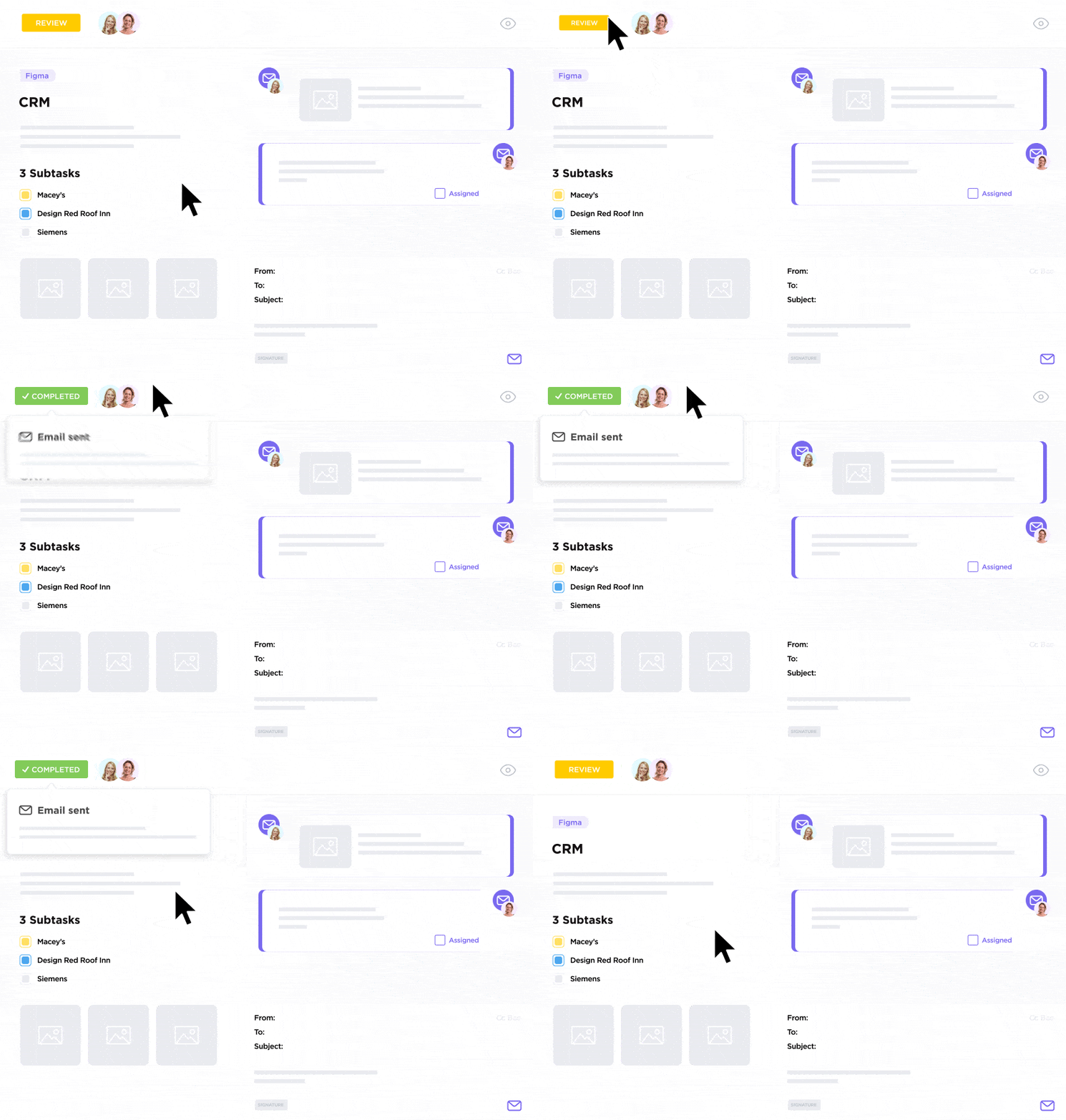
Finance operations can’t run smoothly if communication lives outside the system. To solve this problem, ClickUp Chat lets you use dedicated chat channels within any project or client folder to keep discussions focused.
Busy day? AI CatchUp highlights critical updates and action items, so you can skip the scroll and get straight to what needs your input.
Trying to get an internal confirmation? Just ask in the thread, and AI Answers pulls the exact response from past messages, Docs, or even connected tools.
And if you need collaboration within your documentation, you can turn to ClickUp Docs. It offers a structured way to store SOPs, financial policies, and client-facing templates within your workspace.
📮 ClickUp Insight: 21% of people say more than 80% of their workday is spent on repetitive tasks. And another 20% say repetitive tasks consume at least 40% of their day.
That’s nearly half of the workweek (41%) devoted to tasks that don’t require much strategic thinking or creativity (like follow-up emails 👀).
ClickUp AI Agents help eliminate this grind. Think task creation, reminders, updates, meeting notes, drafting emails, and even creating end-to-end workflows! All of that (and more) can be automated in a jiffy with ClickUp, your everything app for work.
💫 Real Results: Lulu Press saves 1 hour per day, per employee using ClickUp Automations—leading to a 12% increase in work efficiency.
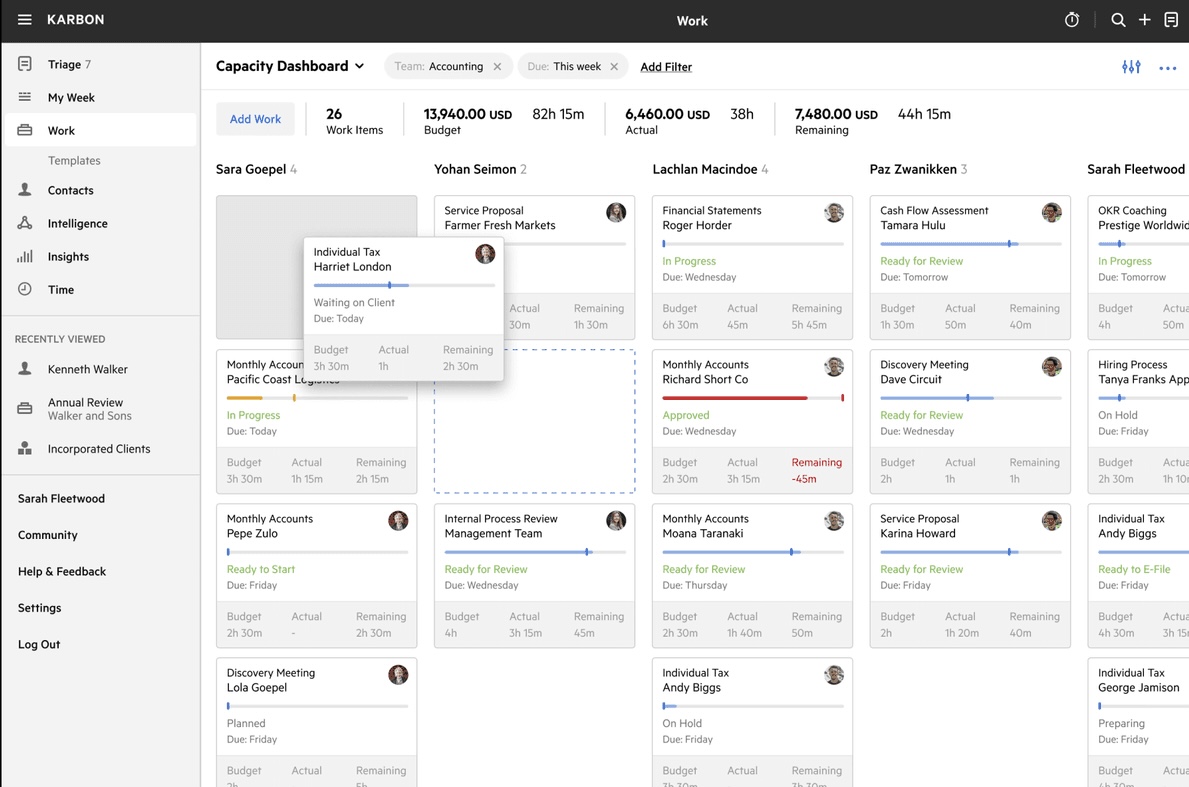
via Karbon
Karbon is a collaborative practice management tool built specifically for accounting firms and client-service firms, particularly those in the tax, audit, and bookkeeping industries.
You can convert emails into tasks, build reusable work templates for recurring services like monthly close or tax prep, and manage capacity across the team using timelines and to-do views.
Here are some key features Karbon offers to help you organize your finances:
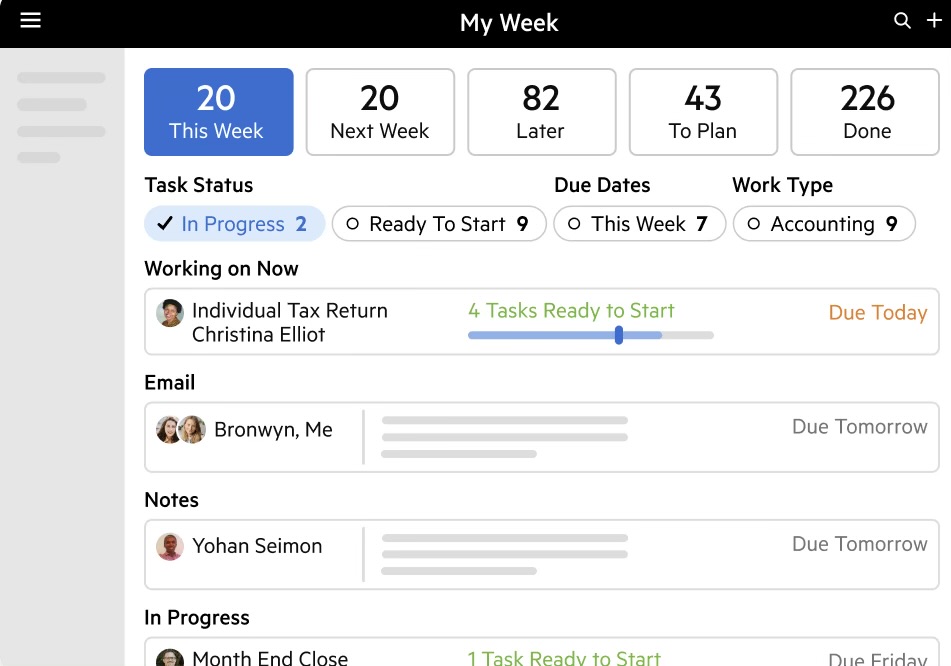
Karbon’s workflow automation helps project accounting teams eliminate low-value admin work and focus on client impact. With auto-reminders and email Actions, you can automate reach-outs and client requests, ensuring timely and traceable communication.
Use work templates with custom statuses, checklists, and roles to standardize recurring processes, such as monthly reconciliations or tax preparation. Additionally, automators enable you to trigger task progress updates, assign reviewers, or change statuses based on predefined conditions, allowing your workflow to move forward without manual intervention.
The Kanban Board and work scheduler give teams a real-time view of workloads and timelines, while the My Week view helps individuals stay focused on priorities.
📖 Also Read: Best Project Management Software With Client Portals
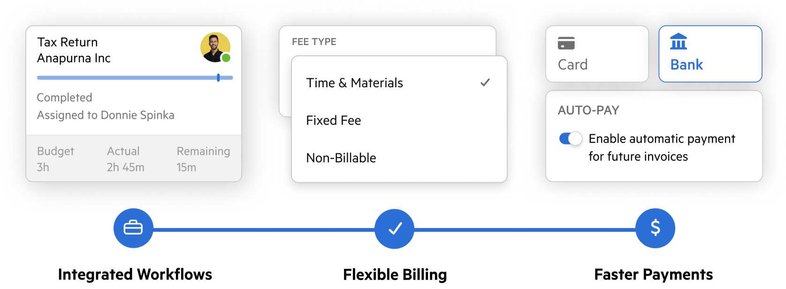
Billing a client isn’t just a single process. It includes tracking time, generating invoices, and tax nitty-gritties. Karbon lets you track time with suggested time entries to ensure no billable minute is missed, and then invoice by setting a fixed fee or recurring billing linked to your work schedules.
Its client portal feature enables the direct assignment of tasks to clients for document collection, which is crucial for accounting.
Automate client payments with ‘Karbon Payments’ and enable auto-payments via card or direct debit to reduce receivables. The ‘Receivables Dashboard’ also gives you real-time visibility into unpaid invoices and potential cash flow risks.
With WIP and realization reports, write-on/write-offs, and billing runs, Karbon removes manual reconciliation and gives you complete control over revenue operations.
💡 Pro Tip: Before marking anything as done, ensure you meet the QC criteria. Add a checklist and ask yourself: Are supporting documents attached? Internal notes clear? Client-ready language used? Next step scheduled? Assign a different reviewer for rotating audits of randomly selected tasks.
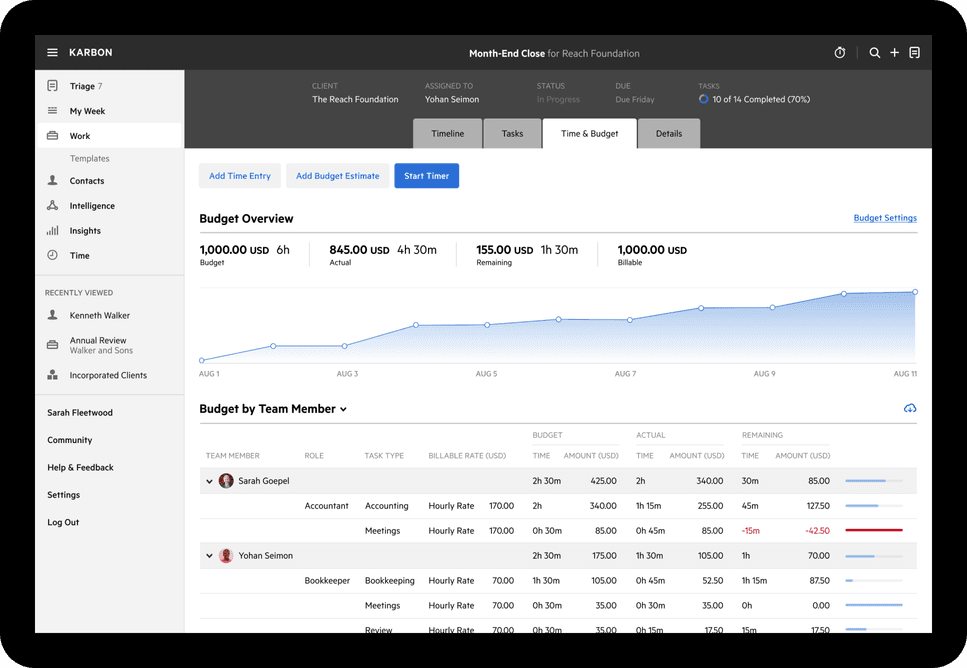
As a project accounting software, Karbon’s business analytics helps you monitor team performance, client behavior, and workflow efficiency. Stay on top of budgets and timelines with the ‘Time & Budgets’ dashboard, and use ‘Client Analysis’ to identify which clients require the most attention.
Furthermore, tools like ‘Work Lists’ and ‘Activity Timelines’ let you spot blockers and overdue items before they impact delivery. You can also export reports or use Karbon’s API to build custom dashboards in Excel or Power BI.
💡 Pro Tip: Gamify team contributions with a ‘Work Wins’ leaderboard. Award points for value-added actions:
Weekly shoutouts or ‘Top Contributor’ spotlights in internal channels. Rotate metrics to keep things fresh, such as time-to-close, quality, volume, or customer satisfaction. This works especially well in busy tax seasons or monthly close cycles when morale dips.
When it comes to managing accounting workflows, both ClickUp and Karbon promise structure, automation, and visibility. But how do they compare when you compare features that matter day-to-day, like task management, collaboration, and automation?
Let’s break down how each of these client portal software performs. 🎯
Both ClickUp and Karbon let you break work into actionable units, assign responsibilities, and track deadlines.
ClickUp offers an all-in-one task management system built to support any team structure or workflow. You can manage tasks across multiple views (List, Board, Calendar, and Gantt), create templates, automate processes, and layer in details such as dependencies, priorities, Custom Fields, and time tracking.
It also supports agile sprints, workload planning, and team collaboration, making it a strong fit for both individual contributors and cross-functional teams.
Karbon focuses on structured, repeatable workflows tailored for accounting practices. Tasks are tied to work templates and often follow a checklist-style structure. Although the platform offers automation triggers and status updates, customization options are more limited.
🏆 Winner: ClickUp wins for its flexible and scalable task management system.
Workflow automation is essential for companies aiming to reduce manual tasks, minimize handoffs, and lower administrative overhead.
ClickUp’s Automations and AI features help eliminate repetitive work through trigger-based rules, like assigning tasks or sending alerts based on status or due dates.
AI task creation, automated summaries via ClickUp Brain, and dynamic Forms give it an edge for streamlining fast-moving or high-volume workflows.
Karbon’s workflow automation is designed for predictability. Automators trigger task updates, reminders, and client check-ins based on client portal templates and statuses. It’s helpful for recurring accounting workflows, but less dynamic if your firm handles non-standard requests or variable schedules.
🏆 Winner: ClickUp, thanks to its more versatile and AI-enhanced automation capabilities.
ClickUp and Karbon both aim to keep client communication close to the work. Here’s how their collaboration features stack up:
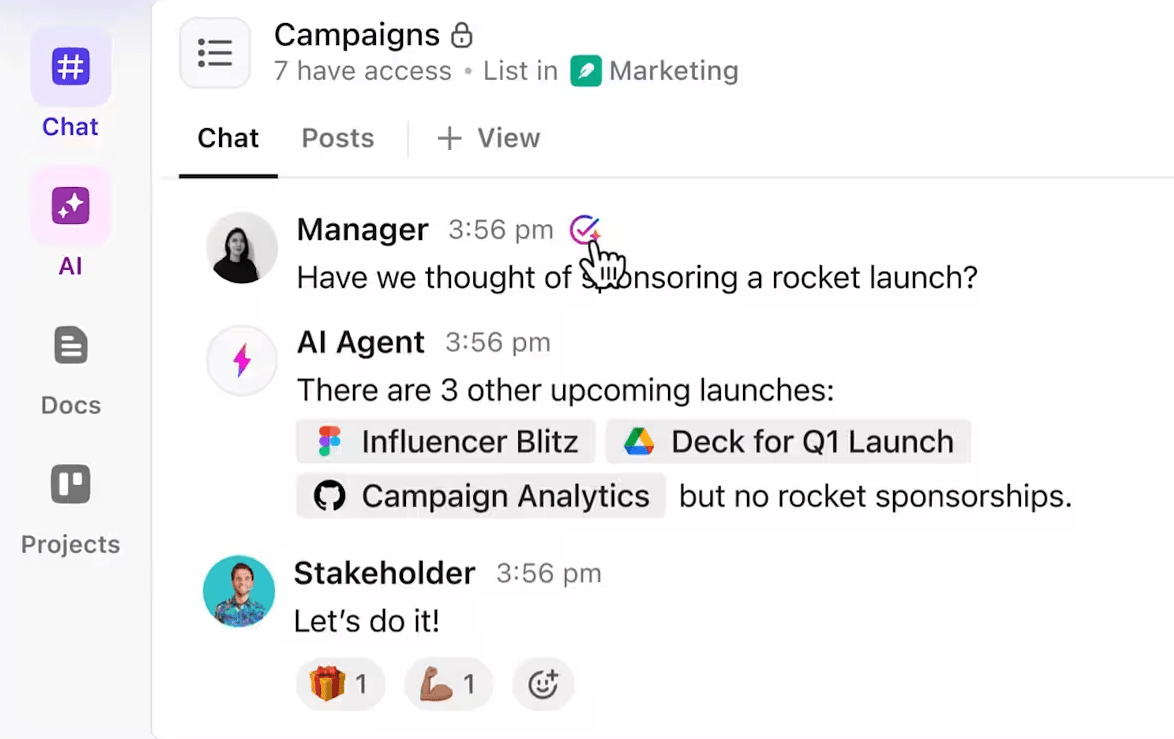
ClickUp offers real-time collaboration with tools like Chat, SyncUp calls, Docs, and email integration.
Chat channels exist within projects, and AI CatchUp highlights important messages. You can comment directly on tasks or docs, convert conversations into action items, and manage emails inside the workspace.
Karbon centralizes email communication within client timelines and work items, offering @mentions, shared inboxes, and visibility into threads. However, it lacks tools such as in-app chat and collaborative documents.
🏆 Winner: ClickUp for offering multiple real-time collaboration options within the same platform.
We’ve compared the features, but what’s it like to actually use ClickUp or Karbon daily? To gain some real-life perspectives, we examined Reddit threads where professionals share their unfiltered thoughts.
ClickUp is frequently praised for doing exactly what it promises by this user:
Been using it since 2017. It is great. AI is very good. I use the docs for my business second brain. No complaints other than it can be hard to figure out how to get started. The templates help with that. I’ve tried most of the other tools out there and ClickUp still beats them all as an all around project/product mgmt platform (even Jira).
Even the free plan gets good reviews:
The free version of ClickUp is surprisingly good… I’ve been using it for months without needing to upgrade, and it covers most of my needs.
Here’s what Karbon customers had to say:
We’ve had Karbon for years and I love them. They are a bit expensive but worth it… The one feature that Karbon had that no one else did was collaborative workflow—workflow items could be assigned to the client and not just internally.
💡 Pro Tip: Identify how your team works. Do you follow recurring tasks, service pipelines, or a ticketing model? Use swimlanes or stages, such as ‘To Review,’ ‘Awaiting Docs,’ and ‘Field,’ to match real client service stages.
After weighing it all, the choice is clear in the Karbon vs. ClickUp debate.
ClickUp comes out on top. 🚀
Karbon may cater well to accounting professionals, but ClickUp offers a flexible and scalable workspace that fits every team, from finance and operations to product and HR.
With ClickUp Brain, Automations, Docs, Dashboards, and Chat in one place, ClickUp is the smarter choice for modern, fast-moving workflow management.
Sign up for ClickUp today. ✅

© 2026 ClickUp

There’s an easier way. Try a free AI Agent in ClickUp that actually does the work for you—set up in minutes, save hours every week.