






Still downloading templates?
There’s an easier way. Try a free AI Agent in ClickUp that actually does the work for you—set up in minutes, save hours every week.
Sorry, there were no results found for “”
Sorry, there were no results found for “”
Sorry, there were no results found for “”
When it comes to scheduling interviews, 64% of recruiters say back-and-forth emails are their biggest pain point.
Add HR challenges like interviewer availability, calendar clashes, and last-minute rescheduling, and things get messy fast. Without a failproof interview scheduling system, you risk losing promising candidates and compromising your employer brand.
That’s why we’ve rounded up the best free interview schedule templates to help you stay on top of your game.
Whether you’re hiring for one role or juggling a dozen, these tools will keep things running smoothly. Let’s make interview scheduling one less thing to stress about.
Interview schedule templates are structured tools especially designed to streamline your recruitment process. HR teams, hiring managers, and small business owners can use these templates to stay on top of their recruitment pipeline and avoid scheduling conflicts. They help you manage every step of the interview process, right from the initial interview to final feedback.
You get a centralized view of interview details, including candidate names, roles applied for, and interview stages, along with available dates, times, and assigned interviewers.
This helps you update interview statuses, keep every hiring phase on track, coordinate with internal teams, and deliver interview feedback.
In short, interview schedule templates keep everyone aligned on who is interviewing whom, when, and why. They ensure smoother communication, faster decision-making, and a far better candidate experience.
👀 Did You Know? 51% of hiring managers can discern whether a candidate fits the job title within the first five minutes of an interview.
You can get free customizable interview scheduling templates from ClickUp, the everything app for work, and other solid sources. These templates are designed to keep your process smooth, your team in sync, and your candidates impressed.
Here are the best ones to keep you organized and efficient:
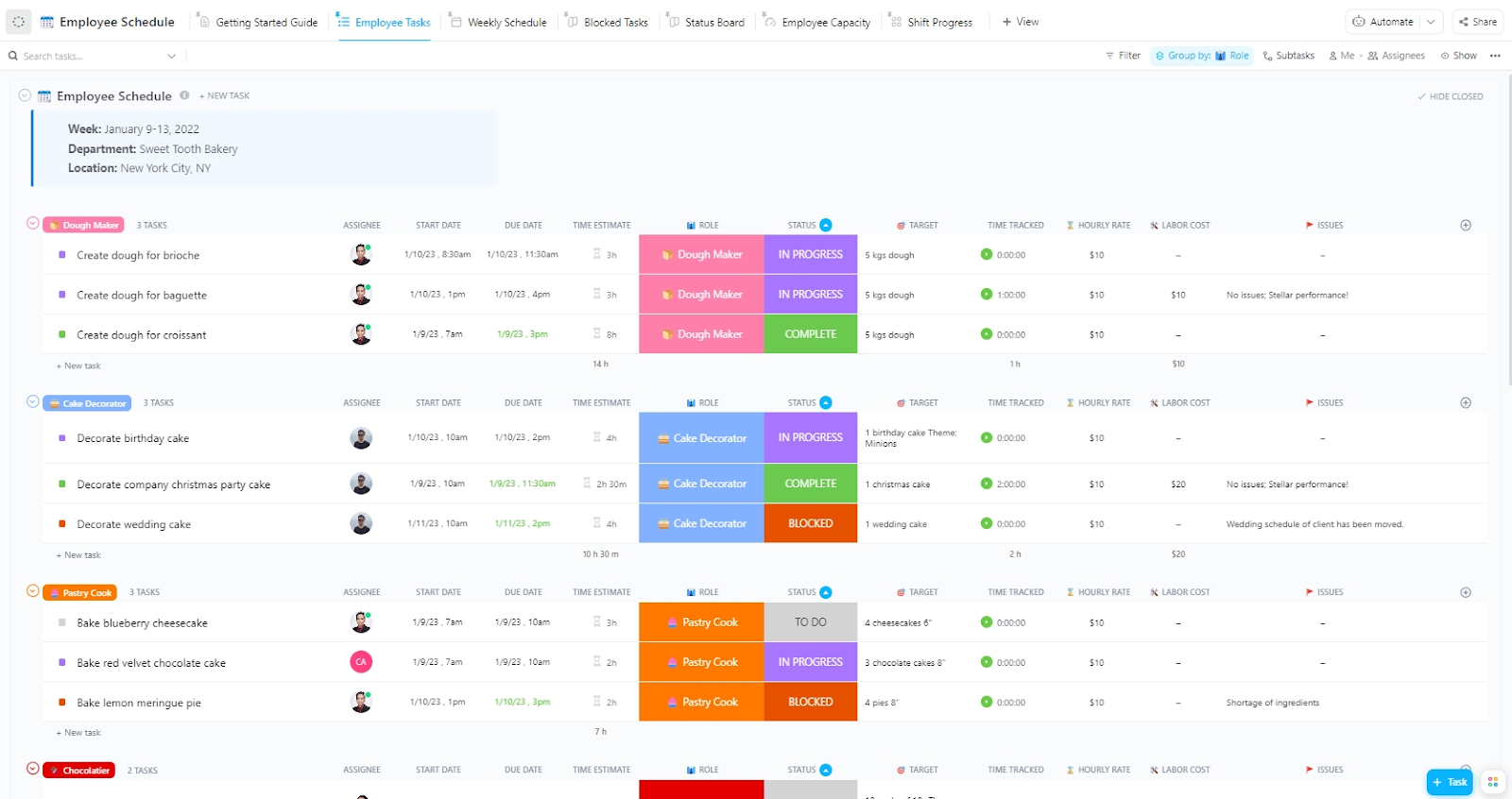
Juggling HR team shifts, availability, and workload can be a major headache for recruiters and HR teams. The ClickUp Employee Work Schedule Template helps you by streamlining workforce planning, organizing recruiter team schedules, monitoring bandwidth, and tracking progress of the interview process.
This template can:
🔑 Ideal for: Scheduling the hiring team’s shifts, monitoring availability, and helping recruiters plan according to hiring timelines and workload
40% of candidates expect an interview invitation within six days after applying for a job. Miss that window, and you risk losing top talent.
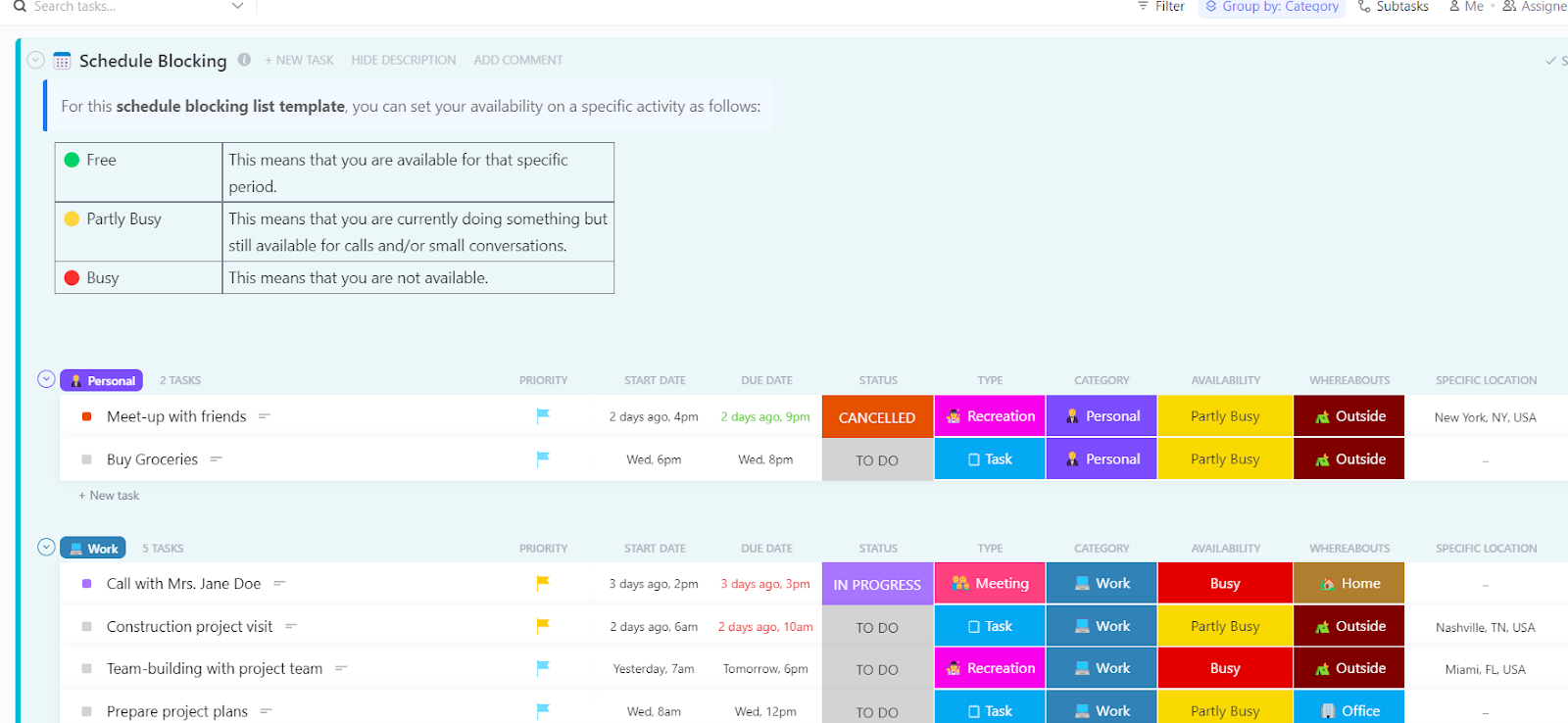
The ClickUp Schedule Blocking Template helps you meet that deadline by updating you on interview timelines, team availability, and pending tasks. It lets you accurately assign dates to each candidate, avoiding scheduling overlaps and long delays.
You can use this template to:
🔑 Ideal for: Organizing interview schedules, avoiding calendar conflicts, and keeping the hiring process on track and candidate-centric
A clear hourly schedule keeps interviews sharp and to the point. It helps you ask strategic questions without dragging things out, so candidates stay engaged, and you gather the insights you need.
The ClickUp Hourly Schedule Template helps you map out each recruitment task, keeping every interview focused, efficient, and aligned with your hiring goals.
It’ll help you:
🔑 Ideal for: Structuring daily recruitment workflows, staying on schedule with candidate interviews, and maintaining complete visibility into the hiring pipeline
🧠 Fun Fact: Famous for their curveball questions, Google once asked a candidate, “How many basketballs can you fit in this room?” Spoiler alert: they weren’t looking for a number—they wanted to see their problem-solving process.
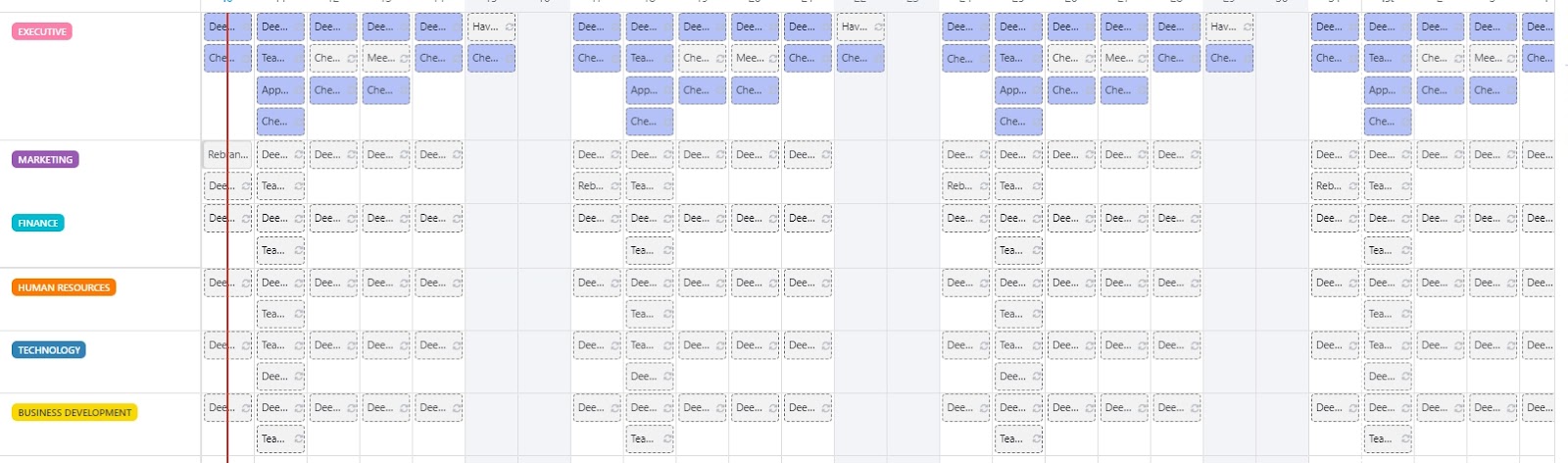
Finding an interview time that works for everyone is the number one interview scheduling challenge recruiters face. Without clear visibility into your HR team’s availability, you may send interview invitations with the wrong dates and struggle with overlapping recruitment tasks.
The ClickUp Block Scheduling Template offers a quick and easy way to create and adjust the hiring team’s schedules.
Use this template to:
🔑 Ideal for: Coordinating interview timings for multiple job titles and keeping everyone aligned with real-time calendar updates
💡 Pro Tip: Stay on top of your schedule with the ClickUp Calendar feature—your all-in-one hub to manage tasks, deadlines, and team availability. Sync with Google or Outlook, drag-and-drop tasks across views, and plan your week with full visibility across projects.
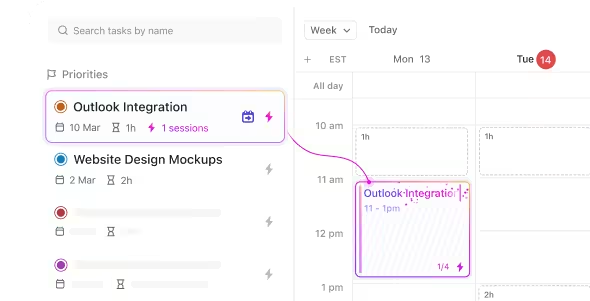
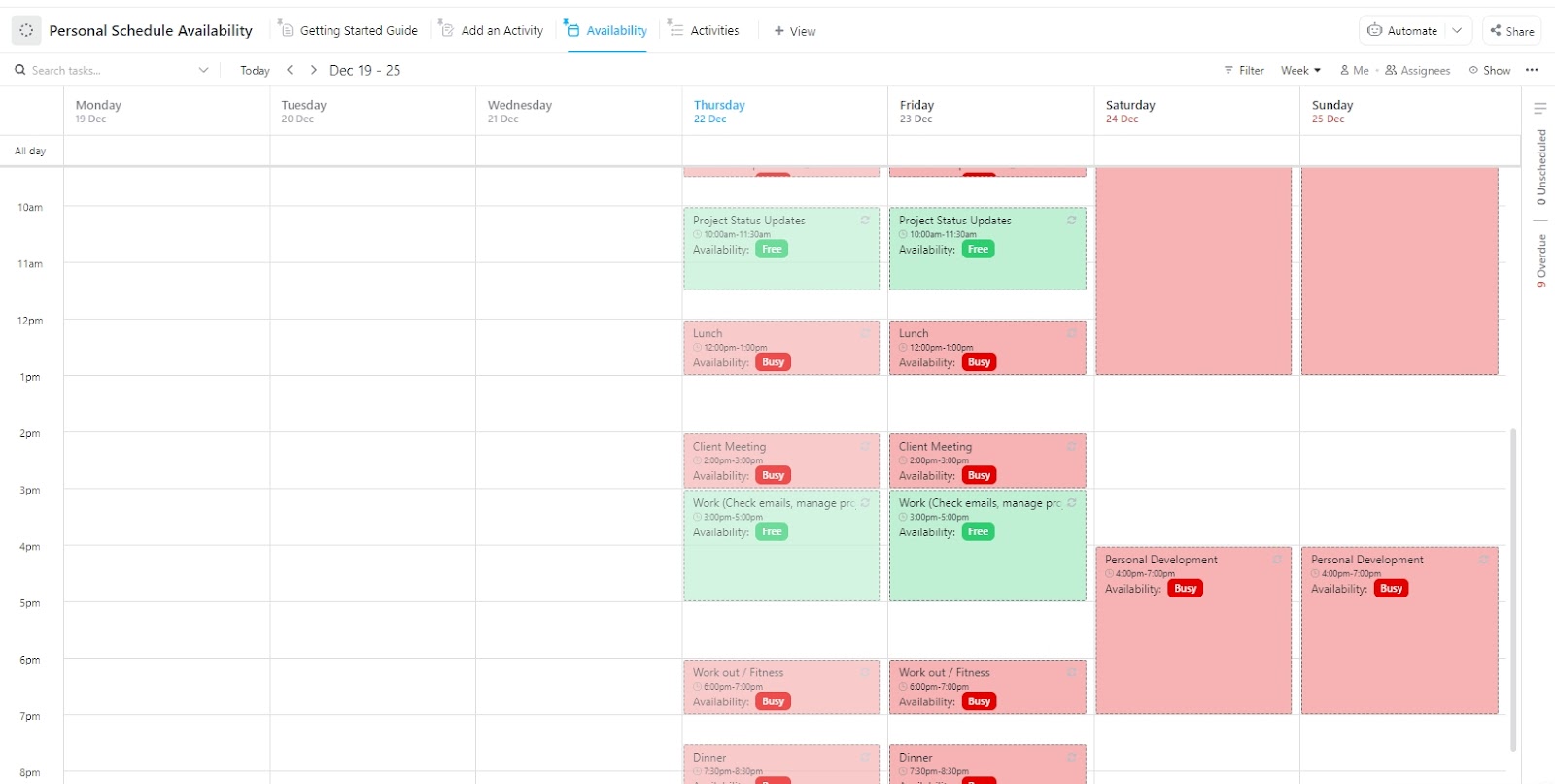
First, you must know each member’s individual schedule to determine the hiring team’s availability. Use the ClickUp Personal Schedule Availability Template to see which tasks they have in the pipeline, when, and whether these can be moved to accommodate urgent interviews.
This template lets you:
🔑 Ideal for: Checking team members’ availability and planning weekly appointments to optimize interview schedules and prevent any clash with ongoing recruitment tasks.
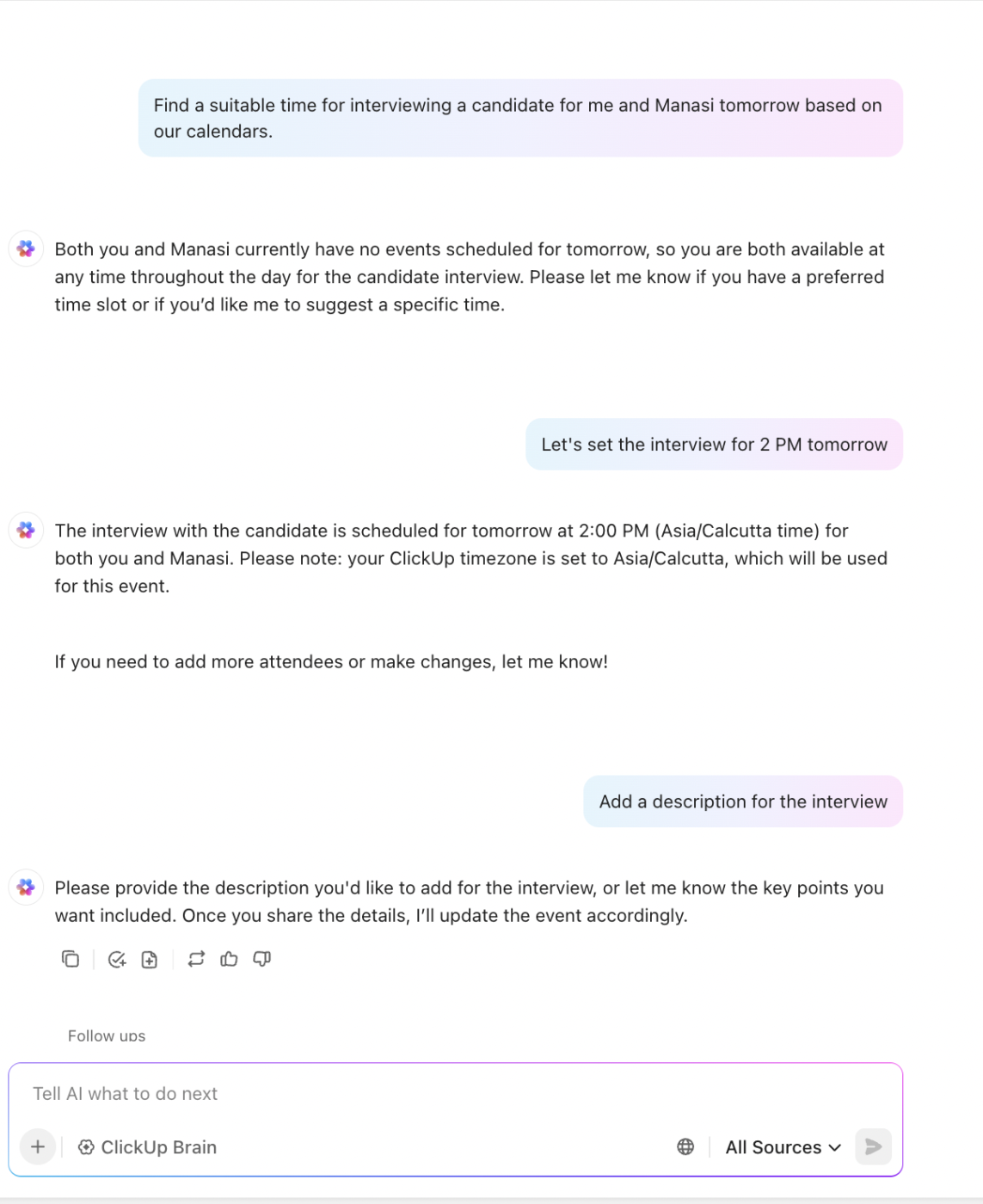
💡 Pro Tip: Ask ClickUp Brain for scheduling a free slot for you and a fellow interviewer—then let it auto-create calendar events and send reminders, so nothing gets missed.
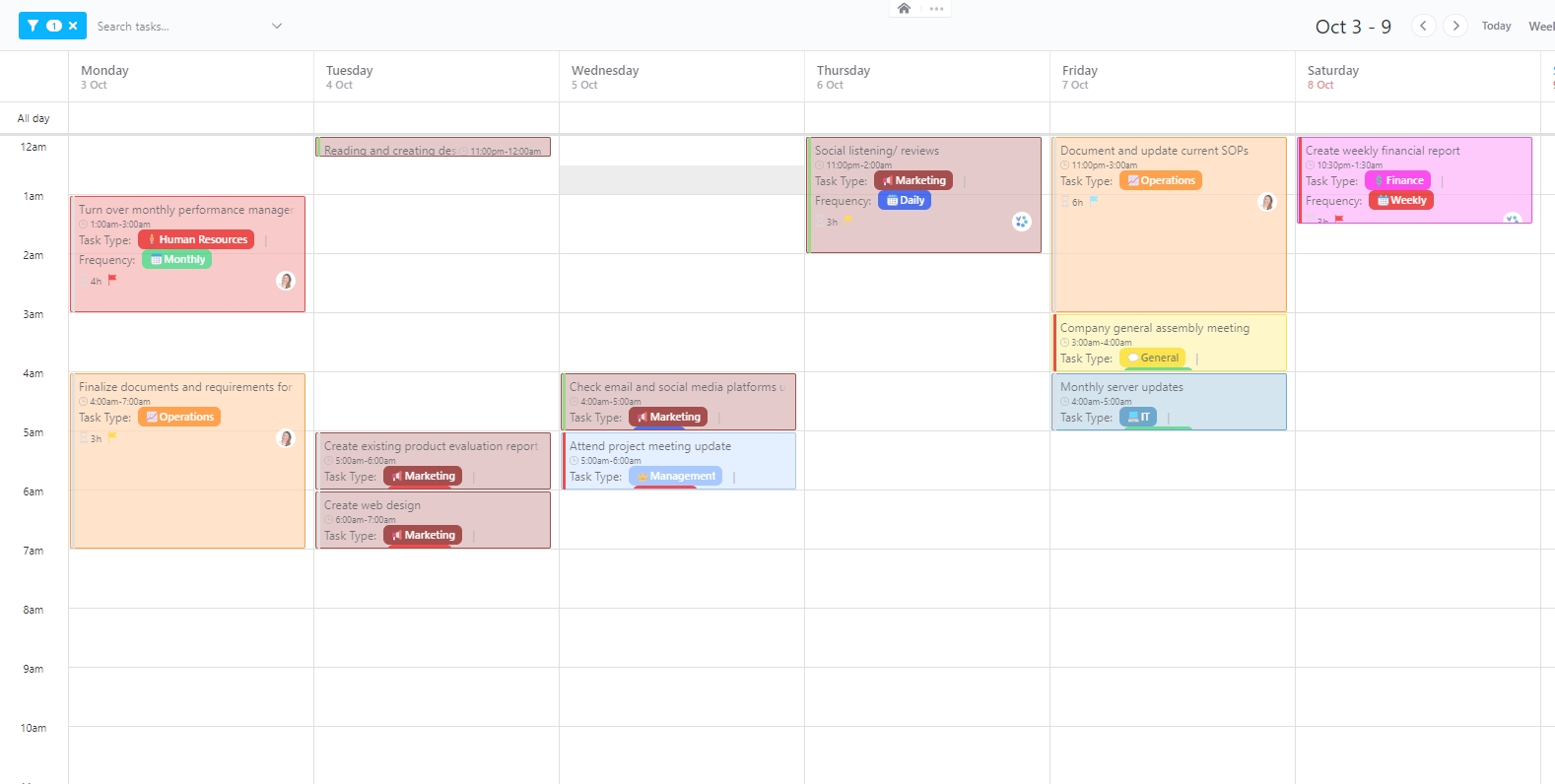
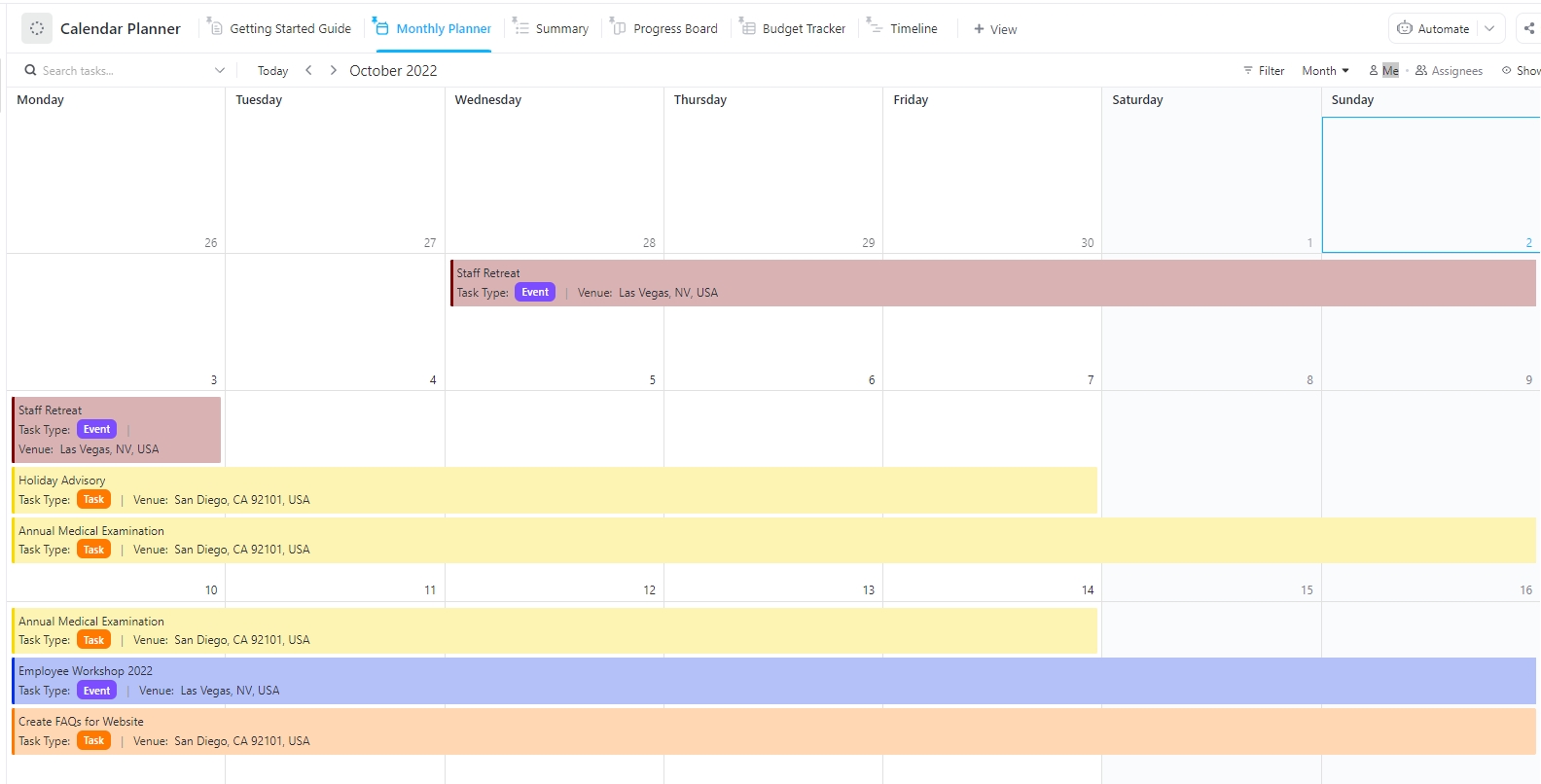
The ClickUp Calendar Planner Template turns your regular calendar into a strategic interview planning tool. You can plan out recruitment tasks for the week or the month in advance. This helps the hiring team send the interview invitation and plan their schedules accordingly.
This template will help you:
🔑 Ideal for: Setting up a clear, shared view of interview schedules and hiring timelines to keep the process efficient and collaborative
📖 Also Read: How to Use AI in Recruitment (Use Cases & Tools)
When you have multiple interviews scheduled for different job titles, recruiters may struggle to remember those appointments. You’ll end up with delayed interview invitation delivery, missed interviews, and frustrated candidates.
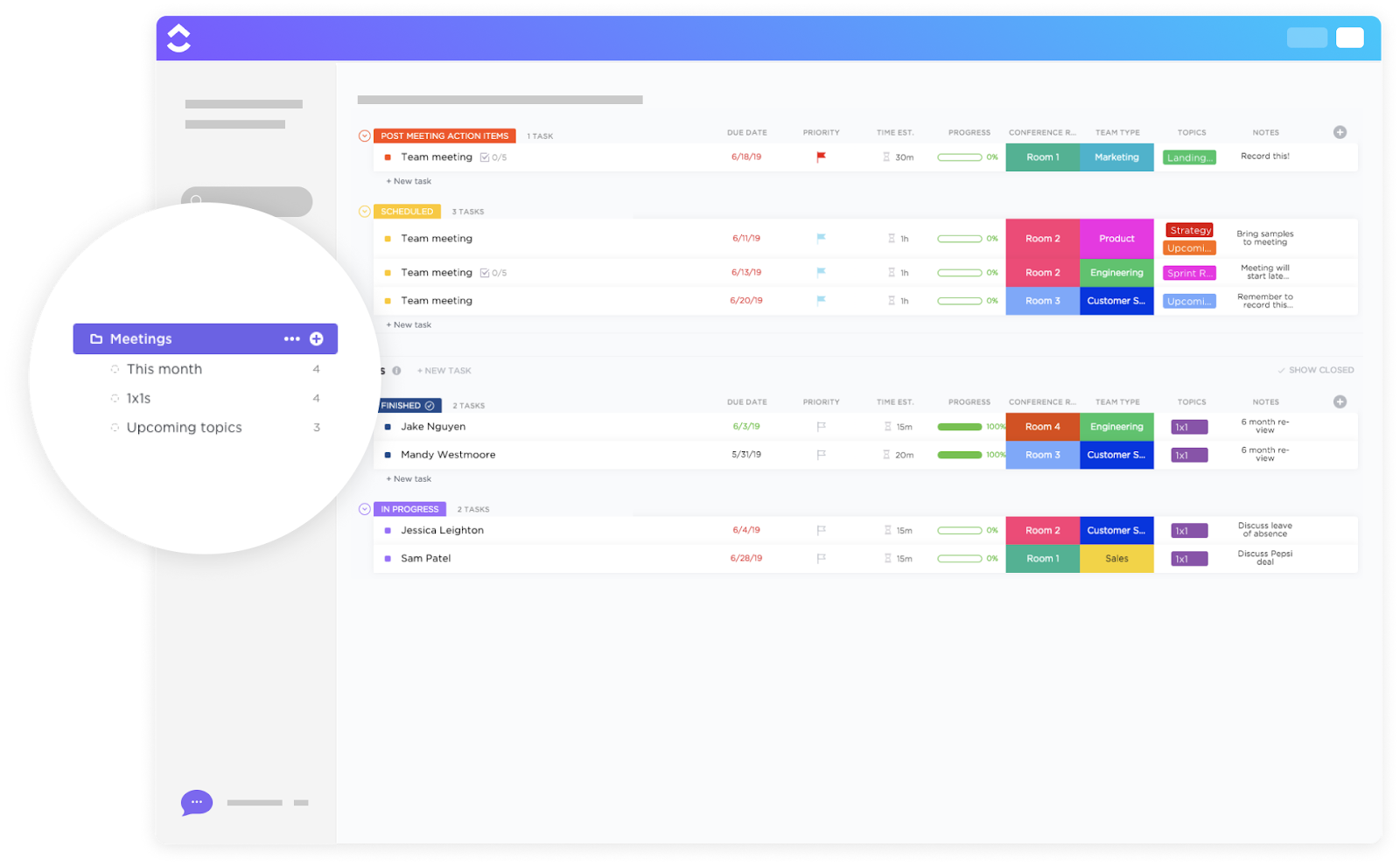
Use the ClickUp Meeting Template to keep track of scheduled interview meetings and keep the hiring team on track. This template lets you:
🔑 Ideal for: Organizing interviews for multiple open roles and sending reminders in a systematic manner
With ClickUp, we reduced the time it takes to dispatch tasks and execute them, from a couple of days to a couple of hours. Now people know which tasks are pending for their onboarding and what they have to do—which is a nightmare to try to organize by email. Managers are one click away, thanks to templates, of creating onboarding boards for each new joiner. Game changer.
Structured interviews have a higher validity coefficient, making them more effective in selecting suitable candidates. To structure interviews, you must outline a standard process that every recruiter shall follow.
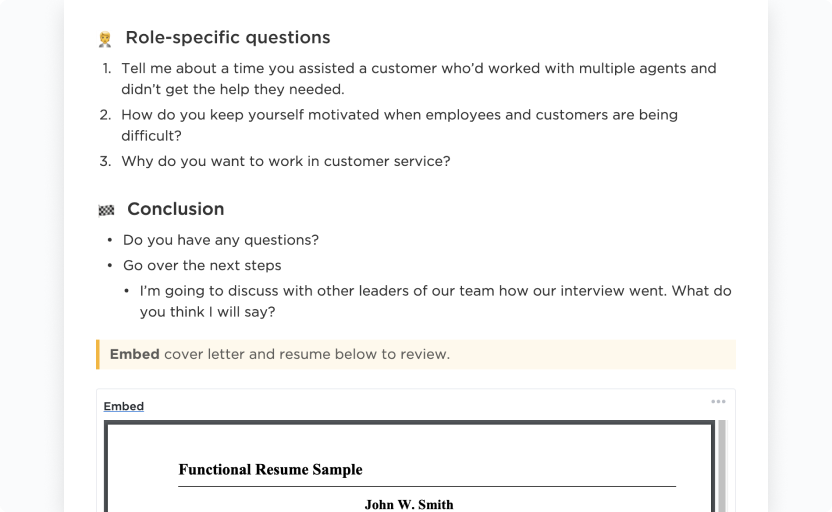
The ClickUp Interview Process Template lets you set up a standardized and repeatable interview framework so every candidate is evaluated fairly and consistently.
With this template, you can:
🔑 Ideal for: Reducing bias and ensuring a consistent candidate evaluation for each job position.
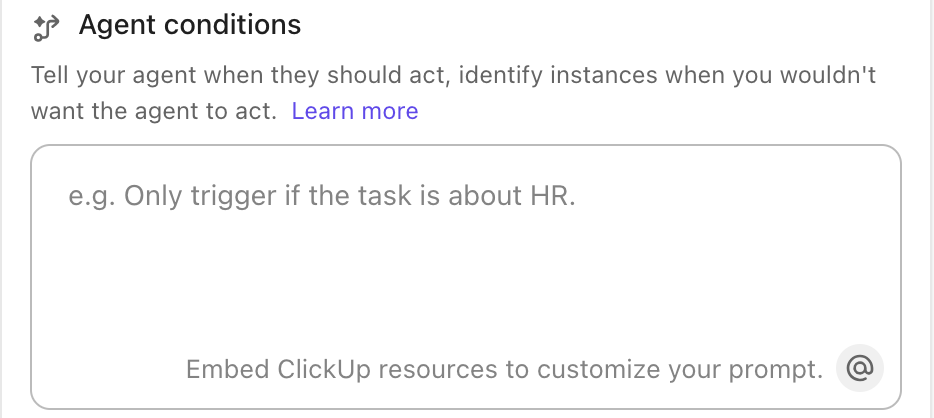
💡 Pro Tip: You can also ask ClickUp’s Prebuilt AI agents to remind you of interviews for the day. Based on your calendar, it can deliver your scheduled interview if given the right trigger.
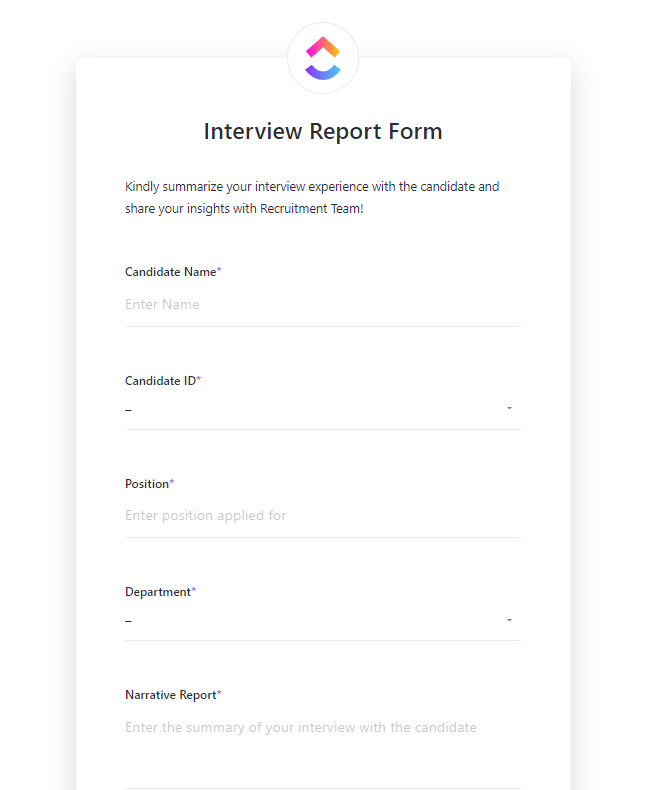
Spoiled for choice due to the high volume of interviews? The ClickUp Interview Management and Report Template will help you choose the right person from a vast candidate pool. You’ll have a brief overview of the candidate’s position in the hiring process and their performance in one place.
You can assign candidate IDs and use them to search for specific profiles. Think of it as an applicant tracking system, just much simpler.
This template will help you:
🔑 Ideal for: Setting up a simple and organized way to track applicants, evaluate performance, and select the best-fitting candidates for the job position and company culture.
I remember early 2021 we were trying to launch a whole bunch of products. We missed deadlines, we had issues. People were not communicating. We, we didn’t know who was like supposed to make decisions. We hired a few smart people, but I would say ClickUp has been sort of the backbone for the operation of the company, particularly for great workflows.
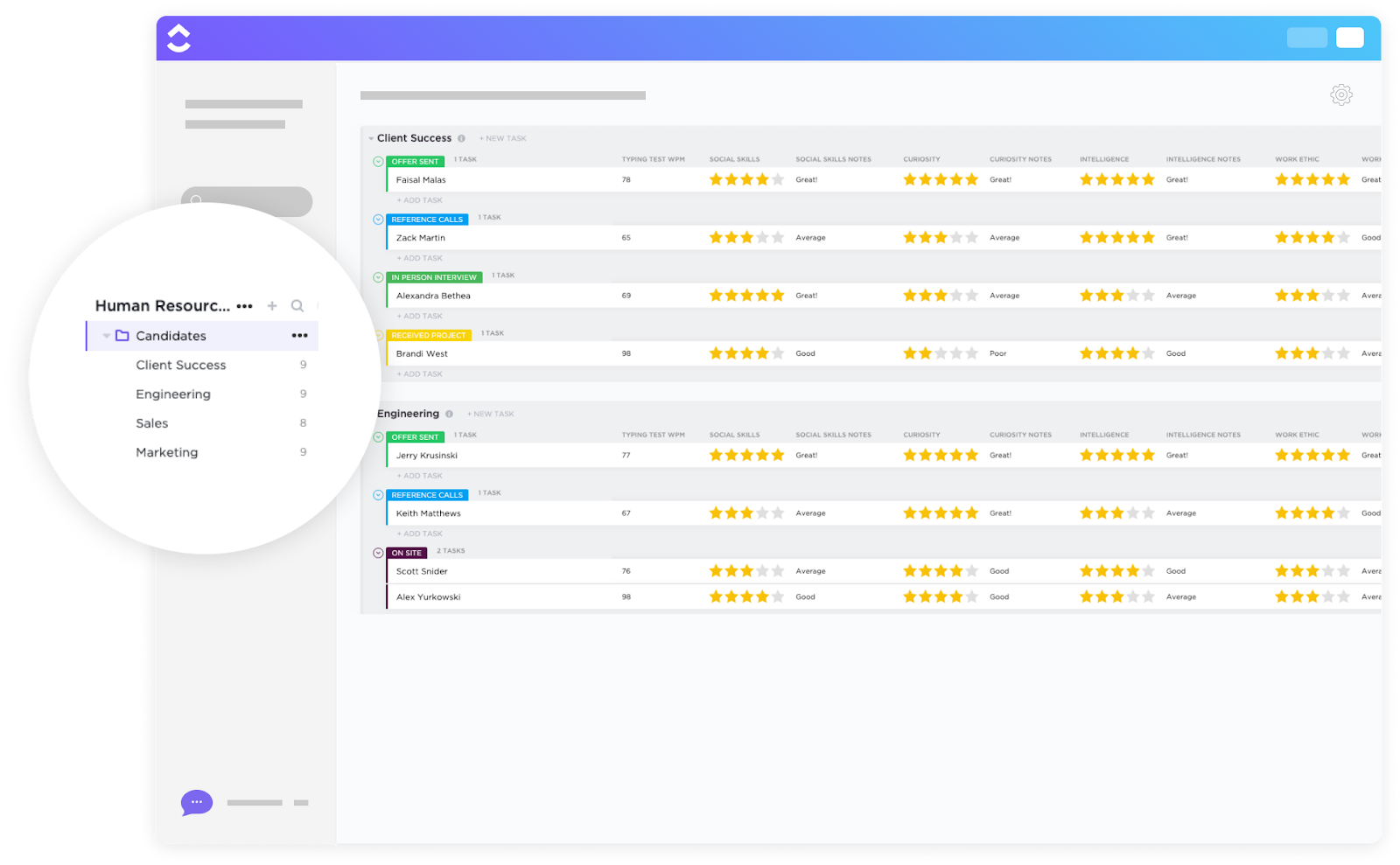
Unconscious biases in recruiting can impact the fairness of your hiring process. With a measurable rating system, the ClickUp Hiring Candidates Template helps reduce these biases. You can track how each candidate is scored, evaluate the fairness of assessments, and keep your process transparent and consistent.
Plus, share feedback with candidates to improve their experience, even if they weren’t selected.
Use this template to:
🔑 Ideal for: Minimizing bias, improving transparency, and ensuring every candidate is evaluated fairly
👀 Did You Know? 67% of a recruiter’s time is spent coordinating interview schedules.
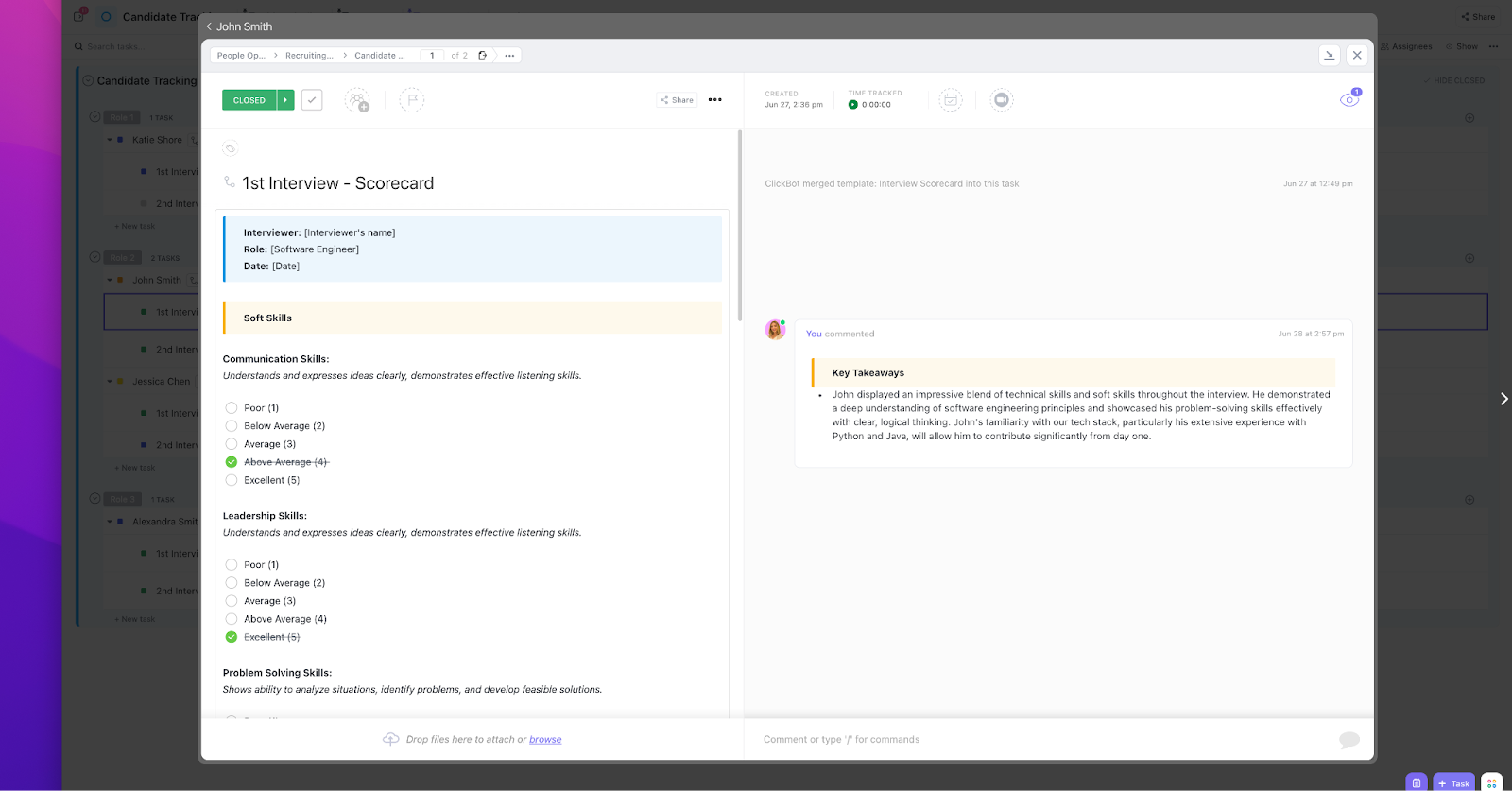
The ClickUp Recruitment and Hiring Template is also a great tool to keep your hiring process fair and measurable. It organizes your recruitment tasks, stores job applications, and offers scorecards to move the right candidates to the next stage.
This template lets you:
🔑 Ideal for: Creating a centralized system to manage job postings, assess candidates objectively, and streamline the hiring pipeline from application to final recruitment.
💡 Pro Tip: A clear and timely interview scheduling email improves candidate response rates and sets the tone for a professional experience. Include the interview type (phone or video), time options, meeting link (if virtual), and interviewer details.
To avoid back-and-forth, you can also use a shared calendar like ClickUp Calendar or integrate it with calendar booking tools like Calendly.
Candidates reporting a poor recruiting experience are less likely to apply again or refer others. And during busy hiring cycles, even the most diligent recruiting teams can miss steps or lose track of progress.
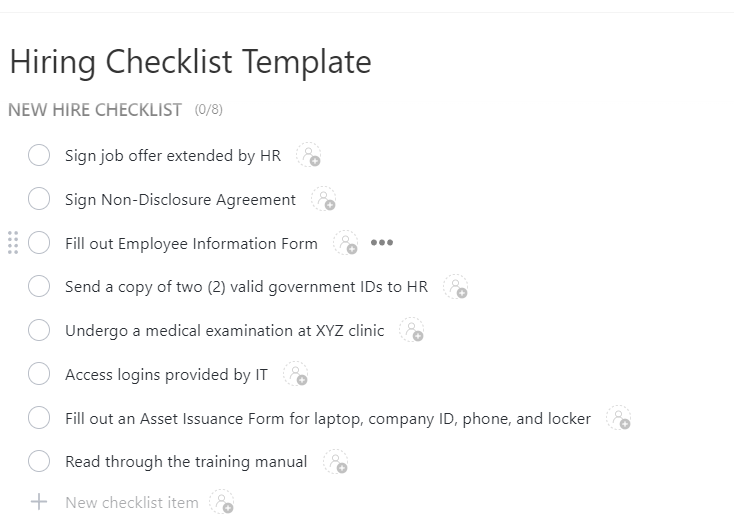
Make their job easier with the ClickUp Hiring Checklist Template. It lays out all the crucial steps in a simple, trackable checklist you can add under any recruitment task.
With this template, you can:
🔑 Ideal for: Establishing a repeatable process where no important step gets missed out, especially during high-volume and fast-paced hiring cycles.
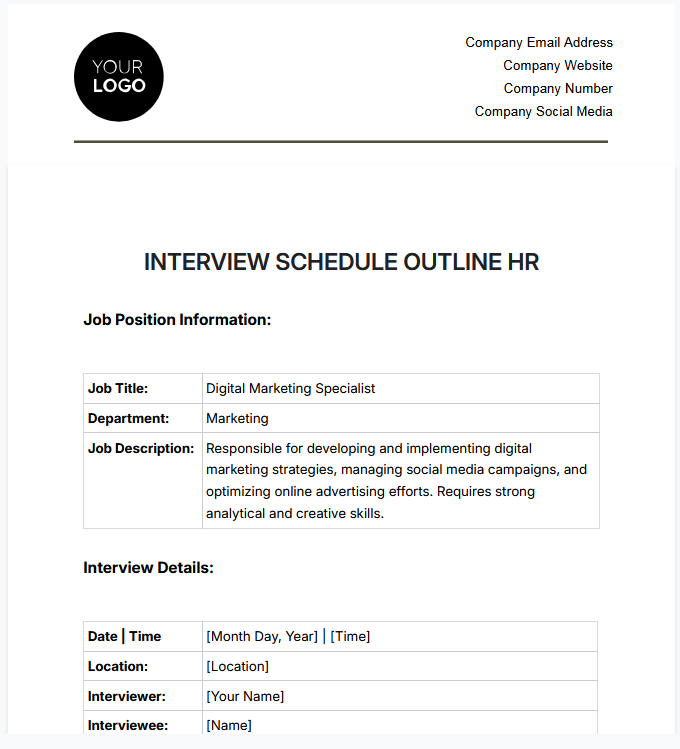
The Interview Schedule Outline HR Template by Template.Net is a simple template to establish all details about your upcoming interviews for your company. You can specify the office address, provide a detailed job description, and set a standard questionnaire.
Use this template to:
🔑 Ideal for: Keeping interviewers aligned and candidates informed while standardizing the interview process across departments and job roles.
📮 ClickUp Insight: 18% of our survey respondents want to use AI to organize their lives through calendars, tasks, and reminders. Another 15% want AI to handle routine tasks and administrative work. To do this, an AI needs to be able to: understand the priority levels for each task in a workflow, run the necessary steps to create tasks or adjust tasks, and set up automated workflows.
Most tools have one or two of these steps worked out. However, ClickUp has helped users consolidate up to 5+ apps using our platform! Experience AI-powered scheduling, where tasks and meetings can be easily allocated to open slots in your calendar based on priority levels. You can also set up custom automation rules via ClickUp Brain to handle routine tasks. Say goodbye to busy work!
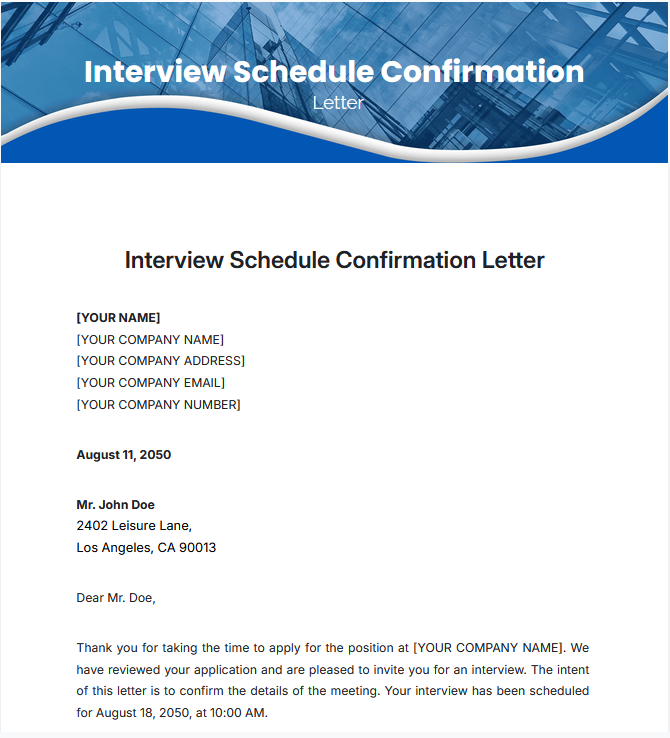
Crafting different emails to confirm interviews is another repetitive task in your HR team’s already busy schedule. This gets even more difficult during high-volume hiring cycles. The Interview Schedule Confirmation Letter Template by Template. Net simplifies this with a customizable email template.
This template can help you:
🔑 Ideal for: Sending personalized interview invitations with all important details in a professional tone, quickly.
📖 Also Read: Learn About a Day in the Life of a Recruiter
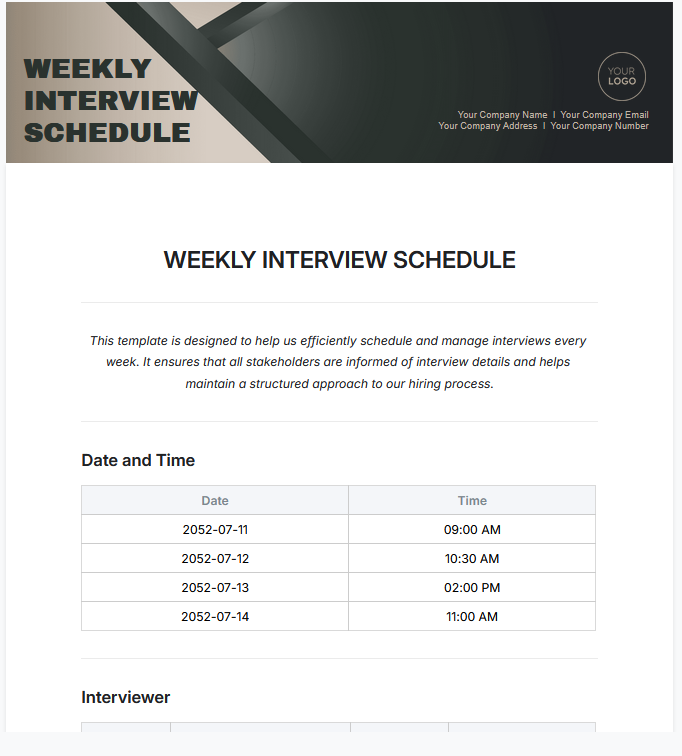
The Weekly Interview Schedule Template by Template.Net is an ideal framework for managing interview schedules every week. You can discuss your team’s availability and list the dates and interview slots in a shared document.
This template lets you:
🔑 Ideal for: Organizing and managing weekly interview schedules.
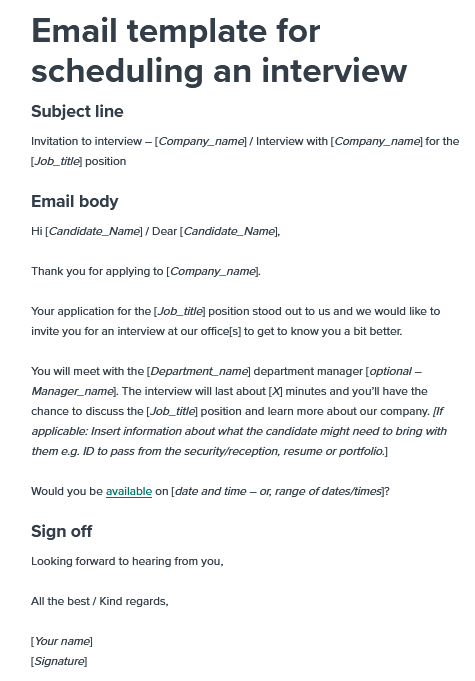
Start off on the right foot by personalizing the interview invite with the Interview Schedule Email Template by Workable. It shows you exactly how to craft a subject line, introduce your job title, and format the email to impress the candidate.
You can use this template to:
🔑 Ideal for: Confirming interviews and establishing initial communication with the candidate.
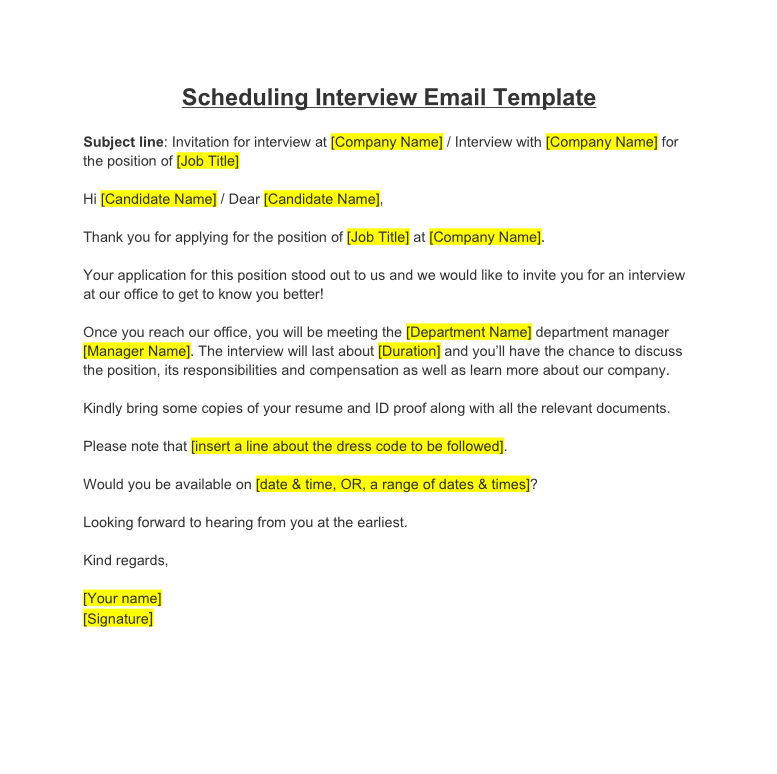
The Interview Schedule Template by Pocket HRMS is ideal for inviting candidates to on-site interviews. It shows how you should provide direction to your office and what documents the candidate needs to carry. You can personalize it according to the job titles you are hiring for.
With this template, you can:
🔑 Ideal for: Delivering personalized on-site interview invites at scale.
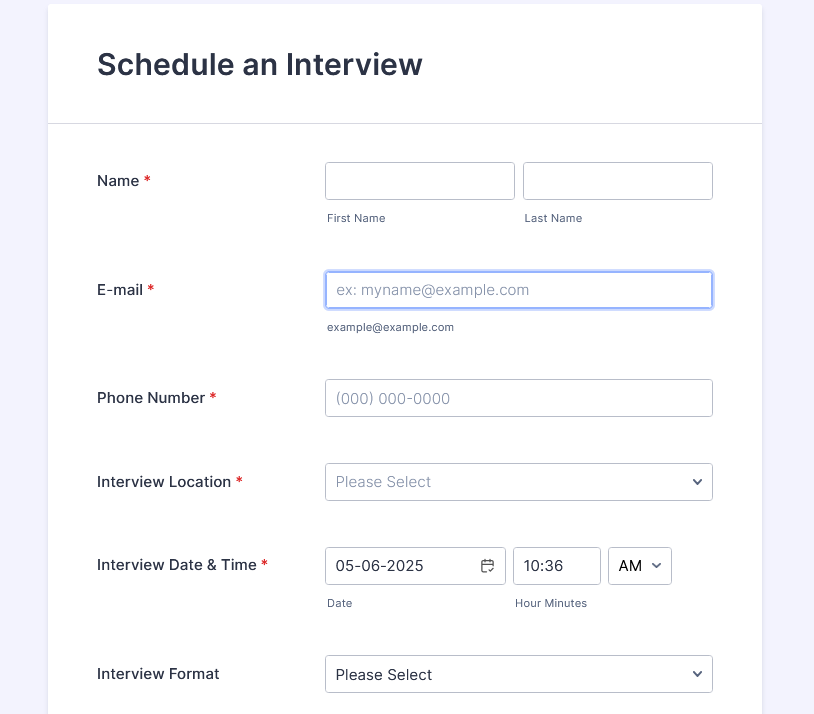
Are you tired of asking each candidate’s availability repeatedly? Use the Interview Schedule Form Template by Jotform to let the candidates choose their preferred dates, time slots, and more through a customizable form.
This template will help you:
🔑 Ideal for: Removing scheduling bottlenecks and giving candidates more control over the interview process.
💡 Pro Tip: Send a video interview checklist ahead of time, including tech requirements, backup options, and dress code. Further, always confirm internet stability and background settings to avoid distractions. This ensures a seamless interaction and helps candidates present their professional experience effectively. For more, read tips on how to prepare for a remote interview.
Free HR templates can save your time, budget, sanity, and reputation. But, for that, they should have some specific qualities, like:
All the above-mentioned templates have features to make interview scheduling easier.
But ClickUp is your best bet at easily scheduling interviews with the best templates and keeping your recruitment cycle consistent and centralized. It can be used as HR software and a knowledge base for your entire recruitment team.
Use it to keep candidates informed, recruiters aligned, and hiring cycles time-bound.
What’s more, it also integrates with 1,000+ platforms, so you can easily sync your existing recruiting tech stack with ClickUp.
Sign up with ClickUp today and organize all your candidate interviews effortlessly!

© 2026 ClickUp

There’s an easier way. Try a free AI Agent in ClickUp that actually does the work for you—set up in minutes, save hours every week.