






Still downloading templates?
There’s an easier way. Try a free AI Agent in ClickUp that actually does the work for you—set up in minutes, save hours every week.
Sorry, there were no results found for “”
Sorry, there were no results found for “”
Sorry, there were no results found for “”

AI is scaling faster than the guardrails around it.
IBM’s AI at the Core research found that nearly 74% of surveyed organizations report only moderate or limited coverage in their AI risk and governance frameworks across technology, third-party, and model risks.
In other words, plenty of teams are shipping models, but far fewer can confidently answer the questions that show up right after:
🤔 Who approved this, on what basis, with what evidence, and what happens when the model drifts in production?
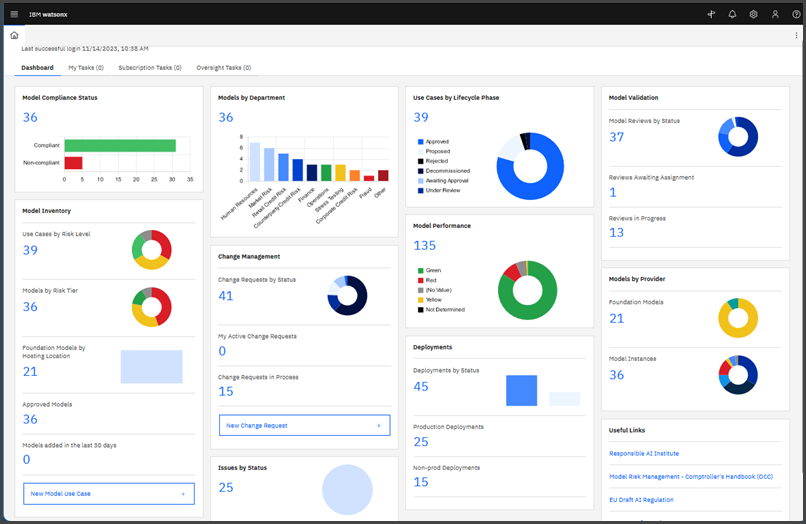
This is what IBM watsonx.governance largely answers. It helps you govern, secure, and monitor AI across the lifecycle, with workflows, monitoring, and risk management designed to support responsible scale.
In this guide, we’ll walk through how to use watsonx.governance to document use cases, standardize review and approvals, capture the right model facts, and monitor models in production as you scale.
IBM watsonx.governance is an enterprise-grade AI governance platform developed by IBM as part of its watsonx AI and data platform. It helps organizations direct, manage, monitor, and scale AI activities responsibly across the entire AI lifecycle.
It serves as a unified solution for governing both traditional machine learning (ML) models and modern generative AI (gen AI) models, including large language models and applications, whether built on IBM watsonx.ai or deployed on supported third-party platforms.
watsonx.governance is packaged as an integrated set of capabilities that IBM describes as combining:
OpenPages is the component within watsonx.governance that acts as your central risk and compliance engine. It’s designed to translate your company’s policies into concrete, trackable metrics for every AI model.
It gives you the tools to handle formal risk assessments, map models to specific regulations, and create unchangeable audit trails for regulators.
OpenScale is the real-time monitoring engine that watches over your models after they go live. It’s your early warning system for problems that arise when a model interacts with the unorganized, unpredictable data of the real world.
AI Factsheets are part of the document lifecycle management for every model. Factsheets automatically track key details at every stage of the AI lifecycle, including:
🔍 ClickUp Brain MAX: Faster multi-model testing before governance gates
Before a model, prompt, or agent ever reaches IBM watsonx.governance, teams usually need a place to think, test, and compare without friction.
That’s where ClickUp Brain MAX shines.
Brain MAX is a standalone desktop AI app that lets teams switch between multiple leading models (e.g., GPT, Claude, Gemini) in the same workspace context. You can run the same prompt, decision logic, or draft output across models side by side, compare responses instantly, and keep the full reasoning trail saved with the work itself.
This makes Brain MAX especially powerful for:
Once teams converge on the right behavior, prompt, or model choice, watsonx.governance becomes the system of record. Factsheets, approvals, and monitoring then reflect decisions that were already pressure-tested, documented, and agreed on.
👉 In practice, Brain MAX accelerates learning and iteration, while watsonx.governance ensures control and accountability. Together, they prevent governance from slowing innovation—or innovation from bypassing governance.
Now let’s set up watsonx.governance for your team, step by step 👇
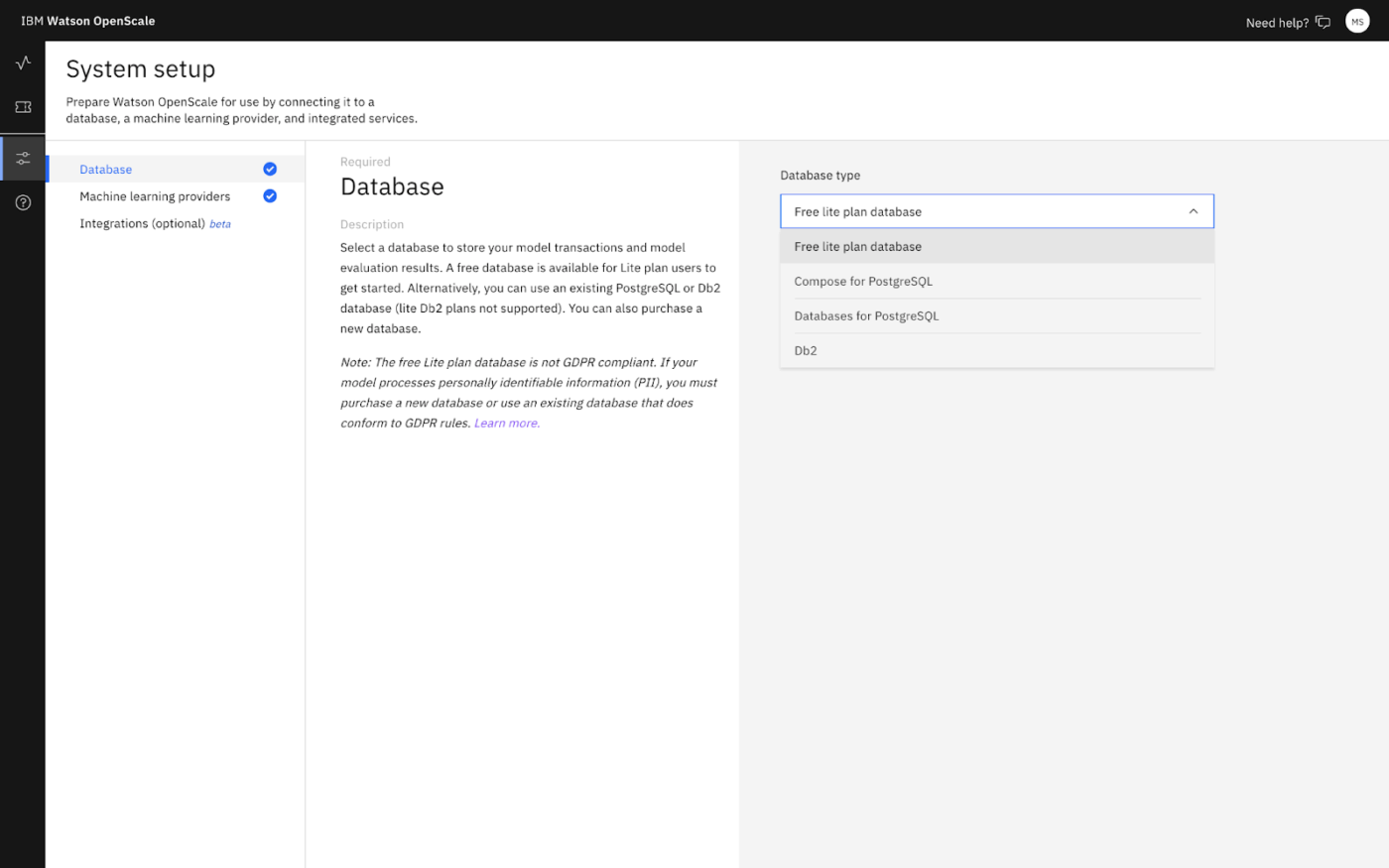
Open the watsonx.governance URL for your region, then go to Configure → Database and pick a DB type (Lite or your own DB2/PostgreSQL).
In IBM Cloud, Manage → Access (IAM) → Users → Invite user → assign an Access policy for service watsonx.governance and scope it (account/resource group/specific instance)
📌 Users need Reader/Writer+ for service access. Writer+ can see info across projects and deployment spaces.
Assign collaboration roles for evaluation-related actions (Admin/Editor/Viewer/Operator) based on what each person should do.
👀 Did you know? A single modern breach can be stadium-sized! The Under Armour breach entry added in January 2026 lists 72.7 million affected accounts.
IBM watsonx.governance serves as the governance system of record for AI, where models, prompts, evaluations, and approvals are formally tracked with structure and traceability.
But governance still has to run across departments. Well, someone has to capture the initial context, track decisions, keep evidence aligned, and move work forward without the process turning into a maze of handoffs. Massive work sprawl in action!
Enter ClickUp. As the world’s first Converged AI Workspace, it connects the operational layer—Docs, tasks, chat, workflows, knowledge, AI, and leadership visibility—so your teams can execute the governance lifecycle ever so seamlessly.
Let’s see how.👇
Use cases are easy to document once. The harder part is keeping that documentation coherent as the idea gets pressure-tested by risk, legal, security, and delivery teams.
Fix that with ClickUp Docs. For example, use a ClickUp Doc template for every new AI use case so each project begins with standardized input:
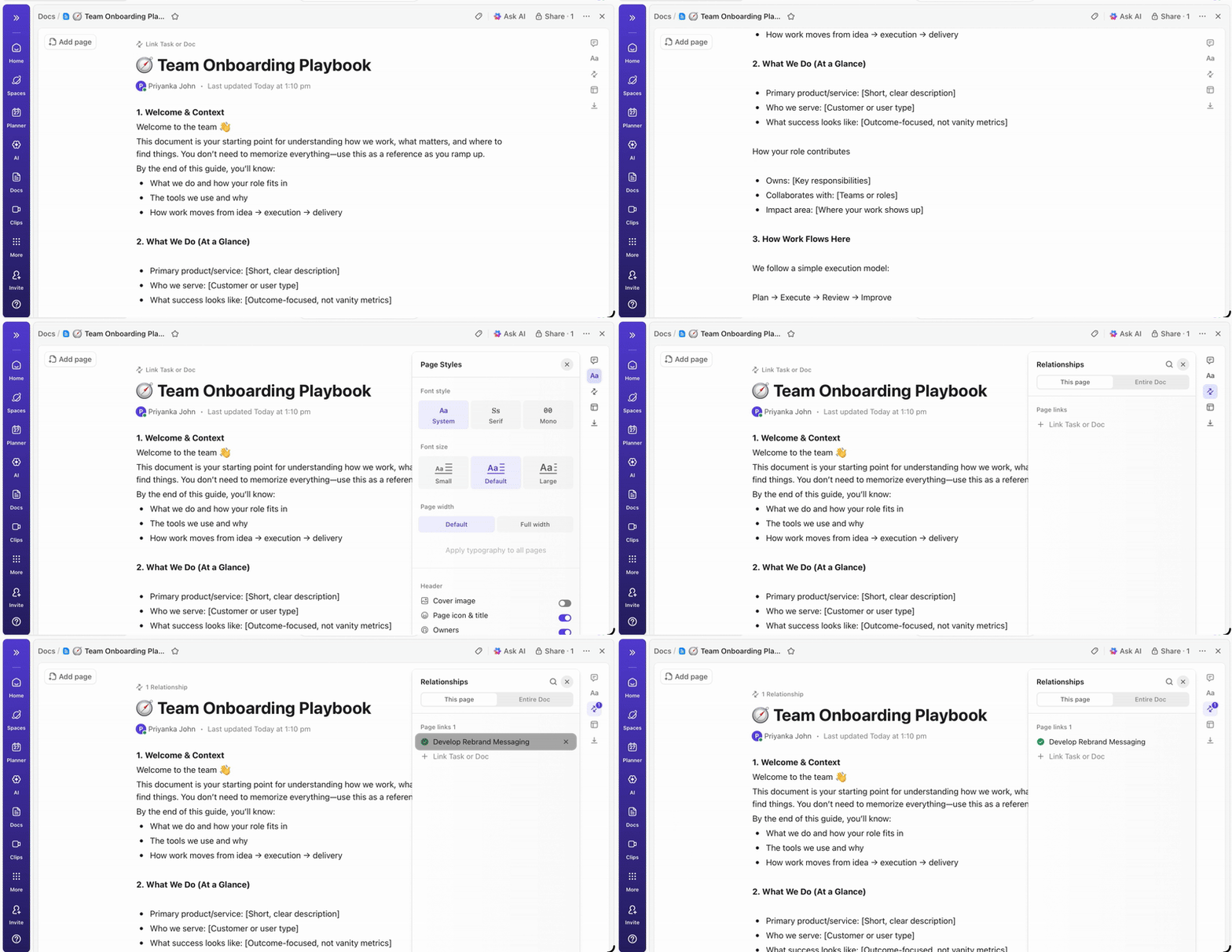
Further, keep use case discussion and decisions in the Doc using @mentions and ClickUp Assigned Comments. As the review progresses, turn the next steps into ClickUp Tasks directly from the Doc.
If it fits your workflow, layer in ClickUp Brain to speed up the parts that typically drag. Use it to tighten an executive summary, identify assumptions that need validation, or draft a first pass at governance considerations (e.g., fairness or privacy checkpoints) based on what your team has already written.
Once the use case is done and dusted, formalize it in IBM watsonx.governance, so it becomes the governed anchor for lifecycle tracking and factsheet documentation.
In watsonx.governance, create an AI use case in an inventory:
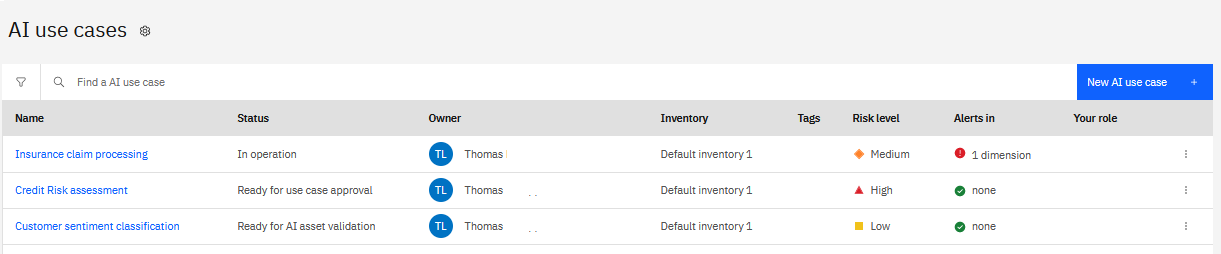
From there, the use case becomes the place to view lifecycle tracking (Overview/Lifecycle/Access) and connect governed assets to their Factsheets.
Factsheets then help capture governance and compliance metadata across the lifecycle, including purpose/criticality and lineage of actions taken during development and deployment.
📮 ClickUp Insight: 53% of organizations have no AI governance or only informal guidelines. And when people don’t know where their data goes—or whether a tool might create a compliance risk—they hesitate. If an AI tool sits outside trusted systems or has unclear data practices, the fear of “What if this isn’t secure?” is enough to stop adoption in its tracks.
That’s not the case with ClickUp’s fully governed, secure environment. ClickUp AI is compliant with GDPR, HIPAA, and SOC 2, and holds ISO 42001 certification, ensuring your data is private, protected, and responsibly managed.
Third-party AI providers are forbidden from training on or retaining any ClickUp customer data, and multi-model support operates under unified permissions, privacy controls, and strict security standards. Here, AI governance becomes part of the workspace itself, so teams can use AI confidently, without added risk.
Model evaluation is a critical but complex stage with many moving parts. You have to run performance tests, check for bias, and test for failure modes, all while keeping multiple stakeholders informed.
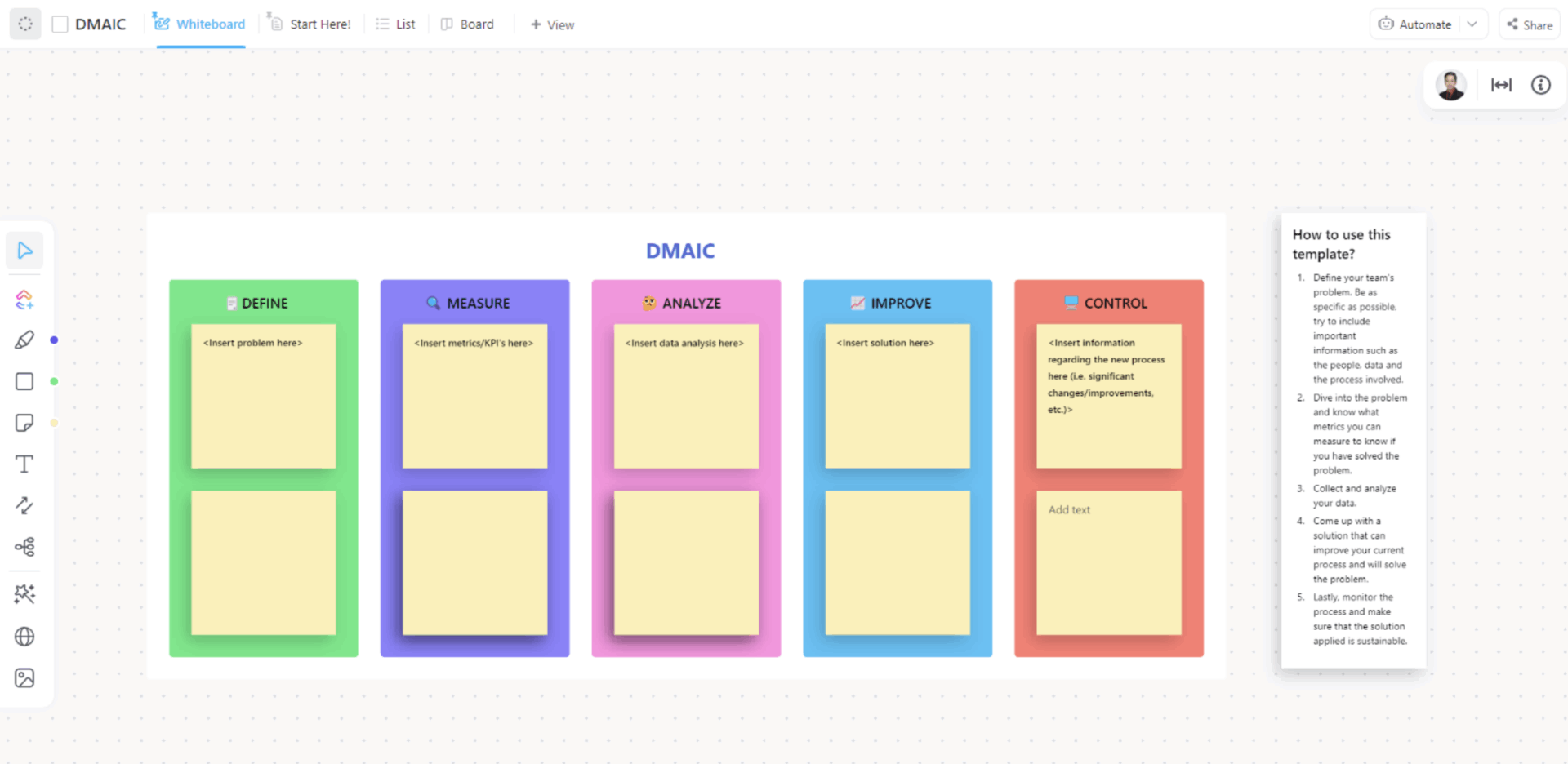
To build repeatable workflows, use the ClickUp DMAIC Template.
Build evaluation pipelines with stage-based Custom Statuses using the ClickUp DMAIC Template
Inside this template, you can create evaluation pipelines using ClickUp Custom Statuses. That means the statuses can mirror your evaluation stages, such as Pending Evaluation, Bias Testing, Performance Review, and Ready for Approval.
You can also remove manual handoffs with ClickUp Automations. For instance, when the task moves to Bias Testing, the automation you set can assign the work to your compliance reviewer and add a comment with the testing checklist and links.
Once your workflow is established, you can perform the technical evaluation in watsonx:
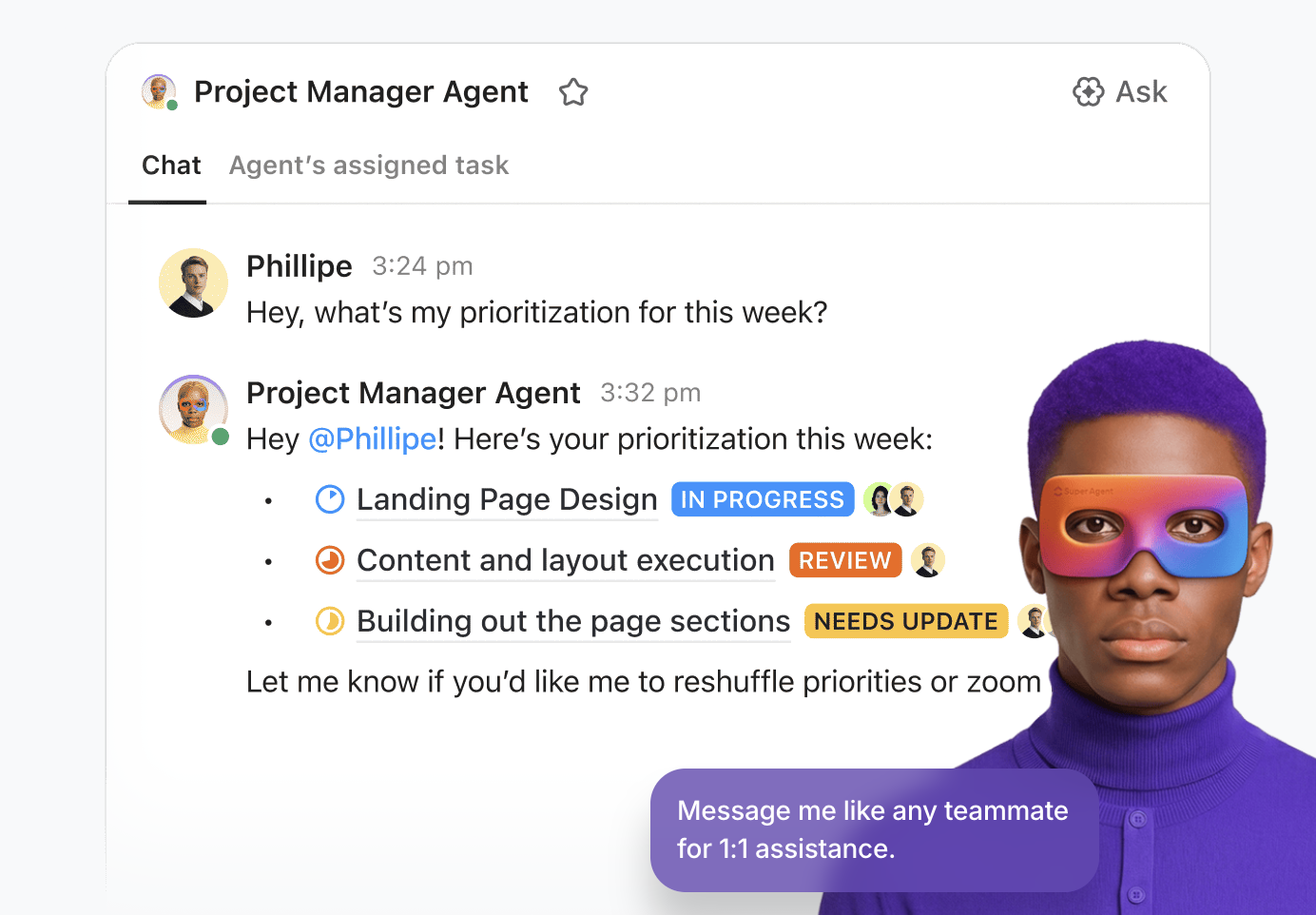
Use ClickUp Super Agents to automate the approval process end-to-end.
They are AI-powered teammates that work with full Workspace context and can securely run multi-step workflows. Even more so, you can configure how they behave through instructions, triggers, tools, and knowledge to ensure they operate within guardrails.
For example, as an evaluation wraps, a Super Agent can compile what reviewers need in one place (say, the current use case context, decision notes, and links to the governed evidence).
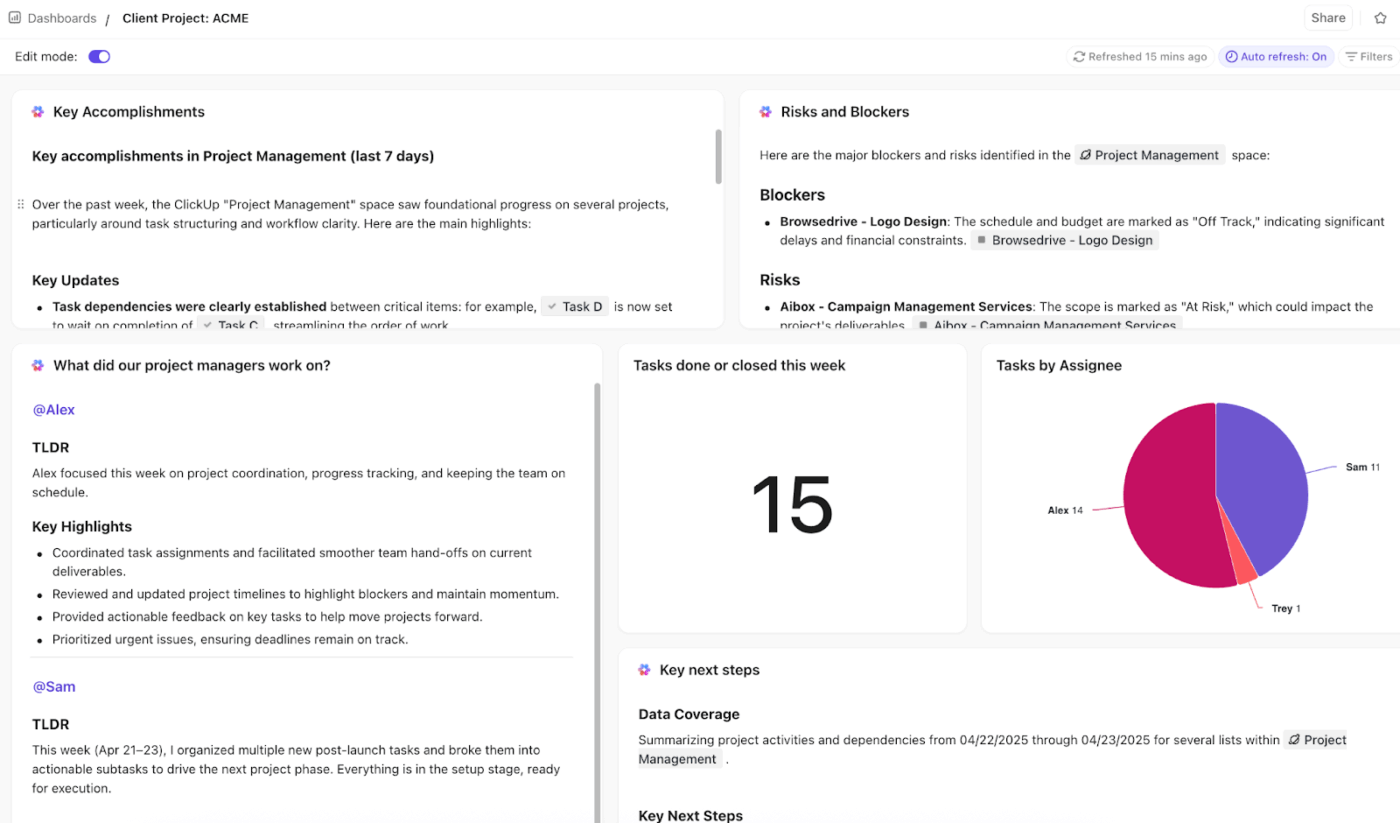
Moving along, ClickUp Dashboards can convert Workspace task data into a high-level visual view of progress, so leadership can see how many models are awaiting review, which stage is backlogged, and what’s aging out.
Create your own project management dashboard on ClickUp ⬇️
You can then tie the operational workflow back to watsonx:
🚀 ClickUp advantage: Create a leadership Dashboard and add ClickUp AI Cards that summarize what’s blocking approvals (e.g., ‘What’s waiting on Legal?’ or ‘Which models have been in review the longest?’).
No tool is a silver bullet, and it’s important to understand a platform’s limitations before you commit.
Here are a few things to consider with watsonx.governance 👀
| Limitation | Impact |
| IBM ecosystem tilt | While it supports third-party models, the deepest integrations are with IBM’s own tools. Teams heavily invested in other cloud platforms may face friction. |
| Complexity for smaller teams | The platform is built for enterprise-scale operations. Smaller teams might find the overhead and complexity more than they need. |
| OpenPages learning curve | The risk management module was originally designed for finance, so its concepts and interface may not feel intuitive for AI-native teams. |
| Customization constraints | The pre-built compliance templates are a great starting point, but they may not perfectly match your company’s unique or niche regulatory needs. |
| Generative AI governance is still maturing | The tools for governing large language models (LLMs) are evolving quickly across the industry, and governance capabilities continue to mature alongside emerging best practices |
If IBM watsonx.governance doesn’t feel like the right fit, you have some alternatives, depending on whether you want a cloud-native governance stack or a cloud-agnostic monitoring layer.
A platform like IBM Watsonx Governance can give you the technical foundation for risk controls and compliance, but governance only works when the teams behind it stay aligned and accountable.
ClickUp connects that execution layer. Docs standardize policies and model records. Dashboards make reviews and bottlenecks visible. And AI Agents keep approvals and handoffs moving, so governance stays operational rather than theoretical.
Most importantly, this turns AI governance from a periodic review exercise into a living system. One where decisions are documented, actions are tracked, and accountability is clear at every stage of the lifecycle.
Get started for free with ClickUp and run your governance process with clarity from start to finish. ✅
General AI governance refers to the broad principles and policies an organization adopts, while watsonx.governance is a specific software platform that helps you implement and automate those practices.
Yes, the platform can monitor and govern models deployed on other clouds like AWS SageMaker and Azure ML, though the integration may require more manual configuration than with IBM-native models.
Effective governance is a team sport, typically involving data scientists, ML engineers, compliance officers, risk managers, business stakeholders, and IT security to cover the full lifecycle.

© 2026 ClickUp

There’s an easier way. Try a free AI Agent in ClickUp that actually does the work for you—set up in minutes, save hours every week.