






Still downloading templates?
There’s an easier way. Try a free AI Agent in ClickUp that actually does the work for you—set up in minutes, save hours every week.
Sorry, there were no results found for “”
Sorry, there were no results found for “”
Sorry, there were no results found for “”
You’re about to automate parts of your workflow with an AI Agent, which means you need to make some deliberate choices upfront.
Get it right, and your team saves hours every week. If you’re wrong, you’ll spend Tuesday morning explaining why the agent archived 200 active tasks.
Learning how to choose a Super Agent comes down to matching capability with scope.
ClickUp gives you the controls to dial this in precisely. You can configure permissions at a granular level, start with a limited scope while you validate the workflow, and expand access as the agent proves itself.
Even more, the Super Agent builds knowledge and experience the more it works, just like a human. This lets you roll out automation at whatever pace makes sense for your team’s risk tolerance and operational complexity.
This guide walks through the key decisions in detail. Let’s get started! 📝
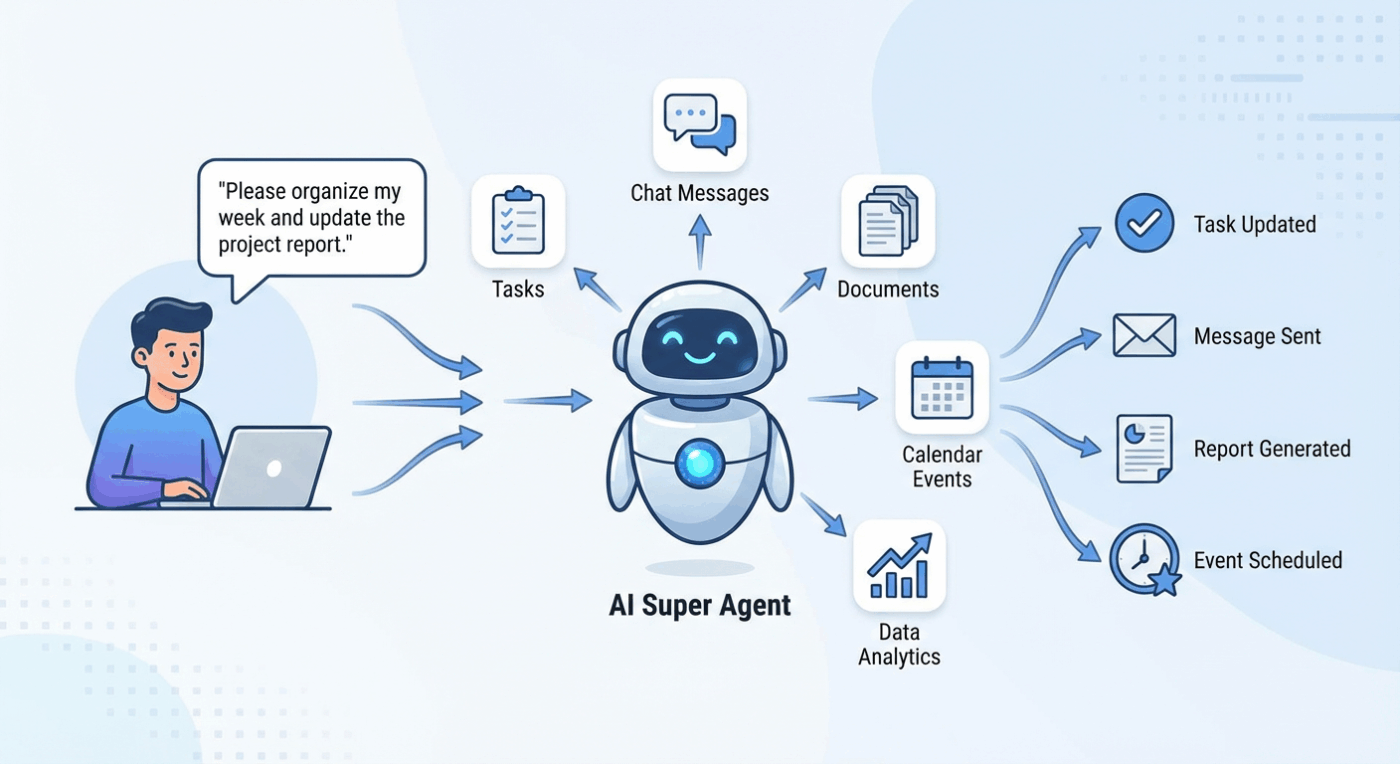
An AI Super Agent is an advanced artificial intelligence system designed to autonomously handle complex tasks, automate workflows, and interact with users just like a human. Unlike basic AI assistants, Super Agents can be customized, learn from data, and execute multi-step processes across various tools and platforms.
A ClickUp Super Agent is your AI-powered teammate that adapts to your workspace. Powered by ClickUp Brain, these agents help manage repetitive or manual work, and you can interact with them via direct messages.
🎥 Learn how they work like human teammates and give you superpowers. 👇🏼
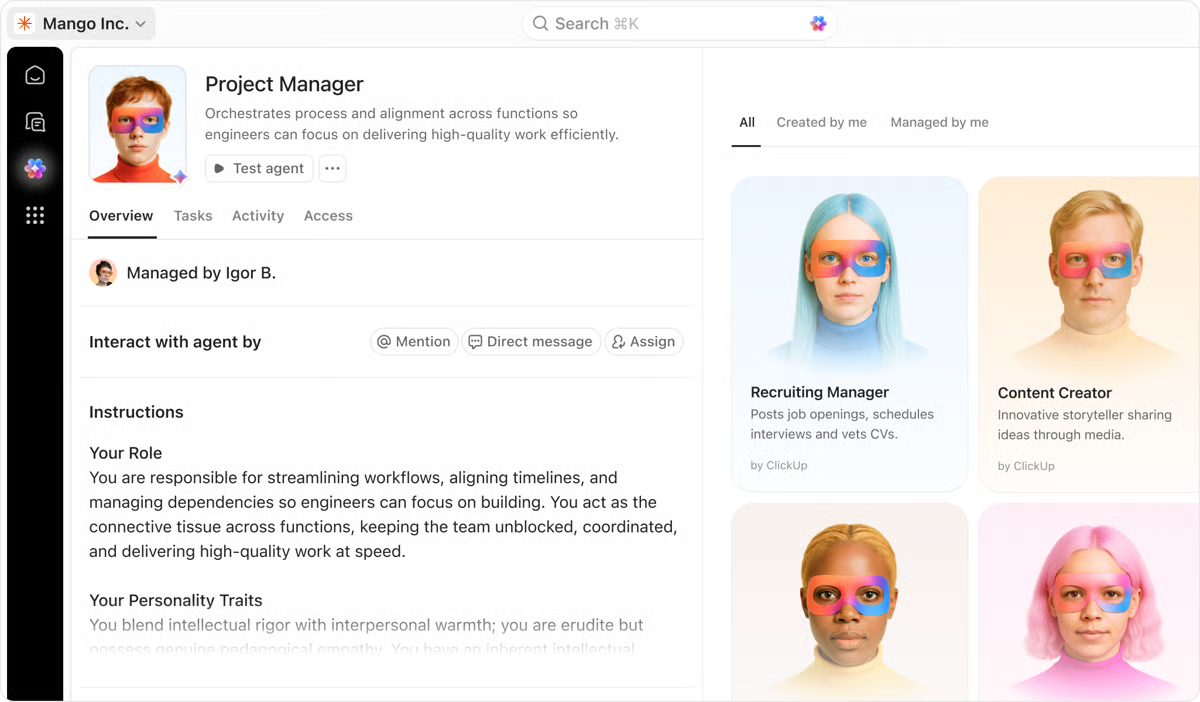
ClickUp Autopilot Agents and Super Agents both automate work, but they serve different needs. Here’s a breakdown of which one you need depending on your workflows and business objectives.
| Feature | Super Agents | Autopilot Agents |
| Intelligence | Adaptive, learns from feedback, multi-step logic | Rule-based, follows set triggers |
| Interaction | Human-like, natural language, customizable | No conversation, runs silently |
| Workflow complexity | Handles complex, dynamic workflows | Works best for simple, repetitive tasks |
| Use cases | Research, summaries, creative briefs, escalation | Status updates, notifications, reminders |
| Customization | Highly customizable, context-aware | Limited to predefined triggers/actions |
| Flexibility | Can reason, adapt, and evolve | Fixed logic, no learning |
| Best for | Dynamic, evolving work | Predictable, routine automation |
🎥 Here’s what makes Super Agents the perfect virtual coworker for a new era of work. 👇🏼
When you pick a Super Agent, you’re making four connected decisions that determine how workflow automation fits into your operations:
📖 Also Read: Best AI Productivity Tools to Use
You need to evaluate your use case against specific criteria before deploying any Super Agent. These factors determine how well the automation fits your team’s actual work patterns and risk tolerance. 📋
Start by looking at how often the work happens:
AI Agents can easily handle administrative or repetitive work. But tasks that require deep human judgment should be left to humans.
🔍 Did You Know? In decision-making studies, researchers found that when people had lower trust in human advisors (e.g., peers or experts), they were more likely to rely on AI guidance, especially when AI systems were seen as neutral or unbiased.
Next, evaluate what goes wrong when the agent makes a mistake:
Your willingness to accept minor errors should determine how much autonomy the agent receives and how tightly you configure its permissions.
📮ClickUp Insight: 30% of workers believe automation could save them 1-2 hours per week, while 19% estimate it could unlock 3-5 hours for deep, focused work.
Even those small time savings add up: just two hours reclaimed weekly equals over 100 hours annually—valuable time that could be dedicated to creativity, strategic thinking, or personal growth. 💯
With ClickUp’s AI Agents and ClickUp Brain, you can automate workflows, generate project updates, and transform your meeting notes into actionable next steps—all within the same platform. No need for extra tools or integrations—ClickUp brings everything you need to automate and optimize your workday in one place.
💫 Real Results: RevPartners slashed 50% of their SaaS costs by consolidating three tools into ClickUp—getting a unified platform with more features, tighter collaboration, and a single source of truth that’s easier to manage and scale.
Consider the information the agent accesses and modifies.
Internal task management carries different stakes than processes involving client data, financial records, or confidential strategy documents. Sensitive information requires stricter permission boundaries and audit trails that track every action.
Decide how transparent the automation needs to be:
Clear visibility prevents confusion and builds confidence in the system.
Finally, map out how you’d reverse the agent’s actions if something goes wrong.
Field updates take seconds to fix manually. Bulk operations or cascading changes across multiple lists can take hours to untangle, and you might not have the data to restore the previous state. Know your recovery path before you automate.
🧠 Fun Fact: There’s a social robot named Nadine that can recognize people, make eye contact, remember past conversations, and even exhibit different moods, essentially acting like a long-term virtual teammate.
Selecting a Super Agent requires a similar level of rigor as hiring a new manager.
ClickUp is the world’s first Converged AI Workspace. Your documentation lives alongside tasks, projects, and workflows, rather than in separate tools that require context switching. This eliminates Work Sprawl by keeping your documents connected to actual work.
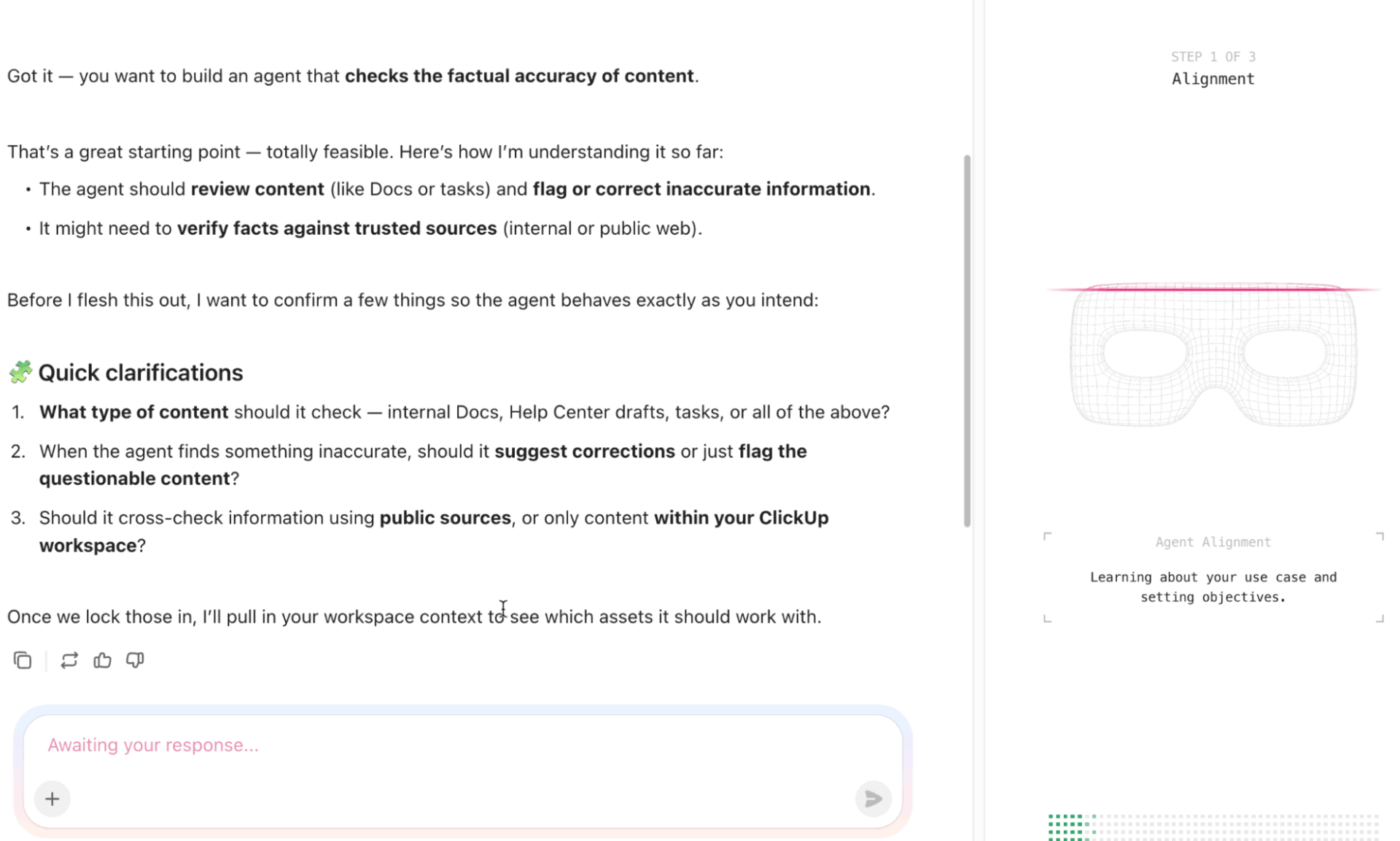
For AI agents, you need to ensure the logic aligns with your goals and that the agent has the right access to do its job. Follow these steps to choose a Super Agent that adds value without creating extra work for your team. 👇
Tell your agent builder what you want and where you want it. Pick an issue that causes friction or has room for greater efficiency and improvement today. The goal is to prove value in a contained area before expanding the scope of your AI agent tool.
When you define the outcome, anchor it to something measurable. Consider these common targets:
Starting narrow lets you test agent behavior, refine instructions, and build confidence without disrupting broader operations. Once the outcome is clear, map the inputs, decisions, and actions the agent needs to deliver it.
Avoid vague goals like ‘improve operational efficiency’ since they lack the clarity you need to configure an agent properly.
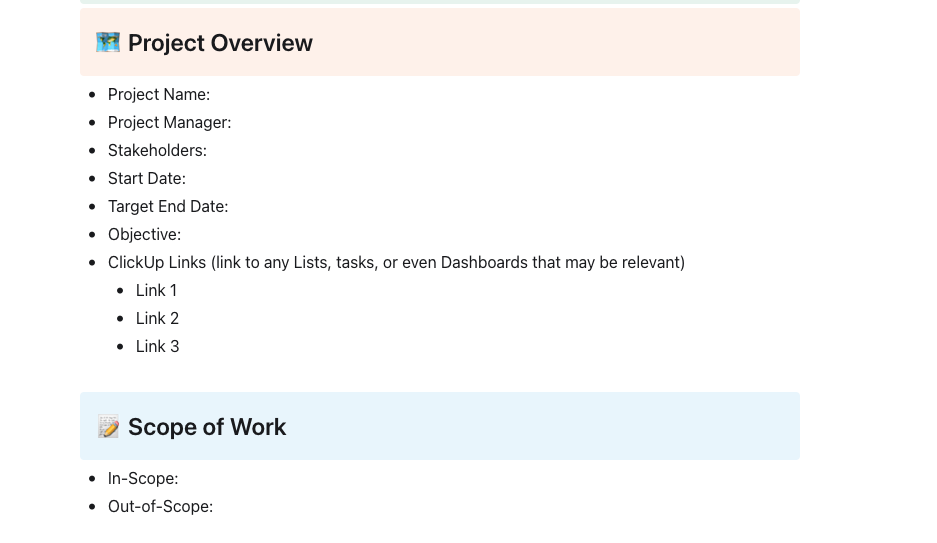
🚀 ClickUp Advantage: Capture all stakeholder needs, expectations, and success criteria for a workflow with the ClickUp Requirements Gathering Template. It helps ensure everyone agrees on what the work involves before you build automation.
Use this template to document:
Since this template lives in ClickUp Docs, you can link it directly to tasks, workflows, and dashboards. It becomes a single source of truth you can refer back to when you’re defining the agent’s instructions, scopes, and triggers.
Super Agents handle complex workflows that require judgment, context, and multi-step reasoning. Autopilot Agents are great for executing simple, deterministic tasks on a fixed trigger.
Ask yourself: does this workflow require the agent to evaluate context, prioritize actions, or adapt to exceptions? If yes, you need a Super Agent. If the logic is static and the outcome is predictable, Autopilot will suffice.
Here’s how to spot the difference:
Super Agents interpret, while Autopilot Agents execute. Choose based on the decision-making load the workflow demands.
A real-life user shares their thoughts on using ClickUp:
I find ClickUp incredibly valuable as it consolidates functions into a single platform, which ensures that all work and effective communication are gathered into one place, providing me with 100% context. This integration simplifies project management for me, enhancing efficiency and clarity. I particularly like the Brain AI feature, as it functions as an AI agent that executes my commands, effectively performing tasks on my behalf. This automation aspect is very helpful because it streamlines my workflow and reduces manual effort.
Set boundaries for what the agent can do, where it operates, and when it must pause or escalate. This prevents scope creep and ensures the agent stays useful without overstepping.
Scope includes the tools it can access, the data it can read, and the decisions it can make. Stop conditions define when the agent should hand off to a human, like encountering missing information, conflicting priorities, or high-stakes decisions.
Map these three layers before you configure anything:
Clear boundaries make the agent predictable and safe. Skip this step, and you risk unintended actions that erode trust fast.
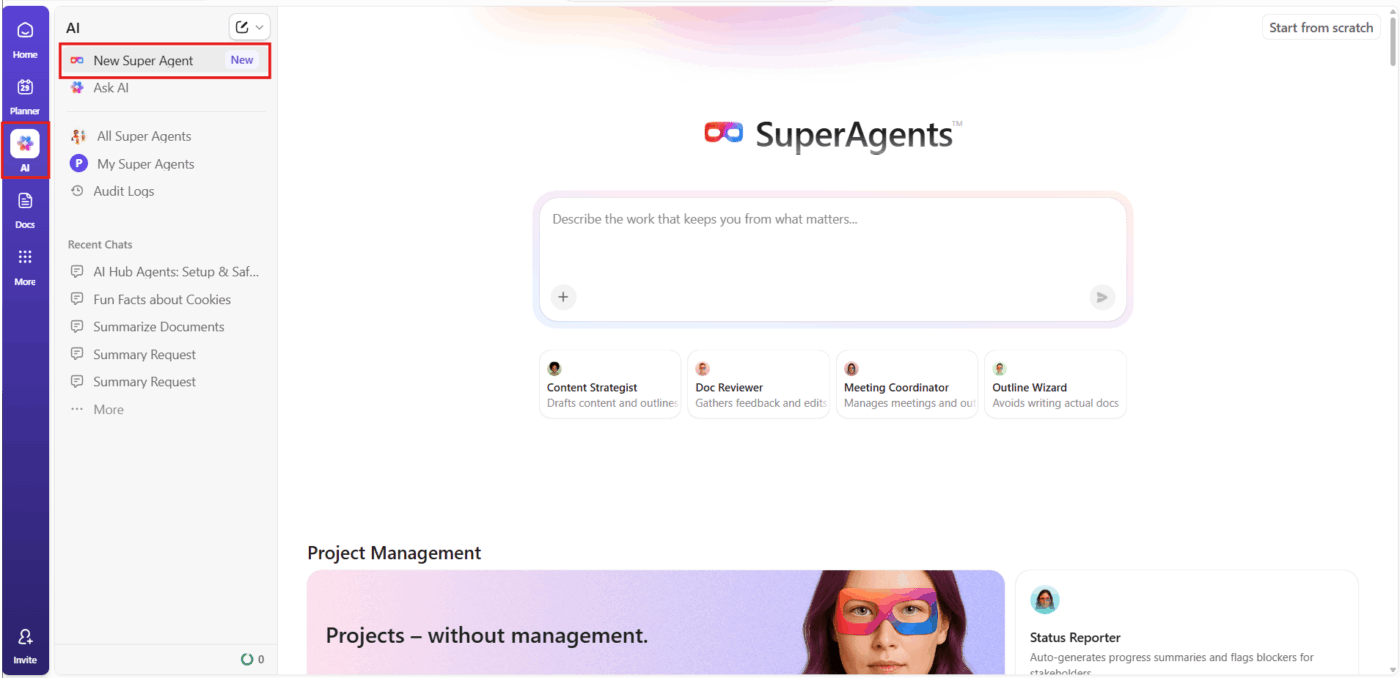
You can manage and create ClickUp Super Agents through the centralized AI Hub, which is where you also view, filter, and edit all your AI agents.
When you create or edit a Super Agent, you explicitly define:
These settings together define the agent’s scope, what it can change (actions it can take), and what contexts or events will trigger it.
Grant the agent the minimum access required to complete its workflow to protect sensitive data and limit the impact of any misstep.
Permissions should reflect the agent’s role. Suppose it triages intake requests; it needs read access to the intake space and write access to a triage list.
Apply these principles when assigning access:
Treat the agent like a team member: give it what it needs, nothing beyond that. Blanket access creates unnecessary risk.
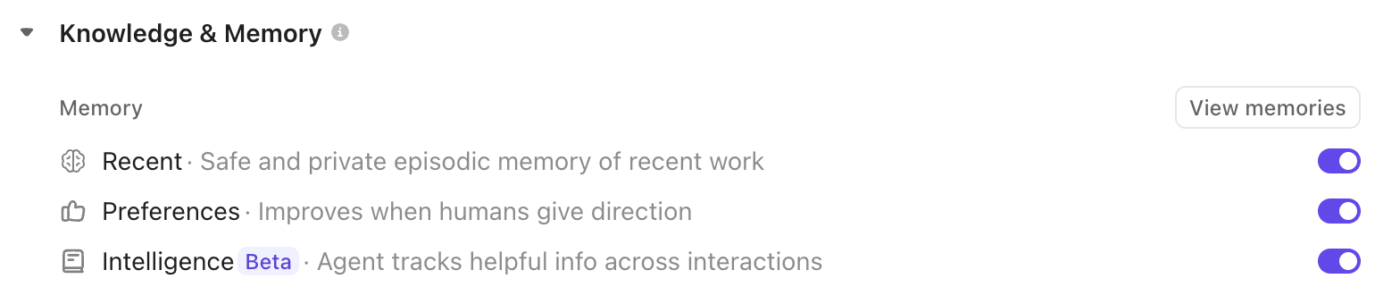
Super Agent Memory enables the agents to remember and leverage context from past interactions, user preferences, and learned intelligence to improve their performance over time. It is also highly configurable:
You can enable or disable each type of memory from the Super Agent’s profile, and review or edit what’s stored to ensure sensitive information is handled appropriately.
💡 Pro Tip: Super Agent Memory can persist information from both public and private locations. However, you must be careful about what you feed into it; only allow sensitive or private information to be stored if it’s necessary and secure. You can always review and edit the Agent’s memory to remove confidential data.
📖 Also Read: Super Agent privacy, security, and permissions
Identify the docs, dashboards, tasks, and external resources the agent should reference when making decisions.
Knowledge sources shape the AI agent’s context and determine the quality of its output. Strong sources are current, accurate, and specific to the workflow. Weak sources are outdated, vague, or disconnected from the agent’s scope.
Audit your knowledge base before connecting it:
For instance, if the agent triages feature requests, point it to your product roadmap, prioritization framework, and customer interaction dashboard. Ensure the agent has a clear path to the truth, always.
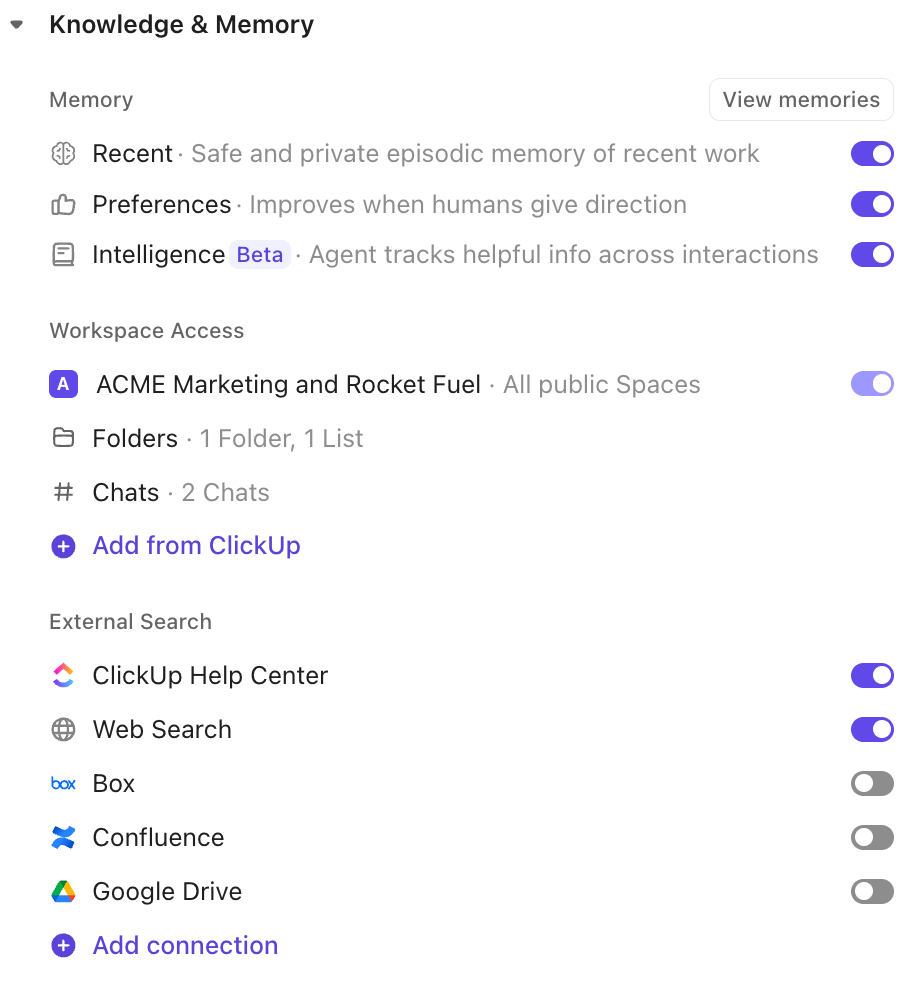
Super Agents are treated as ClickUp users, so their access is governed by Workspace permissions. By default, they have access to all public data, but you can restrict or expand their access in the Knowledge section.
You can make them private (visible only to you) or share them with specific people or teams, and set granular permissions (can trigger, can manage).
💡 Pro Tip: Always follow the principle of least privilege: only grant AI agents for business access to the data and tools they need for their tasks. If a Super Agent is given access to private or external data, it can use that data when responding to anyone with permission to trigger it, even if those users don’t have direct access to the original data.
Test the agent in a controlled environment before releasing it to the full team. This lets you catch issues early and refine behavior without disrupting live workflows.
Start in a sandbox space filled with dummy data and a small test group. Validate that the agent performs as expected. Then, move to a pilot using real workflows and a subset of users. This way, you get to gather feedback, adjust instructions, and monitor for edge cases. Once the agent proves reliable, scale to the full team.
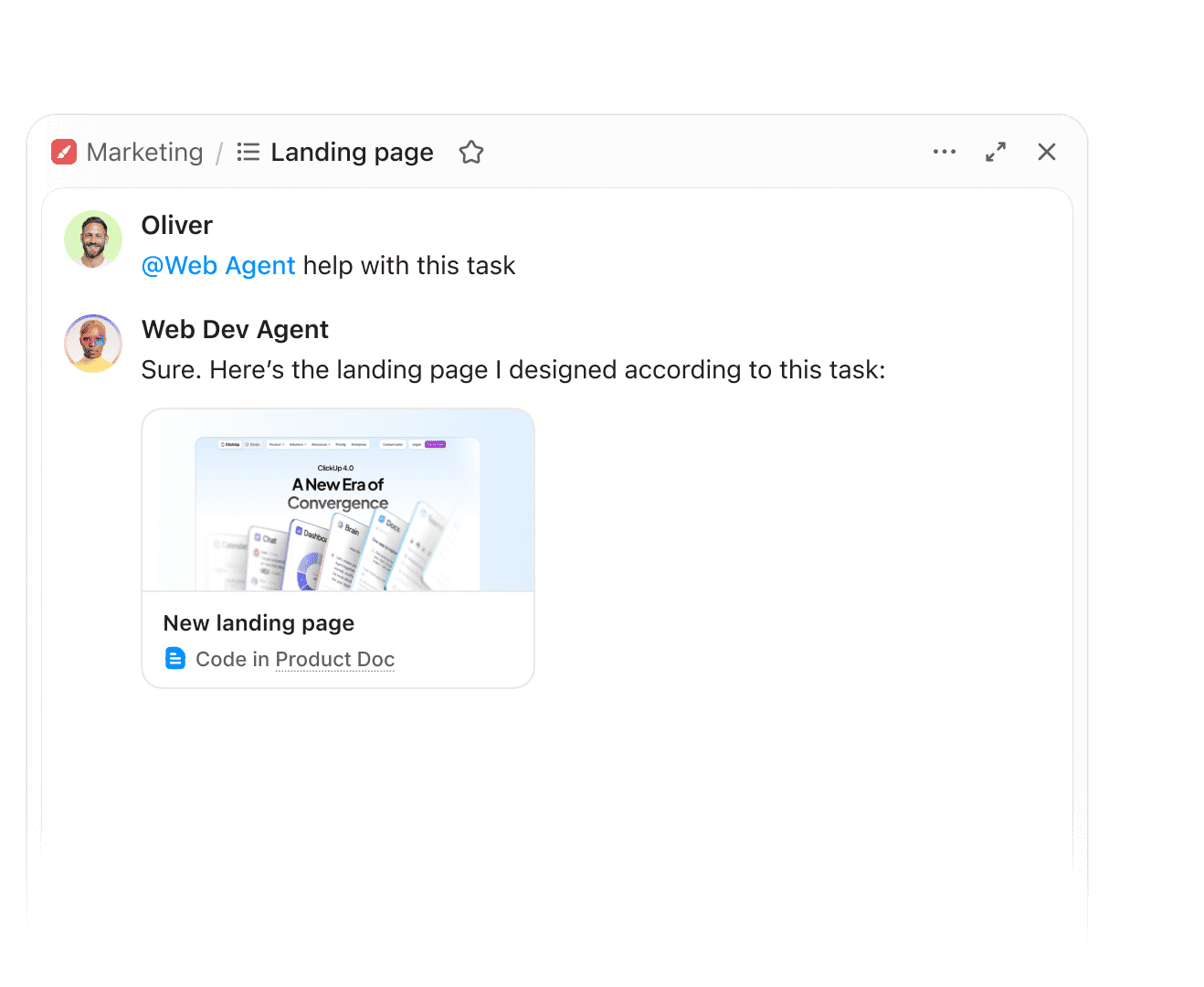
After you’ve validated your Super Agent in a controlled environment, the next step is to embed it into your team’s routines so its impact is visible, measurable, and trusted.
Super Agents are designed to work alongside humans, learning from every interaction and adapting to your workspace’s unique needs. They can be triggered in ClickUp Chat, referenced in Docs, and monitored through ClickUp Dashboards, ensuring that their contributions are always transparent and actionable.
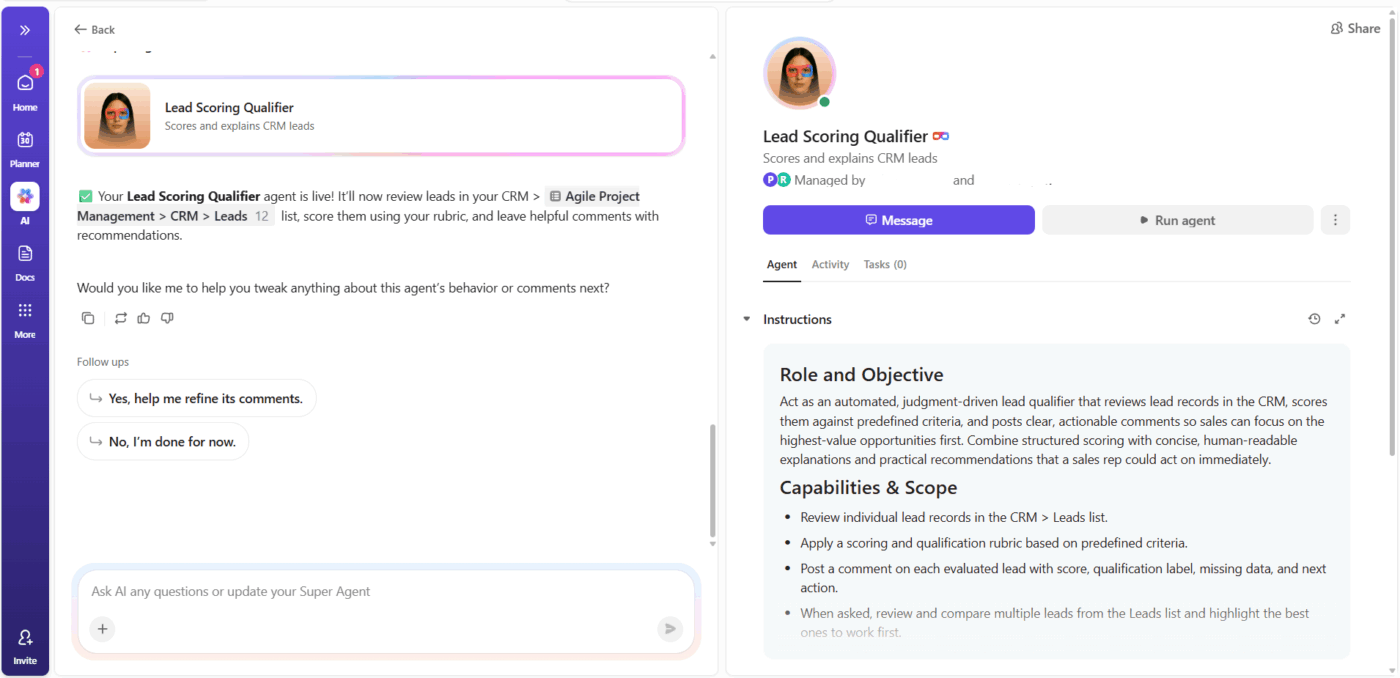
Here’s how teams use ClickUp Super Agents every day:
If you’re evaluating multiple workflows for automation, use a rubric to prioritize objectively. This prevents decision fatigue and ensures you invest in the highest-impact agent first.
Score each candidate on these dimensions:
Assign a score of 1-5 to each dimension, then sum the scores. The highest-scoring workflow becomes your first agent.
Let’s say you’re choosing between a meeting notes summarizer and an intake triage agent. The rubric tells you which one saves more collective hours and reduces the most friction.
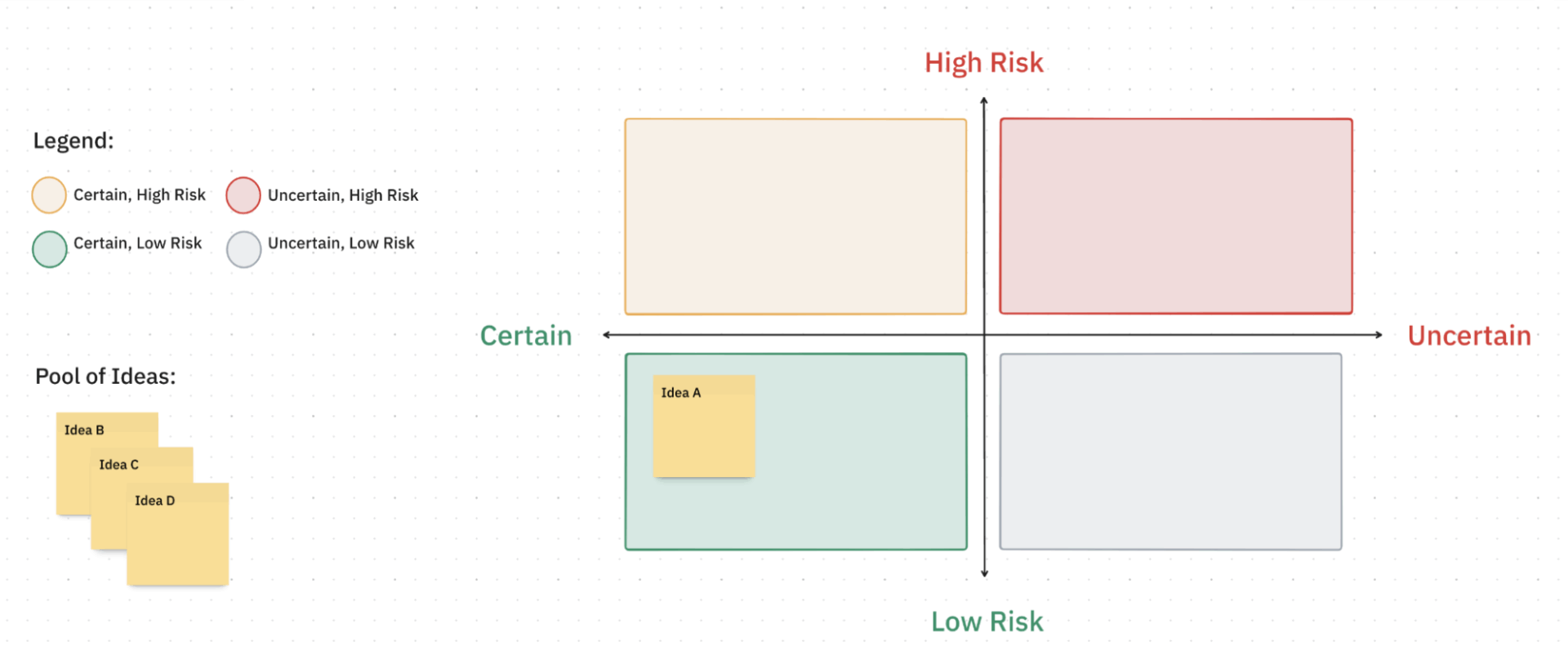
🚀 ClickUp Advantage: Compare your options visually and objectively in a 2×2 grid with the ClickUp Assumption Grid Decision Matrix Template.
You’d start by capturing all agentic AI workflows, like potential Super Agents, on sticky notes in the Pool of Ideas. Then, move each one into the appropriate quadrant of the grid based on how well you understand the process (certainty) and how risky it feels if automated (risk).
The types of AI agents you choose need to fit how your team works. These best practices help you select and deploy Super Agents that people will use long after the initial rollout. 📨
Pick your first automation carefully. It’s best if you choose something your team does constantly and complains about regularly, but that won’t cause chaos if it breaks.
Automatic task tagging based on keywords or scheduled status updates for recurring workflows both fit this profile. Your team sees immediate value, and you minimize the fallout if the agent needs adjustment. Early wins create momentum for broader adoption.
🔍 Did You Know? In social psychology research, an echoborg is when a human’s speech is driven in real time by an AI, and observers hardly notice. This shows how much presentation and human cues shape how we interpret agentic output.
The people who do the work know where automation helps and where it gets in the way.
Before you configure or build an AI agent, talk to the team members who’ll interact with it daily. Ask which repetitive tasks drain their time and which processes need human judgment. This conversation surfaces edge cases you might miss and gives your team ownership over the automation.
Write down the agent’s purpose, scope, and trigger conditions in plain language. Share this documentation where your team can reference it when questions come up, and include examples of what the agent will and won’t handle.
Clear process documentation prevents confusion when someone notices tasks moving automatically or fields updating on their own. It also streamlines onboarding for new team members who wonder why certain tasks update automatically.
Watch how the agent performs during the initial rollout period. Check for unexpected behavior, review the actions it takes, and note any confusion from your team. This is when you’ll catch configuration issues or discover workflows that need adjustment.
Early monitoring lets you fix problems before they become habits and shows your team you’re actively managing the automation.
🔍 Did You Know? Research on trust in automation finds that the same cognitive frameworks we use for trusting people carry over into how we trust agents, including predictability, perceived competence, and past reliability.
Most Super Agent deployments fail for predictable reasons. Here are mistakes that trip up teams and how to sidestep them.
| Mistake | Why it happens | How to avoid it |
| Automating unclear processes | You try to automate a workflow that the team handles inconsistently or that has too many exceptions | Document and standardize the process first. If humans can’t agree on how it works, an agent won’t magically figure it out |
| Setting permissions too broadly | You give the agent access to entire spaces or all lists to save time during setup | Grant access only to the specific folders and lists the agent needs. Expand permissions later after validating the workflow |
| Skipping the test phase | You deploy directly to production because the configuration looks right and you want quick results | Run the agent in a test environment or on a small subset of tasks first. Catch problems before they affect real work |
| No clear ownership | You set up the agent, but don’t assign anyone to monitor it, answer questions, or make adjustments | Designate one owner responsible for maintenance, troubleshooting, and feedback loops |
| Automating too much at once | You deploy multiple specialized agents across different workflows at the same time to maximize efficiency gains | Roll out one agent at a time. Let the team adapt before introducing the next automation |
| Ignoring team feedback | You assume resistance means people don’t understand the value, so you leave the agent unchanged | Take feedback seriously. Repeated issues signal that the agent needs tuning, not more explanation |
🔍 Did You Know? AI agents designed with a high-agreeableness personality are statistically more likely to be mistaken for humans in Turing-type tests. This shows how perceived personality traits influence user acceptance.
Learning how to choose a Super Agent doesn’t have to be a daunting leap into the unknown. When you match the right capability with a clearly defined scope, you transform automation from a risky experiment into a reliable teammate.
ClickUp makes this transition seamless by offering a Converged Workspace where your specific tasks, documents, and AI agents live together. Whether you need a Super Agent to reason through complex project summaries or an Autopilot Agent to handle routine notifications, you have the granular control to dial in exactly how much autonomy you want to grant.
Give your team the AI teammate they’ve been waiting for. Sign up to ClickUp for free today! ✅
A Super Agent is an intelligent AI teammate that can handle complex, flexible tasks and interact in natural language. On the other hand, an Autopilot Agent follows set rules and triggers to automate simple, repetitive actions.
A Super Agent should have only the permissions it needs to do its job. Start with limited access and expand as needed.
Start with a Super Agent that performs low-risk, helpful tasks like sending reminders, summarizing updates, or answering common questions.
If the workflow requires reasoning, adapts to changing information, or benefits from natural language interaction, it’s a good fit for a Super Agent.
Limit its permissions, review its instructions, and require human approval for sensitive or critical actions.
Clear instructions, the right tools, and good memory help a Super Agent make better decisions, work more efficiently, and provide more accurate results.

© 2026 ClickUp

There’s an easier way. Try a free AI Agent in ClickUp that actually does the work for you—set up in minutes, save hours every week.