






Still downloading templates?
There’s an easier way. Try a free AI Agent in ClickUp that actually does the work for you—set up in minutes, save hours every week.
Sorry, there were no results found for “”
Sorry, there were no results found for “”
Sorry, there were no results found for “”
Agency work is built on repeatable systems.
Campaign launches, client reporting, feedback loops, task routing, and performance tracking all follow patterns. Yet most of this work is still managed manually across scattered tools, threads, and dashboards.
As client expectations rise and margins tighten, manual coordination no longer scales.
In this guide, we explore how to build AI agents for agency management to optimize project execution, reporting, and client communication.
You’ll learn how to design, deploy, and scale AI agents across your workflows and how tools like ClickUp AI agents can help you turn everyday agency operations into autonomous, well-orchestrated systems.
AI agents for agency management are autonomous digital teammates that monitor workflows, interpret context, and take action across your agency’s projects, reporting, and client operations.
These AI agents leverage natural language processing and machine learning to understand instructions and learn from user behavior. This means they don’t just wait for commands. They observe work as it happens and step in when action is required without human intervention.
Inside a modern agency, you can have AI agents do the following:
This walkthrough expands on the superpowers of AI Agents for marketing agencies and teams 👈
📮 ClickUp Insight: 12% of respondents say AI agents are hard to set up or connect to their tools, and another 13% say there are too many steps just to get simple things done with Agents.
Data has to be piped in manually, permissions have to be redefined, and every workflow depends on a chain of integrations that can break or drift over time.
Good news? You don’t need to “connect” ClickUp’s Super Agents to your tasks, Docs, chats, or meetings. They are natively embedded in your Workspace, using the same objects, permissions, and workflows as any other human coworker.
Because integrations, access controls, and context are inherited from the workspace by default, agents can act immediately across tools without custom wiring. Forget configuring agents from scratch!
Here’s how your agency stands to benefit from AI agents:
📮 ClickUp Insight: 45% of workers have thought about using automation, but haven’t taken the leap. Factors like limited time, uncertainty about the best tools, and overwhelming choices can hold people back from taking the first step toward automation. ⚒️
With its easy-to-build AI agents and natural language-based commands, ClickUp makes it easy to get started with automations. From auto-assigning tasks to AI-generated project summaries, you can unlock powerful automation and even build custom AI agents in minutes—minus the learning curve.
💫 Real Results: QubicaAMF cut reporting time by 40% using ClickUp’s dynamic dashboards and automated charts, transforming hours of manual work into real-time insights.
Let’s now understand how to build and deploy your own AI agents in an agency:
What is it you want to achieve with AI agents?
Do you want to reduce client response times or cut down on admin overhead? Or do you want your team to focus more on strategic work?
Look at your everyday agency workflows that tie to those goals. These are workflows that:
These are your top automation candidates. Prioritize workflows that can deliver immediate results with minimal setup.
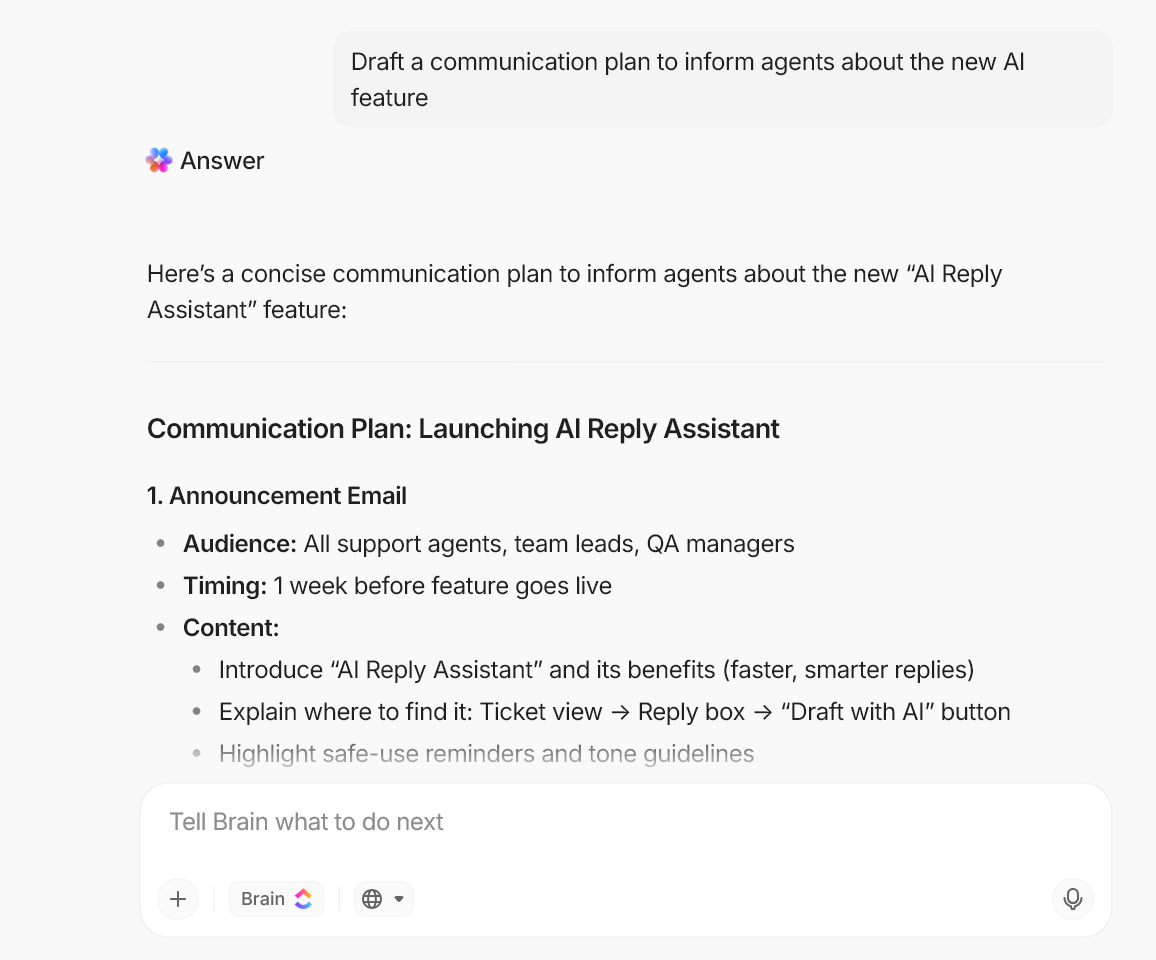
🚀 ClickUp Advantage: Use ClickUp Brain to identify workflows that can benefit most from agentic automation. Since ClickUp Brain operates within a converged AI workspace, it has contextual understanding of your workflows, processes, tasks, deadlines, and team activity. BrainGPT will list down agency workflows that can be automated seamlessly within the ClickUp workspace.
📚 Read More: AI Agent Tools to Boost Productivity and Innovation
Document the workflows that AI agents will automate from start to finish. Involve the stakeholders and team members who actually run these processes day to day. This will make the process mapping more accurate and help you outline:
Remember, agents are only as good as the process behind them. Without that clarity, you’re adding a layer of complexity that may cause more inefficiencies and disruptions than you started with.
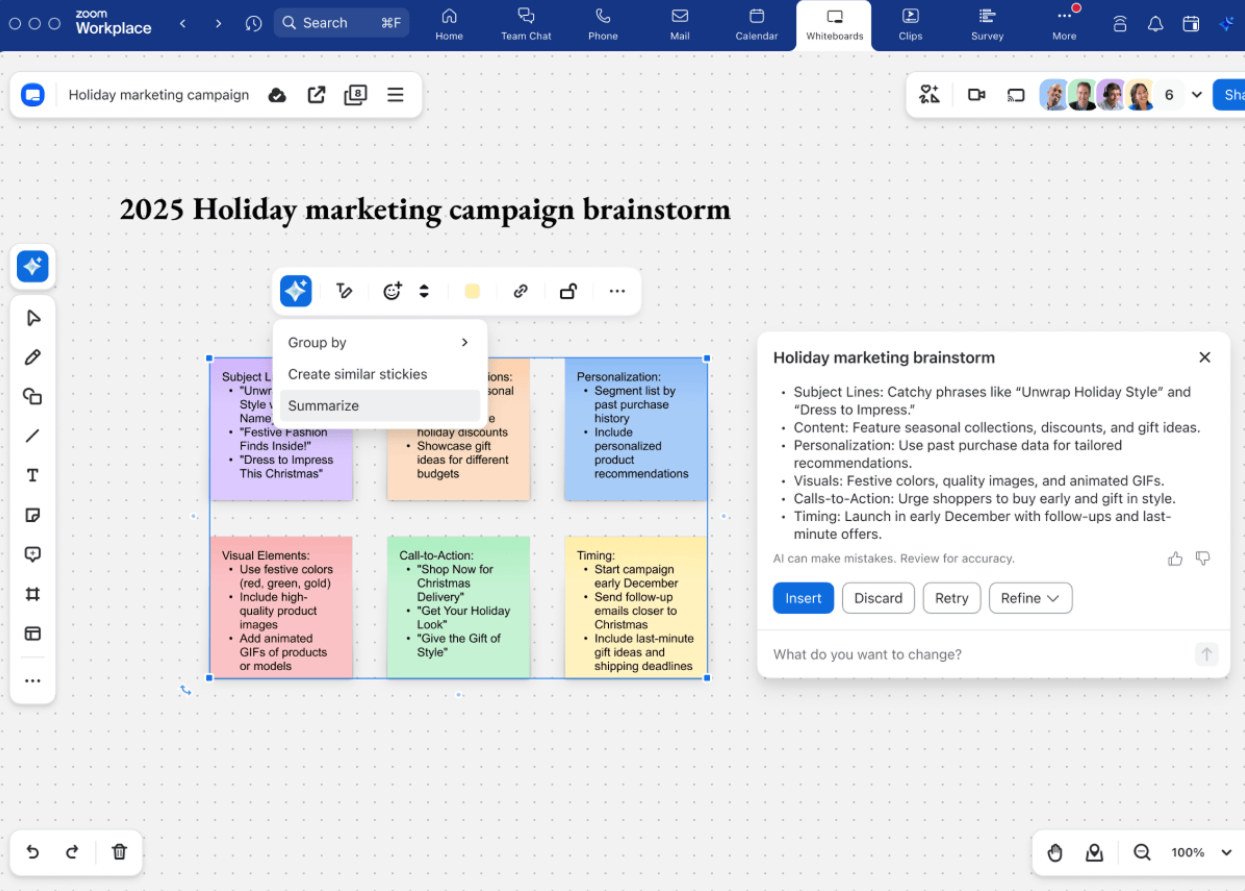
🚀 ClickUp Advantage: Use ClickUp Whiteboards to create a visual map of your agency workflows. You can also use ClickUp Brain within Whiteboards and embed Docs, tasks, links, references, and notes, creating a single connected space for all your process thinking.
With Whiteboards, you can:
Use one of its prebuilt templates to sketch a clutter-free roadmap of your process.
Define the exact responsibilities of each agent you want to incorporate into your process. Clearly defined roles allow AI agents to make decisions within authorized boundaries, delivering higher accuracy and ensuring compliance with your agency’s operational guidelines.
For each agent, define:
| Define | What to do | Example |
| Agent role and persona | Create a persona that defines how the agent communicates, behaves, and what its role is | Client onboarding agent, reporting agent, approval tracker agent |
| Core responsibilities | Define specific responsibilities of each agent | The client onboarding agent will generate project structures, assign tasks, and send intake documentation to new clients |
| Memory parameters | Define how the agent uses short-term memory and long-term memory | Short-term memory for the current client interaction Long-term memory for historical project data, past communication patterns, and previously resolved client issues |
| Autonomy levels | Decide if the agent operates fully independently or requires human-in-the-loop approval for certain actions | Escalating unusual client requests to the account lead |
| Guardrails | Define constraints to ensure the agent acts within ethical and organizational boundaries | Never sharing client data across accounts or sending external communication without approval |
| Success metrics | Define the success definition | Onboarding completed within 24 hours, zero manual follow-ups required |
🔔 Remember: You will need multiple specialized agents to truly automate an AI agent workflow. Expecting a single autonomous agent to handle everything results in chaotic outcomes.
Focus on building narrow agents that execute specific tasks exceptionally well. These agents work in sequence with each other to seamlessly execute an entire workflow end-to-end.
📌 Example: Imagine you run a growing digital marketing agency managing multiple client campaigns at once. Instead of relying entirely on project managers to coordinate everything manually, you deploy three specialized AI agents. Each agent focuses on a clearly defined operational goal and executes within its own scope:
The client onboarding agent: When a new client signs, this agent generates the project structure, creates task lists based on the service package, assigns owners, and sends intake forms and kickoff documents automatically.
The reporting agent: This agent monitors campaign dashboards, gathers performance data across platforms, and prepares weekly or monthly client-ready summaries with progress highlights, risks, and next steps.
The feedback and approval agent: Whenever a client leaves comments in email, chat, or project threads, this agent captures the feedback, converts it into structured tasks, assigns them to the right team members, and tracks approval status until closure.
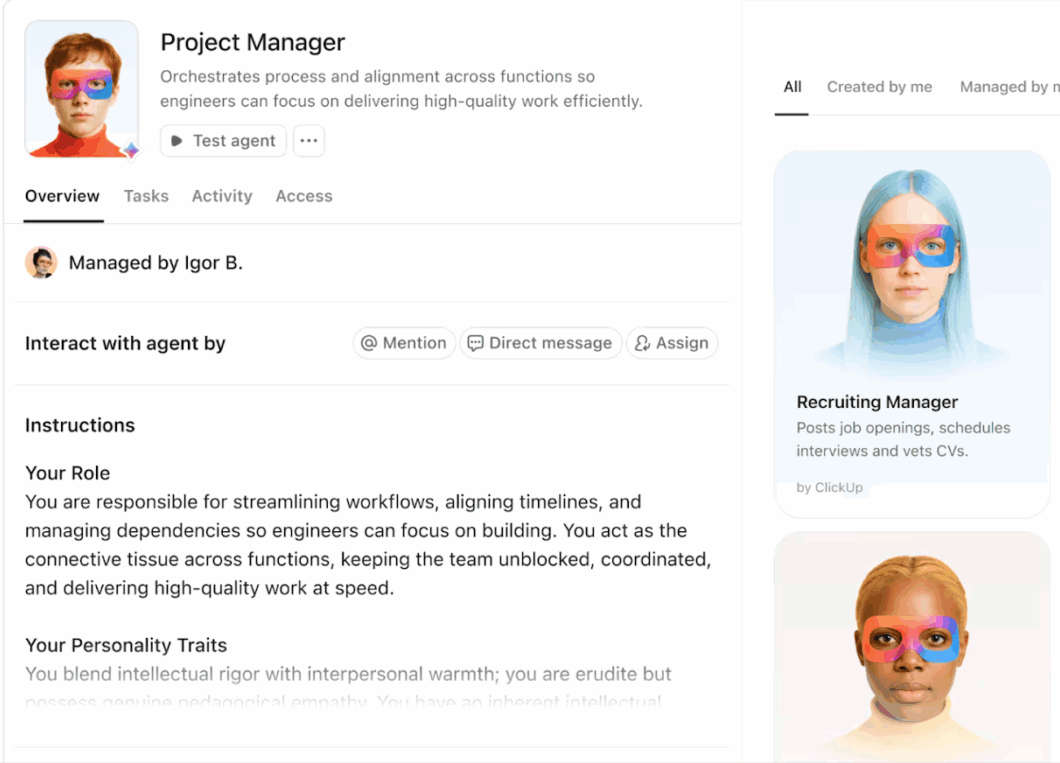
🚀 ClickUp Advantage: ClickUp offers Super Agents designed to perform narrow functions exceptionally well.
For agency project management, you have agents like: Project Manager, StandUp Manager, Status Reporter, and Priorities Manager, each handling one specific function within the same workflow.
The role and scope of each agent are clearly defined. A StandUp Manager simply collects and shares team updates. It won’t touch priorities or flag blockers. That’s the Priorities Manager’s job. That separation is what keeps the system clean and reliable.
Create and customize these agents in any way your agency needs. Simply describe what you want the agent to do, and ClickUp builds it out.
🤝 Case study: How ClickUp Super Agents automated AI status updates for a website development agency
A website development agency implemented a ClickUp Super Agent to generate project updates automatically.
The delivery team already tracked detailed work—pages, revisions, and phases—in their project workspace. But leadership needed a 10,000-foot view of every client project, and those updates often lagged behind reality.
To solve this, they built a Website Project Status Sync Super Agent. On a schedule, the agent scans project folders, reviews task activity, and determines the real stage of each project. It then posts a short update on the high-level project tracker and automatically updates the project stage field.
The result: leadership gets reliable project visibility, while the delivery team stays focused on execution.
👉🏼 Curious how agency teams like yours are setting up workflows like this with Super Agents?
🎥 Bonus: Watch this video on how ClickUp uses Super Agents 👇
You need quality and relevant data for an agent to reason, act, and deliver accurate outputs. For an agency, that typically means connecting:
Identify the data sources necessary for your agent to perform its designated job and connect these data sources to enable seamless data flow between systems.
📌 Example: If a client onboarding agent has to complete the full onboarding sequence, they will need access to your CRM (client details), project management tool (generate task structures), and email (send intake documentation) in one automated sequence.
Also, make conscious efforts to run your data through these quintessential checks. After all, AI agents are only as powerful as the data they feed on:
Also, using ClickUp Docs, build a centralized knowledge base that captures everything the agent needs to operate. Think of it as the agent’s brain. It should include your standard operating procedures, client communication templates, project guidelines, historical data, and domain-specific rules your agency follows.
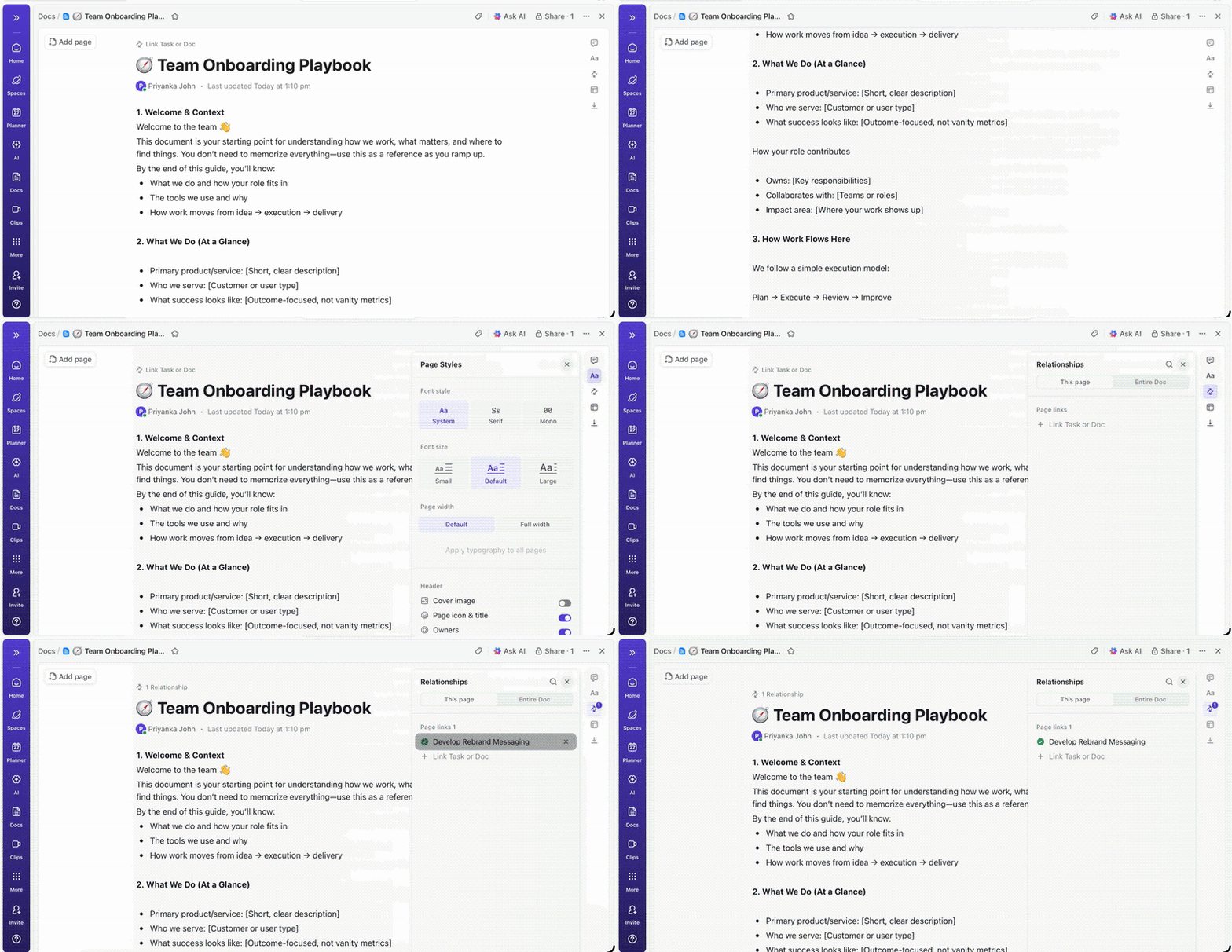
🚀 ClickUp Advantage: ClickUp for Creative Agencies offers a centralized workspace to capture, manage, and store all your project data, client communication, team activity, feedback, and work progress in one place.
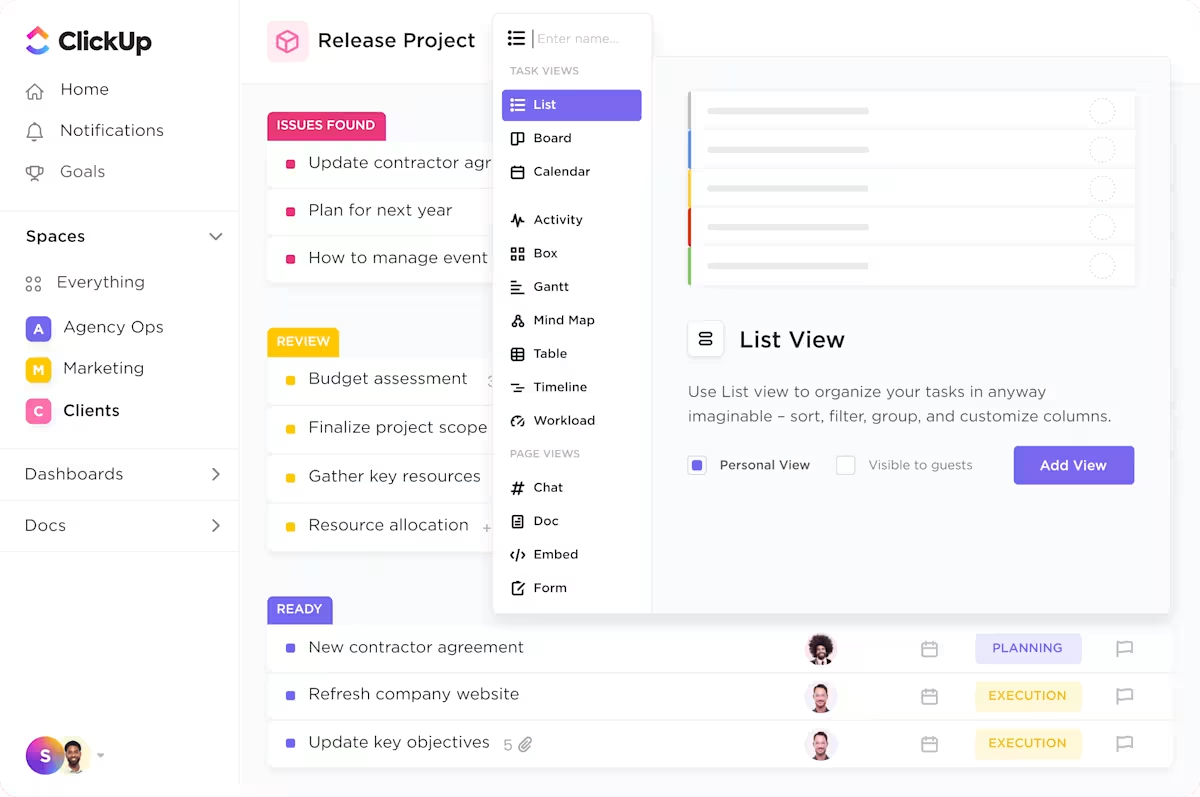
ClickUp lets you capture client data with 20+ Custom Fields and visualize project progress with customizable widgets for invoices, payment reminders, special requests, and more. You can also jot down ideas, meeting minutes, and SOPs in ClickUp Docs with real-time collaborative access, and invite external stakeholders like clients to contribute directly.
ClickUp Super Agents capture data from your live ClickUp workspace, freeing you from the risk of inconsistent or outdated data influencing agent decisions.
With all your data centralized in ClickUp, Super Agents can:
📚 Read More: How to Use Knowledge-Based Agents in AI
Your prompts shape the reasoning of an agent. They clarify the agent’s role, its reasoning process, actions it’s expected to take, and the format of its output.
Use markdown or XML tags to organize your system prompt clearly:
Here’s what a well-structured prompt looks like for an agency status reporting agent:
#Role: You are a client status reporting agent for a digital marketing agency.
#Objective: Every Friday, pull all tasks marked complete from the current week, summarize progress against the project timeline, and draft a client-facing status update.
#Constraints: Only include tasks marked complete. Do not reference internal team discussions, blockers flagged internally, or budget details. Do not send the report without account lead approval.
#Output format: Draft the status update as a short email. Include: projects updated this week, percentage of milestones completed, and next week’s priorities.#Reasoning loop: Check task status across all active projects, identify completed tasks, cross-reference against project milestones, draft summary, flag anything incomplete for account lead review, then queue for send.
🚀 ClickUp Advantage: ClickUp lets you build Super Agents that execute your entire workflow using natural language prompting. Simply describe the agent you want, and the Agent Builder generates it.
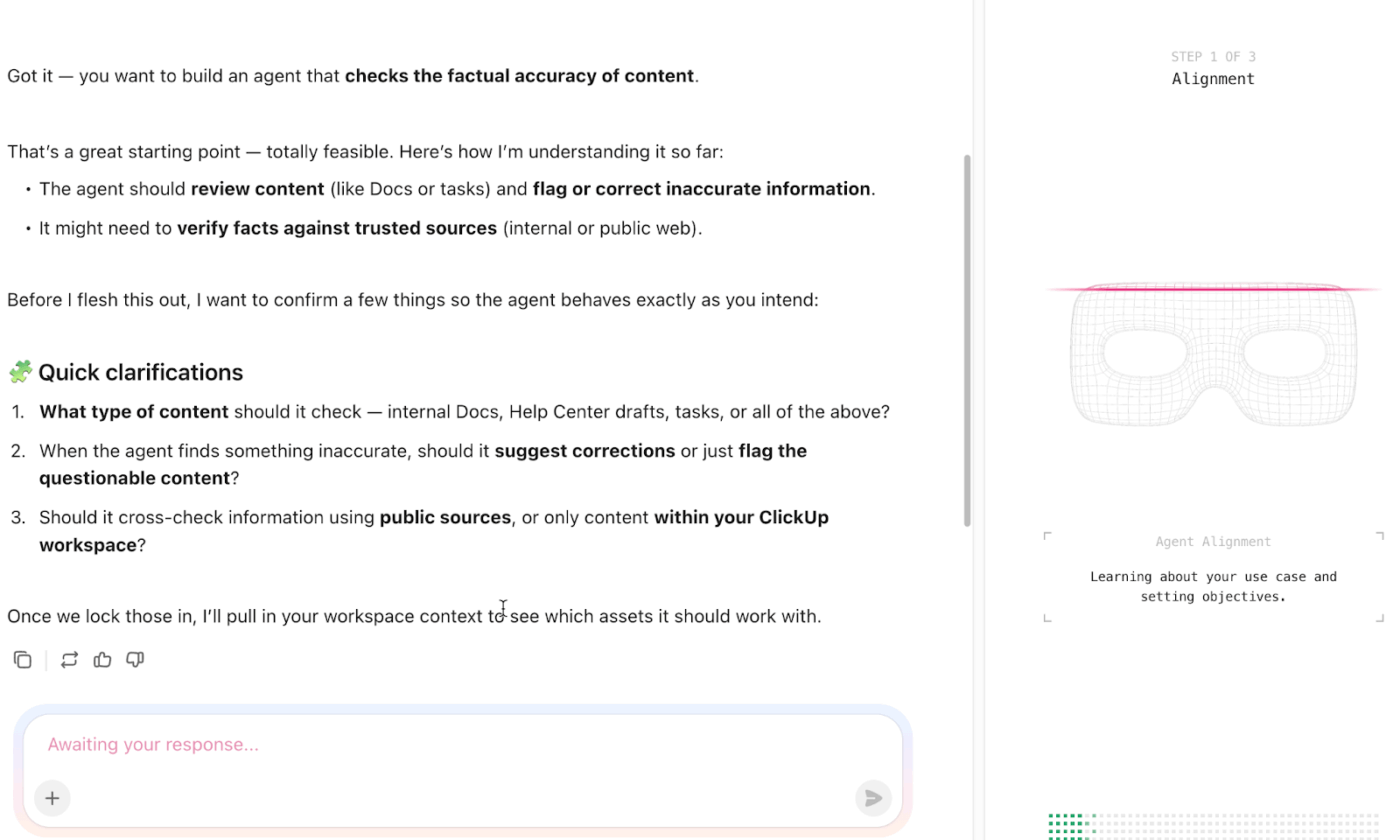
However, don’t build an AI agent in isolation.
Use ClickUp Docs to draft and refine your agent instructions first. Here, you can collaborate with your team in real time to pinpoint gaps, suggest changes, and align on constraints, then feed those finalized instructions to Brain to build the agent.
Always adopt a crawl-walk-run approach when integrating AI agents into your workflow:
Watch for where the agent performs as instructed, tasks where it requires a nudge, escalation triggers, completion rates, and cases of complete failure.
Use this as your baseline when monitoring agent performance 👇
| Parameter to test | Pass | Fail |
| Output accuracy | Agent generates correct output from live project data | Agent fills in missing data with assumptions instead of flagging it |
| Constraint compliance | Agent never shares internal notes in client-facing outputs | Agent pulls data from a different client account due to a labeling gap |
| Routing logic | Agent escalates ambiguous client requests to the account lead immediately | Agent attempts to resolve an out-of-scope request independently |
| Format consistency | Output matches the defined template every time | Agent skips required fields when source data is partially unavailable |
| Failure handling | Agent logs the error and notifies the right person | Agent fails silently and the task is marked complete incorrectly |
🚀 ClickUp Advantage: ClickUp Dashboards make it easier to visualize agent performance across client accounts. Build custom widgets that surface key metrics and flag where agents are falling short.
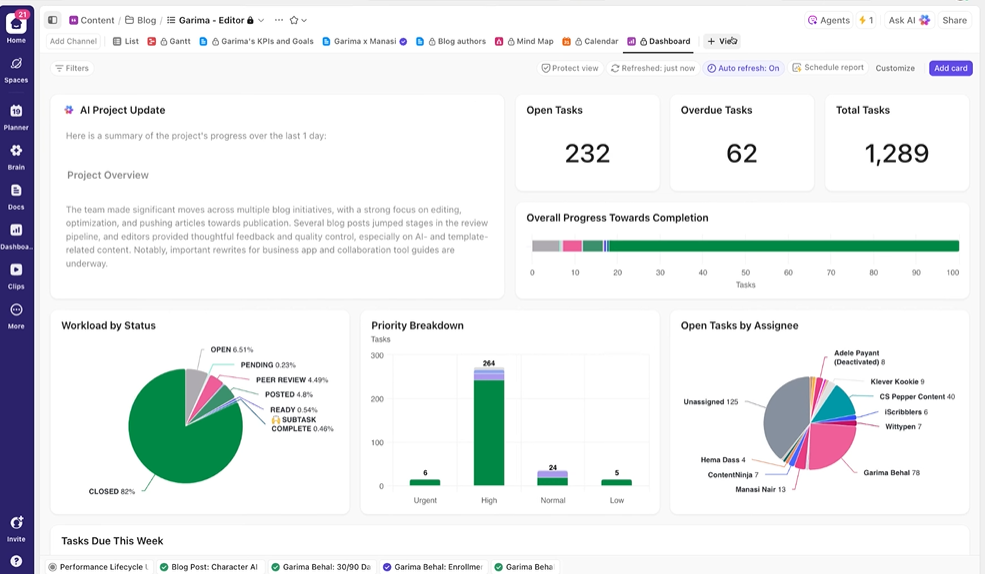
Add these AI cards and widgets to track automation outcomes in real time:
After the agent passes testing, scale it across teams, departments, and client accounts. Bring clients onboard about agent use:
Internally, ensure your team understands each agent’s role and where to intervene. Train them to course-correct agent behavior and to flag issues up the chain when needed.
🚀 ClickUp Advantage: ClickUp’s permission and sharing settings let you control exactly what each team member and client can see within the workspace. As you scale agents across teams and client accounts, you can:
👉🏼 If you’re curious what a secure, safe, and scalable AI system could look like inside your own workspace, the ClickUp team can help you design Super Agents that fit your workflows.
Some ways to integrate agents into your agency workflows 👇
The weekly status agent is responsible for automatically compiling and sending project status updates to clients every week.
Example:
📚 Read More: Best AI Agents for Productivity
In this AI agent use case, the agent is responsible for running the full onboarding sequence wth minimal nudge.
Example:
The reporting agent is responsible for compiling and delivering performance reports across active client campaigns.
Example:
The approval tracker is responsible for monitoring pending approvals across all active projects and following up automatically.
Example:
The creative agent is responsible for supporting the creative process by generating first drafts, mood boards, references, and creative directions based on the client’s brief.
Example:
The campaign performance agent is responsible for monitoring live campaign metrics and alerting the team when performance shifts.
Example:
The billing agent is responsible for automating invoice generation, payment follow-ups, and billing reconciliation across active client accounts.
Example:
📚 Read More: How to Use AI to Automate Tasks
Here are a few mistakes to avoid when building AI agents for your agency:
| ❌ Mistake | ✅ What to do instead |
| Automating a process you don’t fully understand | Map the workflow visually or through a flowchart, noting data flow, responsibilities, inefficiencies, and tasks that can benefit from automation. Identify where manual intervention is still necessary |
| Building on a weak knowledge base | Remove duplicates, fix inconsistencies, and label data correctly so the agent has reliable information to reason from and avoid hallucinations |
| Expecting one agent to do everything | Narrow the scope of each agent to extreme specificity. A tightly defined agent performing one task exceptionally well will always outperform a bloated agent stretched across multiple responsibilities |
| No feedback or correction mechanism | Collect regular feedback from team members and clients experiencing the agent’s outputs firsthand |
| Not involving the team in the design process | Involve team members in the agent design process. Run a working session where they walk you through their daily workflows and tasks they are consistently stuck on |
| Overlooking security and governance | Set clear guardrails defining what each agent can access, how client data is handled, and what actions require explicit human sign-off before execution |
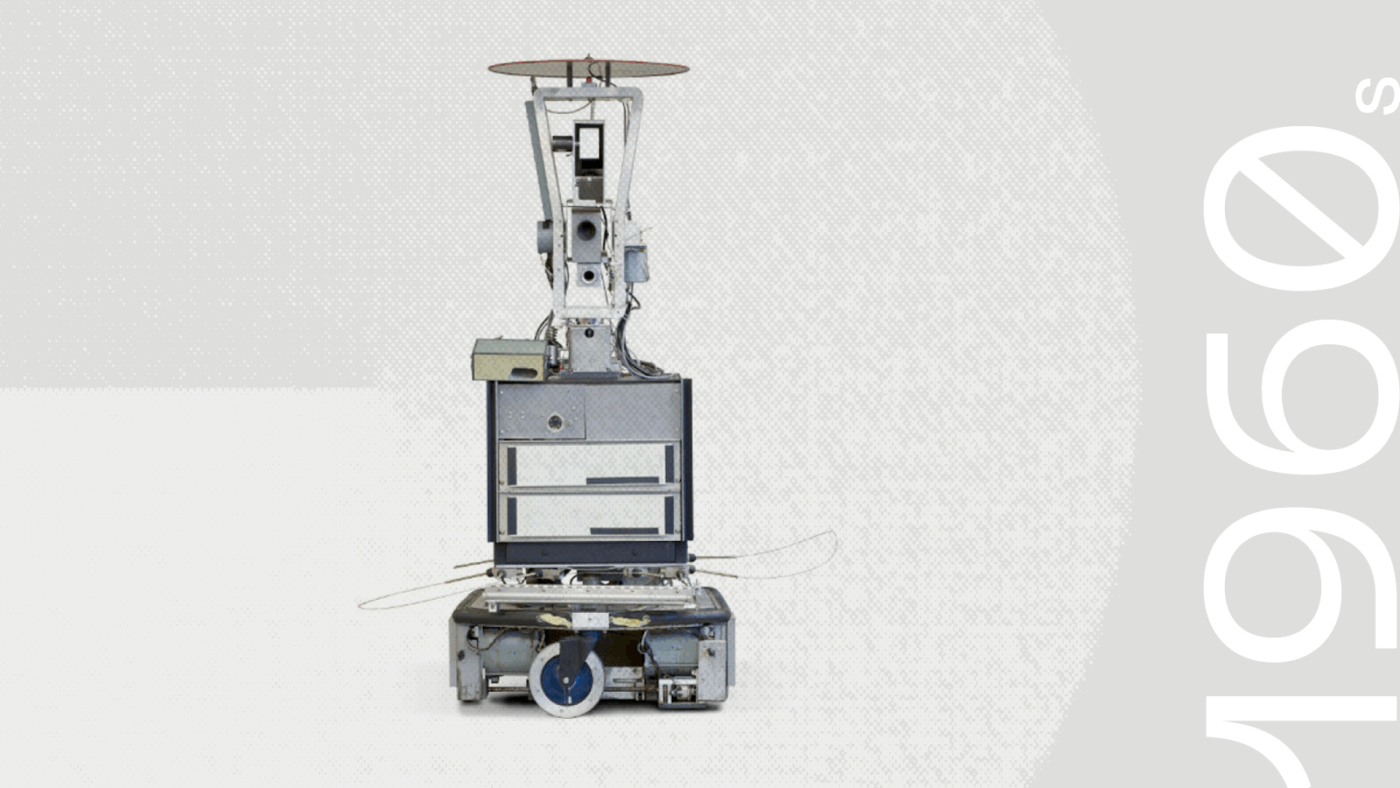
👀 Did You Know? The first AI Agent, Shakey, was built in the 1960s. It could perceive and reason about its surroundings.
Shakey could perform tasks that required planning, route-finding, and the rearranging of simple objects. Life magazine referred to it as the “first electronic person” in 1970.
Current AI agents excel at narrow, structured tasks. But real agency workflows are anything but complex and dynamic. Here’s where AI agents may fall short:
👀 Did You Know? Deloitte paid a partial refund on a $290,000 government report after AI hallucinations produced fabricated academic references and a fake federal court quote. Unchecked AI doesn’t just create rework — it can compound into legal liability and reputational damage that far outweighs the cost of the original mistake.
You can code agents from scratch, use low-code automation platforms, or work with tools that let you build agents in human language.
If you want to build and deploy AI agents at speed, here are three tools worth considering:
ClickUp is a converged AI workspace that lets agencies manage client projects, internal work, communication, and knowledge in one place.
And the best part is ClickUp Brain, the platform’s contextual AI assistant. It understands your work and client interactions, saving you from the constant toggle between tools and spreadsheets to piece together information between your workflows.
Here’s how it makes your life easier 🦸
ClickUp AI Enterprise Search taps into your complete workspace knowledge and surfaces relevant answers, insights, and actions on demand.
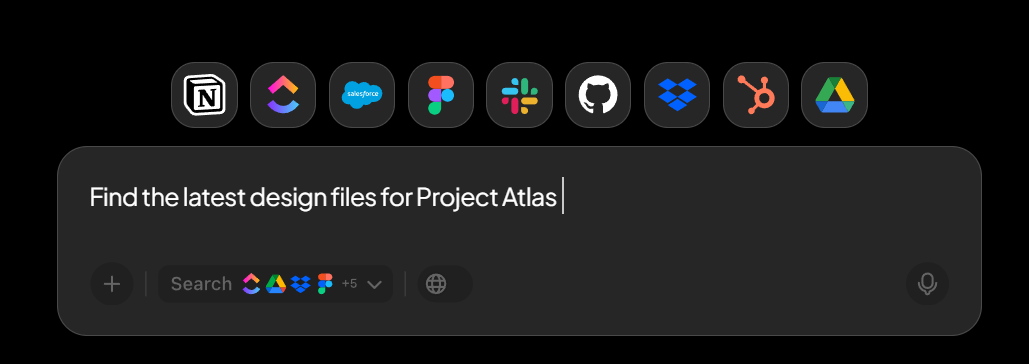
Ask natural language questions about anything across your agency, client timelines, task status, project docs, or team activity. It performs a deep search across tasks, docs, comments, and connected external apps like Google Drive and OneDrive, pulling the right context without you having to hunt for it.
ClickUp Brain also provides access to multiple external AI models within the same interface. You don’t need to switch tools or manage separate subscriptions to experiment with different model outputs.
📌 Example: ChatGPT for daily-to-day execution work. Claude for long-form analysis and synthesis. Gemini for information-heavy and cross-referenced tasks.
Before deploying full AI agents, agencies need structured workflows. ClickUp Automations handle the predictable handoffs, status changes, and repetitive coordination work that slow delivery down when managed manually.
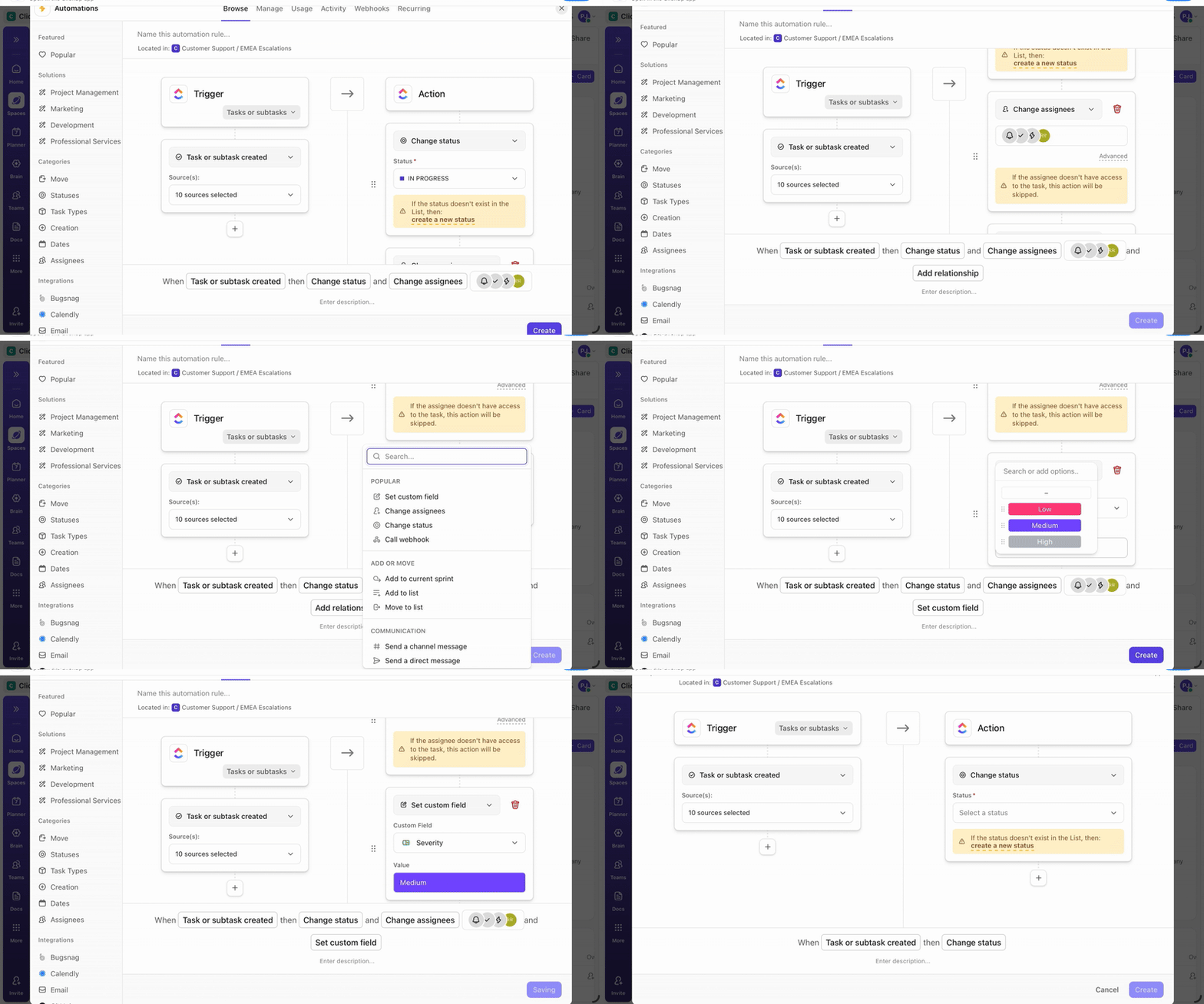
This creates a reliable operational backbone that AI agents can later build on.
📌 Example: A design deliverable moves from “In Progress” to “Client Review.” A ClickUp Automation can instantly assign the account manager, attach the client feedback form, notify the review channel, and set a follow-up reminder if feedback isn’t received within 48 hours. No one needs to remember the next step. The workflow advances on its own.
Handoffs eat away the most time in agency workflows. Sometimes a deliverable sits unassigned for days, a reviewer isn’t notified, or context gets lost between status changes.
ClickUp Super Agents respond to these transitions automatically.
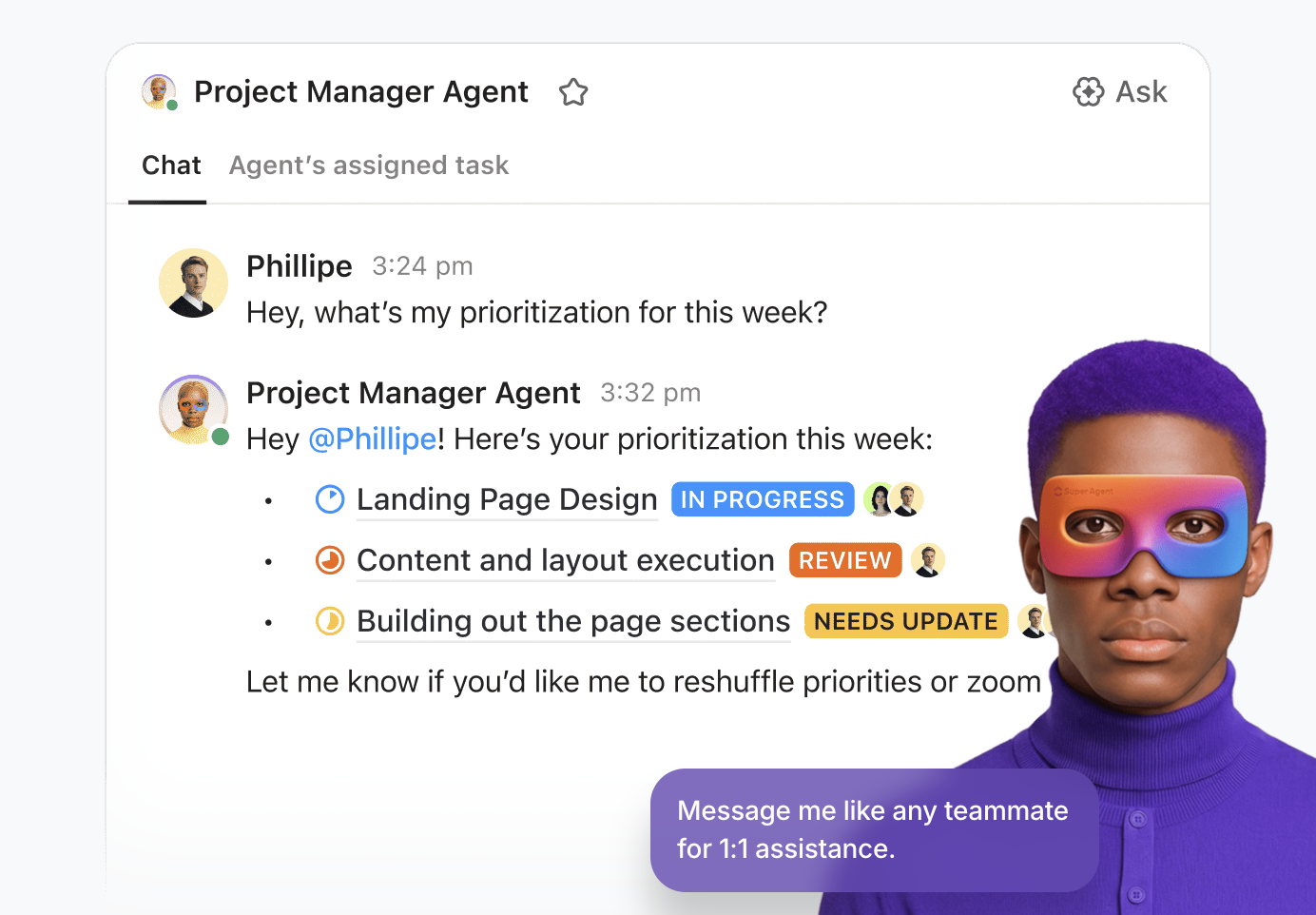
Here’s what the AI Agent example looks like:
Hear it from a user who shares their positive experience on G2:
ClickUp’s flexibility is the biggest advantage for us. We’ve customised the entire workspace around our business workflows instead of adjusting our processes to the tool.
We use it across Customer Success, Growth, Operations, Compliance, Finance, and Tech, and having everything in one place has brought strong structure and visibility. Custom statuses, fields, automations, and dashboards help us run onboarding, compliance, integrations, and internal tracking smoothly, with far less dependency on emails and follow-ups.
Customer Story: ClickUp X Bell Direct
😓 The Problem: “Work about work” was blocking real productivity
Bell Direct’s operations team was swamped. Every day, they handled 800+ client emails, each requiring manual reading, triage, categorization, and routing to the right person. The situation put pressure on team efficiency, visibility, and service quality, even though the company was delivering strong outcomes for clients.
✅ The Solution: A unified workspace + AI agents that work like teammates
Instead of adding another disconnected tool to the stack, Bell Direct chose ClickUp as its central command center. They consolidated everything from tasks and docs to processes and knowledge into one workspace where AI had full context. Rather than relying on generic bots or templates, they deployed a Super Agent they called “Delegator“. It’s an autonomous teammate trained to triage incoming work:
It does all of this without manual touchpoints from human operators
😄 The Impact: Measurable operational gains
The Super Agent now routes work the way a human would, but at machine speed and scale.
👉🏼 Want the same results for your team?
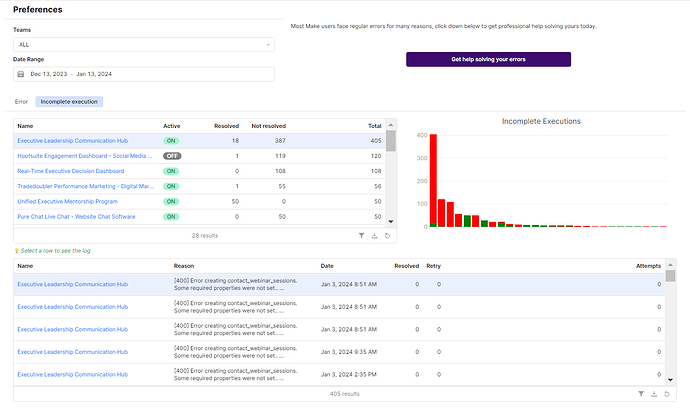
Make is a visual automation platform built for teams that need branching logic, complex data transformations, and multi-step workflows. Unlike linear builders, the tool lets you see the entire workflow on a canvas at once, which makes it easier to understand how data moves between systems as workflows get more complex.
It also recently launched Make AI Agents, letting teams embed agentic automation directly within their scenarios, making it a solid option for agencies ready to move beyond basic automation.
Hear it from a G2 reviewer:
What I like best about Make is how simple and intuitive it is to build automations. I especially appreciate how easily it connects with tools like Webflow and many others, making it possible to automate processes without needing complex code.
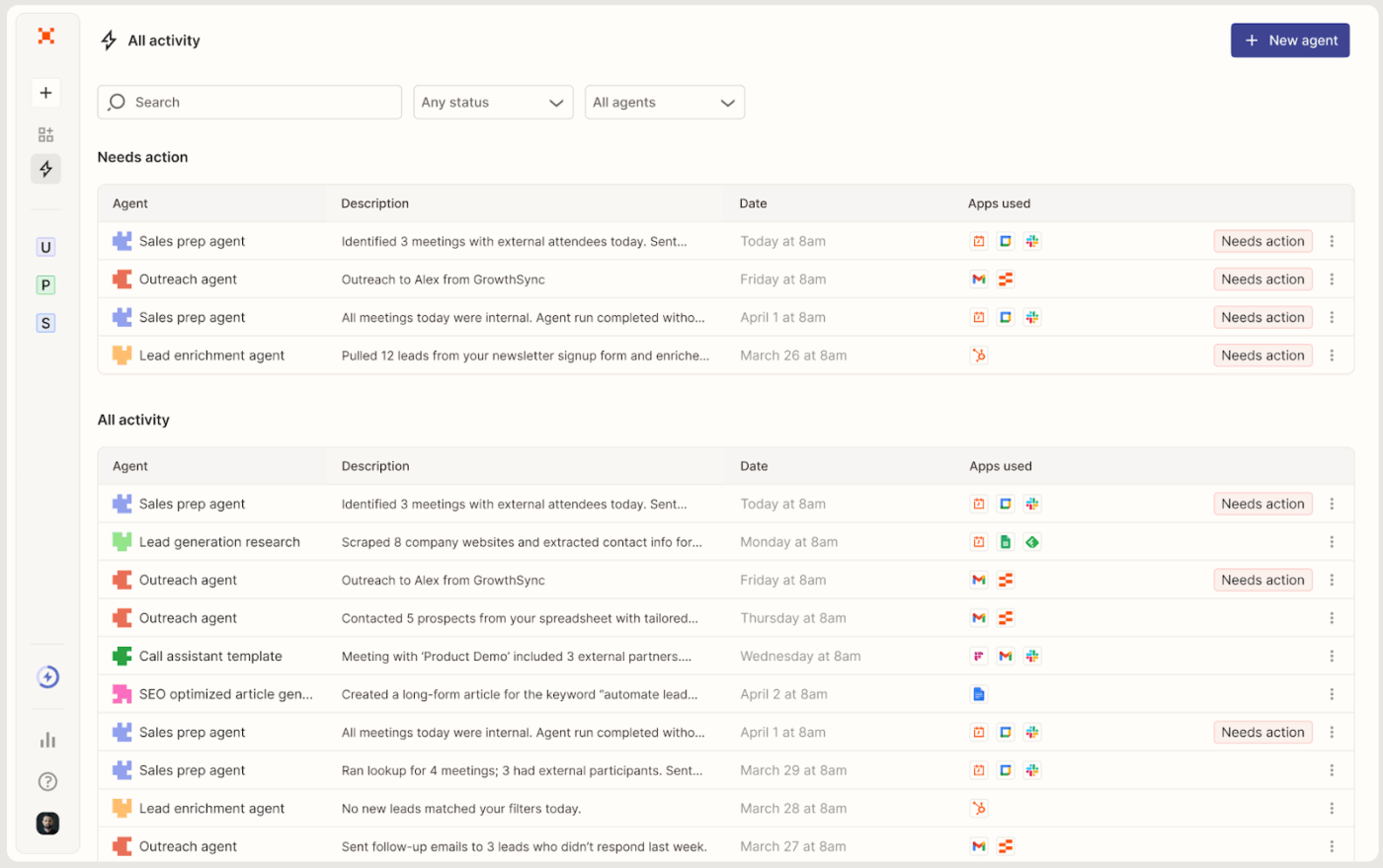
Zapier connects 8,000+ apps through a trigger-and-action model that non-technical teams can set up in minutes. It’s been the go-to for straightforward cross-app automation for years, and with the addition of Zapier Agents, it now supports multi-step autonomous workflows that can make decisions and act across connected tools without manual input at each step.
Hear it from a G2 reviewer:
Zapier makes automations simple, even for someone without a technical background. It allowed me to connect multiple platforms (like TikTok Lead Ads, Meta Lead Forms, and Google Sheets) so our lead management became much faster and more organized. Once the Zaps are set up, they run reliably in the background and save us a lot of manual work.
Agencies are responsible for adopting a proactive ethical framework that doesn’t compromise client data integrity or the trust they’ve built with their clients.
Before adopting any type of AI Agents, you should be well aware of the following issues:
| Ethical issue | What it means for your agency? |
| Data privacy and consent | Clients should explicitly consent to their data being processed by an agent, especially in communication workflows |
| Bias in decision-making | Run bias audits before and after deployment. Use diverse and representative training datasets to prevent agents from inheriting historical biases that deprioritize certain client accounts or misroute requests |
| Accountability | Define accountability clauses in contractual terms before deployment. When an agent causes a missed deadline, a wrong deliverable, or a financial loss, there needs to be a clear chain of responsibility |
| Data security | Operate agents within enterprise-grade security protocols with strict access controls, audit trails for every action taken, and clear data retention policies |
| Over automation | Don’t replace human judgment in client-facing workflows entirely to scale faster. Clients notice when personal attention disappears, and no agent can replicate the relationship intelligence a good account manager carries |
Your agency workflows will continue to evolve as you scale. You need intelligent agents that can accelerate delivery and keep routine operations consistent even as client demands grow.
But fragmented tools create fragmented agents. When your data, communication, and projects live in separate systems, agents lack the context they need to act reliably.
ClickUp’s converged AI workspace brings your tasks, docs, timelines, and client workflows into one place, giving Super Agents the full visibility required to coordinate work, surface risks, and keep delivery moving.
Build once, deploy across workflows, and let your agency run with the clarity and control that manual coordination can’t sustain at scale.
Ready to deploy pre-built Agents for your agency? Sign up on ClickUp for free ✅
There are no-code drag-and-drop agent builders that let you build without any technical knowledge. You can also build agents in natural language by simply describing the agent you want and letting the platform configure it.
The right choice ultimately depends on how your artificial intelligence stack is set up and what your agency’s workflows demand. GPT-4 and Claude handle reasoning and language-heavy tasks well, while Gemini is more suited for deep reasoning and tasks requiring broad knowledge retrieval.
The ability of an agent to reason and act accurately depends on the quality and relevance of its underlying data. Feed it clean, labeled, structured data, implement RAG if data needs to be captured from multiple sources, and structure your prompt efficiently with clear boundaries to reduce hallucinations.
Poorly defined prompts, weak or inconsistent data sources, no feedback loop, and removing human oversight too early are the most common reasons agents break down in live environments.
Yes. AI agents use short-term and long-term memory to handle context. Short-term memory handles context within a single session while long-term memory stores historical data across sessions, usually through a vector database.
The cost depends on the model, usage volume, and platform. API costs for models like GPT-4 are token-based. High-frequency, complex workflows can get expensive fast if not monitored.
No. Agents handle execution and coordination. Strategy, client relationships, creative judgment, and accountability still require humans. Agents simply make your team faster and more adept.

© 2026 ClickUp

There’s an easier way. Try a free AI Agent in ClickUp that actually does the work for you—set up in minutes, save hours every week.