







Still downloading templates?
There’s an easier way. Try a free AI Agent in ClickUp that actually does the work for you—set up in minutes, save hours every week.
Sorry, there were no results found for “”
Sorry, there were no results found for “”
Sorry, there were no results found for “”
Post a job opening, and suddenly your inbox is overflowing. Sorting through resumes one by one drains hours, delays hiring, and risks bias creeping in.
AI screens resumes in seconds, flags best matches, and frees recruiters to focus on real conversations—not paperwork. The payoff? Faster, fairer, and smarter hiring.
Here’s how to automate recruiting with AI—and finally make the process work for you.
🔍 Did You Know? The global AI recruitment market was valued at over $617 million in 2024 and is projected to nearly double by 2033, reaching more than $1.1 billion. That’s a steady growth rate of 7.2% annually, showing how quickly AI is transforming the way companies find talent worldwide.
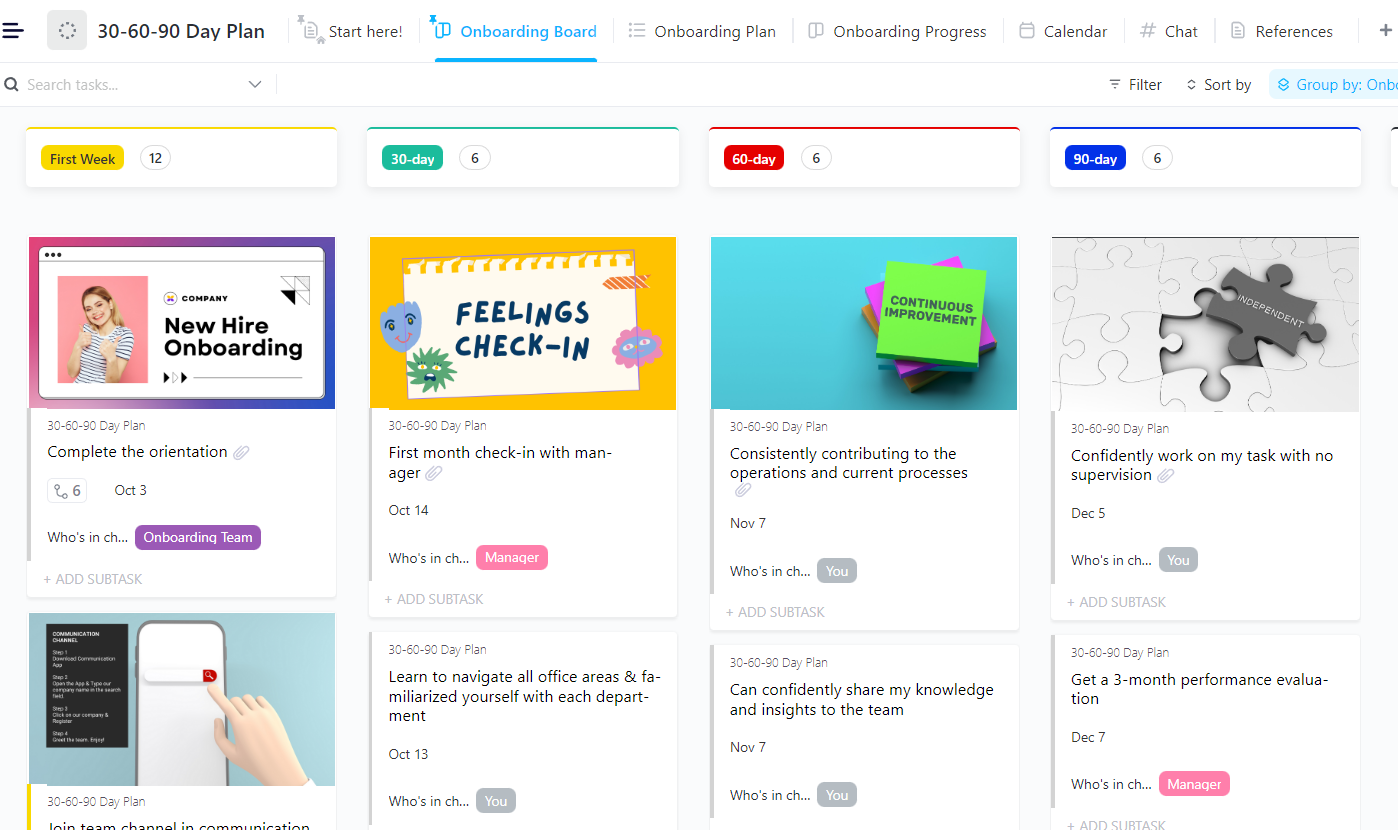
The ClickUp 30-60-90 Day Plan Template empowers teams and new hires to map out clear objectives, key milestones, and the exact steps needed for impact in the first three months. It ensures smooth onboarding, sharp goal alignment, and early momentum in the role.
A recruiter’s day often involves processing many applications, making it easy for eligible applicants to get buried. Between sorting resumes, filtering out mismatches, and keeping up with follow-ups, there’s barely any time left for what really matters—hiring the right people.
That’s exactly why more companies are turning to AI. In fact, 88% of organizations already use AI to handle tasks like initial screening. From finding the best-fit candidates to speeding up shortlisting, AI is taking over the grunt work so recruiters can focus on smart, strategic hiring to find the right person for the job.
It analyzes thousands of resumes in seconds and identifies the best-fit candidates based on skills and experience. Instead of spending hours on manual screening, recruiters can quickly zero in on qualified applicants and move them forward faster.
AI tools for recruitment aren’t here to replace recruiters. They’re here to make your job easier, faster, and smarter. Instead, AI takes on the repetitive, behind-the-scenes work that slows down HR teams. Here are the key recruiting processes to automate with AI:
🔍 Did You Know? According to hiring decision-makers, the top reason for using AI in recruitment is saving time, with 67% naming it the biggest benefit. Other key advantages include removing human bias (43%), delivering better candidate matches (31%), and reducing hiring costs (30%). That’s a strong case for letting AI handle the heavy lifting while you focus on making the final call!
Bringing AI into your hiring process isn’t just about saving time. It helps create a more focused, responsive, and reliable approach to finding the right people. Here’s how it makes a difference:
➡️ Read More: Top AI Tools for Startups
Modern AI can support fairer hiring—but only with the right controls. Add these safeguards to your process:
Remember: AI can reduce bias when configured well, but it isn’t bias-proof. Keep humans in the loop for final hiring decisions.
Think of AI as a series of smart upgrades: each one designed to take pressure off your team and help you make better decisions, faster. Here’s how to automate recruiting with AI:
When resumes start pouring in, the real challenge isn’t finding people but finding the right ones quickly. AI speeds up the first filter by scanning applications against clear criteria—skills, certifications, and experience—so recruiters can focus on the top matches first.
To get the most out of AI resume screening, you should:
ClickUp how-to: Track candidates as tasks with Custom Fields for must-haves; use Automations to tag/route by score; use ClickUp Brain to summarize resumes into structured highlights.
💡 Pro Tip: Combine AI with human judgment. AI excels at processing data quickly, but human recruiters provide the empathy and context essential for great hiring decisions. If you’re new to ATS platforms, learn about the best Applicant Tracking System Software here!
🔍 Did You Know? 58% of recruiters find AI most helpful during candidate sourcing.
Finding strong candidates doesn’t always mean waiting for applications to come in. AI expands your reach by spotting qualified candidates across platforms—even those not actively job hunting but open to the right offer.
To use AI effectively for sourcing:
ClickUp how-to: Organize sourcing in a List/Board; auto-move cards with Automations (New → Contacted → Follow-up); track source performance in a Dashboard.
ClickUp Automations keeps sourcing pipelines organized. For example, when a new job requisition is opened, it can automatically assign a recruiter, generate a sourcing checklist, and update candidate statuses as they move through outreach.
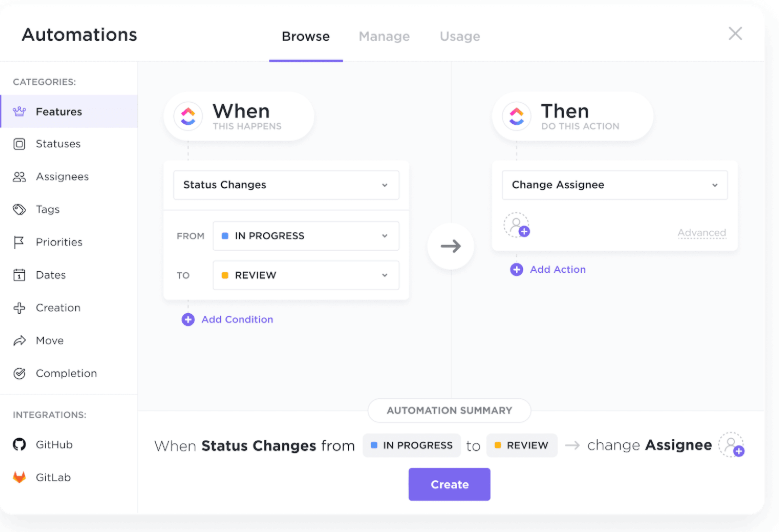
If a recruiter tags a candidate as ‘Contacted’ or ‘Needs Follow-up,’ it also instantly updates their status, moves their card to the next column, or even notifies a hiring manager.
What’s more? You can set up time-based rules, like sending a reminder if no outreach happens within three days of sourcing, or create alerts when high-potential candidates are added.
These automations reduce manual follow-ups, prevent tasks from slipping through the cracks, and make your sourcing pipeline easier to manage.
📖 Read more: For longer-term team planning, compare platforms in this talent management software guide.
🎥 Here’s a quick video walkthrough of ClickUp Automations:
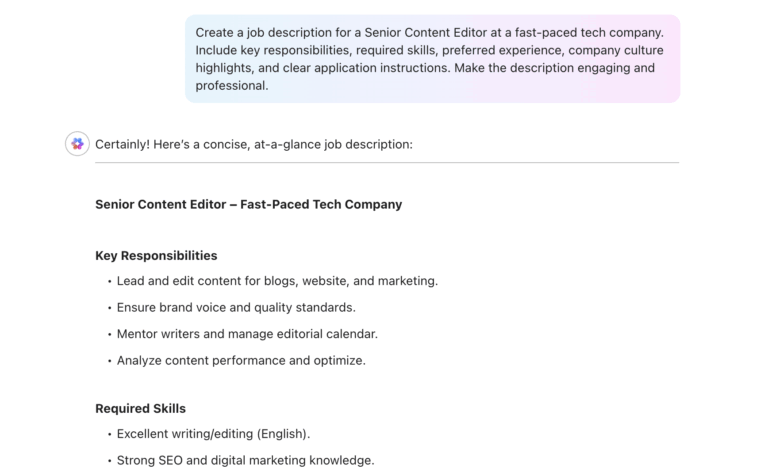
A job post sets the tone for the entire candidate experience. But crafting a clear, inclusive, and appealing one takes time, especially when hiring for multiple roles.
Here’s how to automate it with AI:
ClickUp how-to: Use ClickUp Brain to draft/edit (“make concise,” “use inclusive language”), then Automations to create the JD task, route for approval, and publish the checklist.
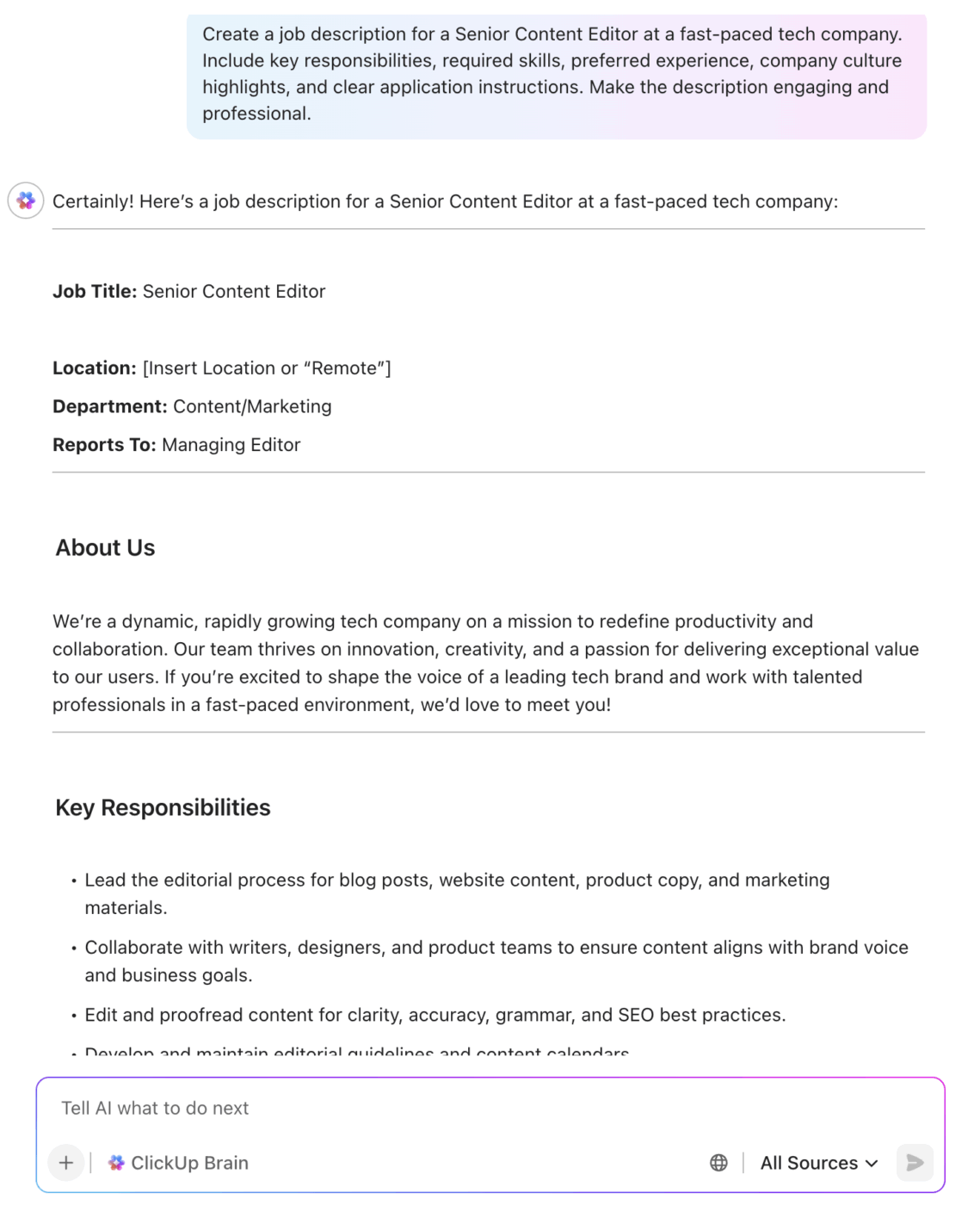
An AI tool like ClickUp Brain makes this process seamless inside your workspace. You can draft new job descriptions or edit existing ones with simple prompts.
It lets you refine tone and clarity on the spot. For example, ask it to ‘make this concise,’ ‘use inclusive language,’ or ‘sound more conversational,’ and it follows through.
It also summarizes hiring manager feedback left in comments. It extracts the essential points so you don’t have to piece it together manually.
ClickUp Brain drafts and edits job descriptions with prompts like ‘make this inclusive’ or ‘sound more conversational,’ and summarizes feedback or interview notes. For task creation and movement, teams can use ClickUp Automations to automatically set rules that update candidate workflows.
⚡ ClickUp Brain Max for recruiting: Hire Faster, Fairer
Use Talk to Text to capture intake notes, role must-haves, and debriefs on the fly—ClickUp Brain Max turns them into structured tasks with assignees, due dates, and checklists.
Pair it with Enterprise Search to surface every related JD, candidate profile, resume, or interview note across your workspace in seconds.
Layer on automations (status changes → outreach, “Shortlist” → schedule) and Brain summaries to de-duplicate feedback and spot gaps—so you move top talent from apply → interview → offer faster, with less bias and zero busywork.
👉 Try ClickUp Brain Max and make every hire a data-backed decision.
Reaching out to candidates is often time-consuming, especially when you’re trying to keep each message personal. AI generates personalized emails based on an applicant’s background, location, skills, or shared interests.
This is where AI helps you stay efficient and human:
ClickUp how-to: Draft emails with ClickUp Brain; log last-contact dates in Custom Fields; trigger follow-ups and reminders with Automations; track replies in an Email view.
Outreach isn’t just about pressing “send”—it’s about timing, tone, and tenacity. Recruiters juggle dozens of conversations daily, from warm intros to follow-ups that risk sounding robotic. That’s why great outreach feels more like relationship-building than cold emailing.
👉 Curious what this balancing act looks like in real life? Take a peek behind the curtain in our Day in the Life of a Recruiter blog—it’s a candid look at the juggling act (and how tools like ClickUp make it less chaotic).
Coordinating interviews involves aligning everyone’s availability. This often eats up hours and slows down the entire process. AI takes over the repetitive parts, making scheduling feel smooth and effortless. In fact, thoughtful human resource planning is essential to building systems where tools like AI can effectively streamline tasks such as scheduling and communication.
Here’s what AI tools for HR do:
ClickUp how-to: Schedule from Calendar; fire Automations on stage change (“Interview” → send invite + reminder); notify stakeholders via Email/Chat integrations.
ClickUp Calendar gives your entire recruiting team a clear visual of upcoming interviews and availability. Each candidate’s interview appears as a task on the calendar, showing time, interviewers, and meeting links at a glance.
Paired with ClickUp Brain, recruiters can easily visualize interview tasks, sync with external calendars, and manage availability in one place. Automations help handle reminders and updates to keep scheduling smooth.
📮 ClickUp Insight: 18% of our survey respondents want to use AI to organize their lives through calendars, tasks, and reminders. Another 15% want AI to handle routine tasks and administrative work.
To do this, an AI needs to be able to: understand the priority levels for each task in a workflow, run the necessary steps to create tasks or adjust tasks, and set up automated workflows.
Most tools have one or two of these steps worked out. However, ClickUp has helped users consolidate up to 5+ apps using our platform! Experience AI-powered scheduling, where tasks and meetings can be easily allocated to open slots in your calendar based on priority levels. You can also set up custom automation rules via ClickUp Brain to handle routine tasks. Say goodbye to busy work!
Resumes tell you where someone has worked, but not how they think or solve problems. That’s where AI-powered assessments make a big difference. They help you evaluate ability in a consistent, objective, and role-relevant way.
Here’s what AI does:
ClickUp how-to: Host briefs in Docs, track attempts as Tasks with checklists; auto-advance stages with Automations; use ClickUp Brain to summarize assessor notes into scorecards.
After interviews, feedback may end up in different places, such as email threads, private chats, or memory. AI helps turn that feedback into something structured, trackable, and useful for decision-making.
Here’s how to use it:
ClickUp how-to: Collect ratings in Custom Fields; have ClickUp Brain generate debrief summaries; compare candidates in a Dashboard (scores, risks, stage SLAs).
➡️ Read More: A Day in the Life of a Human Manager
| Process | Example automation | ClickUp tooling | Measured outcome |
|---|---|---|---|
| JD drafting | Prompt “make inclusive, mid-level SDR” → generate JD + checklist | ClickUp Brain + task templates | Faster JD turnaround |
| Sourcing | New requisition → auto-assign recruiter + sourcing checklist | Automations | Shorter time-to-first-outreach |
| Outreach | Tag “Shortlist” → draft outreach for review | Brain + Automations | Higher response, fewer errors |
| Scheduling | Move to “Interview” → calendar invite + reminder | Calendar View + Automations | Lower no-shows |
| Debriefs | Collect scorecards → auto-summary of strengths/risks | Brain (summarize comments) | Faster decisions |
| Compliance | Weekly stage report → flag 4/5ths threshold | Dashboard + saved view | Early bias detection |
Rolling out AI in hiring isn’t just about turning features on—it needs a structured, low-risk plan. ClickUp’s 30-60-90 Day Plan Template gives recruiting teams a ready-made framework to track these milestones and assign ownership.
Why it helps: Instead of juggling spreadsheets and notes, you have a single place to map rollout tasks, deadlines, and owners—ensuring every adoption stage stays on track.
Ready to revolutionize your human resource planning and recruitment process? Here are the top recruiting software tools to use:
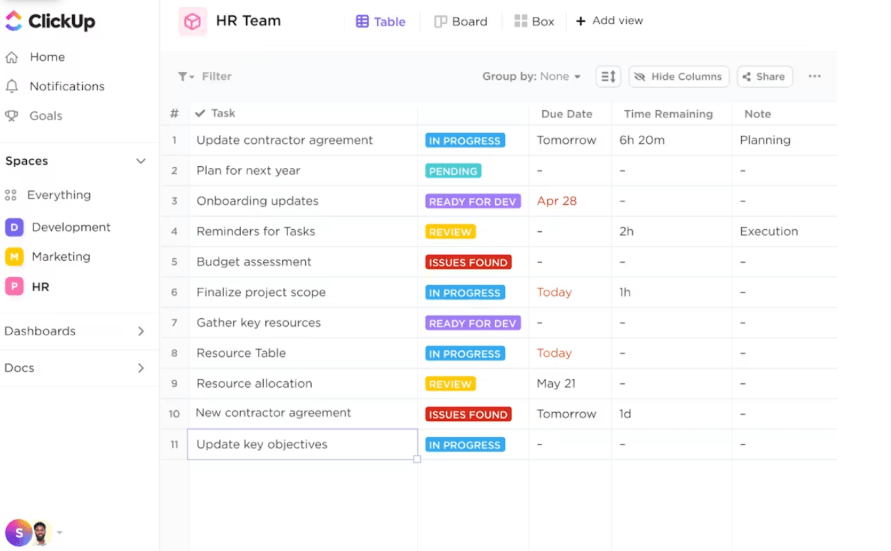
ClickUp, the everything app for work, gives HR teams one place to manage recruiting—from writing job descriptions to scheduling interviews. With automation built in, you can eliminate repetitive admin work and keep hiring, onboarding, and talent management moving smoothly. For teams looking to streamline these processes further, ClickUp for HR teams offers tailored tools to manage the entire employee lifecycle in one place.
Its powerful features make it easy to track deadlines, collaborate across teams, and maintain organized documentation while reducing repetitive tasks with smart automations.
You can also track goals and visualize tasks across departments. Additionally, ClickUp connects with over 1,000 tools, including Slack, Outlook, and Google Calendar, helping recruiters sync events, messages, and tasks across their hiring pipeline.
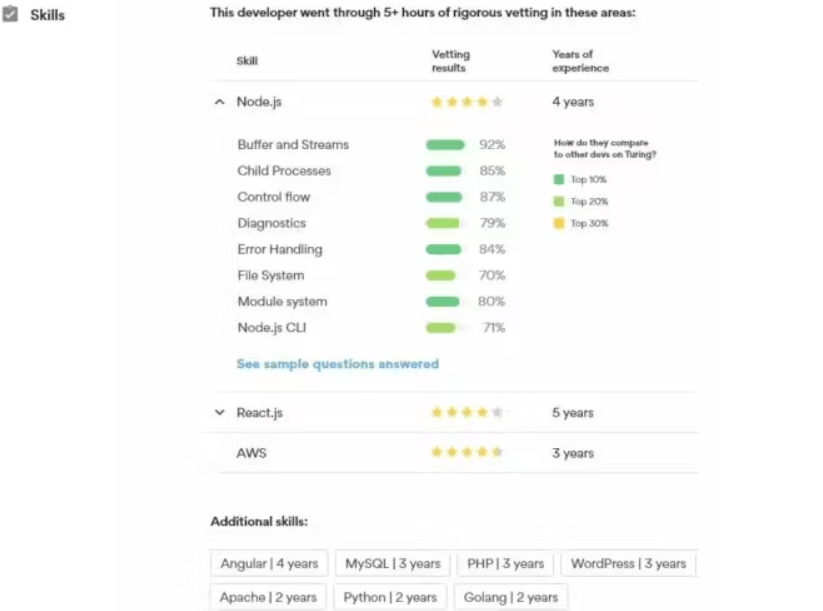
Turing is an AI-powered recruiting platform for sourcing and hiring software developers. It leverages machine learning and natural language processing to scan resumes, job boards, and technical profiles to find top candidates.
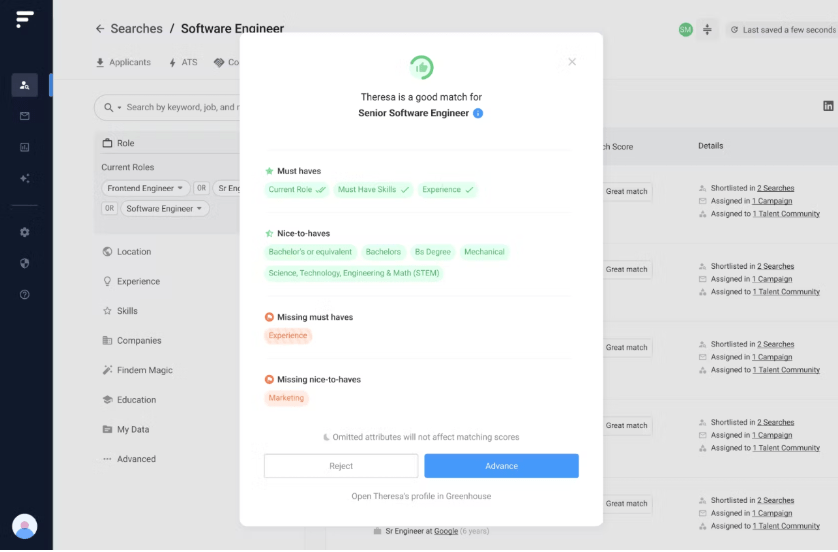
Findem modernizes talent acquisition, focusing on depth, intelligence, and conversational automation. Built on 3D candidate data, it goes beyond resumes to create ‘enriched profiles’ by pulling verified information like actual project impact, coding activity, and career trajectory from 100,000+ sources.
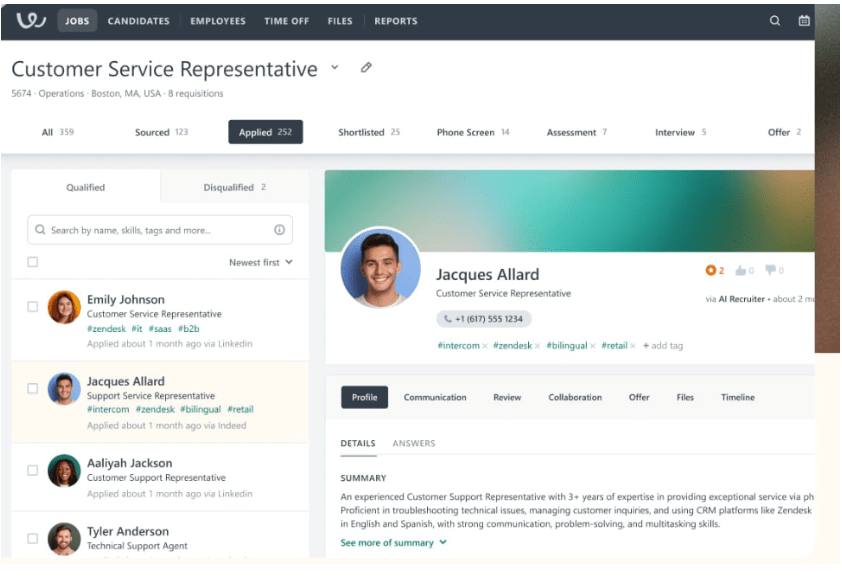
Workable is a robust, AI-powered recruitment platform designed to simplify every stage of the hiring journey. With a single click, it lets you post job openings to over 200 job boards and uses AI to actively scout active and passive candidates who best match your job description.
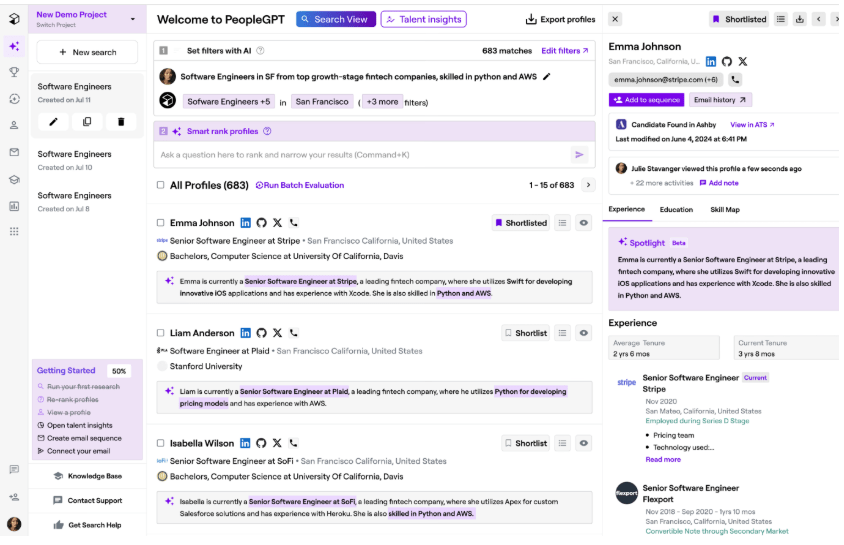
Juicebox, powered by its PeopleGPT engine, is a smart and intuitive AI tool designed to make candidate sourcing and talent analysis feel effortless. It surfaces high-quality candidates from 800M+ profiles and translates workforce analytics into visual, easy-to-understand insights.
Hiring today is about finding the right people faster, staying ahead of the competition, and building lasting teams. That’s a tall order when you’re managing dozens of candidates, conversations, and deadlines.
But AI isn’t just a buzzword anymore. It’s increasingly helping recruiters cut through noise, uncover better-fit talent, and stay focused on what matters most: people.
Whether you’re sourcing tech candidates globally, automating interview flows, or turning hiring data into real insights, the right tools make a real difference. And if you’re looking for one platform that brings it all together, ClickUp is built to do exactly that.
With AI fitted into your daily tasks, automations that keep things moving, and docs, dashboards, and calendars that make sense, ClickUp helps your team work smarter at every step of the hiring process. Sign up for free today!
Does AI actually reduce bias in hiring?
It can be done if you combine blind screening, structured interviews, scorecards, and monitoring outcomes for adverse impact. AI alone is not a guarantee.
Is AI in recruiting legal?
Yes, but you must comply with privacy and equal opportunity laws (e.g., GDPR consent, retention, access; EEOC fairness). Document your process and audit vendors.
What should small teams automate first?
Start with JD drafting, resume triage, and interview scheduling (highest time savings, lowest risk).
How do we check for unfair outcomes?
Compare stage-by-stage selection rates across groups and review any result below the 4/5ths (80%) threshold. Investigate and remediate.

© 2026 ClickUp

There’s an easier way. Try a free AI Agent in ClickUp that actually does the work for you—set up in minutes, save hours every week.