

Are you awash in data? Even the most experienced data pros are struggling to stay on top of the tidal wave of data generated by a digital-first world—not to mention trying to streamline process efficiencies. From web analytics to customer data to performance metrics, you’re in charge of keeping this data as accurate and up-to-date as possible. ✨
Solid database design is necessary for creating and maintaining a database for your biz, but even then, you need to know how to keep your work free of cross-contamination and data redundancy. Dependencies define the relationship between data attributes, which helps with everything from data accuracy to advanced insights.
The kicker? There are so many types of dependencies to choose from. But functional dependencies are a must-have if you’re champing at the bit to create a database.
In this guide, we’ll explain what a functional dependency is, give you a few examples of all the functional dependencies, and offer helpful tips on maximizing your relational database.


 Summarize this article for me please
What is a Functional Dependency?
A functional dependency is a type of dependency with a relationship between two variables. On the left side, you have the determinant attribute, also known as the primary key, and on the right side, you have the dependent attribute, also known as the non-key attribute. The function or outcome will change depending on the relationship between the two variables.
We know that sounds a little complicated, so here’s how functional dependencies work:
- Let’s say you use customer database software to track your shoppers’ birthdays. You want to send customers a personalized email on their birthday to foster goodwill
- You need to use a functional dependency to send an email to each user on their birthday—after all, wouldn’t an irrelevant “Happy Birthday” blast to 300 people look a little weird?
- In this case, the function of sending an email depends on the variable of the customer’s birthday
- If you want this type of relationship in your database, you would need to set up a functional dependency between the customer’s birthday and the function that sends the email on their birthday
Functional dependencies are fundamental for database normalization. Through normalization, you organize a database—just like tidying up a room—to arrange data to avoid repetition.
The rules of functional dependencies in database management systems
Functional dependencies follow several inference rules—also called Armstrong’s Axioms.
There are three major rules of functional dependency:
- Reflexivity: The Reflexive Rule says that if attribute A relates to attribute X, then attribute X relates to attribute A. For example, if A is someone’s first name and X is someone’s last name, these two attributes will always relate to each other
- Augmentation: The Augmentation Rule says that if you add data to a variable, also known as augmentation, you have to add that augmentation to the set of attributes. So, if you augment the first name field with a nickname, that field relates to the last name field now, too
- Transitivity: The Transitivity Rule says that if attribute A relates to attribute C, then by association, attribute B equals attribute C, too. Don’t let this break your brain—transitive dependency means that sometimes, one thing can determine another, which determines a third thing. For example, if you’re generating barcodes in your CRM platform for customers based on their first and last names, then the name determines the customer’s place in an alphabetical list
Functional dependencies turn your data models into actual relation schema using SQL, which preserves your data integrity. In practice, you can use functional dependencies in your database management system, or DBMS, to free you from data redundancies and “oops” moments that break databases. 👀
Full functional dependency versus partial functional dependency
Before we look at the different types of functional dependencies, it’s important to distinguish between partially and fully functional dependencies.
Let’s say you’re plugging your org chart data into a database. With full functional dependency, an attribute depends on another attribute set but not a subset of that attribute. So, let’s say we have a combination of “Employee Name” and “Employee ID” that determines a “Location.”
If you know “Employee Name” and “Employee ID,” you can determine the “Location.” However, you can’t look at those two variables solo to determine the “Location.” In this case, “Location” is fully dependent on the combination of “Employee Name” and “Employee ID.”
A partial functional dependency happens when an attribute only depends on a part of the primary key instead of the composite primary key. For example, if you can figure out the data field “Years Worked” with “Employee ID,” you have a partial dependency because “Years Worked” doesn’t depend on “Location.”
It might sound like a small difference, but this has big consequences for data normalization. Partial functional dependencies can lead to redundancies in your database, meaning you have to address them in the normalization process’s second normal form, or 2NF. This isn’t the end of the world, but it’s definitely something you’ll need to fix down the line. 🛠️
First, second, and third normal forms in SQL
When you normalize data, the goal is to eliminate any insertion, update, or deletion anomalies in your database that can wreak havoc. There are three steps to normalization with functional dependencies.
First normal form
Think of the first normal form as the foundation for building a system where you can use functional dependencies. It lays the groundwork for identifying dependencies in second and third-normal forms. Technically speaking, 1NF has attributes that only contain atomic values, ensuring no repeating groups.
Second normal form
After putting data through 1NF, you’ll have a table where all non-key attributes are fully functionally dependent on the primary key. In 2NF, you remove partial dependencies by splitting tables to double-check that every non-key attribute fully depends on the primary key.
Third normal form
After a data table is in 2NF, it moves on to 3NF once all attributes are only functionally dependent on the primary key and nothing else. In 3ND, you remove all transitive dependencies through more table splitting in this stage.
1NF sets the stage for functional dependencies, while 2NF and 3NF refine how you organize that data by restructuring the functional dependencies. This ensures that you store every snippet of data in the most logical place, reducing redundancies and boosting data integrity in the process.
 Summarize this article for me please
Types of Functional Dependencies With Examples
If you’re ready to start using functional dependencies, there are four options to choose from.
Trivial
Trivial dependency is a basic type of functional dependency where an attribute or set of attributes determines itself. Every single dependent is a subset of your determinant here. In other words, if C is a subset of A, the functional relationship is trivial.
It might sound a little obvious, but an example would be identifying a book’s title when you know both the title and the author. It’s pretty easy to see the relationship between these two attributes, which is why trivial functional dependencies are the simplest to understand.
Non-trivial
This is where things get more interesting. In a non-trivial functional dependency, one attribute can determine another distinct attribute. In this case, A is a collection of attributes and so is B, but B isn’t a subset of A. If B isn’t a subset of A, they have a non-trivial relationship.
You have a non-trivial relationship if you create a database of books, assign each book a unique code, and can look up the book’s title if you know the code assigned to the book.
Multivalued
With a multivalued dependency, one attribute connects to several other attributes. Attributes in your set of dependents don’t rely on each other. So, if attributes A and C don’t have a functional dependency, the relationship between B, A, and C is multivalued.
To continue with the book analogy, this is like an author who’s written many books. If you know their name, you can list all the books they’ve written. In a multivalued functional dependency, one author will have multiple books linked to their name.
Transitive
A transitive functional dependency is when one attribute determines another and then another. It’s kind of like a chain reaction. If this sounds familiar, it’s because this type of functional dependency follows the Rule of Transitivity.
In this case, if A equals B and B equals C, then A has to equal C. Let’s say you’re building a book database, and your unique book codes determine publishers and their genres. If you know the book code, you can figure out who the publisher is and their genre.
Summarize this article for me pleaseHow to Use Functional Dependencies for Database Management
Are you eager to start using functional dependencies? You’re free to use functional dependencies however you see fit, but when you need to do smarter work with less hassle, go with ClickUp.
Here’s a quick overview of how to build a database in ClickUp and incorporate functional dependencies:
First things first, you’ll need to set up a database in ClickUp. You can import data sheets from Excel or create your own from scratch.
ClickUp Table view allows for bulk editing and other custom views to track data on just about anything. ClickUp also visualizes data to conclude your database in record time.
The good news is that you aren’t starting from scratch here. ClickUp’s database templates make database creation a breeze.
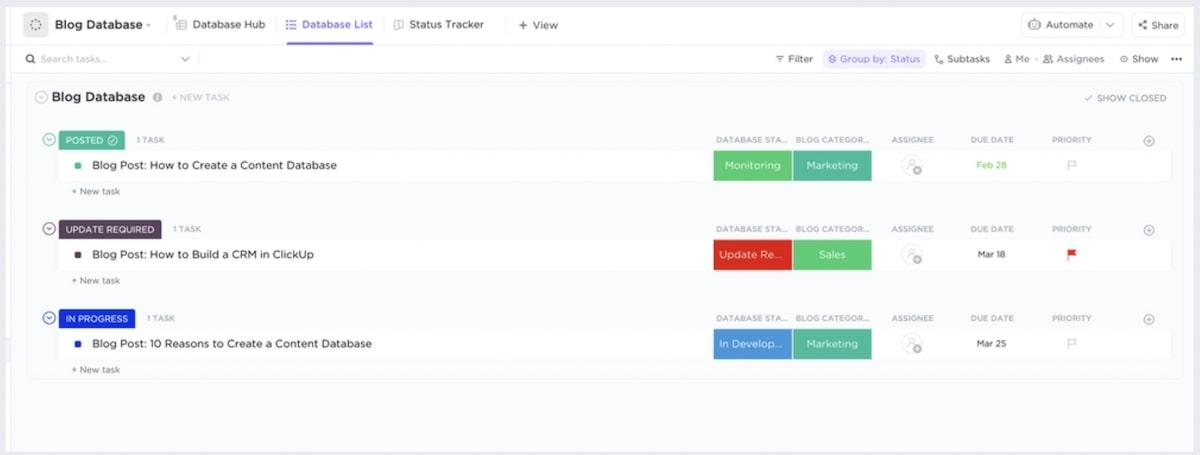
The ClickUp Blog Database Template is super helpful for content planning, and the ClickUp Employee Directory Template is perfect for quickly creating a database with contact info for co-workers. This is a no-code database, too, so if you want to build a database without learning SQL, we’ve got you covered.
Incorporating functional dependencies in ClickUp
Normally, you would need to SQL your heart out to create functional dependencies in a database. Fortunately, ClickUp’s drag-and-drop interface makes creating Relationships between tasks and Docs easy. It doesn’t hurt that AI tools in ClickUp make database management a cinch—even if you aren’t a database pro yourself.
Here’s how you can create a Dependency in your ClickUp database.
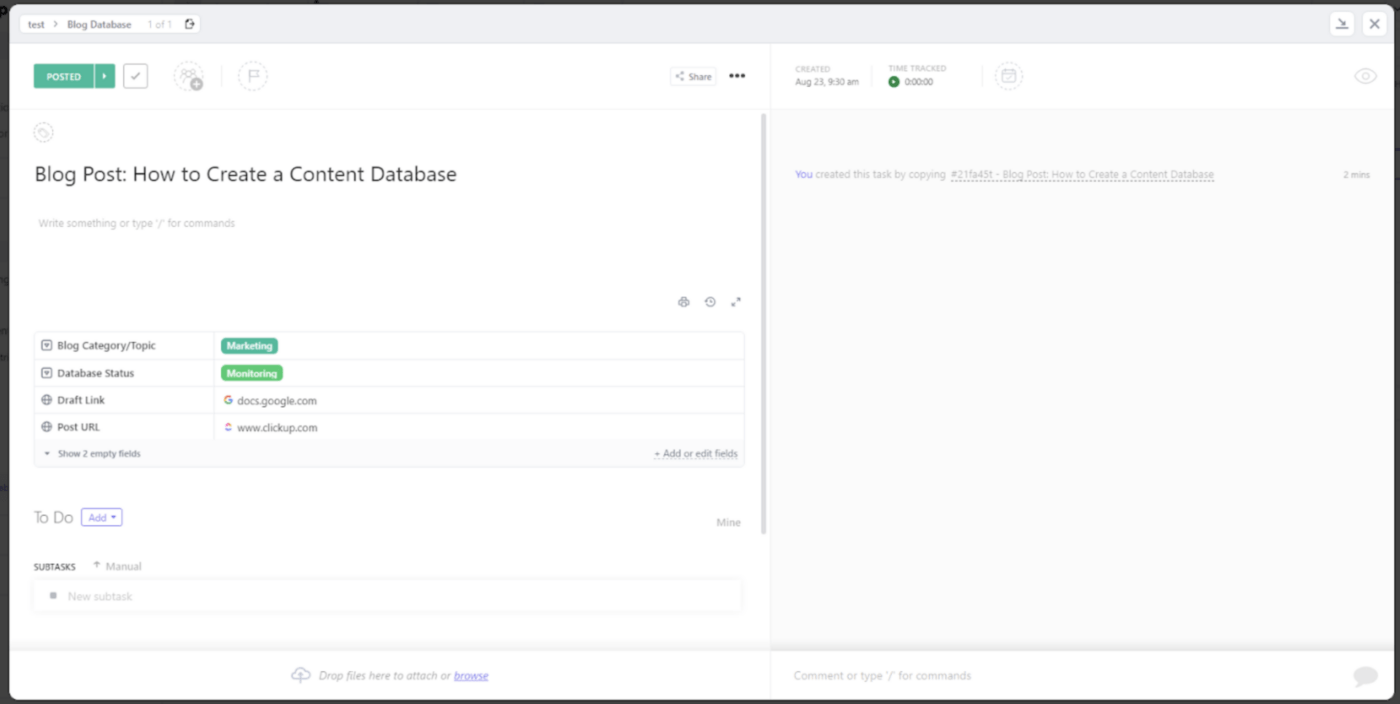
First, click on the task you want to work with.
Go to Relationships > Dependency. Choose from Waiting On, Blocking, and Tasks to customize the Relationship.

In this case, we’ll choose Waiting On and search for another task that will relate to the current task.
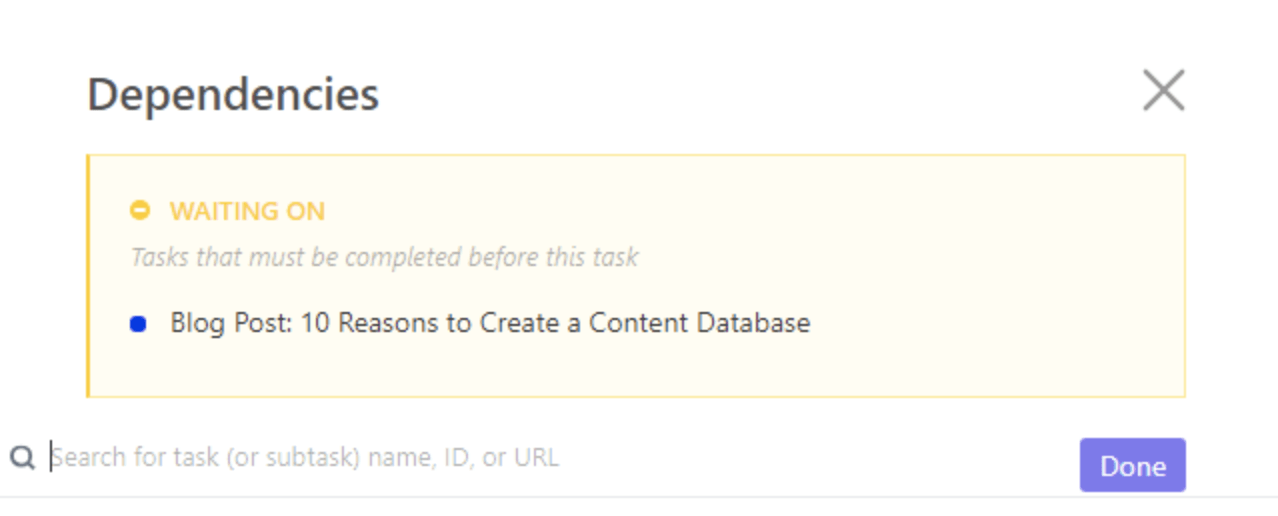
Click “Done,” and you’re, well, done! 🙌
Summarize this article for me pleaseSimplify Dependencies With ClickUp
Who says database management has to be complicated? As long as you understand the ins and outs of functional dependencies, you’ll design a fast, accurate database that keeps your organization moving forward.
You don’t have to do this alone, either. ClickUp is a solid database management system that combines data with templates, projects, tasks, Goals, and everything in between.
Save more time and focus on high-value tasks by switching to ClickUp’s truly all-in-one platform.
Try it yourself: Create a free ClickUp account to build a better database!


Everything you need to stay organized and get work done.

Recent Articles
What Is Tacit Knowledge? Definition, Benefits and Examples 
What Is Tacit Knowledge? Definition, Benefits and Examples

How to Manage Projects in Email Without Losing Track of the Work
How to Manage Projects in Email Without Losing Track of the Work
