Sorry, there were no results found for “”
Sorry, there were no results found for “”
Sorry, there were no results found for “”
You know that moment when you’re juggling 37 things—vendors, budgets, RSVPs—and one tiny missed deadline throws everything off? That’s what event planning without a timeline can look like.
Whether you’re managing multiple projects or one high-stakes corporate event, chaos creeps in fast.
🧠 Fun Fact: A 2024 Forrester report stated that around 73% of event planning organizations used one to five tech tools to manage and plan events.
A simple Gantt chart template won’t just help you track progress—it lays out project tasks, start dates, end dates, and dependent tasks in a way your brain understands.
No guesswork. No more of “Wait, who was supposed to call the caterer?” Just clean visuals, clear timelines, and everything (finally) under control.
So, let’s explore free Gantt chart templates that do what your sticky notes never could for event planning. It’s time to get all those essential tasks rounded up on a timeline! 😎
An event planning Gantt chart template is a pre-designed chart used to visually organize and schedule tasks involved in planning an event. It breaks down the event-related activities and tasks into a timeline, keeping track of project tasks, start dates, end dates, task durations, and dependencies.
The planners then assign responsibilities, prioritize important tasks, and manage multiple events or complex projects.
Typically built in Excel, Google Sheets, or other project management tools, these templates are often structured in rows for tasks and columns for dates, making tracking progress across the entire event management plan easy. They primarily serve as a ready-to-use framework, reducing setup time and keeping every task on schedule.
🔎 Did You Know? 89% of professionals say events are critical for achieving key business goals. Yet, 19% still don’t track success properly.
Take a look at when to use the Gantt Chart vs. when to use Timeline:
Whether handling multiple events or trying to survive one event without losing your mind, a detailed Gantt chart template keeps things from spiraling. Below are some high-performing templates that cover all your event needs, including structure and scheduling.
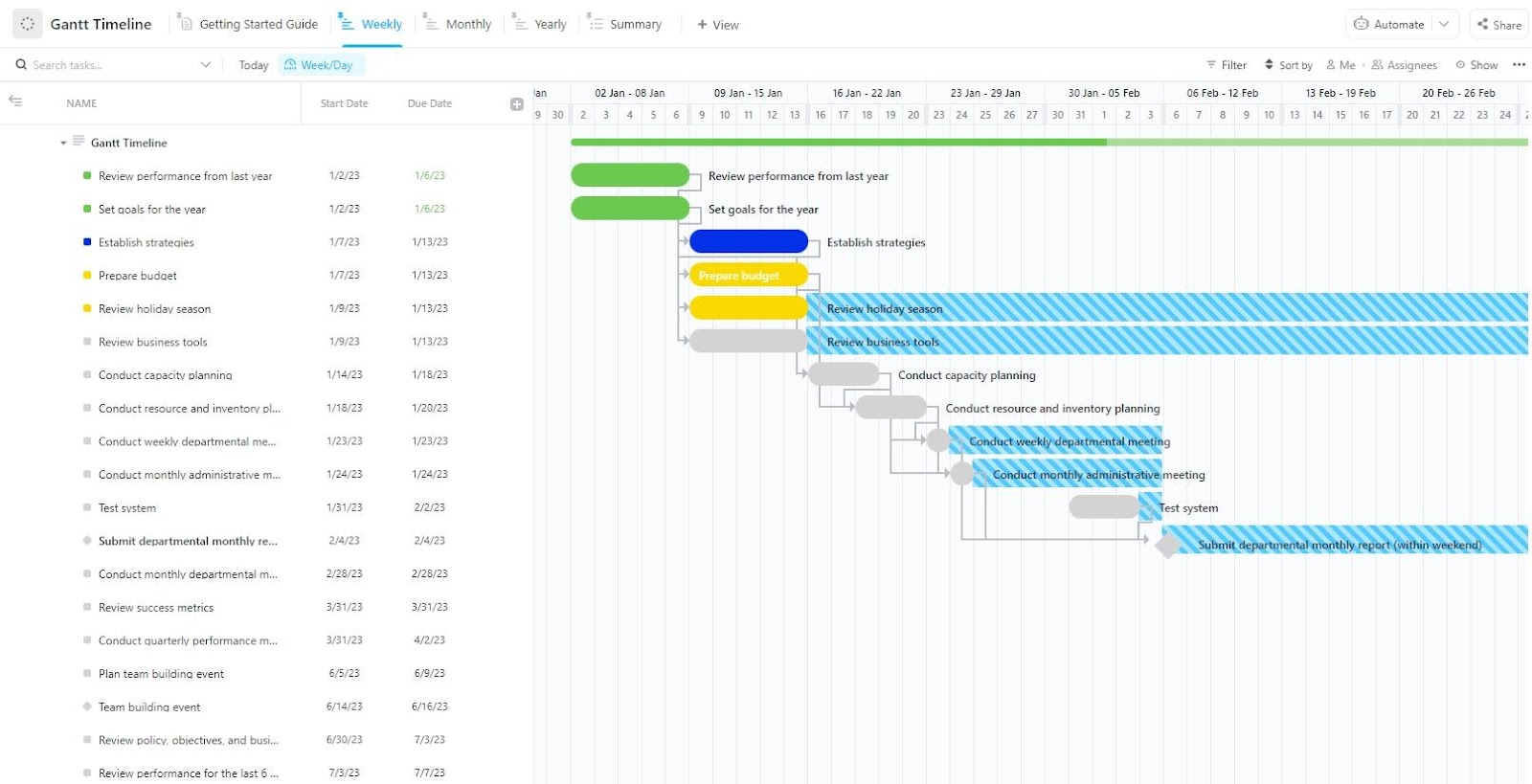
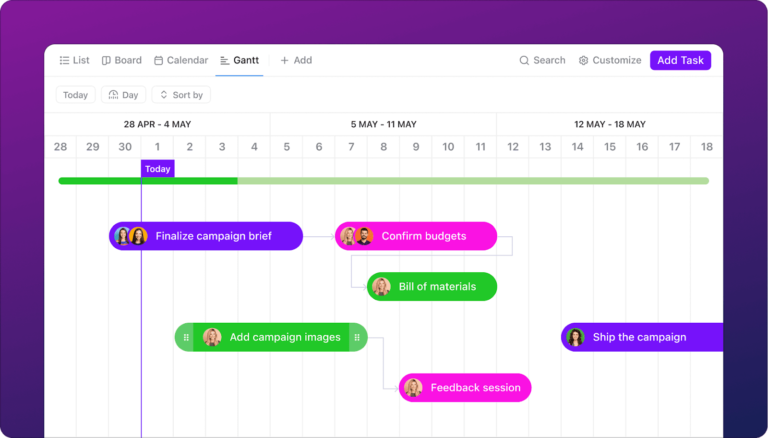
The ClickUp Gantt Timeline Template is built for teams that need structure without clutter. It offers visual timelines, drag-and-drop rescheduling, and layered views—all baked into one interface. It’s perfect for project managers who need a clear overview without toggling between a dozen apps.
Suitable for building simple or complex Gantt charts, switch between weekly, monthly, or yearly views depending on how far ahead you plan. Moreover, map dependencies, track real-time progress, identify Critical Paths, and organize every detail with color-coded clarity.
Ideal for: Event teams managing complex projects with tight deadlines and multiple collaborators.
🎁 Bonus: ClickUp’s Gantt Chart View feature transforms complex project timelines into clear, interactive visuals, enabling teams to plan, coordinate, and track their work effortlessly.
With intuitive drag-and-drop functionality, you can adjust schedules, manage task dependencies, and monitor real-time progress, ensuring projects stay on course.
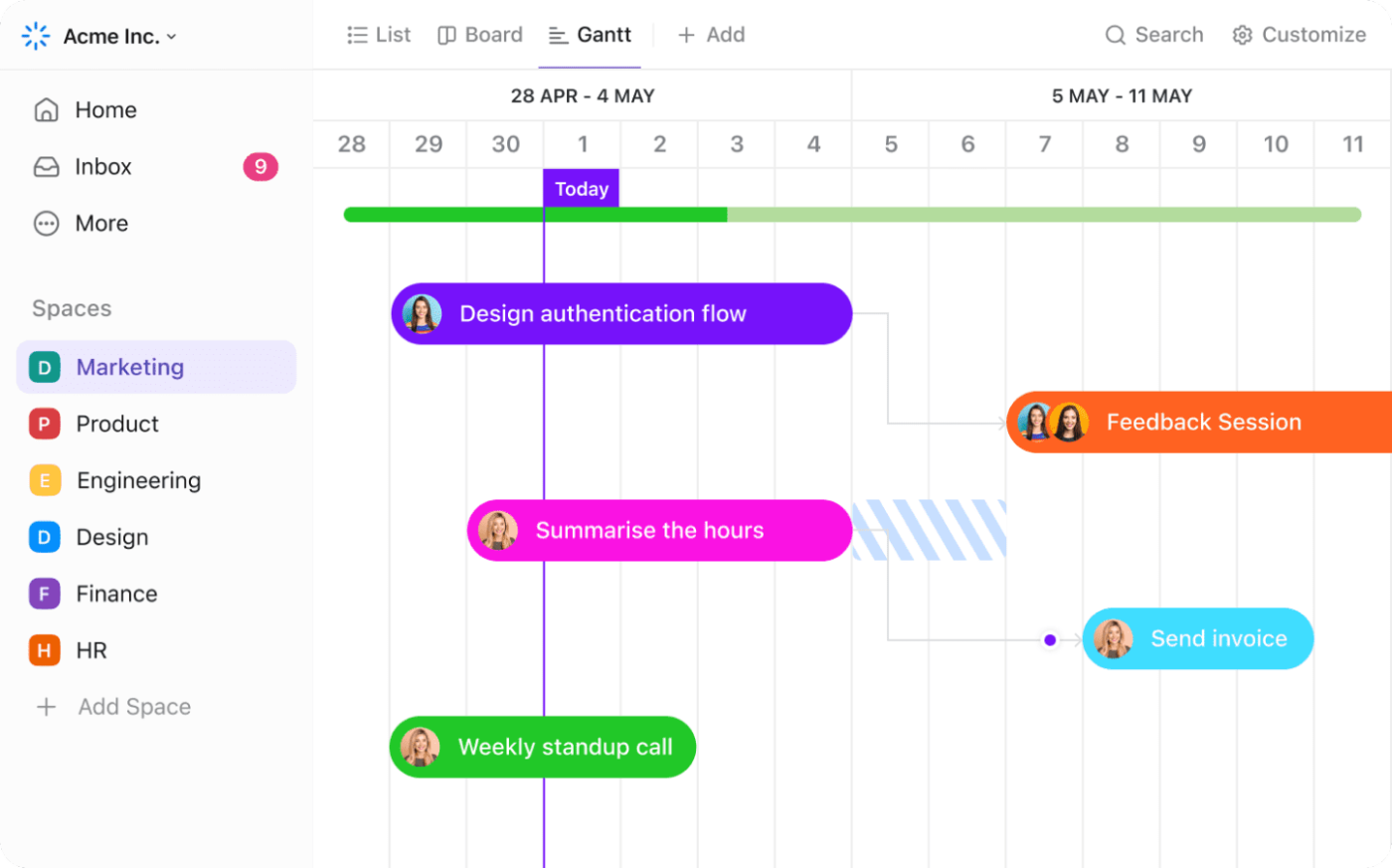
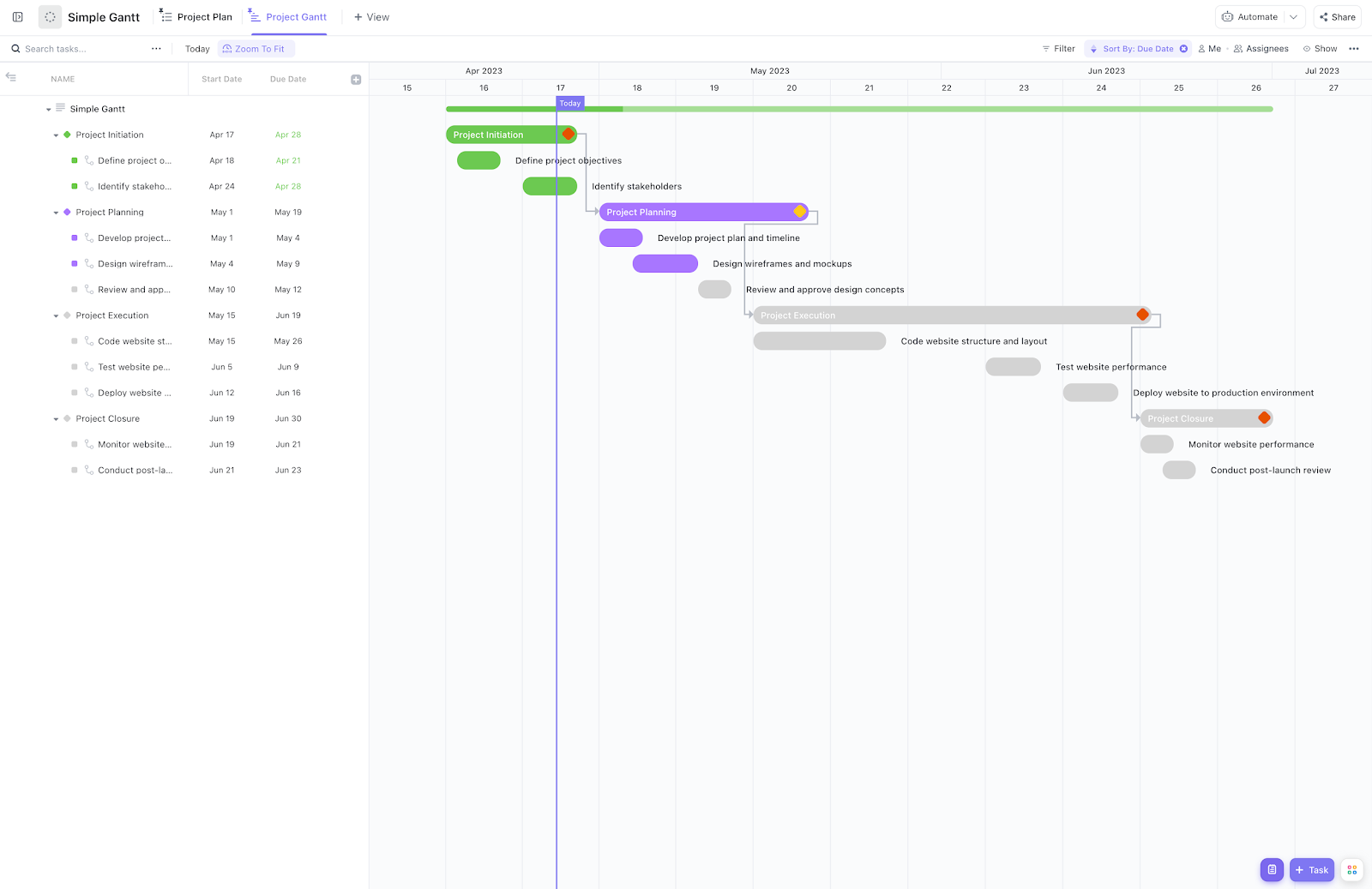
The ClickUp Simple Gantt Template strips away the clutter and focuses on functionality.
Designed for quick setup and straightforward task management, this one works well when you don’t need 50 views or advanced customizations—just a clean chart that works. It includes three main views and essential columns: task status, duration, and dependency.
Ideal for: Solo planners, small teams, or anyone looking to test the waters with a simple Gantt chart template before investing in something more complex.
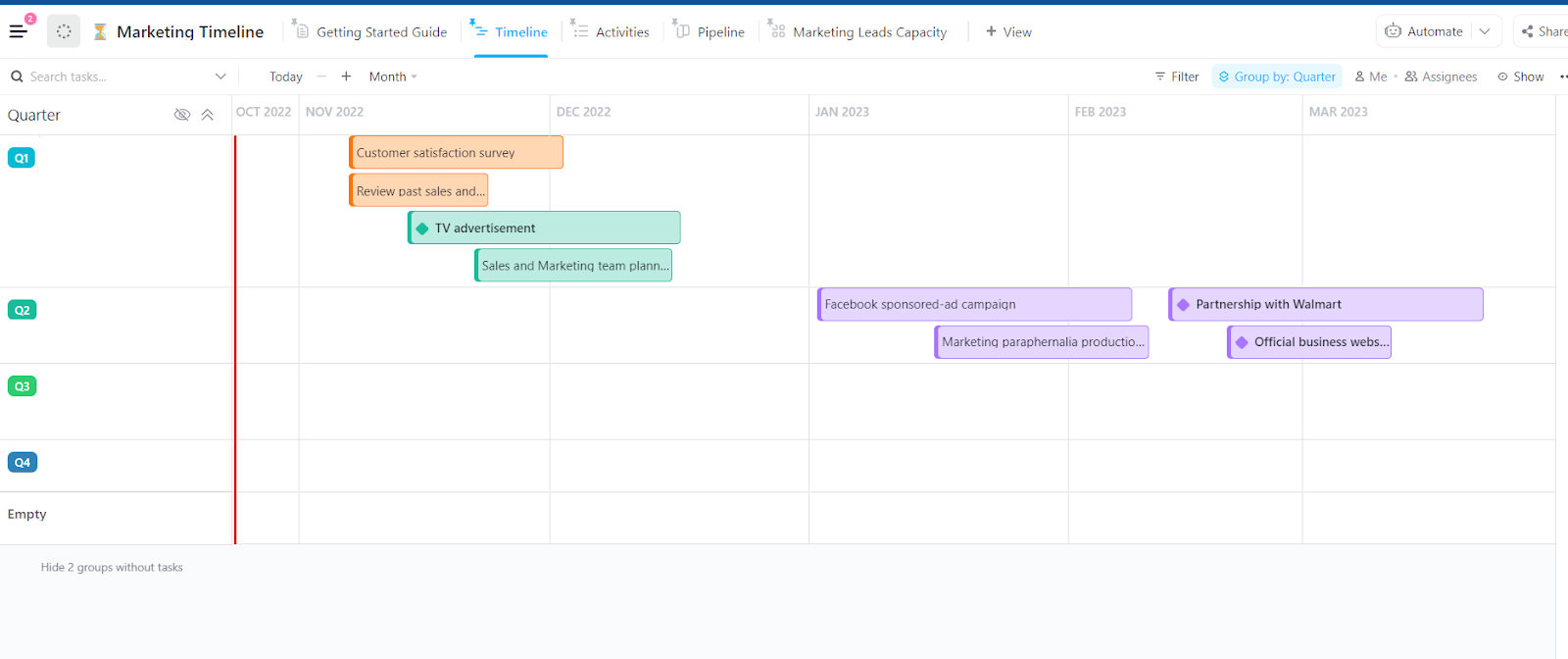
The ClickUp Marketing Timeline Template is more than a simple task tracker—it turns your entire event management plan into a visual strategy map. This template is built for event marketing teams managing multiple moving parts, including content creation, ads, campaigns, and deadlines.
It includes nine Custom Fields and six statuses, helping you move from planning to execution with full visibility. The template is especially useful for teams working across departments, managing shared timelines, or coordinating multiple project tasks simultaneously.
Ideal for: Marketing or event teams managing product launches, seasonal campaigns, or cross-functional timelines across multiple projects.
➡️ Read More: Best Free Gantt Chart Maker Software
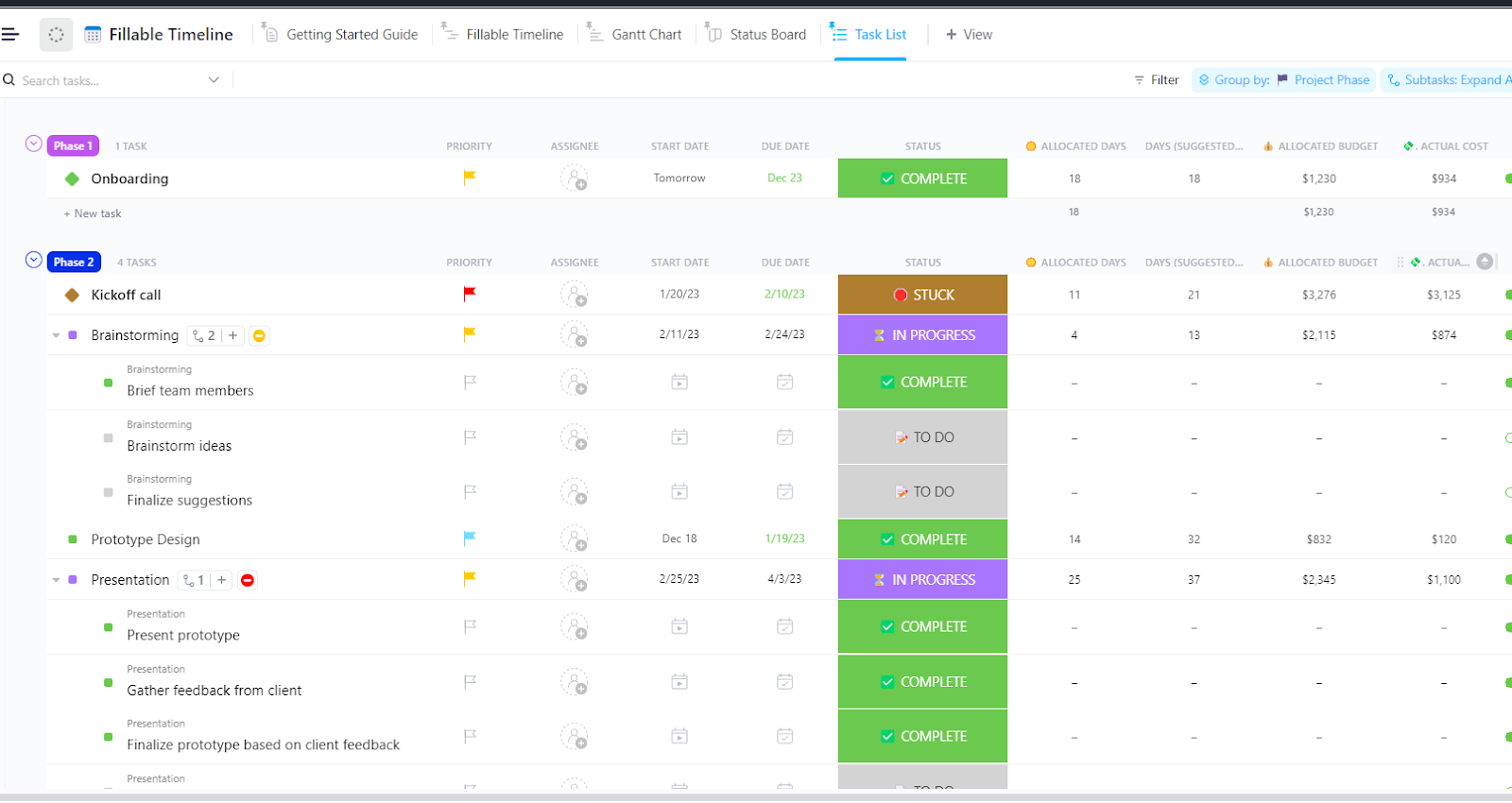
Every event has countless moving parts, and tracking them can be overwhelming. The ClickUp Fillable Timeline Template offers a customizable, interactive timeline that allows teams to plot tasks, deadlines, and dependencies easily.
With minimal setup, it helps you monitor task durations, track budgets, and shift deadlines. Unlike traditional spreadsheets, this template provides real-time collaboration, drag-and-drop scheduling, and automated updates, keeping everyone aligned from planning to execution.
Ideal for: Teams managing multiple projects that require precise timelines and frequent updates across departments.
📮 ClickUp Insight: Think your to-do list is working? Think again. Our survey shows that 76% of professionals use their prioritization system for task management. However, recent research confirms that 65% of workers prioritize easy wins over high-value tasks without effective prioritization.
ClickUp’s Task Priorities transform how you visualize and tackle complex projects, easily highlighting critical tasks. With ClickUp’s AI-powered workflows and custom priority flags, you’ll always know what to tackle first.
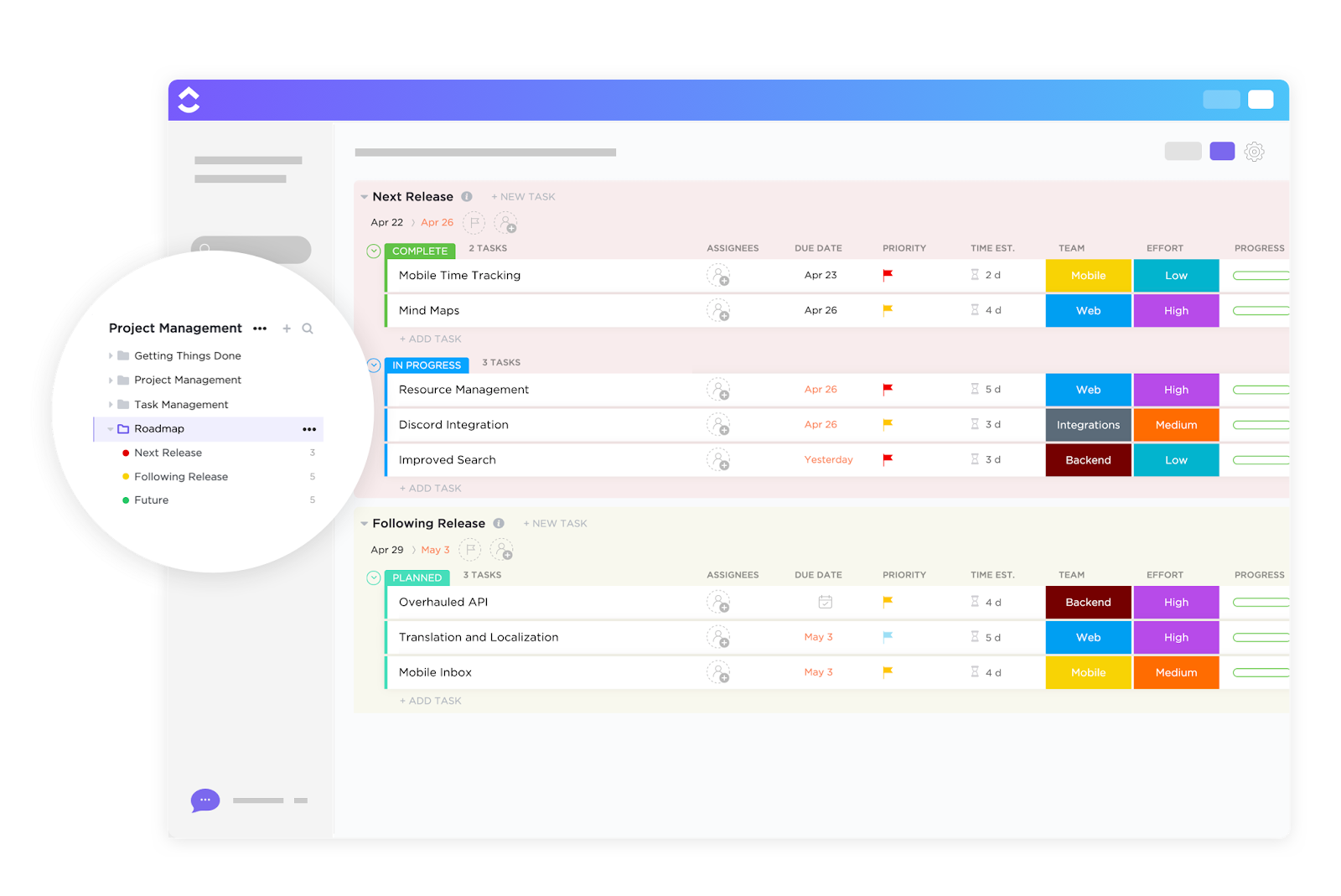
Planning a large-scale event requires a clear roadmap to navigate every stage, from venue booking to post-event follow-ups. The ClickUp Project Roadmap Template helps teams create a strategic overview of key milestones, ensuring smooth execution from start to finish.
With ClickUp’s interactive views, you track dependencies, allocate resources, and adapt plans dynamically as the event evolves. It also includes quarterly planning lists that help you align timelines across multiple projects or product phases.
Ideal for: Teams handling complex projects or events that require quarterly planning, multi-phase execution, and real-time collaboration.
💡 Pro Tip: Unlike general project management, which handles ongoing tasks, event project management is a short-term, dynamic field focused on delivering a specific experience.
Breaking down an event into specific tasks is almost always the difference between a well-run function and a logistical nightmare. The ClickUp Event Timeline Task Template provides a task-focused approach to event planning, helping teams assign, schedule, and track individual responsibilities without losing sight of the big picture.
With custom views, task dependencies, and automation features, this template ensures seamless coordination between vendors, speakers, staff, and logistics teams. It helps you tick every event planning checklist point. It lets you set deadlines, assign owners, and build subtasks so nothing gets lost.
Ideal for: Event managers who need to manage tight timelines for conferences, galas, or multi-day events that involve many moving parts and teams
➡️ Read More: Free Run of Show Templates in Excel & ClickUp
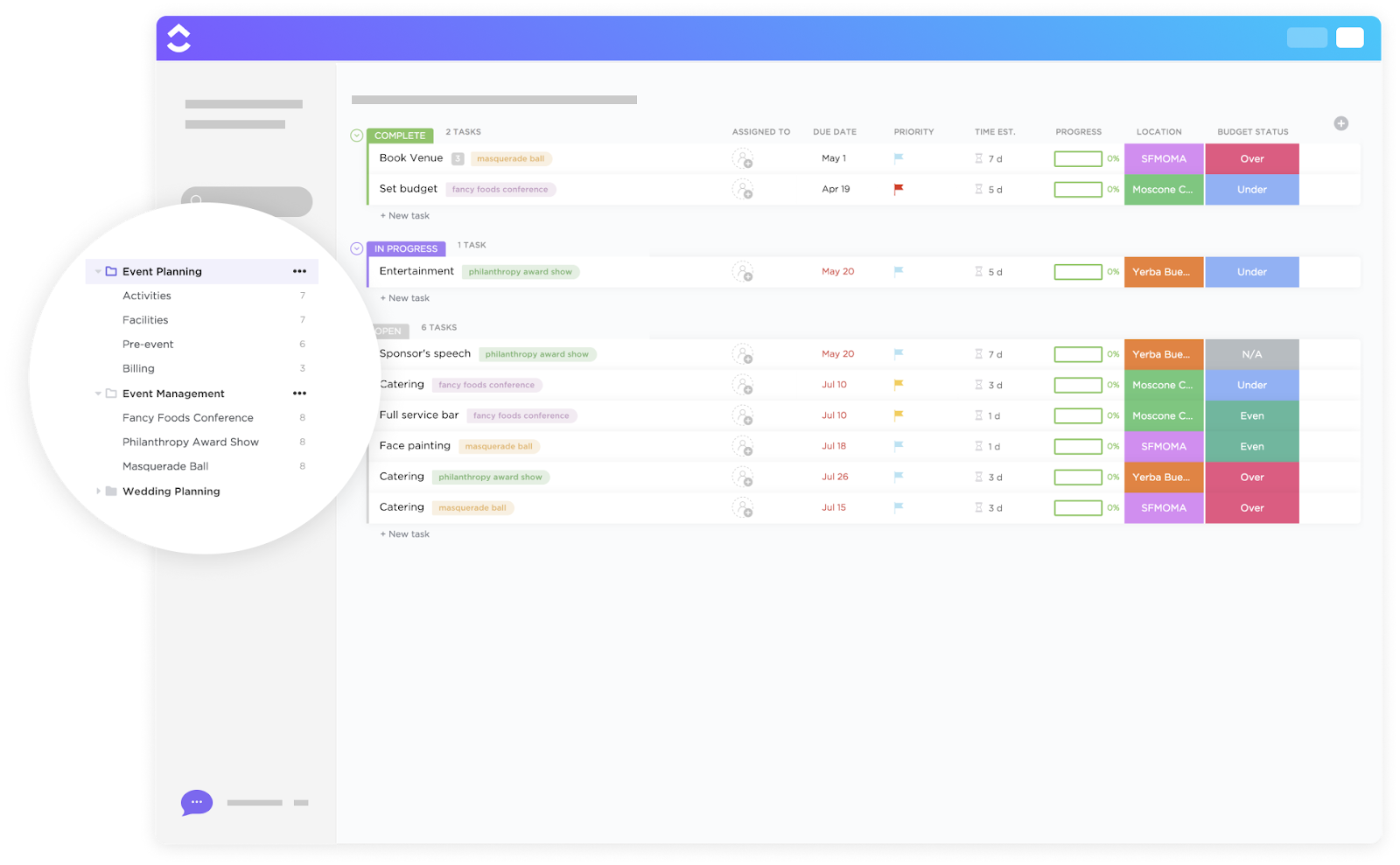
The ClickUp Event Planning Template acts as a central hub, allowing event managers to oversee every detail, from invitations to on-site logistics.
Instead of juggling multiple spreadsheets, this template keeps everything organized, ensuring each event element is executed on time and within budget. Plus, whether managing a single event or juggling multiple projects, this template controls everything using separate lists for Activities, Facilities, Billing, and more.
Ideal for: Full-service event teams managing end-to-end planning, from logistics and budgeting to guest coordination and final delivery.
Here’s a video rundown on how to create consistency with templates in ClickUp:
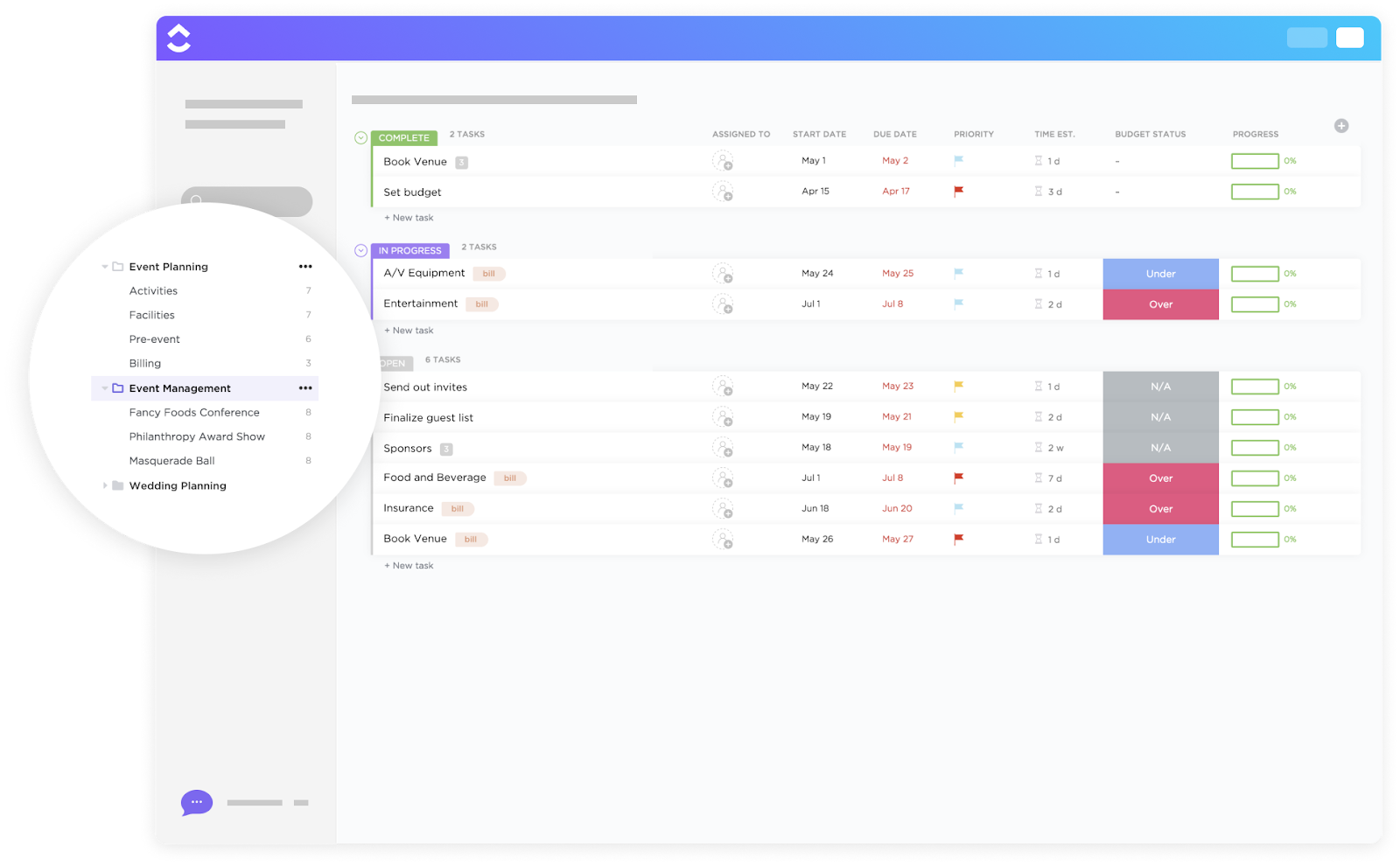
Whether you’re managing a webinar, internal summit, or product launch, the ClickUp Event Management Template helps you assign tasks, manage the event timeline, and stay on budget.
It has built-in views for Timeline, Budget, List, and even a Map view for on-ground logistics. Customize fields like Budget Remaining and Payment Status, making it easier to stay financially on track without switching between tools.
Ideal for: Event planners managing multiple events with tight coordination needs across teams, timelines, and budgets.
Here’s what Alaina Maracotta, Event Marketing at Vida Health, had to say about using ClickUp for event planning:
It’s been phenomenal to see how much time we’ve saved in meetings since moving to ClickUp. What used to take us three hours per week for event planning and updates now takes us just over an hour. The teams involved now have more time to focus on more important marketing priorities.
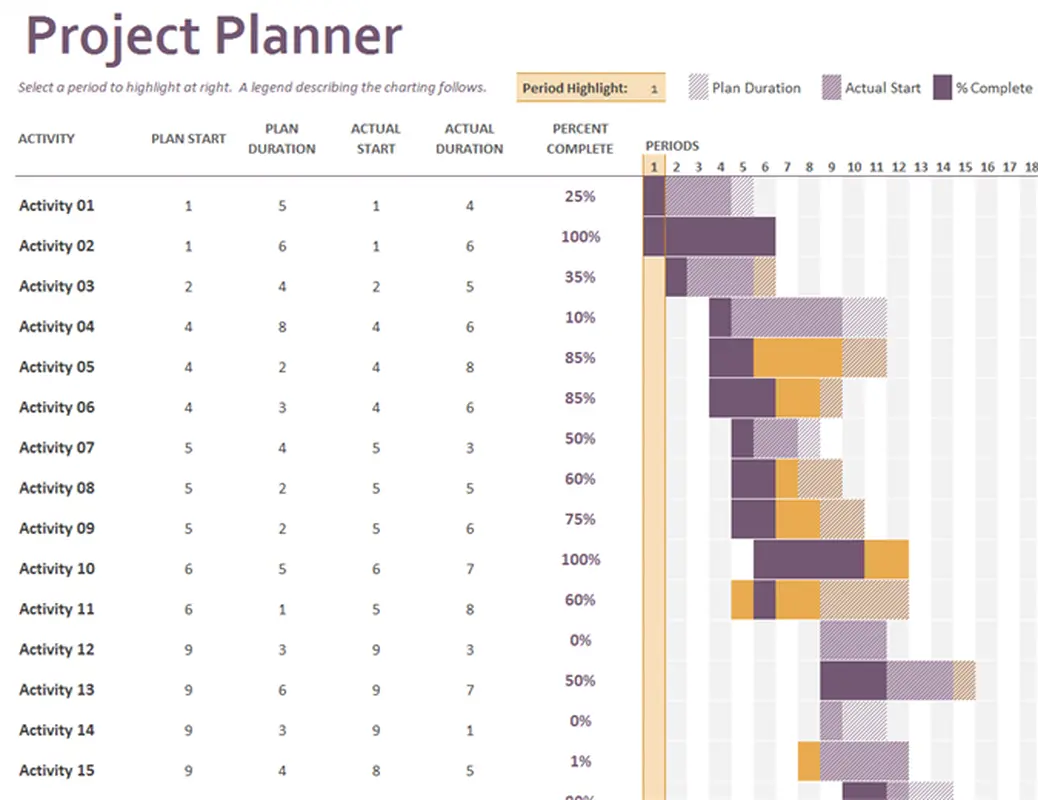
This Excel Gantt chart template is a go-to option for planners who want something simple, visual, and spreadsheet-based. Built directly into Excel, it allows you to enter start dates, task durations, and progress status with zero setup required.
Ideal for: Individuals or teams who prefer using Microsoft Excel for project management and need a flexible, ready-to-use format for event planning or general timelines.
➡️ Read More: Gantt Chart Examples for Project Management
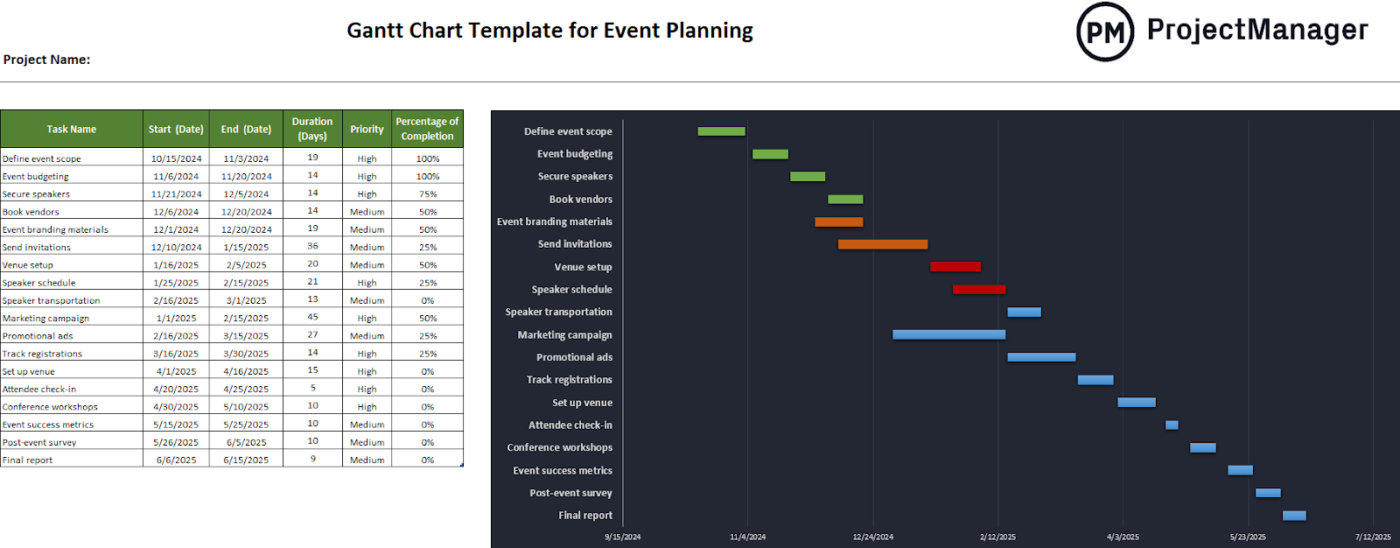
ProjectManager’s Excel Gantt Chart Event Planning Template has two options: Excel and online. If you use Excel, you get a structured format for listing project tasks, assigning start and end dates, setting estimated duration, and tracking status.
This template is especially useful for coordinating vendors, venues, and timelines in one visual layout.
Ideal for: Freelance event planners, consultants, and teams who work with static documents.
📚 Also Read: Free Event Proposal Templates For Your Next Event
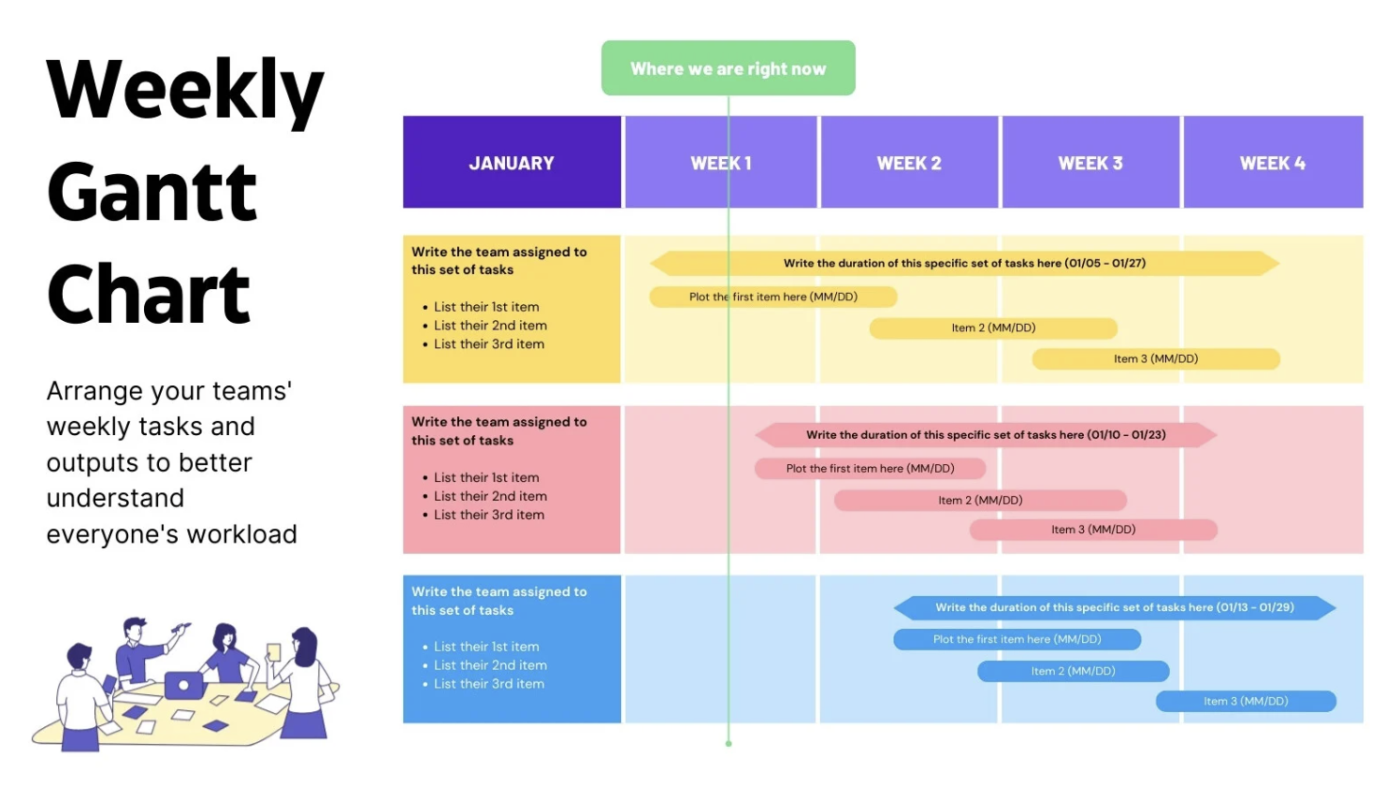
For visually appealing event planning, Canva’s Weekly Gantt Chart Template provides an intuitive way to design color-coded event timelines that can be easily customized for presentations or internal use.
This template allows event planners to structure tasks, track deadlines, and create a visually engaging roadmap. It’s ideal for teams that need a high-level overview of weekly event progress. It’s also perfect for visualizing event timelines, especially when working with creative teams or presenting timelines to clients or stakeholders.
Ideal for: Visual thinkers, creative teams, or event planners presenting project timelines to clients or stakeholders in a more engaging format.
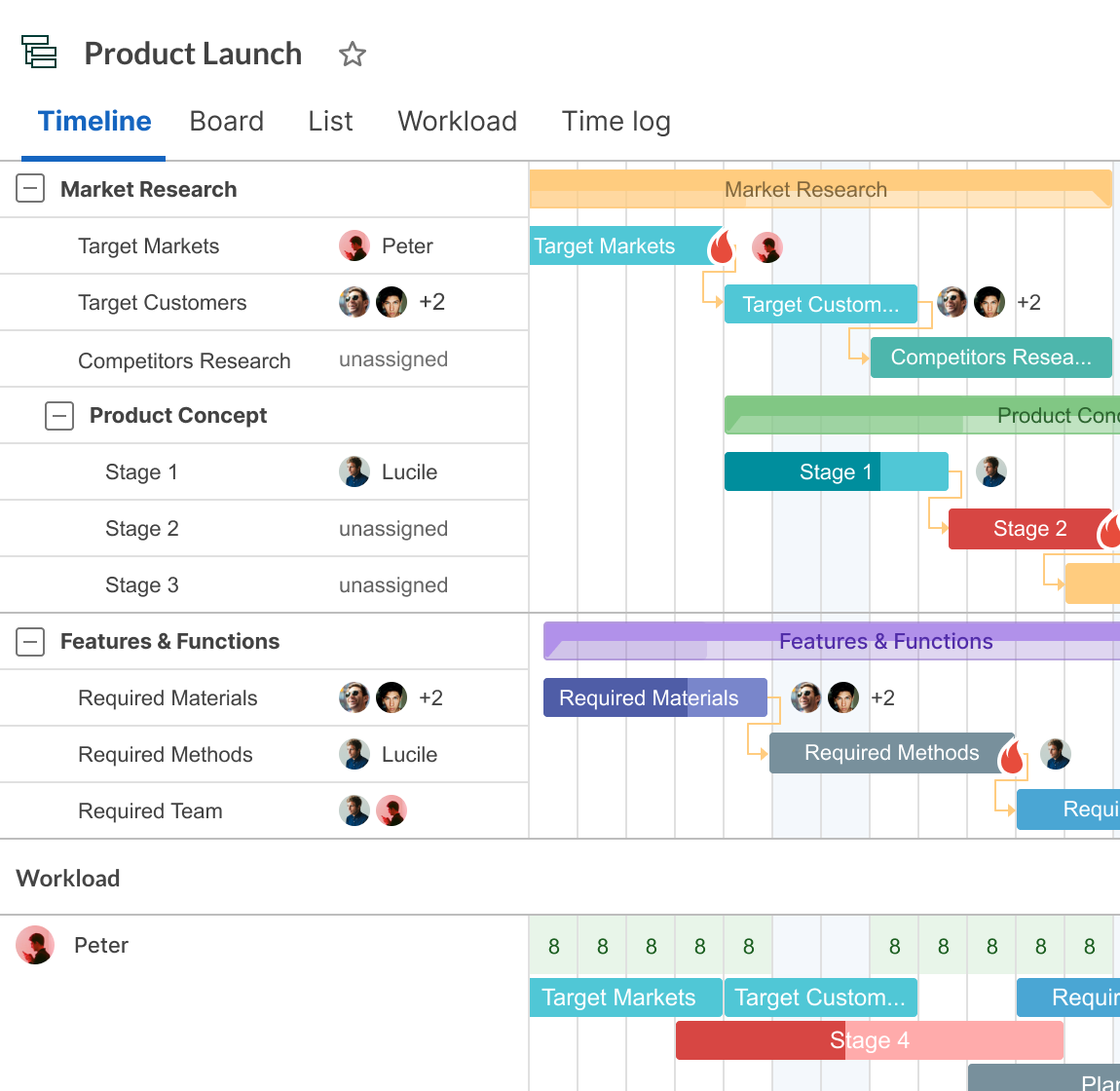
Event planning often requires flexibility, and GanttPro’s Excel/Google Sheets Event Planning Template provides a basic, structured way to schedule and track tasks using a cloud-friendly spreadsheet format.
This template comes pre-structured with tasks, sub-tasks, milestones, and dependencies, making it easy to start instantly in Excel, Google Sheets, or GanttPRO’s online platform. Manage multiple projects, tweak timelines, and export to PDF or PNG.
Ideal for: Event pros who need flexibility and structure—especially when handling recurring projects across teams or clients.
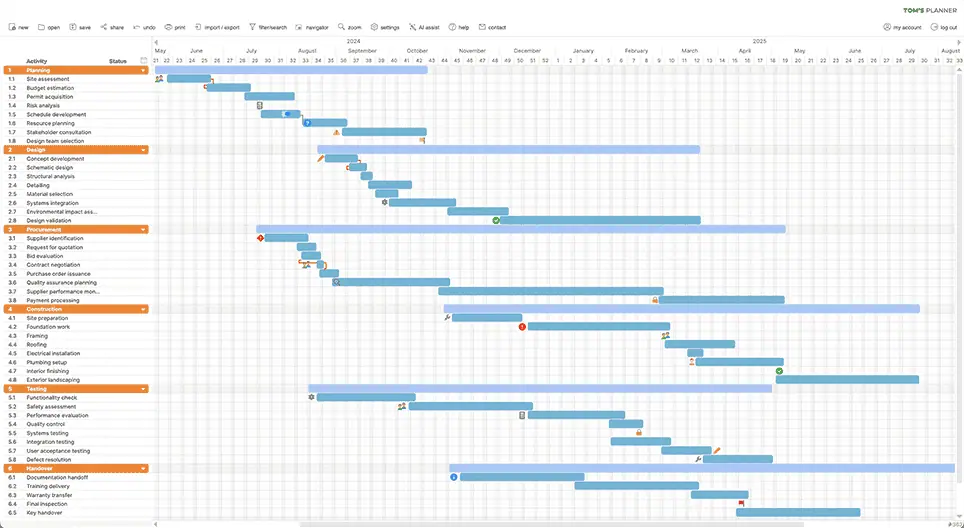
The Conference Schedule Gantt Chart Template by Tom’s Planner provides a clear, time-blocked event schedule, allowing planners to organize multi-day conferences and corporate summits efficiently.
Unlike simple spreadsheet trackers, this specialized Gantt chart template is tailored for conferences and allows the scheduling of simultaneous sessions, tracking speaker availability, and dynamically adjusting session durations.
Ideal for: Program directors, conference coordinators, and event teams looking for a simple but powerful visual timeline for complex projects like multi-day conferences.
Now that you’ve viewed the top options, here’s what to look for when finalizing your choice for an event planning Gantt chart template.
A good event planning Gantt chart template makes organizing timelines, assigning tasks, and monitoring project progress across all event stages easy. It allows you to manage multiple projects while keeping task details clear and structured.
Here are some more features to understand how to choose one:
Event planning will always be unpredictable, but your timeline shouldn’t be. Gantt charts give you a structure that adapts, scales, and holds everything together, even when last-minute changes occur. With the right template in place, you stop reacting and start leading.
When it comes to event planning, clarity, collaboration, and adaptability are key, and that’s exactly what ClickUp’s event planning Gantt chart templates deliver. As the everyday app for work, ClickUp allows you to visualize every phase, track dependencies, and adjust timelines in real time—something static spreadsheets don’t match.Ditch the manual updates and experience seamless, dynamic event planning with ClickUp! Sign up for free today! ✨

PMO Team
Max 9min read

Praburam Srinivasan
Max 16min read
Praburam Srinivasan
Max 21min read

© 2026 ClickUp