






Still downloading templates?
There’s an easier way. Try a free AI Agent in ClickUp that actually does the work for you—set up in minutes, save hours every week.
Sorry, there were no results found for “”
Sorry, there were no results found for “”
Sorry, there were no results found for “”
You know the answer is somewhere. Probably an old email thread or across the collaboration tools (buried in a document or in a chat thread from the last quarter).
But finding that information takes way longer than the actual task you need it for.
Enter: enterprise knowledge management system.
Think of it as your organization’s knowledge base, storing information, understanding context, and delivering relevant insights as and when they’re needed.
Below, we show you how to build your enterprise knowledge management system, along with examples and tools leading the way.
Enterprise Knowledge Management (EKM) is the process of systematically capturing, organizing, governing, and operationalizing knowledge across a large organization so it can be reused to make faster, better decisions at scale.
EKM spans multiple layers of the organization:
Also, enterprise knowledge falls into 3 categories:
The key differences include 👇
| Aspect | Basic documentation/internal wikis | Enterprise Knowledge Management (EKM) |
| Primary purpose | Store written information | Enable reuse of knowledge for better decisions |
| Knowledge types supported | Explicit knowledge only | Explicit, implicit, and tacit knowledge |
| How knowledge is captured | Manually written and updated | Captured during workflows, decisions, and execution |
| Relationship to work | Separate from daily work | Embedded directly into workflows and systems |
| Knowledge freshness | Becomes outdated quickly | Continuously refreshed through activity |
| Discovery method | Folder-based navigation or keyword search | Contextual, intent-driven, often AI-assisted |
| Governance | Ad hoc and inconsistent | Role-based, structured, and scalable |
| Handling attrition and scale | Knowledge loss is common | Institutional knowledge is preserved |
| Value to teams | Passive reference material | Active input into execution and decision-making |
| Fit for distributed teams | Limited | Designed for scale and change |
As your enterprise knowledge grows in volume and complexity, traditional navigation and search begin to reach their limits. That’s because knowledge is spread over documents, tasks, comments, meetings, and tools.
Folder structures assume people know exactly where information belongs. Keyword search assumes they know the right terms to use.
In reality, people know the problem they’re trying to solve. But not always the document name, folder path, or phrasing someone used months ago—creating confusion at scale. Enter: AI-powered knowledge management.
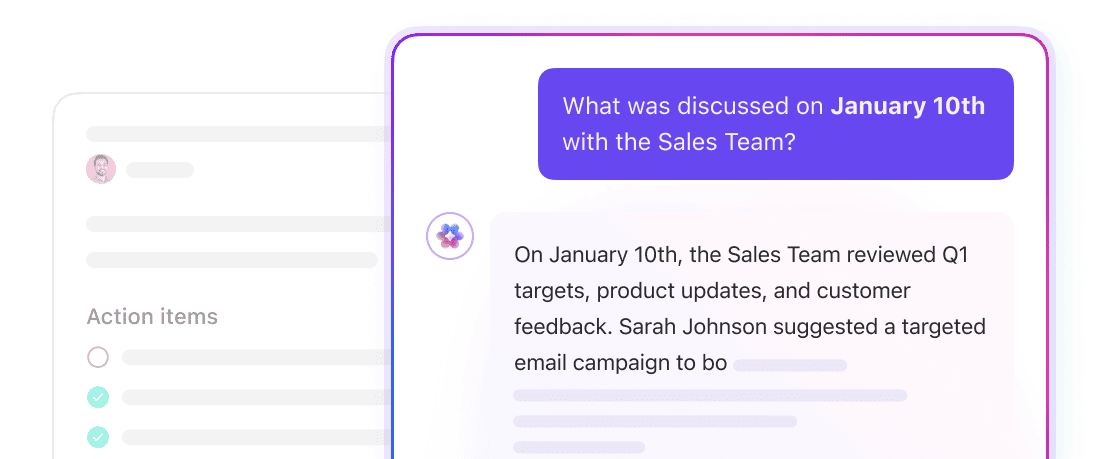
AI-powered EKM systems pull relevant information from across documents, tasks, discussions, and meeting notes, then make contextual summaries for your queries. No need to navigate folders or guess keywords. Ask natural questions and get context-aware answers.
📌 Example: In a connected workspace like ClickUp, Enterprise Search inside ClickUp Brain spans Tasks, Docs, comments, attachments, and integrated tools like Google Drive or GitHub.
Instead of searching tool by tool, teams can ask, “What decisions were made about the Q4 rollout?” and receive a permission-aware, consolidated answer grounded in live workspace data—complete with references to tasks, discussions, and timelines.
Think of EKM as the infrastructure that prevents decision-making, execution, and learning from fragmenting as the company grows. It matters because:
In larger organizations, decisions are rarely logged in one place. They reside in meeting notes. Rationale lives in chat threads, exceptions live in someone’s memory, and official guidance lives in outdated docs.
When you can’t see the full picture, you work around missing context.
EKM matters because it:
📌 Example: A product team planning a feature update can trace why a similar idea was deprioritized last quarter, what risks were flagged, and what assumptions changed. For this, they don’t need to reopen the same debate.
📚 Also Read: Best Helpdesk Software to Support Your Customers and Create a Memorable User Experience
As organizations grow, restructure, or experience turnover, knowledge loss becomes a hidden cost.
EKM protects against this by:
Many enterprises run on undocumented expertise held by a few individuals. What happens when those people are unavailable, overloaded, or leave?
At that point, execution slows, and you realize how much knowledge was never systematized.
EKM matters because it:
🔔 Gentle Reminder: If a critical process only works because “someone knows how it’s done,” it’s already a risk.
Without a structured system, knowledge sharing depends on meetings, Slack messages, or knowing the right person to ask.
EKM enables:
Here’s an example of AI-assisted enterprise knowledge management:
⚡ Template Archive: Free and Customizable Knowledge Base Templates
Manual organization breaks down as content volume grows. Folder structures drift, naming conventions decay, and duplication becomes inevitable—making even valuable knowledge assets hard to find.
EKM systems introduce:
👀 Did You Know? The bus factor is a well-established risk metric in software engineering and project management. It measures how many key contributors would have to be suddenly unavailable before a project or process stalls due to concentrated organizational knowledge and capability.
Below is a head-to-head breakdown of what modern enterprise knowledge management requires and where traditional tools often struggle.
Traditional tools: Documentation lives in pages and folders. Work happens elsewhere. Teams manually link documents to projects or copy insights into tasks.
Modern EKM requirement: Knowledge must live inside execution. SOPs connect to tasks. Decisions link to project timelines. Updates reflect live workflow changes.
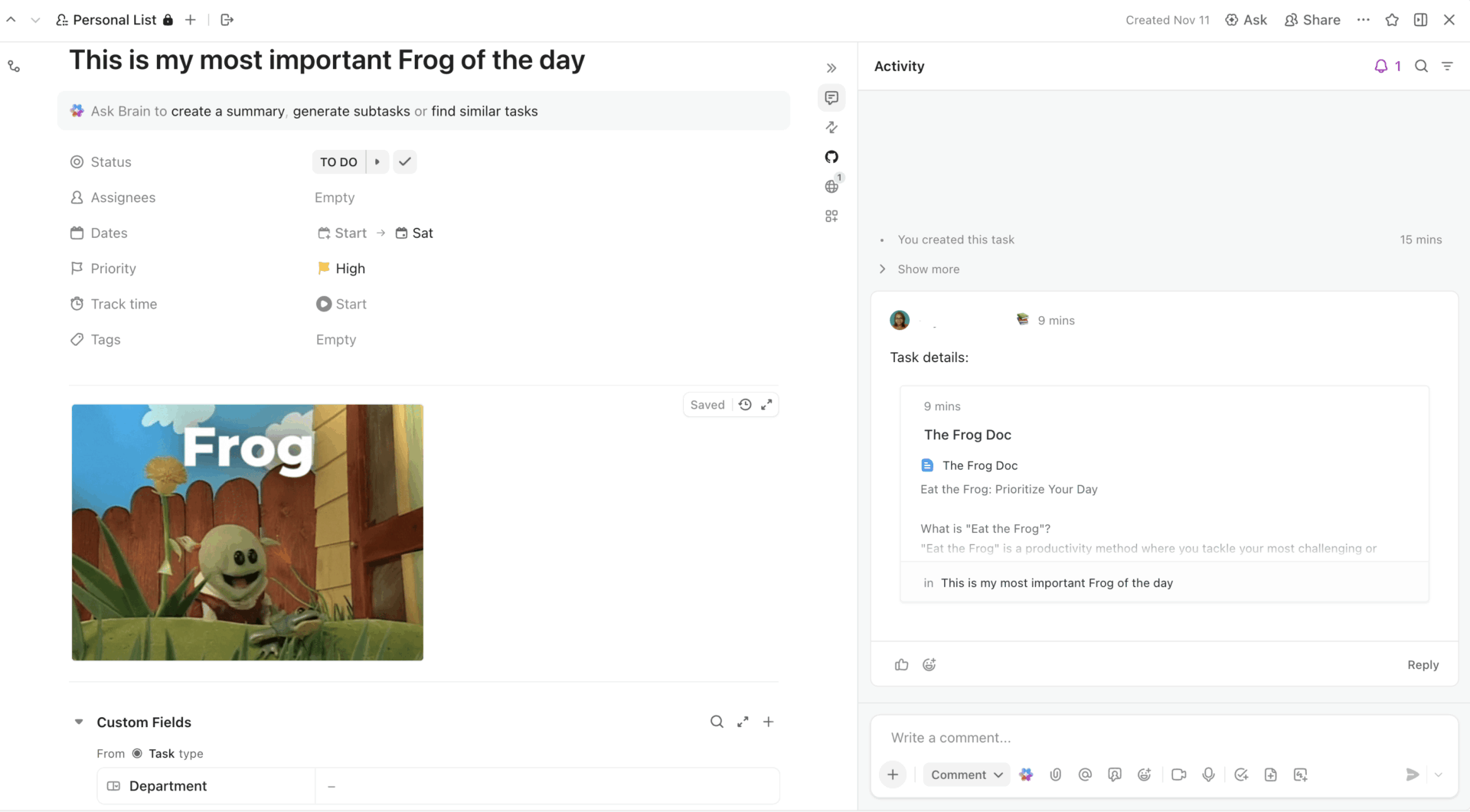
For example, in ClickUp, your Tasks are directly connected to Docs, and the ‘Ask AI’ option is directly available within the task too.
Traditional tools: Search is limited to the platform itself. If context lives in comments, tasks, Slack threads, or external drives, teams must search each system separately.
Modern EKM requirement: Enterprise-wide search spans documents, tasks, comments, attachments, and connected tools. It returns synthesized, intent-aware answers.
Traditional tools: Documentation must be manually written and updated. Meetings, decisions, and exceptions go undocumented unless someone records them.
Modern EKM requirement: Knowledge is captured during workflows through meeting notes, task updates, retrospectives, and automation triggers.
Traditional tools: Permissions and structure are available, but become inconsistent over time. Page sprawl and duplication are common as teams scale.
Modern EKM requirement: Role-based access control, audit trails, version history, ownership clarity, and lifecycle governance are built into the system architecture.
Traditional tools: Documents remain until manually updated or archived. Enforcement of review cycles is limited.
Modern EKM requirement: The knowledge system has owners, review cadences, automated reminders, and structured archival processes.
Traditional tools: Primarily storage and collaboration platforms. AI capabilities, if present, are limited to summarization or page-level assistance.
Modern EKM requirement: AI can synthesize information across documents, workflows, discussions, and historical activity. It gives context-aware answers grounded in live execution data.
📮 ClickUp Insight: More than half of respondents type into three or more tools daily, battling “app sprawl” and scattered workflows.
While it may feel productive and busy, your context is simply getting lost across apps, not to mention the energy drain from typing. Brain MAX brings it all together: speak once, and your updates, tasks, and notes land exactly where they belong in ClickUp.
⚡ Template Archive: Free Customer Journey Map Templates
As your organization grows, managing collective knowledge becomes increasingly complex. The challenges you’re likely to encounter are:
As organizations scale, knowledge becomes distributed across multiple platforms, departments, and workflows. Product teams document in one tool, IT governs another system, operations maintain their own repositories, and critical decisions live inside chat threads.
The result? You will have to manually reconstruct context across systems, which slows execution.
💡 Pro Tip: If answering a single operational question requires searching more than two systems, you likely have a discoverability problem—not a documentation problem.
Processes evolve, regulations change, and product decisions shift, but knowledge bases often remain static. Without clear ownership and structured review cycles, content becomes outdated and unreliable.
Once trust in the system declines, adoption drops quickly, turning the knowledge base into a passive archive rather than an active decision asset.
👀 Did You Know? Half of what you learn today could be gone from your brain in an hour—unless you revisit it. So much for that important training session!
For enterprise-grade security, you need robust access controls, audit trails, and regulatory compliance. However, over-centralized governance can slow collaboration.
Is it even possible to design a system that enforces role-based permissions and compliance standards, minus the friction?
Yes—but only if governance is built into the architecture, not layered on top as an afterthought.
Some of the most valuable enterprise knowledge never makes it into formal documentation. It lives in incident resolutions and the experience of senior team members. This creates dependencies on individuals and increases operational risk during turnover or restructuring.
How do you start documenting all that tacit knowledge? Start by standardizing how knowledge gets captured. Use consistent templates for process documentation, incident reviews, onboarding guides, and FAQs.
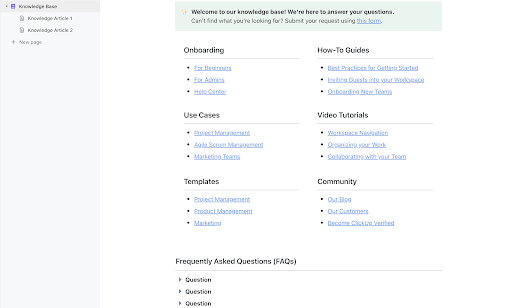
The ClickUp Knowledge Base Template gives you a ready-made structure for organizing processes, policies, and shared knowledge in one trusted place. Because it lives inside your workspace, your documentation stays connected to the work it supports. Updates happen in context, and teams know exactly where to look.
Even the most well-designed knowledge system fails without adoption. If documentation feels disconnected from daily workflows or search experiences are unreliable, employees revert to informal channels.
Enterprise Knowledge Management must be embedded into how work happens so that knowledge capture and retrieval feel like part of execution, not additional overhead.
💡 Pro Tip: Track knowledge contribution and retrieval metrics. Low usage often signals friction in workflow integration, not a lack of need.
As enterprises grow, the volume of knowledge expands exponentially. Without contextual search and intelligent retrieval, teams are overwhelmed by documents, updates, and historical decisions. The challenge, then, is to make the right knowledge discoverable at the right moment for faster decision-making.
👀 Did You Know? Information overload increases decision fatigue, which can directly impact operational speed and strategic clarity.
Moving from theory to practical implementation, here’s how to build an effective enterprise knowledge management system 👇
Identify clear knowledge domains. These are high-level categories that group information based on function and purpose.
Next, assign ownership at the domain level. It must include responsibility for accuracy, updates, review cycles, and alignment with governance.
Ownership also reduces duplication. When teams know who governs a domain, they contribute to it instead of creating parallel systems.
📌 Example: A growing SaaS company defines four core domains: Product, Engineering, Operations, and Compliance.
The VP of Product owns the Product Knowledge domain, including feature documentation, roadmap decisions, and release notes.
The Head of Engineering owns the architecture standards and incident learnings.
Compliance documentation is owned by the Legal and Security team, with built-in quarterly review cadences.
Create a documentation layer that connects directly to how work happens. Far from being a standalone wiki, it must support documentation, version control, permissions, and collaborative editing. All this while remaining integrated with tasks, projects, and workflows.
But how do you do this? The key is connection.
Documentation should reference live execution artifacts such as tasks, timelines, sprint boards, and status updates. When product specs update, linked tasks should reflect those changes. When incident learnings are documented, they should reference the relevant tickets or sprint retrospectives.
📌 Example: In a SaaS company, the product team documents feature specs inside a centralized system that allows tasks to be embedded directly within documentation. When a roadmap decision is finalized, related implementation tasks are linked inside the document.
At enterprise scale, knowledge does not live in a single place.
Even with defined domains and connected Docs, critical context may still reside in task comments, attachments, sprint boards, or integrated tools such as Google Drive or GitHub. If different teams must search each system separately, fragmentation remains.
Enterprise search eliminates that friction.
Instead of relying on folder navigation or exact keywords, your system allows users to search by intent.
Queries like “Why was the Q4 feature rollout delayed?” or “What changed in the latest compliance update?” will return consolidated, context-aware results that pull from documents, tasks, discussions, and connected systems.
At scale, returning a list of documents is not enough. You will still need synthesized answers that connect decisions, timelines, task updates, and historical context.
AI-powered retrieval analyzes both structured data, such as tasks and statuses, and unstructured data, such as docs, comments, and meeting notes. Based on this, you get content and execution-aware insights.
Governance includes role-based permissions aligned to your defined knowledge domains.
You also want to make sure it doesn’t create friction.
For this, permissions should inherit logically from teams and roles. No need for manual configuration for every asset.
Audit trails should run automatically, capturing changes and version history without interrupting workflows. Embed compliance controls into templates and processes so teams follow standards by default.
🎷 ClickUp’s One Up: If you’re looking for an enterprise knowledge management tool with security embedded at its core, ClickUp has your back.
ClickUp provides granular role-based permissions, workspace-level access controls, and detailed audit logs for enterprise-grade security.
Here’s the thing with enterprise knowledge: processes will evolve, compliance requirements will shift, and products will be constantly updated. In the absence of a structured lifecycle, the knowledge base becomes outdated.
To avoid this, you must consider adding automations to the process.
Start by assigning review cadences to each knowledge domain based on business needs. Critical compliance policies might require quarterly reviews, whereas product documentation could follow release cycles.
Define what stale looks like for your organization and bake these thresholds into your system.
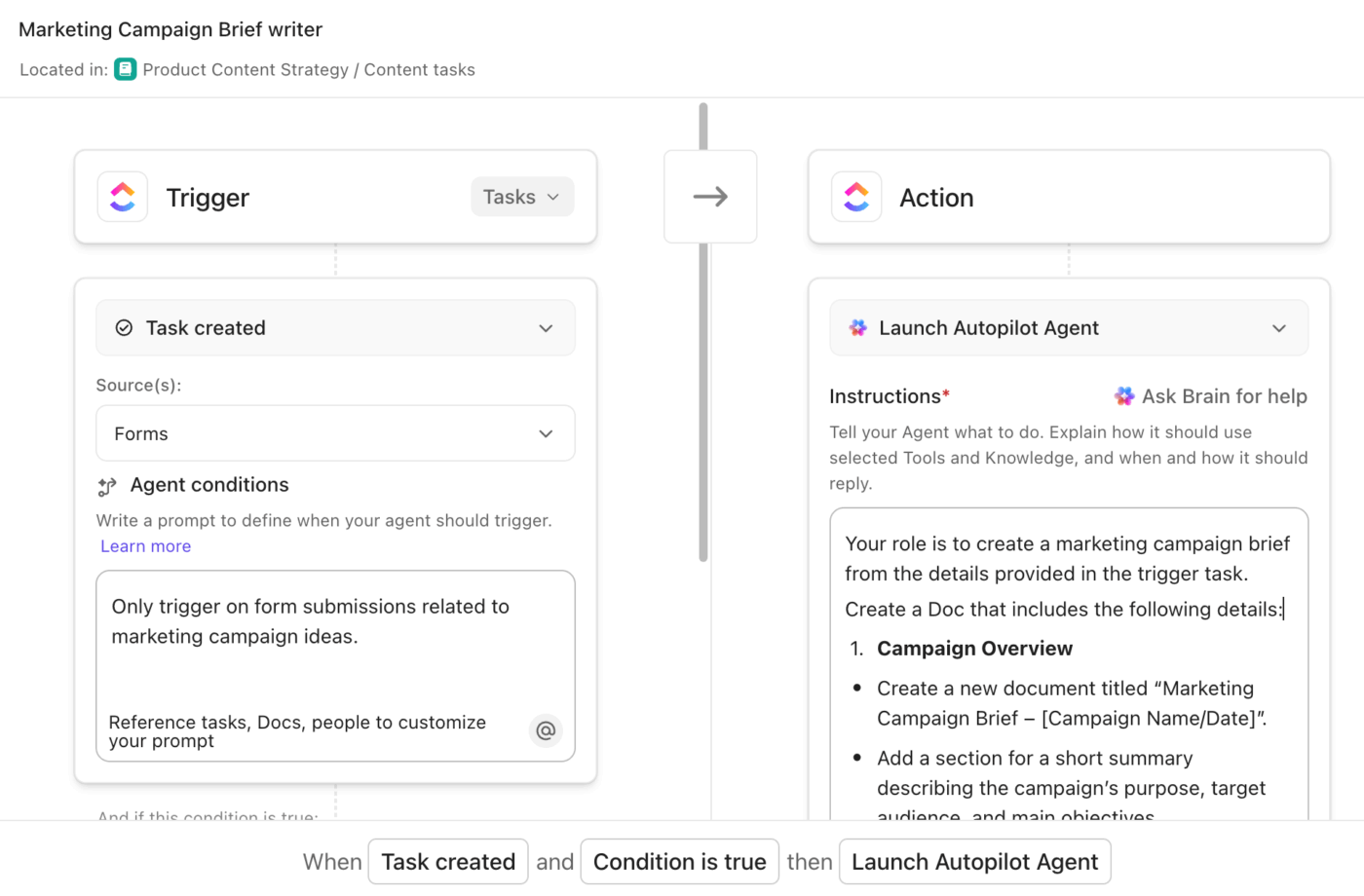
Next, automate lifecycle workflows. Set up reminders for domain owners before review deadlines. Flag content that hasn’t been updated in a defined timeframe. Also, move outdated documents to an archival state.
🎷 ClickUp One Up: Use ClickUp Automations to create rule-based triggers without manual intervention. You can automate reminders, task creation for reviews, status changes for outdated docs, and cross-workspace notifications based on conditions you define. It could be the time since the last update, the task completion status, or the Custom Fields.
Adoption measures whether teams actively contribute to and rely on the system.
This includes:
If the usage is low, it’s likely due to friction in search, workflow integration, or governance. Knowledge velocity measures how quickly teams can move from question to answer to action.
A quick test: Does it take hours to reconstruct context for a decision? If yes, the system has gaps. If answers surface in minutes, knowledge is working as infrastructure.
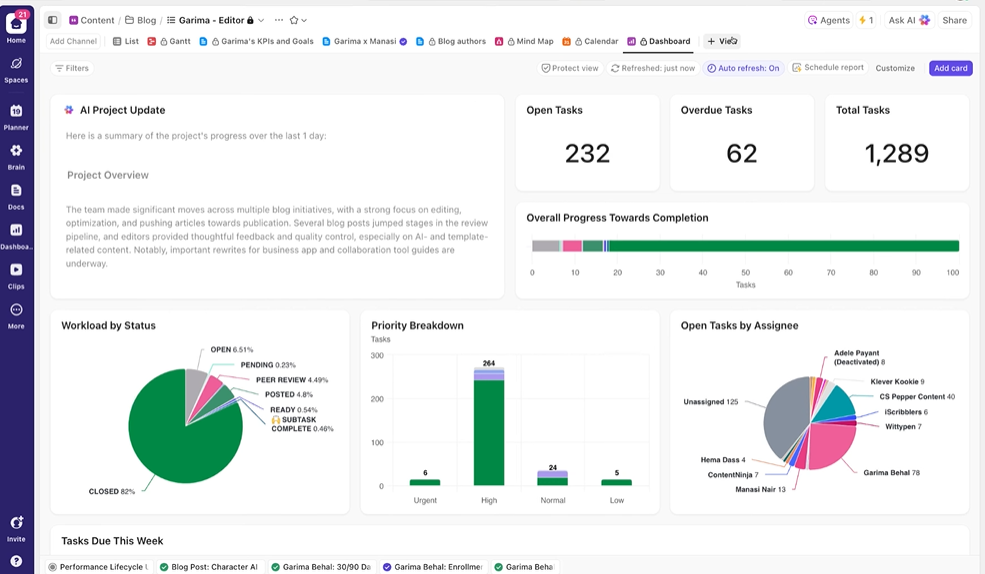
🎷 ClickUp One Up: ClickUp Dashboards let you track knowledge adoption and lifecycle performance in real time. Add AI Cards to visualize review workflows with Bar or Pie Charts, measure bottlenecks using Calculation Cards, and use AI StandUp to summarize activity trends.
Let’s see how EKM can be applied to real-world scenarios ⭐
Challenge: Product decisions, sprint retrospectives, architecture discussions, and release notes live across multiple systems. When planning new features, teams waste time reconstructing past decisions.
EKM in action: A connected EKM system links roadmap docs to sprint tasks, attaches incident postmortems to original tickets, and enables enterprise-wide search across historical decisions.
🏆 Outcome: When a similar feature is proposed again, teams instantly see why it was deprioritized before, what risks were flagged, and what has changed since. Decisions build on context instead of restarting the debate.
Challenge: Regulatory documentation becomes outdated, and audit preparation requires manual cross-checking of policy versions and change logs.
EKM in action: Compliance policies are version-controlled, permission-restricted, and tied to automated review workflows. Audit trails log changes automatically.
🏆 Outcome: When regulations shift, updates trigger structured reviews and stakeholder notifications.
Challenge: Support teams resolve recurring issues informally, but solutions are not consistently documented, leading to repeated escalations.
EKM in action: Resolution playbooks are linked directly to tickets and made searchable across cases. Recurring patterns are captured during workflow execution.
🏆 Outcome: Agents retrieve structured solutions instantly, reducing resolution time and improving consistency across support interactions.
Challenge: New hires depend heavily on informal mentorship because the historical context and workflows are fragmented.
EKM in action: Role-specific knowledge domains centralize training materials, process documentation, and historical decisions in a connected system.
🏆 Outcome: Onboarding accelerates, dependency on individual knowledge holders decreases, and institutional memory remains intact during growth and attrition.
👀 Did you know? Healthcare was one of the first fields to experiment with knowledge-based agents. In the 1970s, MYCIN, developed at Stanford University, used rule-based knowledge to diagnose bacterial infections and recommend therapies. Despite its strong accuracy, concerns around accountability and ethics limited its real-world adoption.
Let’s look at some tools that support enterprise knowledge management across teams and departments.
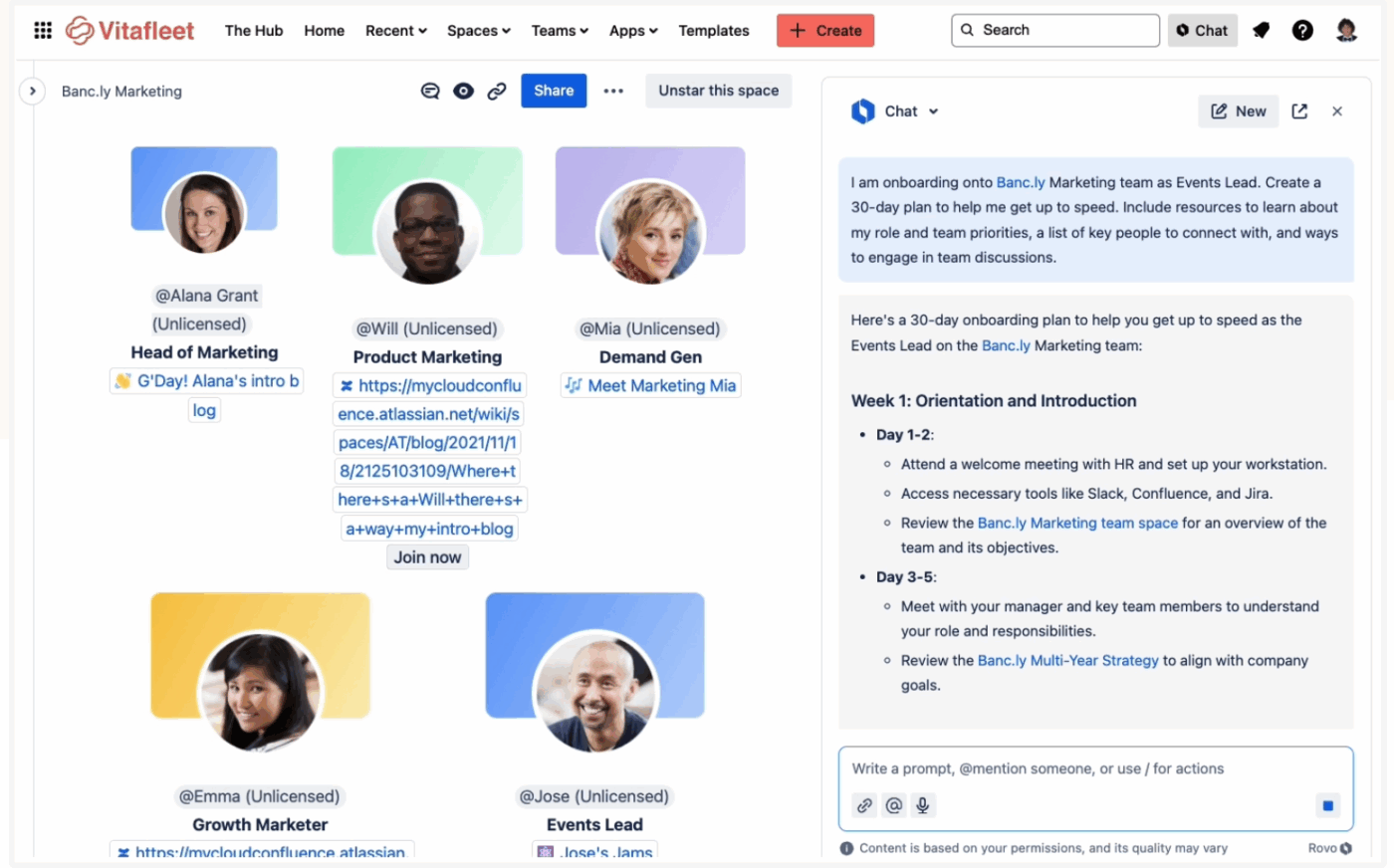
Confluence gives you a shared space to capture and grow enterprise knowledge as work moves forward. Instead of managing files, you work with pages that teams edit together, comment on, and refine over time.
You can pull Jira issues and project updates directly into pages, so documentation reflects what is happening rather than sitting apart from it. The page tree helps you organize knowledge in a clear structure, and links between pages make it easy to move across related topics without losing context.
Confluence also lowers the effort needed to document enterprise knowledge with AI-powered features. You can start with ready-made templates for meeting notes and project plans or use AI-assisted creation to draft content.
Here’s what a reviewer on G2 says:
I love Confluence so far but if I had to say something it would be that I’d like more options in the page builder to be able to enhance shared information. I need to be able to add more fonts, styles, and colors to text and text blocks. Confluence as a whole product does require some time to be invested in learning the product before jumping straight in, although once you master the basics, you are on the path to success.
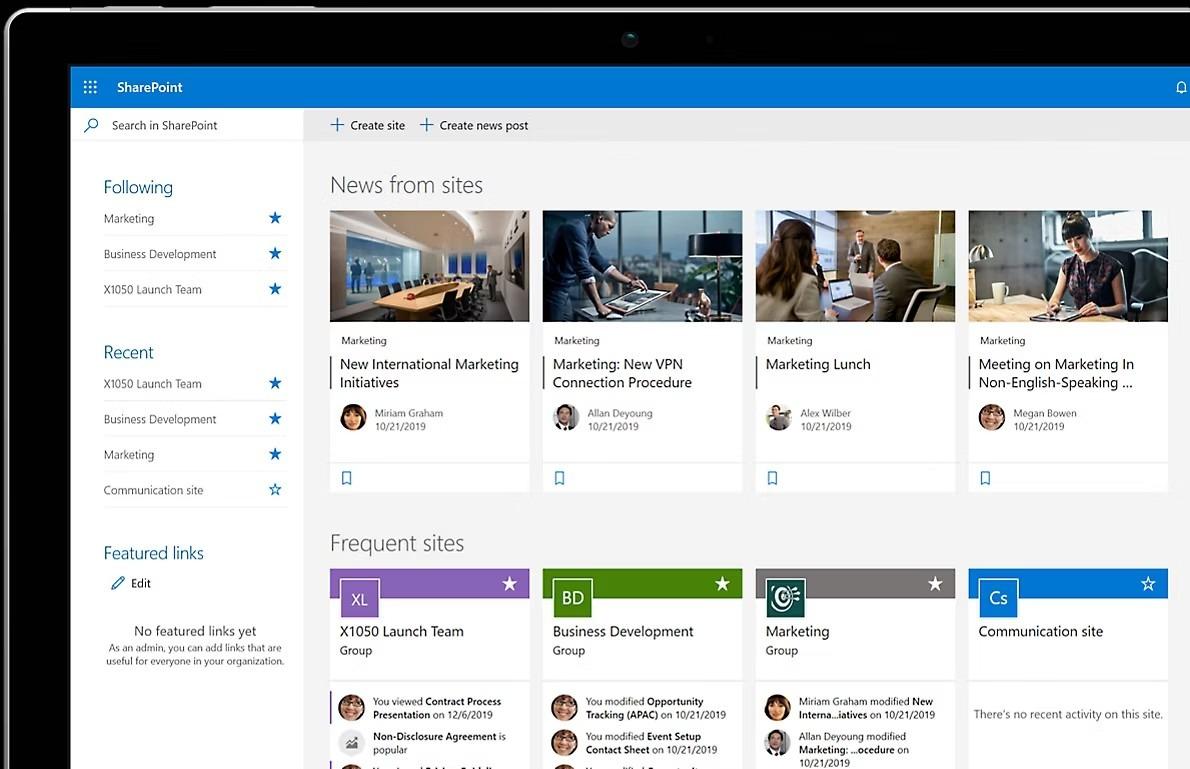
SharePoint lets you define content types and templates so documents like policies, SOPs, or manuals follow the same format and include the same required information. Over time, this makes knowledge easier to maintain and reduces variation caused by different teams creating content in different ways.
As your internal knowledge base grows, SharePoint helps you organize it beyond folders. Managed metadata and taxonomies let you classify content using shared terms, while hub sites and search-driven pages bring related content together across multiple sites.
Furthermore, you can leverage agents to access existing knowledge. They help find documents spread across large environments and answer questions using documents you already have permission to view.
Here’s what a reviewer on G2 says:
SharePoint is much more than a basic file-sharing tool; it serves as a comprehensive enterprise content platform. When people use it merely as a cloud-based shared drive, it often leads to confusion and disorganization.
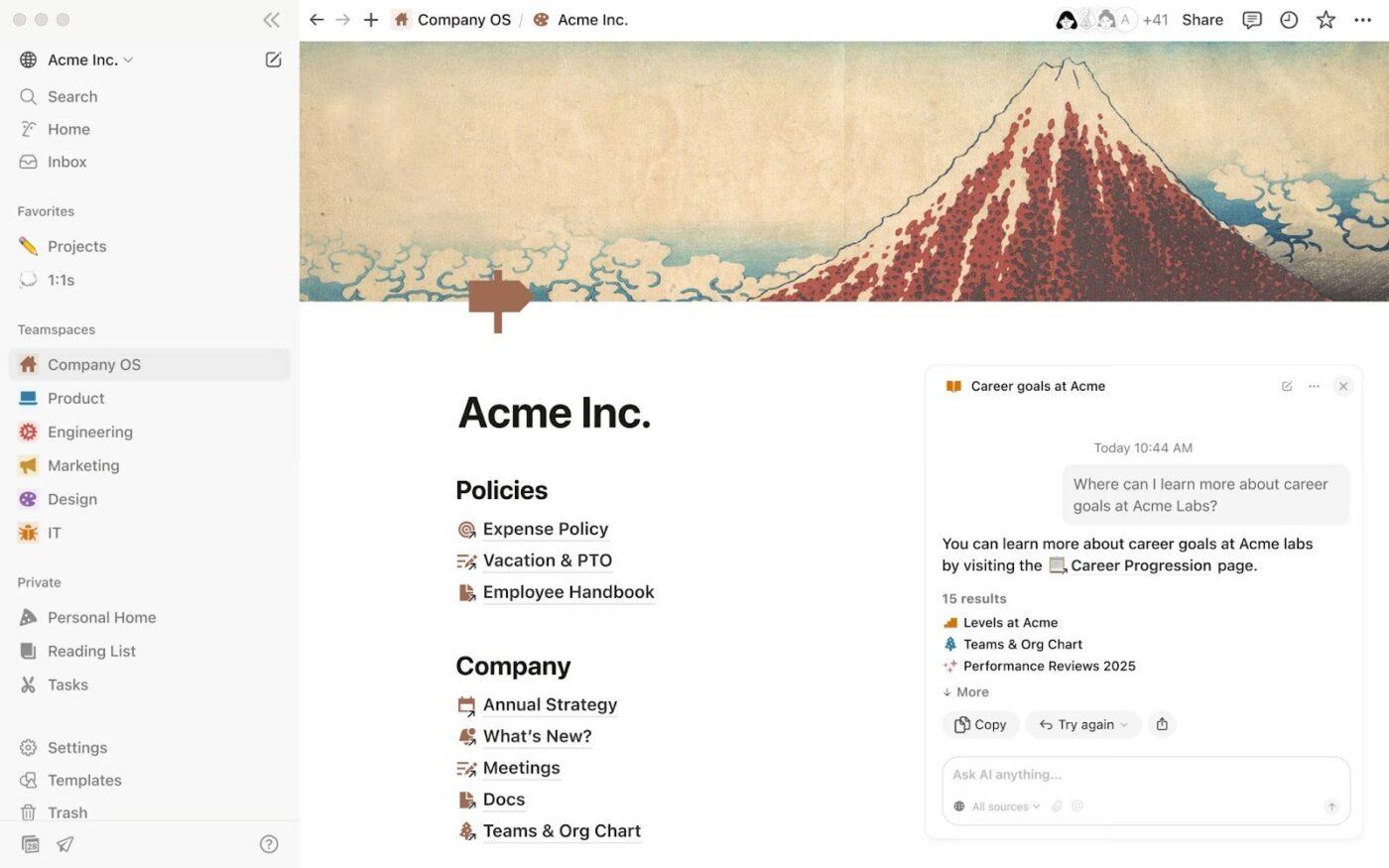
Notion Enterprise lets you structure knowledge around connected databases and flexible schemas. Information stored in one place can be referenced elsewhere, so updates do not need to be repeated across multiple documents.
Notion supports reusable content blocks and references. A single page or database entry can be embedded in multiple locations without duplication. This approach reduces duplication and makes ongoing maintenance easier, especially for information that applies across departments.
At the organization level, Notion Enterprise includes administrative controls for managing access and visibility. You can define permissions, monitor activity through audit logs, and manage sharing across the workspace.
Here’s what a mixed Capterra review says:
Clearly my favorite part of notion is definitely the easiness of use even for beginners…However, the AI features leave much to be desired. Notion’s AI is significantly less capable than ChatGPT, with unconvincing functionalities. The AI is slow, and when used on pages with extensive data, it experiences severe latency, often freezing for several minutes.
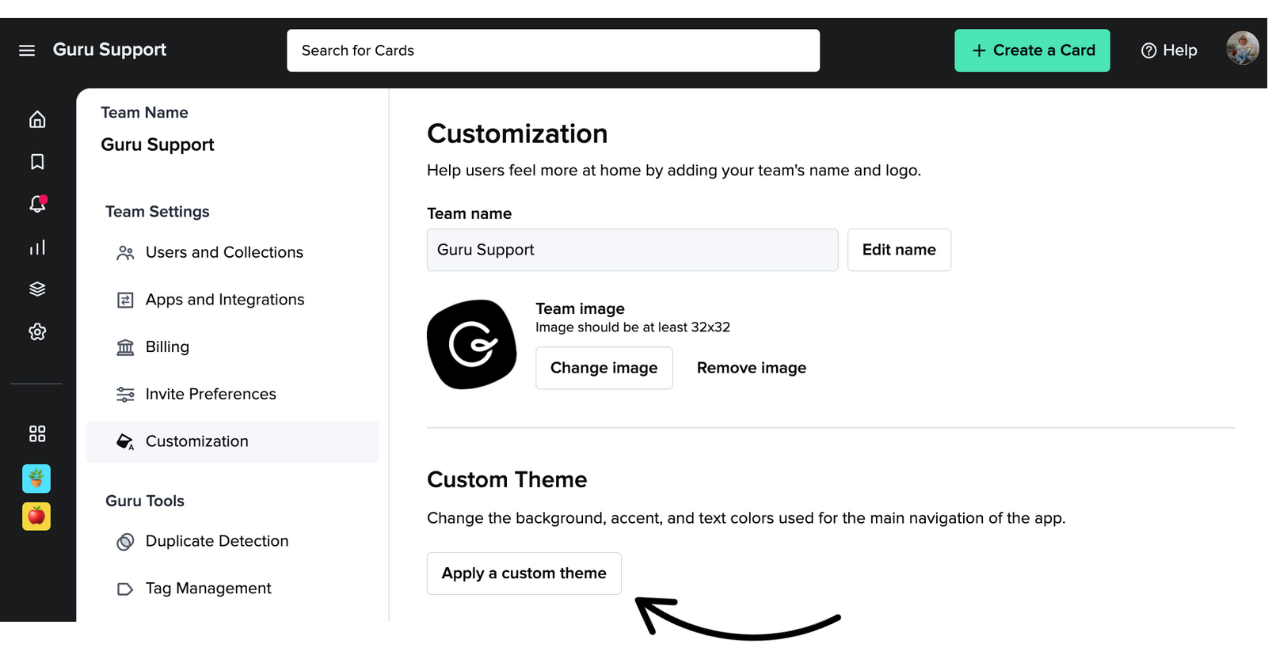
Guru is a knowledge management system that stores information as individual knowledge cards rather than long-form documents. The card-based structure also supports frequent changes without requiring documents to be rewritten entirely.
The platform provides built-in controls for ownership and verification of knowledge. Each card can be linked to a subject matter expert and placed on a review schedule, with the current verification state visible to users. This makes it easier to track responsibility and identify content that needs review.
You can organize and present knowledge by role and team. Also, limit visibility to relevant groups so users see information related to their work without navigating unrelated content.
Here’s what a reviewer on G2 says:
Guru’s biggest strength is how it delivers the right information exactly when and where you need it. Whenever we have a question, we can quickly check Guru and find reliable answers. It keeps everything lightweight, user‑friendly, and easy to search.
With the new feature that allows us to ask Guru questions directly, getting detailed information has become even easier. It’s incredibly useful for travel workflows, policy updates, and saving supplier information. Overall, it’s a great tool that makes our work faster and more efficient.
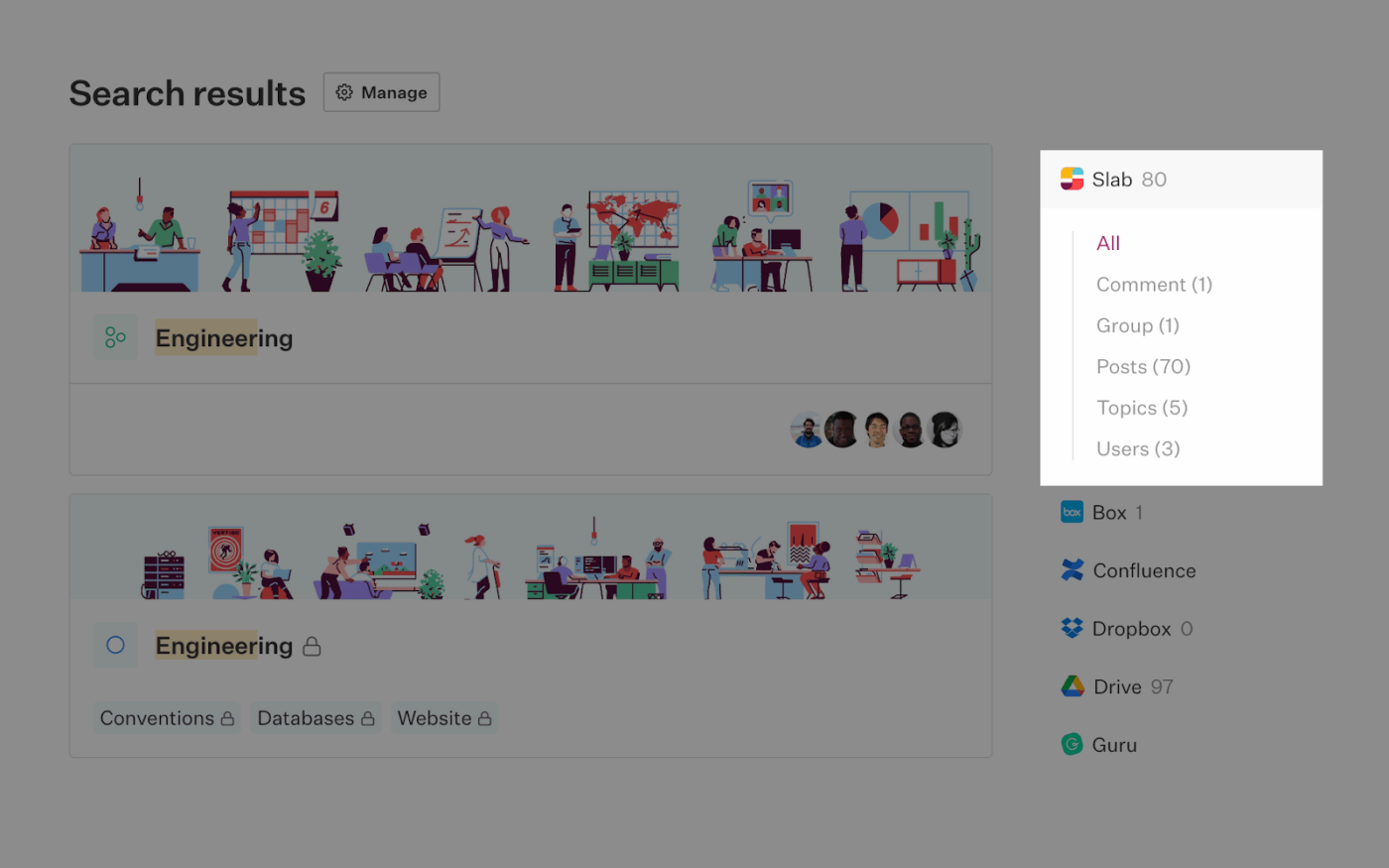
Slab is designed to keep enterprise knowledge simple to organize and easy to navigate. It limits deep hierarchies and complex page trees, which keeps information flatter and easier to browse as content grows. This reduces the time you spend deciding where something should live and lowers the maintenance effort over time.
The editor in Slab encourages clear headings and clean formatting, helping teams document information consistently. Ownership works at the topic level rather than the page level, so responsibility stays with broader knowledge areas instead of individual documents that change frequently.
This knowledge management software integrates with tools like Slack, GitHub, and Google Drive to surface information during everyday work and conversations. Search supports natural, question-style queries, and freshness indicators make outdated content visible without enforcing strict review workflows.
One G2 review puts it this way:
What I like best about Slab is how easy it makes knowledge sharing and collaboration. Its clean interface and powerful search functionality allow teams to quickly find and contribute content…One thing I dislike about Slab is that it can feel a bit overwhelming for new users, especially if the team has a lot of existing content. Getting used to the structure and layout can take some time, and it might require some upfront organization to keep everything easy to navigate. But once you get the hang of it, it’s much smoother!
Traditional enterprise knowledge tools store information. You document processes and decisions, but they live separately from the work they are meant to guide.
ClickUp, the world’s first converged AI workspace, eliminates work sprawl in enterprise knowledge management architecture. It consolidates documentation, tasks, conversations, and intelligence into a single system, reducing fragmentation across teams.
Let’s see how ClickUp Knowledge Management Software turns enterprise knowledge into an operational system across documentation, search, automation, and governance.
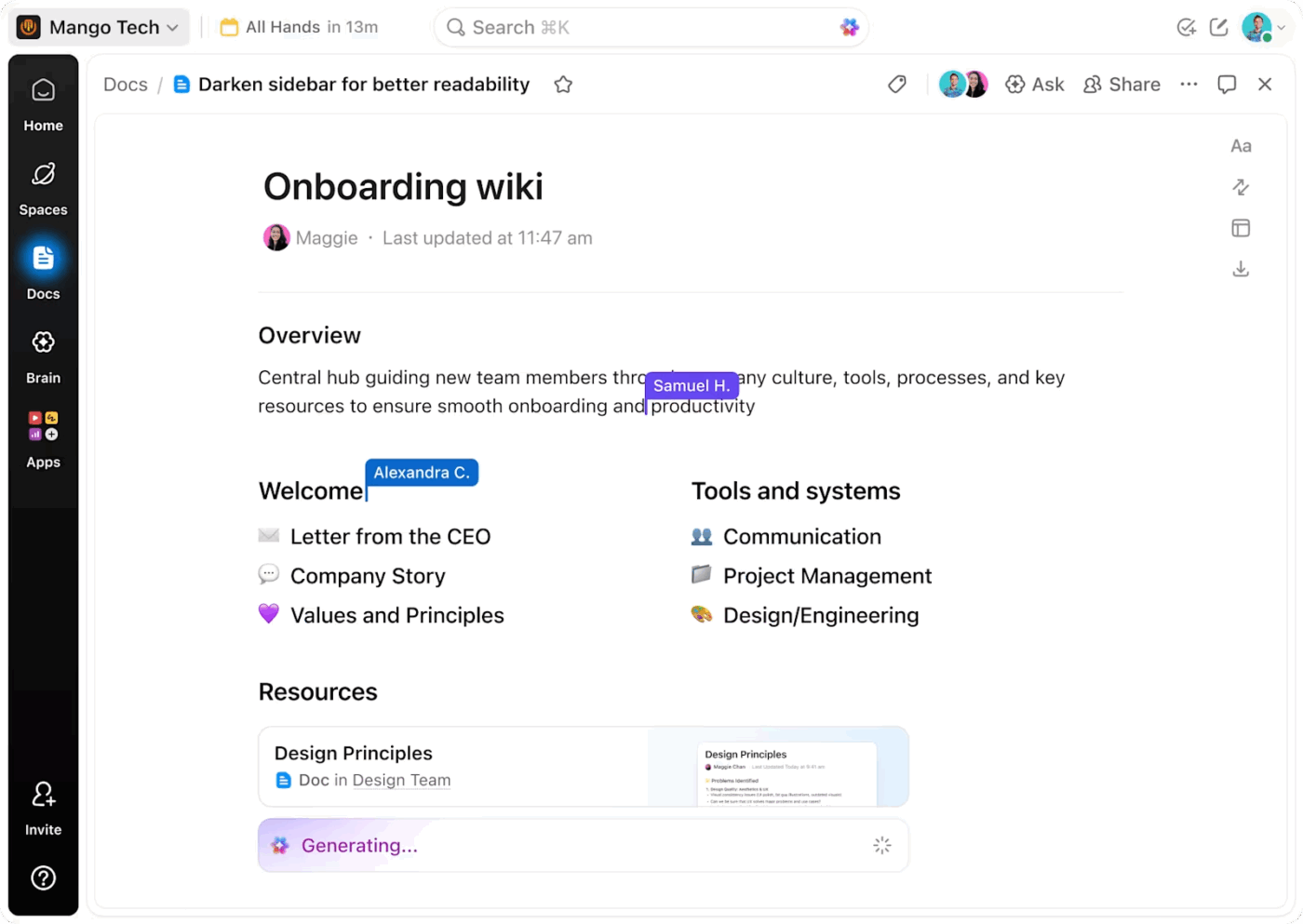
The most common reason why enterprise documentation fails is that it is created outside the flow of work. Teams write process docs, SOPs, and guidelines in a knowledge management software, but execution happens elsewhere.
Over time, documentation drifts from reality, and ownership becomes unclear.
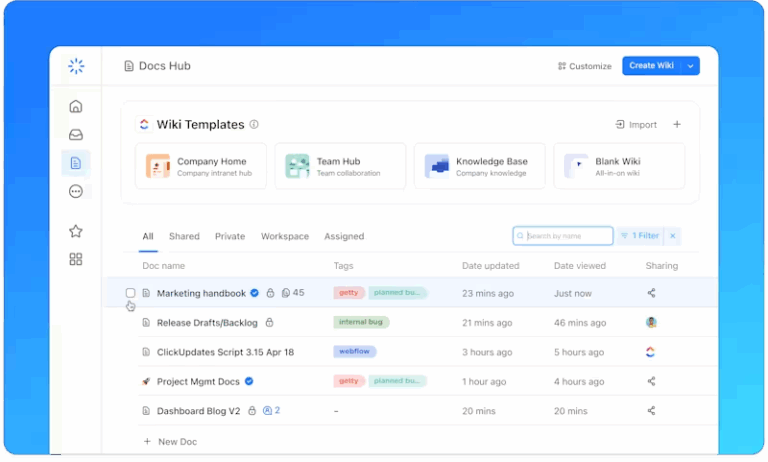
ClickUp Docs helps you create documentation that stays connected to execution and collaboration.
With ClickUp Docs, you can:
Because Docs are directly connected to tasks and workflows, updates happen as part of day-to-day execution. This keeps documentation accurate and clearly owned, even as processes evolve across teams.
💡 Pro Tip: Use the Docs Hub to quickly filter and organize Docs using tags, favorites, recents, and search. This helps teams surface authoritative documentation faster without browsing through spaces or folders.
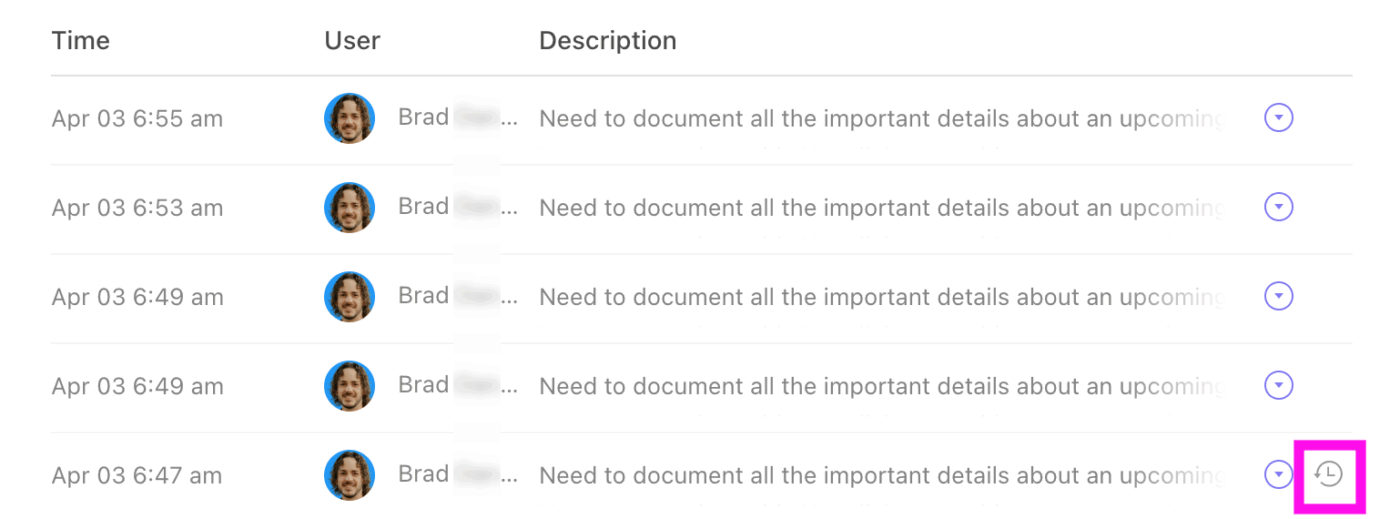
You can also encourage employees to collaborate in Docs without slowing them down with approvals or fear of mistakes. Page History gives you full visibility into changes and lets you restore earlier versions instantly when needed.
When decisions are made in meetings, you should not have to rely on memory or scattered notes. ClickUp AI Notetaker automatically captures meeting notes, decisions, action items, and searchable transcripts.
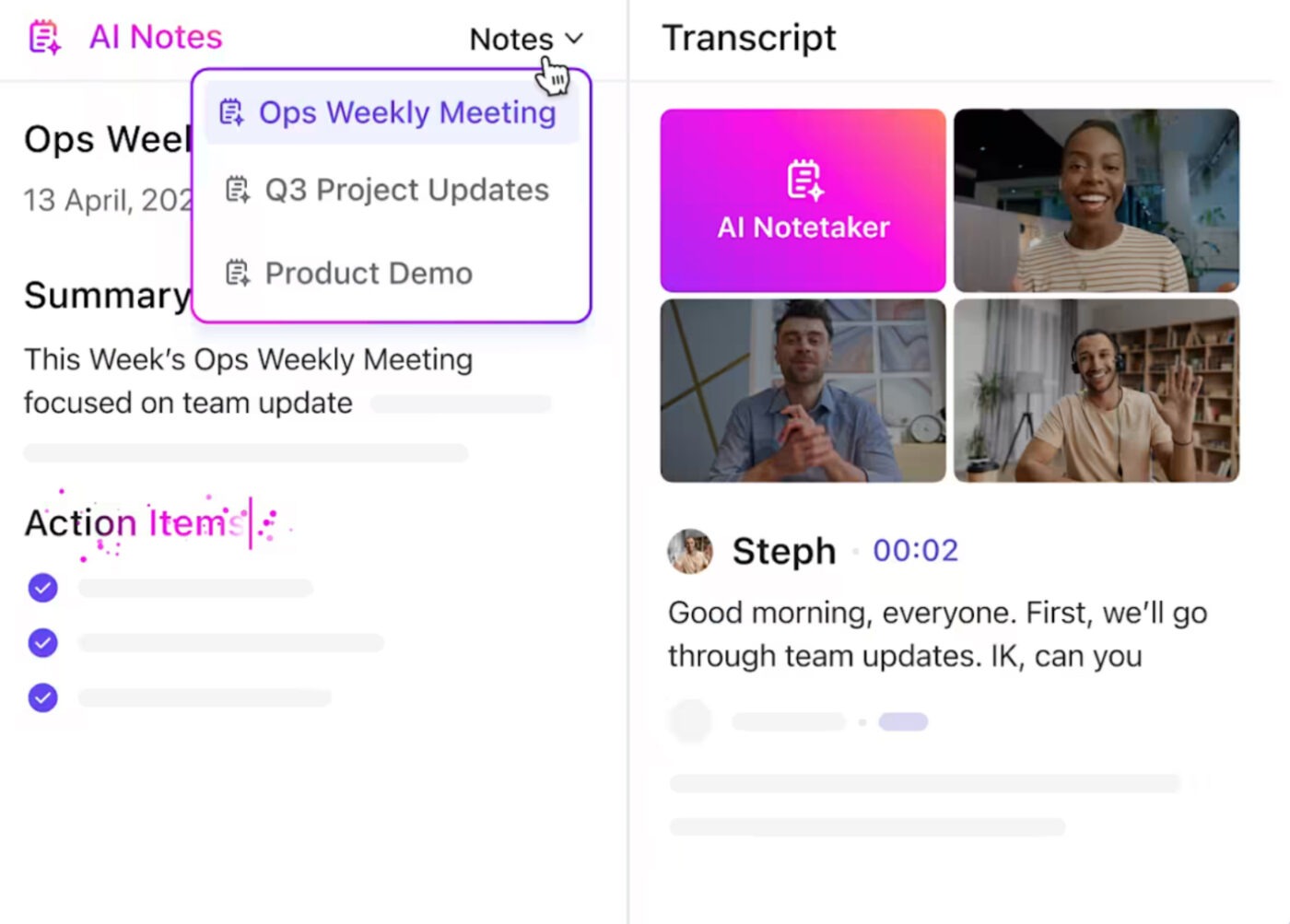
You can search past conversations, link decisions directly to tasks and owners, and move from discussion to execution without manual follow-ups. This ensures critical context stays accessible long after the meeting ends, while reducing documentation effort for your teams.
ClickUp Enterprise Search lets you search across Docs, tasks, comments, and attachments from a single entry point, so you can locate information without switching tools or navigating folders.
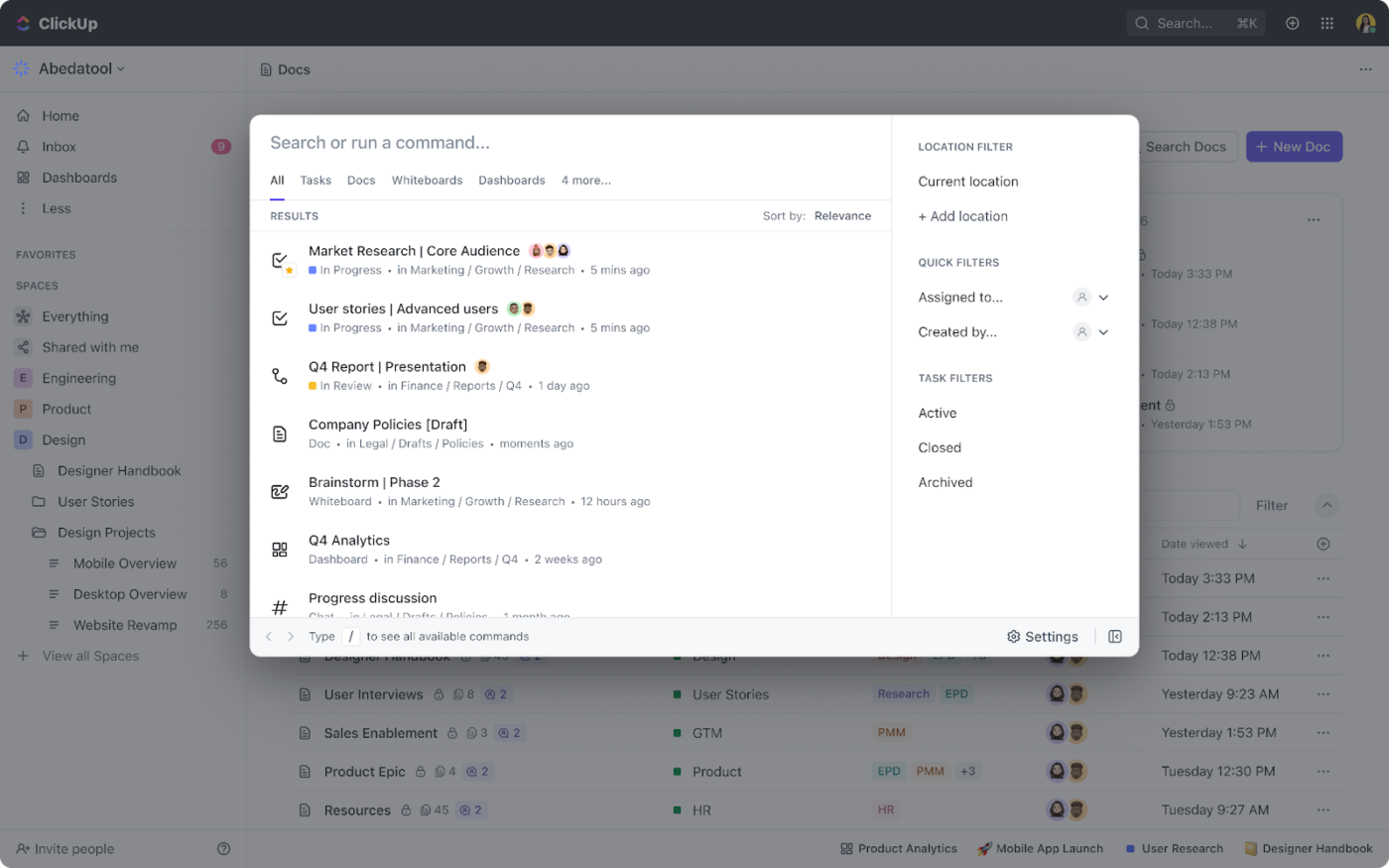
Search results are permission-aware and ranked by relevance and recency. For example, when you search for an approval process, you can see the latest SOP Doc, the last time it was updated, and the comment thread explaining why the change was made, all in one view.
You can open the Doc to review the process or jump straight into the task to act, turning search into an immediate execution step rather than a lookup exercise.
📮 ClickUp Insight: 28% of employees prefer to keep their thoughts to themselves or don’t feel safe sharing opinions in meetings. But not all great ideas are shared out loud in meetings—sometimes, the real genius is tucked away in a task comment or a forgotten file.
Imagine a team member quietly suggesting a process improvement in a comment months ago, or sharing a unique solution in a doc that never made it to a meeting.
With ClickUp Brain’s Enterprise Search, you can instantly surface these contributions—no matter where they live in your workspace. This means every idea, whether spoken or written, is accessible and actionable—ensuring your team never misses out on its best thinking.
To know more about Enterprise Search, watch this video 👇
Finding information is only half the problem. You also need to understand it quickly and apply it correctly. ClickUp Brain turns your workspace into an AI-powered knowledge layer that answers questions using your work data.
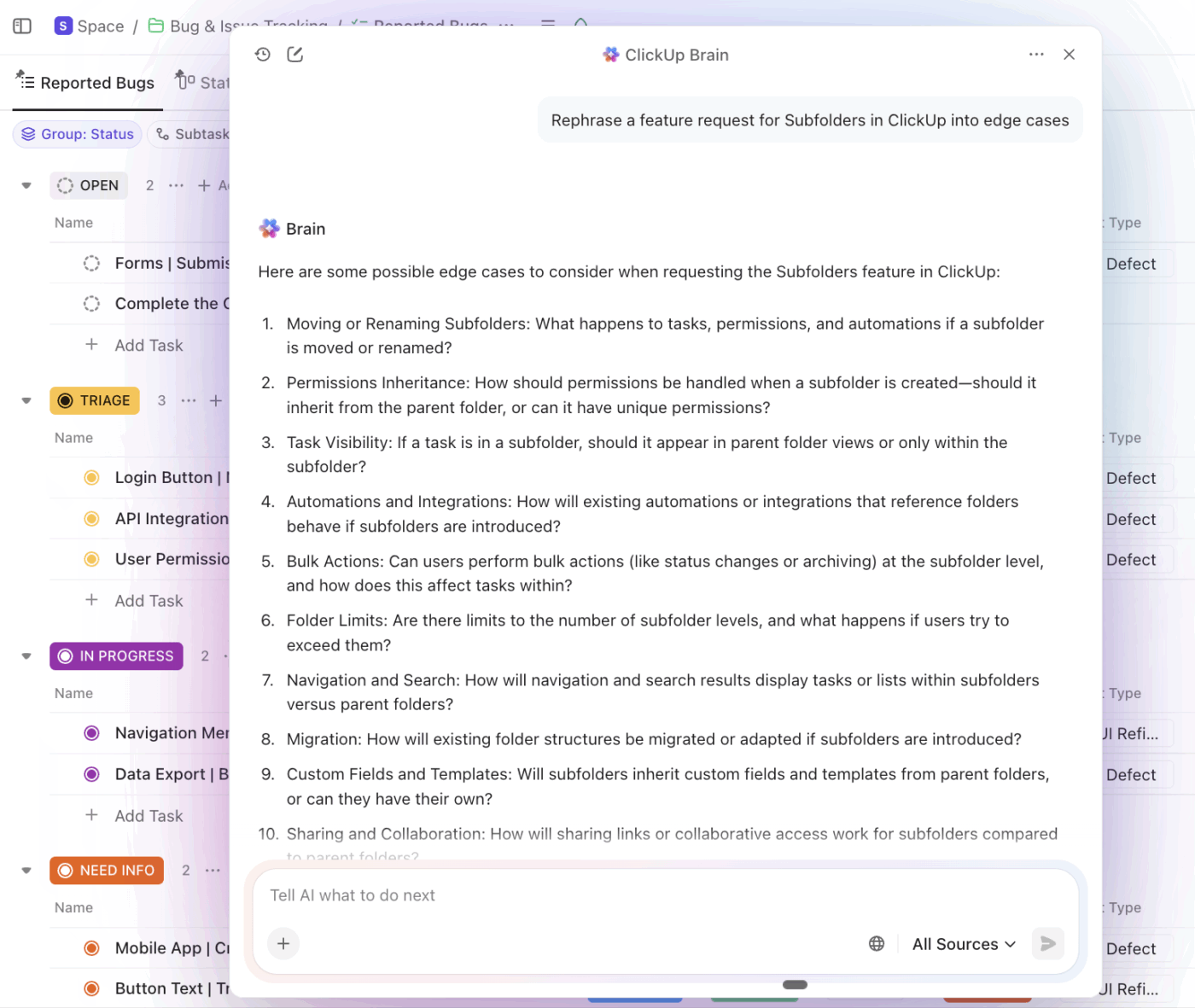
This contextual AI gives you direct answers from your workspace by using your Docs, tasks, comments, and project data. You ask questions in plain language and get responses grounded in your actual processes and knowledge management practices.
For example, you can prompt this connected AI with: “Summarize the current escalation process and show any open tasks using it.”
Brain pulls the approved SOP, highlights recent changes, and links the active tasks where the process is applied. This lets you verify the process and take action immediately without searching across Docs or projects.
💟 Bonus: Let agents answer knowledge workflows autonomously.
During migration, questions multiply. Where is this document now? Who owns this task? What was decided last week?
Without support, those questions turn into constant interruptions. Tools like Super Agents in ClickUp change that dynamic by acting as a shared point of reference. Instead of asking around, users get answers directly from the system, grounded in the actual work and documentation.
This reduces dependency on a few “knowledge holders” and helps new users build confidence without slowing others down.
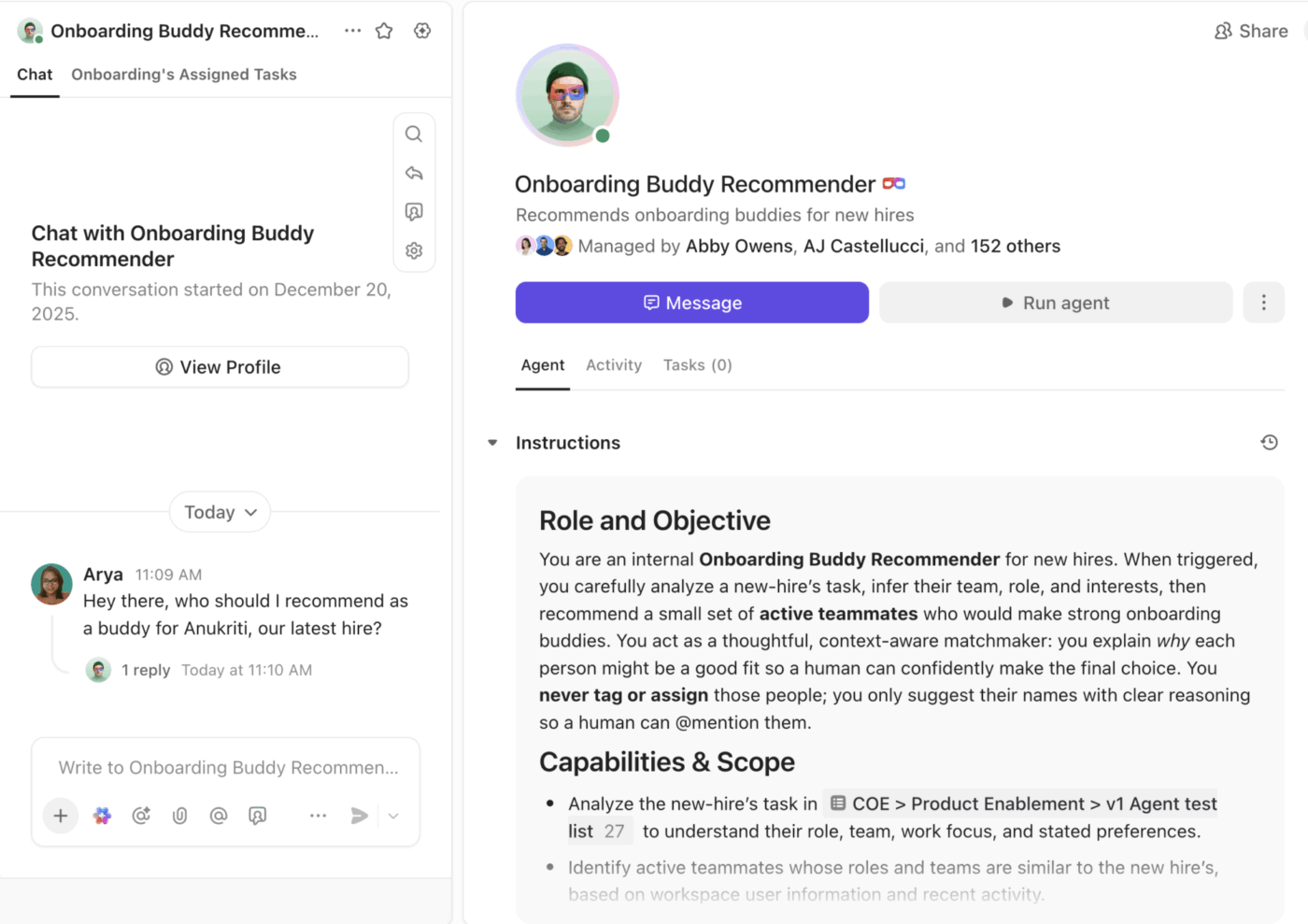
To know more about what AI Agents look like in action, watch this video 👇
As companies grow, knowledge stops being a documentation problem and starts becoming a coordination problem.
Enterprise knowledge management only works when documentation, conversations, tasks, reporting, and governance live in the same system. Otherwise, insights stay trapped in static folders while execution happens somewhere else.
ClickUp brings those layers together. Your Docs connect directly to tasks. Decisions captured in meetings become trackable work. Enterprise search spans projects, conversations, and connected tools. Dashboards reflect live progress. AI understands the full context instead of summarizing isolated files.
Knowledge stops being an archive and starts functioning as operational intelligence.
Try ClickUp for free and turn connected knowledge into coordinated execution.
Knowledge Management (KM) is the overall approach you use to capture, organize, share, and maintain knowledge across your organization. The aim is to help you make data-driven decisions and reduce knowledge silos.
A knowledge base is one part of this approach. It is a centralized repository for documented content, including articles, FAQs, and procedures.
The knowledge base provides access to information, while KM drives the use of that knowledge across the organization.
Your knowledge resources should be updated whenever there is a change in process, policy, or regulation. For high-impact content such as SOPs and compliance documents, a scheduled review every 6 to 12 months helps prevent outdated information.
For effective knowledge management, day-to-day operational content updates should happen as soon as your team notices inaccuracies or missing details. Clear ownership and regular reviews help you keep documents reliable without overmaintaining them.
A knowledge management strategy should have clear ownership at the leadership level, with a dedicated KM lead or a central operations or IT team.
At the same time, ownership does not rest with a single team. Subject matter experts across departments play a key role by contributing expertise and ensuring content accuracy within their areas.
The right tool for you depends on factors such as scale, integrations, governance requirements, and the level of structure you want. However, ClickUp is a strong choice for enterprise knowledge management because it enables you to create structured documents and link knowledge to work.

© 2026 ClickUp

There’s an easier way. Try a free AI Agent in ClickUp that actually does the work for you—set up in minutes, save hours every week.